A post can get plenty of likes without giving anyone a reason to buy. You spend your lunch break writing another one, but you still can’t tell whether the people responding need what you sell.
That uncertainty makes organic marketing expensive in hours, even when you spend nothing on ads. This guide lays out a way to sell on X around a day job, using helpful posts and relevant conversations to give interested buyers a clear route to a product purchase or service inquiry.
1. Choose One Offer and Identify Its Buyer
Start with one offer. Give yourself a clear answer to five questions:
- Who needs it?
- What problem does it help them solve?
- What do they receive?
- What does it cost, or how is the price decided?
- What should an interested person do next?
You can start with a standard account, text posts, images, and manual conversations. You don’t need to appear on camera or build a large following before making an offer. You do need to reach people who have a reason to consider it.
For the running example, imagine you run a dog photography business. Your first offer is a $20 downloadable PDF guide that teaches beginners to take dog photos at home with a phone. You also offer local portrait sessions in Leeds.
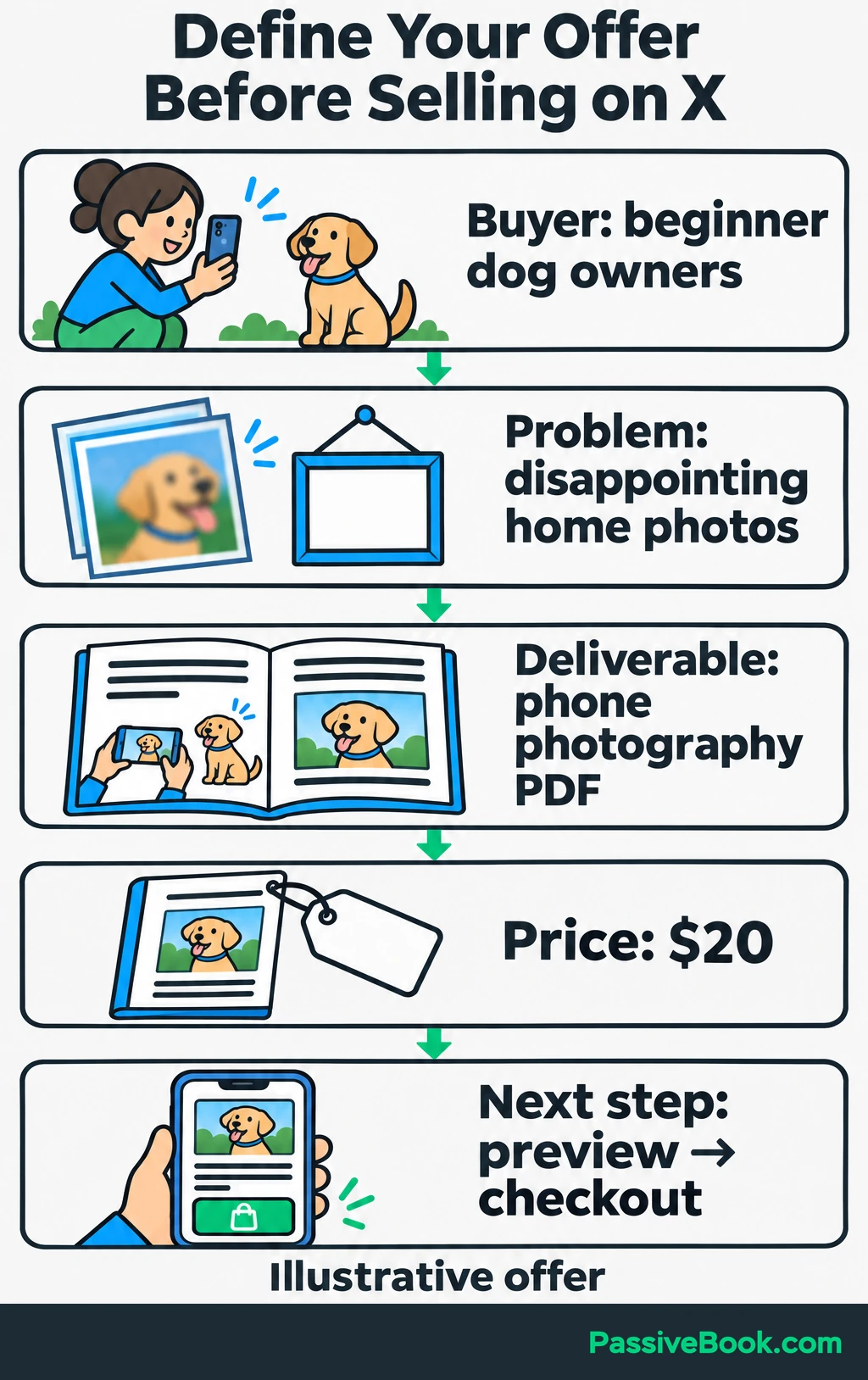
The business, prices, sample copy, and calculations in this article are illustrations, not reported sales results.
Next, identify the purchase trigger: what happened that makes someone want help now?
For the guide, perhaps they keep getting blurry photos and want a better picture to frame. Before buying, they may ask whether they need a camera or whether the instructions suit a complete beginner.
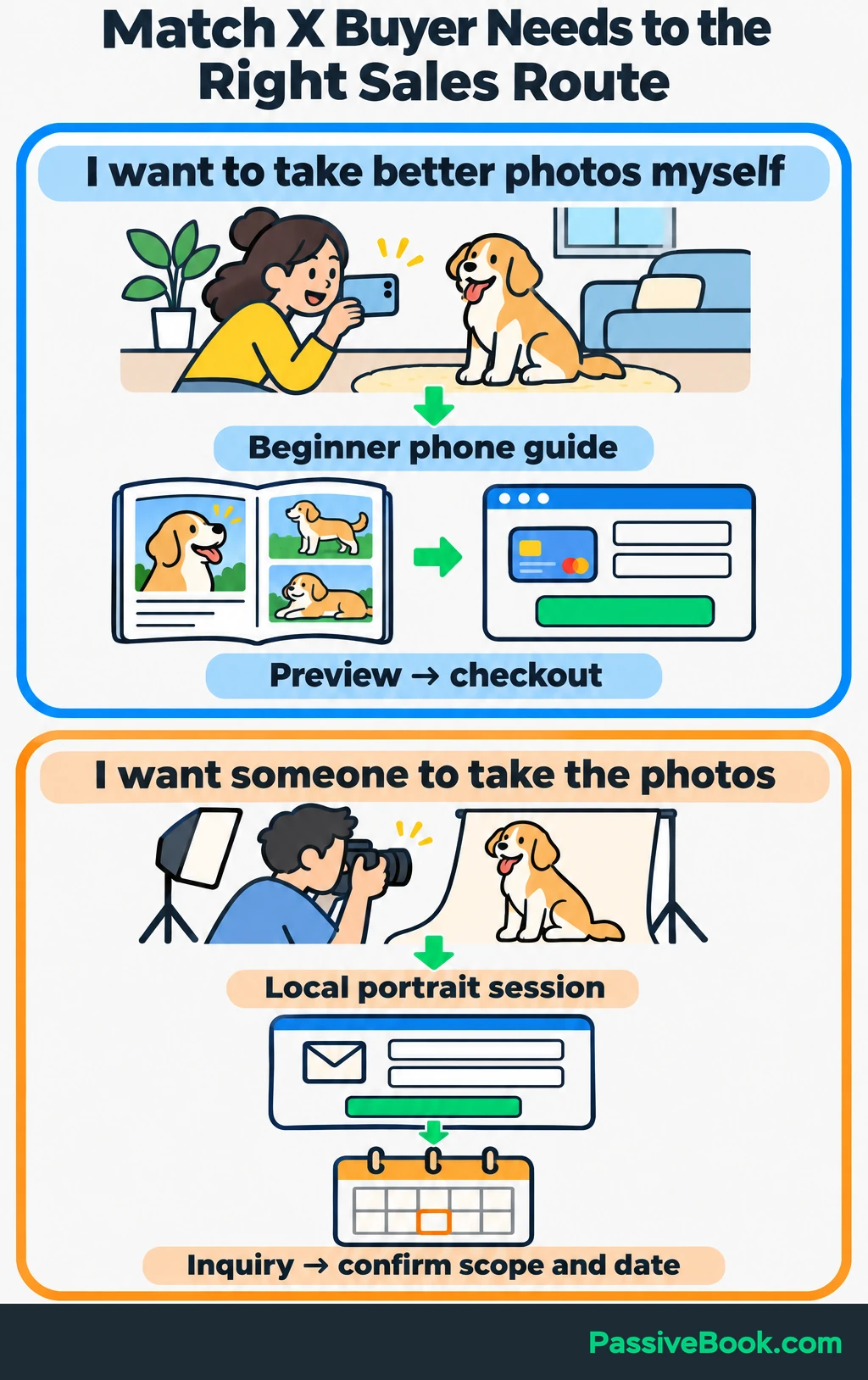
For a portrait session, they may want someone else to handle the photography. Their questions will concern location, availability, package contents, and price.
Those differences determine the buying route. The guide can lead straight to a preview and checkout. A session may need an inquiry before you can confirm the scope and date.
I would promote the guide first and respond to suitable session requests separately. Trying to explain every offer in every post makes a small business sound surprisingly complicated.
2. Build a Clear Path From Your Profile to Purchase
Prepare a Page That Answers Buying Questions
Prepare a page that explains the outcome, shows what buyers receive, states the price or pricing basis, and gives them one clear next action. Match the offer in your posts.
The details depend on what you sell:
| Offer | What the Page Should Explain |
|---|---|
| Photo guide | Readable sample page; beginner phone photography PDF; $20 price; how buyers receive the file |
| Portrait session | Dog portrait gallery; Leeds service area; package contents and pricing; location, dates, number of dogs, and photo use needed for a quote |
| Physical product adaptation: dog lead | Measured length, material, size choices, stock, shipping cost, delivery estimate, and returns terms |
Use your existing selling platform if it does the job. For a simple download, I would consider Gumroad. If you already sell through WordPress, WooCommerce may keep everything in one place. A service can start with a clear page and an inquiry form.
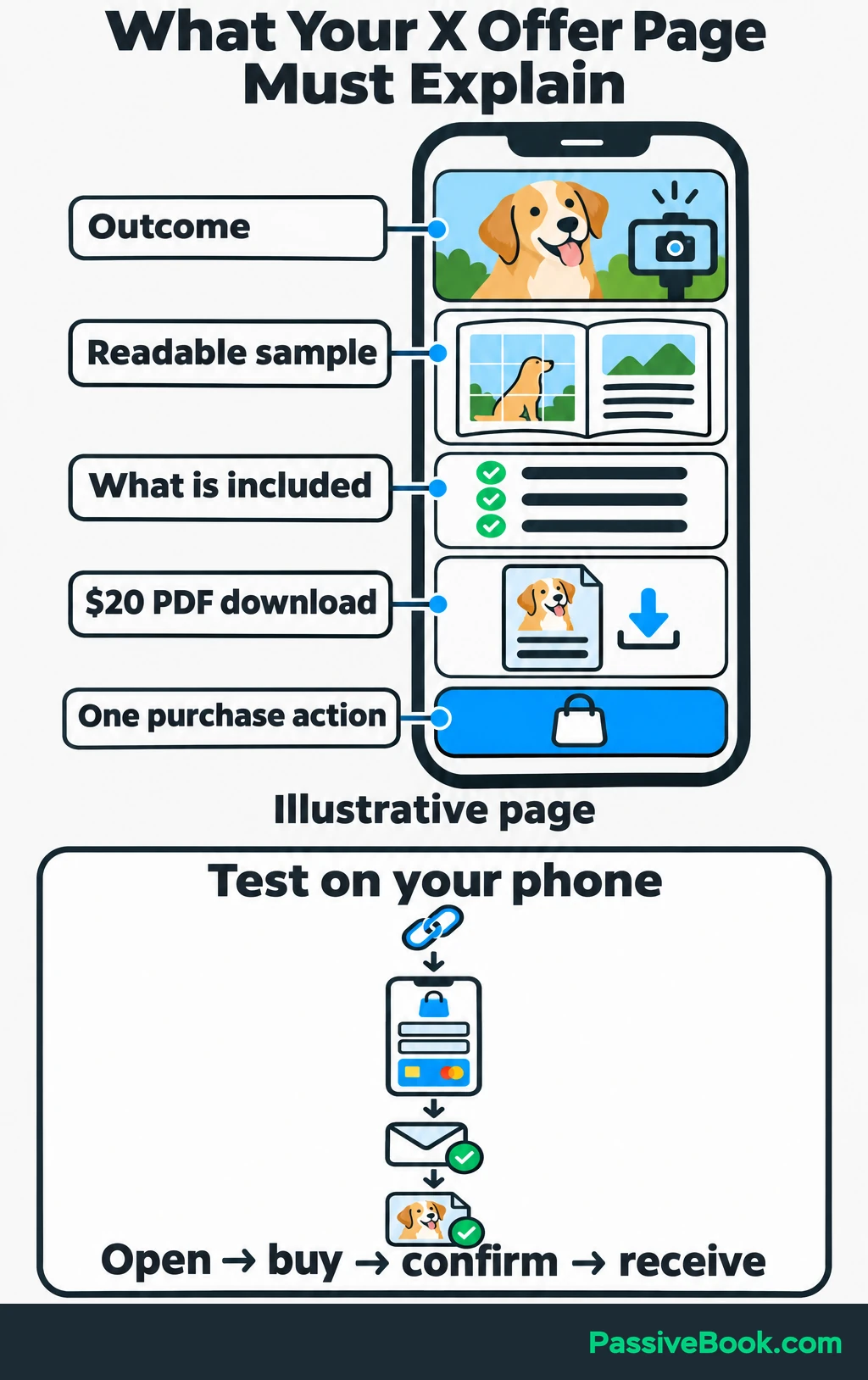
Then test the whole journey on your phone. Open the link, read the page, complete a test purchase or inquiry, and check the confirmation and delivery.
Set up website analytics before sharing links. Campaign tags label links so you can compare traffic sources and placements. For example:
https://example.com/guide?utm_source=x&utm_medium=social&utm_campaign=dog_photo_guide&utm_content=pinned_postUse your page address. Keep the first three tags consistent; change utm_content for placements such as bio or room_setup_post. Google’s campaign guidance explains how Analytics reports these tags.
Make Your Profile Explain the Offer
Use a recognizable business name and a clear logo or photograph. Keep the account public so prospective buyers can browse your work and replies.
Your bio should explain who the offer helps, what it helps them do, and where to go next.
For example:
Take better dog photos at home. Practical phone photography guide + dog portrait sessions in Leeds. Preview the guide ↓
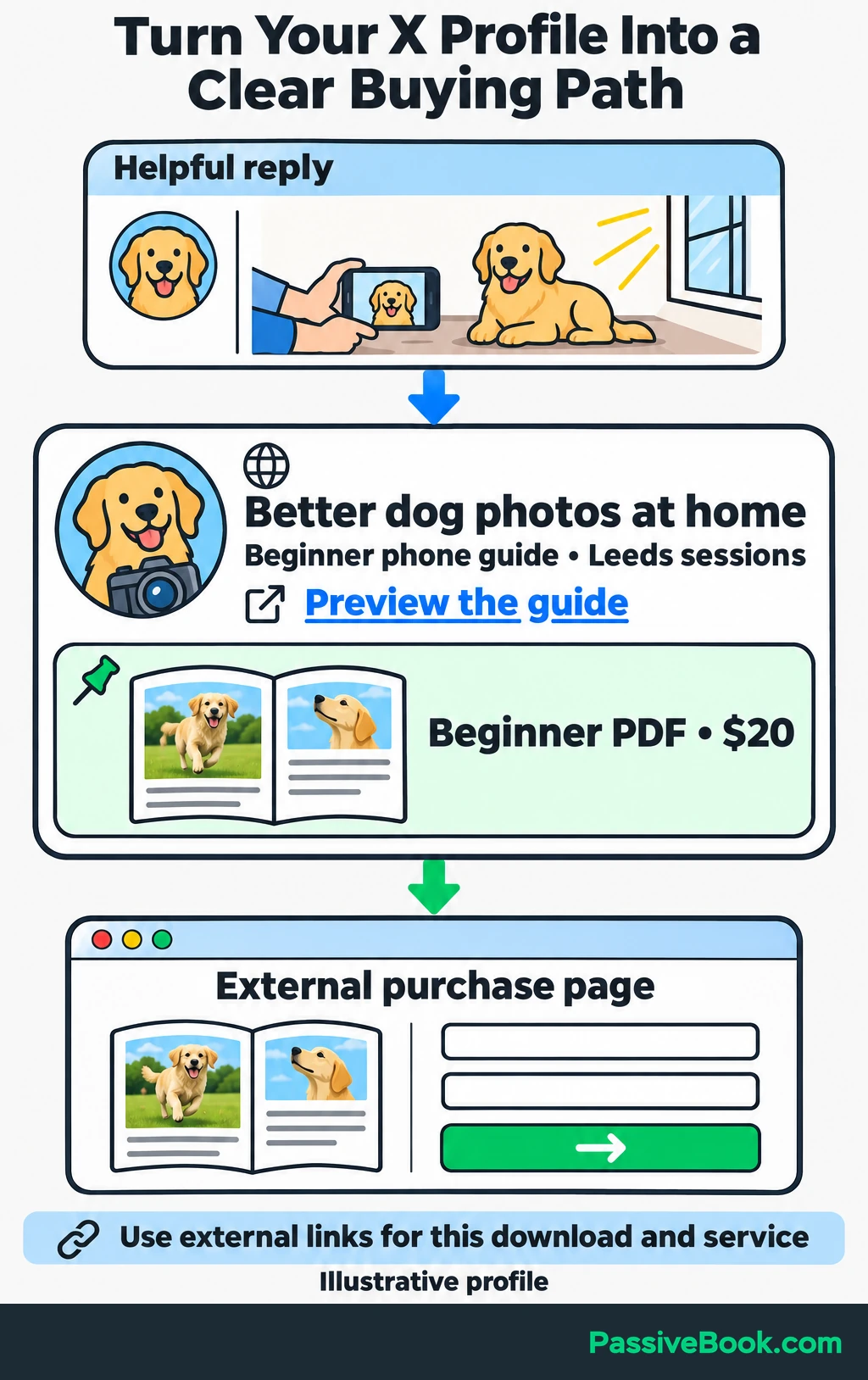
Link to the guide page and pin a post that explains the offer. Include a useful preview, the price, and one purchase link. Someone arriving from a helpful reply should be able to understand what you sell without searching through your posts.
X Shopping displays products and sends shoppers to your website for checkout. Access is limited to selected merchants and managed partners. The Shopping Manager guide specifies US-based merchants selling physical products to US customers. It supports manual uploads and product feeds—files that update your catalog on a schedule.
The example’s download and Leeds sessions should use external purchase and inquiry links. You don’t need a product feed to begin selling them.
3. Find Conversations With Potential Buyers
Search for the words people use when they describe a problem, ask for recommendations, compare options, or discuss price and availability.
Start with a few combinations and read recent results:
| Search to Try | What to Look For |
|---|---|
"dog photos" blurry | A recurring problem you can explain in a useful post |
"photograph my dog" indoors | Questions about lighting, space, or equipment |
"dog photographer" Leeds | Local requests, recommendations, and service discussions |
These are search ideas, not evidence that buyers are waiting. Read the surrounding conversation before replying.
“My dog photos are blurry” tells you about a problem. It doesn’t tell you the person wants to buy a guide.
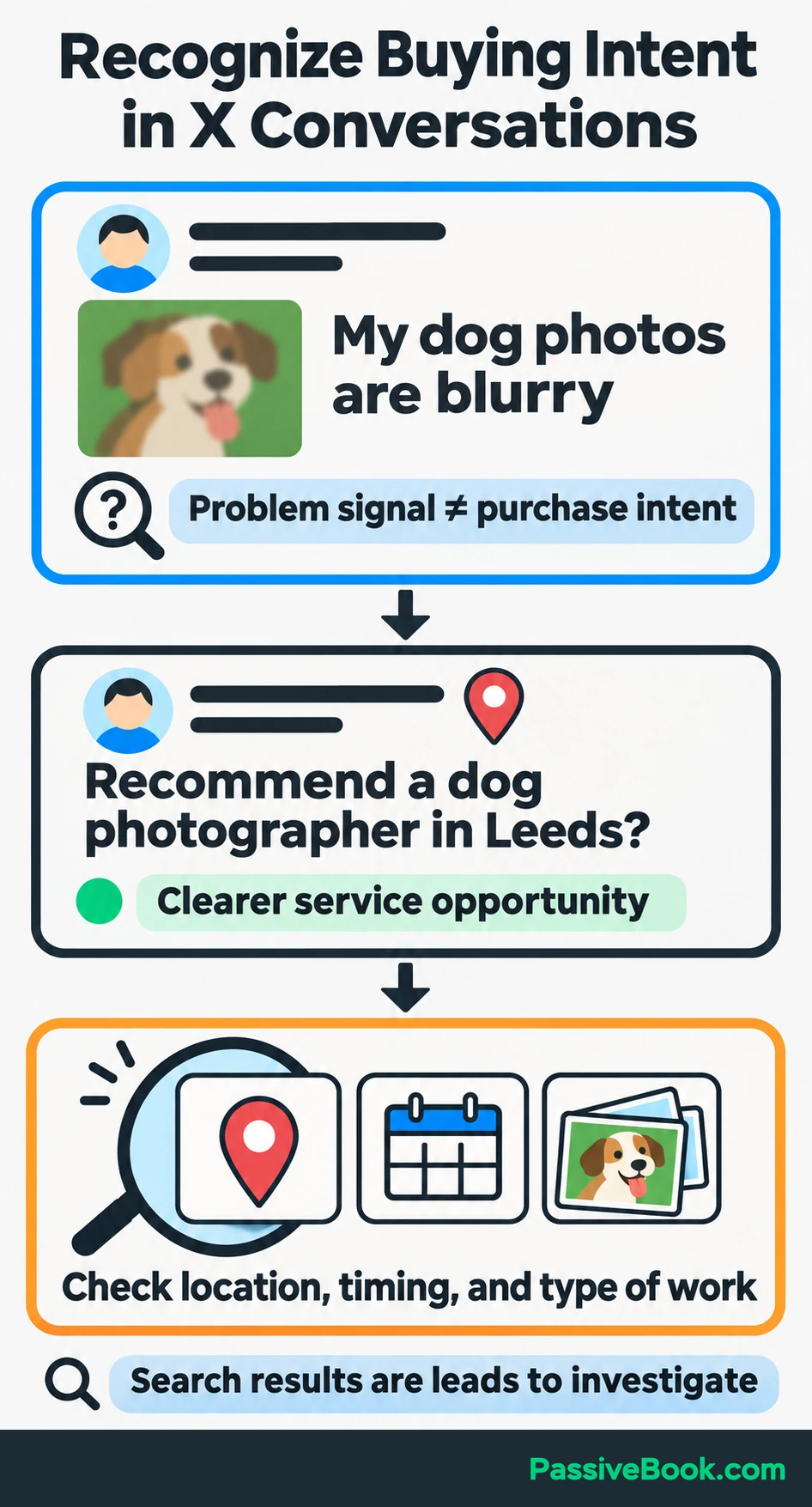
“Can anyone recommend a dog photographer in Leeds?” is a clearer service opportunity. Even then, check the location, timing, and type of work before suggesting your sessions.
Keep a short question log. Record the problem, desired result, constraints, and any request for recommendations. A spreadsheet or Notion page is enough.
Follow relevant community accounts and add them to a private X List—a feed of posts from accounts you select. For the dog photography business, include local pet businesses and community accounts whose conversations help you understand what people ask.
If results are thin, try different wording. People may say “fuzzy pictures” instead of “movement blur.”
But set a limit. If repeated searches reveal few people you can serve, reduce your investment in X. A channel shouldn’t receive another month of your evenings merely because you’ve already given it one.
4. Publish Content That Helps People Decide
Answer Questions That Come Before a Purchase
Use your question log to choose topics. Each post should answer something a prospective buyer needs to understand.
A useful structure is:
- Name a recognizable problem.
- Explain one practical action.
- Show what that action looks like.
- Offer a relevant next step.
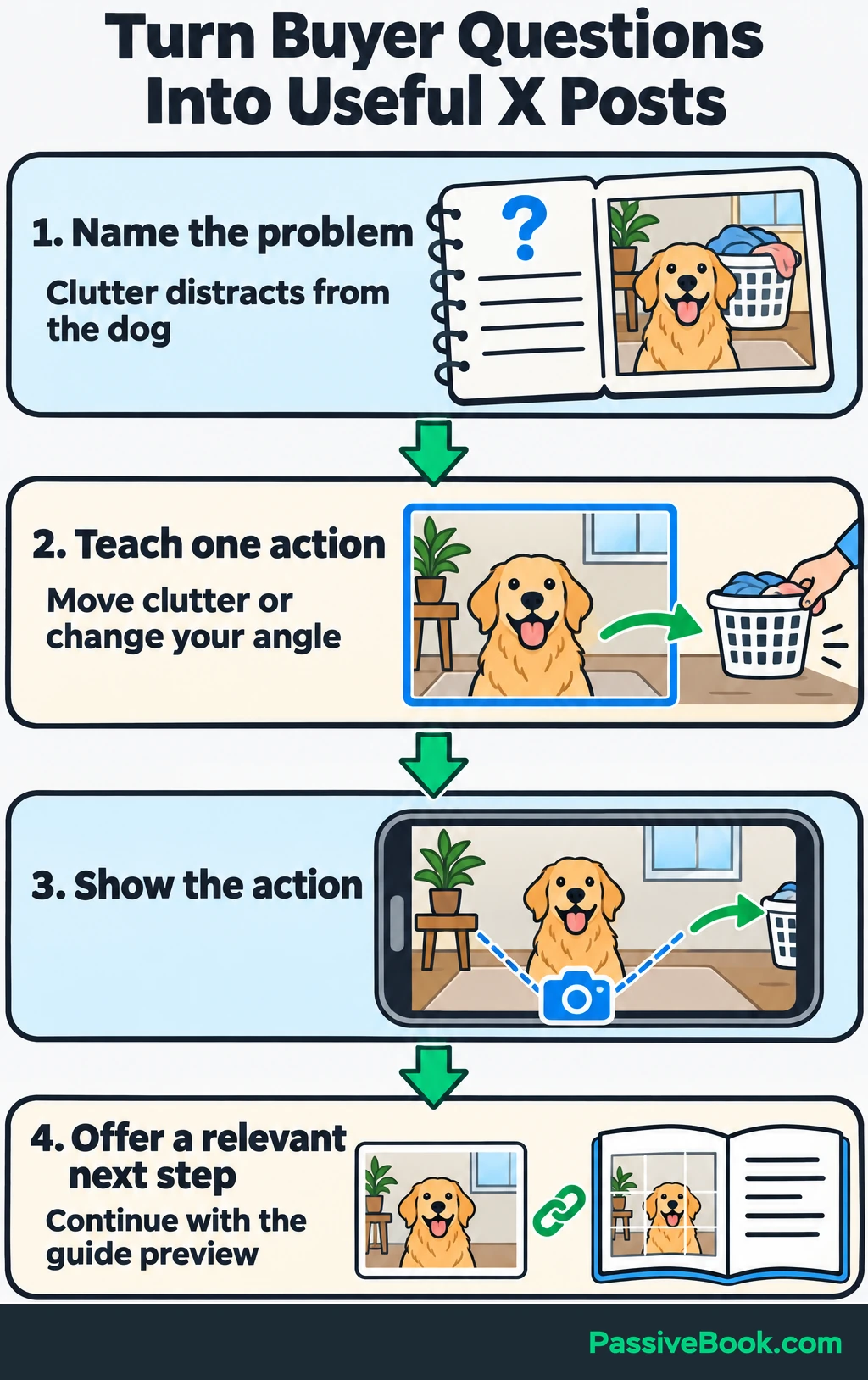
Teach the lesson before introducing the product.
For the photo guide, you might explain how to choose an uncluttered background. An annotated room photo could show where to move a laundry basket and where to position yourself.
A short excerpt might read:
Before taking the photo, check what’s behind your dog. Move the laundry basket or change your angle so it doesn’t compete with the face.
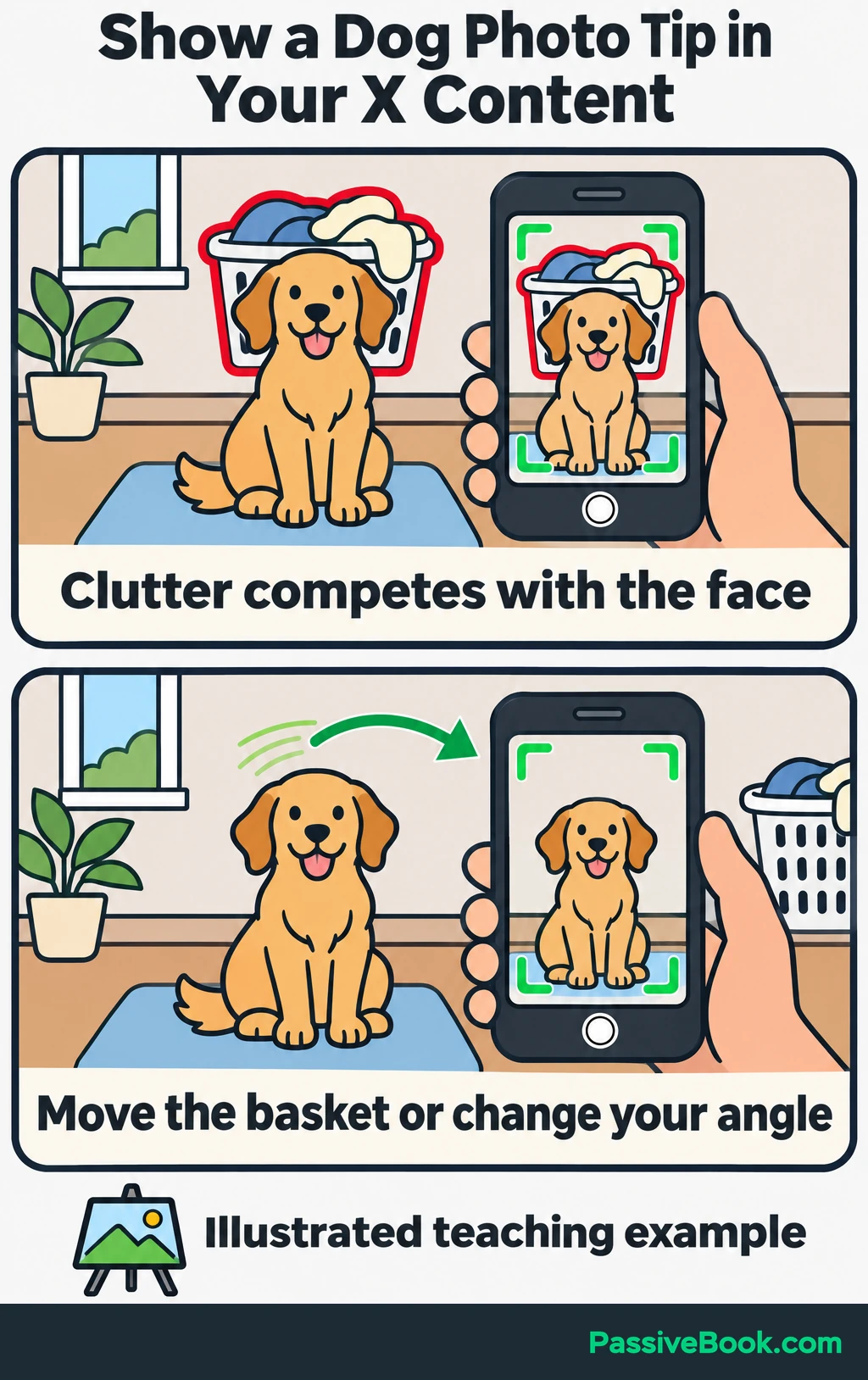
The preview gives readers something they can use immediately. A link to the guide then makes sense because it continues the same lesson.
Text, photographs, annotated images, and screen recordings can all do this. Use a thread when several connected steps need room. There’s no need to turn every tip into a performance on camera.
I would choose the simplest format that makes the point clear. An arrow on a photograph can explain more than a long paragraph about composition.
Show What the Buyer Receives
A useful tip shows that you can explain something. A product preview shows whether the paid material suits the buyer.
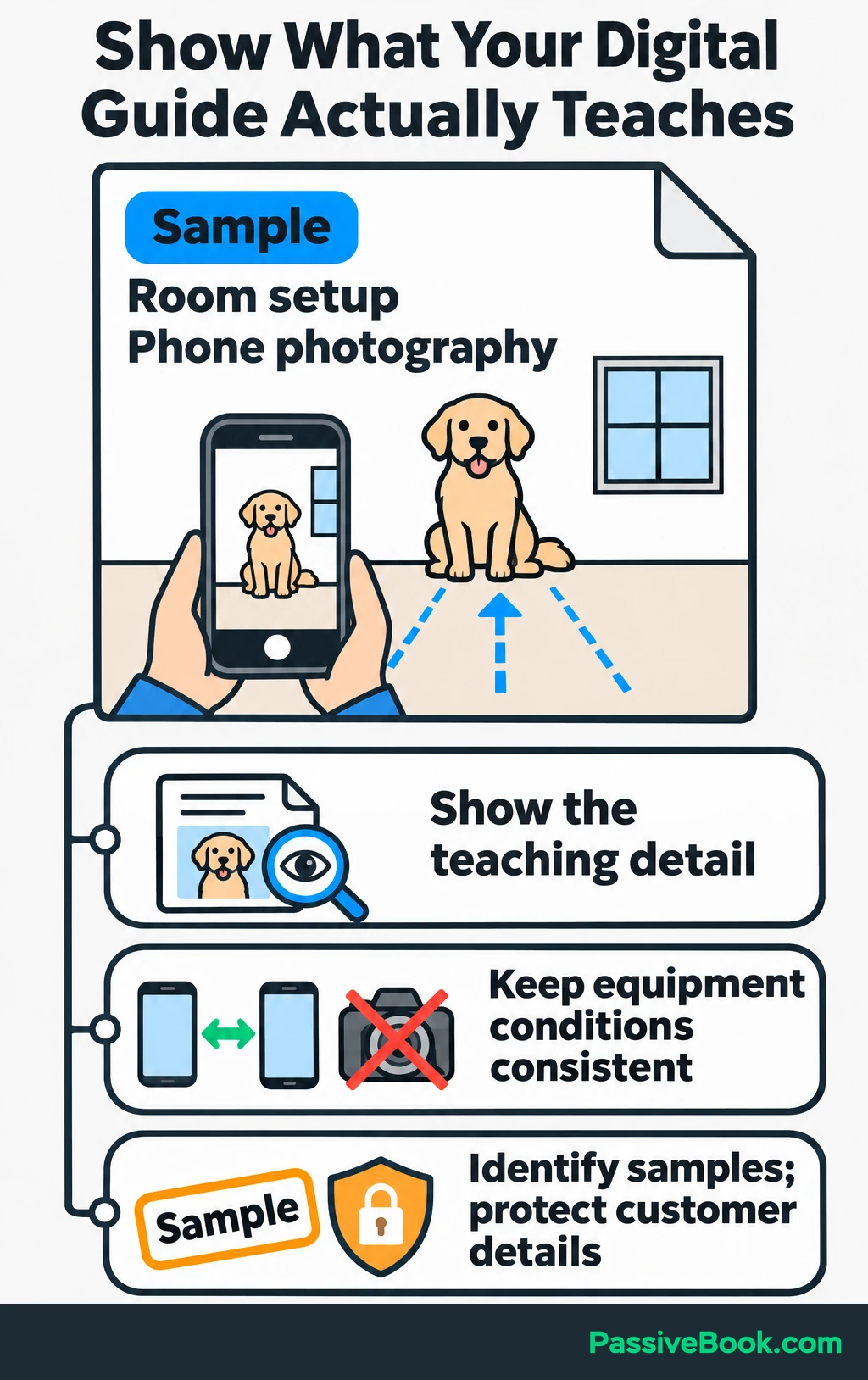
Share a readable guide page and explain what it demonstrates:
This sample page walks through a room setup using a phone. It shows the level of detail in the guide.
For sessions, share a representative gallery and connect it to the package. If the package includes a 45-minute session and eight edited images, say so. A beautiful photograph alone doesn’t explain what someone is booking.
Use your own work and documented feedback. Identify demonstration work as a sample, get permission before sharing customer material, and remove private details.
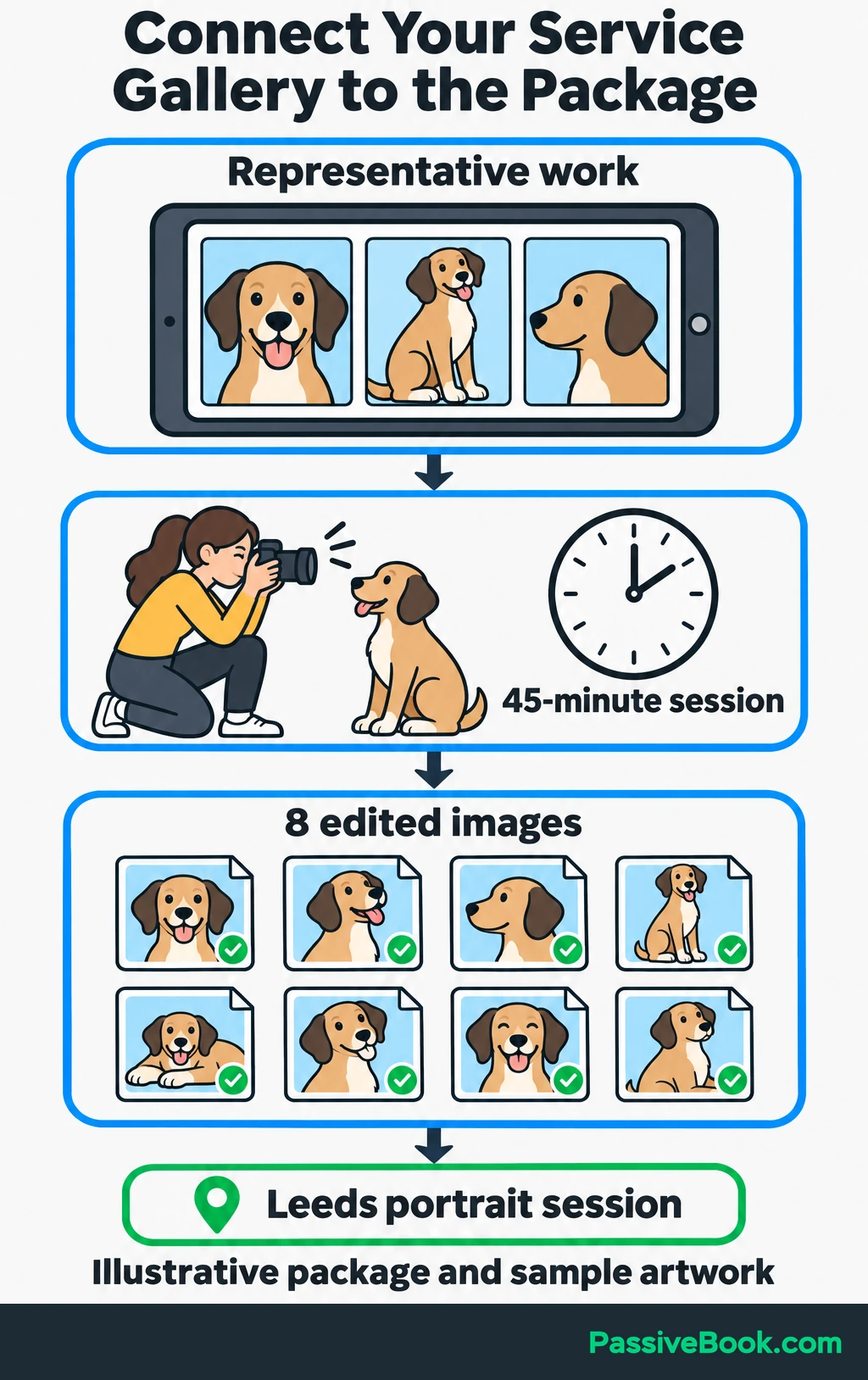
When showing a result, preserve the conditions that matter. A photograph taken with specialist equipment shouldn’t serve as proof of what a phone-only lesson produces.
I would rather show one honest, relevant sample than a wall of praise that leaves the buyer guessing.
Make Direct Offers
Useful posts need somewhere to lead. Publish direct offers that explain the problem, deliverable, price, and next action.
Here’s a complete product post you can adapt. Replace the bracketed text with your link:
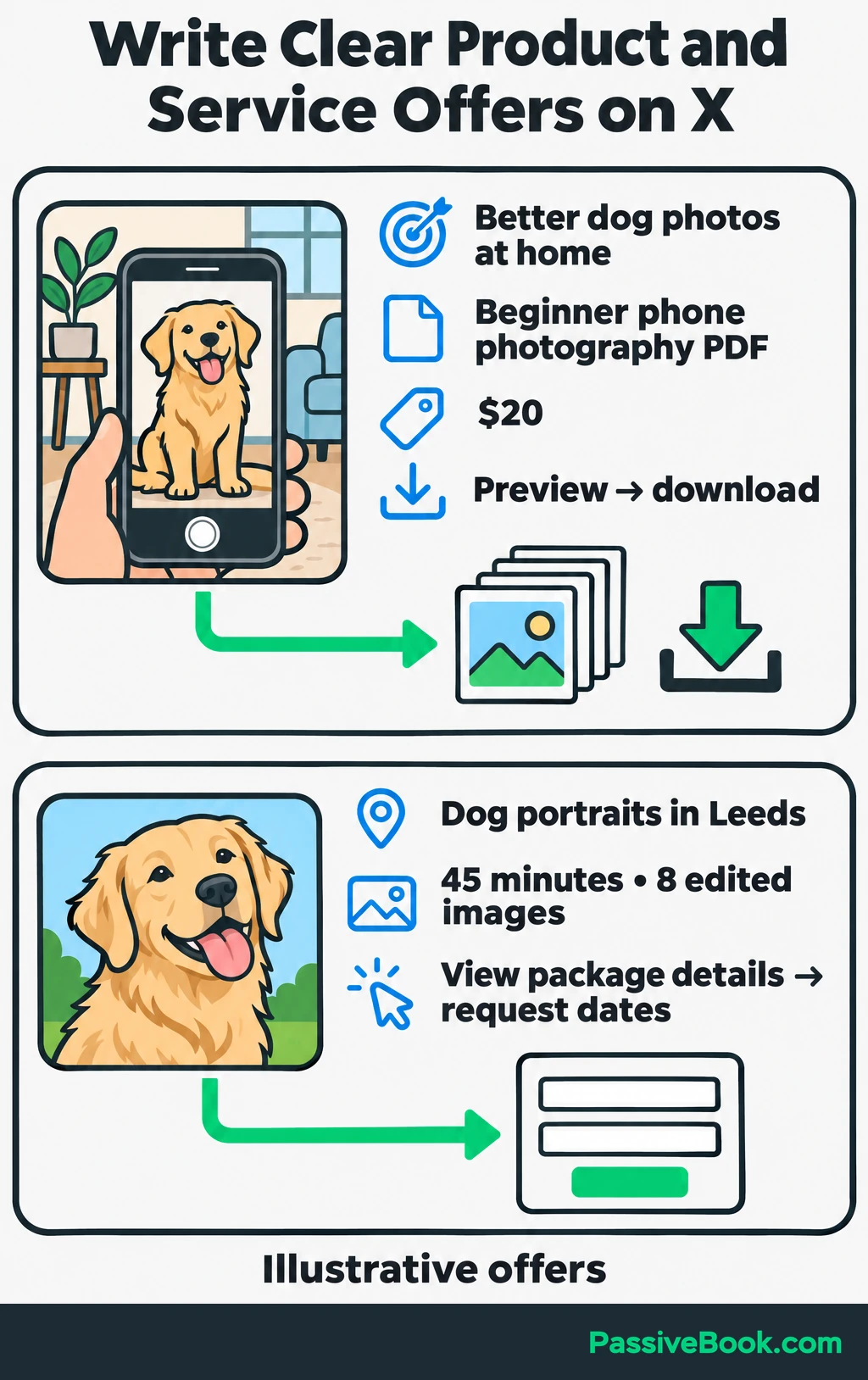
Want better dog photos at home? My $20 beginner PDF guide covers room setup, framing, and photographing a moving dog with your phone. Preview the pages and download it here: [guide link]
A compact service version could read:
Dog portrait sessions in Leeds: 45 minutes and eight edited images. View the gallery and package details, then request your preferred dates: [session link]
Alternate explanations, demonstrations, and offers based on unanswered buyer questions. I would start with three useful posts a week and leave time for replies. There’s no universal posting ratio worth rearranging your life around.
If turning your offer into clear posts is the slow part, AI Social Copy Studio can draft the first set from your business details. Review the wording and offer facts before publishing.

Free AI Social Copy Studio




5. Turn Relevant Conversations Into Sales
Give a Useful Answer First
Respond to the actual question. Give a specific suggestion or ask one question that helps you understand the problem.
For someone struggling with indoor photographs, you might ask:
Is your dog moving out of focus, or does the whole picture look blurry?
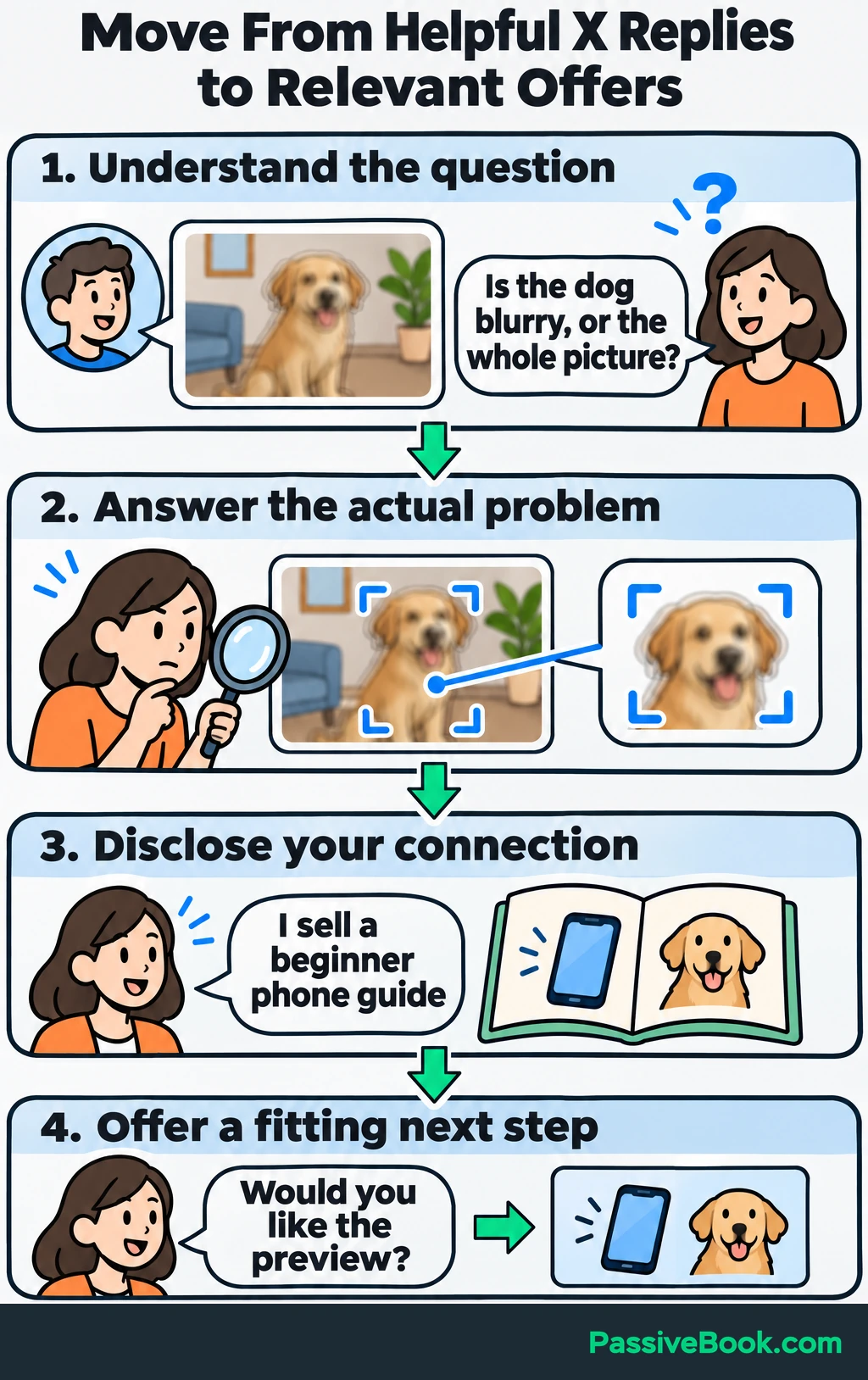
Their answer helps you avoid giving advice about the wrong problem.
Once you understand the issue, answer it directly. Introduce the offer when it fits, and make your connection to it clear.
For example:
I sell a beginner guide that covers phone setups for this. If you’re looking for a walkthrough, I can send you the preview.
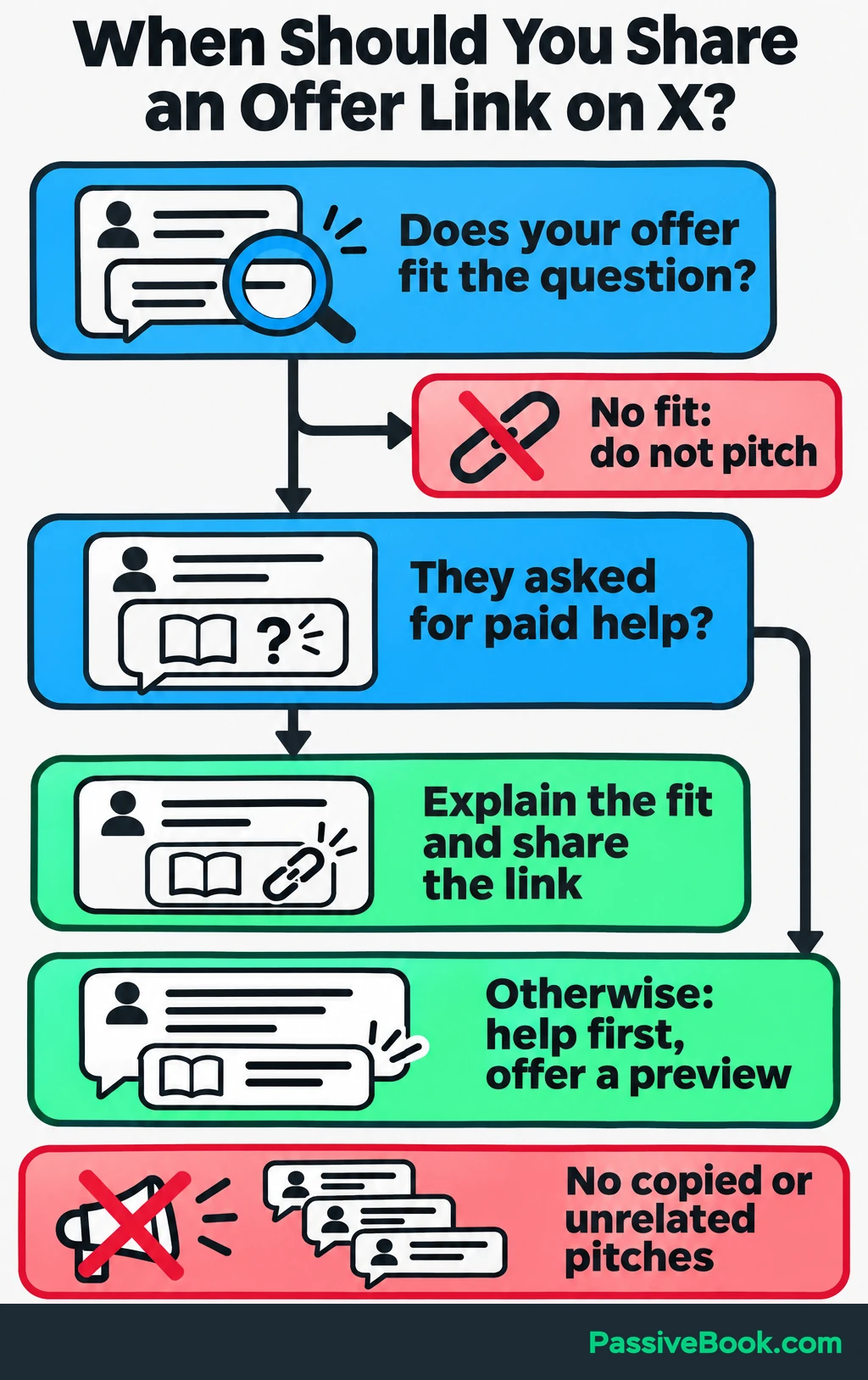
If someone has already asked for paid resources or recommendations, a relevant link can belong in your answer. Explain why it fits instead of dropping a bare URL.
Choose conversations for relevance, regardless of follower count. A small account asking about availability deserves more attention than a large account discussing something you don’t sell.
Avoid copied pitches, unrelated promotional replies, bulk mentions, and repeated unsolicited messages. X’s authenticity policy prohibits these forms of spam. They’re also a poor introduction to your business.
Confirm Fit and Offer the Next Step
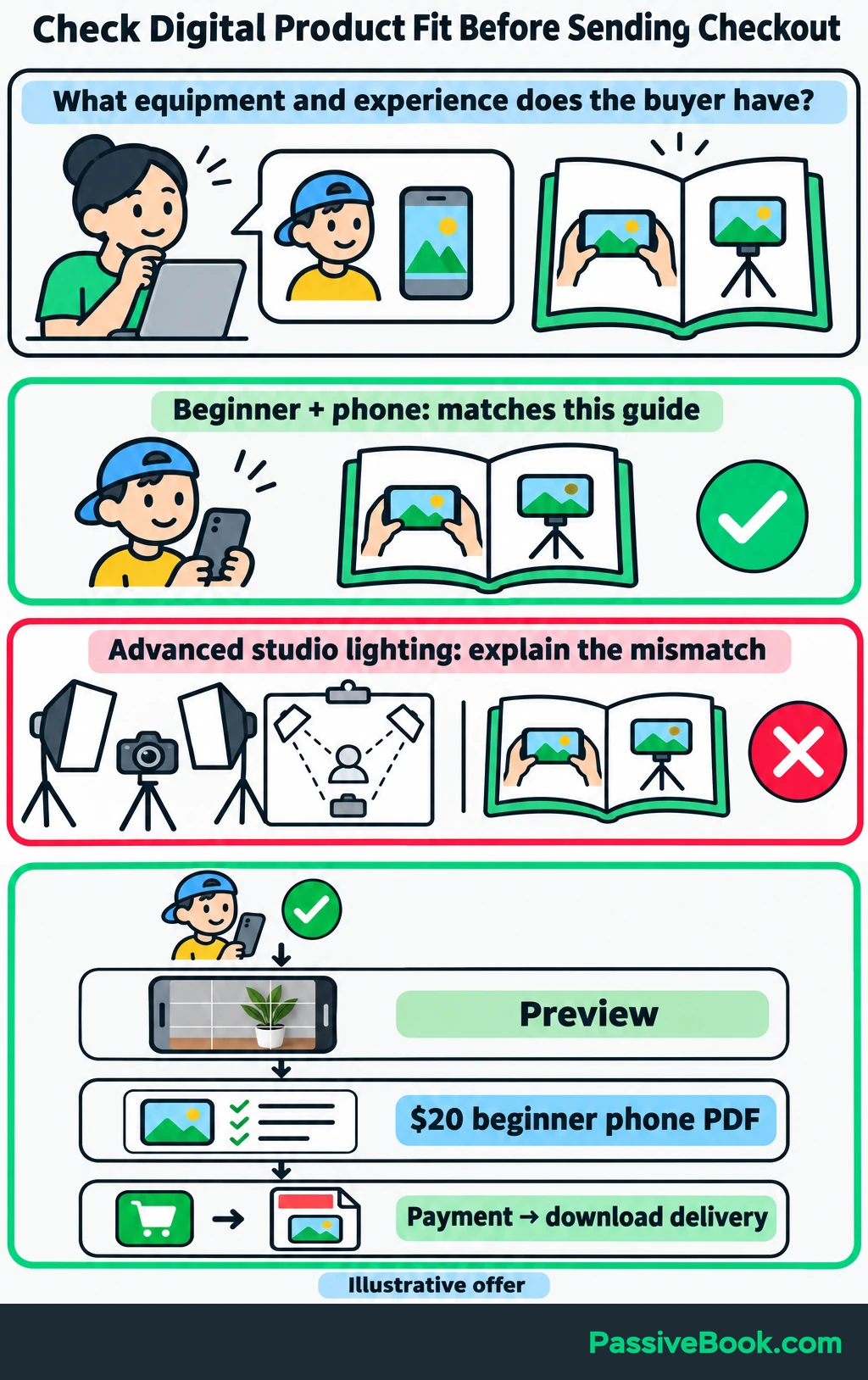
Before sending a purchase link, answer the question that could stop the buyer from using the product.
For the guide, that may be equipment and experience level. If someone wants advanced studio lighting instruction and your guide covers beginner phone photography, say so.
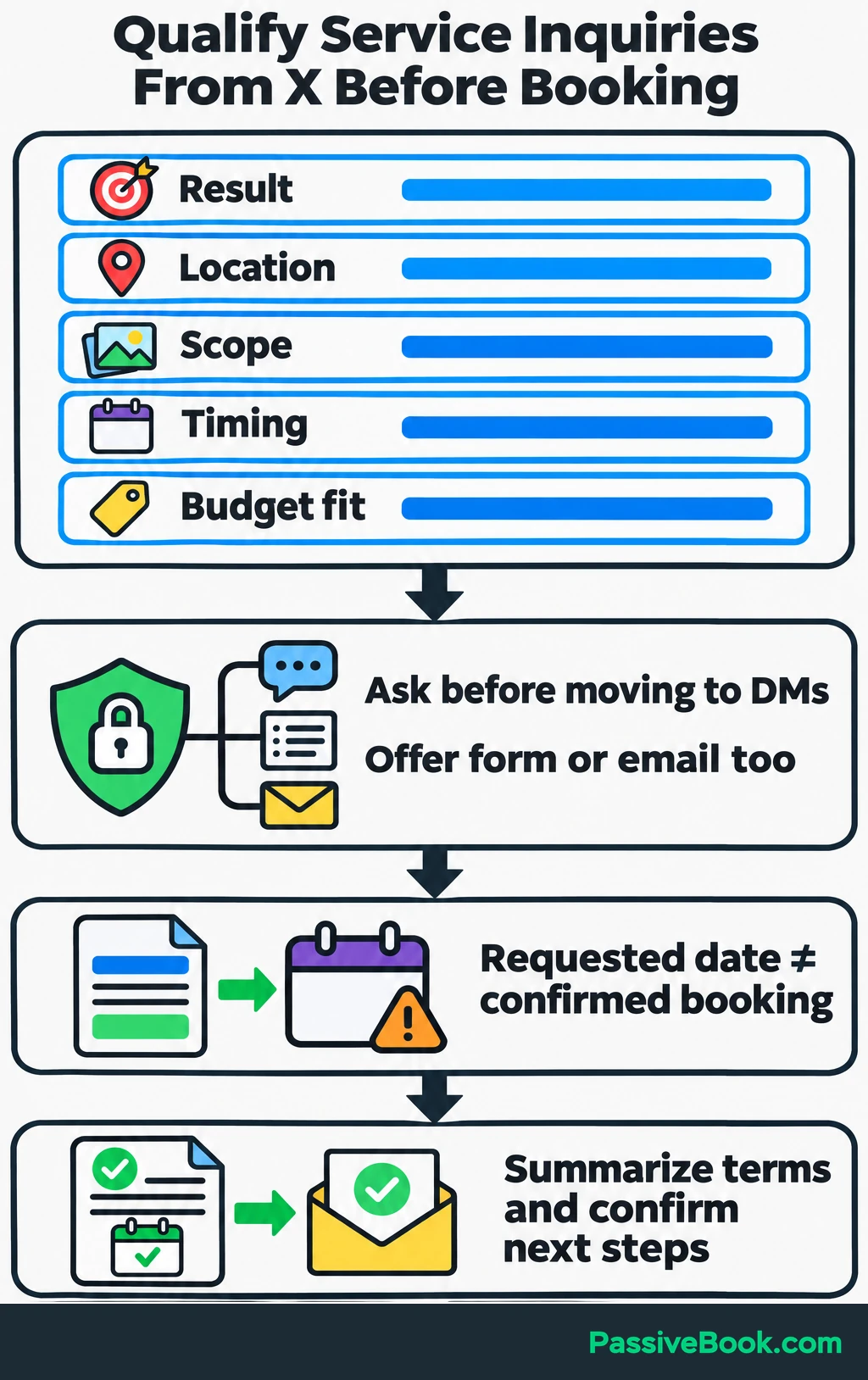
For a service, establish:
- The result they want.
- The location.
- The scope of the work.
- The timing.
- Whether the pricing fits their budget.
Ask only what you need to recommend the next step. A simple inquiry shouldn’t feel like applying for planning permission.
When personal details are needed, ask whether they want to continue privately through X’s Direct Messages. Offer a form or email address too, because message access depends on account relationships and recipient settings.
Before payment, summarize what they’re buying, what they receive, and what happens next. For sessions, distinguish a requested date from a confirmed booking.
Record the next action and any agreed follow-up date. Follow up when promised, and close the conversation when someone declines.
After purchase, deliver the download or onboarding instructions and answer questions. Suggest another offer only when it meets an expressed need. A guide buyer doesn’t automatically need a local session.
You can also offer an optional email signup for relevant updates. Keep direct purchase available, and store customer and inquiry records outside X so you can continue agreed communication without relying on the platform.
6. Build a Routine You Can Sustain
Choose your weekly time budget before choosing your posting schedule. Protect time for interested buyers, because a queue of scheduled posts won’t answer a booking question.
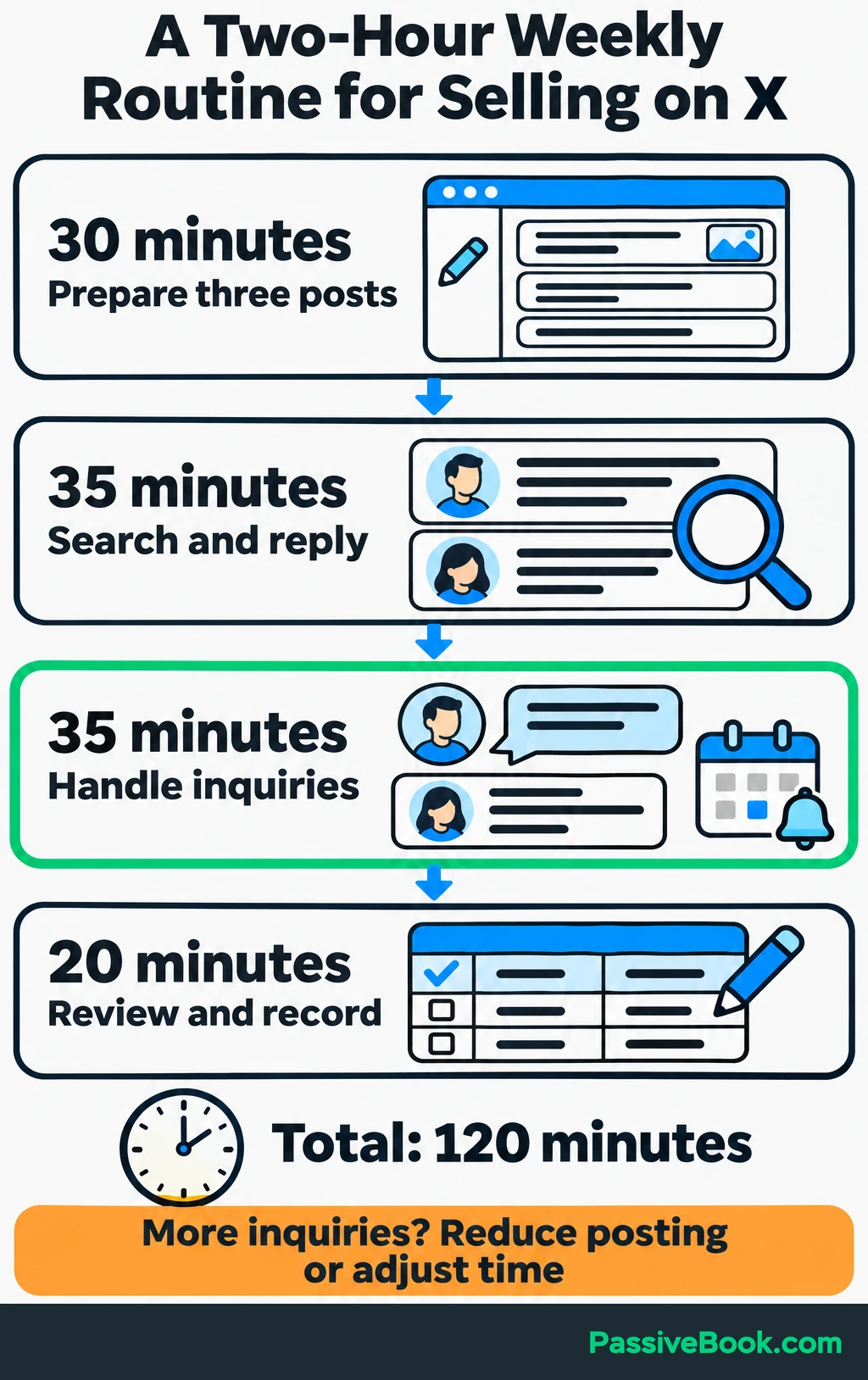
Here’s a two-hour weekly starting budget:
| Activity | Weekly Time | Concrete Work |
|---|---|---|
| Prepare content | 30 minutes | Draft three posts from buyer questions and reuse an existing sample image |
| Search and reply | 35 minutes | Read relevant conversations and write useful replies |
| Handle inquiries | 35 minutes | Check fit, answer buying questions, and complete agreed follow-ups |
| Review and record | 20 minutes | Update results and choose one change for the next week |
Split conversation time across short visits. If inquiries need more time, reduce posting or adjust the budget. Don’t let an active buyer wait while you polish another general tip.
Keep reusable assets together: product previews, service galleries, offer descriptions, and answers to common questions. Adapt the answer to the person rather than pasting the same pitch everywhere.
AI can help organize your question log, shorten your drafts, or suggest variations. I would use Claude for preparing drafts, then check the advice, offer details, and claims myself. Leave qualification and personal recommendations in human hands.
Automate preparation and administration first. That could mean sending download instructions after payment, creating inquiry records, or reminding you about an agreed follow-up. Use your selling platform’s existing features before building anything more elaborate.
For third-party automated posting, choose tools that use X’s API—the supported way for software to connect. Avoid tools that script actions through the website. X’s automation rules prohibit non-API automation, unsolicited automated messages, and automated replies based on keyword searches alone.
I would keep replies manual. Saving a few minutes is a poor trade if the software introduces your business to the wrong people.
7. Measure Sales and Improve the Weakest Step
I spent six months chasing followers on Instagram and Twitter/X for a side niche outside Passive Book. I had a follower target, but no useful way to judge whether the activity supported the business.
Start by defining a qualified inquiry. Count someone who has a relevant need, can use your offer, and is considering a purchase. For local sessions, that includes service-area fit.
A compliment is encouraging. It isn’t a qualified inquiry.
Record weekly totals for tagged offer-page visits, qualified inquiries, paid orders, revenue, costs, and time spent. For each inquiry, note its date, offer, originating post or conversation, and next action.
Keep inquiries, bookings, and paid clients distinct. Reconcile orders with payment records and count each order once, even if the buyer interacted with several posts.
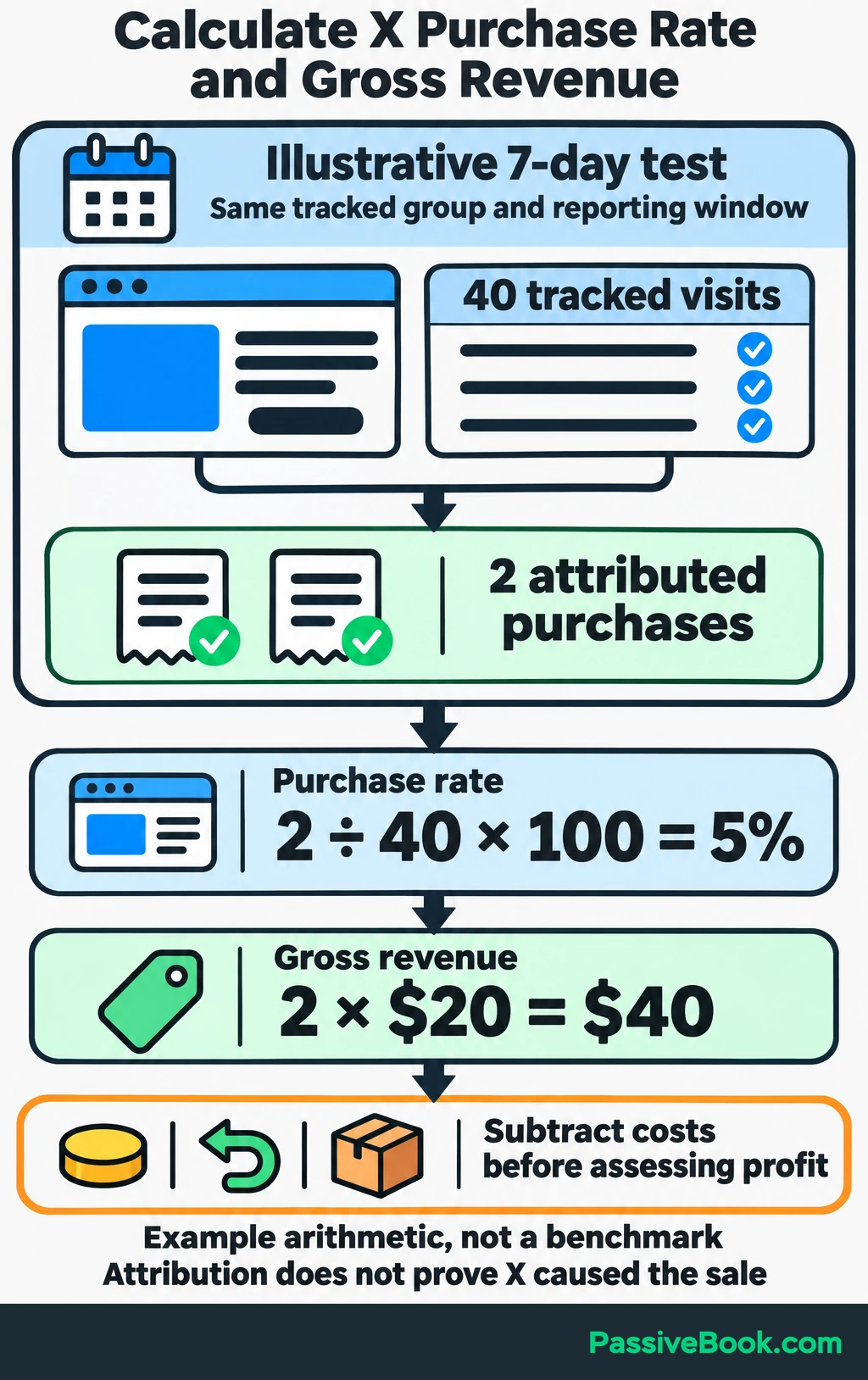
For a purchase rate, count orders attributed to a defined group of tracked visits. Use the same reporting window for both.
Suppose a seven-day test records 40 tracked visits to the guide page and two guide purchases attributed to those visits by the end of the test:
Purchase rate = 2 ÷ 40 × 100 = 5%
Gross revenue = 2 × $20 = $40
These figures demonstrate the arithmetic, not a typical conversion rate or expected earnings.
Subtract payment fees, refunds, fulfillment, and other relevant costs before assessing profit. Review that profit alongside the time you spent.
Ask buyers how they found you and compare their answers with tagged traffic. Private sharing and later visits can leave gaps, so neither record proves that X alone caused a purchase.
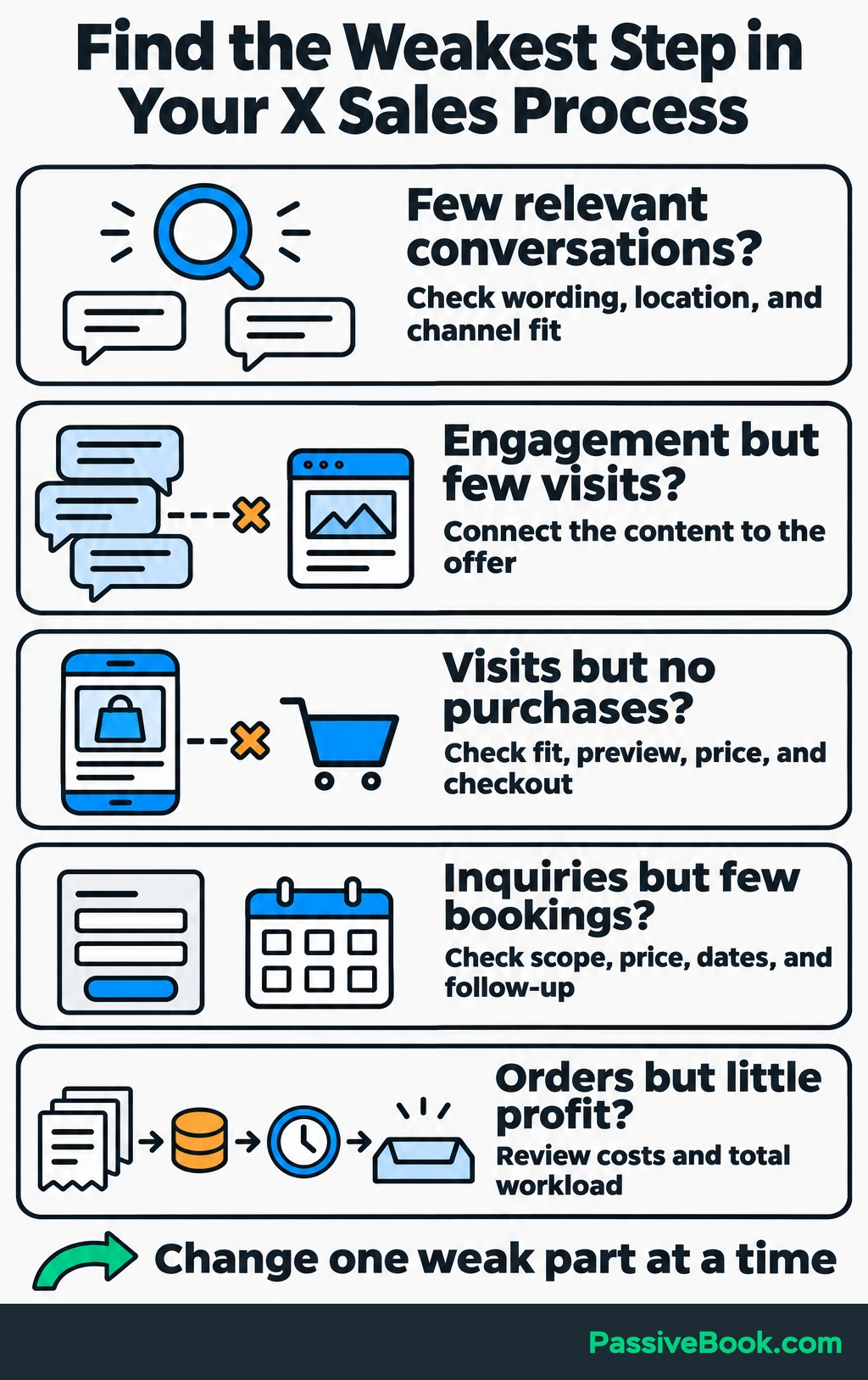
Use the evidence to choose what to fix:
| What You See | What to Check Next |
|---|---|
| Few relevant conversations | Search language, buyer location, and whether your audience uses X for this need |
| Replies and likes but few offer-page visits | Whether the content connects to the offer and gives a clear next step |
| Visits but no purchases | Product suitability, samples, price clarity, mobile checkout, and delivery information |
| Qualified service inquiries but few bookings | Scope, price fit, availability, and agreed follow-up |
| Orders but little profit | Fees, fulfillment effort, support time, refunds, and total channel workload |
Change one weak part at a time. If people reach the page but can’t understand what the guide contains, improve the preview before increasing your posting schedule.
Allow for the buying cycle too. Someone booking a session may need longer than someone buying a download.
What Next?
Write a one-sentence description of your offer, then open its purchase or inquiry page on your phone. Fix the first unanswered buying question before publishing another promotional post.
Use the social buttons to share this guide if you want more useful sales conversations and fewer hours lost to posting for its own sake.
Which buying question does your current profile or offer page leave unanswered? Share it in the comments, and bring any other questions about selling organically on X.
Share this post with your friends & followers:

