You have a useful product, but finding people who might buy it takes longer than making another post. On X, formerly Twitter, a busy feed can make that problem worse: there is always another conversation to join.
The risk is spending your spare evenings collecting likes while your product page gets few visits. To make those evenings count, this guide shows how to find potential customers on X, give them a reason to visit your site, and follow through to email signups and purchases. You can start with text and product images, without appearing on camera or staying online all day.
Find Potential Customers and Learn What They Need
Start with the problem your product solves, then choose one main outcome for your X activity. I would choose relevant email subscribers or purchases over follower growth because those outcomes connect more clearly to a business.
Throughout this guide, imagine you sell printable dog road-trip planners. A free packing checklist introduces a paid bundle with an itinerary planner, accommodation comparison sheet, and trip budget. The shop, sample copy, routines, and figures are illustrations.
For this shop, the first goal could be attracting subscribers who want help planning a trip with their dog and agree to receive follow-up emails.
Search for words people use when discussing that task:
- “road trip with my dog”
- “dog-friendly accommodation”
- “packing for a dog”
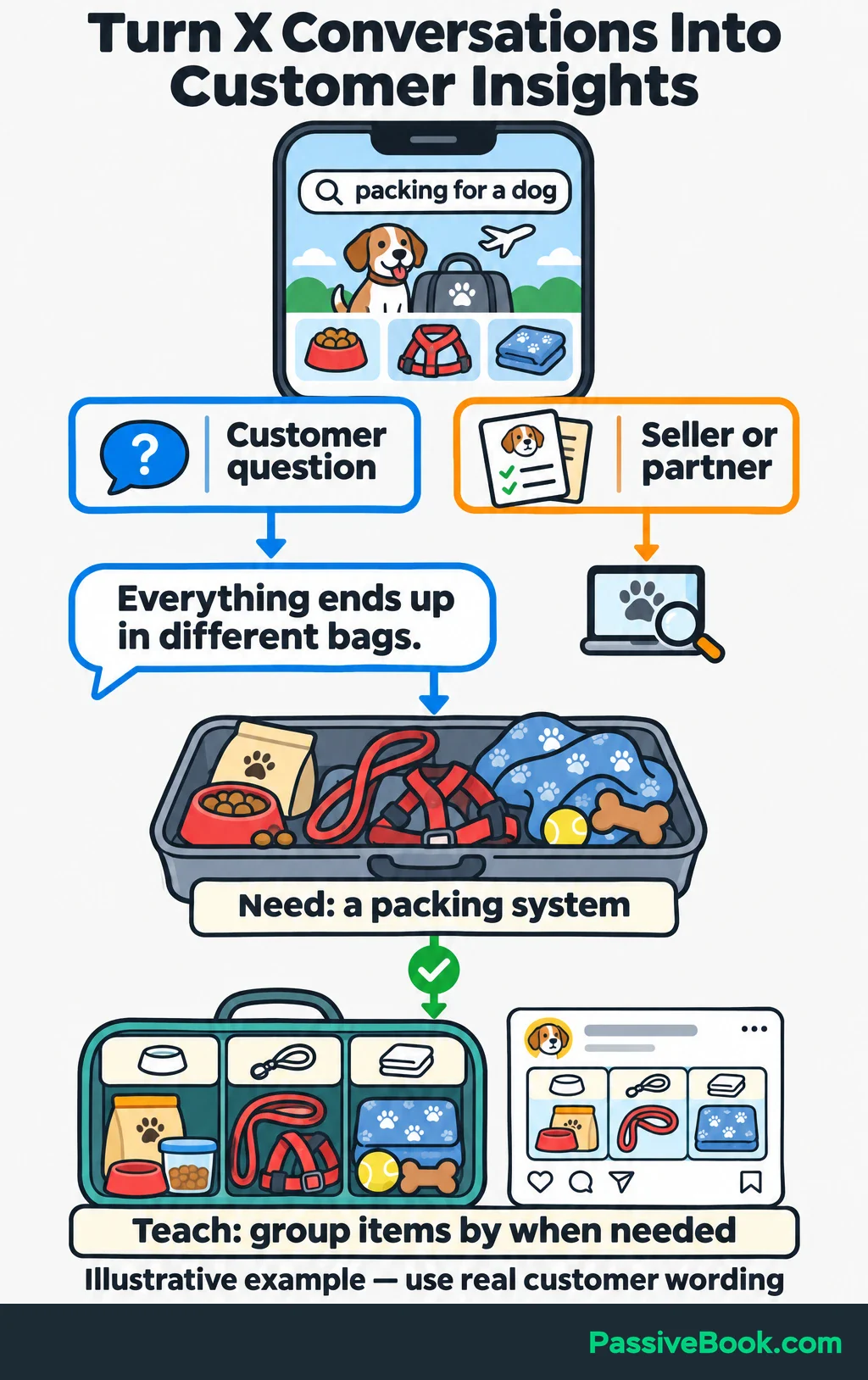
Read recent posts and their replies. Look for questions, frustrations, requests for recommendations, and reasons people hesitate before buying.
Someone asking how to keep packing organized is a possible customer. An account promoting its own packing guide is a competitor or potential partner. Both can teach you something, but they belong in different columns.
Keep a small research sheet:
| Customer wording | What it suggests | Possible content |
|---|---|---|
| “Everything ends up in different bags.” | Packing needs a clear system. | Show how to group items by when they are needed. |
| “I keep reopening accommodation tabs.” | Comparing stays feels scattered. | Demonstrate the accommodation comparison sheet. |
| “Is this something I print or an app?” | The product format needs explaining. | Show the download and a printed page. |
These are illustrative questions, not verified search findings. Replace them with language you actually find.
Before committing to a publishing routine, check whether you can regularly find relevant conversations. If searches mostly return sellers, try broader phrases and discussions under travel accounts. If potential customers still seem scarce, I would reconsider X before building a month of content.
Give Profile Visitors a Clear Path to Your Offer
Prepare a Matching Landing Page
Someone asking for a packing list may welcome a free checklist. Someone asking what your bundle includes should reach a product preview and purchase option.
A landing page is simply a page built around one next action. For the free checklist, it should show:
- Benefit: Organize packing for the drive and arrival.
- Preview: A readable section of the actual checklist.
- Format: A printable download, with the file type explained.
- Next Action: Enter an email address to receive it.
On WordPress, use GenerateBlocks to build the page and a form to collect email addresses. FluentCRM can automate follow-up emails within WordPress; Kit is a separate email service. I wouldn’t rebuild a website to test one resource.
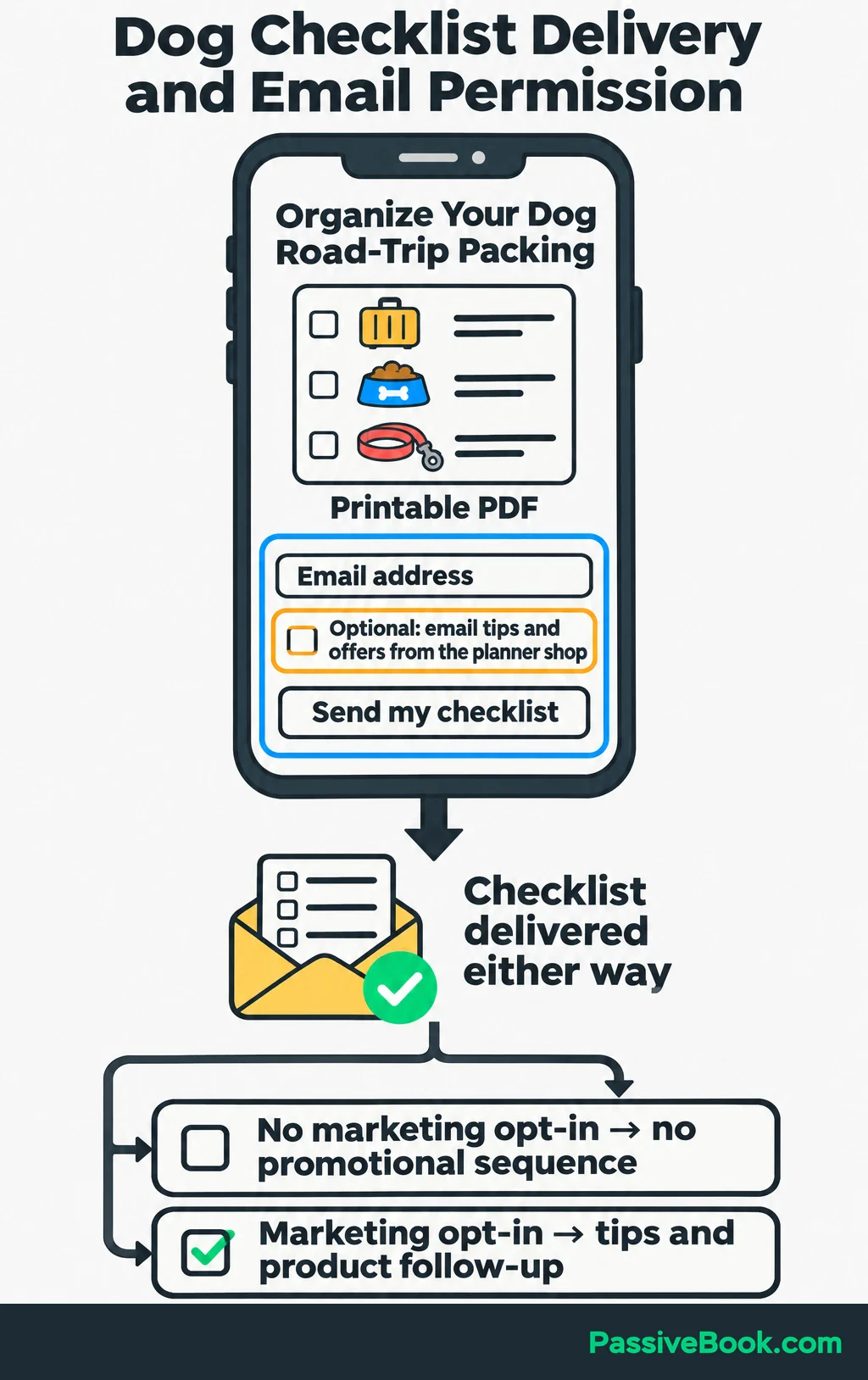
Keep checklist delivery separate from permission to send marketing emails. I would use an optional, unticked box that names the shop and explains the follow-up content. Deliver the checklist either way, and send promotional follow-up only to people who opted in.
For those subscribers, a short sequence can deliver the resource, demonstrate its use, and explain how the paid sheets help organize stays, daily plans, and spending. Include an unsubscribe option. For UK requirements, the ICO explains consent and opt-out rules for email marketing.
Add UTM parameters—tracking labels at the end of a destination URL—to distinguish visits from your bio, pinned post, and individual posts in website analytics. Google’s URL builder guide shows how to create the tagged link.
Use a consistent set:
utm_source=x
utm_medium=social
utm_campaign=dog_road_trip
utm_content=packing_tip
Change the last value to identify the placement, such as bio, pinned_post, or a unique post name.
Then test the journey on your phone: follow the link, submit the form, and check that the download arrives. Complete a test purchase and check the order confirmation and paid file delivery too.
Around 2022, I ran Instagram and Twitter/X for a side niche. I spent six months chasing followers while my bank balance stayed around $47. I could spend ages polishing an opening line and leave the next step vague.
That experience changed what I check first. Before working on a promotion, I want to know what an interested visitor can actually do.
Set up a Clear Business Profile
Your profile should answer three questions quickly: what do you offer, who is it useful for, and where should an interested visitor go?
Use a public account, a recognizable name, a readable handle, and a clear image. A founder photo makes sense when your personal expertise leads the offer. A shop logo works when the product brand leads.
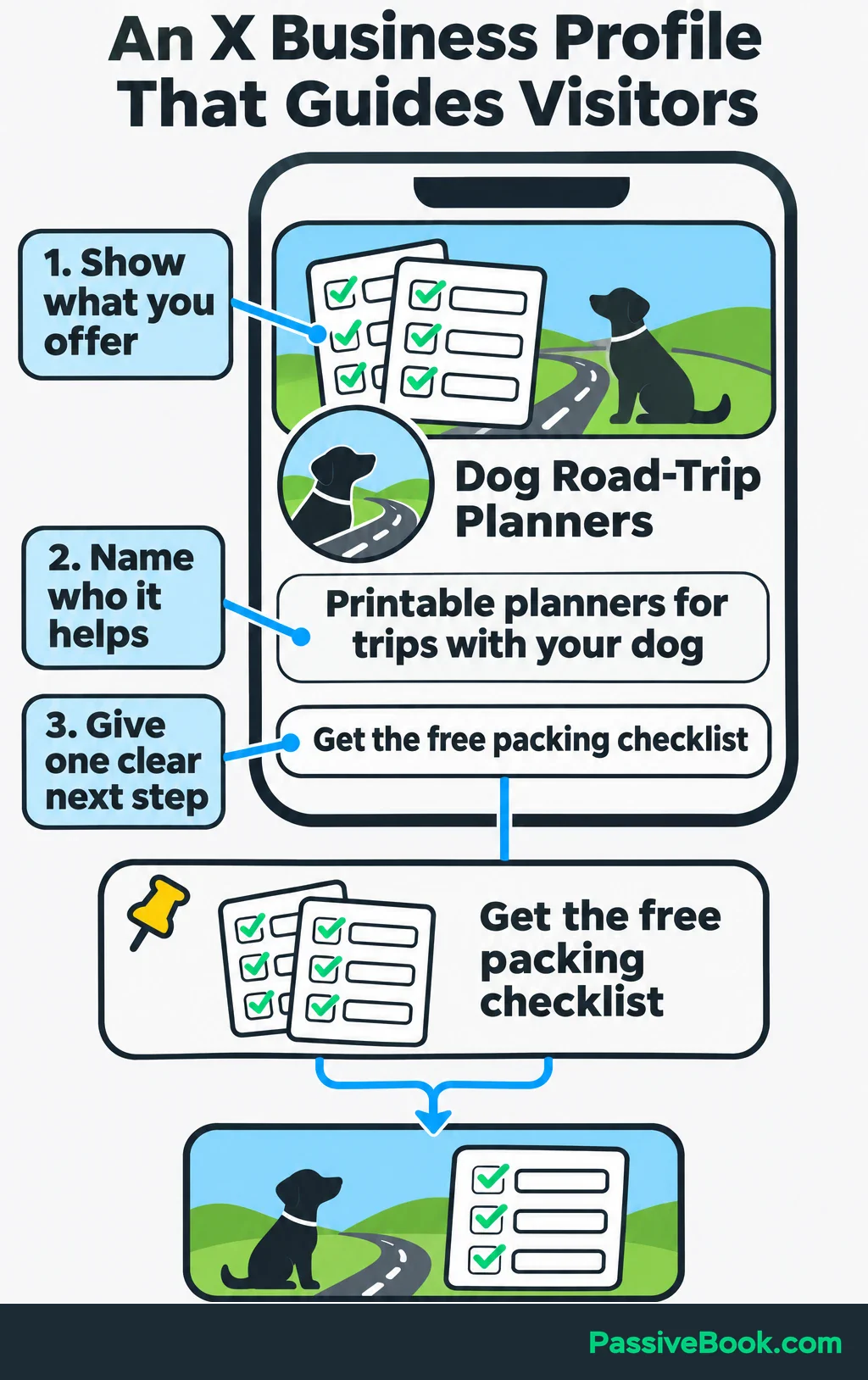
For the planner shop, a complete bio could read:
Printable planners for road trips with your dog. Organize packing, stays, and daily plans. Get the free packing checklist.
Link to the checklist page and use the header image to show the product or reinforce its purpose. A readable planner preview tells me more than a decorative slogan.
Pin a useful introduction that explains what you share and previews the resource. Keep its invitation consistent with the bio link.
A Professional Account is free for eligible businesses and creators, but it is optional and separate from paid subscriptions or verification.
Publish Content That Attracts Likely Buyers
Answer Specific Customer Questions
Turn the questions you collected into posts that teach one useful action.
“Plan ahead” is technically advice, but it leaves the reader with the same job they had before. Explain what to organize, what to compare, or what to check.
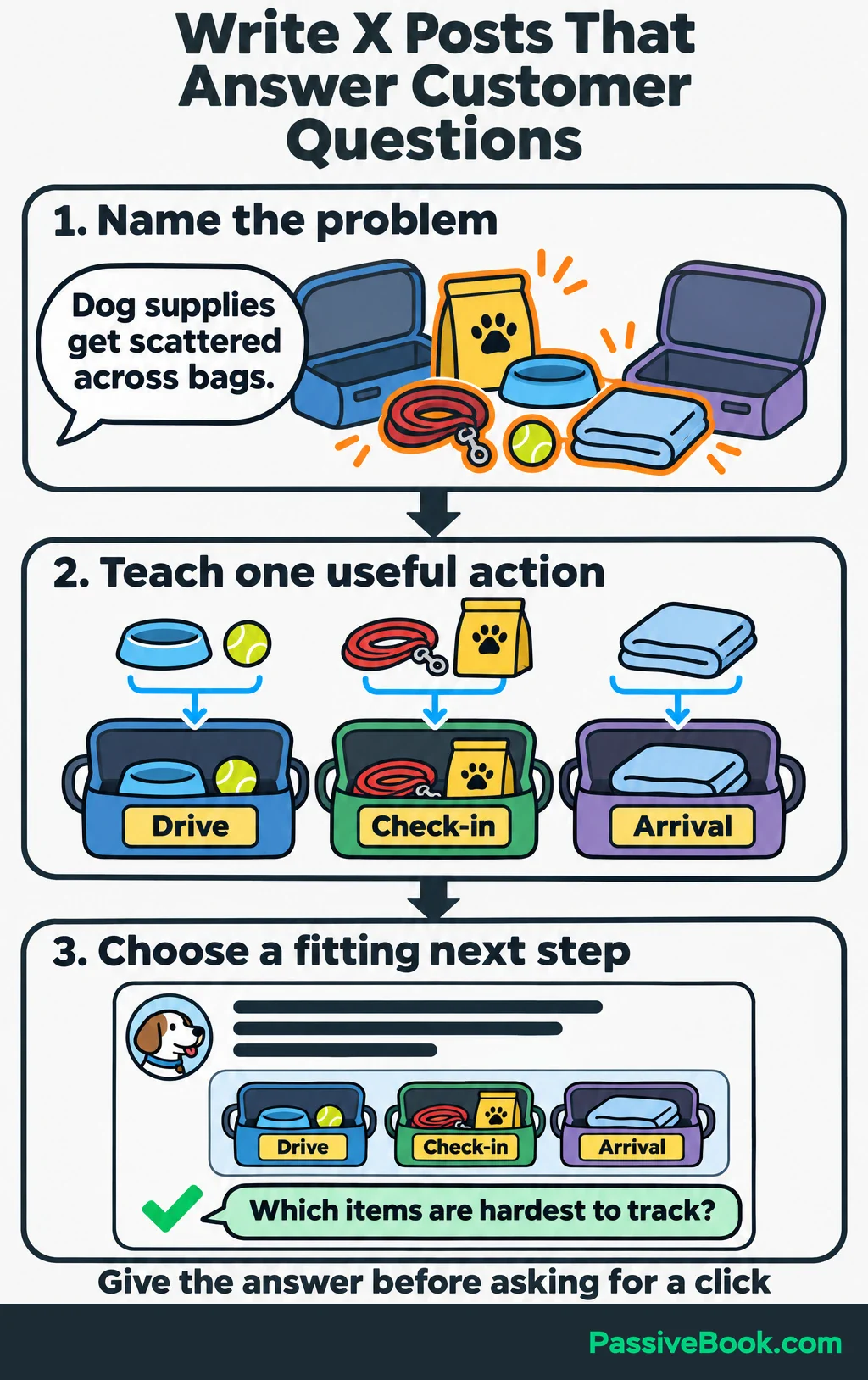
Use this simple structure:
- Name a specific problem.
- Give a useful answer.
- Choose a next action that fits.
Here is a complete text post you can adapt:
Packing for a road trip with your dog? Group items by when you’ll need them: during the drive, at check-in, and after arrival. Label the bags before loading the car so you know where each group belongs.
The post delivers its answer without requiring a click. Another post could ask:
Which part of planning a trip with your dog takes longest: packing, comparing places to stay, or organizing each day?
The answers can guide your next topic. Reply to them rather than treating the question as a trick for collecting engagement.
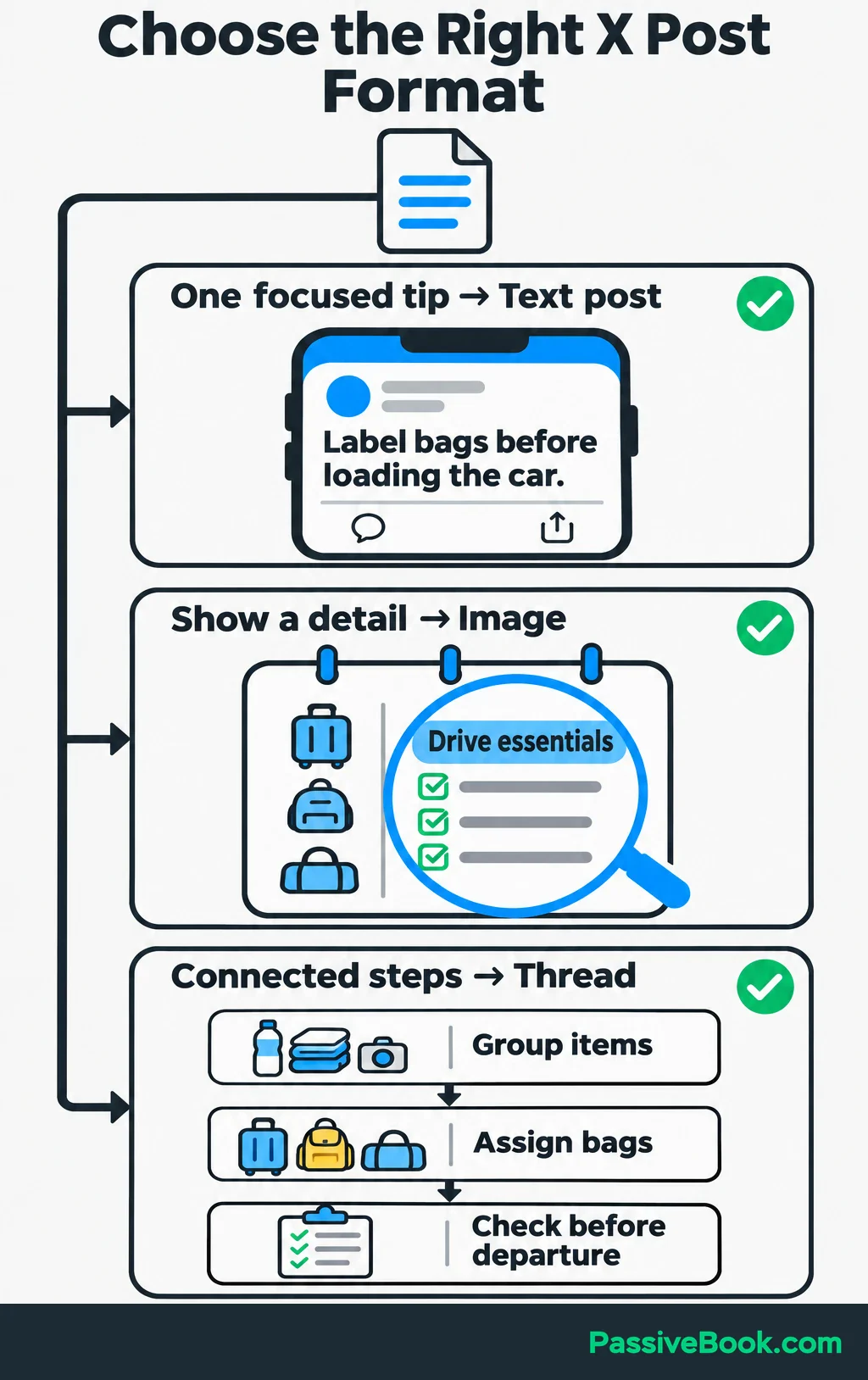
Choose the format around the explanation:
- Text Post: One focused tip or question.
- Image: A planner section, annotated screenshot, or visual comparison.
- Thread: Several connected steps that need more room.
For a packing thread, explain how to group items, assign bags, and check the list before departure. Introduce the downloadable checklist after teaching the process.
Repurpose material you already have. Product instructions, website articles, and repeated customer questions can all become posts. Give each post enough context to make sense on its own instead of publishing fragments that require a visit elsewhere.
I would skip generic motivational posts unless they serve a clear purpose. Your future customer needs help planning a trip. They probably have enough inspirational sunsets.
Demonstrate the Product and Invite the Next Step
Show the product doing a job.
A cover image tells people that a planner exists. A completed example shows how they might use it.
For the accommodation sheet, create a clearly labeled example with columns for location, total price, dog policy, and cancellation terms. Use sample entries and explain how keeping those details together helps someone compare options.
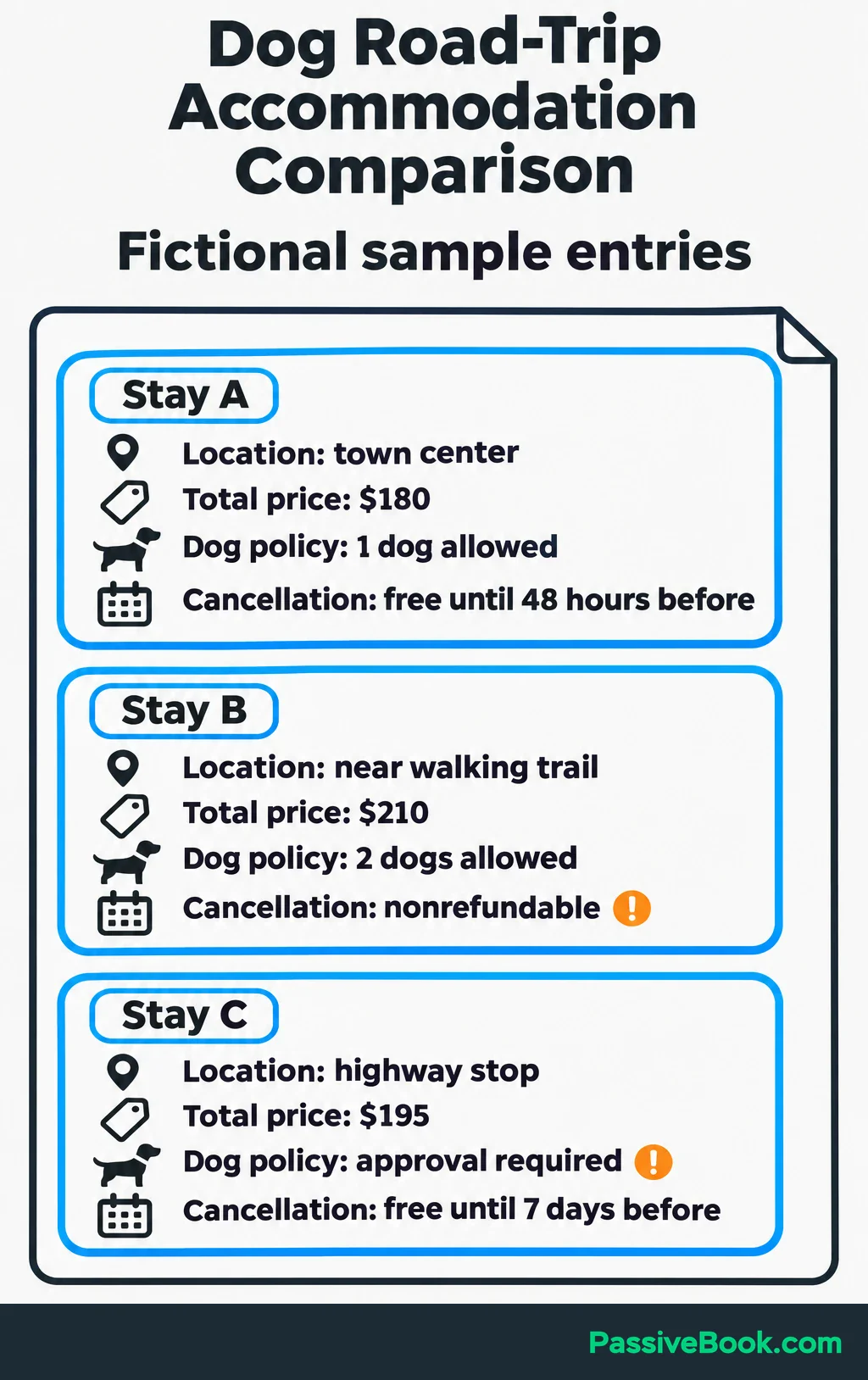
You could pair the screenshot with:
Three possible stays, one comparison sheet. Record the total price, dog policy, location, and cancellation terms before choosing. This is an example of the accommodation page in our printable road-trip bundle.
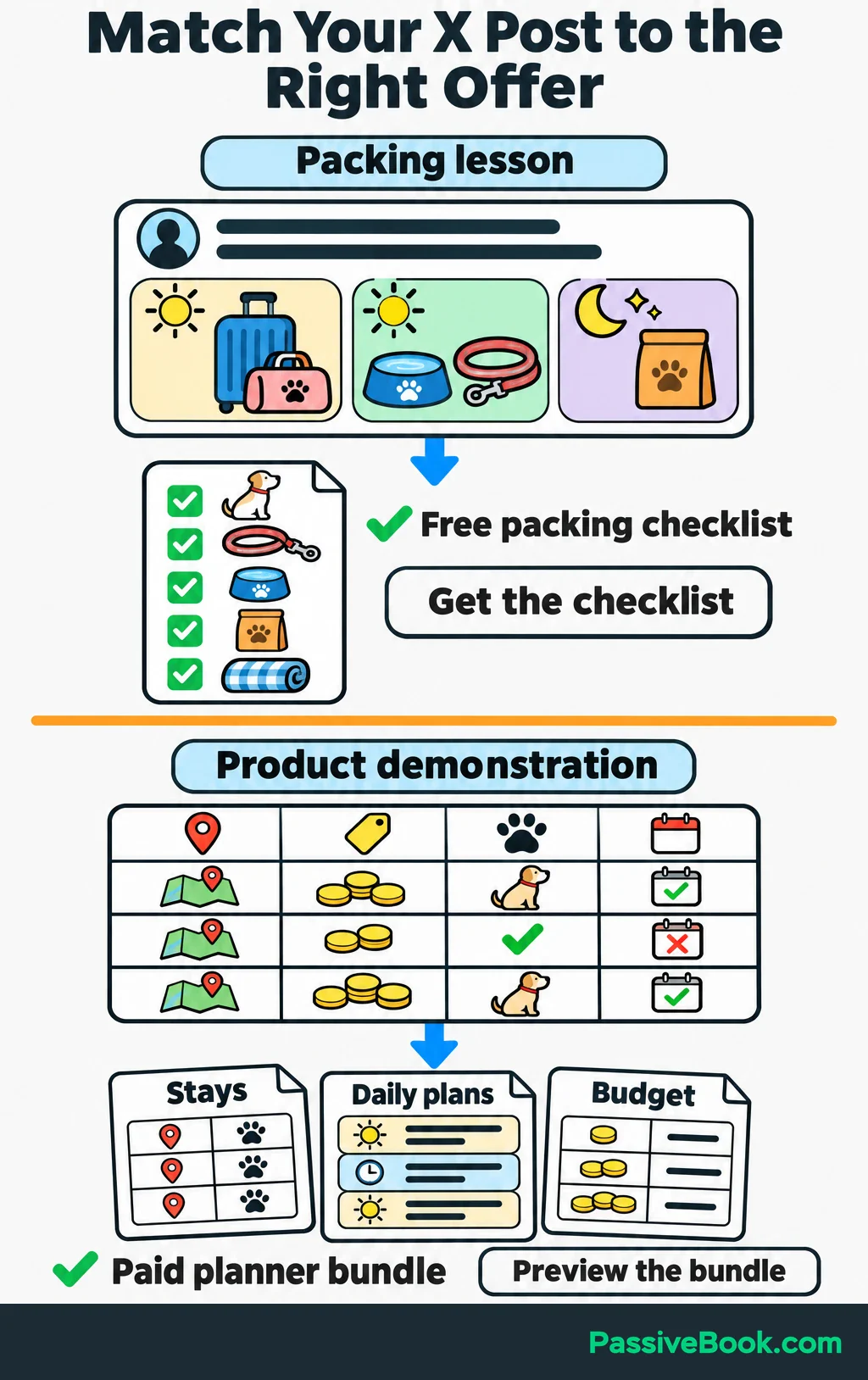
Keep the free and paid offers distinct. The checklist helps organize packing. The bundle adds tools for comparing stays, planning each day, and tracking spending.
After a packing lesson, a natural invitation is:
Want a reusable version? Get the free dog road-trip packing checklist: [checklist link]
After a product demonstration, you can make a direct offer. Here is a complete post to adapt:
Planning a road trip with your dog? Our printable bundle brings your daily itinerary, accommodation comparisons, and trip budget together. Preview the pages and see what’s included:
Replace the bracketed text with your tagged destination link.
If the examples make sense but your own drafts are still blank, AI Social Copy Studio can write a first batch using your product details and a real customer question. Review the facts and links before publishing.

Free AI Social Copy Studio




Add alt text to product images so the essential information is available as a written description. Describe what the sheet shows and the details needed to understand the demonstration.
Use actual product pages and genuine feedback when you have it.
Reach New Prospects Through Useful Conversations
Your own posts are only one place to participate. Run your customer research searches again and answer relevant questions with something specific.
A useful reply should make sense even if the person never visits your profile.
For someone struggling with packing, you might write:
Try separating what you need during the drive from what you only need after arrival. Label those bags before loading them. Which items are hardest to keep track of?
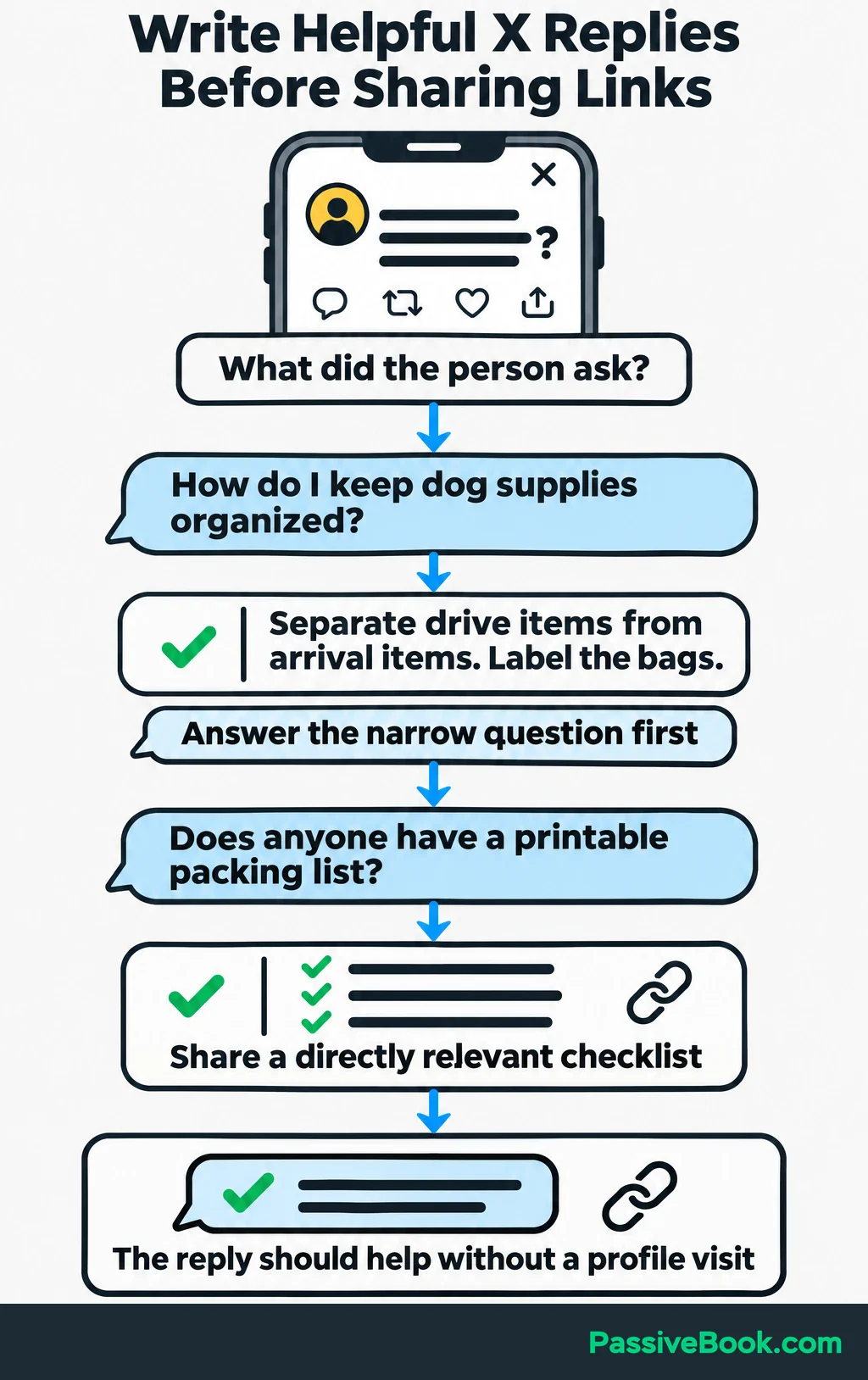
Mention the checklist when it directly answers the request. If someone asks for a printable list, a relevant link makes sense. If they ask a narrow question, answer it first.
You can do this with a small account because you are joining an existing discussion rather than waiting for people to discover your posts. Whether those conversations produce business is what your tracking will test.
Follow useful educators, potential customers, and complementary businesses. Organize accounts into Lists so you can revisit their posts without relying entirely on the main feed. Set research Lists to private when creating them; new Lists are public by default.
Also make time for people who respond to your posts. A buying question deserves a direct answer. A recurring question deserves a future post or a clearer product page.
Once you know what people find useful, consider a focused collaboration. A dog-friendly travel newsletter could demonstrate the packing checklist, for example. Offer a useful contribution, agree on where interested readers should go, and tag that link separately.
Keep order details in a private support channel. Promotional direct messages should follow an invitation or clear request, and repeated copy-and-paste pitches are a poor introduction to your business.
Batch Publishing and Keep Conversations Personal
Choose a routine you can maintain around the rest of your life.
I would start with three posts a week and a few short check-in periods. That is a test schedule, not a claim about what X’s algorithm prefers.
Keep a calendar with the customer question, draft, image, intended action, destination link, and publication date. Then prepare related posts together:
| Post | What you prepare | Intended action |
|---|---|---|
| Practical tip | Explain how to group packing by when items are needed. | Invite a relevant reply. |
| Product demonstration | Show a labeled example of the accommodation sheet. | Send interested readers to the preview. |
| Resource invitation | Show part of the free packing checklist. | Invite a download and optional email subscription. |
An illustrative weekly budget could be 45 minutes for drafting and visuals, three 10-minute conversation sessions, and 15 minutes for reviewing results. If that is too much, reduce the posting schedule before sacrificing every reply.
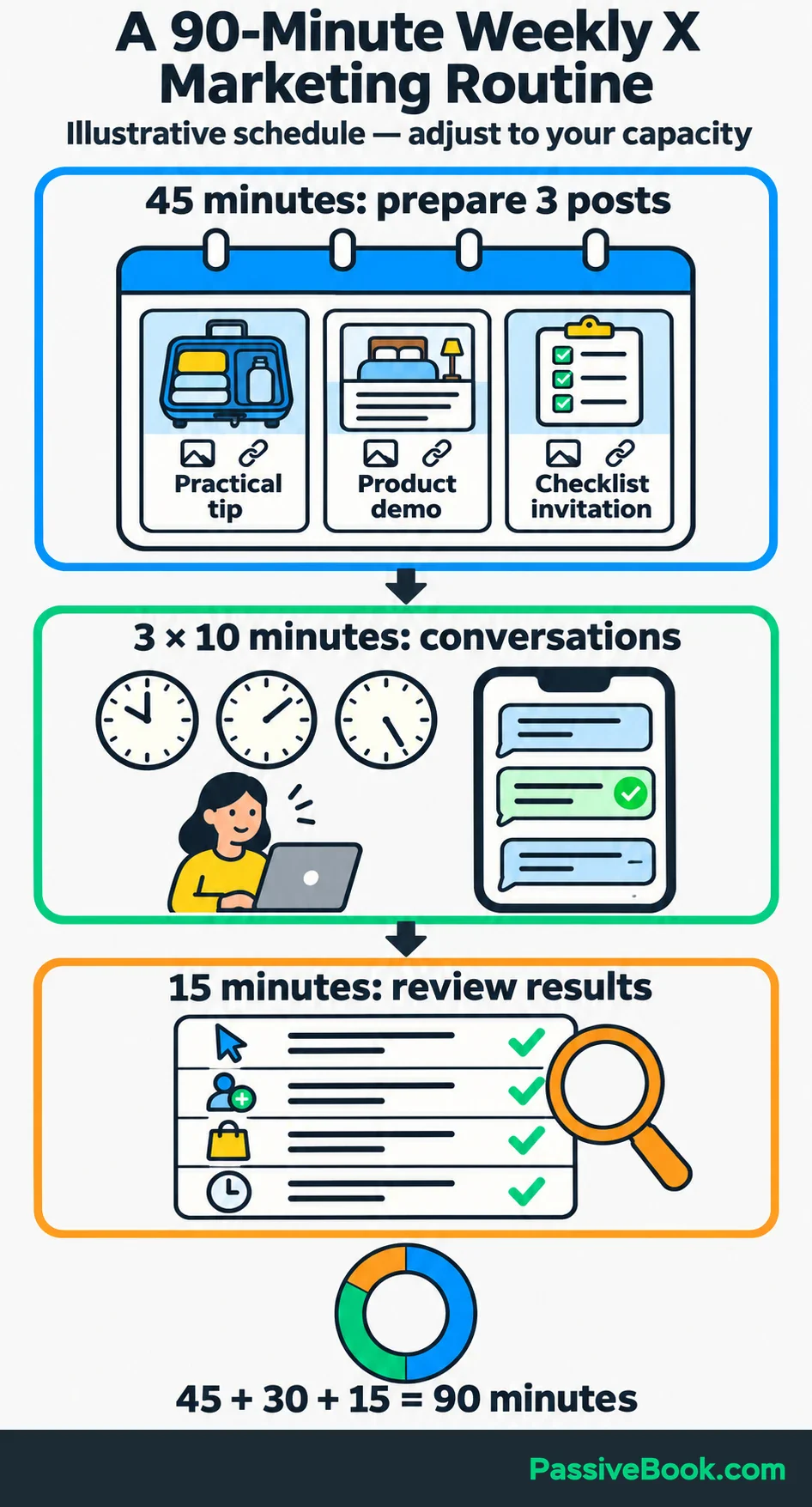
Schedule reviewed posts with the publishing tools already available in your account. X Pro, X’s dashboard for managing multiple feeds, also supports scheduling but requires a qualifying paid subscription. I would check your existing scheduling options before subscribing.
AI can help with preparation. Give Claude or ChatGPT an actual customer question and your product details, then ask for several angles or a shorter draft. Review the facts, product promises, links, and tone yourself.
I would keep replies under human control. X’s rules prohibit duplicative automated content and unsolicited bulk or automated messages, and operating an AI reply bot requires prior written approval. These limits are set out in X’s automation rules.
The work that can build over time is your library of useful answers, product demonstrations, and email follow-up. Conversations still need attention. Plan for them instead of promising yourself a fully unattended channel.
Measure Whether X Produces Leads and Sales
Track the Journey From Visits to Purchases
Start with your website analytics, signup records, and order records. You do not need to buy X analytics before you can assess whether visitors become subscribers or customers.
Keep a results sheet with:
- Period and Source: Reporting dates, campaign, and post or placement.
- Intended Action: Reply, resource signup, or purchase.
- Visits and Outcomes: Tagged sessions, new marketing subscribers, purchases, and revenue.
- Resources Used: Tool costs, ad spend, and time spent.
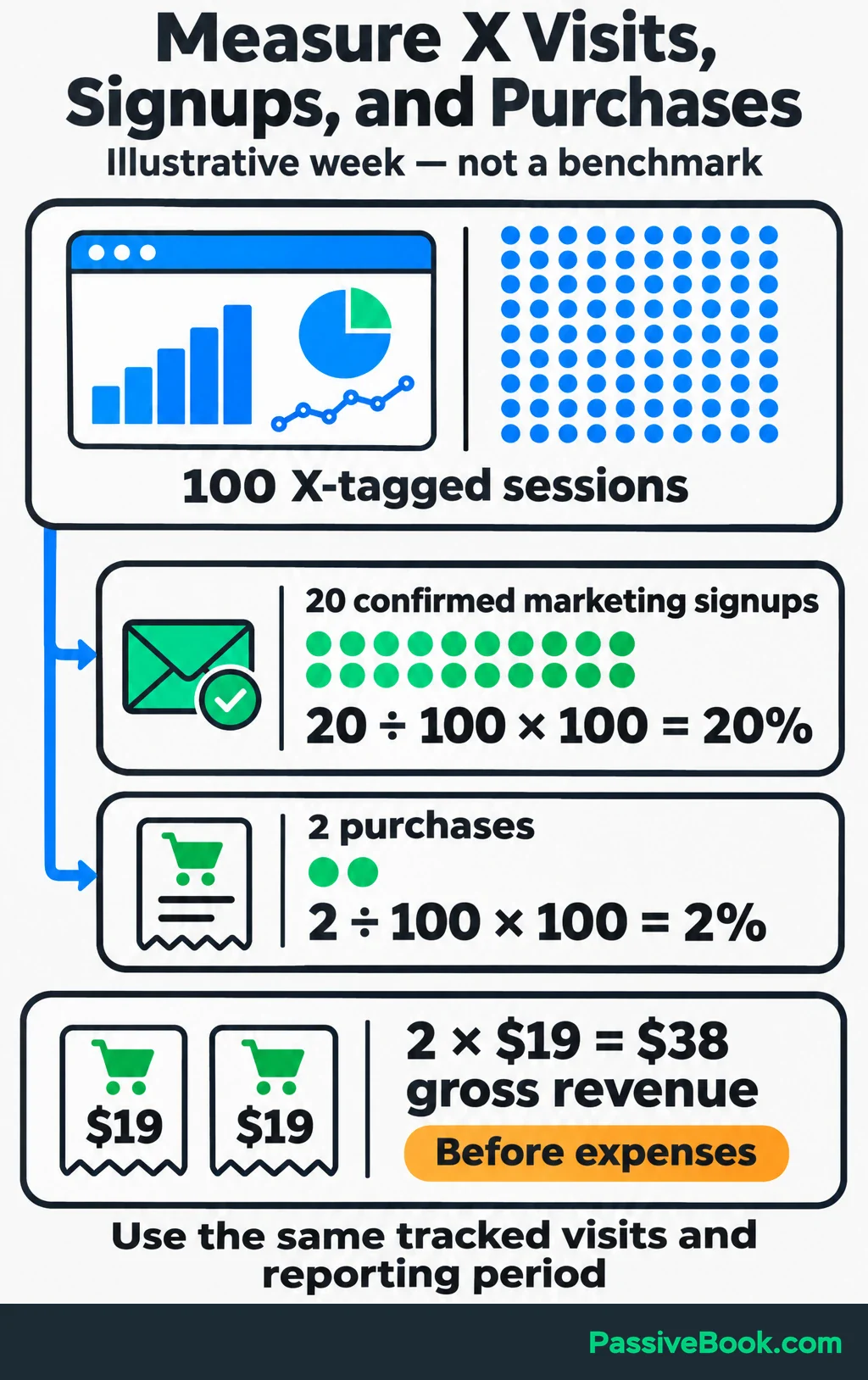
A session is a visit recorded by your analytics tool. Count signups and purchases from the same tracked visits and reporting period when calculating conversion rates.
For an illustrative week, suppose the checklist page receives 100 X-tagged sessions. Twenty of those sessions produce one new confirmed marketing signup each, and two produce one bundle purchase each. The example bundle costs $19.
| Measure | Calculation | Result |
|---|---|---|
| Signup conversion | 20 signups ÷ 100 sessions × 100 | 20% |
| Session-to-purchase conversion | 2 purchases ÷ 100 sessions × 100 | 2% |
| Gross revenue | 2 purchases × $19 | $38 before expenses |
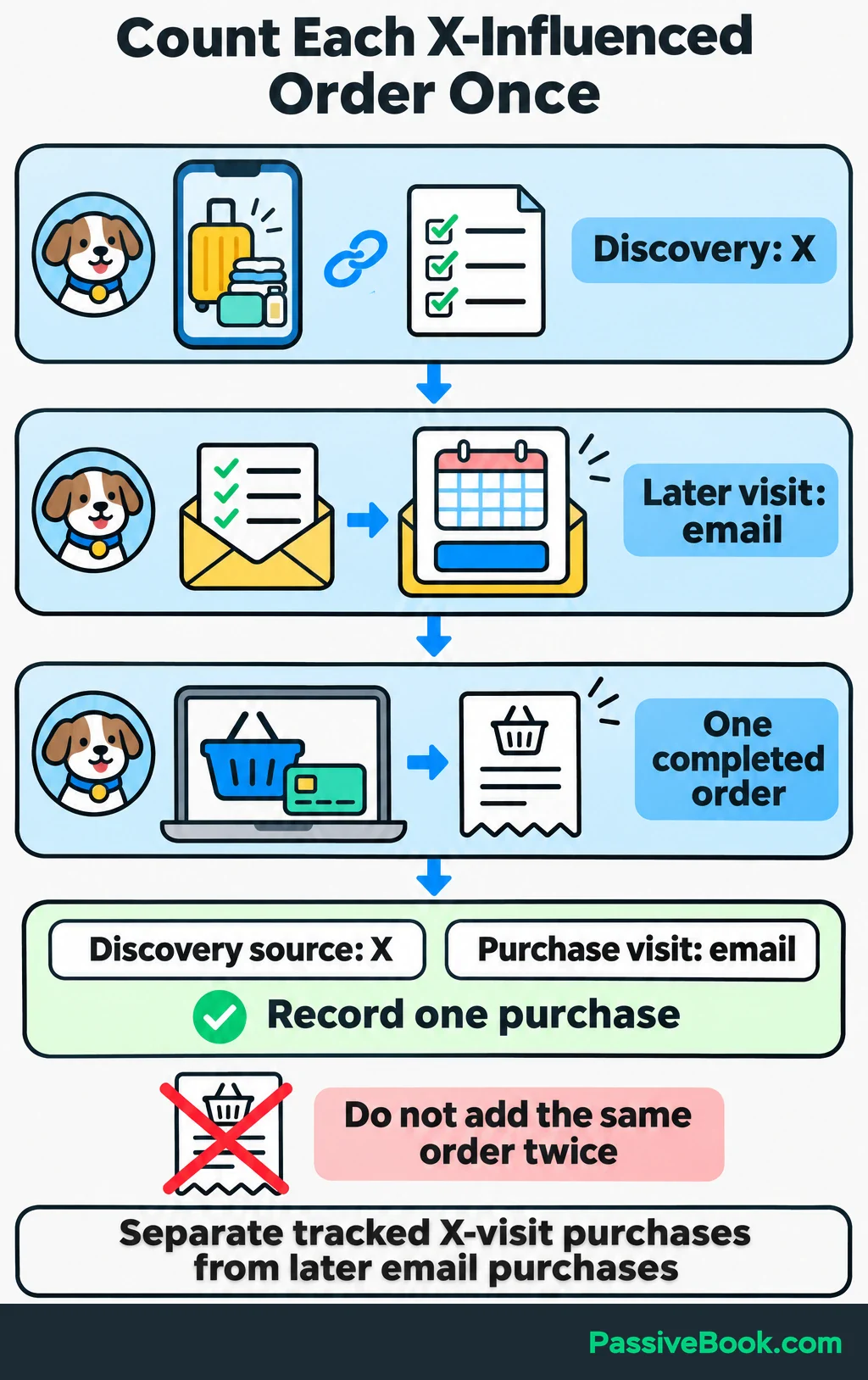
These figures show how to calculate results. They are not expected performance or a benchmark.
Record later email purchases separately from purchases made during tracked X visits. A customer may discover you through X and buy through the welcome sequence; count that order once.
Otherwise, one order can quietly become two successes in your spreadsheet. Excellent growth, until accounting arrives.
Improve the Point Where Prospects Stop
Use the journey to decide what to change. More posting is not the answer to every weak result.
| What you observe | What I would examine first |
|---|---|
| Few relevant replies or buying questions | The customer problem, opening line, and conversations you join. |
| Engagement grows but visits do not | Whether the post, bio, and pinned introduction give a clear reason to visit. |
| Visits arrive but few people sign up | The match between the post and page, the resource preview, and form effort. |
| Subscribers show interest but rarely buy | The follow-up, product fit, unanswered questions, price, and checkout. |
Treat these as places to investigate, not proven causes.
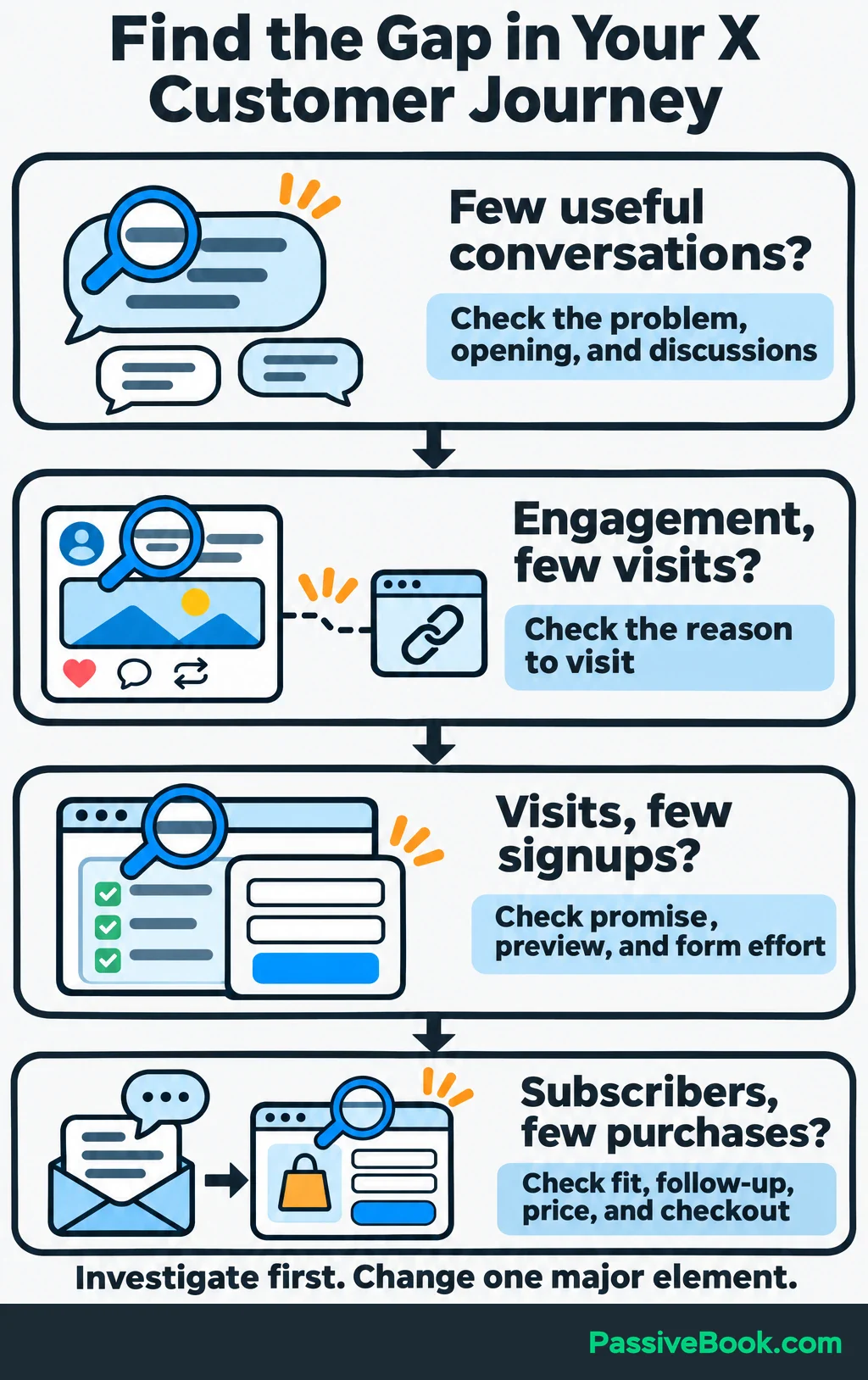
For example, if a packing post attracts visits but few checklist requests, inspect the page before rewriting your entire content plan. Does it show the checklist? Does it promise the same help as the post? Is the form asking for information you do not need?
Change one major element at a time and compare similar reporting periods. Record the counts beside the percentages because one extra signup can make a tiny sample look dramatic.
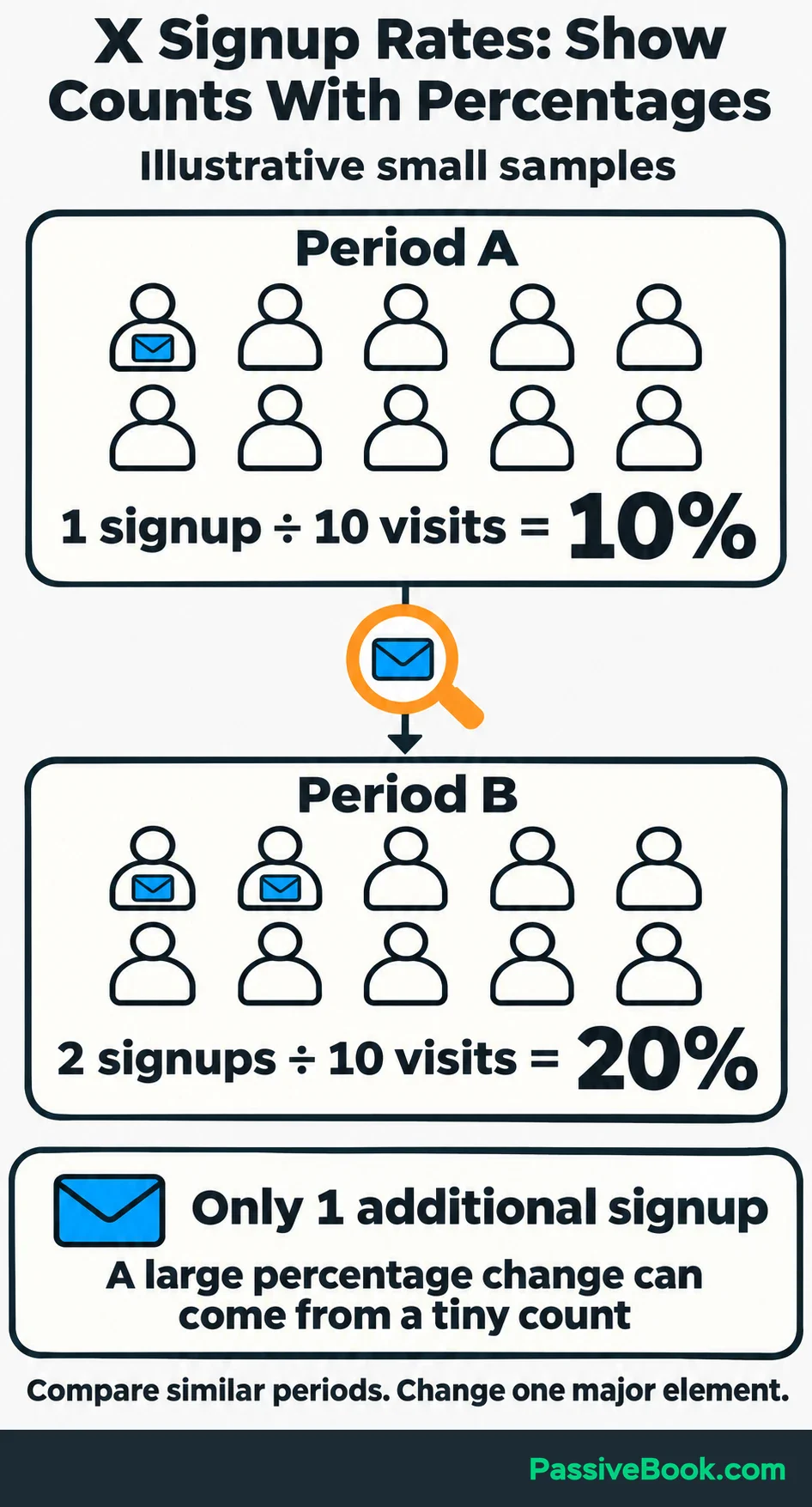
Repeat topics that bring relevant visits, useful questions, or customers. Review results weekly, but allow enough time for the buying journey before judging sales.
I would set an initial trial period, such as a month, and extend it only when the evidence gives me a reason. If repeated improvements produce no useful conversations, leads, or sales, reduce or pause the channel. Time spent is a cost even when the account is free.
Test Paid Ads When the Economics Justify Spending
I would test organic posts and replies first. Consider ads after the offer, destination, email follow-up, checkout, and tracking work.
An organic message that brings relevant visitors is a candidate for a paid test. It is still a test, and likes alone do not establish that it will sell.
Before spending, work out how much an order leaves after variable costs such as payment fees and a reasonable refund allowance. That amount must also cover the cost of winning the customer, fixed costs, your time, and profit.
Suppose the example bundle leaves $15 per order after variable costs. Paying $15 to acquire that order leaves nothing for the other items. You might choose a $10 acquisition target to leave $5 toward them.
For a checklist campaign, base your lead budget on subscribers whose follow-up period is complete. Suppose 100 marketing subscribers from the checklist have each had 30 days to buy, and five bought during their first 30 days. That is a 5% subscriber-to-customer conversion rate. With a $10 customer acquisition target:
$10 × 5% = $0.50 target cost per marketing subscriber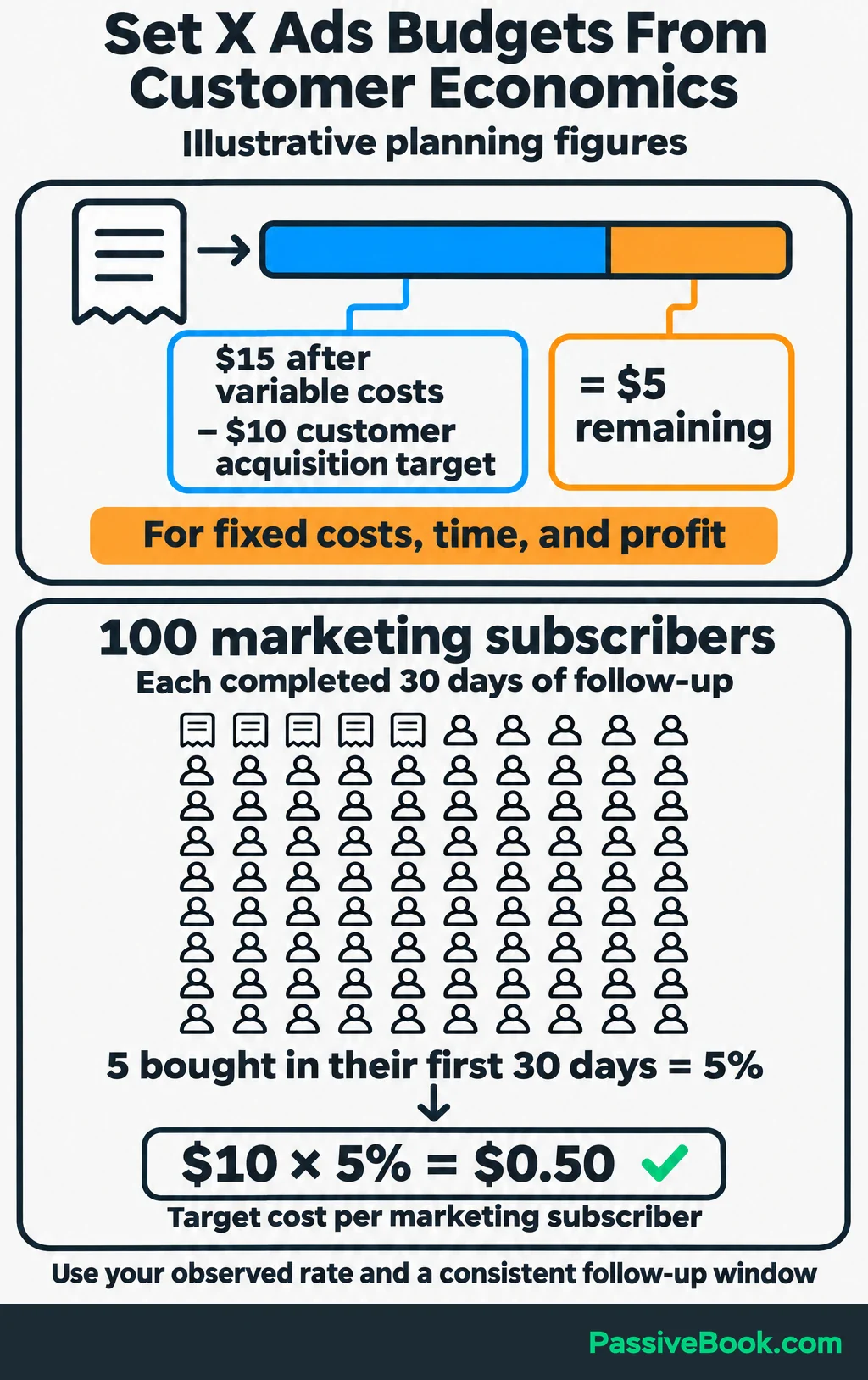
That is an illustrative planning figure. Use your own observed rate, keep the follow-up window consistent, and count only leads you can legitimately follow up with. If you do not have that evidence, I would wait before paying for leads.
Before buying access or launching a campaign, check account and location eligibility. X requires public posts, verification through an accepted program, and compliance with its advertising policies. A free Professional Account alone is insufficient. Consult X’s advertising eligibility requirements.
Match the campaign objective to the outcome. For purchase campaigns, choose the website conversions objective and validate purchase tracking before spending. The X Pixel is tracking code you add to your site to record actions such as purchases.
Set a total spending cap, end date, and stopping rule before launch. For example, pause when the agreed test budget is exhausted without purchases, or when acquisition costs remain above your target after the chosen follow-up window. If that budget is too small to give you useful evidence, keep testing organically.
Increase spending only when the recorded leads or purchases justify it.
What Next?
Search X for one problem your product solves and save three real customer questions. Use the clearest question to draft your first useful post and choose its next step.
Use the social buttons to share this guide when your next marketing discussion needs a practical way to judge conversations, traffic, and sales.
Where is the biggest gap in your current path: getting relevant attention, earning the visit, or turning that visit into a customer? Share your answer in the comments, and bring any other questions about using X for your business.
Share this post with your friends & followers:

