You spend Sunday making posts for the week, but you still can’t say what those posts should lead to. People react, a few follow, and then the trail goes cold.
That uncertainty makes every new post harder to justify. You have orders to handle and customers to help, so another evening spent collecting likes needs a better reason.
I’ve lost months to that gap between attention and income. This guide shows how to connect useful posts to an offer, give interested people somewhere clear to go, and decide whether the customer activity earns the time you spend.
How Organic Social Media Turns Attention Into Customers
Organic social includes unpaid posts, sharing, and conversations. You aren’t paying to distribute each post, but creating it, answering messages, and reviewing results still cost time. Tools and production can add expenses too.
The useful path looks like this:
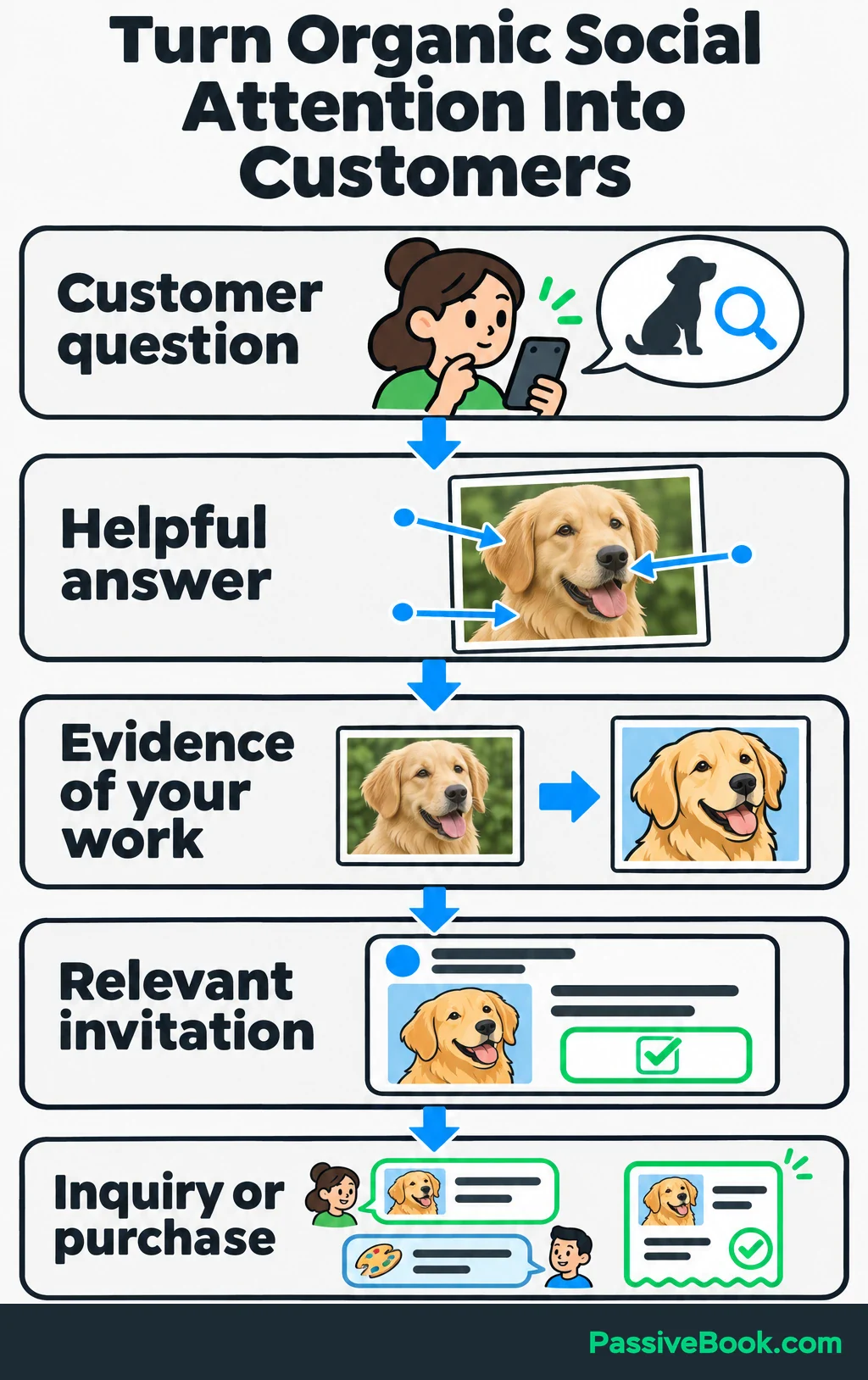
Customer question → helpful answer → evidence of your work → relevant invitation → inquiry or purchase.
Each part has a job. A helpful post gives people a reason to pay attention, and a demonstration helps them judge your offer. The invitation connects that interest to something they can do.
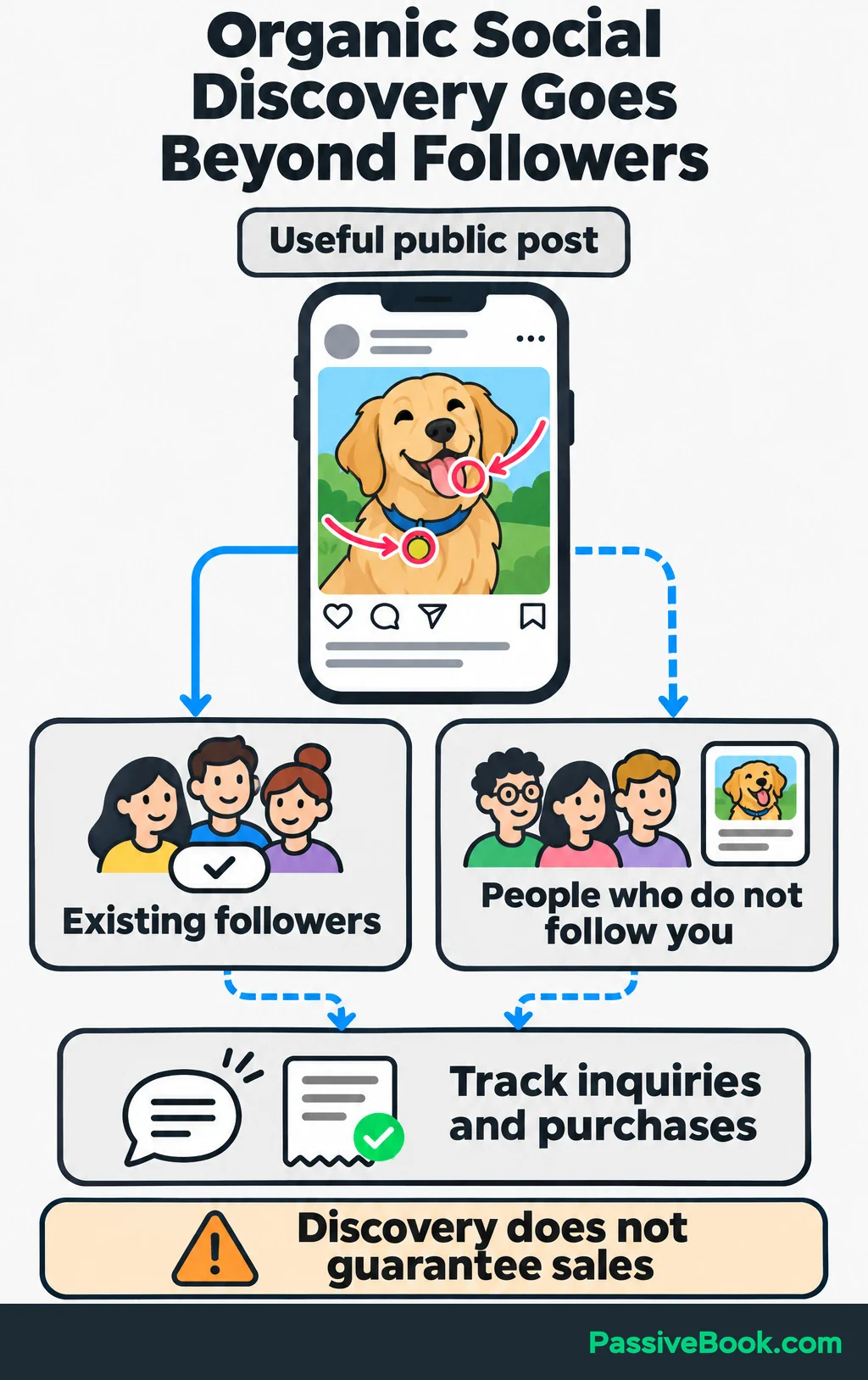
You can reach people before they follow you. Meta explains that Facebook and Instagram recommend content from accounts people don’t follow. That creates an opportunity for discovery, but it doesn’t promise distribution or sales.
Around 2022, I spent six months chasing Instagram and Twitter/X followers in another niche. My bank balance stayed around $47. I could explain which posts attracted attention, but I struggled to explain what a new follower should buy next.
That experience was separate from Passive Book, where my active channels are the blog and Pinterest. It taught me to judge social activity by the business behind it.
I would prioritize organic social when potential customers use the platform, you can show something useful there, and the value of resulting customers can support the workload. A follower milestone wouldn’t make that decision for me.
Choose One Offer and the Customer Problem It Solves
Start with what you want people to buy. Name the customer, the problem, and what they receive.
For our running example, imagine you sell custom digital pet portraits made from customers’ photographs. The sample copy, activities, and figures below are illustrations.
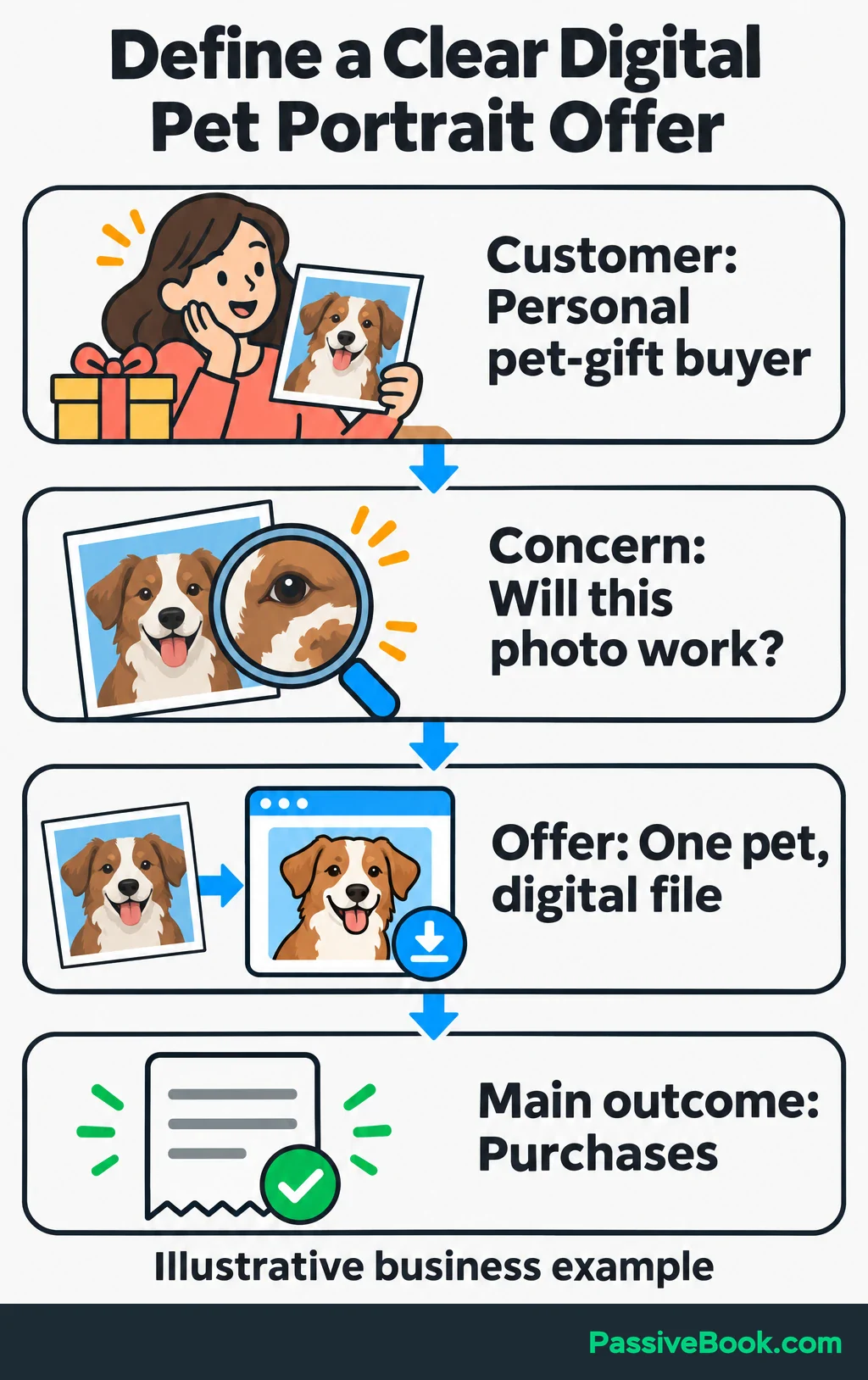
Your starting offer might be a portrait of one pet, delivered as a digital file. The customer wants a personal keepsake or gift, but may be unsure whether their photograph is suitable or what arrives after ordering.
Before planning posts, gather actual questions from:
- Customer inquiries and conversations.
- Reviews of comparable products.
- Relevant community discussions.
- Conversations with prospective buyers if the offer is new.
Look for uncertainty close to a purchase. “Will this photograph work?” gives you a clearer content direction than “People love dogs.”
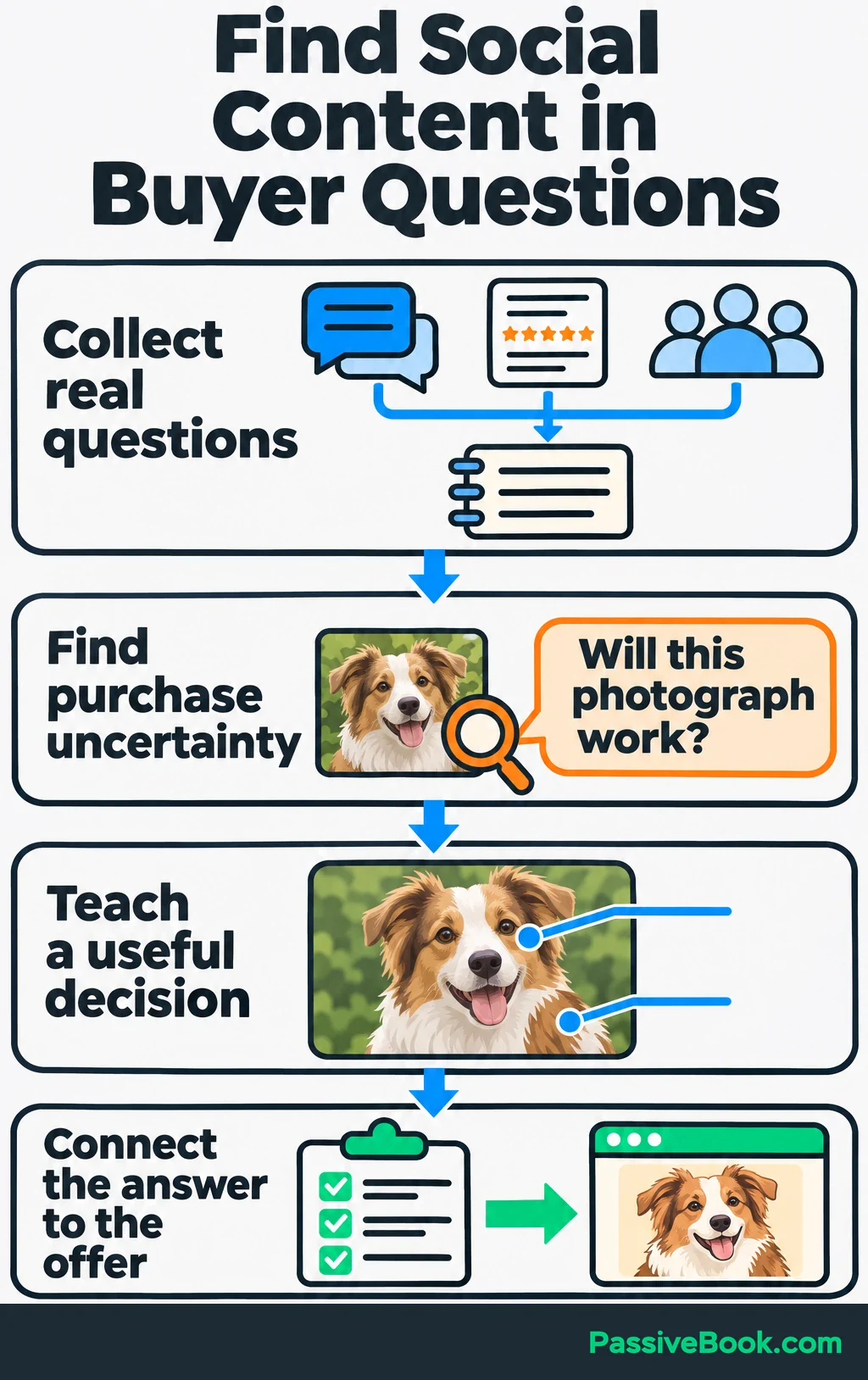
Choose one main business outcome. For the portrait offer, I would track purchases. A qualified inquiry would come from someone considering a portrait whose needs fit your product and terms. An email signup is useful progress, but it isn’t a sale.
Turn that into a working direction:
Help people choosing a personal pet gift select a suitable photograph and decide whether a custom digital portrait fits what they want.
Now you have a reason to publish particular posts—and a reason to skip unrelated trends.
Choose a Platform Your Potential Customers Use
Ask customers where they discovered businesses like yours and where they looked before buying. Then inspect relevant searches and conversations yourself.
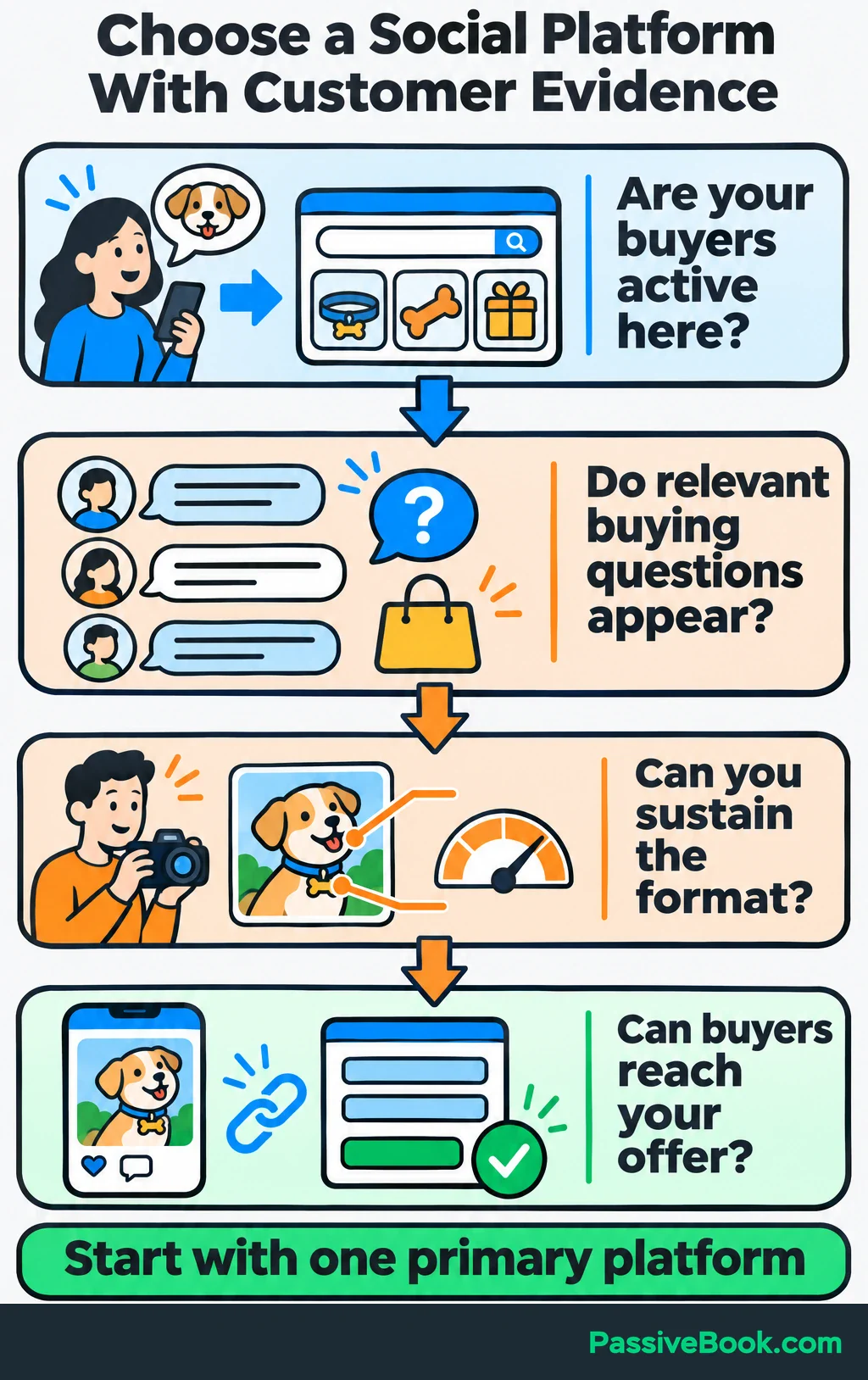
You’re looking for questions, buying interest, and formats you can produce consistently.
| Platform | Customer Activity to Investigate | Suitable Formats | Route to an Inquiry or Purchase |
|---|---|---|---|
| Community discussions about pet gifts and recommendations for artists | Helpful answers, photo comparisons, process posts | A message or relevant website link where community rules allow | |
| Questions beneath artists’ work and interest in finished portraits | Image collections, annotated photos, short process videos | Profile link, available Story links, or direct messages | |
| TikTok | Searches and comments about portrait processes and personalized gifts | Drawing recordings, photo comparisons, captioned demonstrations | Profile website link where available, or an available inquiry route |
| YouTube | Searches about choosing photographs and understanding portrait options | Screen recordings, walkthroughs, instructional videos | Website links in long-form descriptions require advanced features; URLs in Shorts descriptions aren’t clickable |
| Searches for pet keepsakes, gift ideas, and portrait inspiration | Finished artwork, comparison graphics, useful guides | A Pin linked to the matching guide or product page |
Check the buying route on your own account before choosing a platform. An attractive format is less useful if interested people can’t easily reach your offer.
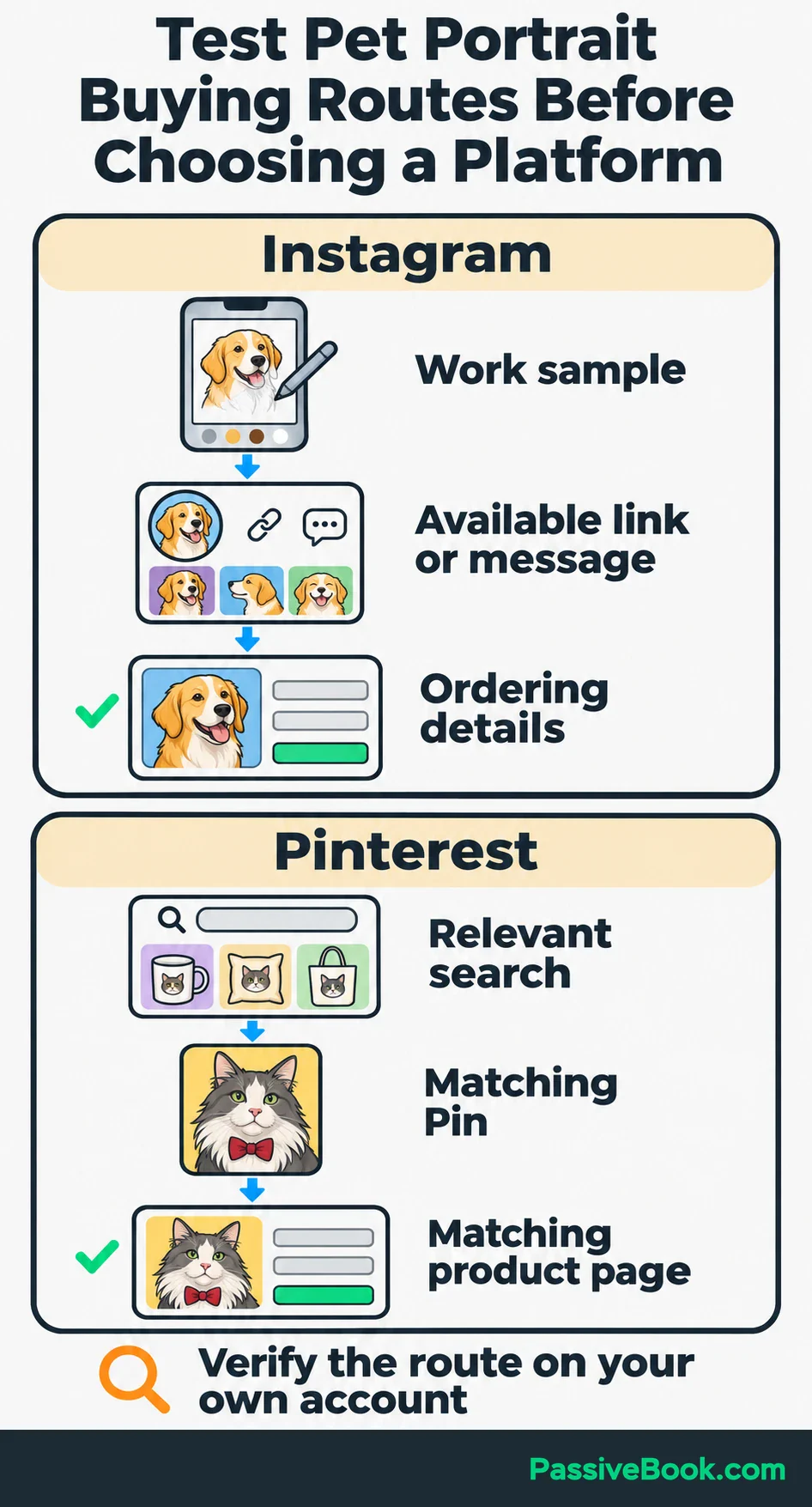
For the portrait business, I would investigate Instagram and Pinterest first because the work lends itself to visual explanations. I would choose between them based on customer evidence and the route to purchase.
Start with one primary platform. Add another when you can explain what it contributes and maintain it without neglecting the first.
Give Interested People a Clear Next Step
Your profile should quickly explain what you sell and where to go next.
For the portrait business, a short introduction could say:
Custom digital pet portraits from your photographs. View sample artwork and ordering details below.
Keep an introduction, a useful demonstration, and an explanation of the offer easy to find. Visitors shouldn’t have to reconstruct your business from seventeen captions.
Then match each post to its destination:
- A photo-selection post leads to the promised checklist.
- A post about portrait options leads to the product page.
- An answer about a specific order leads to the appropriate contact route.
I’ve caught this mismatch while preparing Pinterest graphics for Passive Book. A headline looked good on the design, but the destination article didn’t fully answer it. Keeping the article open beside the graphic made that gap harder to ignore. I now check the promise before polishing the design.
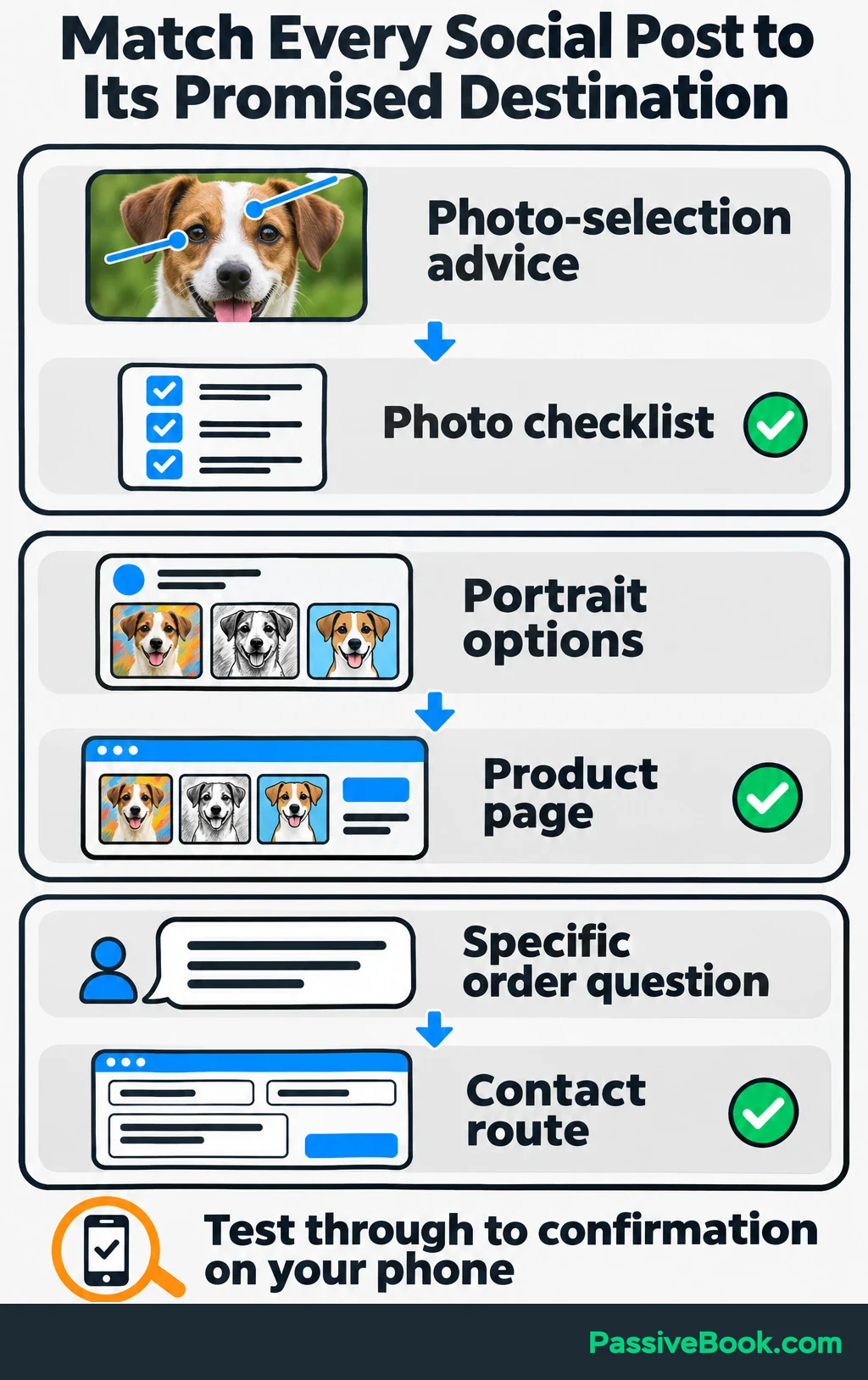
Apply the same check to every social post.
Email follow-up can help when buyers need more explanation. For the portrait business, deliver the photo checklist first, then explain how ordering works and introduce the available options. Keep a direct purchase route for people who are already ready.
Tell subscribers what follow-up they’re agreeing to receive and ask permission for marketing emails. Follow the rules that apply to your business and audience. For example, U.S. CAN-SPAM requirements include accurate sender details, a valid postal address, and a working opt-out.
Before promoting the page, test the whole journey on your phone. Submit the form or use your checkout’s test mode, check the confirmation, and make sure the completed action appears in your records.
To see which platform and campaign sent a website visitor, add UTM tags to the links you share. These URL labels help website analytics tools such as Google Analytics identify the source of a visit.
A checklist link could look like this: https://your-site.com/checklist/?utm_source=instagram&utm_medium=social&utm_campaign=photo_checklist. Replace the page address with your own. Keep the labels consistent: instagram is the source, social the medium, and photo_checklist the campaign. If several posts share one profile link, that link alone won’t tell you which individual post prompted the visit.
Create Content That Helps Potential Customers Buy
Build content around the decisions people need to make before purchasing. I would start with answers, demonstrations, and clear offer explanations, then adjust the mix using actual customer activity.
Answer the Questions Buyers Ask
Keep a question bank and choose questions closely connected to the offer.
Give each post one useful job: teach an action, explain a choice, or resolve a buying concern. Answer enough within the post that it helps even if the reader doesn’t click.
For the portrait business, start with:
Which photo should you send for a pet portrait?
Show an annotated comparison. Point out where the eyes and markings are clear, where blur hides detail, and where the angle changes what the artist can see. Explain your actual photo requirements.
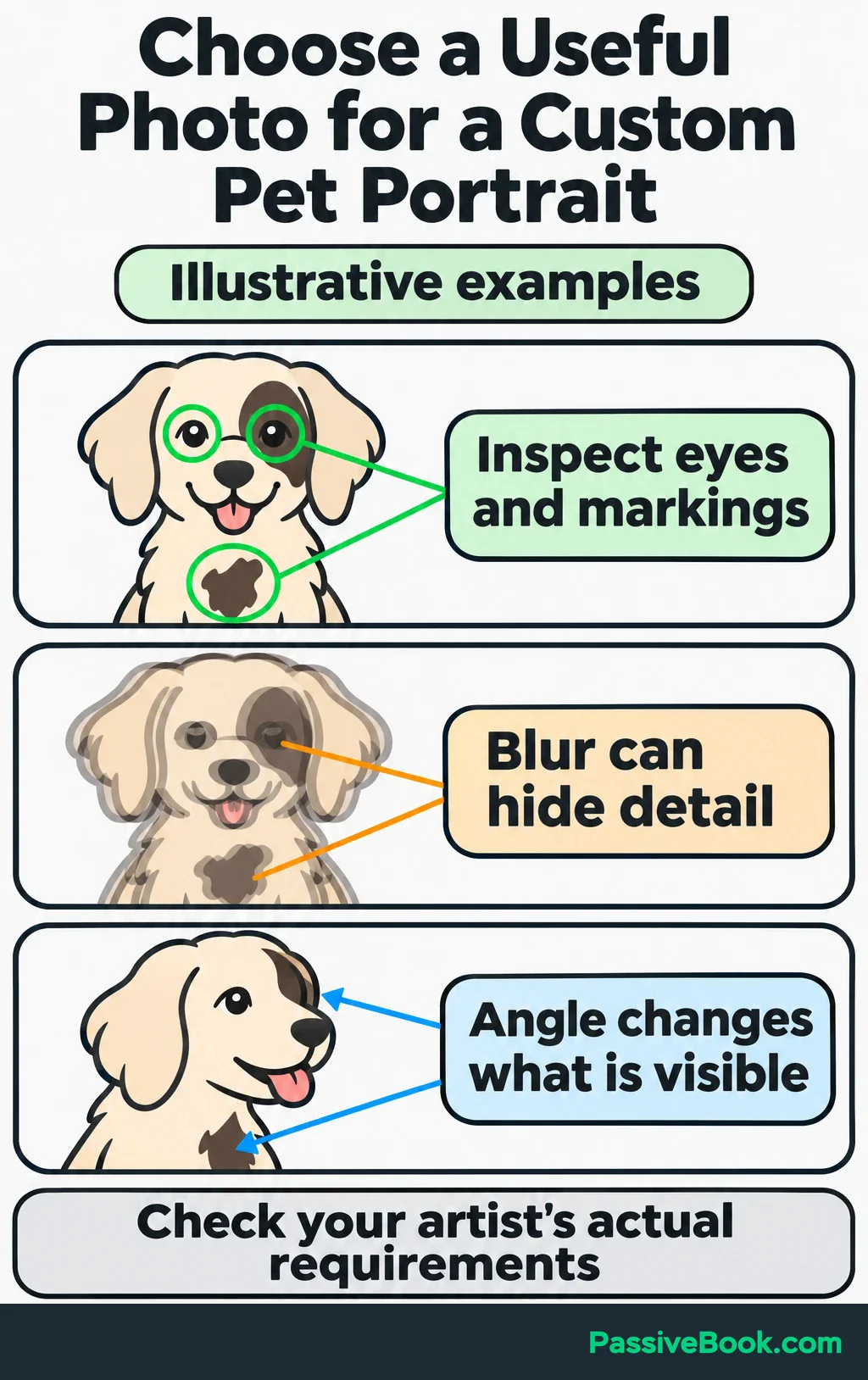
Then connect the answer to a relevant next step:
Use the photo-selection checklist before placing your order.
That invitation follows the question. A sudden pitch for an unrelated product wouldn’t.
Use the words customers use in titles and captions. On YouTube, matching the search matters: its search system considers relevance, engagement, and quality, including how well the title, description, and video match the query. My application is straightforward: name the question clearly and answer it in the content.
Include location details when people must be within your service area. For a digital product delivered remotely, location may have little to do with the buying decision.
Demonstrate Your Approach
An explanation says what you do. A demonstration lets people inspect it.
Show a reference photograph beside the finished portrait and explain a few choices. You might point to the markings you preserved or how you handled the expression. Use details that help buyers evaluate the work.
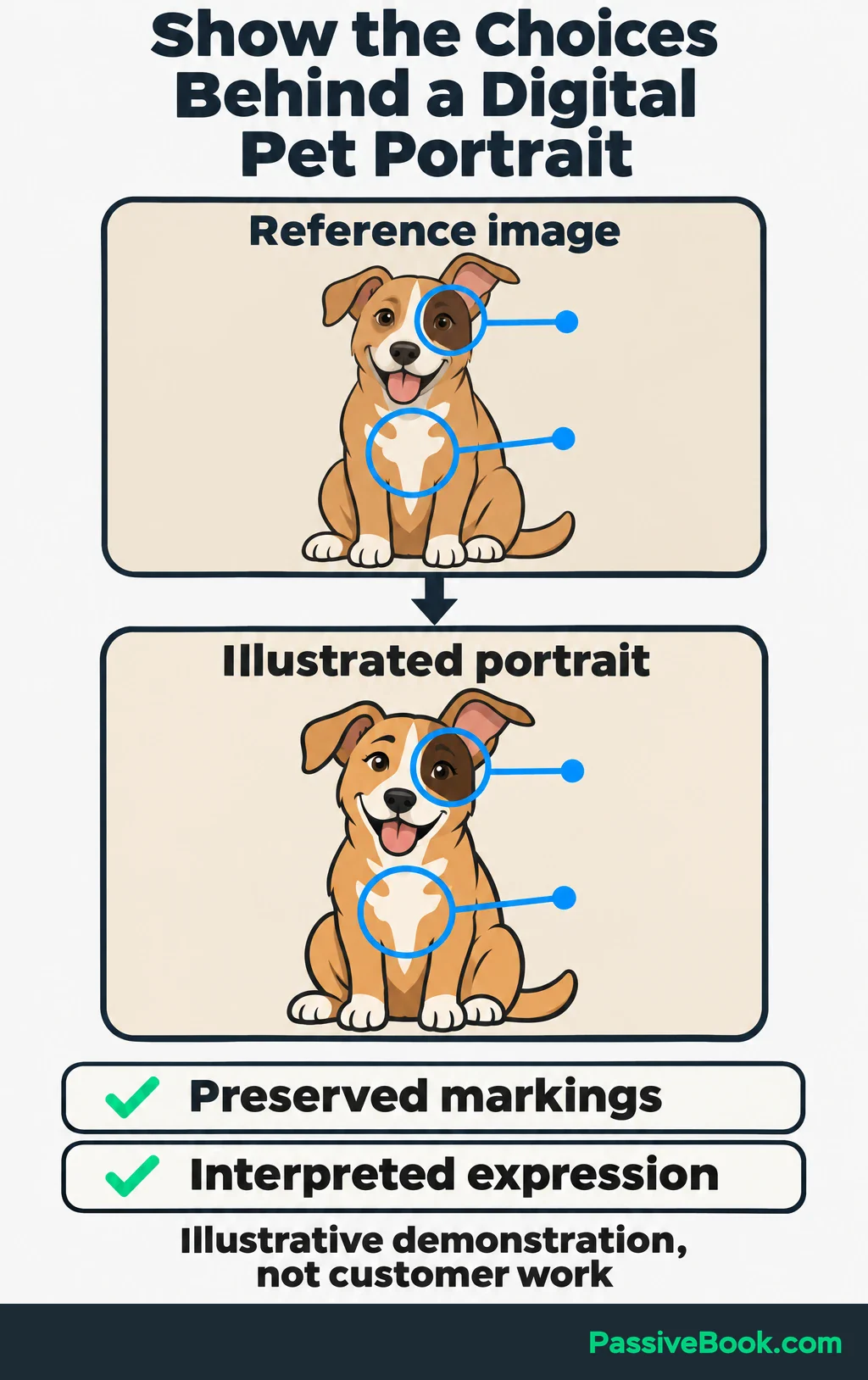
Match the format to what needs explaining:
- Annotated images make differences easy to inspect.
- Slides work for a short sequence.
- Screen recordings show a digital process.
- Text suits an answer that needs little visual support.
You can do all of this without appearing on camera. Record your drawing screen, show hands working, or use captioned images. Keep text readable on a phone and caption spoken explanations.
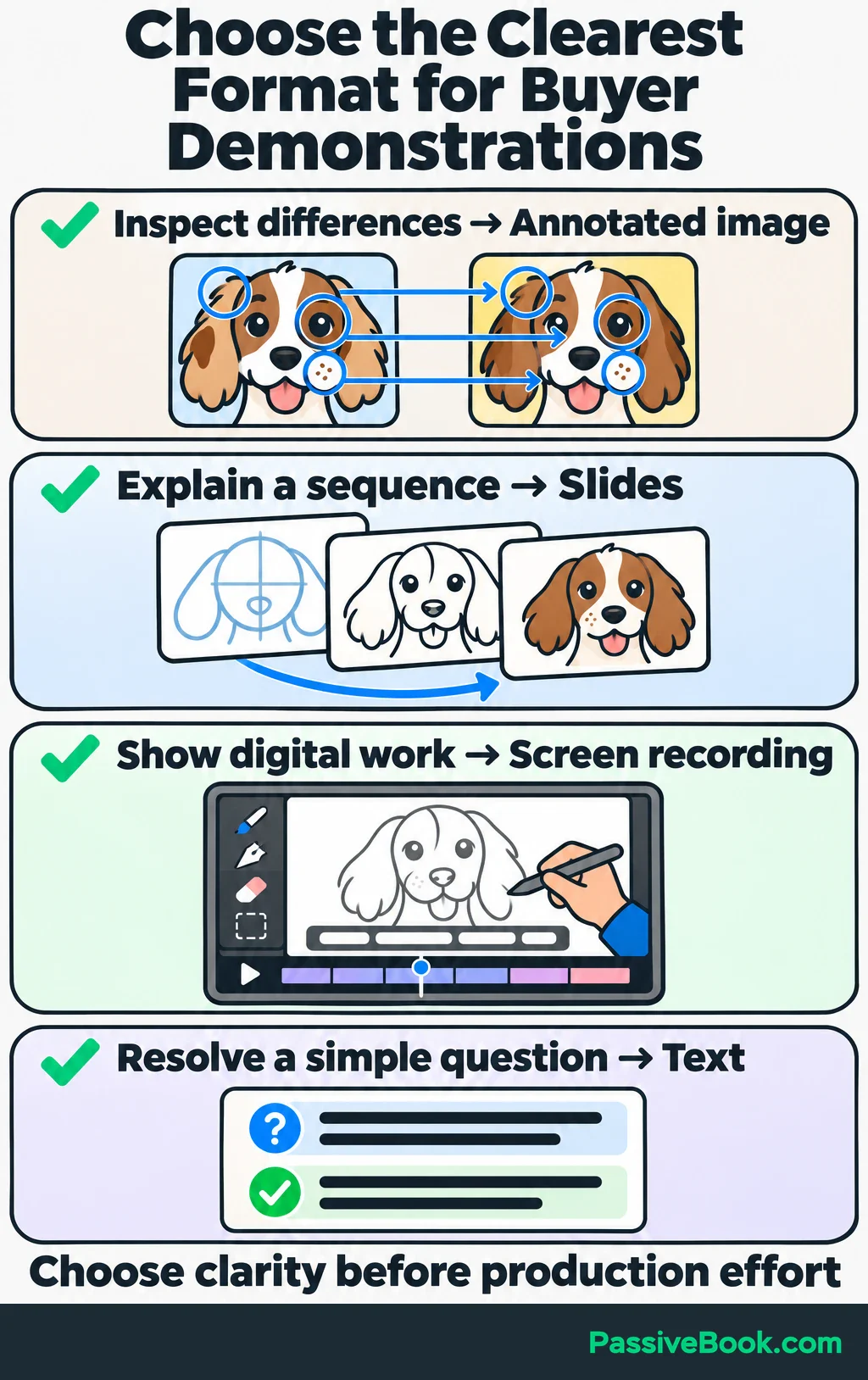
Use customer photographs, artwork, and stories with permission. If you include a customer’s experience, preserve the details needed to understand it. A request fulfilled under special terms shouldn’t quietly become the promise for every order.
I would choose a clear comparison over a heavily edited process video when the comparison answers the buyer’s question faster. Production effort needs a purpose.
Explain the Offer and Invite Action
Helpful content still needs an offer behind it. Publish posts that explain what someone receives, what it costs, and what happens after ordering.
For the portrait business, answer:
What arrives after I order?
Show a sample file and explain the format, included options, photo-submission process, revision terms, and delivery timing. Use the offer’s actual terms.
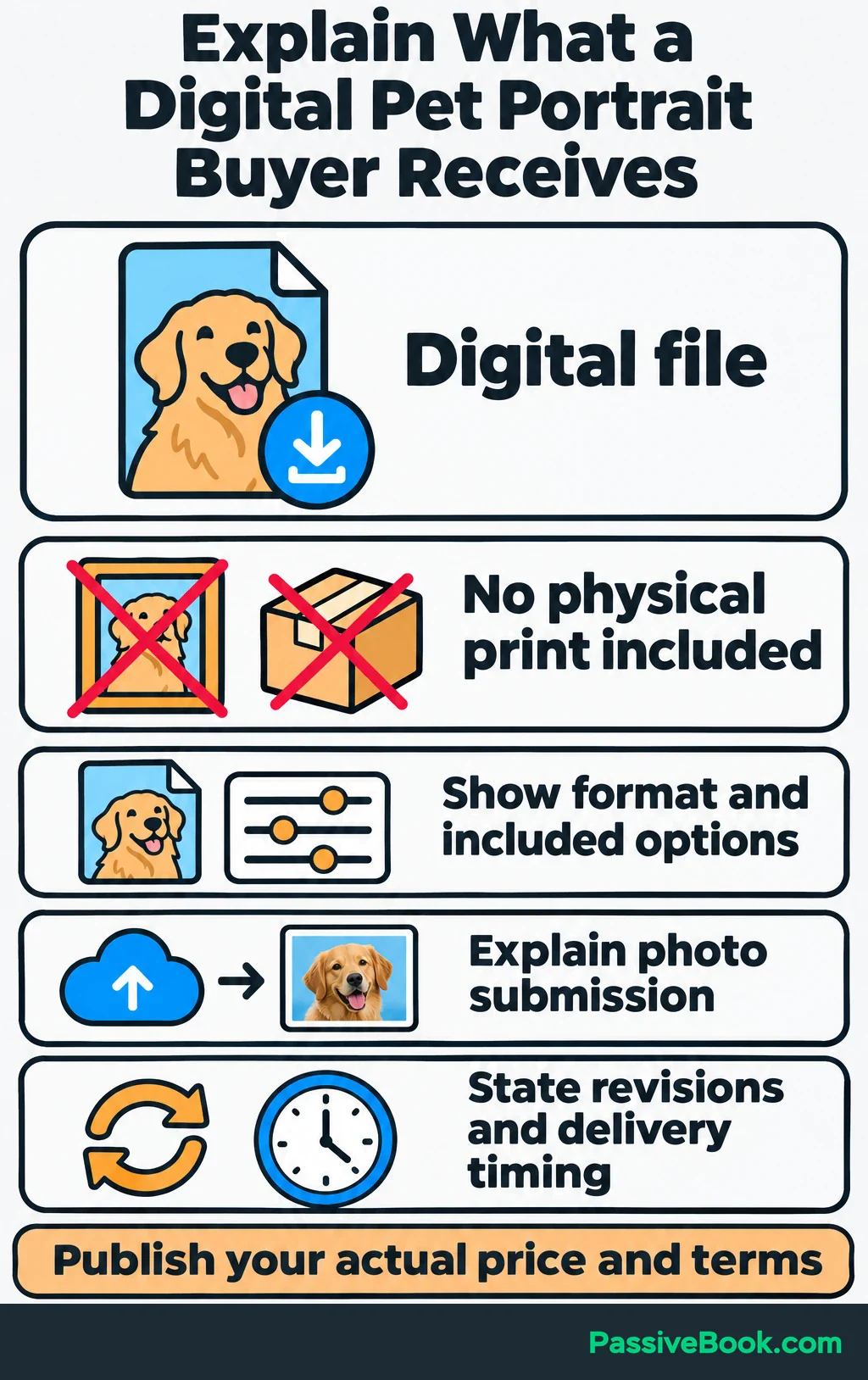
State that it is a digital product. A buyer expecting a framed print has misunderstood something that more posting won’t fix.
Recurring objections deserve direct answers. If people keep asking whether two pets can appear together, explain the available option and its terms. Don’t hide important buying information behind “message for details” unless a conversation is genuinely needed to price the work.
End each post with one relevant invitation. That could be a useful question, the checklist, or the product page.
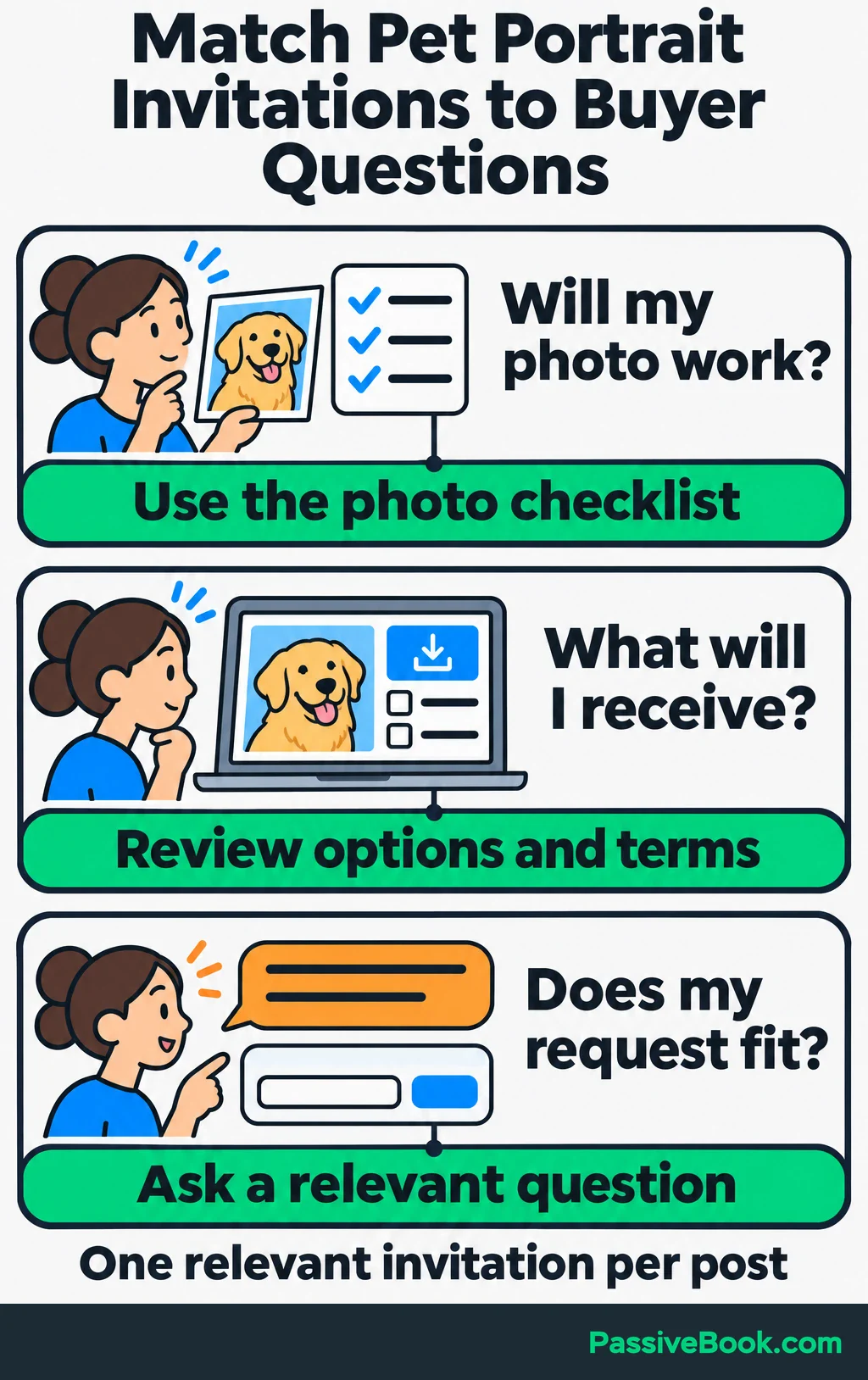
If you’re stuck turning your offer into actual posts, the Social Media Copy Studio can draft a starting set from your own details. Each draft connects the explanation to somewhere interested people can go next.

Free AI Social Copy Studio


I wouldn’t follow a fixed educational-to-promotional ratio. If people understand the photo requirements but keep asking how ordering works, publish the ordering explanation. The question earns the post.
For other pet businesses, adapt the same approach:
- Training or grooming: Answer a question about the first appointment, demonstrate what happens, and link to booking details. State your service area and track confirmed bookings.
- Pet blogging: If you earn commissions from product recommendations, explain a buying choice, show what you checked, and link to the matching review. Disclose the commission relationship clearly and track commissions earned.
Build a Publishing Routine You Can Sustain
Choose a workload that includes research, production, replies, and review. A calendar that counts only posting time is missing half the work.
As a starting experiment, you could reserve three hours a week: ninety minutes for making content, an hour spread across replies, and thirty minutes for reviewing questions and results. Reduce the posting cadence if it doesn’t fit.
Keep a simple calendar:
| Customer Question | Post Purpose | Format | Next Step | Destination | Publication Date |
|---|---|---|---|---|---|
| Which photograph works? | Help buyers prepare | Annotated comparison | Get the checklist | Checklist signup page | First weekly slot |
| How does a photo become artwork? | Demonstrate the approach | Screen recording | Inspect sample portraits | Portfolio or product page | Second weekly slot |
| What will I receive? | Explain the purchase | Short slide sequence | Review options and terms | Product page | Third weekly slot |
Those slots are a planning example, not a required posting frequency.
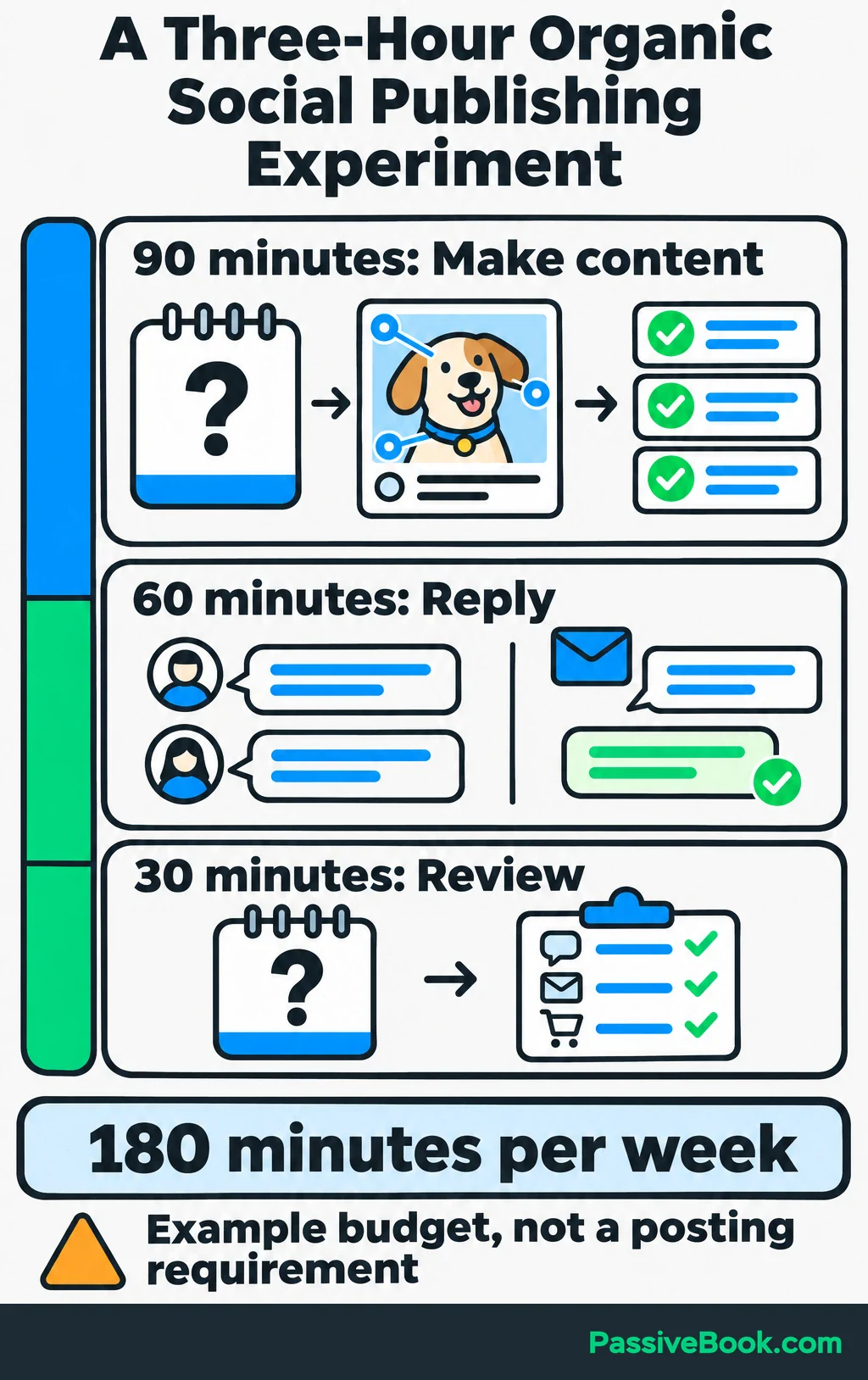
Batch similar work. Gather questions together, outline several answers, create the assets, review them, and schedule finished posts.
Reuse useful explanations in different formats. The photo-selection answer could become an annotated image, a short comparison video, and an ordering FAQ. Change the opening and invitation to suit each format.
I would keep the tools simple:
- Design: Use Canva templates for repeat layouts.
- Scheduling: Start with Meta Business Suite for Facebook and Instagram, or Pinterest’s native scheduler for a Pinterest business account.
- Drafting: Use Claude to group customer questions or suggest variations, then check the wording against your offer and experience.
- Automation: Add n8n, a tool for connecting apps and automating handoffs, when you have a repeated process worth maintaining.
I would skip a paid scheduling subscription until the time it saves is worth the price.
Refresh useful content when questions or offer details change. Increase output when the resulting customer value supports the extra work.
Reach Potential Customers Through Useful Conversations
Answer substantive comments and messages before offering a link.
If someone asks whether their photograph is suitable, explain what you need to see. A reply that only says “check the website” leaves the original question unanswered.
When a question repeats, add it to your content bank. You’re collecting evidence about what buyers still need to understand.
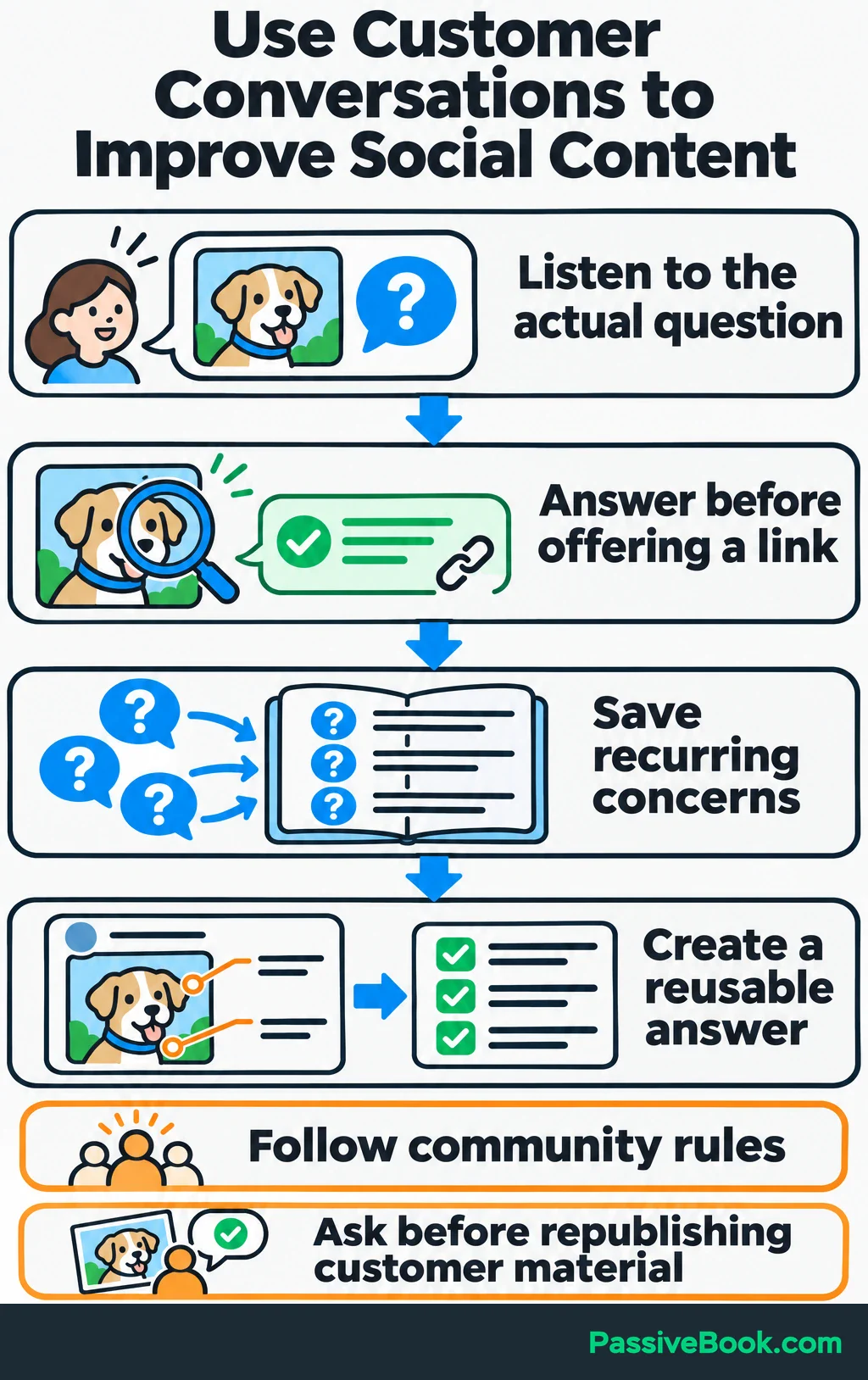
Join communities where relevant conversations already happen, and follow their rules. Contribute a useful answer when you have one. I would skip dropping a portfolio link into every dog discussion; owning a dog doesn’t automatically mean shopping for a portrait.
Invite customers to follow content that will remain useful to them. You can also ask whether they would like to share the finished artwork and tag your business. Ask permission separately before republishing their photographs, posts, or testimonials.
A complementary business can help you reach people with a related need. For example, you could create a photo-preparation resource with a pet photographer. Agree on who contributes each part, where it will appear, and what readers should do next.
If an endorsement involves payment, a free portrait, or another material connection affecting U.S. consumers, disclose that connection clearly beside the endorsement. FTC guidance explains the relationships and disclosure placement involved.
Use Business Results to Improve Your Approach
Attention tells you whether content reached people. Business records help you decide whether reaching them was worth the effort.
Track the Path From Content to Customers
I would review customer questions and check for link, form, or checkout problems weekly, then review business results monthly. If purchases take longer, allow that buying cycle before judging the outcome.
Keep a scorecard with these fields:
- Period, platform, and campaign.
- Website visits, new subscribers, and qualified inquiries.
- Customers and revenue.
- Production expenses and hours spent.
Record message-based inquiries and their resulting sales too. A sale doesn’t become less useful because the buyer started in your inbox.
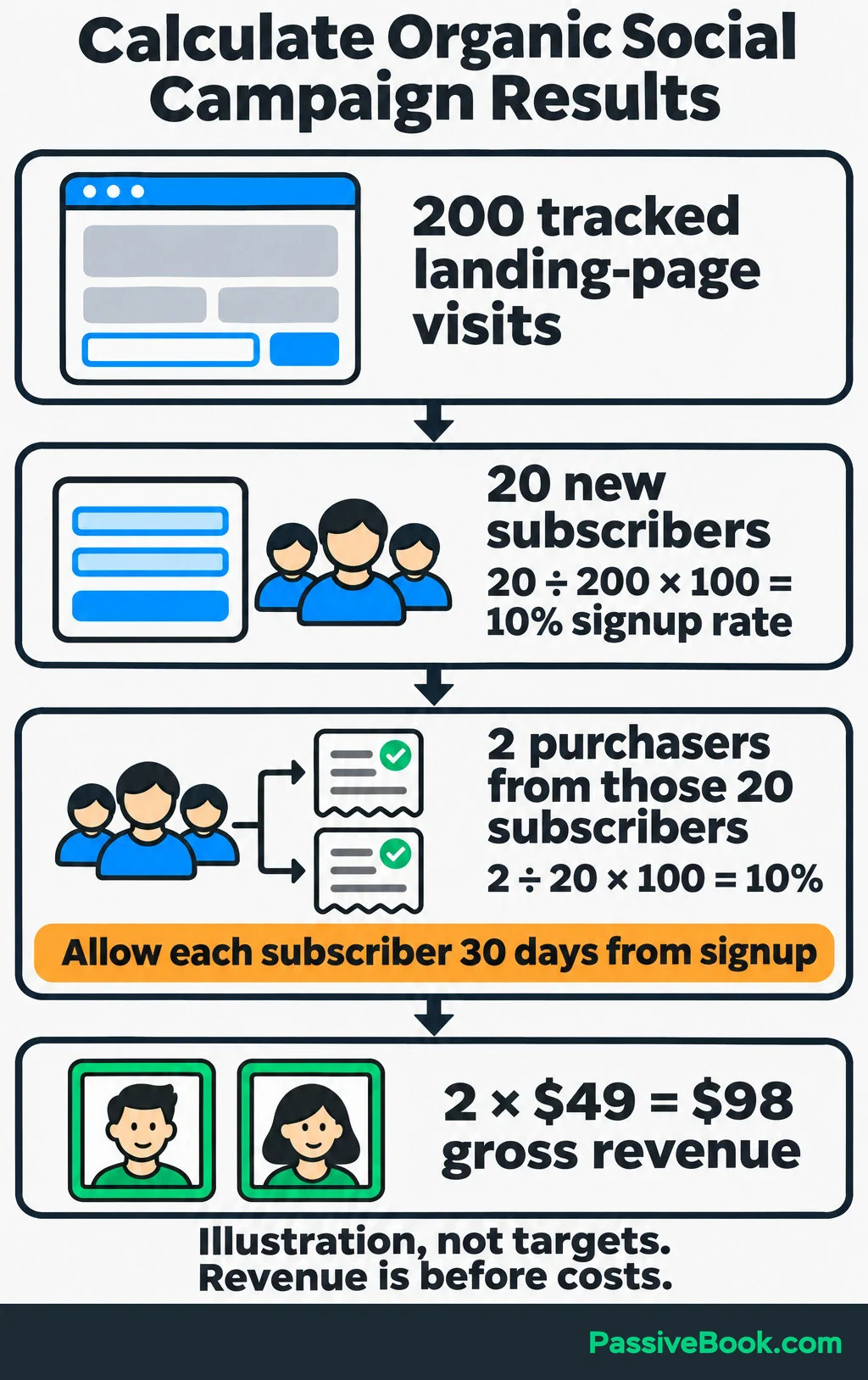
For a worked example, assume one campaign produces 200 tracked landing-page visits during a month, and 20 new subscribers sign up through those visits. You then follow those same 20 subscribers and find that two buy a $49 digital portrait within 30 days of their own signup.
| Measure | Calculation | Illustrative Result |
|---|---|---|
| Signup rate | 20 new subscribers ÷ 200 landing-page visits × 100 | 10% |
| Subscriber-to-customer rate | 2 purchasers ÷ 20 subscribers × 100 | 10% within 30 days of signup |
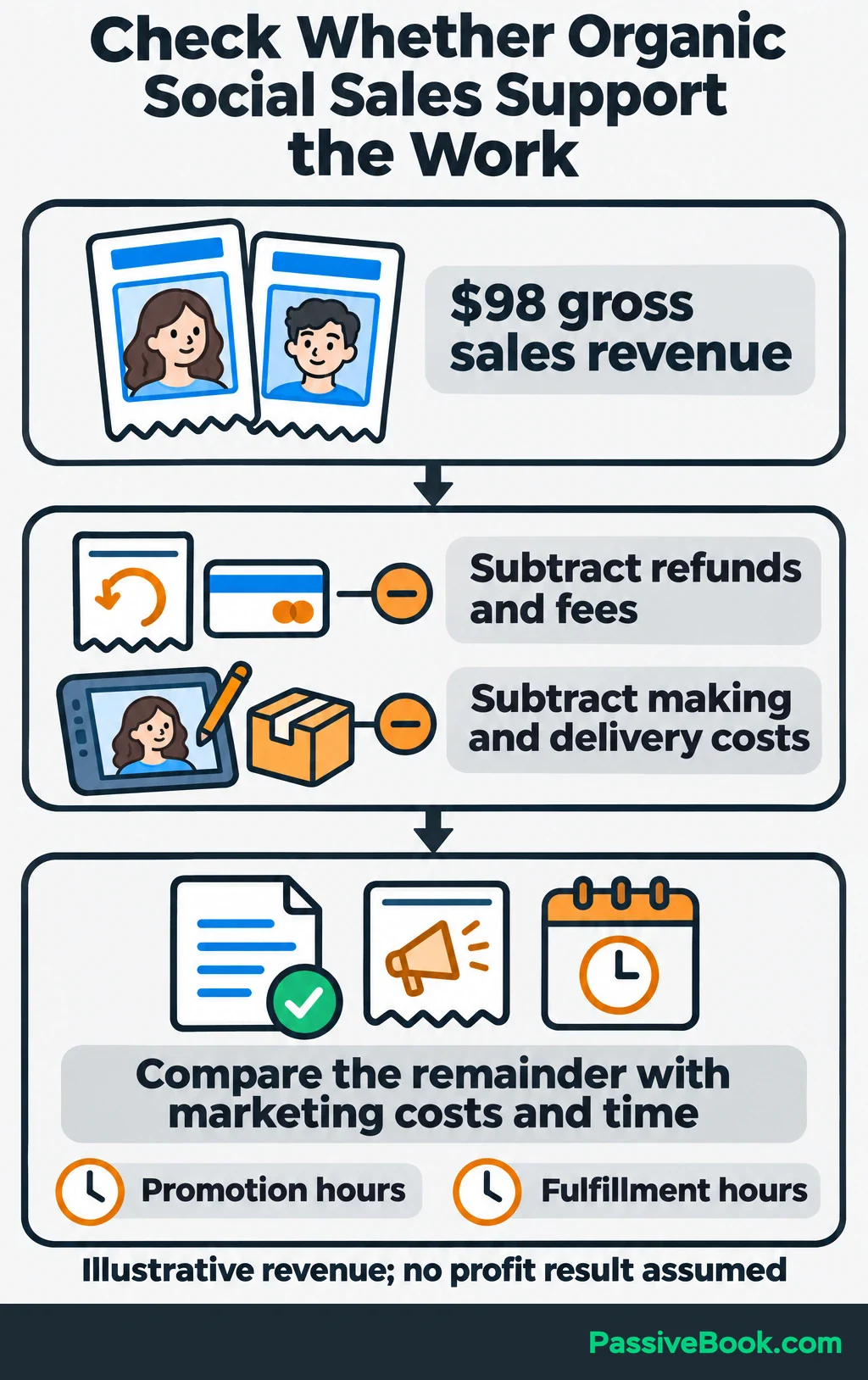
| Gross sales revenue | 2 portraits × $49 | $98 before refunds, fees, and other costs |
Wait until every subscriber has had the full observation window before comparing that customer rate with another group.
These figures demonstrate the calculation. They aren’t performance targets.
Attribution will remain incomplete because a customer may encounter several posts or channels before buying. Combine tagged links with purchase records and an optional “How did you hear about us?” question. Count each sale once in your business totals.
Then examine the economics. Subtract refunds, fees, and the costs of making and delivering the portraits. Compare what remains with content expenses and the time spent promoting them.
Custom work also takes fulfillment time. Keep that visible so sales growth doesn’t disguise an unsustainable workload.
Fix the Weakest Step Before Increasing Output
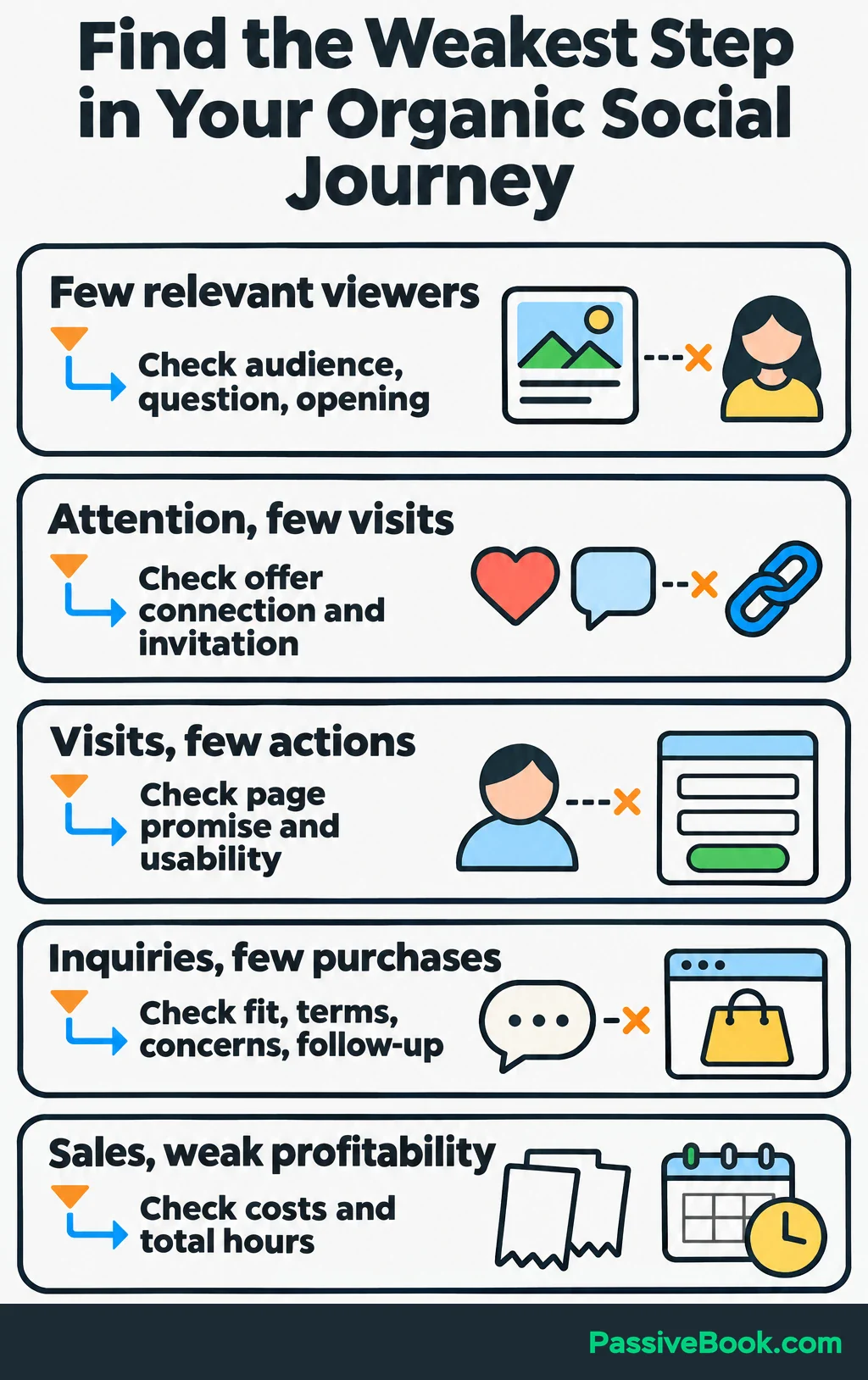
Use the scorecard to find where interested people stop moving forward.
| What You Observe | What I Would Check First |
|---|---|
| Few relevant people see the posts | Customer presence on the platform, question choice, opening, and presentation |
| Posts attract attention but few visits or inquiries | Whether the topic connects to the offer and the invitation is clear |
| People visit but rarely sign up or buy | Whether the page delivers the post’s promise and the form or checkout works easily |
| Qualified inquiries rarely become purchases | Unanswered concerns, offer fit, terms, and follow-up |
| Sales increase but the work becomes unprofitable | Fulfillment costs, content expenses, and total hours |
Suppose the photo-selection post attracts checklist subscribers, but those subscribers keep asking whether the portrait includes a physical print. I would fix that explanation before making another batch of posts.
Change one meaningful element at a time. Compare related posts and the customer actions they produce, allowing for the purchase cycle. One unusually popular post gives you a clue, not a permanent rule.
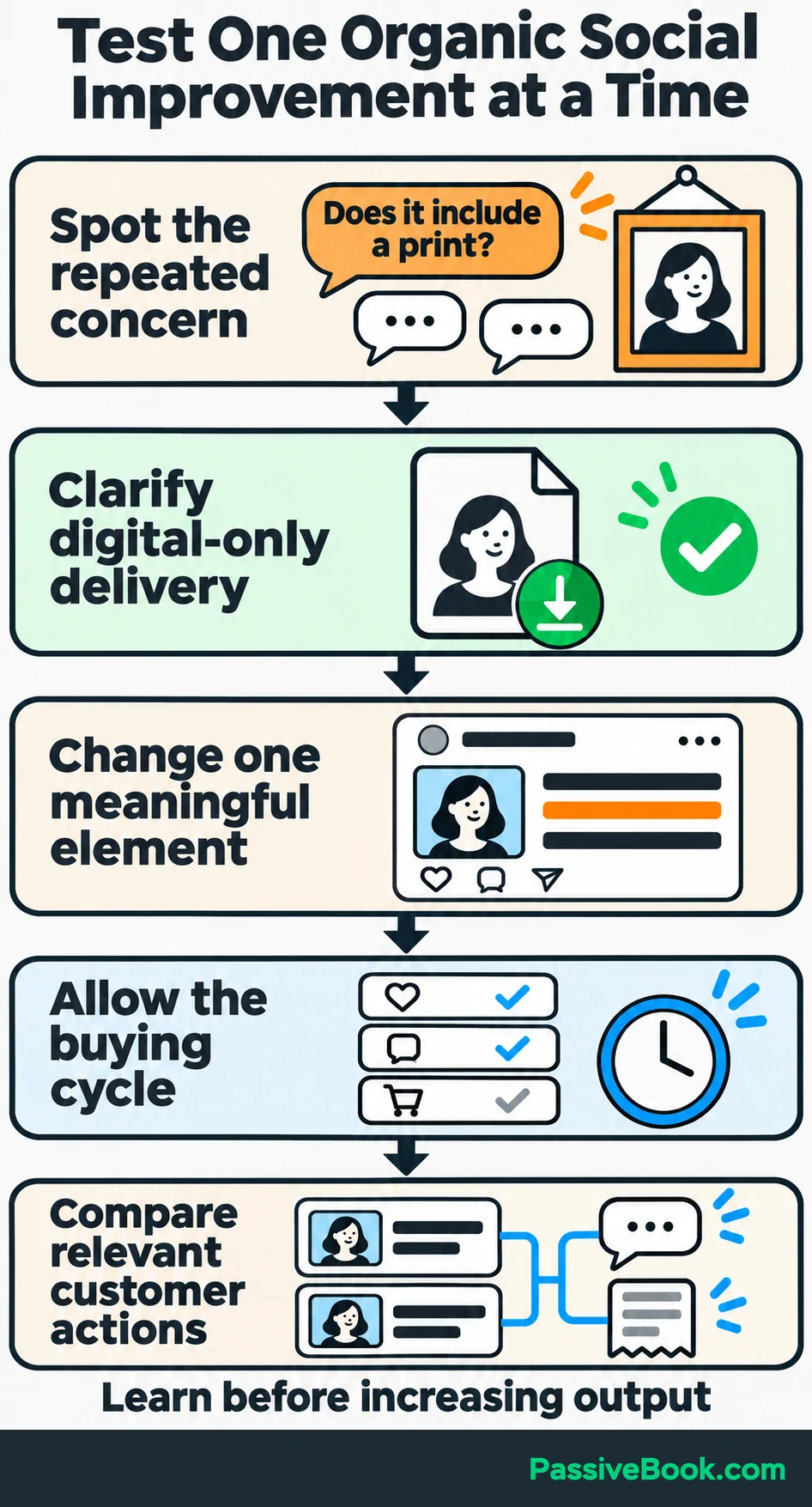
Repeat topics that bring inquiries from people who fit your offer or lead to purchases. If several rounds of sensible improvements still produce little relevant interest, reduce the channel’s priority and test another route.
You don’t owe a platform endless evenings because you already gave it six months. I’ve paid that bill.
What Next?
Choose one question a prospective customer asked recently and draft a post that answers it. Then follow its invitation on your phone, right through to the confirmation. Fix any gap before publishing.
Use the social buttons to share this guide when your feed needs more discussion about customers, costs, and where useful content leads.
Where does your current path lose people: discovery, the next step, or the purchase? Tell me in the comments, and bring any other questions too.
Share this post with your friends & followers: