A useful post gets replies, a few people follow you, and then the conversation ends. There’s no clear place for an interested reader to get more help or buy what you sell.
Around 2022, I spent six months chasing Instagram and Twitter/X followers in another niche while my bank balance stayed around $47. I was putting time into attention without a clear path to a sale.
That gap makes every new post feel like starting again. This guide shows how to connect your X content to a useful download, automatic follow-up and a paid offer you can measure.
1. Choose the Offer Your Funnel Will Sell
Start with what you want someone to buy. That decision gives your posts, free resource and emails a shared purpose.
The path you’re building is:
Useful X content → signup page → free resource → automated emails → paid offer → checkout and delivery.
Your profile and pinned post provide permanent entrances. Individual posts and replies bring people to the right page.
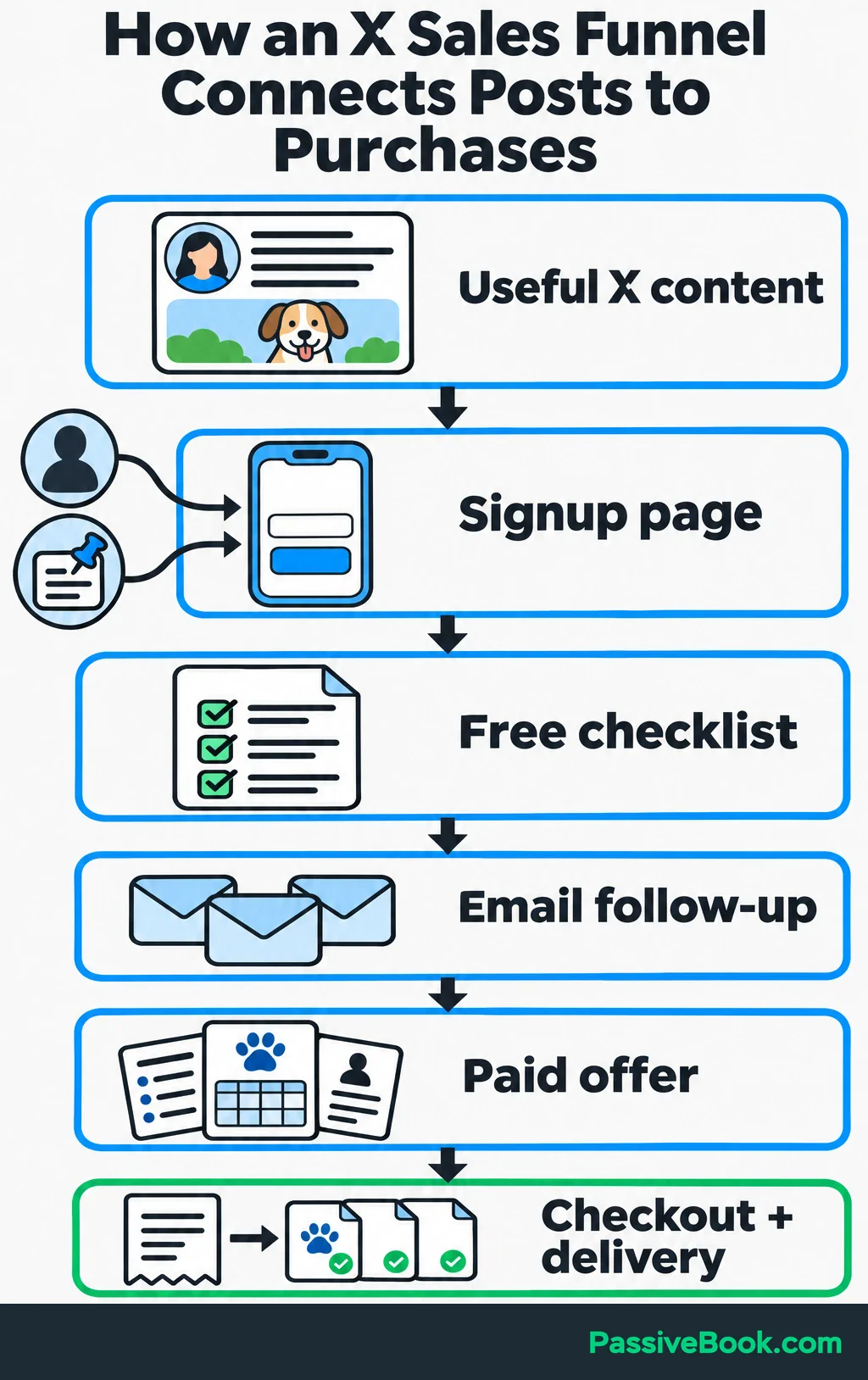
You can build and test this without ads or a large following. You still need to reach people who have the problem your offer addresses. A small audience gives you somewhere to start, but it doesn’t guarantee sales.
For the running example, imagine you sell a Dog Sitter Handoff Kit: editable care instructions, routine planners and contact sheets. Its free resource is a Dog Sitter Handoff Checklist. The product details, copy, price, schedule and results below are illustrations.
Describe your offer with this sentence:
For [person facing a problem], helps them [complete a task] through [deliverables].
For the kit:
The Dog Sitter Handoff Kit helps dog owners brief a sitter with editable care instructions, routine planners and contact sheets.
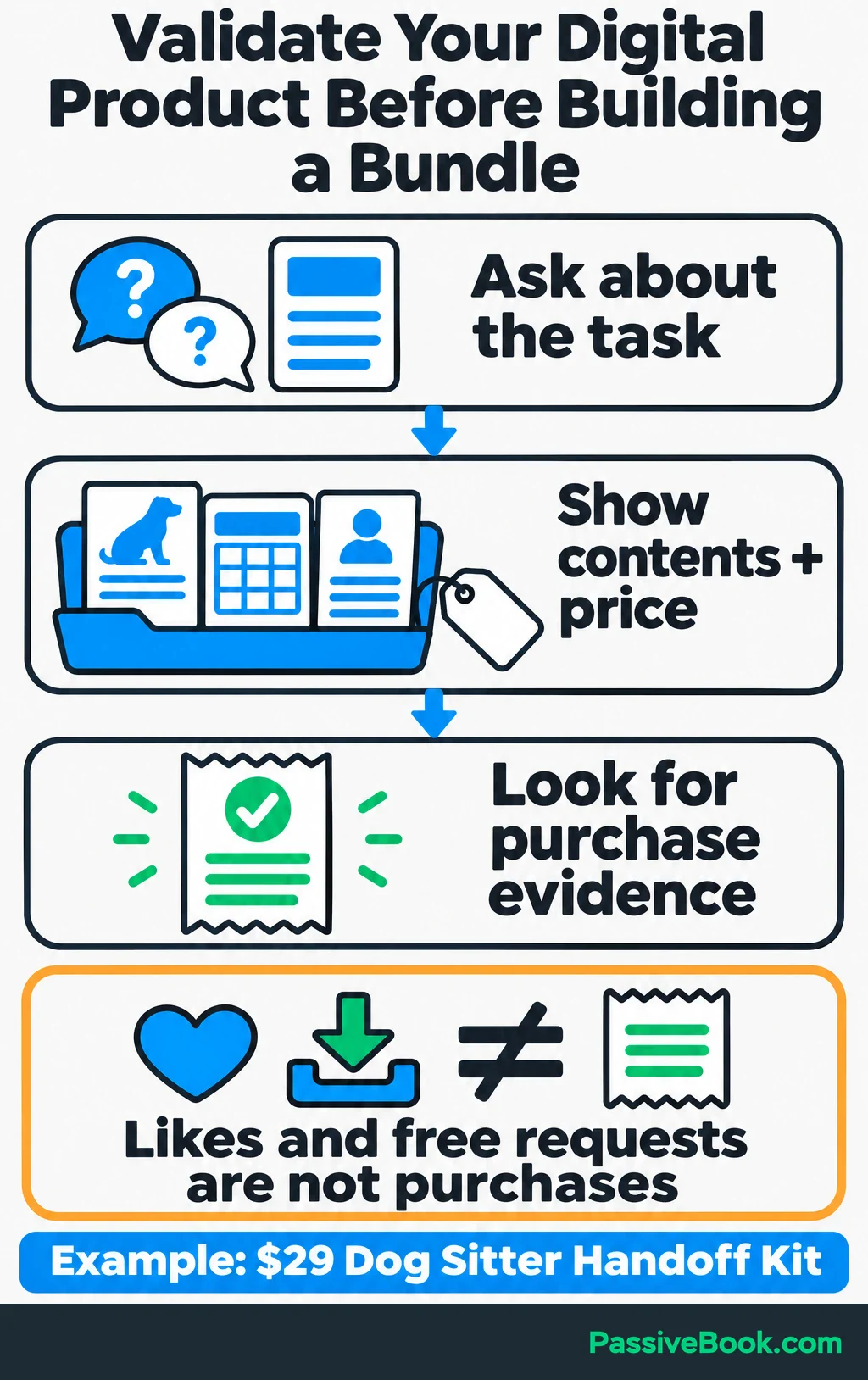
Now check whether that task matters enough to pay for. Search relevant X conversations and review questions people already ask. In conversations with potential buyers, ask:
- What do you currently leave for your sitter?
- Which details are hardest to organize?
- What would make these sample sheets useful enough to buy?
Show a sample, explain the contents and name the price before building a large bundle. A like shows interest in a post. A checklist request shows interest in free help. Neither is a purchase.
Set your product specifications before writing promotional copy. For this example, we’ll use a $29 download with printable PDFs and editable Google Docs templates. Buyers need a Google account to copy and edit the templates. Support covers file access and editing questions.
Keep those details consistent everywhere. A buyer shouldn’t have to solve a small mystery to learn what arrives after checkout.
2. Build a Signup Page for a Useful Free Resource
Create a Lead Magnet That Prepares People for the Offer
A lead magnet is a free resource offered at signup. Give it one small job that relates directly to the paid product.
Make it useful on its own. You want the reader to finish a task and see what comes next, without discovering that the useful part costs extra.
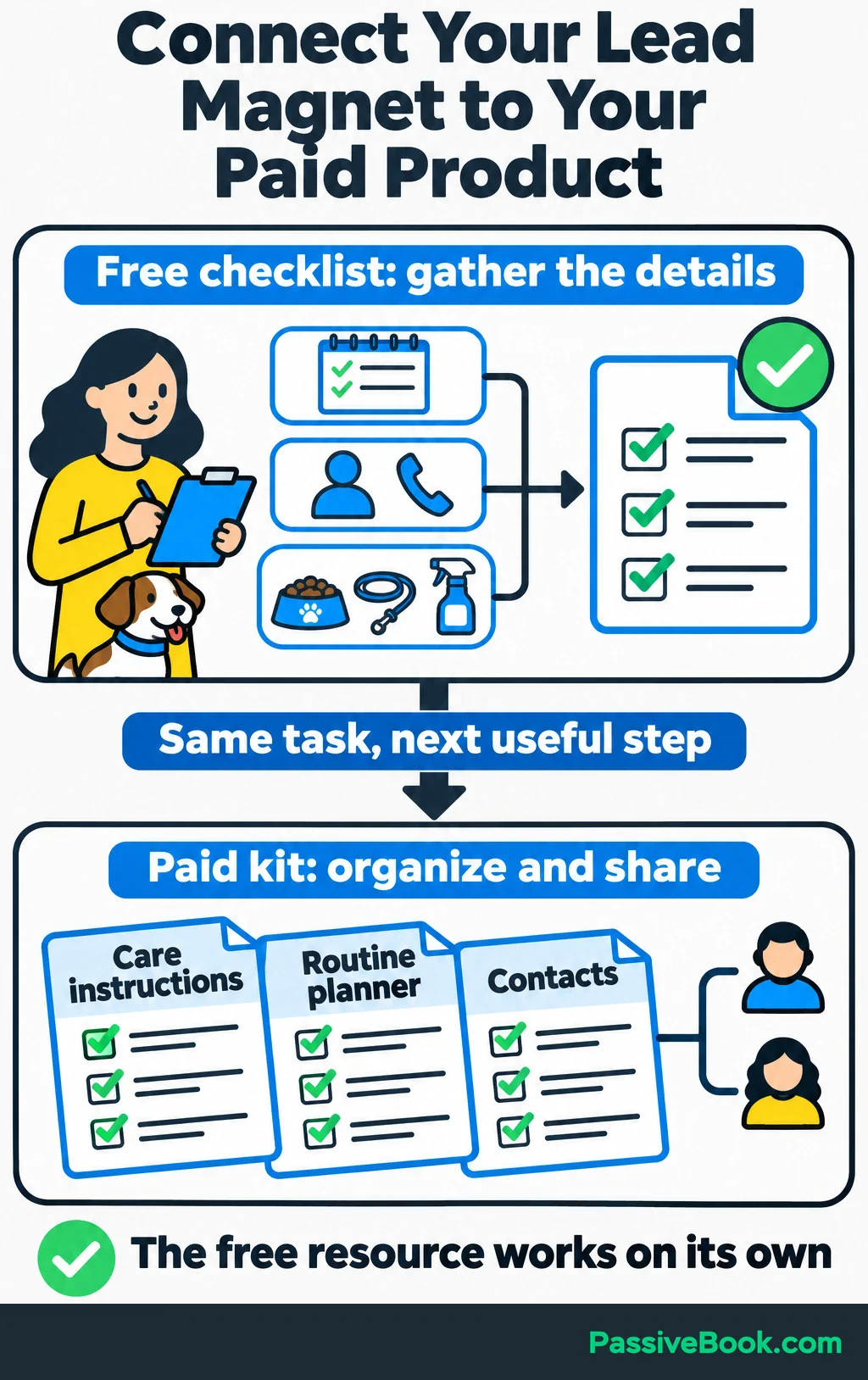
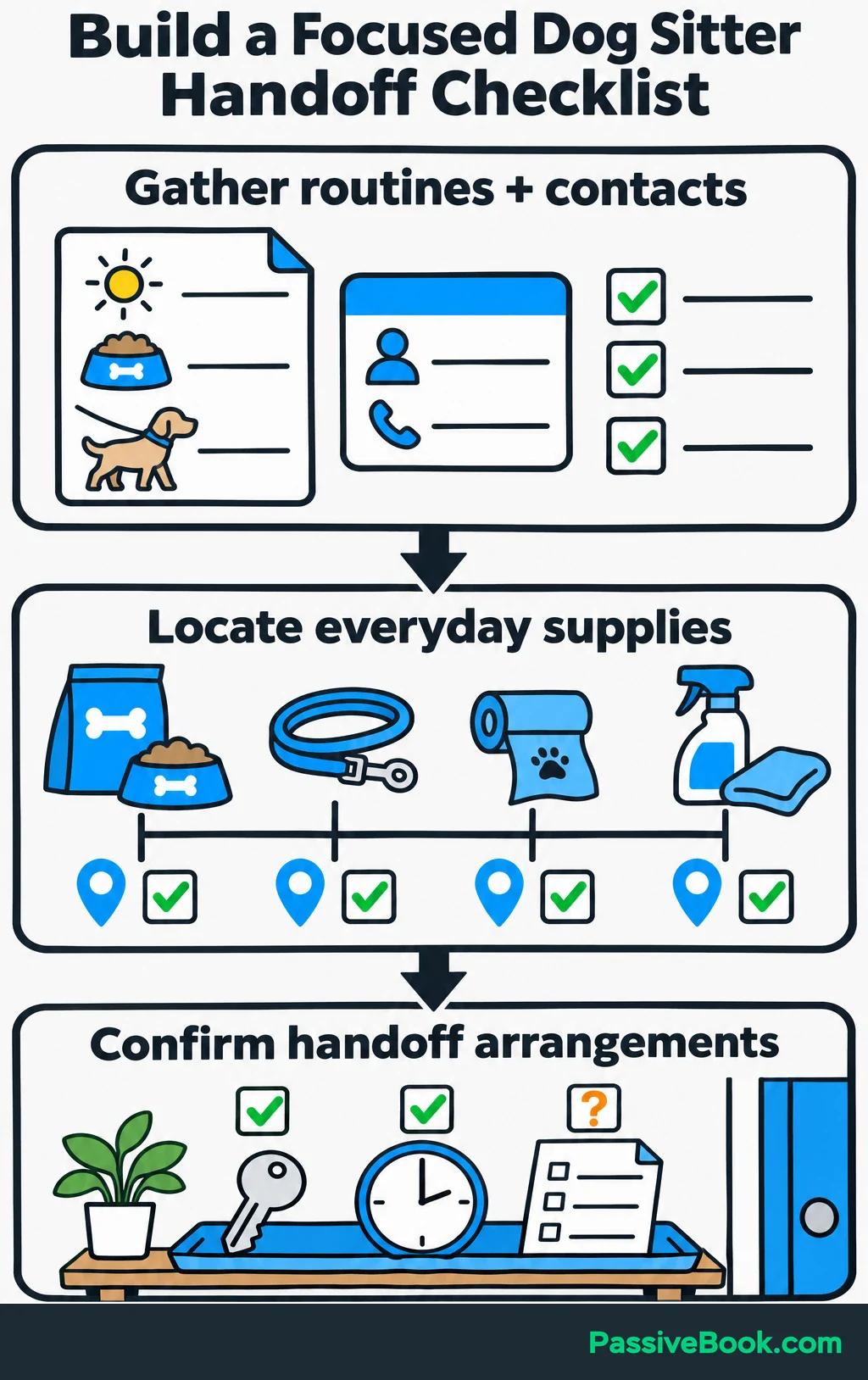
The Dog Sitter Handoff Checklist could help someone:
- Gather routine details and important contacts.
- Locate food, walking supplies and cleaning supplies.
- Confirm access, arrival times and where instructions will be left.
Keep it short enough to use while preparing for the handoff. Add clear checkboxes and a brief explanation of each item.
The paid kit then supplies reusable sheets for organizing and sharing that information. The checklist helps the owner gather the pieces; the kit gives those pieces a home.
I would skip a broad giveaway such as “Everything You Need to Know About Dogs.” It attracts a much wider interest than the product serves, and it gives you more work before you’ve tested the offer.
Choose a Minimal Tool Setup
You need tools that handle four jobs:
| Job | What You Need |
|---|---|
| Publish pages | A signup page and a sales page |
| Capture leads | A form that records subscriptions and their source |
| Follow up | Timed emails and a way to stop promotions after purchase |
| Complete purchases | Checkout, payment confirmation and file delivery |
For a fresh setup, I would start with MailerLite. Its Free plan covers the pages, checkout and five-step email sequence used below, with room for 250 active subscribers and 2,500 monthly emails. Check MailerLite’s plan comparison before building, since limits can change.
Use the landing page for signup and a page on the included website for the offer.
MailerLite’s digital-product checkout requires Stripe. Check that your business can open and use an account in your location before committing to this setup. Stripe’s availability page lists supported locations and any restrictions.
Budget for a sending domain and payment processing too. MailerLite takes no sales commission, but processor fees still apply, as explained on its digital-product page.
If your WordPress pages, forms, email and checkout already work, reuse them. I use FluentCRM for email on WordPress, and I wouldn’t switch just for this example.
Write the Page Around One Clear Action
Your signup page should explain what the visitor gets and make requesting it easy.
Include a specific headline, a readable preview, a short description, an email field and one main button. Remove unrelated offers and navigation that distract from signup.
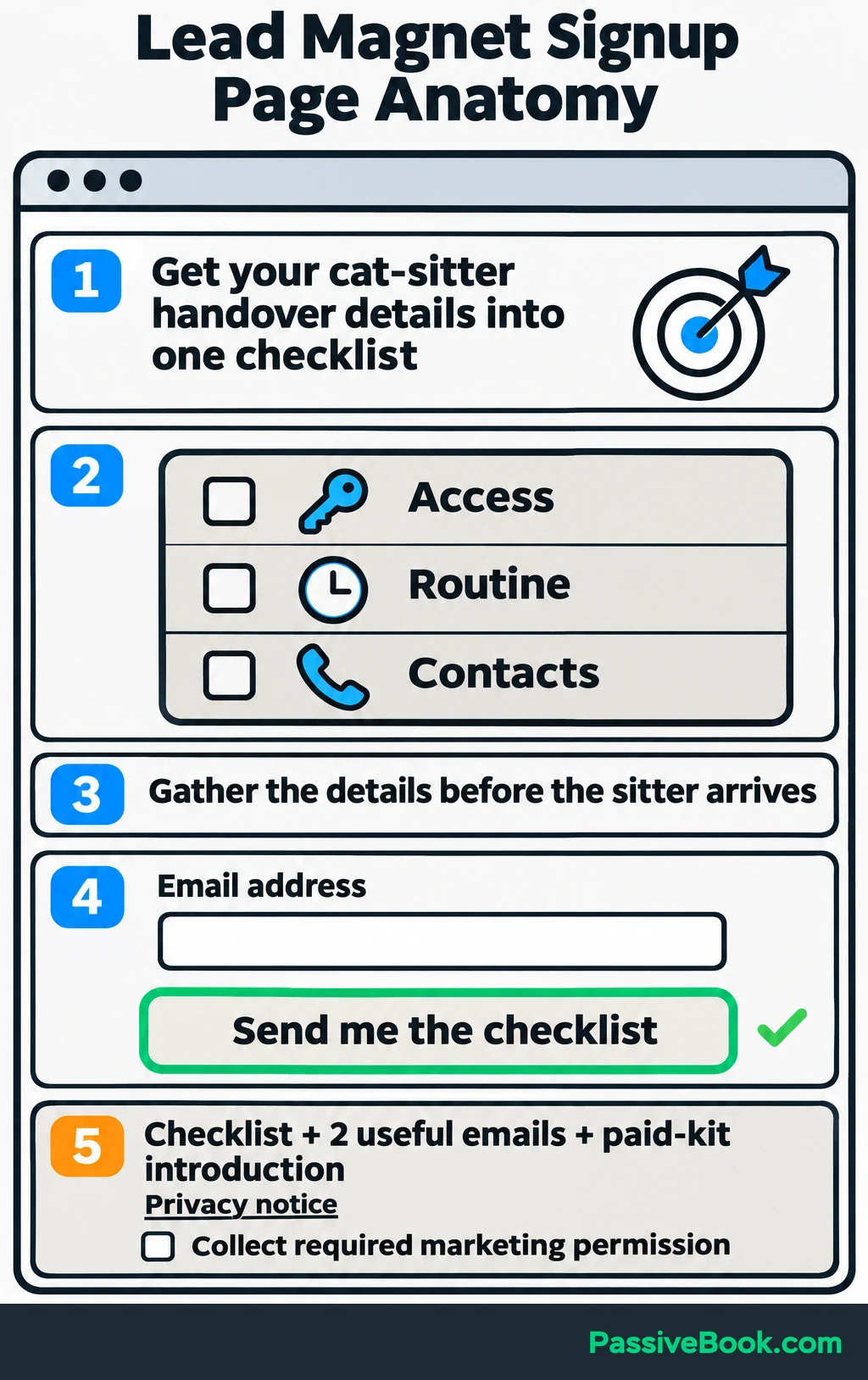
Here’s a complete copy sample to adapt:
Get your dog’s information ready before the sitter arrives
Download the free Dog Sitter Handoff Checklist to gather routine details, locate everyday supplies and confirm handoff arrangements.
Use it before the sitter arrives so you can see what’s ready and what still needs attention.
Email address: [email field]
[Send me the checklist]
You’ll receive the checklist and a short email series about preparing sitter instructions, including details of my paid Dog Sitter Handoff Kit. Unsubscribe whenever you like.
[Privacy notice]
After signup, show a confirmation page. If you require email confirmation, say: “Check your inbox and confirm your email address. Your checklist email will follow.”
3. Create the Sales Page and Purchase Path
The sales page needs to help someone decide whether the product fits their task.
Explain who it helps, show the actual files and describe how they work. A screenshot of a readable sheet tells buyers more than a decorative mockup of a laptop.
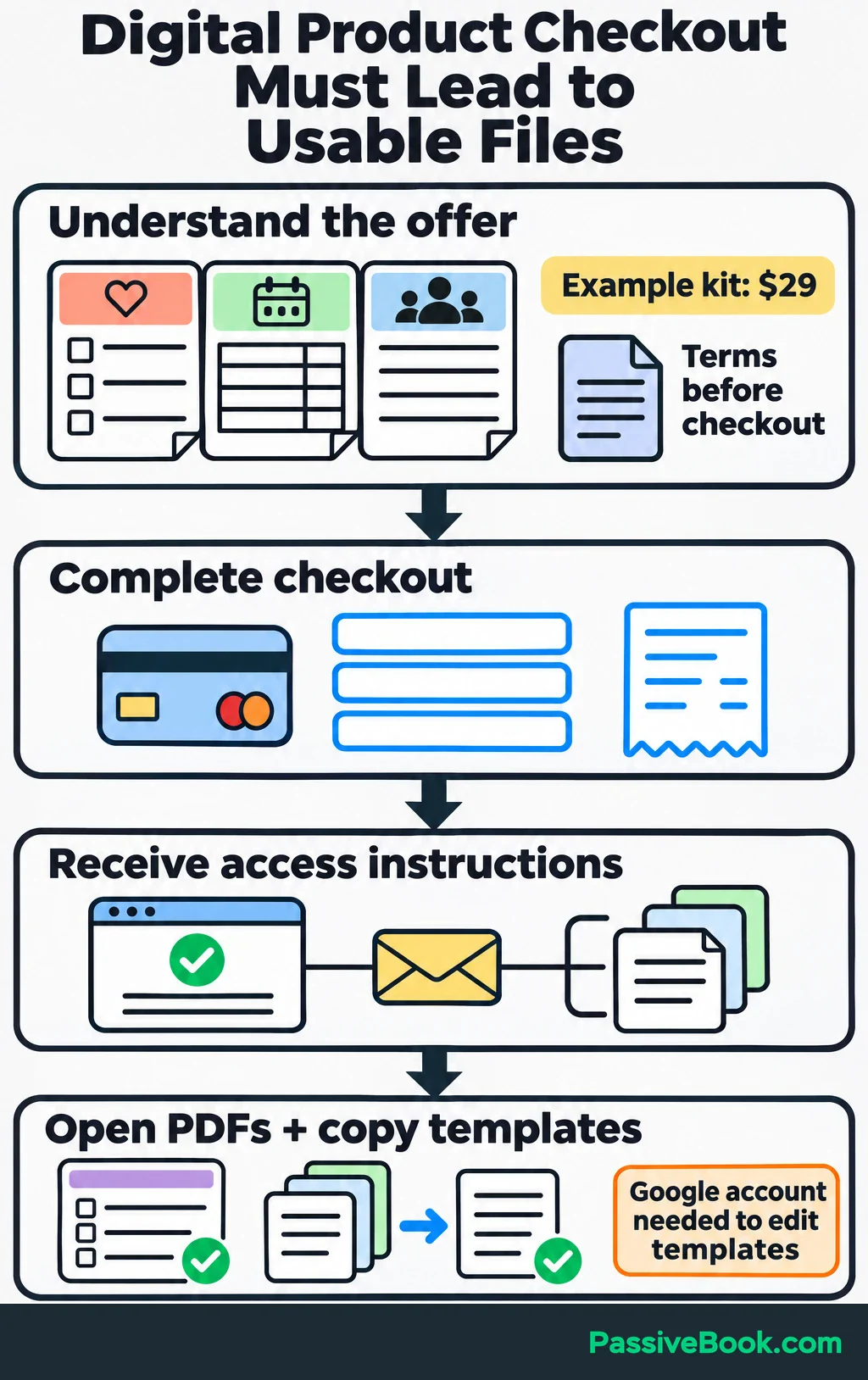
For the example kit, cover:
- Contents: Editable care instructions, routine planners and contact sheets.
- Formats: Printable PDFs and Google Docs templates.
- Editing: A Google account is needed to copy and edit the templates.
- Access: Download instructions appear after purchase and arrive by email.
- Support: Explain how buyers can get help with access or editing.
- Terms: State your refund policy before checkout.
Connect the offer to the free resource:
Your checklist helps you gather the details. The handoff kit gives you reusable sheets to organize them into instructions you can share with your sitter.
Use a clear purchase button such as “Get the Dog Sitter Handoff Kit,” with the price beside it.
Connect that button to checkout and set up the purchase-confirmation page and email. For this kit, include the PDFs plus copy links and instructions for the Google Docs templates. Test that buyers can open every file and copy each template.
Add a small kit preview and sales-page link to the signup confirmation page too. Some people are ready to buy immediately. Keep the checklist instructions easy to find alongside it.
4. Write and Automate the Email Follow-up
Give Each Email a Distinct Job
Start with three emails: deliver the resource, help the subscriber apply it, and explain the paid offer.
Each email should have one main action. That keeps the message focused and gives you a clear result to measure.
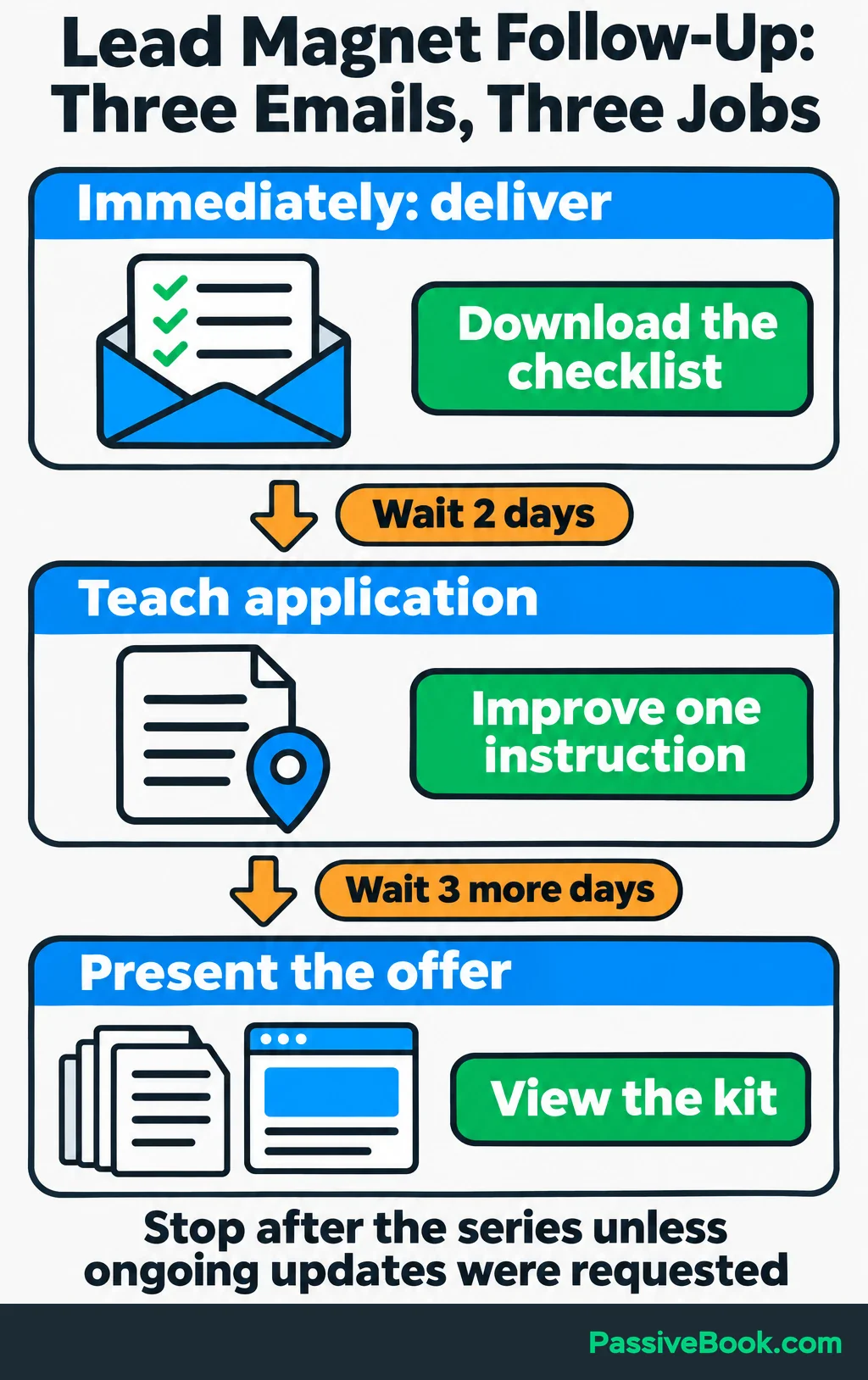
Below is a complete sequence you can adapt. Replace the bracketed links and sender details, and add your required business footer.
- Immediately — Deliver the Checklist
Subject: Your Dog Sitter Handoff Checklist
Hi,
Here’s your Dog Sitter Handoff Checklist:
[Download the checklist]
Start by gathering your dog’s usual routine and important contacts. Then work through the supplies and arrangements sections.
You don’t need to finish everything at once. Mark anything you still need to find or confirm.
I’ll send a practical example in two days to help you turn those details into clear sitter instructions.
— [Your name] - Two Days Later — Help Them Apply It
Subject: Could your sitter follow these instructions?
Hi,
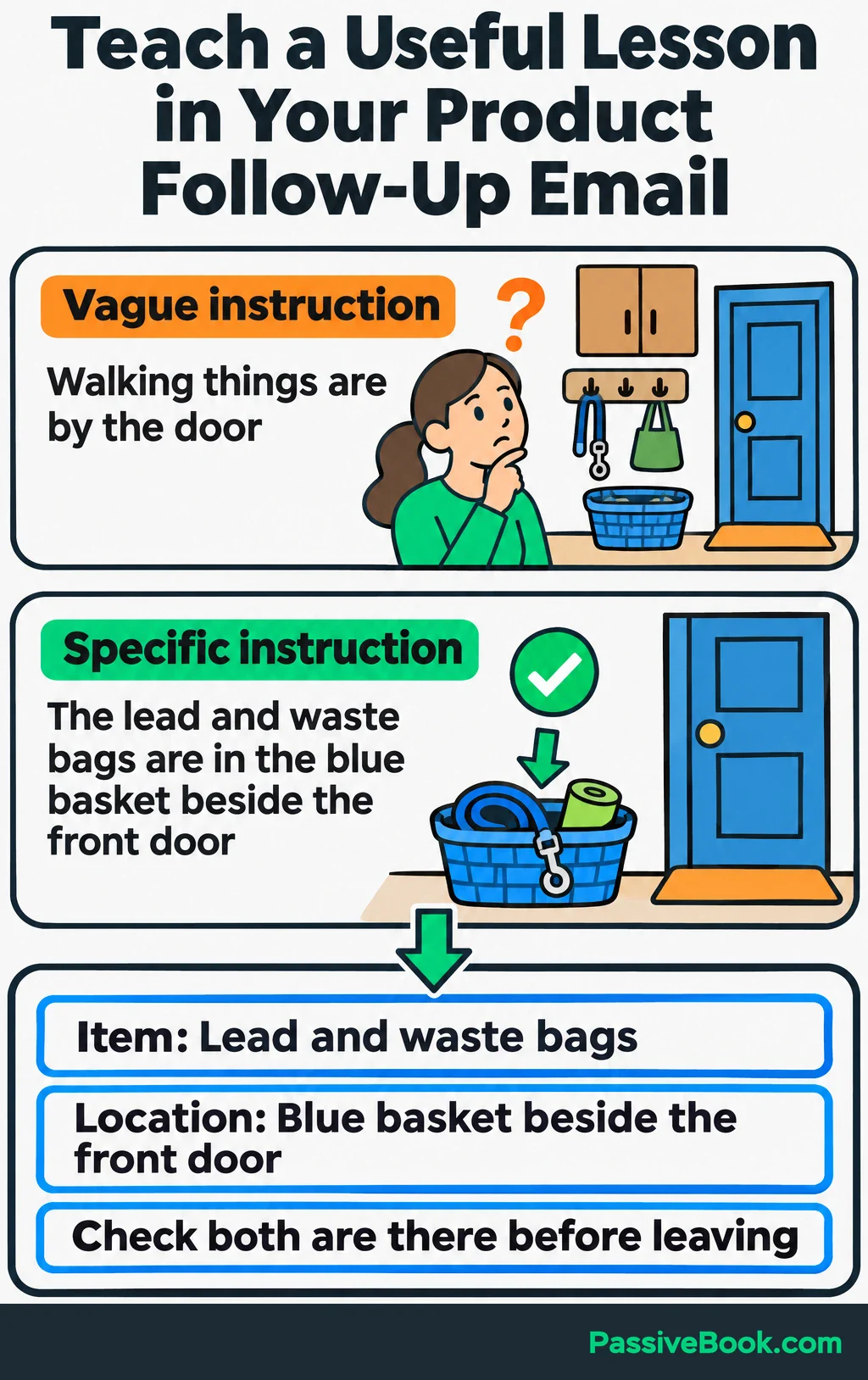
Pick one item from your checklist and read it as though you’ve just walked into the house.
“Walking things are by the door” leaves room for guessing.
“The lead and waste bags are in the blue basket beside the front door” gives your sitter something they can find.
Here’s how the care-instruction sheet in my paid Dog Sitter Handoff Kit organizes that detail:
[Image of the sheet showing the completed example]
Review one instruction of your own and add the location or detail a new person would need.
— [Your name] - Three Days After That — Present the Offer
Subject: Put your sitter’s instructions in one place
Hi,
Once you’ve gathered the details, you need somewhere to put them.
My Dog Sitter Handoff Kit includes editable care instructions, routine planners and contact sheets.
You can print the PDFs or copy the Google Docs templates and edit them with a Google account.
[Image showing the kit’s sheets]
If reusable sheets would make your next handoff easier, you can see the full contents and buy the kit here:
[View the Dog Sitter Handoff Kit]
If your current notes already do the job, keep using them.
— [Your name]
The second email teaches a useful check and shows the product in context. The third gives enough detail to make a purchase decision.
The example gives you the structure; your own emails need to connect your resource to what you actually sell. The AI Copywriting Studio drafts that sequence from your offer and resource details.

Free AI Copywriting Studio




Stop after these three emails unless subscribers also signed up for ongoing updates. If you offer those, state their topics and frequency on the signup page.
Connect Signup, Sending and Buyer Exclusion
First, verify your sender address, then complete MailerLite’s domain authentication setup before launch. Authentication lets inbox providers check that MailerLite has permission to send using your domain. MailerLite requires it for custom sending domains after the trial.
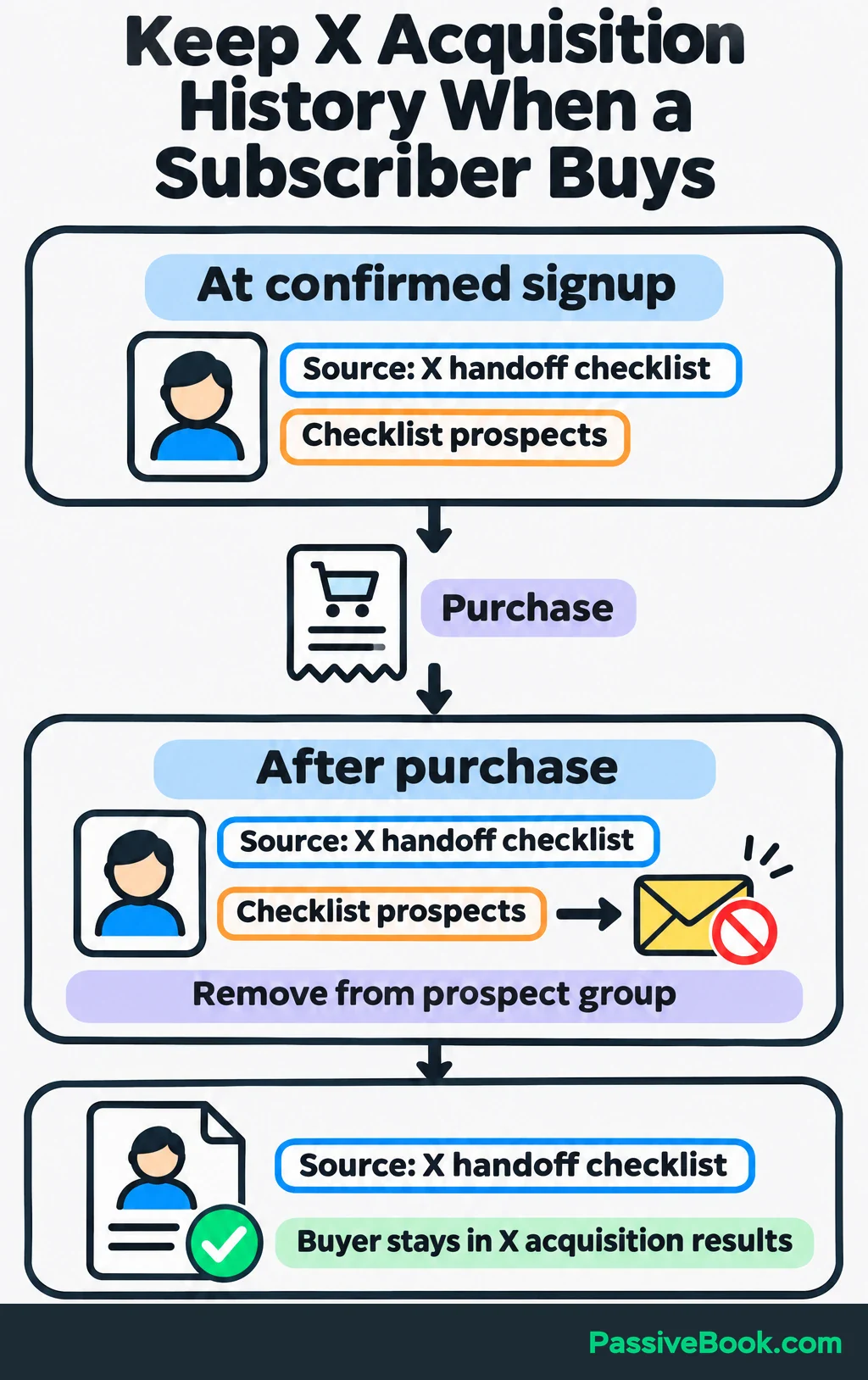
Next, create a group called Checklist prospects. A group is a label that lets the email tool identify which contacts belong in a sequence.
Configure confirmed signups to join that group, and use joining it as the trigger. Build these five steps:
Delivery email → two-day delay → application email → three-day delay → offer email.
Disable repeat entry so signing up again doesn’t restart the same series.
Then connect purchases to stopping the promotion:
- In the product settings, set Action after checkout to remove purchasers from
Checklist prospects. - Configure the group trigger to cancel the workflow when someone leaves that group.
Both settings matter. MailerLite’s workflow cancellation rules make clear that leaving the group stops the sequence only when you’ve selected that outcome.
Matching depends on the buyer using the subscriber’s email address. Test that case, and handle any reported mismatch before more promotions go out.
Keep order receipts and delivery messages separate from prospect emails. Buying the kit should stop the pitch without stopping access instructions.
Apply the email rules relevant to your business and recipients. For U.S. commercial email, use accurate sender details and subject lines, clearly identify advertising, include a valid postal address and an unsubscribe option, and honor opt-outs within ten business days. The FTC’s commercial-email guide explains these requirements.
5. Turn Your X Profile Into a Funnel Entrance
Your bio should explain what you help with and give visitors one next action.
For the example:
Practical planning tools for dog owners. Prepare for your sitter with the free handoff checklist ↓
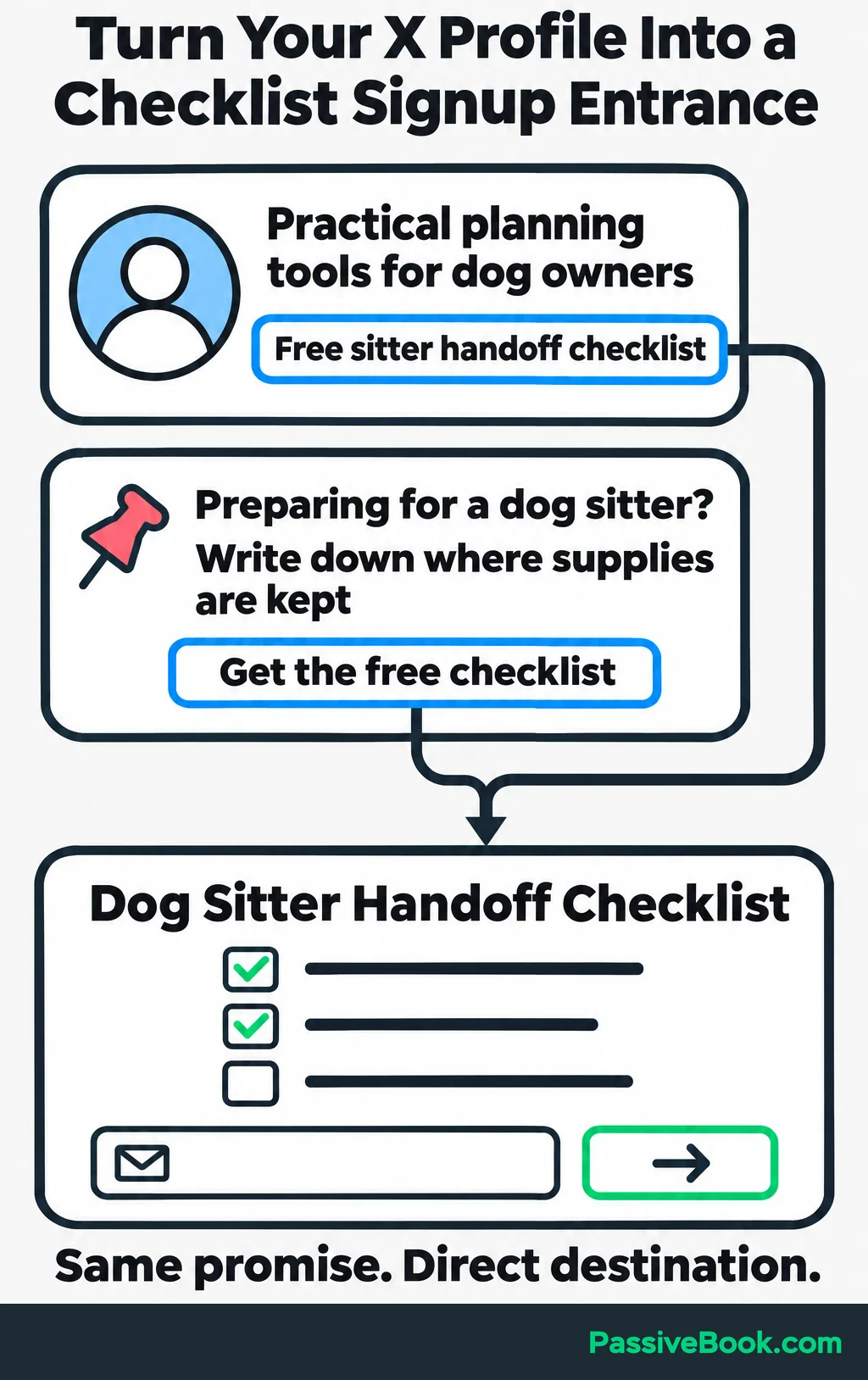
Send the profile website link directly to the signup page. Someone following a checklist promise shouldn’t land on a homepage and have to search for it.
Pin a post that names the situation, offers a useful suggestion and introduces the resource:
Getting ready for a dog sitter? Write down where everyday supplies are kept. My free Dog Sitter Handoff Checklist helps you gather routine details, contacts and handoff arrangements too. Get it here: [signup link]
The useful suggestion gives visitors a taste of your approach. The link gives interested readers somewhere to continue after they leave the post.
6. Test the Complete Funnel Before Promoting It
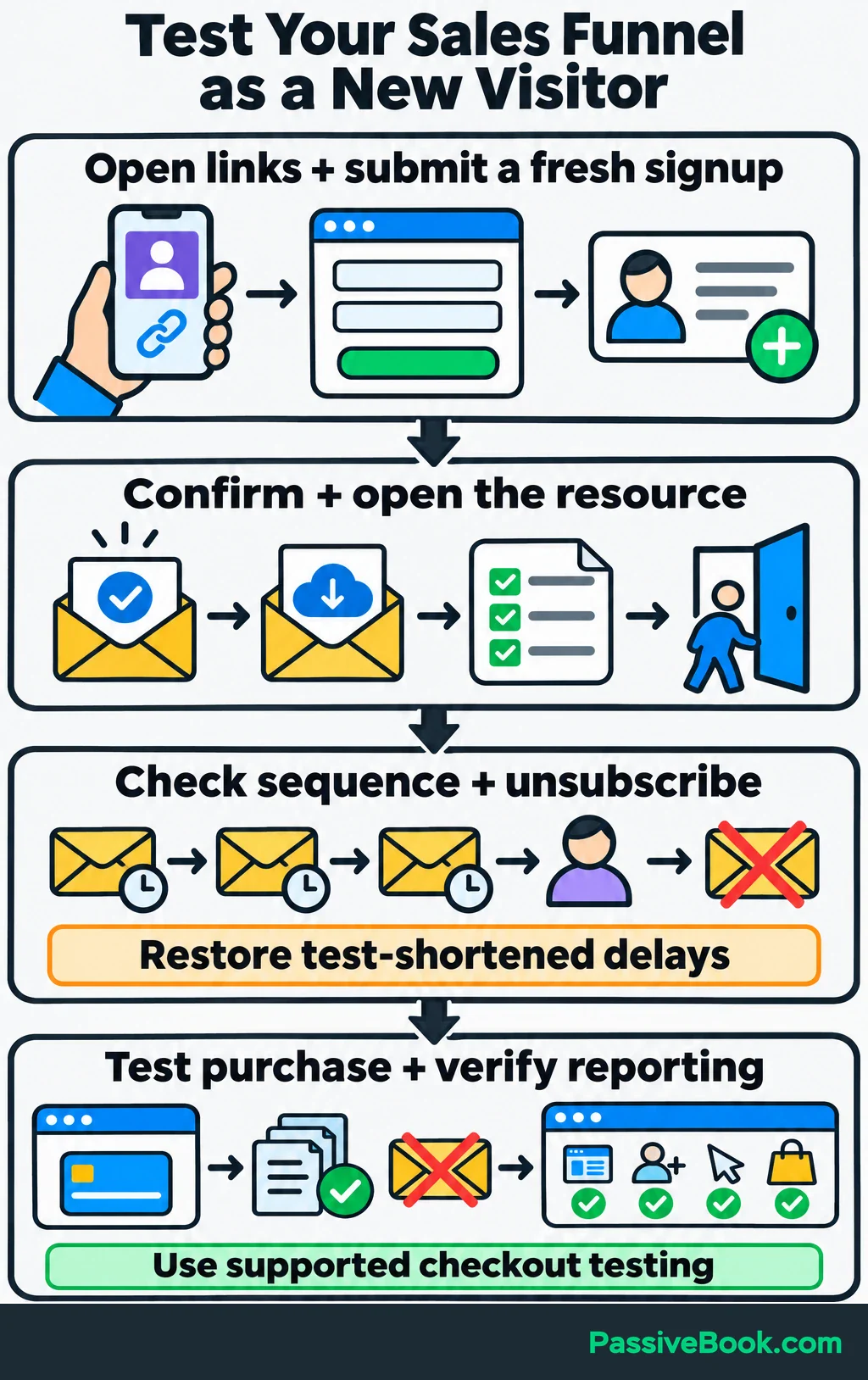
Test the whole journey as a new visitor would experience it.
Give the X campaign a dedicated signup form and apply a lasting acquisition label such as Source: X handoff checklist. Keep this separate from Checklist prospects.
That distinction matters because buyers leave the prospect group. They should still appear in your record of people acquired through X.
Work through this check:
- Profile and pages: Open the bio and pinned-post links on a phone. Check that the promise, preview and form are easy to read.
- Signup: Submit a fresh email address. Complete confirmation and check that the acquisition label and prospect group are applied.
- Resource: Open the delivery email and download the checklist. Test access while signed out of your own accounts.
- Sequence: Temporarily shorten the delays and check every message and main link. Restore the intended timing afterward.
- Unsubscribe: Use a separate test contact to confirm that opting out stops marketing messages.
- Purchase: Follow the checkout provider’s supported testing method. Check payment confirmation, product access and removal from pending prospect emails.
- Reporting: Confirm that test visits, signups, email clicks and orders appear where you expect them.
A preview email alone won’t test the signup trigger or buyer exclusion. Walk through the real connections.
Fix missing messages, unclear instructions and broken downloads before promoting the funnel. Automation repeats whatever you build, including mistakes.
7. Publish X Content That Attracts Likely Buyers
Connect Useful Posts to the Next Step
Once delivery works, publish around the same problems your checklist and product address. Use the language and questions you found during offer research.
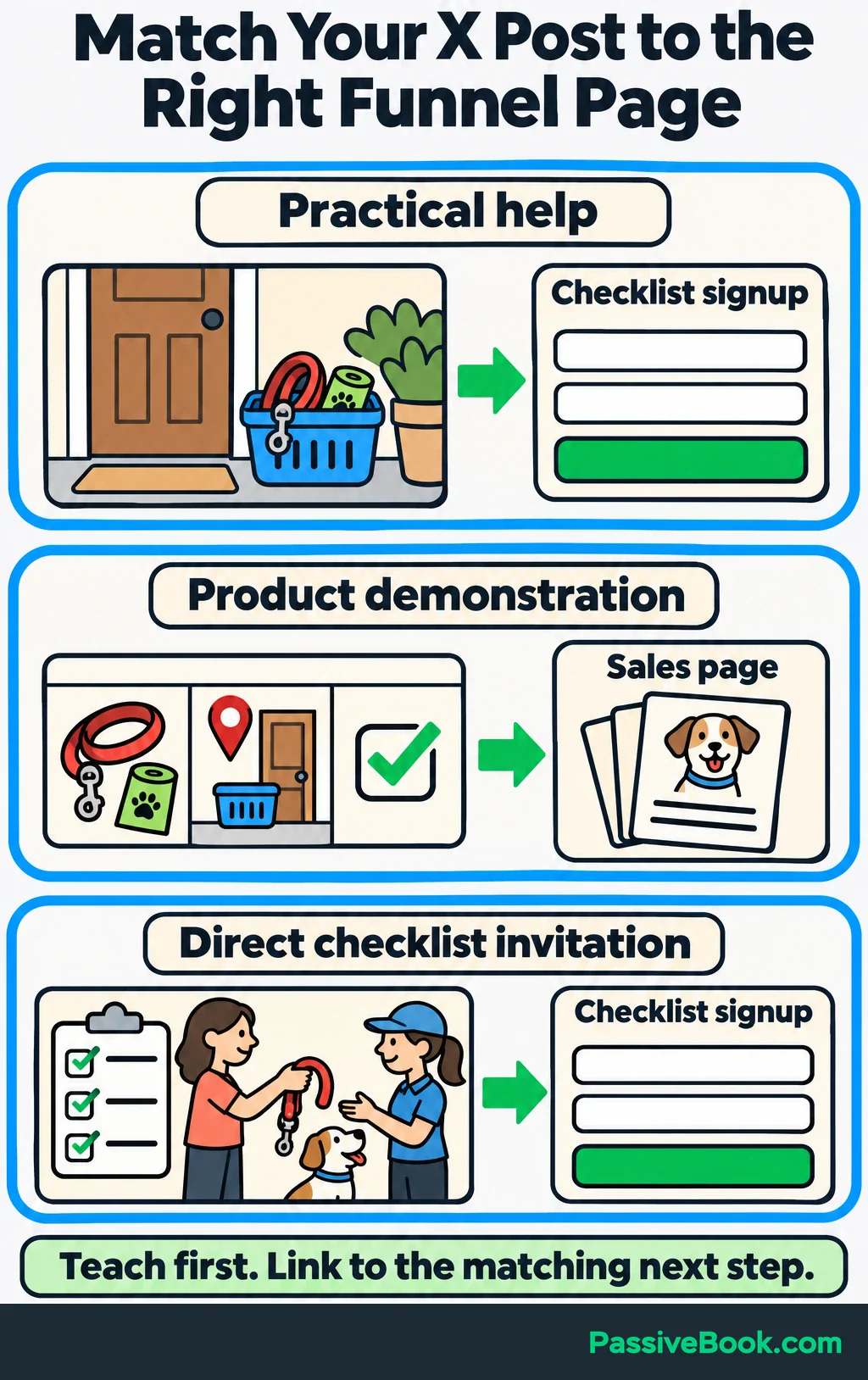
Rotate three kinds of posts:
| Content Job | Example | Useful Destination |
|---|---|---|
| Practical help | Explain why “in the blue basket beside the front door” is clearer than “near the door.” | Checklist signup page |
| Demonstration | Show a completed row from the kit and explain what the owner fills in. | Sales page |
| Direct invitation | Name the handoff situation and explain what the checklist helps someone prepare. | Checklist signup page |
Teach the point before offering the link. For a demonstration, you might show this row from the care-instruction sheet:
| Item | Location | Preparation Note |
|---|---|---|
| Lead and waste bags | Blue basket beside the front door | Check that both are there before leaving |
Then explain that the owner fills in the location and checks the supplies before the handoff. That shows how the sheet is used without asking readers to imagine its value.
A direct invitation can be simple:
Dog sitter arriving soon? My free handoff checklist helps you gather routine details, locate supplies and confirm arrangements before you leave. Get it here: [signup link]
Send readers to the page that matches the post. Someone considering the kit can go straight to the sales page without subscribing first.
Choose a rhythm you can maintain around your other work. I would start with three useful posts a week and a short block for relevant conversations. Batch drafts from recurring questions, and record each post’s topic, invitation and destination.
If Google Analytics is installed on your destination pages, add campaign tags to distinguish links. For example:
?utm_source=x&utm_medium=social&utm_campaign=sitter_checklist&utm_content=pinned_postChange the final content label for your bio and individual posts. These tags identify referring campaigns in analytics, as described in Google’s campaign-link guidance. They don’t install tracking or label email contacts by themselves.
Join Relevant Conversations
Search for specific questions such as “What should I leave for my dog sitter?” Read the conversation and answer what the person asked.
A useful reply might be:
Include where everyday supplies are kept, alongside the routine. “Blue basket beside the front door” is easier to follow than “near the door.”
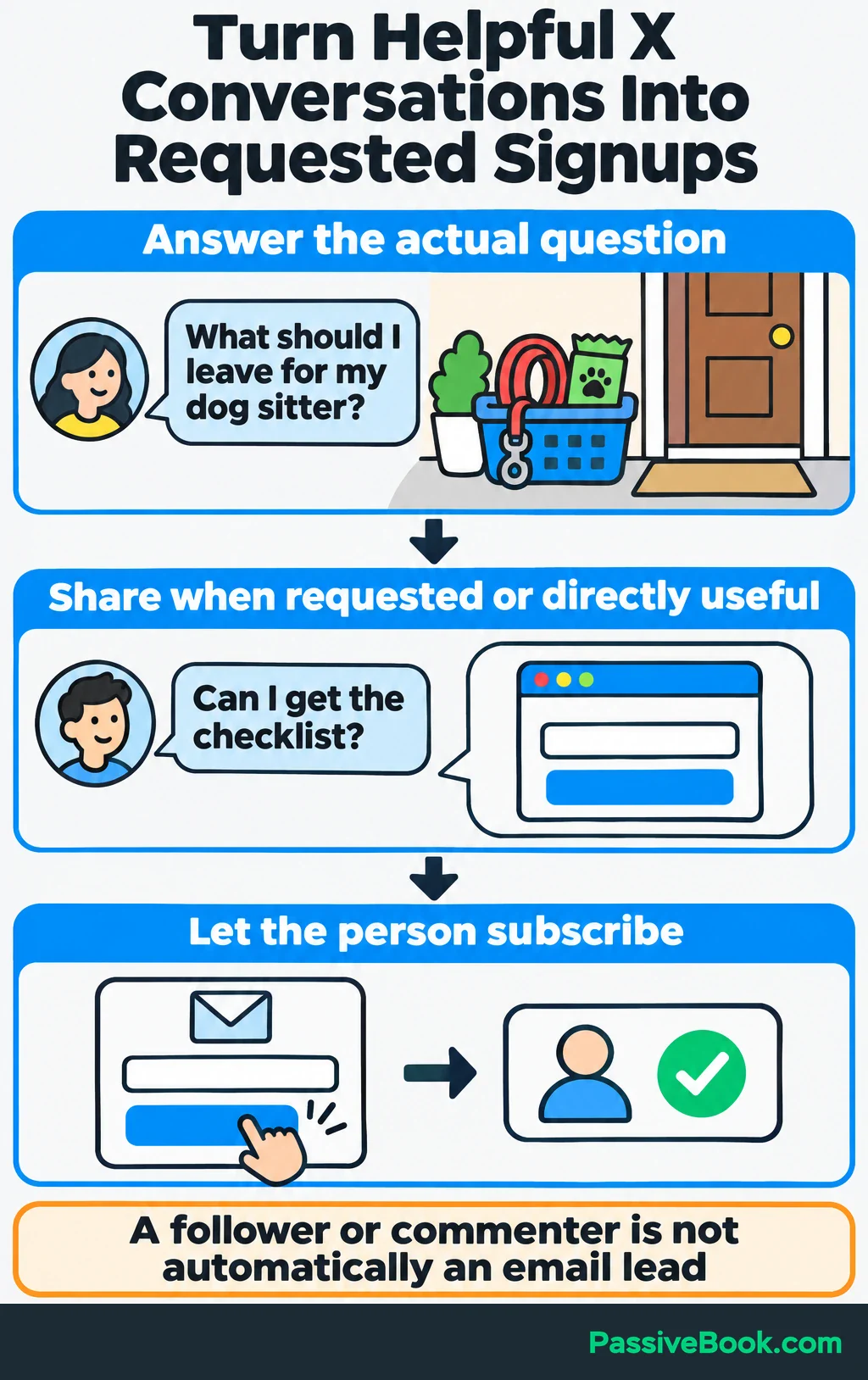
Share the checklist when it directly helps. You don’t need to attach a link to every answer.
When someone requests the resource by DM, send the signup link and explain what they’ll receive. A follower or commenter becomes an email lead after subscribing; don’t add them to your list yourself.
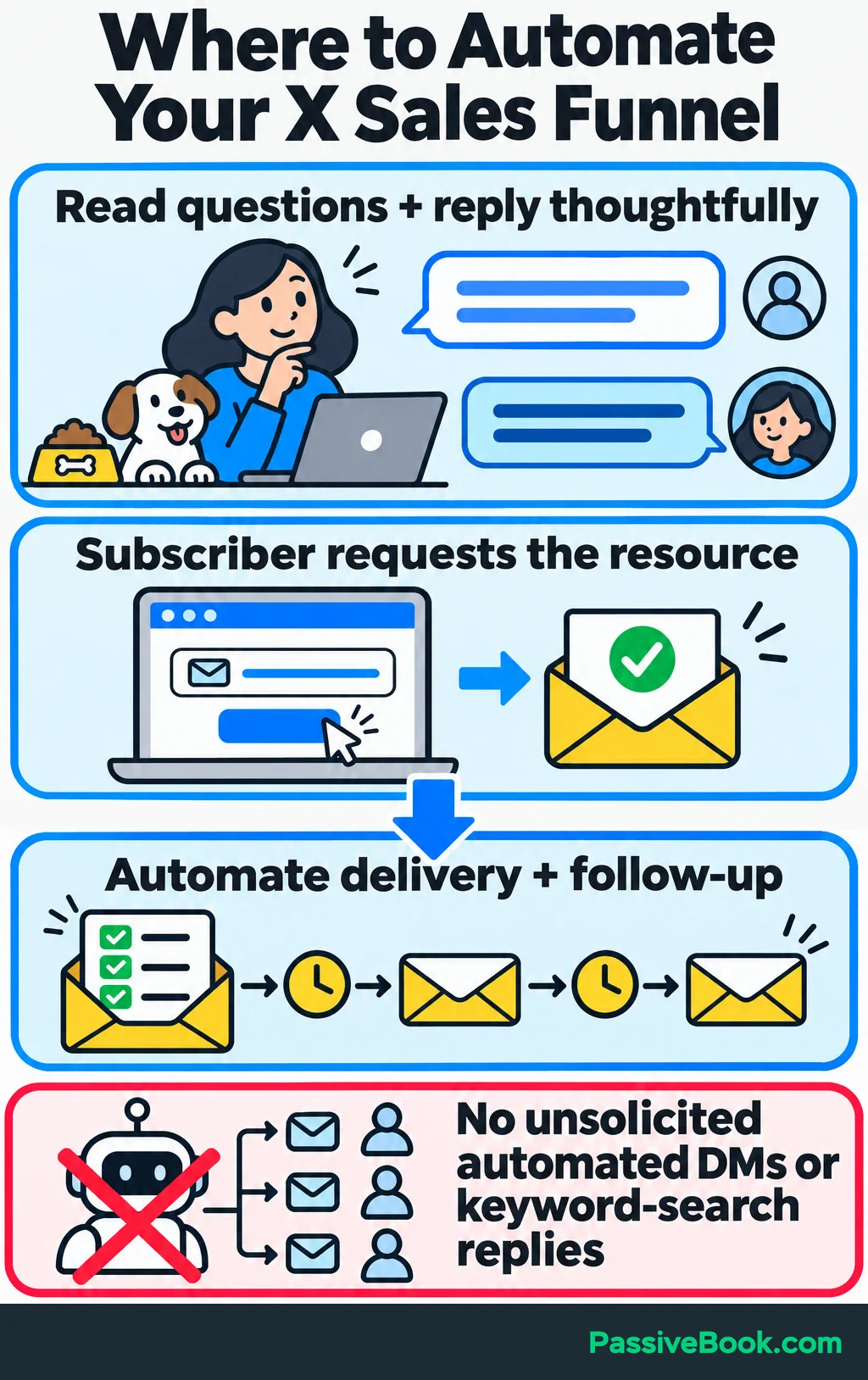
Keep replies and outreach relevant and requested. X prohibits unsolicited automated DMs and automated replies triggered by keyword searches alone under its automation rules.
I would automate delivery and follow-up first. Reading questions yourself is still useful research, especially while you’re learning what people might buy.
8. Measure the Funnel and Improve the Weakest Step
Review results weekly, but give each signup group time to receive the sequence before judging sales.
Keep a sheet with campaign, date, landing-page visits, confirmed subscribers, unique offer-link clickers, buyers, gross sales, refunds, fees and the next change to test. Use one consistent visit measure, such as sessions, rather than switching between sessions and page views.
Start with two rates.
The signup rate measures how many recorded landing-page visits produced confirmed subscriptions:
Confirmed subscribers ÷ landing-page visits × 100
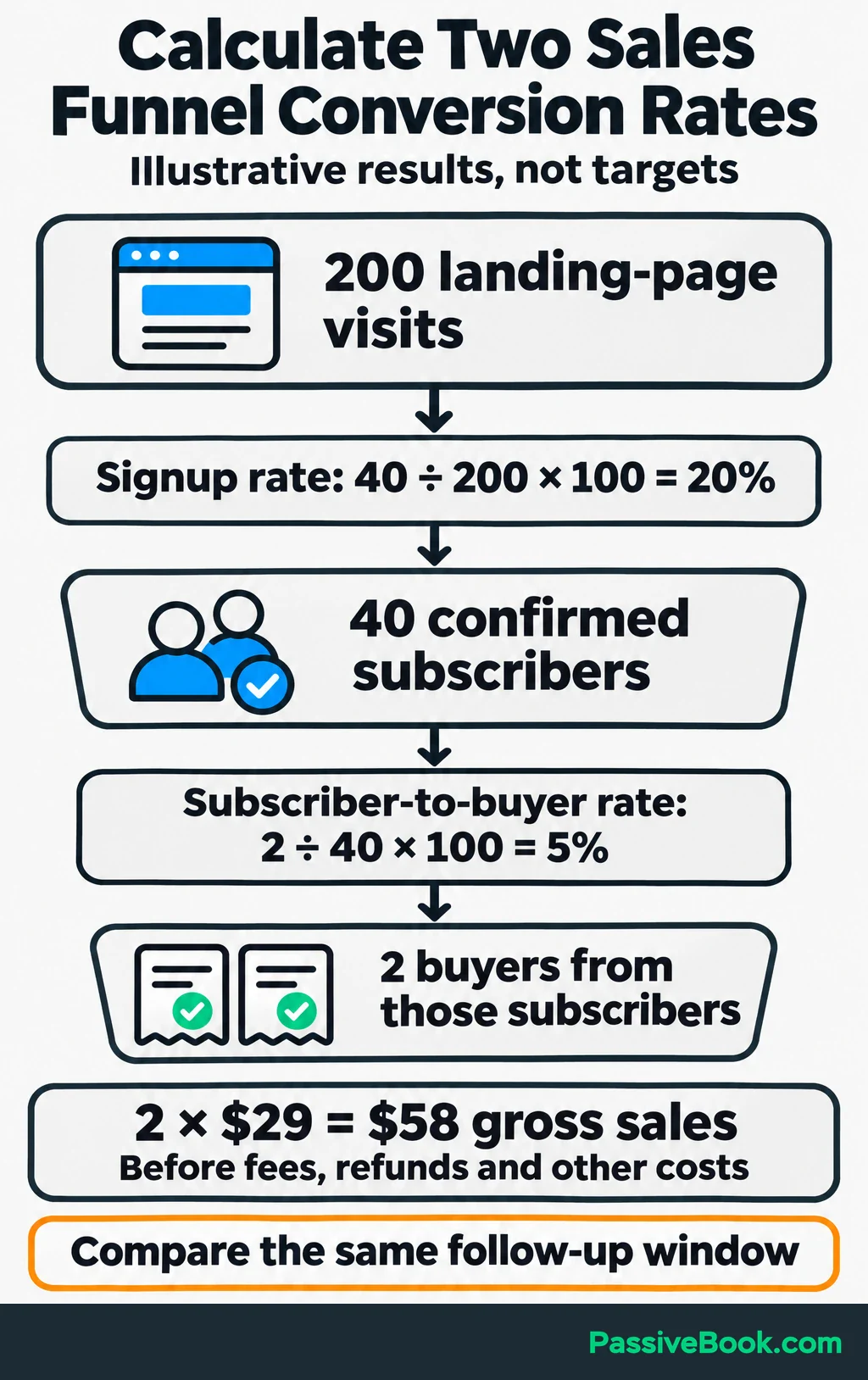
The subscriber-to-buyer rate measures how many people in that signup group bought during your chosen follow-up window:
Buyers from that signup group ÷ confirmed subscribers × 100
For illustration, suppose 200 landing-page visits produce 40 confirmed subscribers. Two of those subscribers buy during the observation window.
| Measure | Calculation | Result |
|---|---|---|
| Signup rate | 40 ÷ 200 × 100 | 20% |
| Subscriber-to-buyer rate | 2 ÷ 40 × 100 | 5% |
| Gross sales | Two purchases at the example price | $58 before fees, refunds and other costs |
These are sample results, not targets.
Compare subscribers over the same follow-up window, such as the first fourteen days after each person signs up. Review a group only once everyone has had that much time. Keep early buyers in the group’s results even though their promotions stopped.
Separate direct and unmatched purchases. A campaign tag can identify an initial visit, but it doesn’t automatically connect a later purchase made on another device or with a different email address.
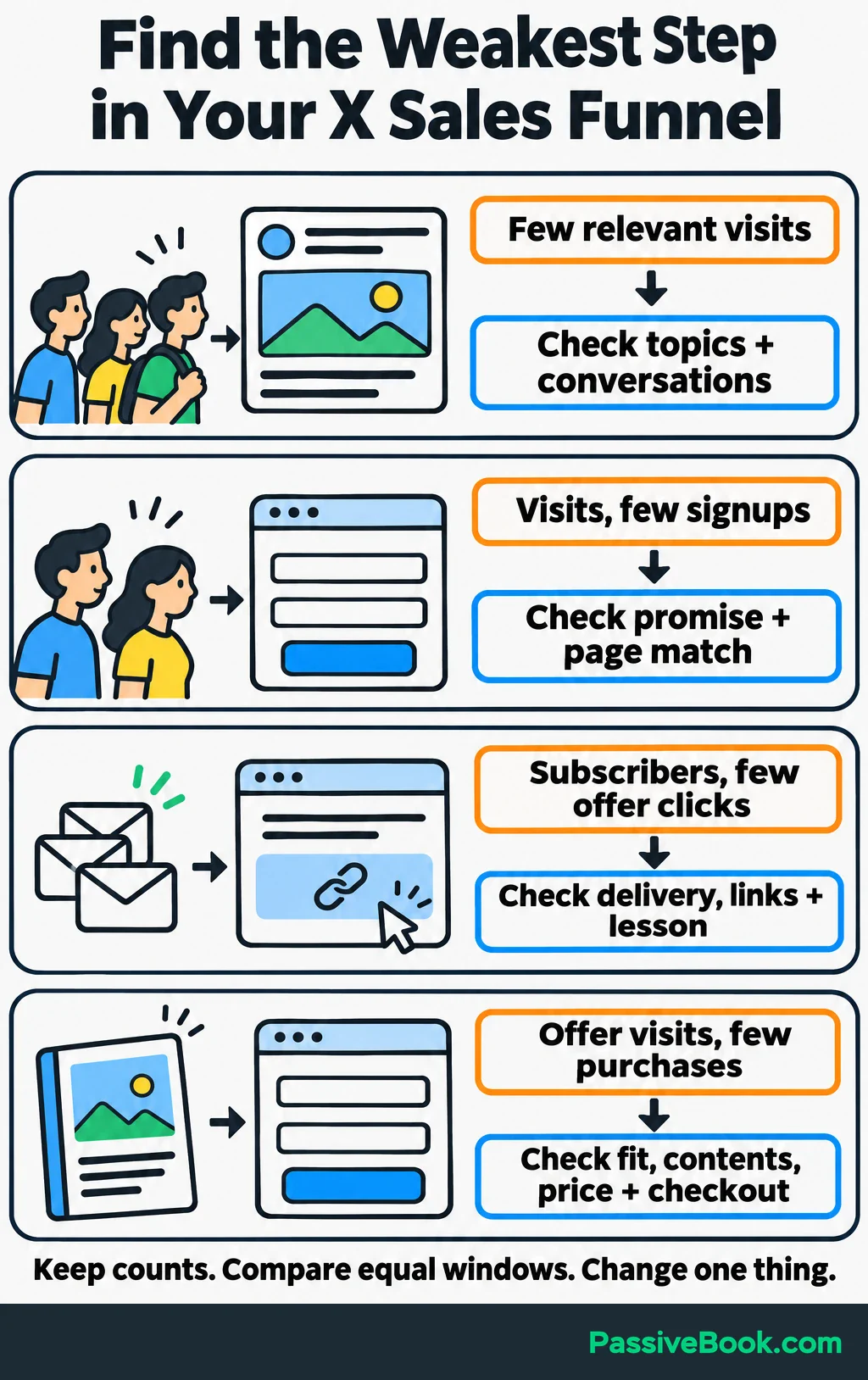
Use the weakest step to choose your next change:
| What You See | What I Would Check First |
|---|---|
| Few relevant visits | Whether post topics and conversations reach people preparing for a sitter |
| Visits without signups | Whether the post, checklist and signup-page promise match |
| Subscribers without offer clicks | Email delivery, working links and whether the application lesson makes the kit useful |
| Offer-page visits without purchases | Product fit, readable previews, clear contents, price and checkout friction |
Keep counts beside percentages. One purchase can move a small group’s rate sharply.
Change one meaningful element at a time, using customer questions to choose it. If several people ask whether the files are editable, make that answer clearer before redesigning the whole page.
Finally, compare sales after refunds and fees with software costs and the time you spend creating content. Automating delivery can save work, but you still need to review questions and results. A working funnel gives you evidence about what deserves more effort.
What Next?
Write your one-sentence offer and sketch the free resource that helps someone take the first useful step toward it. Use those two pieces to draft your signup page.
If this guide helps you connect posts to purchases, use the social buttons to share that path.
Where does your current path lose people: the post, signup, follow-up or purchase? Tell me in the comments, and bring any other questions too.
Share this post with your friends & followers:

