You can explain a difficult problem to a customer, but writing a LinkedIn post about it suddenly makes you sound like everyone else. “Communication matters.” “Put clients first.” True, but there’s nothing there for a reader to use or remember.
That gap makes publishing frustrating. You spend time polishing advice, yet people still have little reason to associate your name with a particular skill. This guide shows how to turn that knowledge into LinkedIn posts people can use and remember, with a manageable routine and a clear path for suitable prospects to contact you.
Choose the Problem You Want to Be Known for
Choose a problem you can explain from experience and want to keep working on. It should connect three things:
- Questions you have enough knowledge to answer.
- Decisions your intended readers need to make.
- Work or opportunities you would welcome.
“Pet care” is too broad to guide your next post. A narrower problem gives you something concrete to investigate, explain, and discuss.
Throughout this article, imagine you sell client-consultation workshops for independent dog-grooming salons. The business, sample copy, resources, and schedule are illustrations, not accounts of client results.
Your positioning sentence could be:
I help independent dog-grooming salons improve client consultations through practical staff training.
That gives you several connected questions: How do staff clarify vague requests? What belongs in the agreed service description? What information does the next team member need?
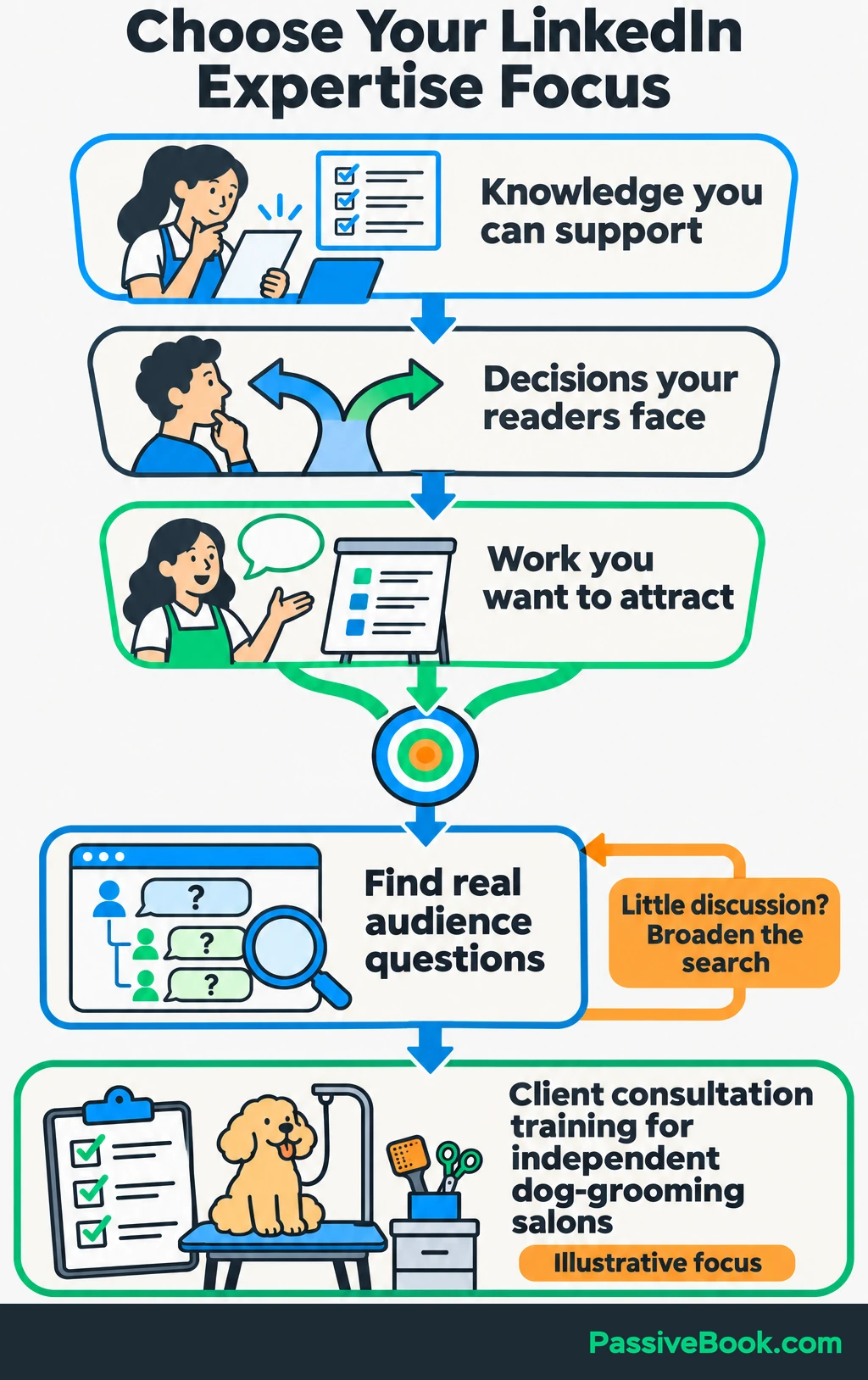
Before committing, look for those conversations on LinkedIn. Search for relevant phrases, read practitioners’ posts, and inspect the comments. Save actual questions alongside questions you hear in your own work.
If you find little relevant discussion, broaden your search to related roles and problems. Don’t build a publishing routine around an audience you haven’t located.
I once released a course without properly validating demand. It attracted few sales and a bad review, and I took it down. Having something to teach and finding people who want help with it are separate jobs. I would do the listening before filling a content calendar.
There is a business reason to make your thinking visible. The Edelman–LinkedIn survey asked U.S. buyers whether reviewing an organization’s thought leadership helps them assess potential suppliers. Among respondents with final purchasing authority and expertise in the product or service being considered, 56% agreed. The survey covers several content formats and buyers’ reported attitudes; it does not establish returns from organic LinkedIn posts.
Choose a focus you can support, and keep its boundaries clear. The workshop business can explain communication processes. Veterinary diagnosis belongs with qualified professionals.
Develop a Viewpoint You Can Defend
A topic tells people what you discuss. A viewpoint tells them what you recommend and why.
“Client consultation forms” is a topic.
“A completed form doesn’t mean you’ve agreed on the service” is a viewpoint. It identifies a gap worth examining: recording someone’s request does not establish that both people expect the same service.
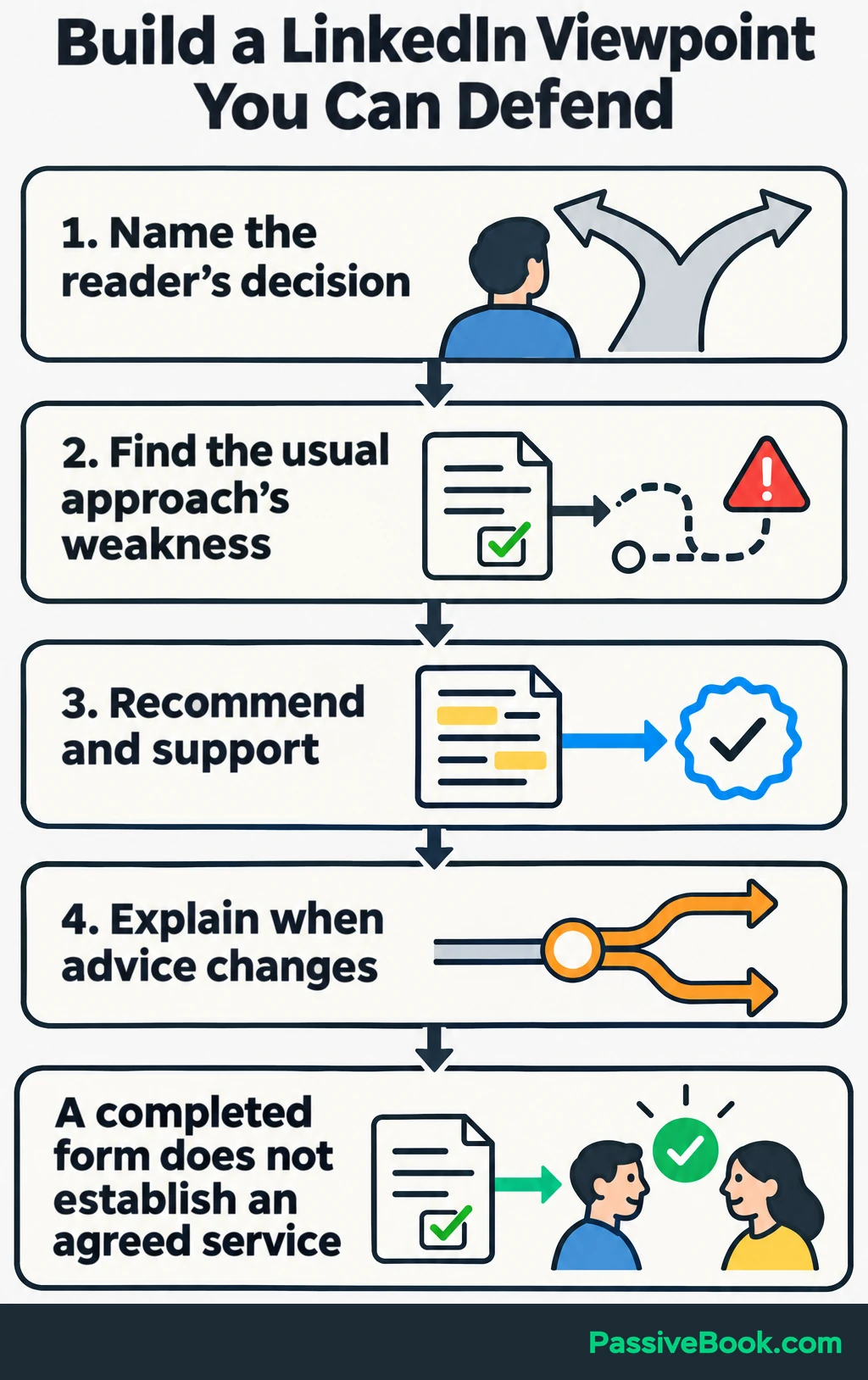
To develop your own viewpoint, answer four questions:
- What decision does the reader need to make?
- What can go wrong with the usual approach?
- What would I recommend, and what supports it?
- When would I recommend something different?
The support might be a work sample, a documented observation, or research that directly addresses the question. Explain the connection. Don’t drop a study beside an opinion and expect the link to do the reasoning.
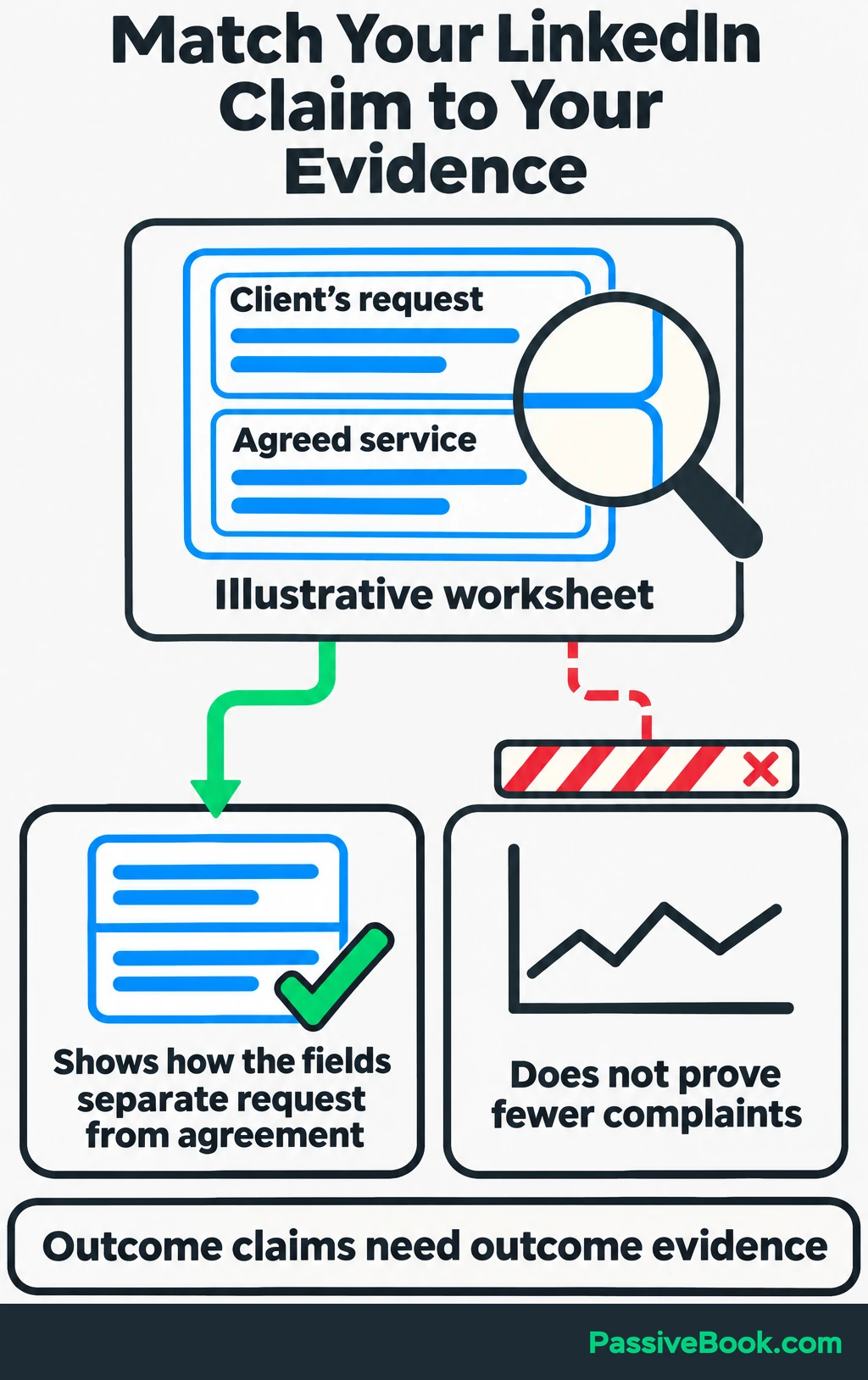
For the workshop business, an annotated worksheet could show separate spaces for the client’s request and the agreed service. Readers can see how the worksheet separates a request from an agreement. It does not prove the worksheet reduces complaints.
Keep an idea bank so you can develop these arguments without starting from nothing each week. A spreadsheet is enough. Record the audience question, your proposed answer, supporting material, practical takeaway, and a useful follow-up question.
One illustrative entry might read:
| Item | Note |
|---|---|
| Audience question | What should staff do with a vague request? |
| Proposed answer | Clarify it before recording the agreed service. |
| Supporting material | A sample worksheet showing the two fields separately. |
| Practical takeaway | Add a prompt that asks staff to confirm their interpretation. |
| Follow-up question | Which answers most often need clarification? |
You don’t need a controversial opinion every week. A clearer explanation of an ordinary problem can be useful. I would skip arguments whose only purpose is to make the comments noisy.
Make Your Profile Reinforce Your Expertise
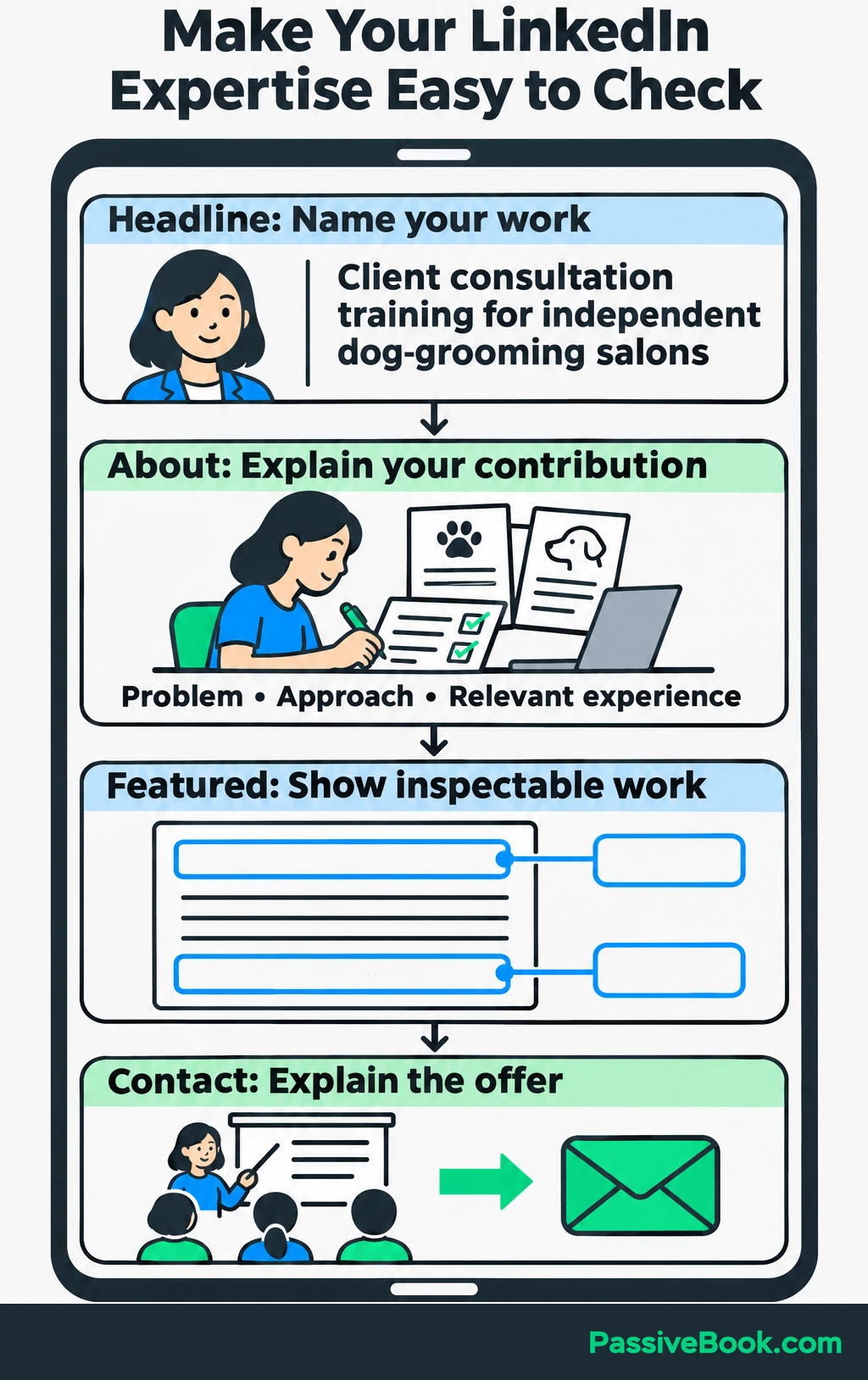
Your profile should help someone who liked a post answer three questions: What do you do? Why should I listen? How can I contact you?
Start with a headline that names your work:
Client consultation training for independent dog-grooming salons
That says more than “passionate industry thought leader.” Calling yourself a thought leader gives the reader another claim to check.
Use your About section to explain the problem you address, your approach, and the experience or qualifications behind it. Describe what you actually contributed. If you designed the training materials but did not deliver the workshops, say that.
Then feature a relevant work sample. For this business, I would choose an annotated consultation checklist and add a short description:
A sample worksheet separating the client’s request, the agreed service, and details staff still need to clarify.
Visitors can examine that contribution instead of relying entirely on your description of it.
Finish with a clear contact route and a specific offer. Explain that you provide staff workshops on consultation and handoff processes, then tell interested readers how to ask about them.
Write Posts That Show How You Think
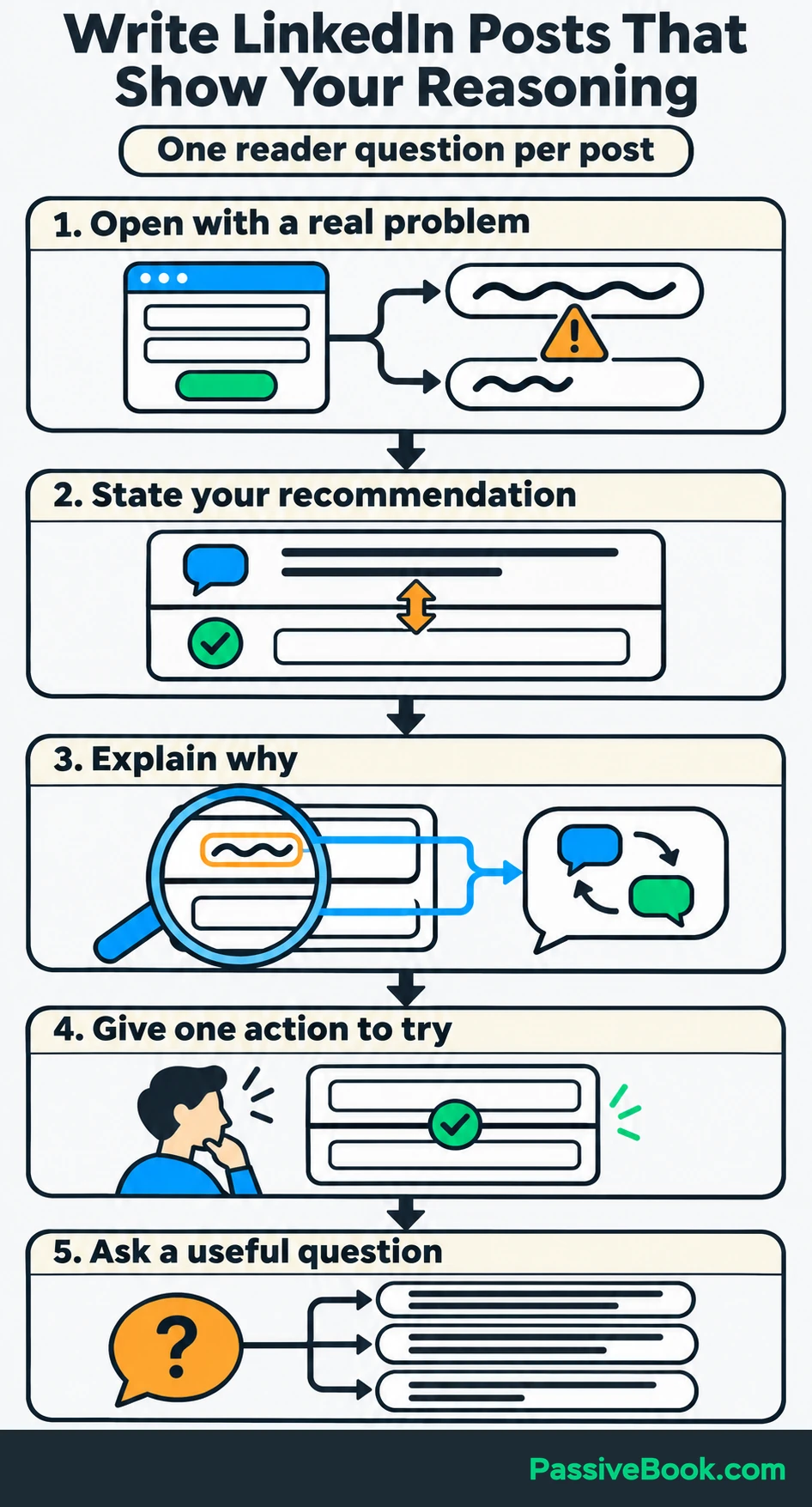
Build each post around one reader question. Trying to cover your entire field usually leaves too little space to explain any decision properly.
A useful structure is:
- Open with a recognizable problem.
- State your recommendation.
- Show the reasoning through evidence or an example.
- Give the reader something to try.
- Ask a focused question if the answers would improve the discussion.
Compare “Communication is important” with:
A completed booking form can still leave two people expecting different results.
The second opening gives you a problem to explain. The first gives you a slogan.
Choose the format after deciding what readers need to understand. I would use text for a short argument, an uploaded document for an annotated checklist, and video when seeing the demonstration adds something words cannot easily show. A camera is optional.
If your notes still read like general advice, AI Social Copy Studio can help turn them into a draft. It works from the decision, example, or exception that makes the explanation yours.

Free AI Social Copy Studio




Here is a complete illustrative post for the workshop business:
A completed booking form can still leave two people expecting different results.
The form records what the client wrote. It doesn’t tell you whether the team has interpreted that request correctly.
I would separate the consultation into three parts:
1. The client’s request, recorded in their words.
2. The agreed service, described plainly.
3. Anything that still needs clarification.
For example, “keep the length” belongs in the first part. It needs a conversation before it becomes an instruction another team member can follow.
Ask what the client means, explain what you’re proposing, and invite corrections. Then record the agreement and pass that information to the person doing the work.
The point isn’t to create a longer form. It’s to make an unresolved answer visible before someone treats it as settled.
Try reviewing one blank consultation worksheet. Can you tell where a request ends and an agreed service begins?
Which client request is hardest for your team to document clearly?
Teach a Practical Process
Explain the method in the order someone would apply it. Include enough detail for readers to try it without booking a call.
In the sample post, the order matters: staff clarify the request before recording an agreement, then pass that agreement to the person doing the work.
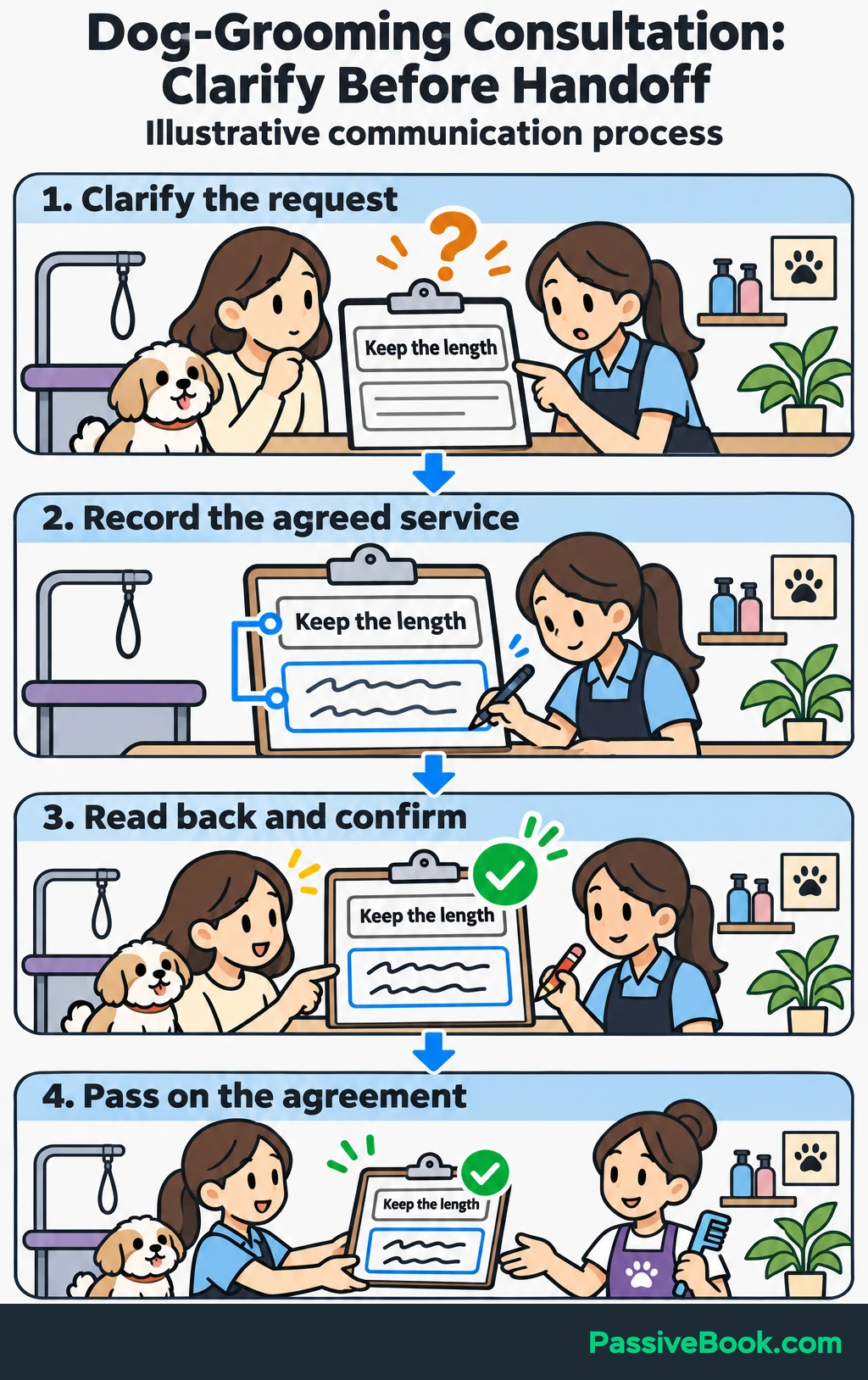
Show readers how to check whether a step is complete. Here, staff can read back the agreed service and ask the client to confirm or correct it before handing it over.
End with a question about the step readers find difficult. Their answers give you something concrete to explain in the next post.
Explain a Tradeoff
Useful advice often involves choosing between two reasonable approaches. Show what each gains, what it gives up, and when you would choose it.
For example, fixed consultation questions provide consistency. Tailored follow-up lets staff explore details the standard questions did not anticipate.
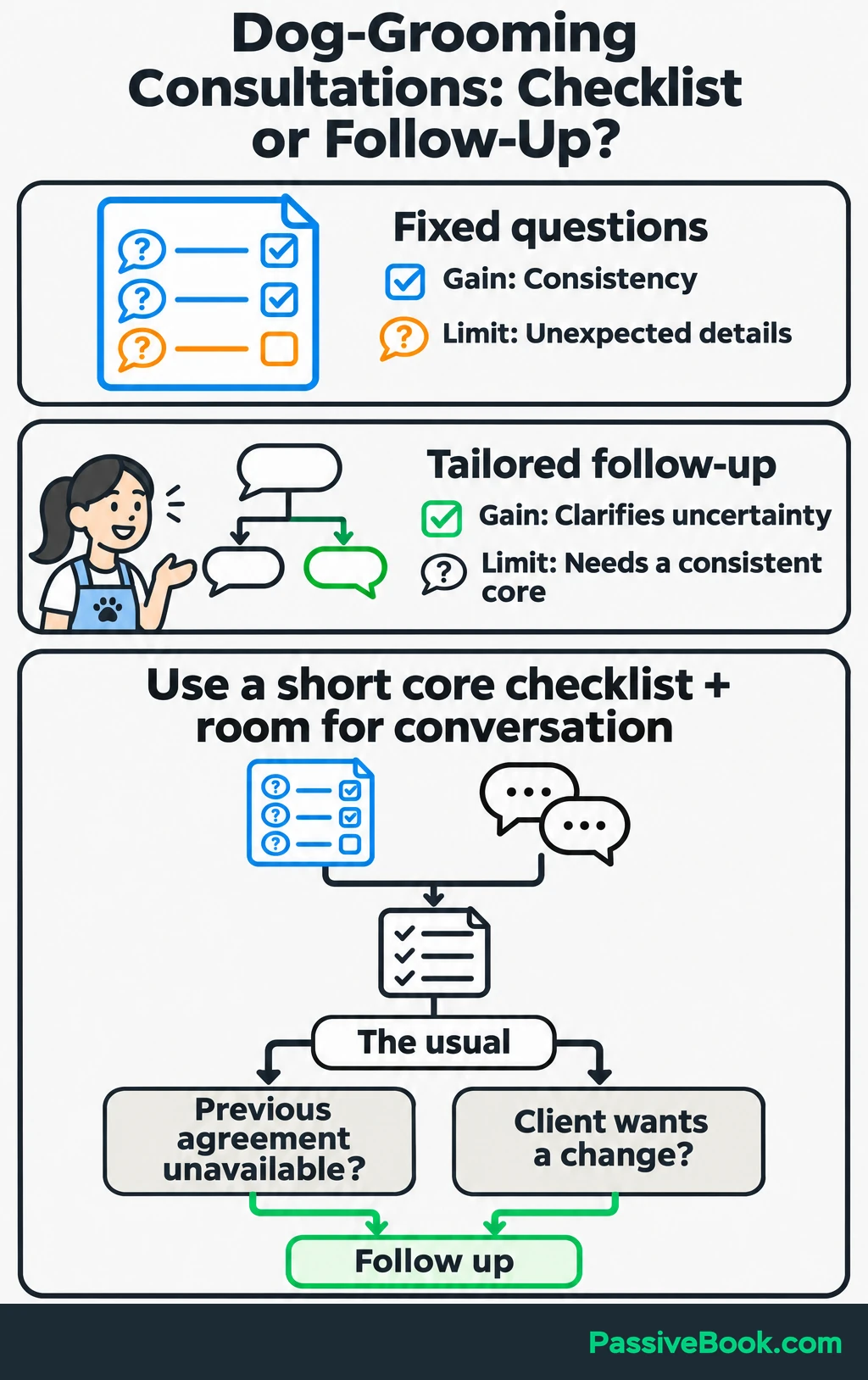
I would use a short core checklist and leave room for conversation. The checklist captures repeatable information; the conversation resolves uncertainty.
Make the trigger concrete. An answer such as “the usual” needs follow-up when the previous agreement is unavailable or the client wants a change. A vague phrase should not become a precise instruction merely because someone has typed it into a box.
The recommendation is stronger because readers can see when to apply it. “Always standardize everything” would be easier to write, but harder to use.
Examine a Work Sample or Result
Show readers the decisions inside your work.
You can annotate a worksheet, explain a revision, or walk through a result. The useful part is the connection between the problem, your choice, and what the reader can learn.
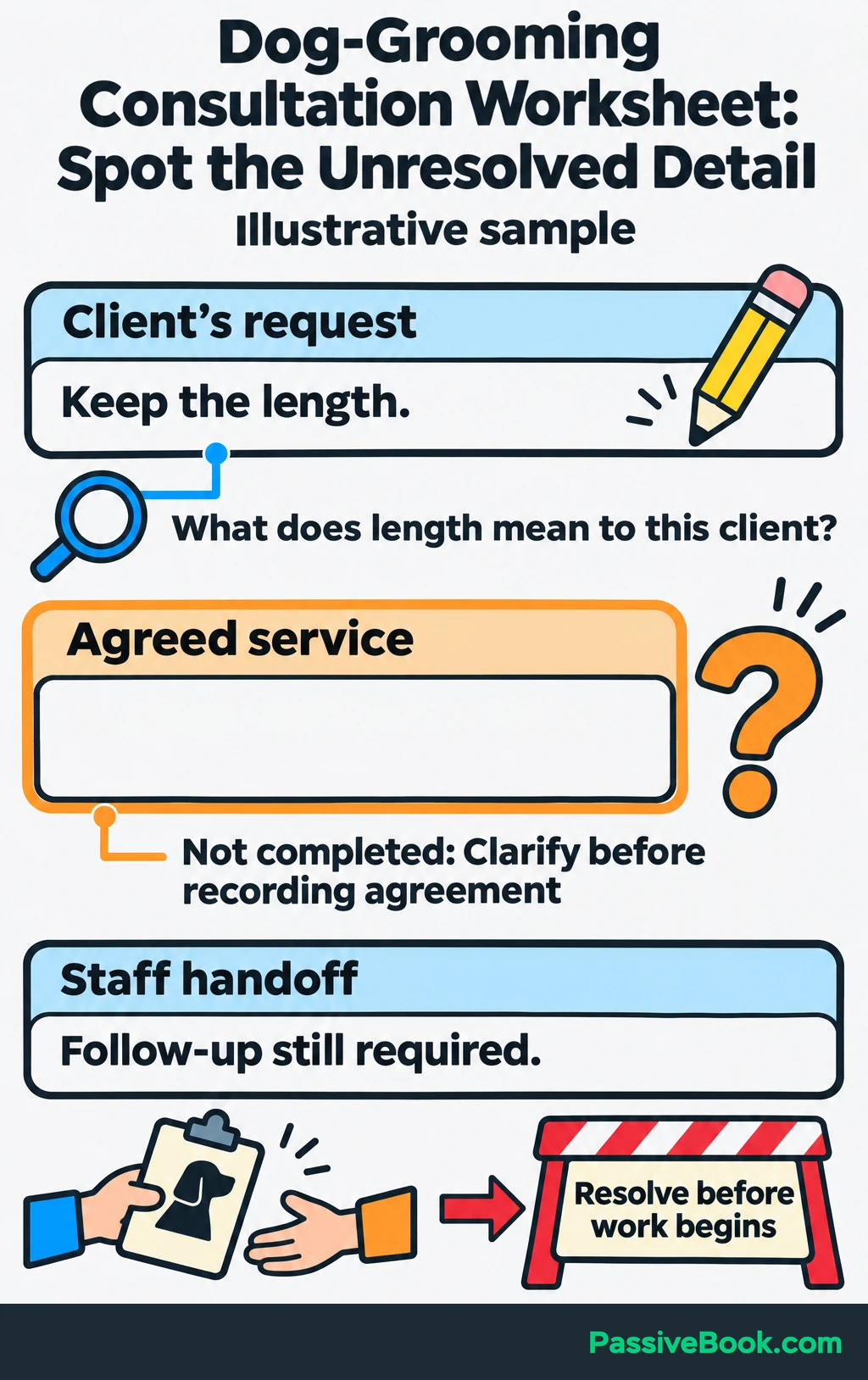
Here is an illustrative worksheet excerpt:
| Worksheet Field | Illustrative Entry | What Needs Checking |
|---|---|---|
| Client’s request | “Keep the length.” | What does the client mean by length? |
| Agreed service | Not completed yet. | Record the specific agreement after clarification. |
| Staff handoff | Follow-up still required. | Make the unresolved detail visible before work begins. |
The blank agreement shows staff what still needs clarification before work begins.
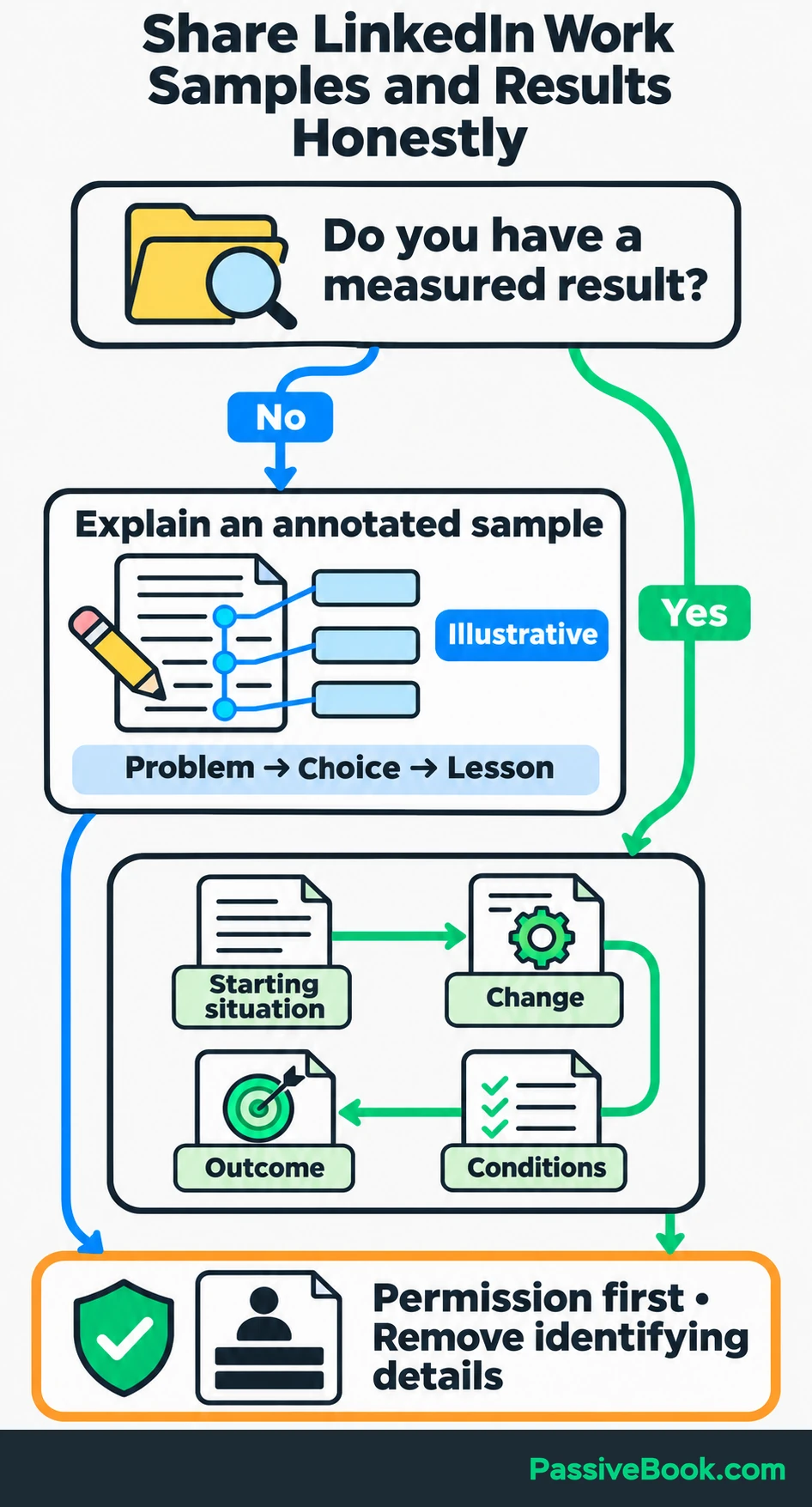
If you have a measured result, explain the starting situation, what changed, the outcome, and any conditions that affect its meaning. If you lack results, use an annotated sample. A useful demonstration does not need a pretend success story attached.
Get permission before sharing client material and remove identifying details. Keep illustrative work clearly separate from actual client evidence.
Build a Publishing Routine You Can Maintain
I would start with one useful post a week. That is a manageable starting point, not a rule about what LinkedIn rewards.
Choose a pace that leaves time to check your argument and respond to people. A publishing schedule that consumes every available minute leaves no room for the conversations you wanted to create.
Use the same workflow each time:
- Capture a real question.
- Choose the recommendation you want to explain.
- Gather the supporting material.
- Draft and review the post.
- Publish or schedule it.
- Save questions raised in the discussion.
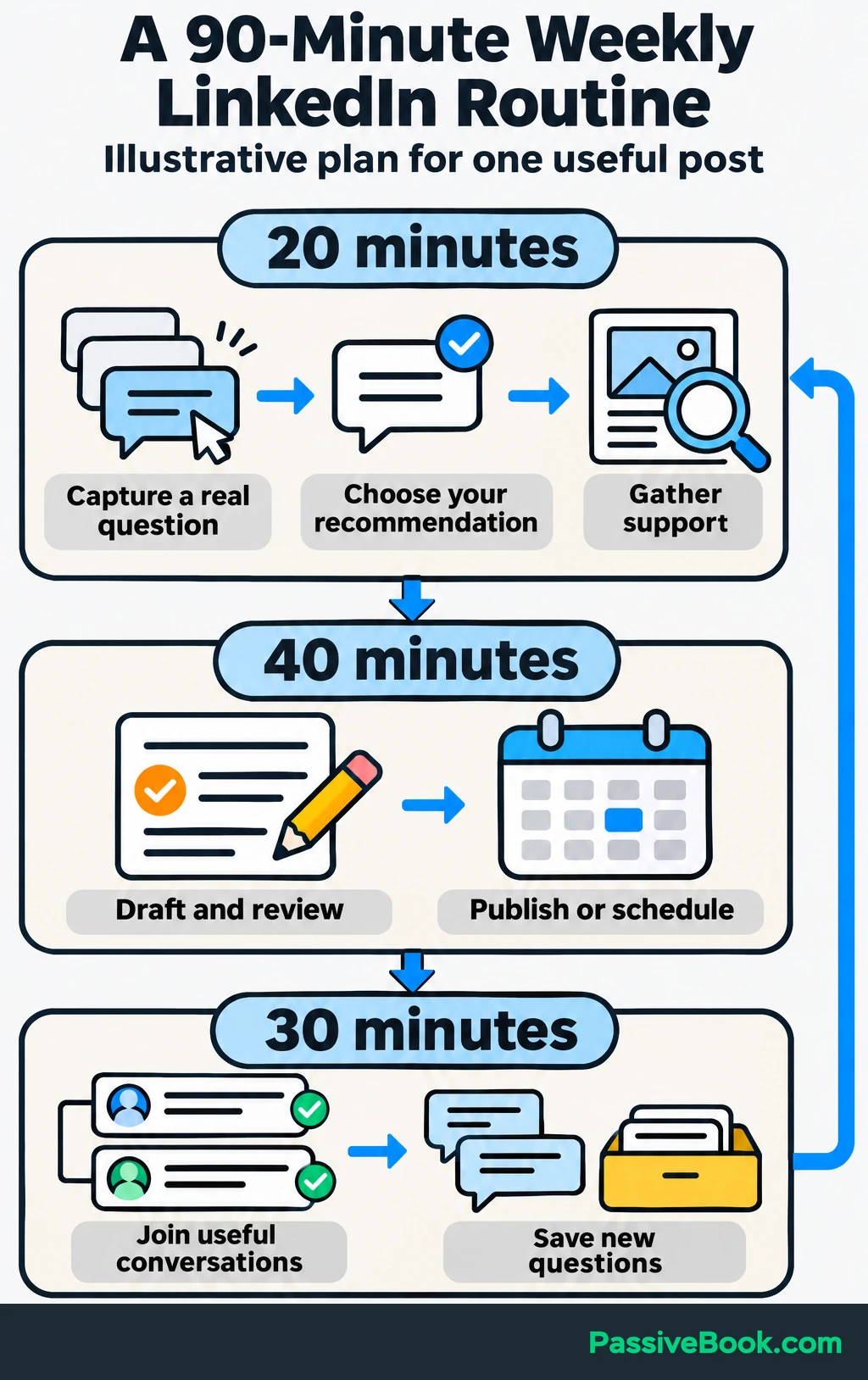
For illustration, here is how you could divide 90 minutes a week:
| Time | Work |
|---|---|
| 20 minutes | Choose one question and inspect the evidence or work sample. |
| 40 minutes | Draft, check claims, edit, and prepare the post. |
| 30 minutes | Reply to substantive comments and join relevant discussions across the week. |
Use LinkedIn’s native scheduler when preparing posts ahead. After writing the post, select the clock icon, choose a publication time, and confirm the schedule. I would use that before paying for another scheduling tool.
You can also develop several explanations from one resource. The consultation worksheet could support a process walkthrough, a discussion of standard questions versus follow-up, and an annotated example. Each post should answer a different question.
AI can help organize notes, find gaps, and trim repetition. A useful instruction is:
Review these notes for unsupported claims and missing reasoning. Identify what needs checking, but do not add facts or invent examples.
Keep the recommendation and final judgment yours. LinkedIn allows AI writing assistance, but says posts and comments need to represent the member’s voice and perspective.
I like automation for moving work along. I would keep the decision about what I believe—and what I can support—under my control.
Build Relationships Through Useful Conversations
Find discussions where your chosen expertise helps someone understand a problem.
Look beyond large accounts. Pay attention to potential customers, practitioners, and collaborators who discuss the work itself. A small conversation about a difficult decision may give you more to contribute than a popular motivational post.
Write comments that stand on their own. Add an example, explain a condition, or ask a question that moves the discussion forward.
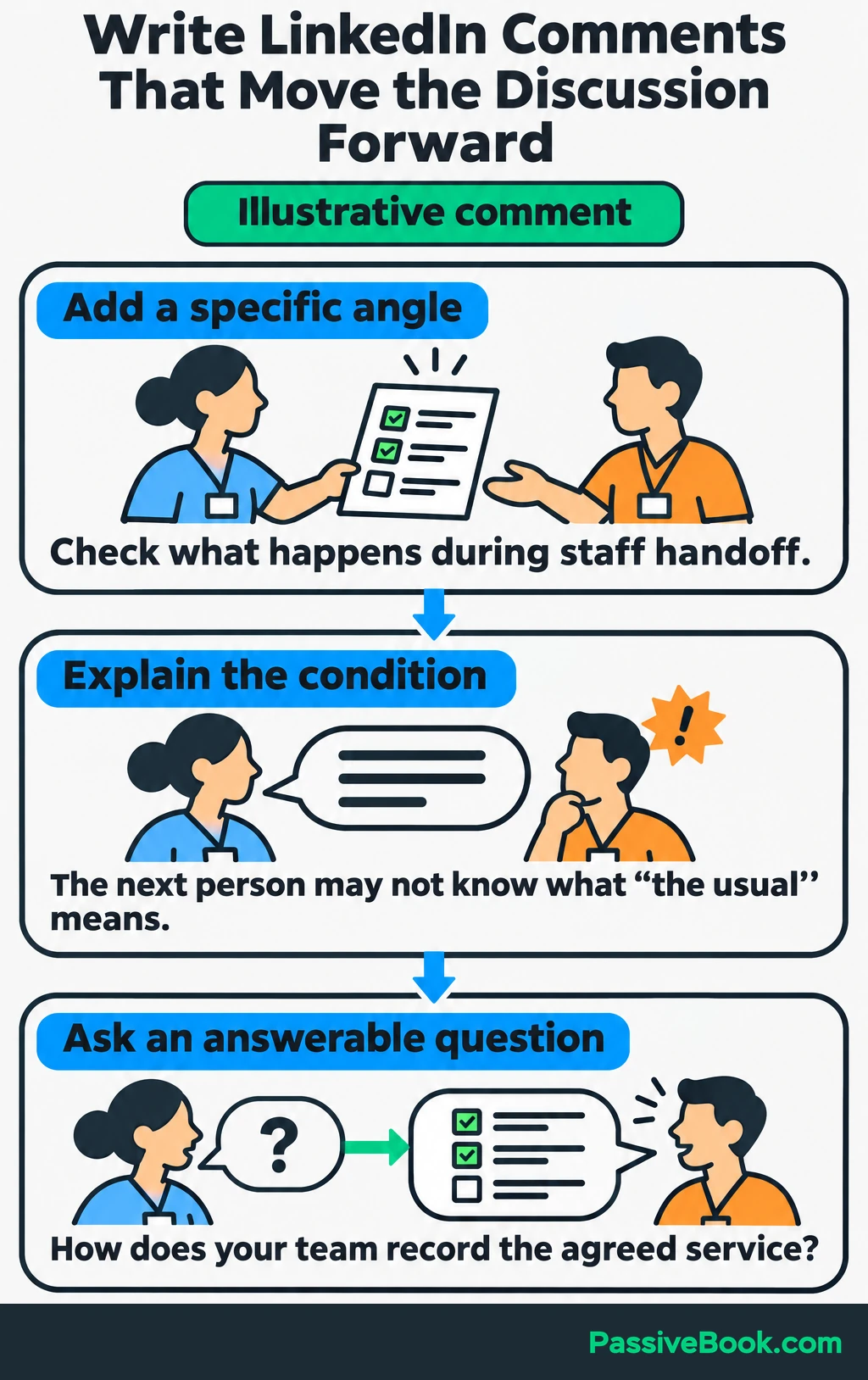
For the workshop business, an illustrative comment could be:
I’d also check what happens during the staff handoff. If “the usual” reaches someone who wasn’t part of the earlier conversation, they still have to interpret it. How does your team record the agreed service?
That gives the original author something specific to answer.
Reply to substantive comments on your own posts, too. Explain an assumption when someone challenges it, acknowledge corrections, and save recurring questions for future posts. You do not have to defend a weak argument because you published it.
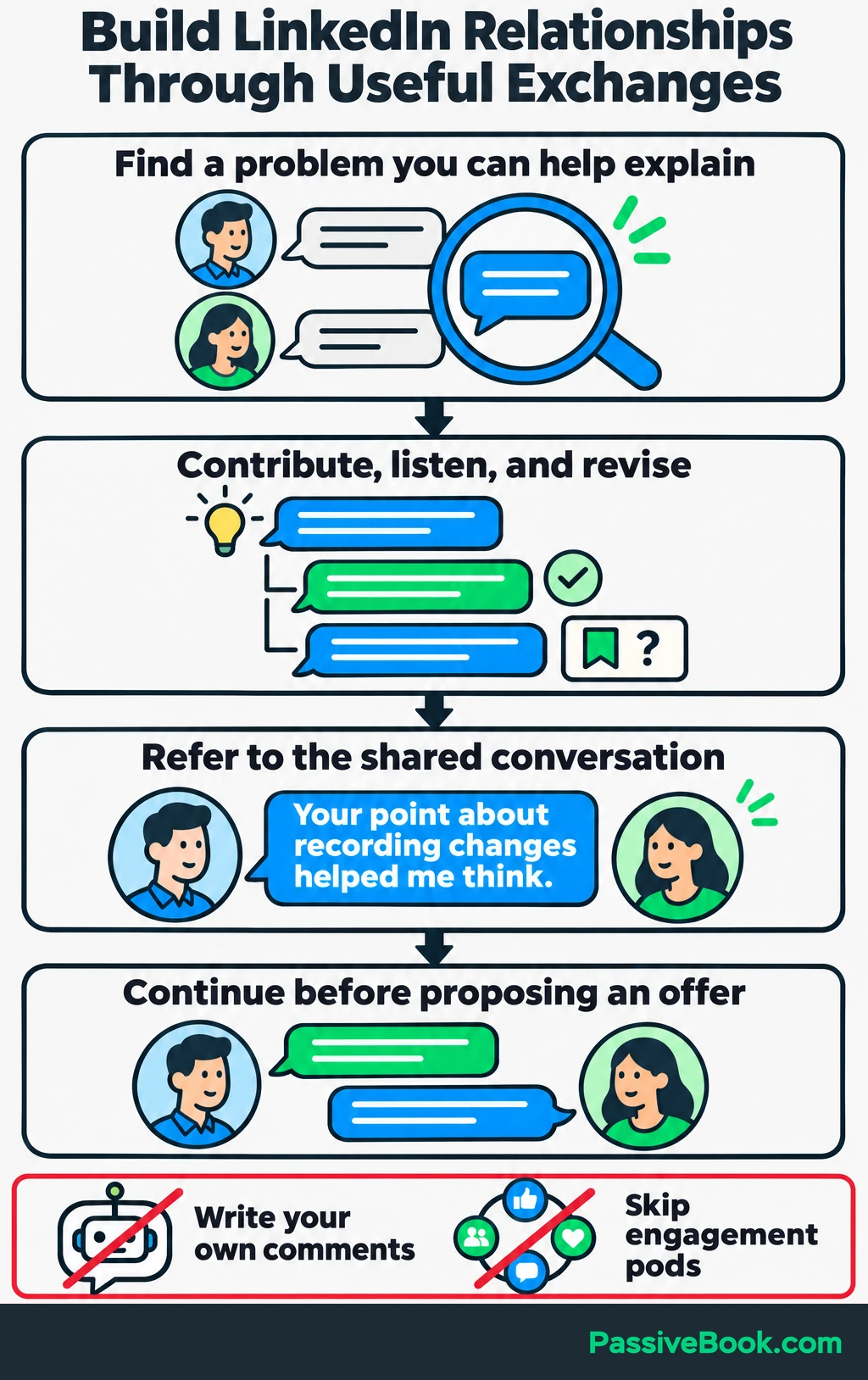
After a useful exchange, a connection request can refer to that context:
Your point about recording changes helped me think through the handoff question. I’d like to stay connected and follow your work.
Continue the conversation before proposing an offer.
Write your own comments and skip engagement pods—groups coordinating reactions to inflate visibility. LinkedIn prohibits automated comments and engagement pods. Neither gives you a reliable picture of who values your thinking.
Give Interested Readers a Relevant Next Step
Match your invitation to the problem the post has just helped readers understand.
After a consultation walkthrough, offer the worksheet. After a discussion about training a whole team, explain the workshop. Give each invitation one clear action.
An illustrative resource invitation could be:
Download the consultation worksheet to record client requests, agreed services, and details that still need clarification.
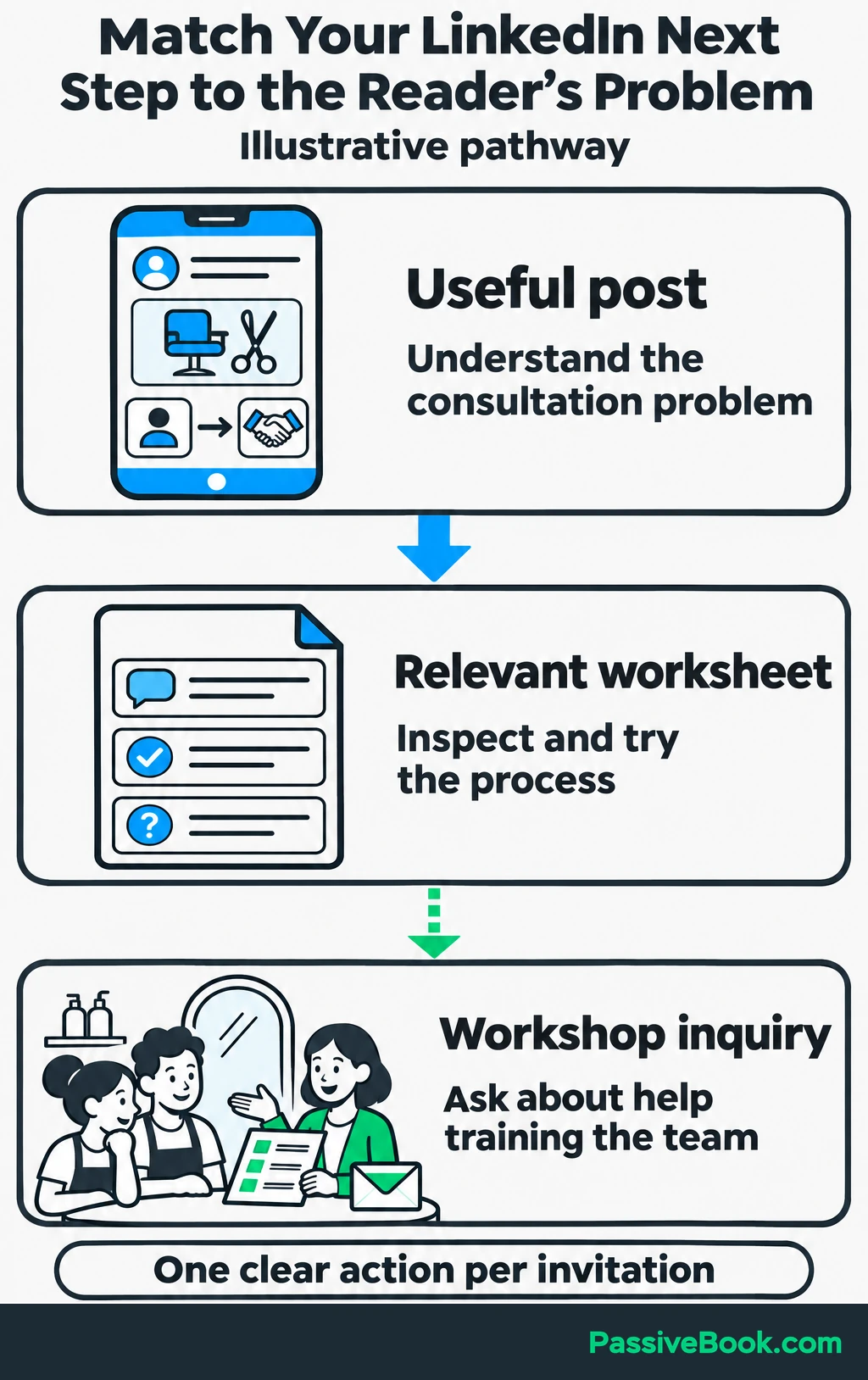
The resource page can then explain the workshop for salons that want help putting the process into practice.
That creates a simple path:
Useful post → relevant worksheet → workshop inquiry.
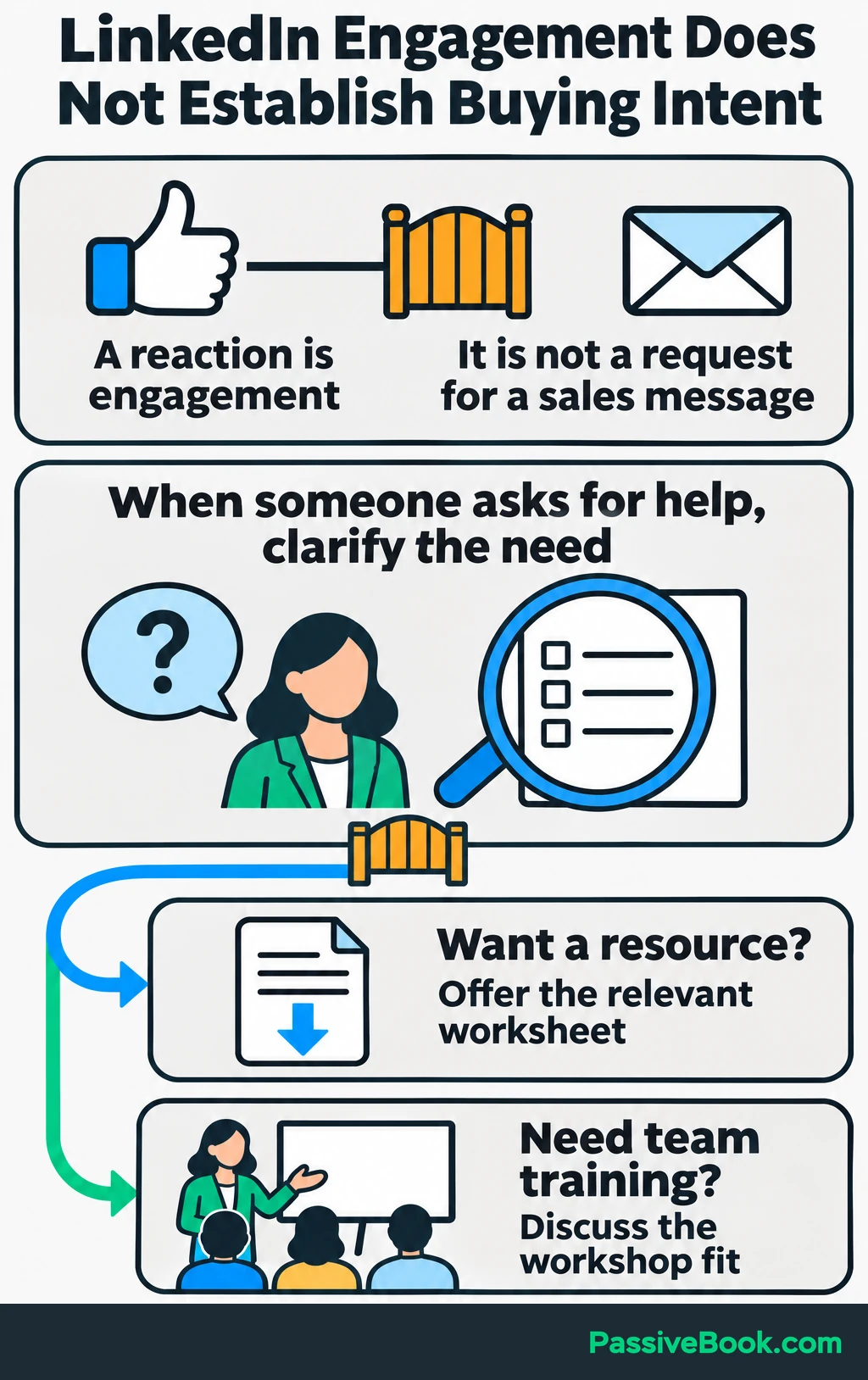
I would avoid pushing a meeting at every stage. Someone learning how to improve a form may want to inspect the form first.
When a reader asks for help, clarify what they need before proposing a purchase. Ask which part of the consultation is causing difficulty and whether they want a resource or help training the team.
A reaction to a post is engagement. It is not a request for a sales message.
Measure Whether You Are Becoming Known for the Right Expertise
Track who is responding, what they remember, and whether the conversations connect to suitable work.
I spent six months chasing Instagram and Twitter/X followers in a side niche without corresponding business traction. The follower count gave me something to watch, but the bank account stayed around $47. That experience is why I track suitable inquiries alongside audience growth.
Use three groups of signals:
| What You’re Assessing | What to Watch | What It Helps You Decide |
|---|---|---|
| Exposure | Members reached and available audience demographics | Are relevant people seeing the posts? |
| Trust | Substantive questions, returning participants, and referrals | Are people using or remembering your thinking? |
| Opportunities | Suitable inquiries, collaboration invitations, and resulting work | Is the attention connecting to your business goals? |
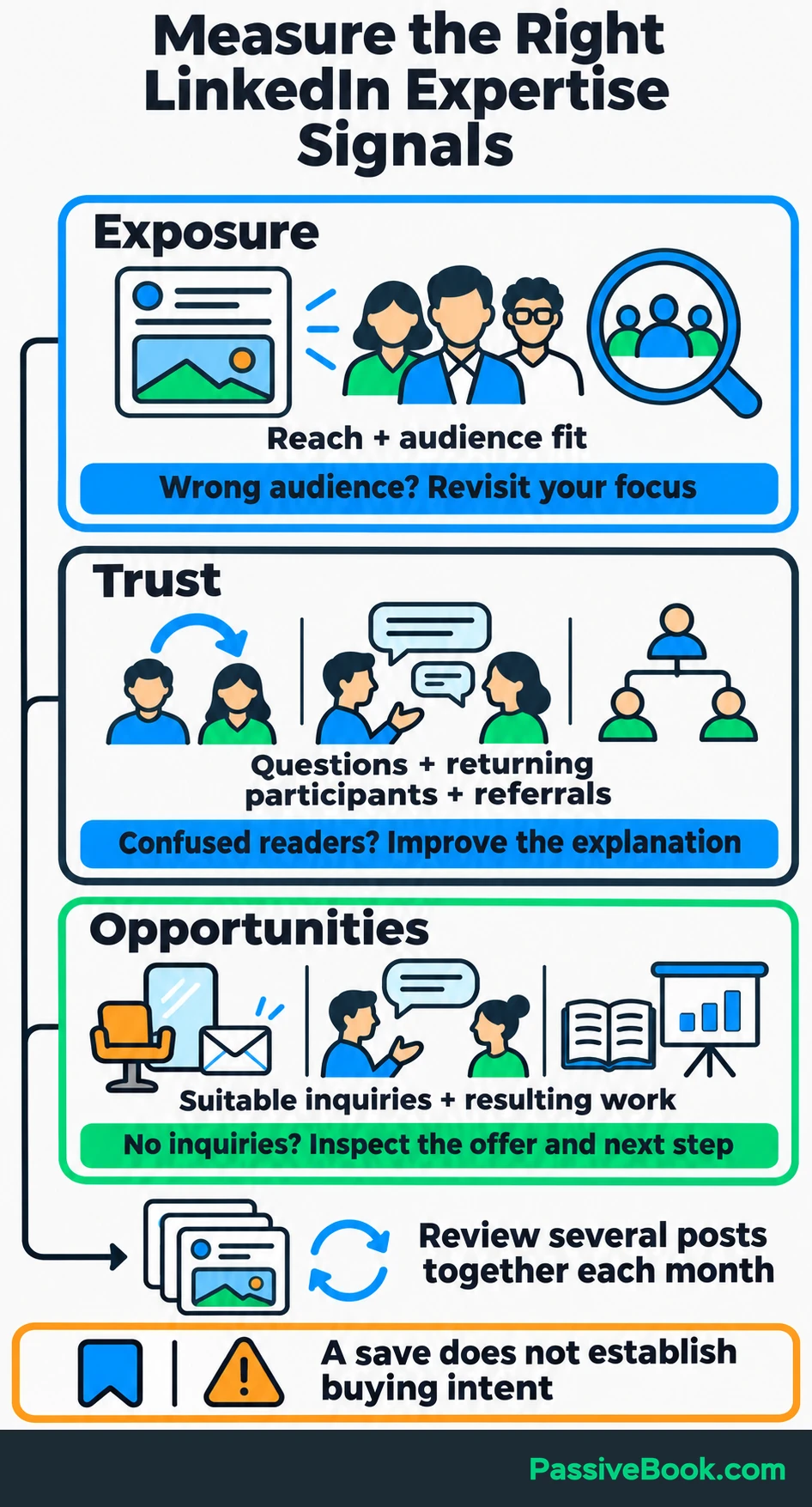
LinkedIn’s post analytics include members reached, profile activity, saves, sends, and available audience demographics. Use those alongside the actual conversations. A save shows someone kept the post; it does not establish buying intent.
Keep a simple record for each post: topic, viewpoint, relevant responses, qualified inquiries, resulting opportunity, production time, and next action.
For the workshop business, a qualified inquiry would come from a salon with a consultation-training need that the workshop can address. A general compliment would stay in the engagement column.
Ask prospects what prompted them to contact you. They may mention a particular post, several discussions, or a referral. Record their answer rather than assuming the latest post deserves all the credit.
Review several posts together each month:
- If the wrong people respond, revisit the problem and audience you name.
- If relevant readers remain confused, improve the explanation or work sample.
- If useful conversations produce no inquiries, inspect the offer and next step.
Look for increasingly relevant conversations and opportunities. I would skip promises that you can become an authority—or reach a revenue target—within a fixed number of days.
What Next?
Write one sentence naming the problem you want people to associate with you, then collect three real questions about it. Use the clearest question to draft your first post and support it with something readers can inspect.
Use the social buttons to share this guide when your next discussion turns to making expertise visible without building a daily posting treadmill.
What problem would you like people to seek your judgment on? Tell me in the comments, and bring any other questions about putting this into practice.
Share this post with your friends & followers:

