You can spend your spare hour writing a LinkedIn post, collect a few likes, and still have no idea whether anyone interested in buying saw it.
That makes LinkedIn hard to judge. Posting takes time, but likes alone don’t tell you whether the channel can bring customers to your business.
With only a few spare hours each week, you need a better reason to keep going than a busy feed. This guide shows how to test LinkedIn as an organic sales channel through useful posts and conversations, within a weekly time budget.
Check Whether Your Buyers Are Active on LinkedIn
Before polishing your profile, find out whether the people you want to reach actually participate on LinkedIn.
Write down three things:
- Who buys your offer.
- What problem makes them look for it.
- What action you want them to take: purchase, enquire, or discuss a partnership.
Throughout this guide, imagine you run an online shop selling editable client welcome-pack templates to independent dog walkers. You have experience creating clear customer documents, and your pack helps walkers introduce their services before a first booking. The shop, copy, and results below are illustrative.
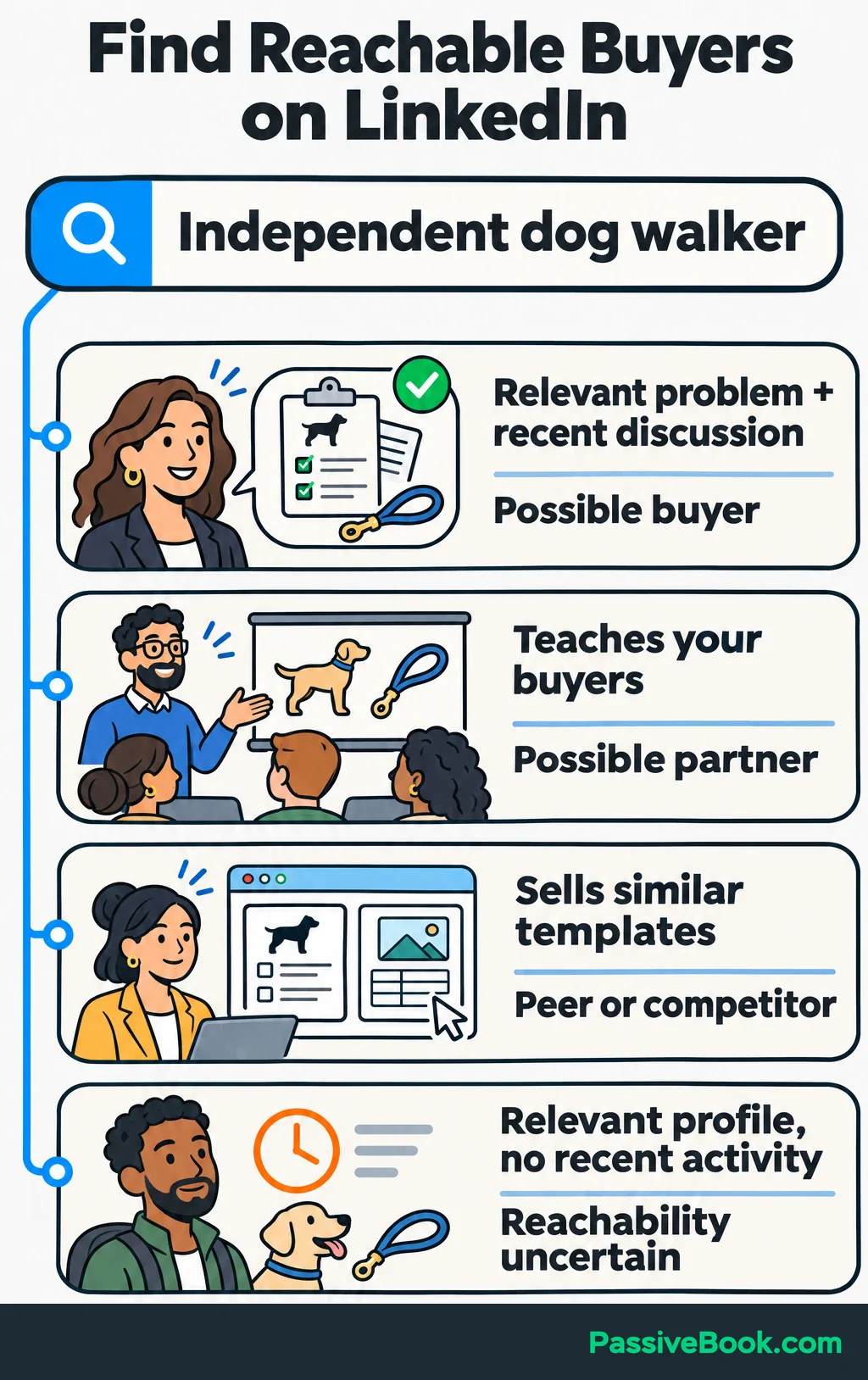
Search LinkedIn for phrases such as “independent dog walker,” “dog walking business,” and “new client welcome pack.” Look through people, businesses, and posts. Read recent activity and check linked websites.
You’re looking for evidence of a useful audience:
| What You Find | What It Suggests |
|---|---|
| A walker discussing how they introduce services to new clients | A possible buyer with a relevant problem |
| An educator teaching people to start dog-walking businesses | A possible referral or content partner |
| A designer selling similar templates | A peer or competitor worth learning from |
| A relevant profile with no recent activity | Someone who fits the buyer description, but may be difficult to reach here |
A matching job title is a starting point. A relevant conversation gives you more to work with.
For a consumer offer, check whether people discuss the need on LinkedIn or whether businesses serving those customers offer a clearer route. Someone can own a dog without wanting dog-care content in their professional feed.
Organic activity can produce commercial conversations. Agency lolly said yes reports three meetings booked within 14 days for an unnamed software-training provider. Its campaign combined LinkedIn posts, participation in discussions, and a lead magnet—an incentive offered in exchange for contact details. The agency’s case study reports no sales outcome, so treat it as evidence of meetings rather than revenue.
If you find few active buyers or suitable partners, I would pause before building a publishing schedule. More content won’t fix a missing audience.
Make Your Profile Explain Why Someone Should Trust You
Your profile should help someone understand what you do and decide whether to look closer.
Use your own name and introduce your work through your personal profile. LinkedIn distinguishes between profiles for individuals and Pages for organizations. Create a company Page when you need a separate business presence, but I wouldn’t give yourself a second publishing schedule at the start.
Begin with a recognizable photo and a banner that makes the offer clear. For the template shop, the banner could show a readable sample page beside a short description.
Write a headline naming the buyer and the useful result:
Editable welcome-pack templates to help independent dog walkers introduce their services.
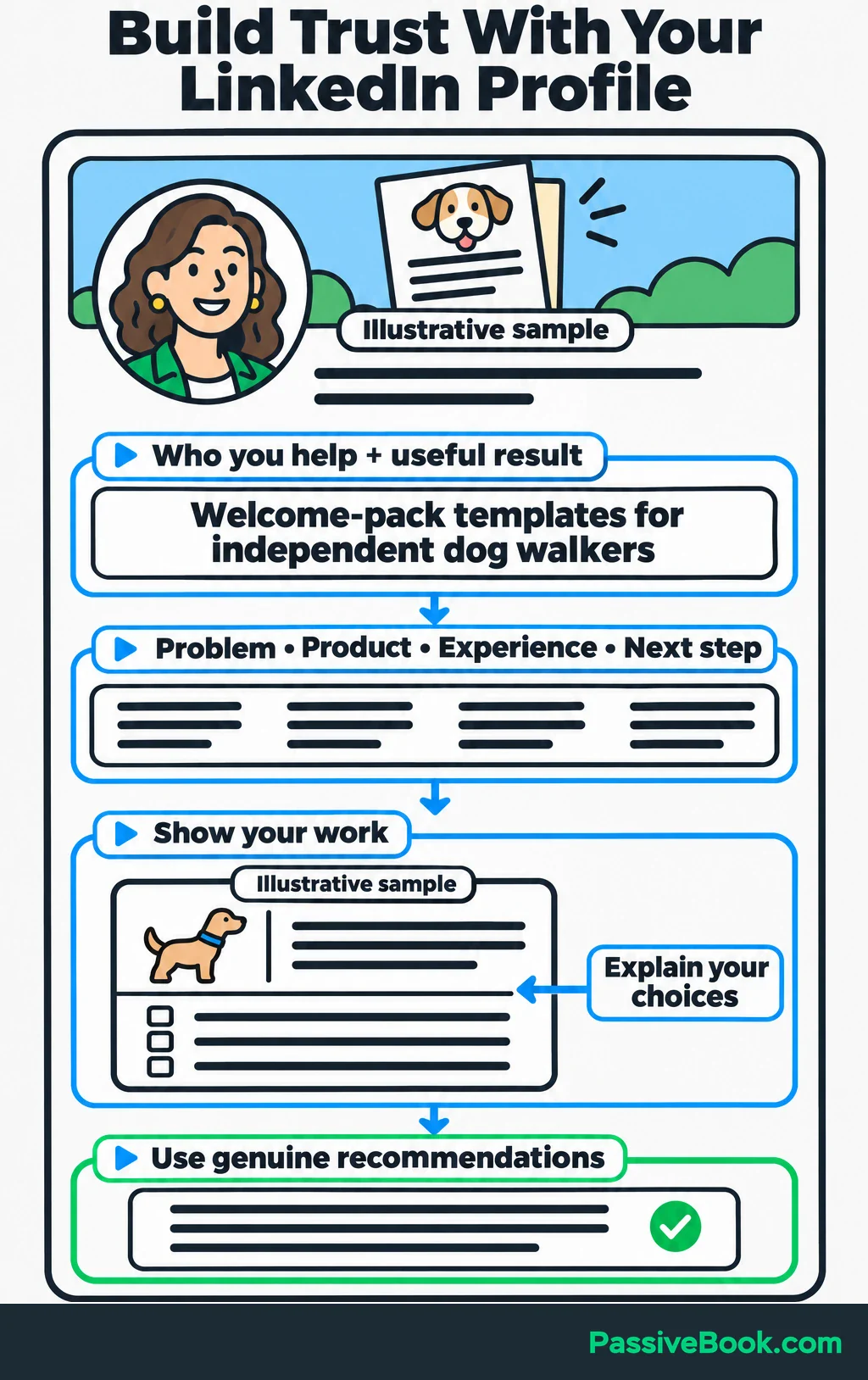
Then use the About section to answer four questions:
- What problem do you help with?
- What do you sell?
- What relevant experience supports your work?
- Where should an interested person go next?
A short excerpt could read:
I create editable welcome-pack templates for independent dog walkers. They give you a starting structure for explaining your services, booking process, and first-booking preparations.
Follow that with your actual document-creation experience and a link to inspect the pack.
Show your judgment through a sample. Add a note explaining why the service overview comes before the first-booking checklist, or how the layout separates information clients need to read from information they need to provide.
I’ve sold courses, ebooks, and templates, and I would rather show a useful page than spend another paragraph calling a product “high quality.” A sample gives the buyer something concrete to assess.
Label demonstration materials as samples. Add customer recommendations and outcomes when you have genuine ones.
Give Interested Visitors a Clear Next Step
Choose a destination that fits the decision you’re asking someone to make.
A ready buyer needs a product page. Someone assessing your work may need a preview. A service buyer with a complicated request may need an enquiry form.
For the template shop, I would start with one product page containing:
- Readable previews.
- The pages included in the bundle.
- The file format and software needed to edit it.
- Which text, colors, and other elements buyers can change.
- What buyers must customize for their own business.
- The price and a clear purchase button.
Keep the preview and purchase option together so someone can inspect the product without hunting for the checkout.
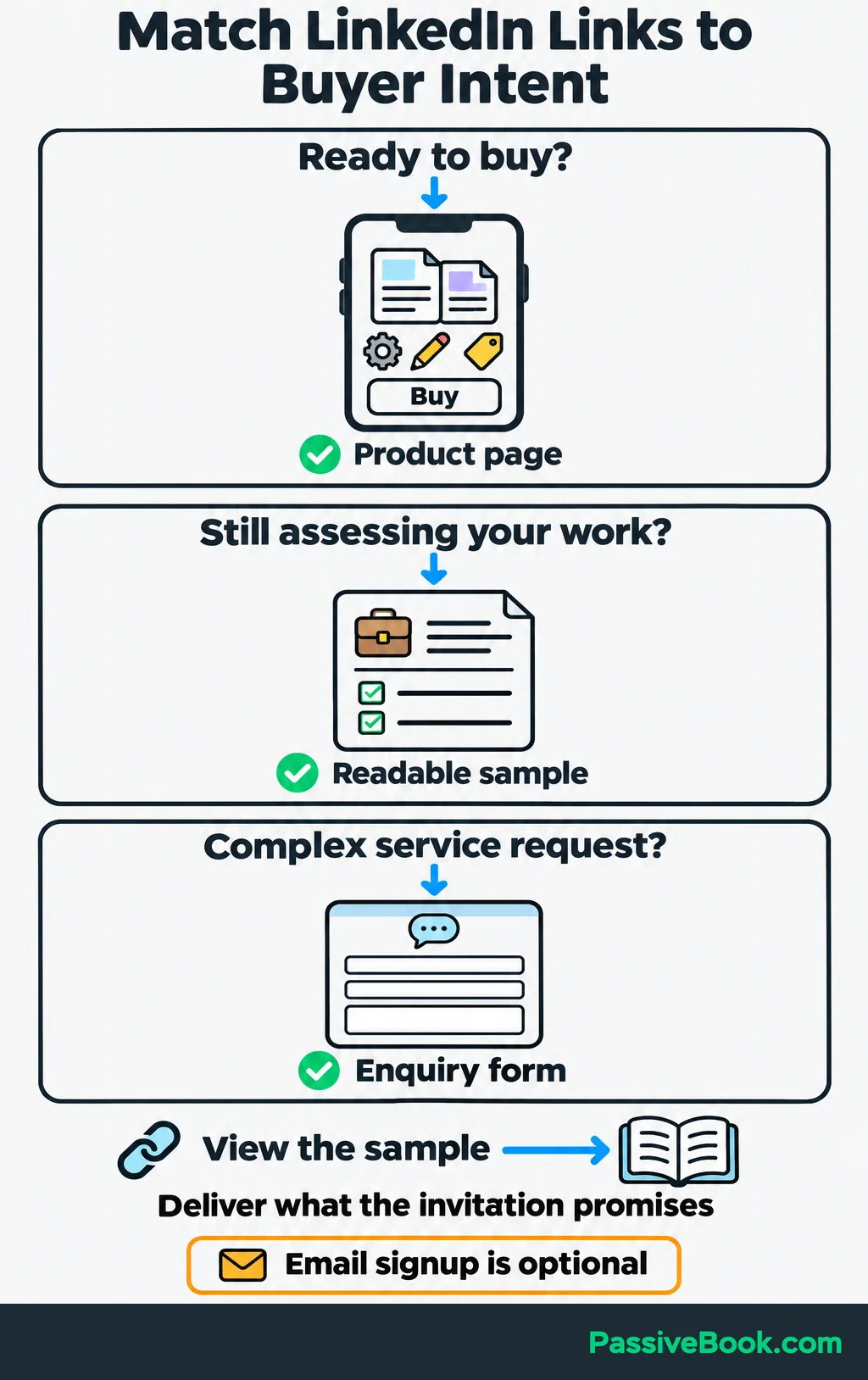
Add the preview and offer link to your profile’s Featured section. Match each post’s invitation to its destination: “View the sample” should lead to a visible sample.
An email signup is optional. I wouldn’t make someone join a newsletter just to inspect a template they’re ready to buy. If you deliver a sample by email, explain what arrives and make any ongoing marketing signup clear and separate.
Before sharing links, open the Campaign URL Builder from Google’s campaign URL guidance. This tool adds tracking tags to your product-page link so your website analytics can identify where visits came from. Enter your page URL and these campaign values:
utm_source=linkedin
utm_medium=organic_social
utm_campaign=welcome_pack
utm_content=profile_featured
Keep the first three consistent for this campaign. Change utm_content to distinguish placements, such as post_booking_checklist.
Use the generated link in your profile or post. Open it and confirm that your analytics records the visit before relying on the reports.
Publish Content That Helps Buyers Make Progress
Your offer should give your content a useful boundary. You don’t need an opinion on everything happening in your industry.
Choose Questions Connected to Your Offer
Collect questions from customer messages, sales conversations, and relevant LinkedIn discussions. Save the wording people use because it tells you how they describe the problem.
Start with three kinds of content:
| Purpose | Question for the Template Shop | Useful Content |
|---|---|---|
| Teach a task | “What should I send before a client’s first booking?” | A short welcome-pack checklist |
| Demonstrate your approach | “How should I organize the information?” | A sample page with notes explaining the layout |
| Answer a buying question | “Can I change the wording to match my service?” | A clear explanation of editable elements and requirements |
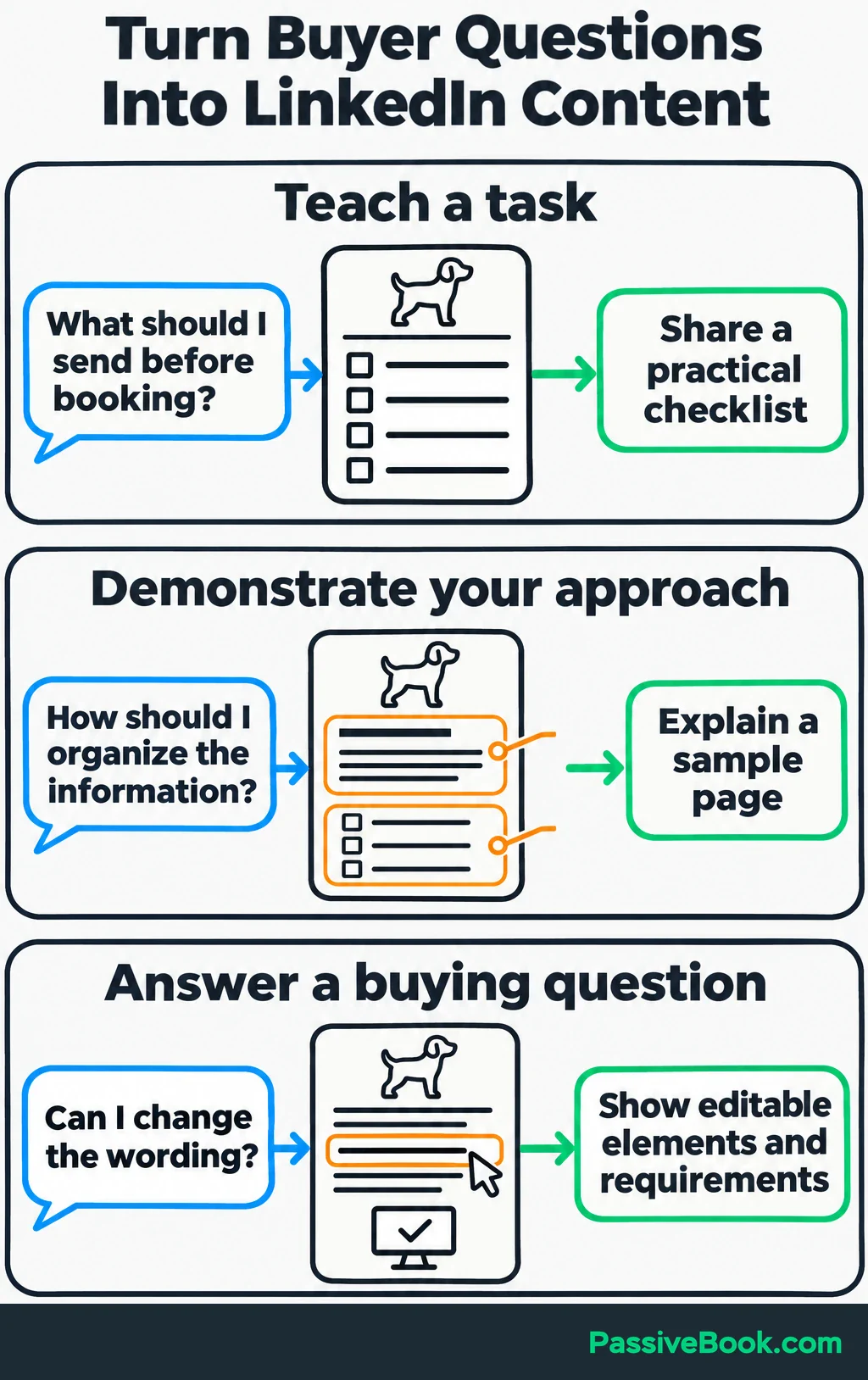
Each post should help someone before they buy. A checklist can help a walker assemble their own pack and still show why an editable version might save work.
I would skip broad motivational posts unless they connect to a real buyer problem. “Keep chasing your dreams” gives someone very little help with tomorrow’s client paperwork.
Turn One Question Into One Useful Post
Use a simple structure:
- Open with a specific problem or question.
- Give an answer someone can use.
- Include a concrete detail or example.
- Finish with one relevant action.
Here’s a complete sample post for the shop:
What should a new dog-walking client receive before the first booking?
Start with three things:
1. A service summary. Explain what the booking includes, how long it lasts, and how you communicate with clients.
2. A booking explanation. Show how someone requests a walk, receives confirmation, and asks about changes.
3. A first-booking checklist. Tell clients what information you need and what they should prepare before you arrive.
Give these separate headings so clients can find the part they need.
For example, keep “How to request a booking” separate from “Information I need from you.” One explains your process, and the other asks the client to act.
Replace every sample detail with your actual service arrangements before sending the pack.
I’ve put a preview of my editable welcome pack in the Featured section of my profile. Open it to see how those sections fit together.
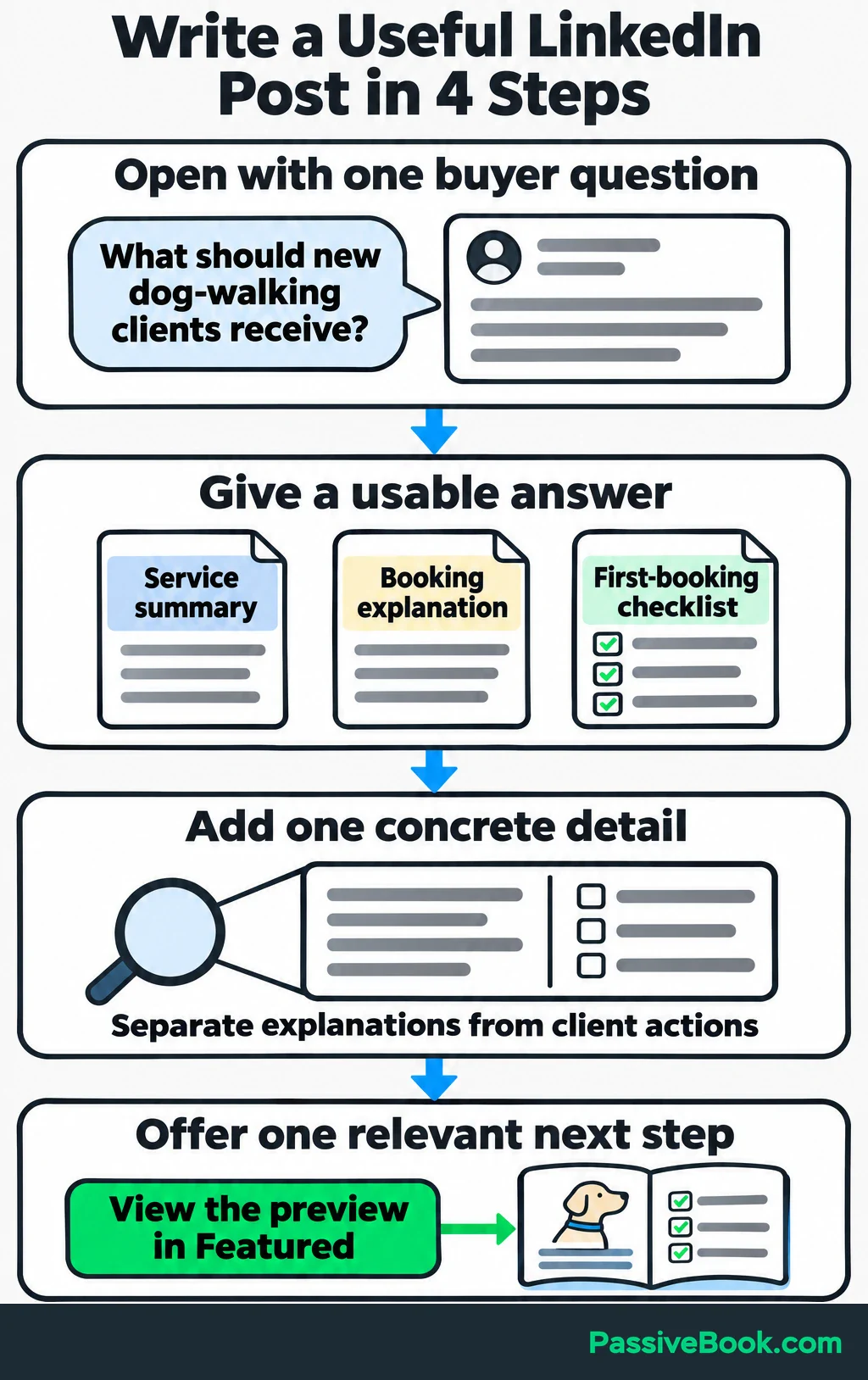
That post answers a question and gives interested readers a reason to inspect the product.
If you have a buyer question but are still staring at a blank draft, try the LinkedIn Copy Studio. It turns your notes into a post you can review and publish, with an invitation that fits your offer.
Free AI Social Copy Studio


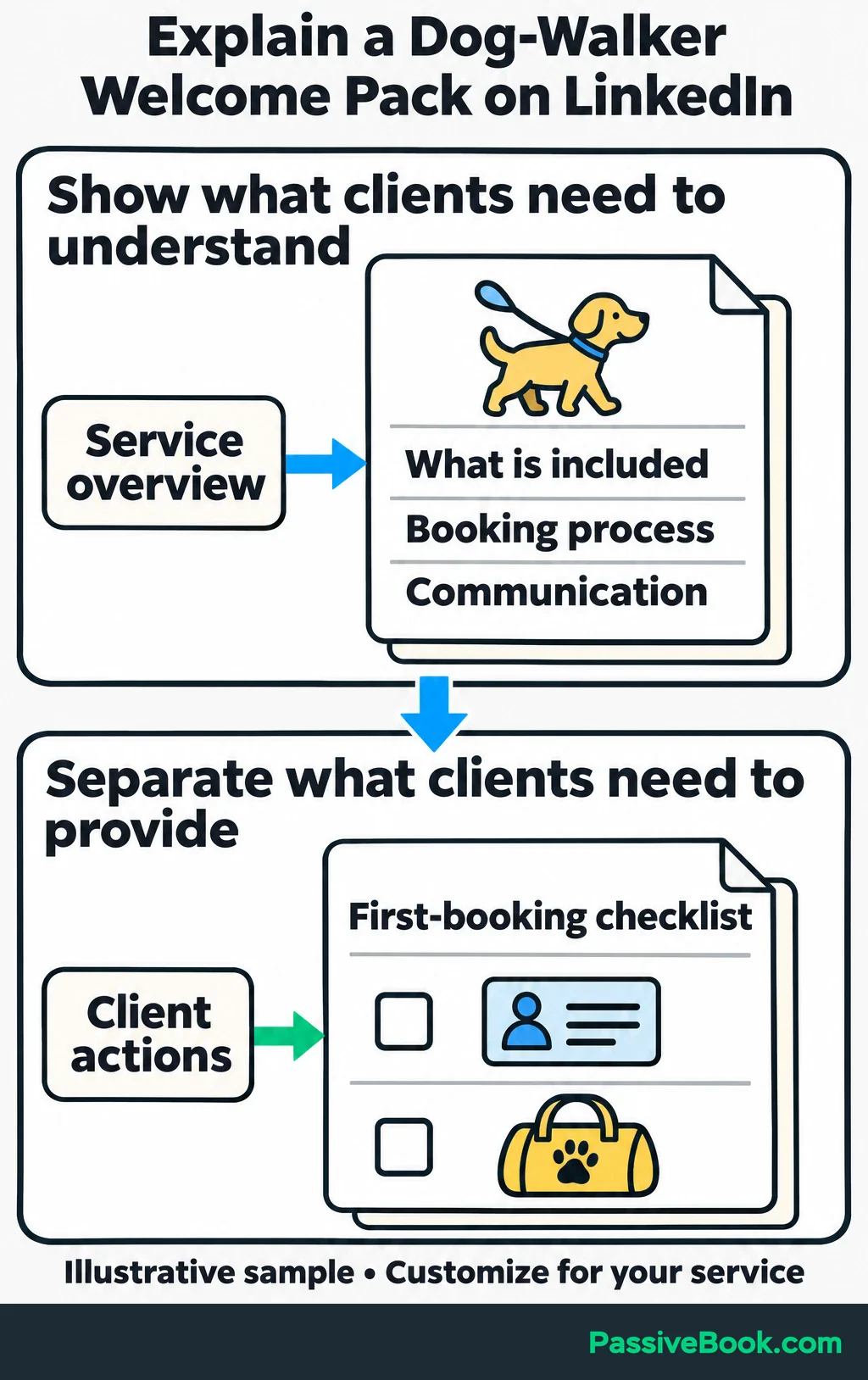
Choose the format that makes the answer easiest to understand. Text suits a short explanation. An image suits an annotated page. A PDF document post can walk through several pages without requiring video.
For the annotated page, point to the service summary and booking checklist, then explain what each does. Keep the text large enough to read on a phone.
Use a closing action that fits the post. A service post might explain how you handle a common client problem, then invite readers to discuss their own situation. A blog post can share a useful answer and link to the full article for more detail. For the template shop, offer a preview when readers need to assess the pack, or link to the product when you’ve answered a buying question.
Grow a Relevant Network Through Useful Participation
Return to the people and discussions you found during your audience research. Follow relevant accounts and contribute where you have something useful to add.
A good comment should help even if nobody clicks your name.
In a discussion about welcoming new clients, the shop owner might write:
I’d separate the service overview from the information you need clients to send back. That gives them a clear place to check what’s included and a separate checklist to complete before booking.
That contribution shows your approach without turning someone else’s post into an advert.
Reply to comments on your own posts and save recurring questions. Notice who takes part. Conversations with suitable buyers and partners deserve more attention than reactions from unrelated accounts.
Send connection requests after a useful exchange, a relevant introduction, or a clear shared professional interest. A short note can refer to that context:
I appreciated our exchange about first-booking information on your post. I’d be glad to stay connected.
Keep the sales pitch out of the invitation.
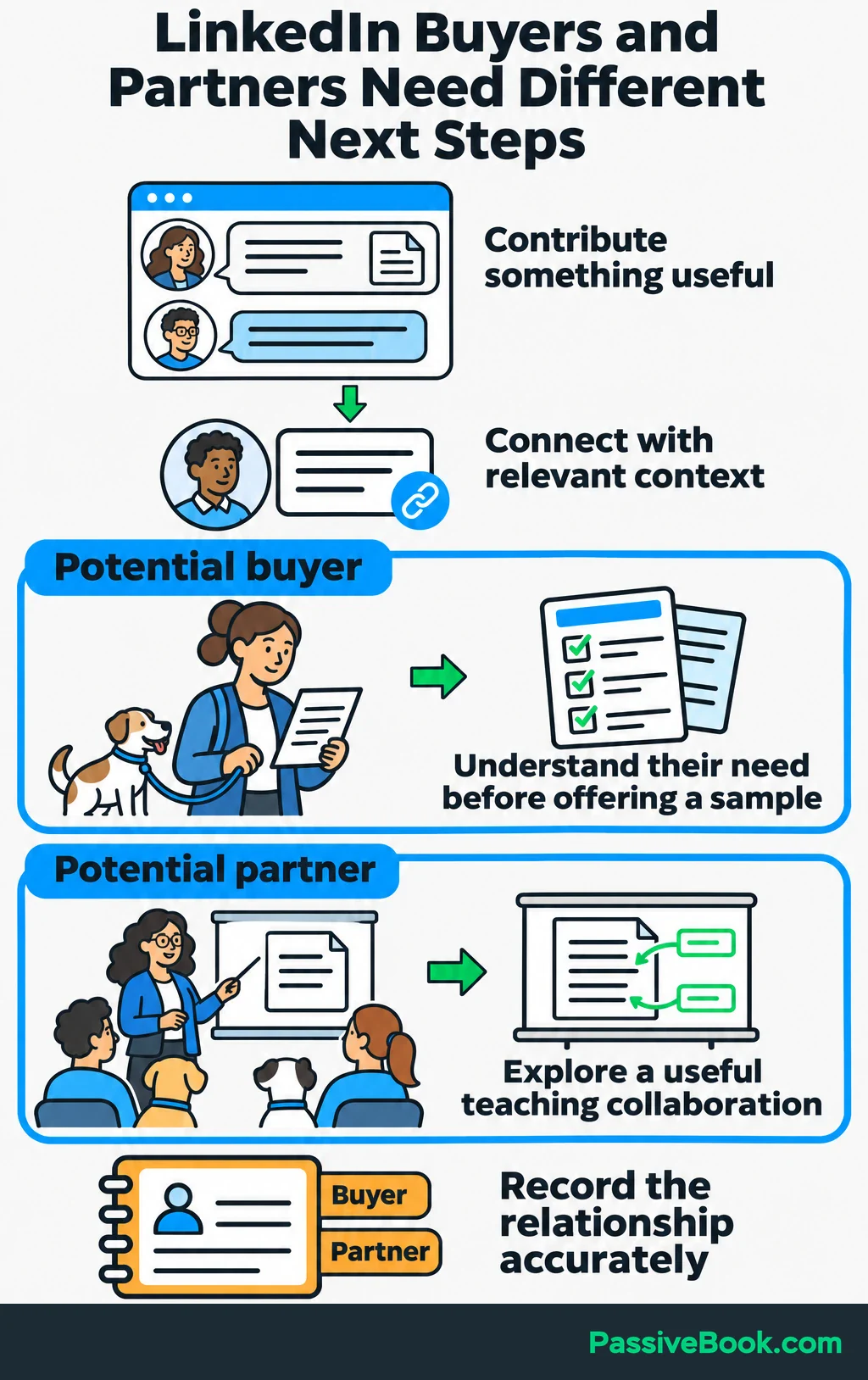
Also look for complementary businesses. An educator serving new dog walkers may have an audience that needs your templates. You could offer an annotated sample for a lesson about client communication.
Record that person as a potential partner, rather than counting them as a direct buyer. Those relationships need different next steps.
Turn Interested Conversations Into Enquiries and Sales
Begin with something the person actually said.
If someone comments that welcoming new clients takes too long, ask a focused question:
Which part of introducing your service to new clients takes the most time?
Their answer helps you judge whether your offer fits. If their main problem is scheduling walks, your welcome pack may have little to contribute.
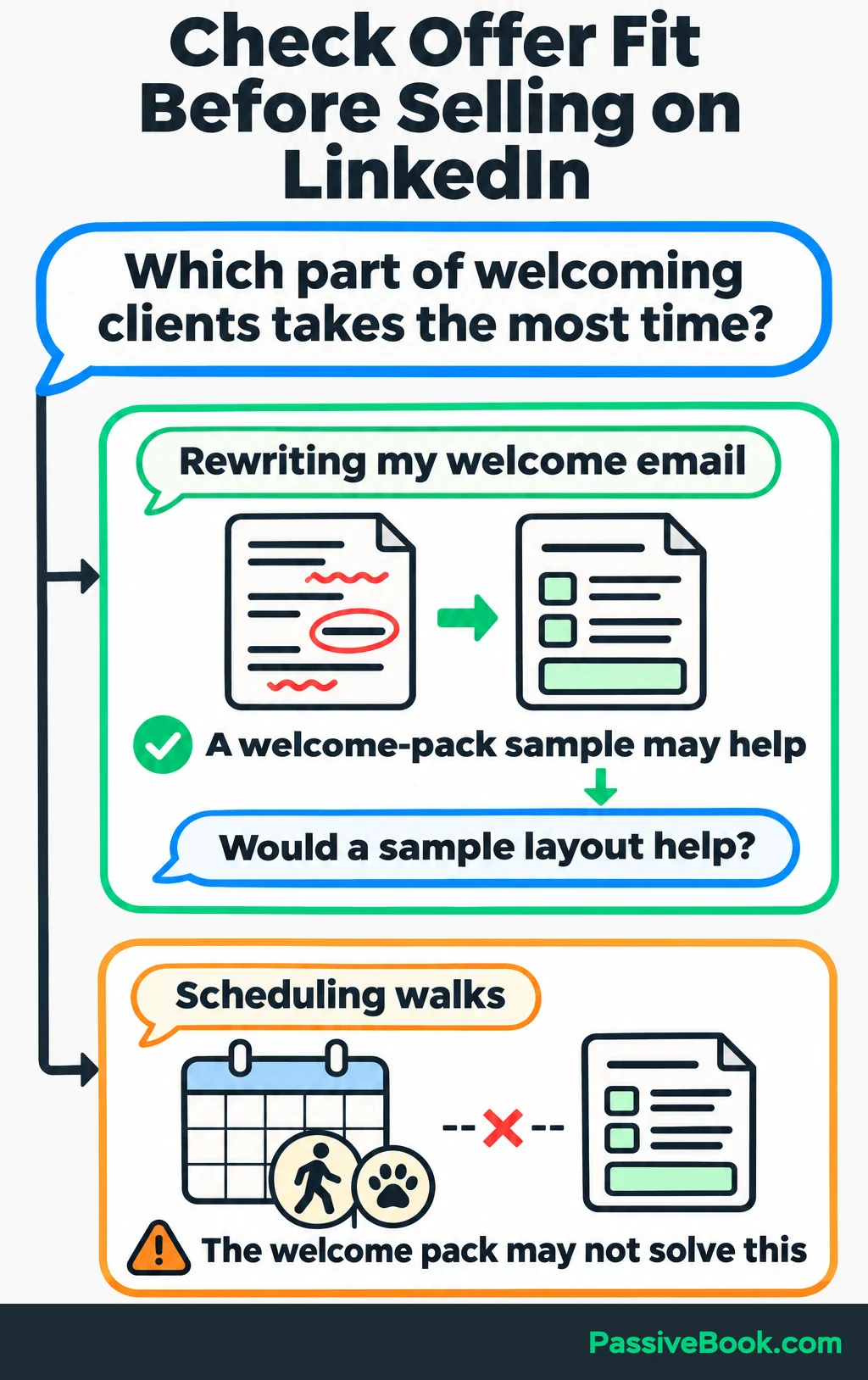
When a resource would help, ask before sending it:
You mentioned rewriting your welcome email. Would a sample layout help?
If they agree, send the promised material and explain the relevant part. Let them inspect it without attaching a second sales conversation to the download.
Once they show buying interest, connect the offer to their need. For example:
The bundle includes the service overview and first-booking checklist we discussed. You can change the wording to match your arrangements. Here’s the preview and purchase page.
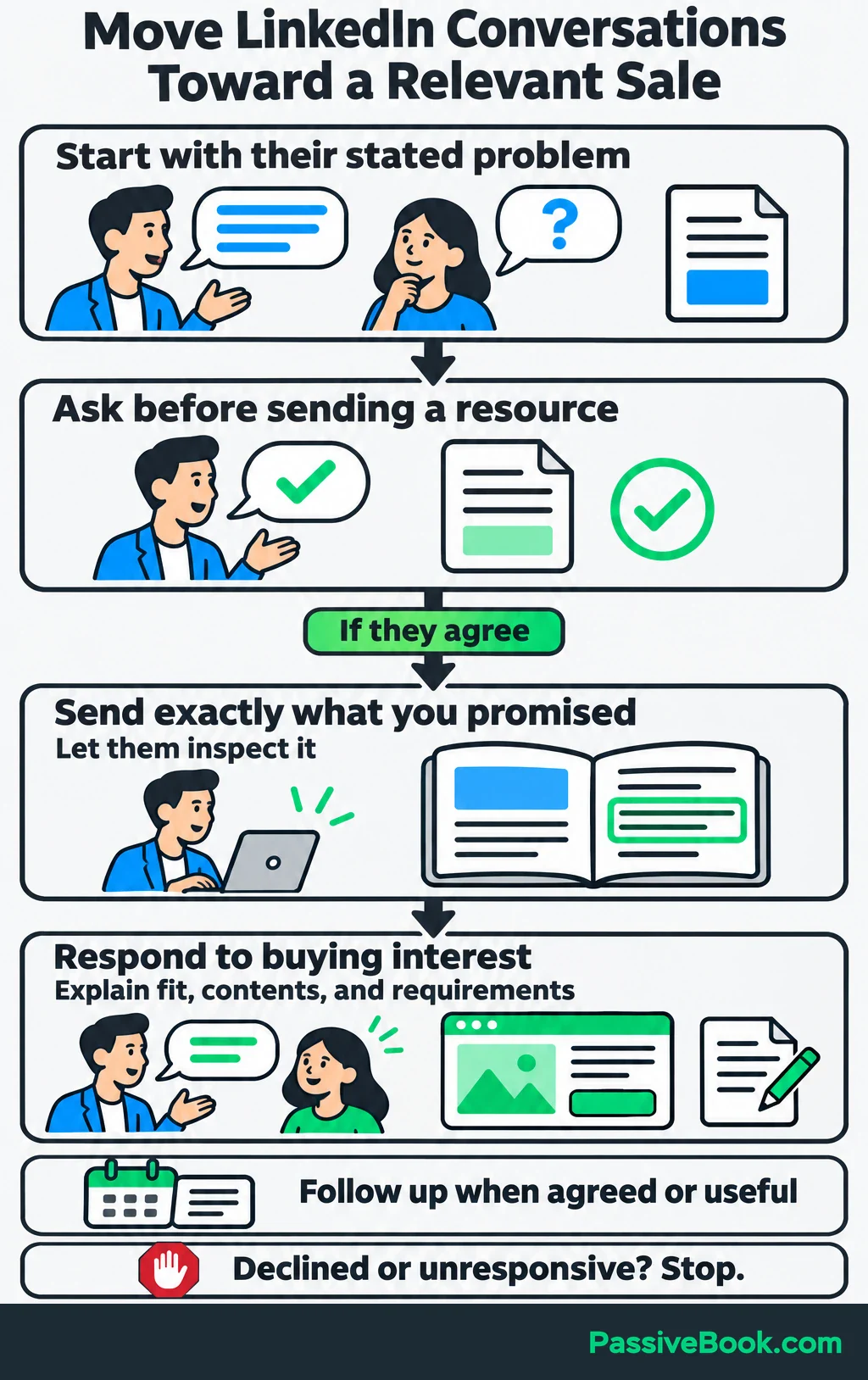
Answer purchase questions directly. Explain what’s editable, what’s included, and what the buyer must supply or customize. If the product won’t do what they need, say so.
Follow up at an agreed time or when you have something useful to add. Stop when someone declines or remains unresponsive.
Keep connections, comments, and messages personal. LinkedIn prohibits third-party software and browser extensions that scrape or automate activity on its website.
I’m enthusiastic about automating repetitive work, but I would put that effort into organizing drafts, recording enquiries, and handling purchases on your own site. Keep human judgment in the conversations.
Build a Routine You Can Maintain
Set a weekly time budget and a review date before expanding your activity.
I would start with a 90-minute weekly budget and review the experiment after six weeks. That’s a planning choice, not a promise that sales arrive within six weeks.
Try this allocation:
| Time | Work |
|---|---|
| 30 minutes once a week | Draft and schedule two useful posts from saved buyer questions |
| Three 15-minute sessions | Reply, join relevant discussions, and handle interested conversations |
| 15 minutes once a week | Record results and choose the next question to answer |
Schedule posts through LinkedIn’s own scheduler. Prepare the post, select the clock icon, choose the time, and confirm the schedule.
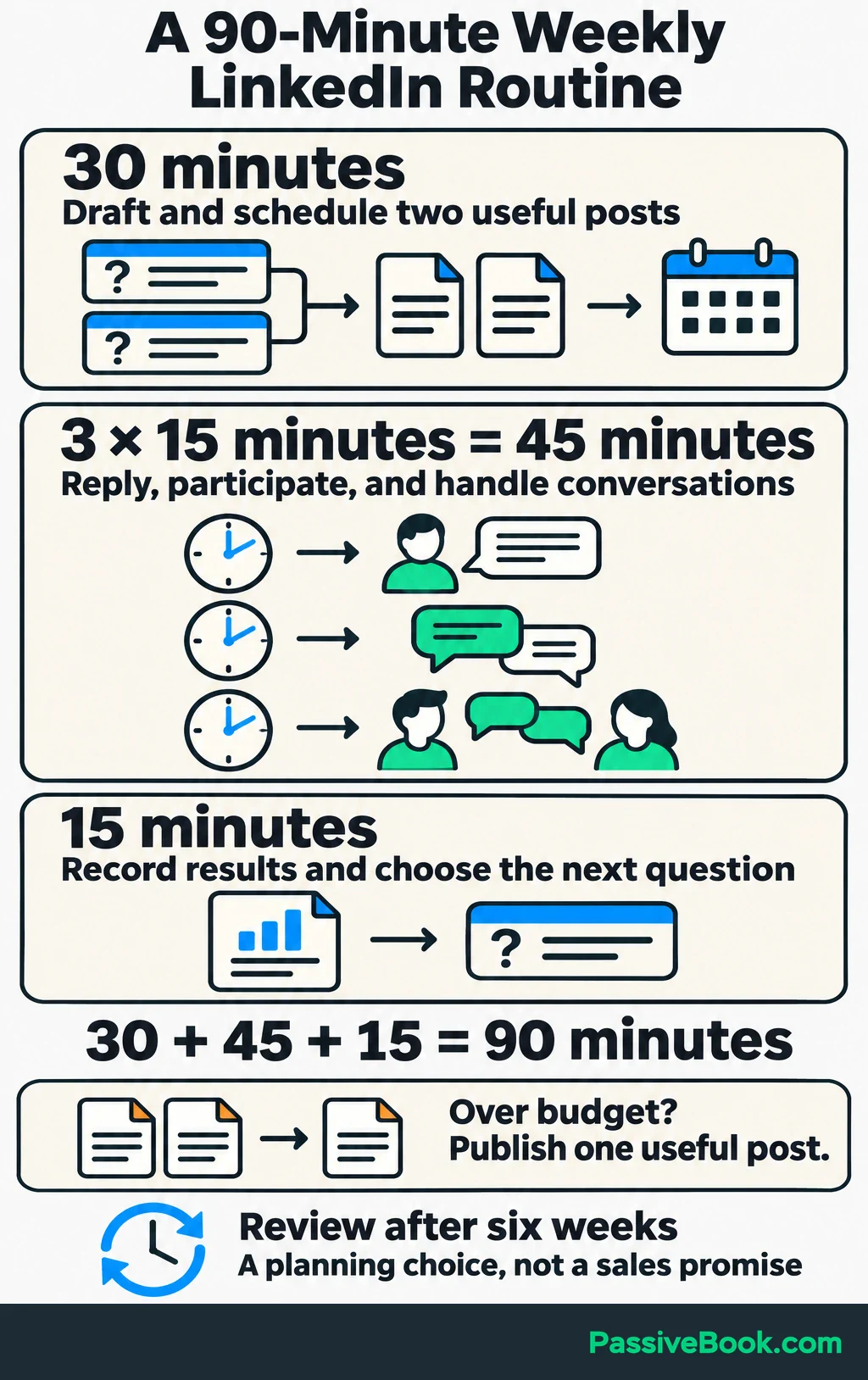
If creating two useful posts takes longer than your budget allows, publish one. Don’t fill the calendar at the expense of answering an interested buyer.
Reuse your own material when it serves a different purpose. A welcome-pack explanation can become:
- A text checklist showing what to include.
- An annotated image showing how to arrange it.
- A later post explaining which parts of the template are editable.
Each version should answer its own question.
Keep a simple bank of questions, examples, and drafts in a document or a note-taking tool such as Notion. I would use an AI writing assistant such as Claude to group notes or suggest openings, then check the finished post for accuracy, usefulness, and voice. Remove customer details before putting private messages into an AI tool.
You can build the drafting system once, but conversations still need attention. Budget for both.
Measure Business Results and Improve the Weak Step
Define a qualified enquiry before counting it. For this shop, it means a potential buyer whose need fits the pack and who asks a purchase question, such as whether it works with their software. Keep reactions, sample requests, and new subscribers in separate counts.
Use a weekly sheet to record:
- The post, profile link, or conversation involved.
- Tagged website visits and qualified enquiries.
- Purchases, revenue, and time spent.
Ask buyers how they found you, since tracking links can miss people who return later. Record their answers and count each enquiry and purchase once.
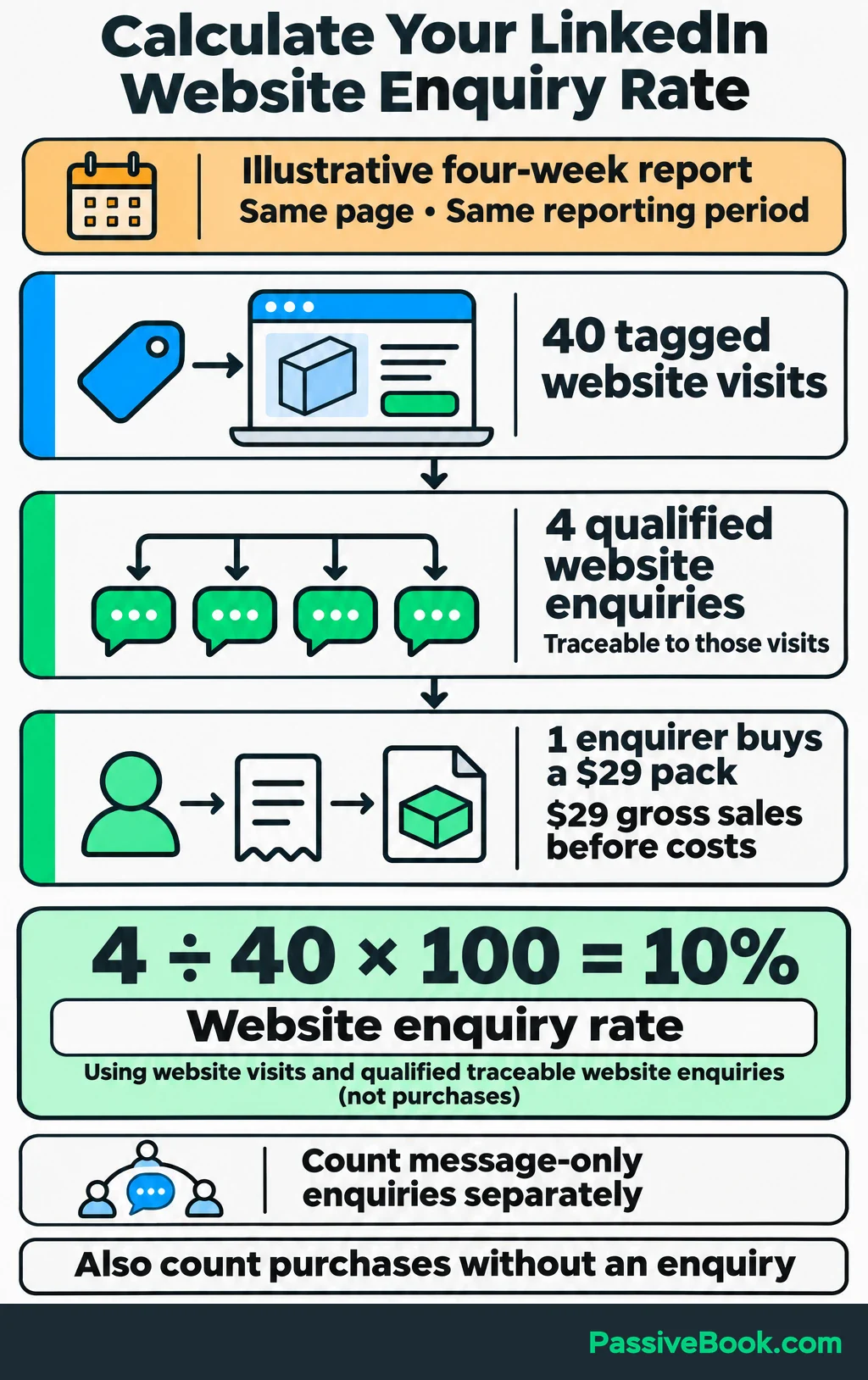
To see how often website visits lead to enquiries, use the same page and reporting period for both counts. Include only qualified enquiries you can trace to those visits. Keep enquiries received entirely through LinkedIn messages separate.
Suppose a four-week report shows 40 tagged visits to the shop page and four qualified website enquiries from those visits:
Website enquiry rate = 4 ÷ 40 × 100 = 10%If one of those enquirers buys a $29 pack, that’s $29 in gross sales before costs. Also count purchases made without an enquiry.
I spent six months chasing Instagram and Twitter/X followers in another niche while my bank balance stayed around $47. The activity looked productive because I had plenty to count. That experience is why I want purchases, qualified enquiries, and time spent beside the audience numbers.
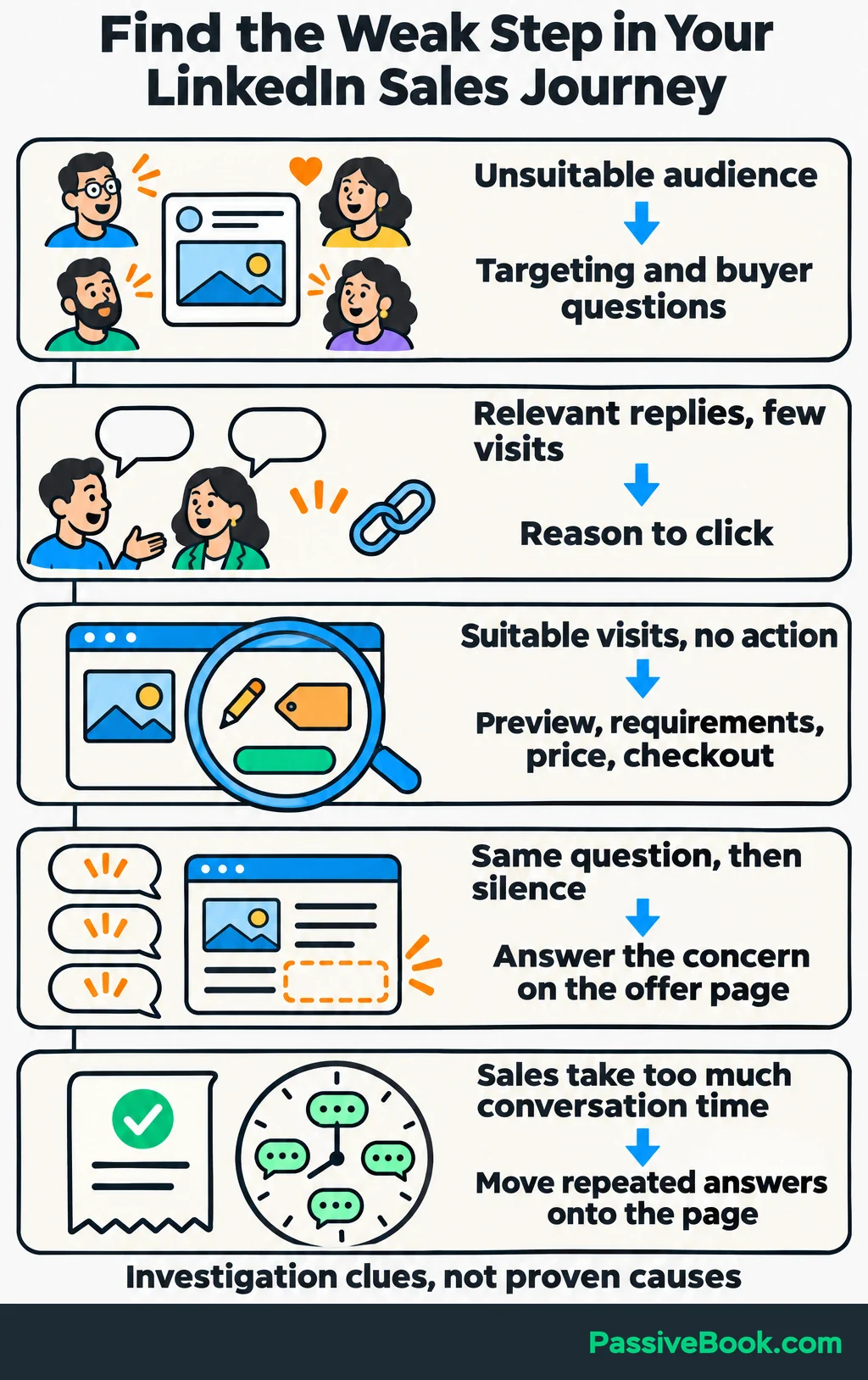
Use the results to choose what to change:
| What You Observe | What I Would Check First |
|---|---|
| Most attention comes from unsuitable people | Buyer targeting and the questions your posts answer |
| Relevant people respond, but few visit the offer | Whether the invitation gives them a clear reason to click |
| Suitable visitors reach the page but take no action | The preview, editing requirements, price, and purchase process |
| Enquirers repeatedly ask the same question and stop | Whether the offer page answers that concern plainly |
| Sales arrive, but conversations consume too much time | Whether repeated answers belong on the product page |
Treat these as places to investigate. A quiet week alone won’t identify the cause.
At your review date, decide whether to continue, adjust, or reduce the effort. Repeat topics and conversations that contribute to qualified demand or sales.
If you’ve reached suitable people, made the offer clear, and still see little interest, I would reduce LinkedIn activity while testing a different route. You’re trying to build a useful sales channel, and your calendar has other applicants.
What Next?
Search LinkedIn for your buyer’s role and save three recent discussions about a problem your offer solves. Use one of those questions to draft your first useful post.
If this approach makes LinkedIn feel more manageable, use the social buttons to share the guide and help make useful conversations the goal of marketing.
Which part of your route from LinkedIn attention to a purchase needs the most work? Tell me in the comments, and add any other questions you have.
Share this post with your friends & followers: