A potential customer searches LinkedIn for the service you sell. Your Page says “Helping businesses thrive,” lists an old website, and leaves them guessing about what you offer. Even if it appears, they still have work to do.
With limited time to maintain another channel, it’s frustrating to put effort into a Page and still be unsure whether the right people can find you. These 17 improvements focus on relevant searches and the details visitors need before getting in touch, so you can decide what to change first and whether the Page earns more of your time.
1. Choose Keywords That Match Your Offer
Start with words that describe something customers can buy from you. Collect phrases from inquiry emails, sales conversations, and questions people ask before purchasing.
Look for your main service, the customers you serve, specific capabilities, and any genuine geographic limits. You don’t need a paid keyword tool to make this first list.
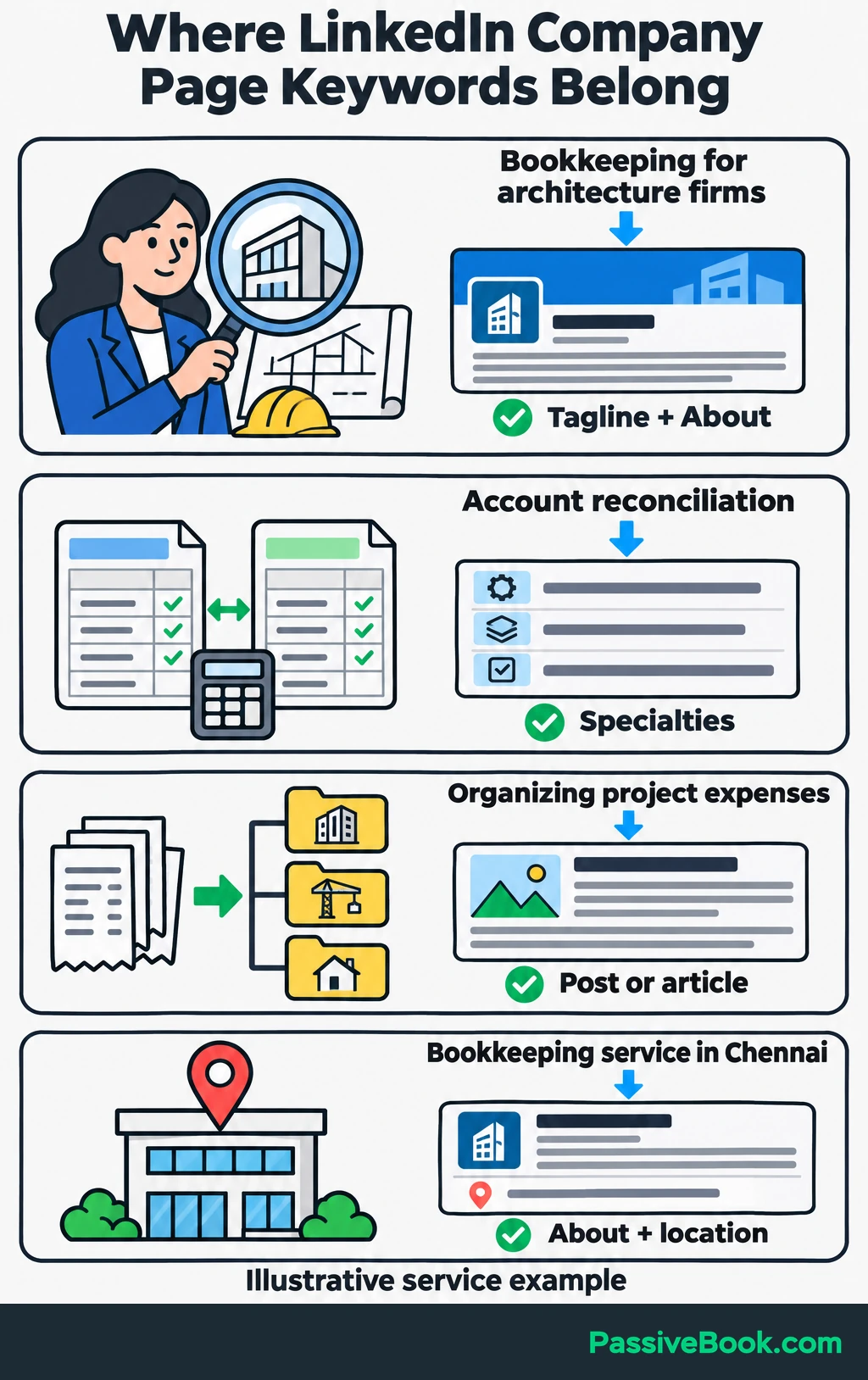
Throughout this guide, imagine you run Studio Ledger, a Chennai-based bookkeeping service for independent architecture studios. Its copy and scenarios are illustrative, not reported results.
Here’s how you could organize its phrases:
| Phrase | Customer Need | Destination |
|---|---|---|
| Bookkeeping for architecture firms | Find someone who understands the business | Tagline and About section |
| Account reconciliation | Match accounting records with account statements | Specialties and service description |
| Organizing project expenses | Learn how to prepare useful records | Post or article |
| Bookkeeping service in Chennai | Find a provider based nearby | About section and location details |
Search your candidate phrases on LinkedIn and select Companies to inspect the results. Look at whether the businesses match the intended meaning. Treat this as a terminology check rather than proof of demand or a fixed ranking.
Then write naturally. “Architecture firms” and “architecture studios” can describe the same audience without repeating one exact phrase in every sentence. LinkedIn’s keyword guidance recommends using the language customers use for your offerings, industry, and specialties.
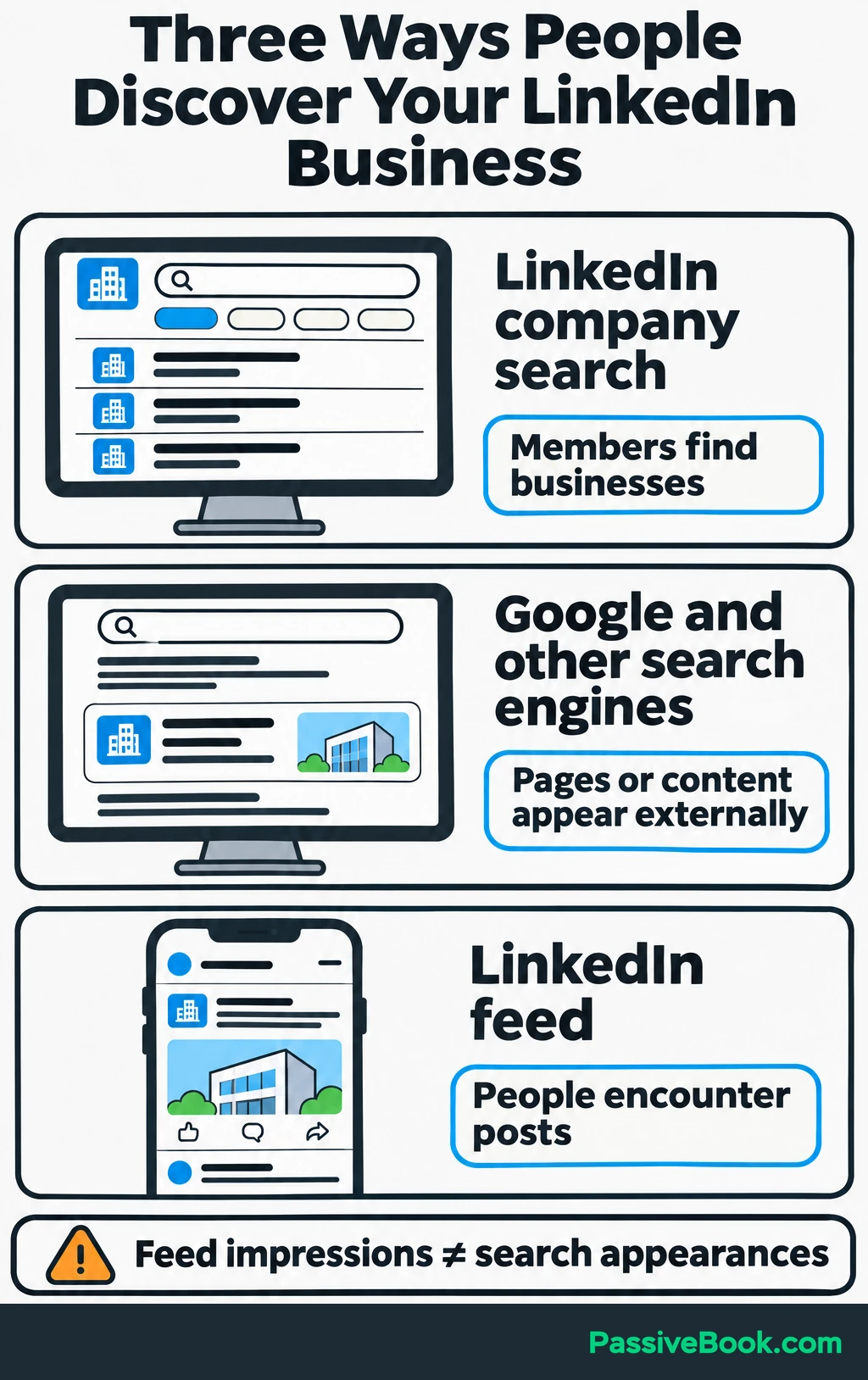
Keep three kinds of exposure separate as you work:
- LinkedIn company search helps members find businesses.
- Google and other external search engines can surface LinkedIn pages and content.
- Feed exposure puts posts in front of people browsing LinkedIn.
More feed impressions alone won’t tell you whether your Page is appearing in more searches.
2. Keep Your Business Name Recognizable
Use the name customers recognize from your website, proposals, and invoices. Studio Ledger should remain “Studio Ledger,” with its service explained elsewhere.
LinkedIn considers the Page name alongside followers, shared connections, discussion volume, and the quality of posts, comments, and reactions. It also says results vary by member and change over time. LinkedIn’s explanation of Page search results supports keeping the name concise and distinctive.
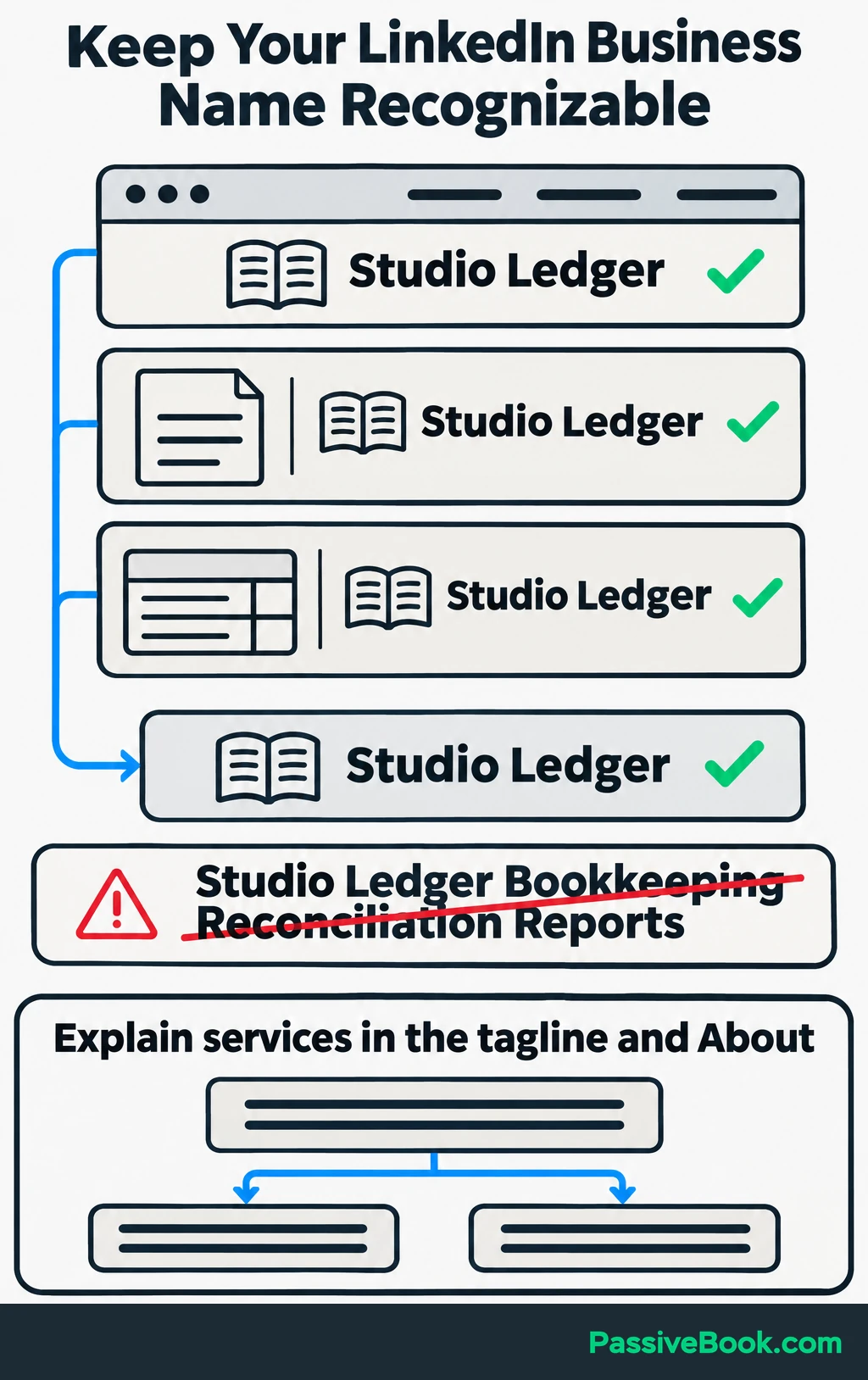
I would keep an established business name and put descriptive phrases in the tagline and About section. A name stuffed with services makes the business harder to recognize.
Before editing, save the starting numbers listed in step 17. You’ll need super admin access—the Page role that lets you edit company details. Open Edit page to update the relevant fields.
If time is tight, prioritize the tagline, About section, company details, and website destination. You can tackle ongoing content after those basics make sense.
3. Use a Stable, Branded Page URL
Choose an available Page address close to your business name. For Studio Ledger, /company/studioledger would be easy to recognize and share.
Keep an existing, recognizable address unless there is a practical reason to change it, such as a rebrand or a confusing abbreviation. I wouldn’t change it just to squeeze in a keyword.
If you do change it, update links on your website, business profiles, and email signatures. LinkedIn says search engines may take a few weeks to reflect the new address, and the old address can eventually be reassigned to another Page. LinkedIn’s public URL rules explain those consequences.
4. Lead Your Tagline With Your Core Service
Your tagline should answer two questions quickly: what do you provide, and who is it for?
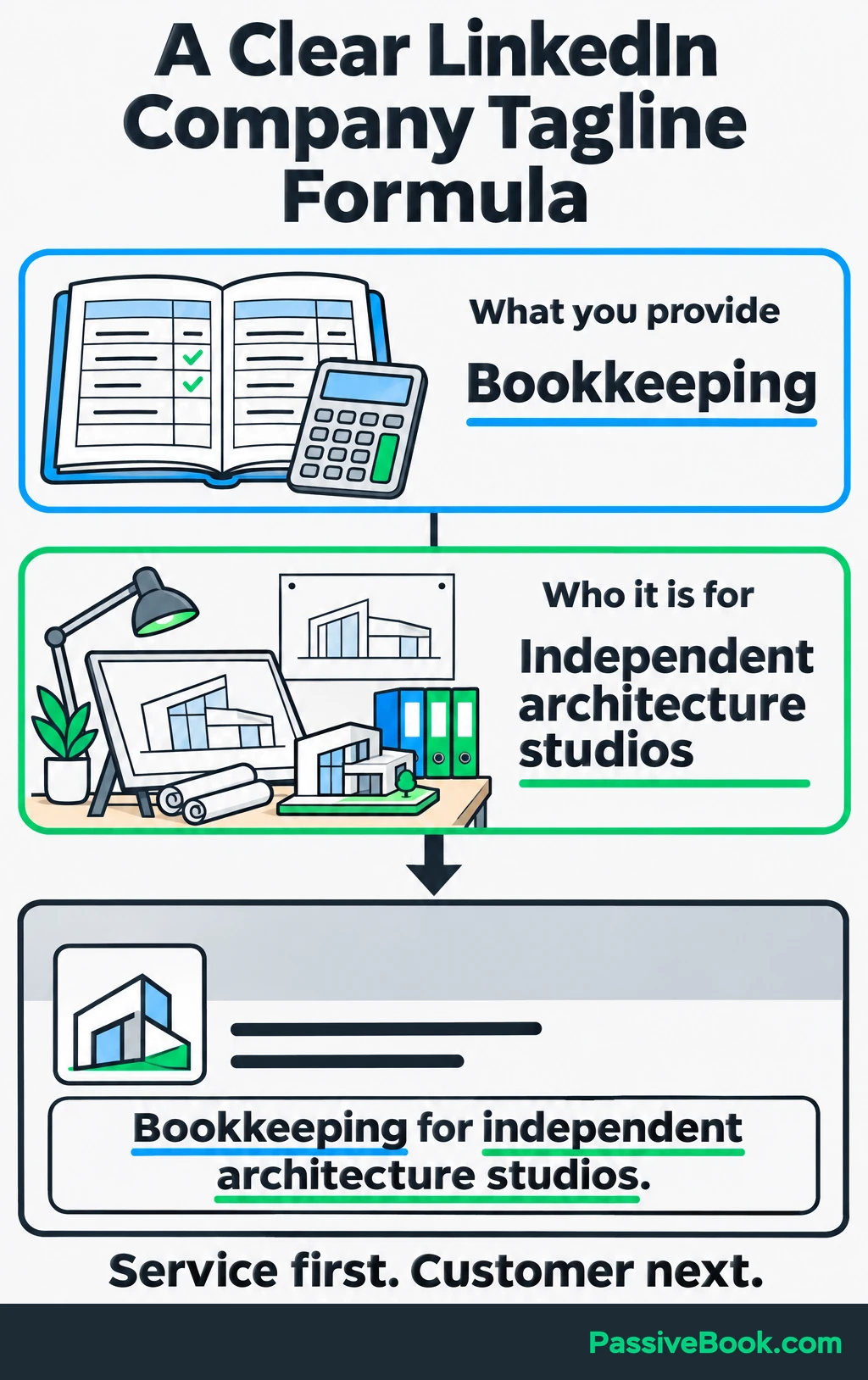
Write that answer before adding a slogan. For Studio Ledger:
Bookkeeping for independent architecture studios.
That gives a potential customer something useful to assess. “Helping creative businesses thrive” leaves the actual service hidden.
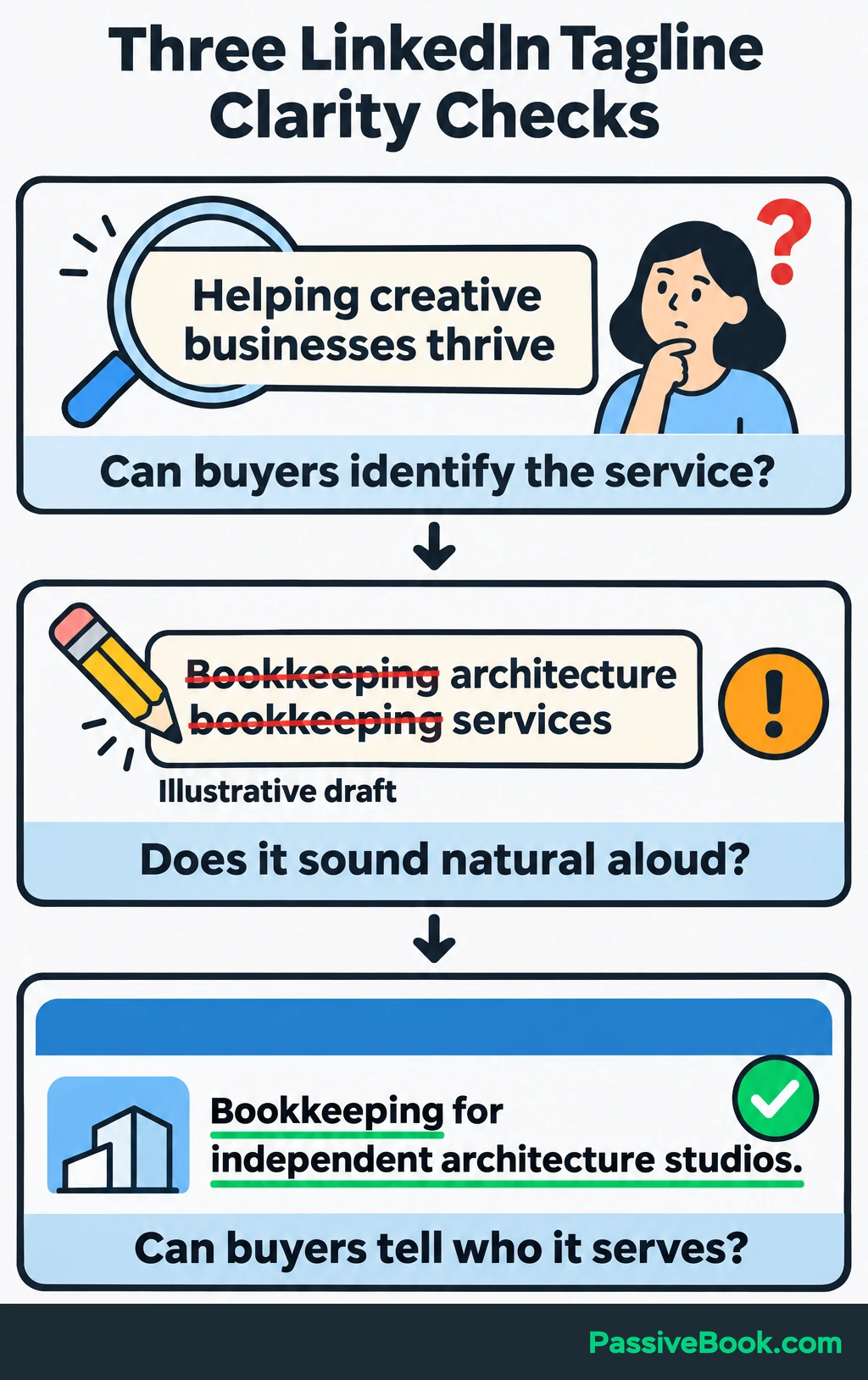
LinkedIn recommends placing relevant terms near the beginning of the tagline. Use one clear description and read it aloud. If it sounds like a search query glued to a slogan, simplify it.
I would choose clarity over cleverness here. You have the rest of the Page to show personality, but this line needs to explain the offer.
5. Make Your About Section Answer Buyer Questions
Build the About section around the decision a visitor needs to make.
Explain your service and intended customer first. Then describe the work you deliver, where you operate, any relevant evidence, and the next step. LinkedIn’s Page best practices recommend leading the overview with descriptive terms relevant to the organization.
Here’s a complete sample for Studio Ledger:
Studio Ledger provides bookkeeping for independent architecture studios. We help organize transaction records, reconcile accounts, track project expenses, and prepare monthly bookkeeping reports.
Based in Chennai, we work with studios that want a clearer record of money coming in and going out across their projects.
Visit our website to review the service scope and request a consultation. Tell us about your studio, your current bookkeeping setup, and the support you need.
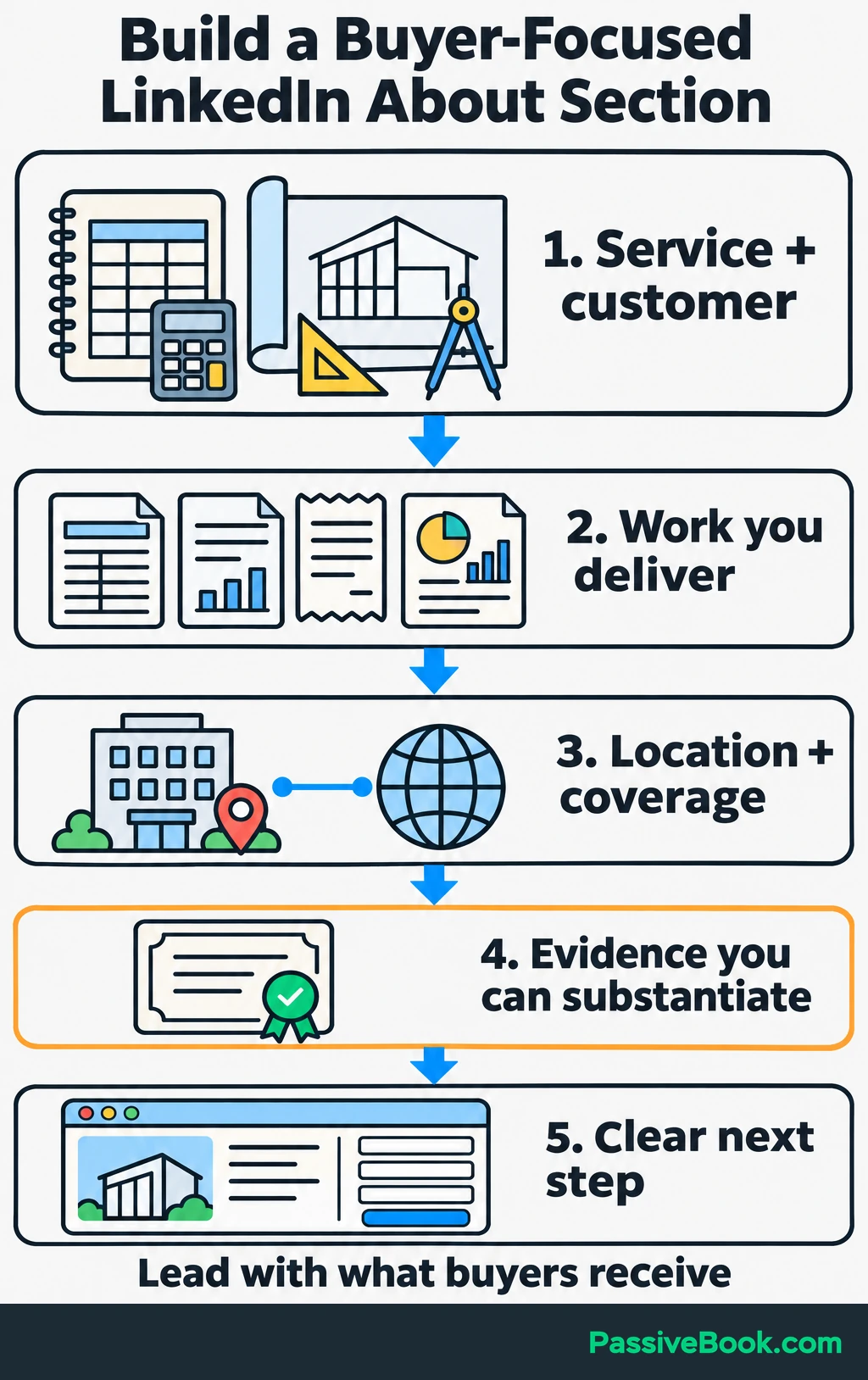
You can adapt that structure without copying the services. For a product business, describe what the product does, who it suits, and where to see it or buy. Add credentials or customer evidence when you can substantiate them.
If the structure makes sense but you’re still staring at a blank field, AI Social Copy Studio can draft your Page copy from a few business details. It keeps the offer, customer, and next step consistent across the fields.

Free AI Social Copy Studio




While rewriting descriptions for my digital products, I caught myself explaining why I had created them before saying what buyers received. That background mattered far more to me than to someone deciding whether to buy.
I use the same editing check here: can a stranger identify the offer from the opening paragraph? If they need your origin story to decode it, move the service description up.
6. Add Specific Service Specialties
Use specialties to name the actual capabilities behind your broader offer.
Start with your service list, remove duplicates, and keep terms that add useful detail. Studio Ledger could include:
- Bookkeeping
- Account reconciliation
- Project expense tracking
- Monthly bookkeeping reports
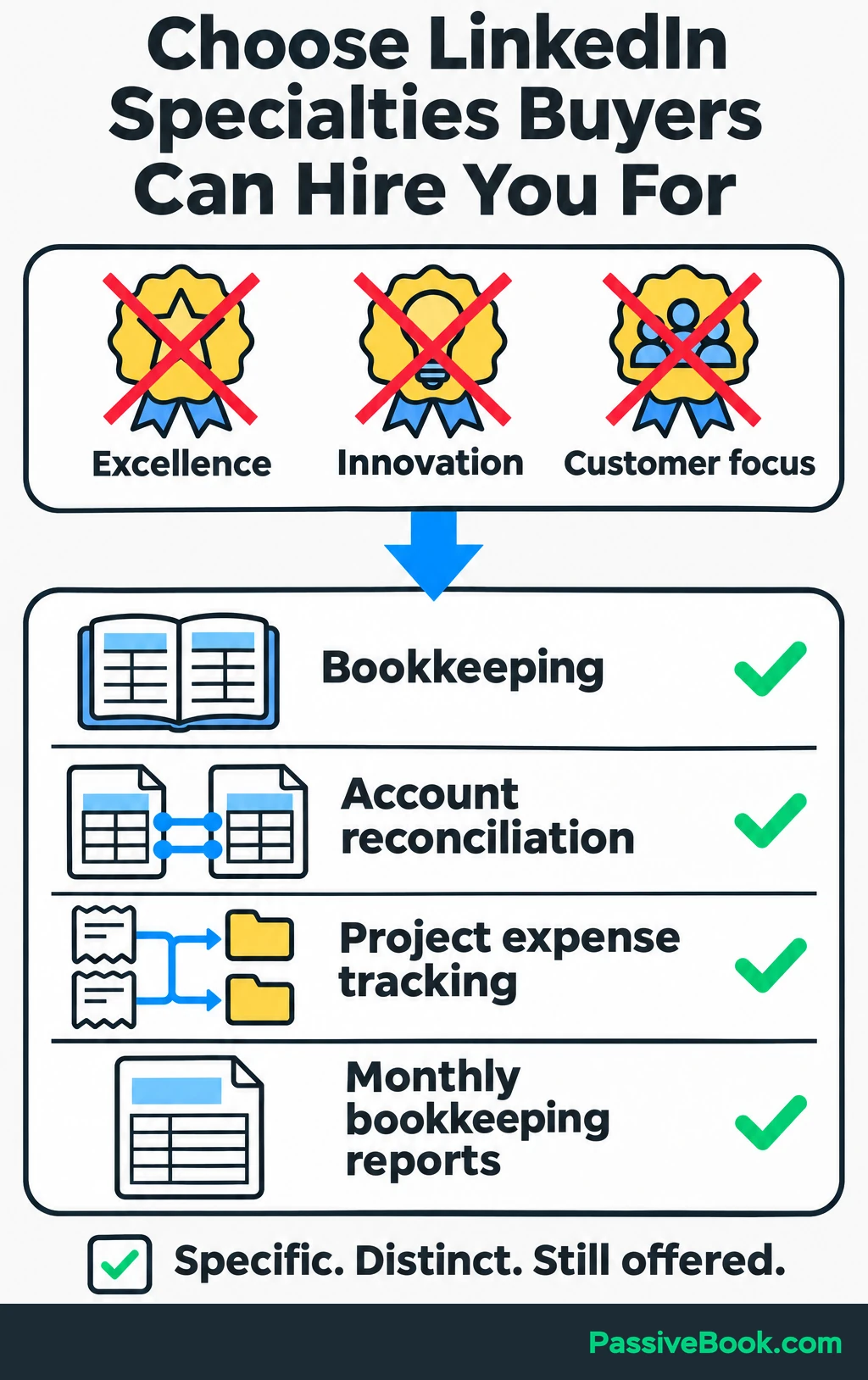
Each entry tells a visitor something different. “Excellence,” “innovation,” and “customer focus” don’t explain what they can hire you to do.
There is no reason to fill every available slot. A short, accurate list is easier to trust than a sprawling list of loosely related services.
Review the list when your offer changes so you don’t keep attracting inquiries for work you have stopped doing.
7. Choose the Right Industry and Company Details
Select the industry that best describes your business activity.
Serving architects does not make Studio Ledger an architecture practice. Its core activity is bookkeeping, so choose the closest accounting-related category available.
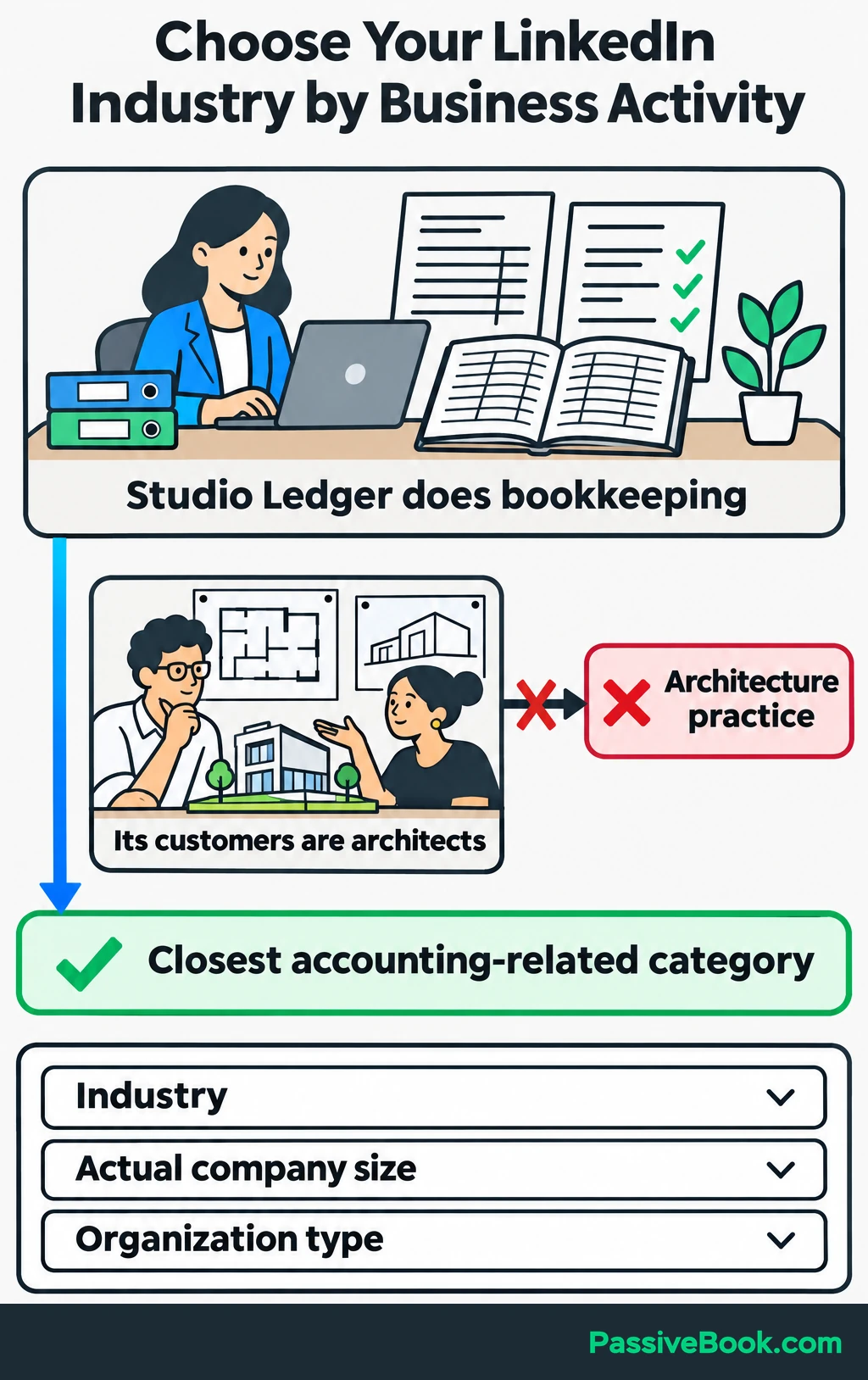
This matters because LinkedIn company searches support filters for industry, company size, and location. Accurate details help your business fit the filters people use.
Enter your actual company size and organization type too. Don’t choose a larger size to look established.
I would review these fields whenever the business changes substantially. They should describe the company you run now.
8. Clarify Your Location and Service Area
Add your genuine headquarters and any real operating locations. Then explain where customers can buy your services.
Those are different pieces of information. Your business might be based in one city and serve customers remotely elsewhere.
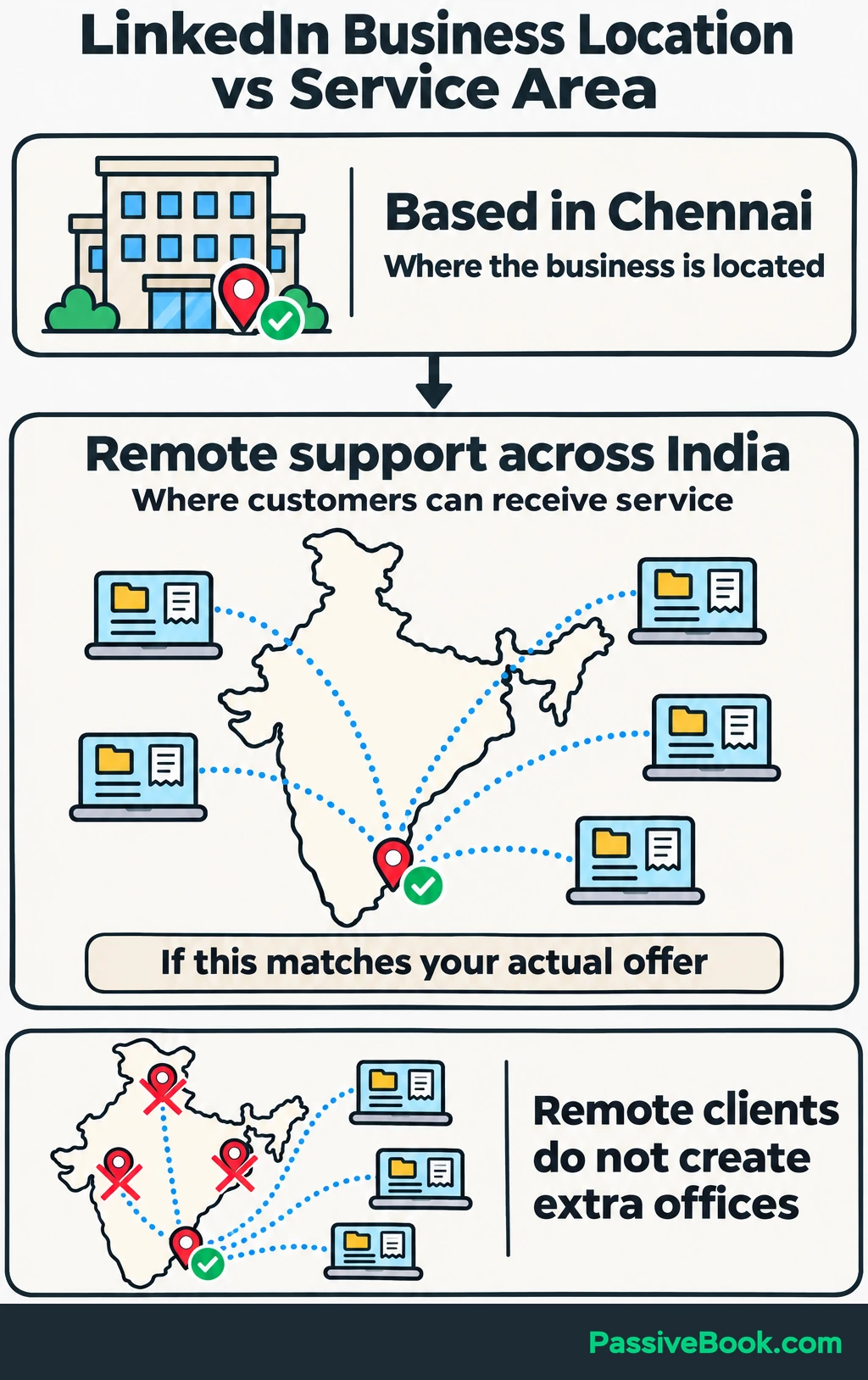
For Studio Ledger, “Based in Chennai” establishes its location. If it also accepts remote clients across India, its About section can say so. That does not justify listing offices in cities where it has no office.
Keep the wording practical:
Based in Chennai, with remote bookkeeping support for architecture studios across India.
A clear boundary saves both sides an unsuitable inquiry.
9. Make Your Logo and Banner Recognizable
Use the same visual identity visitors see on your website. Your logo should remain clear at a small size, and your banner should reinforce the offer.
Studio Ledger could use its logo with a simple line such as:
Bookkeeping for architecture studios.
Keep essential service information in the tagline and About section as well. The banner supports recognition, while the text fields carry the explanation.
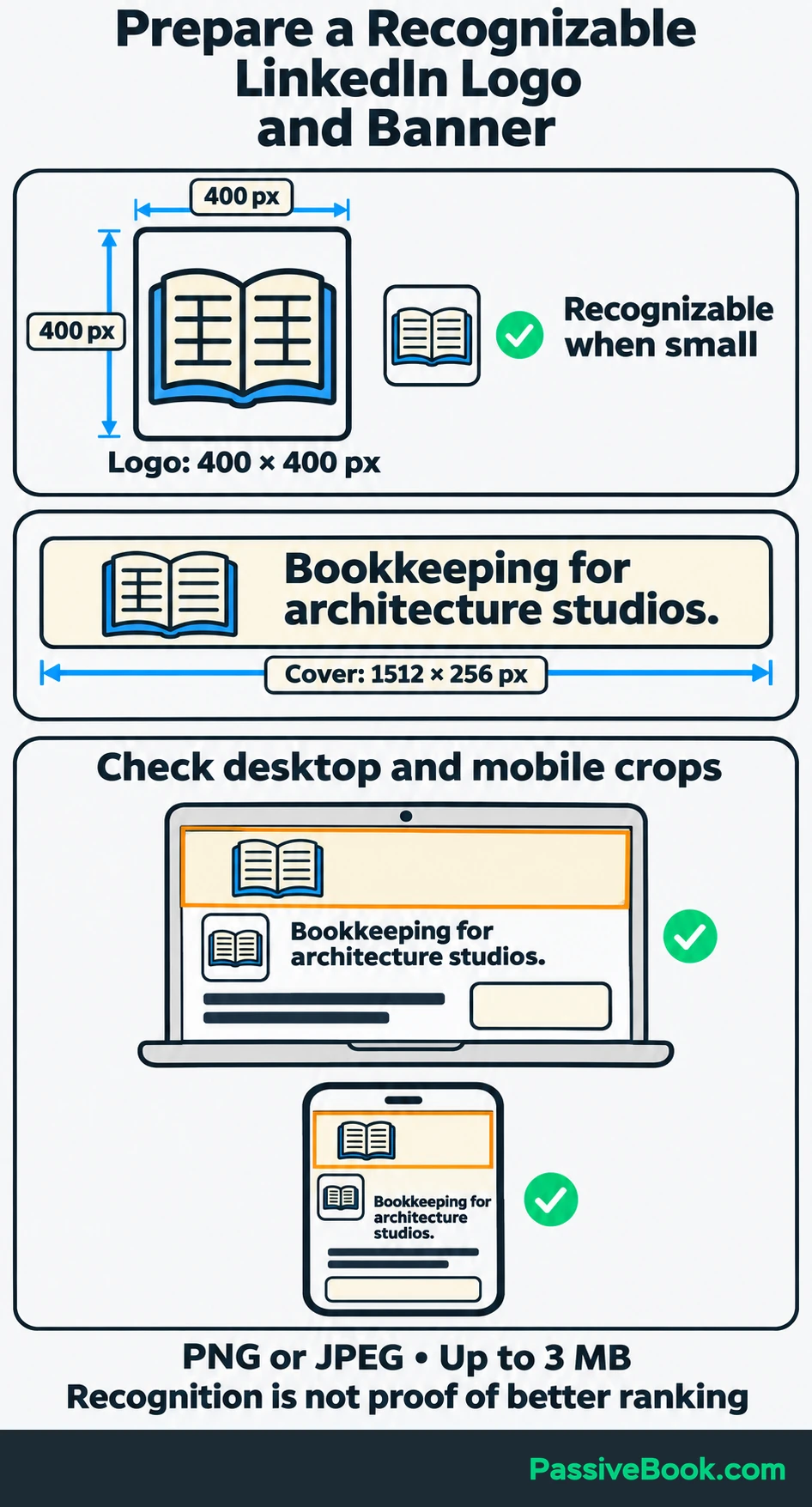
You can build a simple banner in Canva. I would skip a crowded collage of services, badges, and tiny text.
If you’re preparing new files, LinkedIn recommends a 400 × 400 pixel logo and a 1512 × 256 pixel cover image. Use PNG or JPEG files up to 3 MB, and check the crop on desktop and mobile. LinkedIn’s image specifications provide the current requirements.
This is credibility work. A polished banner is not evidence of a ranking improvement.
10. Give Visitors a Clear Next Step
Choose the action you want an interested visitor to take, then send them to a page that makes it easy.
For Studio Ledger, I would link to a service page that explains the bookkeeping scope and includes an inquiry form. Sending everyone to a broad homepage adds another decision before they can contact you.
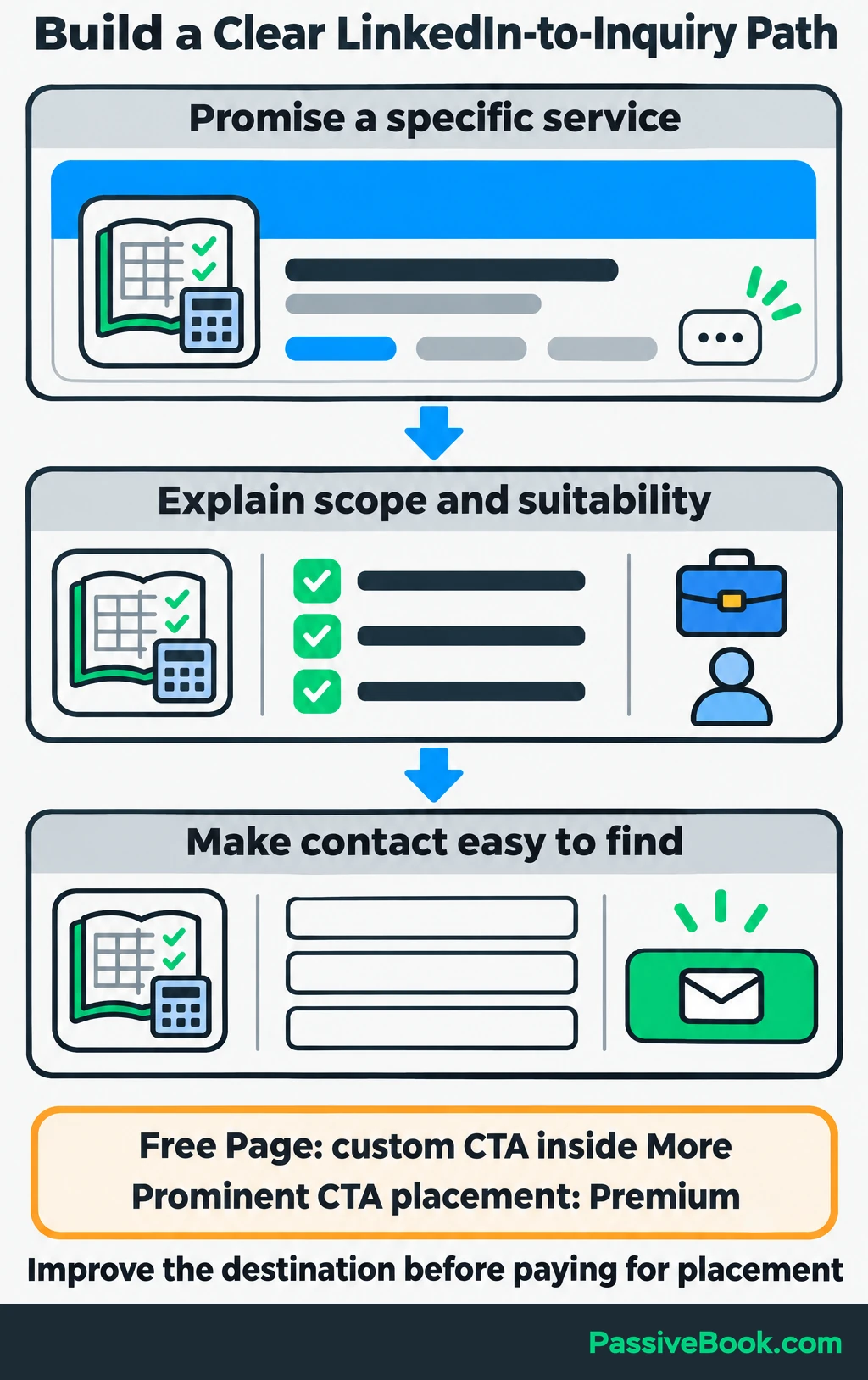
Check that destination for three things:
- The service matches the promise on LinkedIn.
- Visitors can see whether it suits their needs.
- The inquiry form or contact option is easy to find.
Set an appropriate call to action using the same destination. On free Pages, custom calls to action appear inside the More menu; prominent placement is a Premium feature. LinkedIn’s CTA comparison explains the difference.
I would improve the destination before paying for more prominent placement. Add tracking tags to the link too; step 17 covers those.
11. Link Your Website to Your Official Page
Add a clearly labeled LinkedIn link to your website’s About page, contact page, or footer.
This gives visitors a direct route to the official company presence. It also helps avoid confusion if another organization has a similar name.
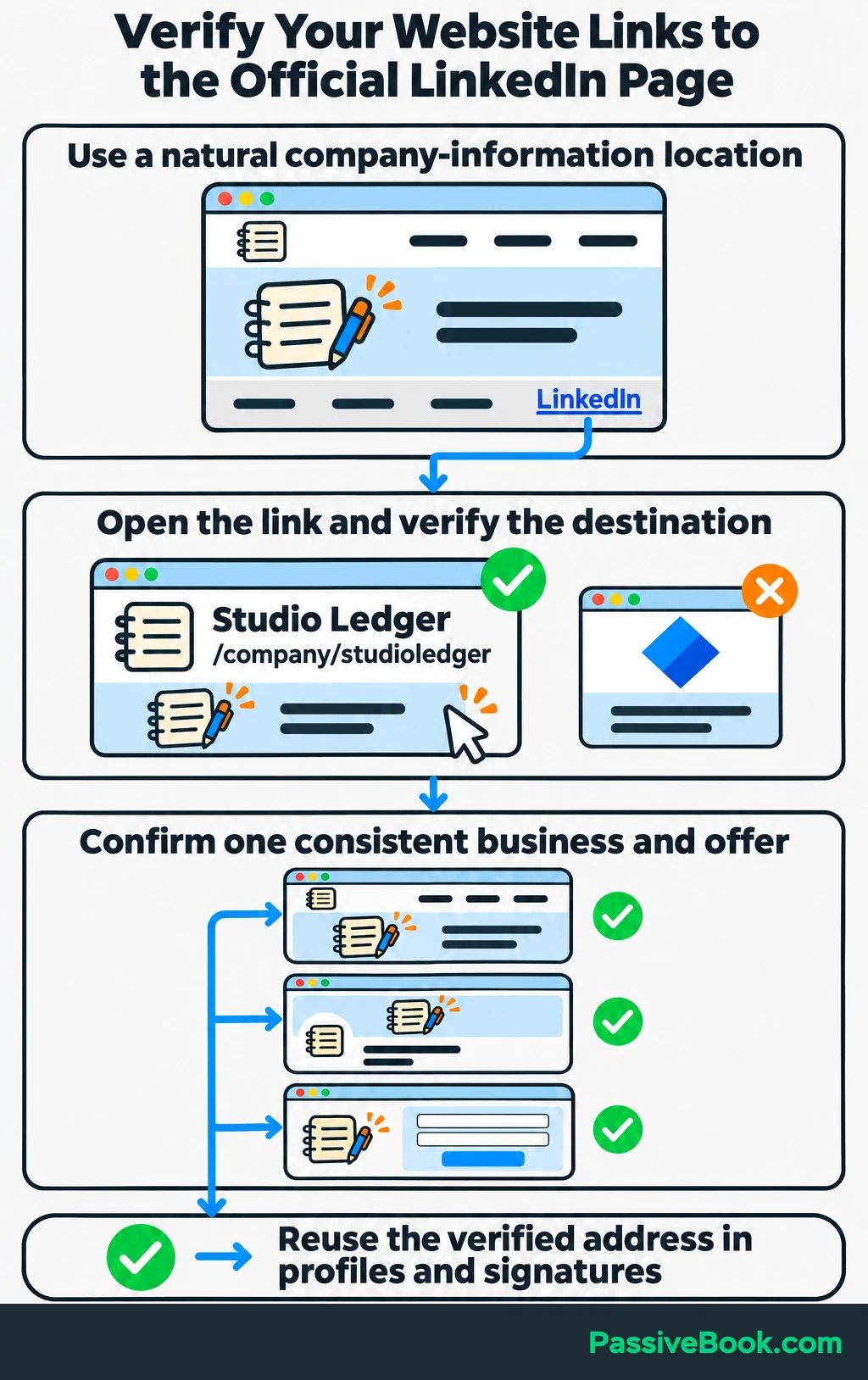
Use the same branded Page address across relevant business profiles and email signatures. Open each link once to confirm that it reaches the right Page.
For Studio Ledger, this is a quick consistency check: website, LinkedIn Page, and inquiry destination should all describe the same business.
You don’t need to scatter the link across every page. Put it where people naturally look for company information.
12. Connect Genuine Team Profiles to the Page
Ask current team members to select the correct company in the Experience section of their personal profiles. A solo founder can connect their own current role.
They need to choose the organization from LinkedIn’s suggestions. Typing a company name without selecting the Page may leave the entry unconnected.
Members make this association through their profiles; Page admins cannot manually add employees.
For Studio Ledger, the owner’s genuine current role gives people another route to the business. It also fits the shared-connections factor discussed earlier.
Check accuracy rather than trying to increase the displayed employee count. A business does not need a team to deserve a useful Page.
13. Invite Relevant Connections to Follow
Give people a reason to follow before sending invitations.
That reason should describe what they will receive. Studio Ledger could share practical guidance on preparing monthly records and organizing project expenses.
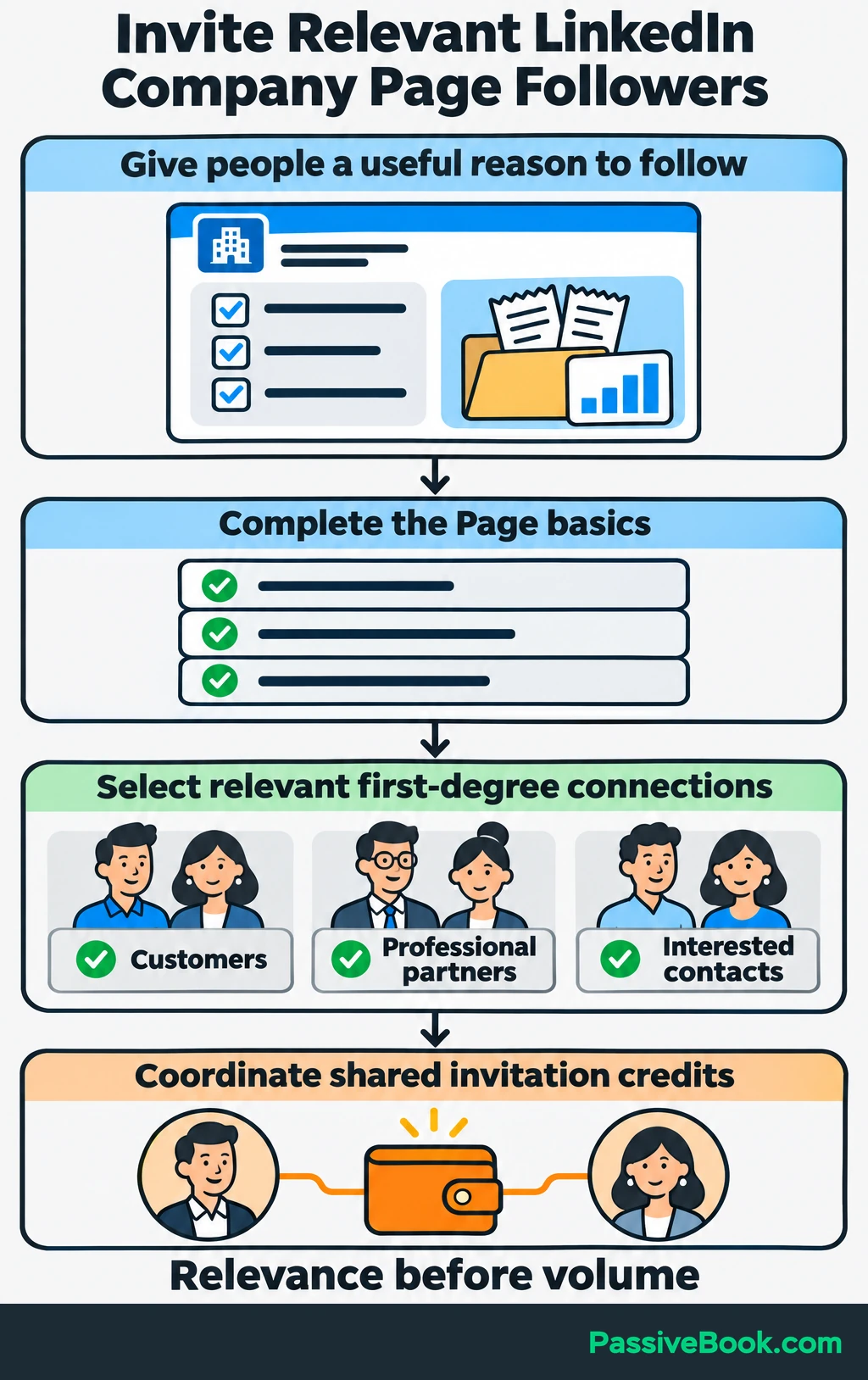
Complete the overview, industry, and company-size fields, then use the Page’s invitation feature to select relevant first-degree connections. Invitation credits are shared across Page admins, so coordinate if several people manage it.
I would start with customers, professional partners, and contacts who already care about the work. Sending every connection an invitation is easy, but relevance matters more than exhausting the available credits.
Follower count is one of LinkedIn’s stated search factors. That makes a relevant audience worth building, but it gives you no useful numerical target to chase.
14. Publish Answers to Buyer Questions
Collect questions from inquiries, customer conversations, and existing service resources. Choose one focused question per post.
Answer it near the beginning, then add a short explanation, example, or checklist. You don’t need an elaborate introduction to prove that the question is important.
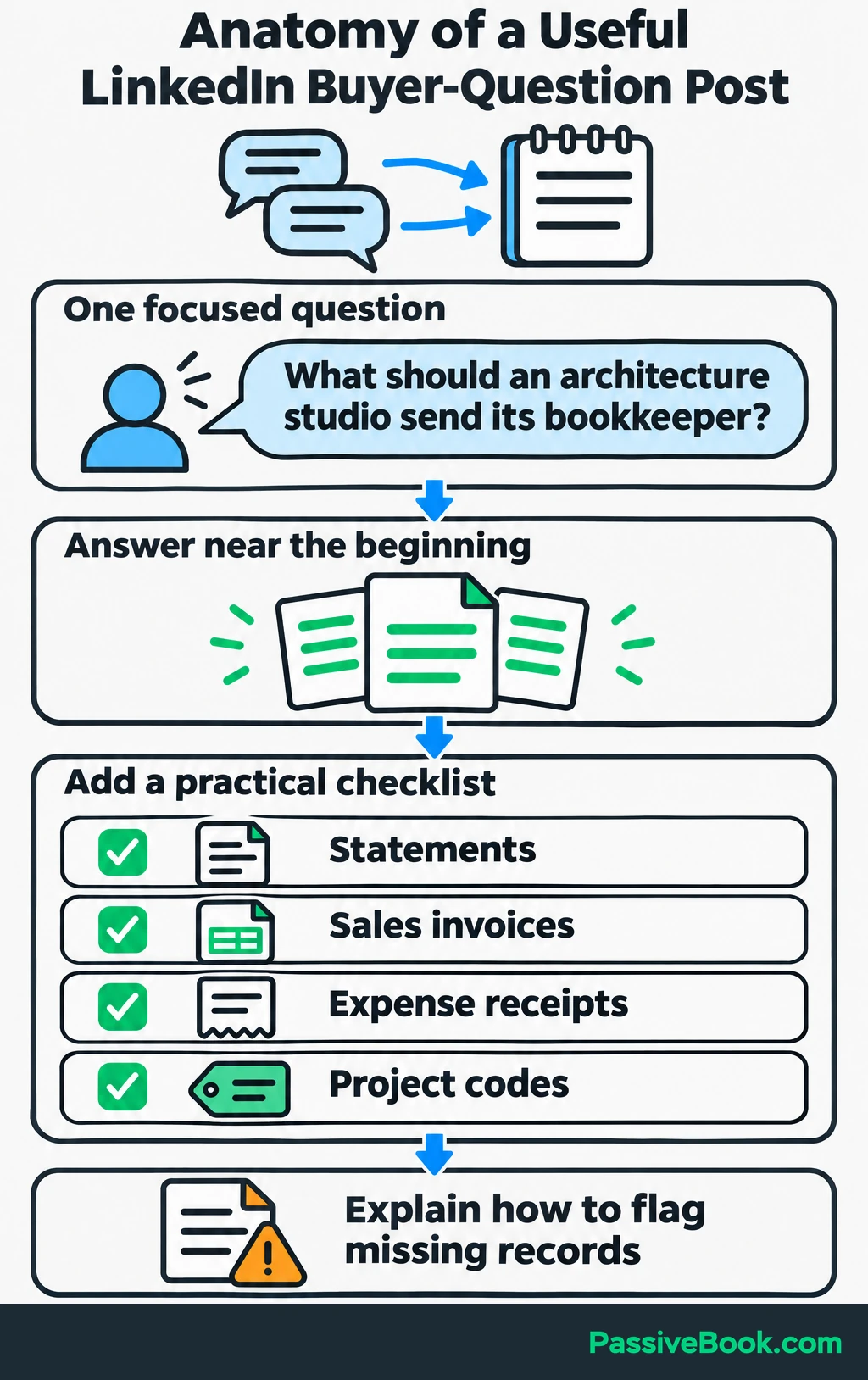
Studio Ledger could open with:
What should an architecture studio send its bookkeeper each month?
The post could then explain how to gather transaction statements, sales invoices, expense receipts, and the project codes attached to relevant costs. Finish by explaining how clients should flag missing records.
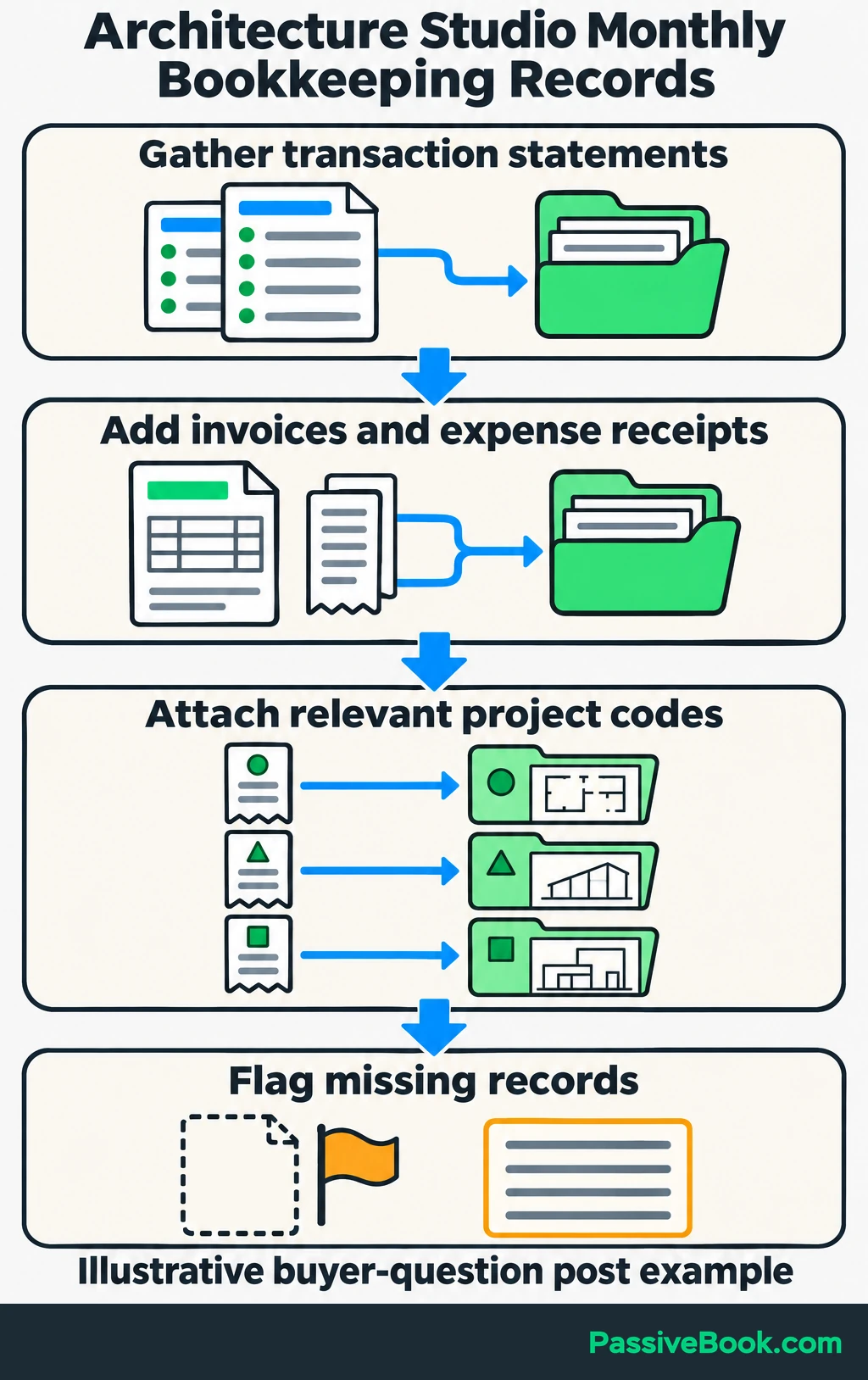
That gives readers a task they can complete. It also shows how the business approaches its work.
Prepare related topics together and choose a publishing rhythm you can maintain. I would reuse useful service knowledge before inventing a daily content schedule.
Your Page’s reported search keywords can also suggest follow-up questions. Pick the relevant ones rather than writing more about an unrelated term simply because it appeared in a report.
15. Use Articles for Questions That Need Depth
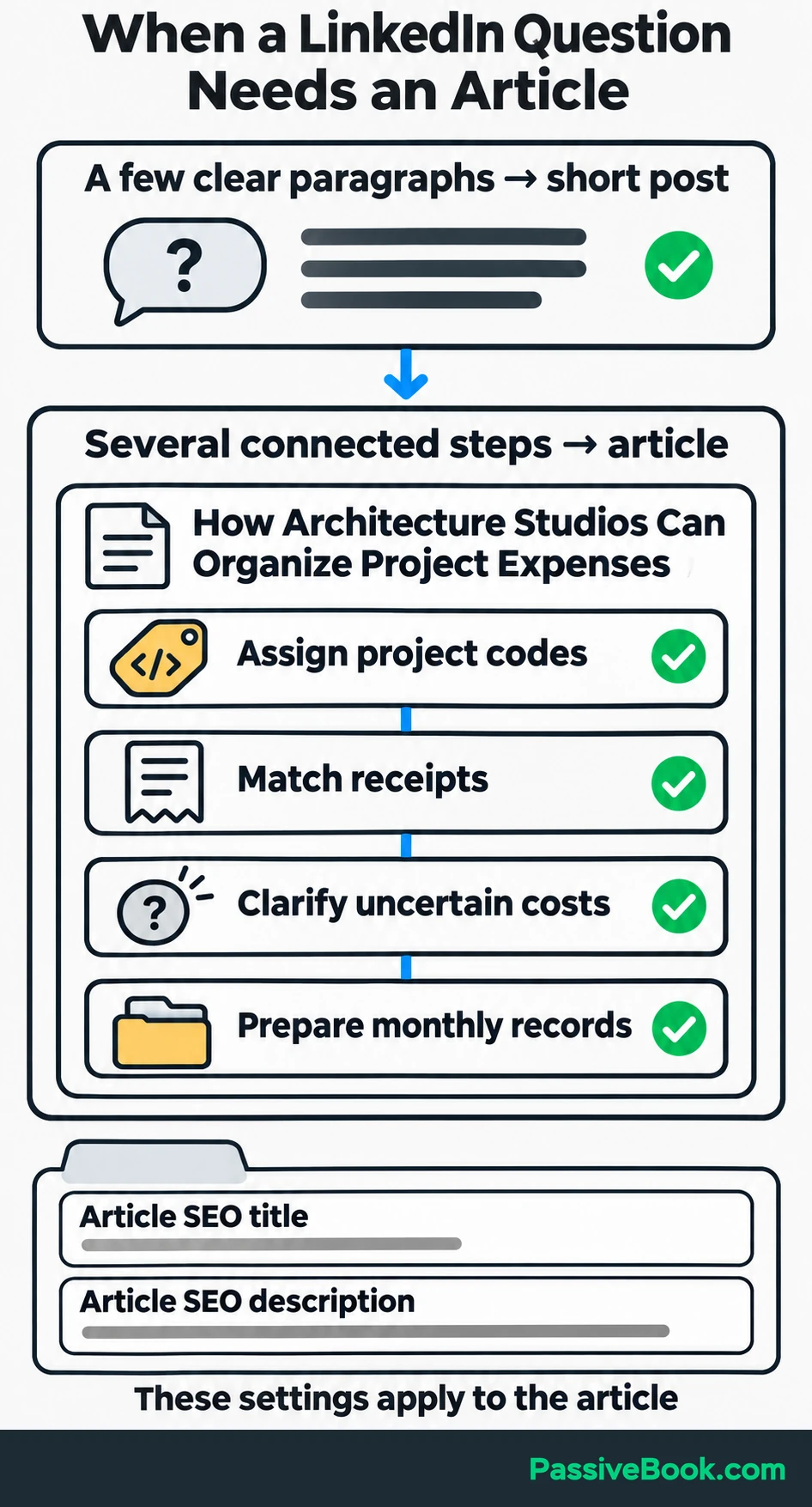
Choose an article when the answer needs several connected steps or a worked explanation. Keep a short post for a question you can answer clearly in a few paragraphs.
LinkedIn lets Pages publish long-form articles, and those articles can be crawled by external search engines. They provide another possible route to discovering your business.
For Studio Ledger, “How Architecture Studios Can Organize Project Expenses” could cover:
- Assigning a consistent code to each project.
- Recording one receipt against the right project.
- Handling costs that need clarification.
- Preparing records for the monthly bookkeeping review.
Write a descriptive title and subheadings that help readers find the relevant part.
Before publishing, add an SEO title and description that accurately summarize the article. LinkedIn’s article SEO settings apply to the article, rather than the main Company Page.
I would publish an article when the explanation earns the space. A longer version of a thin post still leaves the reader with a thin answer.
16. Join Useful Conversations as Your Page
Start by replying to questions on your own posts. Then contribute to relevant public discussions when you have something specific to add.
Super admins and content admins can switch the commenting identity to the Page on eligible public posts. Check the identity before replying so the contribution comes from the intended account.
Studio Ledger might explain how to mark an unidentified receipt for review instead of guessing which project it belongs to. If its checklist directly answers the question, sharing it can help.
LinkedIn includes discussion volume and the quality of contributions among its Page search factors. That supports useful participation, but it doesn’t turn every comment into a ranking tactic.
I would skip generic comment campaigns and automated replies. “Great insights!” adds very little to a bookkeeping question, however efficiently you paste it.
17. Measure Discovery and Qualified Inquiries
Track Search Appearances Separately From Visits
Compare equal reporting periods and record their dates, Page changes, search appearances, relevant keywords, unique visitors, and new followers. LinkedIn’s Search Appearances report counts appearances in member search results, not visits or Google visibility.
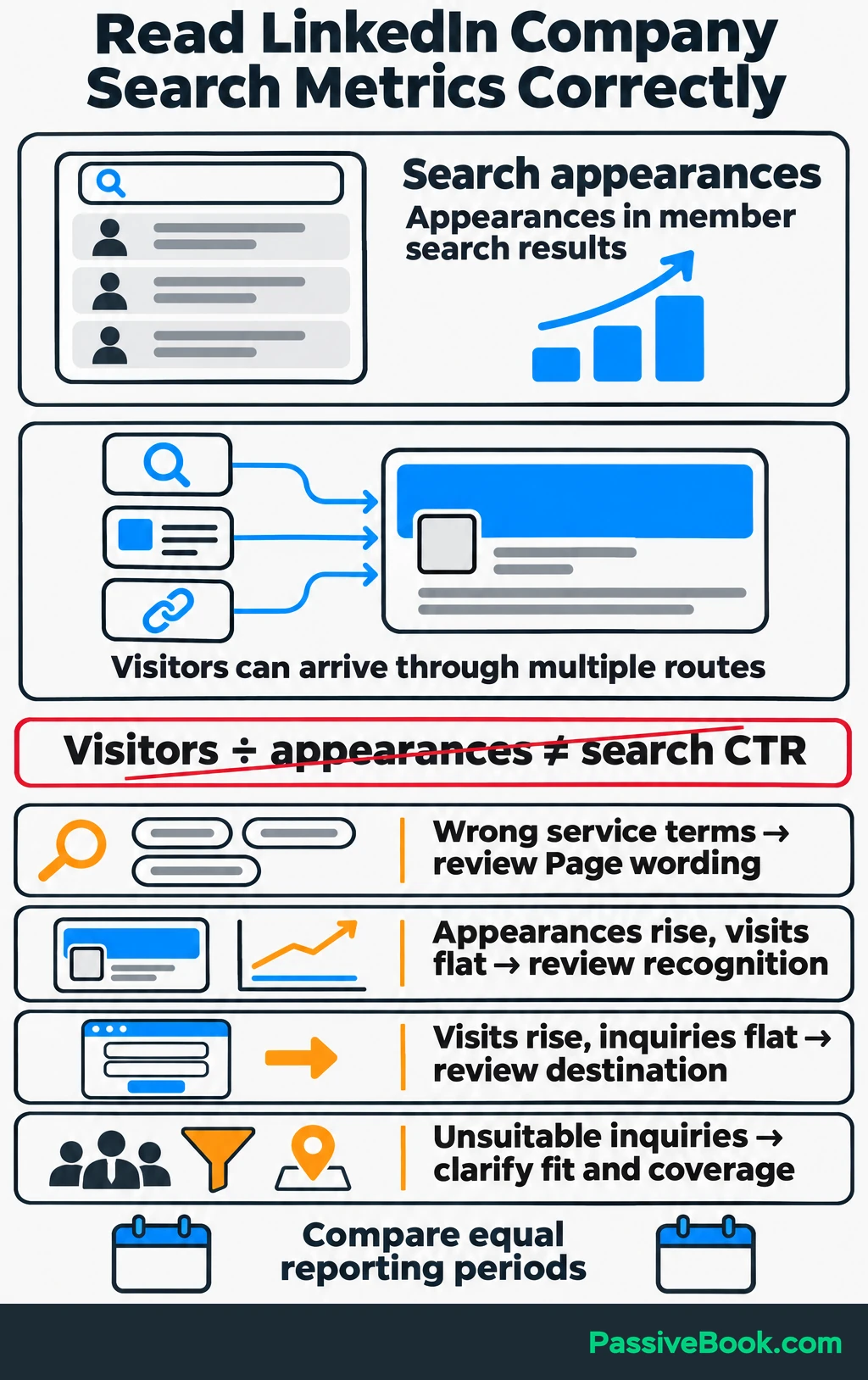
Use these patterns to choose what to inspect:
| What You Notice | What to Review |
|---|---|
| Search terms name services you don’t sell | Check the tagline, About section, and specialties |
| Relevant appearances rise, but visits stay flat | Make the business and offer easier to recognize |
| Visits rise, but suitable inquiries don’t | Check the website destination and inquiry process |
| Most inquiries come from unsuitable businesses | Clarify customer type, service scope, and geographic coverage |
Visitors also arrive through posts and links, so dividing visitors by search appearances won’t give you search click-through rate.
Connect Website Referrals to Business Outcomes
Campaign tags are URL details that identify clicked links in website analytics. For the Page’s website link, use:
utm_source=linkedin
utm_medium=organic_social
utm_campaign=company_page
utm_content=website
Give post and CTA links different utm_content values. Test that analytics records the visit and that the inquiry form works.
Record tagged visits and qualified inquiries for each period. Studio Ledger could count architecture studios asking about bookkeeping it offers within its service area.
Tags cannot show whether discovery began in search or the feed. Ask “How did you hear about us?” on the form and record how you attributed each inquiry. Mark unavailable data as unavailable, not zero.
After six months chasing Instagram and X followers in another niche, my bank balance was still near $47. That’s why I track suitable inquiries alongside audience growth.
What Next?
Rewrite your tagline so it names your core service and customer, then check that the About section and website destination continue the same promise. Save your starting numbers before making the changes.
Use the social buttons to share this guide when your team needs a practical Page cleanup plan without adding a daily posting job.
Which part of your Page leaves the biggest question unanswered for a potential customer? Share it in the comments, and bring any other questions too.
Share this post with your friends & followers:

