A new logo and a few company updates can make your LinkedIn Page look active. They can still leave visitors wondering what you sell, who it helps and why they should follow.
That uncertainty makes your work harder to justify. You’re spending limited time on another channel, but you have little reason to believe it supports the business. This guide focuses on a searchable, recognizable LinkedIn Page and a publishing routine you can maintain, with checks to see whether the work brings relevant visitors, inquiries and sales.
Give Your Company Page a Clear Purpose
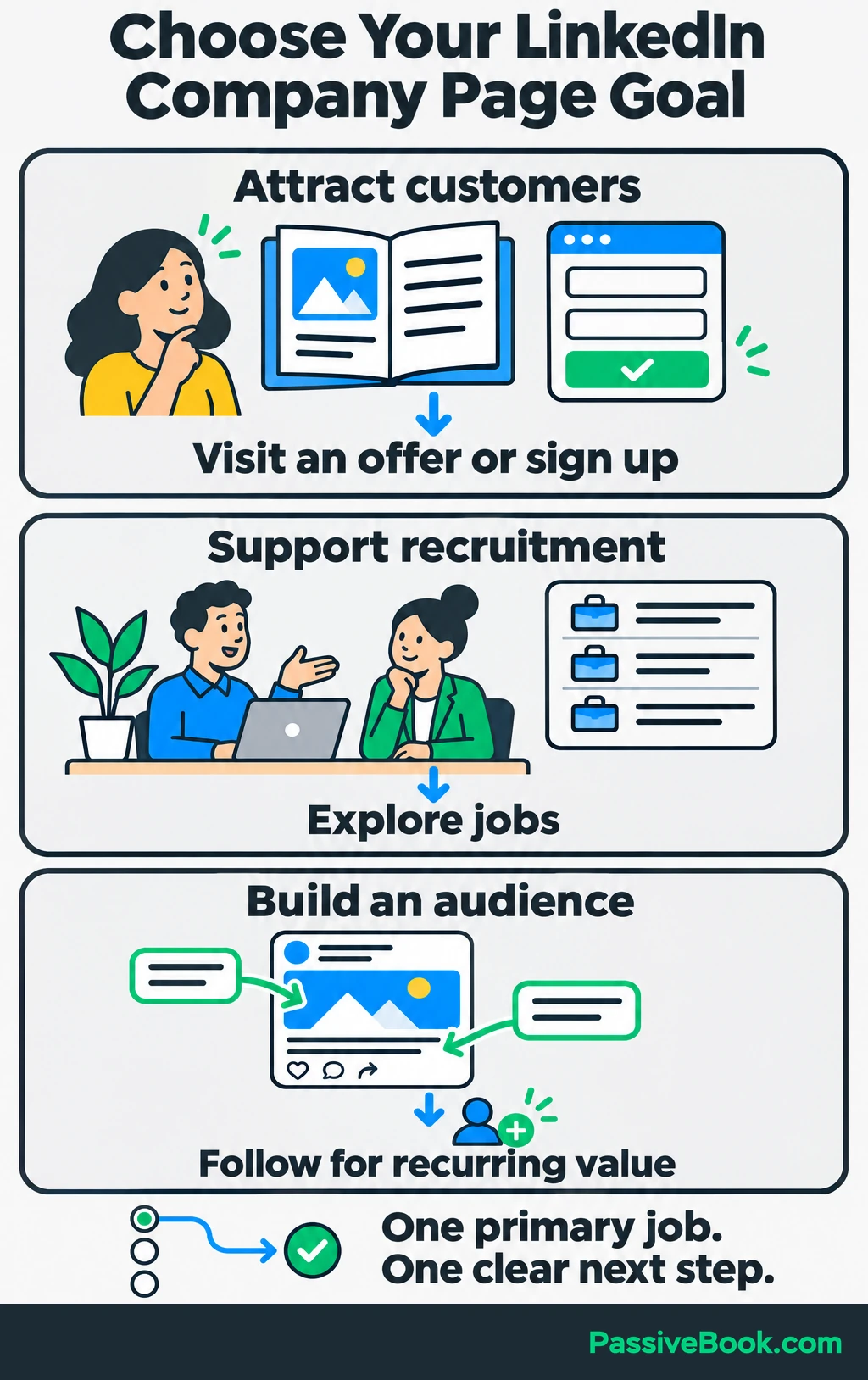
Give your Page one primary job before you start changing it: attract customers, support recruitment or build an audience interested in your work.
A Company Page represents the business. Your personal profile represents you, so use it for individual expertise and relationships. The two can support each other. A Page is free to create, and you need a personal LinkedIn profile to create and administer it. LinkedIn explains the distinction between profiles and Pages.
Choose the visitor action that fits your goal:
- Customer acquisition: Visit a relevant offer, request information or sign up for a useful resource.
- Recruitment: Read about the workplace and view current vacancies.
- Audience growth: Follow for a clear, recurring benefit.
Throughout this guide, imagine you run Guestnote Studio, a business selling editable guest welcome-book templates for independent guesthouses. Its copy and schedules are illustrative.
Your main goal is customer acquisition. A free guest-information checklist gives interested visitors a useful first step. Track checklist signups and template purchases separately so you can see whether that interest leads to sales.
Before editing an existing Page, save its current analytics and any website results associated with LinkedIn traffic.
Then look for prospective customers, employees and referral partners already participating on LinkedIn. I would maintain an accurate Page even while testing the channel, but I wouldn’t commit to frequent publishing until relevant people and conversations give that work a purpose.
Secure the Right Admin Access
Search for your business before creating a Page. If one already exists, request administrator access. An automatically generated business listing may be available to claim if you meet LinkedIn’s eligibility requirements.
Use your real personal account and confirm its email address. Each administrator should access the Page through their own account.
Assign permissions according to the work:
| Role | Who Needs It | What They Handle |
|---|---|---|
| Super admin | The owner or trusted person responsible for the Page | Business details, Page settings and administrator access |
| Content admin | Someone publishing and handling conversations | Posts, comments and eligible Page messages |
| Analyst | Someone reviewing performance | Viewing and exporting analytics |
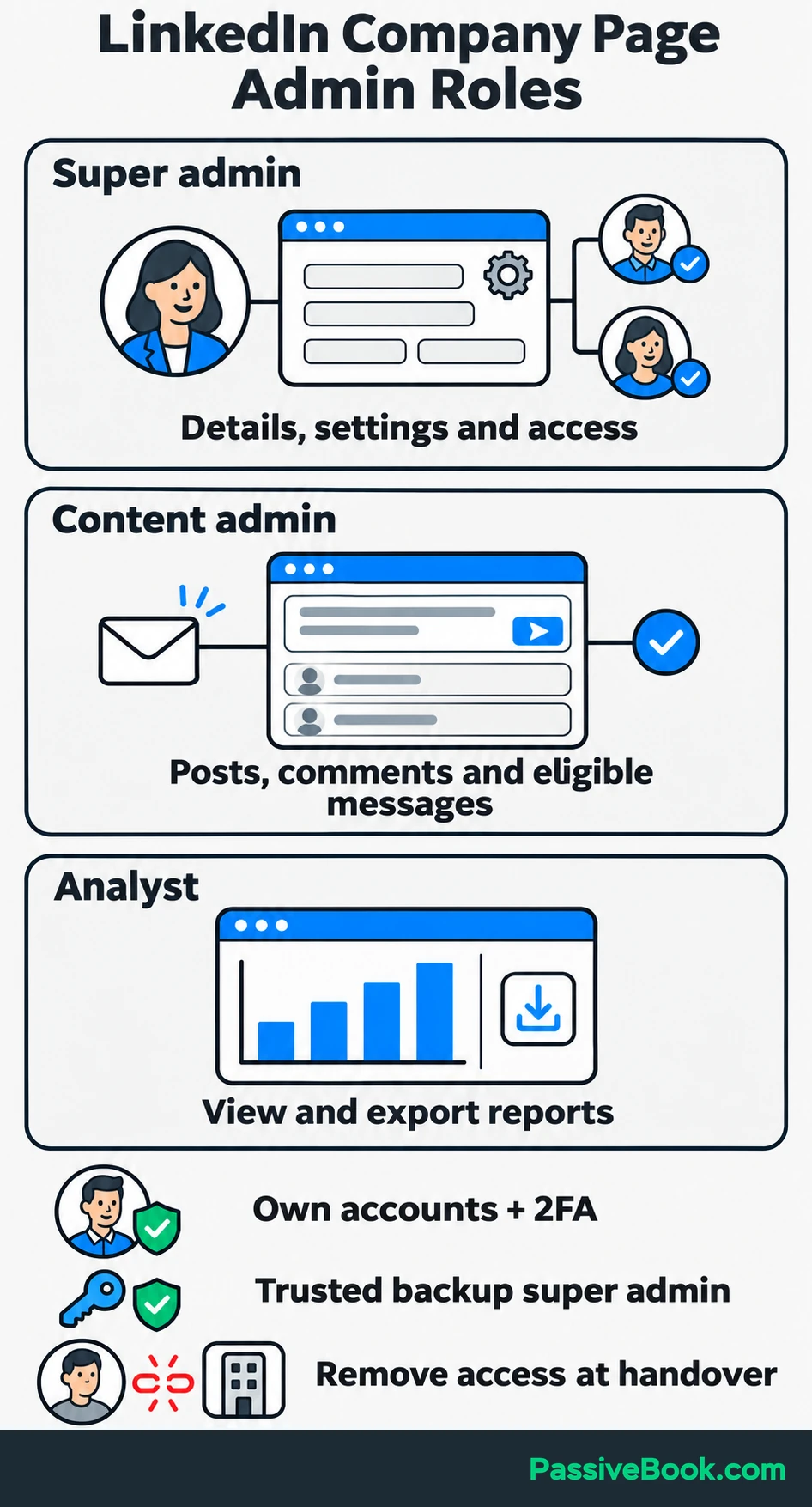
These responsibilities follow LinkedIn’s administrator permissions. A person who only reviews reports doesn’t need control over everyone else’s access.
Name the person responsible for publishing, replies and access reviews, even if all three names are yours. Add a trusted backup super admin when another suitable person is available.
Each administrator should enable two-factor authentication and keep recovery details current. Remove access when someone’s responsibilities end. Make that part of handing over the work, rather than a job you hope to remember later.
Optimize Your Company Page for Relevant Searches
Start with the words customers use to describe your offer. Your website, inquiries and product questions are better starting points than a list of fashionable business terms.
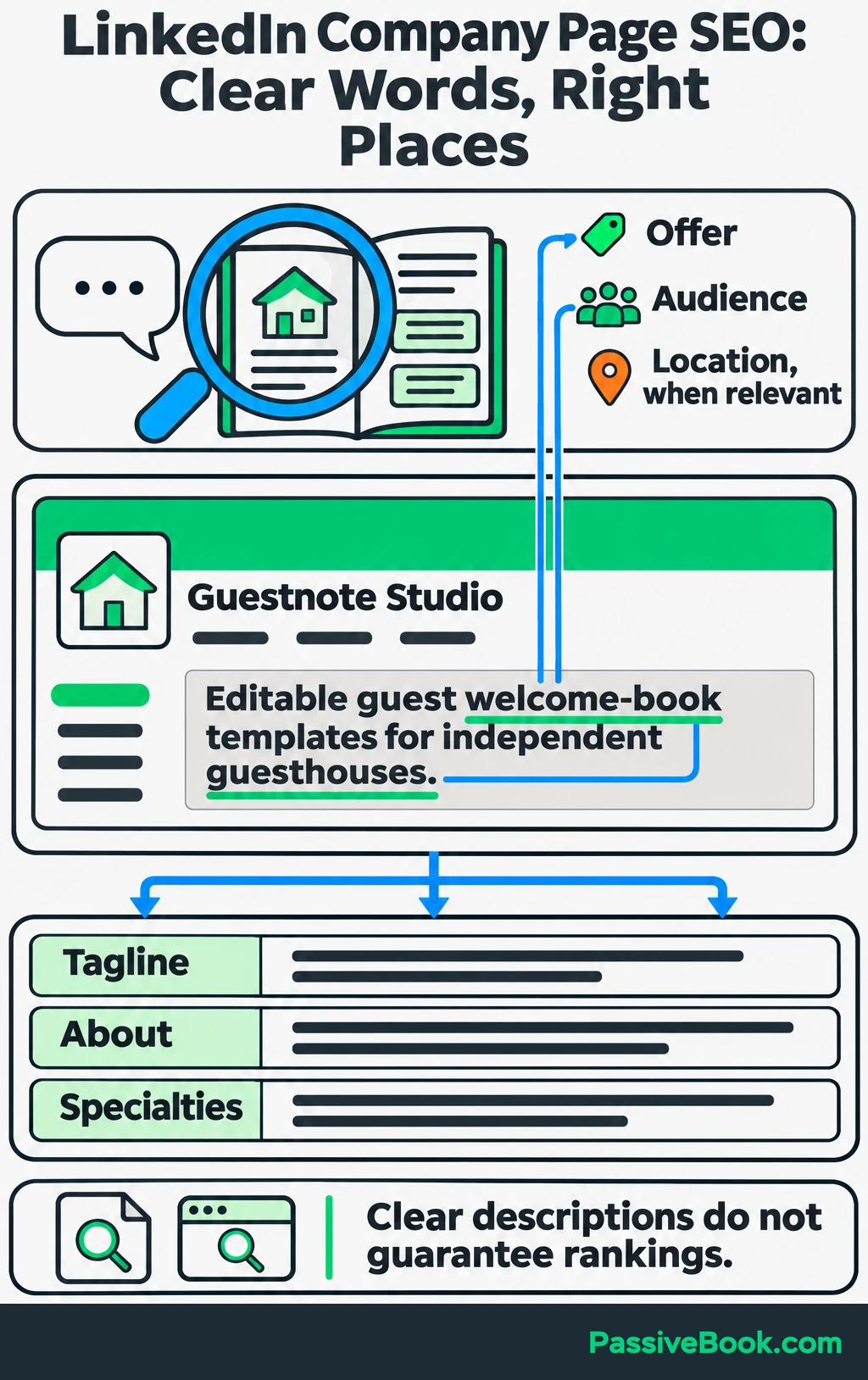
Write down three things:
- Offer: What you sell or provide.
- Audience: Who it serves.
- Location: Where you operate, when that affects the buying decision.
For Guestnote Studio, useful descriptive phrases include “guest welcome-book templates” and “templates for independent guesthouses.” These are example phrases, not verified search-volume findings.
Keep your actual business name. Choose a recognizable public URL, and use relevant terms naturally in your tagline, About section and specialties. This follows LinkedIn’s guidance on Company Page SEO.
A clear tagline could be:
Editable guest welcome-book templates for independent guesthouses.
Lead the About section with the offer, audience and practical value:
Guestnote Studio makes editable welcome-book templates that help independent guesthouses organize arrival details, house information and local recommendations.
Then explain what the templates contain, how customers edit them and where to view them. Include relevant expertise when you can substantiate it.
If your offer is clear in your head but awkward on the Page, AI Social Copy Studio can turn your business details into an editable first draft. Start with the Page copy, then use the same positioning when you need posts or replies.

Free AI Social Copy Studio




Complete the applicable business fields, including your website, industry, company size, organization type and location. Match the facts on your website. A visitor shouldn’t have to decide which version of your business is current.
LinkedIn search and external search engines are separate discovery routes. Clear descriptions help people understand your Page wherever they find it, but adding keywords doesn’t guarantee rankings in either place.
I would choose a precise sentence over another repetition of the same phrase. “Templates for independent guesthouses” tells a potential buyer something. “Innovative hospitality solutions” mostly occupies space.
Build Recognizable Branding
Use the logo, colors and business identity people already see on your website. Someone moving between the two should recognize the same business.
Check the logo at the small size shown beside posts and comments. Fine print inside a logo rarely survives that journey.
LinkedIn recommends:
- Logo: 400 × 400 pixels.
- Cover image: 1512 × 256 pixels.
- Files: PNG or JPEG, with a maximum size of 3 MB each.
Use LinkedIn’s image specifications if you need to check the current requirements.
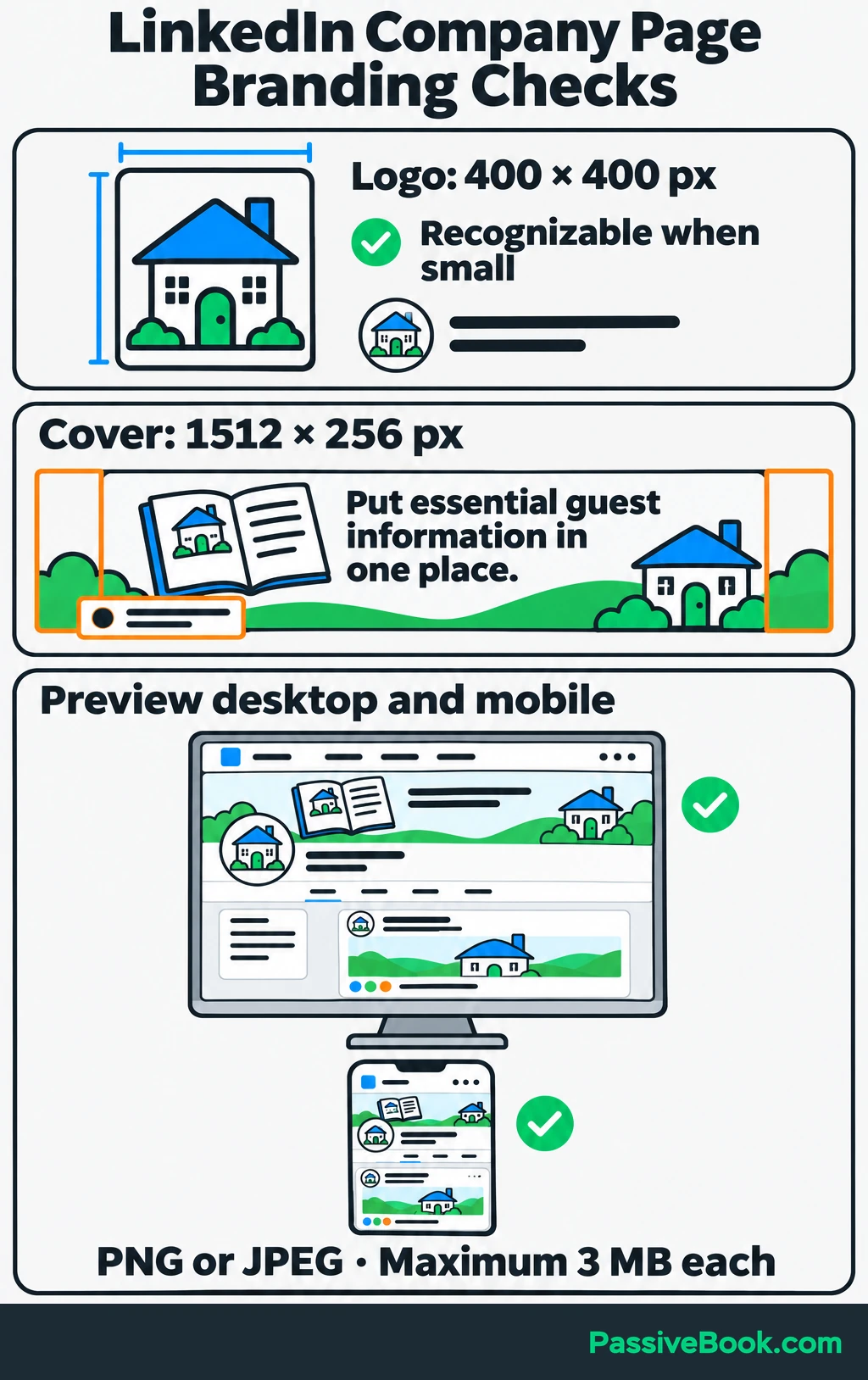
Give the cover one clear message. Guestnote Studio could show a readable template preview beside:
Put essential guest information in one place.
Keep important details away from the edges and areas covered by interface elements. Preview the result on desktop and mobile because cropping can change.
I would make a small set of readable post layouts in Canva and reuse them. You need recognizable content, not a fresh design project every Tuesday.
Use images you’re authorized to publish, and include genuine testimonials or credentials only when you have them.
Give Visitors a Clear Next Step
Choose a destination that continues the promise on your Page.
If your tagline describes editable templates, visitors should reach a relevant template collection or a closely related resource. Sending everyone to a broad homepage gives them another search task.
For Guestnote Studio, I would start with the free guest-information checklist. The destination should explain what it covers, show a preview and make the signup easy to complete. Visitors ready to buy should also have a clear route to the templates.
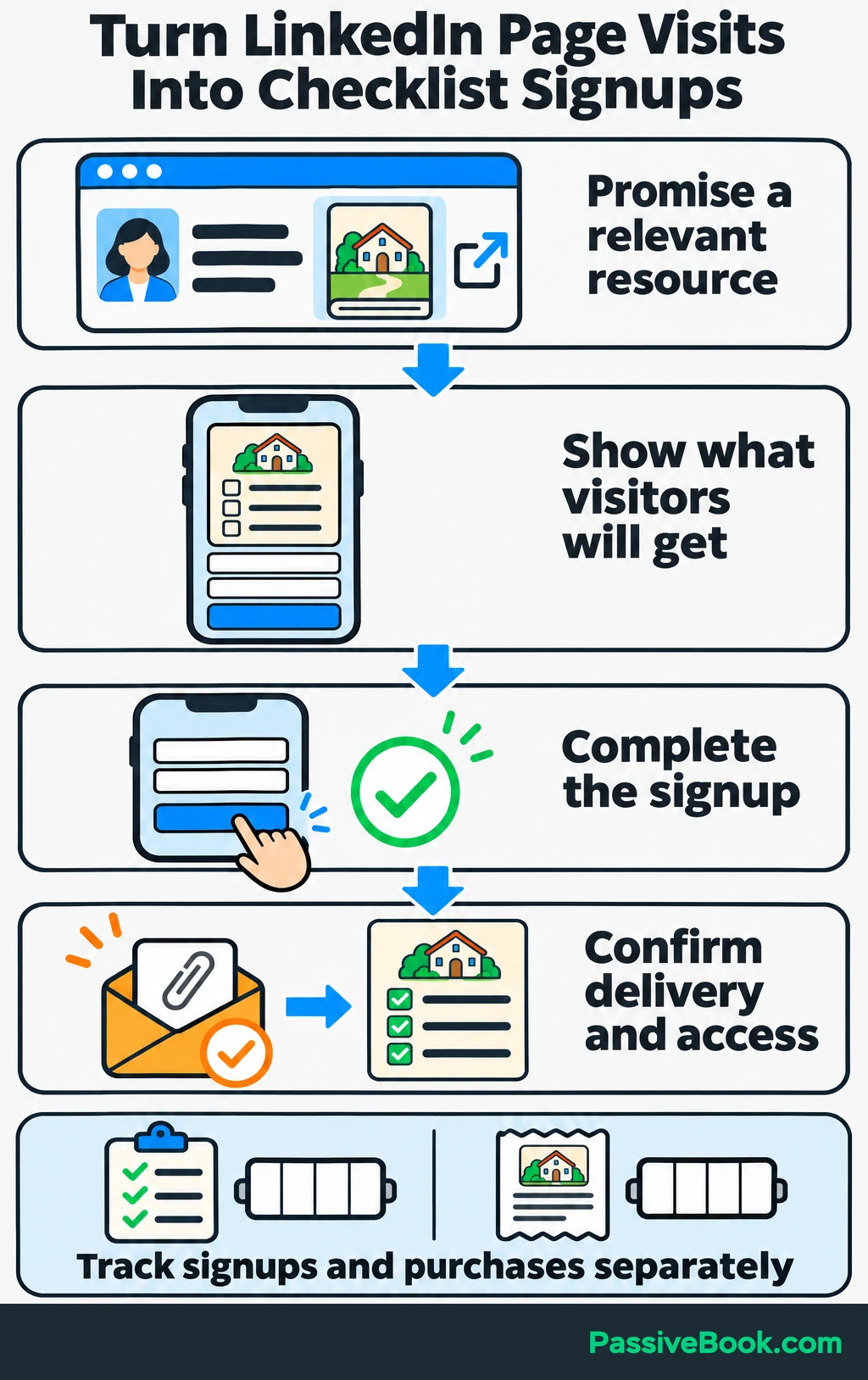
Set the relevant custom call-to-action button. On free Pages, that button appears under More; Premium Company Pages display it at the top. LinkedIn documents the placement difference.
Because the free button is less prominent, state the next action plainly in your About section too:
Download the free guest-information checklist from our website.
I wouldn’t buy Premium solely to make that button more visible before testing whether the offer attracts interest.
Open the destination on your phone. Follow the link, read the promise and complete the intended action. Check the confirmation and delivery too. A working signup form is only part of a working signup experience.
Publish Content People Have a Reason to Follow
A useful Page needs a repeatable reason to follow it. Build that reason around questions your business can answer, rather than a stream of announcements about being pleased to announce things.
Build Recurring Topics Around Customer Questions
Collect questions from inquiries, support conversations, product feedback and existing resources. Group them into a few topics you can explain well.
Each topic should help someone do something, understand your approach or evaluate your offer.
For Guestnote Studio, I would use these three:
| Recurring Topic | Question It Answers | Useful Post |
|---|---|---|
| Organizing guest information | What belongs on the opening page? | An annotated arrival-information example |
| Adapting a welcome book | What changes between properties? | A short explanation of shared and property-specific details |
| Using the templates | What can I edit? | A screen recording showing one section being changed |
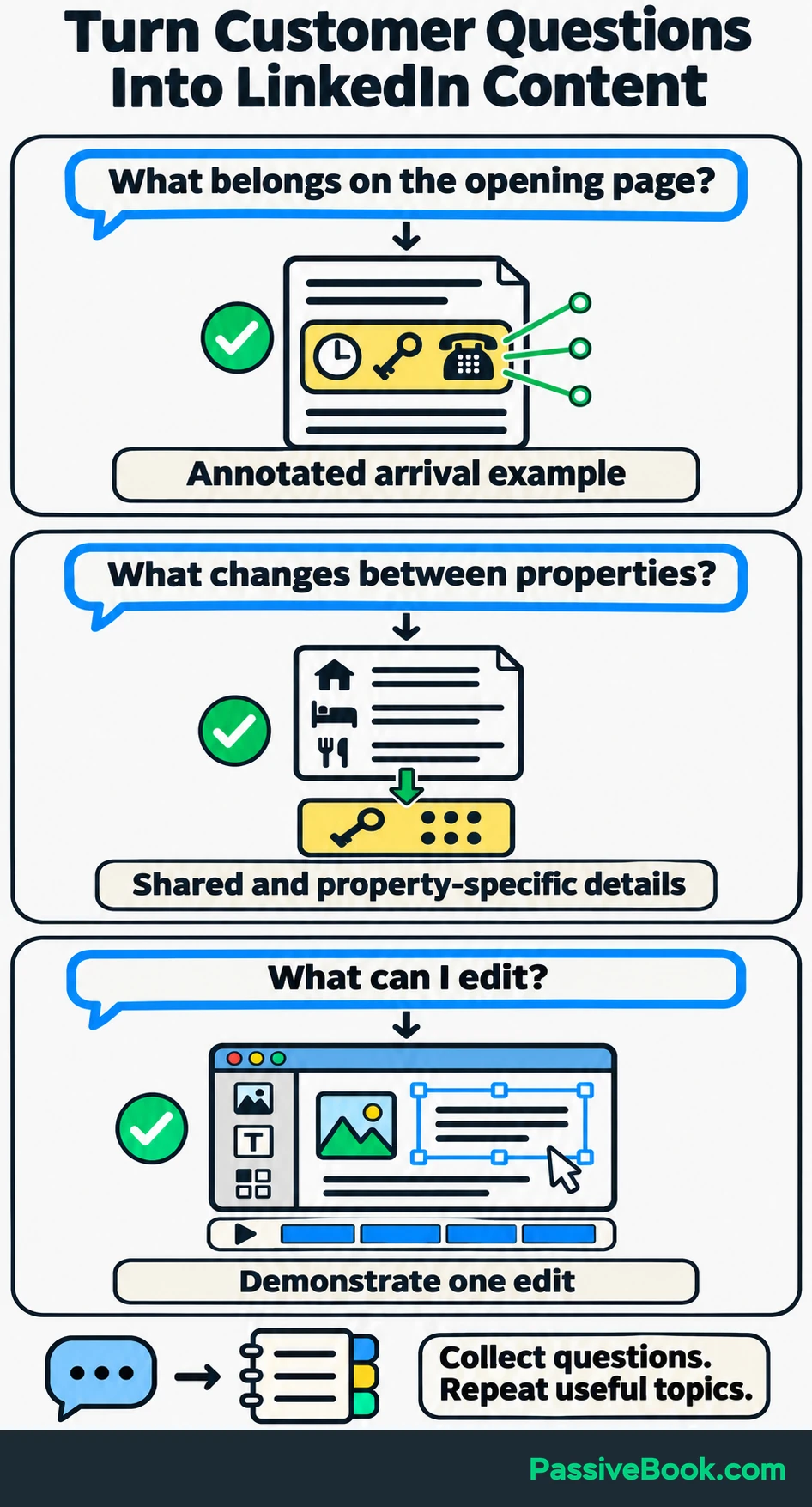
This gives you a working content plan without inventing a new subject every week.
Mix practical explanations, demonstrations and relevant business updates. Add customer examples when you have permission and something specific to show. I would skip a fixed promotional ratio and ask whether each post earns its place.
A template demonstration can teach and sell at the same time. Show why you grouped arrival details together, then let readers see how that choice works in the product.
Give Each Post One Useful Takeaway
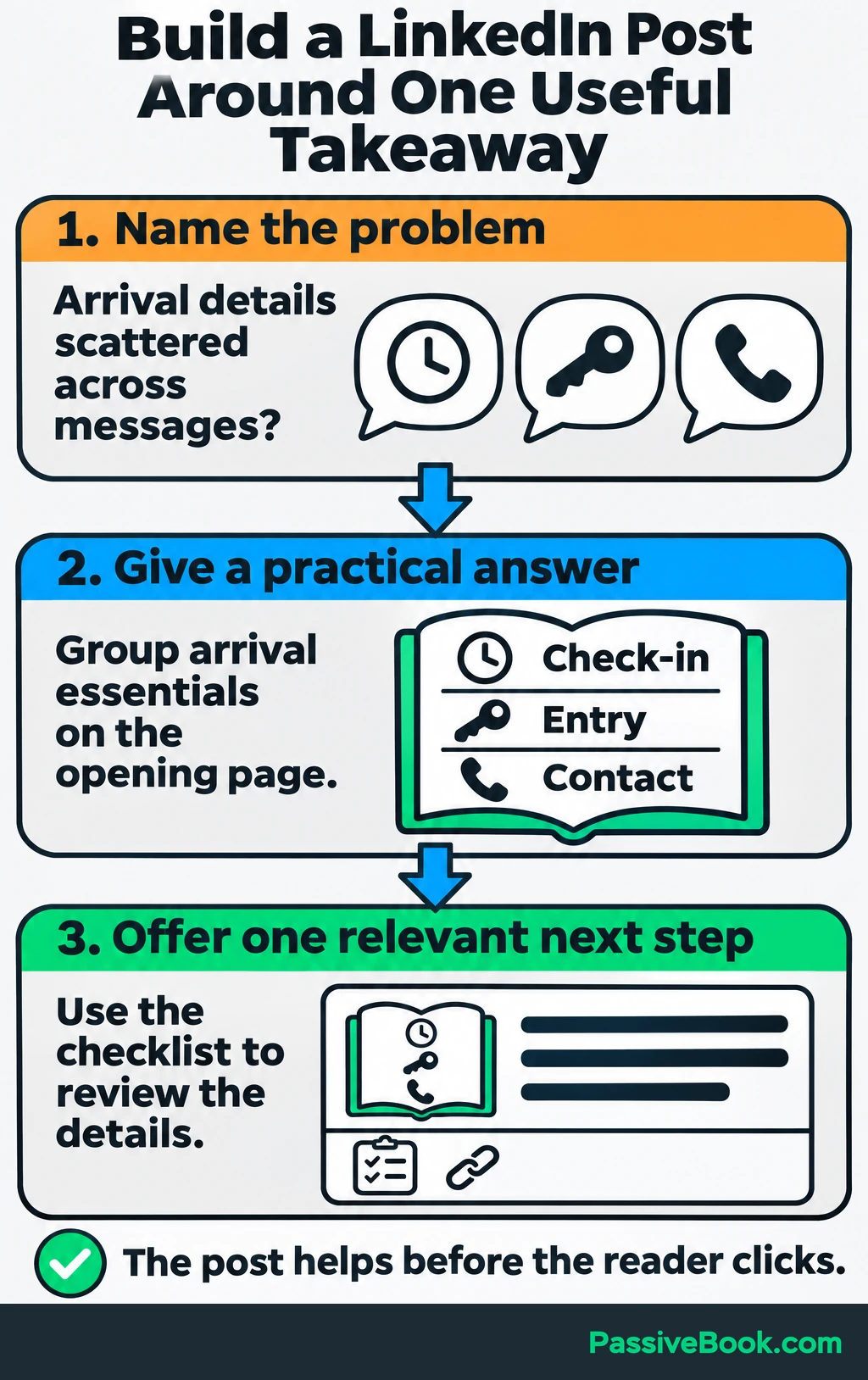
Open with a recognizable problem, give a practical answer and finish with one relevant question or next step.
Make the post useful before asking people to leave LinkedIn. A link should extend the answer, rather than stand in for it.
Here’s a complete short post Guestnote Studio could publish with an annotated opening-page preview:
Is your guest’s arrival information spread across several messages?
Put check-in time, entry instructions and your contact number together on the opening page of your welcome book.
Use short labels so guests can find the right detail without reading the whole document.
Then check that the information matches your booking messages.
Our free guest-information checklist helps you review what belongs in each section. You can download it from our website.
Choose the format after choosing the takeaway:
- Text: A focused answer or explanation.
- Image: A detail people need to see.
- Document: A checklist or process that benefits from separate pages.
- Short video: An action that is easier to demonstrate than describe.
You don’t need to appear on camera. A screen recording with clear narration or captions may explain the product better.
Add alt text—a short written description of an image—and check video captions for accuracy. Keep essential information in the post text too, so the explanation still works when someone cannot see the image or hear the audio.
Choose a Cadence You Can Maintain
Set your frequency from the time you can give to both publishing and replies.
I would start with one useful post a week if that fits your workload. Two posts are reasonable when you have enough material and time to handle the response. Neither is a magic number.
For Guestnote Studio, a two-post week might include a practical arrival-information lesson and an answer to a template-editing question. If the second post becomes filler, drop it.
Keep a simple calendar in Notion or a spreadsheet. Record the reader question, topic, format, next action, owner and publication date.
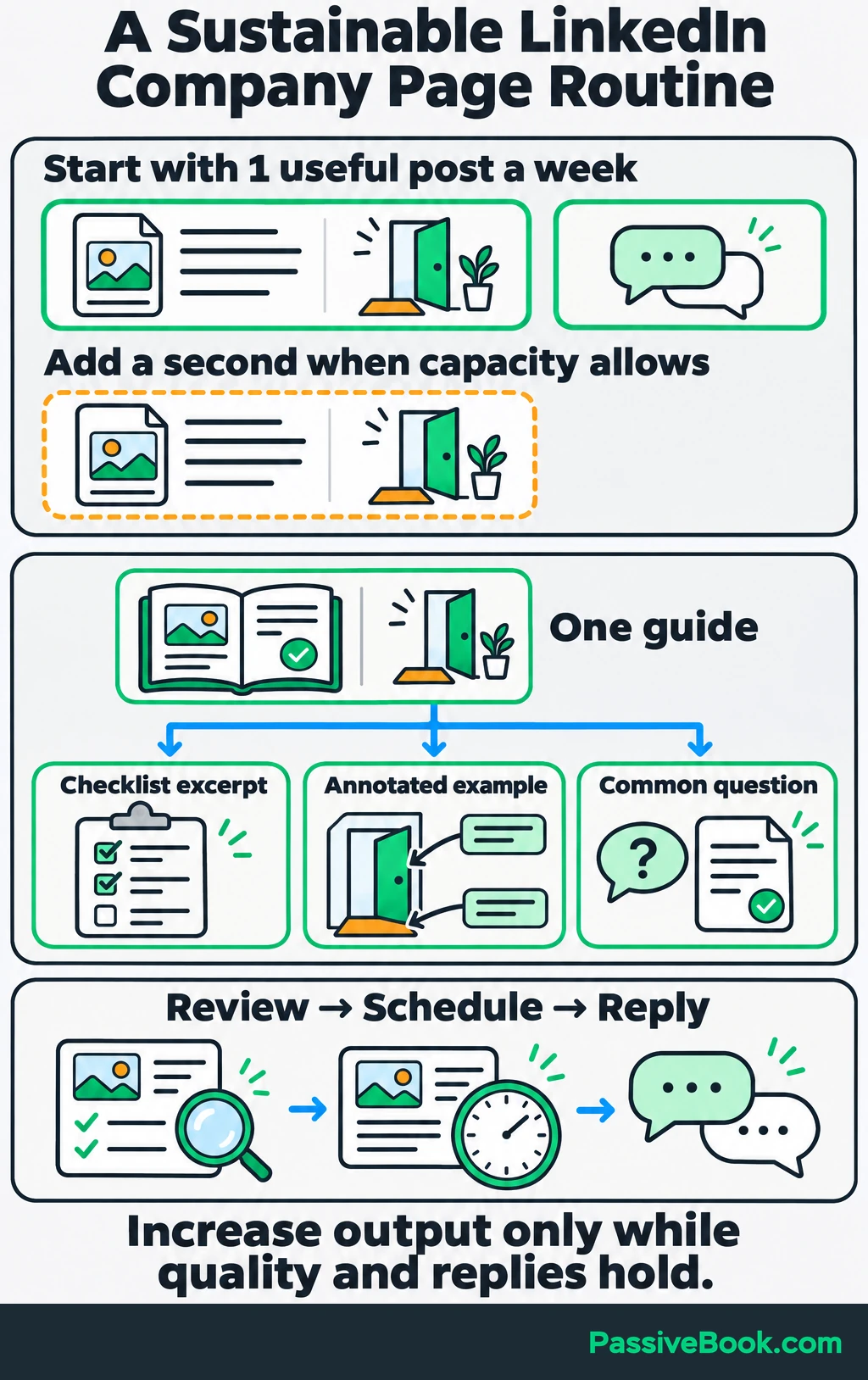
Batch related work. One guide can supply a checklist excerpt, an annotated example and an answer to a common objection, provided each post has its own useful point.
Use LinkedIn’s native scheduler for supported posts. Review links, accuracy, accessibility and presentation before scheduling, and reserve time to check replies after publication.
I would use Claude, an AI writing assistant, to help turn existing material into drafts if that saves time, then review the product details myself.
Test publishing times against your audience’s response. Increase output when you have more useful material and can still give conversations attention.
Grow Through Relevant Connections and Conversations
Bring Interested People to the Page
Publish a few useful posts before asking people to follow. Give them something to assess, and explain what they can expect next.
Guestnote Studio’s invitation could promise practical welcome-book examples and answers to template questions. That is more convincing than “Follow our journey.”
Link to the Page from your website, email signature and relevant customer communications. These links help interested people find the official business presence.
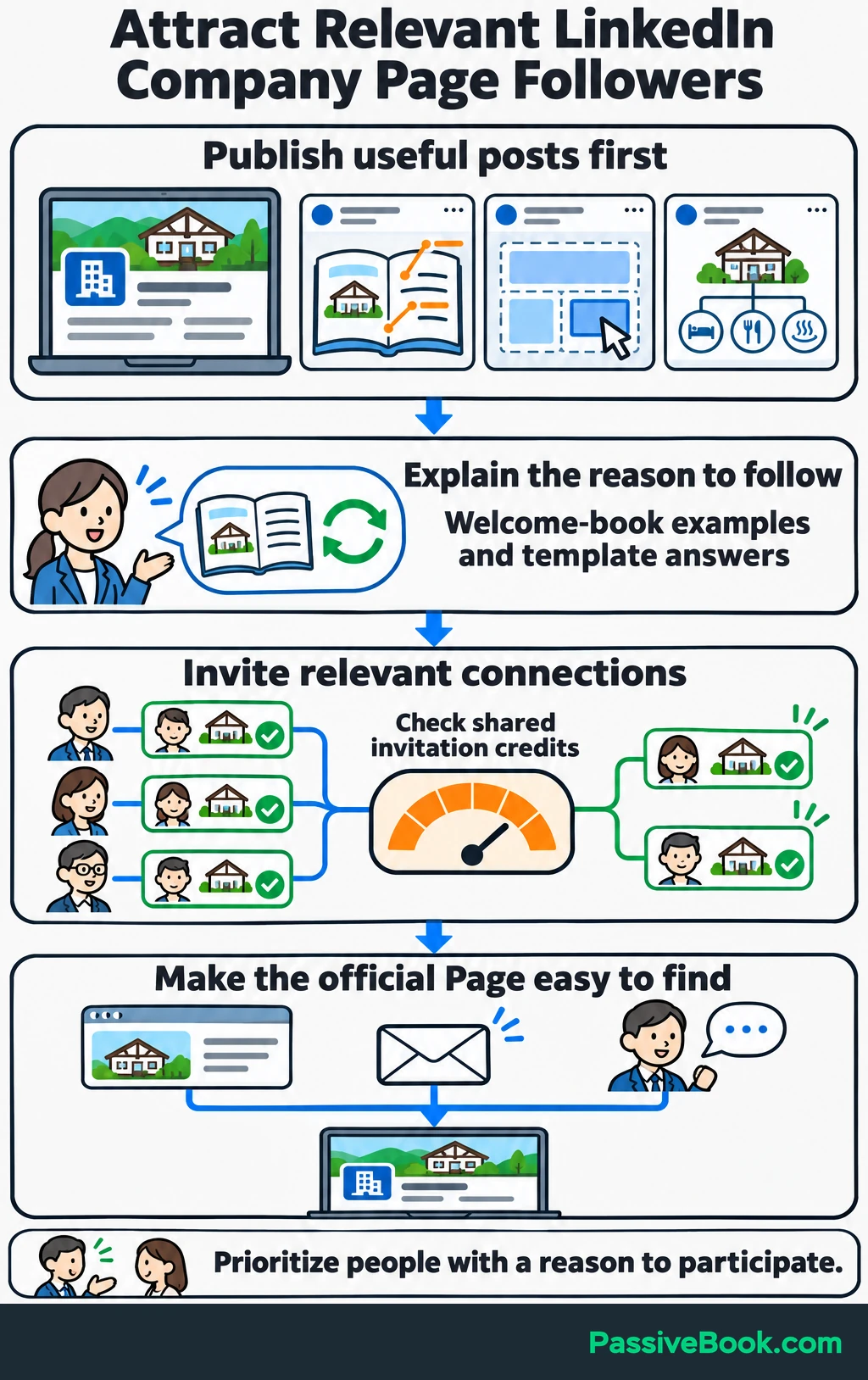
Invite first-degree connections who are likely to care about the offer. Page invitation credits are shared across administrators, so check the available balance before planning a batch. LinkedIn explains how Page invitations work.
I would choose relevant people over using every available invitation. A larger follower count won’t fix an audience that has no reason to buy, refer or participate.
Actual employees should associate their profiles with the correct Page. Founders and willing colleagues can also share relevant experience in their own words and mention the business where it helps the explanation.
Give people something useful to share. Don’t turn every colleague into a forwarding service.
Participate as Your Page
Reply to substantive comments with specific answers. If someone asks whether a template can handle separate arrival instructions for different rooms, explain the relevant editing options.
Record repeated questions because they show where your content or product explanation needs work.
Follow relevant organizations and join public conversations where you can contribute something useful. Check that you’ve selected the Page identity before commenting.
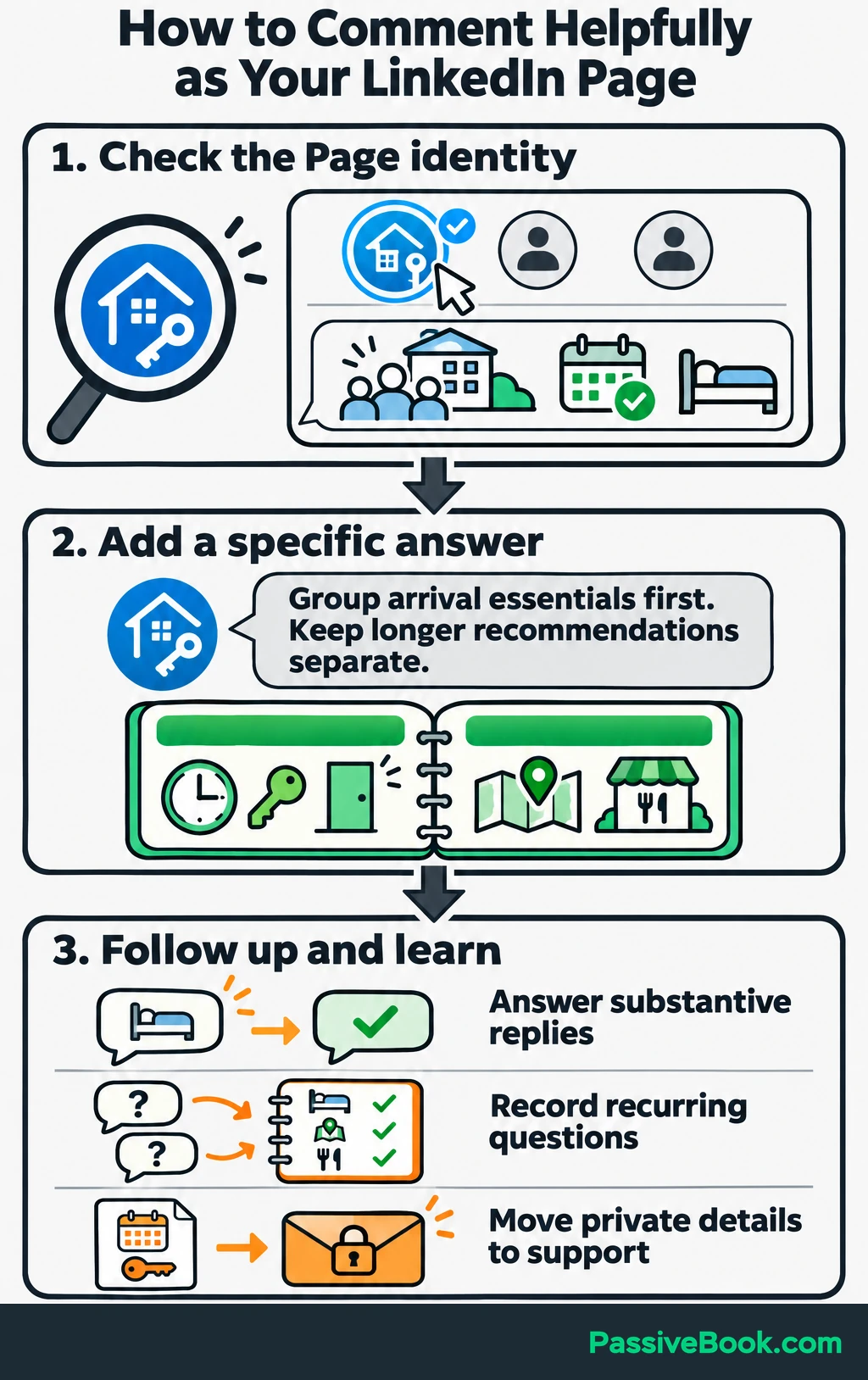
For example, Guestnote Studio could add this to a hospitality supplier’s discussion about guest communication:
Put the arrival essentials together first, then keep longer local recommendations in a separate section. Guests arriving late can find the immediate instructions without searching through restaurant suggestions.
That comment contributes an answer. A sales pitch underneath someone else’s post would need a better reason to be there.
Enable Page messaging when someone can manage it. Members must message the Page first before an administrator can reply as the Page, and super or content admins can handle those responses. LinkedIn’s Page messaging rules explain the limits.
Assign someone to check comments, mentions and messages. Move detailed customer issues to private support so you can resolve them without exposing booking or purchase information.
Measure Results and Improve the Weakest Step
I spent six months chasing Instagram and Twitter/X followers in another niche without corresponding business returns. The follower count gave me something to watch, but it didn’t tell me whether the work deserved more time.
That’s why I’d track inquiries, signups and purchases alongside LinkedIn follower growth.
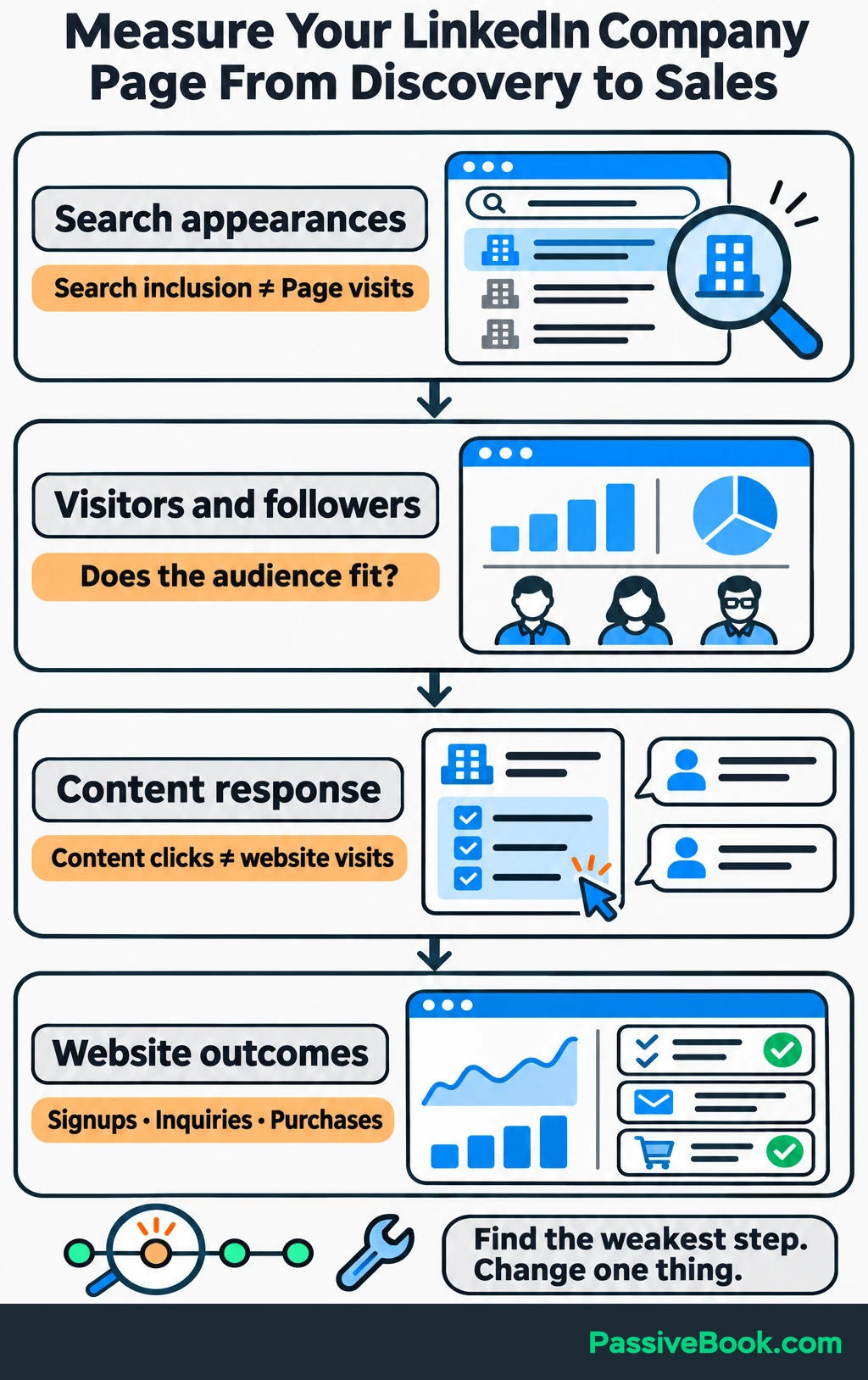
Review your Page as a sequence: people discover it, decide whether it matters, respond to content and sometimes take a business action. Find where that sequence becomes weak.
Use the relevant reports:
- Search appearances: Is the Page appearing for relevant searches?
- Visitor and follower analytics: Are you attracting an audience that fits the business?
- Content analytics: Which topics and posts receive useful responses?
- Website analytics: Do visitors sign up, inquire or buy?
Search appearances count inclusion in LinkedIn member search results. They don’t count Page visits or Google rankings. Review the reported search terms and available audience details to check relevance. LinkedIn defines Search Appearances separately from visitor analytics.
Keep content clicks separate from website visits. LinkedIn’s click metric includes clicks on content, the company name and the logo, so it cannot tell you how many people reached your signup page. LinkedIn lists what its content metrics count.
Tag website links consistently. UTM parameters are labels added to the end of a URL so website analytics can identify the traffic source and campaign. For Guestnote Studio’s checklist post, use Google Analytics’ campaign URL builder to combine the checklist page’s address with these values:
utm_source=linkedin
utm_medium=organic_social
utm_campaign=guest_information
utm_content=arrival_checklist_post
Keep the first three values consistent for that campaign and change utm_content for each post or Page placement. For example, use page_about for the About-section link. Google explains how campaign URL parameters identify referred traffic.
Confirm that your website analytics also records completed checklist signups and template purchases. Test those actions before relying on the report.
I would start with a monthly review and compare it with the baseline saved before your changes. If signups or purchases aren’t being recorded, test the tracking and collect a baseline before judging results.
Then improve the weakest step:
- Irrelevant searches: Clarify the offer and audience in your descriptions.
- Weak post response: Answer a more specific question or show a clearer example.
- Visits without signups: Check the destination’s promise, preview and form.
- Signups without purchases: Review how the checklist connects to the paid templates.
Compare similar posts over consistent periods and give each the same time to accumulate results. Change one meaningful element at a time. A small difference between two posts is a reason to investigate, not proof that you found the winning formula.
LinkedIn Company Page Best Practices Checklist
- Before Promoting: Confirm admin access, complete the business information, check branding and links, and choose one clear visitor action.
- Before Publishing: Check the audience question, useful takeaway, format, accessibility and next step.
- During Ongoing Management: Maintain a workable cadence, answer conversations, review access and invite relevant people to follow.
- At Each Performance Review: Connect visibility and engagement with business results, find the weakest step and make one focused improvement.
What Next?
Read your Page’s tagline and opening About paragraph, then rewrite them so a visitor can tell what you offer and who it helps.
Use the social buttons to share this guide when you’re planning how to divide Page setup, publishing and measurement.
Which part of your Page currently needs the most work, and what makes it difficult? Share your answer—and any other questions—in the comments.
Share this post with your friends & followers:

