Your company page looks presentable, and you’ve kept posting. But when you try to decide what deserves more time, the numbers don’t give you a clear answer. Are prospective customers finding useful information, or are you keeping a feed busy?
That uncertainty makes every new post another small bet with your time. A polished banner won’t help much if visitors still can’t understand your offer or contact you. To find where that time would help most, this checklist covers what visitors see, who your posts reach and which fixes deserve priority. Your public page, LinkedIn’s built-in analytics and a spreadsheet are enough to start.
1. Set Your Goal and Prepare an Audit Worksheet
Choose one primary outcome before collecting numbers. Otherwise, you’ll finish with a report full of activity and no clear decision.
Write down:
- Who you want to reach.
- What you want those people to understand or do.
- What evidence would show progress.
For the examples below, imagine you run a remote bookkeeping service for independent architecture studios. Your goal is qualified consultation inquiries: contact from studios seeking ongoing bookkeeping support. All example findings, copy and figures are illustrative.
That definition matters. A software sales pitch arriving in your inbox is a message, but it isn’t progress toward your goal.
Next, confirm access. Super admins, content admins and analysts can view and export analytics, while editing page information requires a super admin. If you lack access, complete the public checks and request the reports from an admin. LinkedIn’s admin permissions explain the differences.
Choose a completed reporting window that covers normal publishing activity and an equally long comparison period. For example, compare a completed 60-day period with the preceding 60 days. Record:
- The dates and number of posts published.
- Any launch, hiring push or unusual campaign.
- Which posts received paid promotion.
Keep paid and organic results separate. More impressions after boosting posts won’t tell you whether your organic approach improved.
Save screenshots before editing anything, then export the content, visitor and follower reports from native analytics.
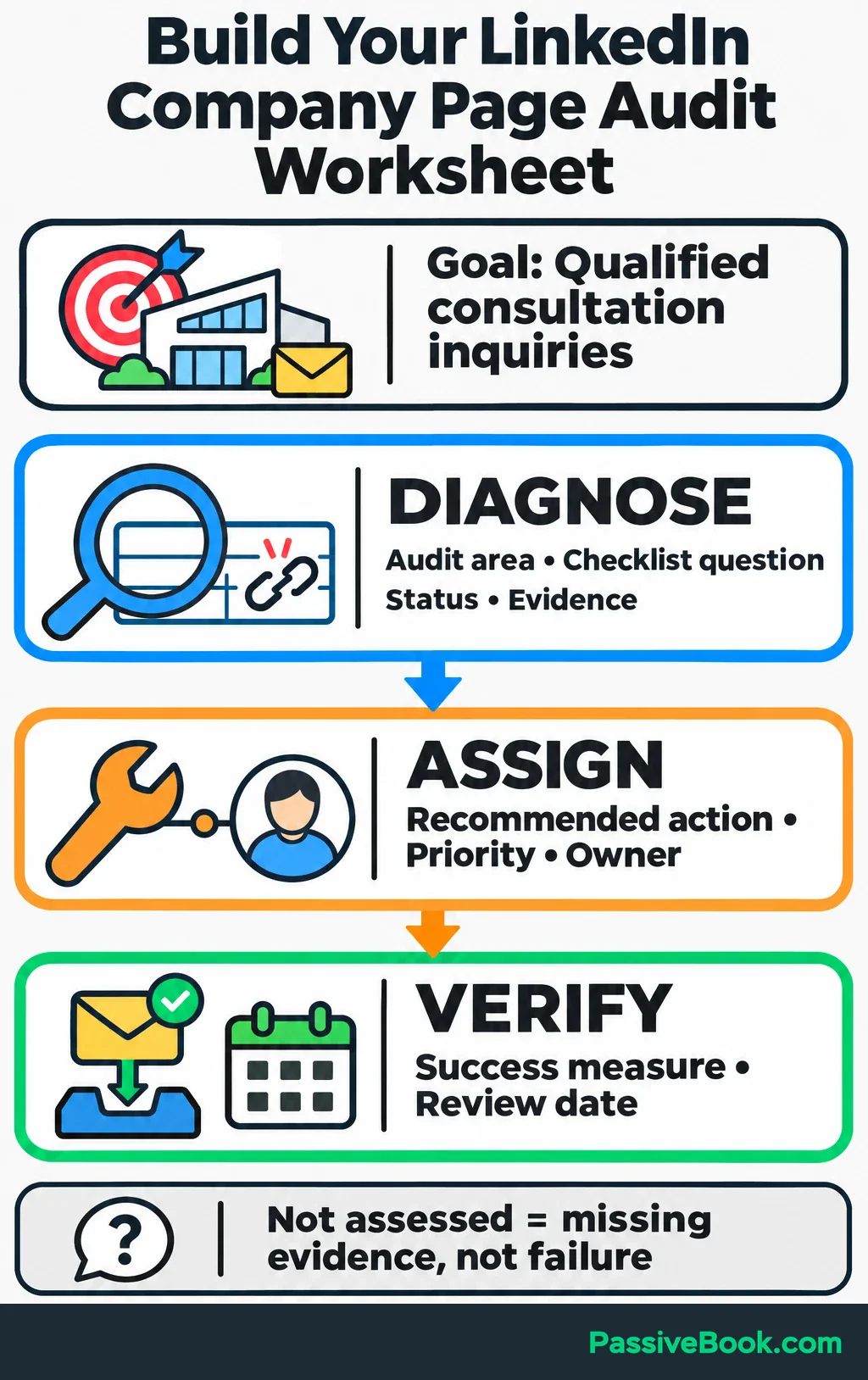
Create these worksheet columns:
| Column | What to Record |
|---|---|
| Audit area | Positioning, credibility, audience, content, conversations or business results |
| Checklist question | The specific check you performed |
| Status | Working, Needs improvement or Not assessed |
| Evidence | A screenshot, post URL, report figure or observed problem |
| Recommended action | The change supported by that evidence |
| Priority | Fix first, Plan next, Test or Preserve |
| Owner | The person responsible |
| Success measure | What would show the action worked |
| Review date | When you will check it |
“Not assessed” is useful. Missing information should leave an open question, not become a failing score.
2. Check Whether Visitors Can Understand and Trust Your Business
Make the Audience and Offer Clear
Read the page as someone who has never heard of you. Start with the tagline, banner and opening About text, then skim recent posts.
Can you answer three questions quickly?
- Who does this business help?
- What does it provide?
- Why would that matter to the intended customer?
Use recognizable service and customer language before reaching for a clever slogan.
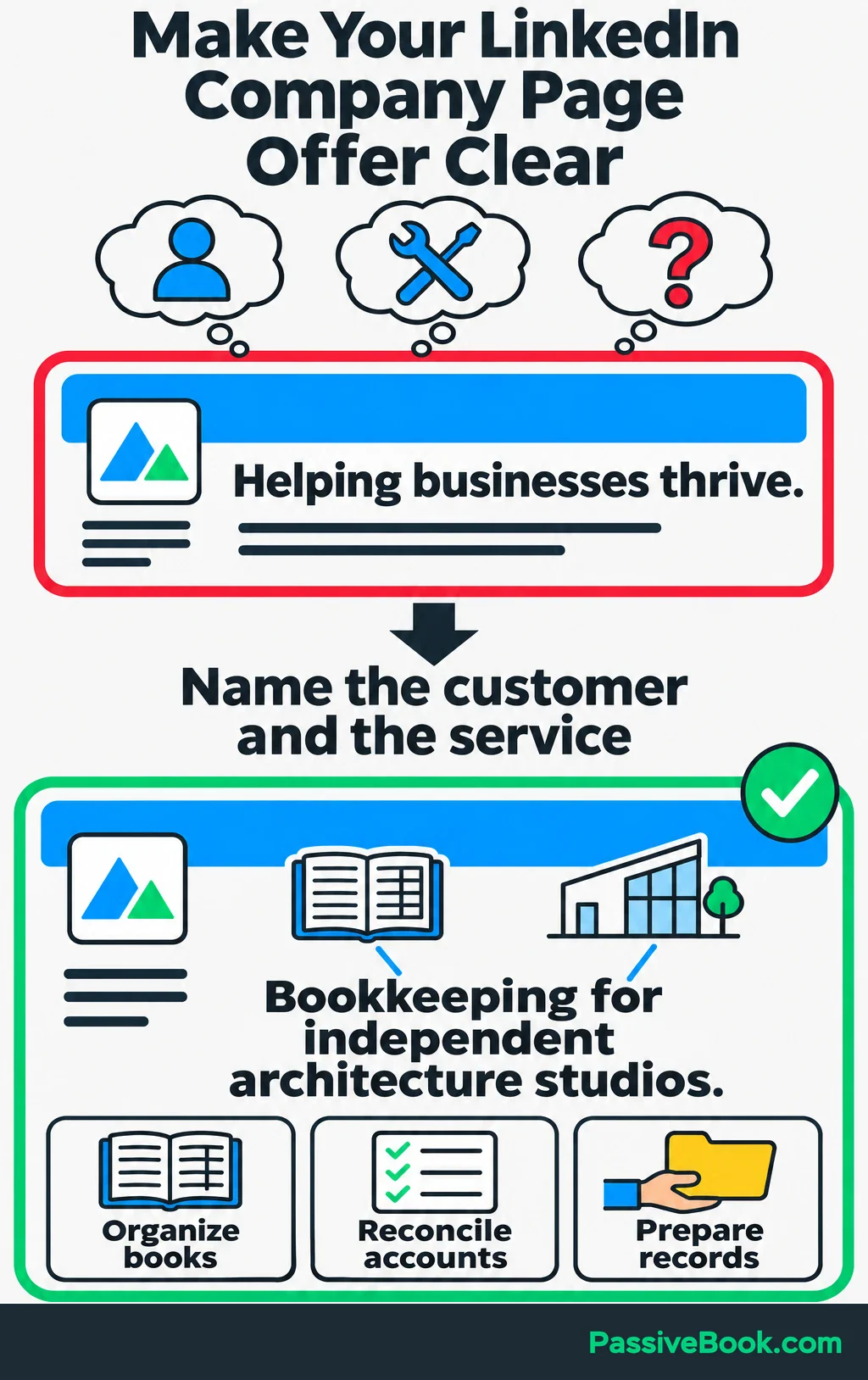
For the bookkeeping service, replace:
Helping businesses thrive.
With:
Bookkeeping for independent architecture studios.
The second version gives the right visitor a reason to keep reading. The About text can then explain the work:
We organize your studio’s books, reconcile accounts and prepare records for your accountant.
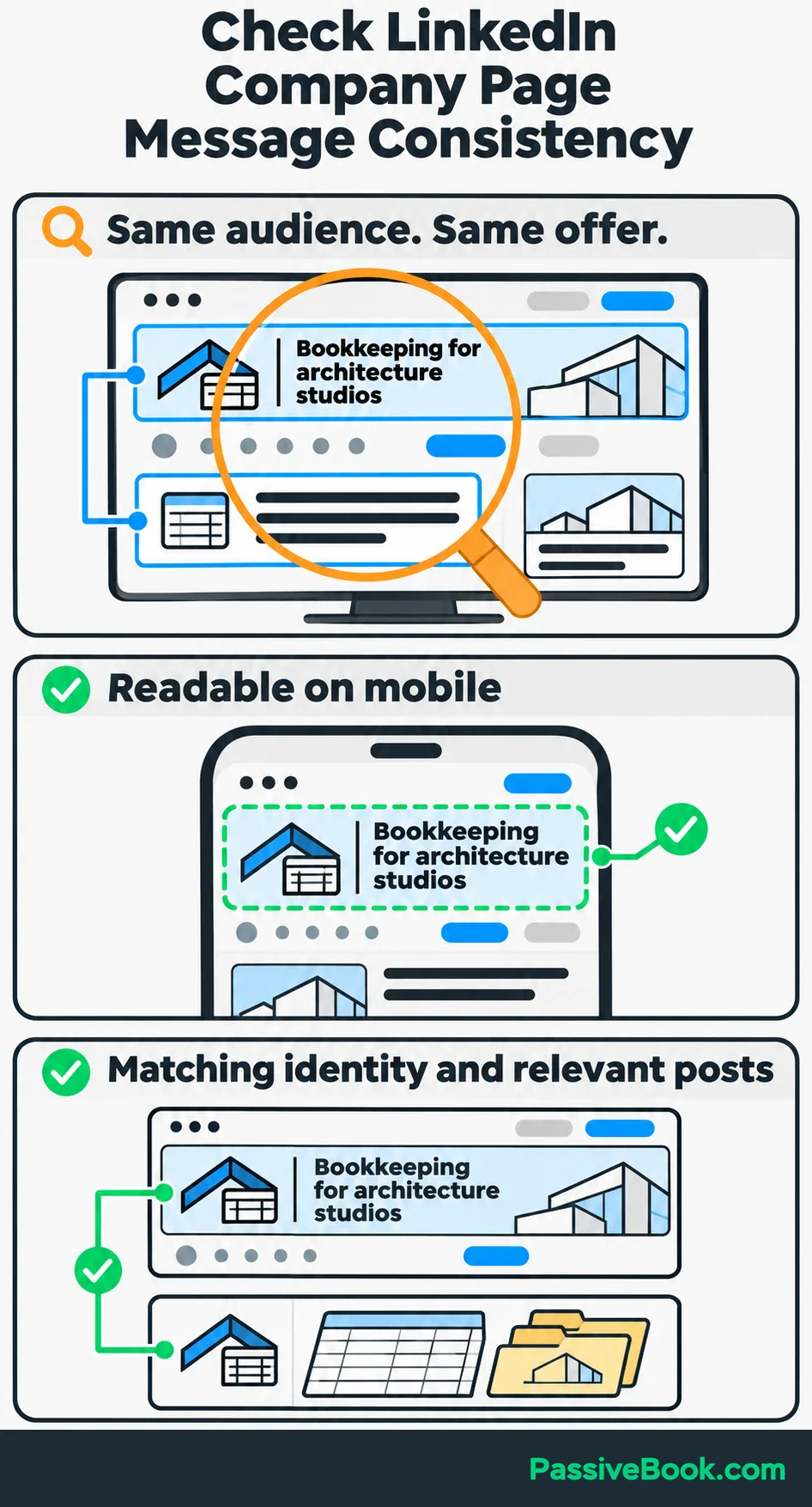
Work through these checks:
- The tagline names the offer or intended audience.
- The opening About text explains the work in plain language.
- The banner remains readable on desktop and mobile.
- The logo is recognizable and matches the website.
- The business name, website, industry, location and company size are accurate.
- Recent posts support the same offer.
Record visual problems when they obscure something useful. If the banner clearly explains your service, changing its shade of blue can wait.
If these checks reveal unclear wording, AI Social Copy Studio can turn your existing copy into specific replacement drafts. You’ll see what was changed, so you can keep what already works.

Free AI Social Copy Studio




Test Credibility and the Next Step
Once visitors understand the offer, they need a reason to trust it.
Look for relevant service examples, a clear explanation of the process, genuine credentials or customer evidence you can substantiate. You don’t need all of them, but visitors should have more to assess than your own enthusiasm.
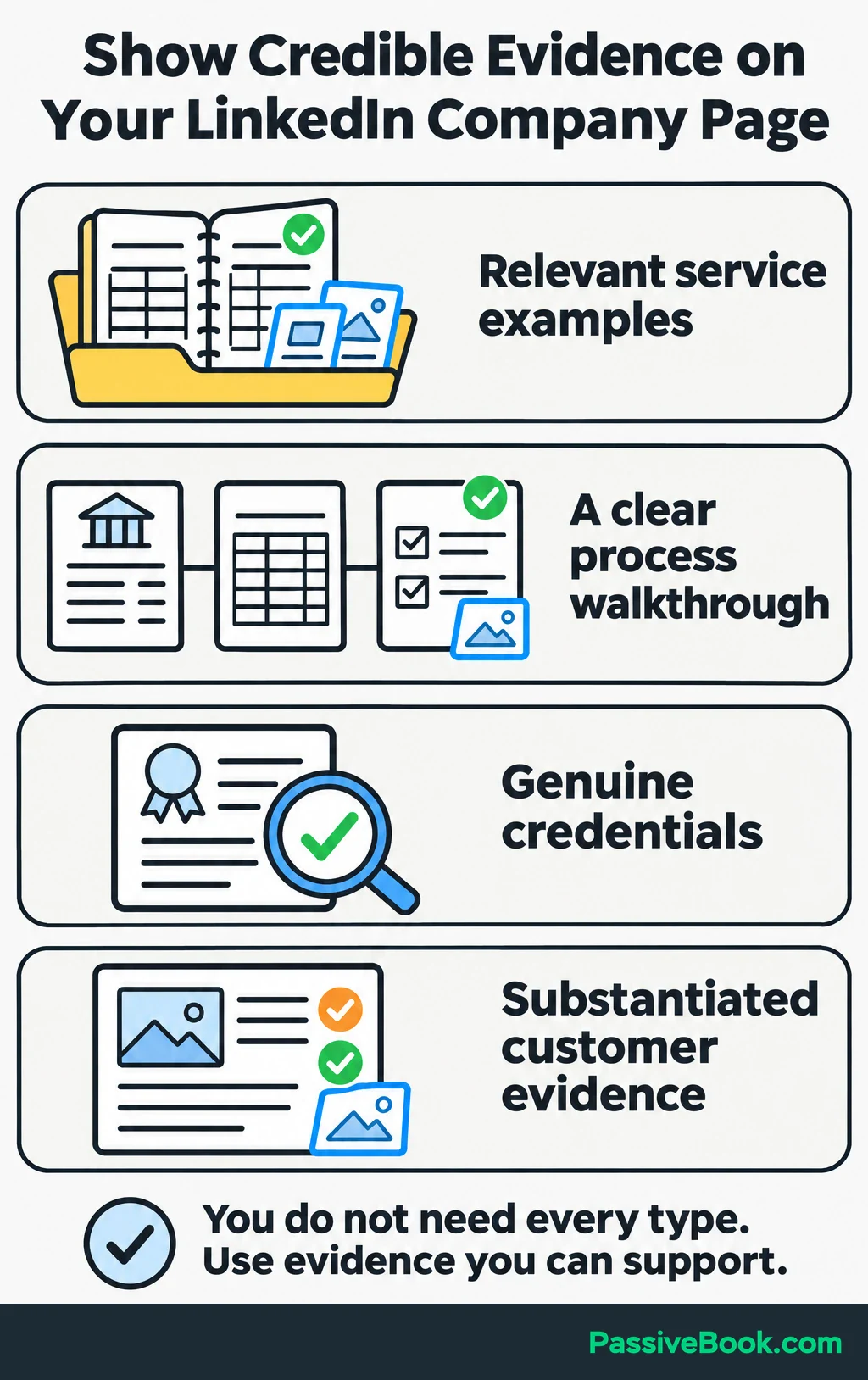
For the bookkeeping service, a walkthrough of monthly reconciliation may help explain what a client receives. An approved case study could provide stronger evidence where one is available.
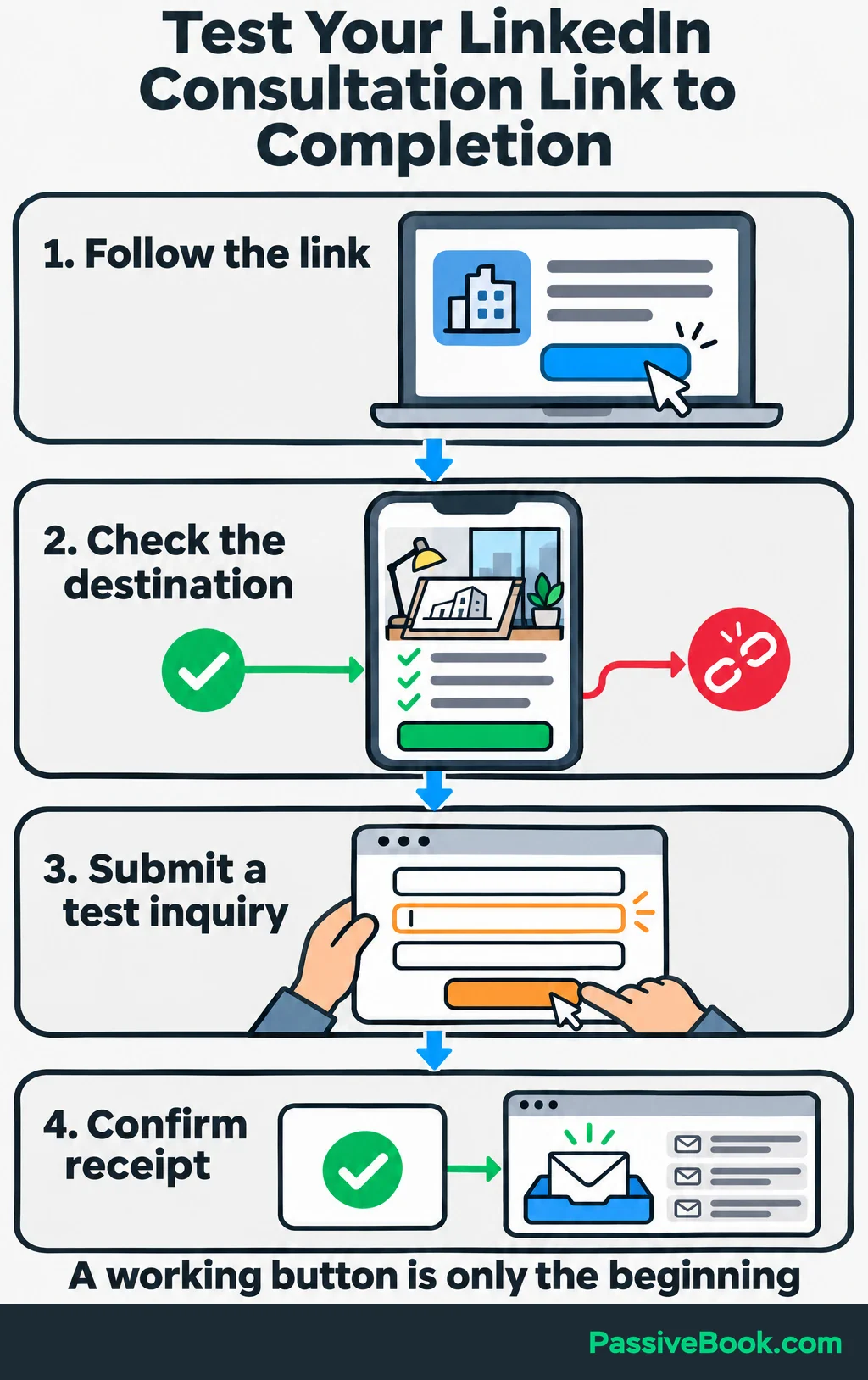
Then follow every important link. Check whether the destination:
- Loads properly on mobile and desktop.
- Matches the service promised on LinkedIn.
- Explains what happens next.
- Lets someone complete that next step.
Before recording a missing custom call to action, check its placement. On free Pages, it appears under More; Premium Company Page buttons appear at the top of the page. That difference alone isn’t a reason to upgrade. LinkedIn explains the button placements here.
On one of my digital-product sites, I found a promotional button that still opened an older offer. The button looked fine, so a visual review hadn’t caught it. Since then, I’ve tested the destination and completed the action before calling a page finished.
For your audit, follow the same rule. A consultation link passes when it leads to the right service page and you can successfully request a consultation.
3. Check Whether You Are Reaching the Right Audience
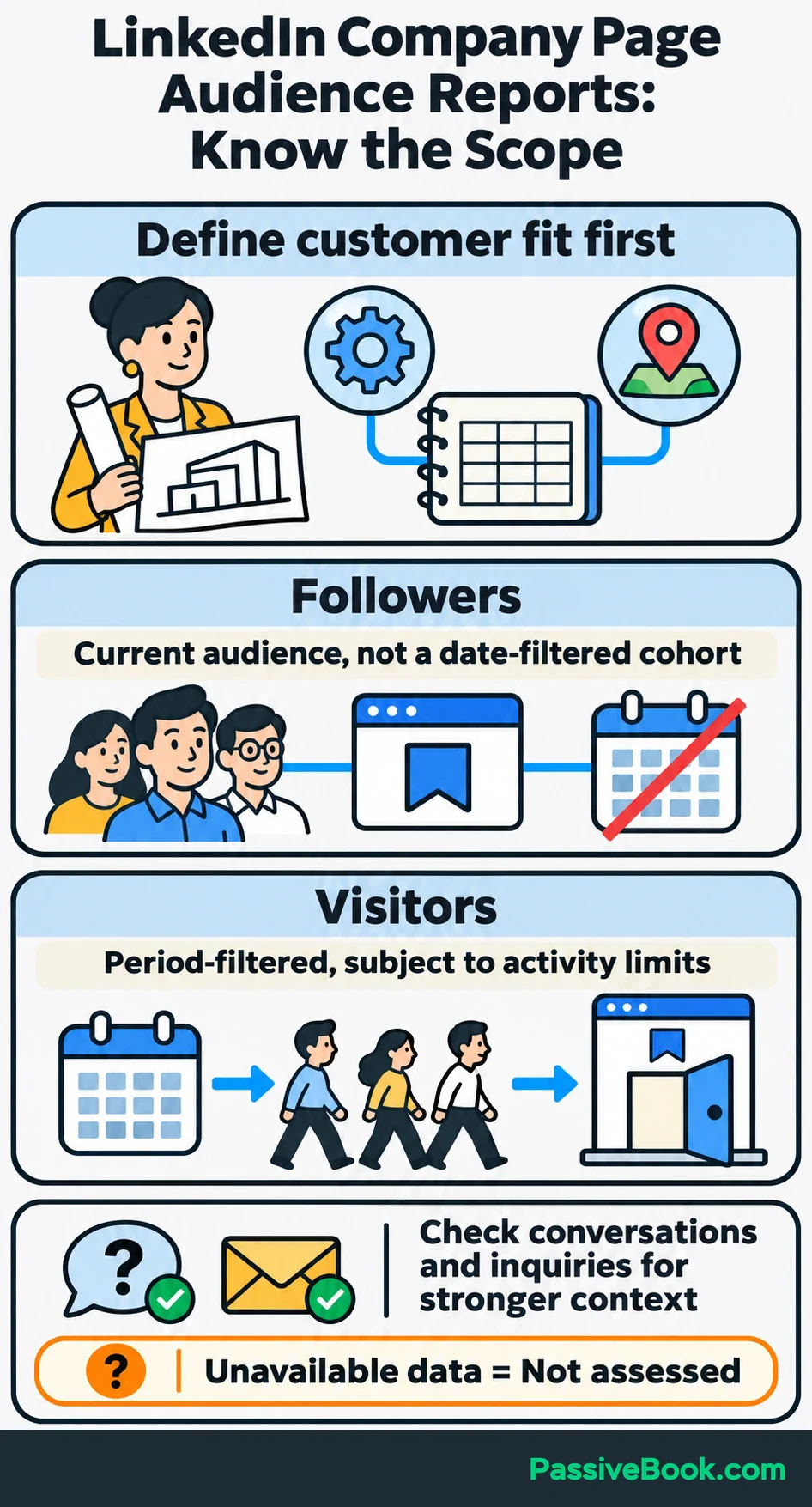
Write down the customer characteristics that matter before opening demographic reports. This gives you something useful to compare against.
For the bookkeeping service, you might look for studio owners, principals and people responsible for finance or operations at smaller architecture firms. Include the locations you serve and referral partners who can influence the decision.
Compare that description with follower and visitor demographics:
- Followers help you understand the audience you’ve accumulated.
- Visitors help you assess who is checking the page.
Follower demographics describe current followers and don’t change with your selected reporting dates. Visitor demographics can be filtered by period, but LinkedIn requires minimum visitor activity before updating some demographic results. Leave unavailable information unassessed. See LinkedIn’s follower reporting scope and visitor reporting limits.
Look for a mix consistent with your intended audience, then check comments and attributable inquiries for more concrete evidence.
A question such as “Can you work with the project codes we already use?” tells you more about a possible customer need than an unrelated promotional comment.
Use these checks:
- Audience characteristics broadly match the people you want to reach.
- Relevant referral partners are represented where they matter.
- Substantive comments reveal needs your business can address.
- Attributable inquiries include suitable prospects.
- Audience fit is recorded separately from follower growth.
You don’t need every follower to be a potential customer. But if the audience keeps growing while relevant conversations remain scarce, review whether your positioning and topics are attracting the people you intended.
4. Identify Content and Conversations Worth Repeating
Compare Posts Using Consistent Metrics
Build a second spreadsheet tab with one row per post. Include:
- The post URL, publication date, topic and format.
- Its intended audience, purpose and call to action.
- Organic impressions, clicks, reactions, comments, reposts and engagement rate.
- Whether it was boosted.
Keep the definitions straight. Impressions count displays, while members reached estimates the distinct members and Pages that saw a post. One person can account for several impressions. LinkedIn’s content metric definitions explain these measures.
For organic engagement rate, count the post’s organic clicks, reactions, comments and reposts, then divide that total by its organic impressions. Use figures from the same reporting window for every input below.
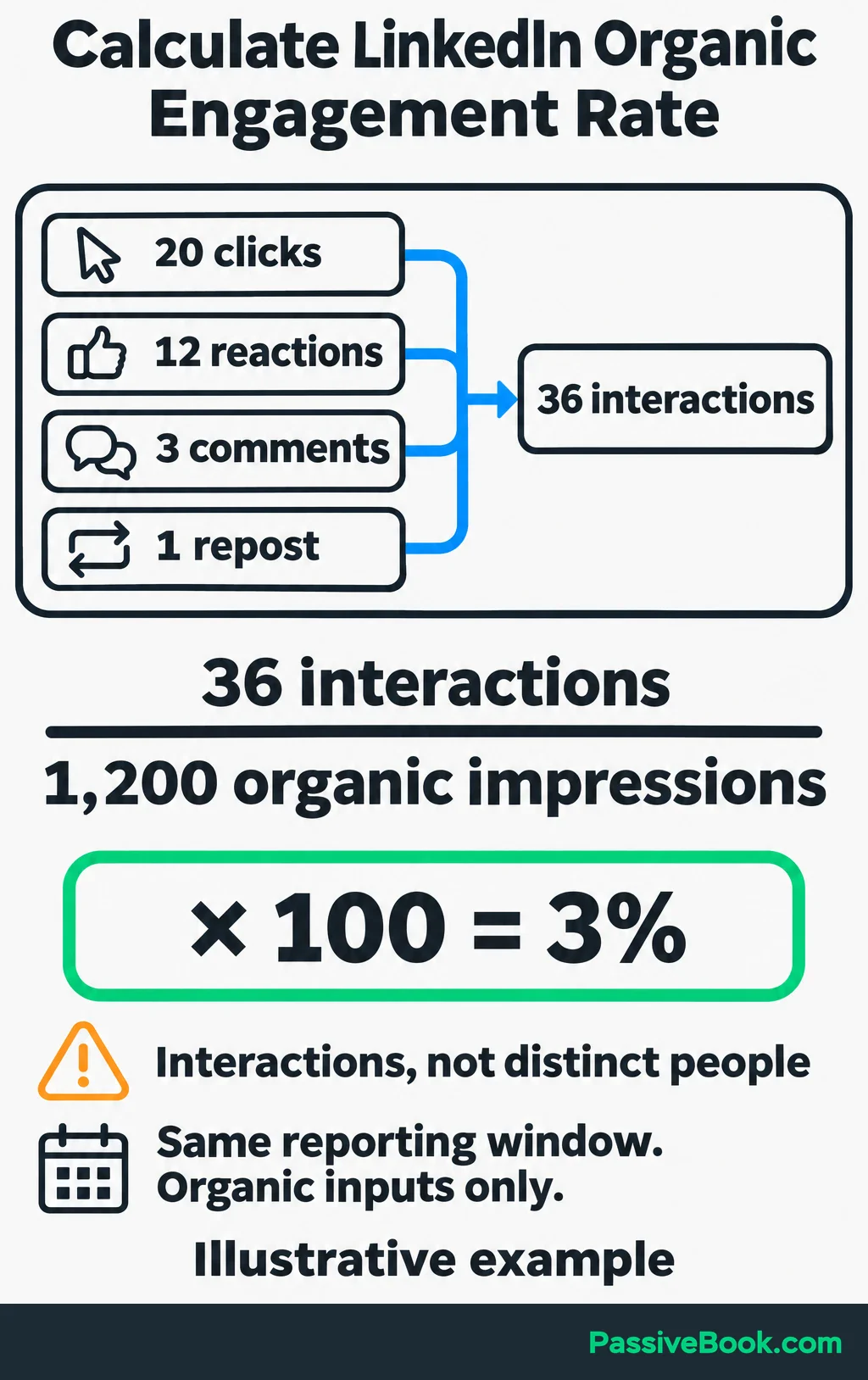
Suppose a project-expense post received:
| Measure | Illustrative Result |
|---|---|
| Clicks | 20 |
| Reactions | 12 |
| Comments | 3 |
| Reposts | 1 |
| Organic impressions | 1,200 |
The calculation is:
(20 + 12 + 3 + 1) ÷ 1,200 × 100 = 3%
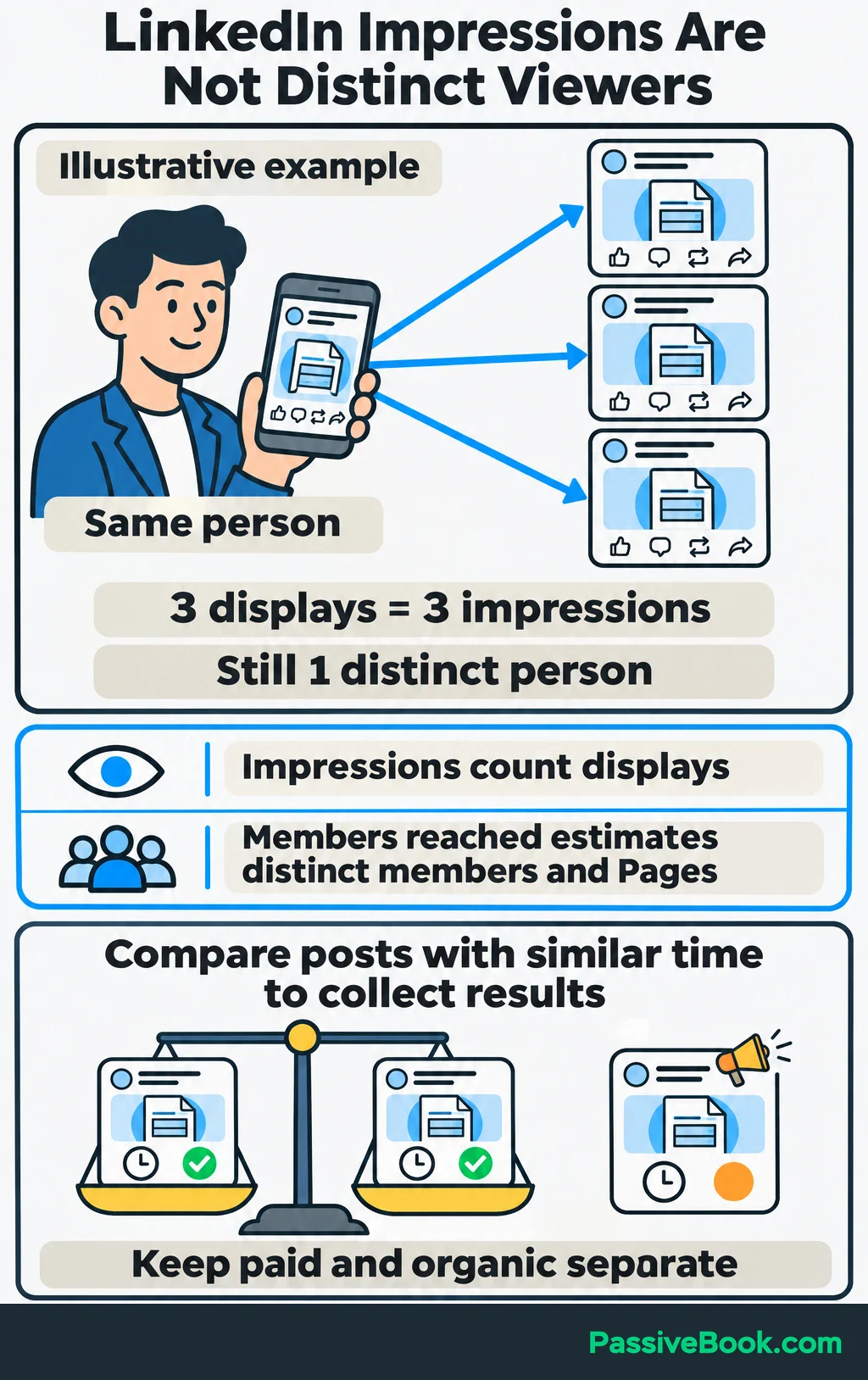
That follows LinkedIn’s interaction-based engagement definition. It counts interactions, so it doesn’t mean 3% of distinct viewers responded.
Compare the rate alongside totals and the post’s purpose. A useful customer question may matter more to your consultation goal than several generic reactions.
Also give posts a fair comparison. Yesterday’s post hasn’t had the same time to collect results as one published weeks ago. Look for repeated patterns among posts with similar time to accumulate results before changing an entire topic or format.
Check Whether Posts Help Prospective Customers
Numbers help you select posts to inspect. They don’t explain every result.
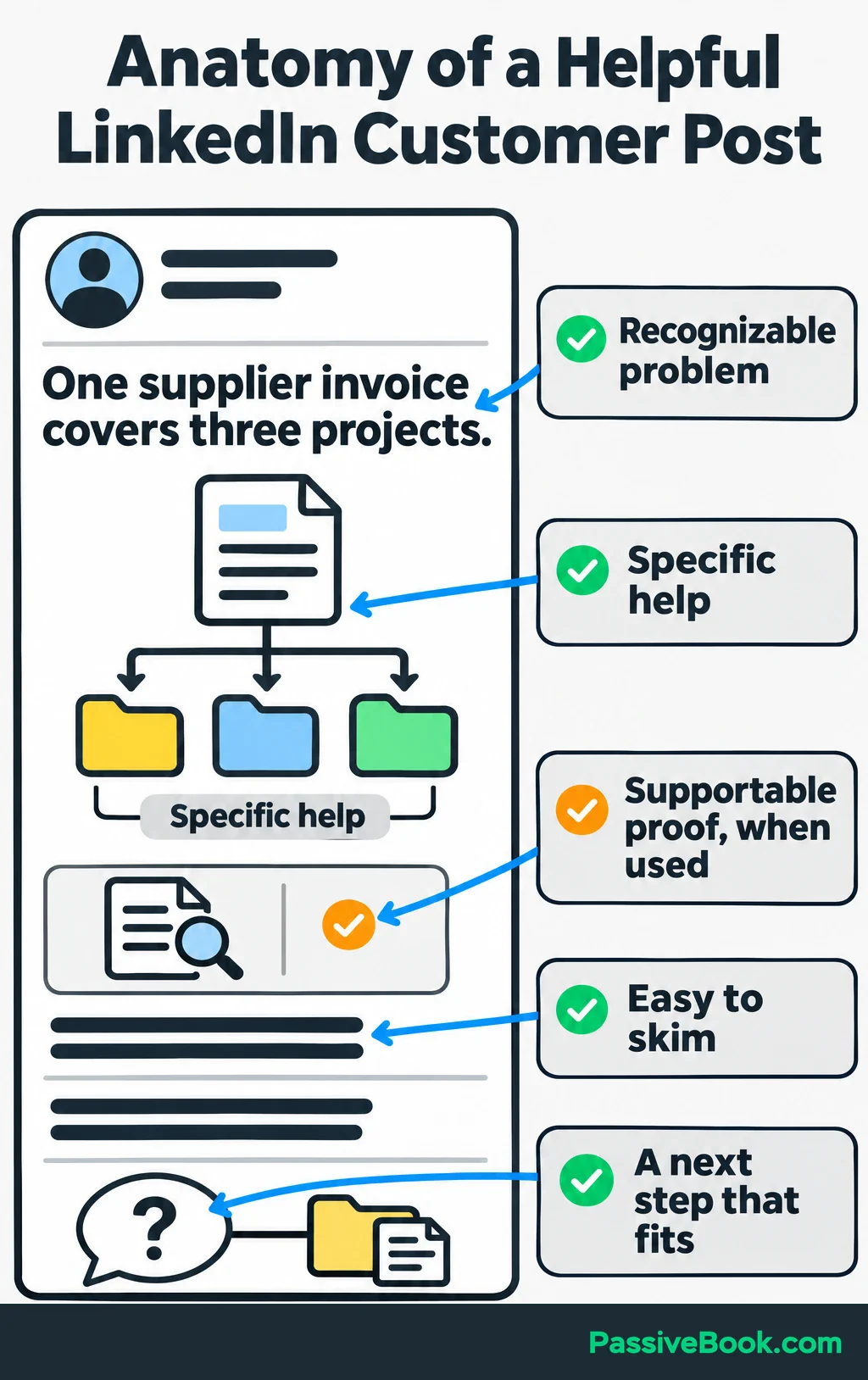
Review a few strong, typical and weak posts. For each one, ask:
- Does the opening describe a recognizable problem?
- Does the post provide specific help?
- Is any proof relevant and supportable?
- Can someone skim it without losing the point?
- Does the next step fit what the post delivers?
Group posts by customer problem before comparing formats. Otherwise, you may credit a document post’s format when its topic was the useful part.
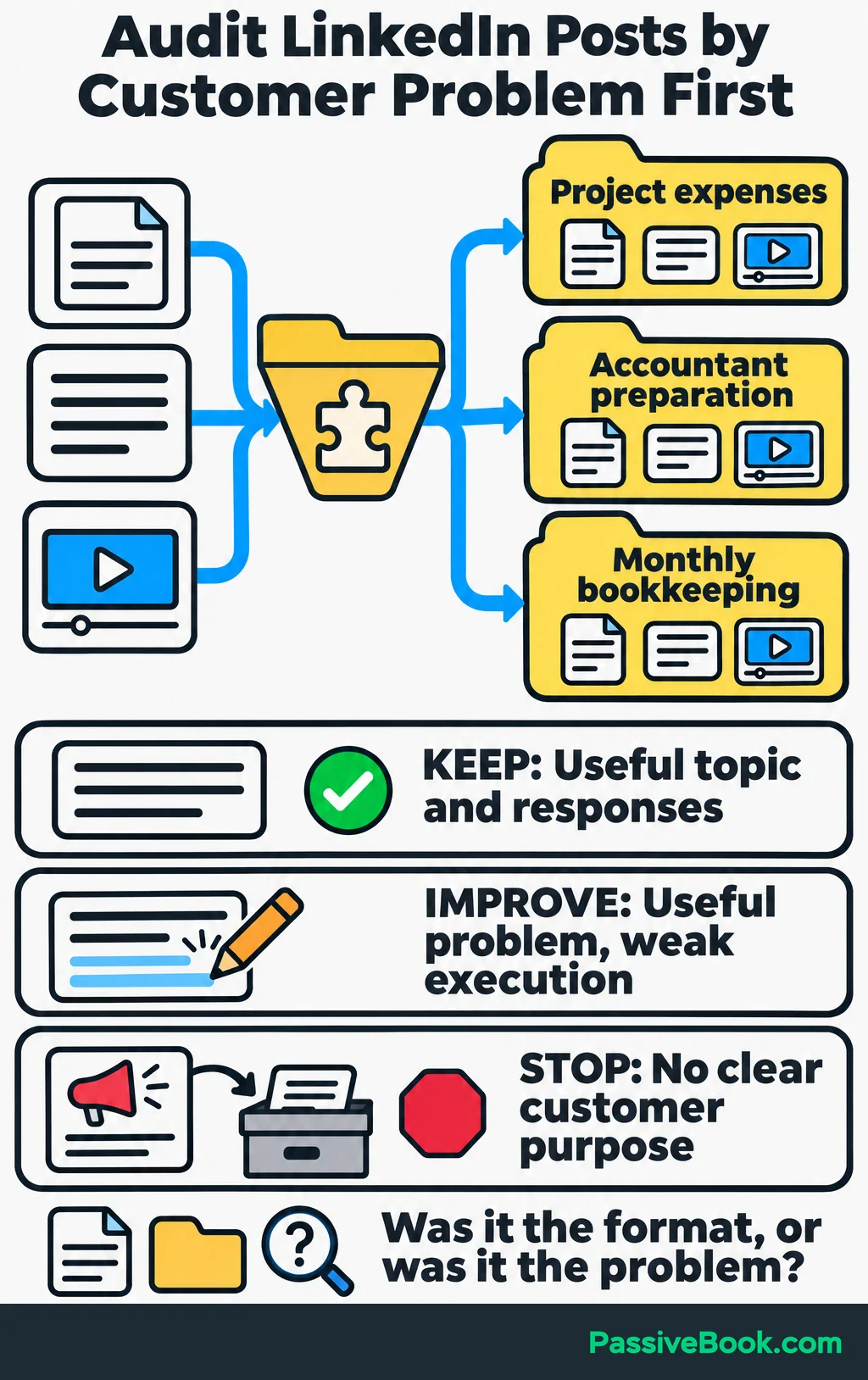
For the bookkeeping service, sensible groups could include organizing project expenses, preparing records for an accountant and understanding the monthly bookkeeping process.
A useful opening might be:
One supplier invoice covers three projects. Here’s how to record the split so you can find it again at month-end.
That gives the reader a concrete problem and a reason to continue.
Check what your page leaves unanswered, too. Repeated promotions and generic quotes may be occupying space that could explain your service or answer a buying question.
Review a few businesses serving a comparable audience. Record the customer need you notice, rather than copying their format. Public reactions and comments don’t reveal a competitor’s private clicks, leads or revenue, and you can’t calculate an impression-based rate without impressions.
Give each reviewed post a decision:
| Decision | When I Would Use It |
|---|---|
| Keep | The topic serves the audience and produces useful responses for its purpose |
| Improve | The customer problem matters, but the opening, explanation or next step is weak |
| Stop | The post has no clear customer purpose, promotes an expired offer or repeatedly attracts irrelevant responses |
A project-expense post with a vague opening belongs in Improve before you abandon the subject.
Finally, compare publishing effort with capacity. I would choose a manageable schedule that leaves time for useful replies. A calendar full of posts and an inbox full of unanswered questions is an odd definition of consistency.
Assess the Quality of Replies and Follow-Up
Read the conversations beneath posts, not just the comment totals.
Separate customer contributions from company replies and generic promotional comments. Then look for questions, objections, shared experiences and requests for more detail.
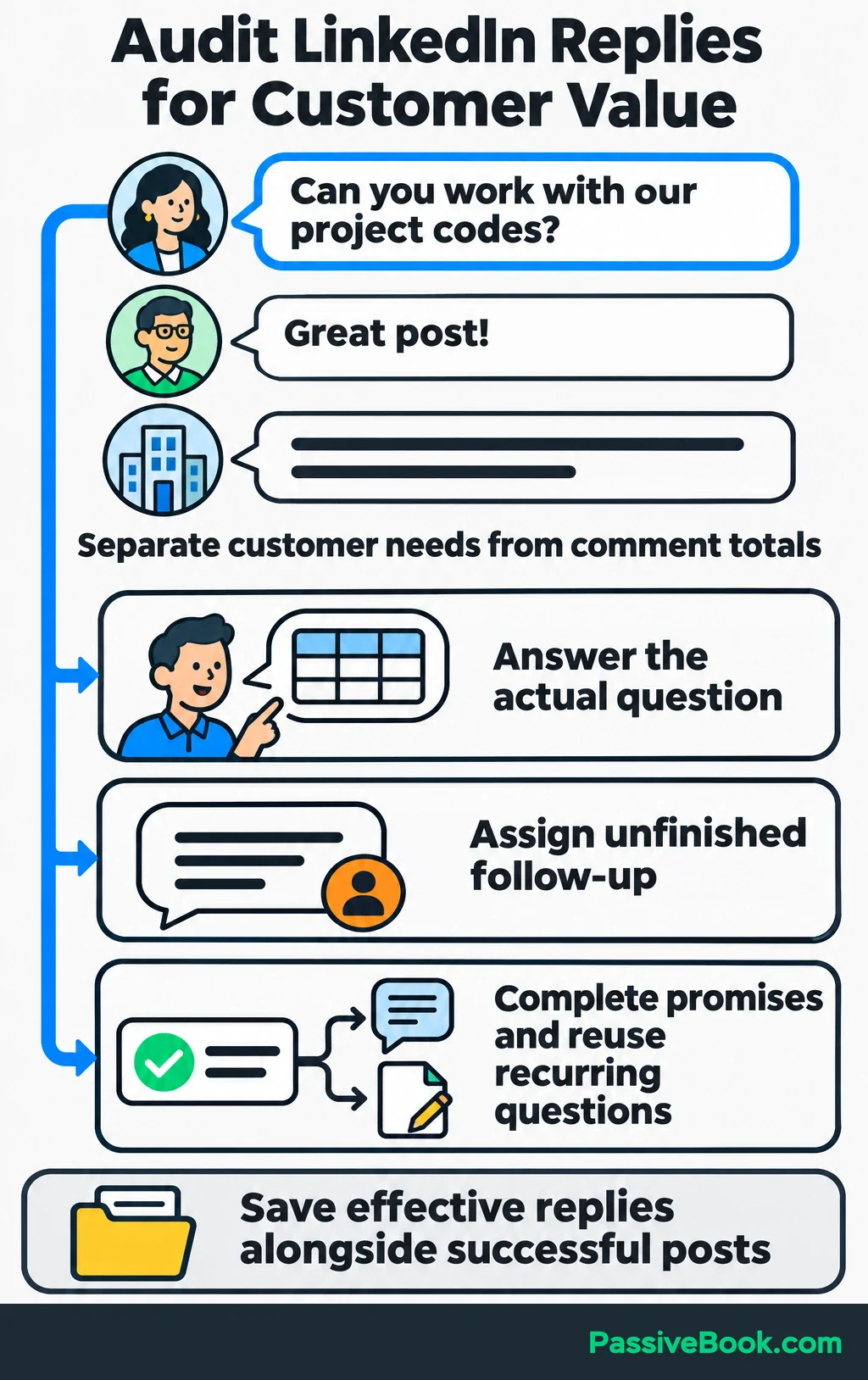
For each useful thread, check:
- The question received a specific answer.
- The reply addressed the actual concern.
- Any promised follow-up happened.
- Unresolved questions have an owner.
- Repeated questions became content ideas.
Include relevant private inquiries where you have access.
A studio owner asking how to organize project expenses is a different signal from “Great post!” Record the need and whether you answered it. Preserve effective replies alongside successful posts so your audit captures what to keep doing.
5. Connect Page Activity to Business Results
Choose measures that match your original goal.
For awareness, you might track relevant audience growth and visibility. For engagement, look at substantive audience conversations. For lead generation, count qualified inquiries and opportunities.
Record the starting figure and the change over your comparison periods. Keep the post count and time spent publishing and replying beside those results so you can judge the effort involved.
I spent six months chasing Instagram and Twitter/X followers in another niche while the bank account stayed around $47. That taught me to check what attention leads to. It doesn’t tell me how LinkedIn will perform, but it does stop me treating a growing follower count as a business result.
Start by distinguishing content clicks from website visits. LinkedIn’s content clicks can include clicks on your company name or logo, so use website analytics to measure incoming sessions. LinkedIn’s click definition makes that distinction clear.
Add campaign tags to the destination links you publish on LinkedIn. These labels let Google Analytics, a tool for measuring website traffic, identify the source, campaign and link placement. For the bookkeeping service, a tagged consultation link could look like this:
https://example.com/consultation?utm_source=linkedin&utm_medium=organic_social&utm_campaign=studio_bookkeeping&utm_content=page_cta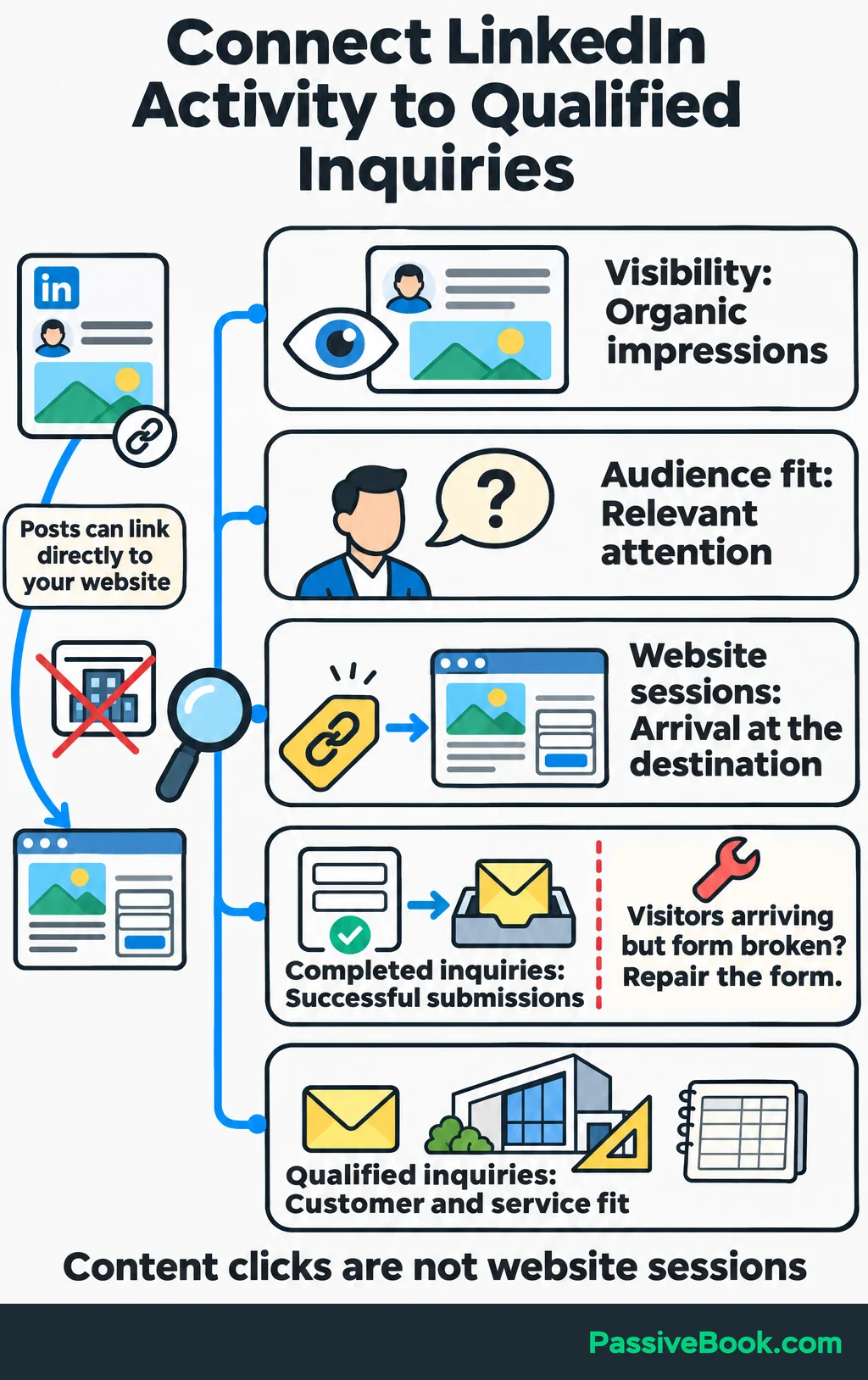
Replace https://example.com/consultation with your consultation page’s URL.
Use a different utm_content value, such as project_expenses_post, for another placement. Keep spelling consistent so one campaign doesn’t split into several reporting rows. Google explains how campaign tags identify referring traffic.
Next, submit a test inquiry. Confirm both that the business receives it and that analytics records successful completion. A completed inquiry can be measured as a key event in Google Analytics; clicking the submit button alone shouldn’t stand in for success. Google’s key-event tutorial covers a confirmation-page approach.
Review the journey through separate checks:
| Stage | What to Examine |
|---|---|
| Visibility | Are organic posts receiving impressions? |
| Relevant attention | Do audience reports and conversations suggest customer fit? |
| Website sessions | Are LinkedIn visitors reaching the intended destination? |
| Completed inquiries | Does the inquiry process work, and are submissions arriving? |
| Qualified inquiries | Do those inquiries match the customer and service you defined? |
People can click a post without visiting the company page, so don’t expect every stage to form one tidy sequence.
Use the checks to locate a problem. If visitors reach the service page but its consultation form is broken, fix the form before commissioning more content.
Also record prospects who say LinkedIn influenced them, separately from tracked visits. Their report adds context, but it shouldn’t be counted as another tracked session.
6. Turn the Audit Into a Prioritized Action Plan
Fix the Gaps That Block Progress
Write recommendations as actions supported by findings.
“Improve branding” gives you another project to interpret. “Replace the vague tagline with ‘Bookkeeping for independent architecture studios’” gives you work you can finish.
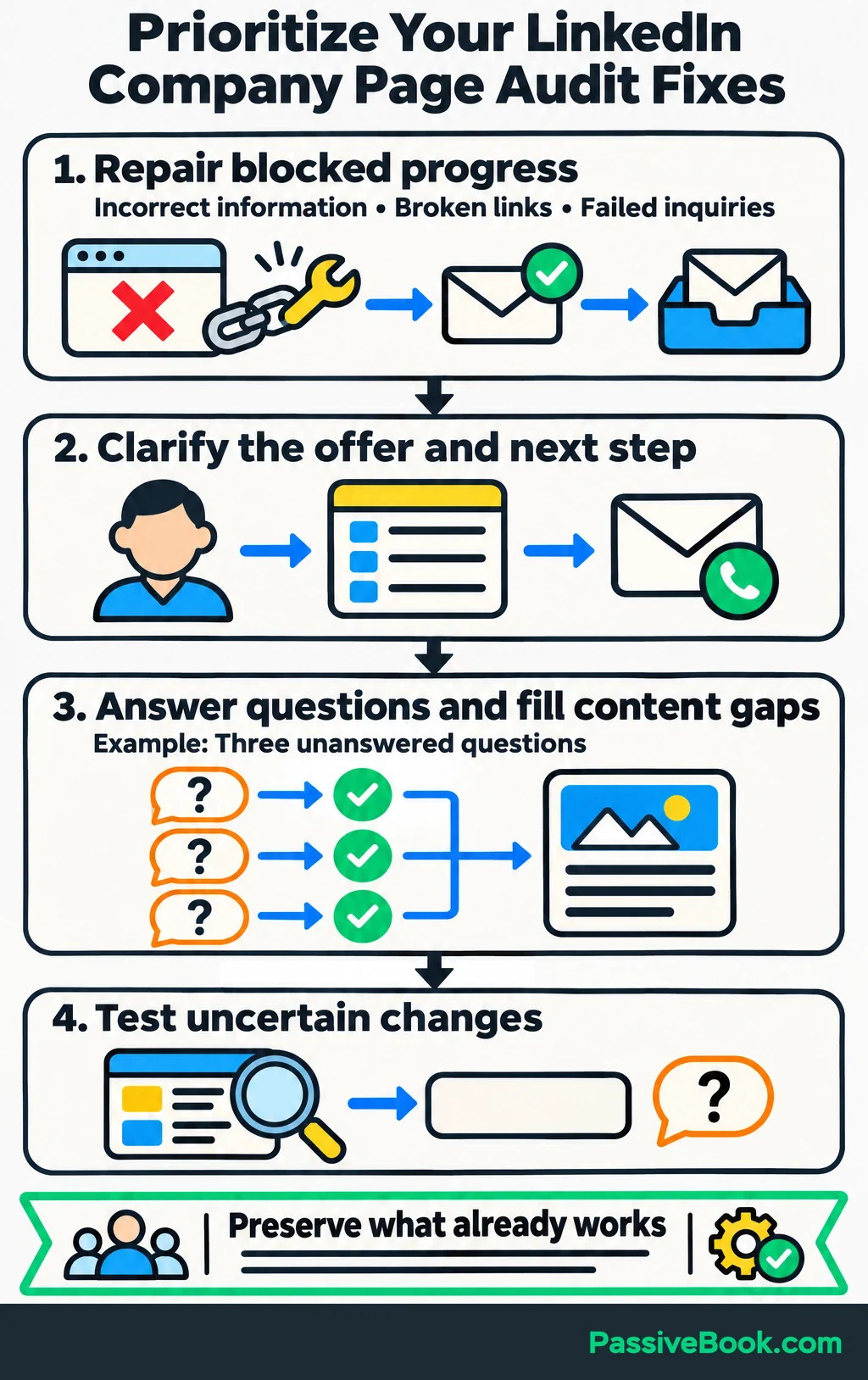
I would prioritize in this order:
- Repair inaccurate information, broken destinations and blocked inquiries.
- Clarify the audience, offer and next step.
- Answer unresolved customer questions and address obvious content gaps.
- Test further changes where the evidence is uncertain.
Preserve working elements. The audit should help you spend less time guessing, not create a reason to rebuild everything.
Here is a completed example you can adapt. The two tables belong to the same worksheet; the IDs connect each finding with its follow-up.
| ID / Audit Area | Checklist Question | Status | Evidence | Recommended Action | Priority |
|---|---|---|---|---|---|
| A / Inquiry path | Can a visitor request a consultation? | Needs improvement | Consultation link opens an error page | Repair the destination and submit a test inquiry | Fix first |
| B / Conversations | Are relevant expense questions answered? | Needs improvement | Three project-expense questions remain unanswered | Reply to all three and create a practical explanation | Plan next |
| C / Positioning | Does the banner explain the offer? | Working | Service and audience are readable on desktop and mobile | Keep the banner | Preserve |
| D / Audience | Do visitor demographics suggest customer fit? | Not assessed | Demographic report is unavailable | Check again at the next audit | Plan next |
Add responsibility and a measurable finish. Here, Day 1 means the day you begin the action plan.
| ID | Owner | Completion Date | Baseline | Success Measure | Review Date |
|---|---|---|---|---|---|
| A | Page owner with super admin access | Day 1 | Consultation destination fails | Correct page loads and test inquiry is received | Day 1 |
| B | Person managing content | Day 7 | Three unanswered questions | All three answered and explanation published | Day 7 |
| C | Page owner | No change needed | Banner passes readability checks | Offer remains clear after any later edits | Next audit |
| D | Person reviewing analytics | Next audit | Audience fit is unassessed | Available report compared with intended audience | Next audit |
For a first batch, I would repair the consultation path and answer the waiting questions. Those actions have clear evidence behind them and a finish you can verify.
You can use AI to organize a larger audit. I would start with Claude or ChatGPT if you already use one, rather than buy dedicated audit software. Give it the records and a narrow task:
Using only these audit records, propose fixes for qualified consultation inquiries from independent architecture studios seeking ongoing bookkeeping support. Cite the supporting row ID or post URL for each recommendation. Separate observations from hypotheses, suggest an action and success measure, and flag missing evidence.
Remove personal and confidential information before sharing records externally. Check the summaries, calculations and cited rows against the originals. A public page URL doesn’t give AI access to your private admin analytics.
Review Results Before Committing More Time
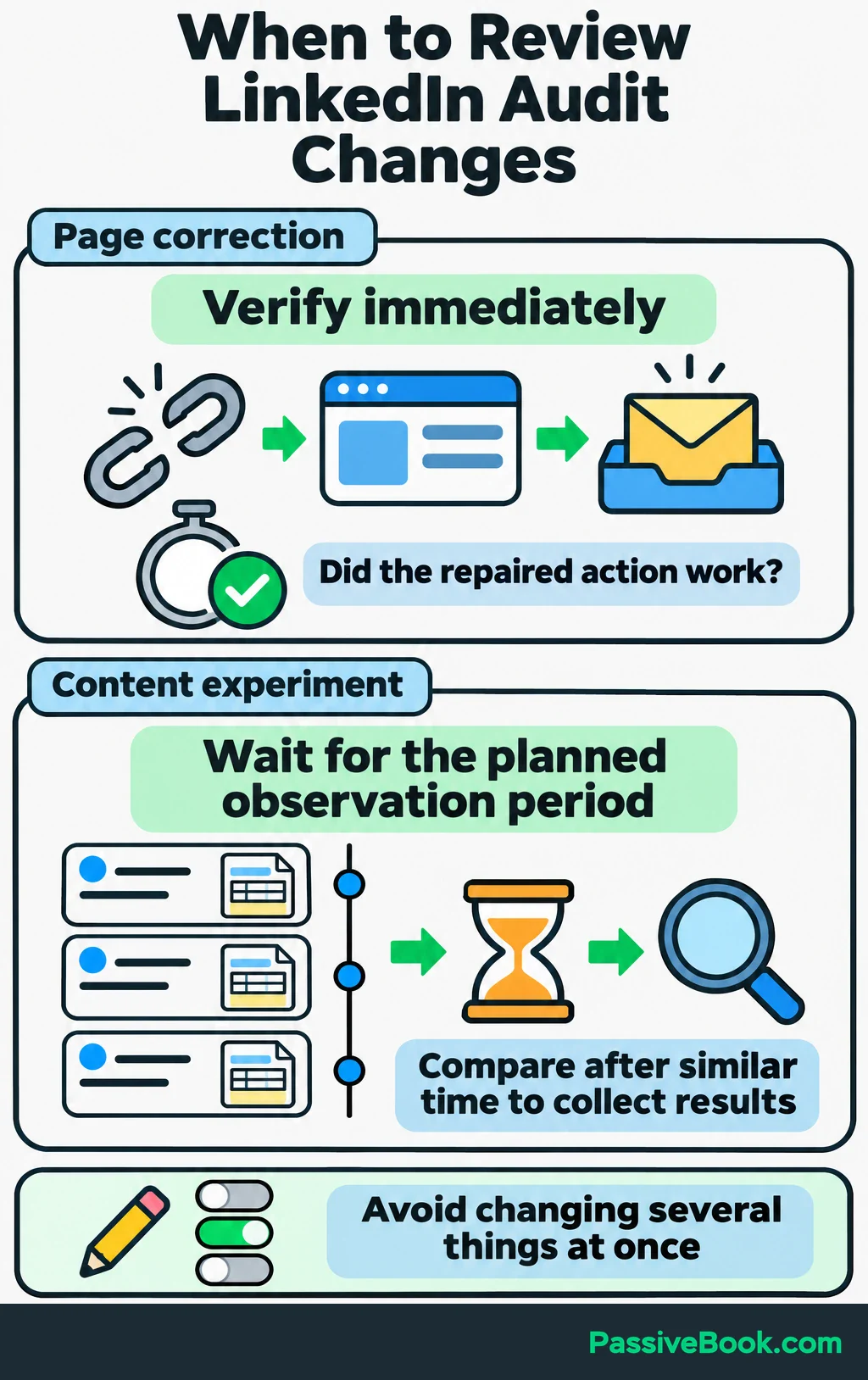
Page corrections and content experiments need different review schedules.
Verify a repaired link immediately. Give a content experiment its planned observation period before judging it.
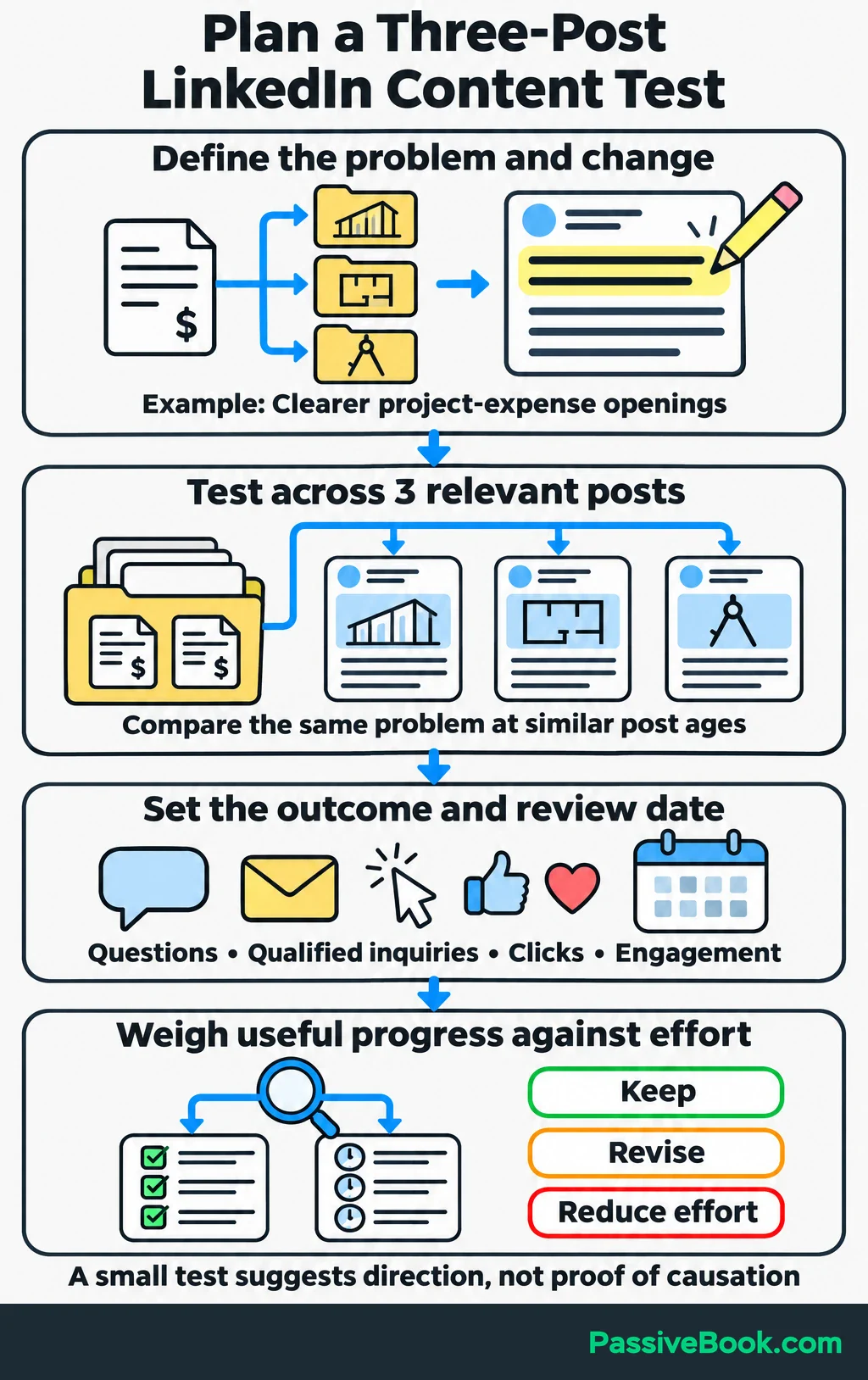
Before publishing an experiment, record:
- The audience problem you’re addressing.
- The change you’re making.
- What you’ll compare it with.
- The outcome you want.
- The review date.
For the bookkeeping service, you could test clearer project-expense openings across the next three relevant posts. Compare them with earlier posts on the same problem after similar time to collect results.
Look for substantive audience questions and attributable qualified inquiries, alongside clicks and engagement. This small test gives you a direction to investigate; it won’t prove that the opening caused every change.
Record what changed and when, and avoid changing several things at once if you want to learn which adjustment helped.
At the review, compare relevant progress with the time spent producing posts and replying. Keep activities that support the goal, revise those with a clear weakness and reduce effort where repeated reviews show little useful progress.
You don’t owe LinkedIn an expanding share of your week. It needs to earn that time.
What Next?
Open your company page and follow its main website or consultation link all the way through. Record what happens, then use that finding as the first row in your audit worksheet.
If this checklist helps you choose where your next hour should go, use the social buttons to share it and make the next page review less of a guessing exercise.
Which gap most affects your page’s usefulness right now, and what makes it your priority? Share your answer in the comments, along with any other questions.
Share this post with your friends & followers:

