A client asks when their project will be ready, and you have to check three conversations before answering. The work is moving, but the next step depends on something nobody clearly owns.
That uncertainty creates extra follow-ups, rushed checks and awkward promises. Taking on another project can mean adding another set of details you have to remember. This guide follows a five-page website project from agreement to handover, showing how to turn those details into a workflow you can delegate, with clear handoffs, approvals and a way forward when client inputs or requests change.
1. Define the Service Outcome and Boundaries
Choose one service to formalize first. Pick something you already deliver often enough to recognize its recurring tasks.
Write down what the client receives, what they must provide and how both sides will know the work is complete. These decisions give every later task a purpose.
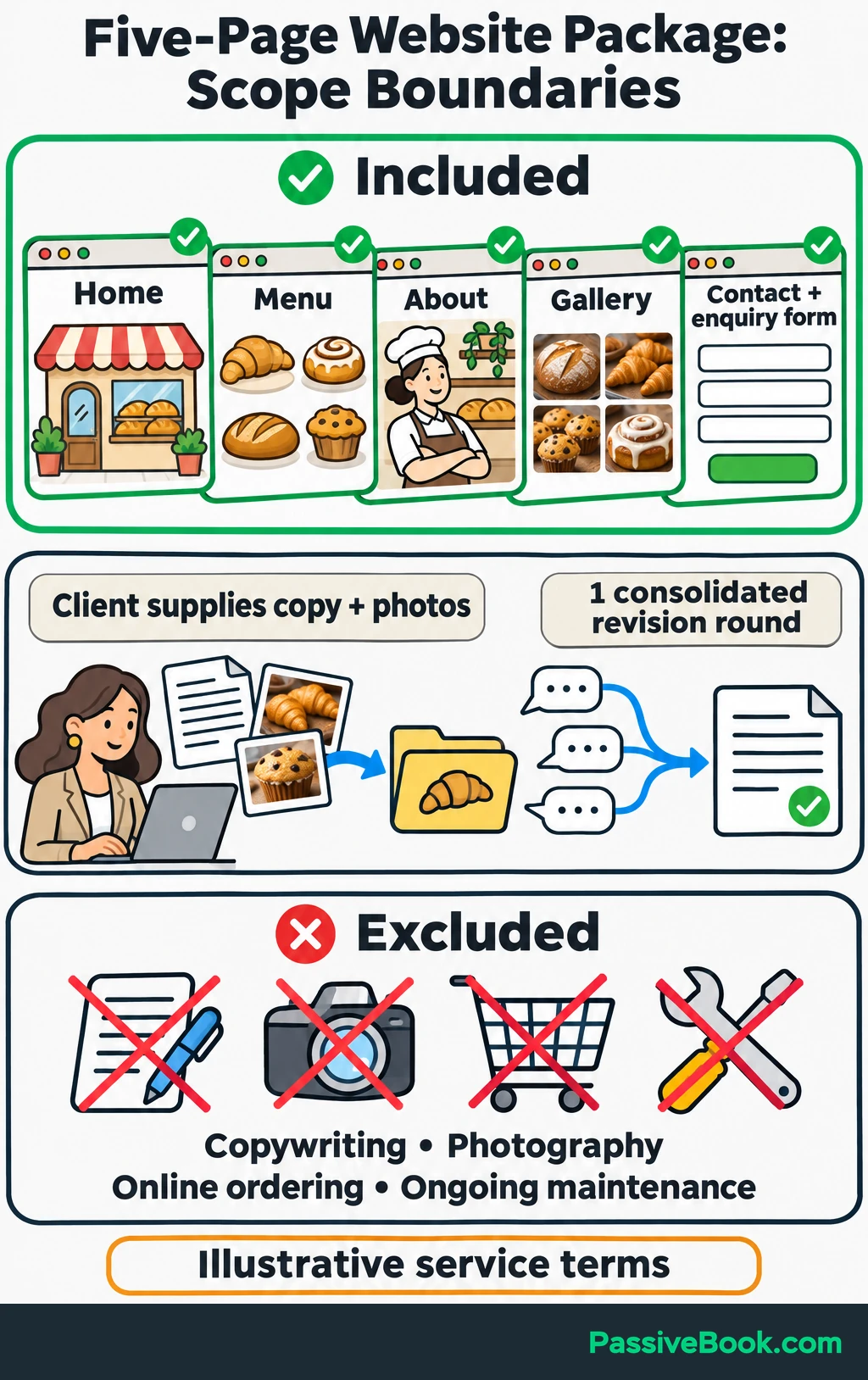
Throughout this guide, imagine you sell a five-page website package to independent bakeries. The client supplies copy and photos, the package includes one consolidated revision round, and delivery ends with an approved launch and handover. These are illustrative service terms.
Your service brief could look like this:
| Item | Agreed Terms |
|---|---|
| Deliverables | Home, Menu, About, Gallery and Contact pages, including an enquiry form |
| Exclusions | Copywriting, photography, online ordering and ongoing maintenance |
| Client responsibilities | Supply final copy and usable photos, check business details and consolidate feedback |
| Client approver | One named person who approves the page plan, feedback and launch |
| Acceptance criteria | All five pages contain approved content, navigation works, the form delivers enquiries and agreed screen-size checks pass |
| Starting trigger | Agreement signed and required initial payment received |
| Ending event | Deliverables accepted, authorized launch completed, access and instructions handed over, and agreed final billing action completed |
| Subsequent support | New requests go to the agreed support address and are assessed under the stated support terms |
Carry approved scope and useful sales notes into the project record. Asking the client to repeat information you already collected adds work without improving delivery.
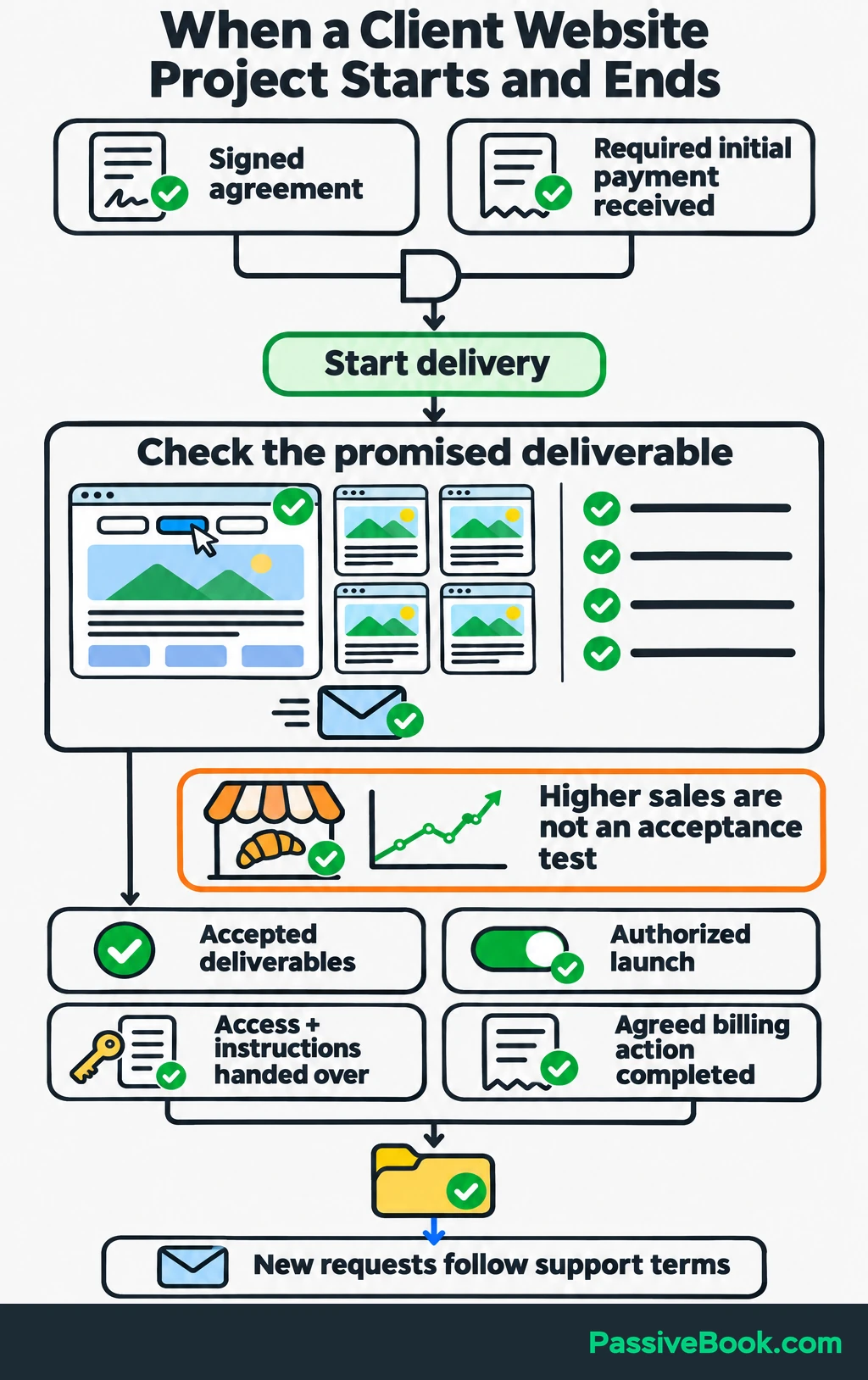
Keep the promised deliverable separate from the client’s wider ambition. A working enquiry form is something you can check. Increased bakery sales depend on much more than the website, so they should not become an implied acceptance requirement.
I left freelancing because my income depended on my continued work. A repeatable process would not have removed that limit by itself, but it would have made parts of delivery easier to hand over. That is the reason I care about documenting this: delegation needs more than a folder of files and good intentions.
For recurring services, define the finish and restart of each cycle. A monthly service might close when its agreed work and report are delivered, then restart when the next month’s priorities are confirmed.
2. Map the Delivery Stages
Start with what actually happens. Open the records from a recent engagement and trace the requests, work, decisions and waits. Ask anyone involved where they regularly have to chase information.
For a new service, map the intended sequence and mark the assumptions you need to test.
Pair each client action with the internal work it triggers. “Client uploads photos” should lead to “check photos are usable” before “builder starts work.” Nielsen Norman Group’s service blueprint model connects customer actions with the people and processes supporting them. You can use that idea without drawing a complicated blueprint.
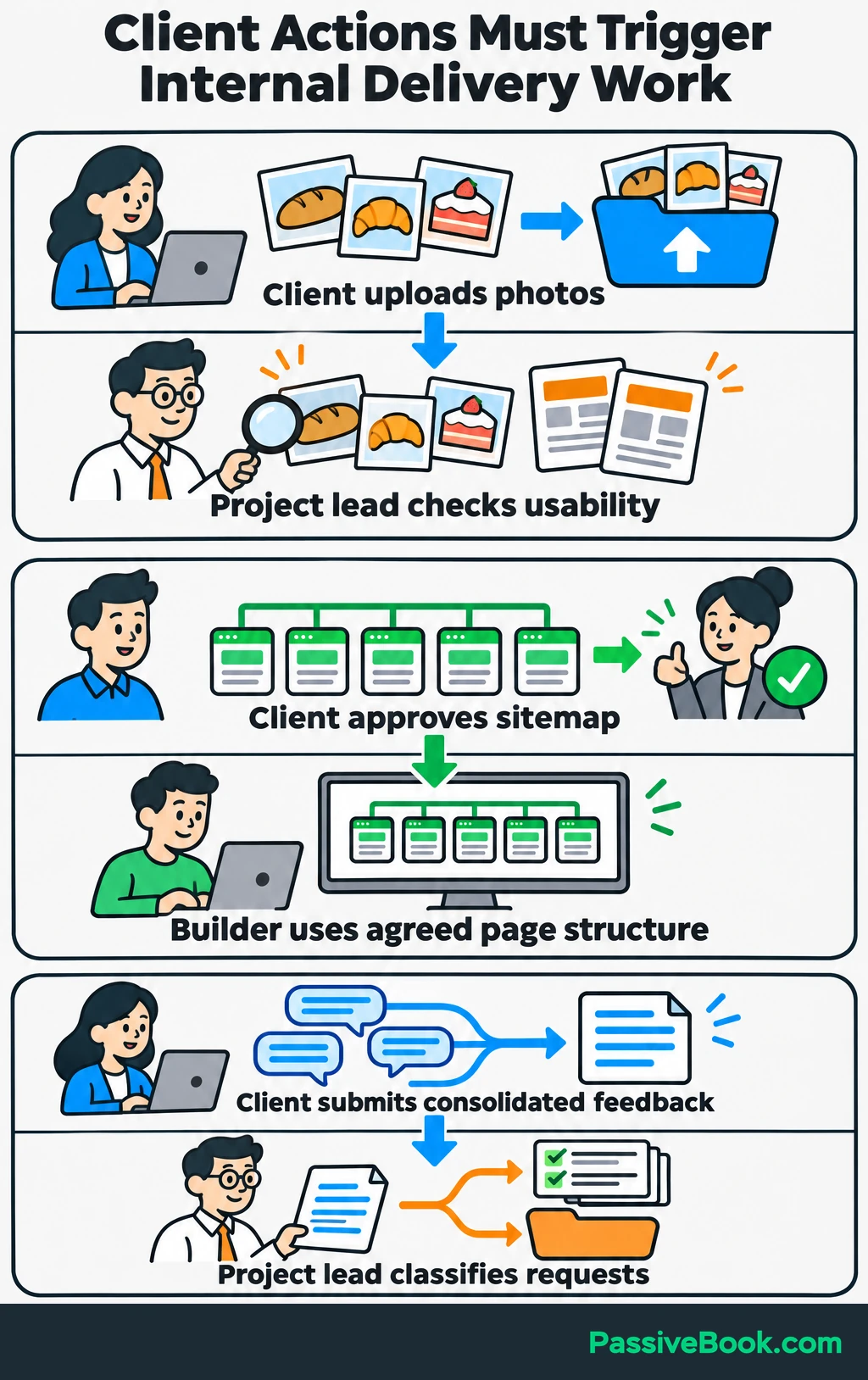
Group tasks into stages when ownership, approval or work status changes. Each stage needs:
- An input that makes the work possible.
- A short set of tasks.
- An output someone can use.
- A completion rule that allows the next stage to begin.
A sitemap is the agreed list of pages and how they connect. Its approval prevents the builder from guessing which pages belong in the package. Here is where that approval fits in the bakery website workflow, along with a few recovery branches:
flowchart TD
    A[Onboarding] --> B[Asset collection]
    B --> C{Copy and photos usable?}
    C -- No --> W[Waiting for specified client inputs]
    W -- Inputs received --> B
    C -- Yes --> D[Sitemap approval]
    D -- Approved --> E[Website build]
    E --> F[Internal quality check]
    F --> G{Checks passed?}
    G -- No: return issue list --> E
    G -- Yes --> H[Client review]
    H -- Feedback or approval received --> I[Revisions, affected rechecks and final approval]
    I --> J{Launch authorized?}
    J -- No --> K[Waiting for launch authorization]
    K -- Authorization received --> J
    J -- Yes --> L[Launch and handover]
Use rectangles for activities, diamonds for decisions and labeled arrows for the outcomes. These follow ASQ’s flowchart conventions. Label waiting states so unfinished work does not disappear under “in progress.”
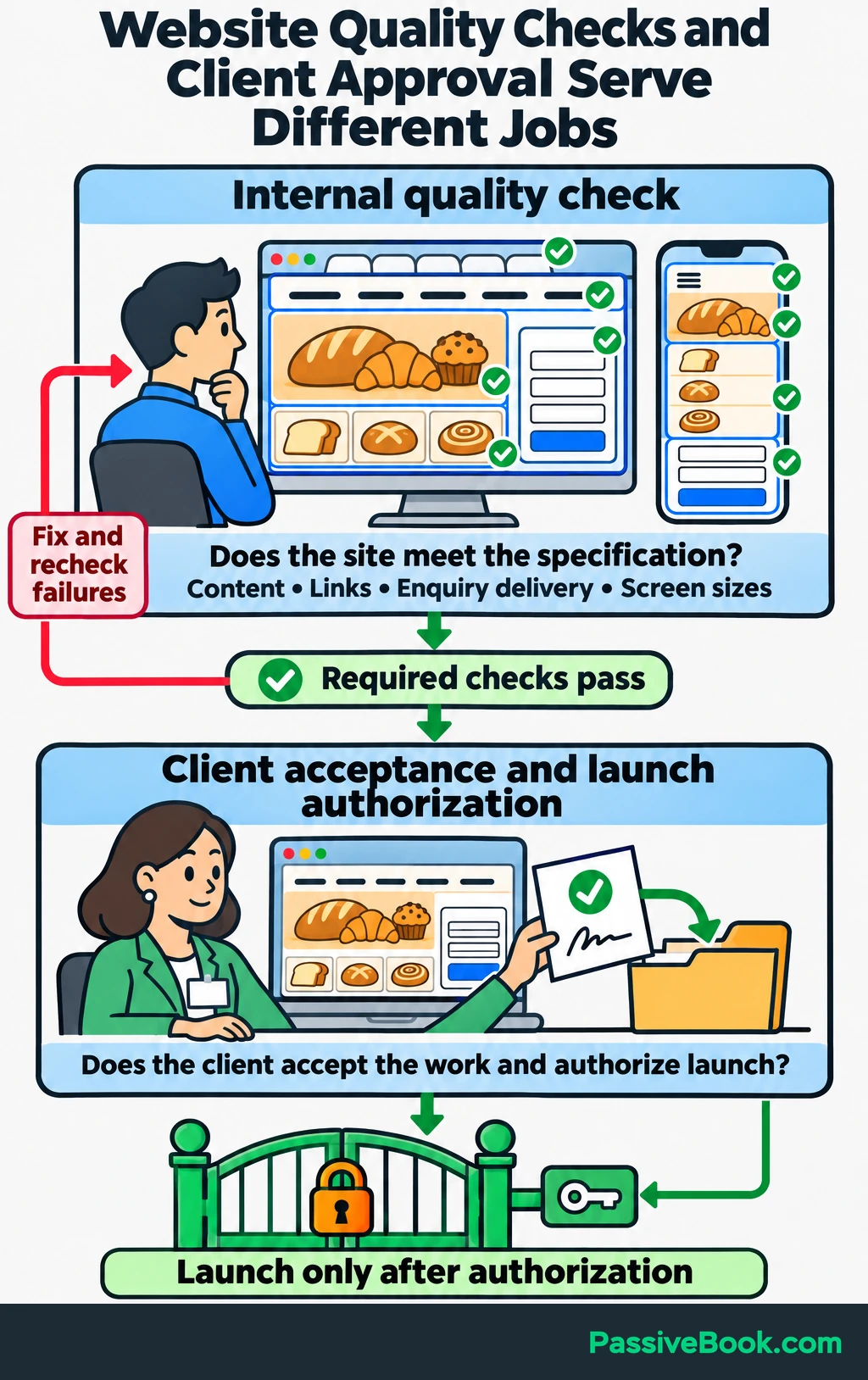
Put checks before expensive transitions. Before showing the website to the client, check page coverage, approved content, navigation, links, enquiry delivery and behavior on agreed phone and desktop sizes.
Internal checks and client approval answer different questions. Your checks establish whether the site meets the specification. Client approval confirms acceptance and permission to proceed.
Also mark dependencies. You might prepare the hosting environment while waiting for photos, but final image placement needs usable images. Remove repeated requests and unnecessary approvals before making the map your standard process.
3. Assign Owners and Define Handoffs
Name one overall project owner who watches delivery from start to finish. Then give each stage one accountable owner.
Contributors can do parts of the work, reviewers can check it, and the client can approve it. Those responsibilities should be visible, but they do not replace stage ownership.
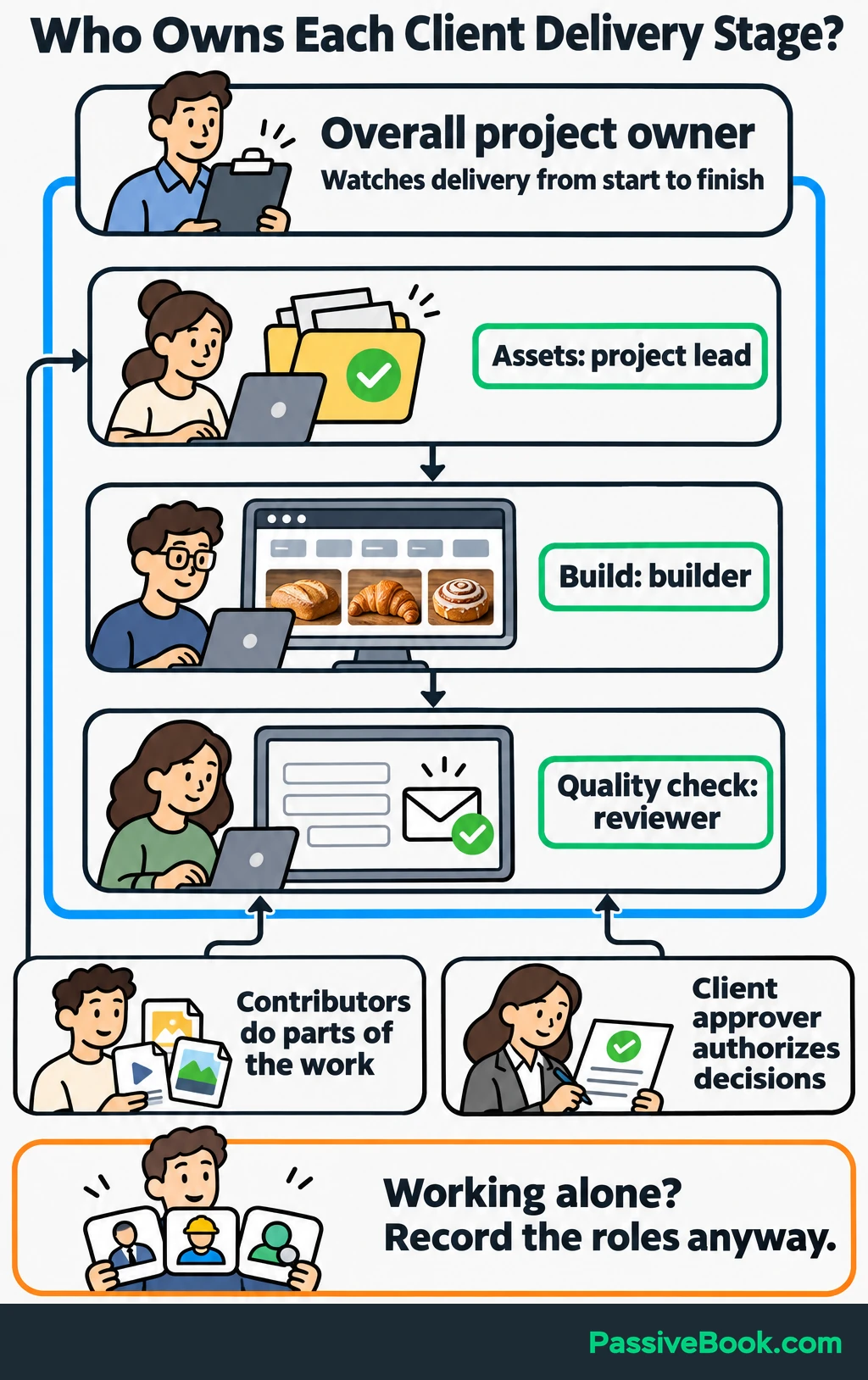
Use roles even when you work alone. You may currently be the project lead, builder and reviewer. Recording those roles makes the process easier to delegate later.
For every handoff, specify:
- Sender and recipient: Who transfers the work and who accepts it.
- Required materials: The files, decisions and approvals needed to begin.
- Location: Where the recipient finds the current versions.
- Timing: When acceptance and the next output are due.
- Acceptance condition: What the recipient checks before taking responsibility.
A build handoff for the bakery website might read:
Project lead → builder. Approved sitemap, checked copy, usable photos and recorded decisions are in the project folder. Confirm readiness by Tuesday. The five-page draft is due the following Tuesday. Return a specific missing-item list if anything prevents the build.
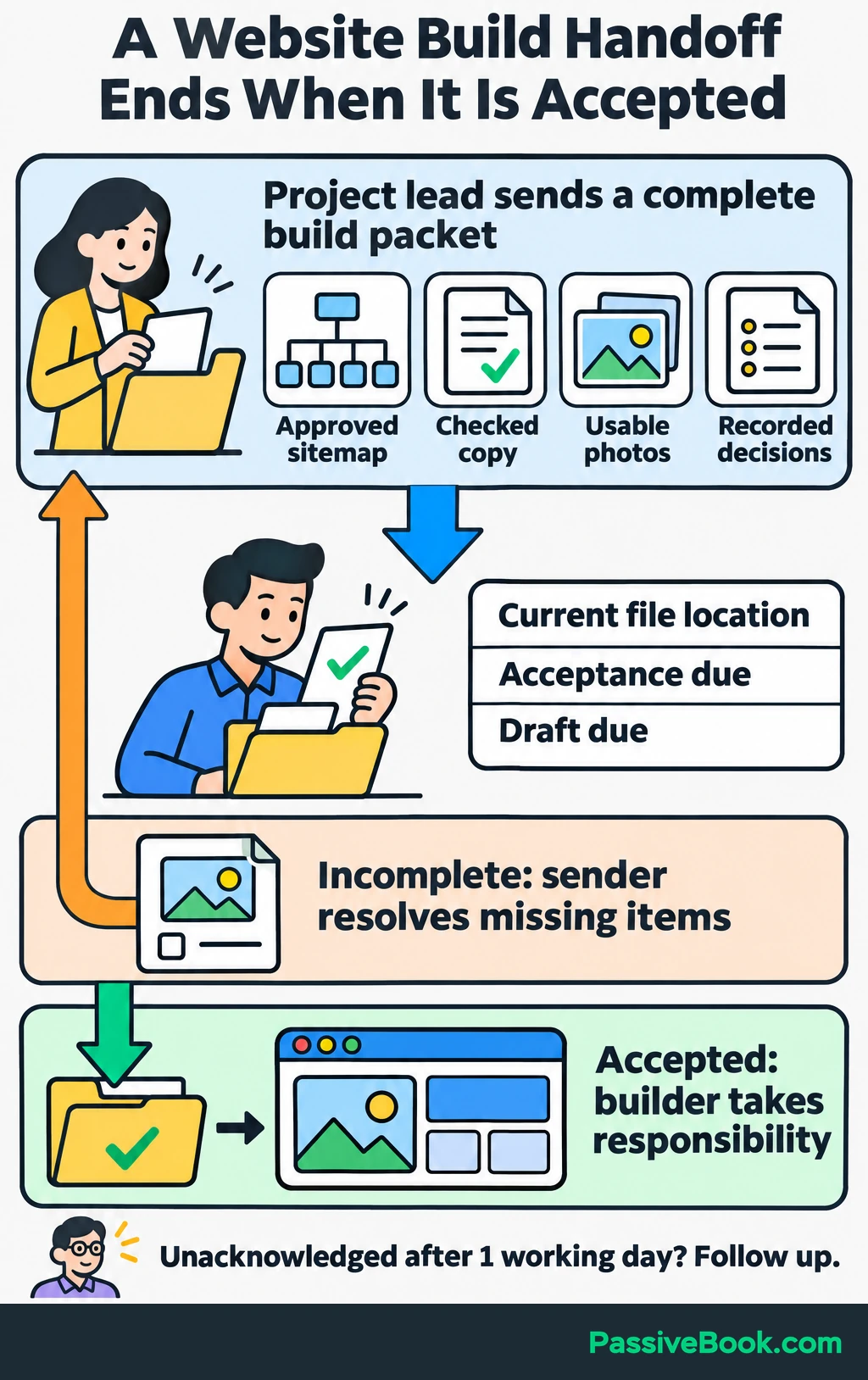
The sender owns resolving an incomplete transfer until the recipient accepts it. The overall project owner makes sure the exchange does not stall.
Give unanswered handoffs a fallback. For example, the project lead checks any transfer unacknowledged after one working day and assigns an available replacement if necessary. When you work alone, the fallback may be rescheduling the task and notifying the client before the delay affects a promised date.
“Sent” is a useful record. It is a poor definition of a completed handoff.
4. Set Timing and Communication Standards
Estimate turnaround from the work, dependencies and capacity available. Include client review, corrections and final approval before promising a launch date.
For each commitment, explain:
- Which working days and time zone apply.
- What event starts the clock.
- Whether the target covers acknowledgment or completed work.
- What happens when required client input arrives late.
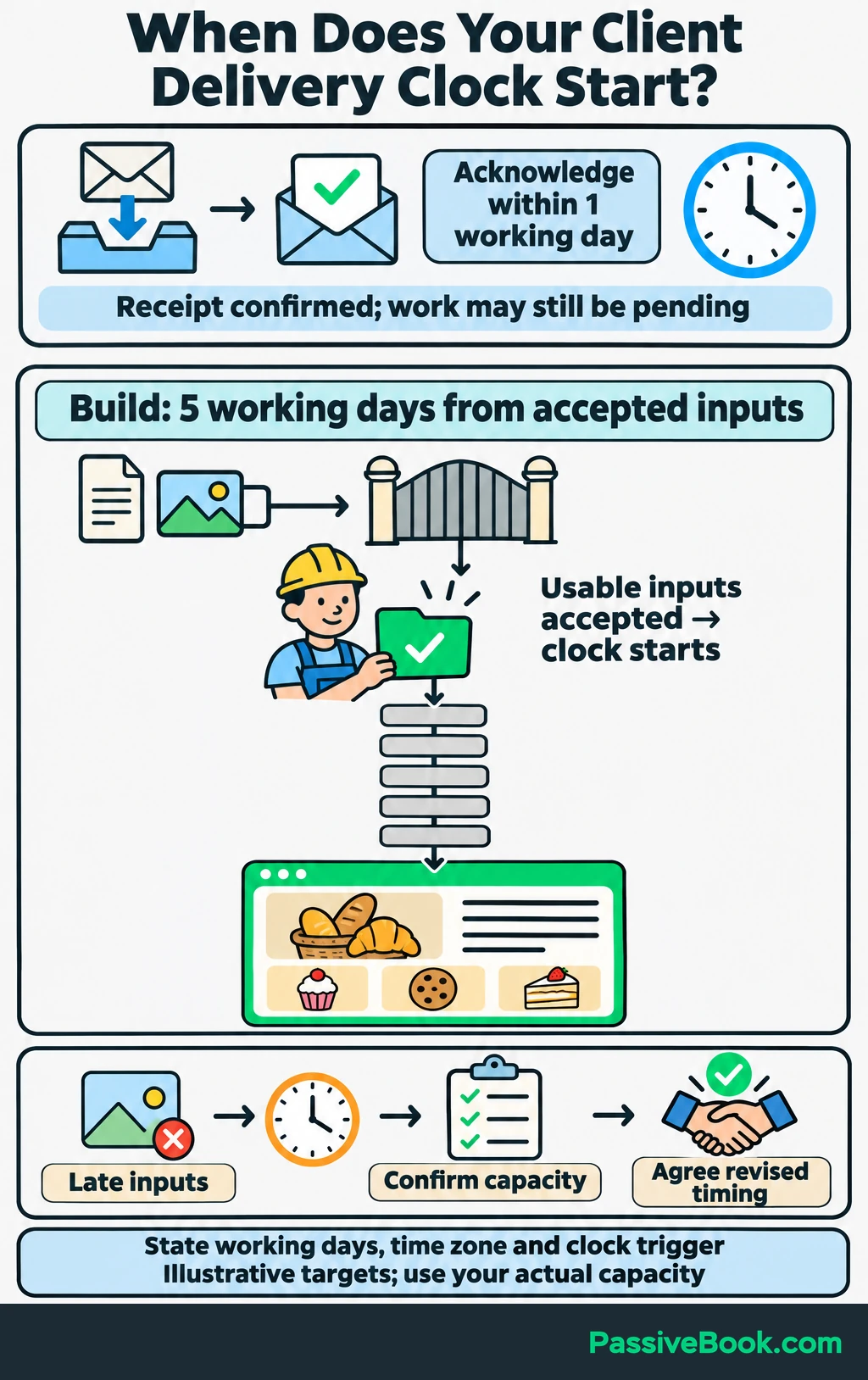
For example, “five working days from accepted build inputs” is clearer than “five days.” Acknowledging a request within one working day also does not mean resolving every request within that period.
Give client requests a specific action, person and date:
Please add the final Menu page copy to the shared document by Thursday. Maria will consolidate any comments and confirm that the copy is ready to use.
Choose one primary communication channel and record decisions beside the project. If an approval arrives in a call, summarize it in writing and ask the approver to confirm it.
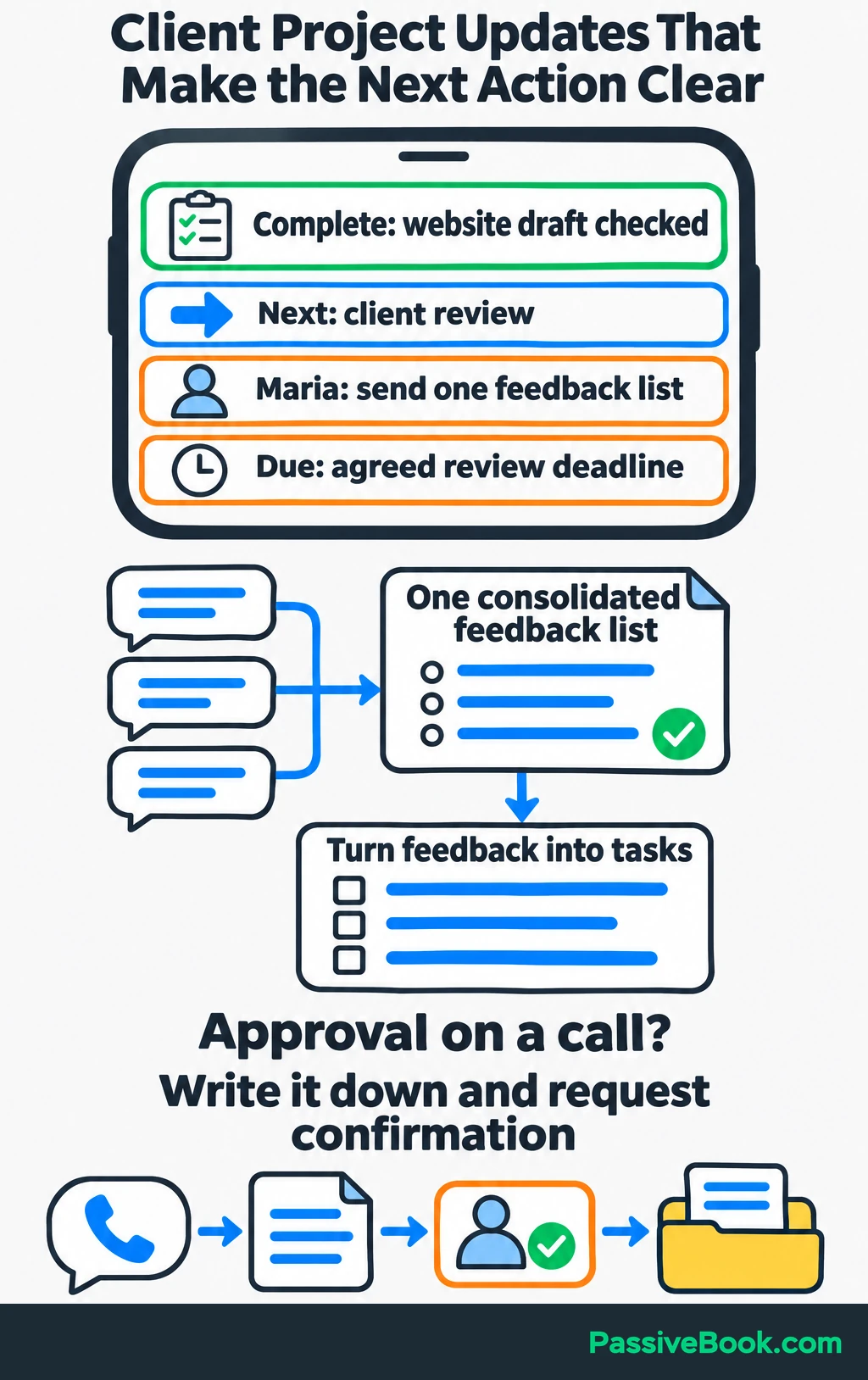
Send updates when a milestone is reached or a blocker threatens the schedule. Cover what is complete, what happens next and any action the client needs to take.
For the bakery’s review, request one consolidated feedback list within the agreed window. Turn that list into revision tasks, or record approval if no changes are needed.
Standardize those checkpoints while tailoring the message to the client. A reliable review request can still refer to their menu, opening hours and launch plans.
5. Design Exception Paths
For each likely exception, record its trigger, owner, next action, client update and return condition. The point is to decide what happens while you still have time to think.
Missing Inputs and Overdue Approvals
Move blocked work into a visible waiting state. Record the missing item, who must provide it, the next reminder date and when the project owner will intervene.
If the builder discovers missing or unusable bakery photos, return the project to asset collection. Tasks that do not need those photos can continue, but dependent work stays blocked.
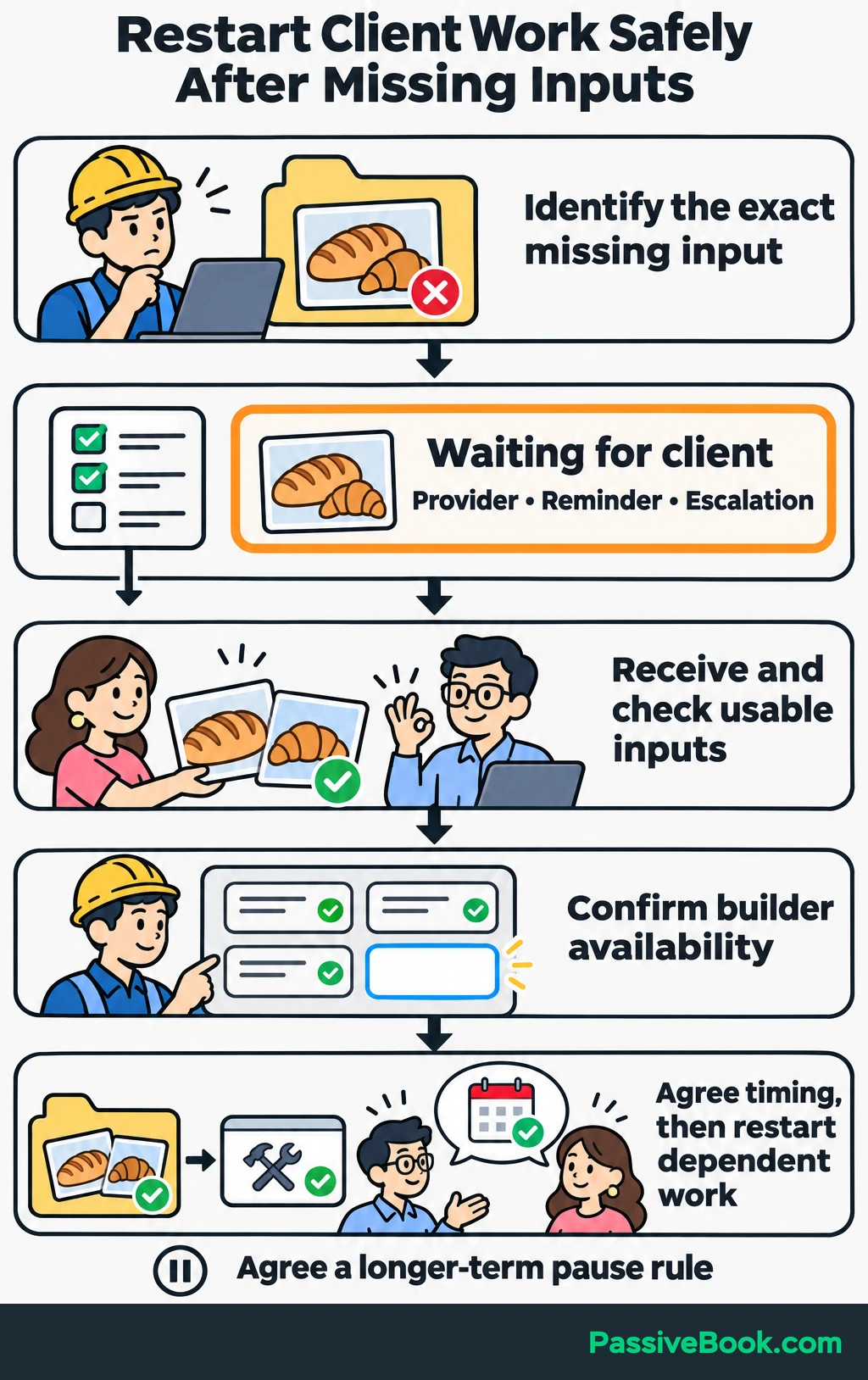
When the client supplies usable photos, confirm the builder’s availability before restarting the build. If the original production slot has passed, agree on a new slot and tell the client the revised delivery date.
Agree on a longer-term pause rule too. Otherwise, a project can remain technically active while waiting indefinitely for one attachment.
Scope Changes and Revision Requests
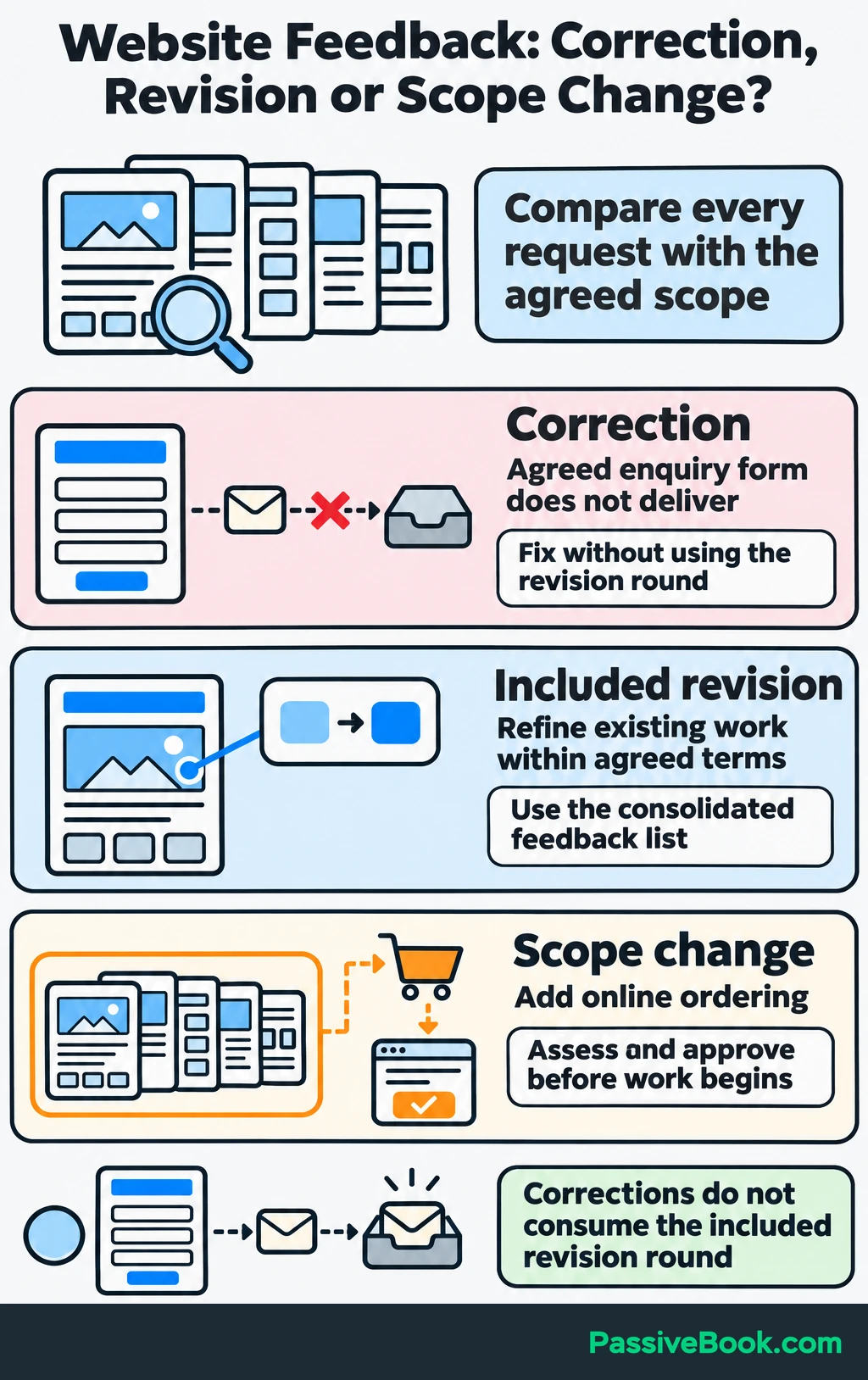
Compare each request with the agreed deliverables and acceptance criteria.
A form that fails to deliver enquiries needs correction. Adding online ordering changes the package. Calling both “feedback” hides a useful distinction.
For a scope change:
- Record the requested change.
- Assess its effect on work, price and dates.
- Obtain approval from the authorized people.
- Update the scope and schedule before doing the changed work.
That sequence follows the approach described in PMI’s scope change control paper.
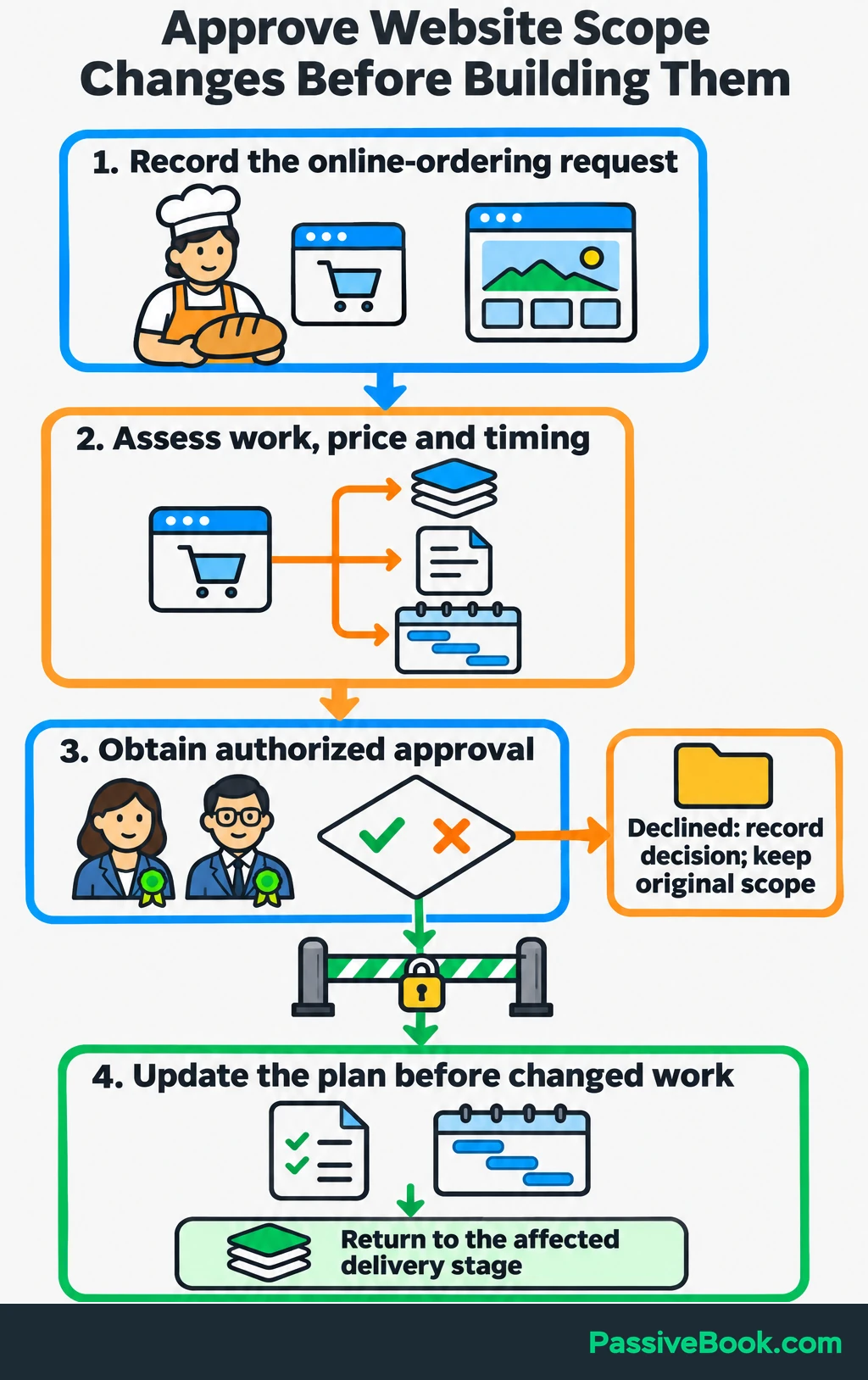
For the bakery, the recovery path is:
Online-ordering request → assess impact → obtain change approval → update the plan → return to the affected delivery stage.
If the change is declined, continue with the original scope and record the decision. Corrections required to meet the agreed specification should not consume the client’s included revision round.
Failed Quality Checks
Return failed work to its owner with an issue they can act on. “Form broken” leaves room for guessing. “Test enquiry did not arrive in the designated inbox” identifies the failed condition.
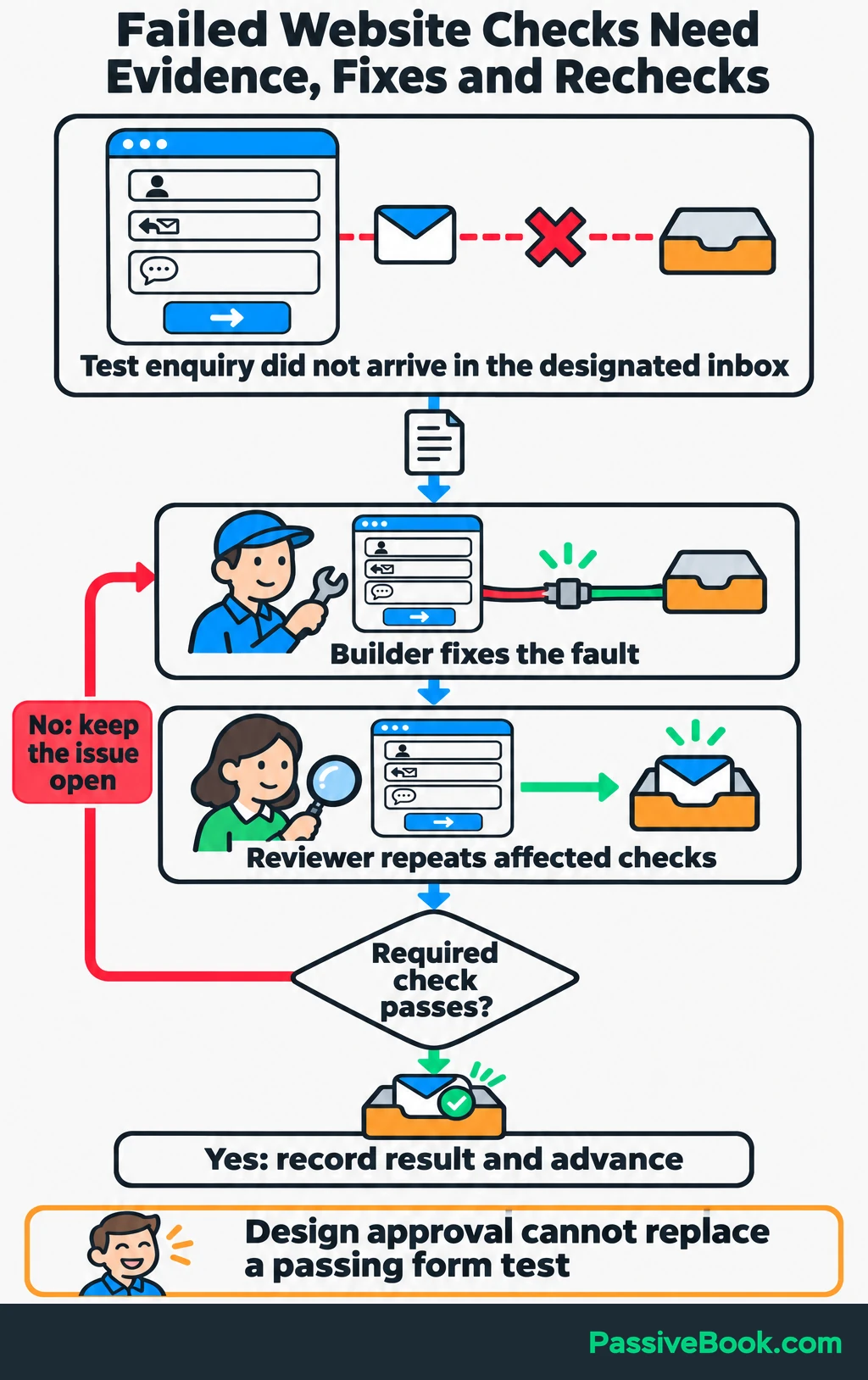
The builder fixes the fault, and the reviewer repeats the affected checks before the project advances.
For the bakery, a failed enquiry test returns the work to the build stage. A client’s enthusiasm about the design does not turn a missing enquiry into a passing result.
6. Document a Reusable Workflow
Create the Template and Project Record
Keep two things: a reusable delivery template and a separate record for each engagement.
The template explains the process. The project record shows where this client’s work stands.
You can copy the following tables into a spreadsheet or task board. They form one complete example, split into delivery rules and scheduling rules so each remains readable.
| Stage | Owner | Required Inputs | Tasks and Output | Completion Criteria |
|---|---|---|---|---|
| Onboarding | Project lead | Signed agreement, required payment and sales notes | Confirm scope, approver, dates and file locations; create project record | Responsibilities, contacts and next client request are recorded |
| Asset collection | Project lead | Page list and client copy and photos | Check completeness and suitability; assemble approved asset folder | Every agreed page has usable content |
| Sitemap approval | Project lead | Scope and checked content | Prepare page structure and obtain client approval | Named approver confirms the five-page structure |
| Website build | Builder | Approved sitemap, copy, photos and decisions | Build the five-page draft using the build checklist | All agreed pages and features exist, approved content is included and navigation connects the pages |
| Internal quality check | Reviewer | Draft site and acceptance checklist | Check content, links, form delivery and agreed screen sizes; record results | All required checks pass |
| Client review | Project lead | Checked draft and review instructions | Request consolidated feedback or approval; record the response | One feedback list or explicit approval is received |
| Revisions and final approval | Project lead; builder makes changes | Consolidated feedback or approval | Classify requests, complete included revisions, repeat affected checks and request launch authorization | Required corrections are resolved, changes pass checks and launch authorization is recorded |
| Launch and handover | Project lead; builder launches | Authorized release, access and operating instructions | Launch, repeat critical live checks, transfer access and instructions, complete billing action and explain support route | Live checks pass, handover is acknowledged and closure items are complete |
The timing below is illustrative, rather than a benchmark. Replace it with targets your capacity can support. Internal turnaround starts when the assigned owner accepts usable inputs; client response windows start when the complete request is sent.
| Stage | Timing Target | Next Stage | Exception Route |
|---|---|---|---|
| Onboarding | One working day | Asset collection | Project lead resolves unclear scope or contacts |
| Asset collection | Client submission within five working days; check within one further day | Sitemap approval | Waiting state for missing or unsuitable assets |
| Sitemap approval | Prepare within one working day; client review within two | Website build | Resolve unclear structure or escalate overdue approval |
| Website build | Five working days | Internal quality check | Missing assets return to collection; new features enter scope review |
| Internal quality check | One working day | Client review | Failed checks return to builder |
| Client review | Three working days | Revisions and final approval | Overdue response enters waiting state |
| Revisions and final approval | Two working days for included changes; two for client approval after rechecks | Launch and handover | New scope enters change review; failed checks return to builder; missing authorization blocks launch |
| Launch and handover | One working day within the agreed launch window | Closed project and support route | Launch faults stay open for correction and recheck |
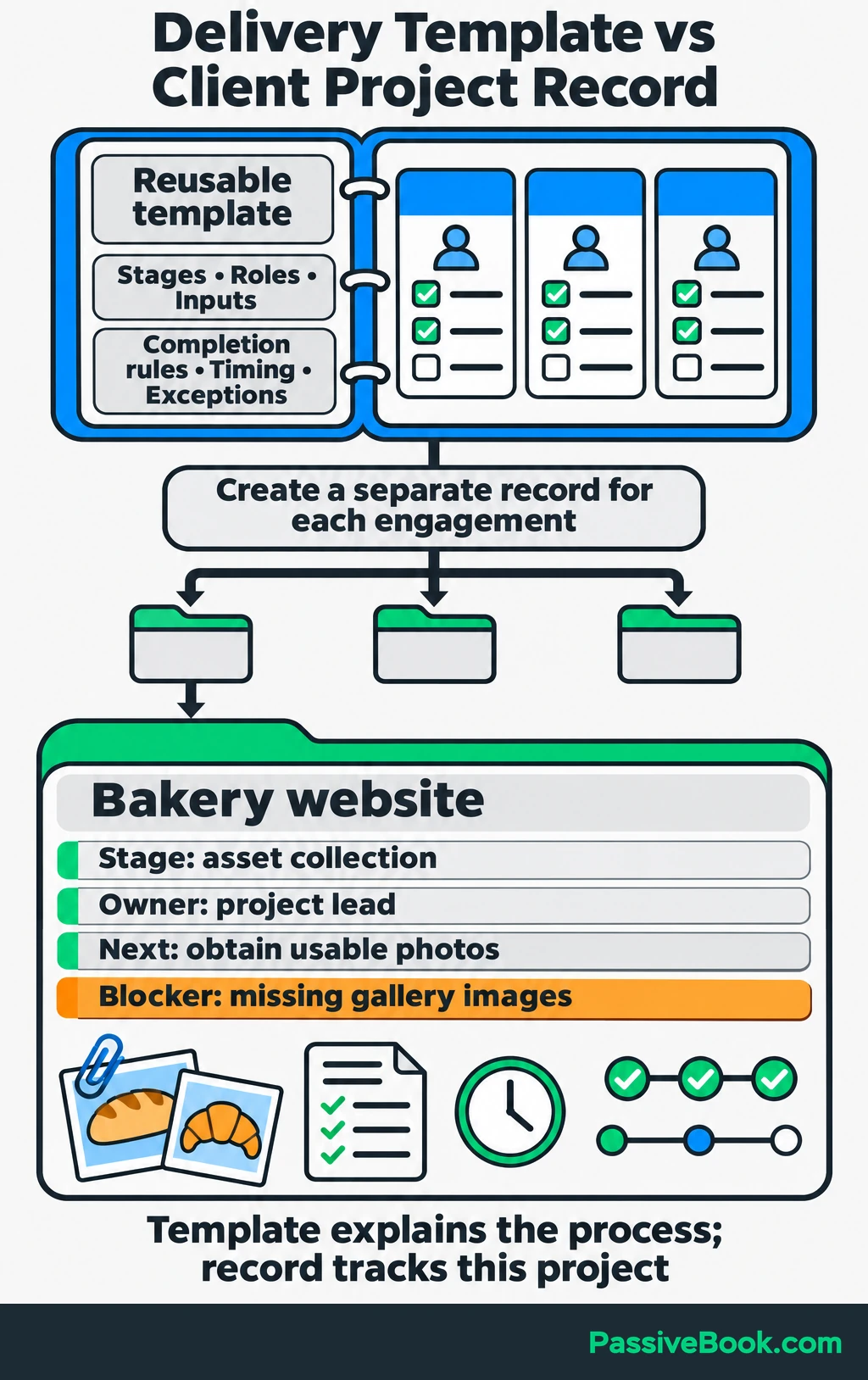
For each engagement, record its scope, current stage, named owner, next action, due date, blockers, files and approval history. Capture stage-entry and completion dates so you can later see where time went.
The website example gives you a structure, but your service will have different inputs and approvals. This AI Skill drafts a version around your own work, including the handoffs and exceptions.

Free AI Operations Writer




I would start with an existing spreadsheet or shared document. If you already use Notion for planning, keeping the workflow there may be enough. Add software when you can name the missing function, such as task assignments, dependency tracking or client visibility.
Give each person access only to the records and accounts needed for their work. This applies OWASP’s least-privilege principle to your delivery setup: a contractor building one site does not need access to every client.
Write Short Procedures for Repeatable Tasks
Write procedures for tasks someone else must repeat. Include the trigger, inputs, actions, expected result, checks and escalation route.
Here is a complete short procedure for the enquiry-form check:
- Start when the draft is ready for internal review, after a form-related correction or after launch.
- Open the agreed Contact page and confirm which inbox should receive enquiries.
- Submit a clearly labeled test enquiry with a unique message.
- Confirm receipt in the designated inbox and check that the submitted details are readable.
- Record the page, test time and result in the project checklist.
- If the enquiry is missing or incomplete, mark the check as failed and return the issue to the builder.
- Repeat the test after correction. Advance only when it passes.
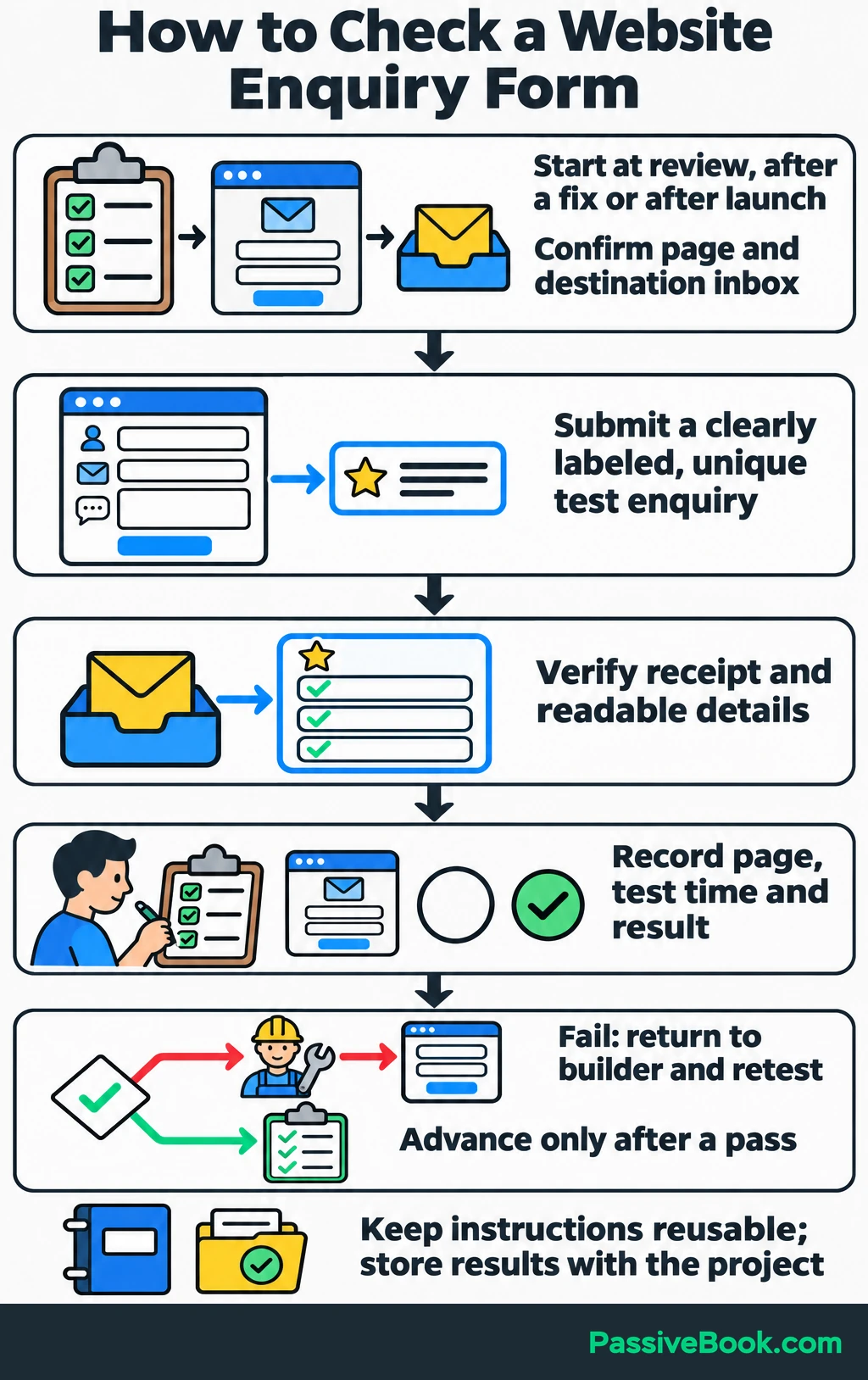
Keep these reusable instructions outside individual client records. Store the bakery’s actual inbox, test results and approvals inside its project.
Add a screenshot or short walkthrough where it removes ambiguity. Assign someone to maintain the template and procedures, and record their revision dates.
7. Pilot the Workflow on One Project
Walk through the map with the people who will use it. ASQ recommends reviewing a flowchart with those involved and walking through the process to check its accuracy.
Test the normal route and these exceptions:
- Missing bakery photos.
- A request for online ordering.
- A failed enquiry-form test.
- An unavailable builder or project owner.
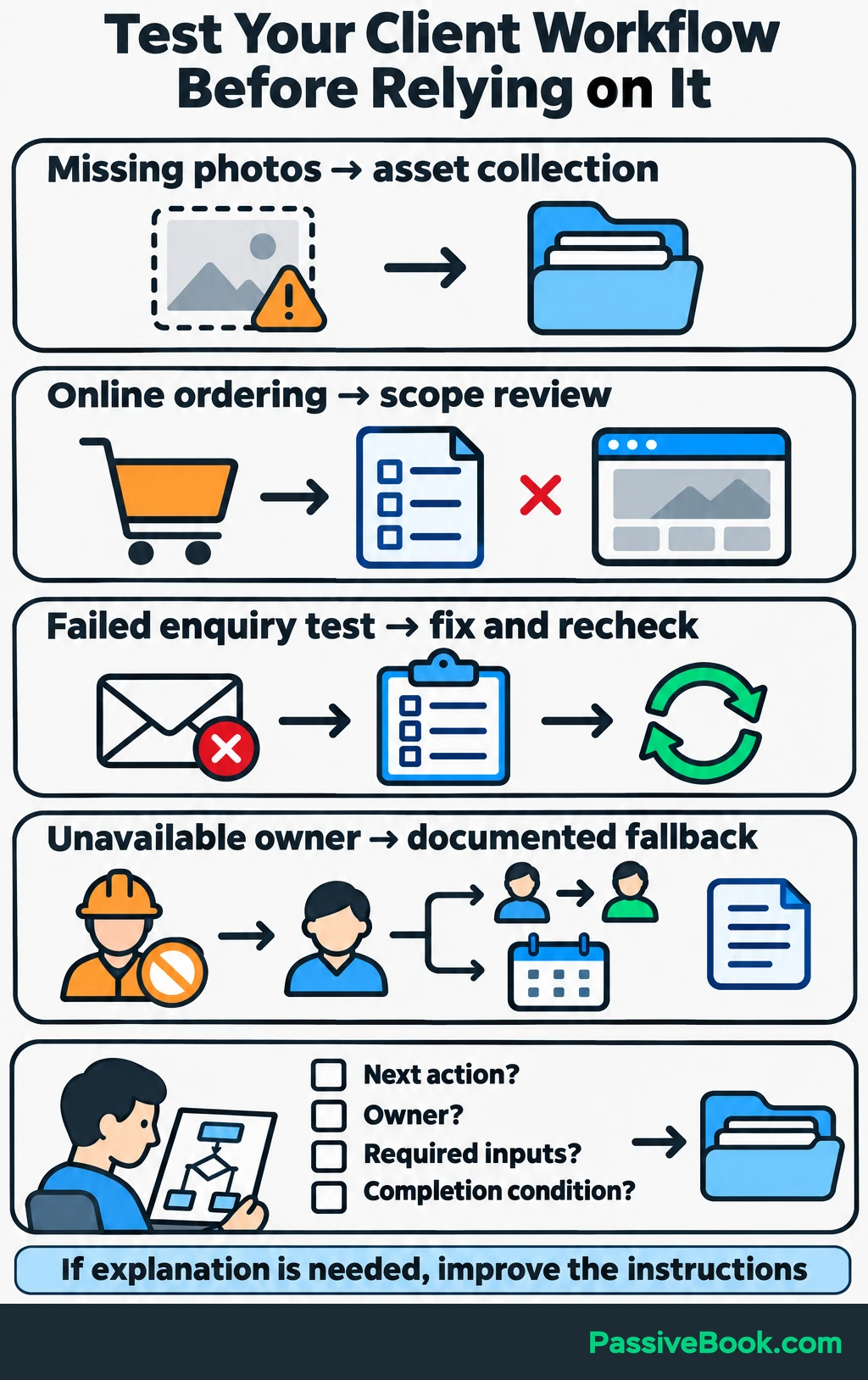
For each case, ask the person following the documentation to identify the next action, owner, required inputs and completion condition.
If they need you to explain the answer, add the missing instruction. That is useful feedback about the document.
Pilot the revised process on one suitable engagement while honoring existing commitments. Ask the client whether the project’s status and their next action are clear. Remove administration that adds effort without helping anyone decide or act.
8. Automate Stable Transitions
Automate repetitive tasks once their triggers and completion rules are clear. Good starting points include project creation, assignments, reminders and milestone notifications.
I use n8n to connect parts of my own operations, but I would still begin with automation already available in the tools holding the project. Another subscription needs a specific job.
When separate applications need connecting, I would consider Make for a visual setup, or n8n when its flexibility fits the work and you can maintain it. Include setup and maintenance time in the decision.
Define each automation as trigger → conditions → action → failure response.
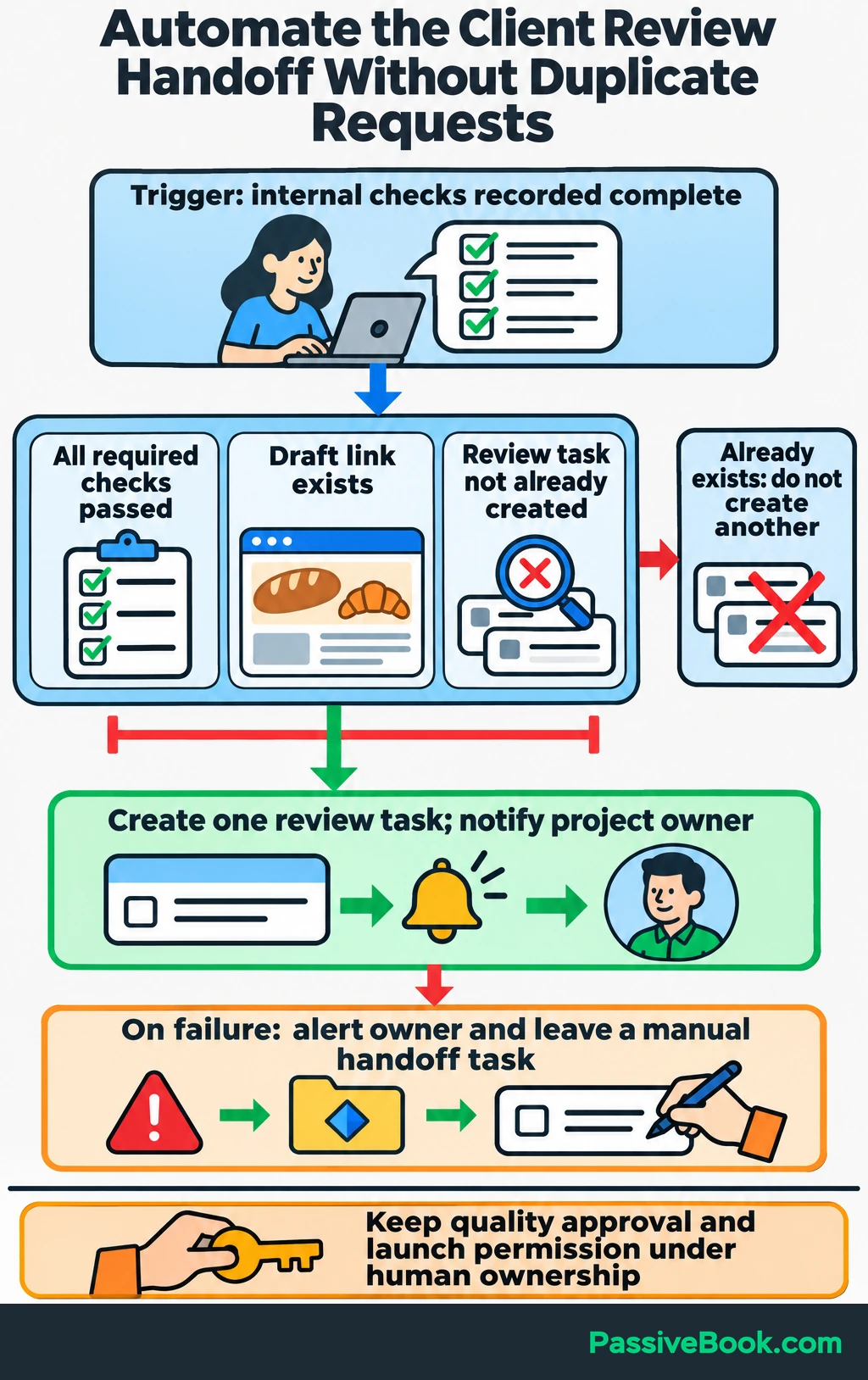
For the bakery’s client-review transition:
| Part | Rule |
|---|---|
| Trigger | Reviewer records completion of internal checks |
| Conditions | Every required check passed, the draft link exists and this review task has not already been created |
| Action | Create one client-review task and notify the project owner |
| Failure response | Alert the project owner and leave a visible task to complete the handoff manually |
Stop reminders when feedback or approval arrives. Require recorded launch authorization before the project can move to launch.
Test successful, duplicate, missing-data and failure cases before enabling client-facing actions. A repeated trigger should not create three review requests.
Assign failures to a named person. For example, n8n supports error workflows that can send alerts when an execution fails. The alert should identify the affected project and the action someone must complete manually.
Keep scope decisions, quality approval and launch authorization under human ownership. Automating a notification is useful; assuming approval because nobody replied creates a different problem.
9. Improve the Workflow From Delivery Results
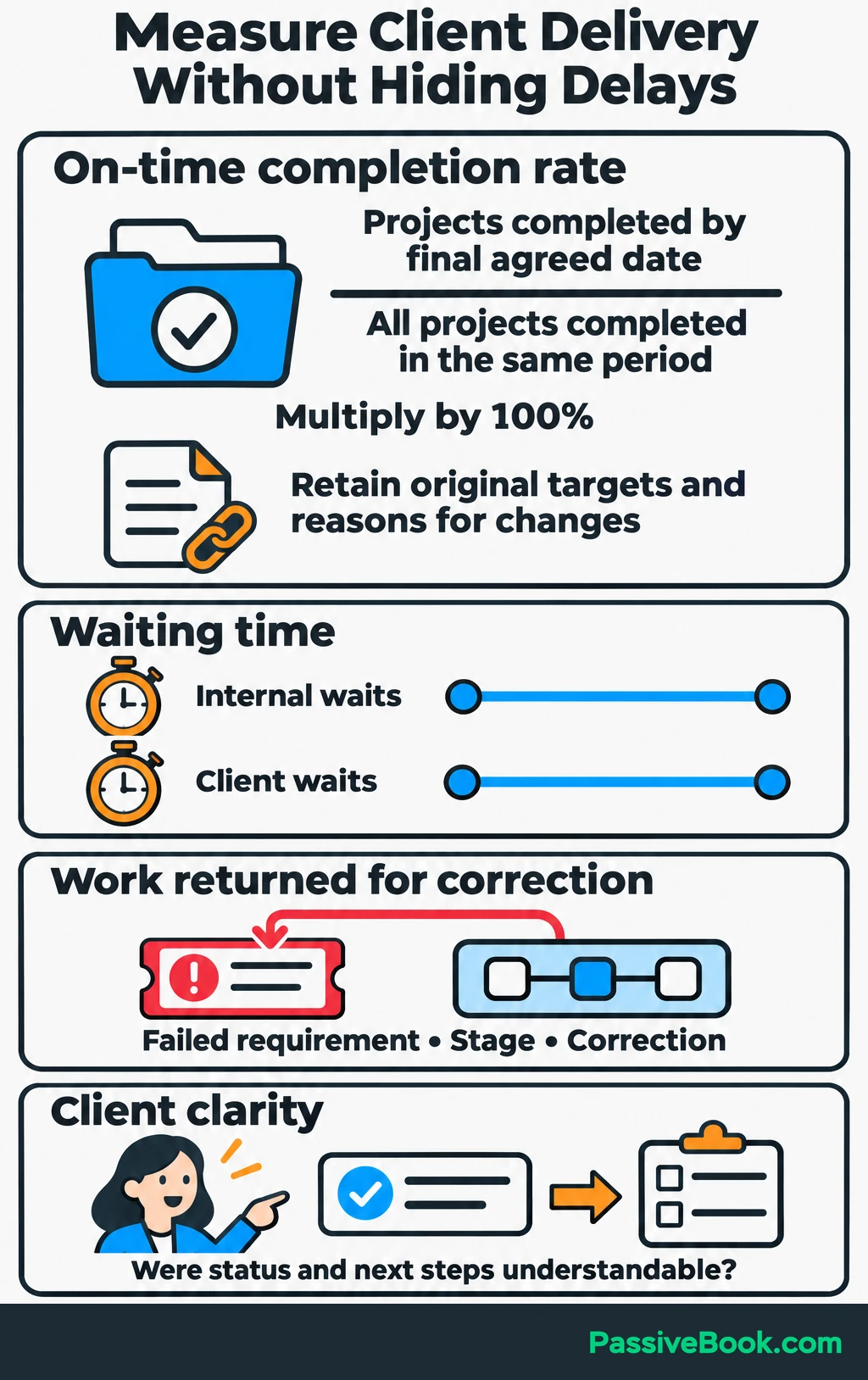
Track a few measures that help explain delays or repeated work.
| Measure | What to Record |
|---|---|
| Completion against agreed dates | Original date, approved changes, final agreed date and actual completion |
| Waiting time | Start and end of each wait, with internal and client waits recorded separately |
| Work returned for correction | Failed requirement, responsible stage and correction needed |
| Client clarity | Feedback on whether status, requests and next steps were understandable |
Keep the definitions consistent. If you calculate an on-time completion rate, count projects completed by their final agreed date among all projects completed in that same reporting period. Retain the original dates and reasons for changes so repeated rescheduling remains visible.
Compare similar engagements. A five-page site and a site with online ordering do not tell you much when their completion times are treated as equivalent.
Then match the improvement to the cause. Repeated waits for usable bakery photos suggest clearer submission examples and earlier suitability checks. Hiring another builder would leave the same missing photos.
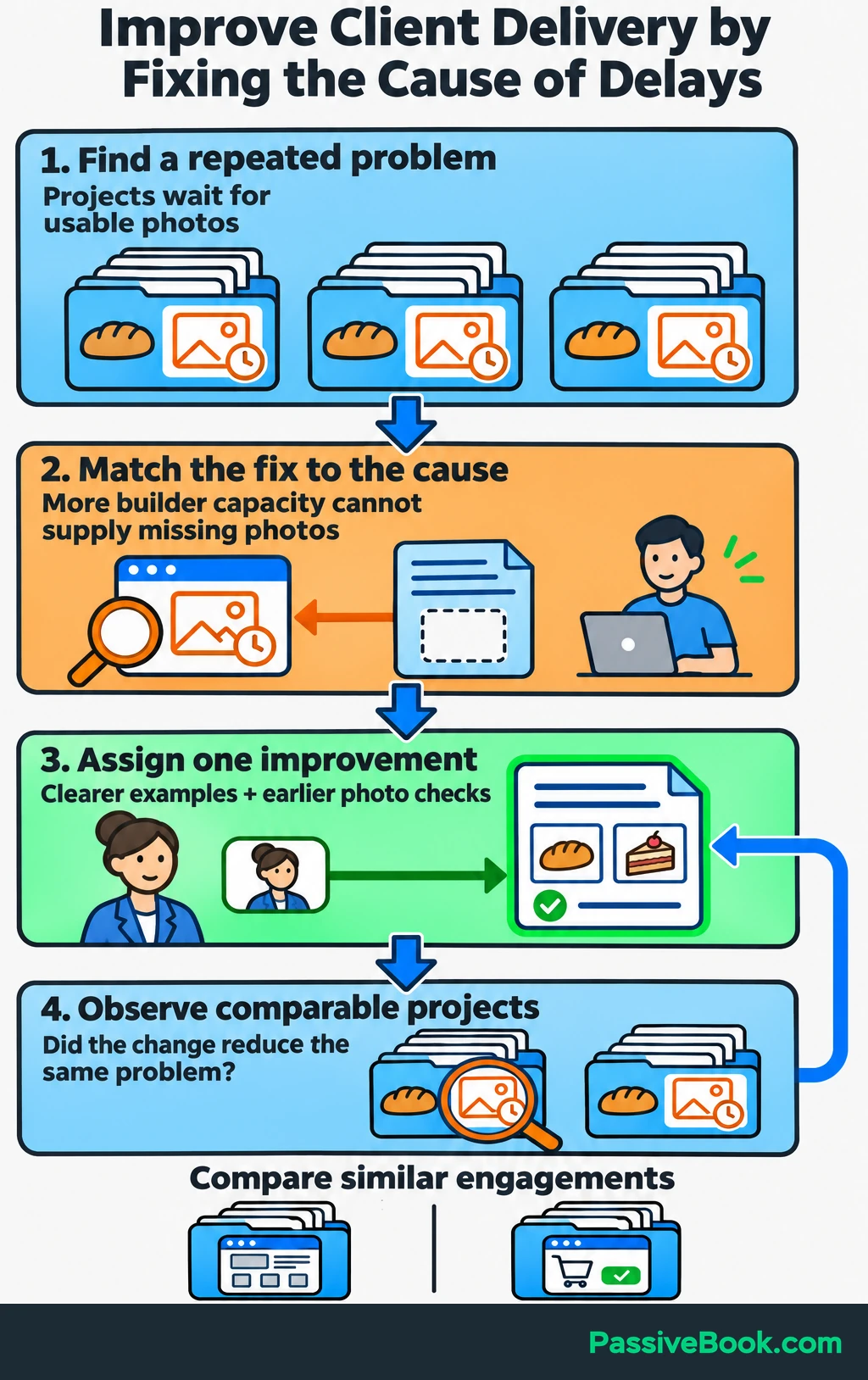
Choose one improvement, assign an owner and update the affected template or procedure. Watch subsequent comparable projects before deciding whether it helped.
Before calling the workflow ready, check that every stage has an owner, usable inputs, completion criteria, timing expectations, a next step and an exception route.
What Next?
Choose one active service and write its starting trigger, finished outcome and next three stages in a shared document. Add an owner and completion rule beside each stage.
Use the social buttons to share this guide when clearer handoffs would make the next project easier to deliver.
Which handoff in your current process depends most on someone remembering to follow up? Tell me in the comments, and bring any other workflow questions with you.
Share this post with your friends & followers:

