A client asks when their project will be ready, and answering means checking your inbox, opening three files, and remembering what you agreed last week. The work may be moving, but its status lives mostly in your head.
That makes a day away difficult. Small decisions wait for you, and a missing detail can sit unnoticed until it threatens a deadline. This guide follows a recurring newsletter service from intake to final handoff, showing how workflows, templates, and task instructions can make delivery less dependent on your memory and constant availability.
Choose One Recurring Service to Systemize
Start with a service you already deliver repeatedly. Look through recent projects for missing information, repeated explanations, avoidable corrections, and admin work that keeps interrupting delivery.
I would choose one recurring problem you can fix within that service. “Improve operations” gives you nowhere to start. “Stop chasing the details needed to begin a draft” gives you a clear task.
Throughout this guide, imagine you offer monthly newsletter writing for independent bicycle shops. The package includes one draft, one consolidated revision round, and approved copy handed to the client for sending. Sending the newsletter is outside the package.
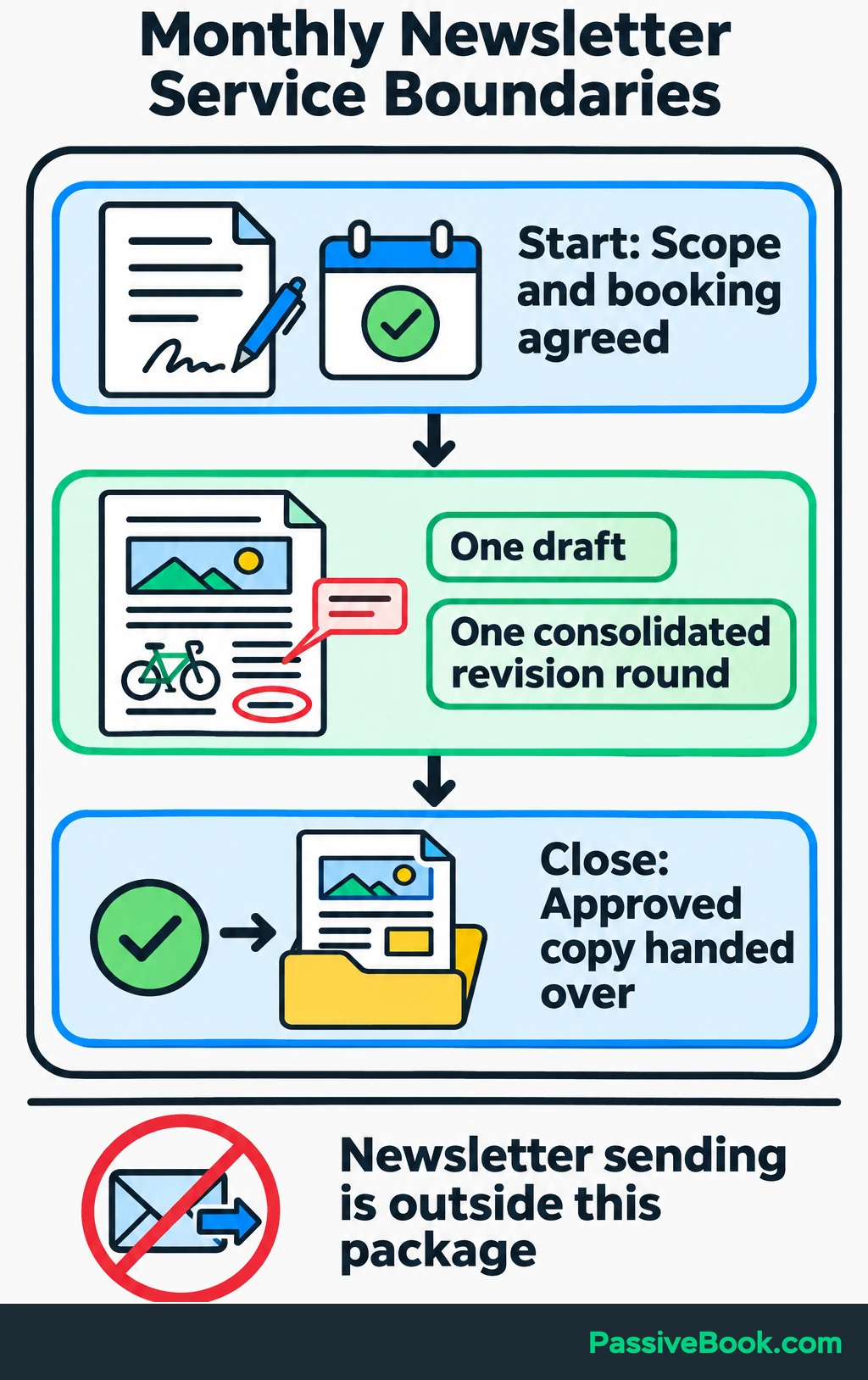
Define three boundaries:
- Start: The client accepts the scope and meets any agreed booking or payment requirements.
- Delivery: You prepare the newsletter copy and make any changes within the included revision round.
- Close: The client approves the copy, receives the final files, and knows what support remains.
Keep the writing flexible. Each shop needs its own voice and message, but you can standardize how you collect information, request feedback, and check the work.
For this first workflow, aim to reduce time spent chasing brief details. Use existing records if they show the effort involved. Otherwise, start tracking it on the next delivery.
Map the Workflow and Find the Bottleneck
Reconstruct one recent project from its messages, files, and tasks. Write down what actually happened, including waiting, corrections, and decisions that came back to you.
If anyone else helped, walk through the sequence with them. ASQ’s process-mapping guidance recommends checking the map with people involved in the work.
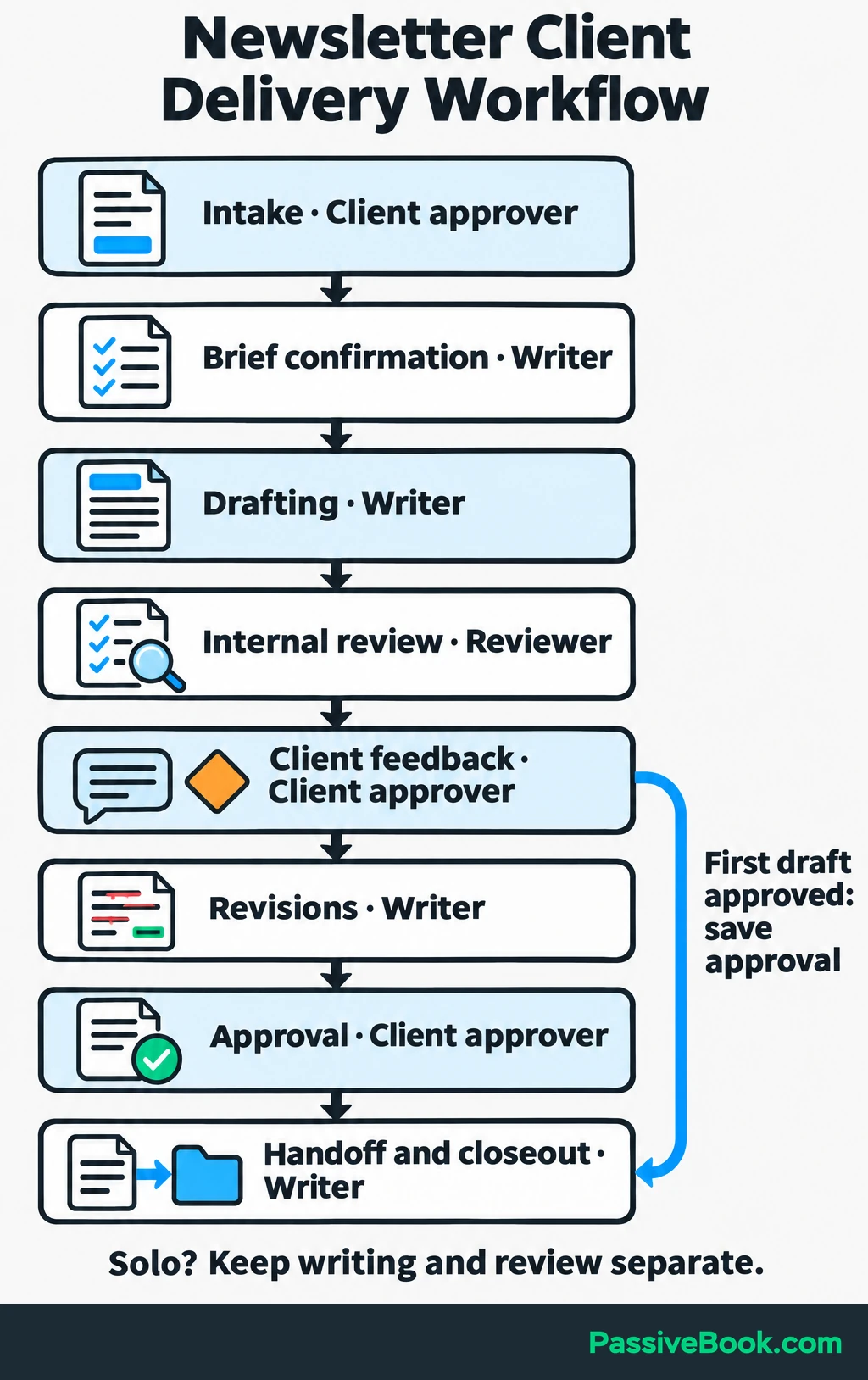
A table is enough. Give each stage an input, an action, an owner, a completion condition, and somewhere for the work to go next.
Here is the newsletter workflow after scope is agreed. “Writer” means you until you assign that role to someone else.
| Stage | Trigger or Required Input | Action | Owner | Completion Condition | Next Recipient |
|---|---|---|---|---|---|
| Intake | Accepted scope | Submit monthly information | Client approver | Intake received | Writer |
| Brief confirmation | Submitted intake | Check details and resolve gaps | Writer | Required details confirmed | Writer |
| Drafting | Complete brief | Write the agreed sections | Writer | Draft saved | Reviewer |
| Internal review | Finished draft | Check against brief and checklist | Reviewer | Draft passes checks | Client approver |
| Client feedback | Review copy received | Return consolidated comments or approval | Client approver | One clear response recorded | Writer |
| Revisions | Included feedback received | Make agreed changes | Writer | Revised copy passes checks | Client approver |
| Approval | Revised copy received | Confirm acceptance | Client approver | Written approval saved | Writer |
| Handoff and closeout | Recorded approval | Deliver final copy and support details | Writer | Agreed files delivered | Client |
If the client approves the first draft, save that approval and go straight to handoff. When you work alone, you can be both writer and reviewer. Keep the review as a separate task so “finished writing” does not quietly become “ready to send.”
Place invoices and payment checks wherever your agreed terms require them.
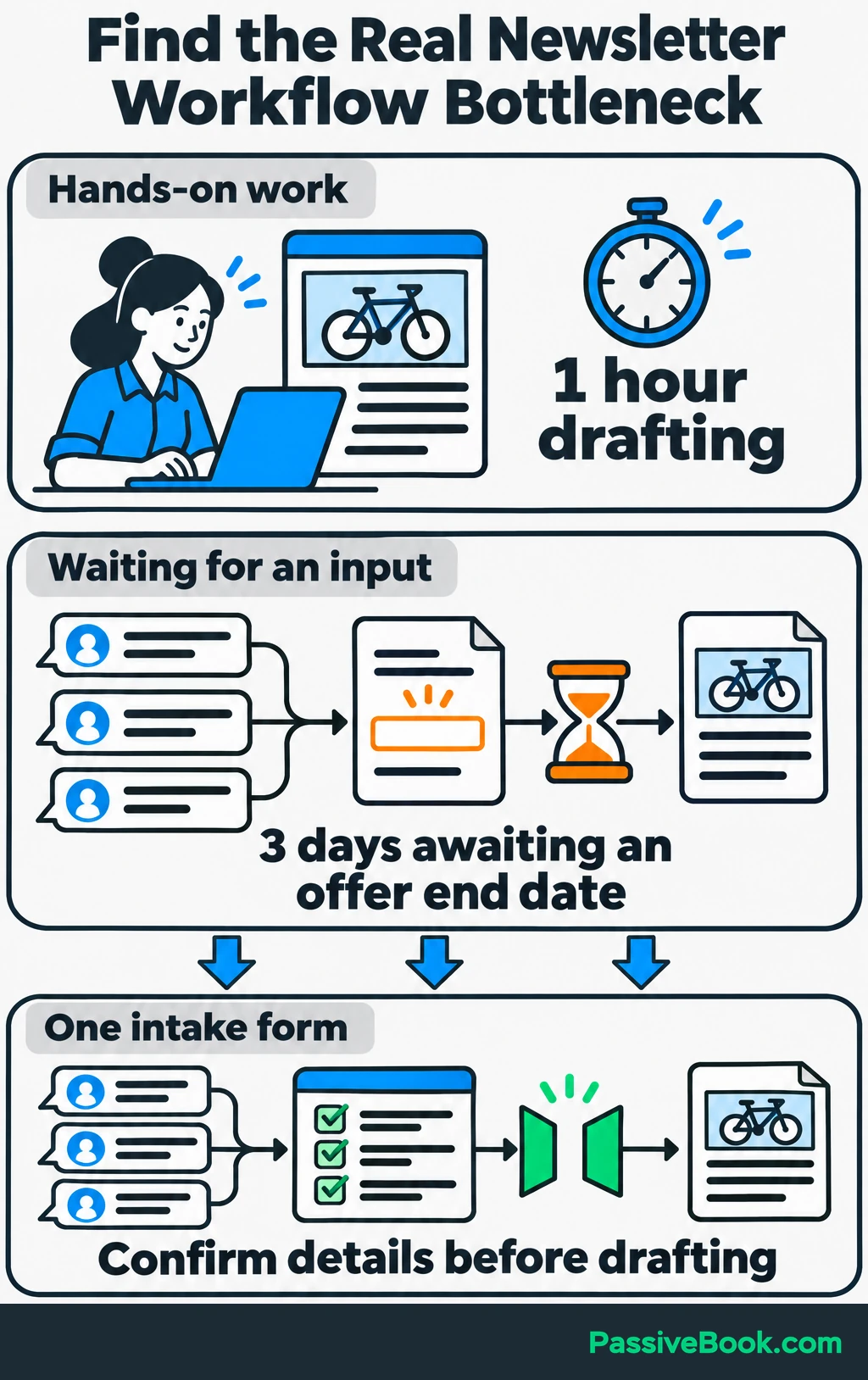
Now mark repeated delays and unclear ownership. Separate hands-on work from waiting. Spending an hour drafting and spending three days awaiting an offer’s end date require different fixes.
In this example, promotion details arrive across several messages. I would fix that first with one intake form and a completeness check. There is little value in documenting every drafting step while the same missing information keeps blocking the start.
Define the Standards for Moving Work Forward
Write down what must be true before work enters a stage and what proves that stage is complete.
For newsletter drafting, the confirmed brief should contain:
- The newsletter’s goal and intended readers.
- The main message and approved offer details.
- Destination links and any required assets.
- The agreed sections and delivery format.
- The named client approver and review dates.
“Tell customers about our workshop” is a starting point. It is not a complete brief if the workshop date and booking link are missing.
Record scope in the same brief: deliverables, exclusions, included revisions, and who can approve the work. For this package, one consolidated revision round is included. A request for another newsletter needs a separate scope agreement.
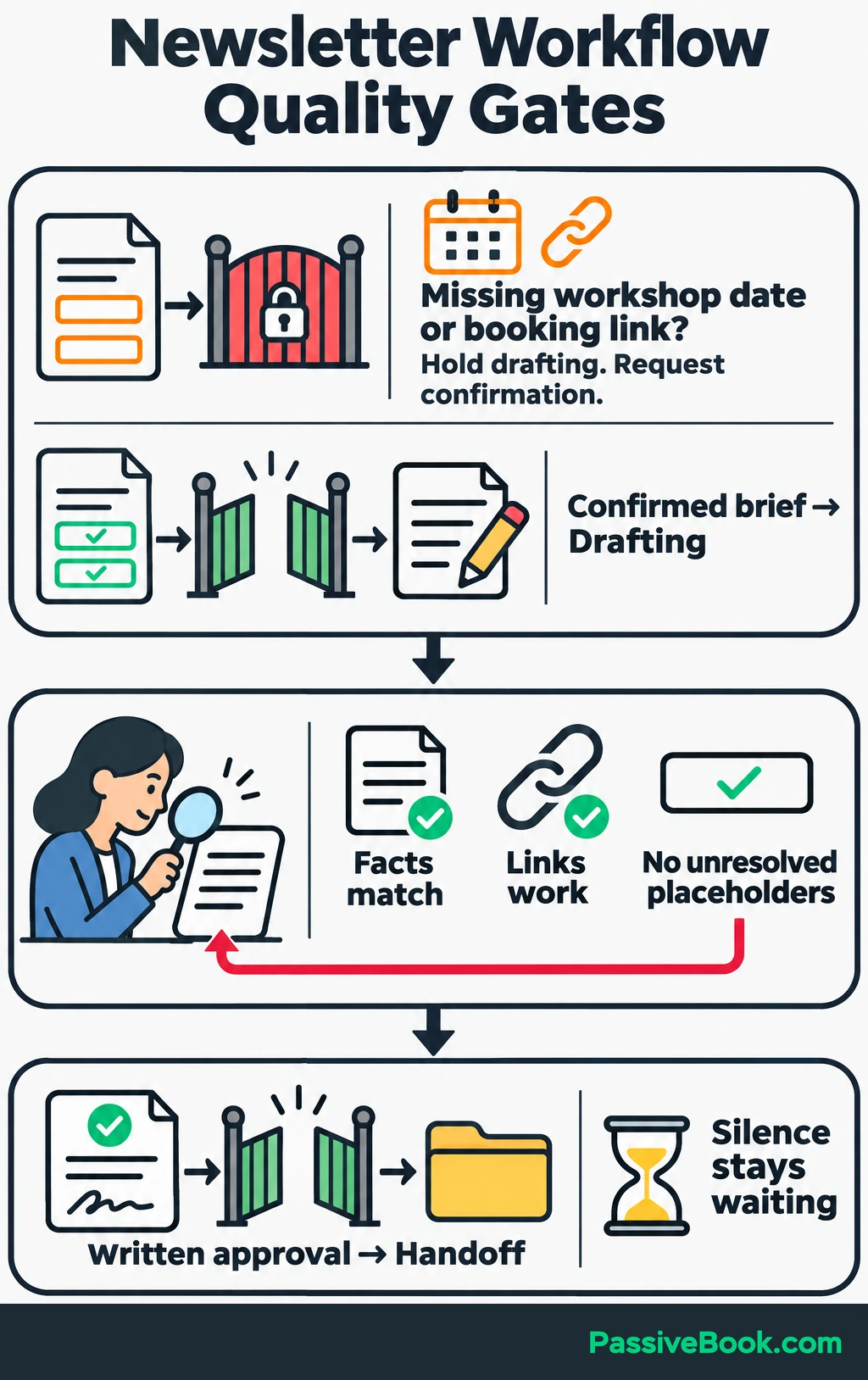
Before client review, check that the draft:
- Covers the agreed brief and sections.
- Matches confirmed names, dates, prices, and claims.
- Uses links that open the intended destinations.
- Has been checked for spelling and formatting.
- Contains no unresolved placeholders.
Keep an approved example beside the checklist when one is available. Until then, use a sample you have reviewed against the same standards and label it as a sample.
Agree on the communication channel, feedback method, update frequency, and response expectations during onboarding. I would use one review document and one client approver rather than collect separate comments from several people.
Also define what happens when work gets stuck. Record the issue, name the person who must resolve it, and confirm any affected dates. Conflicting comments go back to the client approver. Extra work needs an agreement on scope, fees, and timing before you schedule it.
Silence should stay visible as “waiting for approval.” It should not turn into approval because your calendar is getting uncomfortable.
Build Reusable Templates and SOPs
Each part of the system has a different job:
- Workflow: Shows the order of work and its handoffs.
- SOP: Explains how to perform a task. The letters stand for standard operating procedure.
- Checklist: Confirms that the required checks are complete.
- Template: Provides a reusable starting point for a document, task list, or message.
You do not need four separate applications. These can live in a shared document, a folder, and a spreadsheet.
Turn the Workflow Into a Project Template
Copy the workflow into a reusable task list. Include dependencies, responsible roles, approval points, and quality checks.
Set dates from real start conditions. If your agreed drafting turnaround begins when the brief is complete, an incomplete intake should not start that clock. Confirm the resulting milestones with the client.
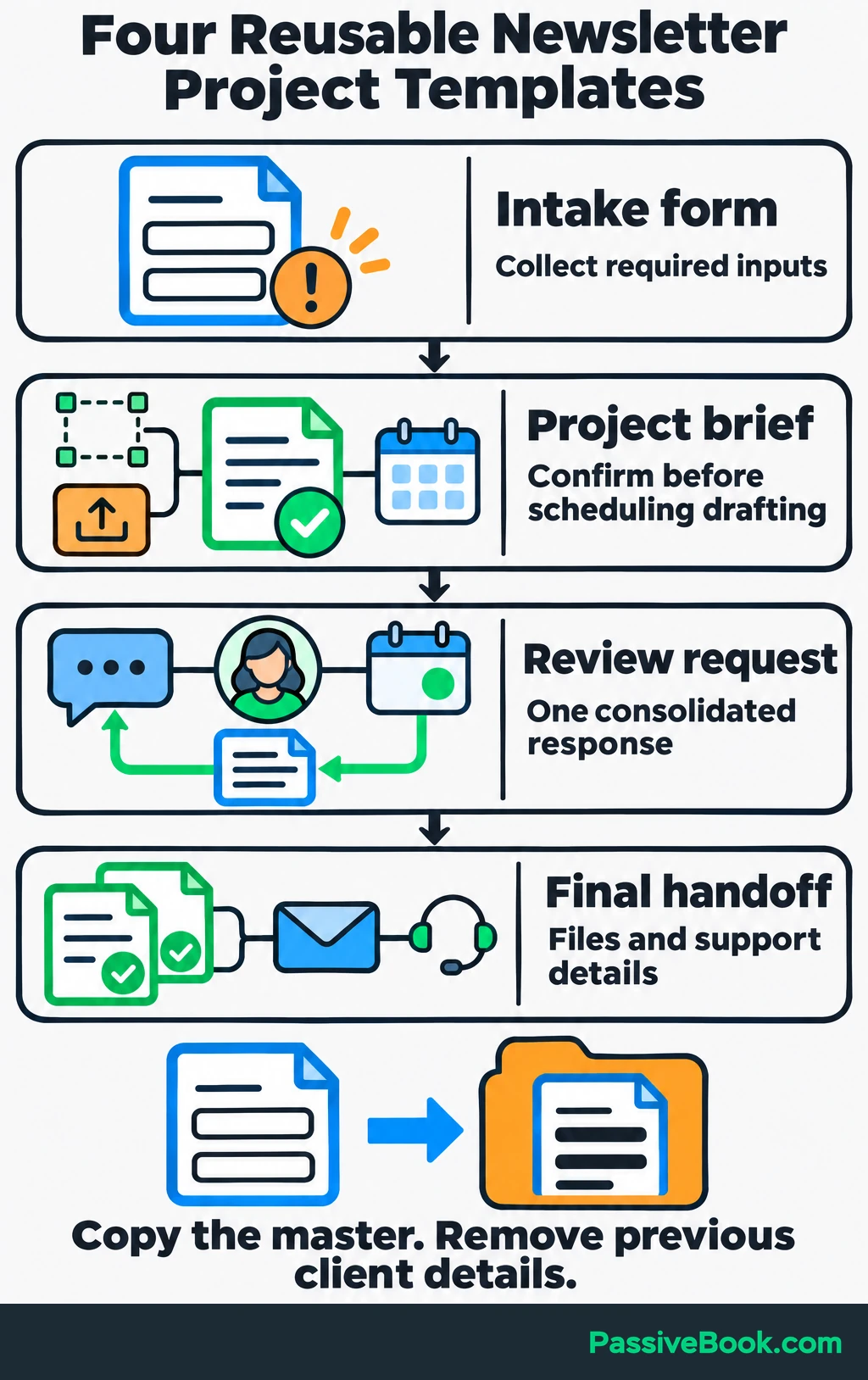
Prepare four reusable items first:
- Intake form: Collects the information needed to begin.
- Project brief: Records the confirmed inputs, scope, and dates.
- Review request: Tells the approver what to review and how to respond.
- Final handoff: Links the approved files and explains any remaining support.
Each client message should make the current status, requested action, responsible person, and response date clear.
Here is a complete review message you can adapt:
Subject: [Shop name] newsletter draft ready for review
Hi [Approver name],
Your [month] newsletter draft is ready: [review link].
Please check the offer details, dates, names, and destination links, and add your comments in the document.
Please return one consolidated set of comments by [agreed date], or reply with your approval so I can prepare the final copy. This package includes one revision round.
If that date no longer works, let me know so we can agree on the next delivery date.
Thanks,
[Your name]
Use explicit placeholders in master templates. Remove previous client information, and keep each client’s working copies in their own folder. A template that sends one shop another shop’s promotion has created a fresh administrative problem.
The review request is only one message you will reuse. This swipe file gives you complete wording for routine updates and the awkward moments when information, feedback, or approval is holding up delivery.

Free Client Communication Swipe File




Write SOPs for Tasks That Need Instructions
Document the task that causes the most repeated questions or errors first.
Perform it once while taking notes or recording your screen. Then turn that record into short, editable instructions. Remove the detours, but keep the decisions someone needs to make.
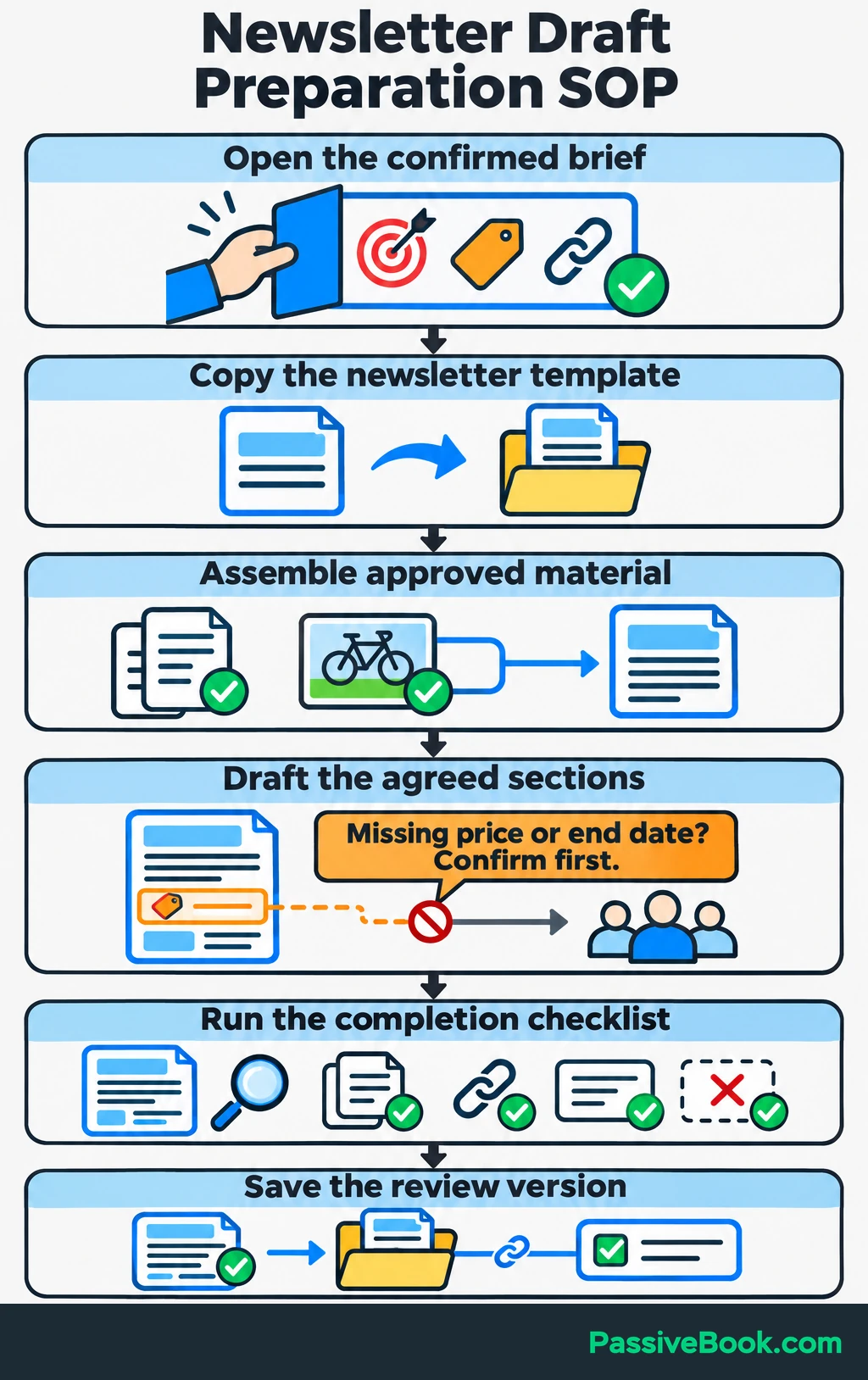
Use this structure for the newsletter preparation task:
- Task and Purpose: Prepare a newsletter draft that meets the confirmed brief and is ready for internal review.
- Trigger: The project is marked “Brief complete.”
- Required Inputs: Confirmed brief, newsletter template, approved source material, and client folder.
- Responsible Role: Assigned writer.
- Ordered Actions:
- Open the brief.
- Copy the newsletter template into the client folder.
- Assemble the approved material.
- Draft the agreed sections.
- Run the checklist.
- Save the review version.
- Decision Rules: If an offer’s price or end date is missing, request confirmation. Keep the draft out of client review until the detail is resolved.
- Output Location: The current project’s review folder, linked from its task.
- Completion Checklist: Agreed sections finished, facts matched to sources, links checked, spelling checked, and placeholders resolved.
- Exception Route: Record missing or conflicting information in the tracker and assign the follow-up to the project owner.
- Document Owner and Revision Date: Name the person responsible for maintaining these instructions and record the latest revision date.
Link the SOP and template directly from the task. Instructions are less useful when finding them requires another set of instructions.
If your process is still a few rough notes, this AI Skill can turn them into a first SOP and matching completion checks. Start with the task that keeps bringing questions back to you.

Free AI Operations Writer
If someone suitable is available, ask them to try the task without coaching. EPA’s SOP guidance, section 2.2, recommends testing draft procedures with someone other than the writer. For your workflow, each clarification question shows where the instructions need work.
Make Every Project’s Next Action Visible
Choose one tracker as the place to check project status. Messages can contain discussion, but copy decisions and changed dates into the project record.
Use these columns:
| Field | Newsletter Example |
|---|---|
| Client or project | Cedar Lane Cycles — monthly newsletter |
| Current stage | Waiting for client feedback |
| Next action | Return consolidated comments or confirm approval |
| Action owner | Maya, client approver |
| Due date | 12 November 2026, agreed with Maya |
| Blocker | None; the review deadline has not passed |
| Working links | Review draft: cedar-lane_newsletter_2026-11_review-v1. Document links are not supplied in this example; attach the brief, review draft, and SOP in your tracker. |
The useful part is the next action. “In progress” tells you little. “Maya returns consolidated feedback” tells you what must happen and who needs to act.
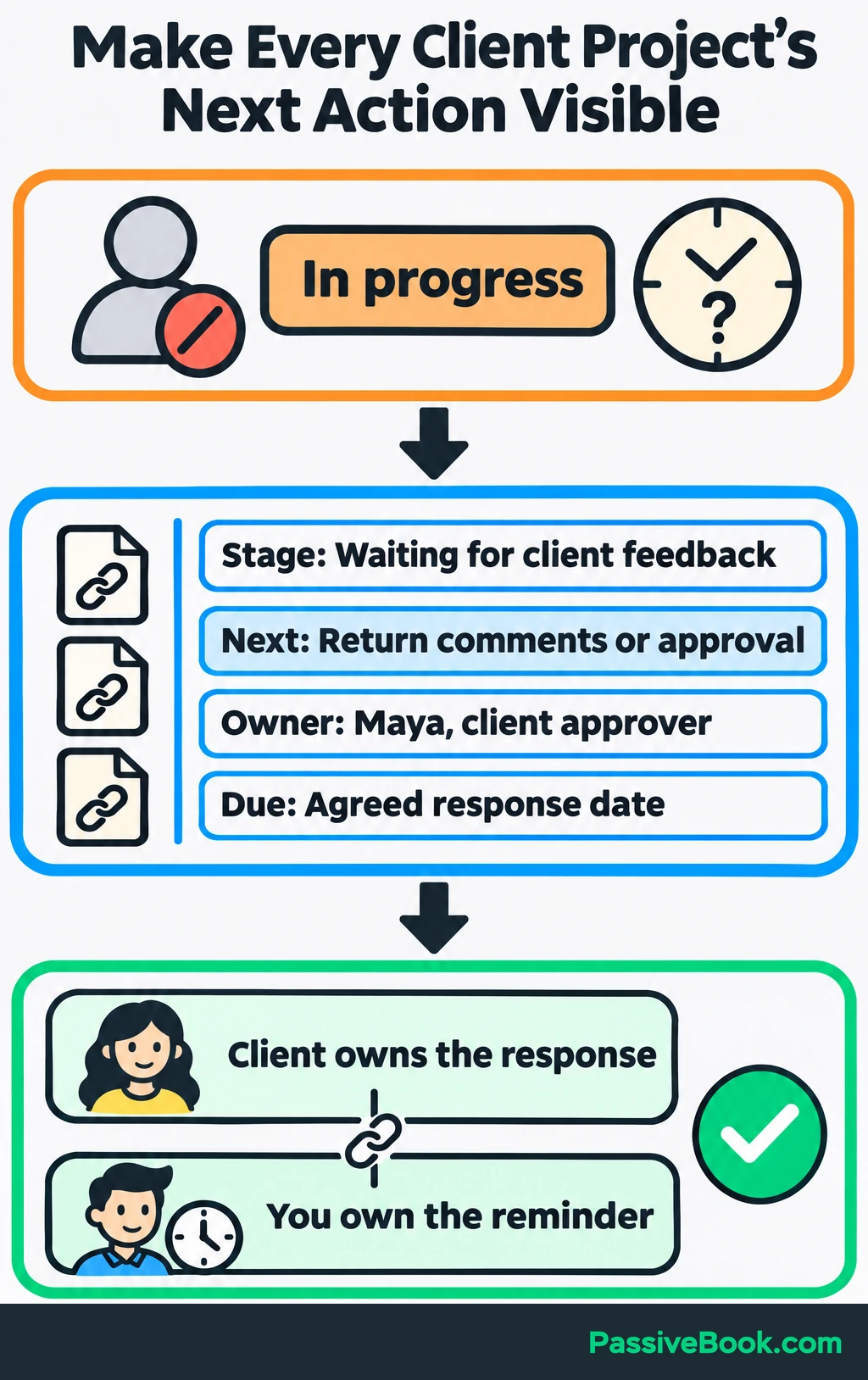
Assign a named person to every active task, even if your name fills every internal role. For blocked work, add an owned follow-up task with a date. The client owns their response; you own the reminder.
Keep files equally clear. A simple structure could use Brief, Working, Review, and Approved folders, with filenames such as cedar-lane_newsletter_2026-11_review-v1.
Before promising another delivery date, check both blocked projects and available working time. Several drafts can return for revision on the same afternoon.
I would start with existing documents and a spreadsheet. If you already use Notion, put the tracker and linked instructions there. Moving to a new tool is worthwhile when it solves a specific problem; arranging colored cards can otherwise become a surprisingly absorbing second job.
Test the Workflow on One Project
Walk through the documented process using a completed project first. Check whether its inputs, decisions, and outputs have a clear place.
Then pilot it on one suitable engagement while honoring the client’s existing commitments. The Institute for Healthcare Improvement’s testing guidance recommends starting with a small test, observing what happens, and refining the change. Apply that approach to one delivery before extending it.
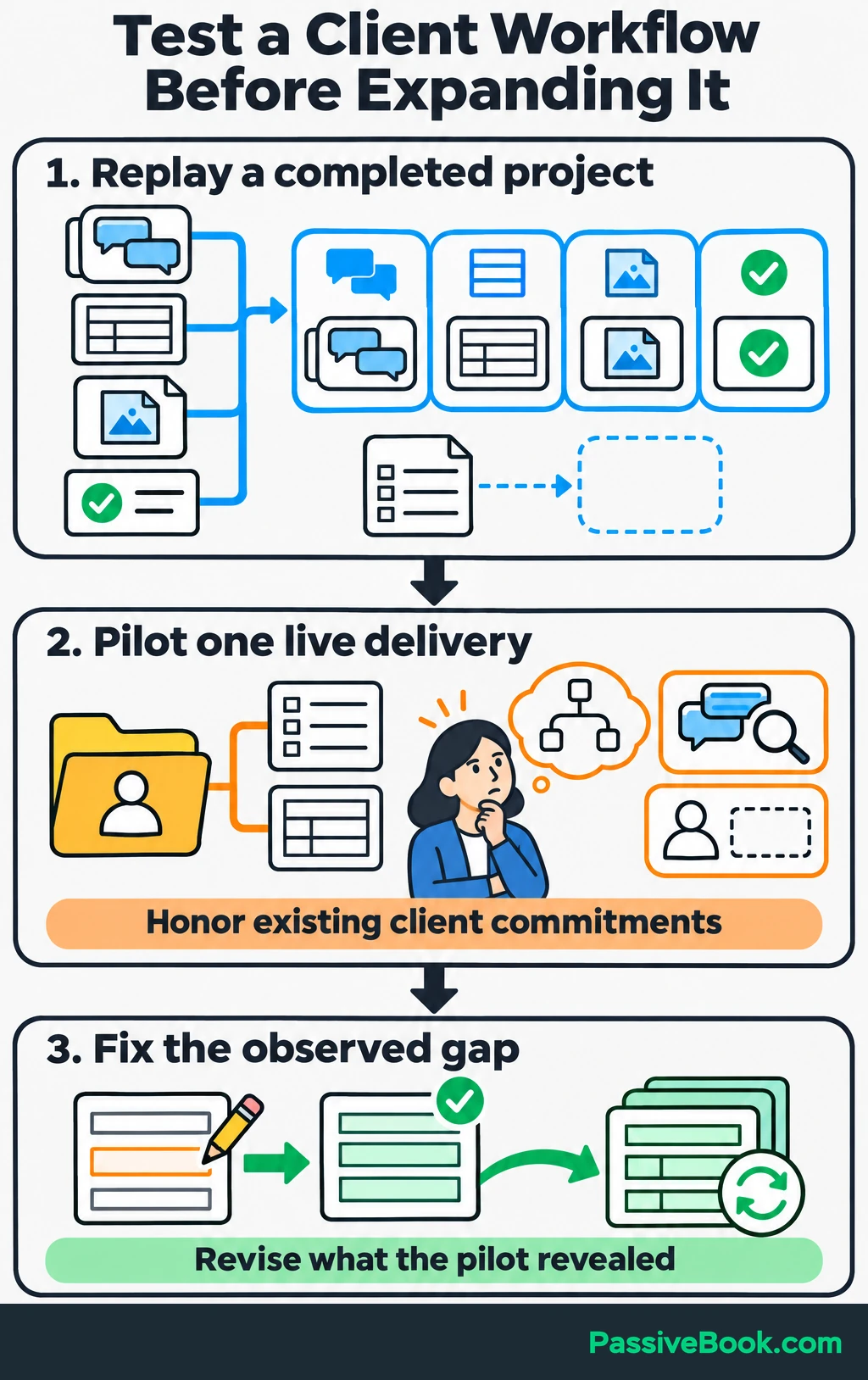
Use the actual templates and SOPs during the pilot. Note every place where you must explain an instruction, search old messages, or decide who owns a task.
Also walk through four exceptions:
| Exception | What the Workflow Should Do |
|---|---|
| Brief lacks an offer date | Hold drafting and assign a confirmation request |
| Approval arrives late | Keep the project waiting and confirm revised dates |
| Client comments conflict | Ask the named approver for one decision |
| Draft fails its checklist | Return it for correction before client review |
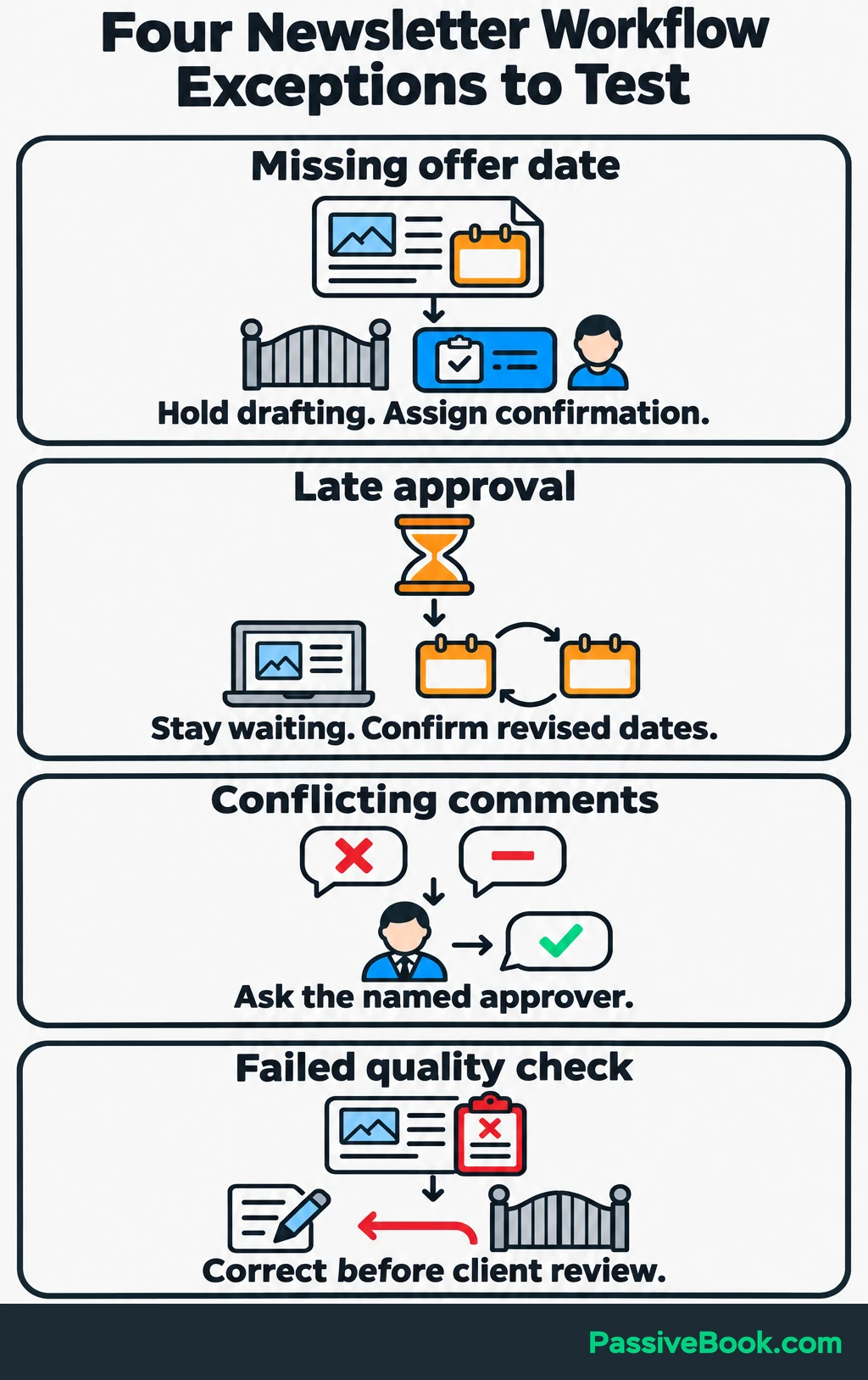
A useful test checks whether incomplete work stays out of the next stage and whether every blocker produces a clear action.
Revise the instructions where the pilot exposed a gap. You do not need to rebuild the whole system because one intake question was unclear.
Automate Stable, Repetitive Steps
Automation comes after you can follow the workflow manually. Choose steps with clear inputs and predictable outcomes, and remove unnecessary work before connecting tools.
Use Rules for Predictable Actions
Describe each automation in plain language:
Trigger → required conditions → action → recorded result → exception owner
For the newsletter service:
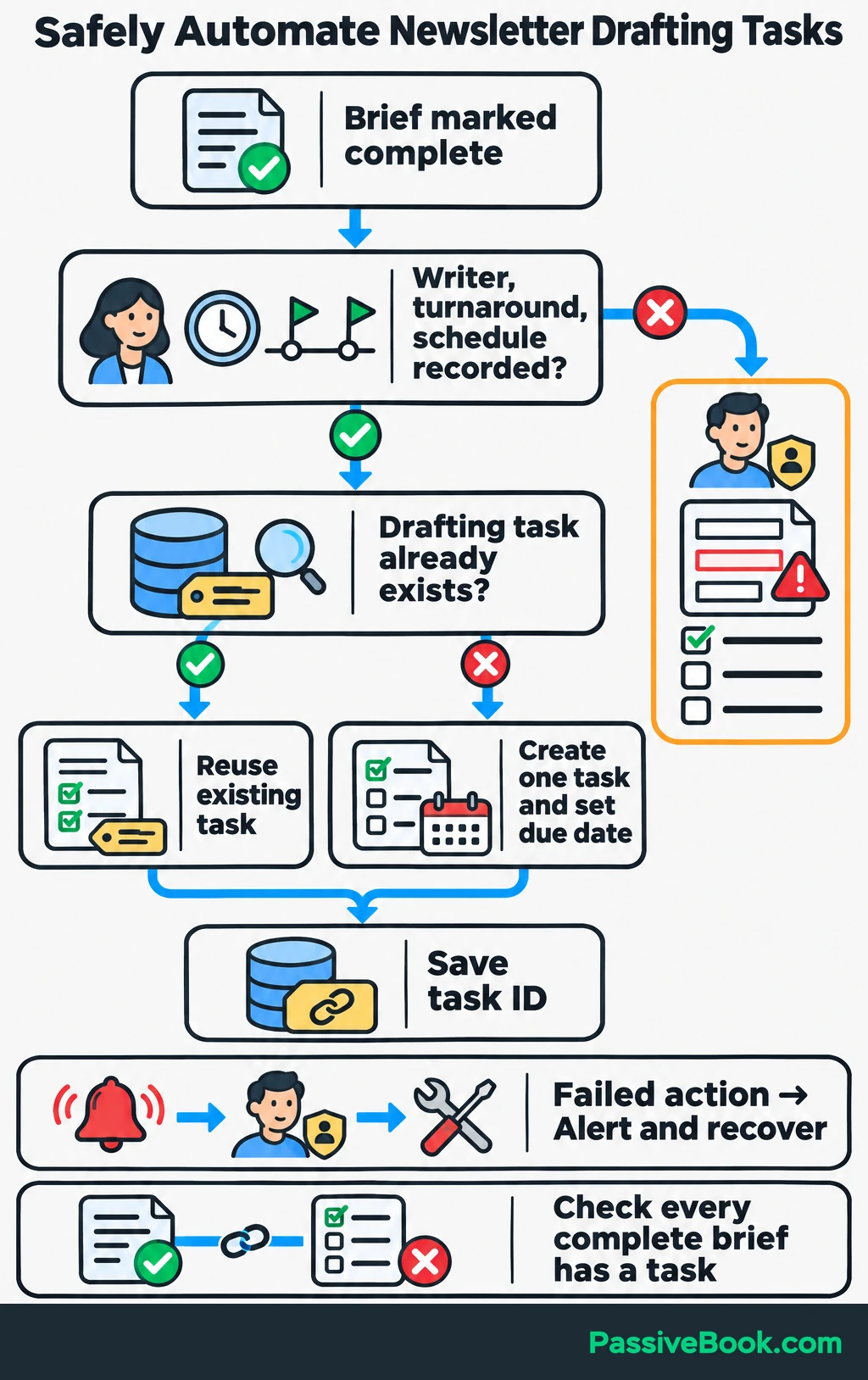
When the brief is marked complete, check that a writer, turnaround, and agreed schedule are recorded. Create one drafting task, set its due date, and save its task ID in the project record. If required details are absent, assign a missing-information task to the project owner.
An intake submission alone should not mean the brief is complete. Someone still needs to check whether the answers are usable.
Start with reminders and reusable tasks in your existing tool. I would add n8n, which connects applications in automated workflows, when a stable step requires information to move between apps.
Before relying on the automation, test:
- A complete record that should create a task.
- An incomplete record that should be held.
- A repeated trigger that should not create a duplicate.
- A failed action that needs recovery.
Record created task IDs so retries can check for existing work. Keep a manual recovery route and name the person who receives failure alerts. In n8n, an error workflow can send an alert when an execution fails.
A workflow also needs a way to catch missing results. Check that every completed brief has its drafting task, because an automation that never starts may leave no failed execution to report.
Use AI for Bounded Work With a Review Point
Give AI a specific task with an output you can check. Suitable starting points include organizing intake notes, turning a walkthrough into draft instructions, or preparing newsletter copy from confirmed material.

For a newsletter draft, use a prompt such as:
Using only the confirmed brief and supplied material below, draft the newsletter in the supplied template. Include the agreed sections and preserve confirmed names, dates, prices, and destination links. Do not invent product claims or missing details. Mark gaps as [NEEDS CONFIRMATION] and list them after the draft.
The prompt supports the process, but it does not replace review. Check the output against the brief before it reaches the client.

Generative AI can confidently produce false content, and it can create privacy risks. Both are covered in NIST’s Generative AI Profile. My practical rule is to verify factual details and use only tools whose data-handling terms fit your client commitments. Share only the material the task needs.
For this service, AI output should enter internal review. Keep client approval and final sending outside that automated step.
Hand Off a Defined Responsibility When Needed
You can use this system alone. Delegation becomes useful when a defined task would free meaningful time and its result is easy to inspect.
I would start with link and formatting checks before handing over the entire client relationship.
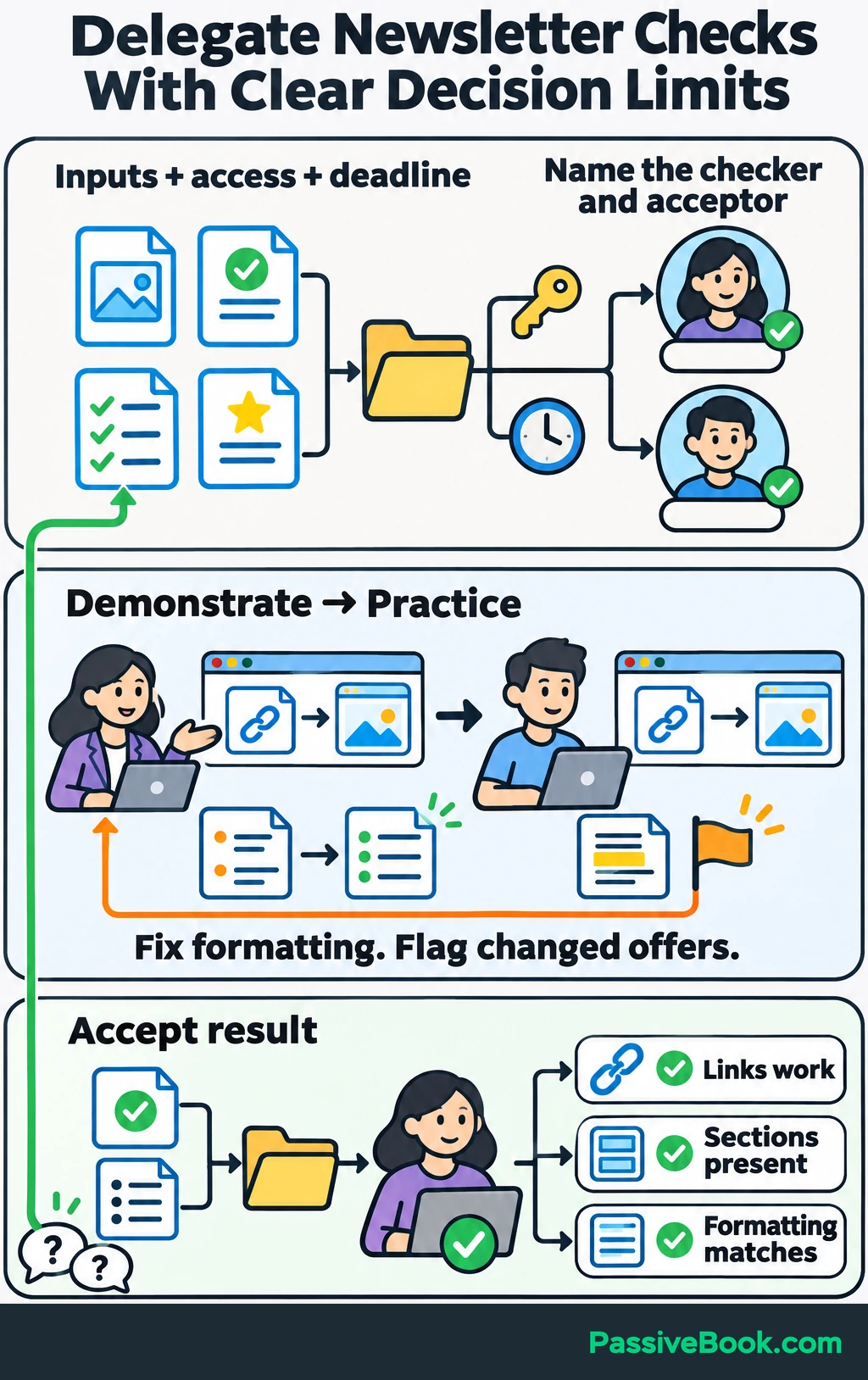
Package the task with:
- Inputs: Current draft, confirmed brief, SOP, and an approved example.
- Output: Checked copy or a list of issues, saved in the agreed location.
- Ownership: Named person completing the task and named person accepting it.
- Timing and Access: Deadline and access needed for the assigned work.
- Acceptance Rules: Every link opens the intended destination, required sections are present, and formatting matches the template.
- Decision Limits: Correct obvious formatting issues; flag changed offers, unclear claims, and conflicting instructions.
Demonstrate the task, observe a practice run, and review the result against the checklist before reducing supervision. Add repeated clarification questions to the SOP.
The same package helps when you work alone. Leave the inputs, next action, and completion check together so you can resume tomorrow without reconstructing the project.
Measure the Improvement and Maintain the System
Compare similar deliveries. A short announcement and a newsletter with several promotions do not tell you much about each other’s drafting time.
Track a few useful measures:
- Hands-On Time: Minutes spent on coordination, production, review, corrections, and recovery.
- Elapsed Time: Time from a complete brief to accepted delivery, with client waiting recorded separately.
- Avoidable Corrections: Fixes caused by missing a confirmed requirement or skipping a check.
- Missed Commitments: Agreed milestones that were not met, with the reason recorded.
Count AI review and automation troubleshooting as work. Otherwise, you may congratulate the system while doing its cleanup after dinner.
To estimate net time saved, count the hands-on minutes avoided across comparable deliveries. Then subtract setup and maintenance time for the same period, excluding any minutes already counted in the delivery totals.
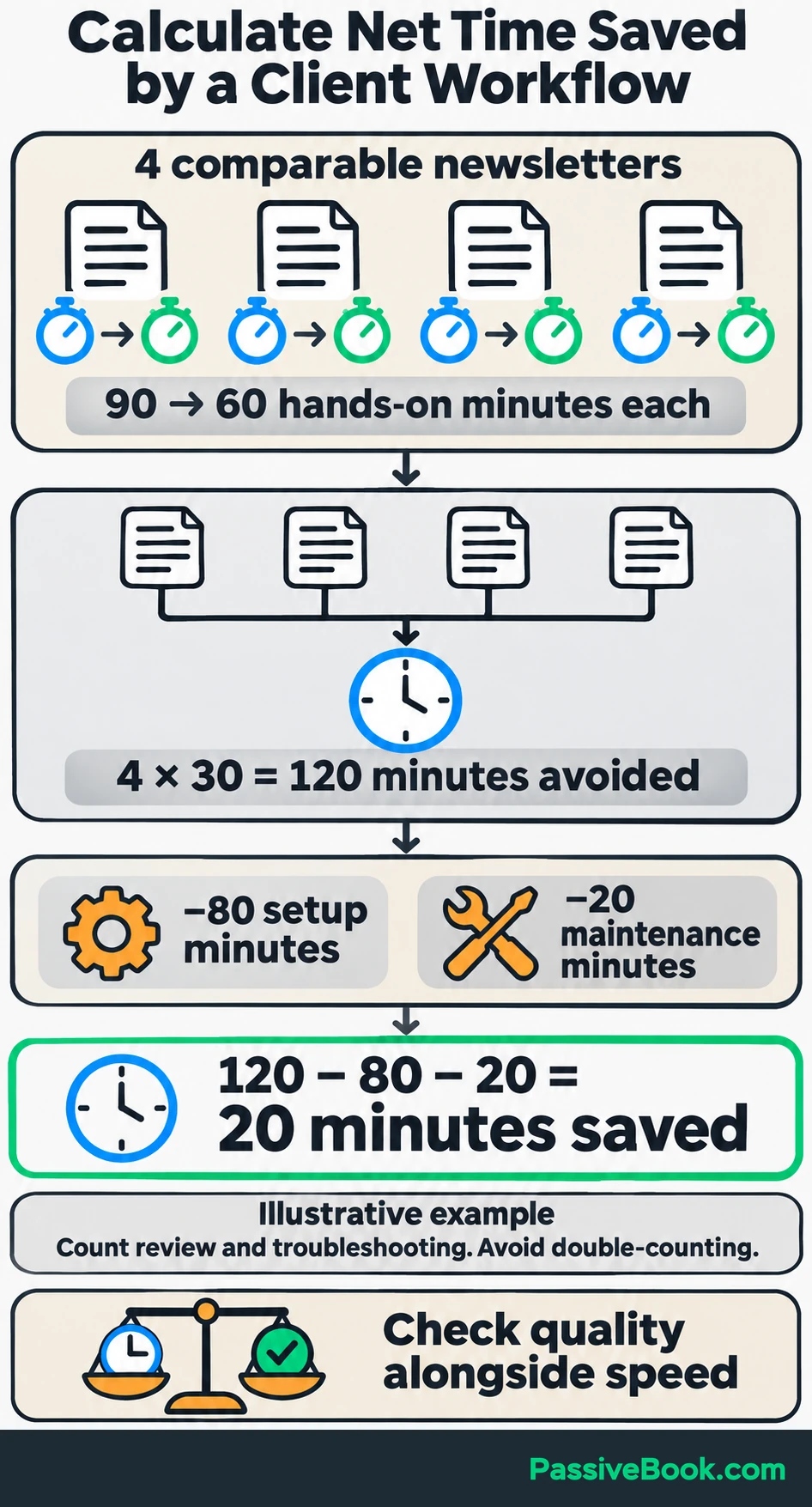
For illustration, suppose four comparable newsletters each fall from 90 to 60 hands-on minutes. Setup takes 80 minutes and maintenance takes 20 minutes during that period:
Four deliveries × 30 minutes saved − 80 setup minutes − 20 maintenance minutes = 20 minutes saved.
That is a small initial saving. Future periods may benefit from the completed setup, but keep counting maintenance rather than assuming it disappears.
Check quality alongside speed. If faster drafting creates more factual corrections, revise the change before expanding it.
Give each SOP and template a maintenance owner. Update it when the work changes, retain one current master, and archive replaced versions. Once the first workflow is usable and reliable, choose the next recurring bottleneck.
What Next?
Pick one recurring service and write down its start, final deliverable, and current next action for each active project. Use that record to find the first missing input or unclear handoff worth fixing.
Use the social buttons to share this guide when a conversation about growing client work turns into “I just need to work longer.”
Which part of delivery still depends most on your memory? Leave it in the comments, along with any other questions about building your workflow.
Share this post with your friends & followers:

