A client has approved the work, but your contractor is still waiting for feedback. The deadline is close, and you’re digging through messages to find out which version everyone means.
Work is ready, but the next person cannot move. Taking on another client gives you another set of loose ends to track.
This guide shows how to turn those loose ends into a clear delivery process, with a newsletter-service example, a flowchart, and a template you can adapt before your next project.
1. Define What the Service Includes
Choose one service to document first. Pull together its agreement, recent deliverables, and recurring client questions. Your process needs to fulfill those promises, so start there.
Write down:
- Outcome: What the client should receive or be able to do.
- Deliverables: The specific work and file formats included.
- Boundaries: What is excluded and how many revisions are included.
- Client inputs: What you need before production can begin.
- Acceptance criteria: The checks that show the work meets the agreement.
- Start and finish: What authorizes delivery and what counts as complete.
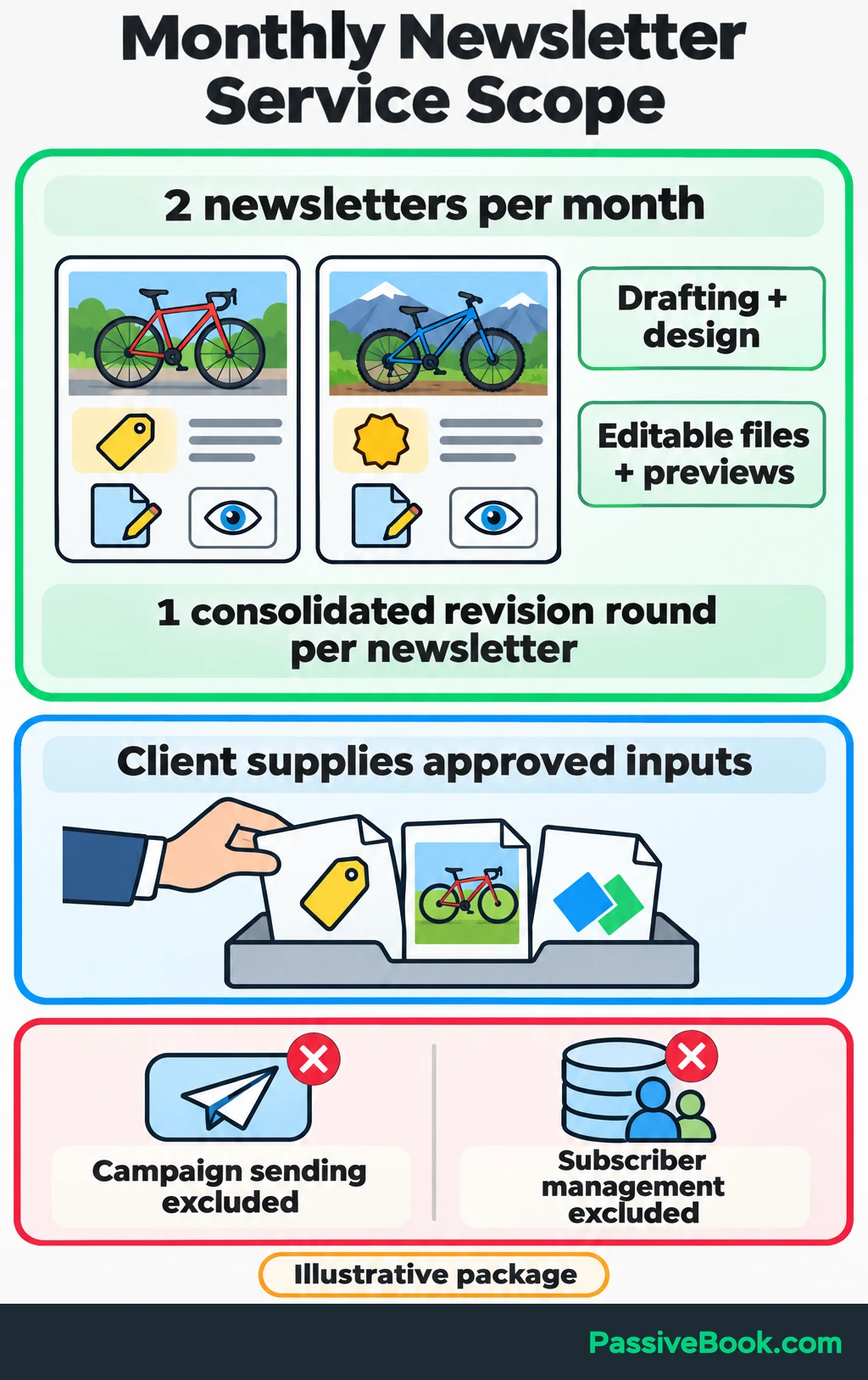
Separate work you control from results you hope to influence. You can promise an approved newsletter delivered in the agreed format. You cannot control how many bicycles it sells.
Throughout this guide, imagine you offer a monthly newsletter production service for independent bicycle shops. The package includes two drafted and designed newsletters, editable files, previews, and one consolidated revision round per newsletter. The client supplies offers and photographs. Sending campaigns and managing subscriber lists are excluded.
The package, schedules, and figures below are illustrative.
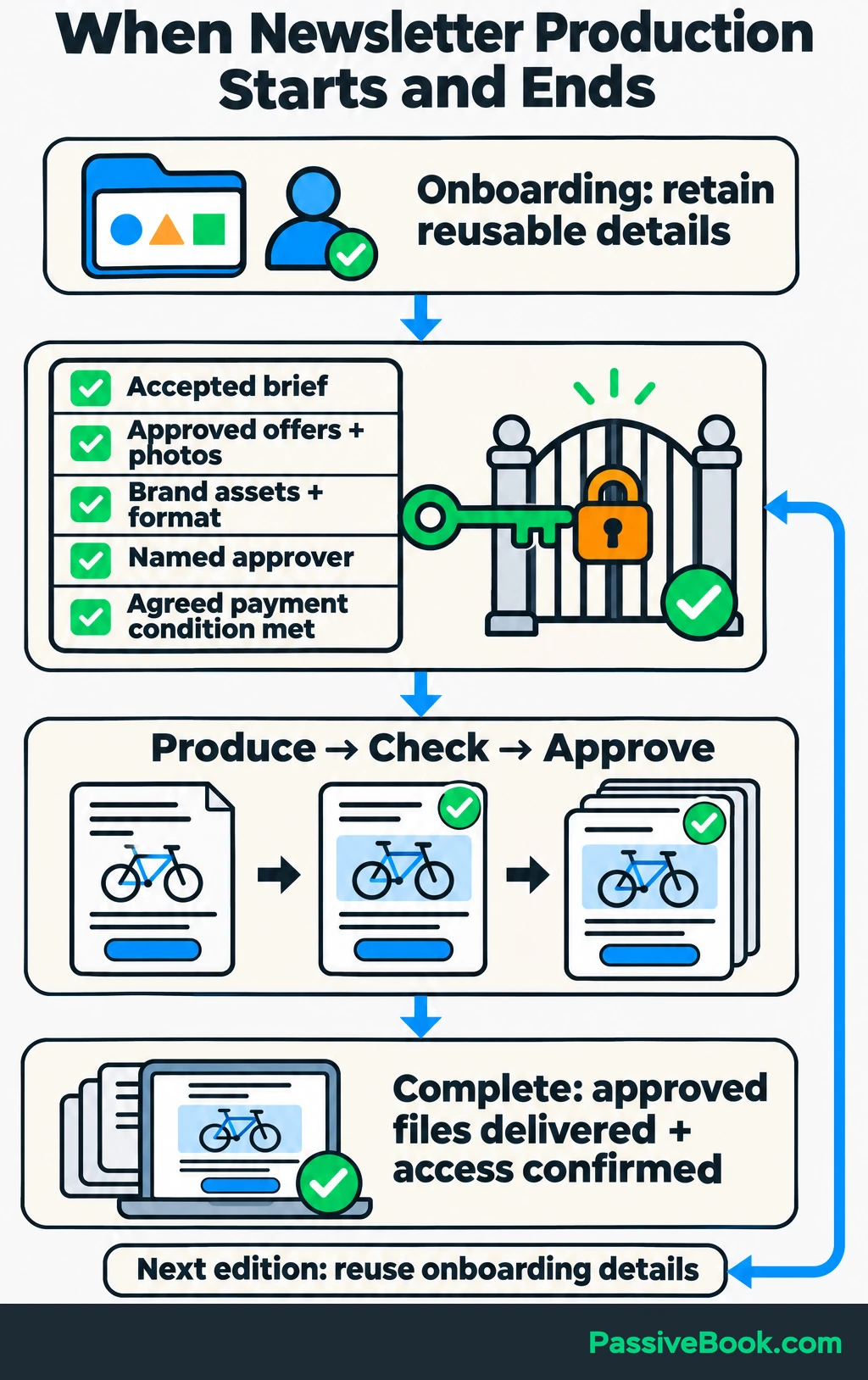
For each edition, production starts after you accept the brief and receive approved offers, photographs, brand assets, the agreed delivery format, and a named client approver. Any agreed payment condition must also be met. The edition ends when its approved files have been delivered and the client confirms access.
Keep one-time onboarding separate from recurring work. You should not need to ask for the same logo twice a month.
This approach can stay small. ISO’s process guidance applies to organizations of any size and identifies consistency, accountability, and meeting customer requirements as potential benefits. My starting point would be one shared checklist that shows the next action, its owner, and what must be ready first.
2. Map the Workflow From Onboarding to Completion
Walk through a recent engagement using its actual messages and files. Write down what happened, including requests, reviews, decisions, and waiting periods. For a new service, rehearse a realistic job.
Then put the necessary activities in order. Look for questions such as:
- Are you requesting information the client already supplied?
- Does someone need approval without knowing who can give it?
- Can work reach review before its required checks are complete?
- Where does progress stop while everyone assumes someone else is acting?
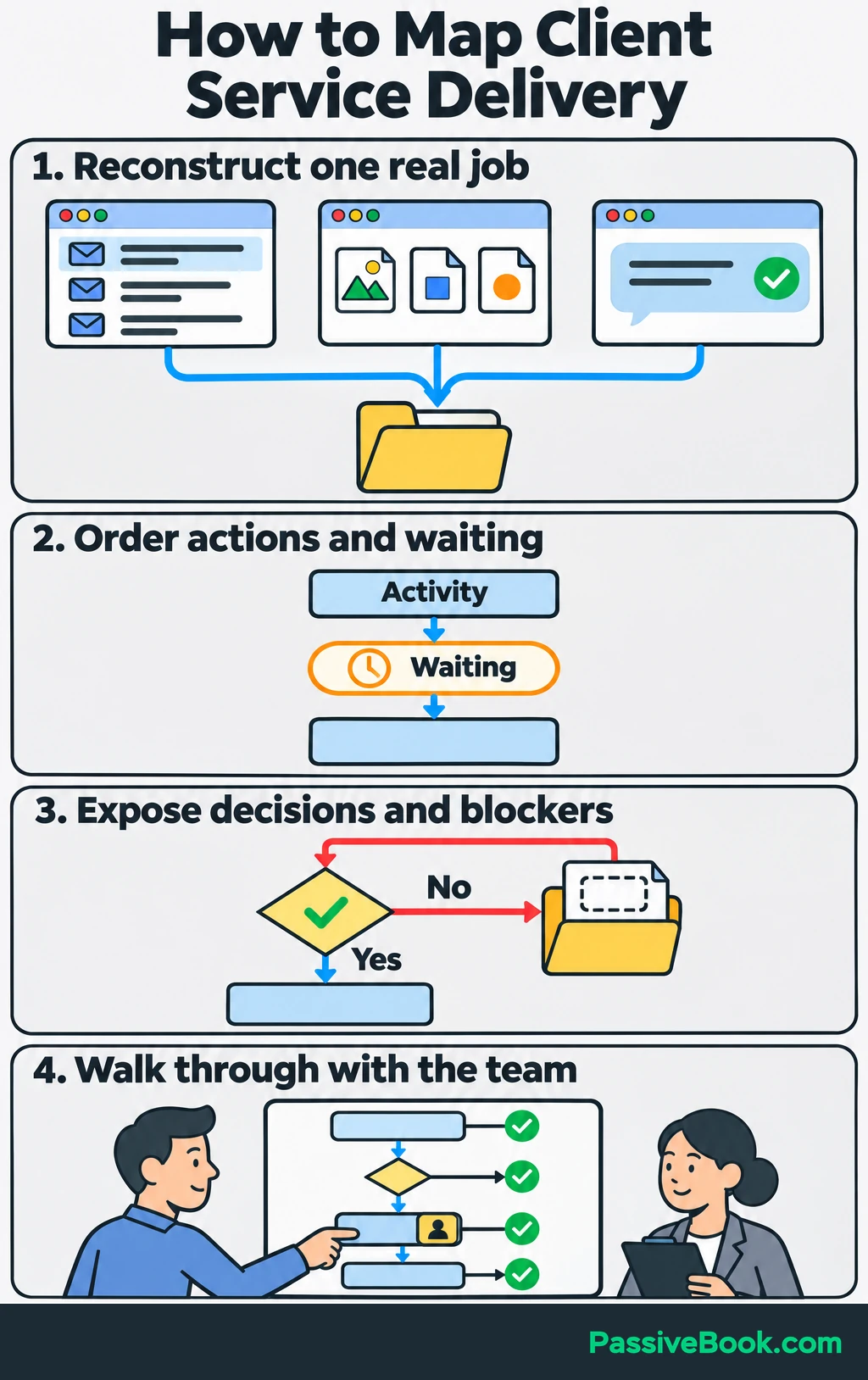
During my freelancing years, I sometimes reread old messages before resuming a job because I had left the next action buried in the conversation. I was doing the work and carrying its context around in my head. That is one reason I would document the handoffs before worrying about clever tools.
Use rectangles for activities, diamonds for decisions, and arrows for connections. Label the decision branches. ASQ’s flowchart procedure also recommends walking through the map with the people involved to check that it reflects the work.
Example Client Service Delivery Flowchart
Here is the newsletter workflow, including routes for missing inputs, feedback, and failed delivery.
flowchart TD
    A[Authorized engagement] --> B[One-time onboarding]
    B --> C[Collect edition brief and assets]
    C --> D{Inputs complete?}
    D -->|No| E[Request missing inputs and confirm schedule]
    E --> C
    D -->|Yes| F[Draft and design]
    F --> G{Internal checks passed?}
    G -->|No| F
    G -->|Yes| H[Client review]
    H --> I{Client decision?}
    I -->|Approved| J[Deliver approved files]
    I -->|Feedback| K{Request type?}
    I -->|No reply| L[Follow agreed pause and rescheduling rule]
    L --> H
    K -->|Correction or included revision| F
    K -->|Additional scope| M[Agree scope, fee, and schedule]
    M -->|Agreement recorded| F
    J --> N{Files usable and access confirmed?}
    N -->|Yes| O[Close edition]
    N -->|No| P[Restore access or repair and recheck files]
    P --> Q{Approved content changed?}
    Q -->|Yes| H
    Q -->|No| J
    O -->|Next scheduled edition| C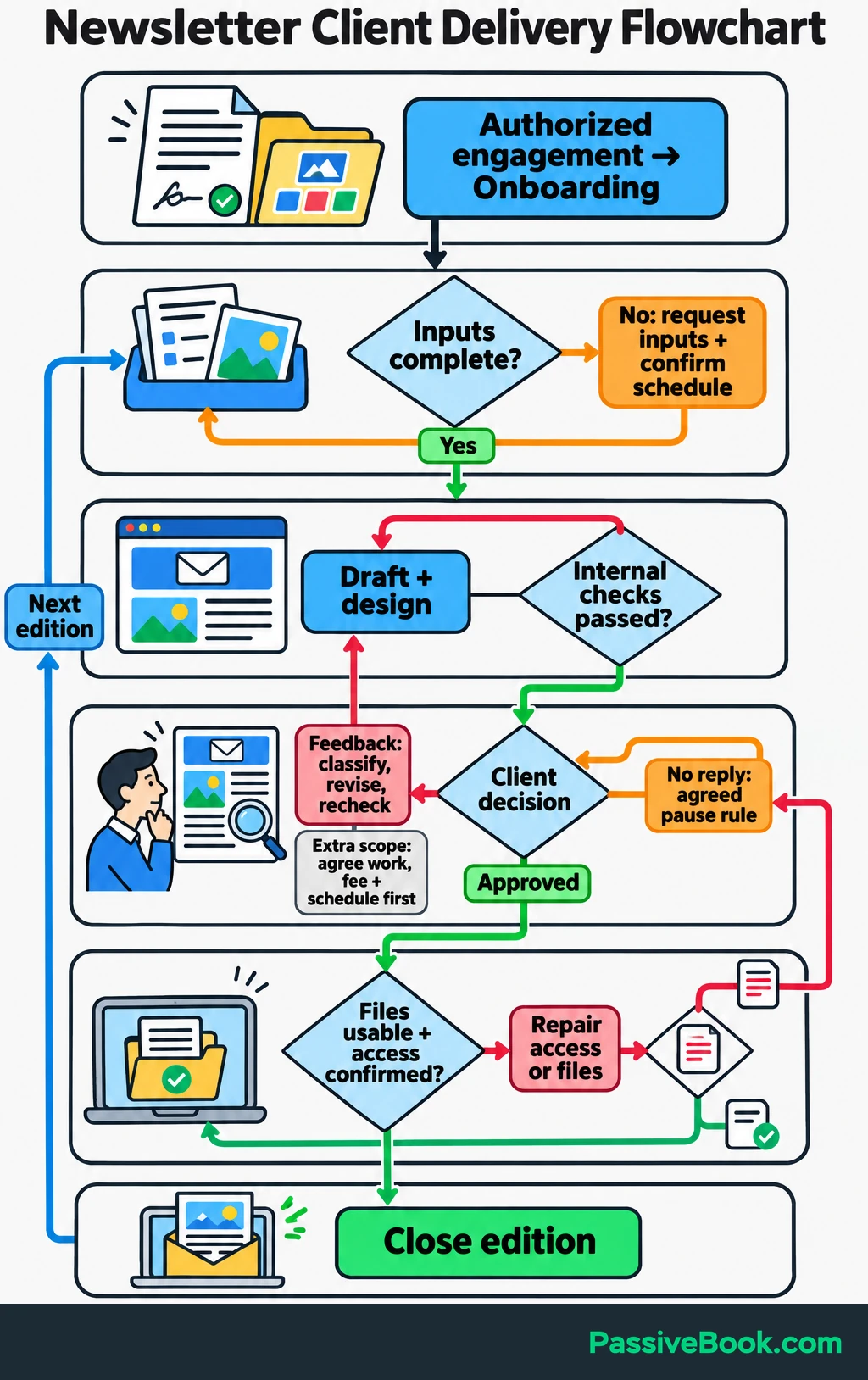
Repeat onboarding only when relevant details change, such as the approver or delivery format.
Keep the failure routes. Business Queensland’s guidance recommends mapping how service is delivered, where it can fail, and what happens after a failure. An inaccessible download still needs an owner, even if the design work is finished.
3. Assign Owners and Define Complete Handoffs
Give every stage one person responsible for moving it forward. That person can ask others for help, but the next action should never belong to “the team.”
Identify who produces, checks, approves, and receives the work. One person can hold several roles. If you work alone, separate production and review into distinct passes with separate checklists.
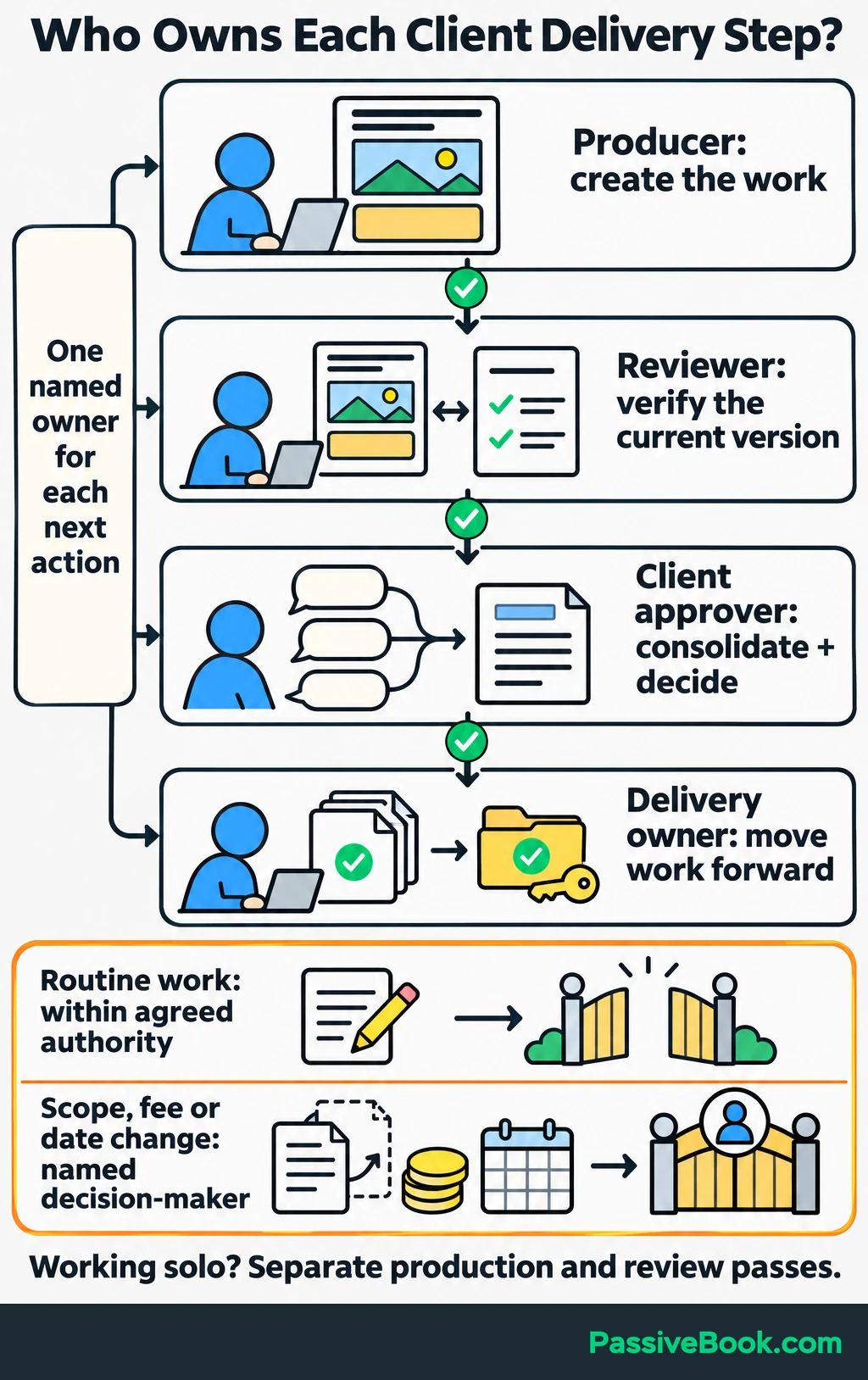
The client also has work to do: supply inputs, gather feedback, and appoint someone who can approve the deliverable.
A useful handoff contains:
- Current work: A link to the exact file or preview.
- Checks completed: What has been verified and against which version.
- Open issues: Any unresolved question or blocker.
- Next owner: The person receiving the work.
- Next action and deadline: What they need to do and when.
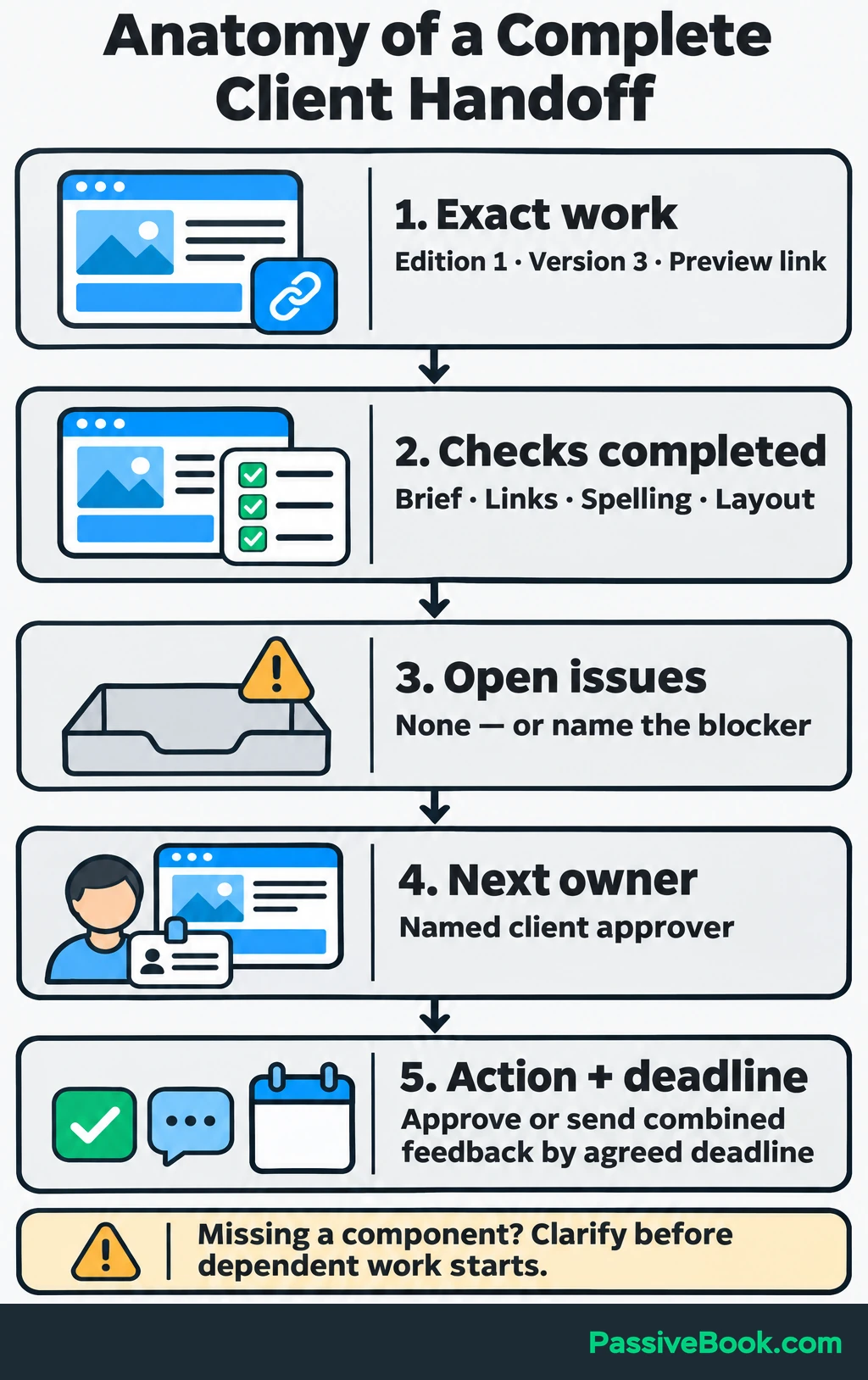
For the newsletter, a handoff might say:
[Client approver’s name], Edition 1, version 3 is ready for review: [preview link]. Brief, links, spelling, and layout checks are complete. Please check the offer details. Approve this version or send one combined set of comments by Thursday. No open questions remain.
The recipient should flag missing information before starting dependent work. Otherwise, a weak handoff quietly becomes someone else’s rework.
Also define decision limits. The delivery owner might correct spelling and arrange routine reviews independently. Changes to scope, fees, or promised dates need a named decision-maker.
4. Set Realistic Delivery Milestones
Estimate the effort each stage needs, then add the time spent waiting for inputs, reviews, and approvals. Three hours of work can easily span several working days.
Check your existing workload before promising dates. Include communication, quality checks, and corrections in that calculation. Those hours count even when you would rather forget them.
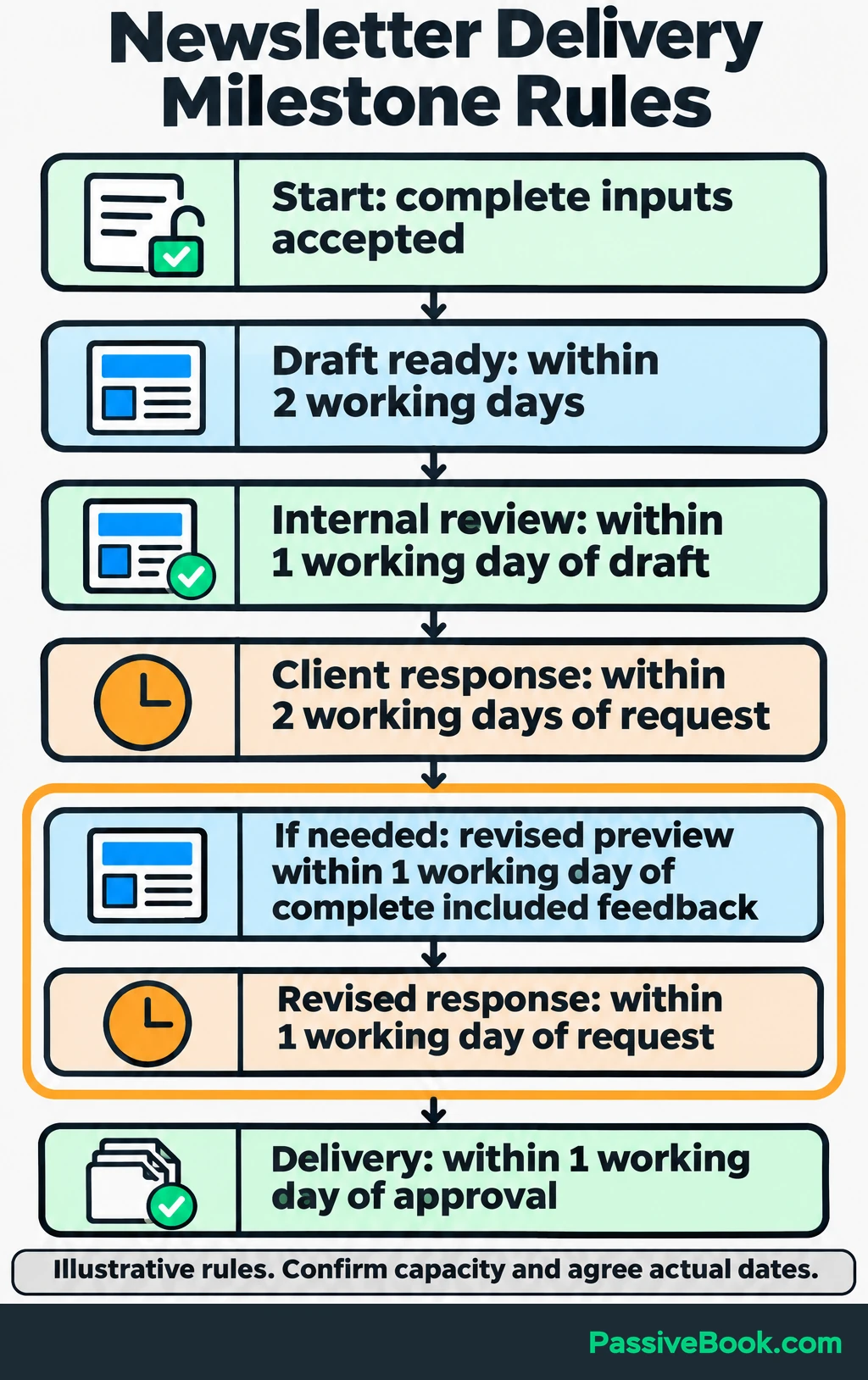
Use milestones tied to finished outputs:
| Milestone | Example timing rule |
|---|---|
| Brief accepted | Required inputs checked and accepted before production starts |
| Draft ready | Within two working days of accepted inputs |
| Internal review complete | Within one working day of draft completion |
| Initial client response received | Approval or consolidated feedback within two working days of the review request |
| Revised preview ready, if needed | Within one working day of complete, included feedback |
| Revised preview response received, if needed | Approval or remaining issues within one working day of the revised review request |
| Approved files delivered | Within one working day of approval |
These are sample rules, not a universal turnaround promise. Convert them into actual dates once you have checked capacity and the client has agreed to the review windows.
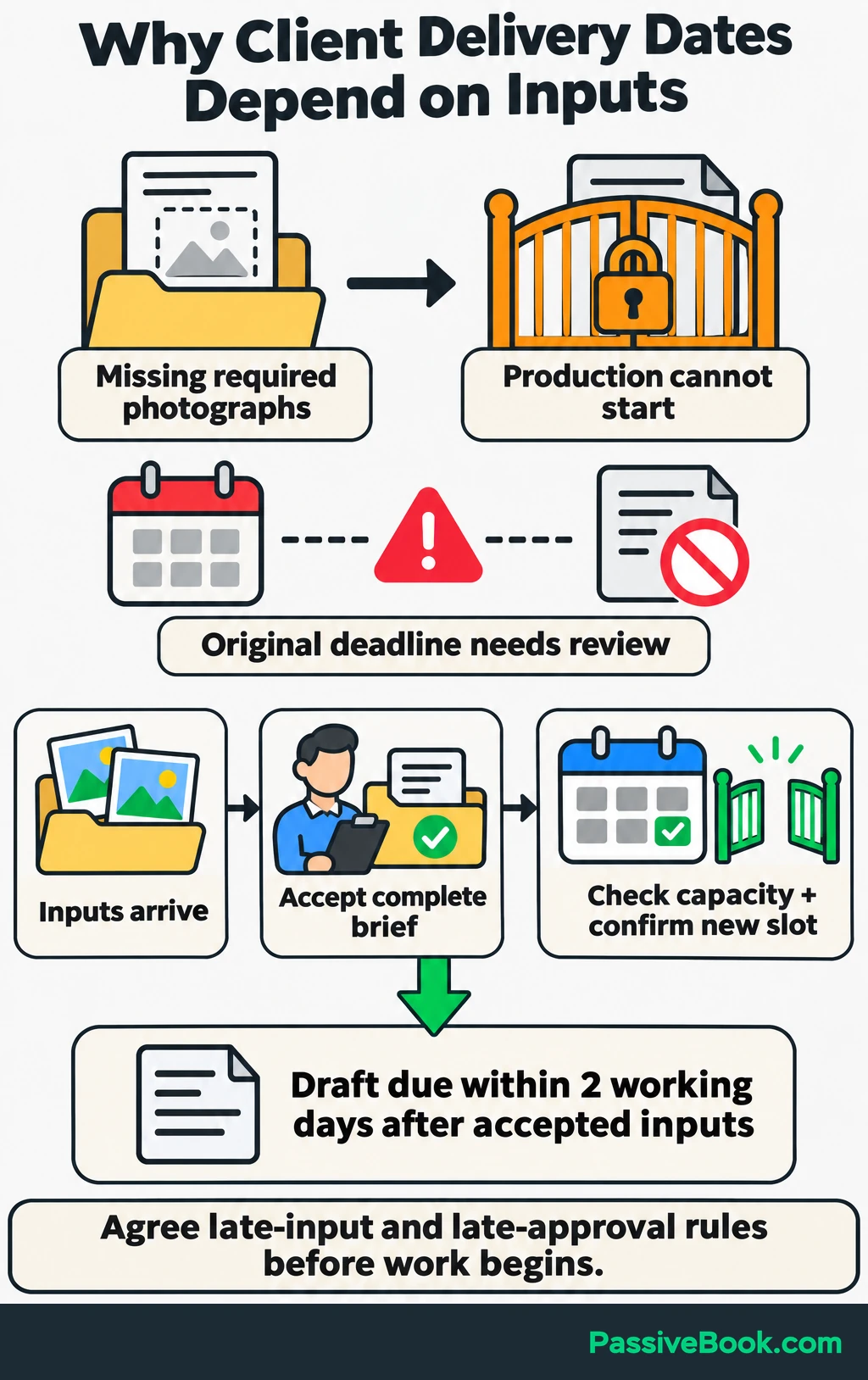
Anchor dependent dates to the event that releases the work. “Draft due two working days after complete inputs are accepted” is clearer than promising Friday while the photographs are still missing.
Agree in advance on what late inputs or approvals change. For example, you might pause production when required inputs are missing, then confirm a new delivery slot once they arrive. Do not let either side assume that a late brief leaves the original deadline untouched.
5. Build Client Communication Into Each Stage
Attach messages to events in the workflow. A draft becoming ready should trigger a review request, and a threatened deadline should trigger a warning before the deadline passes.
Choose one primary communication channel and one place for feedback and decisions. Email plus comments on a shared preview can work. The important part is knowing where the final decision lives.
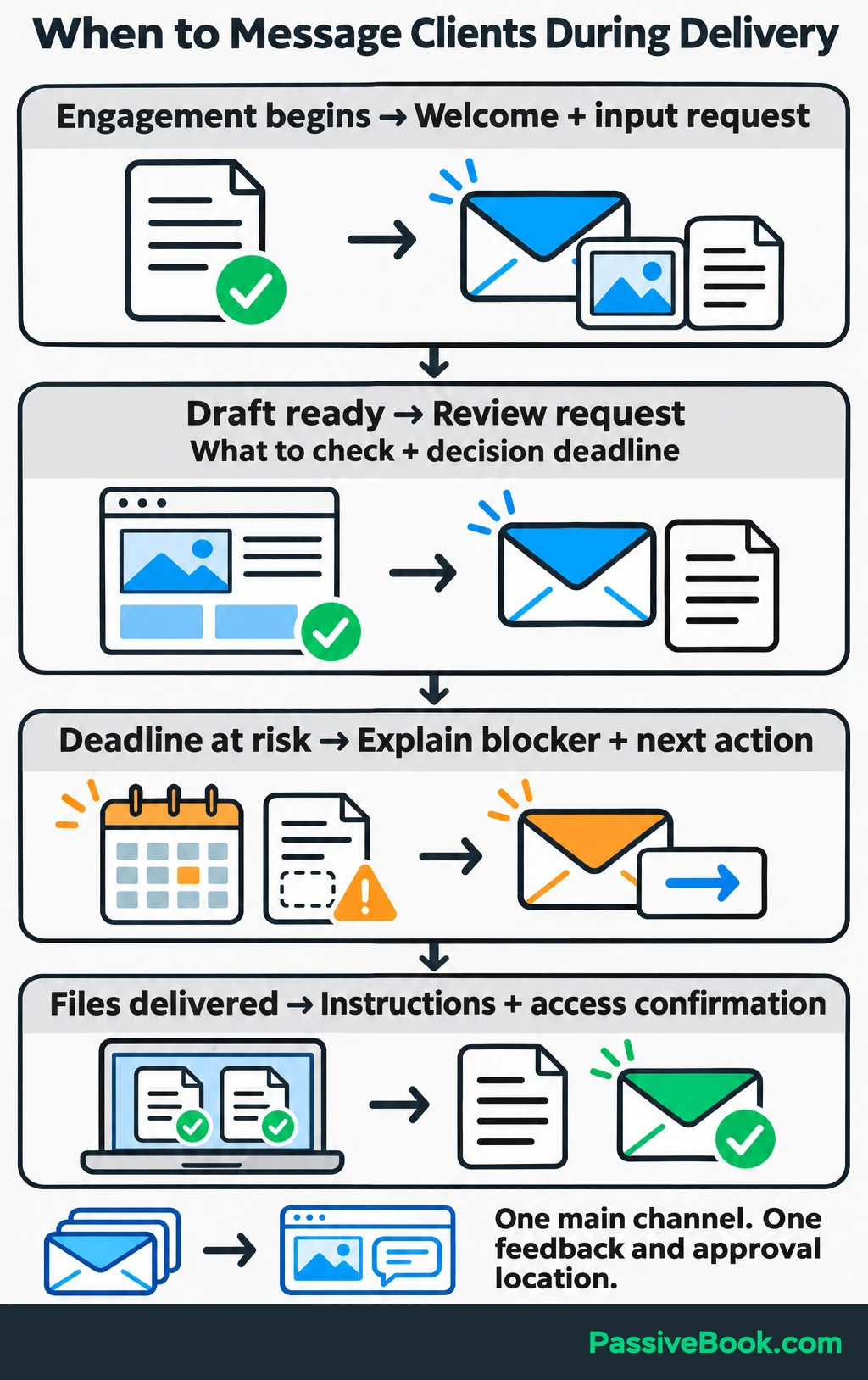
Here is a welcome email you can adapt for the newsletter package:
Subject: Your newsletter delivery plan and next steps
Hi [Name],
I’m looking forward to working on your two newsletters this month.
The package includes drafting, design, editable files, previews, and one consolidated revision round per newsletter. Campaign sending and subscriber-list management are outside this package.
Please send the first edition’s approved offers, dates, photographs, brand assets, and destination links through [intake link] by [date]. We’ll also confirm the delivery format there.
Once I’ve checked and accepted the complete inputs, I’ll confirm the draft review date. Please nominate one person to gather feedback and approve each edition.
We’ll use this email thread for updates and [preview location] for consolidated feedback. I’ll acknowledge messages within one working day and confirm separately when any requested work will be completed.
If inputs or approval arrive late, I’ll confirm a revised delivery date before dependent work continues.
Please reply with your approver’s name and let me know whether the input deadline works for you.
Thanks,
[Your name]
For routine updates, keep the same useful fields:
Completed: [work].
Next milestone: [output and date].
Schedule: [on track or revised].
Blocker: [issue, or none].
Needed from you: [action by date].
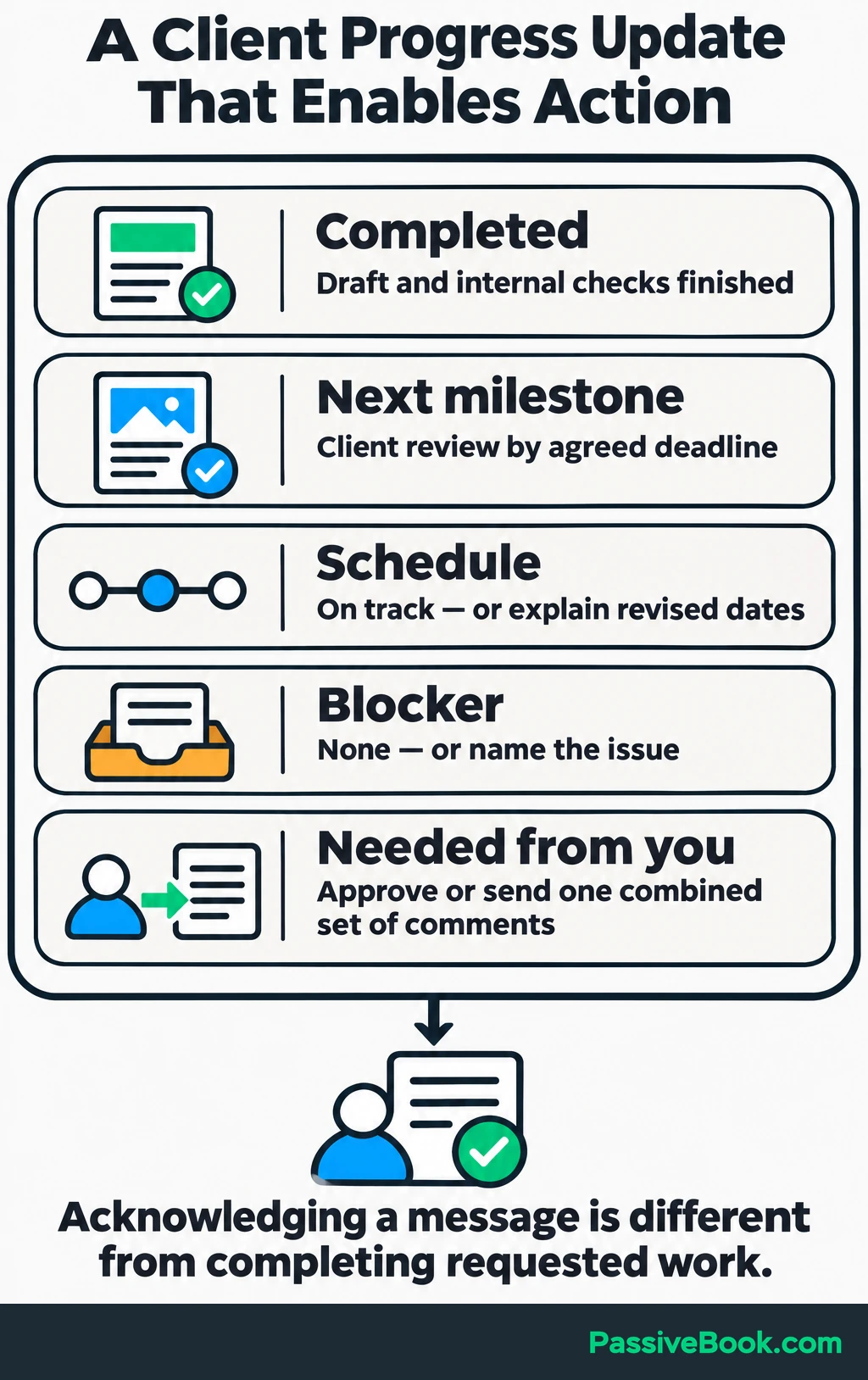
Make review requests equally specific. Ask the client to check the offers, dates, links, and fit with the accepted brief, then send one combined set of comments.
At delivery, provide the approved files, any necessary use instructions, and the agreed support boundary. Ask the client to confirm access before closing the edition.
6. Define Quality Checks and Exception Routes
Check Deliverables Before Client Approval
Turn “good quality” into checks someone can perform.
For each newsletter, the reviewer should confirm that:
- Offer details and dates match the accepted brief.
- Every link opens the intended destination.
- Spelling, images, and layout have been checked.
- The files open in the agreed format.
- The preview represents the version being supplied.
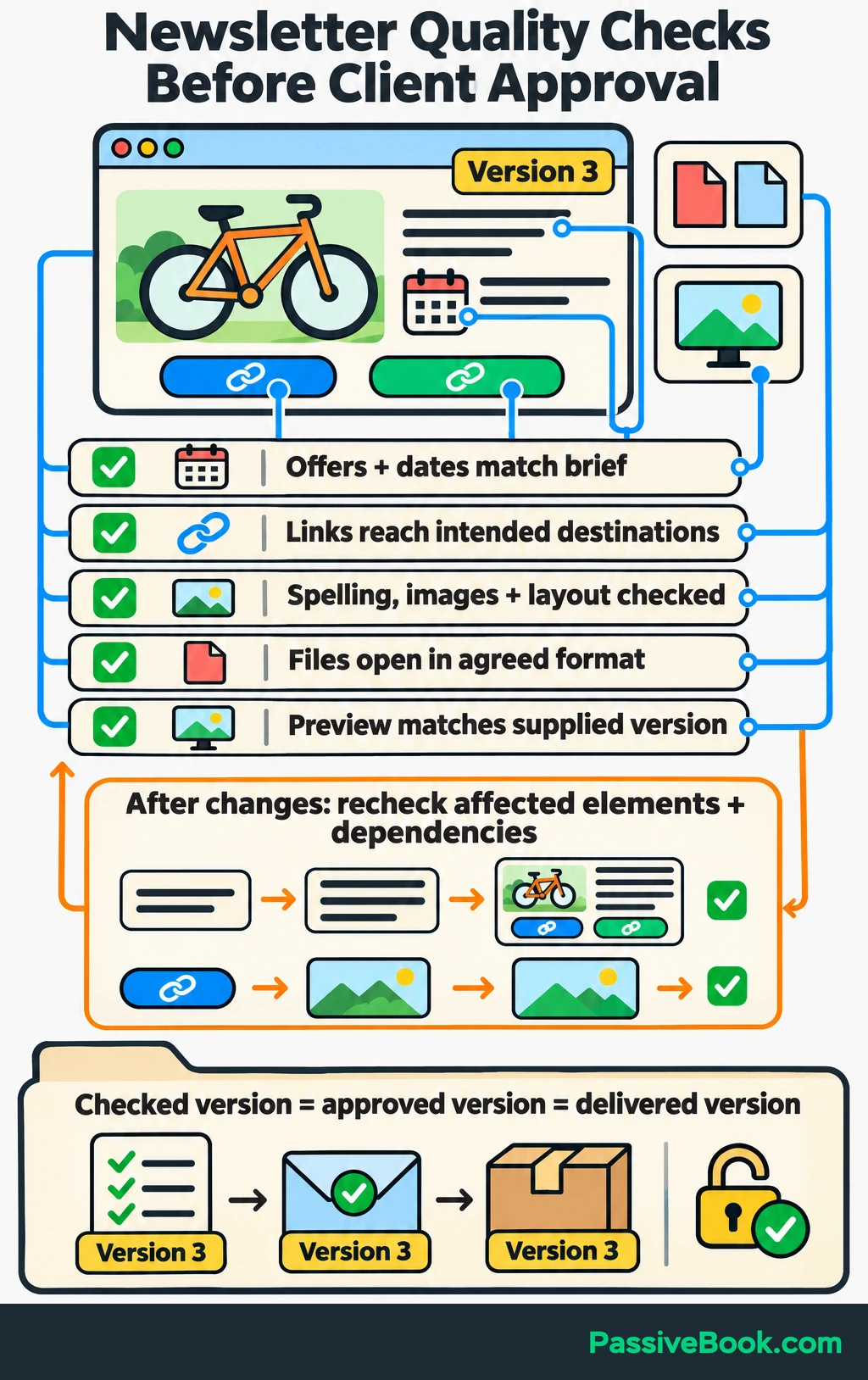
Record the version checked. Client approval must refer to that version, too. “Looks good” becomes less useful when three different drafts share the same filename.
After revisions, recheck the affected elements and anything the change could have disturbed. A new button destination needs another link check; a changed headline may also affect layout.
Keep the completed checklist, approved files, approval record, and access confirmation together.
Route Revisions, Delays, and Service Failures
Classify feedback before starting more work.
| Request | Example | Response |
|---|---|---|
| Correction | The draft contains a different offer price from the accepted brief | Fix it and repeat affected checks; do not count it as an included revision |
| Included revision | The client requests different wording within the brief during the agreed round | Revise, recheck, and request approval |
| Additional scope | The client requests a third newsletter or campaign setup | Agree on the extra work, fee, and schedule before starting |
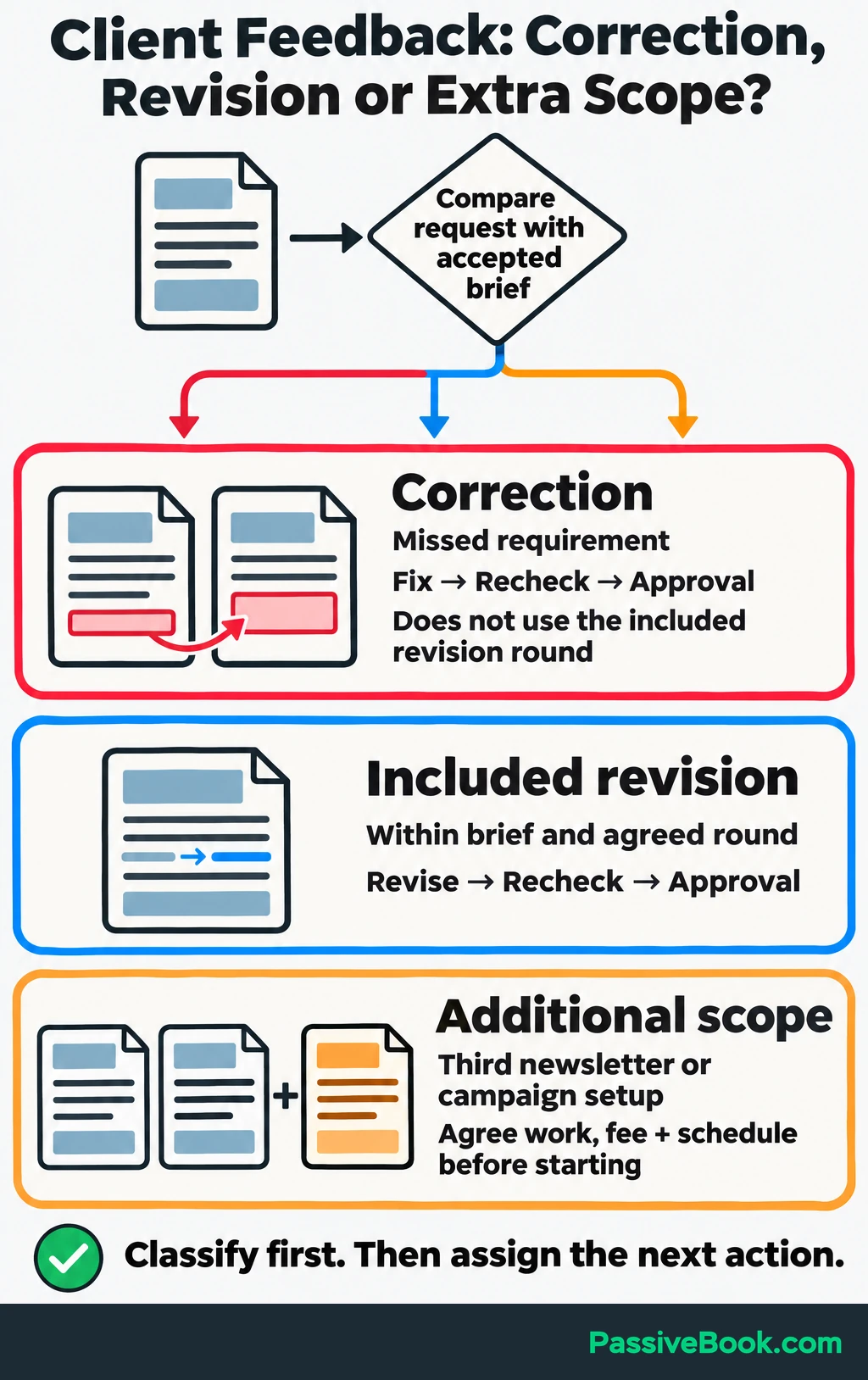
Do not charge the client for your missed requirement and call it scope control.
For blocked work, record the reason, owner, next action, and escalation date. “Waiting” alone tells nobody what to do. “Waiting for approved photographs; client approver to supply them by Tuesday; delivery owner to follow up Wednesday” does.
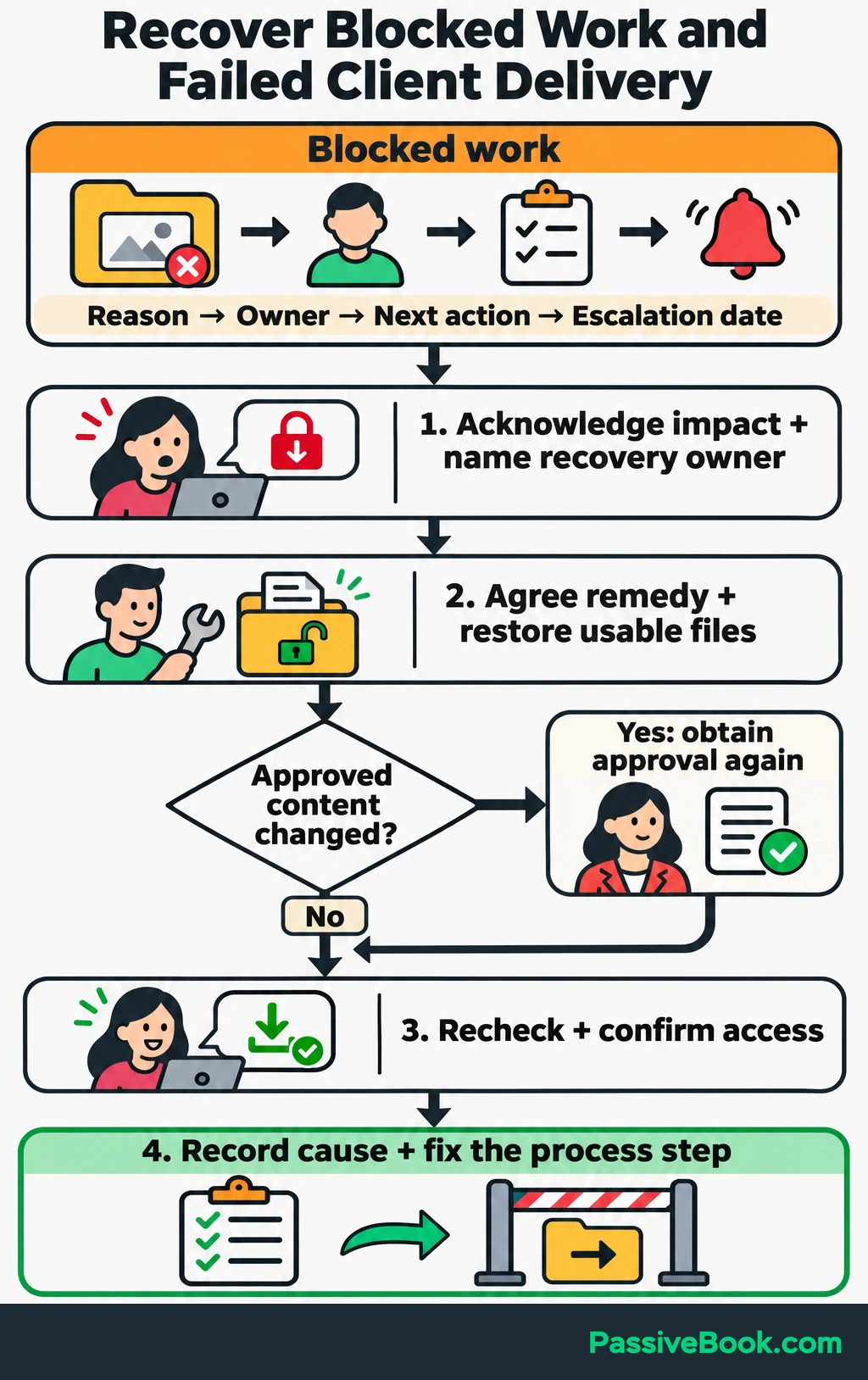
When delivery fails, acknowledge the impact and give one person responsibility for recovery. Restore access or replace unusable files, agree on the immediate remedy, and record what caused the problem. If repairing the files changes approved content, obtain approval again.
Then fix the responsible process step. A permissions check belongs before delivery, where it can prevent another locked folder.
7. Create Reusable Delivery Documentation
Build the Client Delivery Template
Use a shared document, spreadsheet, or existing task board as the authoritative status record. I would keep the tool you already use. If you need tasks and instructions together, Notion supports project records with owners, statuses, and due dates.
Copy this engagement record and adapt it to your service:
CLIENT DELIVERY RECORD

Client:
Engagement or edition ID:
Delivery owner:
Producer:
Reviewer:
Client approver:

SERVICE
Outcome:
Deliverables and formats:
Exclusions:
Included revisions:
Acceptance criteria:

START CONDITIONS
Agreement and scope accepted:
Payment-related start condition met:
Required inputs accepted:
Relevant commitments carried over from the sale:

SCHEDULE
Input deadline:
Draft review date:
Feedback deadline:
Approval deadline:
Delivery date:
Late-input and late-approval rule:
Original dates and agreed changes:

COMMUNICATION
Primary channel:
Feedback and approval location:
Update frequency:
Acknowledgment expectation:

LINKED RECORDS
Accepted brief and assets:
Stage tracker:
Quality checklist:
Current preview:
Approved version and approval record:
Final files and access confirmation:

EXCEPTIONS
Correction route: Production → checks → approval
Included revision route: Production → checks → approval
Extra scope: Record agreement on work, fee, and dates first
Blocker record: Reason, owner, next action, escalation date
Delivery failure: Recovery owner, remedy, and cause

CLOSE
Client access confirmed:
Use instructions supplied:
Support boundary confirmed:
Hours, costs, and client feedback recorded:

DOCUMENT CONTROL
Master template owner:
Version:
Last updated: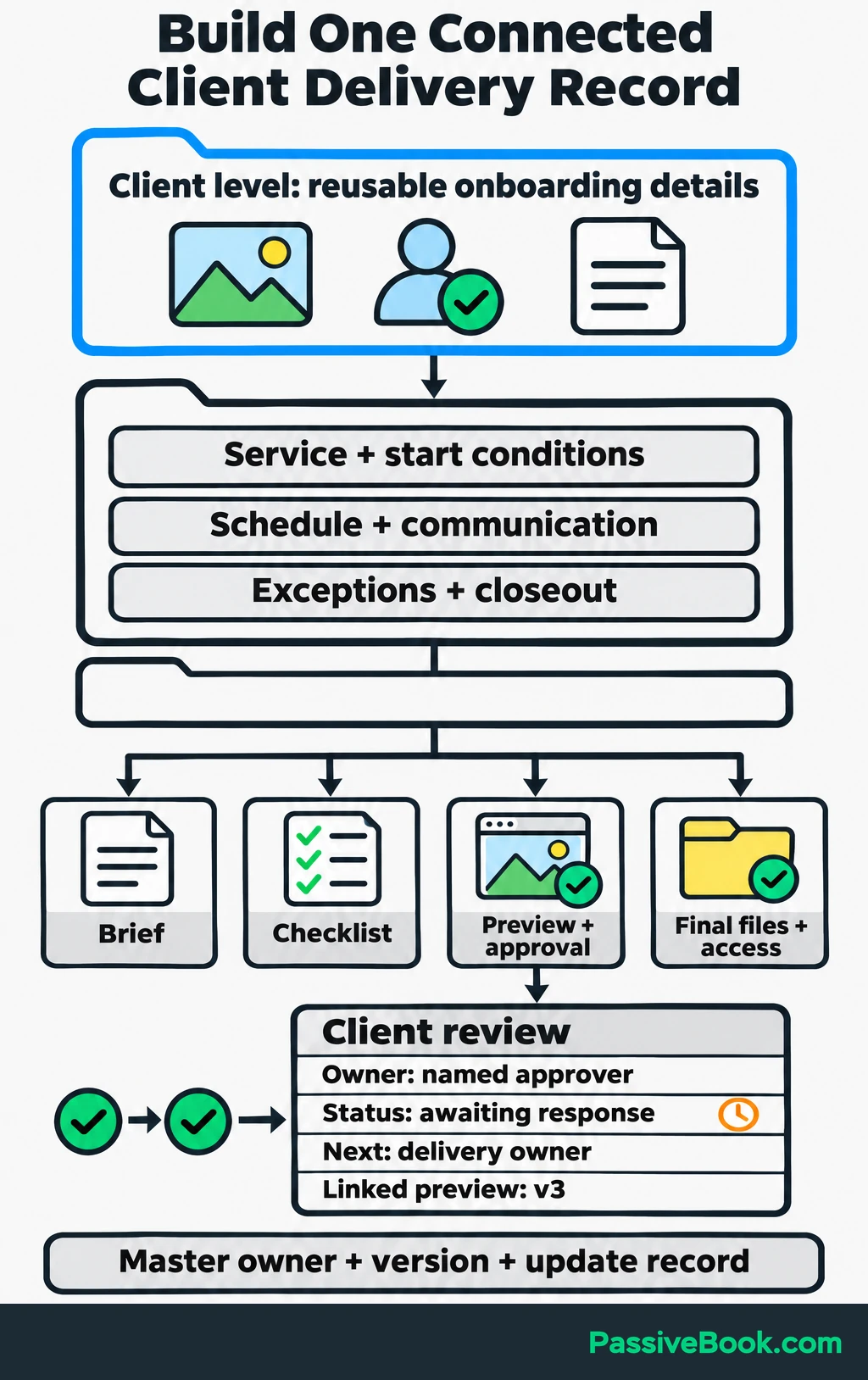
Under it, add a stage tracker. This filled example shows an edition currently ready for client review:
| Stage | Required input | Owner | Due-date rule | Completion criteria | Status | Next recipient | Linked checklist or files |
|---|---|---|---|---|---|---|---|
| Edition intake | Brief, offers, photos, brand assets | Delivery owner | Before production | Inputs accepted; dates confirmed | Done | Producer | Edition 1 accepted brief; approved offers and photos; shared brand folder |
| Draft and design | Accepted inputs | Producer | Two working days after acceptance | Draft and preview ready for checking | Done | Reviewer | Edition 1 editable draft v3 and preview v3 |
| Internal review | Completed draft and preview | Reviewer | One working day after draft completion | Brief, links, spelling, layout, and file checks passed | Done | Client approver | Edition 1 preview v3; completed quality checklist |
| Client review | Checked preview | Client approver | Two working days after request | Approval or consolidated feedback recorded | Awaiting response | Delivery owner | Edition 1 preview v3; no client response yet |
| Revision, if needed | Included feedback | Producer | One working day after complete feedback | Revised version checked and submitted | Not needed yet | Client approver | None yet; awaiting client feedback |
| Revised preview review, if needed | Checked revised preview | Client approver | One working day after revised review request | Approval or remaining issues recorded | Not needed yet | Delivery owner | None yet; awaiting a revised preview |
| Final delivery | Approval of current version | Delivery owner | One working day after approval | Files usable and client access confirmed | Not started | Client | None yet; awaiting approval |
Replace role labels with people’s names in the live record. Copy the recurring stages for each edition and retain onboarding details at the client level.
If you would rather start with a draft for your own service, the AI Skill below can build one from your scope and team details. You can then review the handoffs and confirm any missing decisions before using it.

Free AI Operations Writer




Keep access appropriate to the work. A newsletter designer needs brand assets, but this package gives them no reason to receive the subscriber list. The FTC’s business guidance recommends limiting access to the resources each person needs for their job.
Write Short Instructions for Tasks That Need Them
Add a standard operating procedure, or SOP, when a repeated task involves judgment, causes frequent errors, or will be delegated.
The workflow shows when a task happens. The SOP explains how to perform it.
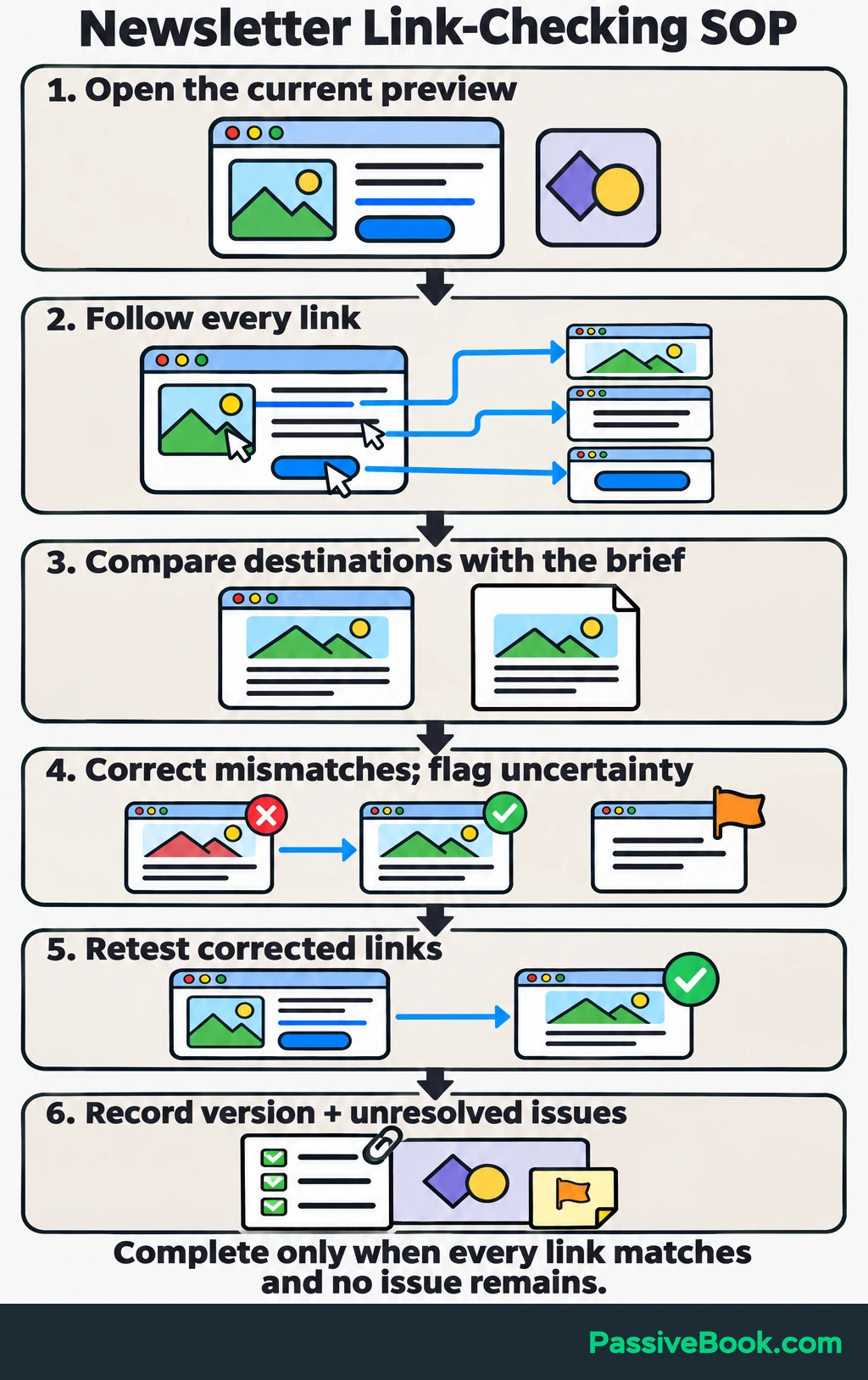
Here is a short example:
Task: Check newsletter links
Trigger: A draft or revised preview is ready for internal review.
Inputs: Current preview and accepted brief.
1. Open the current preview.
2. Follow every linked button, image, and text link.
3. Compare each destination with the brief.
4. Correct mismatches and flag any destination you cannot confirm.
5. Retest corrected links in the updated preview.
6. Record the checked version and any unresolved issue.
Output: A completed link checklist attached to the edition record.
Complete when: Every link matches the brief and no unresolved link issue remains.
File location: The edition’s quality-check folder.
Exception contact: The named delivery owner.
Assign someone to maintain the master instructions. Record their version and update date so an old checklist does not quietly become the working process.
8. Test the Process on One Delivery Cycle
Walk through the documentation first, then use it for one live delivery cycle. Preserve existing client commitments while you test; renegotiate any change that affects them.
Ask the person following the process to note missing instructions, unclear decisions, failed handoffs, repeated corrections, and client questions. Fix the step responsible for each problem.
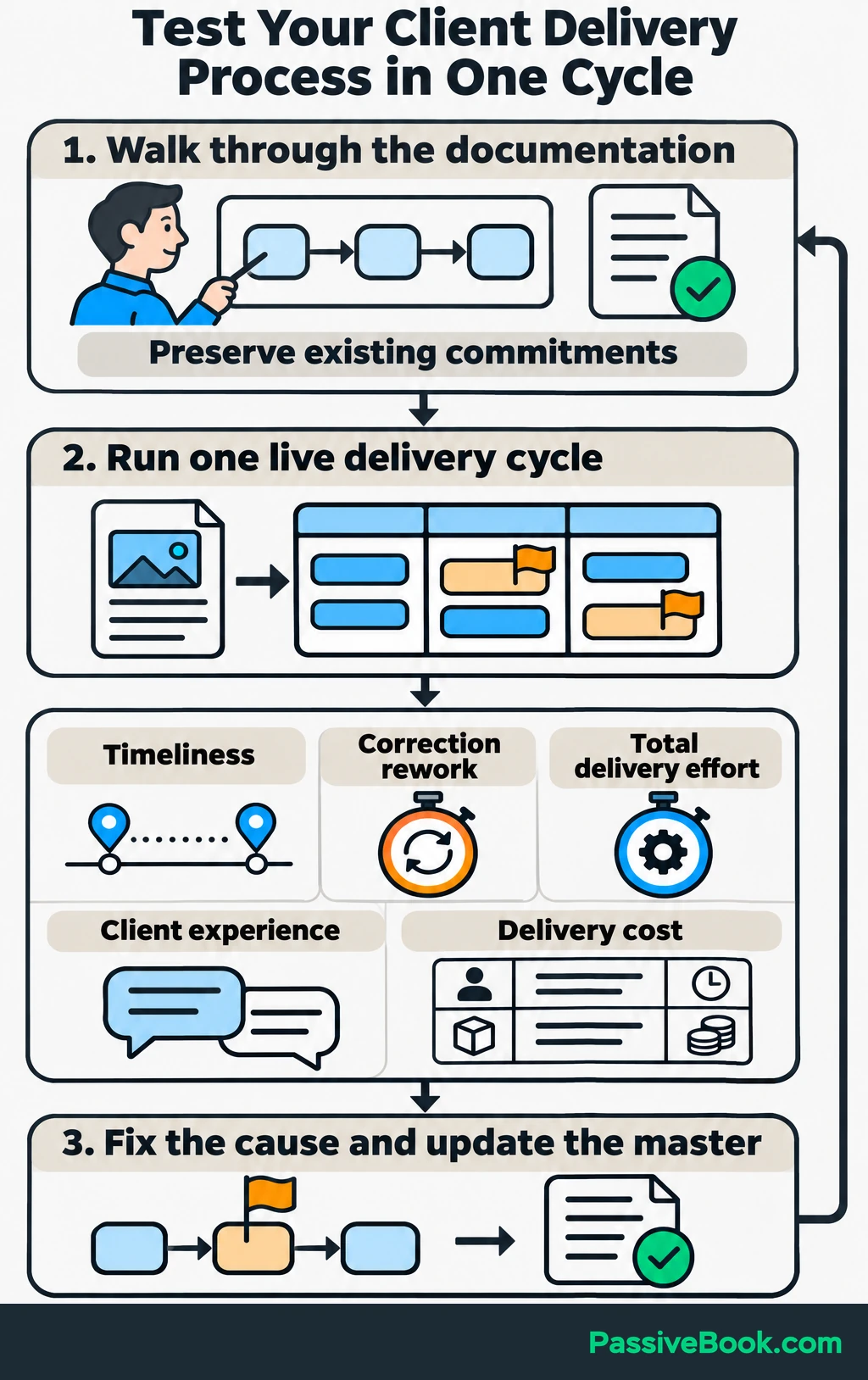
Track a few useful measures:
- Timeliness: Milestones completed by their agreed dates, keeping original and revised dates visible.
- Rework: Hours spent correcting missed requirements, recorded separately from included revisions.
- Delivery effort: All production, review, communication, and recovery hours.
- Client experience: What was unclear, what required unnecessary effort, and whether the work met the brief.
- Delivery cost: Labor valued at an internal hourly rate, plus direct delivery expenses.
For the newsletter package, count the work across both monthly editions. Suppose the fee is $600, total delivery takes 10 hours valued at $30 per hour, and direct expenses are $50.
The amount remaining is:
$600 − (10 × $30) − $50 = $250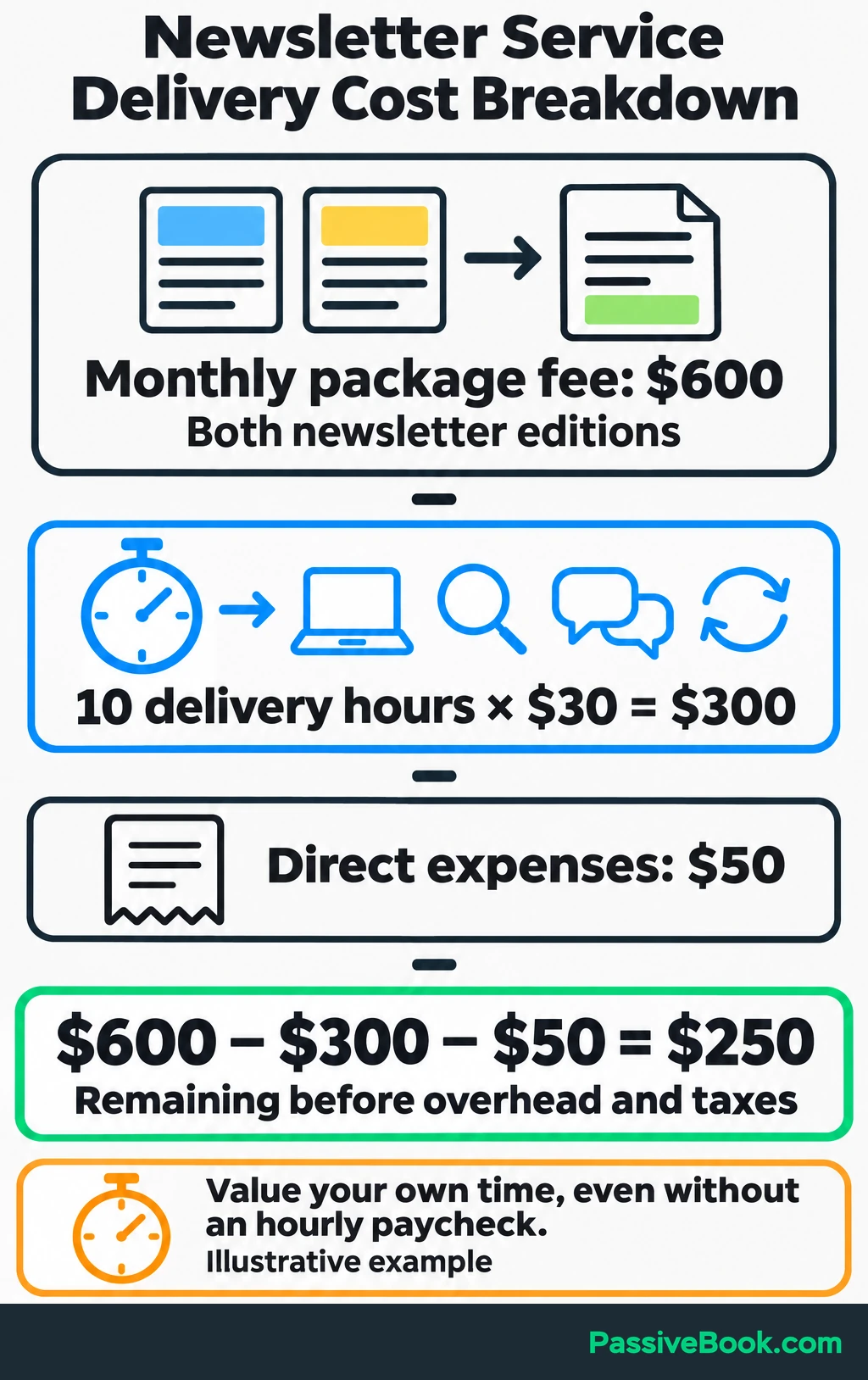
That leaves $250 before overhead and taxes. Valuing your own time matters even when you are not paying yourself by the hour.
If the package takes more time than expected, find out why before adding clients. The answer might be a weak brief, repeated corrections, too much included work, or a fee that does not cover delivery.
Update the master template after testing improvements. Use actual hours and your delivery calendar to judge capacity. Available hours alone will not reveal that every client wants approval on the same Thursday.
9. Automate Repeatable Administration
Automate a task once its trigger, required inputs, and next action are clear.
Good starting points include creating delivery records, assigning checklist tasks, requesting inputs, reminding owners, and notifying the next person.
For the newsletter service, a first automation could look like this:
| Element | Rule |
|---|---|
| Trigger | Delivery owner marks an edition’s inputs accepted |
| Conditions | Required inputs exist; producer and edition ID are recorded; drafting task does not already exist |
| Action | Create the drafting task, set its due date, and notify the producer |
| Responsible owner | Delivery owner |
| Failure alert | Send the owner a notice identifying the edition and failed action |
| Manual fallback | Check for a partially created task, then create or complete it manually |
Use the client-and-edition identifier to check for an existing task before creating another. Test an incomplete brief, a repeated trigger, a missing assignee, and a failed action before activating the workflow.
I would start with Make, a visual tool for connecting apps and automating tasks. I use n8n for automation, but I would not introduce another platform just to move a checklist someone can already maintain reliably.
If you use n8n, its error workflows can alert the owner when an execution fails. Keep a manual fallback in the same delivery instructions so recovery does not depend on remembering how the automation was built.
Keep approval, quality acceptance, and scope decisions explicit. A reminder can request approval. A timer expiring cannot grant it.
Compare the setup time, ongoing cost, and maintenance with the administration you expect to save. Then review the first automated cycle and update the same documentation everyone already follows. Automation should remove chasing, not create another place to chase things.
What Next?
Choose one service and write its start condition, deliverables, and completion rule in a shared document. Then map the handoffs for the next delivery cycle and assign each one an owner.
Use the social buttons to share this guide when a clearer handoff would save your team another round of chasing.
Which part of delivery still depends on you remembering to intervene? Tell me in the comments, and bring any other questions about building your process.
Share this post with your friends & followers:

