You hand over a client job, then get three messages: which files to use, who checks the work, and whether a revision is included.
Each question seems small, but together they pull you back into work you thought you had delegated.
Meanwhile, the person handling delivery waits or guesses, and neither option helps the client. This guide gives you a reusable SOP template and a complete delivery example so the next person can finish a client job without bringing every routine decision back to you.
Step 1: Choose One Workflow and Define Successful Delivery
A service delivery standard operating procedure explains how to fulfill a client commitment from a clear starting point to an agreed result. It covers the actions, responsibilities, decisions, and records needed to finish the job.
Written instructions also give you something concrete to teach from. The EPA’s SOP guidance describes their role in consistent work and staff training. Its setting is environmental quality management, but those documentation principles are useful here.
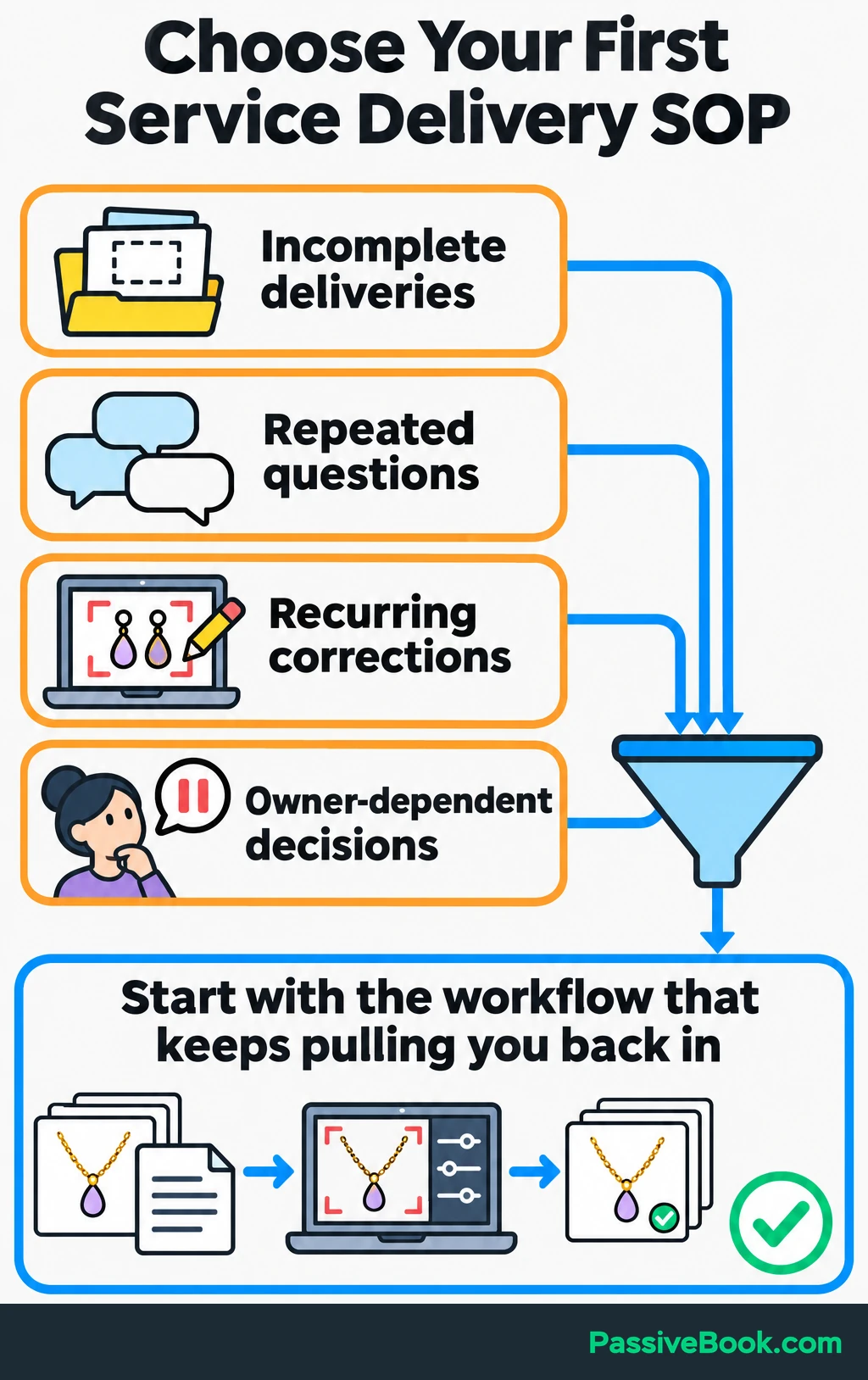
Start by listing recurring delivery tasks. Then choose one where a missed step causes a visible problem:
- Clients receive incomplete work.
- The same questions keep coming back.
- Someone regularly corrects work before delivery.
- Jobs stop until you make a routine decision.
I would start with the workflow that repeatedly pulls you back in. Freelancing kept me trading time for money, and even planning time away meant thinking through unfinished client work. That experience is why I care about reducing personal dependence, rather than simply getting faster at doing everything myself.
Throughout this guide, imagine you run a product-photo editing service for handmade jewelry shops. Before writing instructions, define four boundaries:
| Boundary | What to Record |
|---|---|
| Start trigger | Client submits the brief and source images for checking |
| Required inputs | Order list, source images, client brief, final-file requirements, deadline, and revision terms |
| Finished output | Approved images the client can open; revision round completed or request window ended; no unresolved delivery or quality issues |
| Exclusions | Sales, pricing, and approval of extra work |
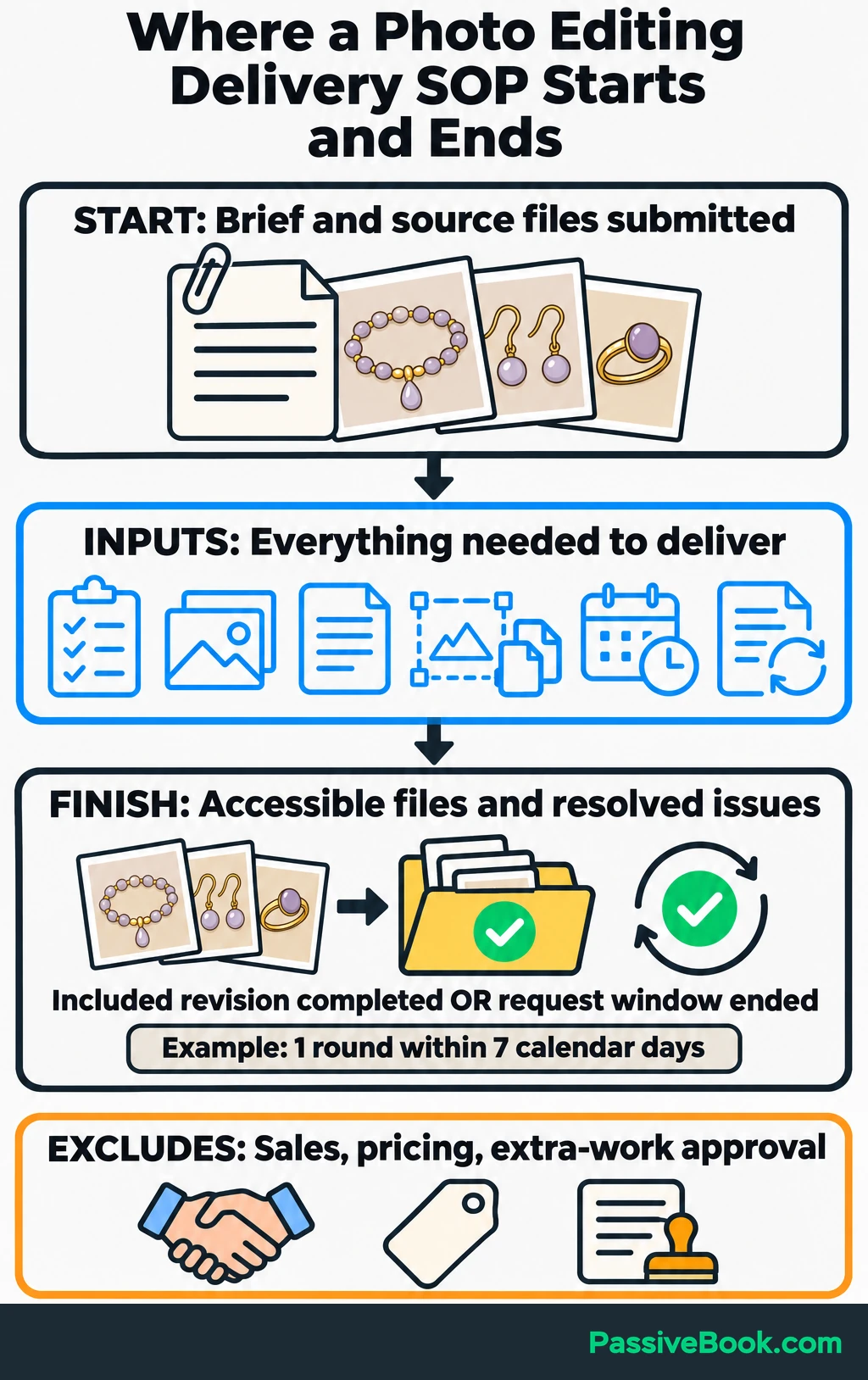
For this example, the agreement specifies export requirements: the dimensions and file formats for the finished images. It also includes one revision round requested within seven calendar days of first delivery. Replace these sample terms with your own.
Success means every ordered image meets the brief, passes review, and reaches the client in an accessible form. “The editor finished” is only part of that result.
Assign a process owner to maintain the instructions and an approver who can authorize changes. Also name the roles that perform, review, and release the work. One person can hold several roles, but each responsibility still needs an owner.
Step 2: Capture How the Work Actually Happens
Follow a representative job from start to finish. Perform it yourself or watch the person who normally handles it, and capture the work in order.
Record actions, references, decisions, waiting points, handoffs, and outputs. A screen recording can help with visual work, but keep notes about judgments that the recording cannot explain.
Ask questions such as:
- What tells you the inputs are usable?
- Which reference do you compare the work against?
- What makes you stop and ask for help?
- How do you know the next person has everything needed?
- What would make you reject the finished work?
These questions uncover instructions that experienced people often skip because the answer feels obvious.
For the photo-editing service, “source files received” is too vague. You need to know whether every ordered image arrived, whether the files open, and whether they support the requested edits.
Gather the resources used during the job: the intake checklist, approved examples, editing instructions, export specifications, and delivery message. Then map the main stages:
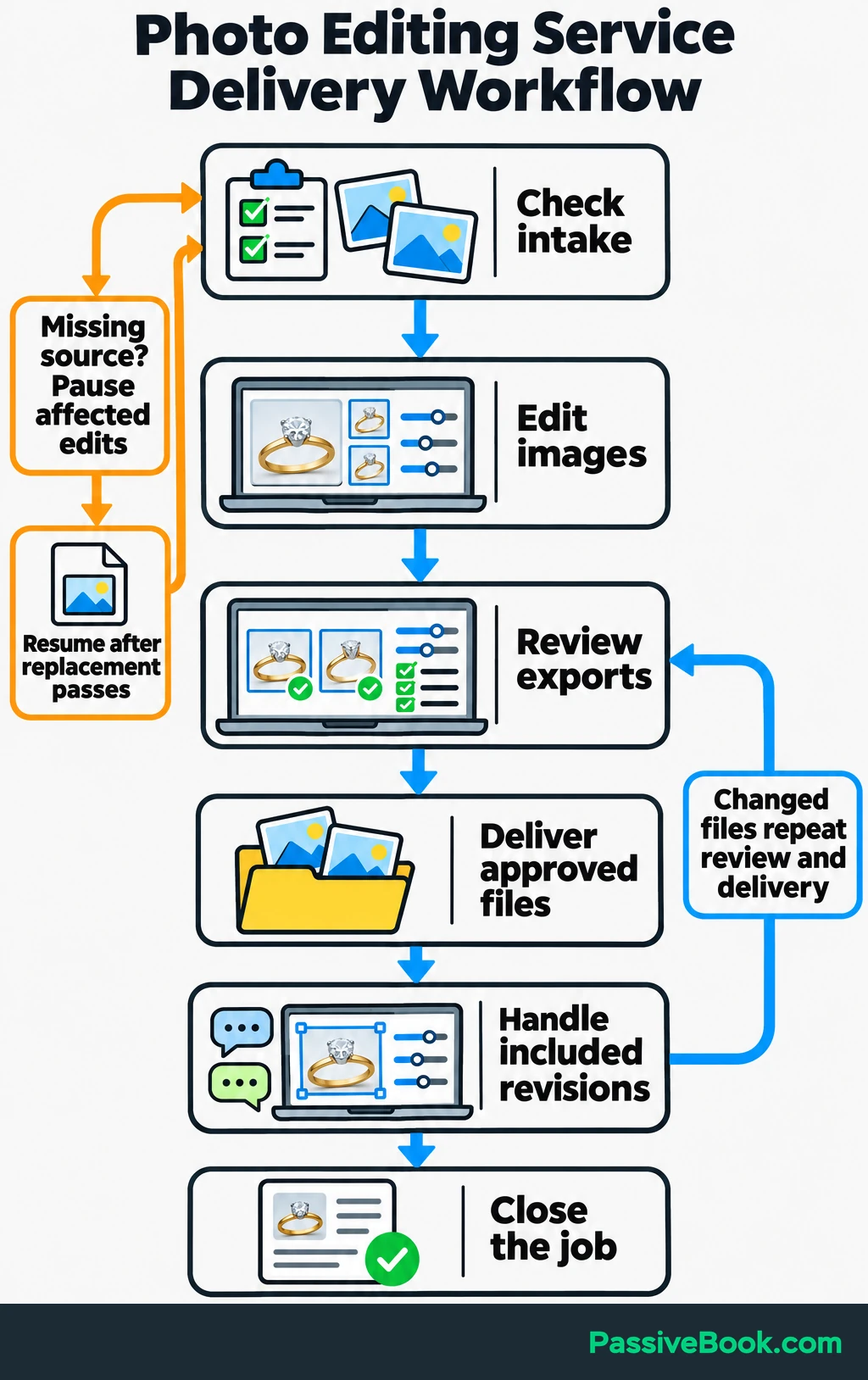
Check intake → edit images → review exports → deliver → handle included revisions → close the job.
Add branches where work takes a different route. Missing source images should lead to a replacement request before affected edits begin.
A flowchart helps when several branches or handoffs become hard to follow. The Institute for Healthcare Improvement’s flowchart guidance explains how mapping can expose delays, duplicated work, and communication gaps.
Capture the current process first, then resolve known problems before approving it. If two editors use conflicting export settings, the SOP needs one agreed rule. Recording both practices would preserve the disagreement quite efficiently.
Step 3: Choose a Usable Format and Shared Home
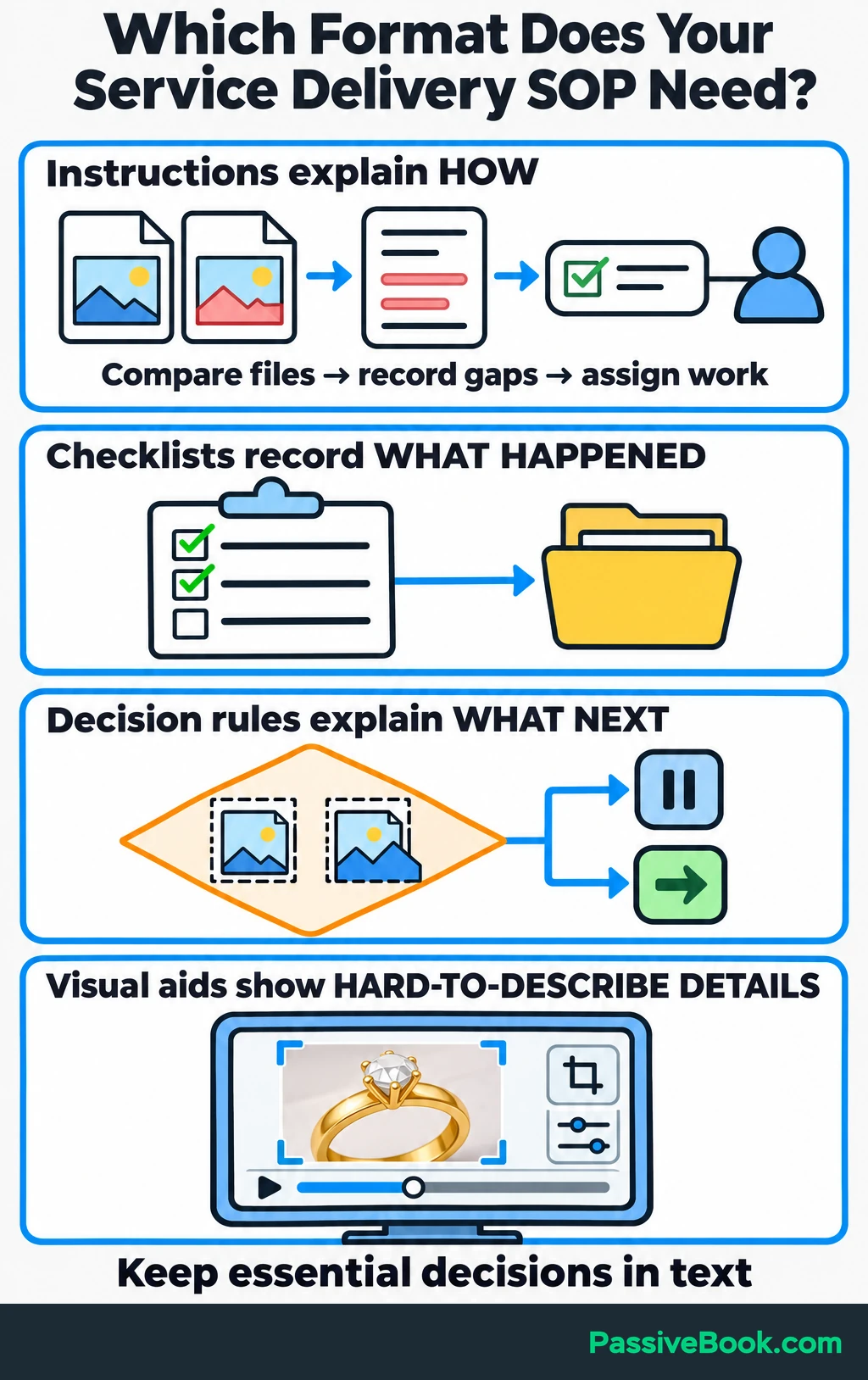
Choose the format around the work:
| Format | Use It For |
|---|---|
| Numbered instructions | Actions that usually happen in sequence |
| Execution checklist | Recording what was completed on each job |
| Decision table or tree | Conditions that change the next action |
| Screenshot or short recording | Visual details that are difficult to explain in words |
These formats work together. The instructions explain how to review exports, the checklist records that review, and the decision table explains what happens when a file fails.
Keep essential decisions in text, even when you add a video. Someone checking whether they can release a job should not have to scrub through a recording.
For a first SOP, I would use the shared workspace you already open during delivery. If that is Notion, keep it there. If you are starting from nothing, Google Docs supports document creation with a Google Account, shared editing, access permissions, and version history.
Check that the people doing the work can:
- Find the current instructions quickly.
- Open the linked resources.
- Suggest corrections without accidentally replacing approved instructions.
- Tell which version is in use.
Consider dedicated SOP software when approvals, training records, or a growing library become difficult to manage. I would skip a new subscription until one of those problems actually appears.
Give the document a task-based title, such as “Edit and Deliver Jewelry Product Photos.” Link it from the recurring delivery task so people encounter it while working.
Step 4: Write the SOP Using a Reusable Template
The four parts below form one worked SOP you can adapt. Copy the structure into your shared document, replace the bracketed fields, and connect the references to your actual resources.
Fill in the Workflow Essentials
Start with the information someone needs before taking the first action. Keep job details, such as a particular client’s deadline, in the job record rather than rewriting the SOP for every order.
| Field | Worked Example |
|---|---|
| Title or ID | Edit and Deliver Jewelry Product Photos — PHOTO-01 |
| Purpose | Deliver complete, checked product images that meet the approved brief |
| Scope and exclusions | Intake checking through delivery, included revisions, and closure; excludes sales, pricing, and approval of extra work |
| Start trigger | Client submits the brief and source files |
| Required inputs | Order list, source images, approved editing brief, export specifications, delivery deadline, and revision terms |
| Expected output | Accessible final files, recorded quality checks, and resolved delivery and revision status |
| Process owner | Delivery lead: [name and contact] |
| Approver | Business owner: [name and contact] |
| Version | [draft number; approved version after testing] |
| Effective date | [date approved instructions take effect] |
| Next review date | [scheduled date] |
| Skills and access | Editing skills for the agreed service; access to the job task, source folder, editing software, and delivery folder |
| Role assignments | Coordinator, editor, and reviewer named in each job task |
| Escalation backup | [authorized backup name and contact] |
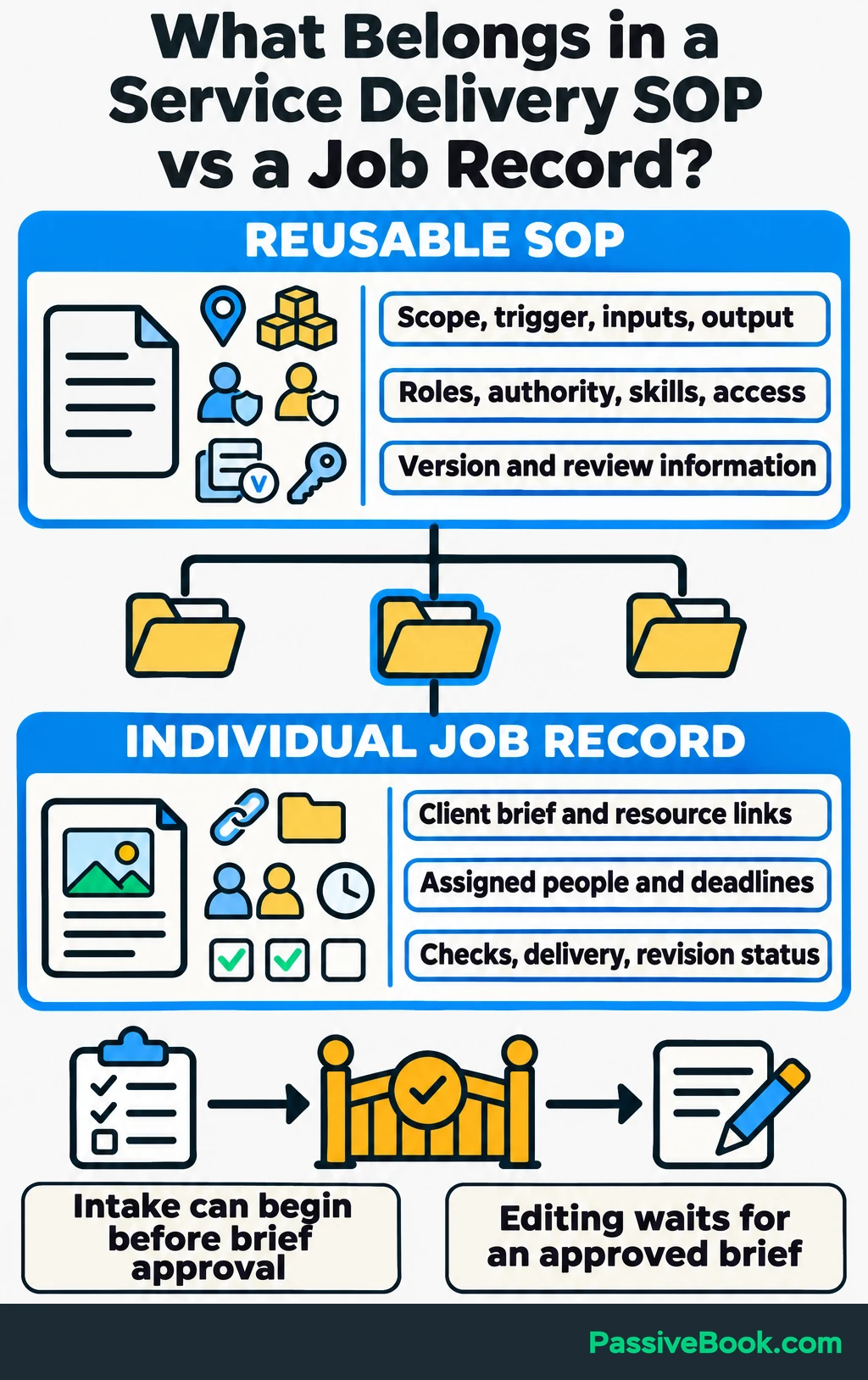
The client’s brief may still need approval when the files arrive. The coordinator can check intake then, but editing must wait until the brief is approved.
If detailed editing instructions need specialist training or several pages of their own, link a separate editing procedure at the relevant step. Keep this SOP focused on delivering the complete job.
Write Actions Someone Else Can Follow
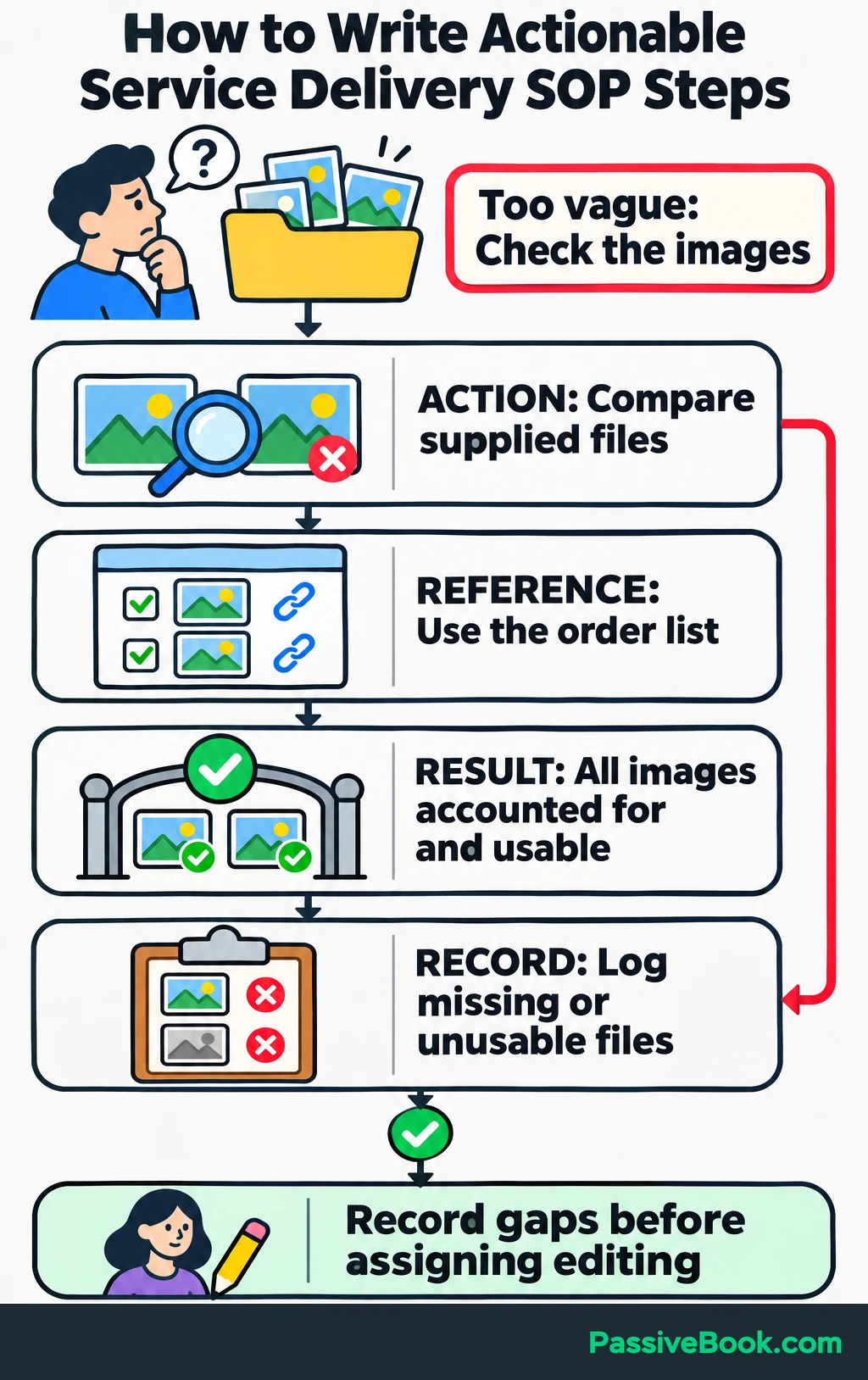
Begin each instruction with an action verb, then identify the reference and the result needed to continue.
“Check the images” leaves too much to interpretation. A usable instruction says:
Compare the supplied files with the order list. Record missing or unusable images in the job task before assigning the editing work.
Use a procedure table when several roles are involved. For this example, the job task is the shared record containing the brief, resource links, assignments, and checklist.
| Step | Responsible Role | Action | Resource or Reference | Expected Result | Completion Record |
|---|---|---|---|---|---|
| 1 | Coordinator | Compare received files with the order list and open each source file. Follow the missing-file rule below if needed. | Order list and source folder linked in job task | Every ordered image is accounted for and usable | Intake checklist and any blocked files |
| 2 | Coordinator | Confirm brief approval, export requirements, deadline, and revision terms. Assign the editor and notify them that intake has passed. | Approved brief and agreement linked in job task | Editor receives a ready job | Approval reference and assignment |
| 3 | Editor | Edit the images against the brief and approved examples. Export them to the review folder and notify the reviewer. | Editing instructions, approved examples, and export specifications | Complete export set ready for review | Review-folder link and handoff note |
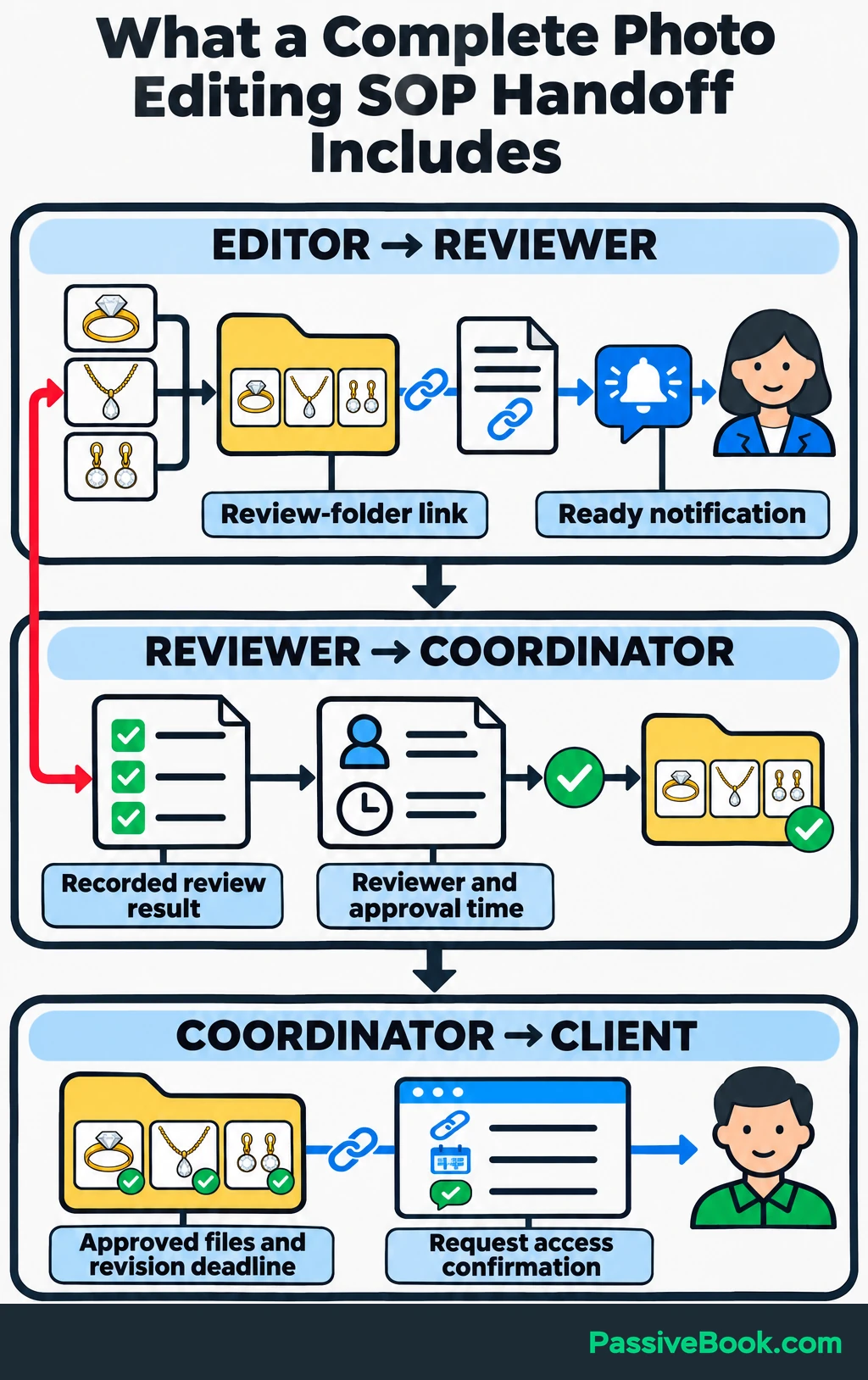
| 4 | Reviewer | Run the quality checks below. Return failures to the editor; approve release only after they pass. | Order list, brief, and quality checklist | Approved files ready for delivery | Review result, reviewer, and approval time |
| 5 | Coordinator | Share the approved files with the client. State the revision deadline and request confirmation that the files can be opened. | Approved delivery folder and recorded revision terms | Client receives the correct files and next action | Delivery message, link, and access status |
| 6 | Coordinator and editor | Classify feedback using the decision rules below. Complete authorized changes, then repeat review and delivery for changed files. | Client feedback and approved brief | Feedback resolved through the correct route | Feedback, revision status, and new review record |
| 7 | Coordinator | Confirm access, resolve open issues, and close the job when the revision round is complete or its request window has ended. | Delivery record and feedback log | Job has no unresolved delivery or quality issue | Closure date and final-file link |
A handoff needs more than “send to review.” Here, the editor supplies the review-folder link in the job task and notifies the assigned reviewer. That tells the reviewer both where the work is and that it is ready.
You can use AI to organize your captured notes. Before sharing them, remove client identifiers and confidential material from drafting examples, and use a tool approved for the information involved. AI can also produce confident errors; NIST’s Generative AI Profile discusses both privacy risks and incorrect generated content.
Use this prompt with sanitized notes:
Arrange these notes into the SOP template below. Preserve the observed sequence, responsible roles, references, and decision rules. Flag unclear instructions and list unanswered questions without inventing answers. Mark proposed improvements separately from observed actions.
Template: workflow essentials; procedure table; decision rules and exceptions; quality checks; completion records.
Notes: [paste sanitized notes here]
Have the process owner verify the draft against the actual work. I would use AI to sort a messy recording transcript, but I would not let it decide what your business has promised a client.
If your notes still leave too much in your head, AI Operations Writer can flag the gaps and assemble your first draft. You get a document to verify against the work, with unanswered decisions marked for review.

Free AI Operations Writer




Add Decision Rules and Exception Paths
Place each decision beside the step it changes. Use an observable condition and a clear response:
If a source image is missing or unusable, pause the affected edits and request a replacement. Resume after the replacement passes intake.
Then define who can act and who must approve a change.
| Condition | Required Action | Condition for Proceeding |
|---|---|---|
| Source image is missing or unusable | Coordinator requests a replacement and records the affected files | Replacement passes intake; any deadline change is agreed and recorded |
| Brief or export requirement is unclear | Coordinator asks the client for clarification before affected work begins | Clarification is recorded in the approved brief |
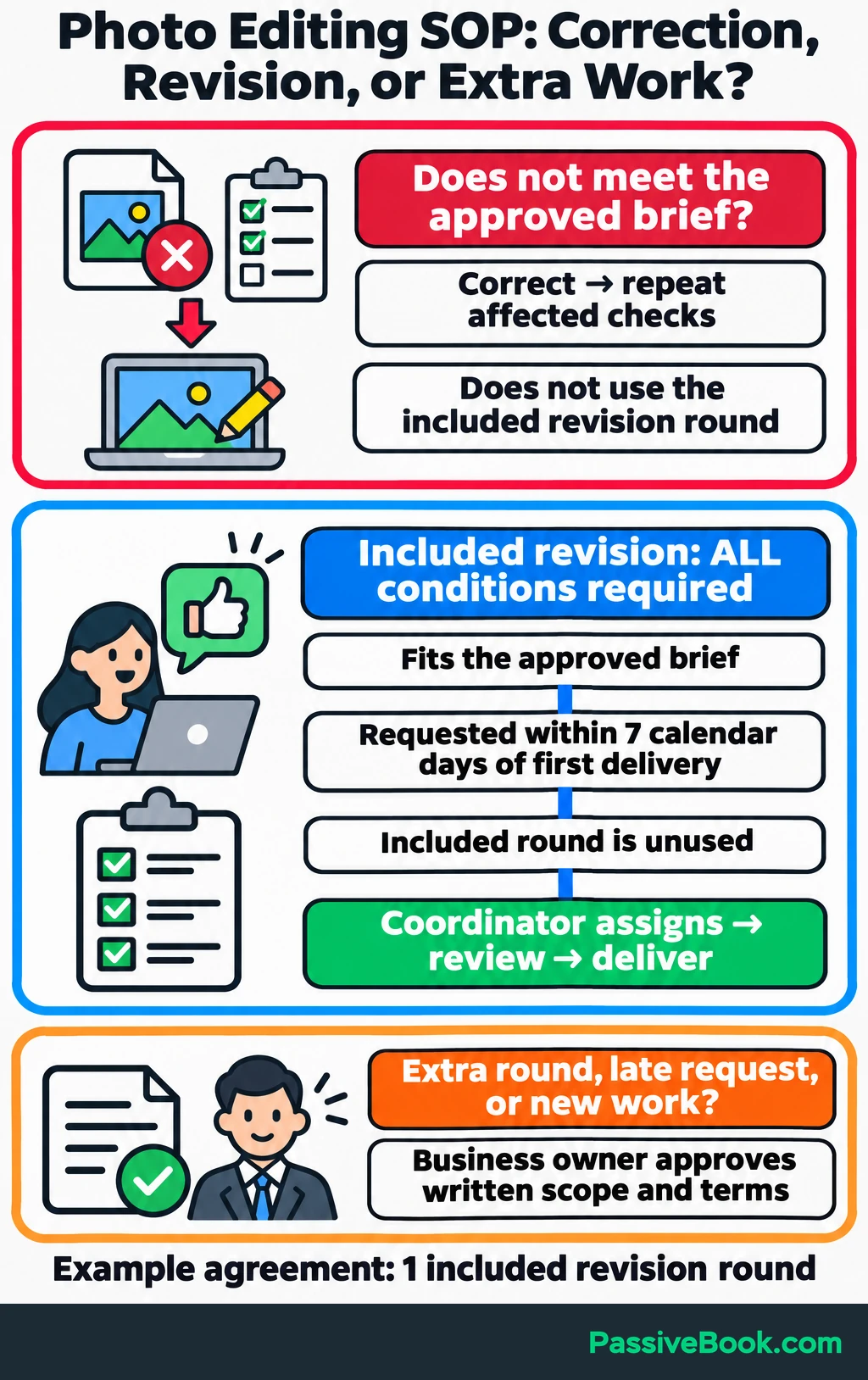
| Requested revision fits the brief, arrives within seven calendar days of first delivery, and the included round is unused | Coordinator assigns the revision to the editor | Revised exports pass review before delivery |
| Client requests another revision round, a revision after the seven-calendar-day window, or new editing work | Coordinator sends the request to the business owner for scope approval | Written agreement covers the added work and delivery terms |
| Review finds work that does not meet the approved brief | Reviewer returns it for correction | Corrected files pass the affected checks |
Keep corrections separate from discretionary revisions. An export in the wrong format is a failure to meet the brief, so correcting it should not consume the client’s included revision round.
For any unresolved exception, send the delivery lead the job link, affected files, problem, and likely deadline impact. Use the named backup if the lead is unavailable. Keep affected work paused until the required input or authorization is recorded.
That final condition matters. “Escalate to the owner” tells someone where to send a problem, but it does not tell them when they can resume.
Define Quality Checks and Completion Records
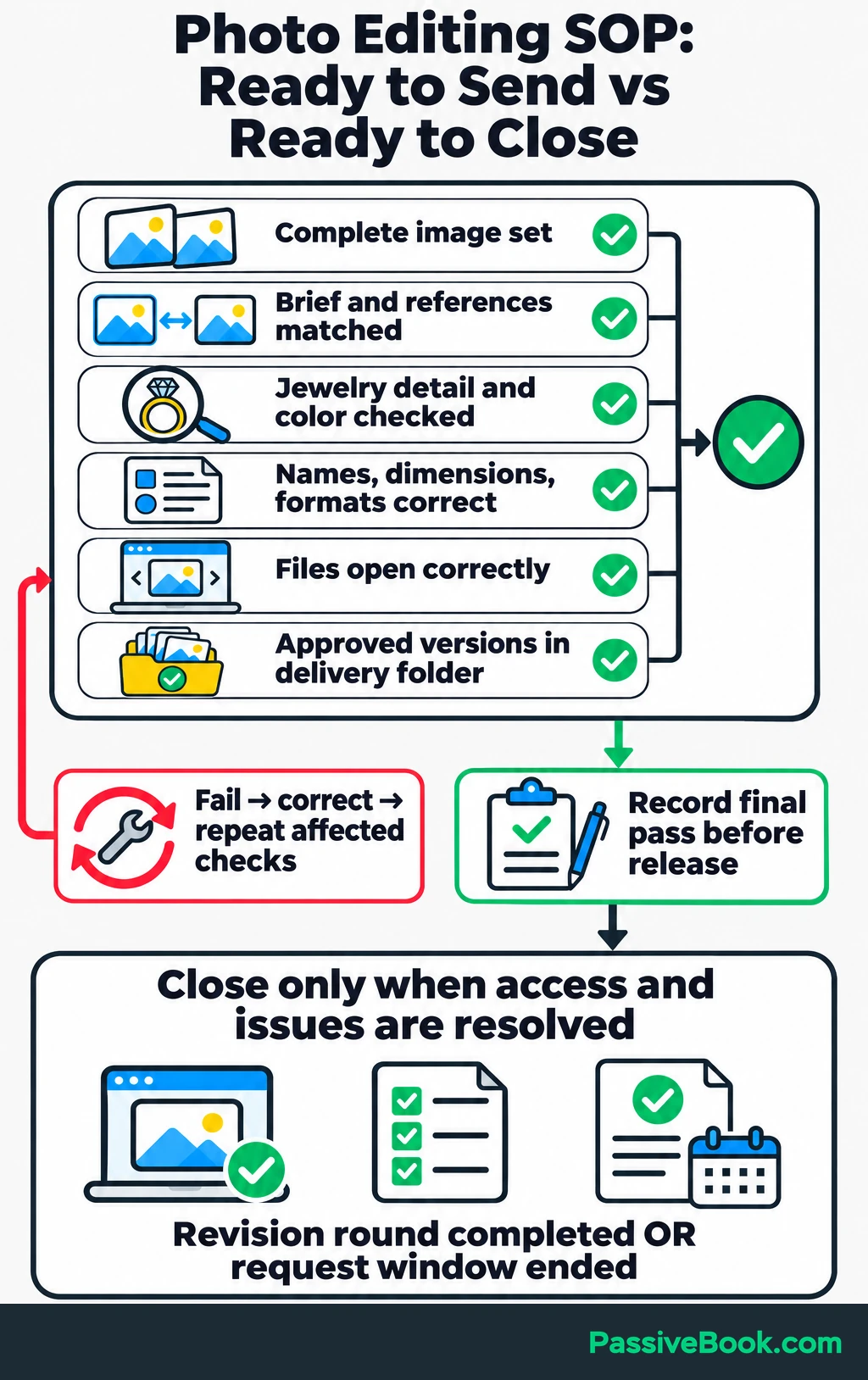
Turn “good work” into checks someone can repeat. Before releasing the photo-editing job, the reviewer must confirm:
- Every image on the order list has a matching export.
- Edits match the approved brief and reference examples.
- Jewelry details and color follow the agreed editing requirements.
- Filenames, dimensions, and file formats match the specifications.
- Exported files open correctly.
- The delivery folder contains the approved versions.
If a check fails, return the work to the relevant step, correct it, and repeat the affected checks. Record the final pass before release.
Keep a fresh checklist for each job:
Job ID:
Assigned coordinator / editor / reviewer:
SOP version used:
Approved brief and source-folder links:
Delivery deadline:
Revision request deadline:

[ ] Intake passed; missing-file issues resolved
[ ] Brief and delivery requirements approved
[ ] Editing completed; review-folder link recorded
[ ] Quality checks passed; reviewer approval recorded
[ ] Approved files delivered; delivery time recorded
[ ] Client access confirmed
[ ] Feedback resolved; revision status recorded
[ ] No unresolved quality or delivery issues
[ ] Revision round completed or request window ended
[ ] Final-file link and closure date recorded

Open issues:
Evidence and message links:
The reusable SOP explains the work. This checklist records what happened on one job.
If the client cannot open the files, the job remains unresolved even though you sent the link. Delivery needs a usable result at the other end.
Step 5: Test the SOP Without Undocumented Coaching
Ask someone other than the writer to complete a representative sample job using the draft. Choose someone with the skills and access stated in the SOP.
The EPA’s review guidance specifically recommends testing draft procedures with another person before finalizing them.
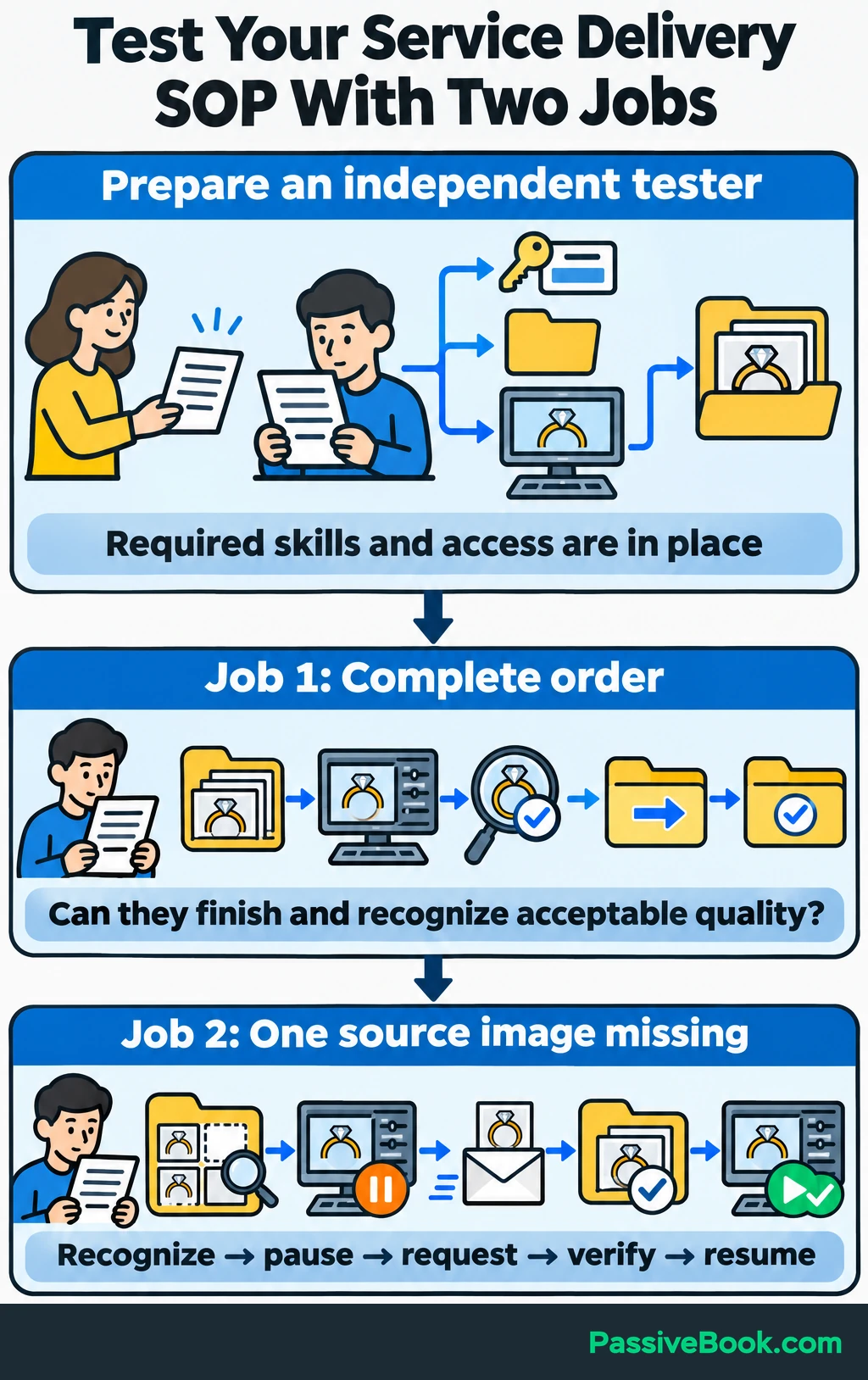
Observe where the tester:
- Stops because information is missing.
- Guesses at a requirement.
- Asks for an undocumented decision.
- Misses a handoff.
- Produces work that fails a quality check.
Resist answering every question immediately. Record the gap first. If you need to intervene to protect client work, do so, then update the instructions before testing again.
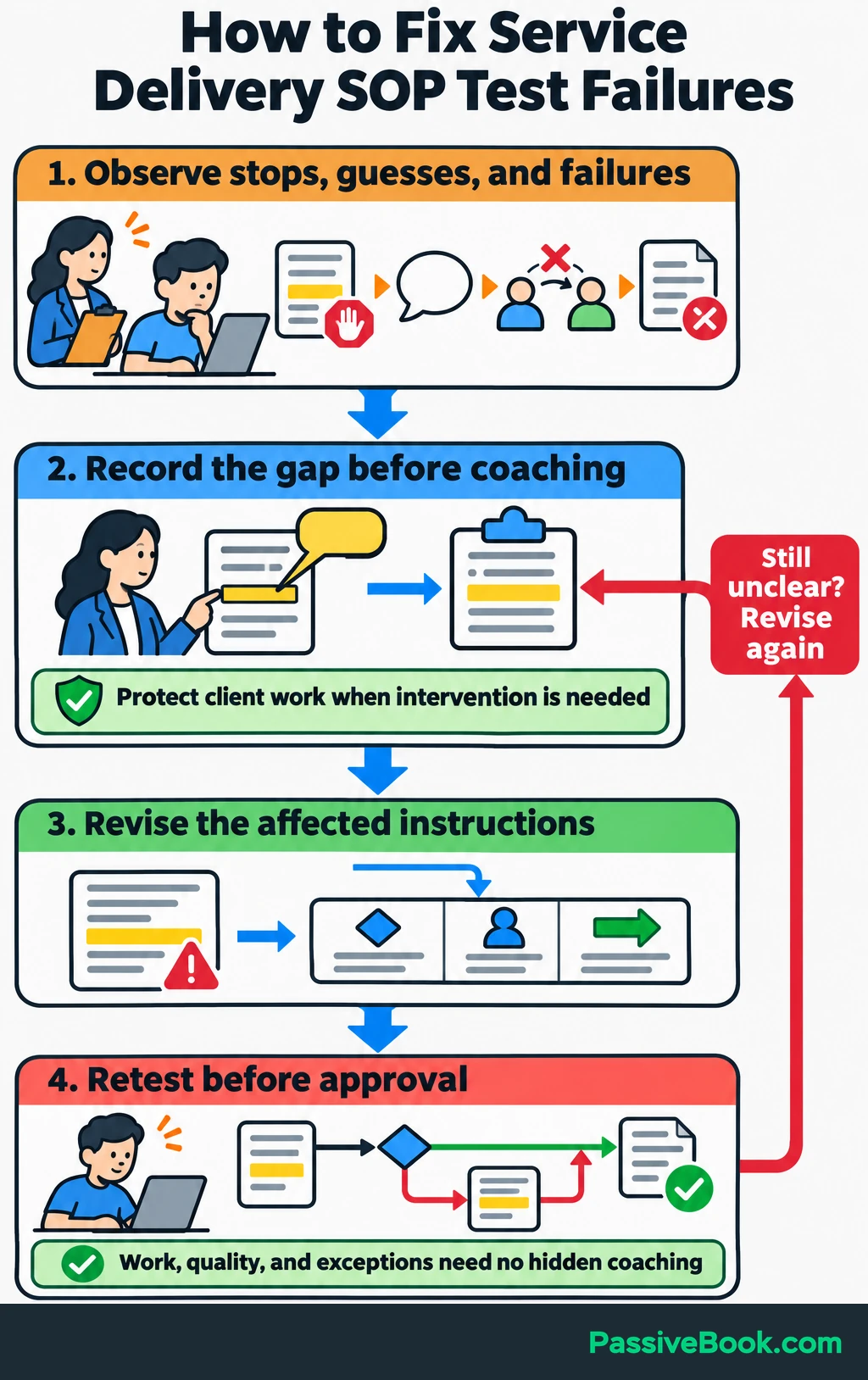
For the photo service, test a complete order and a second order with one missing source image. The tester should recognize the missing file, pause affected work, request the replacement, and know what permits work to resume.
Revise the unclear parts and retest the affected steps. Approve the draft when the tester can finish the work, recognize acceptable quality, and follow the exception route without hidden coaching.
Working alone? Follow the draft during a later job and note every decision you make that is absent from the document. That improves the draft, but arrange an independent test before delegating it.
Step 6: Publish the Approved SOP and Train Through Practice
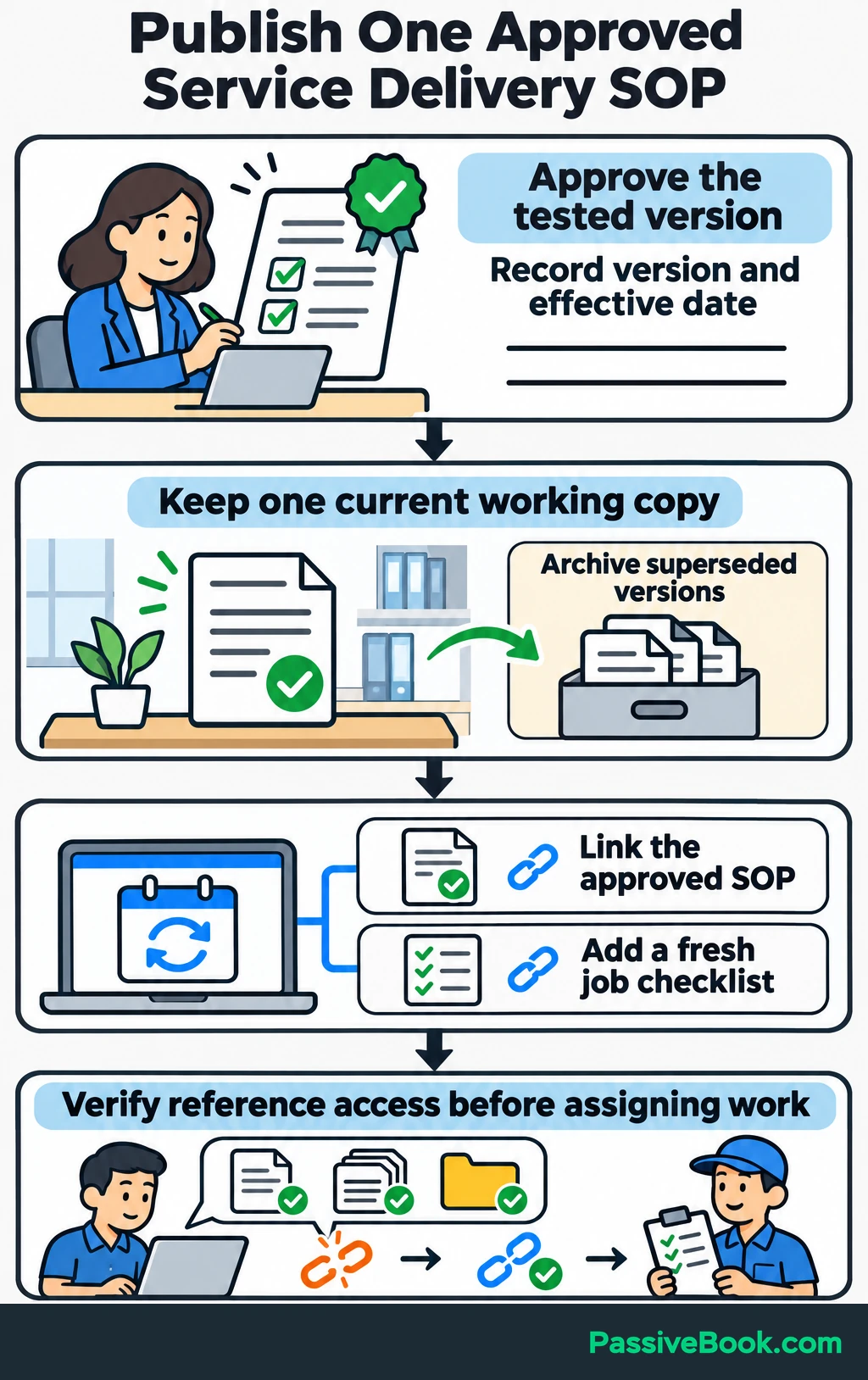
Have the designated approver authorize the tested version. Record the version and effective date, keep one authoritative copy, and move old versions out of the normal working location.
Link the approved SOP and a fresh checklist from every delivery task. Give users access to its references before assigning work.
Then train through practice:
- Demonstrate a job and explain the decisions as you make them.
- Supervise a practice attempt and correct misunderstandings.
- Assess an independent attempt against the quality and completion criteria.
Reading the document is preparation. Completing an acceptable job shows whether someone can use it.
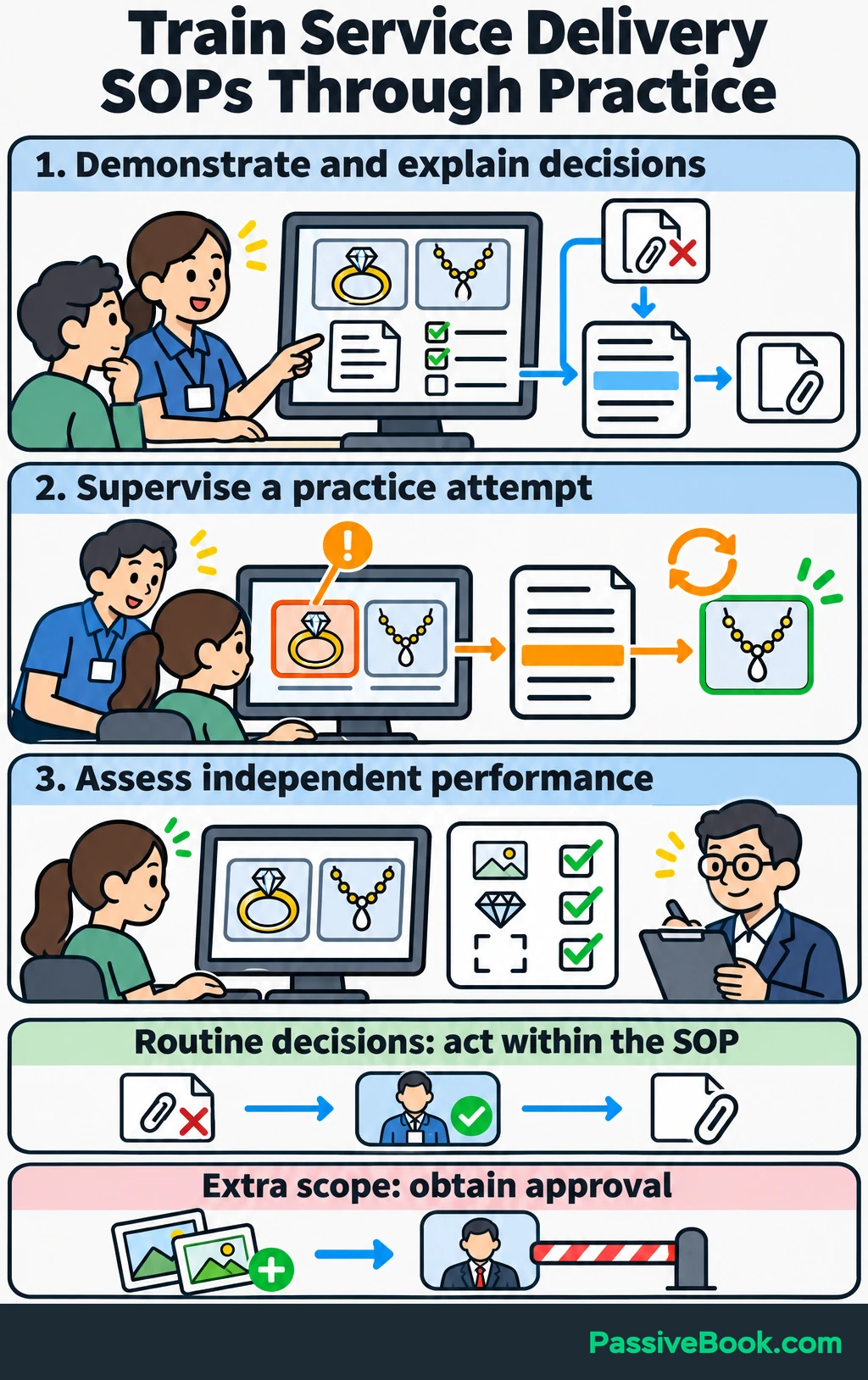
Give people authority to make the routine decisions described in the SOP. In the example, the coordinator can request a missing file and assign an eligible revision without asking the owner. Extra scope still needs approval.
If every ordinary decision comes back to you, review the authority limits. Instructions alone cannot remove a bottleneck that you have reserved for yourself.
Provide a simple way to report unclear steps, such as a comment or feedback form linked from the SOP. When someone bypasses it, first check whether they could find it, access the resources, and follow instructions that match the work.
Step 7: Update the SOP From Delivery Feedback
Review the problems that repeat: questions, failed checks, rework, missed deadlines, and owner interventions.
Look for the cause before adding another paragraph. The fix might be a clearer instruction, a missing example, permission to act, or more practice.
Track a small set of outcomes with consistent definitions:
| Outcome | What to Record |
|---|---|
| Jobs requiring correction | Jobs with at least one failure to meet the approved brief; track preference changes separately |
| Delivery timing | Agreed deadline and actual delivery time, including any recorded deadline changes |
| Owner involvement | Jobs needing an owner decision, with planned approvals separated from avoidable questions |
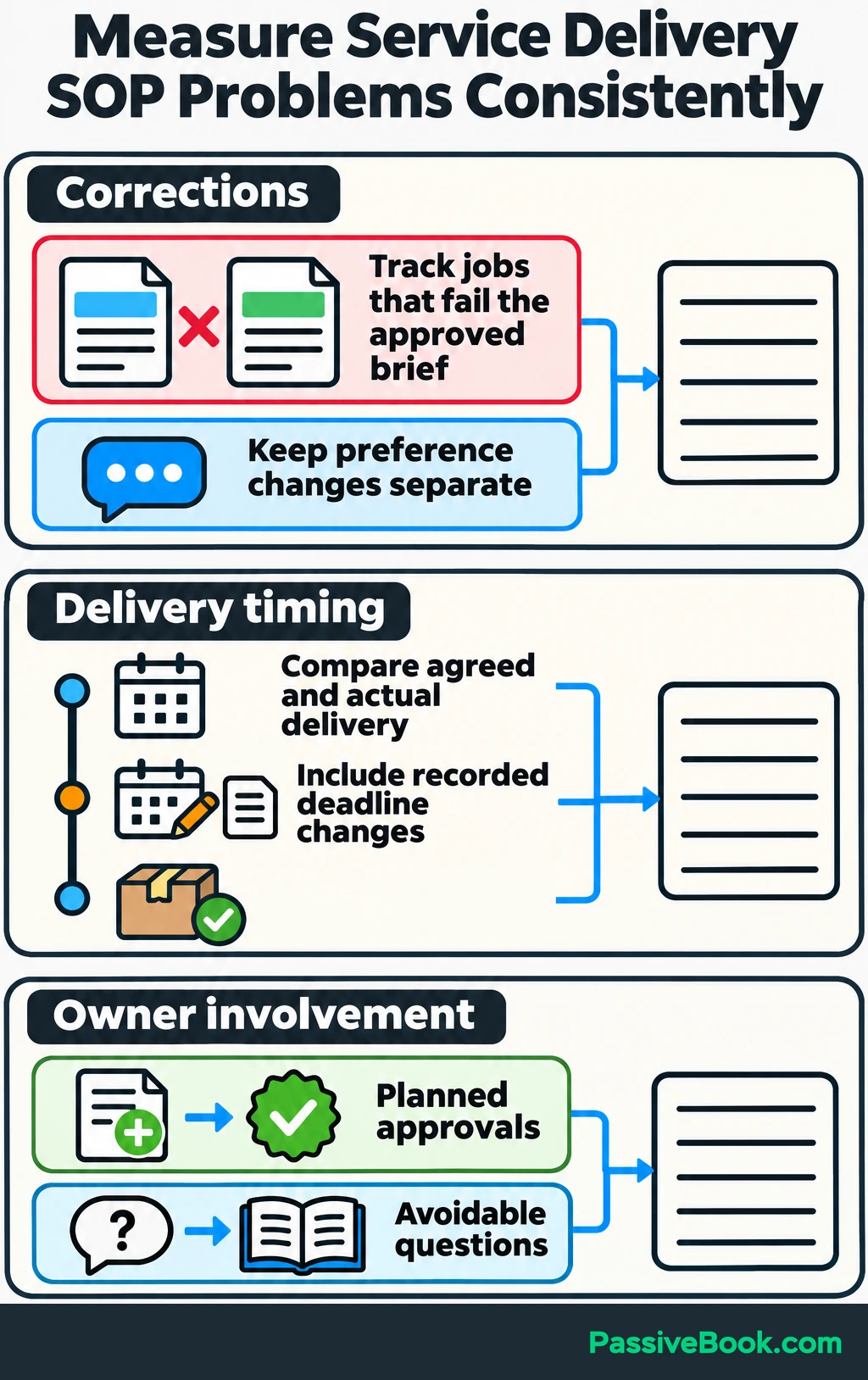
You do not need a complicated dashboard. A job list with these fields is enough to see what deserves attention.
Keep a short feedback log:
| Date | Workflow Step | Issue | Consequence | Proposed Change | Responsible Person | Resolution |
|---|---|---|---|---|---|---|
| [date] | Export review | Filenames omit the required image number | Reviewer renames files before release | Add a filename example, such as ORDER123_001.jpg, beside the export instruction; require a check against the order list | Delivery lead | Pending testing and approval |
Set a review date that suits the pace of change. I would review a new SOP after its first few jobs, then choose a schedule based on how stable the workflow proves to be.
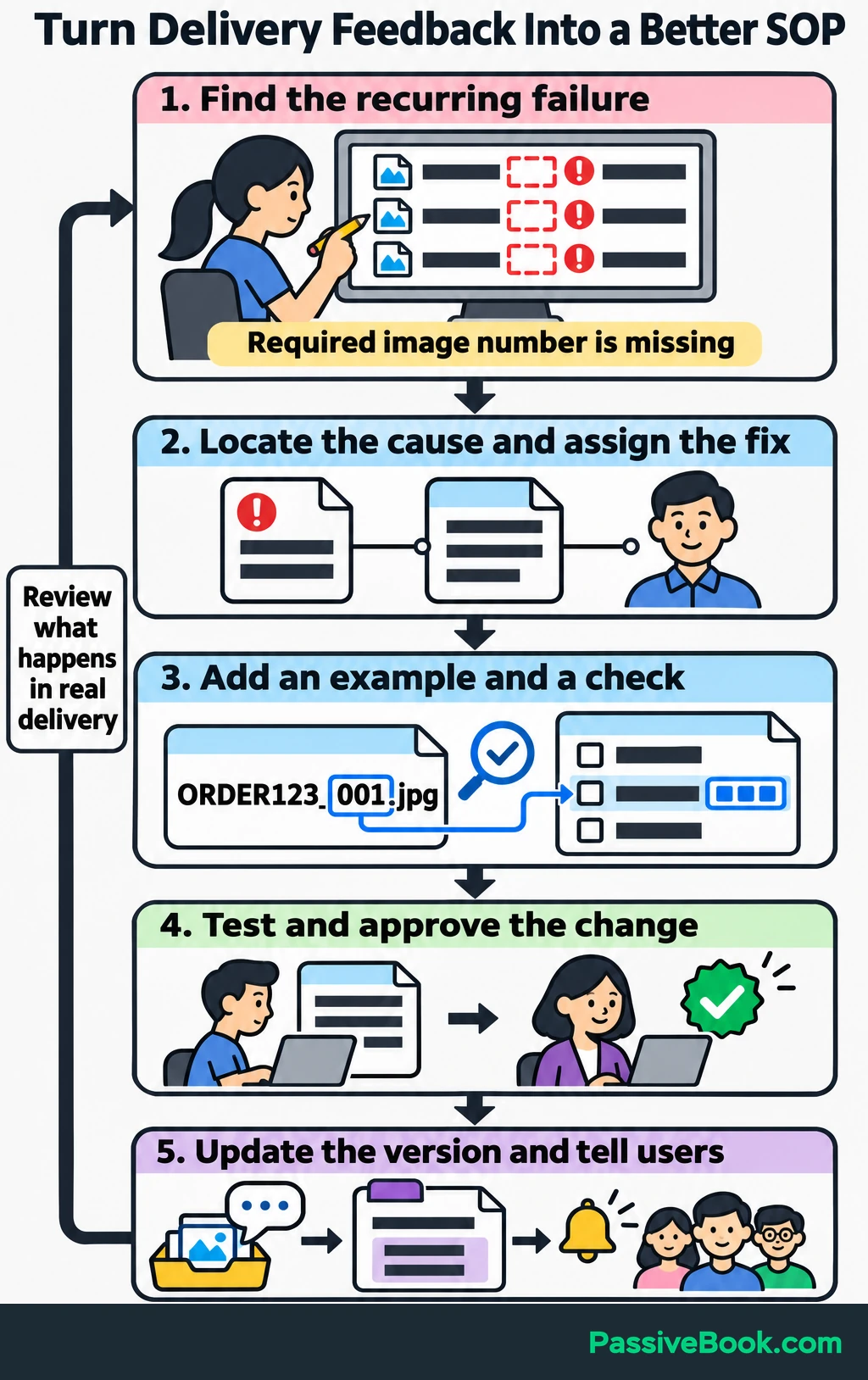
Review sooner when tools, roles, client commitments, or recurring failures change. The EPA’s revision guidance also calls for updating and reapproving changed procedures.
Test the affected instructions, obtain approval, update the version and change log, and tell users what changed.
For repeated filename corrections, the update might be one concrete example placed beside the export instruction. A useful change can be small. Once this workflow can be found, followed, checked, and maintained, document the next one.
What Next?
Choose one recurring delivery job and write its start trigger, required inputs, and finished output in a shared document. Capture the next real job against those boundaries before trying to document your whole business.
Use the social buttons to share this guide when your next delegation conversation needs a practical starting point.
Which delivery decision still comes back to you most often? Tell me in the comments, and bring any other questions about building your first SOP.
Share this post with your friends & followers:

