A repeat client books the same service, but you still have to rebuild the task list, ask for missing files and work out when feedback is due. The finished work needs fresh thinking. The setup keeps asking for it too.
That repetition eats into the time you could spend doing the work. And when you’re busy, a forgotten approval or outdated client detail can create another round of revisions. The monthly newsletter example below shows how to turn that repeated coordination into a reusable delivery template, with room for each client’s decisions from the brief to the final handoff.
1. Choose a Recurring Service to Template
Start with one service you already repeat. I would choose the one that makes you think, “Didn’t I sort this out last time?”
Look for repeated deliverables, repeated setup or steps you keep forgetting. If every engagement looks different, start with a shared part, such as intake, review or handoff.
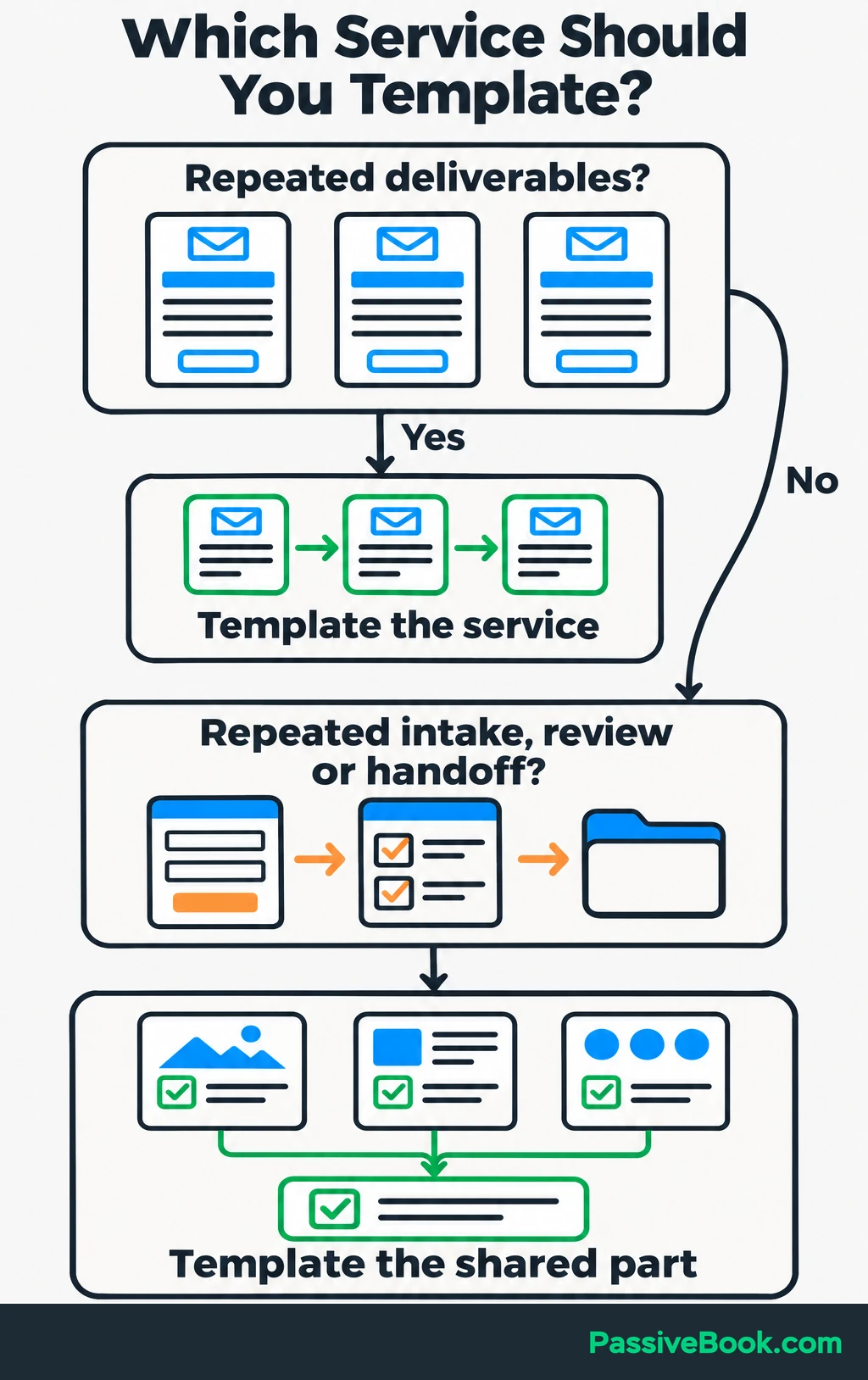
During my freelancing years, each new order felt like another chance to earn. But it also meant another brief to understand and another delivery to manage around college. That was part of my frustration with trading time for money: getting more work also created more coordination.
Before documenting tasks, write down the service boundaries:
- Outcome: What will the client receive?
- Included Work: Which deliverables and revisions are covered?
- Exclusions: What falls outside the agreement?
- Starting Condition: What starts the delivery process?
- Completion Condition: What must happen before you can close it?
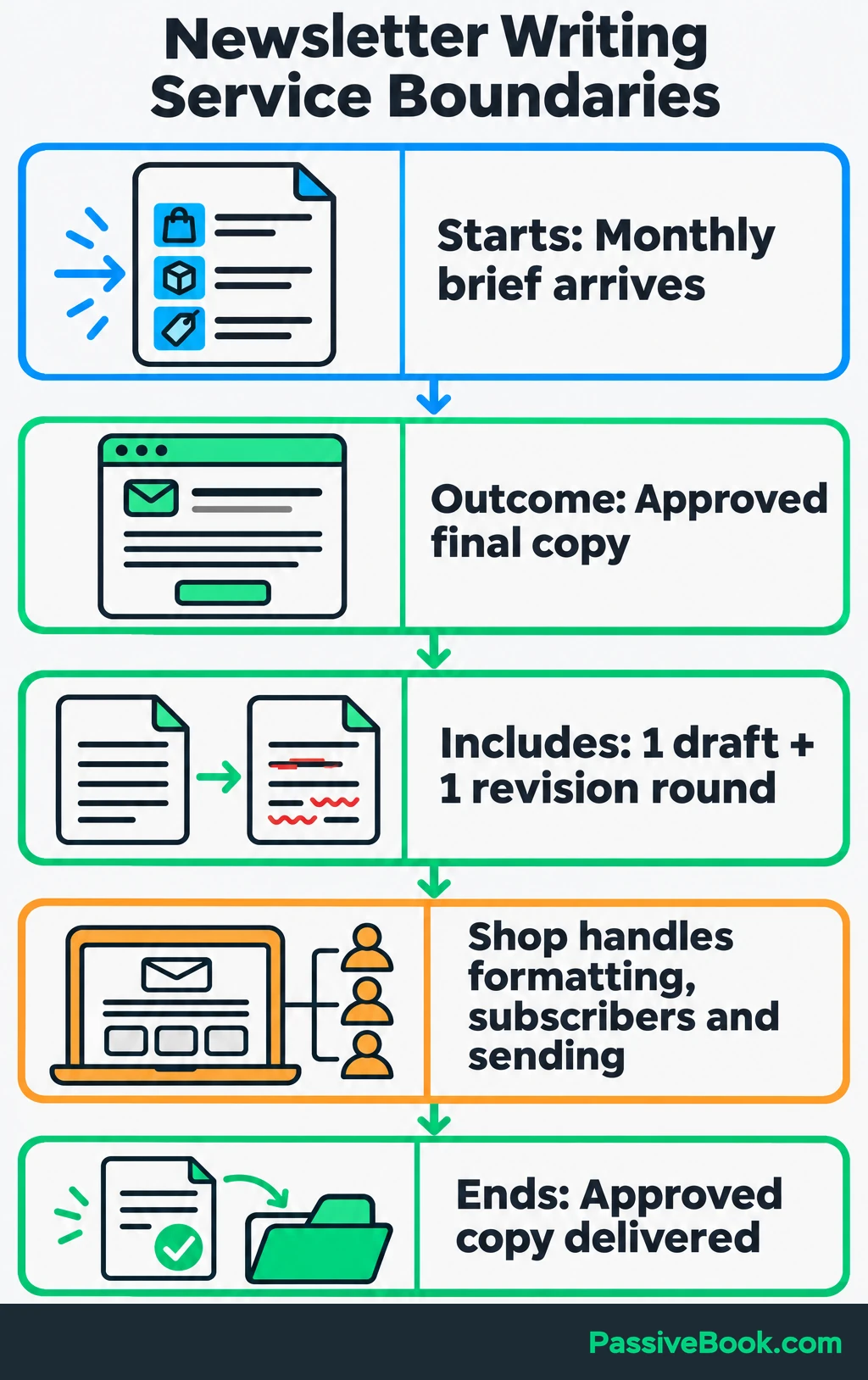
Throughout this guide, imagine you run a monthly newsletter-writing service for independent bicycle shops. Each cycle starts with the monthly brief and ends with approved final copy delivered to the client. It includes one email draft and one revision round. The shop handles formatting, subscriber management and sending.
The shops, timings and savings below are illustrations.
2. Map the Work From Intake to Handoff
Open a completed engagement and reconstruct what happened. Use the brief, messages, files and feedback rather than trusting your memory.
Write down each task in order, including decisions and waiting periods. For every task, identify what you need, who does it and what they produce. If you haven’t delivered the service yet, rehearse it and record your actions.
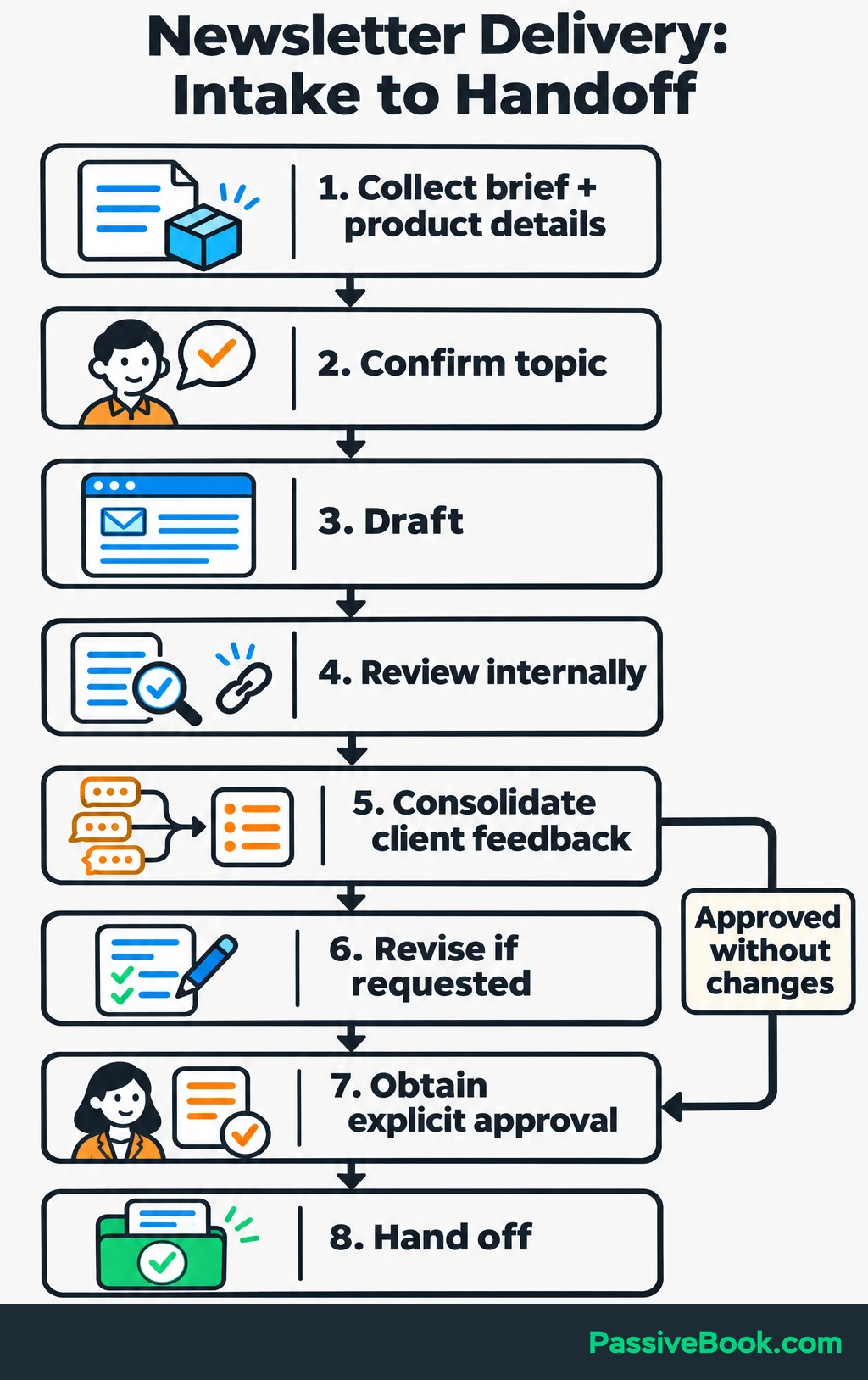
The newsletter service might follow this sequence:
Collect the brief and product details → confirm the topic → draft → review internally → collect consolidated client feedback → revise → obtain approval → hand off final copy.
Now look between those steps. Can drafting begin before the offer terms arrive? Who decides the topic? What happens if two people send conflicting feedback?
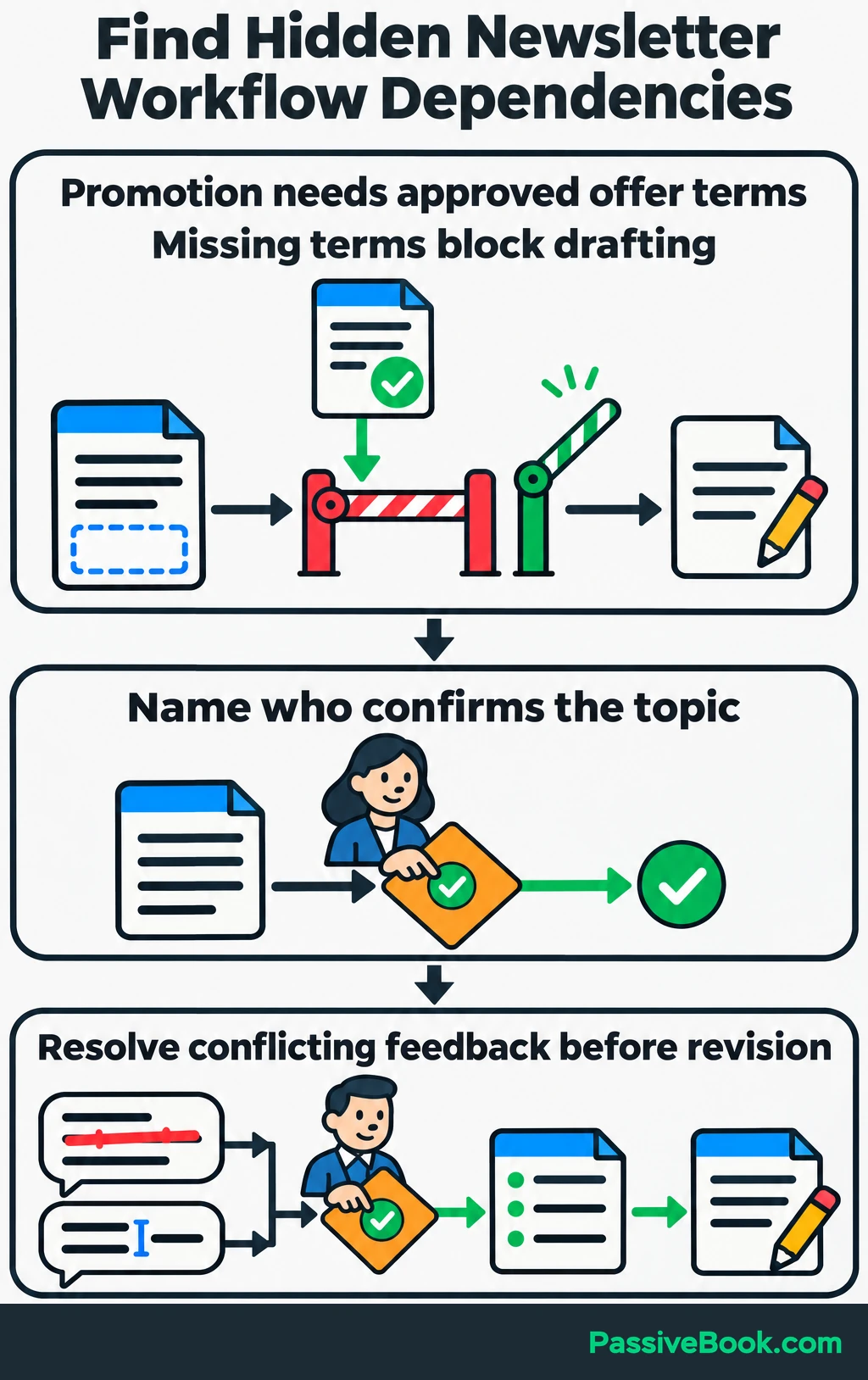
Walk through the sequence with anyone who performs the work and correct missing or misplaced steps together, as ASQ’s flowchart guidance recommends.
You don’t need impressive diagramming skills. A plain list that exposes a missing approval is more useful than a beautiful chart that skips it.
3. Build the Reusable Master Template
Build the master around five parts: the brief, delivery tasks, supporting instructions, quality checks and handoff requirements.
The worked example below covers a complete newsletter cycle. You can copy its structure into a document, spreadsheet or project workspace and replace the service details.
Define the Brief and Required Inputs
Put the brief at the top so the person doing the work can understand the engagement before opening individual tasks.
Use short prompts beside empty fields. “Delivery goal” needs an answer such as “introduce the commuter-bike range,” rather than “write a good newsletter.”
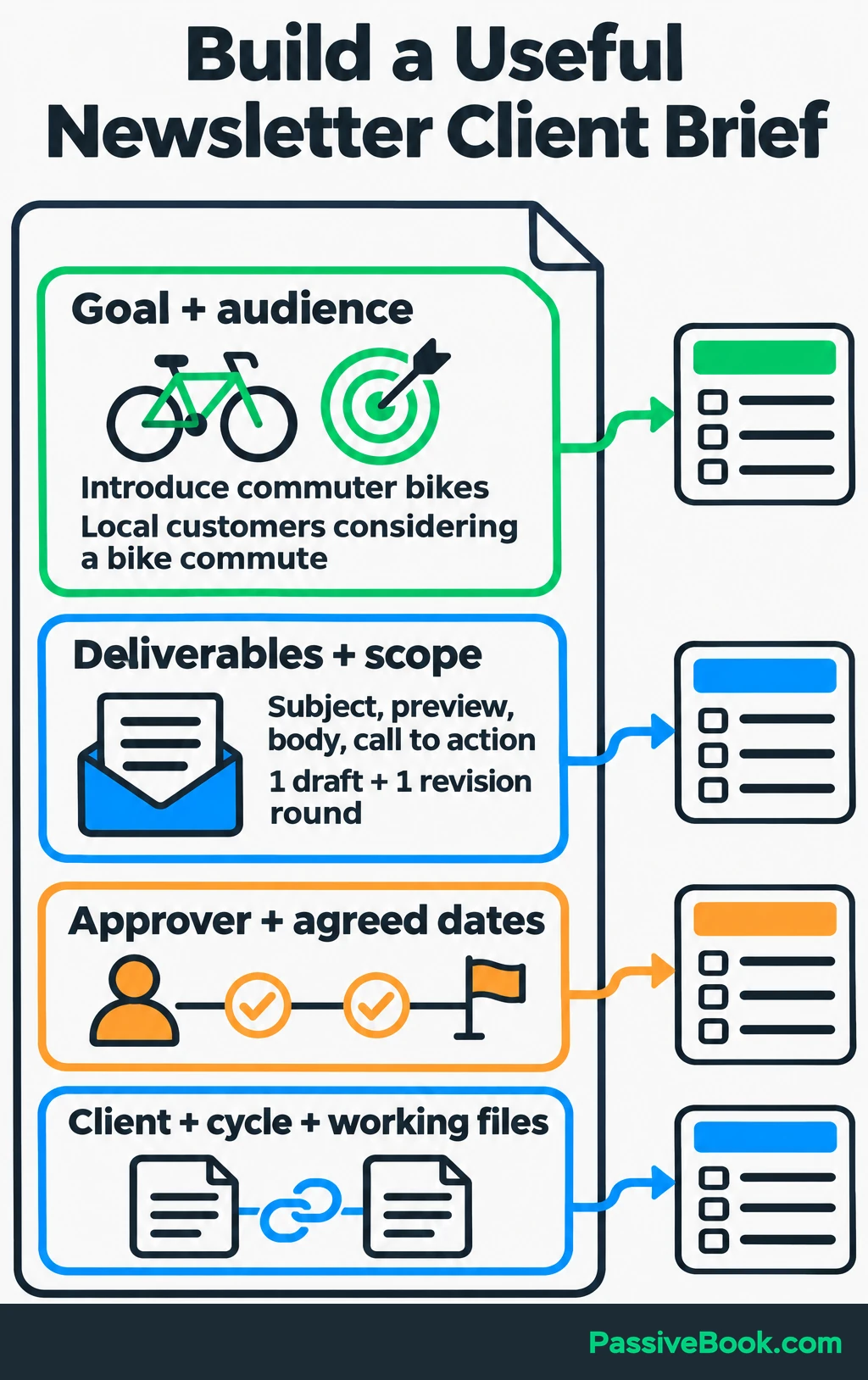
Here is a partly filled brief; the bracketed fields still need details for the current cycle:
| Field | What to Record | Newsletter Example |
|---|---|---|
| Client and cycle | Business name and delivery period | Riverside Cycles; [month/year] |
| Delivery goal | What this piece should help the client do | Introduce the commuter-bike range and invite readers to book a test ride |
| Audience | Who will read the work | Local customers considering a bike for their commute |
| Deliverables | The finished items you will supply | Subject line, preview text, email body and call to action |
| Scope | Included work and boundaries | One draft and one consolidated revision round; shop handles formatting and sending |
| Approver | Person authorized to approve the work | Shop owner; [name and contact] |
| Agreed dates | Input, review, approval and handoff dates | [dates calculated and agreed for this cycle] |
| Working files | Where the brief, source material and copy live | [monthly brief], [approved product details], [copy document] |
Below the brief, separate required inputs from optional background.
For this service, require the audience, brand guidance, product priorities, approved product facts, destination links and designated approver. If the email includes a promotion, also require approved offer terms. Previous campaigns and extra topic ideas can be optional.
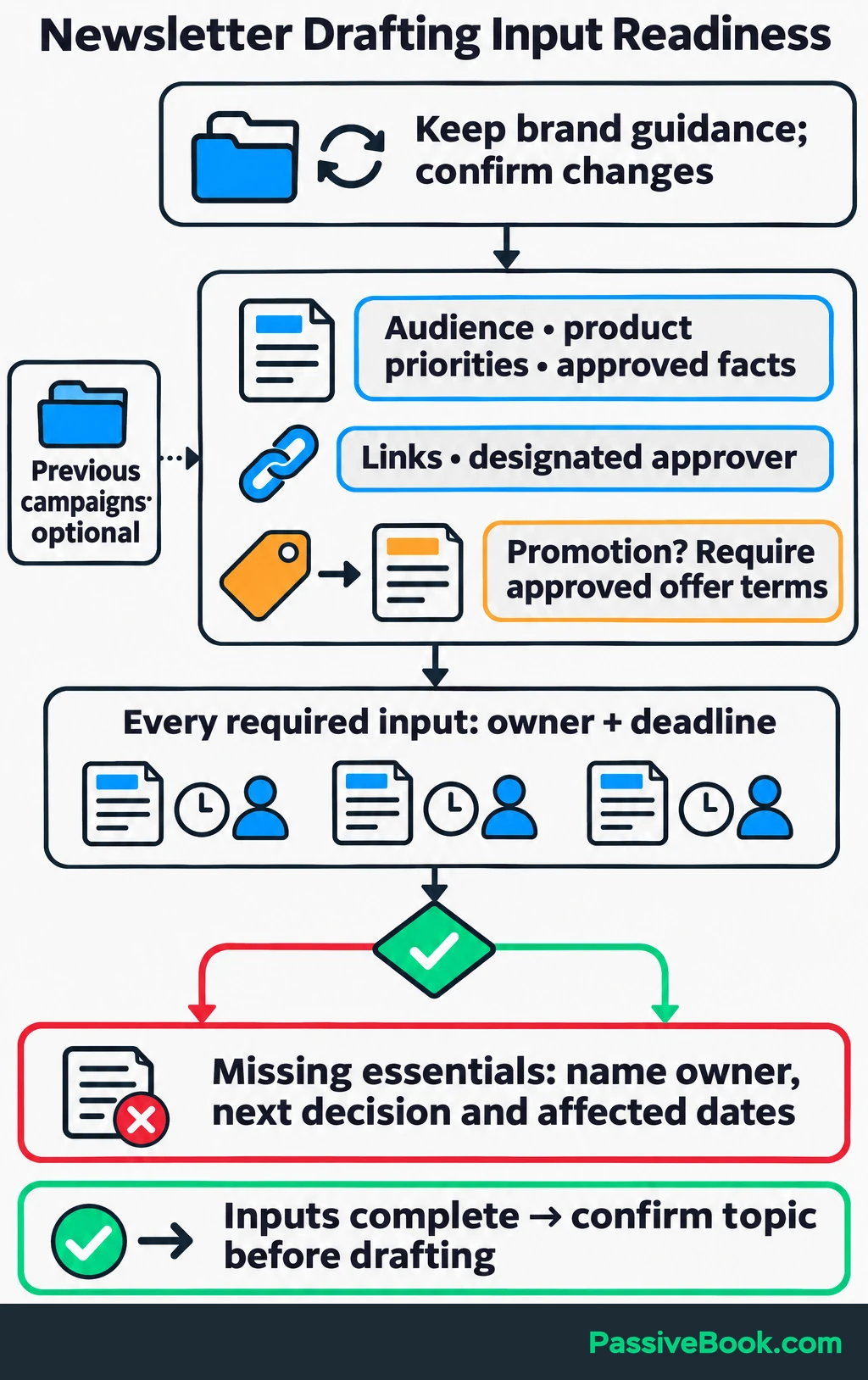
Give every required input an owner and deadline. For example:
Product facts — supplied by the shop owner by the agreed input deadline; required before drafting.
Keep stable information, such as brand guidance, on file and ask the client to confirm changes. Refresh the monthly topic, product priorities, offers and links each cycle.
Add a readiness check before drafting. If something essential is missing, record the blocked task, who will obtain the information and when they expect it. Then agree on any affected dates. An empty field should lead to a decision, rather than a guess.
Turn Each Step Into an Actionable Task
Each task should tell the person doing it what to do, what they need and how to recognize completion.
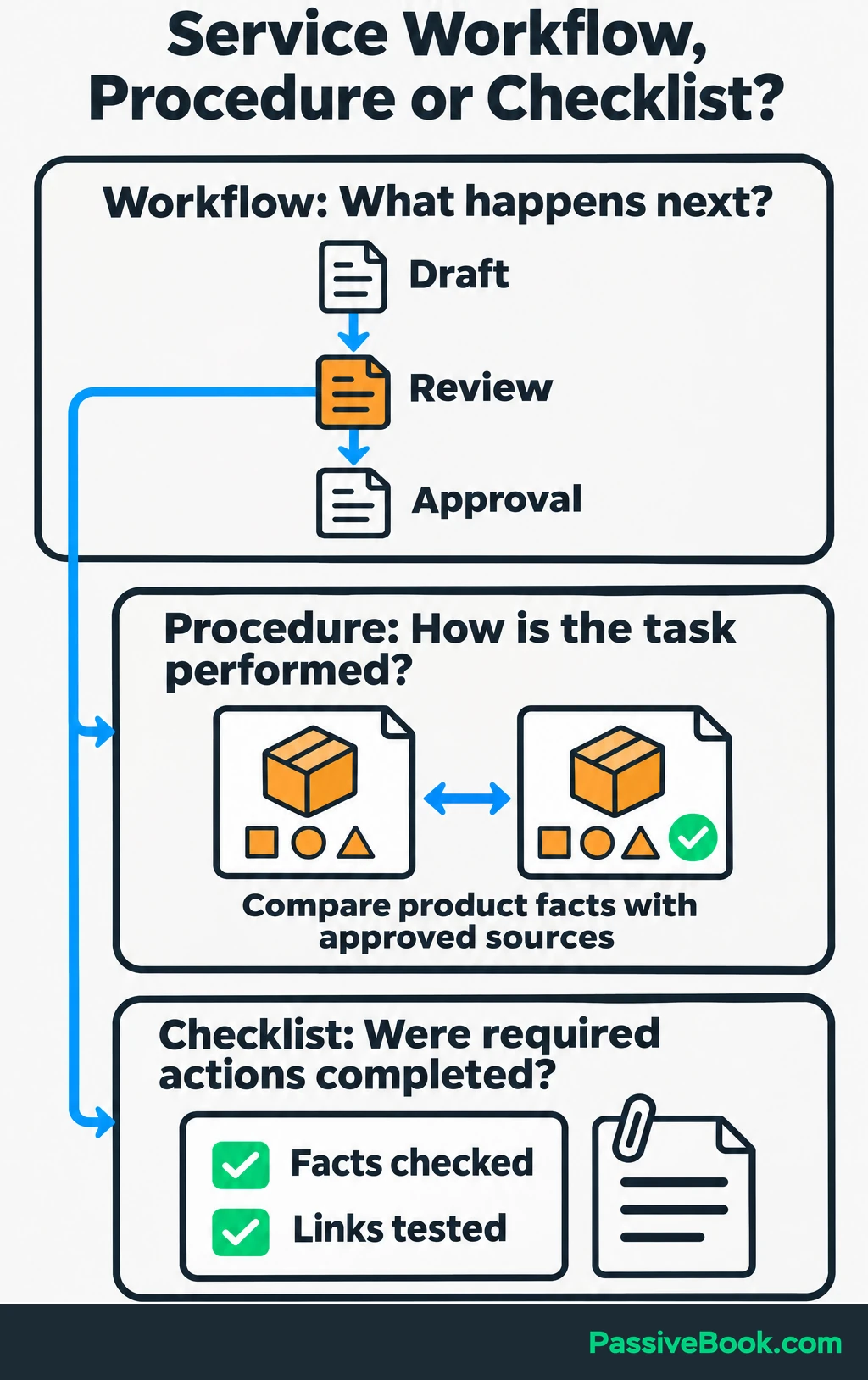
Keep the sequence easy to scan and put longer instructions in supporting documents. The workflow shows what happens next. A procedure explains how to perform a task. A checklist records that the required actions happened.
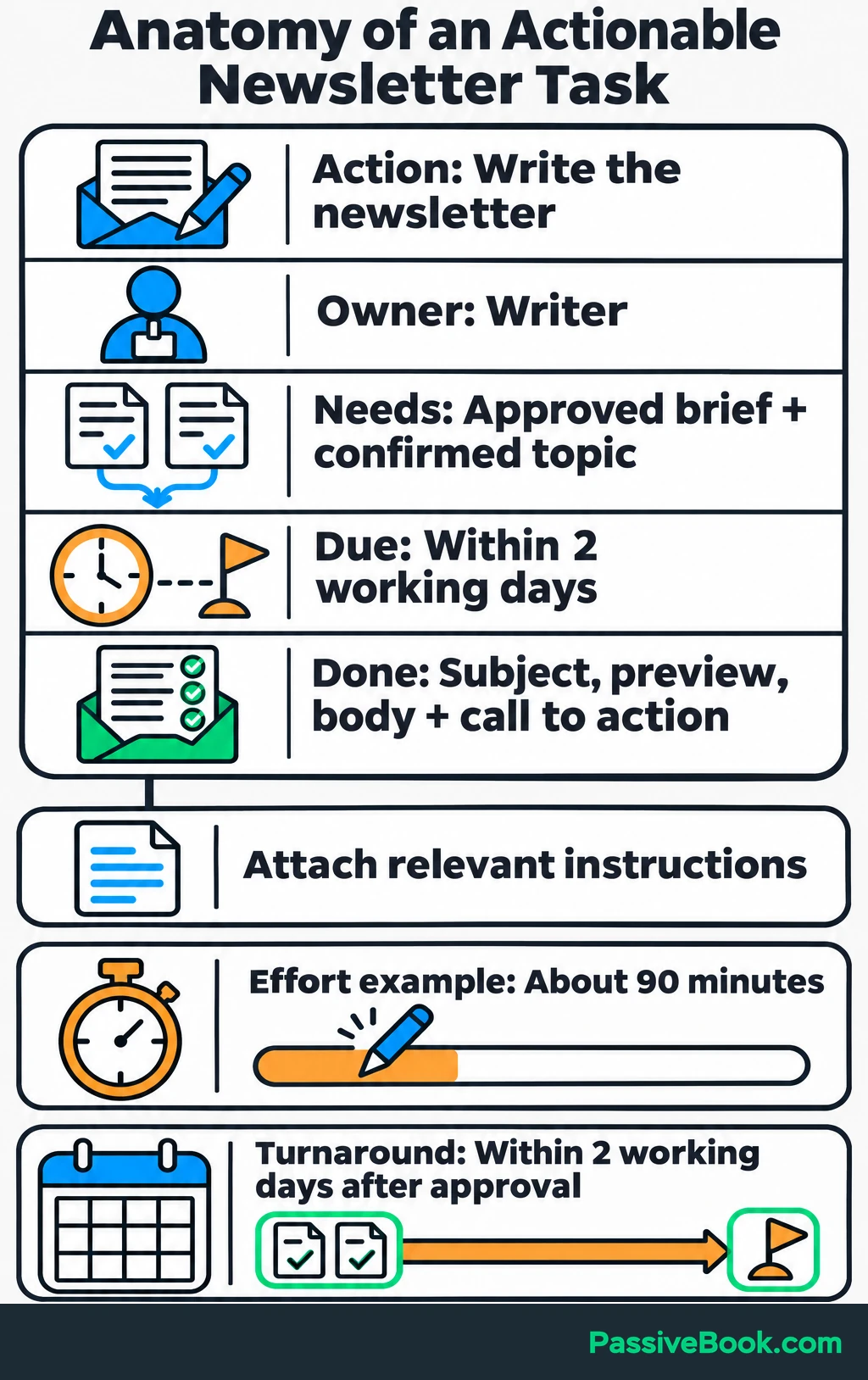
The EPA’s guidance on writing procedures, sections 2.1 and 2.4, makes a useful distinction here: instructions need enough detail to reproduce the work, and supporting checklists should be referenced where they are used.
Here is the newsletter task table. “Delivery owner” means the person responsible for moving the engagement forward; you may also be the writer and internal reviewer.
| Stage and Action | Responsible Role | Input, Dependency and Timing | Completion Criterion | Instructions or Record to Attach |
|---|---|---|---|---|
| Intake: check the monthly brief | Delivery owner | Starts when the brief arrives; check within one working day | Required inputs are available, or missing items have an owner and next decision date | Required-input list above |
| Topic: confirm the email angle | Client approver | Requires the complete brief; confirm within one working day | Topic, audience and main call to action are recorded and approved | Monthly brief with the client’s topic confirmation |
| Drafting: write the newsletter | Writer | Requires the approved brief and confirmed topic; draft within two working days | Working document contains a subject line, preview text, body and call to action | Client’s brand guidance; add your drafting procedure if you have one |
| Internal review: check the draft | Internal reviewer | Requires the complete draft; finish before requesting client feedback | All internal checks pass and corrections are complete | Five checks under “Add Quality Checks and Approval Gates” below |
| Client review: collect one feedback list | Client approver | Requires the reviewed draft; allow two working days | One consolidated feedback list is received, or the approver explicitly approves the draft | Feedback request below |
| Revision, if requested: apply agreed changes | Writer | Requires consolidated feedback; revise within one working day | Agreed changes are complete and affected details have been checked again | Client’s consolidated comments and the five quality checks below |
| Approval: obtain final sign-off | Client approver | Requires checked final copy; allow one working day | Explicit approval identifies the final document or version | Request: “Please confirm approval of [document/version].” |
| Handoff: deliver and close | Delivery owner | Requires recorded approval; deliver within one working day | Client can access approved copy and the approval record is saved | Approved copy, relevant links, implementation notes and approval record |
Use milestone rules like these in the master, then calculate actual dates in each client copy. If the client approves the draft without changes, skip revision, save that approval and proceed to handoff.
Also separate working time from turnaround time. “About 90 minutes of writing” is an effort estimate. “Within two working days after the brief and topic are approved” is a delivery rule. Your calendar needs both.
Attach reusable assets to the relevant tasks. For example, this complete feedback request can sit beside the client-review task:
Hi
[name],
Your newsletter draft is ready:
[document link].
Please add one consolidated set of comments by
[agreed feedback date]. Check the product details, offer terms, tone and call to action, and resolve any conflicting comments before sending them through.
One revision round is included. If you’re happy with the draft as written, please reply with your approval and identify the document version.
Thanks,
[your name]
Preserve Client Customization
Separate three things in your template:
- Required Steps: Actions every engagement needs, such as checking inputs and recording approval.
- Client-Specific Fields: Answers that change, such as the audience, tone and approver.
- Conditional Tasks: Actions included only when a stated condition applies.
A required approval step still needs a client-specific approver. And a promotion needs approved offer terms, while an email without a promotion can skip that request.
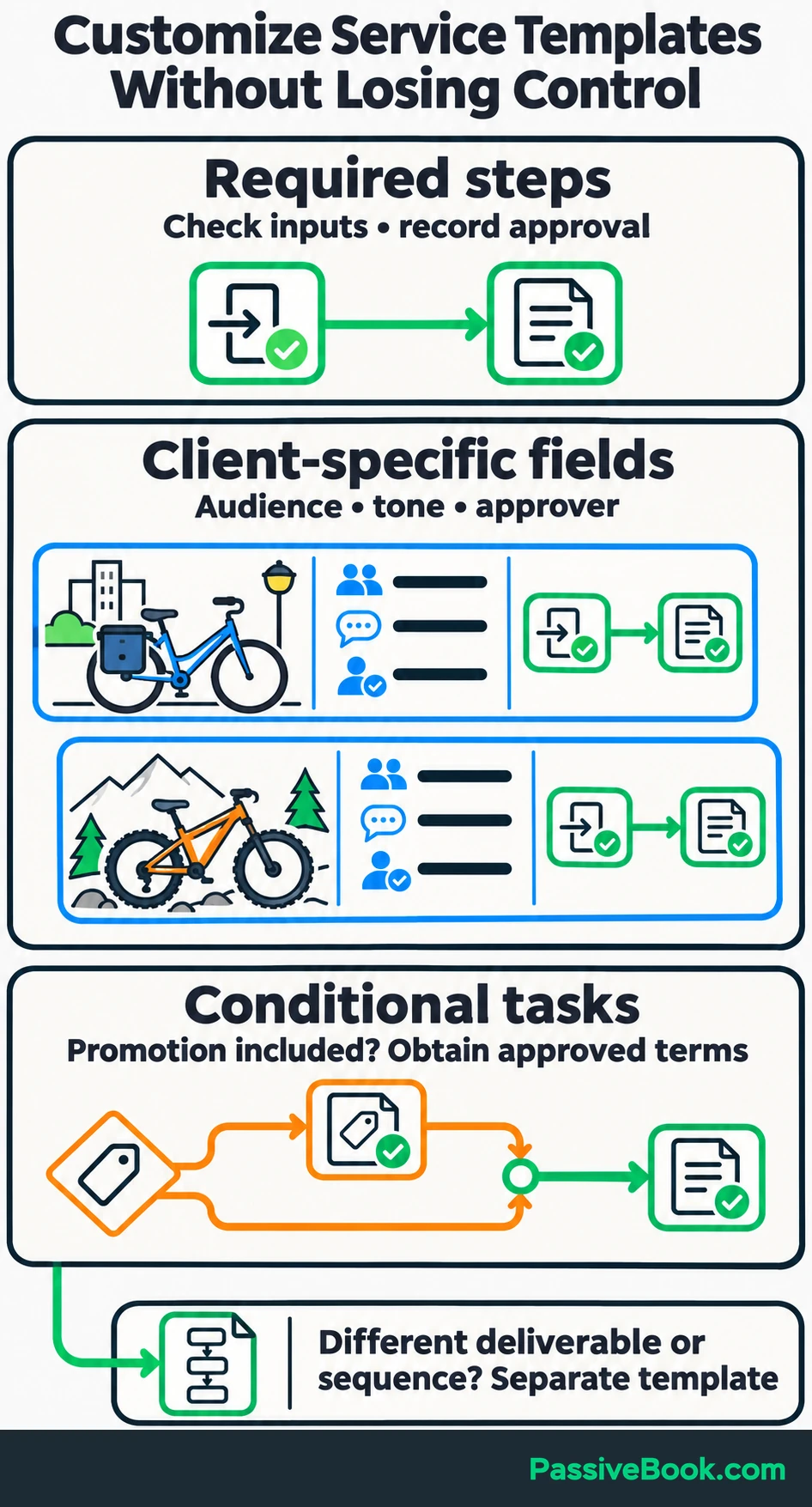
For Riverside Cycles, the brief might call for a practical message about commuting and carrying everyday essentials. Another bicycle shop might introduce mountain bikes through a trail-focused message. Both use the same input checks and approval steps, but their finished copy should sound different.
Reuse the questions and checkpoints. Let the answers guide the work.
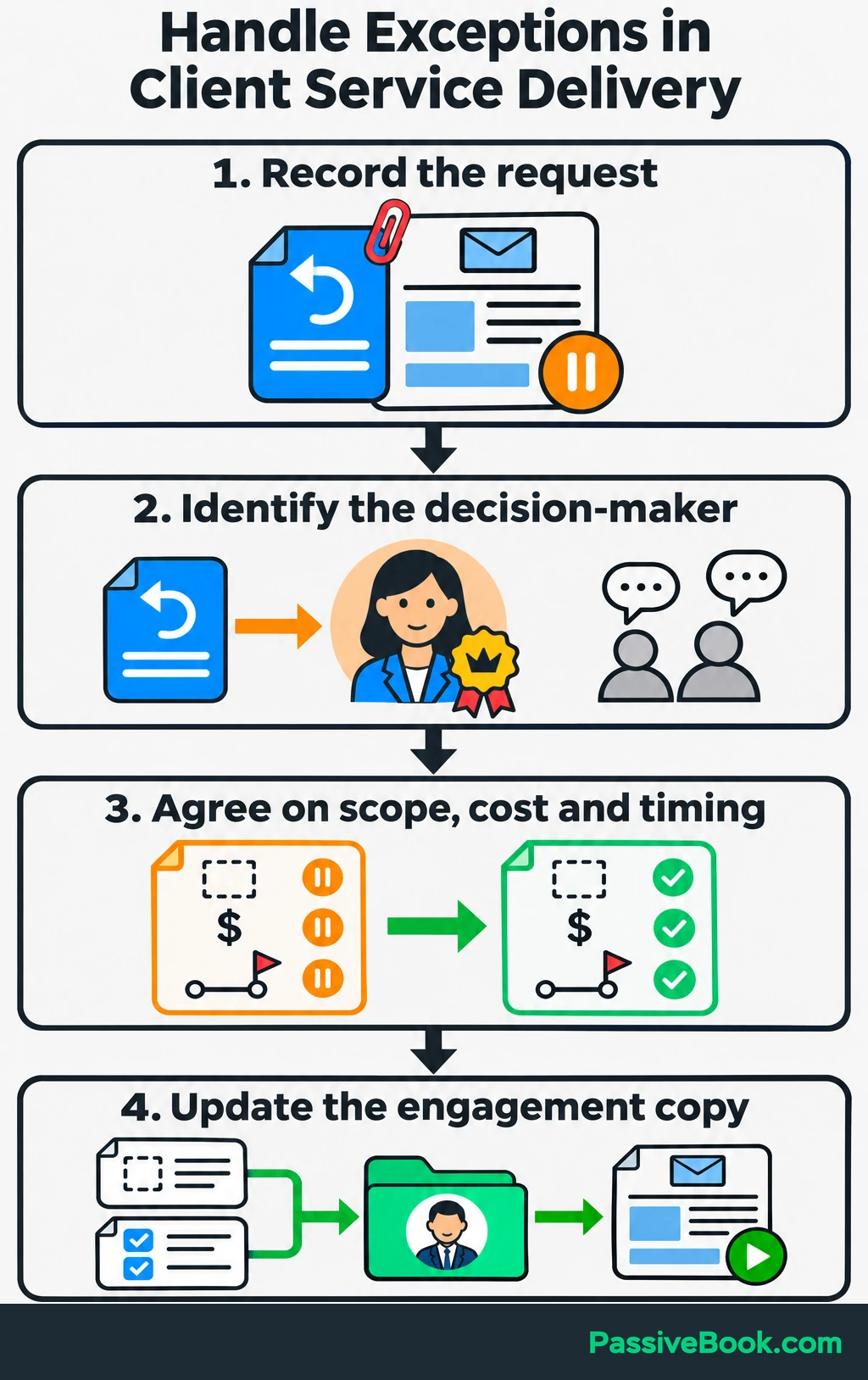
I would use a conditional task for a small variation, such as including a promotion. If the client buys a different deliverable or needs a substantially different delivery sequence, create a separate template.
Also define an exception path. When a client requests another revision round, changes the goal or sends conflicting instructions:
- Record the request and the work it affects.
- Identify who can make the decision.
- Agree on scope, cost and timing changes where needed.
- Update the engagement copy before continuing.
A template earns its keep partly by telling you when to stop and resolve something.
Add Quality Checks and Approval Gates
Replace “check quality” with things someone can actually verify.
For the newsletter service, the internal reviewer should confirm:
- Content: The subject line, preview text, body and call to action are present and match the approved brief.
- Facts: Product names, specifications and offer terms match client-approved information.
- Links: Each destination opens and leads to the intended page.
- Client Fit: The tone follows the brand guidance and the message addresses the agreed audience.
- Revisions: Every agreed change is complete, and changes have not introduced new errors.
Keep internal review separate from client approval, even if you write and check the draft yourself. Passing your checks means the work is ready for the client to review. Only the designated client approver can approve it.
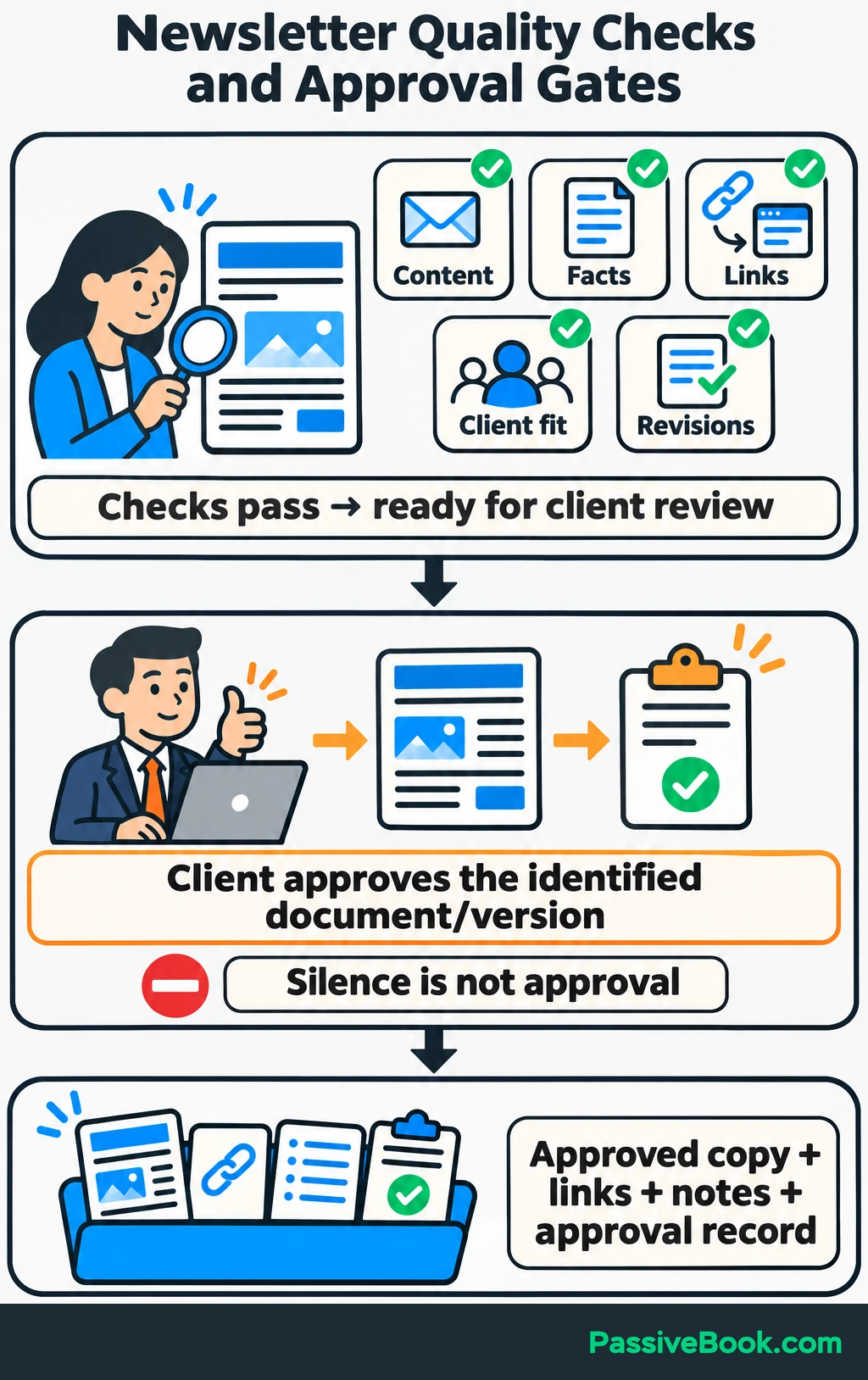
Save approval against a specific document or version. Silence leaves you without a clear completion signal.
For this service, the handoff package contains the approved copy, relevant links, any implementation notes and the approval record. Resolve outstanding items that affect the copy before closing the cycle. Notes about formatting or sending can go to the shop because those tasks belong to the client.
If translating your own service into this structure is the sticking point, AI Operations Writer can draft the master from your rough notes. You’ll have something concrete to review and test, with client-specific details kept separate.

Free AI Operations Writer




4. Save the Master and Create Client Copies
Store the template where you already manage delivery. I would start with a document and task table for a simple solo service. Use a project workspace when coordinating assignments, status and dependencies becomes difficult.
Notion is my preference when the brief, tasks and supporting instructions need to live together. But I would keep a working spreadsheet before buying another tool solely to house a checklist.
Keep one authoritative master and add:
- Service and Scope: What this template covers.
- Template Owner: Who maintains it.
- Version: Which revision this is.
- Last Updated: When the master changed.
- Starting Instructions: How to create and prepare an engagement copy.
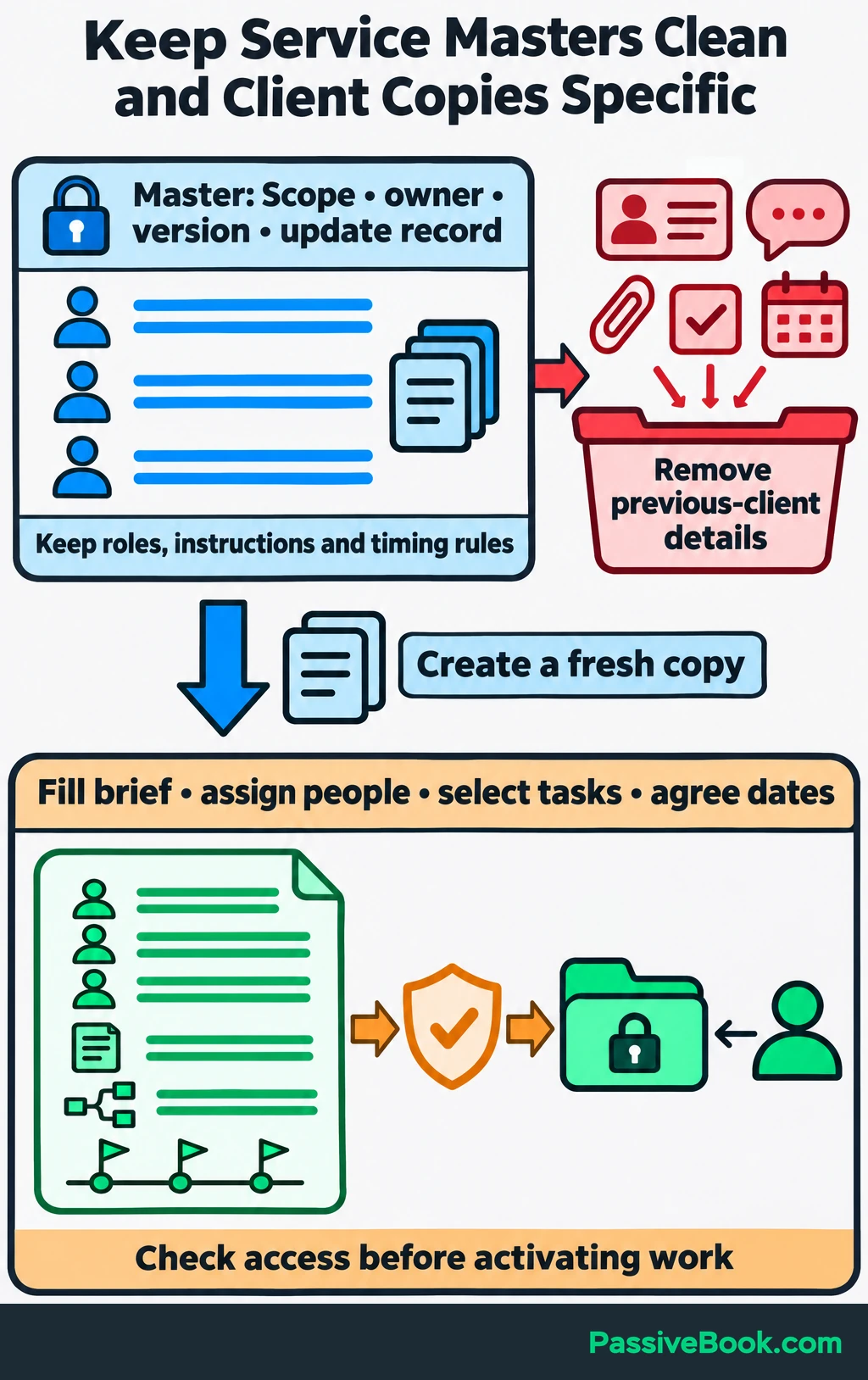
Limit master editing to its maintainers.
Before saving it, remove previous client names, comments, attachments, completed statuses and fixed dates. Keep reusable roles, instructions, timing rules and completion criteria.
Start each engagement from a fresh copy. Fill in the brief, assign actual people, select conditional tasks and agree on dates. Check that everyone can open the files they need before activating tasks or sending messages.
Give clients access to their own material and share only what they need for review. Your internal master should remain a clean starting point.
5. Test the Template Through a Complete Delivery
First, walk through a fresh copy. Check the placeholders, file links, permissions, dependencies and approval requirements. Then use it through one suitable engagement or a full rehearsal.
The practical test is whether someone with the right skills can answer three questions:
- What information do I need?
- What should I do next?
- How will I know this task is complete?
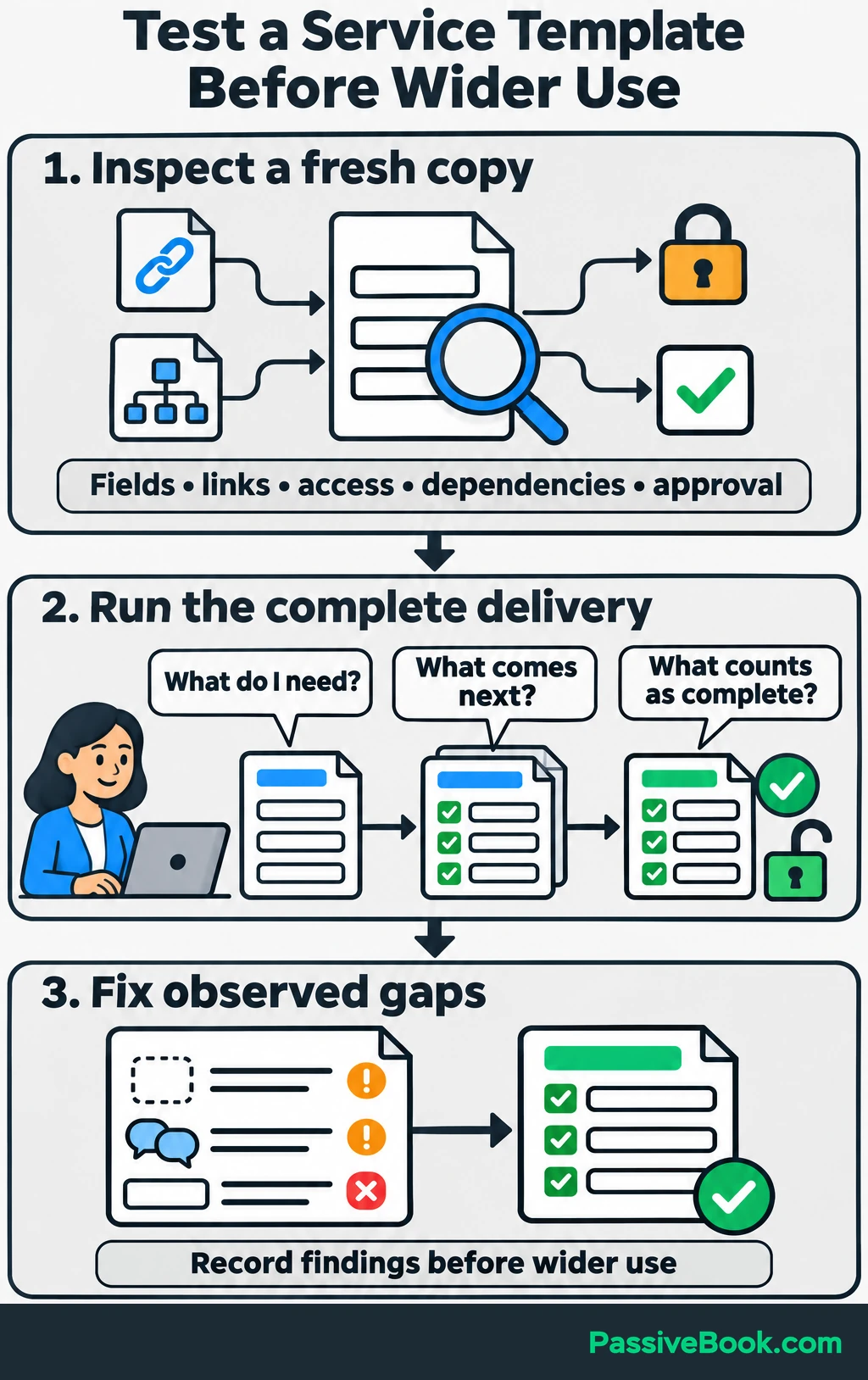
If you’re available to explain every missing detail, you can accidentally hide the template’s gaps. Ask another suitably skilled person to try it when possible.
Test a blocked scenario too. Suppose Riverside Cycles sends its brief without the product details. The template should identify drafting as blocked, name who must obtain the details and prompt a decision about affected dates.
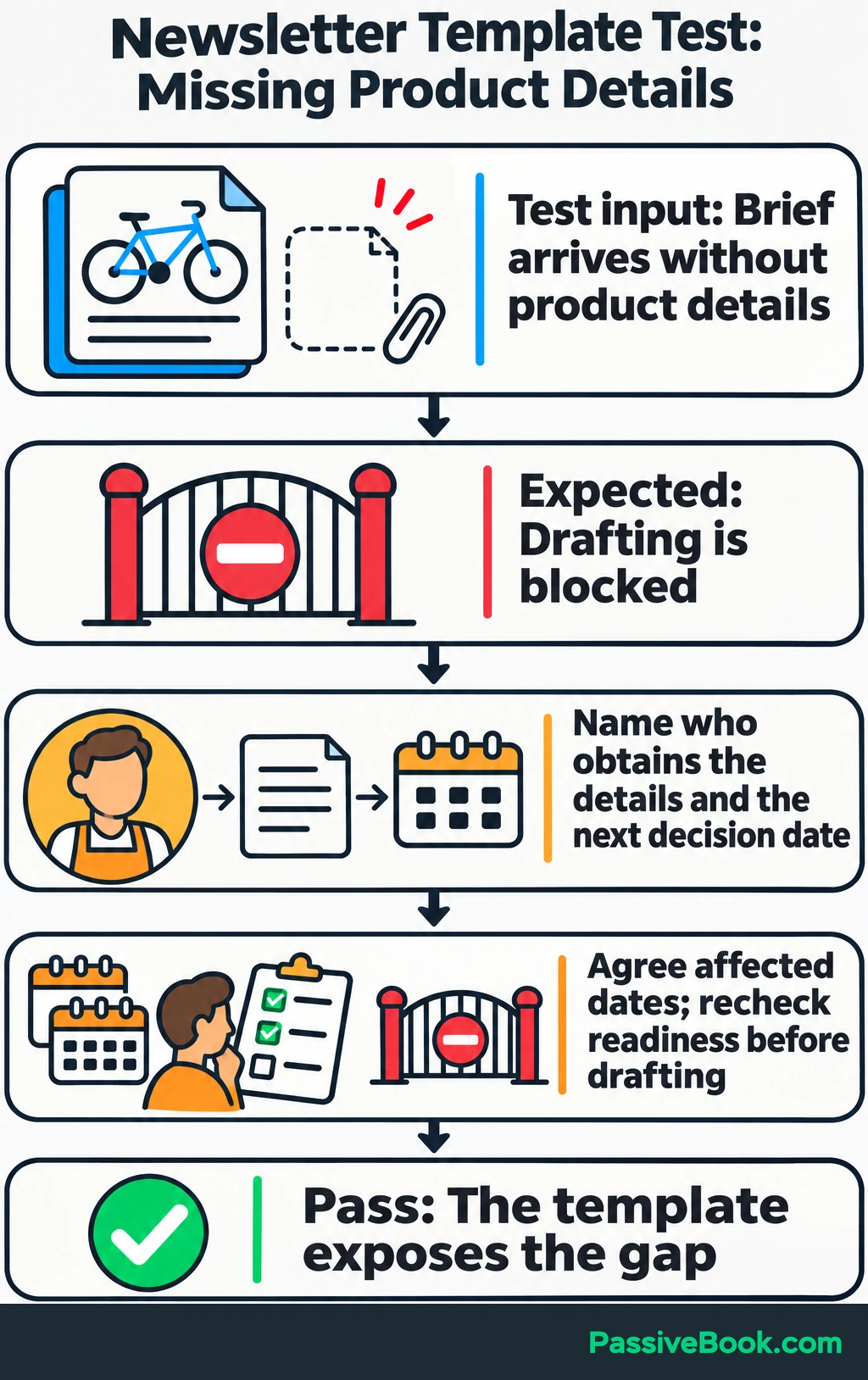
Record missing tasks, repeated questions and fields nobody uses. Fix them before wider use.
This follows the small-test approach in ASQ’s Plan–Do–Check–Act guidance: try a change on a small scale, review what happened and use the lesson to improve it.
6. Automate Stable Handoffs
Automate a transition once the manual process works reliably. I would start with creating the next delivery copy or notifying a reviewer that a draft is ready.
Before connecting tools, write down the automation’s rules:
| Part | Newsletter Example |
|---|---|
| Trigger | A monthly delivery cycle becomes due |
| Required information | Active client, delivery month, assigned people and current master version |
| Duplicate check | Look for an existing project with the same client identifier and delivery month |
| Action | Create the engagement copy if it does not already exist |
| Completion signal | Save the new project link and record that creation succeeded |
| Failure response | Alert the delivery owner, who checks for partial creation before recovering manually |
The new copy should begin in “awaiting inputs.” A recurring client still needs to confirm that month’s products, offers and links before drafting begins.
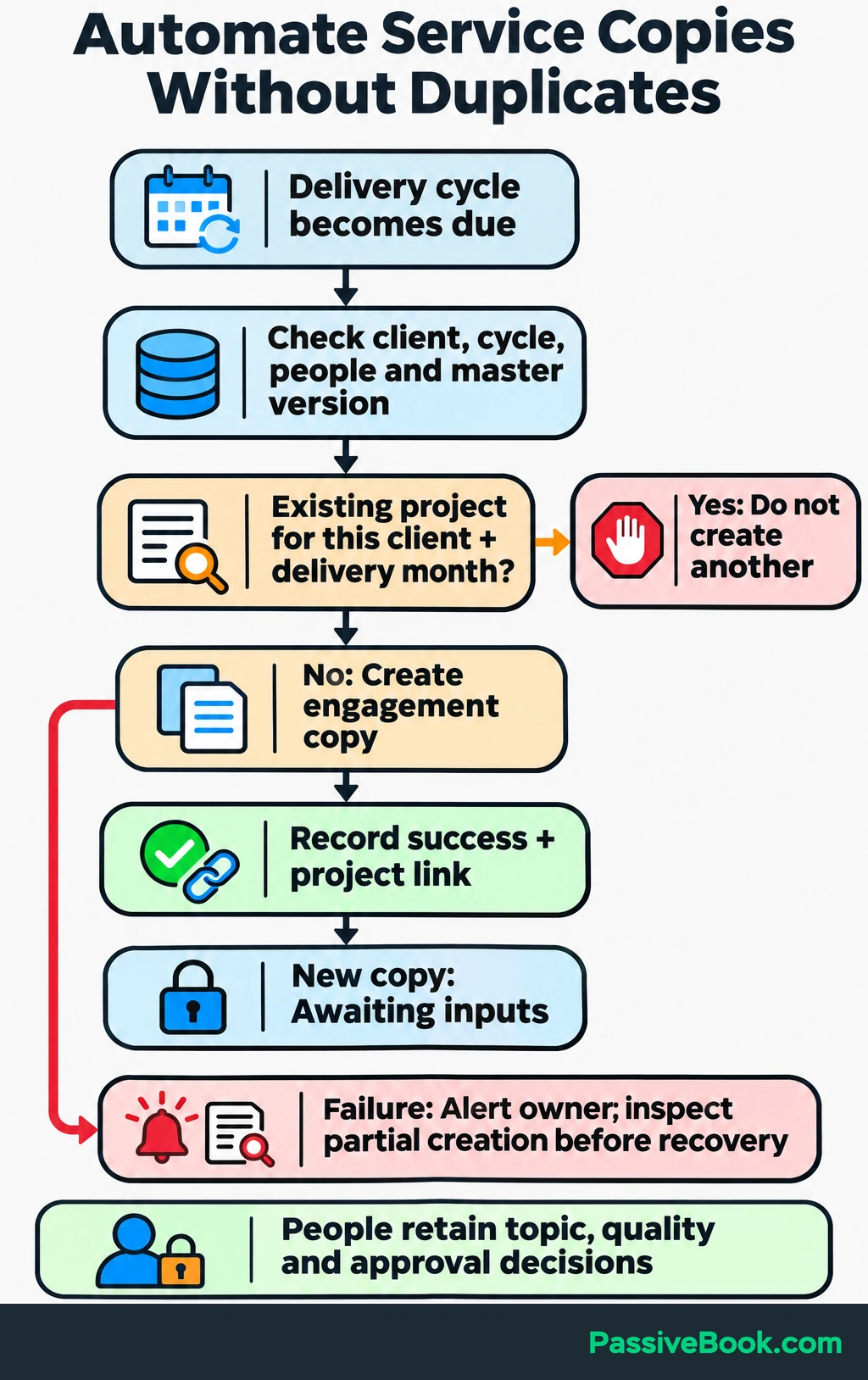
I use n8n to connect apps and automate work between them. If you already use it with your delivery tools, I would build this workflow there. Its error workflows can alert the delivery owner when an automated run fails.
Test duplicate triggers, missing information and a failed run. Confirm that the delivery owner can recover without creating a second project or sending the same message twice.
Keep topic decisions, quality judgments and client approval with the responsible person. Automation can move the work to the next stage once those decisions are recorded.
7. Improve the Template Using Delivery Results
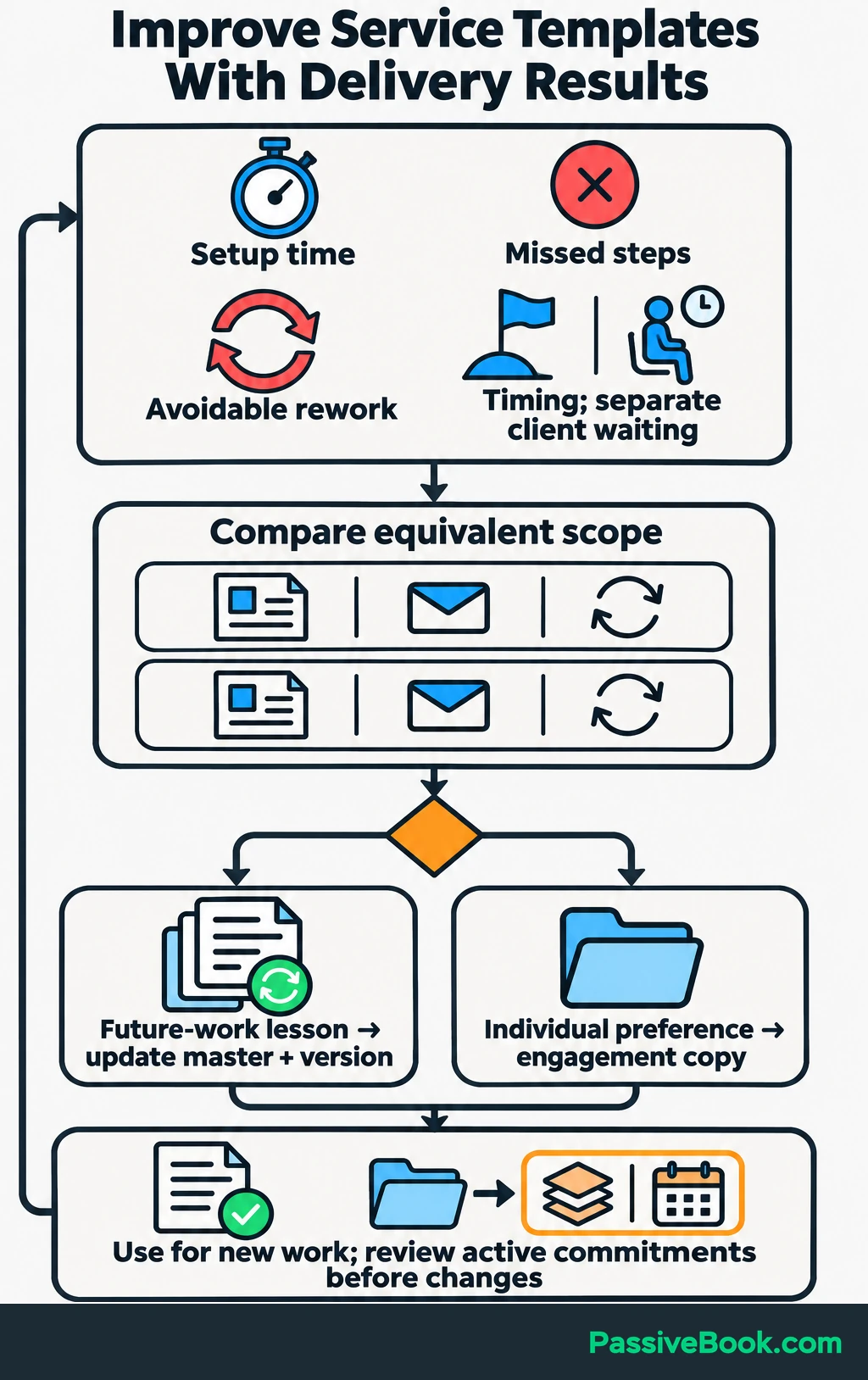
Track enough to judge whether the template helps:
- Setup Time: Time spent preparing each engagement.
- Missed Steps: Required actions discovered late or left incomplete.
- Avoidable Rework: Corrections caused by missing inputs, unclear instructions or skipped checks.
- Delivery Timing: Completion compared with agreed dates, with client waiting time recorded separately.
Compare work with similar scope. A cycle with one newsletter and one revision round belongs beside another cycle with those same boundaries.
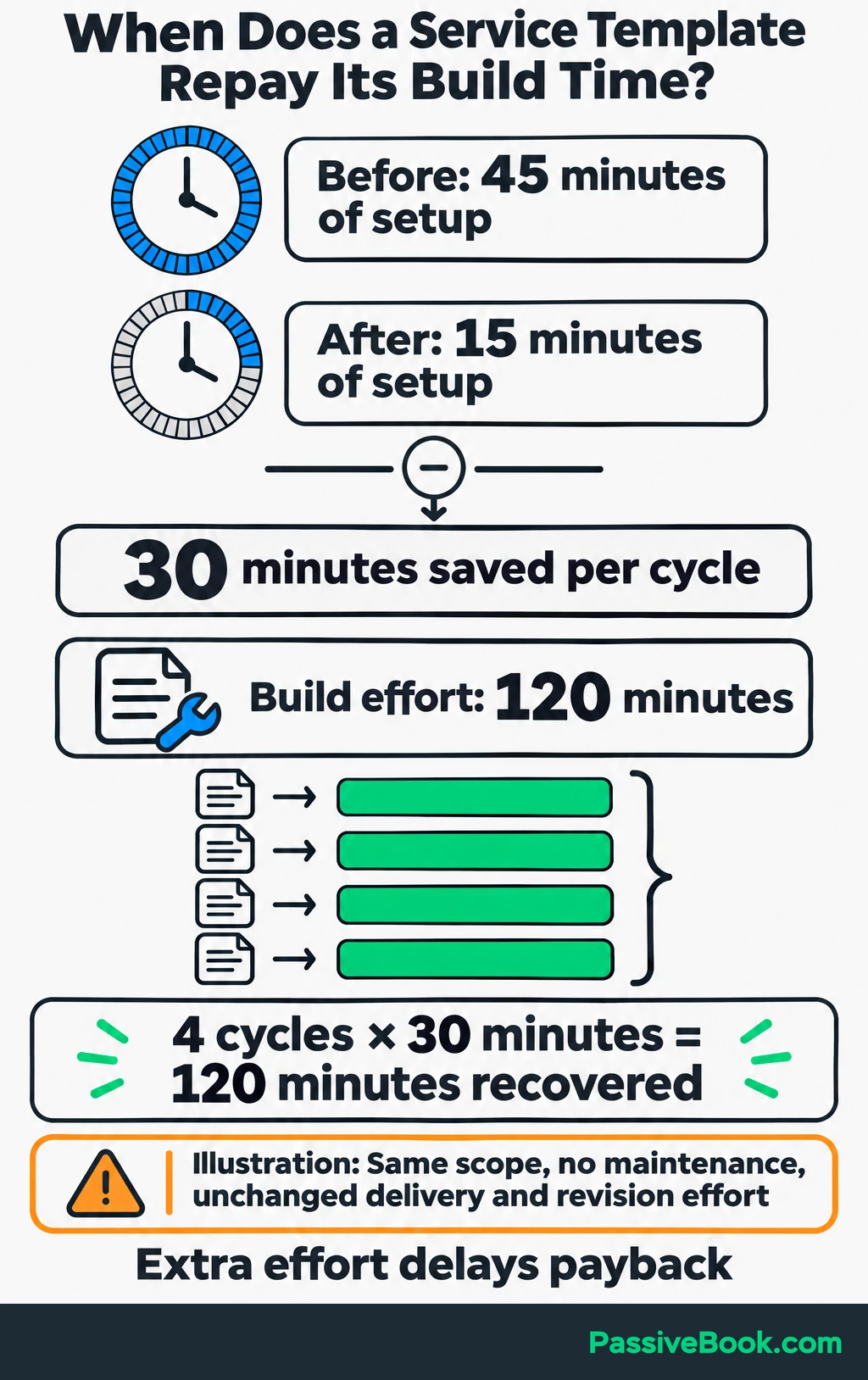
To judge time savings, count the setup effort removed across comparable deliveries, then subtract the time spent building and maintaining the template. Include changes in delivery and revision effort too.
For illustration, suppose setup falls from 45 minutes to 15 minutes. That saves 30 minutes per cycle. If building the template took 120 minutes:
4 cycles × 30 minutes saved = 120 minutes recovered.
The initial effort is recovered after four cycles, assuming no maintenance time and no change in delivery or revision effort. Additional work would push that point later.
Check quality alongside speed. Faster setup loses its appeal if you spend the saved time correcting mistakes.
Update the master when a lesson applies to future work. Keep individual client preferences in their engagement copies. Record what changed and increase the version, then use the revised master for new engagements.
Review active work before applying a change. A better process still needs to respect the scope and dates you already agreed.
What Next?
Choose one repeat service and write its starting condition, completion condition and included deliverables. Then reconstruct the last delivery and turn that sequence into your first master.
Use the social buttons to share this guide when you want a practical starting point for making recurring client work easier to run.
Which part of your delivery process still gets rebuilt for every client? Share it in the comments, and bring any questions about turning it into a reusable template.
Share this post with your friends & followers:

