Your new storefront looks polished, but a direct request for a product page returns little more than a loading screen. The product appears once JavaScript runs. Whether the rest of your search setup works is harder to see.
That gap makes a headless launch uncomfortable. You can approve the design while missing broken product links, stale prices or pages that search engines cannot reliably read. The implementation choices and checks below help you make your catalog discoverable and keep product information accurate as prices, stock and storefront code change.
Is Headless Commerce SEO-friendly?
Yes. A headless store separates the customer-facing website from the commerce backend. They communicate through APIs, which let the website request product data and send orders. It can support SEO well when the storefront delivers useful content, crawlable links, stable URLs and reliable performance.
The architecture does not earn you better rankings by itself. A modern frontend can still serve an empty product page very quickly.
I would choose headless when a specific need justifies the extra work: a custom shopping experience, several storefronts sharing one catalog or content that a conventional setup struggles to deliver. For a straightforward shop, I would usually keep the simpler setup. I use WooCommerce for direct sales, and flexibility alone would not persuade me to rebuild a working store.
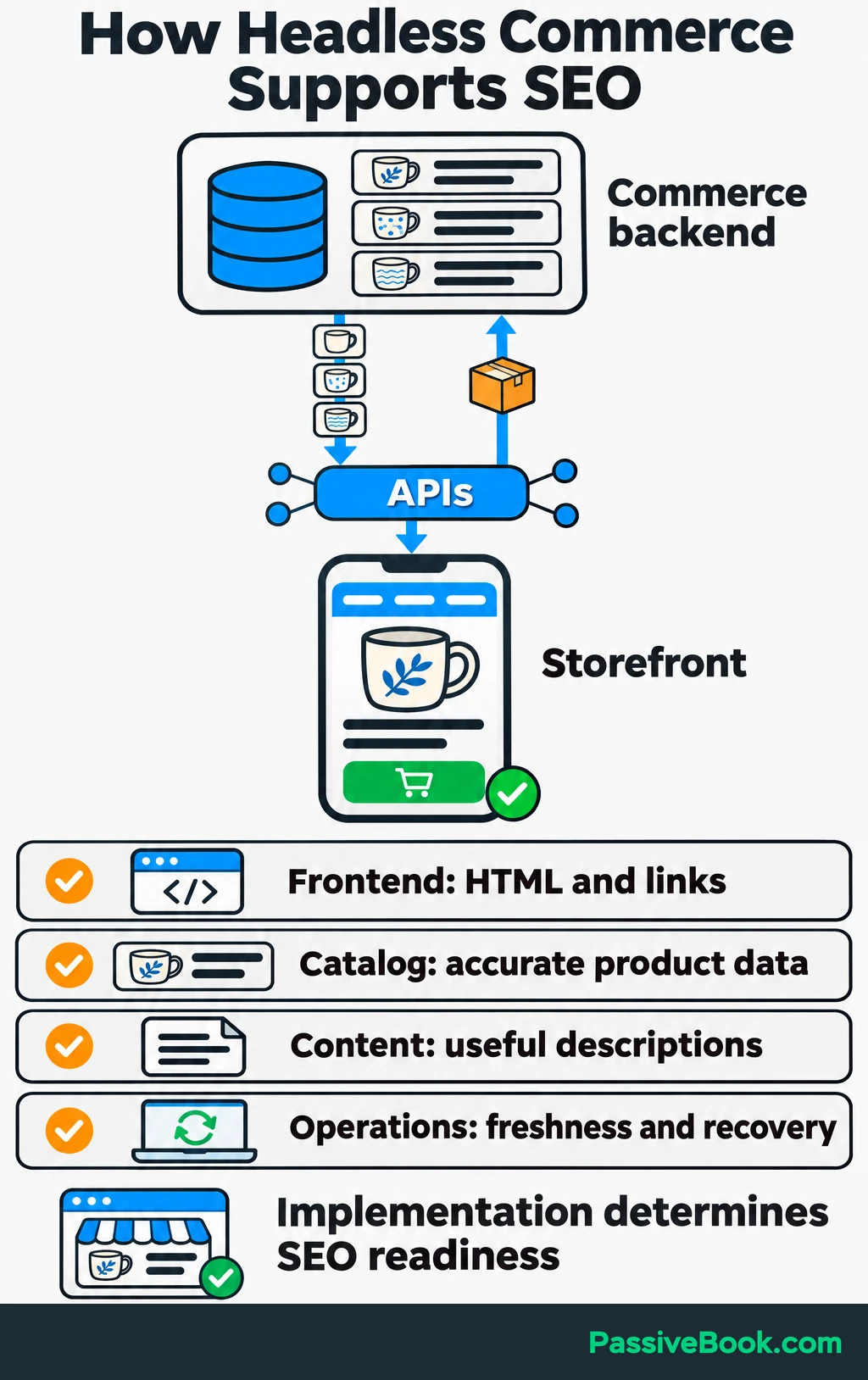
Before committing, assign responsibility for:
- Frontend: Rendering, navigation, metadata and public page responses.
- Catalog: Product accuracy, publication rules and update events.
- Content: Descriptions, guides and editorial overrides.
- Operations: Caching, monitoring, release checks and recovery.
One person can own several areas, but “the platform handles it” needs a named person checking the result.
Throughout this guide, imagine you run a store selling handmade ceramic mugs. Start with failures that hide those products or block indexing, then tackle smaller improvements.
Deliver Essential Product Content in HTML
Choose Rendering by Page Type
Make the product’s name, description, main image, price, availability and primary links available in the initial HTML. Include page metadata there too.
Google can execute JavaScript, but browser scripts or data requests can fail. Server rendering or prebuilding delivers essential content without relying on those browser steps. Google also notes that some bots cannot run JavaScript. Google’s JavaScript SEO guidance
Choose the approach around how often the content changes and what you must know when a request arrives.
| Approach | When HTML Is Generated | How Updates Appear | Operational Trade-off |
|---|---|---|---|
| Static generation | Before visitors request the page | A rebuild or regeneration publishes updated HTML | Fast delivery, but catalog changes need a reliable refresh process |
| Server rendering | When the server handles a request, unless a cached response is reused | New requests use current data, subject to caching | More request-time work and dependence on backend services |
| Client rendering | In the browser after JavaScript loads | Browser requests fetch the data | Useful for interactions, but essential content depends on scripts and API calls succeeding |
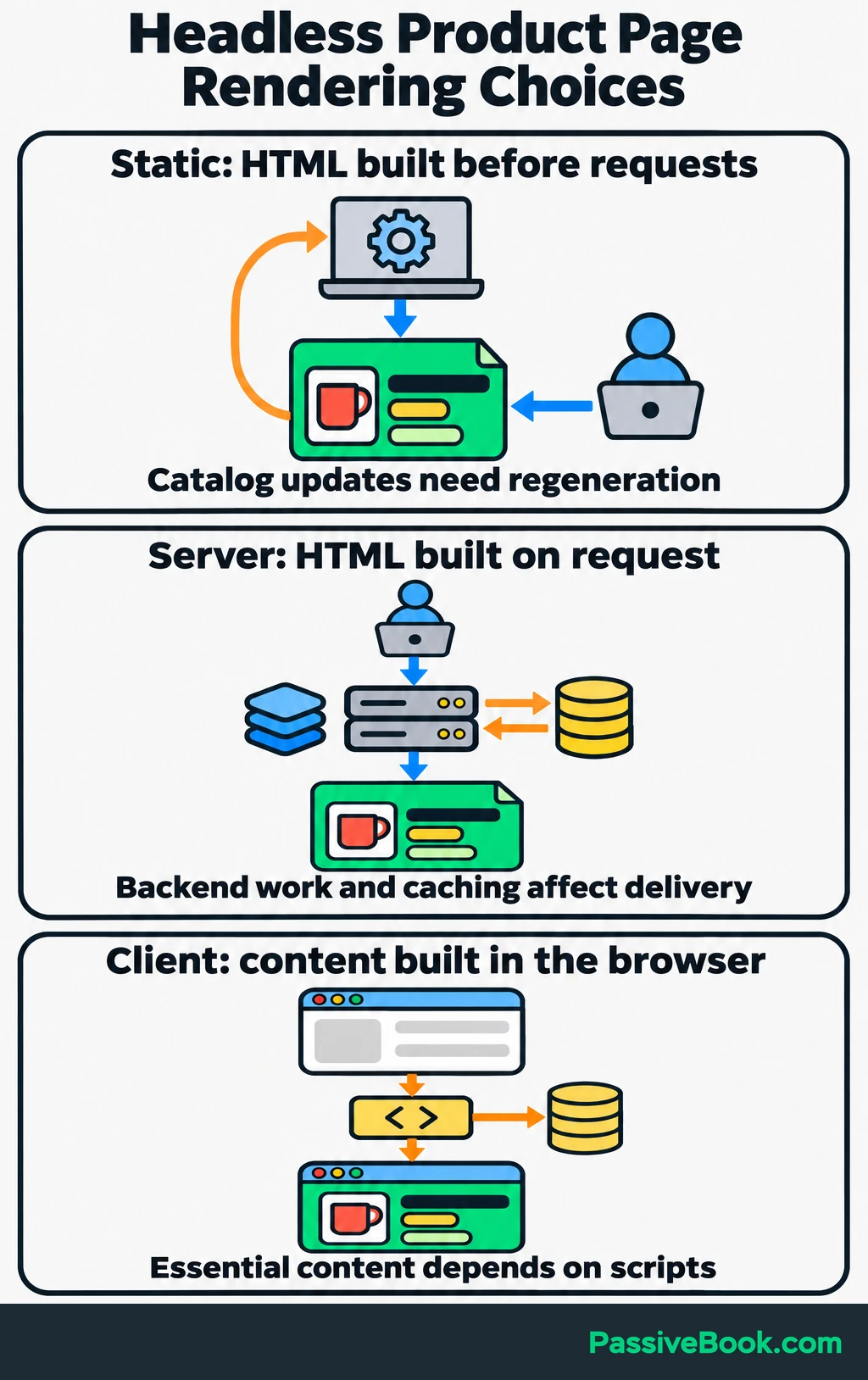
Caching complements these choices. You can reuse server-generated HTML between requests, and you can regenerate prebuilt pages after individual products change.
For the mug store, I would prebuild the care guide because it changes rarely. Product pages need refresh rules that match how quickly prices and stock change. Either server rendering or regenerated static pages could work.
Use JavaScript for glaze selection, galleries and the cart. Load the basic product information without requiring visitors to scroll, accept cookies, sign in or click a control.
Synchronize Cached Pages With Catalog Changes
Decide how long public content may remain stale. That is your freshness window, and it should reflect the consequences of showing an old price or availability state.
Then connect each catalog event to everything it affects. A mug price change may require updates to:
- The product page and its structured data—the machine-readable product details used by search engines.
- Category cards showing that price.
- Sale collections.
- Any catalog feed sent to Google Merchant Center for product listings on Google.
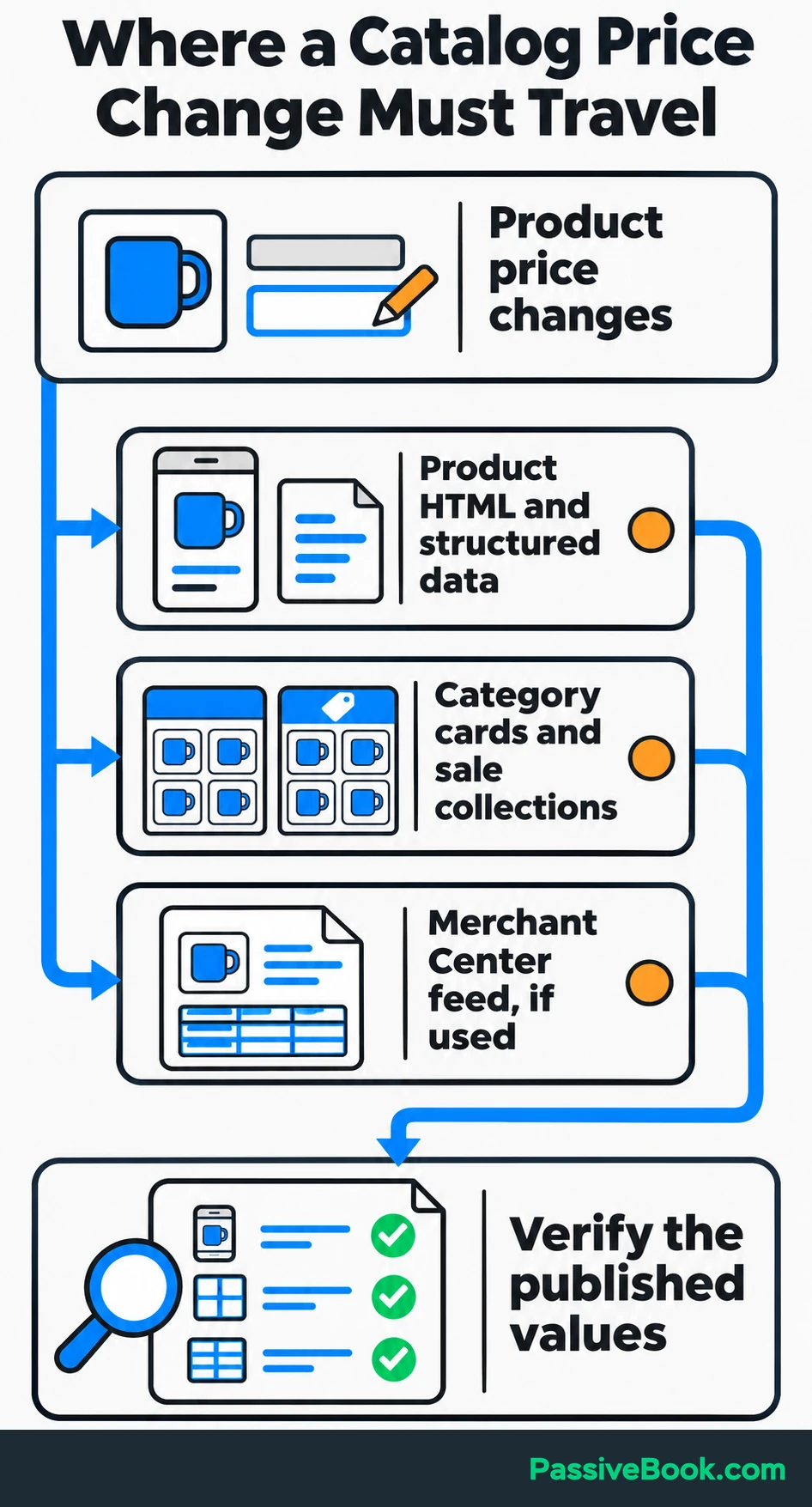
A refresh request is only the start. Check when the new values actually become public.
On one of my digital-product sites, I checked an edited page while logged in and thought the update was finished. The public version still showed the old description. I had checked my editing view, so the stale public page escaped review. Now I check updates as a visitor would receive them.
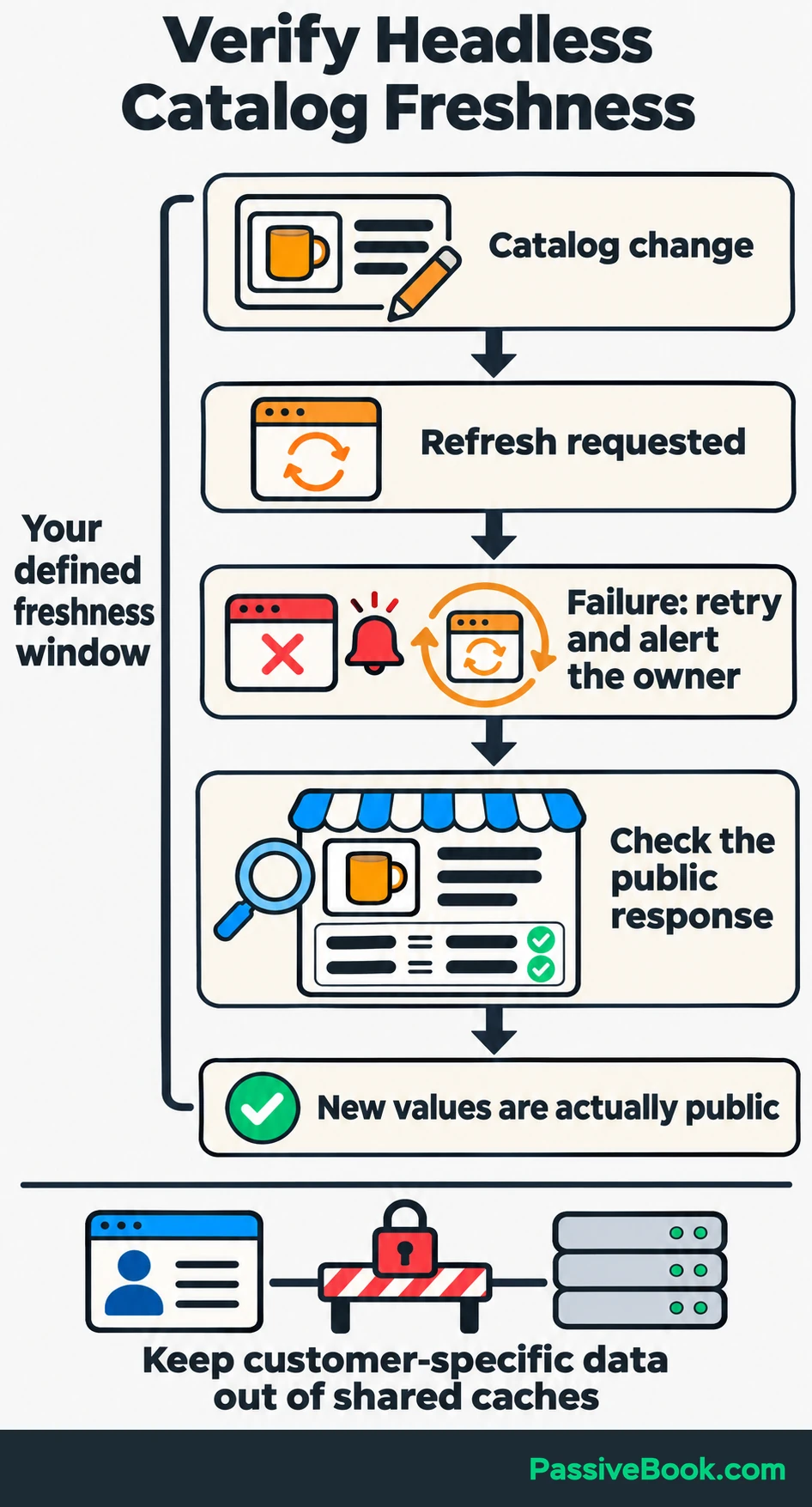
For your storefront, test a failed refresh and its retry as well as a successful update. An alert should reach the person who can fix the failure.
Keep account details and customer-specific prices outside shared public caches. Also check hydration—the JavaScript that makes delivered HTML interactive—so it does not remove product content or replace working links with empty placeholders.
Make Every Valuable Product Reachable
Build a route through the store using ordinary HTML links:
Home → Stoneware Mugs → Stoneware Mug → Mug Care Guide
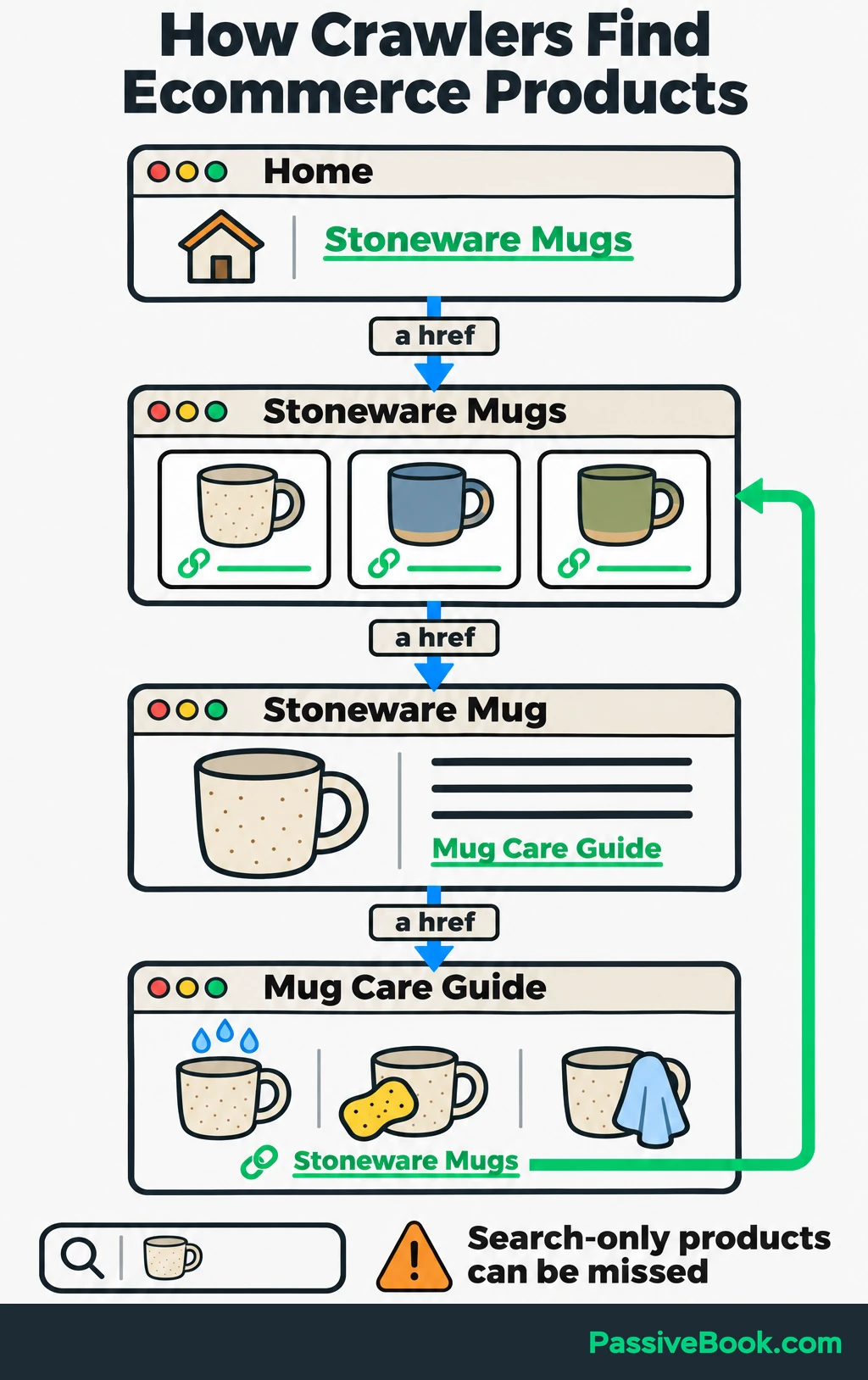
Category cards should contain <a href> links to products. A clickable card that only runs a JavaScript event is a weaker foundation for discovery.
Google generally does not submit searches into your store’s search box, so products available only through internal search may be missed. Google’s ecommerce navigation guidance
Use clear category names, visible breadcrumbs and relevant links between products and guides. The care guide should link back to the mug collection where that helps the reader.
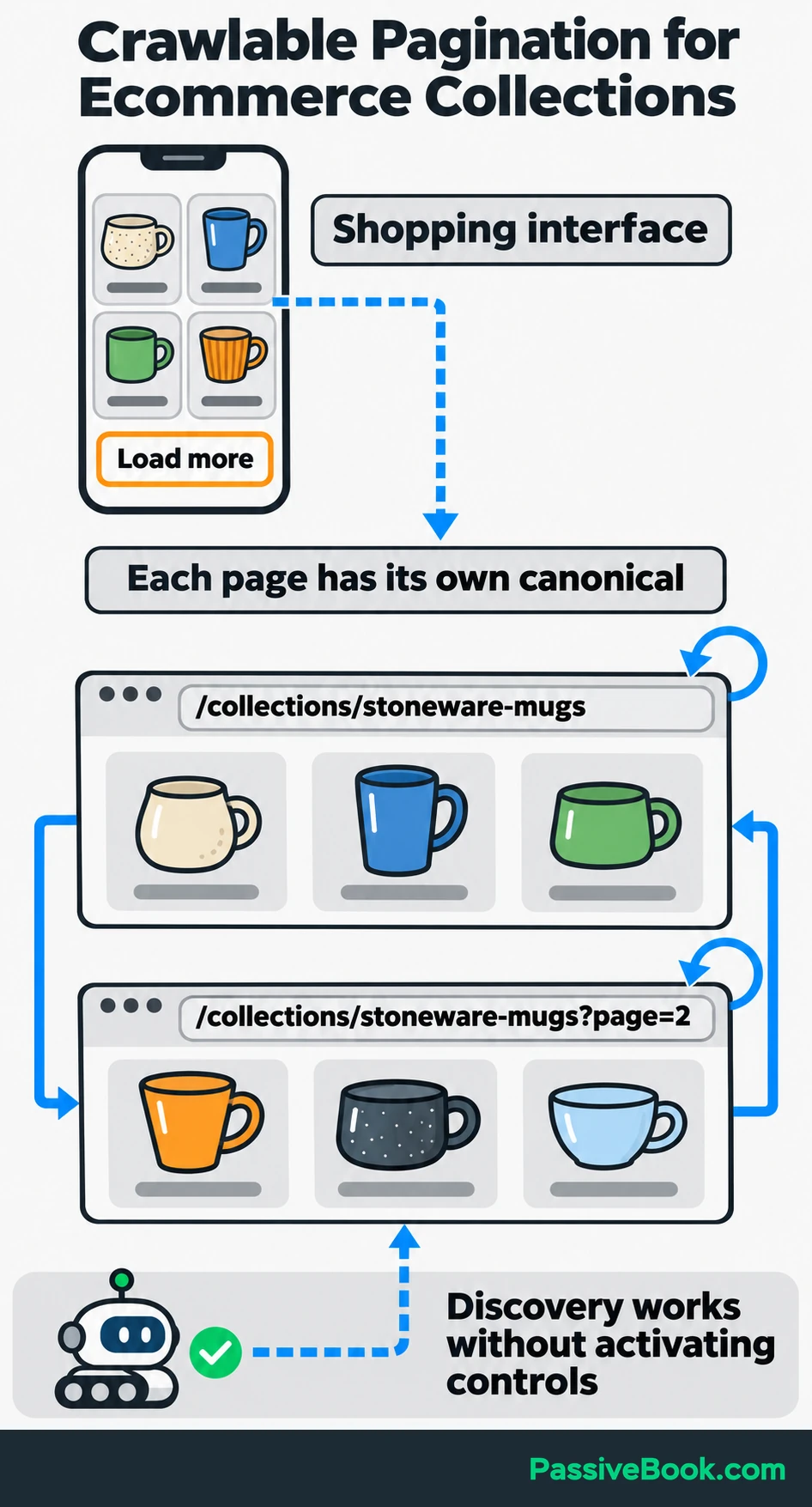
For longer collections, provide distinct page URLs such as:
/collections/stoneware-mugs/collections/stoneware-mugs?page=2
Link the pages in sequence and use a canonical tag to identify each page’s own URL as its preferred version. Keep this crawlable sequence working underneath infinite scroll or a “load more” interface because Google’s crawlers generally do not activate those controls. Google’s pagination guidance
Product photographs also need accessible URLs in <img src> elements. If a content delivery network (CDN) serves them, check that its security rules allow crawlers to fetch the files.
Control Canonical URLs and Indexing
Establish Preferred URLs
Choose one HTTPS hostname and a consistent route format. Your navigation, sitemap and canonical tags should point to the same preferred URLs.
A canonical identifies the preferred version of duplicate or very similar pages. It is a signal, and Google may select another URL when other signals conflict. Google’s canonicalization guidance
For the mug store, the main product route might be:
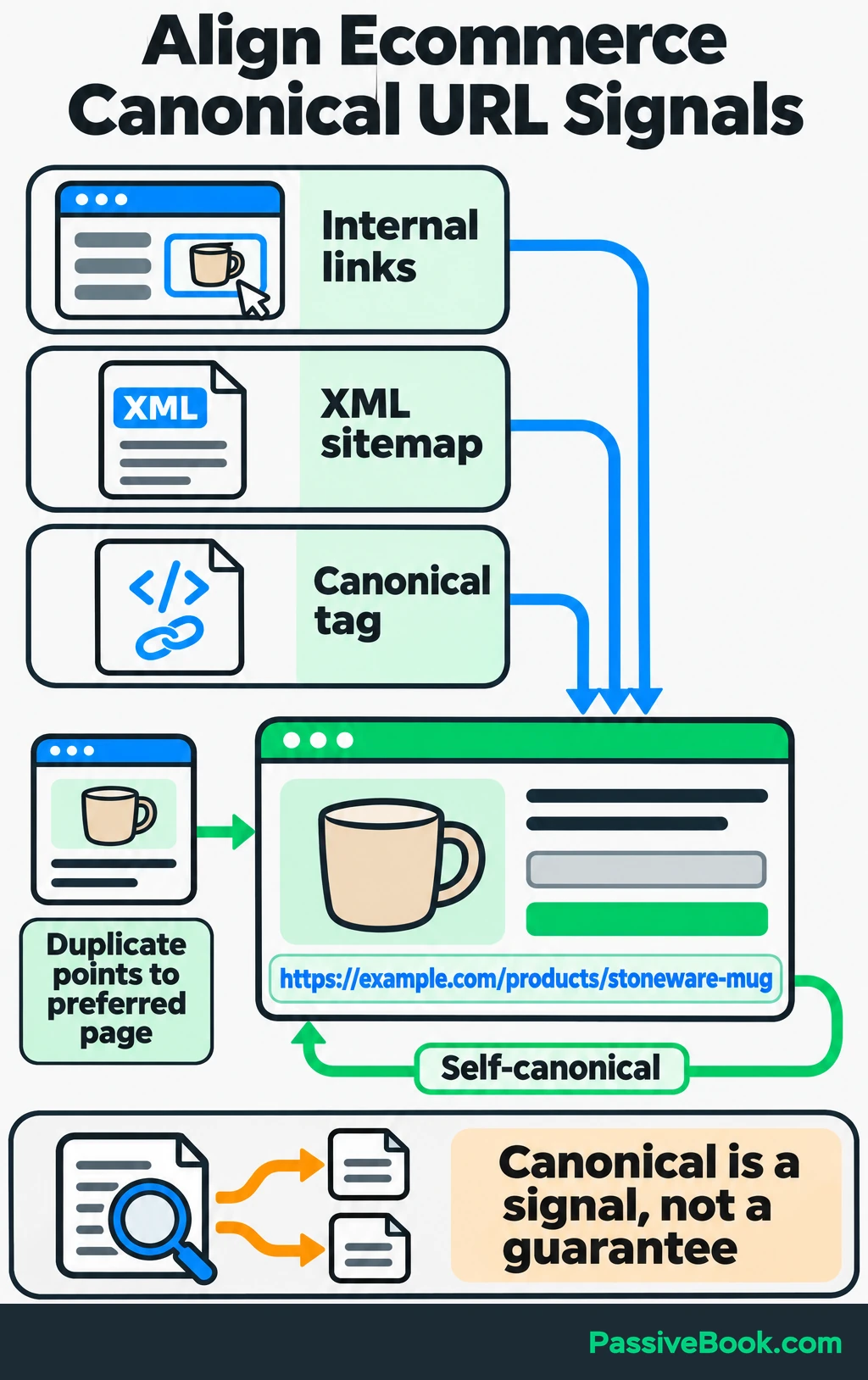
https://example.com/products/stoneware-mug
Render one absolute canonical URL in the page’s HTML. The preferred page should point to itself, and genuine duplicates should point to that same preferred version. JavaScript should preserve that choice when the page becomes interactive.
Tracking parameters usually do not need separate indexed pages. But do not strip every parameter automatically: pagination and meaningful product selections need their own handling.
Generate your XML sitemap—a list of URLs for search engines—from published storefront routes across both the commerce system and your content system. Include canonical, indexable pages that return successful responses. Remove redirects, missing pages and deliberately excluded URLs.
Update lastmod when a page changes meaningfully. A deployment that only changes a footer script does not mean every product was updated.
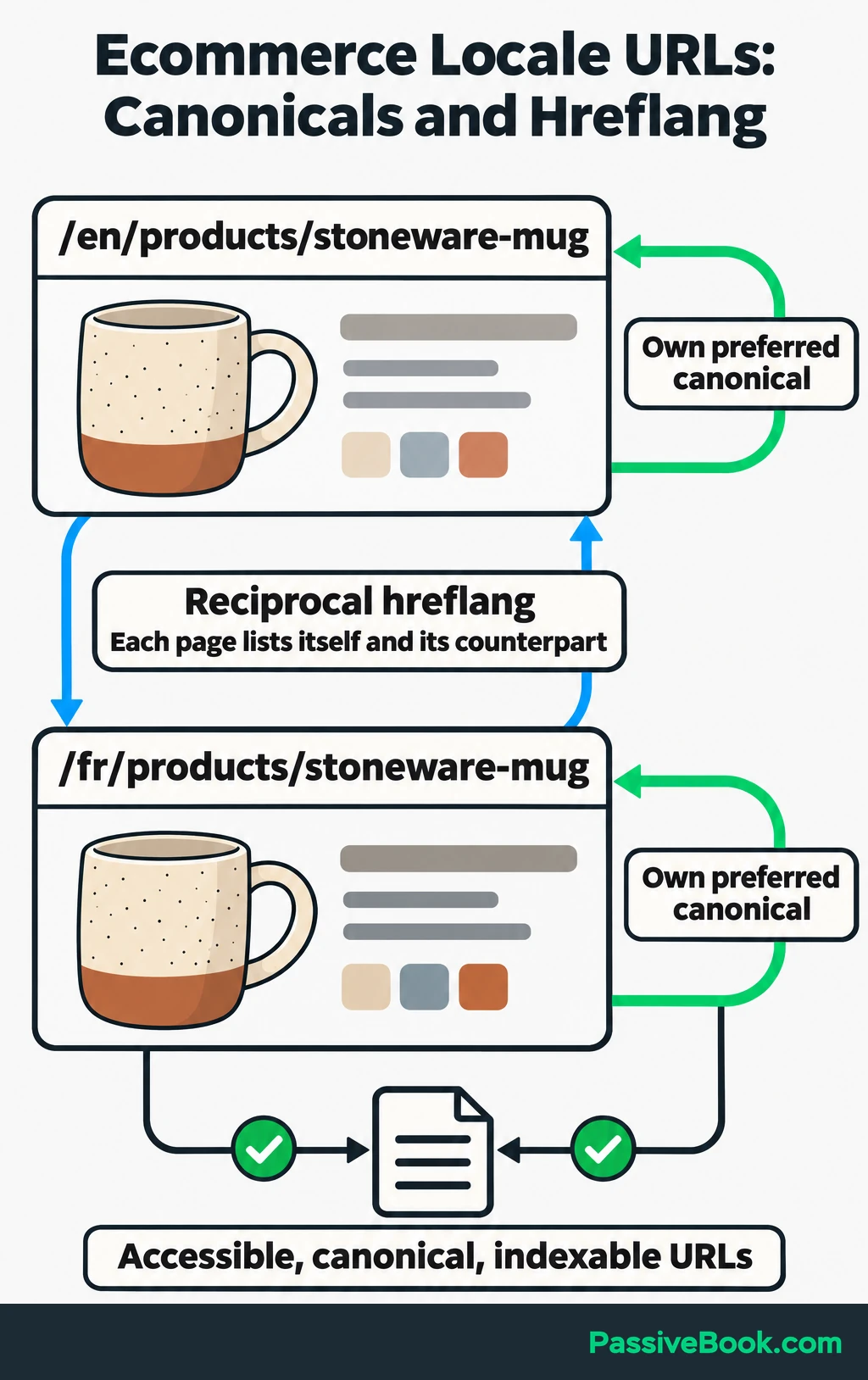
If you serve multiple languages or regions, give each version an accessible URL. Use hreflang annotations to identify equivalent language or regional versions; each page should list itself and its counterparts, and those counterparts should list it in return. Keep each locale’s canonical consistent with the version you want indexed.
Keep Filters From Creating Uncontrolled Crawl Spaces
A few filters can produce thousands of URL combinations. Decide which filtered collections deserve a place in search before exposing every combination.
I would consider a dedicated “Large Stoneware Mugs” collection if it offers a useful selection and answers a distinct shopping need. Sorting the same mugs from cheapest to most expensive rarely needs another search landing page.
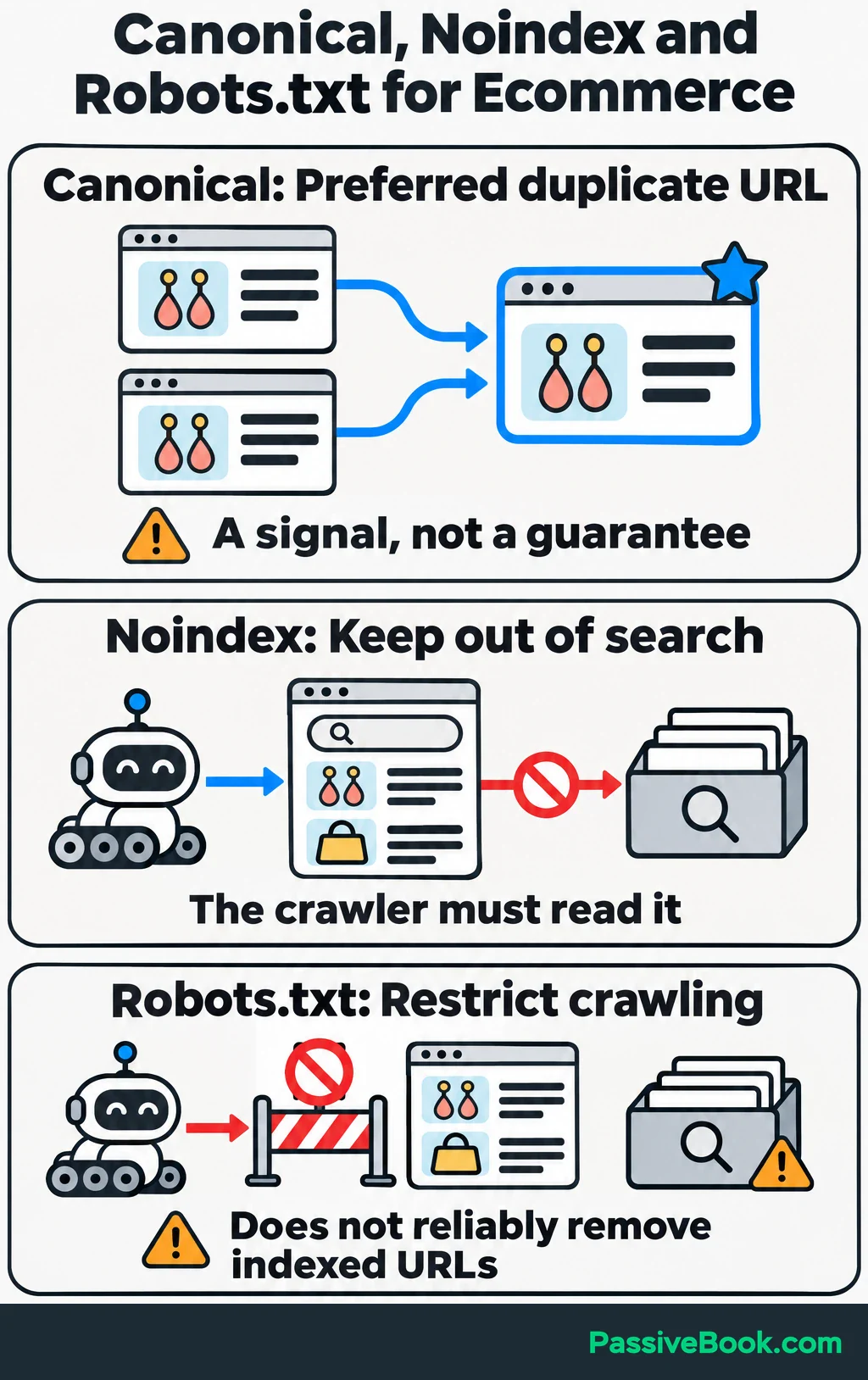
Use the right control for the job:
- Canonical: Identify the preferred page among genuine duplicates.
- Noindex: Exclude an accessible page from search results.
- Robots.txt: Restrict crawling of URL patterns.
Google must crawl a page to read its noindex directive. Blocking that page in robots.txt prevents it from seeing the directive, and the block alone does not remove an already indexed URL. Google’s noindex requirements
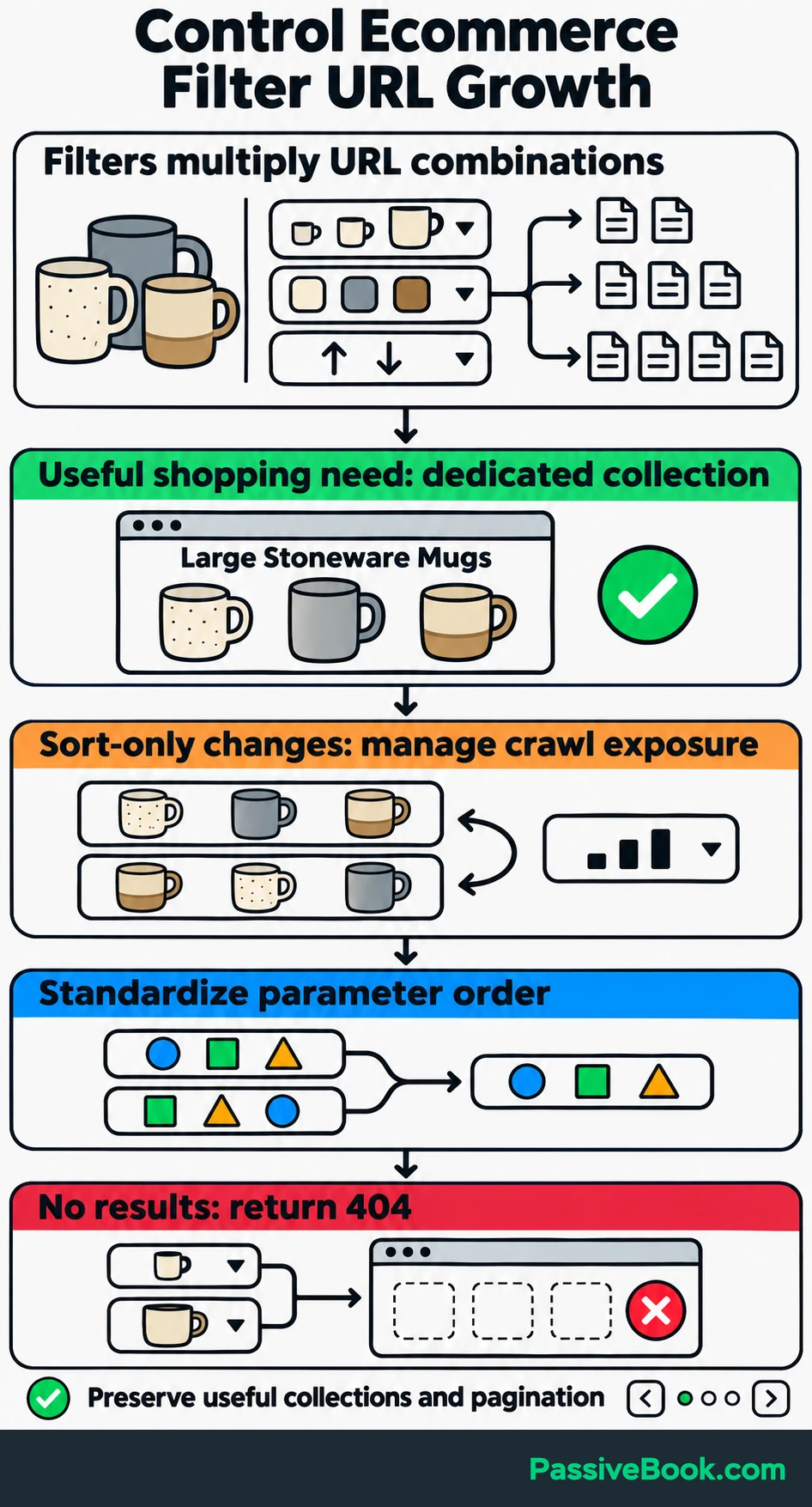
For unwanted filter spaces, restrict specific patterns while preserving useful collections and pagination. Avoid a blanket rule that blocks every URL containing a question mark.
Standardize the order of filter parameters so the same selection does not produce several equivalent URLs. Return 404 at the requested URL for impossible combinations or combinations with no results, rather than redirecting them to a generic error page. Google’s faceted-navigation guidance
Match Variant URLs to the Product Model
Decide whether variants belong to one product page or deserve separate pages.
For the mug store, I would start with one stoneware-mug page and selectable glazes. A direct URL such as /products/stoneware-mug?glaze=blue should open with the blue image, its price and availability, and the correct item ready to add to the cart.
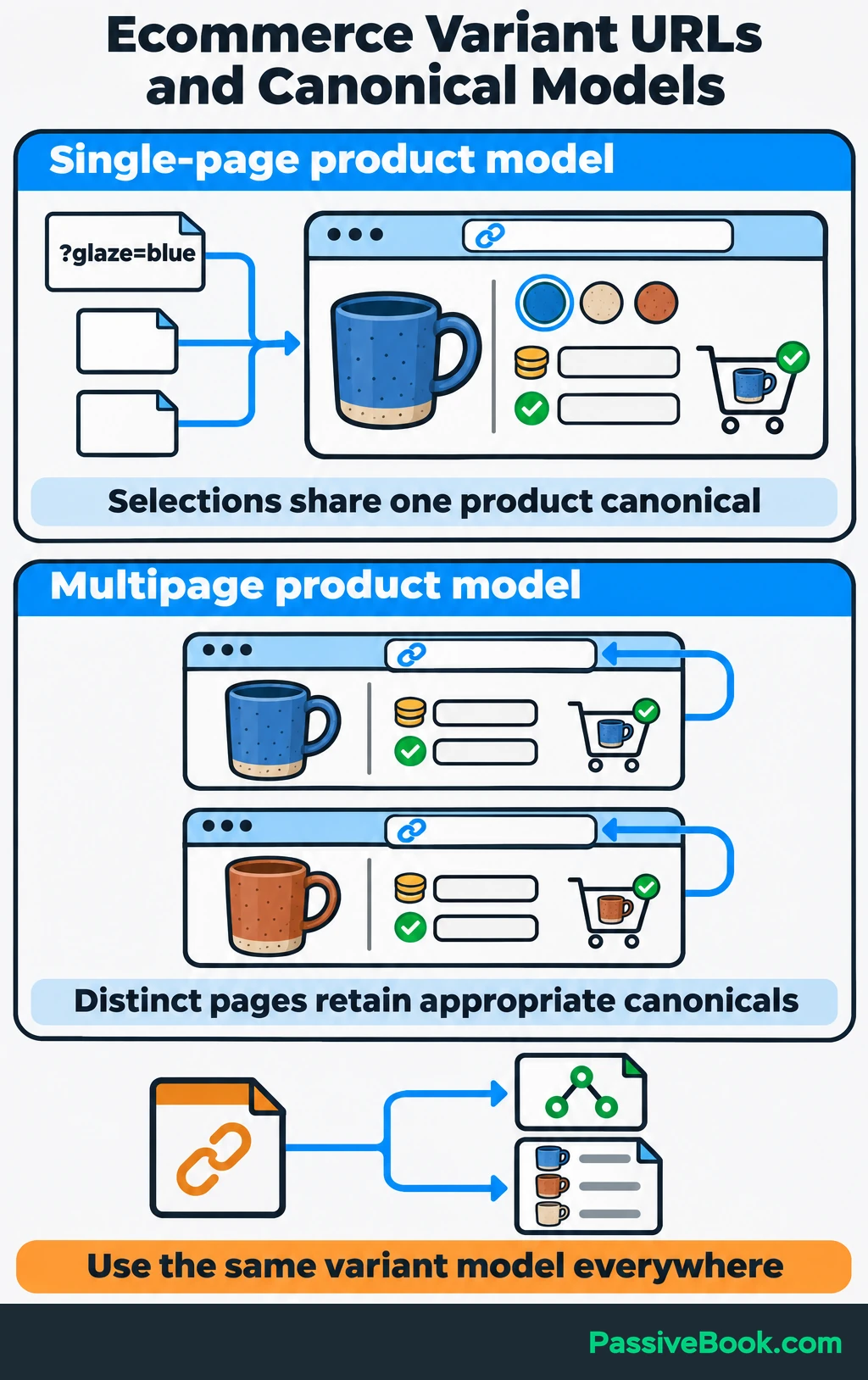
Under Google’s single-page variant model, those selections share one canonical for the product group. In a multipage model, there is no single canonical for the whole group; distinct pages retain their appropriate canonicals. Google’s product-variant guidance
Separate pages make sense when they provide distinct product experiences you can maintain. Creating pages that differ only by a color word adds upkeep without necessarily helping shoppers.
Write this URL decision down before building structured data or product feeds. Otherwise, different integrations may invent different answers.
Build Useful Content and Metadata Into Templates
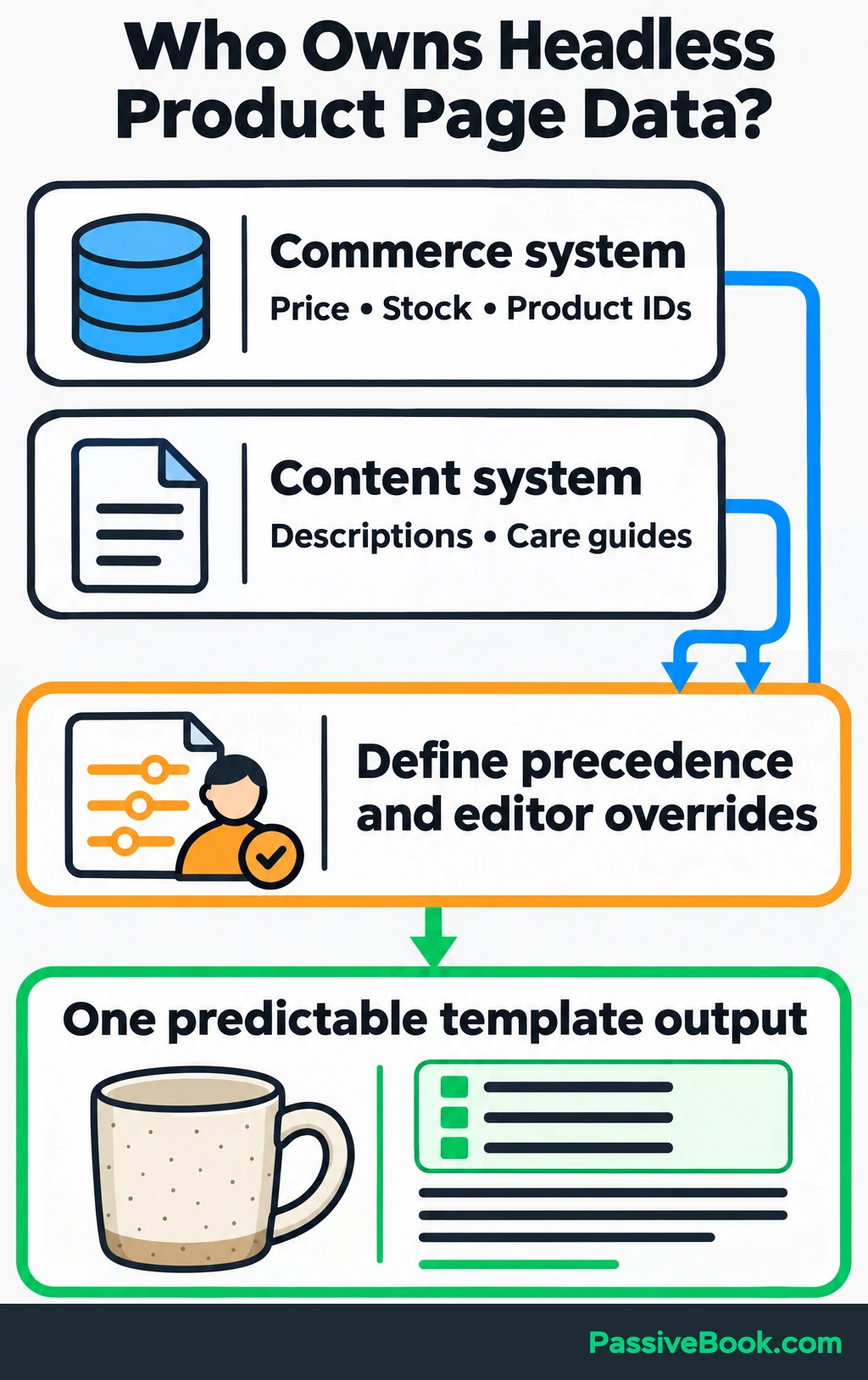
Choose the source for each field before designing the template.
I would keep price, stock and product identifiers in the commerce system. Longer descriptions and care guides can live in the content management system, or CMS. Where fields overlap, define which source wins and when an editor can override a default.
The category page and product page also have different jobs. A stoneware-mug category helps shoppers compare options. A product page explains one item well enough to buy it.
For that product, useful copy includes:
- Capacity, dimensions and material.
- Photographs showing the mug’s shape and handle.
- Care instructions and any relevant restrictions.
- Available glazes.
- Delivery and return information, or clear links to those policies.
Generate titles and primary headings that identify the actual item. “Stoneware Mug, 350 ml” says more than “Shop Our Products.”
A short meta-description excerpt could be:
Handmade 350 ml stoneware mug with a choice of glazes. See dimensions, care instructions and delivery details.
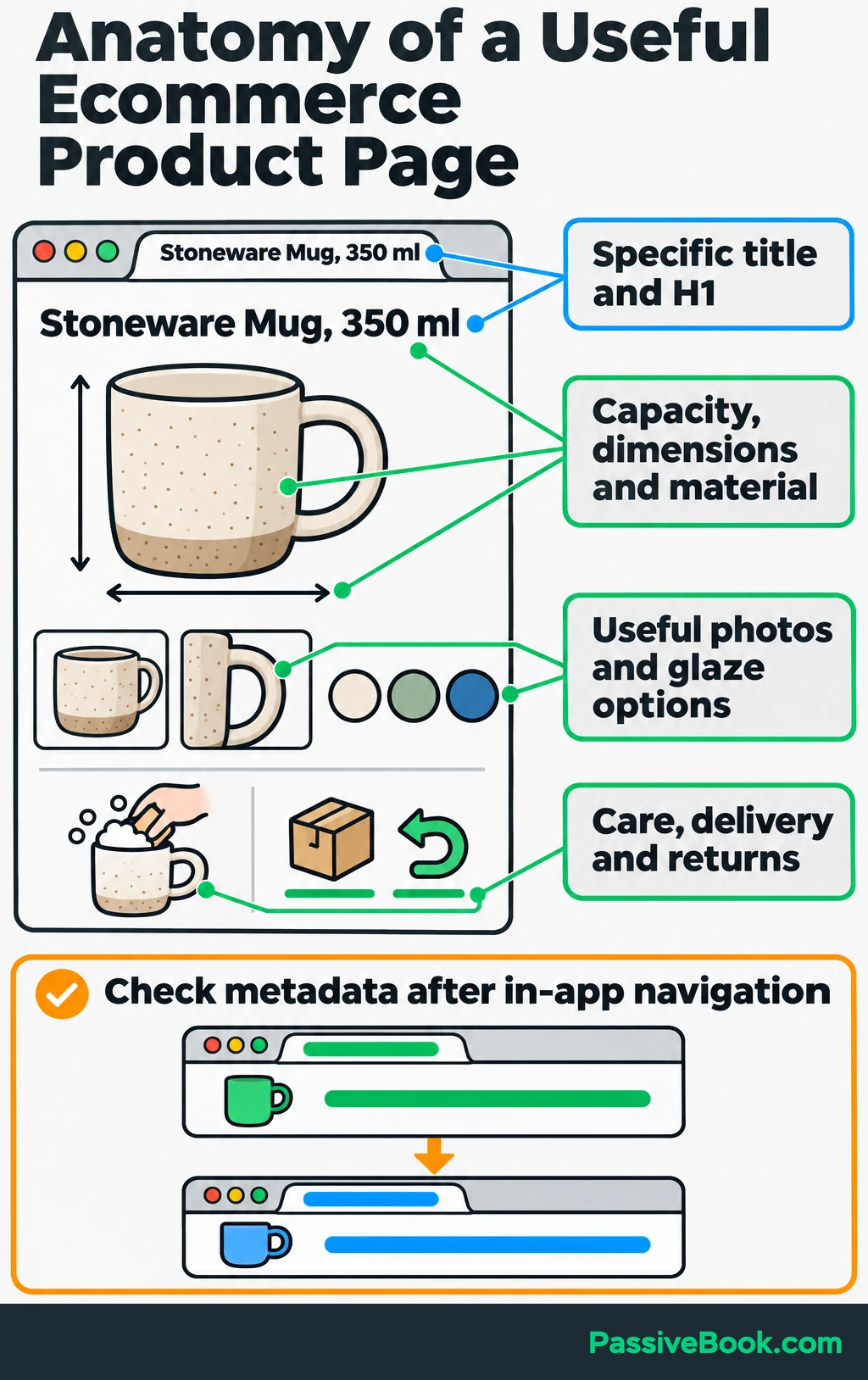
Keep the details accurate for the product. Google mainly creates snippets from page content and may use the meta description when it provides a better summary. Google’s snippet guidance
Check these fields on direct visits and when moving between products without a full reload. Product B should never inherit Product A’s title.
Use meaningful headings and descriptive alternative text for informative images. Decorative images should have empty alternative text.
Generate Structured Data From the Same Product Data
Structured data describes the product in a machine-readable format. JSON-LD is the script format commonly used to deliver it.
Generate Product and Offer markup in the initial product-page HTML. Include the applicable required properties and accurate names, images, prices, currency and availability. Google recommends initial-HTML product markup for shopping results. Google’s merchant-listing requirements
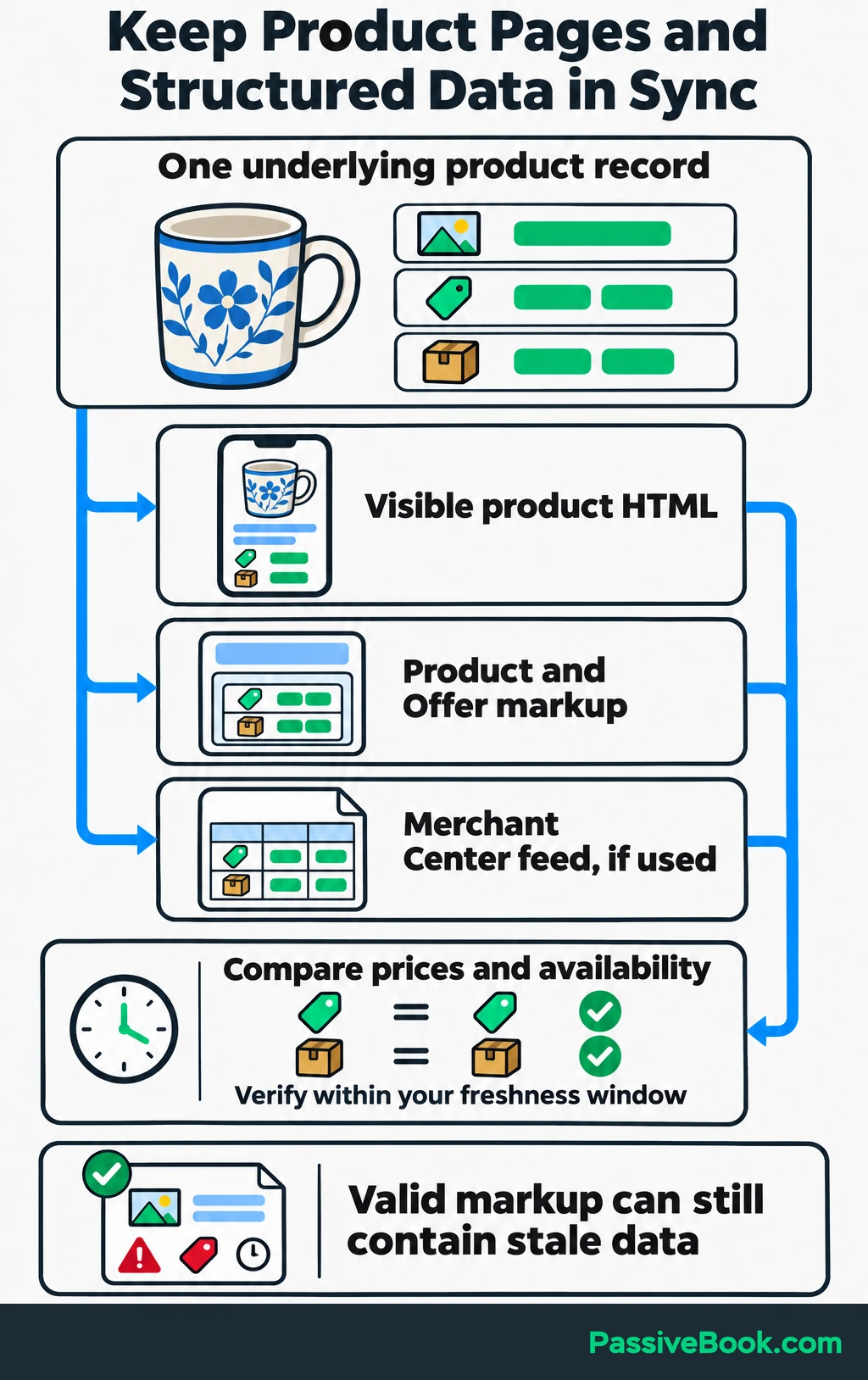
The important implementation choice is where those values come from. Use the same underlying product record for both the visible page and the markup.
For the mug store, a price update should pass one combined check: the displayed price and structured-data price agree within your freshness window. If you use Merchant Center, check its feed too.
For variants, use ProductGroup and the related variant properties. Give each variant a unique identifier. In a multipage setup, each page needs self-contained markup for the products represented there.
Add breadcrumb markup that matches the visible navigation hierarchy. Include ratings only when genuine, applicable review data supports them.
Use Google’s Rich Results Test to check representative product pages for structured-data errors. Cover a sale item, an unavailable item and a variant selection. Valid markup makes a page eligible for enhanced search appearances, but it does not guarantee Google will display them.
I would automate value comparisons alongside validation. Perfectly valid markup can still describe yesterday’s price.
Improve Core Web Vitals on Shopping Pages
Measure real shopping pages, including collections and products. A fast homepage tells you little about a slow gallery or an unresponsive variant selector.
Core Web Vitals cover loading, responsiveness and visual stability:
| Metric | What It Measures | Good Target |
|---|---|---|
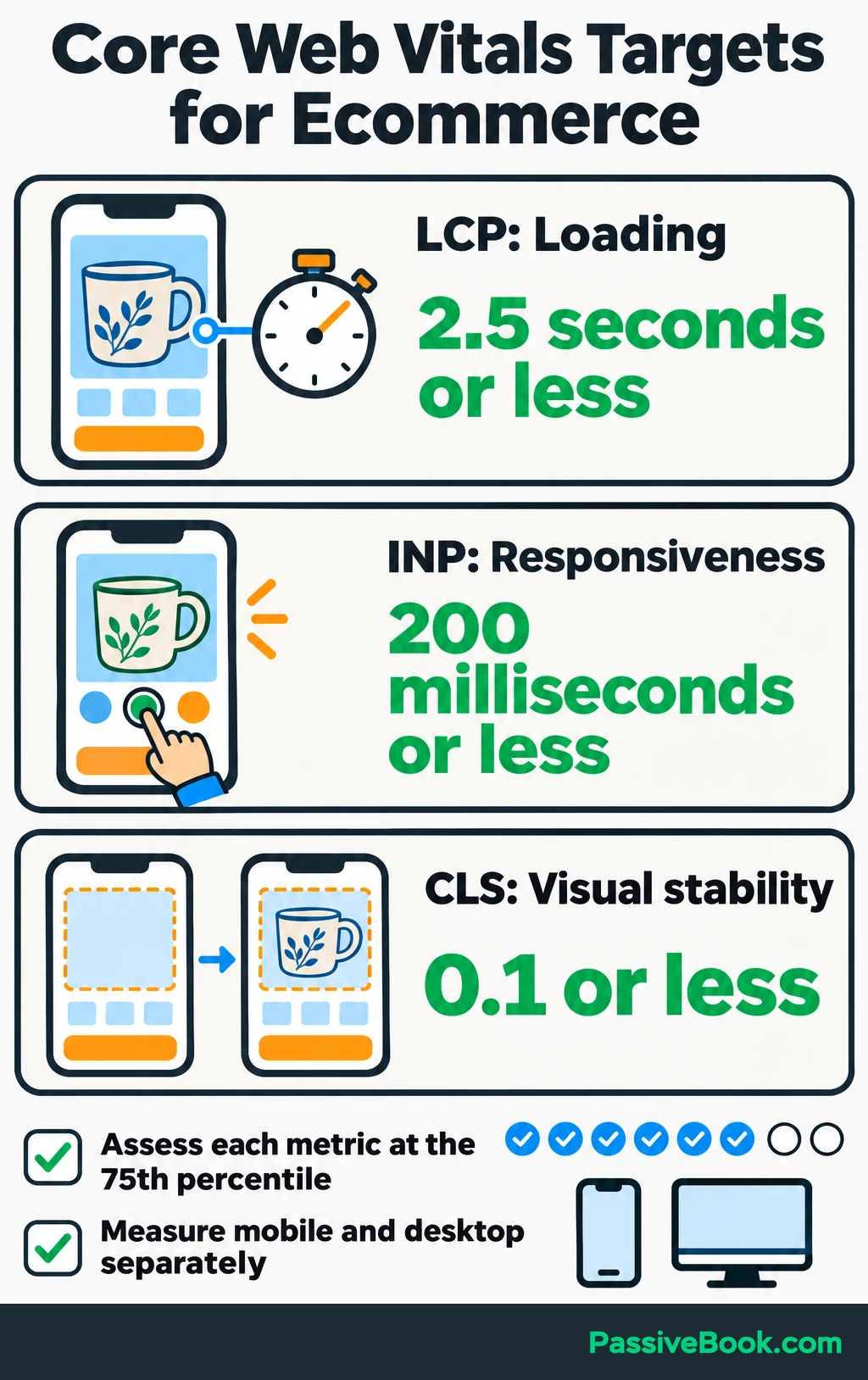
| Largest Contentful Paint, or LCP | When the largest visible image or text block appears | 2.5 seconds or less |
| Interaction to Next Paint, or INP | How quickly the page responds visually to interactions | 200 milliseconds or less |
| Cumulative Layout Shift, or CLS | Unexpected movement of page content | 0.1 or less |
Assess all three at the 75th percentile, separately for mobile and desktop. In plain words, at least 75% of measured visits should meet each target. Google’s Core Web Vitals definitions
Use field data from real visitors to locate affected pages, then browser diagnostics to find the cause. Search Console groups similar URLs and reports measurements across a 28-day window, so it will not show the full effect of a fix immediately. Use lab tests and your own real-user measurements for earlier feedback. Search Console’s Core Web Vitals report
Prioritize the work by what is slow:
- Loading: Find the actual LCP element. If it is the mug’s main photograph, expose it in the initial HTML, serve a suitably sized compressed image and avoid lazy-loading it. Lazy-load suitable images farther down the page.
- Interaction: Profile filtering, glaze selection and adding to the cart. Remove unnecessary JavaScript, reduce hydration work and split long tasks so controls can respond.
- Layout stability: Reserve dimensions for galleries, banners and review widgets before their content arrives.
- HTML delivery: Trace slow responses through commerce and CMS requests. Cache reusable public data and keep optional recommendations from delaying the product itself.
An image that starts downloading late can delay LCP even when its file is small. Google’s LCP optimization guidance
Set a performance budget for each shared template based on its tested baseline. Review new scripts, widgets and gallery changes against it.
Then complete a purchase. A lighter page still needs working navigation, product selection and checkout.
Preserve Existing SEO Signals During a Headless Migration
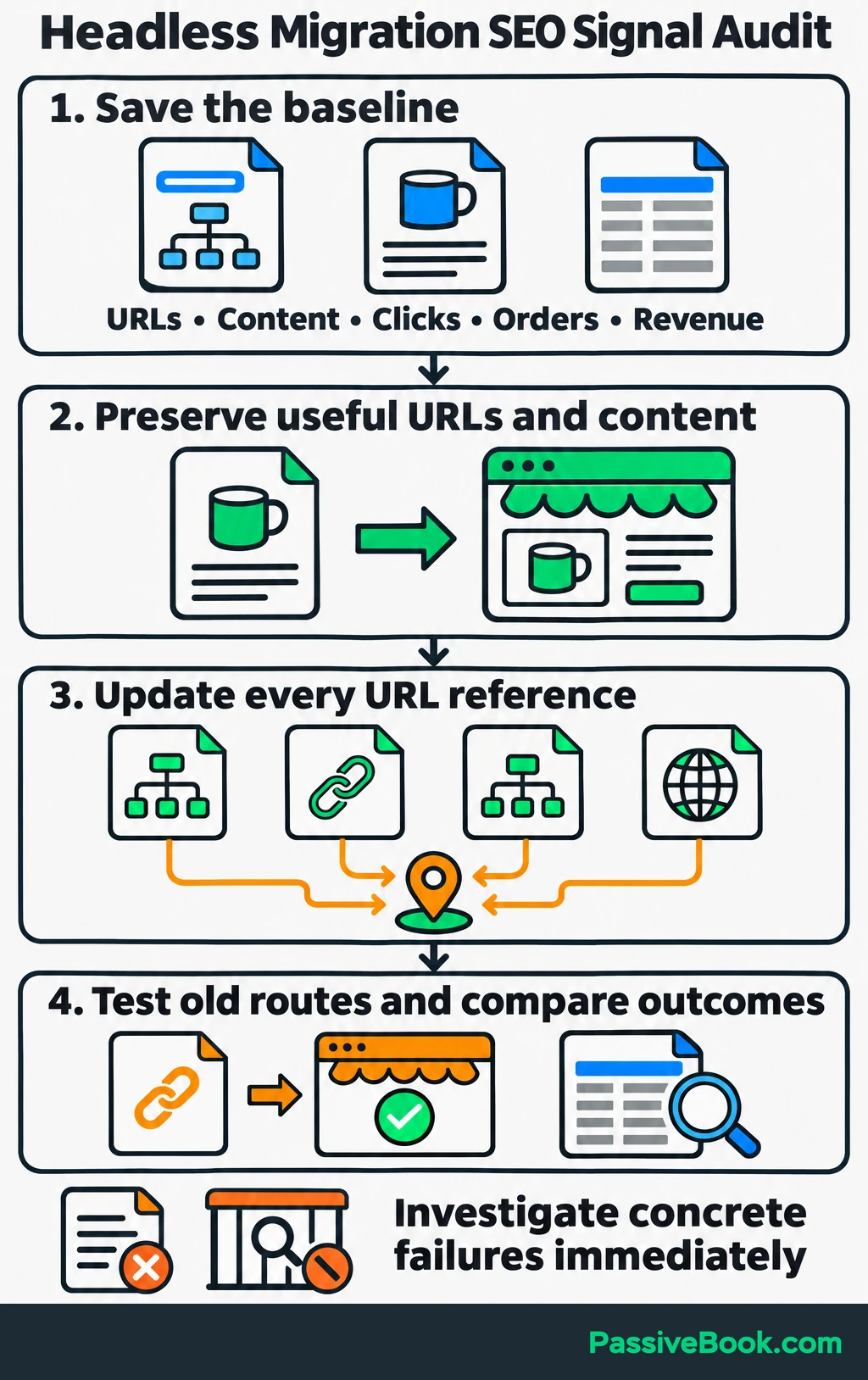
Before replacing a storefront, save an inventory of existing URLs, their useful content and their organic performance.
Start with five important public URLs and save their current SEO details. This gives you a manageable baseline, though you will still need separate checks for rendered content and organic performance.

Free Website Change Workbook




Record search clicks alongside organic landing-page orders and revenue. This gives you something concrete to compare after launch. Preserve useful URLs and content wherever practical; changing the frontend does not require renaming every product.
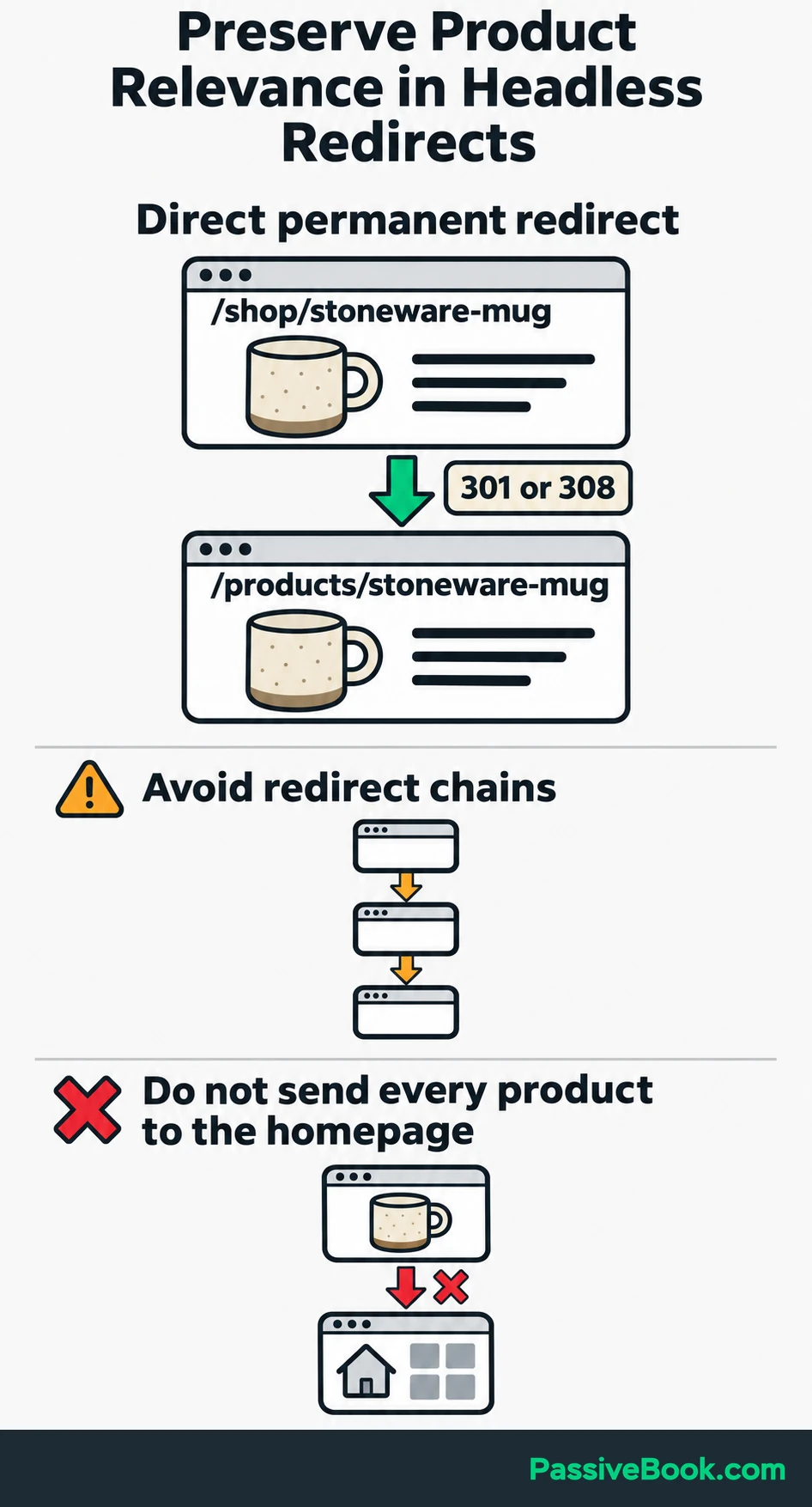
For URLs that must change, create a direct server-side permanent redirect to the equivalent destination. For example:
/shop/stoneware-mug → /products/stoneware-mug
Use 301 or 308 redirects, avoid chains and keep migration redirects for at least a year. Google recommends that period to allow signals to transfer as old URLs are revisited. Google’s site-move guidance
Do not send every removed product to the homepage. A redirect should take the visitor to a genuinely relevant replacement.
Update internal links, canonicals, sitemaps and locale references to the final destinations. Test the old URLs too, including important links from other websites.
Temporary search fluctuations can happen while Google processes a move. Still, investigate specific failures immediately: broken redirects, missing content or accidental indexing blocks do not become harmless because a migration is underway.
I would keep unrelated content rewrites out of this release. Fewer simultaneous changes make problems easier to diagnose.
Test SEO Behavior Before Releasing Changes
Compare Delivered HTML With Rendered Pages
Protect staging with access controls. Before launch, confirm that production will allow intended crawlers to access public pages and required resources. Check authentication, robots directives and CDN security rules.
Test representative products, categories, pagination, variants and any locale versions.
For each one:
- Open the URL directly and inspect the document response in the browser’s Network panel.
- Check its status code, essential content, links, metadata, canonical, indexing directives and JSON-LD.
- Let JavaScript run and inspect the resulting page.
- Navigate to another product inside the application and repeat the checks.
- Reload that destination directly to confirm it also works independently.
Next, crawl from the main navigation and compare discovered URLs with both the sitemap and published catalog. Investigate valuable products that appear in the catalog but have no linked route through the store.
For public pages in your verified Search Console property, use URL Inspection to review rendered output and resource failures. The live test checks current accessibility; it does not guarantee indexing. Google’s selected canonical appears in the indexed information. URL Inspection documentation
Repeat those public checks after new URLs launch.
Exercise Product Changes and Failure States
A release test should include what happens when data changes or a service fails.
Useful live pages should return 200. Permanently removed products without relevant replacements should return 404 or 410. When an outage prevents useful delivery, return an appropriate server error instead of a successful response containing an empty product shell.
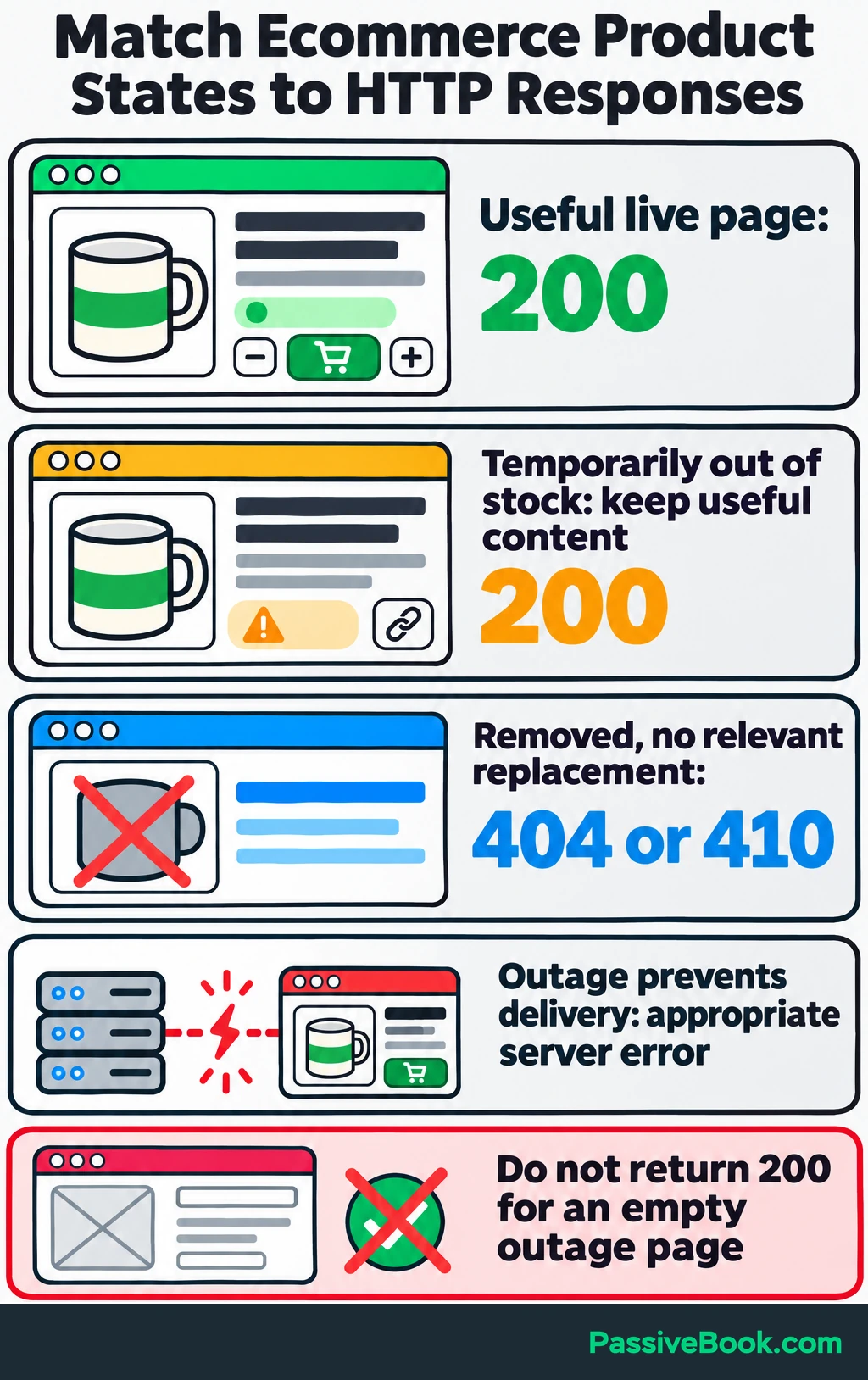
Keep temporarily out-of-stock products useful. Show accurate availability, retain the product details and explain available options. A temporary stock gap does not require deleting the page.
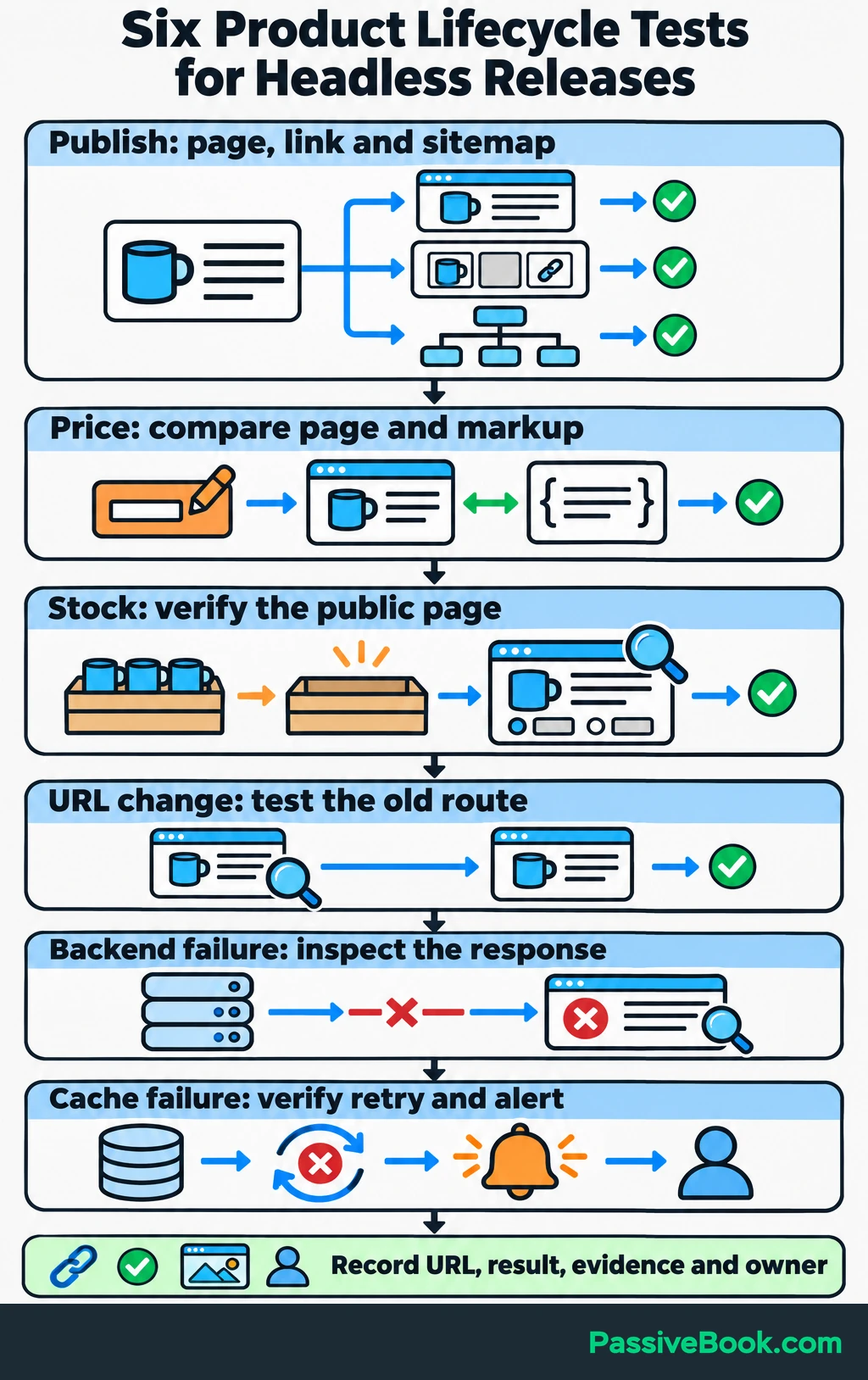
For the mug store, I would test this sequence:
- Publish a product and confirm its page, category link and sitemap entry.
- Change its price and compare visible content with structured data.
- Mark it out of stock and check the public page.
- Change its URL and test the old route.
- Interrupt a backend request and inspect the response.
- Fail a cache refresh and confirm the retry and alert.
Turn the critical checks into automated release checks where practical. Include catalog changes as triggers because a storefront can break without a code deployment.
For each check, record the tested URL, observed result, supporting response or screenshot, and owner. Block release for empty product responses, unintended indexing blocks, unreachable products, incorrect cart variants or offers that remain stale beyond your freshness window.
Assign rollback responsibility before launch. For a small operation, that may be you, but write down which failures trigger recovery and how to restore the previous working release.
Monitor Indexing and Organic Sales
Monitor whether intended product and category pages remain discoverable and useful after launch.
In Search Console, review indexing, sitemap processing, product enhancement reports and search performance. Separate expected exclusions, such as duplicate selection URLs, from valuable pages that unexpectedly disappear.
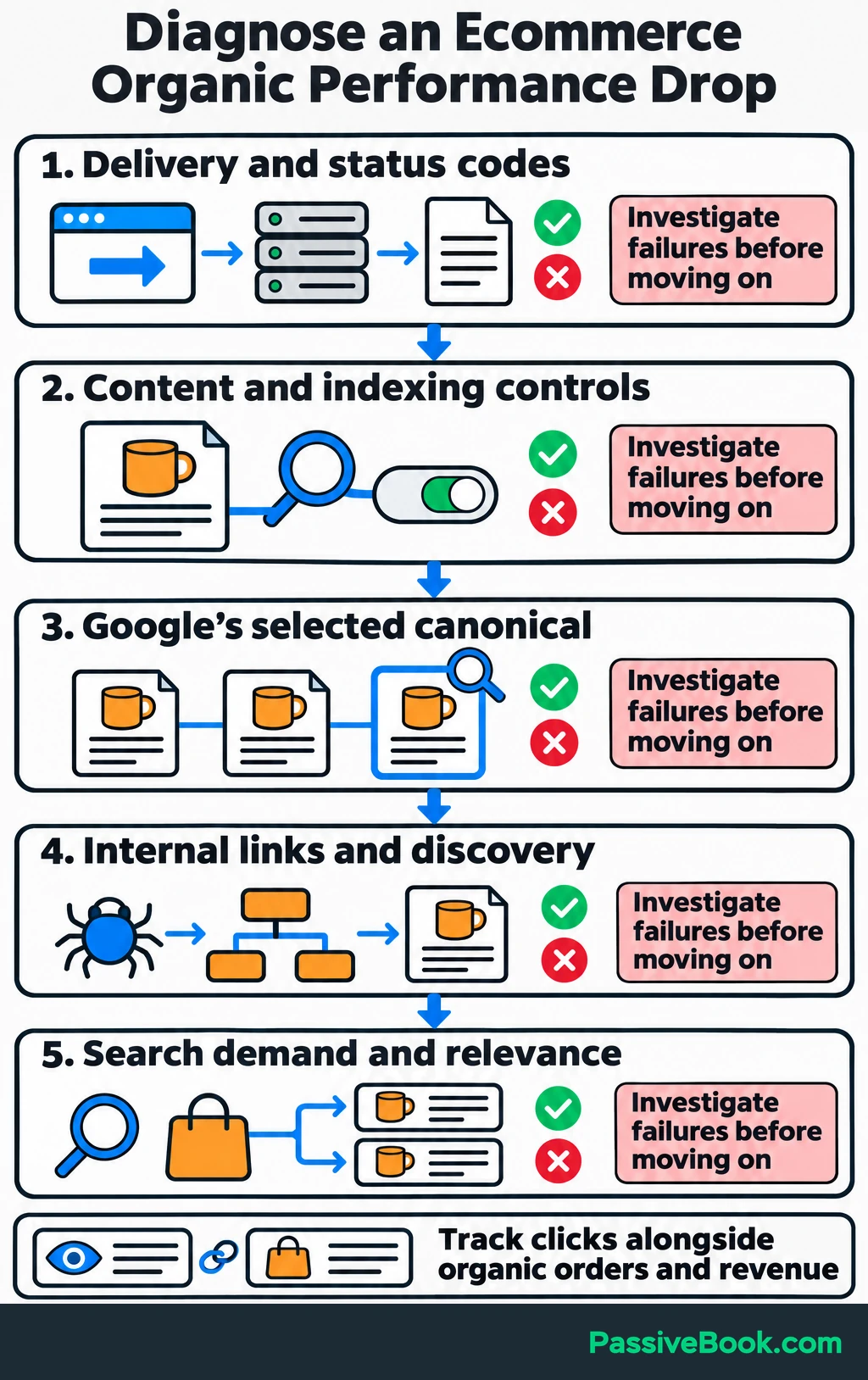
Then connect visibility to business results. Track organic landing-page conversions, orders and revenue alongside impressions and clicks.
Verify analytics through the complete journey:
- A direct arrival from search.
- A route change inside the application.
- Product and variant selection.
- Checkout and purchase confirmation.
Check for duplicate page views and purchase events. A purchase event should represent one order, even if the confirmation page is refreshed.
When performance drops, investigate in this order:
- Page delivery and status codes.
- Rendered content and indexing controls.
- Google’s canonical selection.
- Internal links and product discovery.
- Search demand and page relevance.
This order checks whether people and crawlers can reach the product before you rewrite its description.
Compare equivalent periods by page type and mark deployment dates in your reporting. Consider seasonality, stock availability and other marketing changes before blaming the architecture.
I would automate alerts for rising server errors, accidental indexing blocks, stale offers and broken sitemaps. Give each alert an owner and a clear next action. Repeat the release checks whenever templates, integrations or content models change.
What Next?
Choose one important product URL and compare its initial HTML with the fully rendered page. Record anything missing, stale or inconsistent, then assign the first fix.
Use the social buttons to share this guide when your next storefront review needs a common set of checks.
Which part of your store would be hardest to verify: rendering, catalog freshness or URL control? Share your answer in the comments, and bring any other questions there too.
Share this post with your friends & followers:

