Your store has useful products, clear photos, and a working checkout. But shoppers searching for what you sell keep finding other stores.
That leaves you with an uncomfortable choice: keep paying for visits or work out why your product and category pages barely appear. And when every SEO checklist contains fifty tasks, choosing where to start becomes another job.
You need to know which problems stop shoppers from finding your catalog and which improvements deserve your limited time. This guide puts those decisions in order, from fixing hidden pages to measuring whether search visits lead to purchases.
Prioritize SEO Work on Your Current Platform
I would start with the platform you already have. Moving an entire store because someone called another platform “better for SEO” is an expensive way to avoid inspecting your pages.
Good SEO for ecommerce platforms starts with finding the obstacle that affects the most valuable pages.
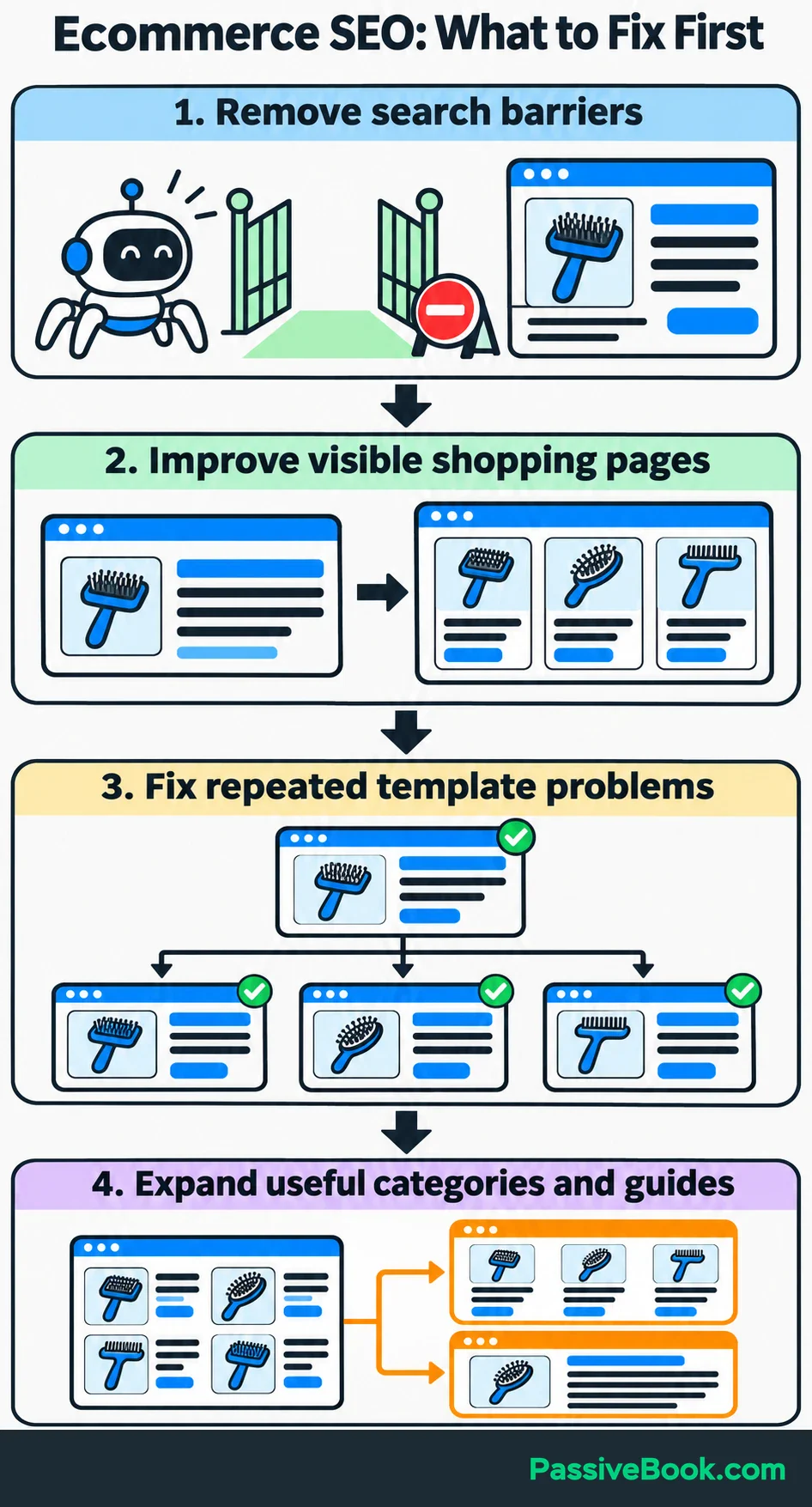
Work in this order:
- Fix barriers that prevent important categories and products from appearing in search.
- Improve pages already appearing for relevant searches.
- Fix shared templates when the same problem affects many pages.
- Expand into useful categories and guides once the existing shopping pages work properly.
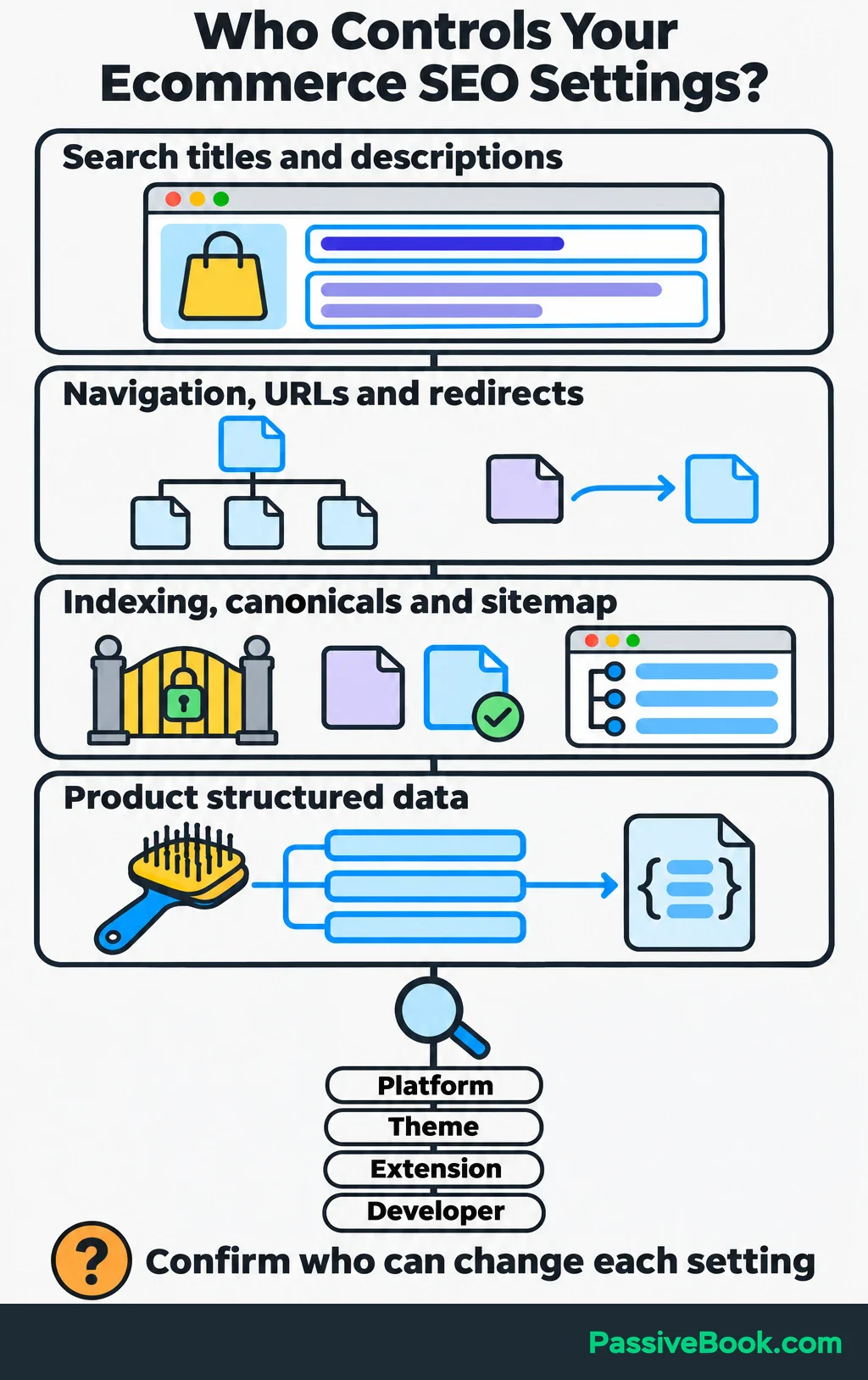
Before editing, check where your store controls search titles, descriptions, navigation, URLs, redirects, indexing instructions, canonical tags, sitemaps, and product structured data. The platform may handle some settings, while your theme, an extension, or a developer controls others.
A canonical tag tells search engines which URL you prefer when several URLs contain duplicate or very similar content. Structured data supplies product information in a format search engines can read. Both matter later, but first establish who can change them.
Use existing features before buying another extension. I would consider migration only when the current setup prevents a necessary improvement and there is no sustainable way to make it.
Keep the work in a simple sheet:
| Affected Pages | Problem | Proposed Fix | Priority | Validation |
|---|---|---|---|---|
| All product pages | Template adds noindex, excluding products from search | Remove it from products intended for search | First | Test live pages, then monitor indexing |
| Main brush category | Products have almost identical card descriptions | Show useful differences in the card template | Next | Check cards on desktop and mobile |
| Brush-selection guide | No links to relevant products | Add links beside the selection advice | Next | Follow each link and check its destination |
Save your current search performance before making changes, and record when each fix goes live.
Google says changes can take a few hours to several months to affect search results and generally recommends allowing a few weeks before assessing their impact. Check technical fixes promptly, but judge search trends over a longer period. Google’s SEO Starter Guide
For the examples throughout this guide, imagine your store sells dog grooming brushes. The products, search phrases, URLs, and figures are illustrations.
Make Valuable Pages Crawlable and Indexable
Crawling is when a search engine visits a page to read its content. Indexing means it adds the page’s content to its searchable collection. A page can be crawled without being indexed.
Start with a small, useful sample: your main category, a priority product, a product with variants, and a recently published page.
Inspect each URL in Google Search Console, Google’s tool for checking search performance and indexing. Review the indexed version and run a live test when investigating current access problems.
Check whether:
- The URL returns a successful response rather than a server error.
- Google can access it without a password.
- The rendered page—the version Google sees after running its scripts—contains the product name, description, price, and links.
- An accidental
noindexinstruction excludes it from search. - Google’s selected canonical matches the page you intended.
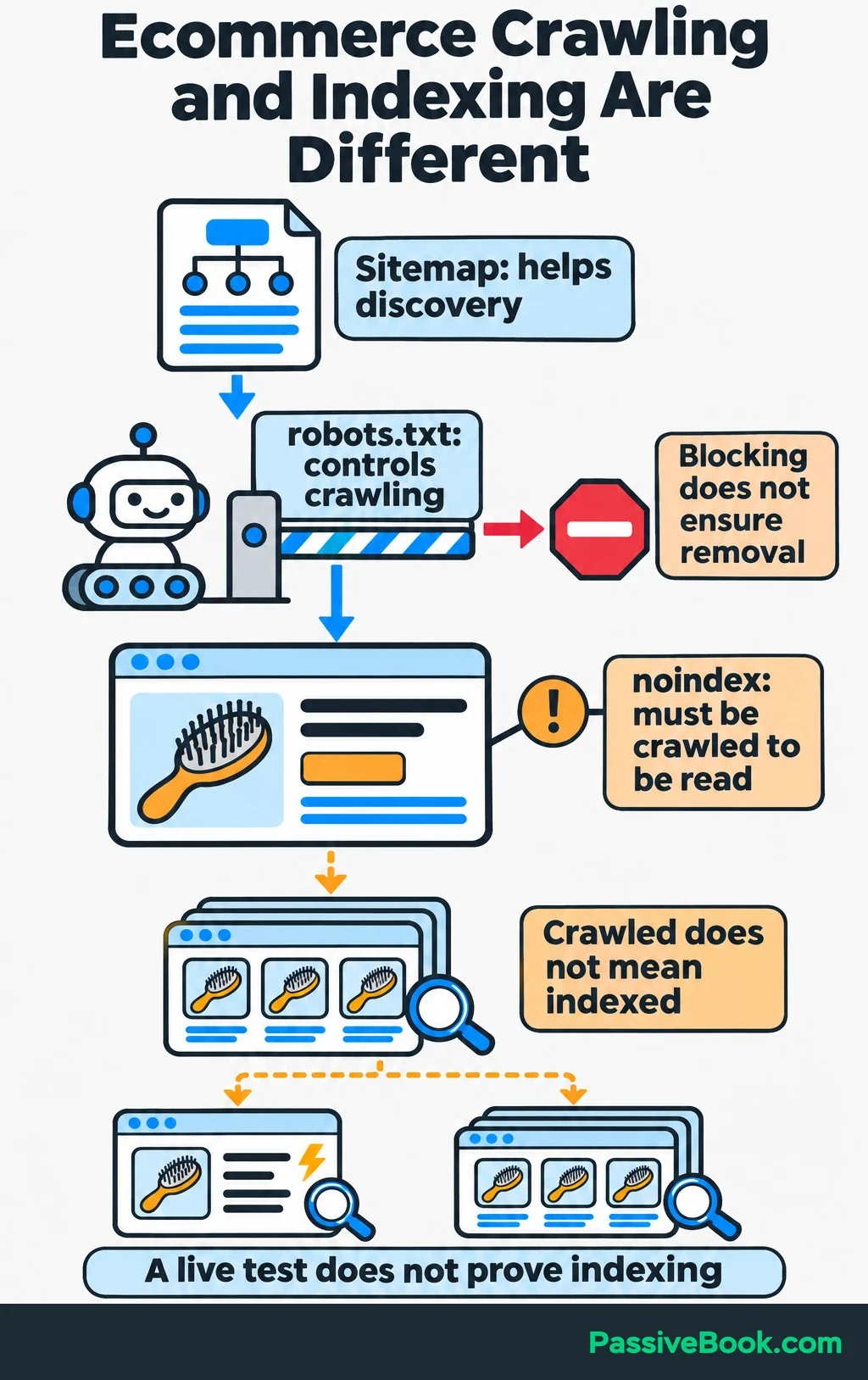
The live test checks the current page, but it does not prove that Google has indexed that version.
Repair broken navigation links and remove accidental blocks from pages intended for search. If product details fail to appear in the rendered page, investigate the theme or scripts that load them.
Keep crawling and indexing controls separate. robots.txt controls crawler access. A noindex instruction excludes an accessible page from search, but Google must crawl the page to read it. Blocking a URL in robots.txt alone does not reliably remove it from results. Google’s indexing controls
A sitemap is a file listing URLs you want search engines to discover. Submit it in Search Console and keep it current as products change. Include the preferred, indexable URLs you want discovered. A sitemap helps discovery, but it does not guarantee indexing.
For the brush store, inspect the main grooming-brush category before spending an afternoon rewriting every product description. If that category is accidentally excluded, copy edits leave the main problem untouched.
Map Shopper Searches to the Right Pages
Start with the language customers use, then decide which page should answer each search.
Gather phrases from:
- Product names and specifications.
- Questions customers ask before buying.
- Searches made inside your store.
- Relevant queries already appearing in Search Console.
A keyword research tool can expand the list, but estimated search volume should not make the decision for you. A phrase needs to match something you can actually sell or explain.
Search promising phrases yourself and inspect the results. Are stores showing categories, individual products, or buying guides? What information do those pages provide?
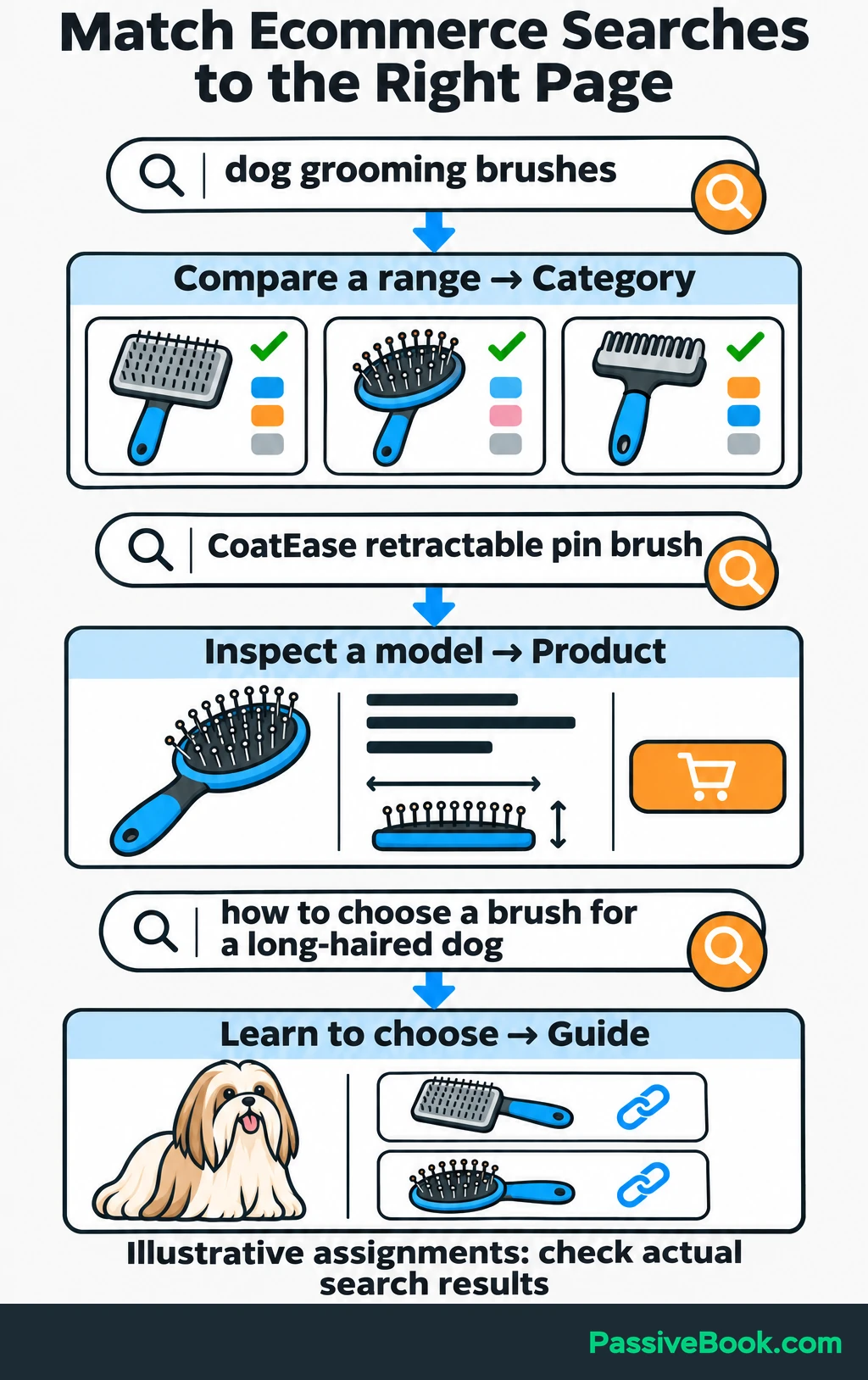
Use that evidence to build a keyword map:
| Query Group | Shopper Intent | Destination URL | Page Type | Planned Improvement |
|---|---|---|---|---|
| “dog grooming brushes” | Compare a range | /dog-grooming-brushes/ | Category | Explain differences and improve product cards |
| “CoatEase retractable pin brush” | Inspect a named model | /products/coatease-pin-brush/ | Product | Add dimensions, materials, and cleaning details |
| “how to choose a brush for a long-haired dog” | Understand what to choose | /guides/choose-long-haired-dog-brush/ | Guide | Explain selection criteria and link to suitable products |
These are starting assignments to validate against actual search results, not proven keyword opportunities.
Group closely related phrases around one useful destination. You usually do not need separate pages for every small wording change.
I launched my jewellery store without doing market research and ended up with unsold inventory, losing most of my investment. That failure is why I want evidence of demand before expanding a catalog. A keyword map cannot validate an entire business, but it forces you to connect what you stock with what people are trying to find.
Build Navigation That Connects Categories and Products
Organize navigation around meaningful shopping choices. Create a separate category when it offers a distinct selection and purpose, rather than because you found another keyword.
A straightforward route might be:
Homepage → Dog Grooming Brushes → Pin Brushes → Individual Brush
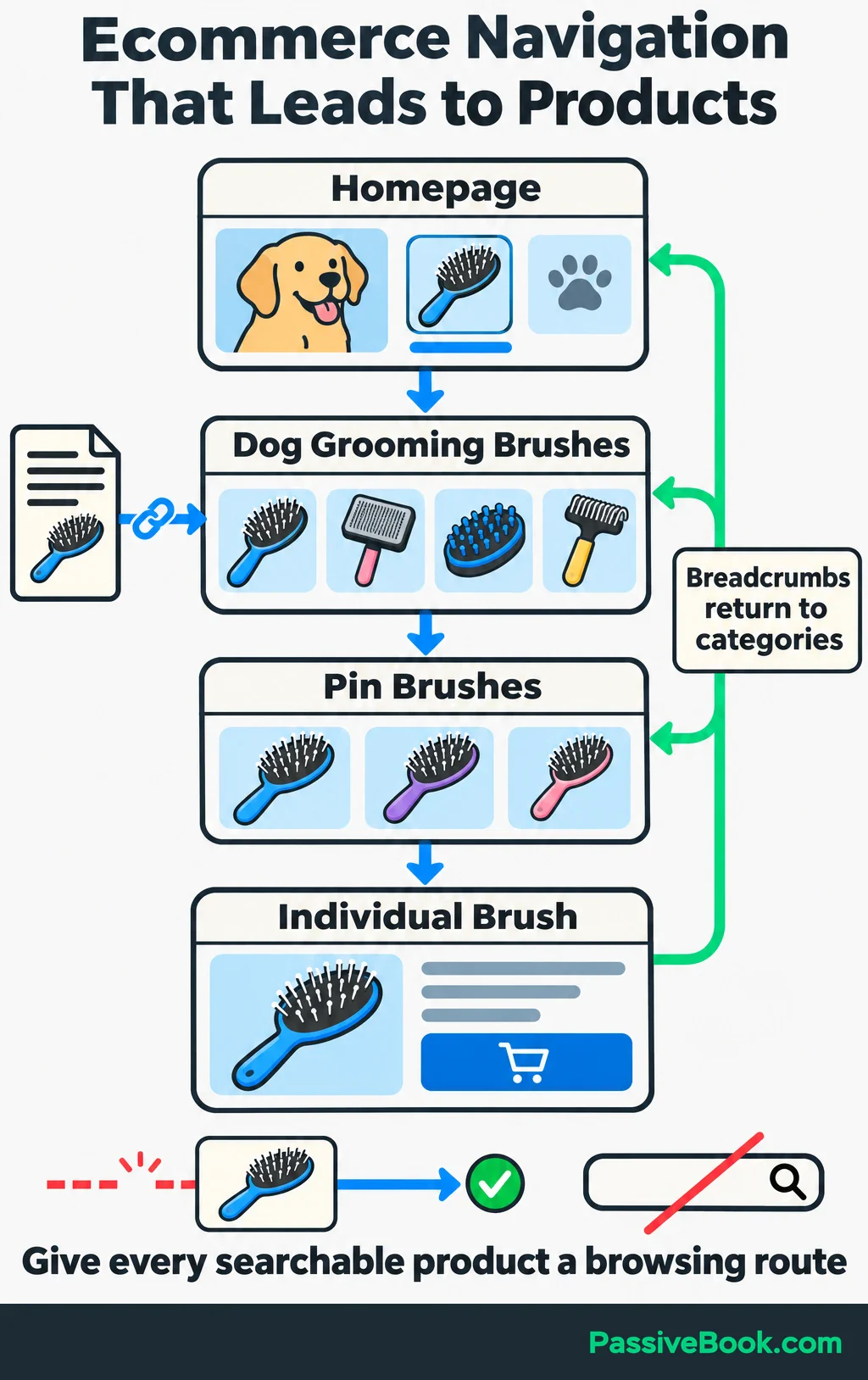
Every product intended for search should be reachable through ordinary links without using the search box. Google uses links between pages to discover products and understand their relative importance. It generally does not search your store’s search box for you. Google’s ecommerce navigation guidance
Add breadcrumbs so visitors can move back from a product to its category. Use link text that explains the destination, such as “Compare pin brushes.”
Give your important category a relevant link from the homepage and from supporting guides. Also look for isolated products that exist in the catalog but have no browsing route leading to them.
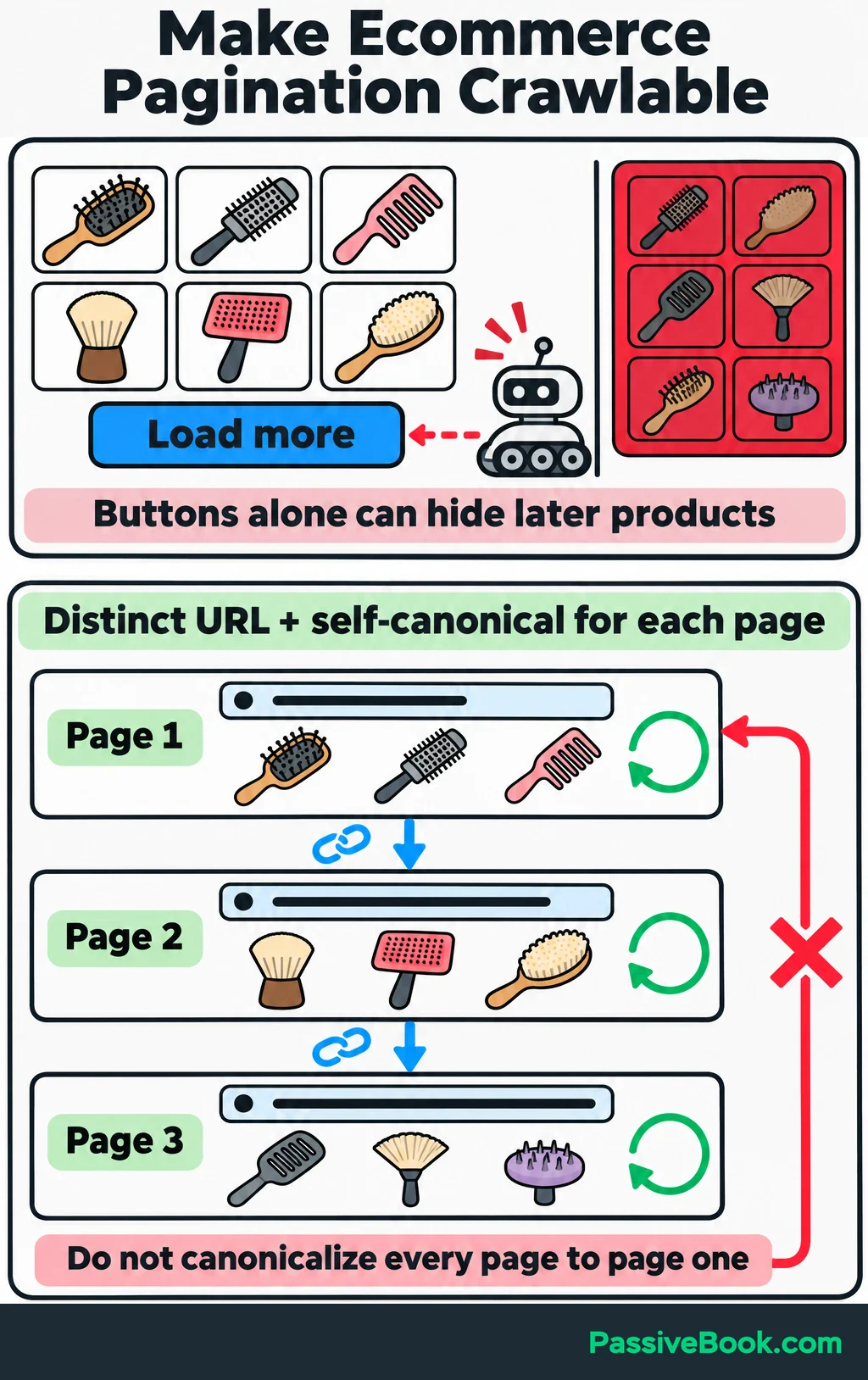
Product lists need special attention. A “load more” button can work for shoppers while hiding later products from crawlers.
Make each page of the product list reachable through ordinary links. Give each page a distinct URL and a canonical tag pointing to that URL. Do not point every page in the sequence back to page one. Google generally does not click buttons to reveal additional products. Google’s pagination guidance
Keep URLs stable and readable. I would preserve a working product URL unless changing it solves a clear problem. Tidying a URL is rarely worth creating a redirect project by itself.
Optimize Category and Product Pages for Buying Intent
Give each page a clear purpose before adjusting its wording. A category helps shoppers compare options. A product page helps them decide whether one item meets their needs.
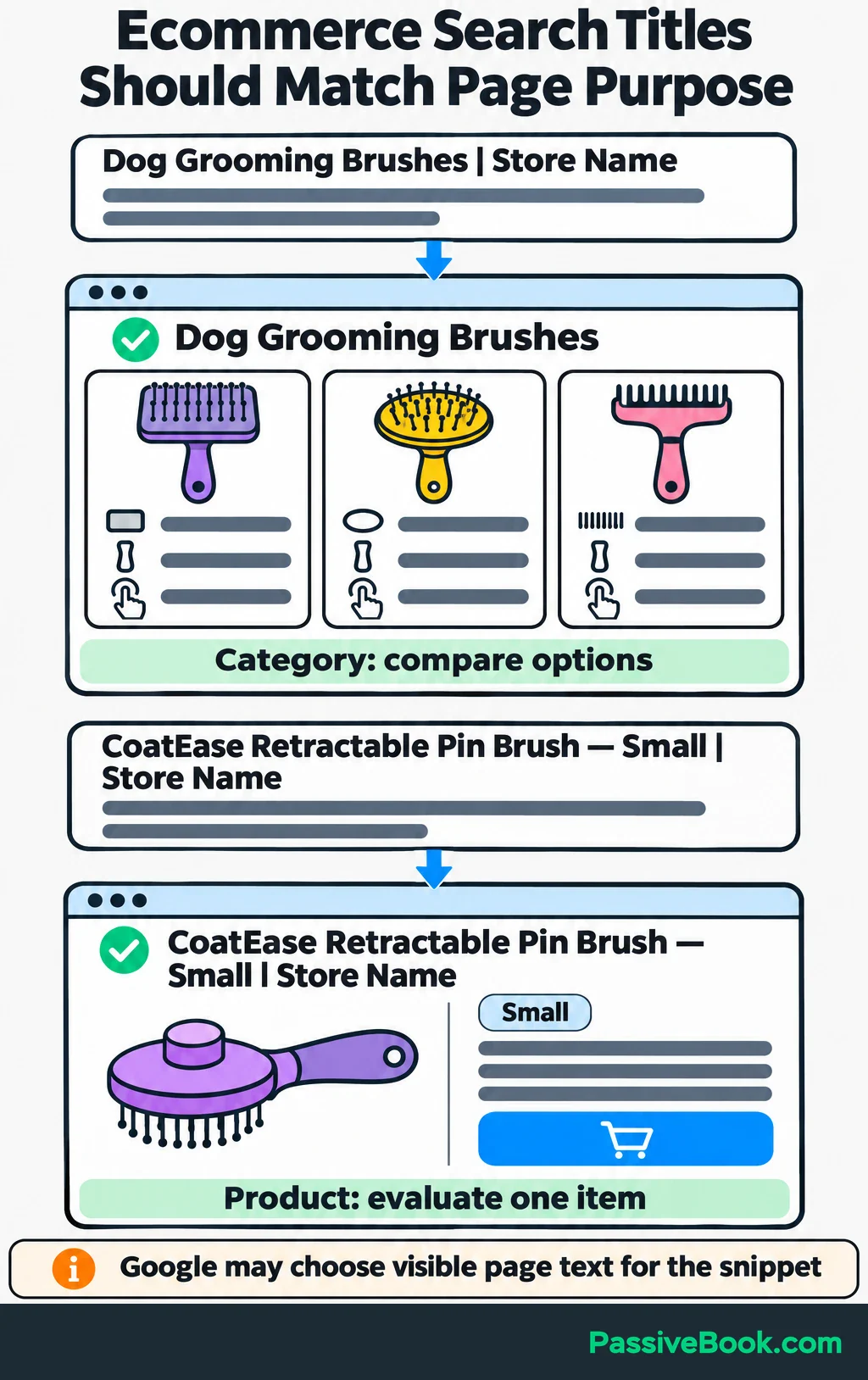
Write distinct search titles that describe those purposes and agree with the main headings. For example:
Dog Grooming Brushes | Store Name
A product title should name the actual model and useful distinguishing detail:
CoatEase Retractable Pin Brush — Small | Store Name
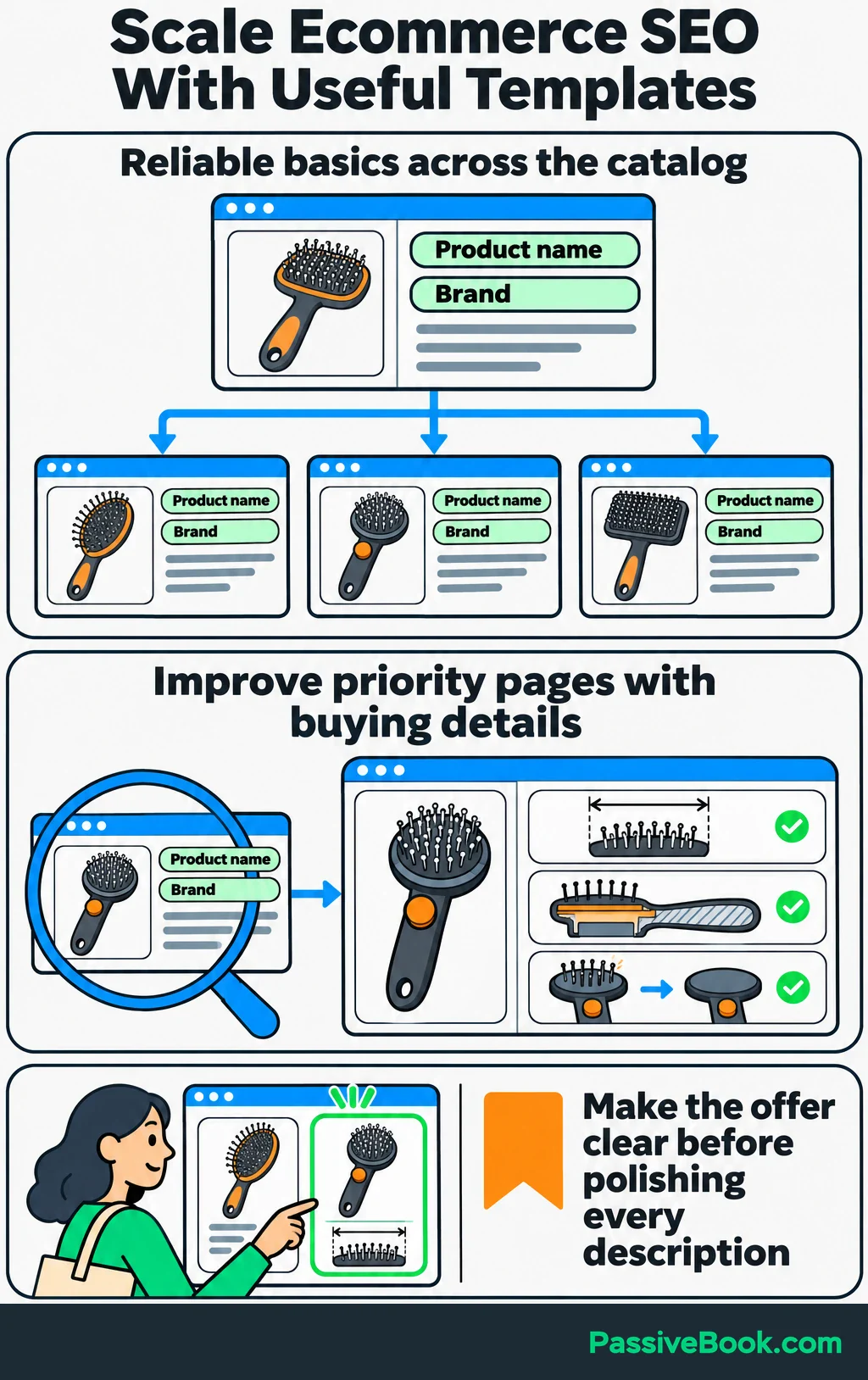
Write a page-specific meta description that summarizes the selection or product. Google may choose visible page text instead, so the page itself needs to explain the offer clearly.
Use templates for reliable basics, such as product names and brand names, then improve priority pages with information shoppers need. I would do that before manually polishing descriptions across the entire catalog.
Help Shoppers Choose on Category Pages
Start with a clear heading, a short introduction, and an accessible product grid. Keep the products easy to reach, and put longer selection advice where it helps the comparison.
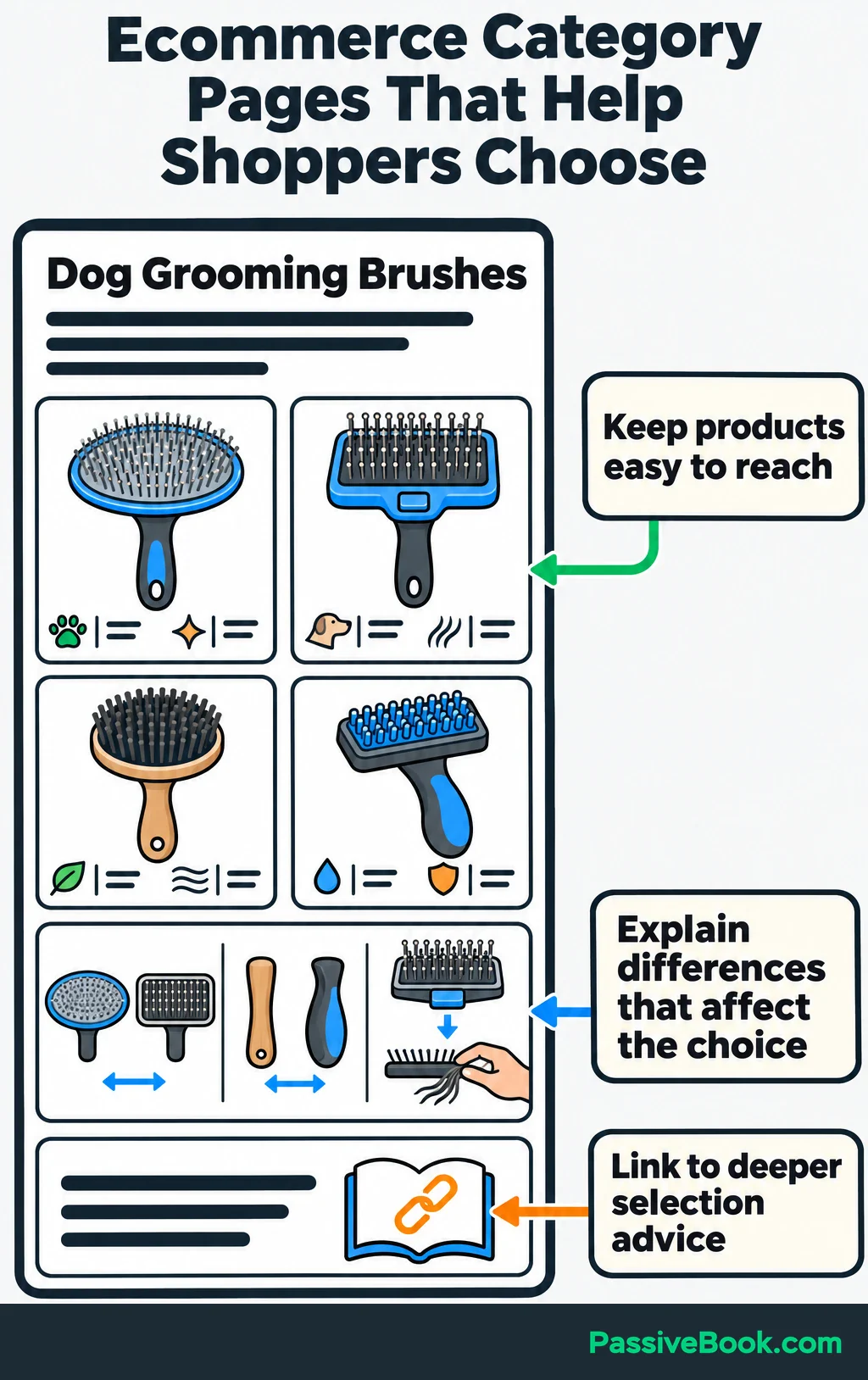
For the grooming-brush category, useful differences might include:
- Brush type.
- Brush-head dimensions.
- Handle shape and material.
- Cleaning method.
- Intended coat types, where supported by the specifications.
Show the most useful differences in product cards. “Retractable pins; small brush head” gives shoppers more to work with than the same “premium grooming tool” description repeated twelve times.
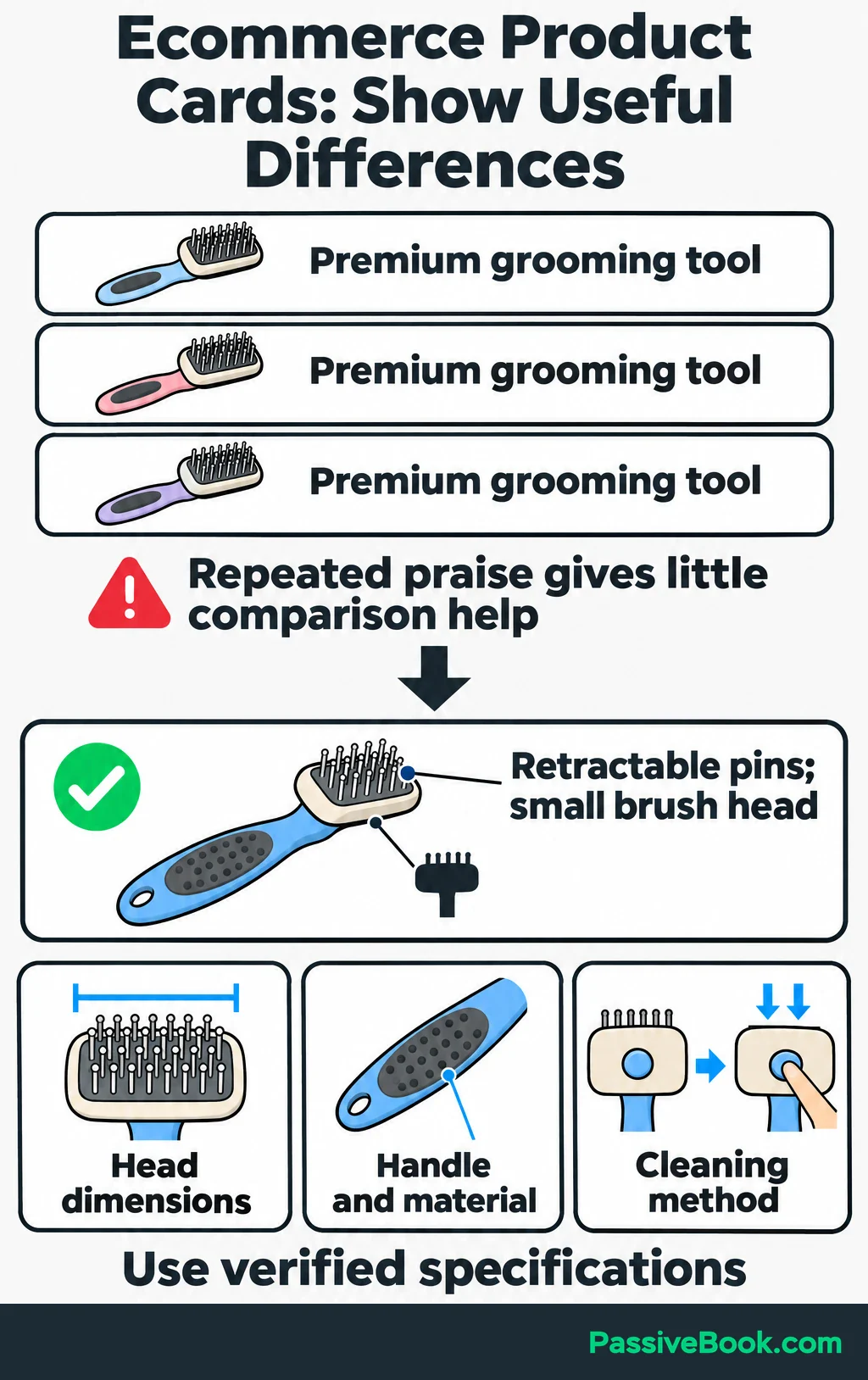
A short category excerpt could say:
Compare brush types, head sizes, and cleaning methods. Check each product’s coat guidance before choosing.
Link to the brush-selection guide for the longer explanation. The category should help people choose among the products available, so it does not need to become a grooming textbook.
Answer Purchase Questions on Product Pages
Write the information someone would need before placing the order.
For each brush, explain its intended use, materials, dimensions, distinguishing features, and care instructions. Use verified specifications, including any guidance about suitable coat types.
Then make the buying details easy to find:
- Current price and availability.
- Size or color choices.
- Delivery information.
- Return conditions.
- Genuine customer reviews.
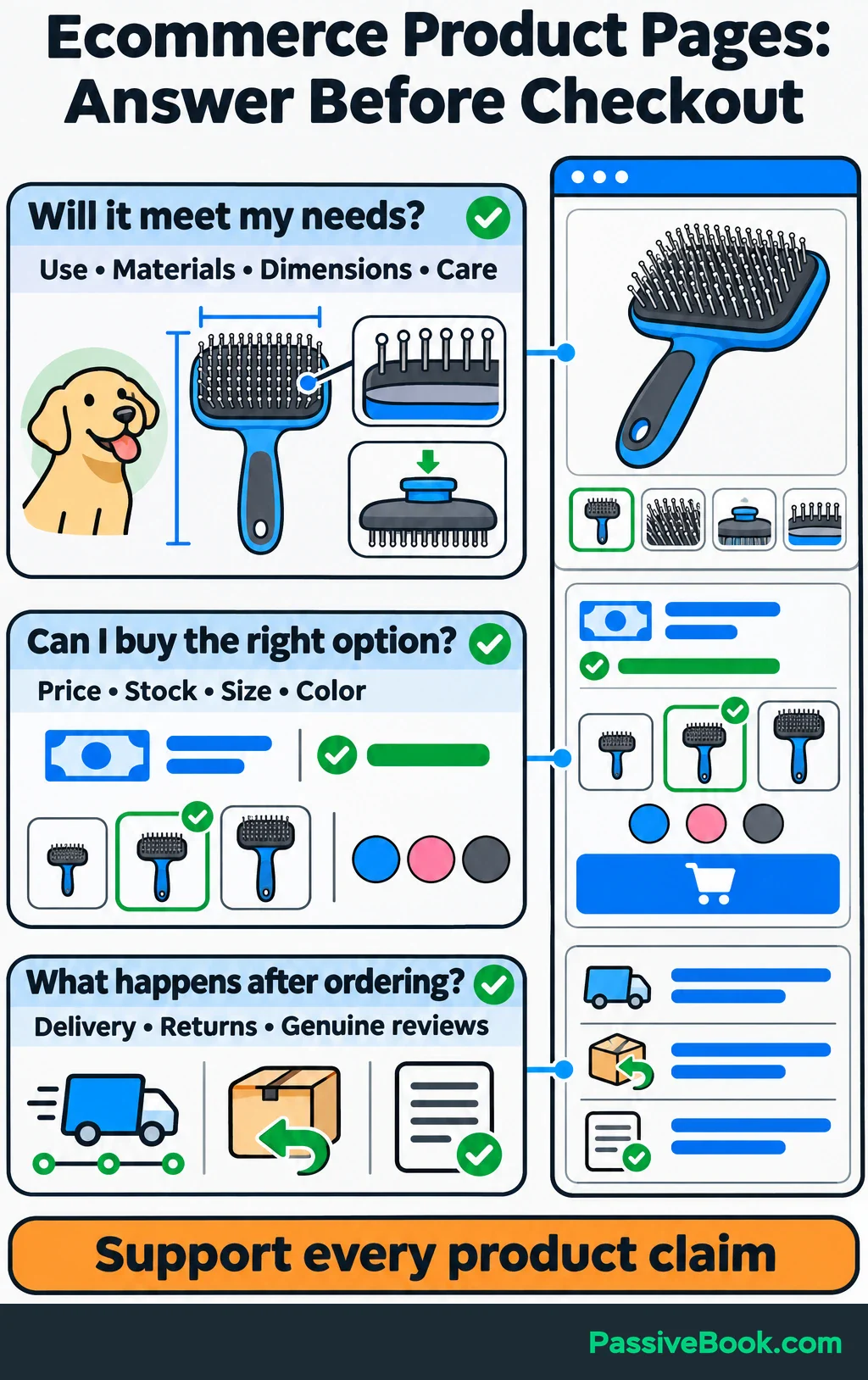
I would put missing dimensions ahead of another paragraph about quality. “Comfortable size” asks the shopper to guess. A measurement lets them decide.
Add photographs of the whole brush and useful details, such as the pins, handle, and cleaning mechanism. Include a scale reference when it helps explain the size.
Use descriptive filenames for informative images. Add alt text—a written description that screen readers can read aloud. For example:
Dog grooming brush showing retractable pins and cleaning button.
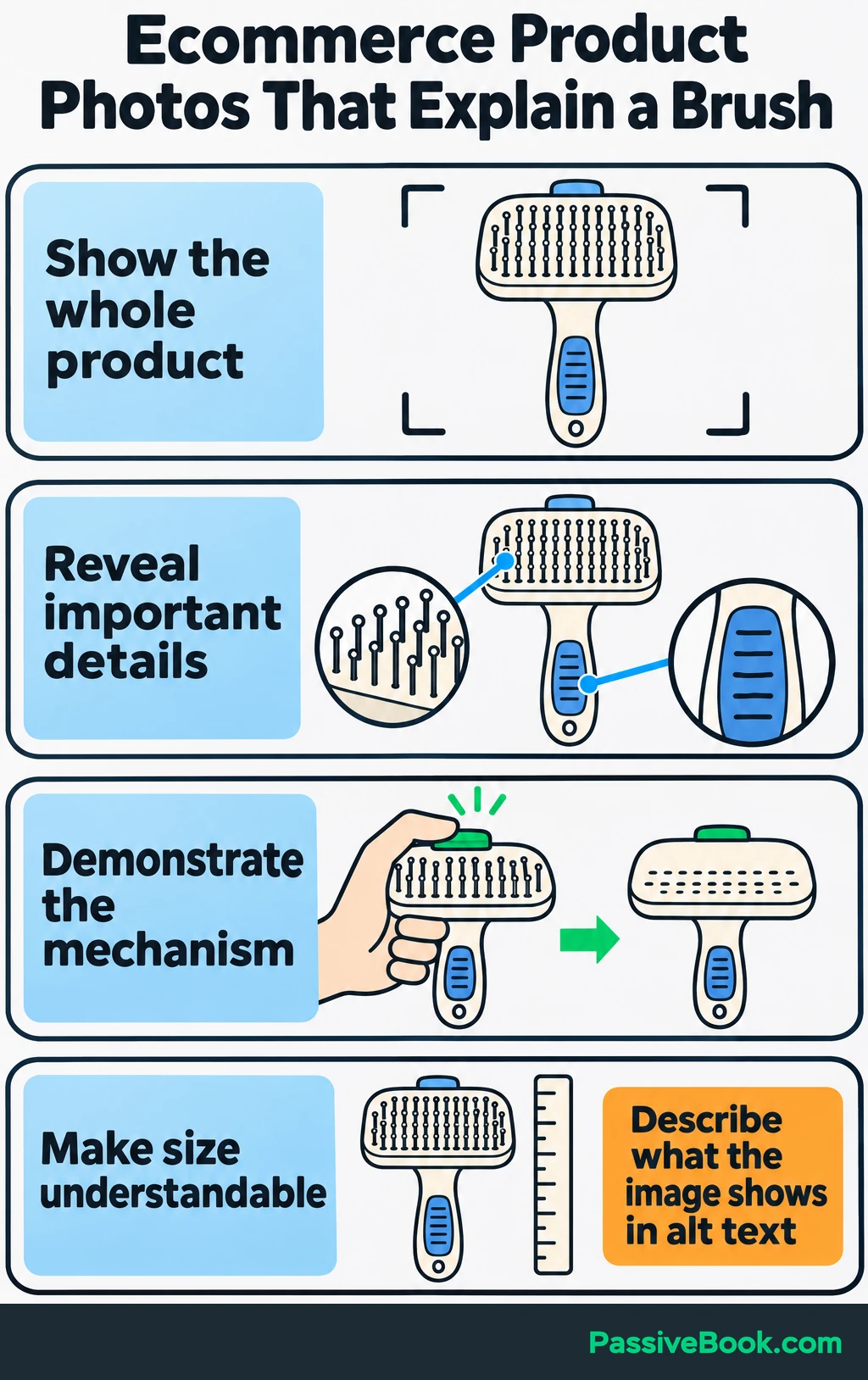
Describe what the image shows. There is no need to squeeze the category name into every image description.
Add useful detail beyond supplier copy, but stay within what you can support. Product specifications, clear photographs, and genuine reviews do more useful work than unsupported promises about health or grooming results.
If you have the specifications but keep getting stuck on the wording, our AI Ecommerce Copy Studio can turn them into a first draft. It also flags missing information separately, so you can see what still needs checking.

Free AI Ecommerce Copy Studio




Keep Catalog URLs Under Control
Filters, variants, and stock changes can create more URLs than you expect. Decide what each URL is for before applying the same indexing rule across the catalog.
Limit Unnecessary Filter URLs
Create an indexable filtered category when it serves a distinct shopping need, offers enough useful inventory, and has evidence of relevant demand. Give it a stable URL, focused content, and internal links.
A dedicated pin-brush category may qualify. I would skip creating search landing pages for combinations such as small blue pin brushes sorted by price unless demand justifies them.
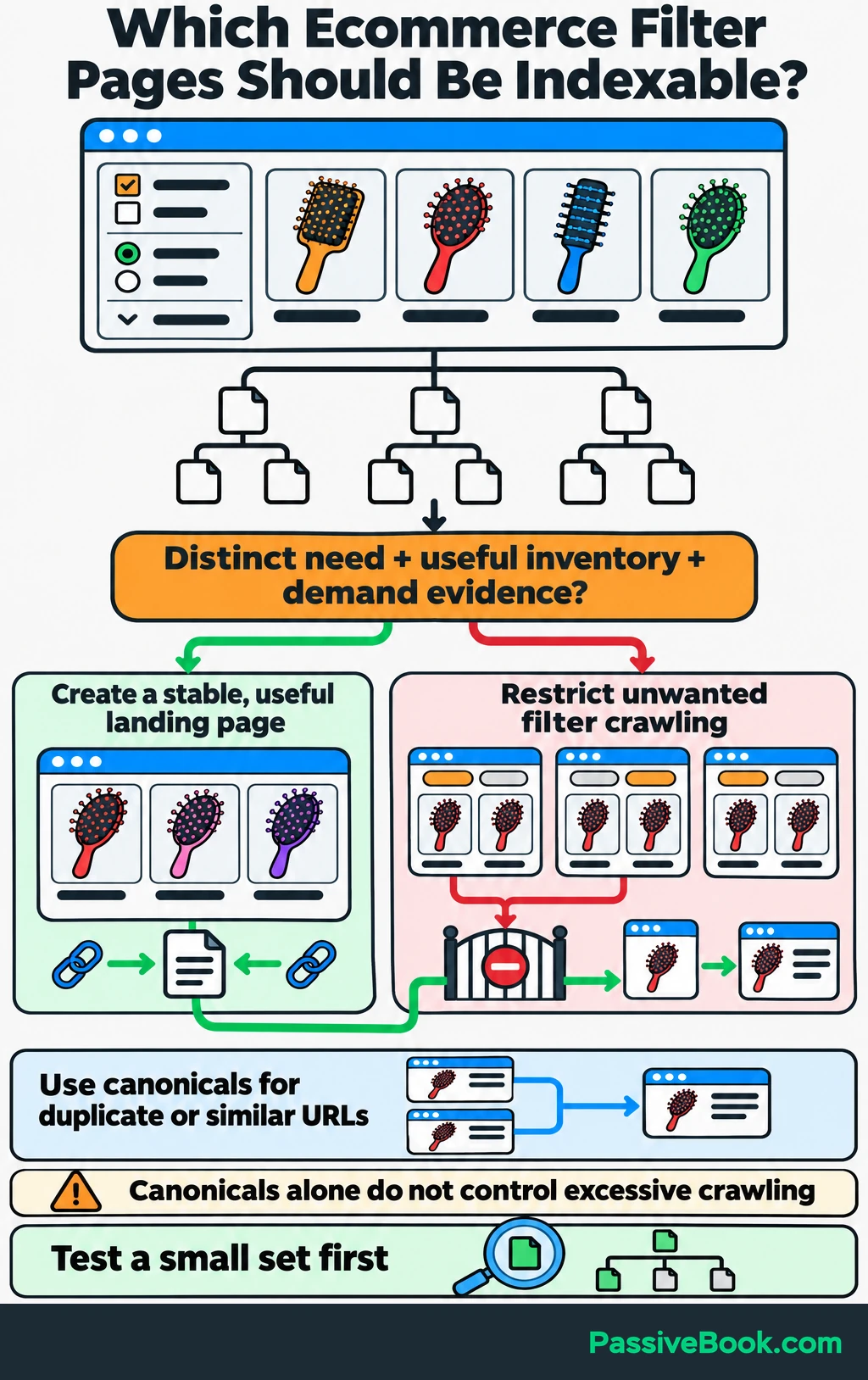
Restrict crawling of unwanted filter combinations while preserving access to useful categories and products. Canonical tags alone are less effective at controlling excessive filter crawling. Google’s faceted-navigation guidance
For duplicate or very similar URLs, signal a preferred version with a canonical tag and use that preferred URL in internal links and sitemaps.
Apply changes to a small set first. A broad filter rule that also blocks valuable category URLs creates a larger problem than it solves.
Match Variant URLs to the Product Experience
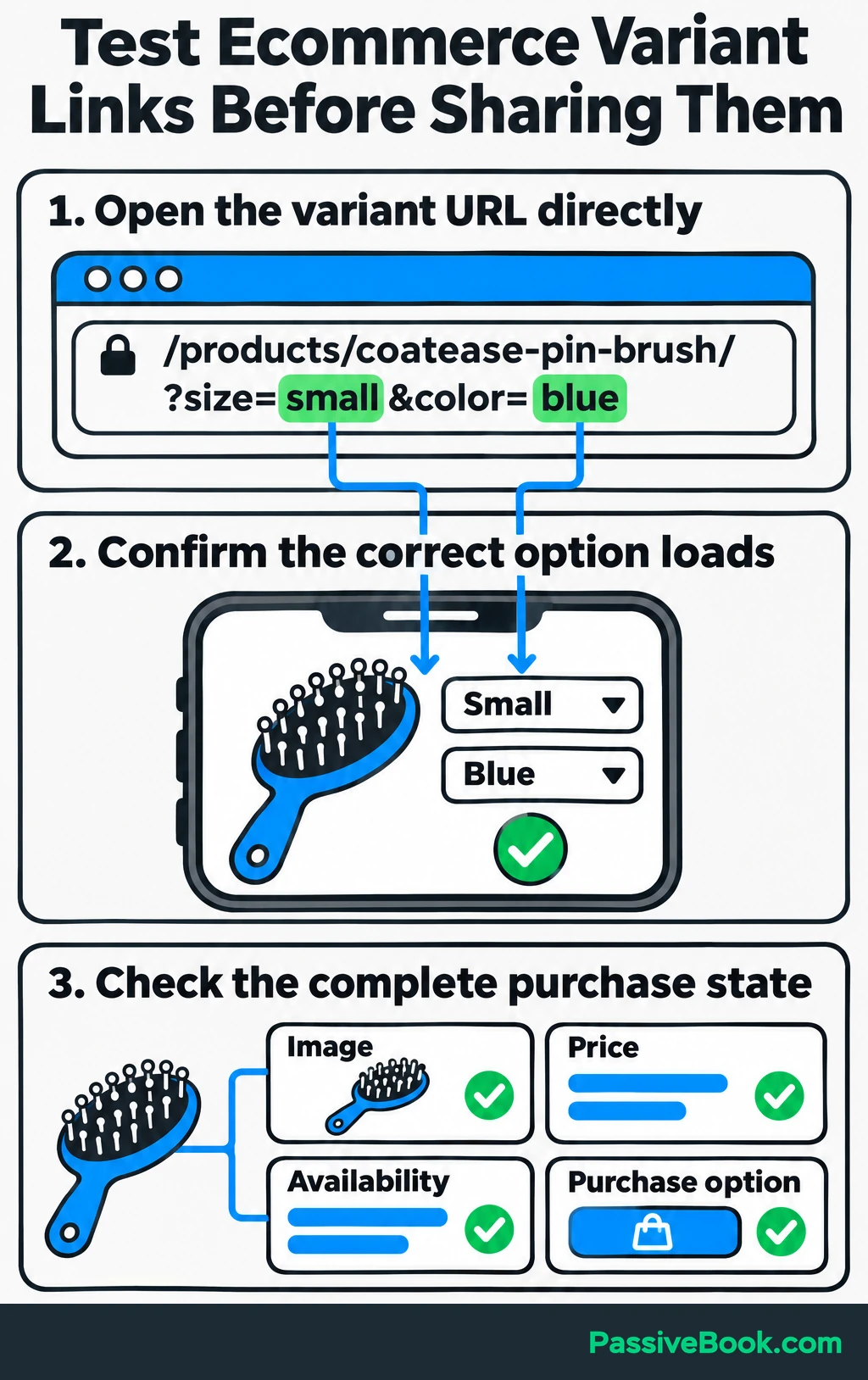
If brush sizes and colors are selected on one product page, use one canonical base URL. Each variant still needs a distinct URL that opens with the right choice selected and shows its image, price, availability, and purchase option.
For example:
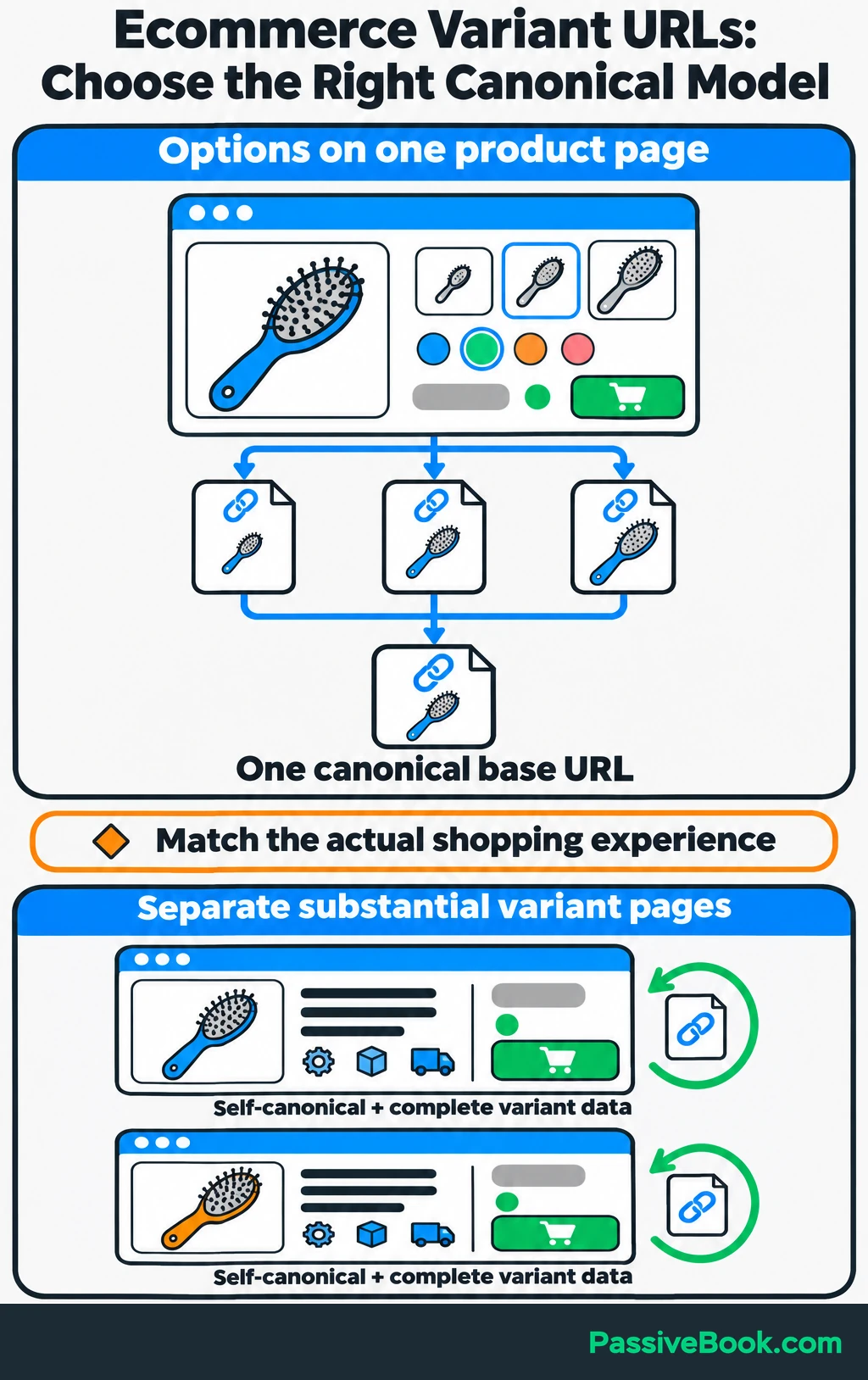
/products/coatease-pin-brush/?size=small&color=blue
Open that URL directly. It should show the small blue brush without asking the shopper to select it again.
If variants have separate, substantial pages, give each page a canonical pointing to itself and complete variant structured data. Google treats these pages as equally important destinations. Google’s product-variant guidance
I would keep a simple handle-color choice on one product page unless the shopping experience gives me a reason to separate it.
Preserve Useful Pages When Stock Changes
Temporary stock shortages do not require deleting the product page. Keep it accessible, show the stock status clearly, update product data, and offer relevant alternatives.
A discontinued product needs a separate decision:
- Keep the page if its specifications or other information still help visitors.
- Use a permanent redirect when a close replacement genuinely serves the same need.
- Return
404or410, meaning the page is unavailable or gone, when you remove it without a suitable replacement. Google’s removed-page guidance
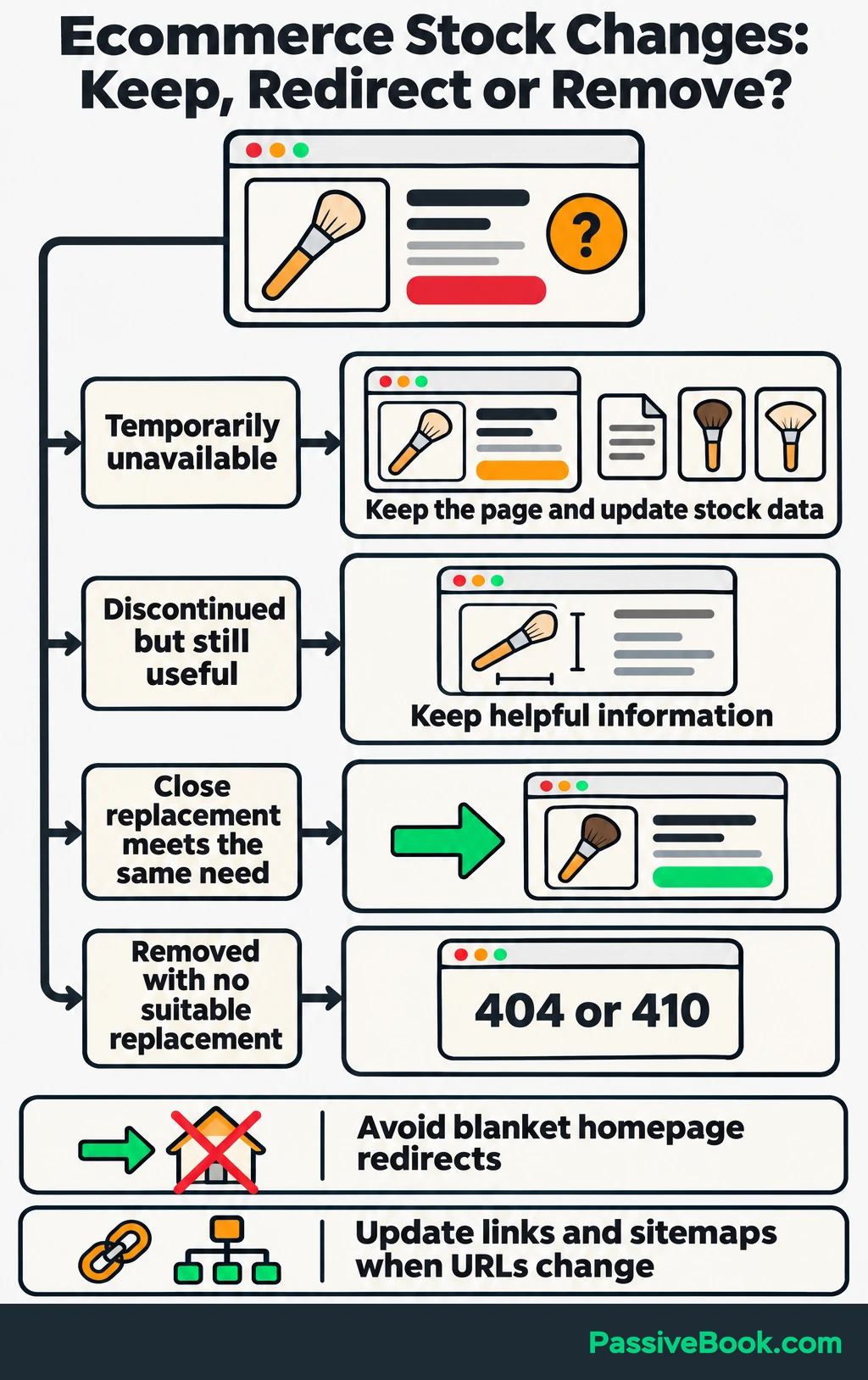
Avoid redirecting every discontinued brush to the homepage. Someone looking for a particular model needs a relevant destination.
When URLs change permanently, update internal links and sitemaps, then test the redirects.
Add Accurate Product Structured Data
Structured data gives search engines clearly labeled product information. Your platform may already generate it, so inspect the existing output before installing anything else.
Use Product and Offer markup on individual product pages. Include the required information, and keep names, images, prices, currency, and availability consistent with what shoppers see.
Test representative products with Google’s Rich Results Test, which checks for errors in structured data. Include a standard product, a product with variants, and an unavailable product. Fix critical errors and conflicting product data, then monitor Search Console’s merchant-listing reports.
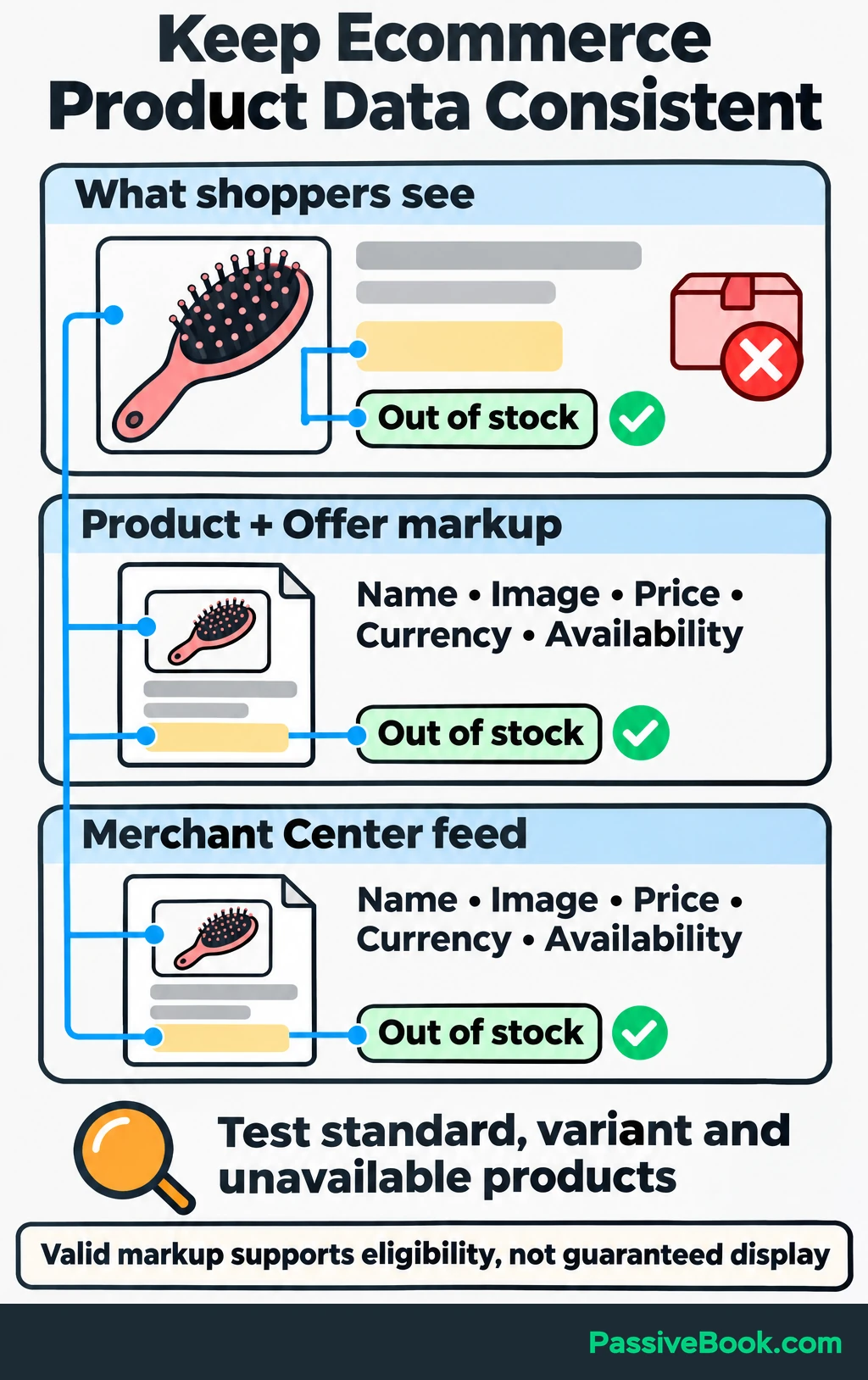
Valid markup makes a page eligible for supported search appearances, but it does not guarantee that Google will display them. Google’s merchant-listing requirements
For the example store, changing a brush to “out of stock” should update the visible page and the structured data. A mismatch means one part of the store is telling a different story.
You can also submit eligible products for free listings through Merchant Center, Google’s tool for managing product listings. Keep submitted prices and stock consistent with the product pages, and check the applicable product-data, shipping, and return-policy requirements. Google’s free-listing requirements
The product feed is the catalog data you send to Google. I would automate its updates through the store’s existing integration where possible, then check exceptions after catalog changes.
Improve Mobile Shopping Performance
Test the store on a phone before deciding what to fix.
Browse a category, open the filters, inspect a product, select a variant, read its specifications, and add it to the basket. Note anything that stalls, jumps, overlaps, or disappears.
Keep essential product information available on mobile without requiring an interaction to load it. Google uses mobile content for indexing and ranking, and it does not load primary content that requires a click, swipe, or other user action to fetch. Google’s mobile-first indexing guidance
Next, use real-user performance reports where available to find affected groups of pages. Investigate example URLs with PageSpeed Insights, Google’s tool for checking page performance and suggesting fixes.
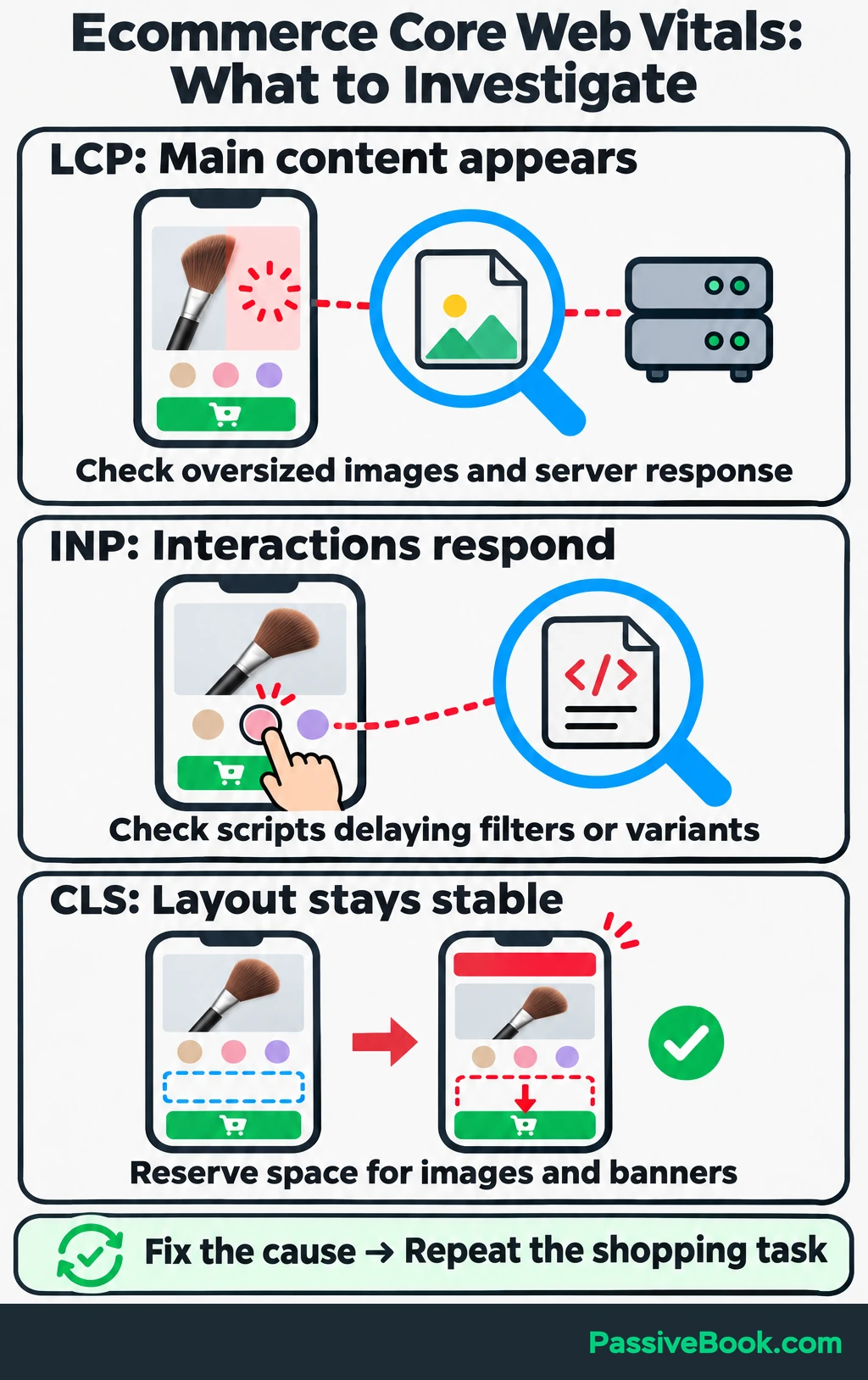
Core Web Vitals measure three parts of the experience:
| Metric | What It Measures | What to Investigate |
|---|---|---|
| LCP: Largest Contentful Paint | How quickly the main content appears | An oversized main image or slow server response |
| INP: Interaction to Next Paint | How quickly the page responds to an interaction | Scripts delaying filters or variant selection |
| CLS: Cumulative Layout Shift | How much the page layout moves unexpectedly | Images or banners loading without reserved space |
These measures cover loading, responsiveness, and visual stability. Google’s Core Web Vitals guidance
Fix the diagnosed cause. Resize and compress oversized images, reserve space for images, remove unnecessary scripts, and investigate slow server responses.
Then repeat the shopping task. I would keep a useful product photograph and make it load properly before removing it to chase a better score.
Publish Buying Guides Worth Discovering and Linking to
Choose guides from unresolved purchase questions in your keyword map. Start with questions that help people select or use products you sell.
For the brush store, the first guide could explain how to choose a brush for a long-haired dog.
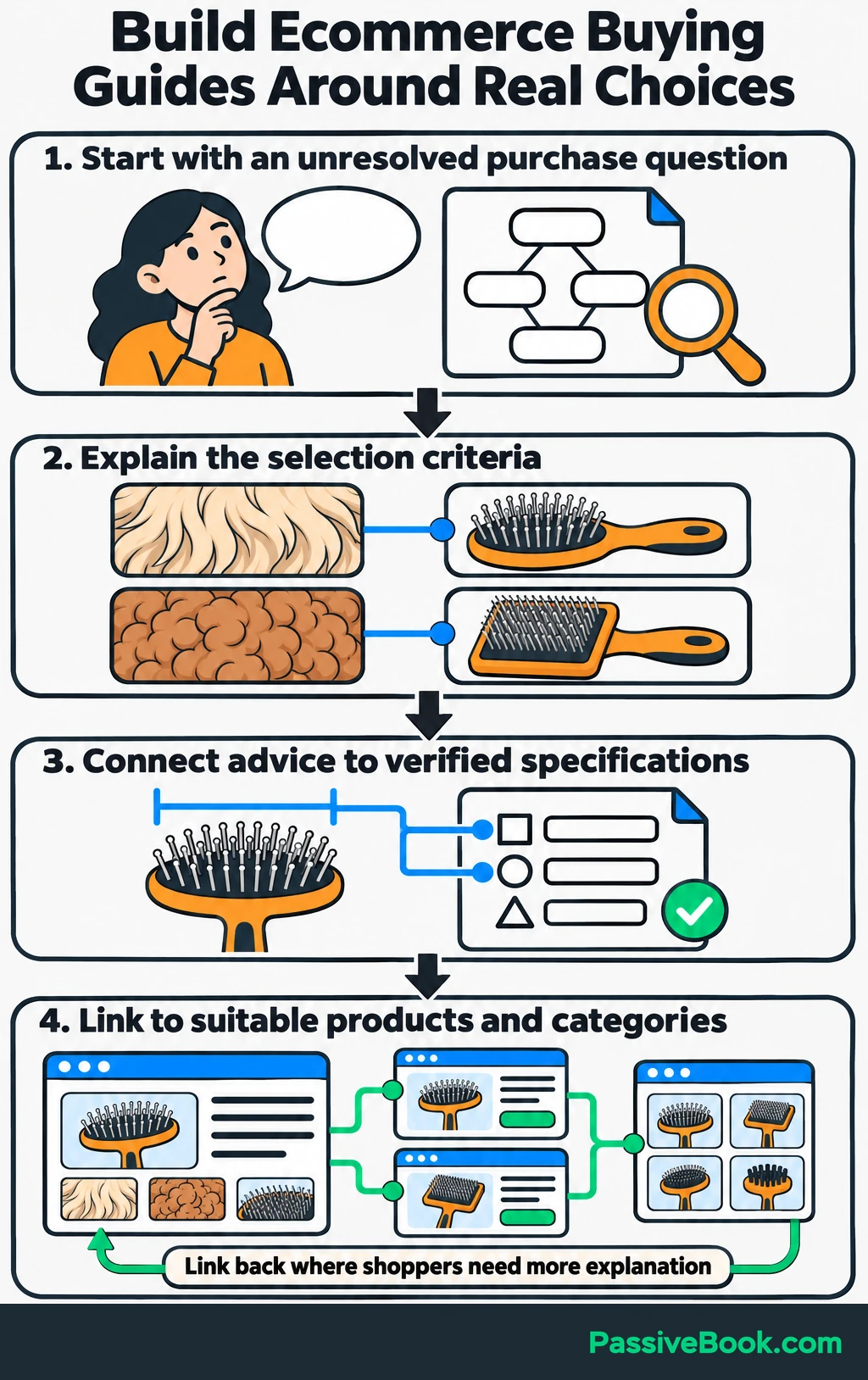
Build it around the decisions someone needs to make:
- Explain which coat characteristics affect the choice.
- Show the relevant brush types with clear comparison photographs.
- Connect each selection criterion to verified product specifications.
- Link to suitable products and the category where readers can compare them.
A useful excerpt might say:
Check the brush-head dimensions before choosing a size. Compare the listed measurements with the product photos so you can judge how much space the head covers.
Link back to the guide from shopping pages where customers need a fuller explanation. Consolidate overlapping guides rather than publishing slightly different answers to the same question.
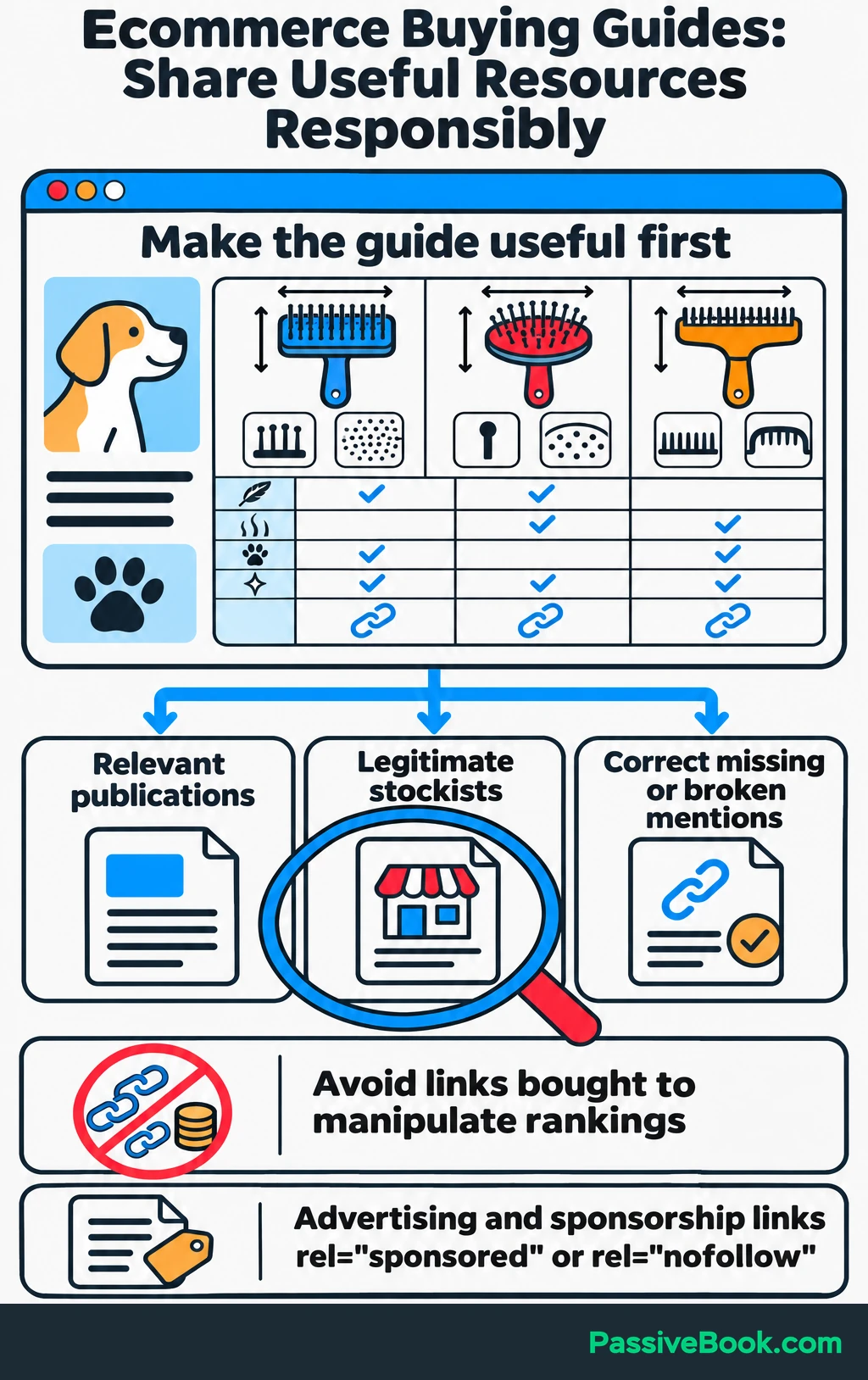
Once the resource is useful, share it with relevant publications or organizations and explain what their readers would gain. Also check legitimate stockist listings and existing business mentions for missing or incorrect links.
I would skip paid link packages. Google treats links bought to manipulate rankings as link spam; advertising and sponsorship links should use rel="sponsored" or rel="nofollow". Google’s link-spam policy
A clear comparison guide gives you something worth sharing. Another generic article gives you another URL to maintain.
Measure Organic Visibility and Sales Impact
First, verify that the store records purchases correctly. Place a test order and check its transaction ID, value, currency, and duplicate-event handling.
Installing Google Analytics does not automatically provide ecommerce reporting. Your store or its integration must send the relevant ecommerce events, including purchases. Google’s ecommerce reporting requirements
Then review visibility and sales together.
In Search Console, track impressions, clicks, click-through rate, and average position by query and landing page. Click-through rate is the share of impressions that produce clicks.
Separate searches containing your store name from searches that help new customers discover a category. Review categories, products, and guides separately, too. Otherwise, growth in one group can hide problems in another.
In Google Analytics 4, use session-based acquisition reporting and filter to Organic Search. Compare landing pages by sessions, purchases, purchase conversion, and purchase revenue. Keep the same acquisition basis across the comparison. Google’s traffic acquisition guidance
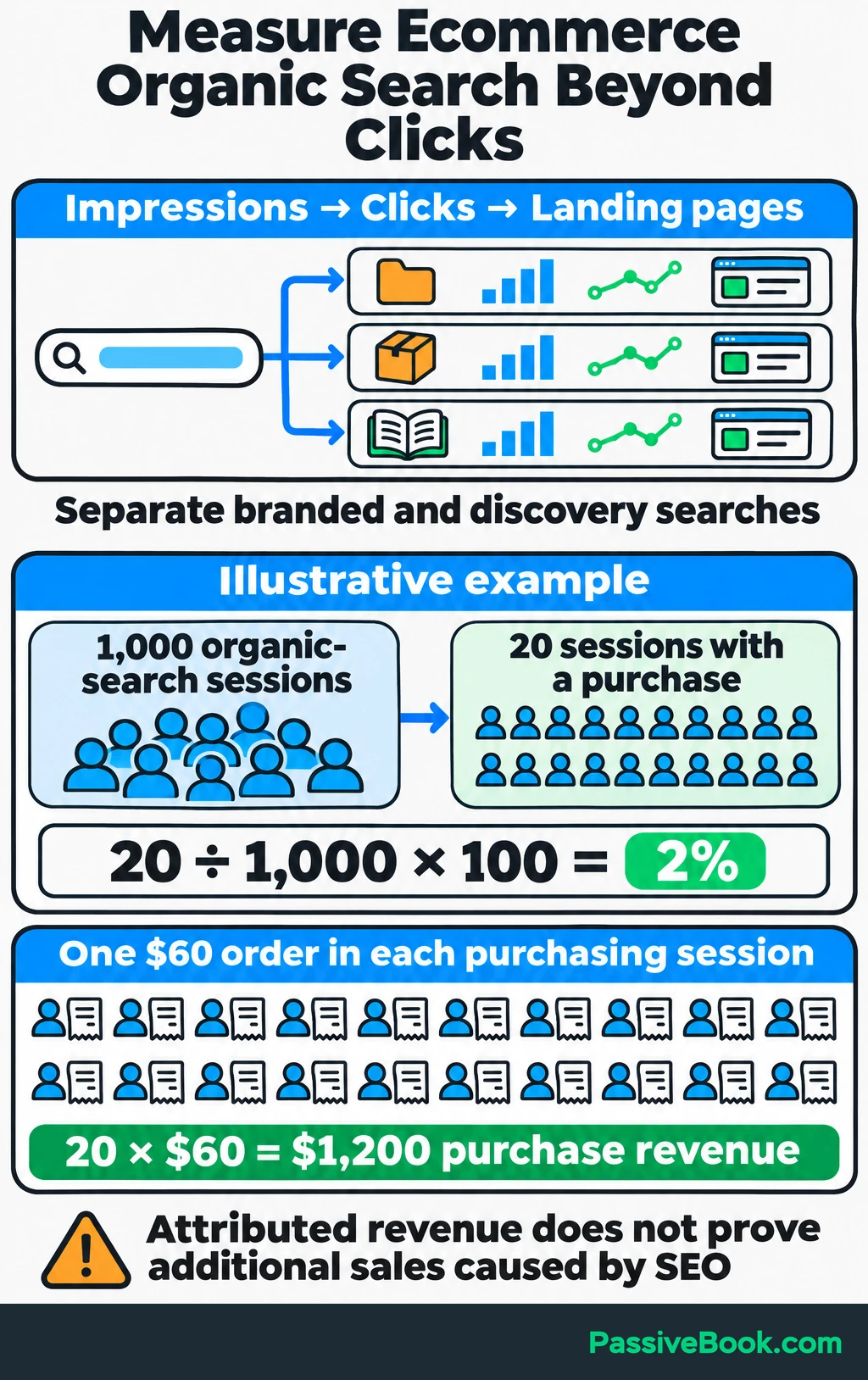
For purchase conversion, count organic-search sessions that contained at least one purchase, then divide by all organic-search sessions in the same period.
For illustration:
- Organic-search sessions during the month: 1,000.
- Sessions in that group containing a purchase: 20.
- Session purchase conversion rate: 20 ÷ 1,000 × 100 = 2%.
- Assuming one $60 order in each purchasing session, purchase revenue: $1,200.
Those figures describe an example, not an expected result.
Use the reports to choose the next action:
| What You See | What to Check Next |
|---|---|
| A priority category is absent from search | Inspect its indexing status, access, canonical, and internal links |
| Relevant impressions rise but clicks remain low | Review search intent, position, title, and competing results |
| Organic visits arrive but purchases remain low | Check product fit, stock, price, delivery costs, and checkout friction |
Keep a dated change log and compare suitable periods. Record promotions, stock changes, and seasonal demand alongside SEO work. Attributed revenue and a before-and-after increase do not establish how many additional sales SEO caused.
When an improvement helps, apply it to matching templates. After theme, extension, or major catalog changes, recheck indexing and product-data errors.
I would make this a short recurring review. The point is to choose the next useful fix, and a report should help you do that without becoming another part-time job.
What Next?
Inspect your most important category page in Search Console and add one verified problem to your worklist. Fix it, record the change, and check that the page behaves as intended.
Use the social buttons to share this guide when you want your next store discussion to start with a useful SEO priority.
Which problem is holding your store back most: getting pages indexed, attracting relevant clicks, or turning visits into purchases? Share your answer in the comments, and bring any other questions there too.
Share this post with your friends & followers:

