A cookie banner can look finished while your analytics tag still loads before anyone makes a choice. Your privacy policy may also describe cookies but say nothing about newsletter signups or customer orders.
That leaves you with two problems: visitors get promises your site may not keep, and you cannot tell whether missing analytics reflect their choices or a broken setup.
Those gaps make it hard to judge whether a free plugin is enough or a paid plan fills a real need. Here’s how I’d shortlist the tools, compare their costs, and check what they actually control on your site.
What Does Your WordPress Privacy Setup Need?
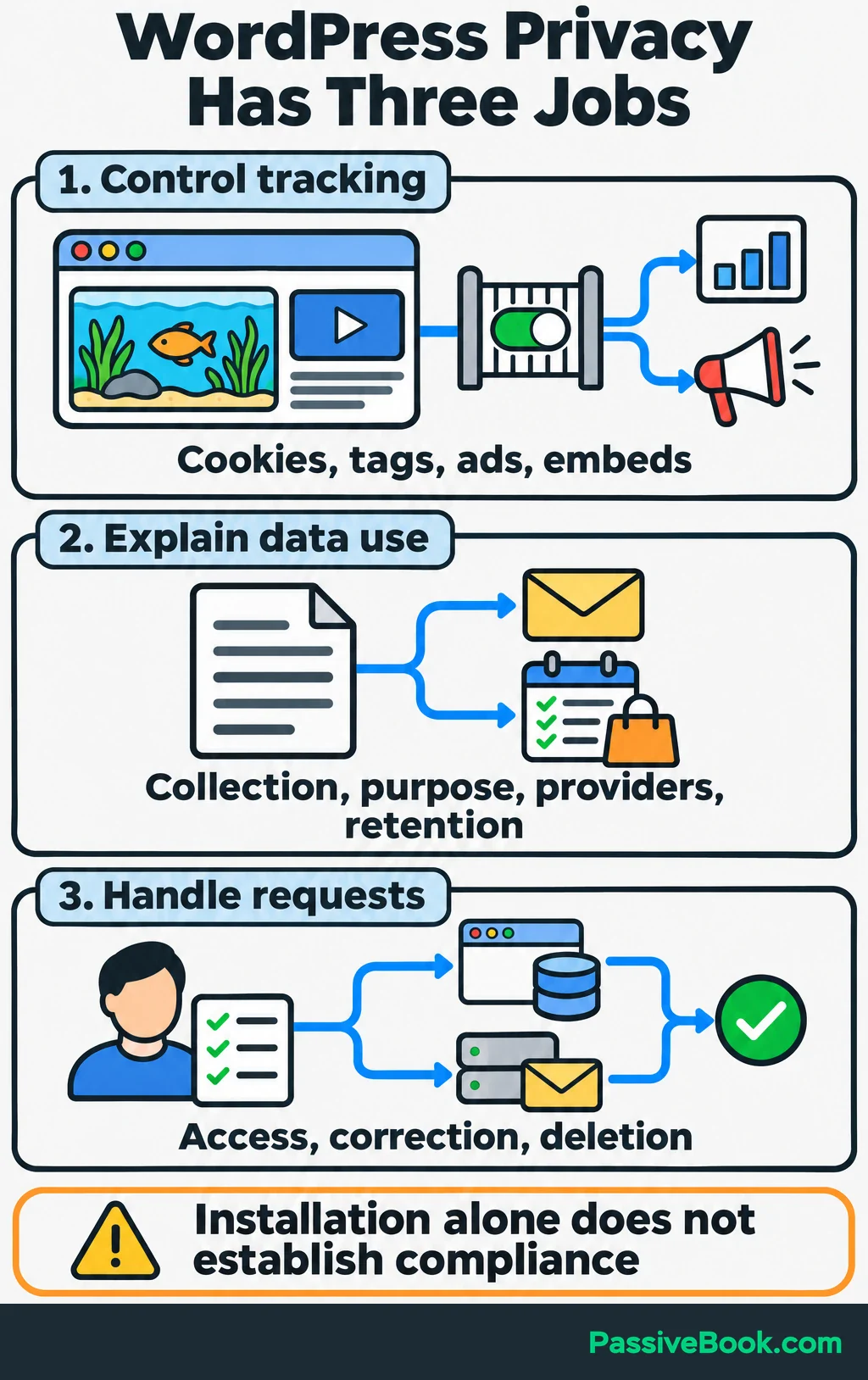
Before comparing WordPress privacy and compliance plugins, separate the work into three jobs:
- Tracking controls: Manage optional cookies, analytics tags, advertising scripts, and embedded content.
- Privacy notices: Explain what information you collect, why you need it, who receives it, and how long you keep it.
- Data requests: Give people a way to request access, correction, or deletion, and complete those requests across your services.
One plugin may support several jobs, but installing it does not establish compliance. You still need accurate settings, notices, and working processes.
Throughout this guide, imagine you run a freshwater aquarium-care blog. You sell a printable tank-maintenance planner, collect newsletter signups, use Google Analytics, and embed care videos. That is a small business, but its data handling reaches beyond a cookie banner.
Check which rules apply before paying for regional features.
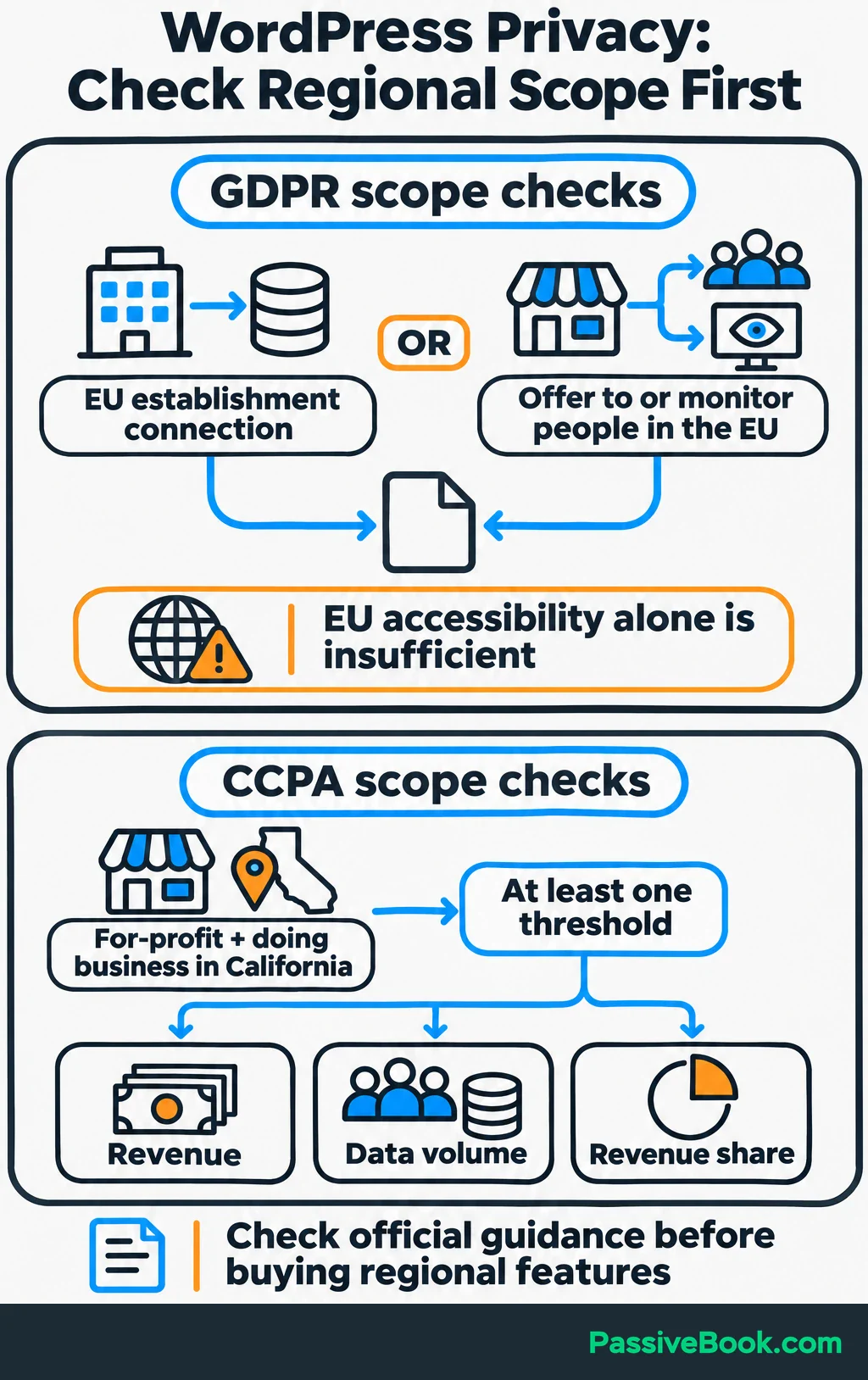
For the EU’s General Data Protection Regulation (GDPR), check whether your handling of personal information is connected to an EU establishment, such as an office or branch. If you operate outside the EU, consider whether you offer goods or services to people there or monitor their behavior there. A website being accessible from the EU is insufficient by itself. The European Data Protection Board’s territorial-scope guidance explains these distinctions.
The California Consumer Privacy Act (CCPA) generally covers for-profit businesses doing business in California that meet at least one threshold. Those thresholds concern annual revenue, the number of California residents or households whose information you buy, sell, or share, or the share of revenue from selling or sharing that information. Check the California Privacy Protection Agency’s applicability guidance against your business.
For covered businesses, California’s sale-and-sharing opt-outs serve a different purpose from European consent for optional tracking. Global Privacy Control, or GPC, is a browser signal that communicates an opt-out preference. A banner needs to connect that signal to the affected services.
Best WordPress Cookie Consent Plugins Compared
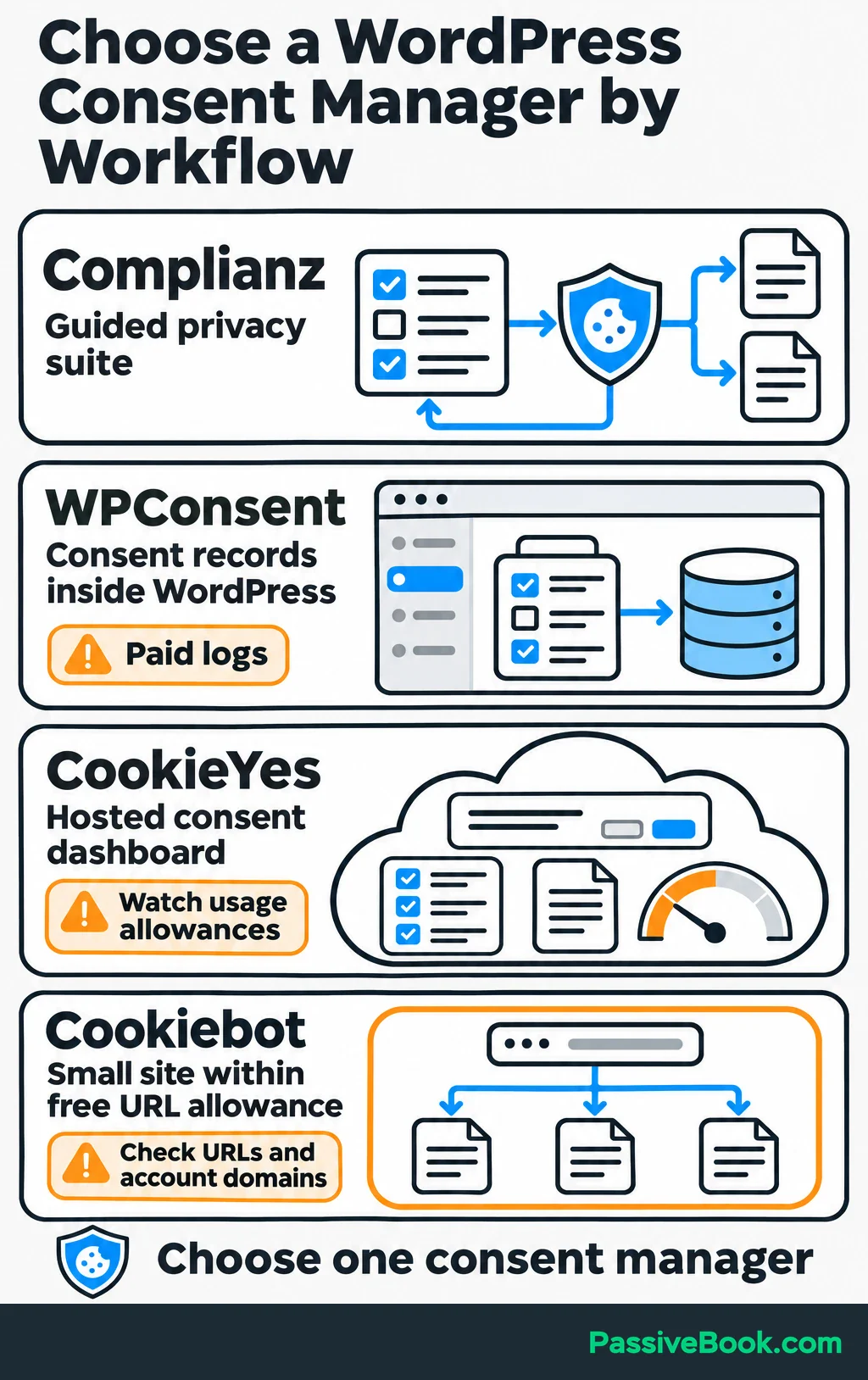
My starting shortlist is Complianz for a guided privacy suite, WPConsent for consent management inside WordPress, and CookieYes for a hosted dashboard. Cookiebot deserves a look when your site fits its free URL allowance.
These recommendations draw on official features and documentation. They are not reports of hands-on plugin testing.
Choose one consent manager. Then add a policy generator or request-handling tool if it fills a specific gap.
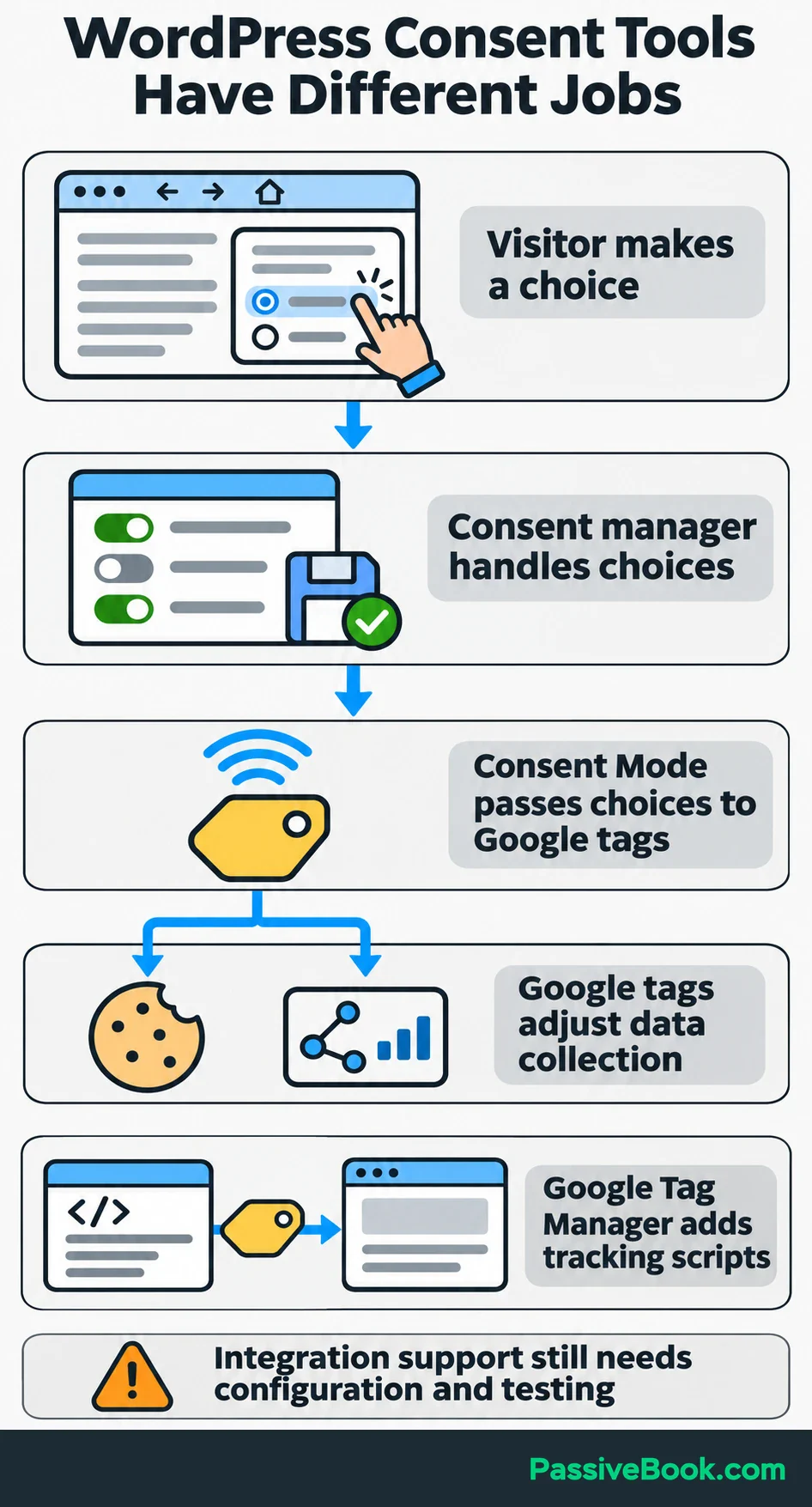
Two terms in the table need explaining. Google Tag Manager is a tool for adding tracking scripts. Google Consent Mode passes visitors’ choices to Google’s tags, which adjust how they collect data. The setup section explains its basic and advanced options.
The table compares the four consent managers. Dollar amounts are in USD, and euro amounts remain in euros. Monthly subscriptions are identified as monthly billing; they are not annual plans advertised through a monthly equivalent.
| Plugin and Best Fit | Free Coverage and Limits | Paid Plan and Billing | Tracking Integrations | Regional Controls and Consent Records | Policies and Main Tradeoff |
|---|---|---|---|---|---|
| Complianz — guided WordPress privacy setup | Banner, supported blocking, cookie policy; no pageview cap; automatic scan covers the first 50 pages | Personal: $59/year for one site, including one year of updates and support | Google Analytics, Tag Manager, supported scripts and video embeds; Consent Mode v2 in Premium | Premium adds settings and documents by region, plus Records of Consent | Free cookie policy; Premium privacy statements and other documents. The connected document, regional, and consent-record features require Premium |
| WPConsent — consent records kept in WordPress | Banner, scanner, supported blocking, Consent Mode, GPC, cookie policy; no pageview cap | Basic: annual one-site license; official page lists conflicting regular prices of $99 and $79; introductory offers renew at full price | Google Analytics, Google Ads, Meta Pixel, supported embeds | Paid geographic rules and searchable, exportable local records; Do Not Sell addon included from Plus upward | Cookie-policy generator; broader privacy notice needed separately. Maintain the local records and confirm purchase and renewal totals |
| CookieYes — hosted consent dashboard | 5,000 pageviews/month and 100 pages/scan for a new free setup; blocking and policy generators | Basic: $10/domain/month, 100,000 pageviews; Pro: $25/domain/month, 300,000 pageviews; monthly billing | Google Consent Mode v2, Tag Manager, automatic cookie and iframe blocking | GDPR or US templates and hosted logs; Pro adds geographic targeting, combined regional choices, and GPC | Cookie-policy and privacy-policy generators. Traffic allowance and regional features can require a higher plan |
| Cookiebot — small site within the free URL allowance | One domain, up to 50 unique URLs, initial scan, Consent Mode; automatic blocking through WordPress | Premium Lite: €7/domain/month for one domain with fewer than 50 URLs; one domain with 100 counted URLs needs Medium at €30/month | WordPress connector, Tag Manager, Google Consent Mode | EU and US frameworks and hosted records; paid geotargeting and multilingual options | Cookie Declaration covers tracking disclosures; check the separate privacy-policy offering. URL count and account domain count determine the paid tier |
Complianz: Best for a Guided WordPress Privacy Suite
I would start with Complianz if you want help connecting the banner, tracking controls, and documents.
Its questionnaire gives the setup a useful order. You describe the services on your site, review what the scan finds, and configure the supported integrations. The free version includes cookie-policy generation and blocking for supported scripts and embeds. Complianz’s free-scan explanation limits automatic scanning to the first 50 pages. Review services on the remaining pages and configure them manually.
For the aquarium-care site, answer for the newsletter, planner checkout, analytics, and care videos. Do not describe it as “just a blog” and skip the parts where visitors give you information.
Premium makes sense when its privacy statements, regional controls, consent records, and request-processing features replace separate tools you would otherwise buy.
Budget for renewal. Complianz’s renewal FAQ says the plugin remains functional after expiry, but you lose legal-document editing, plugin updates, and priority support. Services that rely on third-party updates can also stop working. That matters when your site changes.
WPConsent: Best for Keeping Consent Records in WordPress
WPConsent is my shortlist choice when you want consent management inside WordPress and want to avoid pageview charges.
The free version supports common tracking scripts and embeds, Google Consent Mode, GPC, and cookie-policy generation. Its free and paid feature lists distinguish those controls from paid features such as scheduled scanning, geographic rules, and searchable consent logs.
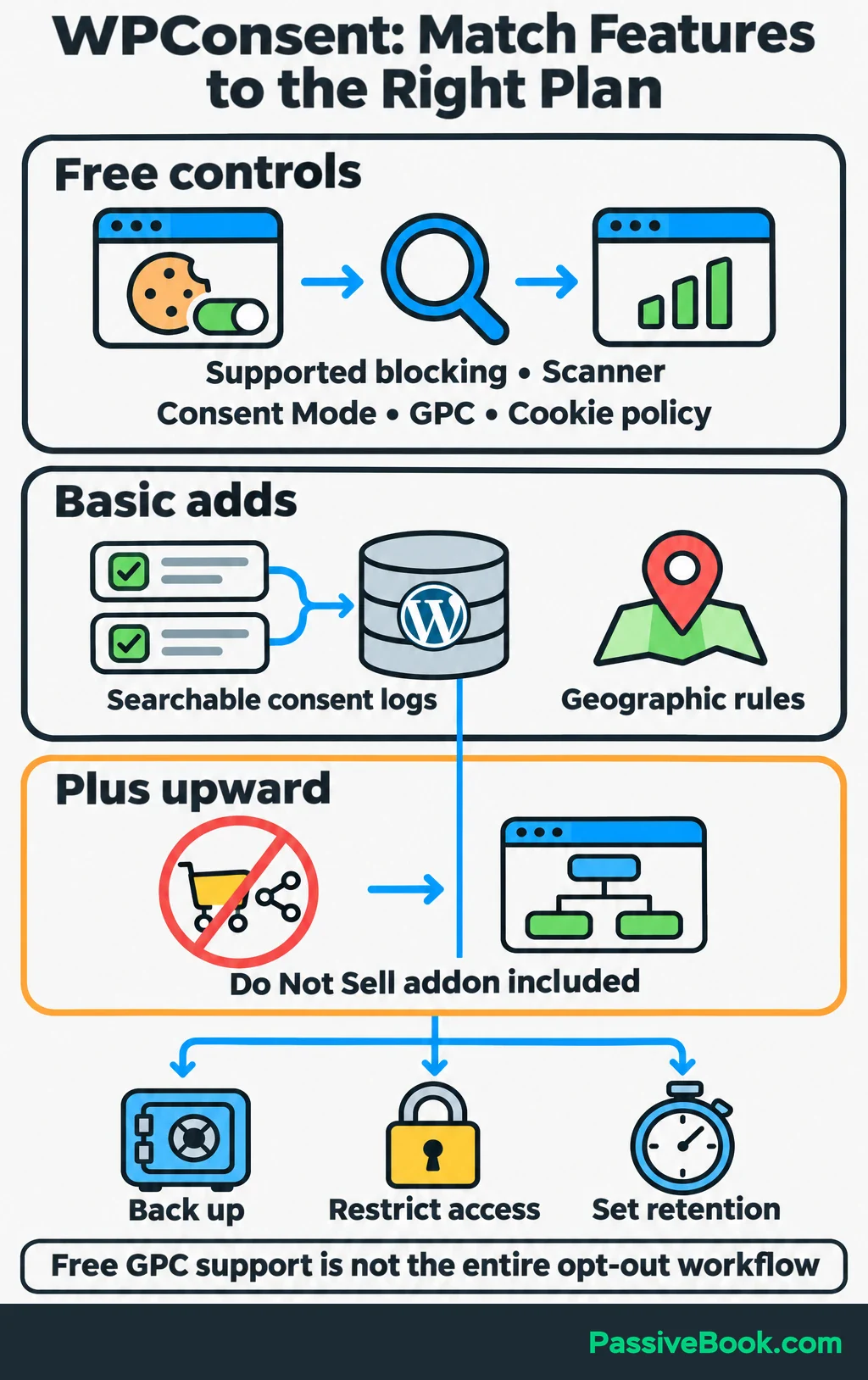
The paid records stay in your WordPress database. That gives you direct control, but include them in your backup, access, and retention decisions.
Check the plan boundary carefully. Basic includes consent logs and geographic rules, while the separate Do Not Sell addon is included from Plus upward. Free GPC support does not mean every related opt-out workflow is included.
I would confirm both the first payment and renewal total before buying because the official pricing page gives conflicting regular prices for Basic. Its license terms also make support and updates dependent on renewal after one year.
Use its cookie policy for tracking disclosures and provide a broader privacy notice for subscribers and planner customers.
CookieYes: Best for a Hosted Consent Dashboard
Choose CookieYes if you prefer managing scans, banner settings, and records through a hosted dashboard.
Its free plan includes granular choices, blocking, and policy generators. Pro is the relevant step up when you need GPC or geographic targeting. I would choose between those plans based on the required controls before considering the traffic allowance.
The dashboard also provides downloadable consent records, which can be useful when you need to retrieve a recorded choice.
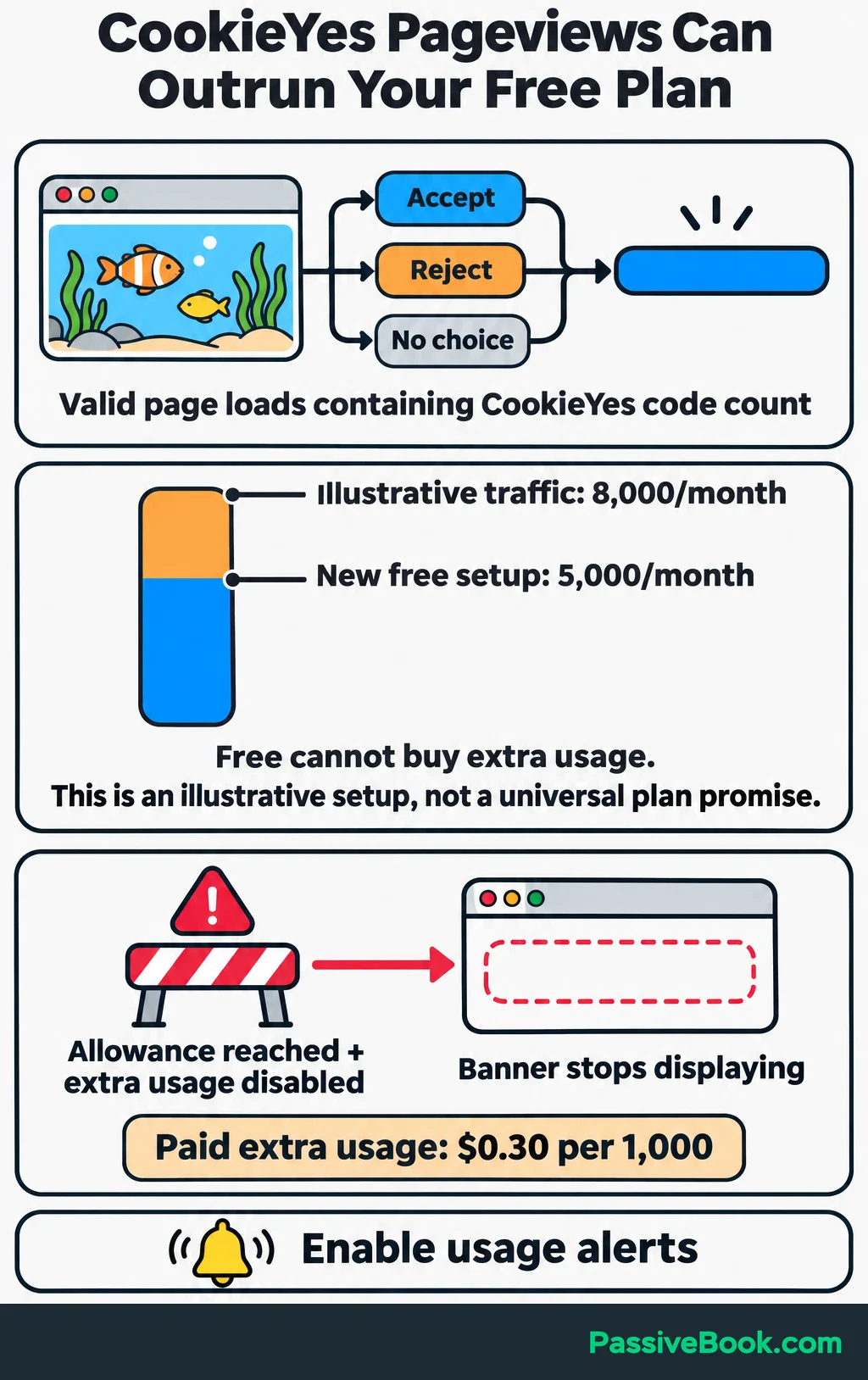
The main operational issue is usage. CookieYes counts valid page loads containing its code even when visitors reject or ignore the banner, so its count can differ from consent-dependent analytics.
Paid extra usage costs $0.30 per 1,000 pageviews. Free cannot buy extra usage, and reaching the allowance with extra usage disabled stops the banner from displaying. Review the usage and interruption rules before relying on the free plan.
I would enable usage alerts during setup. A traffic spike should not quietly become a banner outage.
Cookiebot: Best for a Small Site Within the Free URL Allowance
Cookiebot is worth considering when you have a small site and want a hosted scanner connected to WordPress.
Its WordPress plugin provides automatic blocking even on the free plan. That plan includes an initial scan, so do not assume it also provides ongoing scheduled discovery.
Count unique URLs rather than published posts. Archive pages, translated pages, and other distinct addresses can increase the count.
There is also an account condition: you cannot keep a free subscription in an account containing other domains. Cookiebot explains this in its free-account eligibility rules.
I would compare the likely paid tier before choosing Free. Once the aquarium blog reaches 100 counted URLs on one domain, the relevant tier is Medium. The cheaper Small tier requires at least four domains, so a modest post count does not necessarily mean a modest subscription.
Which Tools Cover Privacy Policies and Data Requests?
Cookie controls handle only part of the setup. Your newsletter, checkout, and customer records also need attention, including information held outside WordPress.
WPLP Legal Pages: Best for Generating Editable Policy Pages
WPLP Legal Pages is useful when you need a structured starting point for your notices.
You answer questions about your business and publish editable WordPress pages. Its free templates include a Privacy Policy and CCPA Privacy Notice.
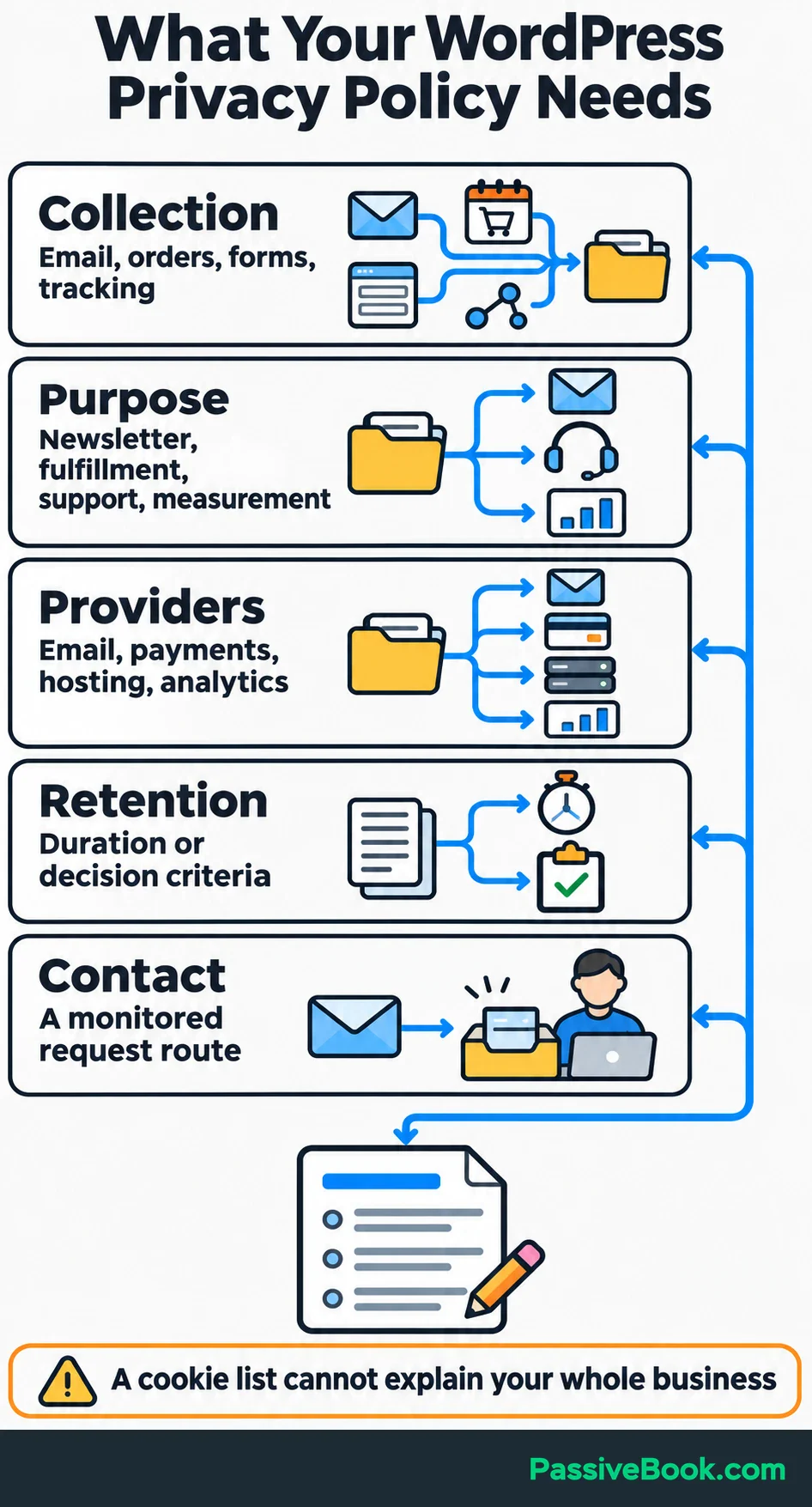
The value comes from supplying accurate answers. Gather:
- Collection: Email addresses, order details, form submissions, and tracking information.
- Purpose: Newsletter delivery, order fulfillment, customer support, and measurement.
- Providers: Your email platform, payment processor, hosting provider, and analytics services.
- Retention: How long you keep each type of record, or how you decide.
- Contact: A working route for privacy questions and requests.
For the aquarium-care site, the notice needs to cover newsletter subscriptions and planner purchases alongside tracking. A cookie list cannot explain the whole business.
Legal Pages complements a consent manager. WPLP’s Cookie Consent plugin is a separate part of its platform.
If you need both, the Professional platform plan lists $48 per year for up to three sites, with unlimited scans and pageviews, consent logs, and more than 30 legal templates. Use its consent manager in place of another consent manager.
I would buy that bundle only after checking its tracking integrations. More templates will not fix an uncontrolled analytics tag.
WordPress Privacy Tools: Start Here for Exports and Erasure
Before buying a plugin solely for data exports or deletion, check what WordPress already provides.
It includes privacy-policy starter text, personal-data export, and erasure tools. These cover WordPress and participating plugins; connected services need separate handling. The WordPress privacy documentation explains both the tools and their limits.
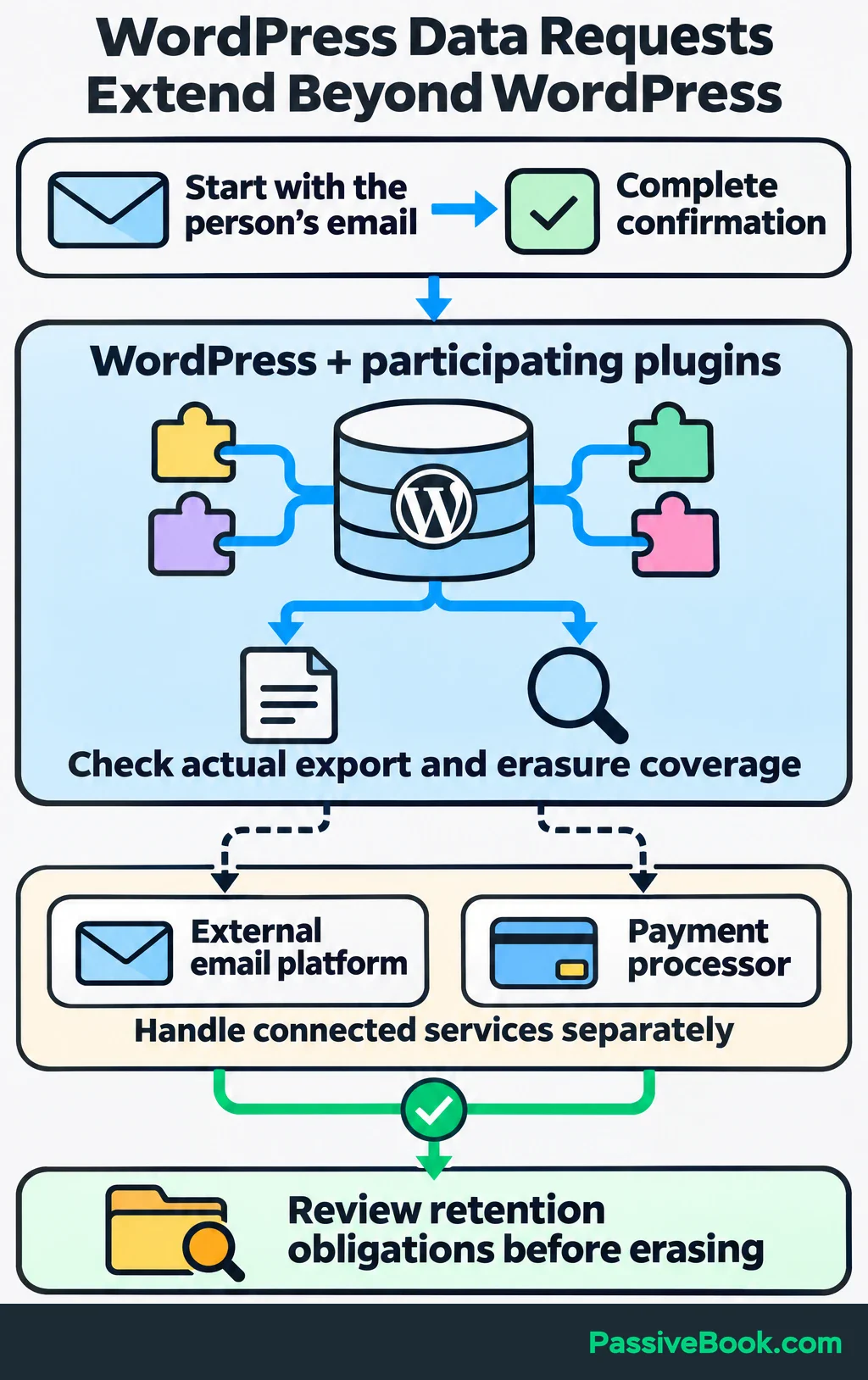
Start a request using the person’s email address and use the built-in confirmation workflow. Then check which records the export or erasure process actually covers.
For the aquarium site, review newsletter records, planner orders, and payment records. Information held by an external email platform or payment processor may need action there.
Keep correction requests and retention decisions in a monitored process. Some records may need to remain for accounting or other obligations, so deletion should not mean pressing every available erase button.
Additional automation earns its cost when its integrations close a known gap.
Choose the Lowest-cost Setup That Covers Your Site
Compare complete setups after matching each required function to a feature.
I would begin with a suitable free consent manager, WordPress’s privacy tools, and an accurate privacy notice. Add WPLP’s free generator if its templates help. Pay when you can name the missing capability: consent logs, geographic rules, recurring scans, or a supported opt-out workflow.
Here is how the billing models affect the aquarium-care blog.
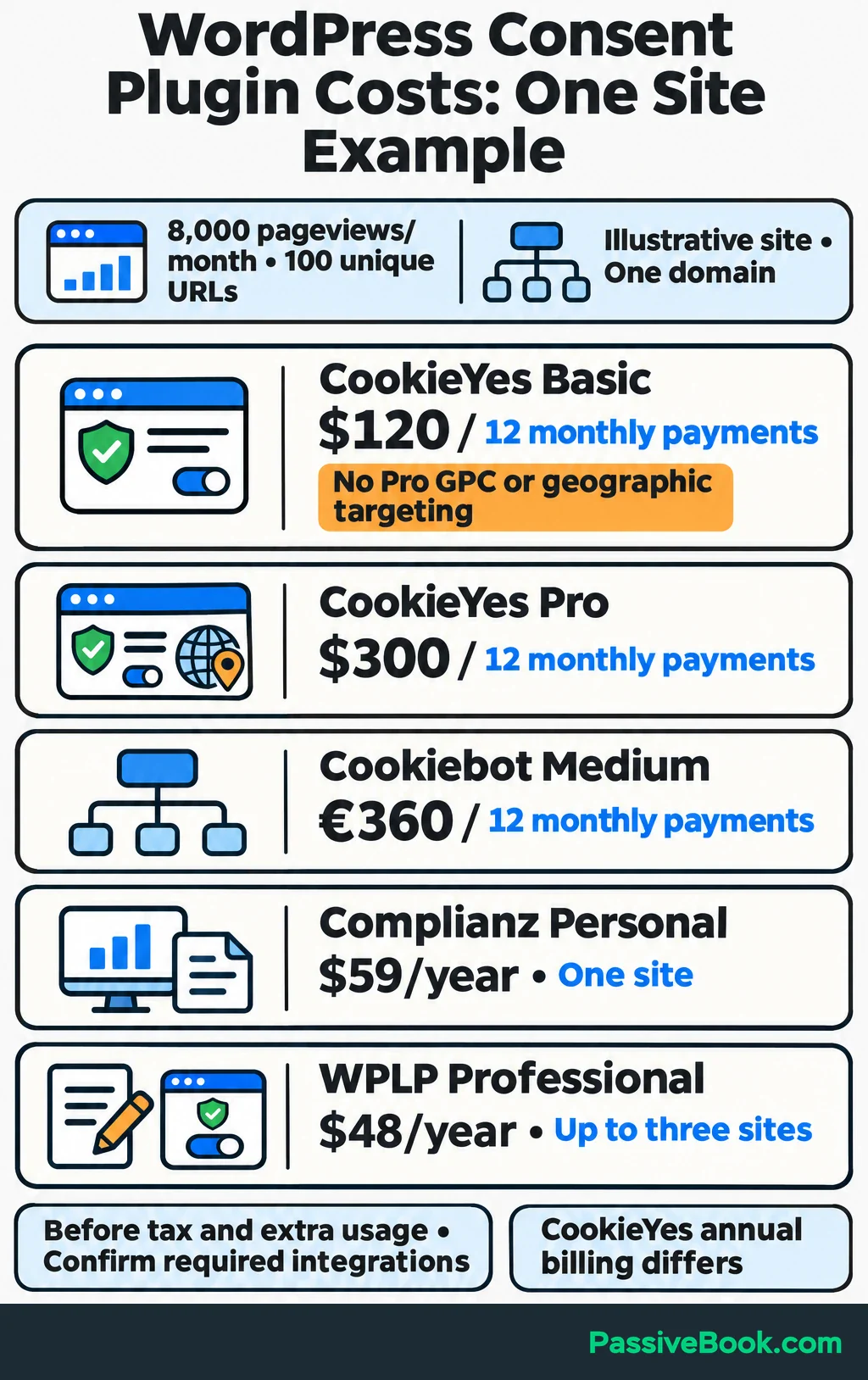
Assume it has 8,000 monthly pageviews counted by CookieYes and 100 unique URLs counted by Cookiebot on one domain. These are illustrative figures. The totals below count 12 monthly subscription payments, before tax and extra usage.
| Option | Fit for This Example | Cost Comparison |
|---|---|---|
| CookieYes Free | The assumed 8,000 monthly pageviews exceed the new free plan’s 5,000 allowance | $0, but an upgrade is needed for this traffic |
| CookieYes Basic | Covers the assumed traffic; does not include Pro’s GPC and geographic targeting | $120 over 12 monthly payments |
| CookieYes Pro | Covers the traffic and adds those regional controls | $300 over 12 monthly payments |
| Cookiebot Medium | Covers the assumed 100 unique URLs on one domain | €360 over 12 monthly payments |
| Complianz Personal | Combines tracking controls, privacy statements, regional settings, and consent records | $59/year for one site |
| WPLP Professional | Bundles policy pages and a consent manager; confirm its analytics and video integrations | $48/year for up to three sites |
CookieYes offers two months free with annual billing, so the monthly-payment totals above are not annual-billing quotes.
For this example, I would compare Complianz Personal and WPLP Professional first if either covers every required integration. I would choose WPConsent when keeping consent records in WordPress matters most, after confirming its checkout and renewal amounts.
CookieYes earns its higher ongoing cost if you prefer its hosted workflow. Cookiebot Free is attractive while the site fits, but I would not choose it without accepting the likely URL-based cost as the blog grows.
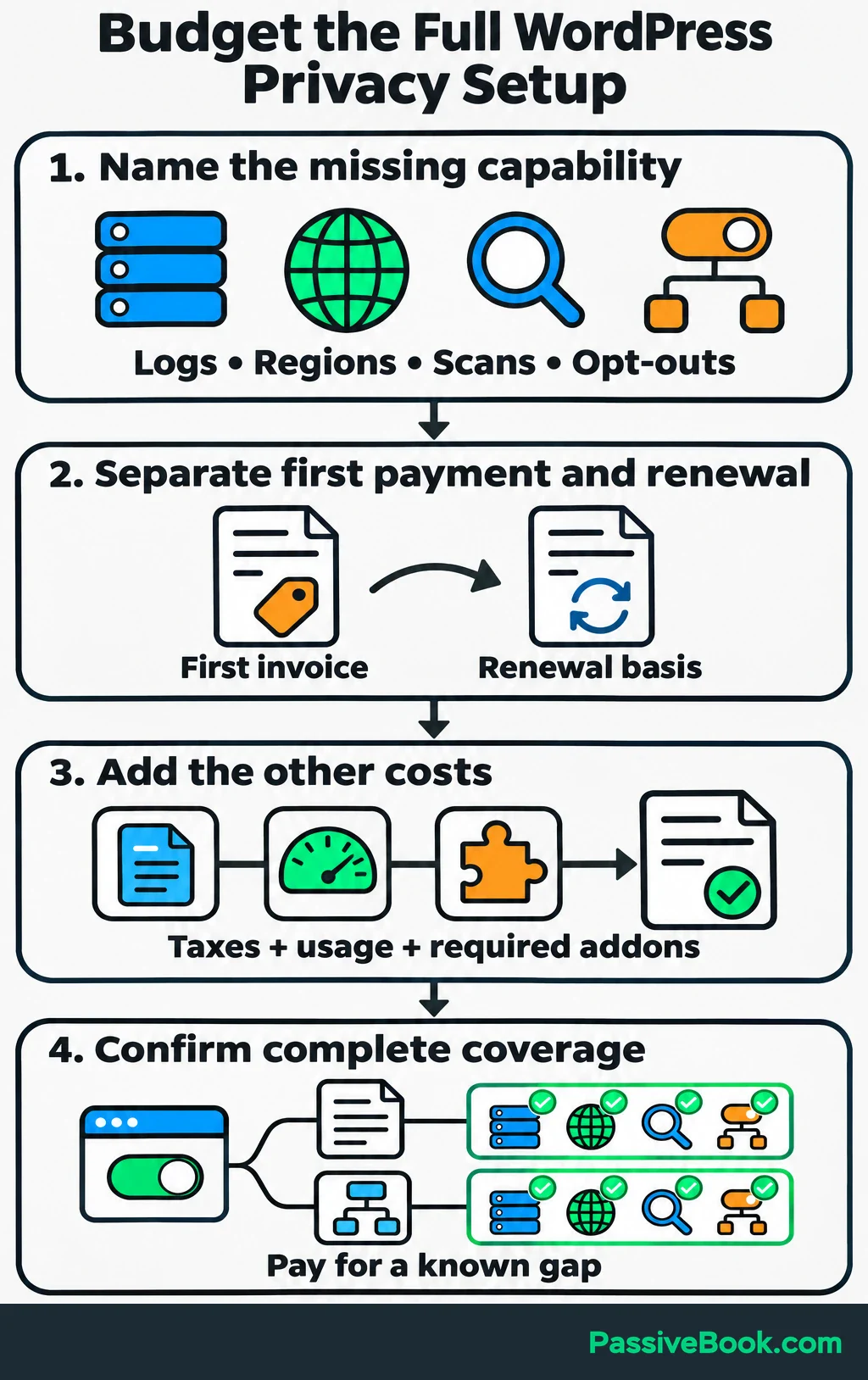
Record the first payment and renewal basis separately. Add taxes, usage charges, and required addons before comparing totals. An introductory discount is a pleasant first invoice, not a long-term budget.
Once you have two setups that cover your requirements, put their quotes on the same timeline. That makes annual payments, monthly subscriptions, and renewal prices easier to compare.

Free Software Cost Calculator




How to Configure Your Chosen Plugins
The setup starts with your services. The banner design comes later.
Map Each Tracking Service to a Consent Control
List every service that receives visitor information, its purpose, and where it enters WordPress. Check theme settings, plugins, tag managers, forms, and embedded content.
On one of my digital-product sites, I started a data checklist from the plugin list and thought I had covered everything. Following a purchase exposed the gaps: the payment processor and email handoff lived beyond that list. Now I follow the visitor’s actions before deciding what the site needs.
For your setup, connect each service to a specific control. The aquarium-care site might look like this:
| Service or Function | Where It Enters the Site | Control to Check |
|---|---|---|
| Google Analytics | One analytics integration or tag manager | Analytics choice and configured Consent Mode behavior |
| Embedded care videos | Video blocks in articles | Blocking placeholder until the relevant choice |
| Newsletter signup | Form connected to an email platform | Separate signup permission and accurate disclosure |
| Planner checkout | WooCommerce and payment integration | Necessary purchase processing stays available; optional tracking follows visitor choices |
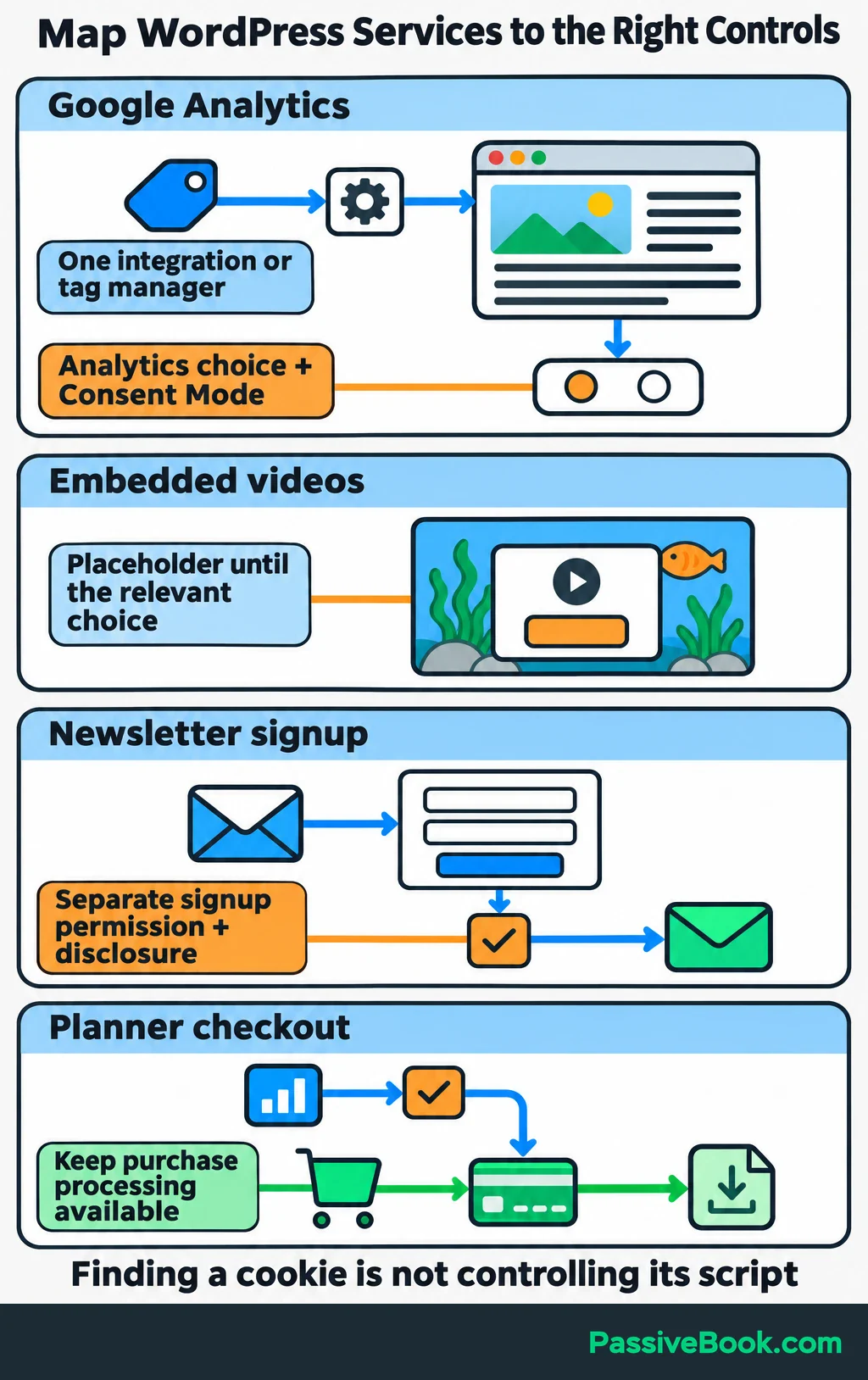
Scan representative articles, signup pages, video pages, and checkout pages. Review unknown services and configure scripts the plugin does not recognize. Discovering a cookie and controlling the script that creates it are separate jobs.
Give one integration responsibility for inserting each tracking tag. Remove duplicate insertions that could bypass your controls.
For Google Analytics, decide what “denied” should do:
- Basic Consent Mode: Google tags remain blocked unless the visitor grants consent.
- Advanced Consent Mode: Google tags load with configured defaults and can send measurements without cookies while consent is denied.
That distinction comes from Google’s Consent Mode documentation. If your requirement is to prevent Google tags from loading before consent, I would choose basic mode and test for that behavior.
Configure Visitor Choices
For optional tracking that requires European consent, leave those categories unselected and provide clear acceptance and rejection controls. Keep a visible way to reopen preferences and withdraw consent as easily as it was given.
These choices reflect the issues addressed in the European Data Protection Board’s cookie-banner findings.
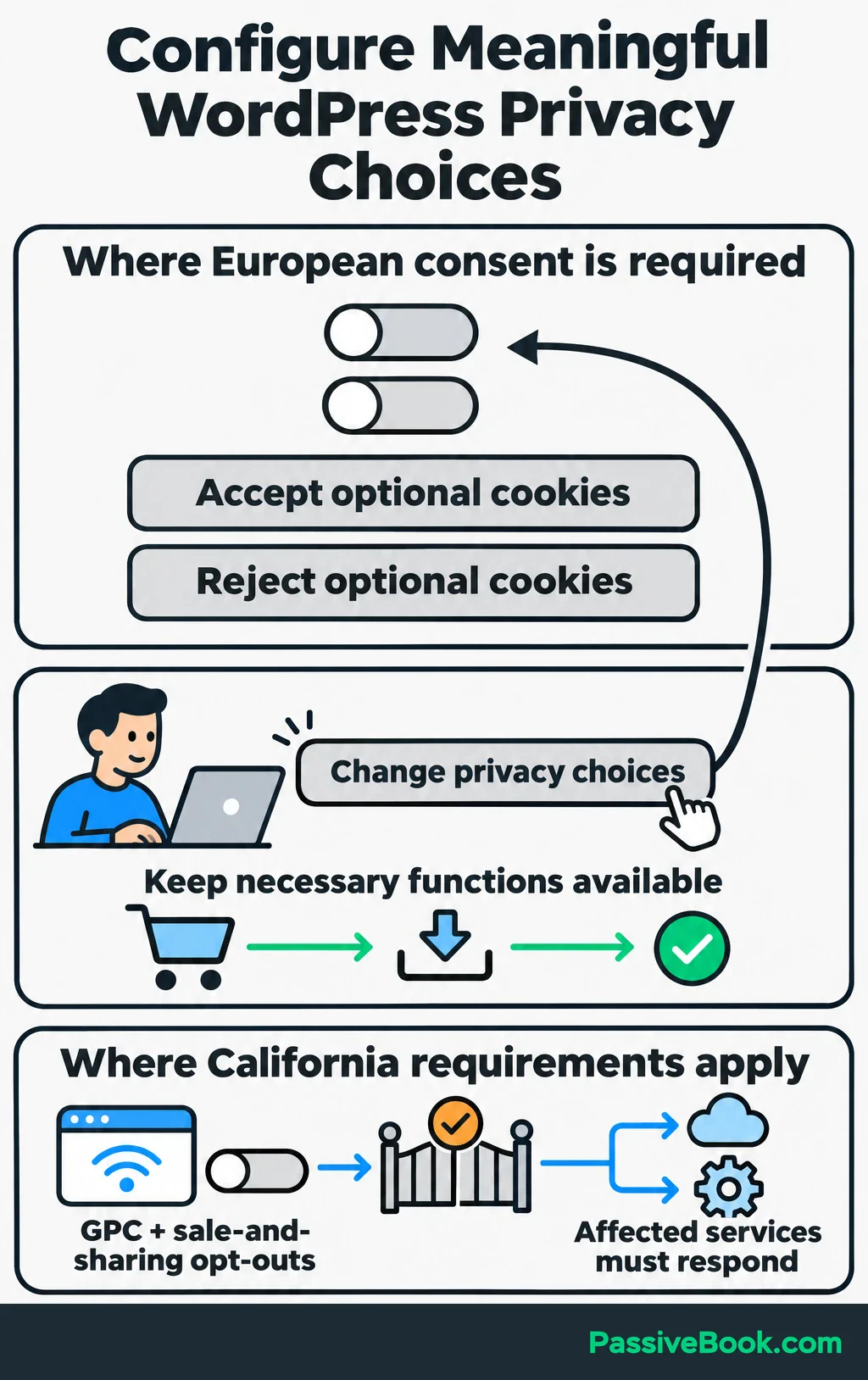
Use plain labels such as “Accept optional cookies,” “Reject optional cookies,” and “Change privacy choices.” Hiding rejection behind an expedition through settings is a poor way to ask for trust.
Where California requirements apply, configure sale-and-sharing opt-outs and GPC handling, then connect them to the affected services. Detecting a browser signal is only useful if the services respond.
Also review regional rules, languages, and consent-record settings. Keep necessary functions available when visitors reject optional tracking. Someone should still be able to buy the tank planner without accepting analytics.
Publish Accurate Notices and a Request Route
Build the privacy notice from your service inventory. Link it, the cookie policy, preference controls, and request contact where visitors can find them.
Keep permission for newsletter marketing separate from processing needed to fulfill a purchase. Under GDPR, consent is one possible lawful basis; contractual necessity and legal obligations are others. The European Commission’s explanation of lawful processing sets out those distinctions.
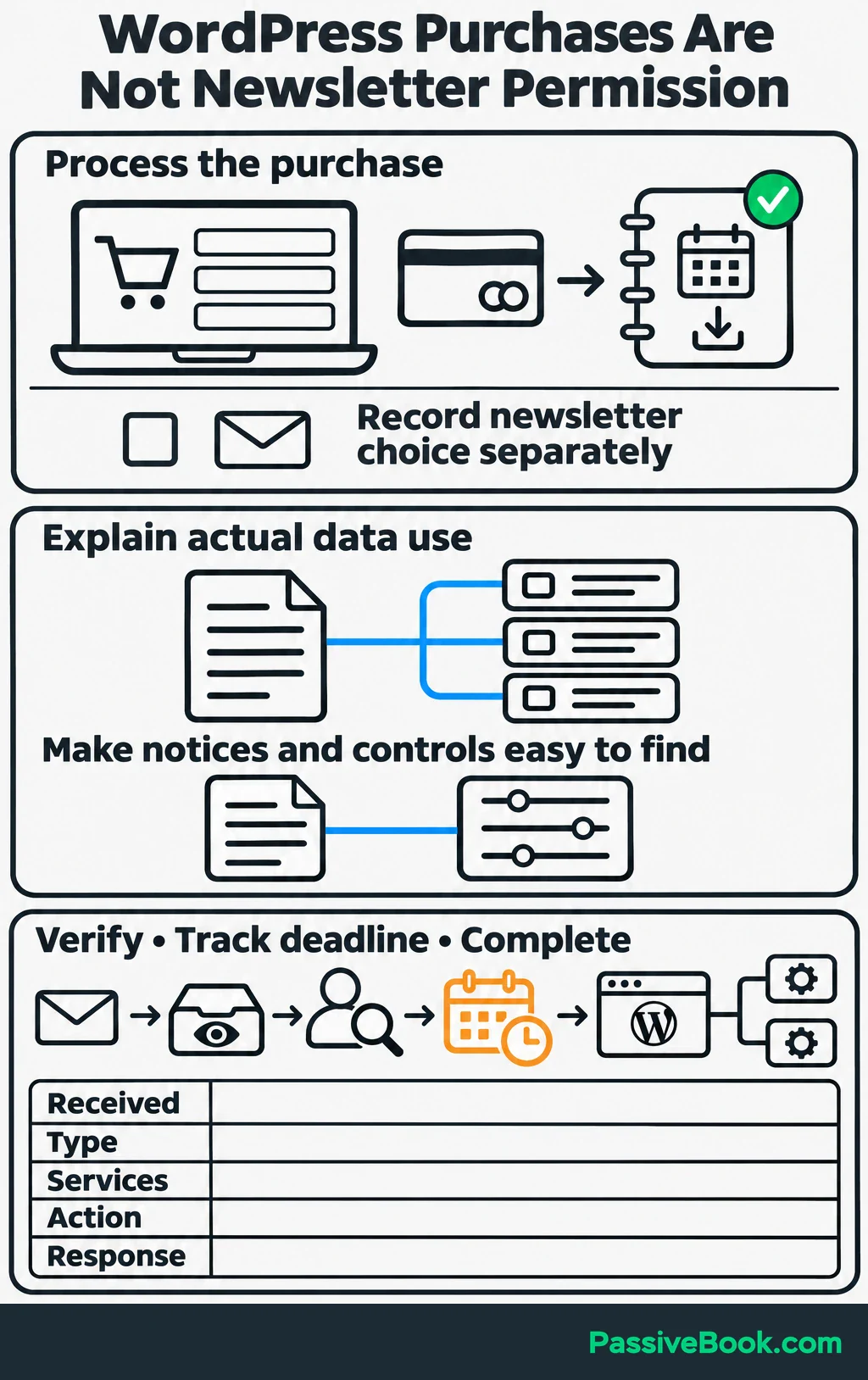
For the aquarium site, a planner purchase should not silently become a newsletter subscription. Record the newsletter choice separately and explain the information needed to deliver the order.
Assign incoming requests to an inbox you monitor. Verify identity appropriately, track the applicable deadline, and record completion across WordPress and connected services.
A simple request log can hold the request date, request type, services checked, action taken, and response sent. That is often enough to expose where more automation would help.
How to Test and Maintain Your Privacy Setup
A visible banner proves that a banner loaded. Test what the rest of the site does.
Use a fresh browser session without tracking-blocking extensions, and repeat the checks for applicable regional settings and GPC signals.
| Test | What to Check |
|---|---|
| Before making a choice | Optional scripts follow your configured default behavior |
| After rejecting optional tracking | Rejected services stay blocked or follow the configured denied behavior |
| After accepting one category | Only services allowed by that choice activate |
| After withdrawing consent | Later tracking follows the changed choice, including after reload |
| During signup and purchase | Forms, checkout, payment, and downloads still work under the relevant choices |
| On mobile and with a keyboard | Controls remain readable, reachable, and usable |
Open your browser’s developer tools and inspect both storage and outgoing network requests. Storage shows cookies and similar saved data; network requests show which services the browser contacts.
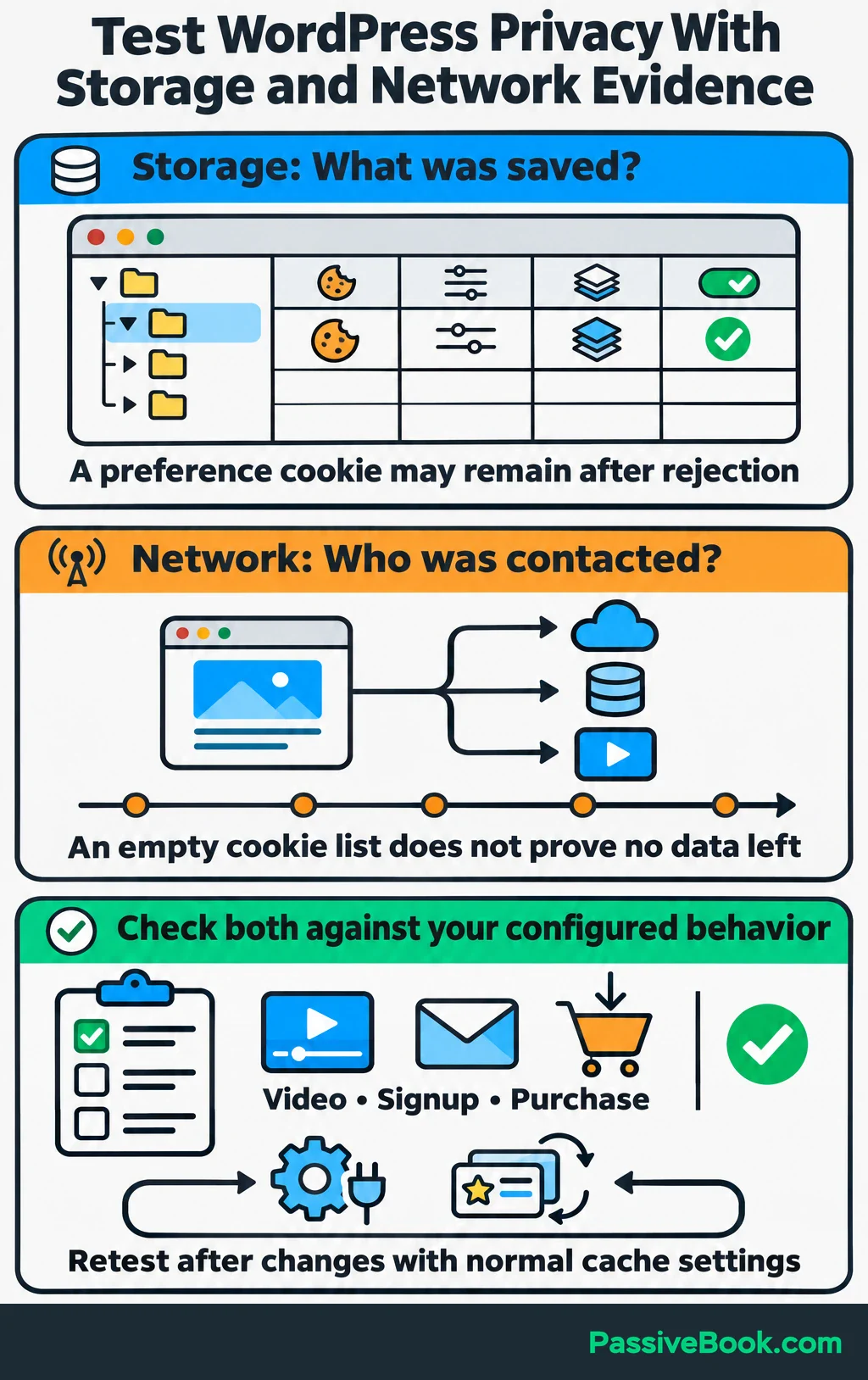
A preference cookie may remain after rejection because the site needs to remember that choice. An empty cookie list also does not prove that no information left the browser.
For the aquarium blog, test an article with a care video, a newsletter signup, and a planner purchase. Check that blocked videos show a useful placeholder and that downloads remain available after rejecting optional tracking.
Expect recorded analytics to change when visitor choices affect measurement. Use order records to check actual planner sales while investigating reporting differences.
Retest after adding a service, changing an integration, adjusting consent settings, or switching subscription tiers. Check once with your normal cache and script-optimization settings active, because that is the version visitors receive.
Keep a short record of the configuration, tests, and results. Add usage alerts and renewal reminders to your maintenance calendar. Low maintenance comes from knowing what to check, not from assuming nothing will change.
What Next?
List the services on your signup and checkout pages, then check whether one shortlisted consent manager controls each optional tracker. That gives you a concrete buying decision before you install anything.
Use the social buttons to share this comparison when your next tool discussion needs a clearer view of costs, controls, and testing.
Which part of your setup is hardest to verify: tracking, notices, or data requests? Tell me in the comments, and bring any other questions there too.
Share this post with your friends & followers:

