A contact form can look finished while leaving you with an unanswered question: where does the message go if the notification email never arrives?
That matters more than a long list of templates. You need to retrieve inquiries, send signups to the right email service, and keep the whole thing working without another subscription surprise.
I use Fluent Forms on Passive Book, but your email platform or payment needs may justify another choice. This comparison shows which free versions cover a complete workflow, what makes an upgrade worthwhile, and how to check that your chosen plugin can handle real submissions.
Which WordPress Form Plugin Should You Choose?
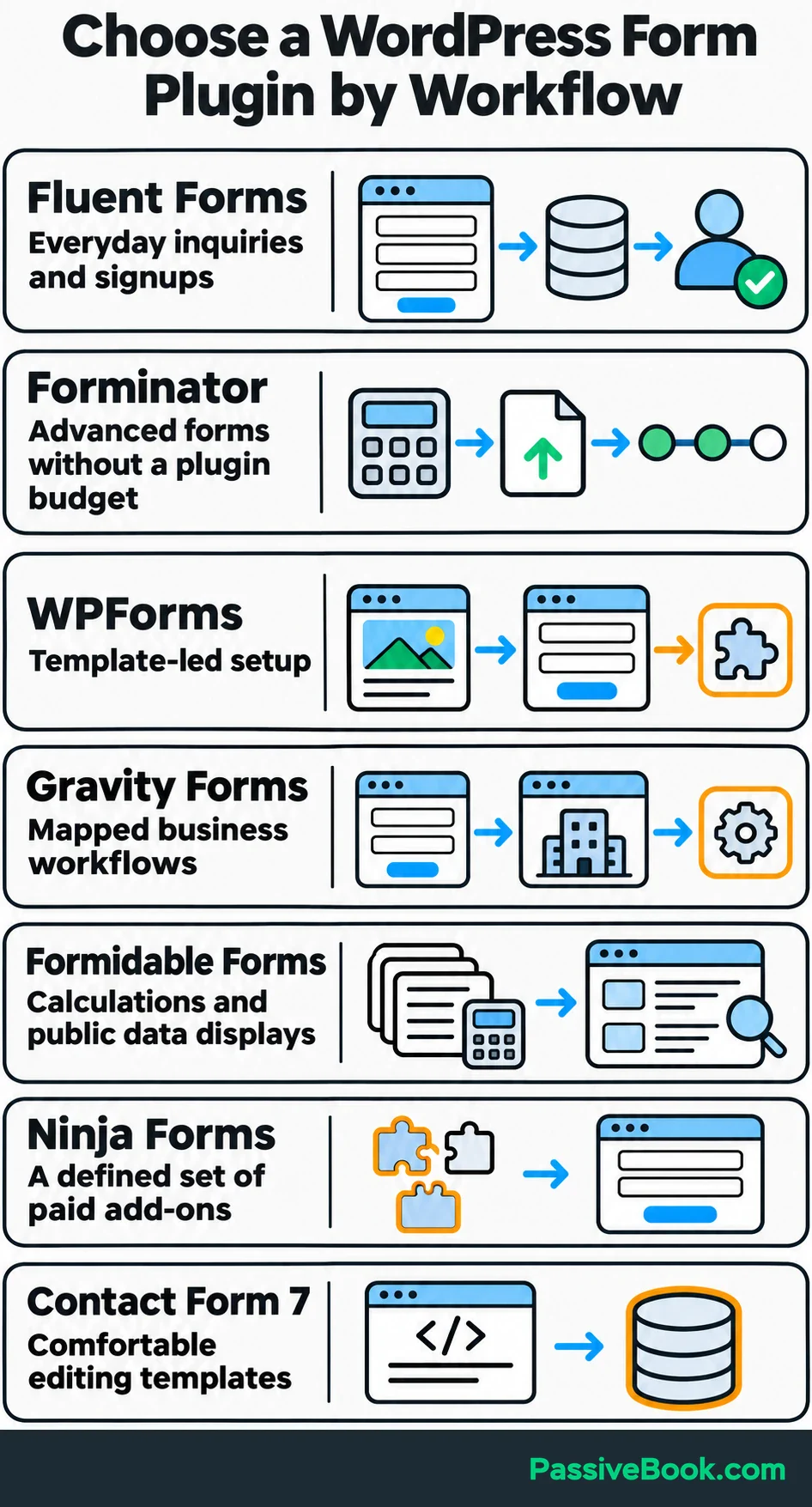
For everyday inquiries and lead capture, I would start with Fluent Forms. Compare Forminator if you need uploads, calculations, or forms spread across several pages without paying for the plugin. Choose WPForms if its templates and visual editor suit you, but check the integration tier before buying.
The other options have more specific strengths:
- Gravity Forms: Choose it when its integrations and extensions match a business process you have already mapped out.
- Formidable Forms: Consider it when answers need to feed calculations or become searchable content on your website.
- Ninja Forms: Compare it when you need a small, defined set of paid add-ons.
- Contact Form 7: Use it when editing form templates feels comfortable and you are happy to configure message storage separately.
Before comparing plans, write down four things: what visitors submit, where you retain their answers, which service receives them, and what should happen next.
Imagine your bread-baking blog sells a beginner sourdough ebook. You need an inquiry form for reader questions and a signup form offering a free starter-care checklist.
Your signup workflow might be:
Reader enters an email address → the submission is saved → your email platform adds the subscriber to the checklist list → a welcome email delivers the download.
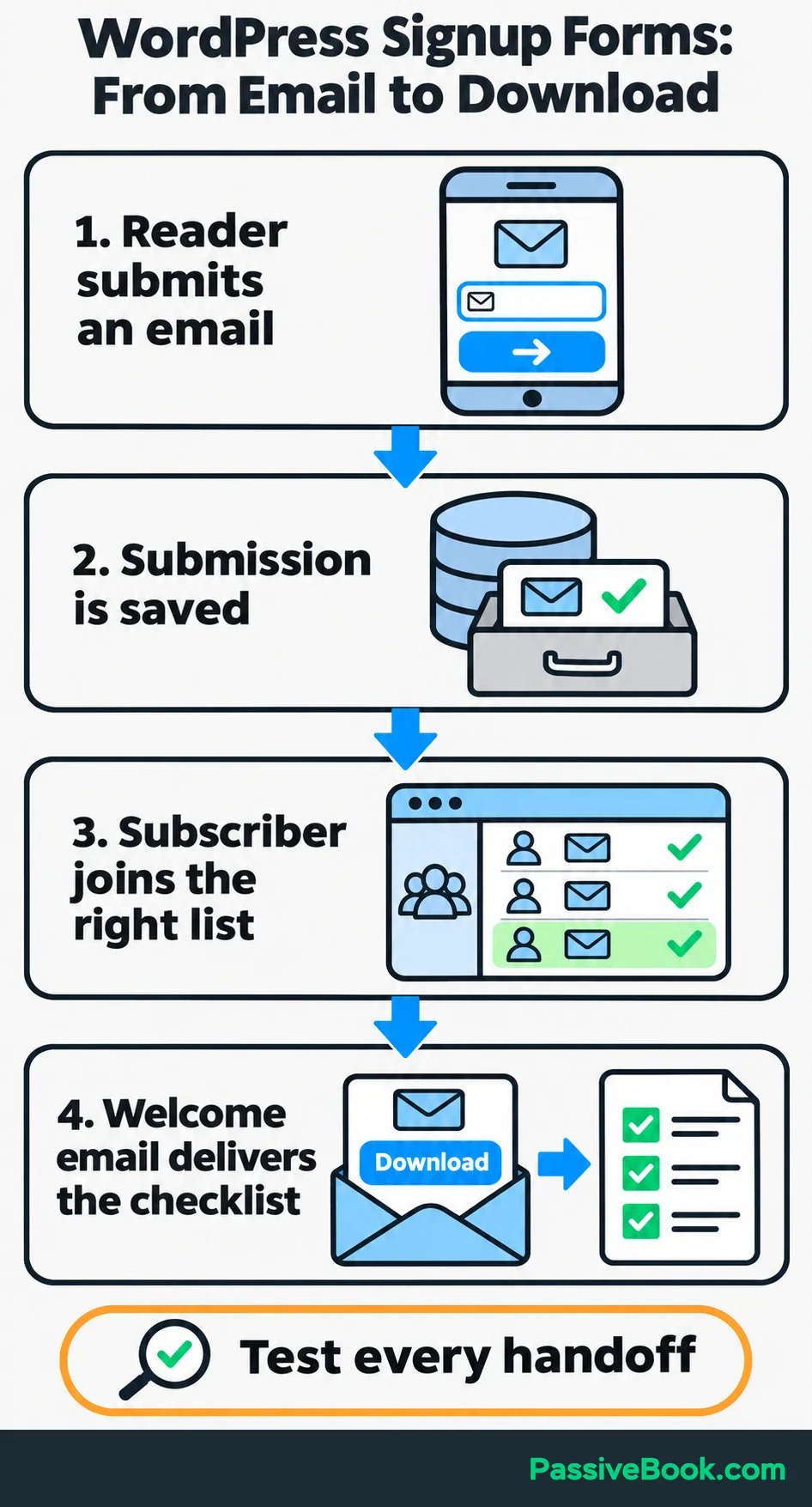
That chain is your buying requirement. A plugin that collects an address but cannot send it to your email platform has only done part of the job.
Conditional logic means showing fields or triggering actions according to an answer. For example, choosing “Ebook download problem” could reveal an order-reference field. You do not need it on a simple email-only signup.
On one digital-product site, I added a topic dropdown because the contact template included one. Every answer went to the same inbox, and I never used the categories. I removed it. Now I ask what I will do with an answer before adding another field.
The Best WordPress Form Plugins Compared
The best WordPress form plugins differ most at the boundaries between their free and paid editions. Saved submissions, conditional fields, and email connections deserve more attention than the number of available templates.
The table keeps exact prices in one place. All amounts are USD annual-license prices. “First year” means the advertised introductory price where offered; “regular annual” means the standard annual price. Follow the linked plan names for current offers and terms.
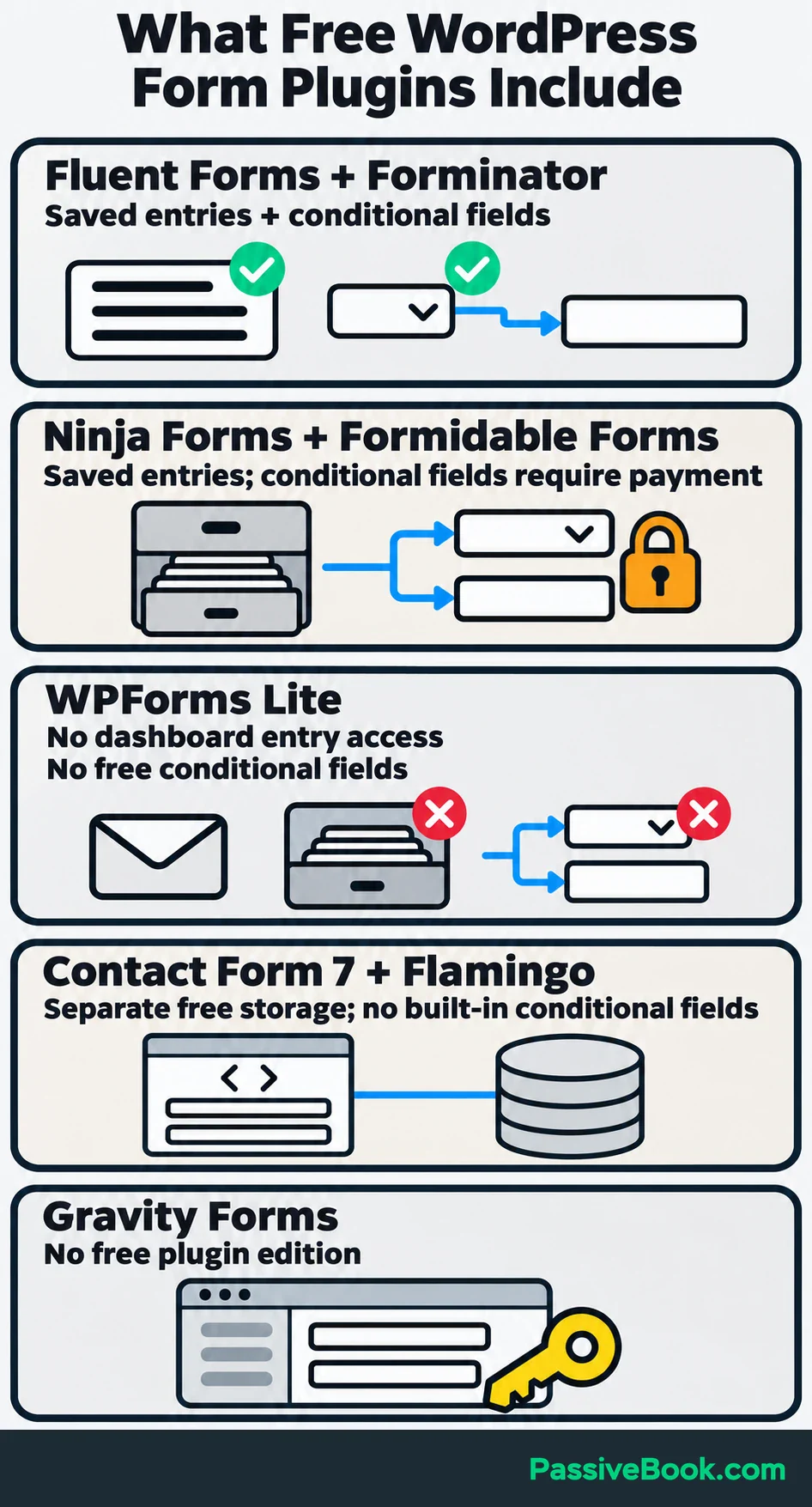
“Free conditional fields” means built-in controls that show or hide fields without custom code or extra extensions. Dashboard entry access means you can read saved submissions inside WordPress.
| Plugin | Best Fit | Free Dashboard Entry Access | Free Conditional Fields | Relevant Paid Plan and Site Allowance | First-Year Price | Regular Annual Price | Main Upgrade Trigger |
|---|---|---|---|---|---|---|---|
| Fluent Forms | Everyday inquiries and email signups | Yes | Yes | Single Site: 1 site, all Pro features | $63 | $79 | Uploads, calculations, multi-step forms, Kit or MailerLite; webhooks to send submissions to other apps |
| Forminator | Advanced forms with no plugin budget | Yes | Yes | Pro Basic: 1 site | $50 | $50 | Stripe subscriptions, PDFs, signatures or address autocomplete |
| WPForms | Starting from templates | No; optional Lite Connect backups require payment to restore | No | Basic: 1 site; Plus: 3; Pro: 5; Elite: unlimited | Basic $49.50; Plus $99.50; Pro $199.50; Elite $299.50 | Basic $99; Plus $199; Pro $399; Elite $599 | Basic for entries and conditional fields; Plus for listed email integrations; Pro to remove payment platform fees; Elite for webhooks |
| Gravity Forms | Workflows built around integrations and extensions | No free edition | No free edition | Basic: 1 site; Pro: 3; Elite: unlimited | Basic $59; Pro $159; Elite $259 | Basic $59; Pro $159; Elite $259 | Basic for ordinary forms; Pro for Stripe payments or connecting apps through Zapier; Elite for registration, surveys or signatures |
| Formidable Forms | Calculations and displaying submitted data | Yes | No | Basic: 1 site; Plus: 3; Business: 7 | Basic $39.50; Plus $99.50; Business $199.50 | Basic $79; Plus $199; Business $399 | Basic for advanced fields; Plus to display submissions using Views; Business for calculator templates and further integrations |
| Ninja Forms | Buying selected extensions | Yes | No | Plus: 3 sites; Pro: 20; individual add-ons also available | Plus $59.40; Pro $119.40 | Plus $99; Pro $199 | Conditional fields, uploads, multi-step forms, payments or external integrations |
| Contact Form 7 | Inquiry forms managed through templates | Requires the free Flamingo companion plugin | No | No paid core plan; extensions have separate terms | $0 for core and Flamingo | $0 for core and Flamingo | A need for visual editing or features supplied through extensions |
These are workflow recommendations. I have not run a controlled comparison of all seven plugins, so the order does not represent measured speed, accessibility, or spam-blocking performance.
Fluent Forms: Best Value for Everyday Lead Capture
Fluent Forms is my default recommendation because its free edition covers several things I want before spending money: a visual builder, saved entries, exports, and conditional fields. It also includes connections to Mailchimp and FluentCRM.
For the bread blog, that can cover both reader inquiries and checklist signups when either email platform fits. FluentCRM handles email marketing inside WordPress, while the form collects the signup.
I use Fluent Forms for forms and lead capture on Passive Book. That makes it a familiar choice for me, but I would still check your destination service first.
Upgrade when you need uploads, multi-step forms, calculations, webhooks, or connections such as Kit and MailerLite. The single-site Pro license includes all Pro features, so you do not need to work through several feature tiers.
If uploads and calculations are your only reasons to pay, compare Forminator first. I would rather keep the money than buy a license to unlock two fields.
For the example blog, start free and upgrade only when the actual signup journey requires it.
Forminator: Best for Advanced Free Forms
Forminator is the strongest starting point here when a form needs more than basic fields and the plugin budget is zero.
Its free edition includes conditional fields, uploads, calculations, multi-page forms, and dashboard submissions. It also supports one-time Stripe and PayPal payments. Payment processing costs still need their own budget.
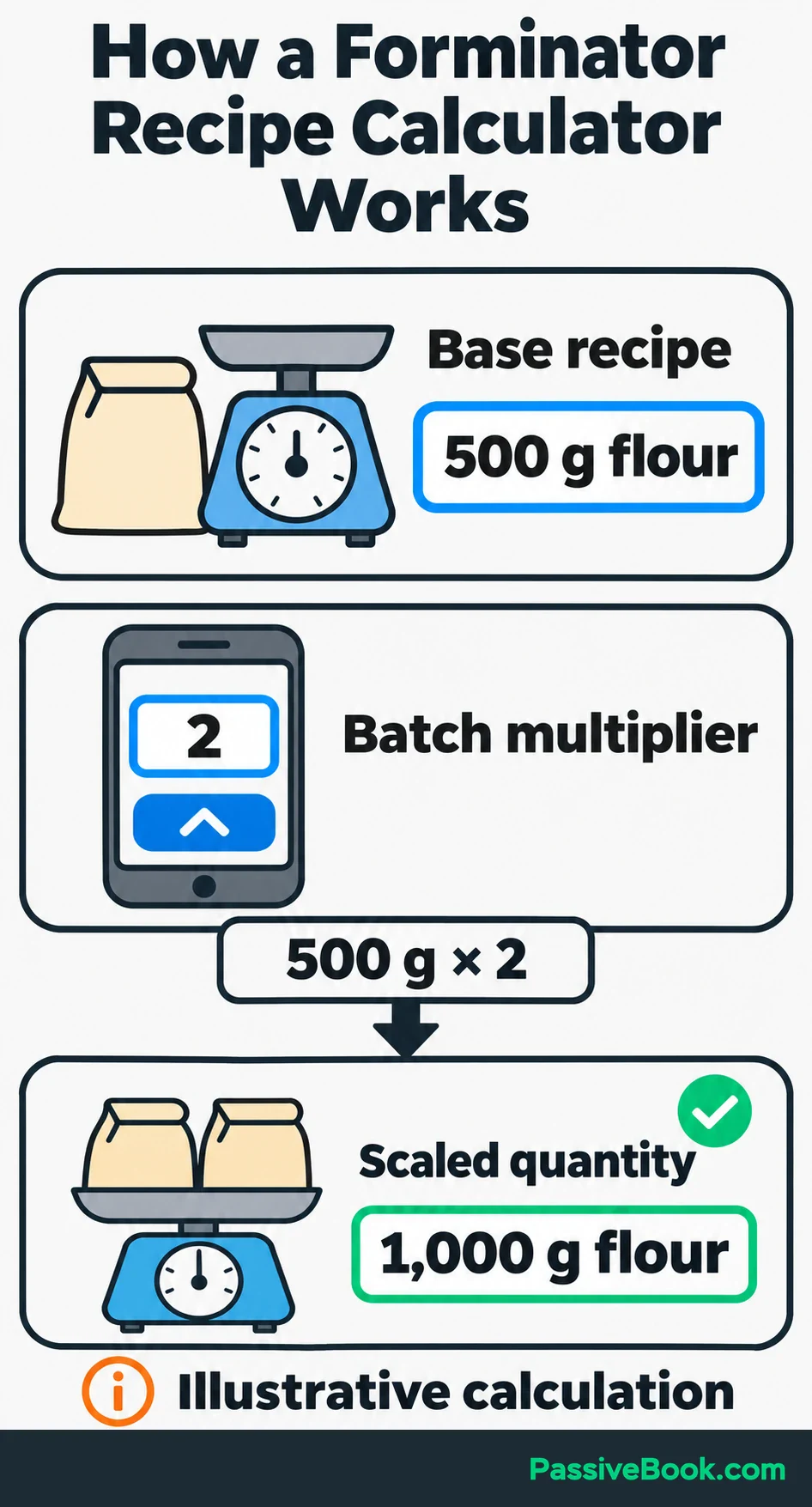
That makes it useful if your bread blog later adds a calculator that adjusts ingredient quantities. You can explore that feature without buying a form license first.
For the checklist signup, its included Mailchimp connection may be enough. Check your existing email service before choosing it for the free features, though. A generous builder is less useful if connecting it creates extra work.
Pro adds Stripe subscriptions, generated PDFs, electronic signatures, and geolocation with address autocomplete. Those are clear upgrade reasons when you need them.
I would skip Pro for an ordinary inquiry form. Free already covers that job, and a paid label does not make a simple form more useful.
WPForms: Best for Template-led Setup
WPForms suits people who prefer to choose a template and adjust it visually. The key decision is which edition covers the whole task.
Basic adds dashboard entries, conditional logic, and uploads. Mailchimp, Kit, and MailerLite require Plus or higher. Elite adds webhooks and connections to several customer relationship management (CRM) tools, which store contact details and customer activity.
Lite needs closer attention. It does not provide dashboard entry access. Optional Lite Connect backs up submissions on WPForms servers only after activation, each backup expires after one year, and restoration requires a paid license. That is different from opening WordPress and reading a saved inquiry. WPForms explains the backup and restoration rules here.
I would choose another free option if you need to read saved messages without upgrading. Choose WPForms when its builder fits you and the required paid tier fits your ongoing budget.
Gravity Forms: Best for Extensible Business Workflows
Gravity Forms makes sense when a specific integration or extension solves a business problem you already have.
Its visual builder handles ordinary forms without code. Basic includes Mailchimp and HubSpot connections, Pro adds options such as Stripe, Zapier, and Slack, and Elite includes user registration, surveys, and signatures.
For the bread blog’s inquiry form and checklist signup, that may be more than you need. I would not buy it merely because the business might become complicated someday.
I would consider it if the blog expanded into paid workshops and the proposed registration process matched its available extensions. Write down the full process first, then price the license and any separately sold third-party extensions.
There is no free plugin edition. The hosted demo includes Elite add-ons, so check that the features you try belong to your intended license. To test notifications in the demo, you must first connect your own email service.
Formidable Forms: Best for Calculations and Submitted-data Displays
Formidable becomes interesting when collecting answers is only the beginning.
Its Views feature turns submissions into structured content visitors can browse on the website. For the bread blog, a possible use would be an approved, searchable collection of reader bake reports. That is a different job from receiving private questions.
The free edition stores basic submissions. Basic adds conditional logic, calculated fields, uploads, and multi-page forms. Views starts with Plus, which also includes Mailchimp and Kit connections. Business adds calculator templates, Google Sheets, and Zapier.
I would use Basic for a calculation I can build myself and pay for Business only when its particular templates or integrations save useful work.
For the example blog’s initial inquiry and checklist forms, I would skip the extra capability. There is no prize for turning an email signup into a database project.
Ninja Forms: Best for Buying Selected Add-ons
Ninja Forms lets you start with a free visual builder and buy extensions as requirements appear.
The free core includes calculations, notifications, and submissions stored in your WordPress database. You can view, edit, search, and export those entries without buying a license.
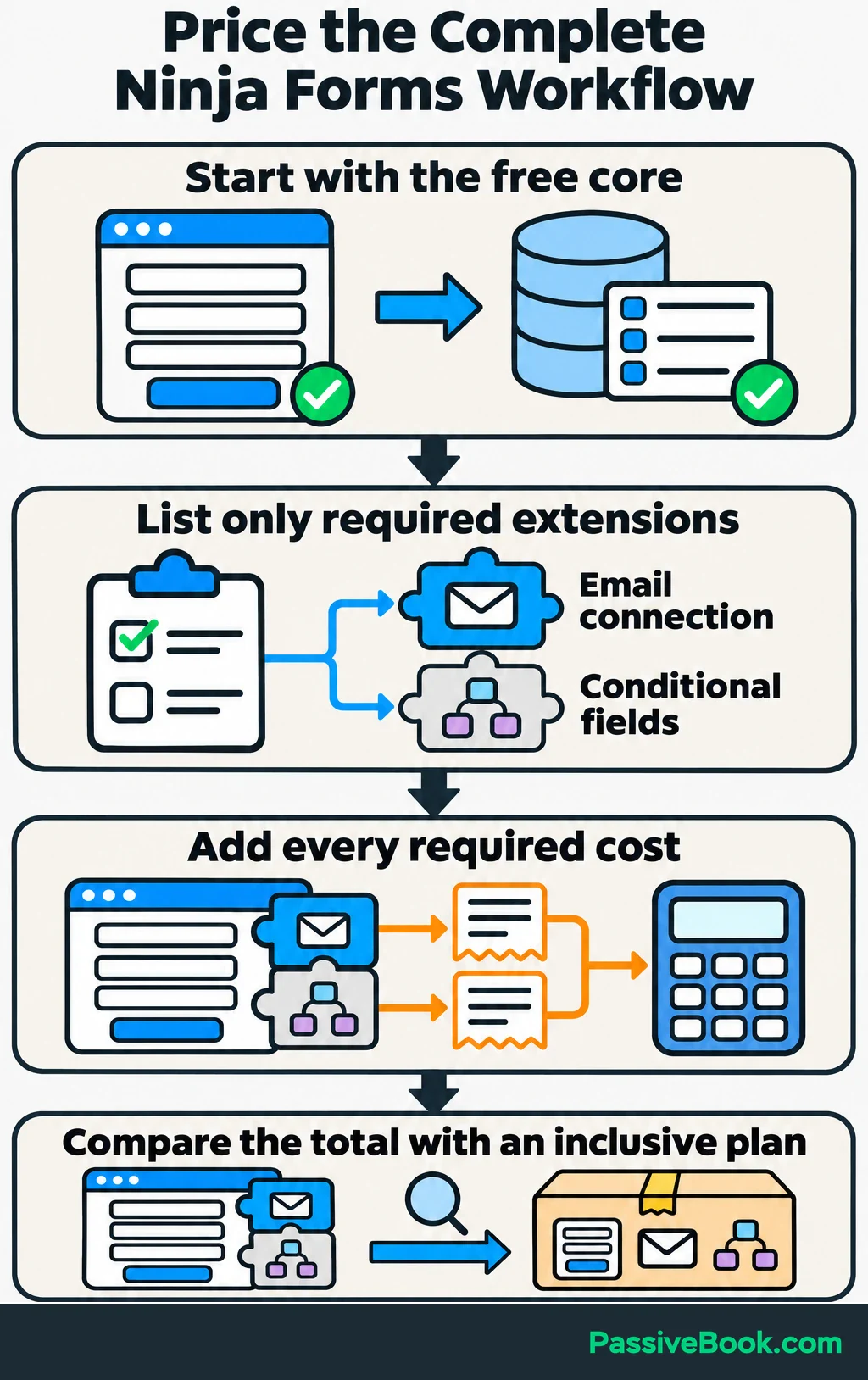
Conditional logic, uploads, multi-step forms, payments, and external integrations come through paid add-ons or memberships. Plus bundles conditional logic, uploads, multi-step forms, and email connections including Mailchimp and Kit. Pro adds Stripe, Zapier, and CRM integrations.
I would compare it when you need a small set of extensions and want to price those individually. Add the required extensions to your comparison before deciding they are cheaper than a bundle.
For the bread blog, a free inquiry form is straightforward. The checklist signup becomes the buying decision because you must include the email connection in the total.
Once several paid extensions accumulate, compare an inclusive plan elsewhere. Small purchases have a habit of becoming one large purchase with more receipts.
Contact Form 7: Best for Users Comfortable Editing Form Templates
Contact Form 7 is a reasonable choice when editing form tags and email templates feels manageable. If you want to move fields around visually, I would choose one of the builders above.
Its zero license cost needs one practical addition: message storage. Contact Form 7 alone does not save submissions, so install Flamingo if you want to retain inquiries in the WordPress database. Without storage, an email configuration problem can leave you with no recoverable message.
For the bread blog, that makes Contact Form 7 plus Flamingo a workable inquiry setup. The newsletter connection needs separate evaluation rather than an assumption that the contact form handles everything.
Contact Form 7 also has a native Cloudflare Turnstile integration for bot protection. Turnstile checks whether a visitor appears human, but you should still test the form with legitimate submissions after enabling it. The official Turnstile documentation describes the integration.
I would keep Contact Form 7 on a site where the existing setup works and someone understands its templates. For a fresh beginner setup, I prefer a visual builder with entries included.
When Is a Paid Form Plugin Worth It?
Pay when the free version leaves a requirement unmet.
For the bread blog, a free setup is enough if it can save a checklist signup, create the subscriber in the chosen email platform, and deliver the resource through that platform. A paid form license adds little if that journey already works.
An upgrade becomes easier to justify when you need:
- A required connection: Your email platform, customer database, or automation tool is unavailable in the free edition.
- Specific form behavior: You need features such as subscriptions, uploads, calculations, or saved progress that your current edition lacks.
- Suitable support: The paid support terms cover the help you need to maintain the setup.
- Lower payment surcharges: Removing a plugin’s transaction fee costs less than continuing to pay it.
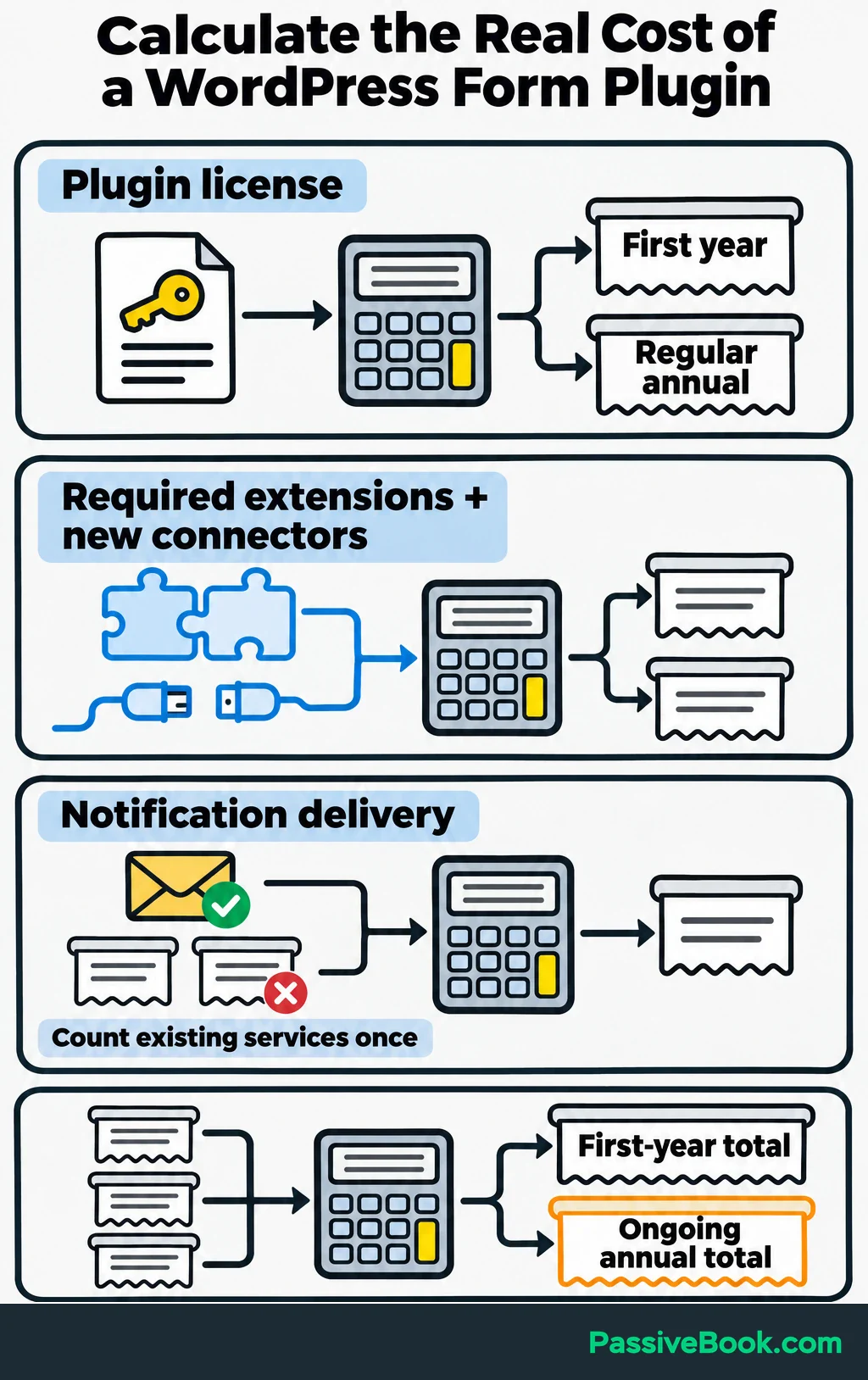
Compare the first-year total and the regular annual total. Include required extensions, connector services, and notification delivery, but count an existing service only once.
The plugin license may be only part of what you pay. Put two setups that meet your requirements side by side before choosing a plan.

Free Software Cost Calculator




For example, if you already pay for an email platform, its full subscription is not an additional cost caused by the form plugin. A new connector subscription would be.
Payment forms need another check. Fluent Forms’ free Stripe integration carries a minimum 1.9% platform fee, removed with Pro. Processor charges remain separate. Fluent Forms states its Stripe fee terms here.
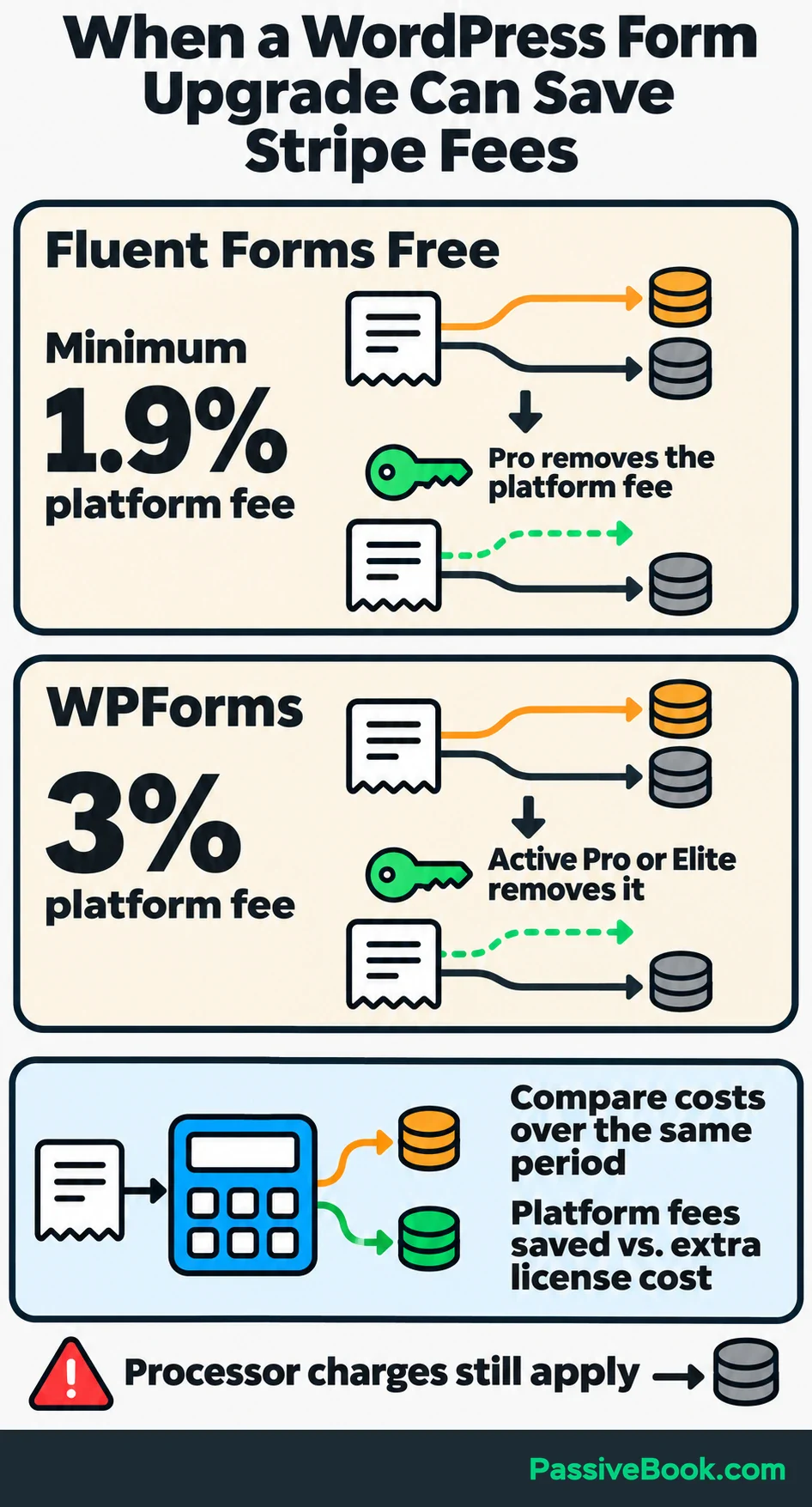
For Stripe payments, WPForms charges a 3% platform fee unless you have an active Pro or Elite license. Processor charges still apply. Check the fee terms and use the Pro price in the comparison table when weighing an upgrade.
For the sourdough ebook, I would keep the existing shop checkout unless a form solves a specific sales requirement. Moving payments creates more work to test.
Also check license-expiration behavior. Formidable says existing forms continue accepting submissions, but premium-field editing, updates, and support become restricted. Ninja Forms extensions remain usable after expiration, but updates and support end.
I would budget for maintaining a paid plugin I depend on. “It still runs” is a poor maintenance plan for the form that receives your customer inquiries.
How to Check Your Shortlist Before Committing
Choose two finalists and give each the same job. Comparing one simple form with another plugin’s elaborate demo tells you very little.
Use the checks below to decide whether either plugin deserves a place on your site.
Verify Submission Recovery and Integrations
Start with the inquiry form because it exposes the most basic failure points.
Build the same inquiry form in both finalists with name, email, and message fields. Include a topic field only if an answer changes which fields appear or where the inquiry goes. Publish each on a test page and submit it while logged out of WordPress.
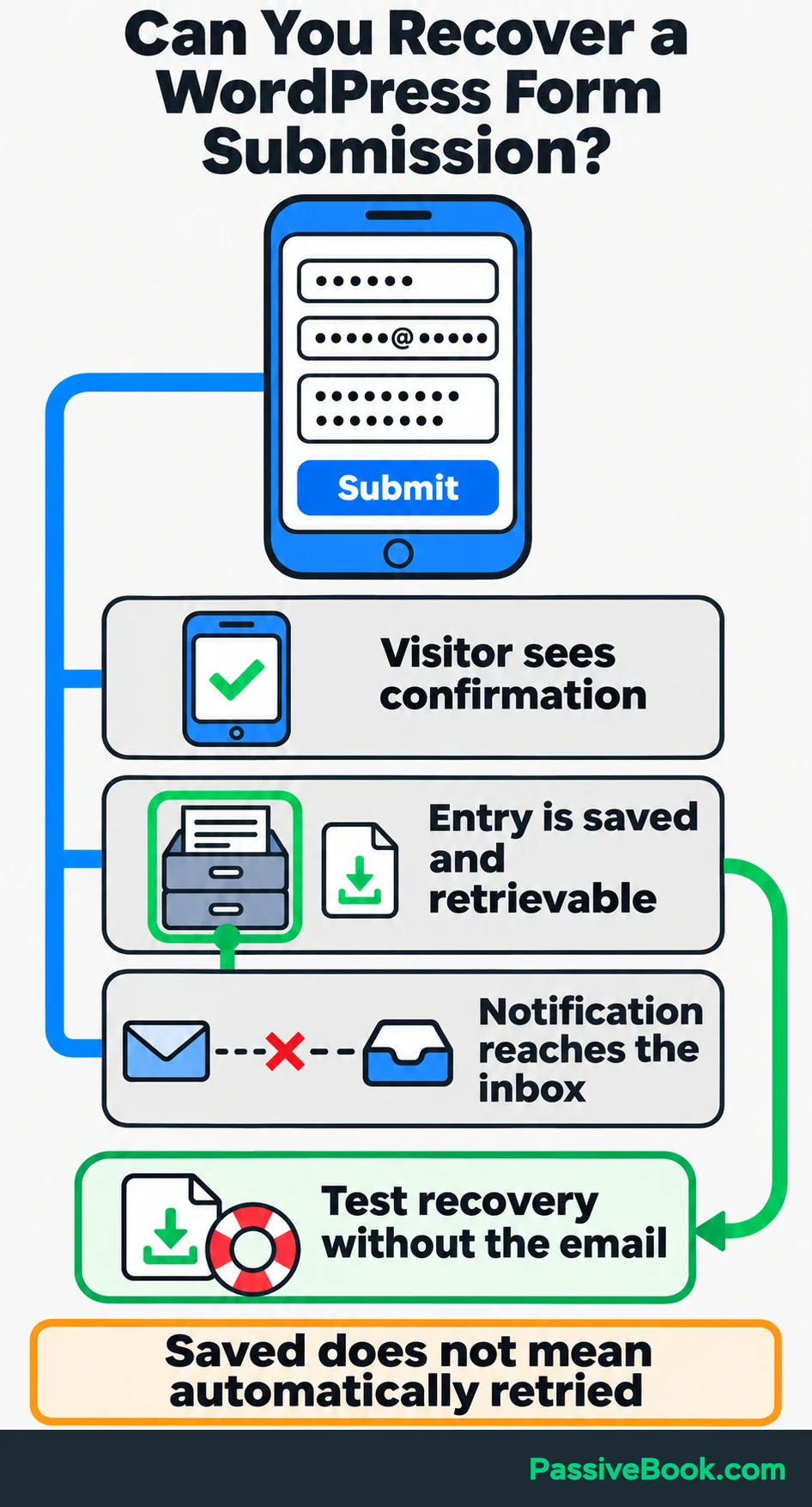
Check three separate outcomes:
- The visitor sees a clear confirmation.
- The submission appears in the expected storage location.
- The notification reaches the intended inbox.
Do not treat a successful send request as proof of delivery. WordPress warns that its email-sending function can report success even when the message never reaches the recipient. Read its explanation of email delivery.
For notifications, use an authenticated email provider and a sender address on your website’s domain. Put the visitor’s address in Reply-To so replying reaches them. I use FluentSMTP to connect WordPress to Amazon SES, the service that sends the notifications. Choose a provider you can configure and maintain confidently.
Then test the checklist signup from beginning to end. For a concrete test on the bread blog, connect Fluent Forms to Mailchimp and choose the audience that should receive checklist subscribers. Match the form’s email field to Mailchimp’s email field, and set up a welcome email containing the checklist link. Check that your Mailchimp plan supports that automation, then submit the form with an address you control.
| Check | What Should Happen on the Bread Blog |
|---|---|
| Submission retained | Fluent Forms’ saved entries contain the test email address |
| Subscriber created | The test address appears in the selected Mailchimp audience |
| Confirmation completed | If subscription confirmation is enabled, its email arrives and the confirmation link works |
| Resource delivered | Mailchimp sends the welcome email, and its link opens the starter-care checklist |
With another plugin or email service, check the same results in its entry storage and subscriber list.
On a staging site—a private copy used for testing—disconnect the email integration and submit again. Confirm whether the form retains the entry and whether you can identify the failed transfer. A saved entry gives you a chance to recover it; it does not prove the plugin will retry automatically.
Before choosing a winner, retrieve or export an inquiry without using its notification email. That is the recovery path you may need later.
Check Accessibility, Spam Protection, and Page Speed
Test the published form on your phone and with a keyboard.
Use Tab to move through fields and controls, and check that you can always see which item has focus. Submit an empty form and an invalid email address. The errors should identify what needs fixing, and the success message should make the outcome clear.
Check that fields have proper labels associated with their controls. Placeholder text inside an empty field is not a substitute. Conditional fields and spam challenges need attention too. These checks follow the concerns covered in W3C’s accessible-forms guidance.
For the bread blog, selecting “Ebook download problem” should reveal the order-reference field in a way you can reach and understand with the keyboard.
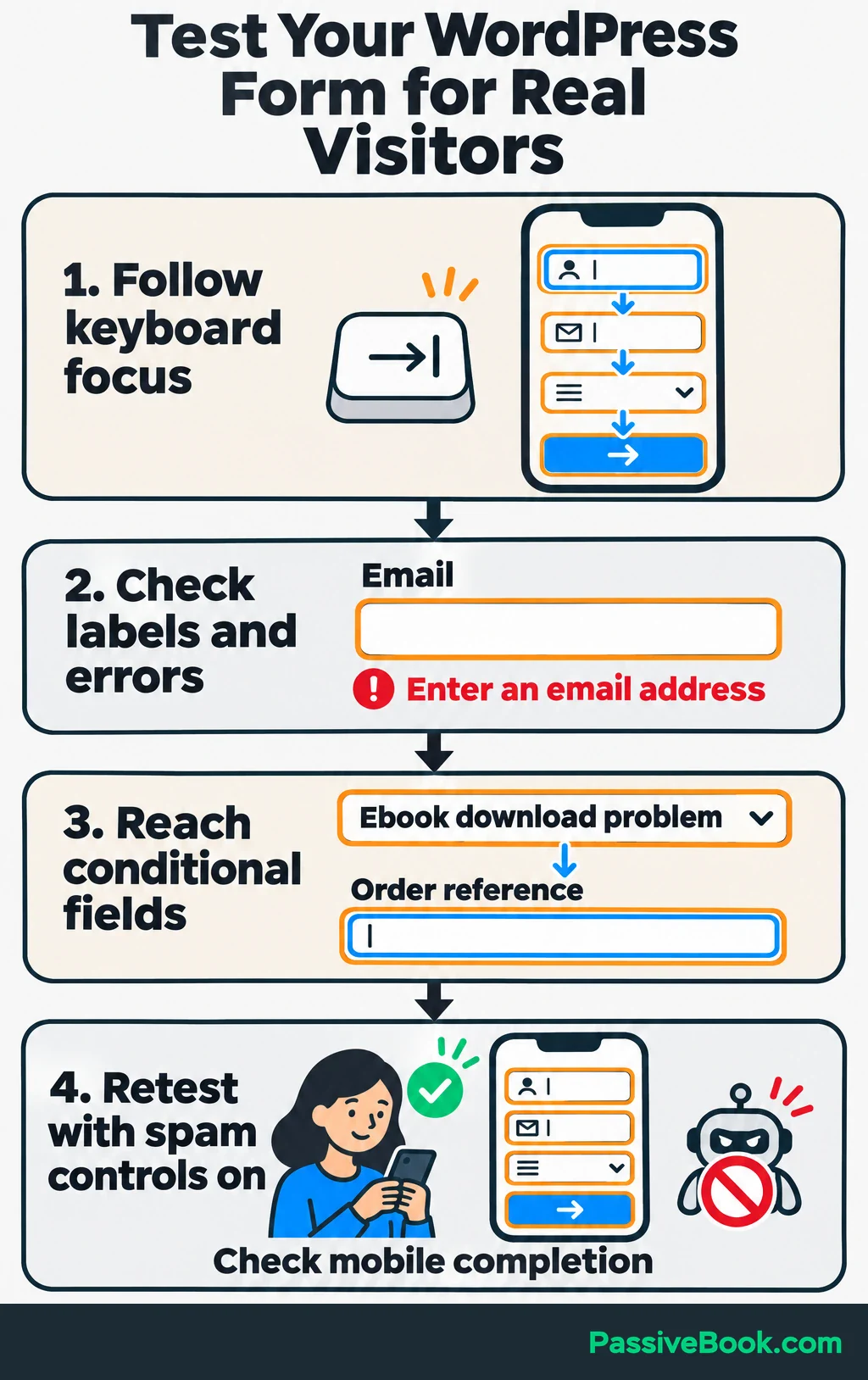
Turn on the spam controls you intend to use and submit again as a legitimate visitor. Start with a hidden bot-trap field, often called a honeypot, where available, and add a supported service such as Turnstile when needed.
Judge spam protection by both unwanted entries and the effort required from real visitors. A challenge that prevents an actual reader from asking a question creates its own problem.
For speed, compare the same page before and after adding each finalist. Keep the fields, theme, hosting, caching, and spam settings consistent. Use a page-speed tool and inspect the form on mobile as well.
Run several checks under the same conditions because one result can be noisy. I would choose based on the effect on my actual page, rather than a vendor’s claim that its plugin is the fastest.
Check Maintenance and Switching Costs
Check that the plugin and required extensions support your WordPress and PHP versions. Look for recent maintenance, and confirm what support the chosen edition includes.
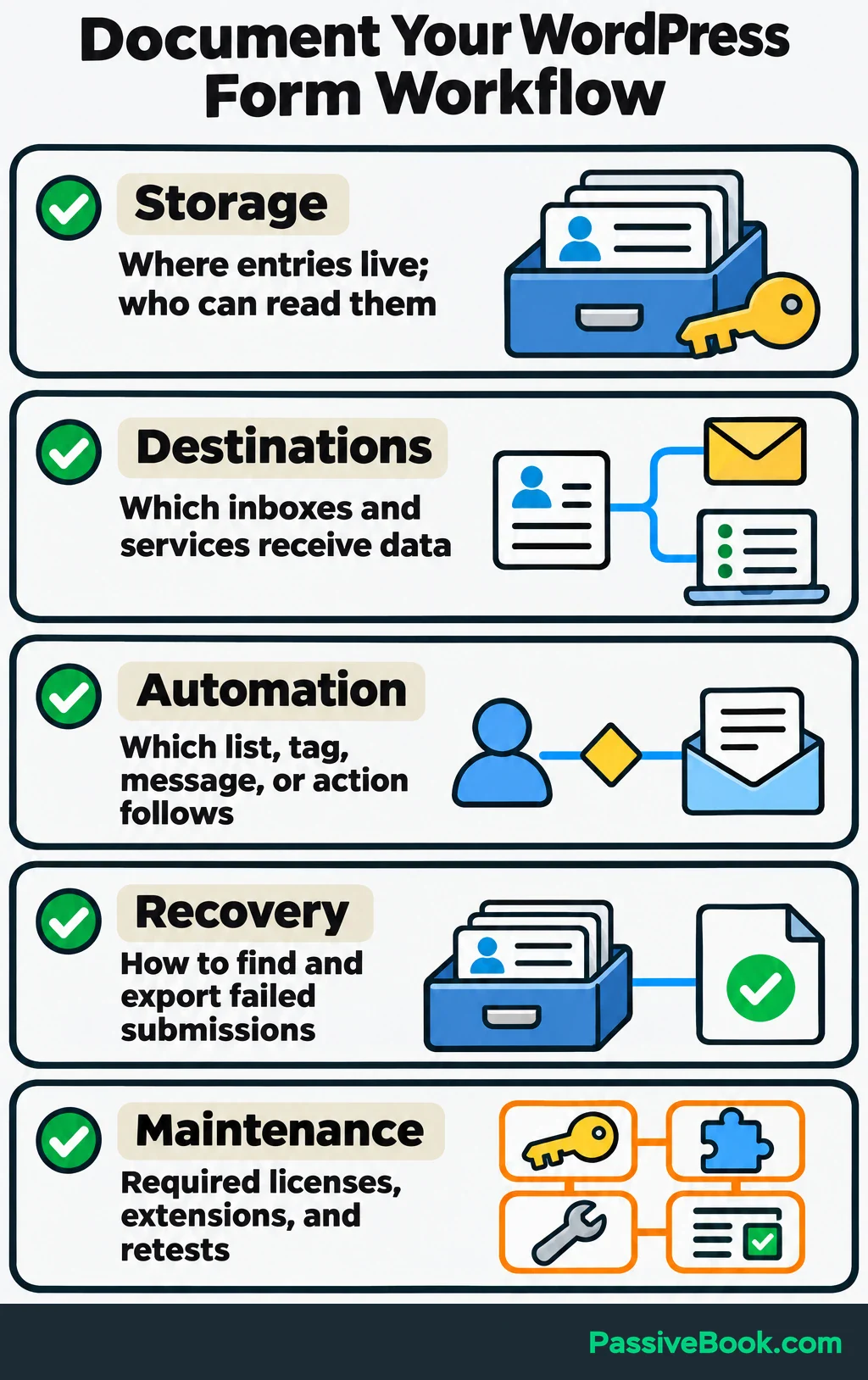
After installation, keep a short record of the setup:
- Storage: Where entries are saved and who can read them.
- Destinations: Which email platform, inbox, or other service receives the data.
- Automation: Which list, tag, message, or action follows a submission.
- Recovery: How to find a failed submission and export saved entries.
- Maintenance: Which licenses and extensions the workflow requires.
Keep the plugin and extensions updated, and retest essential forms after updates.
Try exporting sample submissions before committing. Then check form import separately. A CSV can preserve names, addresses, and messages, but it does not recreate fields, conditional rules, notifications, integrations, or page embeds in another plugin.
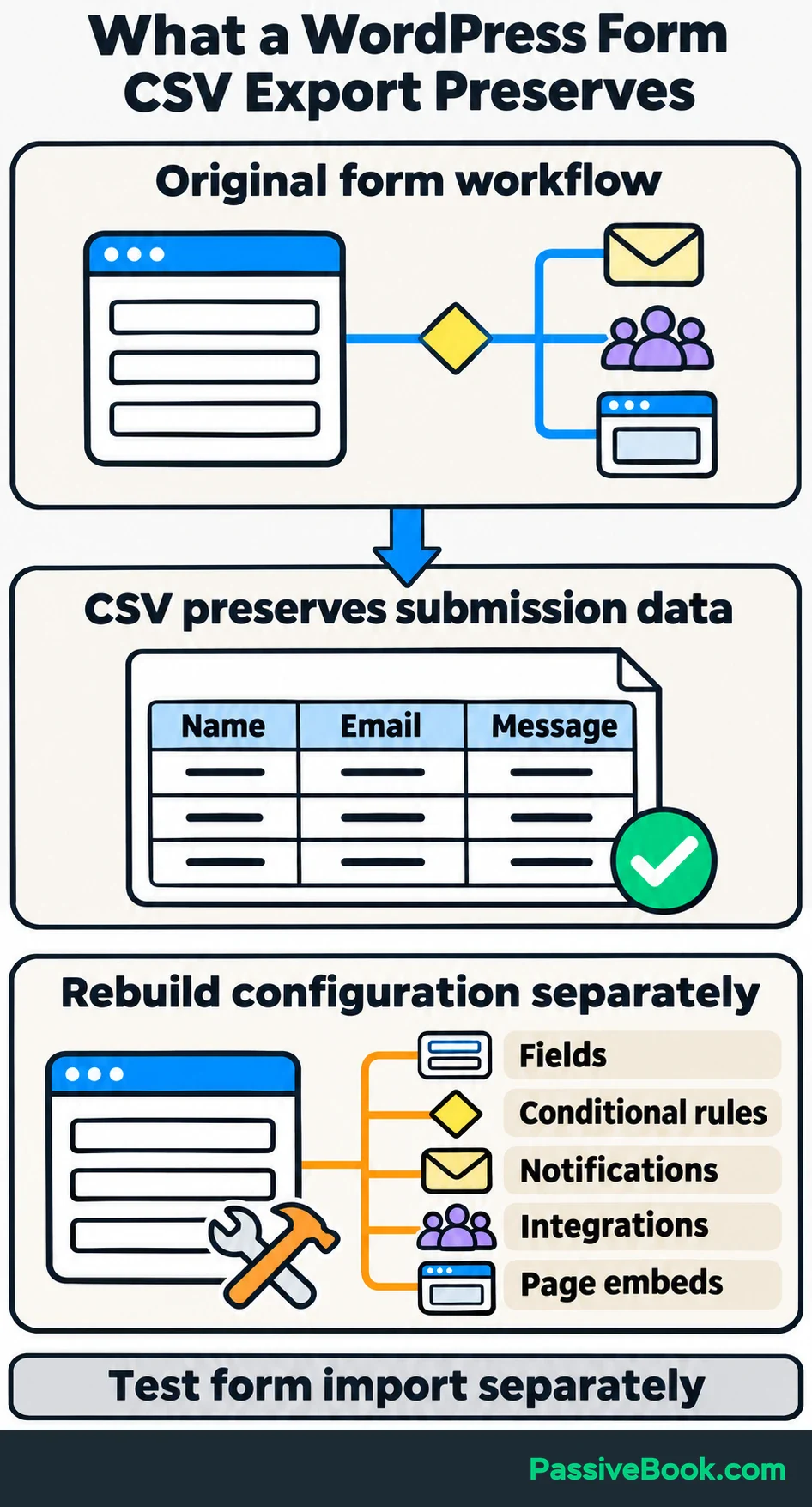
For the bread blog, saving a list of checklist subscribers would not rebuild the rule that sends new signups into the welcome sequence. Record that connection too.
Document where form data is stored and sent in your privacy notice, and choose access and retention settings that suit the information you collect. Avoid keeping inquiries indefinitely just because storage is available.
I would choose the finalist that completes the required journey, keeps inquiries recoverable, and fits the ongoing budget. Extra features can wait until they have a job.
What Next?
Write down the destination of each submission from your most important form, then test that journey with an email address you control. If you need a starting shortlist, compare Fluent Forms with Forminator and add another option only when its particular strength matches your requirements.
Use the social buttons to share this comparison when plugin costs and missing integrations come up in your WordPress conversations.
Which part of your current form setup would be hardest to recover if it stopped working? Tell me in the comments, and bring any other questions about choosing a plugin.
Share this post with your friends & followers:

