Your email plugin looks free until you try to send the second welcome lesson. That needs an upgrade. Another option includes automation but leaves you to arrange delivery, and a third charges for contacts you weren’t planning to email.
You can spend an evening connecting forms and importing contacts before discovering that the follow-up you need requires a paid plan. This comparison shows where the free options stop, what paid plans add and which WordPress setup fits your subscriber capture, newsletters and customer follow-up.
Should You Manage Email Inside WordPress or Use a Hosted Service?
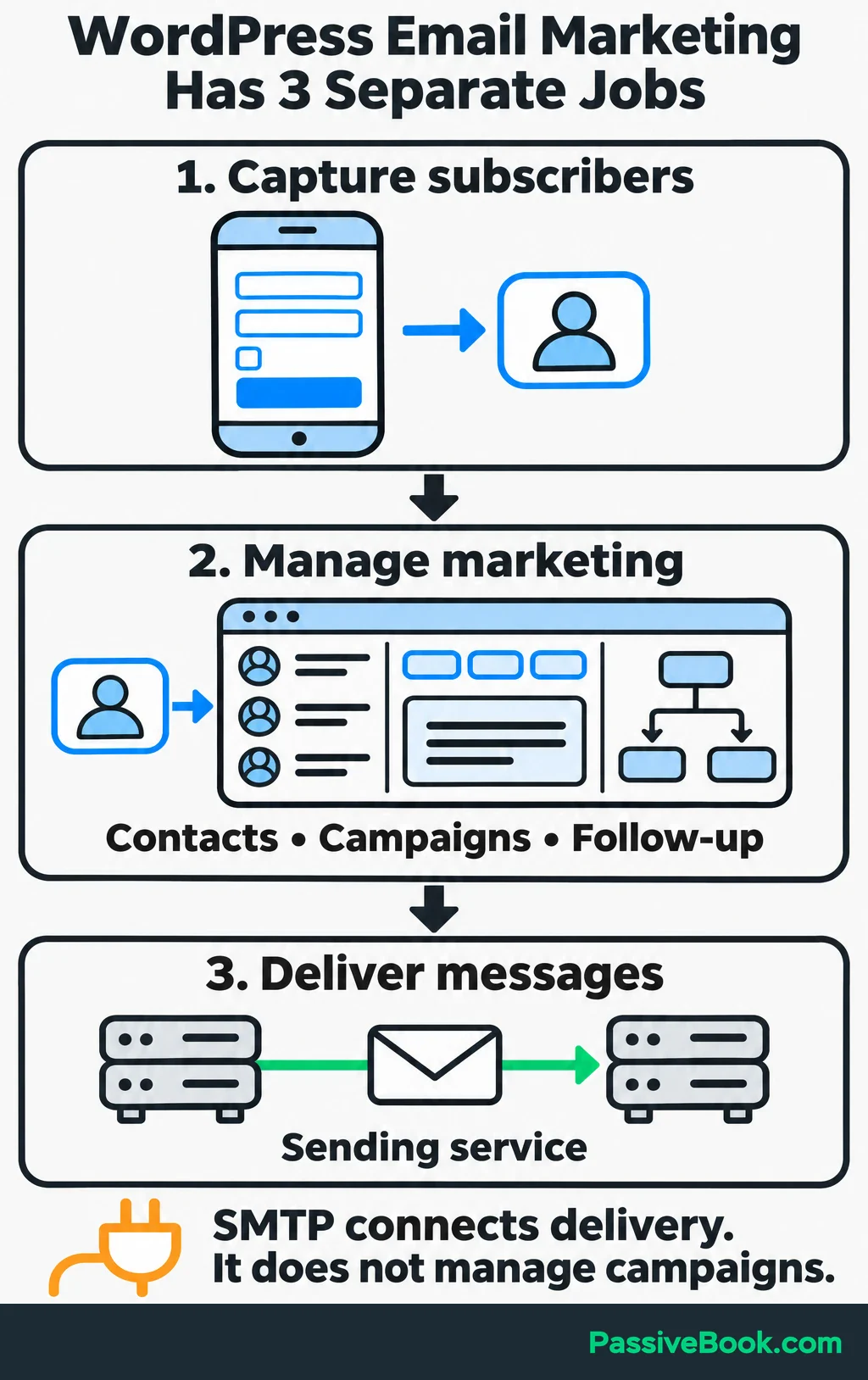
Start by separating three jobs:
- Subscriber Capture: A form collects an email address and records the person’s signup.
- Email Marketing: Software stores contacts, creates newsletters and decides when follow-up messages should go out.
- Email Delivery: A sending service transports those messages to receiving mail servers.
An SMTP plugin connects WordPress to a sending service. It can help deliver your emails, but it doesn’t replace the software that manages subscribers and campaigns.
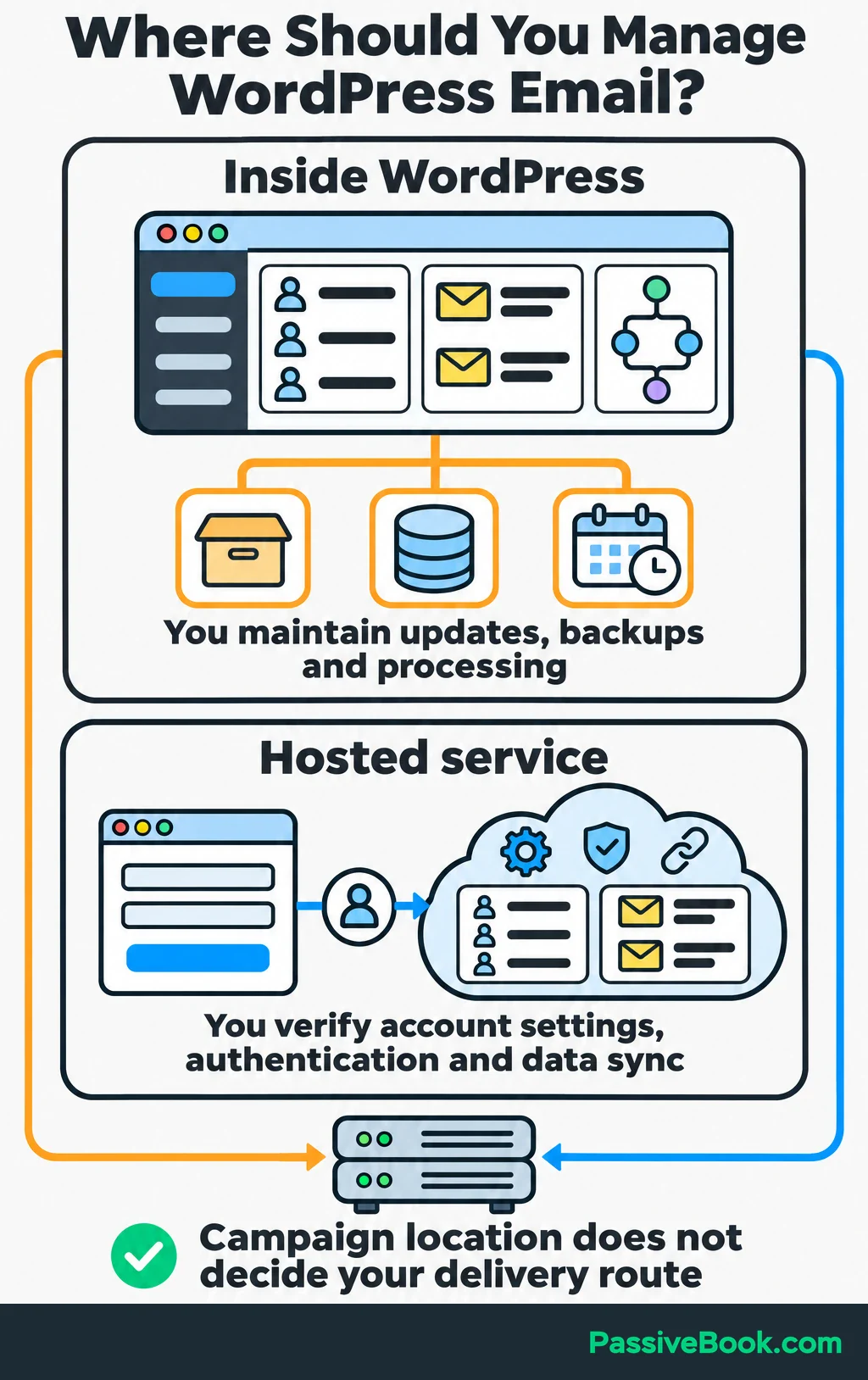
The first decision is where you want to manage that work.
| Approach | What You Manage | What You Take Responsibility For |
|---|---|---|
| Inside WordPress | Contacts, campaigns and follow-up in your site’s dashboard | Plugin updates, backups, database capacity and scheduled processing |
| Through a hosted service | Campaigns and contacts in the service’s account, connected to WordPress | Account settings, domain authentication and checking that site data reaches the service |
I prefer WordPress-managed software when email needs to work closely with products, forms and customer activity on the site. But I would choose a hosted service when reducing site maintenance matters more than keeping everything in one dashboard.
Campaign management and delivery are separate choices. MailPoet manages campaigns inside WordPress and offers plans with sending included. FluentCRM also runs inside WordPress, but you arrange a separate sender.
Before comparing features, write down the subscriber journey you need. For our running example, imagine you sell beginner watercolor courses through WooCommerce, the WordPress plugin that handles your checkout. Visitors request a free brush-care checklist, receive introductory lessons and then get a course offer. After buying, they need help accessing the course and should leave that course’s sales follow-up.
That journey gives you something useful to compare. A plugin that sends a weekly newsletter may still lack the purchase trigger needed to stop a course pitch.
For a blog newsletter, focus on signup, new-post delivery and unsubscribing. For service inquiries, check whether your form passes the inquiry details to the tool handling follow-up.
Also decide which service will send password resets, contact-form notifications and order receipts. Connecting a hosted newsletter account doesn’t automatically reroute every email WordPress sends.
Best WordPress Email Marketing Plugins Compared
My shortlist starts with MailPoet for newsletters with sending included, FluentCRM for automation managed inside WordPress, and Sender for free hosted follow-up.
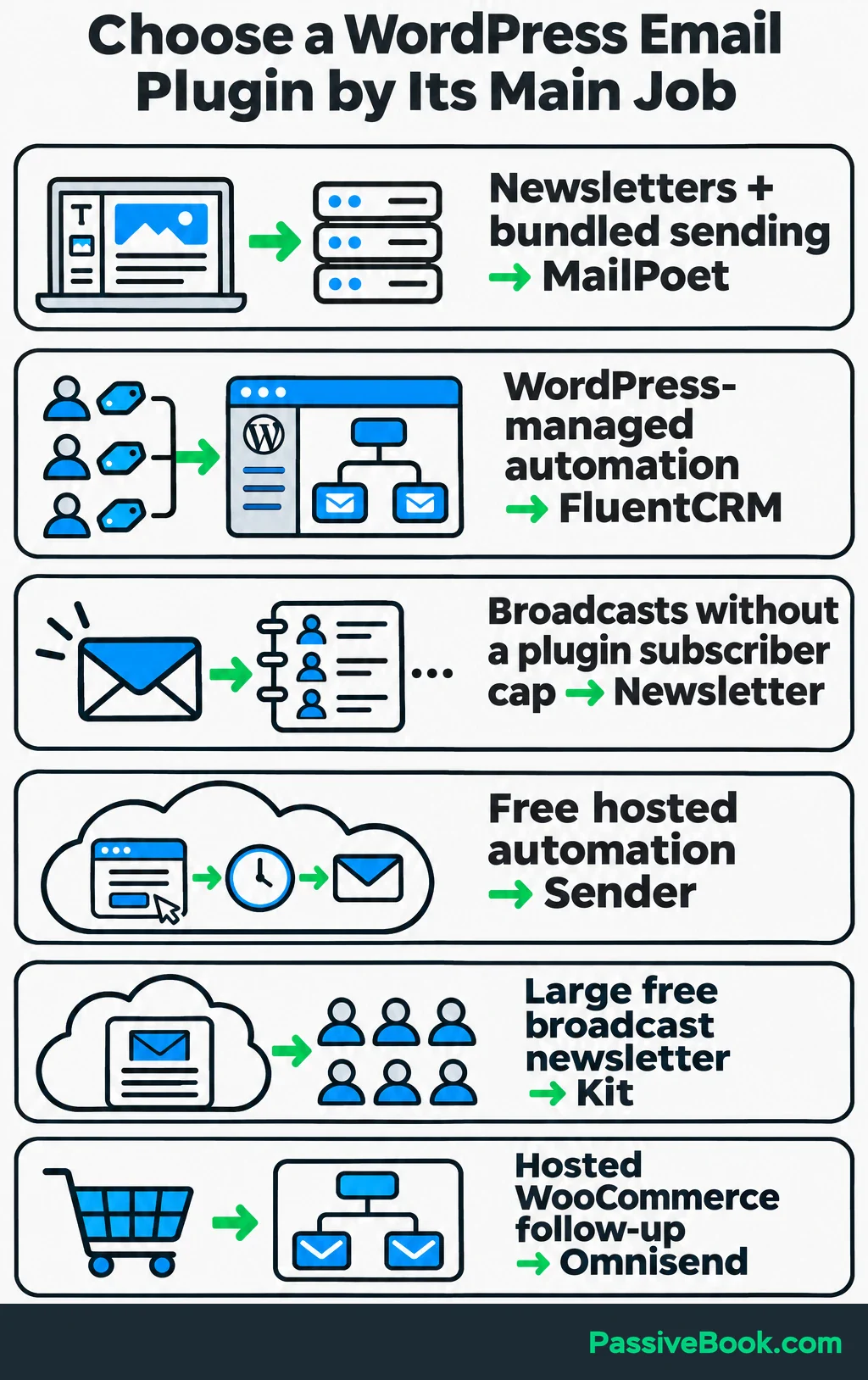
The best WordPress email plugins fit both your required journey and your willingness to maintain the setup. A long feature list means little if the one integration you need requires another purchase.
The table puts free allowances and selected regular paid prices in one place. Prices are in USD and exclude promotional discounts. Use the linked pages to price your actual contact count and billing period.
| Plugin or Connector | Best Fit | Campaign Dashboard | Free Contact and Sending Allowances | Automation Access | Paid Pricing Model | Included Delivery | Setup Burden |
|---|---|---|---|---|---|---|---|
| MailPoet | WordPress newsletters with bundled sending | WordPress | Starter: 500 subscribers; 5,000 emails/month | Basic templates free; custom workflows need Premium | Business starts at $10/month for 500 subscribers; scales with subscribers | Starter, Business and Agency include sending; Creator requires your own sender | Moderate: plugin, forms and sender verification |
| FluentCRM | WordPress-managed automation | WordPress | No plugin-level contact or campaign cap; sender quotas apply | Basic workflows free; dedicated email sequences and WooCommerce triggers need Pro | Regular Pro license: $129/year for one site; delivery extra | No | Higher: sender, scheduled processing and bounce handling |
| The Newsletter Plugin | Broadcast newsletters without a plugin-level subscriber cap | WordPress | No plugin-level subscriber or newsletter cap; delivery quotas apply | One welcome email free; continuing series need Professional or Agency | Premium bundles; check the required bundle’s checkout total | No bundled sending allowance | Higher: delivery setup plus any required add-ons |
| Sender | Free hosted newsletters and automation | Hosted account | 2,500 subscribers; 15,000 emails/month | Email automation included free | Standard: $108 billed annually ($9/month equivalent) for 500 subscribers and 6,000 emails/month; scales by tier | Yes, for platform campaigns | Lower: account, connector, forms and authentication |
| Kit | A large free broadcast newsletter | Hosted account | 10,000 subscribers; unlimited broadcasts | Sequences and visual automation require Creator or above | Creator: $390 billed annually for 1,000 subscribers; scales with subscribers | Yes, for platform campaigns | Lower for broadcasts; store connections need separate checking |
| Omnisend | WooCommerce customer follow-up | Hosted platform connected to WordPress | 500 emails/month to a maximum of 250 unique contacts | Ecommerce automation included free | Standard starts at $16/month; email credits equal 12 times the plan’s contact count | Yes, for platform campaigns | Moderate: connect the store and check customer events |
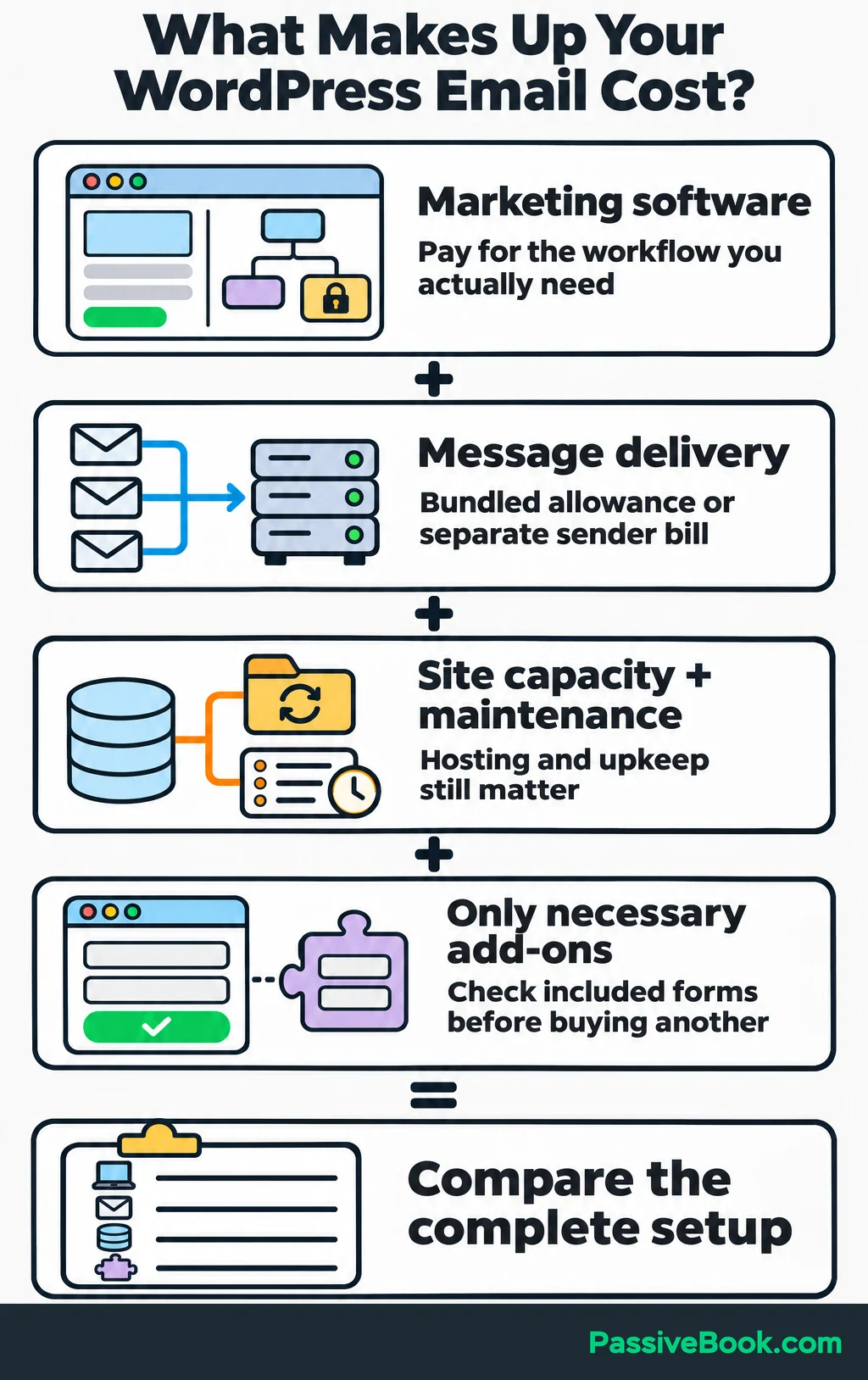
Setup burden here is my judgment about the work involved. Every option still needs a real signup test and a delivery check.
Start with the signup forms included in your chosen system. Buy another capture plugin only when you need a form or behavior the existing tools can’t provide. If you already have working forms, check their integration before rebuilding them.
MailPoet: Best for WordPress Newsletters With Sending Included
I would start with MailPoet if you want to write newsletters inside WordPress and avoid setting up a separate delivery provider.
It brings forms, newsletters, new-post notifications and welcome messaging into the same dashboard. Starter includes MailPoet branding, which is a reasonable trade when you’re testing whether people want the newsletter.
The important limit is automation flexibility. Starter offers basic templates, but you can’t build custom automations or add and remove workflow steps. The watercolor checklist, lessons and course offer call for Premium’s workflow controls. MailPoet explains those automation restrictions here.
For paid use, I would choose Business when the aim is to keep sending bundled. Creator provides premium features but expects you to arrange delivery separately.
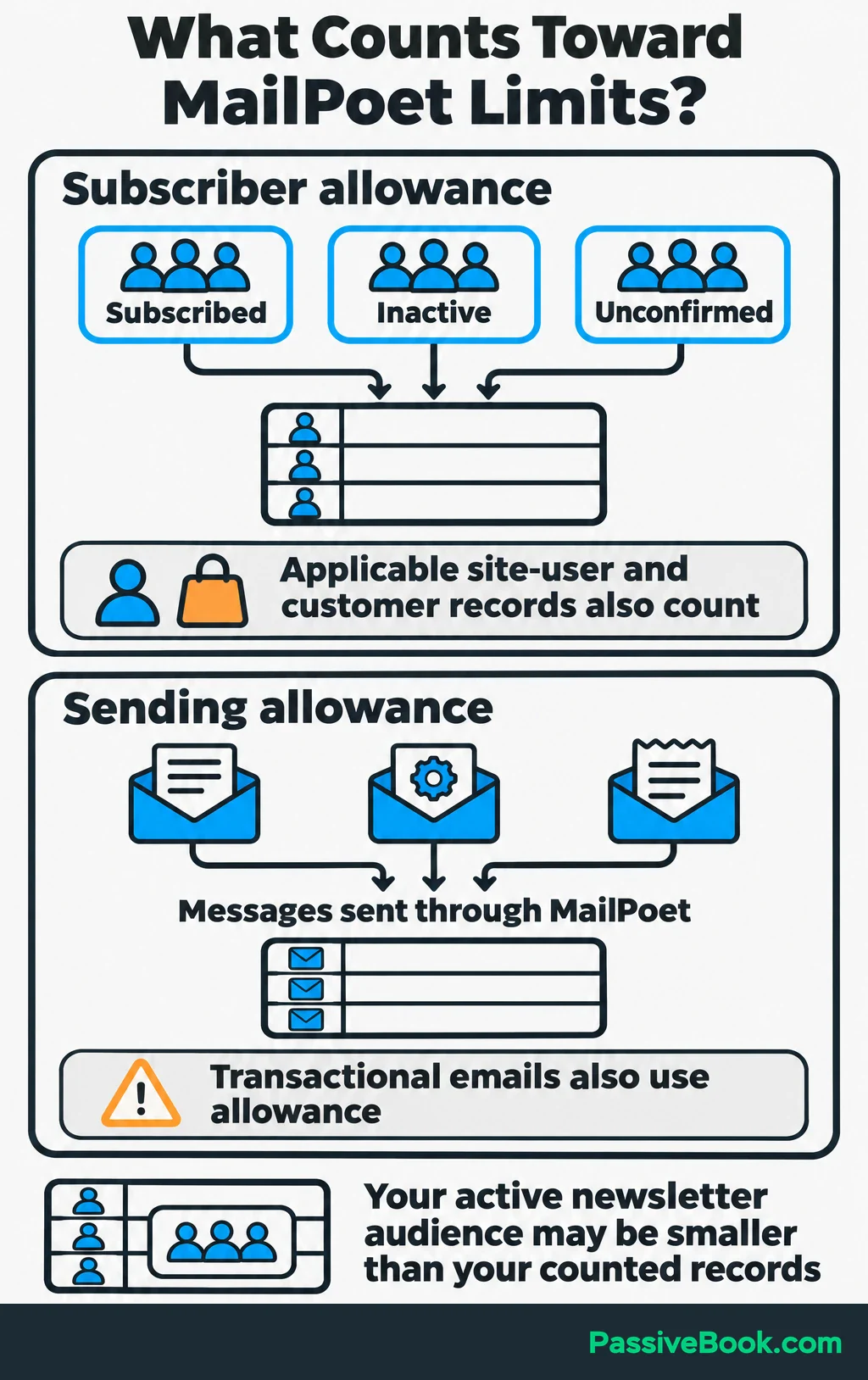
Watch how contacts are counted. Subscribed, inactive and unconfirmed records count toward the allowance, including applicable WordPress-user and WooCommerce-customer records. Transactional emails sent through MailPoet also affect its allowances. Your newsletter audience can therefore be smaller than the number used to determine your plan. MailPoet’s plan and counting rules explain the distinction.
MailPoet is my straightforward starting point for WordPress newsletters. I would price the required automation plan before committing to it for a store.
FluentCRM: Best for Automation Managed Inside WordPress
FluentCRM is my preference when contact tags, products and follow-up need to work together inside WordPress. A tag is simply a label you attach to a contact, such as “requested brush checklist” or “bought beginner course.”
FluentCRM, Fluent Forms, FluentSMTP and Amazon SES are part of my Passive Book stack. My newsletter experience comes from other niches, and that distinction matters when I talk about campaign lessons.
On one digital-product site, I built the welcome follow-up and initially forgot what should happen after a purchase. A test buyer stayed in the group receiving the product pitch. I added the buyer check before the next offer. That mistake is why I would pay for a useful purchase trigger before paying for a prettier email template.
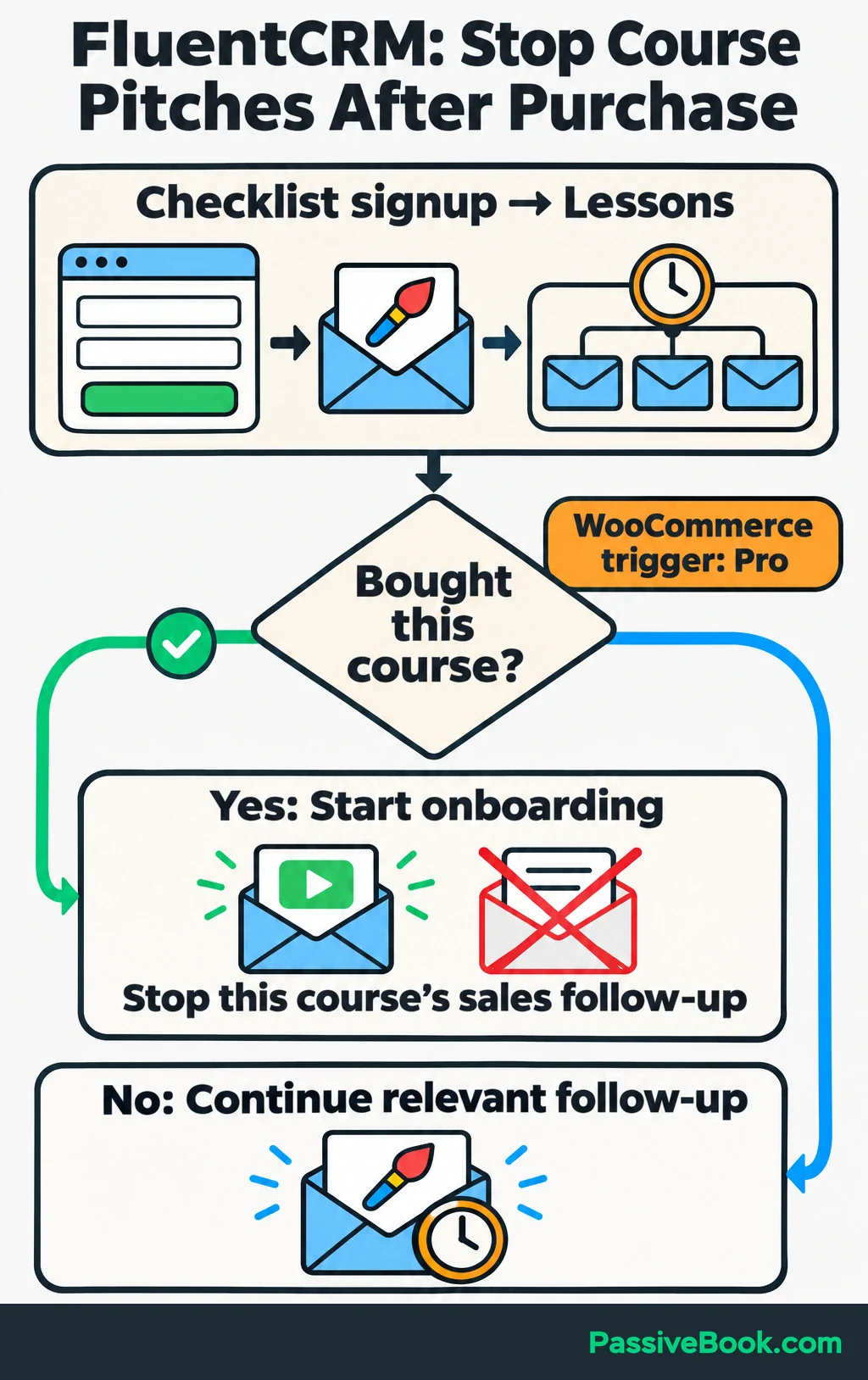
Free includes campaigns and basic automation. Pro adds the dedicated email-sequence feature, advanced automation and WooCommerce triggers. Native contact export is also listed under Pro, so include that in your migration planning. FluentCRM’s Free versus Pro comparison shows these boundaries.
For the watercolor business, I would use Pro to move course buyers into onboarding and remove them from that course’s sales follow-up.
The trade-off is maintenance. You must connect a sender, configure bounce and complaint handling, and keep scheduled processing working. Scheduled processing is the background work that sends queued emails and advances contacts through delays.
The license avoids per-subscriber pricing, but hosting and delivery still need enough capacity. I would choose it for control and connected workflows, provided I was willing to maintain those parts.
The Newsletter Plugin: Best for Free WordPress Newsletters Without a Subscriber Cap
The Newsletter Plugin makes sense when your main job is preparing and sending broadcasts.
Its free core includes signup forms, lists, a visual email composer and a customizable welcome email. There is no plugin-level subscriber or newsletter cap, but your hosting and sending provider still impose practical limits.
That single welcome email can greet watercolor checklist subscribers. A continuing lesson series needs Professional or Agency, and automatic post digests require those bundles too. Essential doesn’t include those features.
I would compare the required bundle and delivery bill against MailPoet’s sending-inclusive option. Premium purchases include one year of support and updates. Installed add-ons continue working afterward, but keeping access to updates requires another purchase.
This is a useful choice for a list that mainly receives manually prepared newsletters. I would skip it as a “free automation” solution when the business already needs a lesson sequence.
Sender: Best for Free Hosted Email Automation
Sender is where I would begin if automated follow-up must stay free and I’m happy managing campaigns outside WordPress.
Its free plan combines newsletters, forms, segmentation and automation, with Sender branding on emails and forms. The WordPress plugin connects the site to your hosted account.
For the watercolor checklist, a signup-triggered workflow can deliver the download and schedule introductory lessons. Before relying on purchase-based changes, test that the WooCommerce connection supplies the exact event your workflow needs.
I would keep the free branding while validating that journey. Standard becomes useful when you need branding removal or campaign A/B testing, which compares two campaign versions.
One pricing detail deserves attention: the entry paid tier has a smaller contact and sending allowance than Free. Select a paid tier that covers your existing list before upgrading.
Kit: Best for a Large Free Broadcast Newsletter
Kit, formerly ConvertKit, is a strong choice when your main commitment is publishing newsletters.
Its WordPress plugin lets you place Kit forms and content on your site, while the hosted account manages subscribers, tags, segments and broadcasts.
The large free subscriber allowance is appealing, but automation changes the decision. Free excludes email sequences and visual automations, so it doesn’t cover the watercolor business’s automated lesson series.
I would choose Kit Free for a broadcast-led newsletter and budget for Creator if follow-up later becomes central. If the lessons are part of the offer from the start, compare the paid tier for your expected audience with Sender’s free automation.
Omnisend: Best for Hosted WooCommerce Customer Follow-up
I would shortlist Omnisend when store activity drives most email decisions.
Its WooCommerce connector supplies customer and shopping data to the hosted platform. That makes it relevant for cart recovery, purchase-based segments and post-purchase messages.
Free gives you access to ecommerce workflows, forms, segmentation and A/B testing, but the sending allowance suits a small trial. Use it to check the watercolor customer journey before importing the whole audience.
When estimating paid costs, count more than marketing subscribers. Omnisend’s billing also includes qualifying non-subscribers who receive automated messages, so customer activity can increase the bill without a matching increase in newsletter signups.
I would pay for Omnisend when its store workflows remove useful setup work. A site sending only a weekly newsletter has less reason to choose an ecommerce-focused platform.
Can a Free Plan Support Your Email Workload?
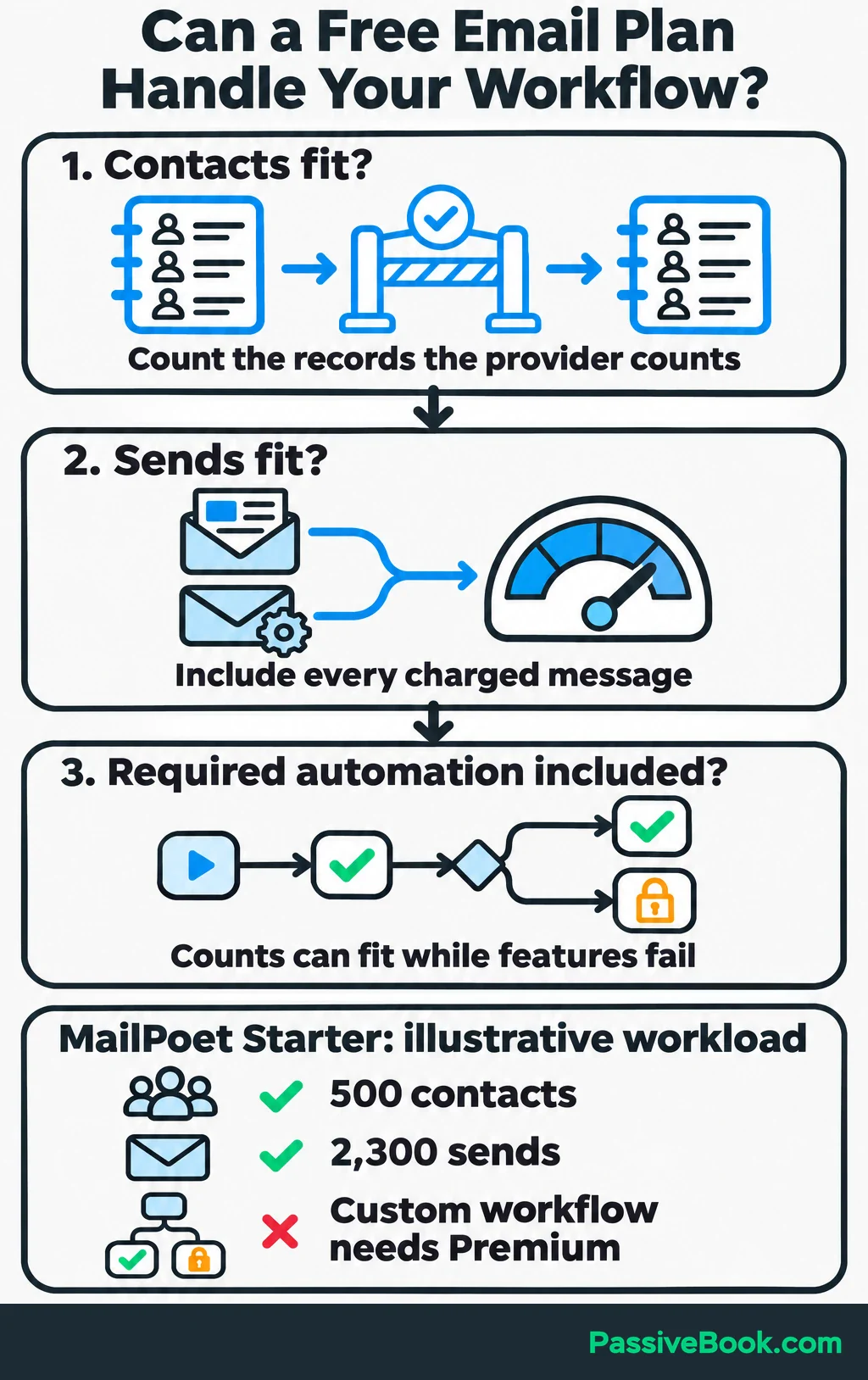
Check three things separately: how many contacts the plan allows, how many messages you’ll send, and whether the required automation is included.
A plan can pass the first two checks and still fail the third.
To estimate monthly volume, count each newsletter delivered to each recipient, then add automated messages and any other emails charged to the same allowance:
Newsletter recipients × newsletters per month
+ automated messages
+ other messages using the same allowance
For an illustrative watercolor budget, suppose you send four newsletters to 500 recipients. Within that same list, 100 new subscribers also receive three welcome messages during the month.
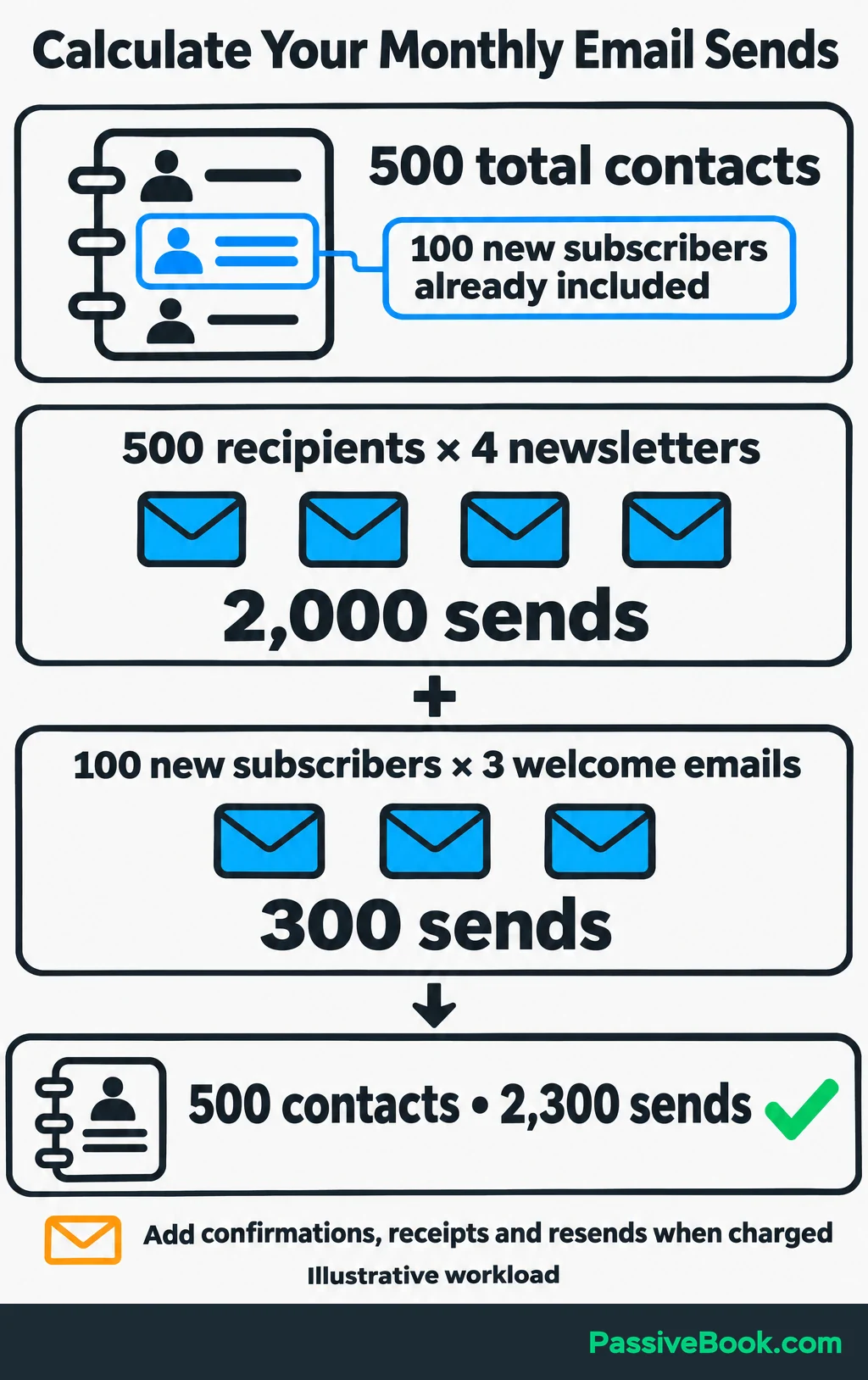
The newsletter deliveries and welcome deliveries total:
(500 × 4) + (100 × 3) = 2,300 sendsThe contact count remains 500 because those new subscribers are already included in the list. This is a planning example that assumes all 500 receive all four newsletters.
Confirmation emails, order receipts and resend campaigns would add more messages where the provider charges them to that allowance.
Here is how I would use that budget:
- Sender Free: Covers the illustrated contact count, message volume and automated welcome series.
- MailPoet Starter: Covers the illustrated counts, but the custom workflow requires Premium.
- Kit Free: Covers the broadcasts, but the automated lesson sequence requires a paid plan.
- Omnisend Free: Cannot cover the full audience or sending workload.
- FluentCRM Free: Can send welcome emails through basic workflows, but automatic WooCommerce purchase checks need Pro. Delivery costs extra.
- Newsletter Free: Avoids a plugin-level subscriber cap, but the continuing lesson series requires a premium bundle.
For separate delivery, Amazon SES illustrates why sending fees and software fees should be compared separately. Its à la carte option charges for usage without a monthly subscription. At $0.10 per 1,000 outbound emails, the illustrated 2,300 sends cost $0.23 in base sending charges. Applicable data charges, optional services and taxes are additional. Amazon SES pricing lists those components.
That small delivery bill doesn’t make the whole system nearly free. You still need the marketing software, sufficient hosting and time to maintain it. SES also requires production access before sending to ordinary unverified recipients.
Write down your next likely upgrade trigger: contacts, sending volume, a purchase integration or a missing workflow step. That tells you more than a starting price.
Once two options cover your subscriber journey, compare what each complete setup will cost. Include any separate sending fees and required add-ons, not just the plugin price.

Free Software Cost Calculator




Do You Need an SMTP Plugin for Reliable Delivery?
You need a working connection to a suitable sending service. Whether that requires an SMTP plugin depends on the marketing tool.
Use the included sender for MailPoet’s sending plans and hosted platform campaigns. For FluentCRM or Newsletter, connect a separate delivery provider through a supported integration or SMTP plugin.
My first choice for that connection is FluentSMTP. It provides free provider connections, email logs and fallback routing. The sending provider’s charges remain separate.
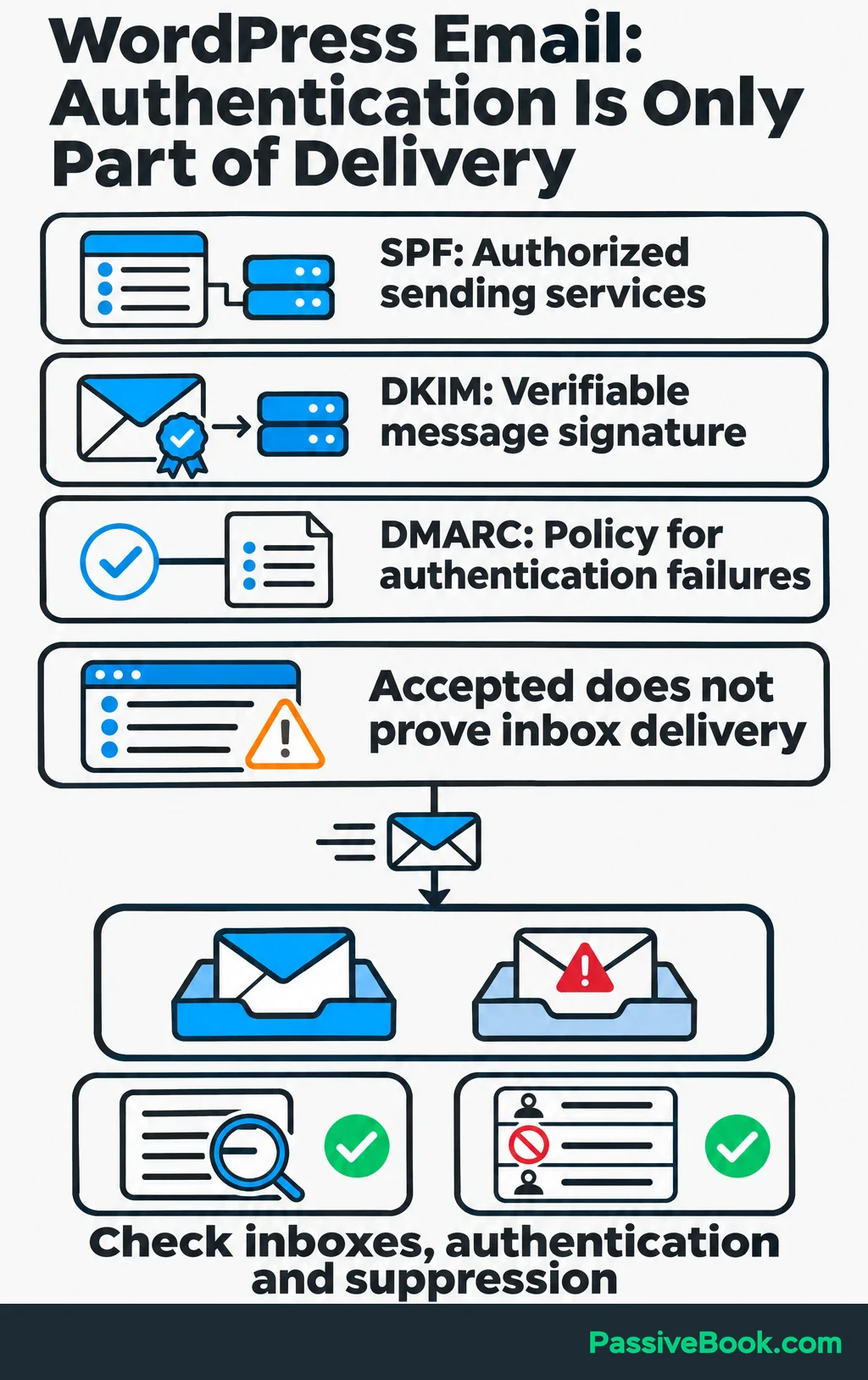
Check that the connection handles the messages your marketing plugin sends. Installing an SMTP plugin doesn’t prove that every campaign uses it.
Then authenticate your sending domain. The provider will supply records to add through the service that manages your domain’s DNS settings:
- SPF: Identifies services authorized to send for your domain.
- DKIM: Adds a signature that receiving servers can check.
- DMARC: Tells receivers how to handle messages that fail the domain’s authentication checks.
Follow your provider’s instructions and verify the result. Google recommends setting up all three for sending domains. Google’s sender guidance explains their role in delivery.
A “sent successfully” log entry means the sending system accepted the message. It doesn’t prove the recipient received it or that it reached the inbox.
Before relying on the setup, check messages in a few inboxes, inspect authentication results and review delivery errors. Also confirm that a permanent delivery failure or spam complaint stops further marketing emails to that address.
I would choose a setup with clear logs and working suppression over one whose only reassurance is a green success message.
Can Gmail Send Your WordPress Emails?
Yes. Gmail and Google Workspace can connect through compatible delivery plugins for modest site-notification needs. FluentSMTP supports Google Workspace connections.
I would consider that for a small site’s notifications, but I would choose marketing infrastructure for subscriber campaigns.
Gmail has sending limits and can temporarily stop sending when an account exceeds them. Google’s Gmail sending limits explain that behavior.
Connecting an inbox also doesn’t add subscriber management, unsubscribe handling or purchase-based follow-up. You still need the marketing software.
For the watercolor business, newsletter delivery should have its own planned setup. Password resets and order receipts also need a tested route, even if you use the same provider for both.
What Should You Test Before Committing?
Test the required journey before importing your full list or paying for a long subscription.
Use a staging site—a private copy of your website—or a controlled test page with your actual theme, forms, checkout and hosting. A demonstration form working on the plugin’s website tells you little about your own connections.
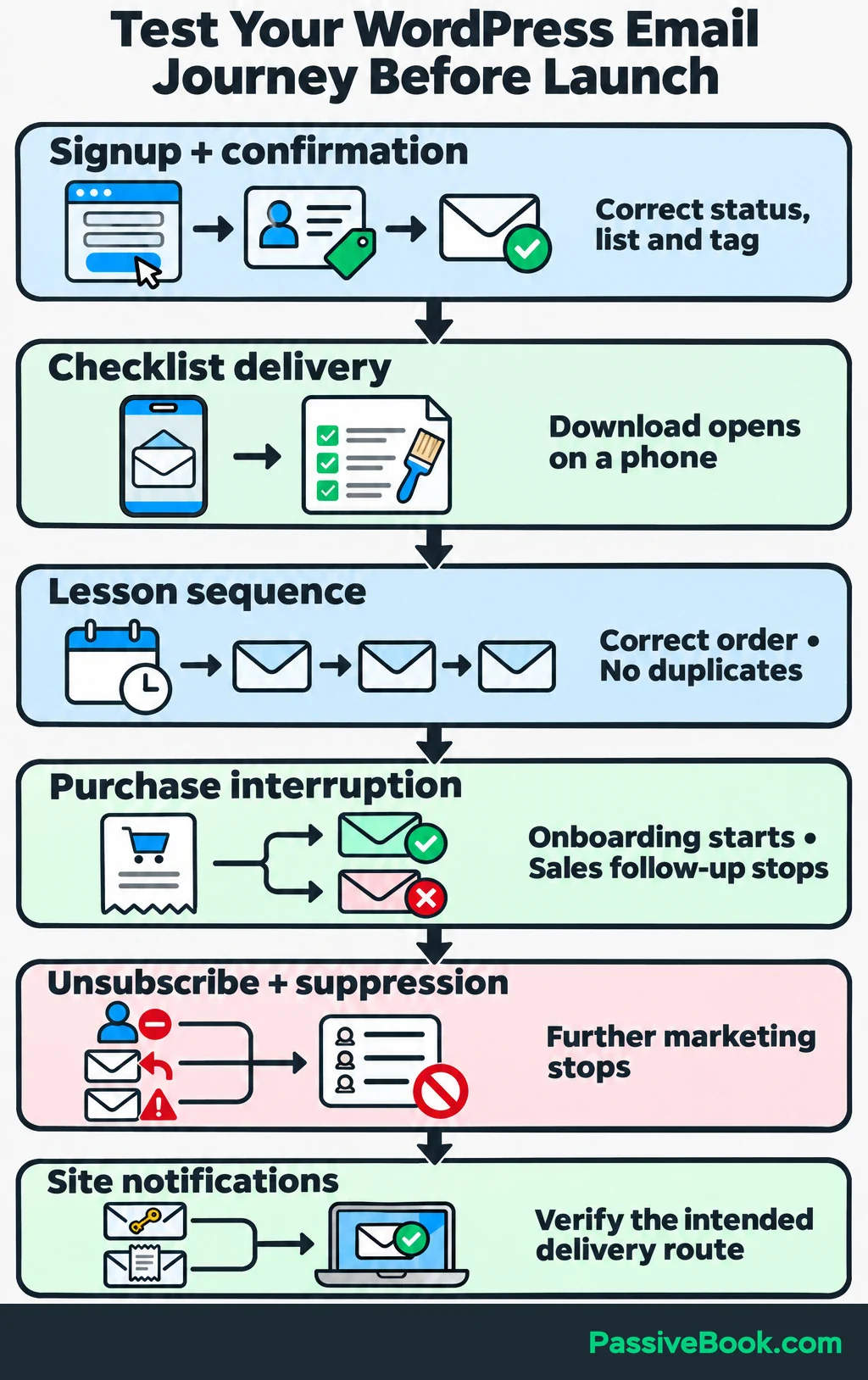
For the watercolor business, I would run this complete test:
| Test | Action | Result to Check |
|---|---|---|
| Signup | Request the brush-care checklist with a test address | The contact appears with the correct list or tag and signup status |
| Confirmation | Confirm the subscription if confirmation is enabled | Marketing follow-up starts after the required confirmation |
| Checklist delivery | Open the first email and its download link | The promised checklist opens and is readable on a phone |
| Lesson follow-up | Let the contact pass through the scheduled lessons | Messages arrive in order without duplicates |
| Course purchase | Buy the beginner course through a test checkout | Buyer onboarding starts and that course’s remaining sales follow-up stops |
| Unsubscribe | Unsubscribe a separate test contact | Marketing messages stop for that contact |
| Site notifications | Request a password reset and complete an order | The reset email and receipt arrive through the intended delivery route |
To test delays quickly, shorten them in a separate test workflow, then restore the intended timing before launch.
Check the purchase interruption while a sales email is still scheduled. A buyer tag appearing on the contact is useful, but the test passes only when the unwanted pitch stops.
Also verify bounce and complaint handling through the provider’s supported test method. Confirm that the marketing system suppresses further sending where required. An email log alone won’t establish that.
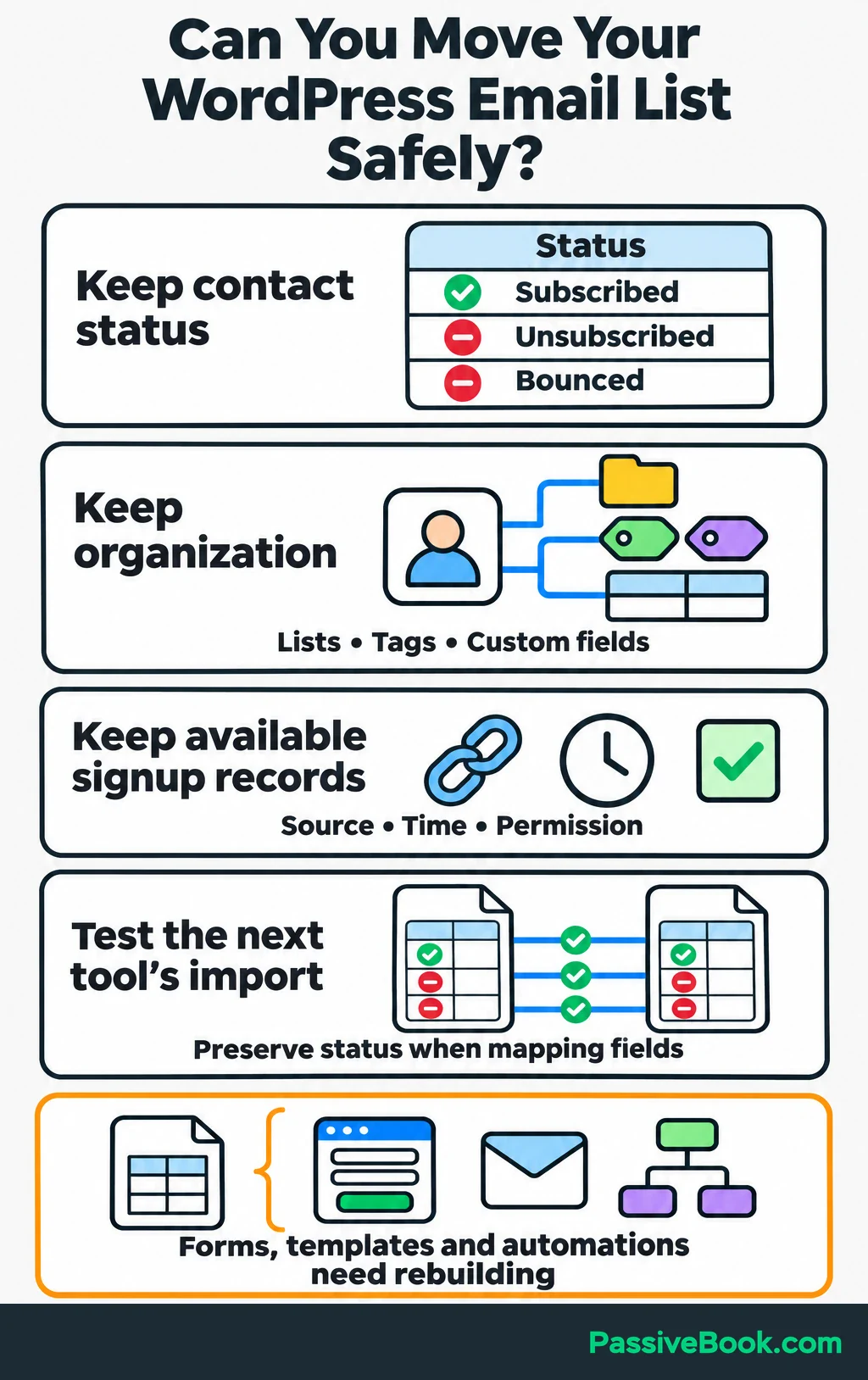
Finally, test your exit route. Export sample contacts and inspect what you receive:
- Contact Status: Can you distinguish subscribed, unsubscribed and bounced addresses?
- Organization: Are lists, tags and custom fields available?
- Signup Records: Can you retain the available source, time and permission records?
- Reuse: Can the next tool map those fields without treating everyone as a fresh subscriber?
Check whether export requires a paid plan. Access to your WordPress database is useful, but it isn’t the same as having a clean export ready for another service.
Budget separately for rebuilding forms, templates and automations. A contact file won’t recreate the whole system.
I would commit to the option that completes this journey at an acceptable cost and maintenance level. Pay for the feature that removes a real obstacle. Leave the impressive extras alone until they have a job.
What Next?
Write down one signup-to-purchase journey and test it with your own email address. That will expose missing features faster than another afternoon comparing pricing pages.
Use the social buttons to share this guide when your next plugin discussion needs a clearer view of automation, delivery and total cost.
Which part of your email setup would you most like to stop handling manually? Tell me in the comments, and bring any other questions about choosing or connecting these tools.
Share this post with your friends & followers:

