You choose a free store plugin, then discover that the checkout, recurring payments and email connection you need come from three separate upgrades. The download was free. Getting your store working is another matter.
The harder cost appears after launch, when customers have accounts and orders depend on a setup you want to replace.
I use WooCommerce to sell digital products, but I wouldn’t choose it for every business. This comparison explains where each plugin fits, what its fees mean and how to check the full purchase process before your customers depend on it.
Which WordPress Ecommerce Plugin Is Best for Your Store?
My starting choices are WooCommerce for physical or mixed products, Easy Digital Downloads for a download store, and MemberPress or Paid Memberships Pro for protected content. SureCart belongs on your shortlist if you want an external service to manage checkout, payments and orders.
First, decide what must happen after someone pays:
- A physical product needs stock control, delivery charges and fulfillment.
- A download needs reliable file delivery and a way for customers to retrieve purchases.
- Paid lessons need account access that follows the customer’s payment status.
- A service payment may need only a form, receipt and separate booking process.
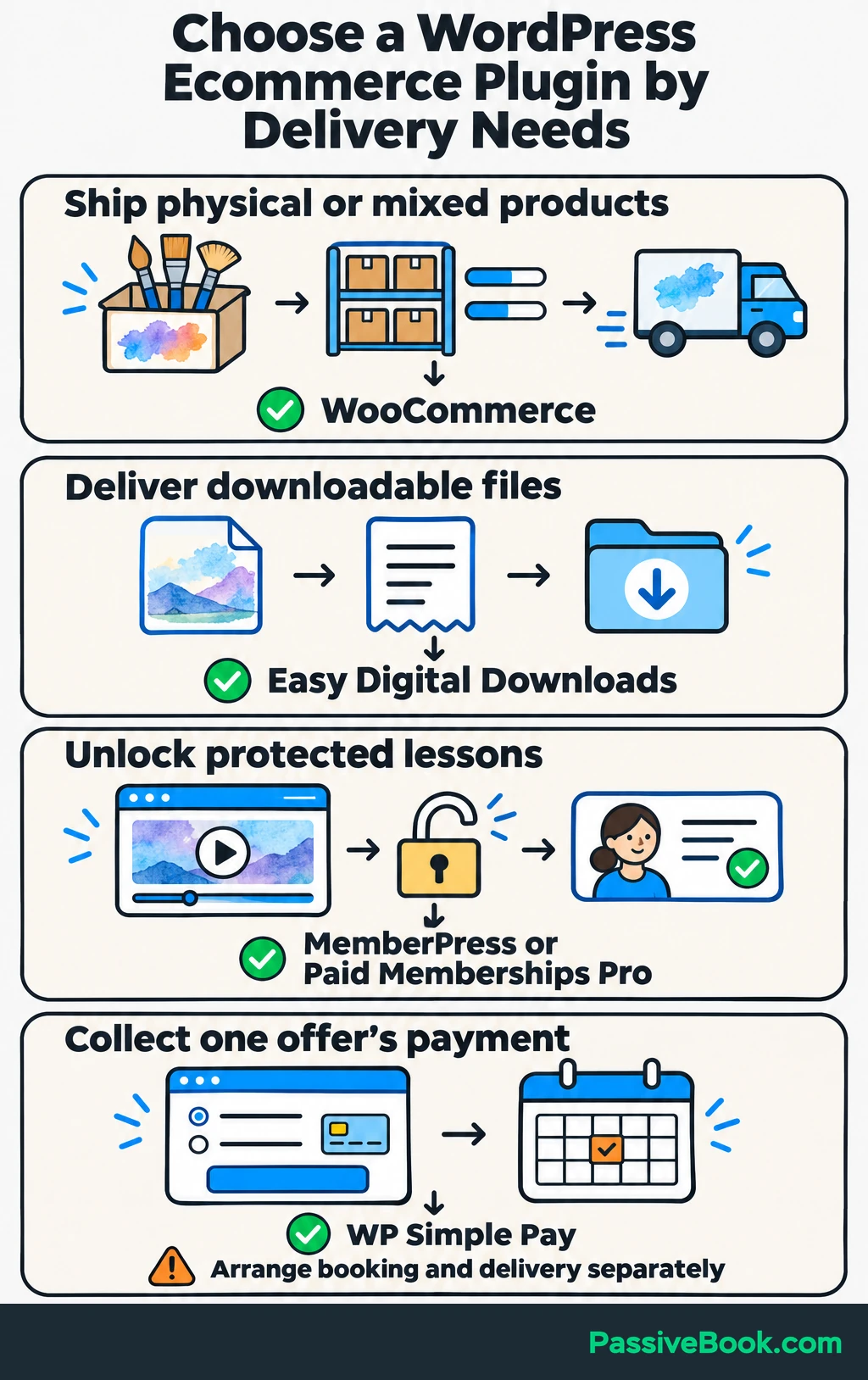
These jobs overlap, but they aren’t interchangeable. A membership plugin can work alongside a store, while a payment form may handle a single offer without a catalog.
Throughout this guide, imagine you sell downloadable watercolor practice packs. Your basic requirement is straightforward: someone pays, receives the right files and can find them again. Brush kits, a protected lesson library and live workshops appear below only where they change the recommendation.
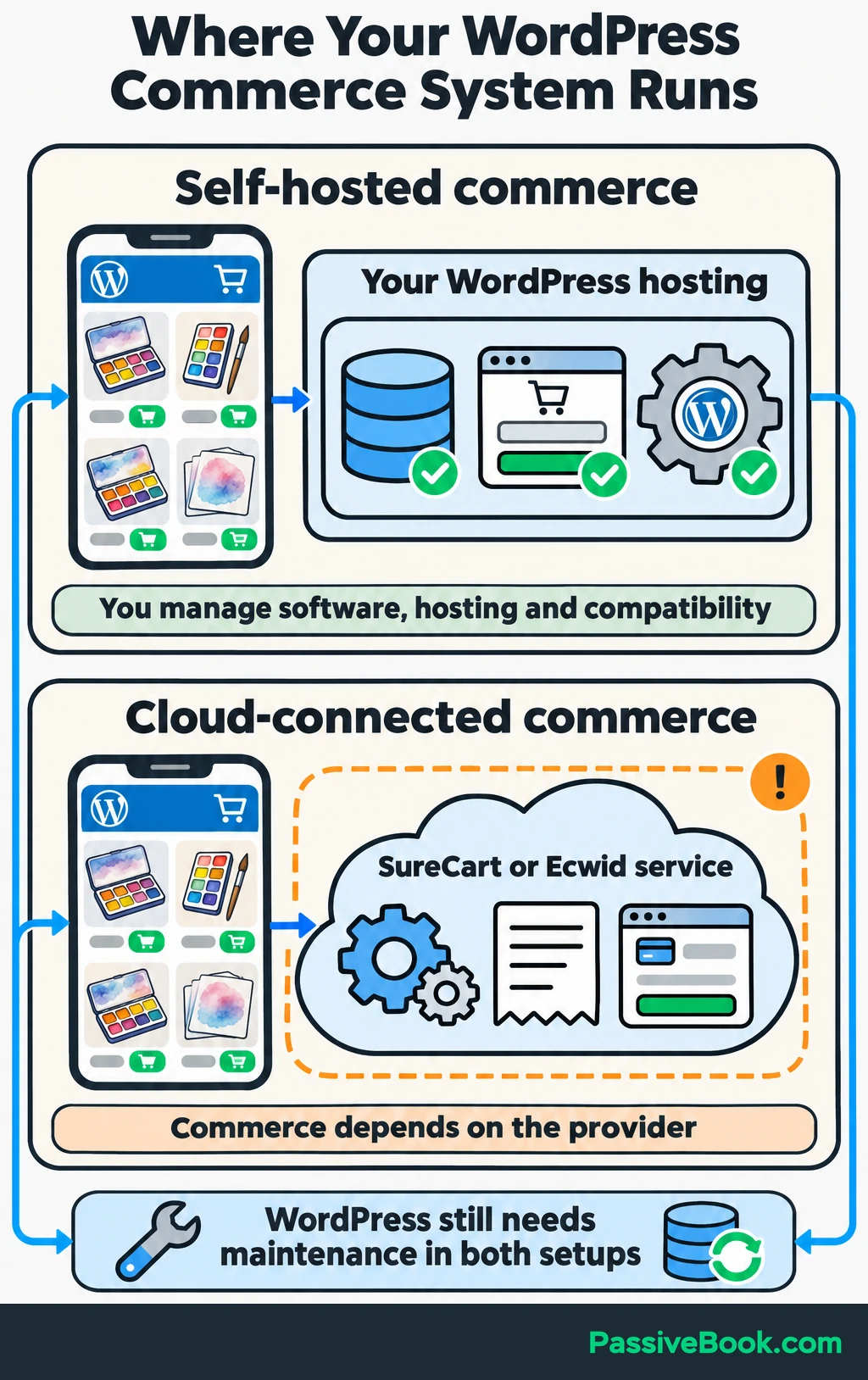
Next, decide where the commerce system should run. With a self-hosted plugin, you manage the store software on your WordPress hosting. With SureCart or Ecwid, WordPress connects to an external commerce service. That moves some work to the provider, but your WordPress site still needs maintenance.
Before comparing designs, eliminate anything that cannot support your merchant country, required currencies, payment methods or delivery process. A beautiful checkout that cannot pay your business is an expensive decoration.
The table uses USD standard annual or renewal prices for the selected plans. Introductory discounts are excluded, and hosting, tax, connected services and payment processing are extra. Platform fees below are additional charges imposed by the plugin or commerce service; subscription processing may carry further charges. Check each linked pricing page before buying.
| Plugin | Strongest Use Case | Self-hosted or Cloud-connected | Free Entry Point | Standard Annual License or Service Cost | Additional Platform Fee | Principal Limitation |
|---|---|---|---|---|---|---|
| WooCommerce | Physical and mixed-product stores | Self-hosted | Free core | $0 core; extensions extra | None from WooCommerce | You manage hosting and extension compatibility |
| Easy Digital Downloads | Dedicated download catalog | Self-hosted | Free plugin | Personal: $199; Extended: $399, each for one site | 3% on Stripe with Free or Personal; Lite also adds 3% on PayPal; current, activated Extended or higher removes the Stripe fee | Physical inventory and shipping are not its main focus |
| SureCart | Checkout and subscriptions through a cloud backend | Cloud-connected | Launch plan | Launch: $0; Pro: $199 for one store | Launch: 2.9%; Pro: none | Purchases depend on SureCart’s service |
| Ecwid | One catalog across several sales channels | Cloud-connected | Free connector; paid service required | Venture: $348; Business: $588, billed annually | None | Downloads require Venture or higher; apps can add costs |
| WP EasyCart | Bundled store features | Self-hosted | Free plugin | PRO: $119; Premium: $179 with annual AutoPay | Free: 2% on Stripe, Square and PayPal; paid plans: none | Downloads and subscriptions require a paid plan |
| FluentCart | Self-hosted subscriptions with a free start | Self-hosted | Free plugin, including subscriptions | Pro: $199 for one site | None on Free or Pro | Some shipping features are still listed as forthcoming |
| MemberPress | Memberships and protected lessons | Self-hosted | No free plugin plan | Launch: $399; Growth: $699 | Launch: 4.9%; Growth: none | Launch is Stripe-only; physical fulfillment needs another solution |
| Paid Memberships Pro | Memberships with a free core | Self-hosted for Free and Standard | Free core and free add-ons | Standard: $499 for one site | 2% on Stripe Connect without a validated active paid license | Your required features may span several add-ons |
| WP Simple Pay | Payment forms for individual offers | Self-hosted | Lite plugin | Personal: $99; Plus: $199 | Lite or invalid/expired Pro license: 3%; valid Pro: none | Requires Stripe; payment forms do not provide full store fulfillment |
The recommendations draw on documented features and costs for all nine plugins, plus my own experience using WooCommerce.
The 9 Best WordPress Ecommerce Plugins
1. WooCommerce: Best for Physical and Mixed-product Stores
I would choose WooCommerce when you need one catalog for several product types, especially if physical goods are already part of the plan.
Its free core supports physical products, downloads and variations. Subscriptions, bookings and memberships are available through extensions, so you can add those selling models when you need them.
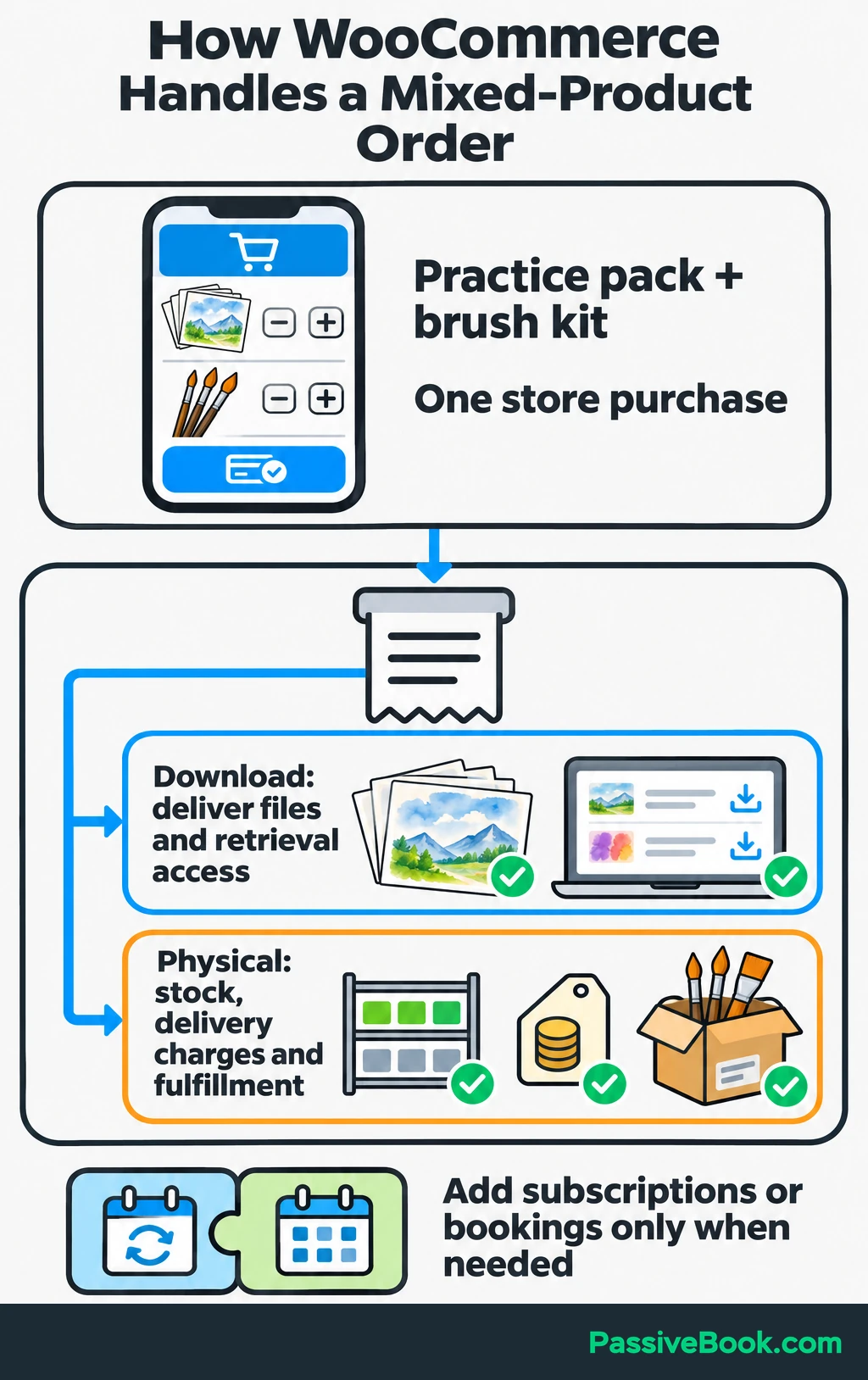
For the watercolor business, practice packs can be downloadable products and brush kits can have stock counts and delivery charges. Customers can buy both through the same store.
I use WooCommerce for digital products because I want selling to remain part of my WordPress setup. While setting up one product, I caught myself making an extension shopping list before finishing the file I planned to sell. I cut the list back to what the first purchase required. That made the launch smaller and gave me fewer things to troubleshoot.
The same restraint matters here. Start with the core, your payment connection and the features needed to deliver an order. Add recurring billing or bookings when an actual offer requires them.
WooCommerce gives you room to customize, but you own the maintenance work. Someone must manage updates, backups, hosting and conflicts between extensions. I would choose it readily for a mixed store, provided that responsibility has an owner.
2. Easy Digital Downloads: Best for a Dedicated Download Store
Easy Digital Downloads, usually shortened to EDD, makes sense when files are the main thing you sell. Its catalog, cart, purchase records and delivery tools are built around that job.
For watercolor practice packs, you need to attach the correct files, describe what buyers receive and make past purchases accessible. You can assess those needs without first planning a shipping system.
The free plugin gives you an entry point. Personal adds subscriptions, while Extended adds features such as product bundles and more integrations. Both selected paid plans cover one site.
Buying Personal does not remove EDD’s extra Stripe fee, which also applies to subscription renewals. To remove it, keep an Extended or higher license activated and current on your site. The free Lite plugin adds a PayPal fee too.
I would shortlist EDD for a download-led catalog and compare the full cost of the tier you need. If brush kits become the main business, I would lean toward WooCommerce because stock and shipping would then drive the decision.
3. SureCart: Best for Cloud-connected Checkout and Subscriptions
SureCart suits you if you want a WordPress storefront while an external service runs much of the commerce work.
Its plugin connects WordPress to SureCart’s cloud service, which handles payments, subscriptions, tax calculations and checkout processing.
The package includes subscriptions, secure file delivery, abandoned-cart recovery, a customer dashboard and inventory tracking. Those features make it worth comparing against the combined cost of another plugin and its required extensions.
For the practice packs, I would check the purchase, download and customer account experience first. If those work well, the choice between Launch and Pro becomes partly a fee calculation, which we’ll cover below.
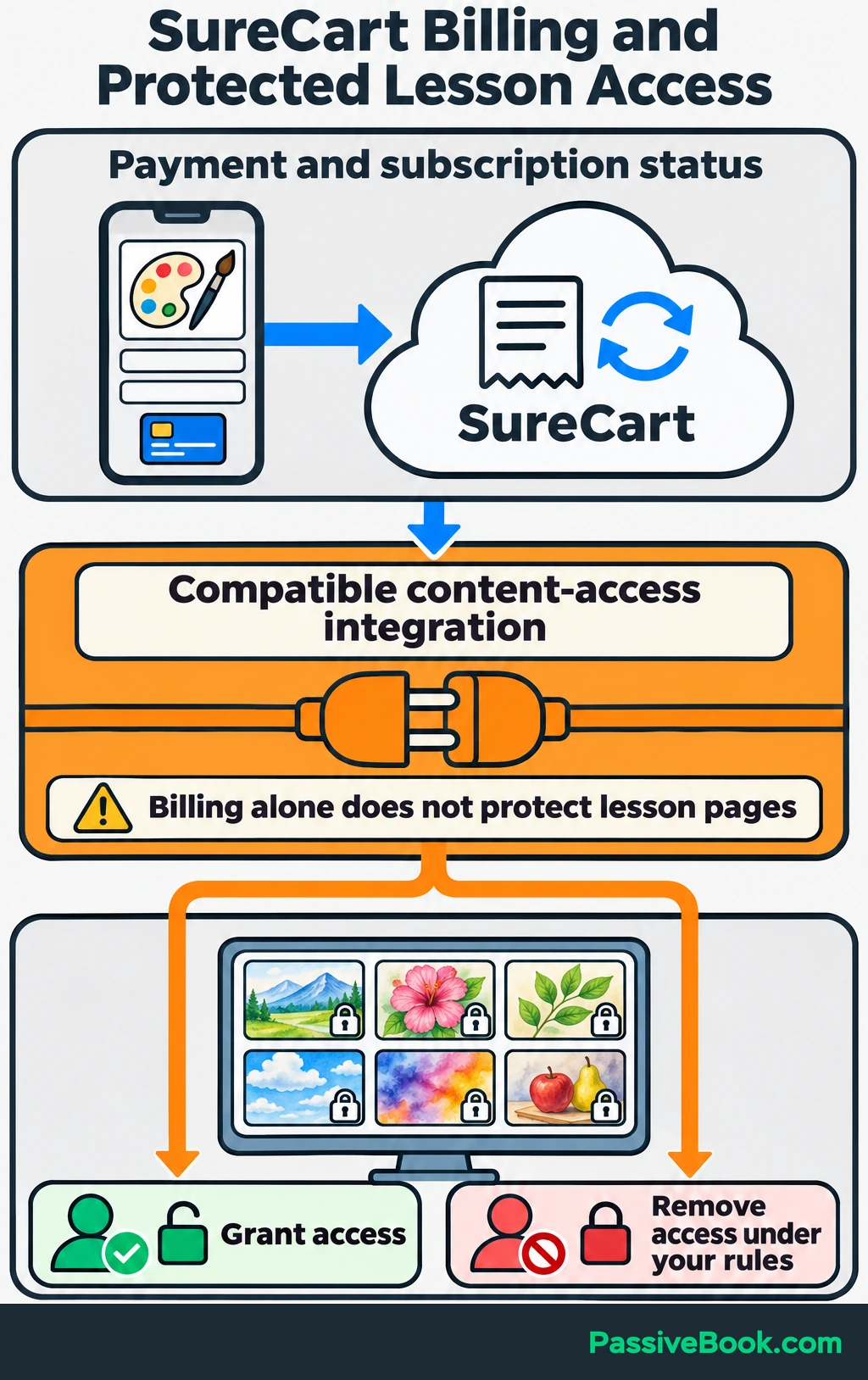
A protected lesson library adds another requirement: payment must grant and remove access through a compatible content-access integration. Subscription billing alone does not prove that your lesson pages are protected.
I would choose SureCart when its included features save enough setup and maintenance work to justify relying on its service.
4. Ecwid: Best for Managing One Catalog Across Multiple Channels
Ecwid is most appealing when WordPress is one place where customers buy from a centrally managed catalog.
The store runs on Ecwid’s service and connects to your website. Rather than maintaining separate product records for each supported storefront, you manage the catalog through Ecwid.
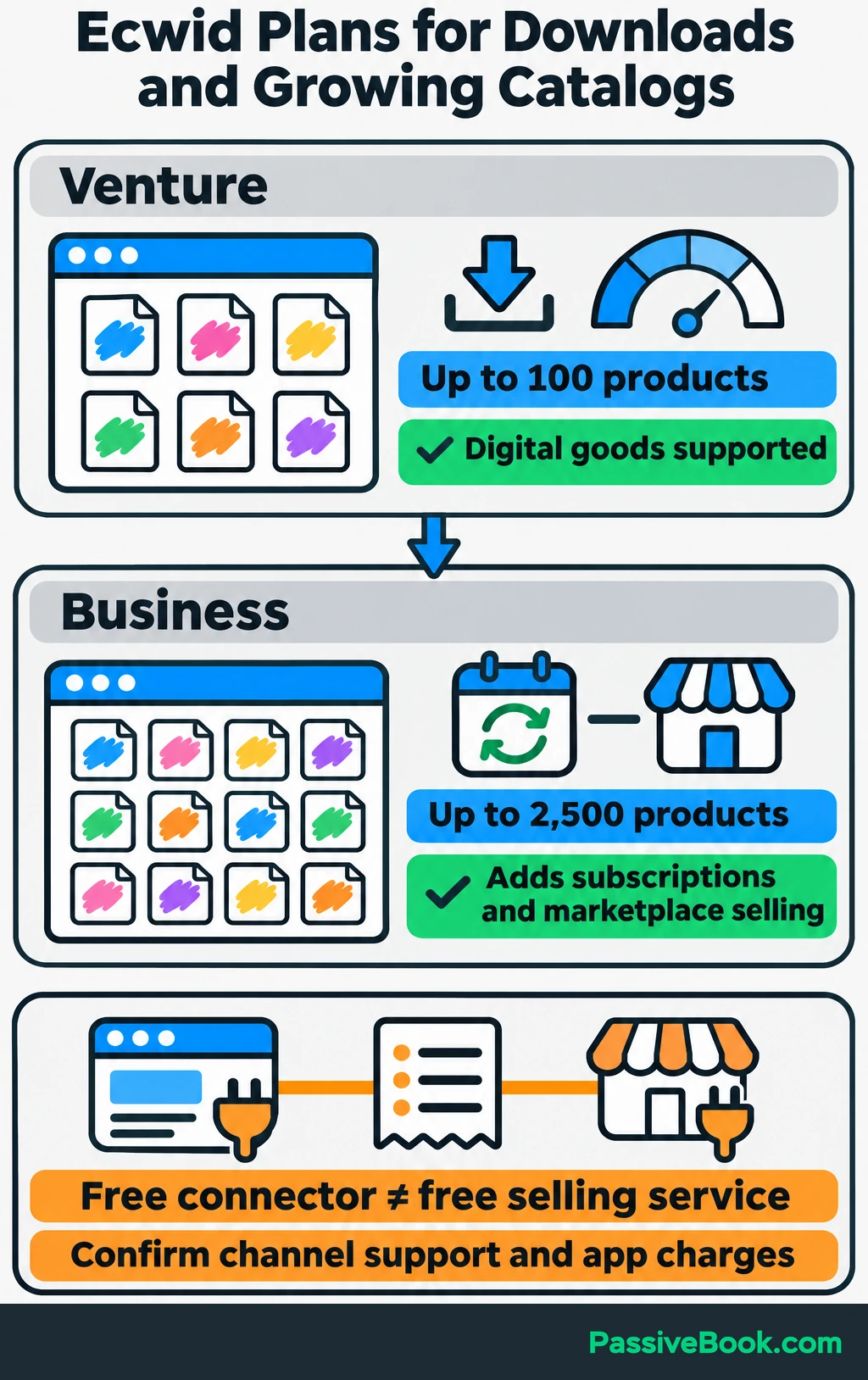
For downloadable practice packs, start the comparison at Venture. It supports digital goods and up to 100 products. Business raises the catalog allowance to 2,500 products and adds subscriptions and marketplace selling. Ecwid’s plan comparison shows those feature boundaries and its policy of charging no platform transaction fee.
Marketplace connections may involve third-party apps and separate charges, so confirm the exact channel you need.
I would consider Ecwid if the same practice packs or brush kits need to appear across several supported sales channels. If you sell only through one WordPress site, its continuing service subscription needs a clearer justification.
The plugin being free does not make the selling service free. Compare the annual service bill, required apps and channel connections before treating it as the simpler option.
5. WP EasyCart: Best for Bundled Store Features
WP EasyCart is worth checking when a paid package covers your requirements with fewer separate extension purchases.
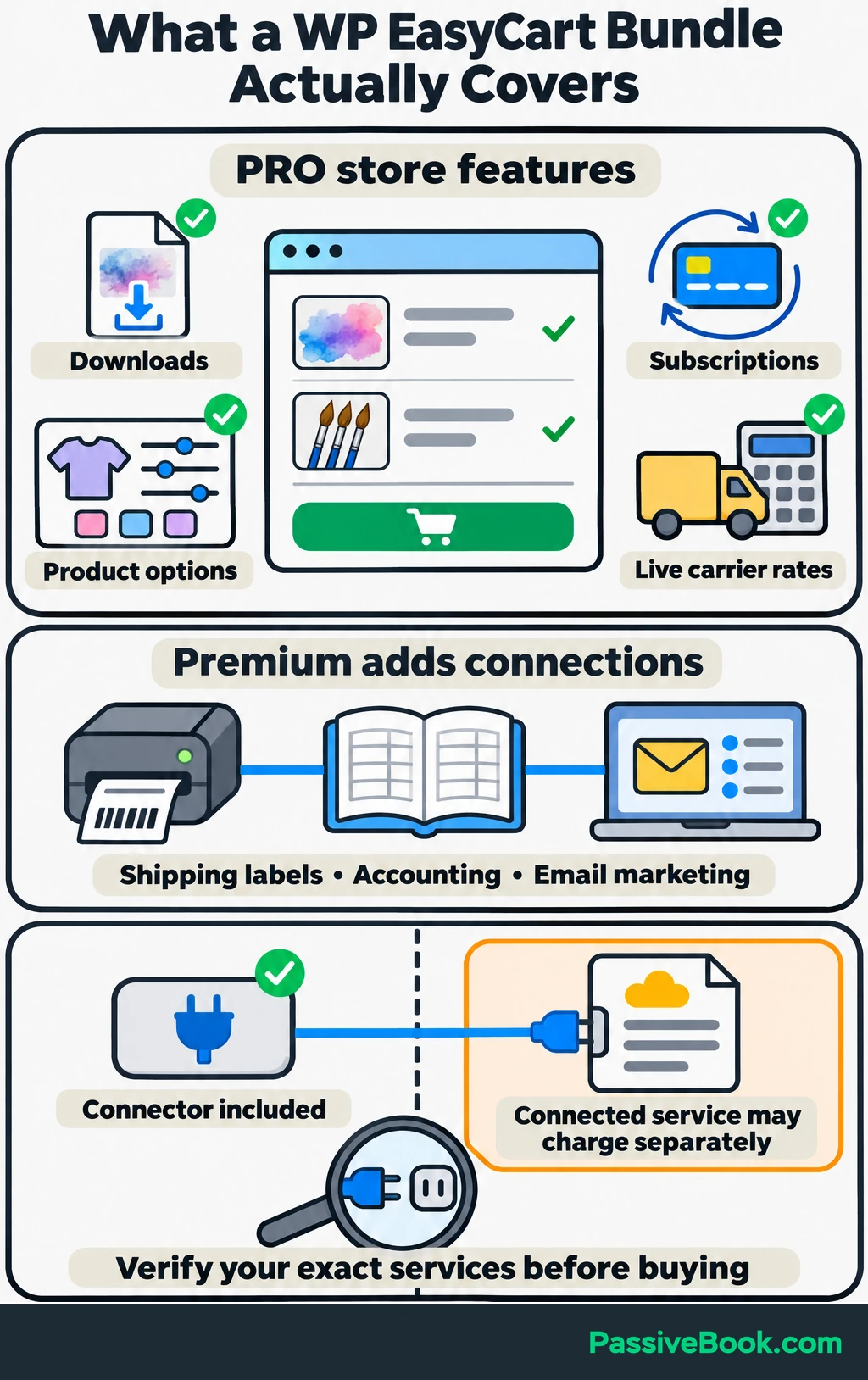
PRO includes downloads, subscriptions, advanced product options and live carrier rates. Premium adds connections for work such as shipping labels, accounting and email marketing.
For the watercolor business, that could mean handling practice-pack downloads and brush-kit orders within one paid package. The useful comparison is whether those included features match your actual products and services.
I would write down the required configuration for EasyCart and WooCommerce side by side:
- Does the payment integration support your country and preferred payment methods?
- Can it calculate the delivery charges you need?
- Does your accounting or email service have a supported connection?
- Which services charge separately after you connect them?
Premium may include a connector, but the service at the other end can still have its own subscription.
The free plan’s percentage fee also matters, and downloads require a paid tier. I would choose EasyCart when the required integrations fit and the bundle lowers the total bill. An impressive feature count means little if the one connection you need is missing.
6. FluentCart: Best for Self-hosted Subscriptions With a Free Entry Point
FluentCart deserves a place on your shortlist if recurring billing is essential and you want to keep the commerce software on your WordPress hosting.
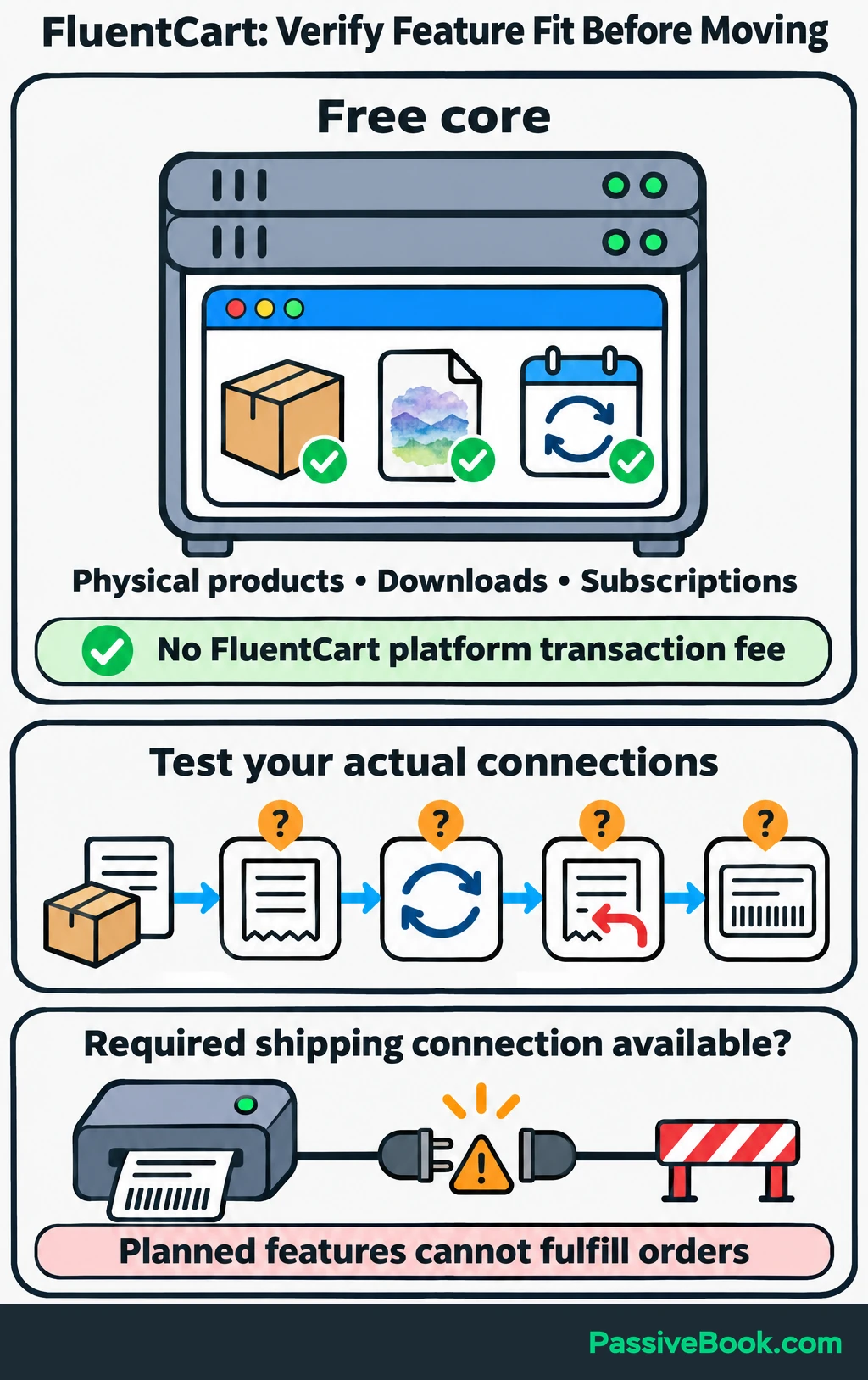
Its free version includes physical products, digital delivery and subscriptions without a FluentCart platform transaction fee. Pro adds features such as software licensing, advanced reporting and order bumps—extra offers displayed during checkout.
For practice packs sold individually, the free version may cover the basic transaction. It also gives you a way to assess recurring sales without first buying a subscription extension.
My main reservation concerns the exact integrations your business depends on. FluentCart launched in October 2025, so it has a shorter operating history than established alternatives. The vendor’s first-anniversary report also identifies further physical-store shipping work as a priority.
That matters if brush-kit fulfillment needs a particular carrier or label service. A planned feature cannot ship an order.
I would test FluentCart for a new store when its existing features fit. Before moving an established store, I would verify payments, renewals, refunds and fulfillment with the actual connections it will use.
7. MemberPress: Best for Memberships and Protected Lessons
Choose MemberPress when the product is access to something inside your website.
For a watercolor lesson library, you need more than a successful payment. A member should reach the lessons they bought, manage their subscription and lose access according to your cancellation or expiry rules.
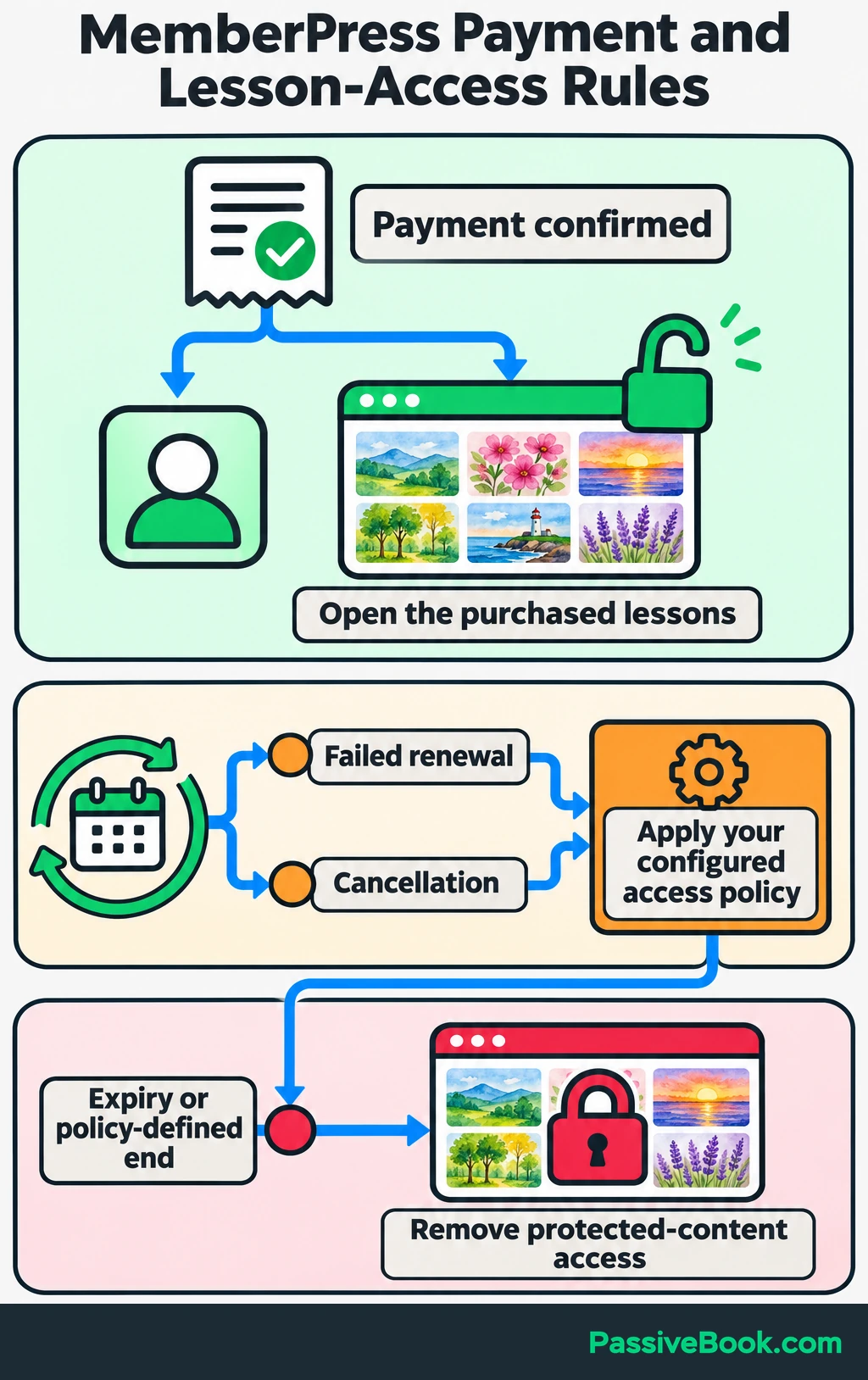
MemberPress combines content protection, recurring billing and member account management. Launch supports Stripe, while Growth adds PayPal, Square and scheduled content release, often called content dripping.
I would compare Growth early if those features are required. Launch carries both a license cost and a platform fee, so its lower annual license price does not settle the cost question.
There is also a business decision here. I spent six months building a membership site while working a corporate job, and the continuing content workload made it unsustainable. Access software can automate who gets in. It cannot produce next month’s lessons for you.
I would choose MemberPress for an existing lesson collection or a realistic teaching schedule. For individual downloadable practice packs, a download store would be my simpler starting point. Physical inventory and shipping call for a general store engine.
8. Paid Memberships Pro: Best for Memberships With a Free Core
Paid Memberships Pro, or PMPro, is the membership option I would compare with MemberPress when a free core matters.
It supports membership levels, recurring subscriptions and content restrictions. You can begin with the core and free add-ons, then consider Standard when you need premium add-ons or technical support.
For the same watercolor library, assess access rules first. Can a paying member open the right lessons? What happens after a failed renewal? Can someone cancel without sending you an email?
Stripe Connect is PMPro’s guided way to link your Stripe account. When you use it, the extra fee applies unless you validate an active paid license on your site. PMPro’s Stripe gateway policy also exempts sites connected directly with their own API keys, the credentials used to access Stripe.
I would choose PMPro when its free tools meet the access requirements or its add-ons provide a better fit. Compare the configuration and support you need alongside MemberPress’s package. The cheaper license is less useful if it leaves you with work you cannot maintain.
9. WP Simple Pay: Best for Payment Forms Without a Full Store
WP Simple Pay fits a narrower job: collecting a payment through a form using Stripe.
That can be enough for a live watercolor workshop when you already have a separate way to schedule the session and send attendance details. You can collect the workshop fee without building product categories or a shopping cart.
Personal supports recurring payments. Plus adds customer-managed subscriptions and renewal reminders, so compare those tiers if ongoing payments are part of the offer.
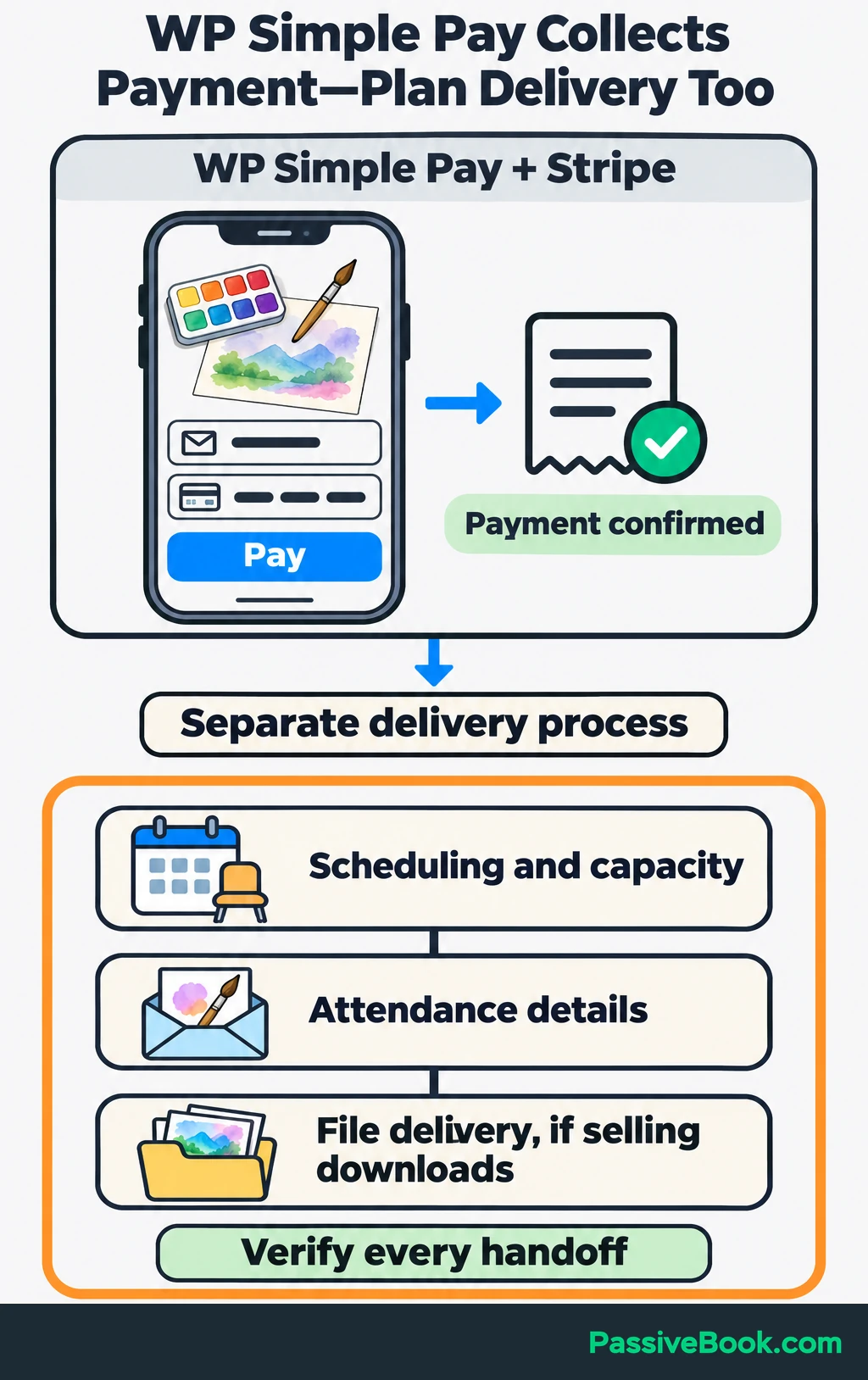
All paid plans use WP Simple Pay Pro, and a valid license removes the plugin’s extra transaction fee. Lite transactions, and transactions made with an invalid or expired Pro license, carry the surcharge. Subscription payments also use separately billed Stripe Billing, as explained in WP Simple Pay’s fee policy.
I would choose it for a focused payment page with a clear delivery process behind it.
For practice packs, confirm how files will reach buyers. For workshops, confirm scheduling, capacity and attendance messages. If completing the purchase requires several manual steps, a store or booking setup may be the better fit.
What Will Your WordPress Store Actually Cost?
Compare the least expensive setup that completes every required task. A free plugin with missing delivery tools is not yet a working store.
Start by adding the costs you pay regardless of sales:
- Hosting and domain renewal.
- Plugin licenses and required extensions.
- Connected services, including email delivery or fulfillment tools.
- Maintenance and support you expect to pay for.
Then add the costs created by transactions: platform fees, payment processing, applicable subscription-billing charges and any currency conversion fees. Use both expected sales value and order count, because processors may charge a percentage plus a fixed amount per payment.
Calculate the first year and renewal year separately. Promotional pricing can make the first year look comfortable while hiding a renewal bill you would not otherwise choose.
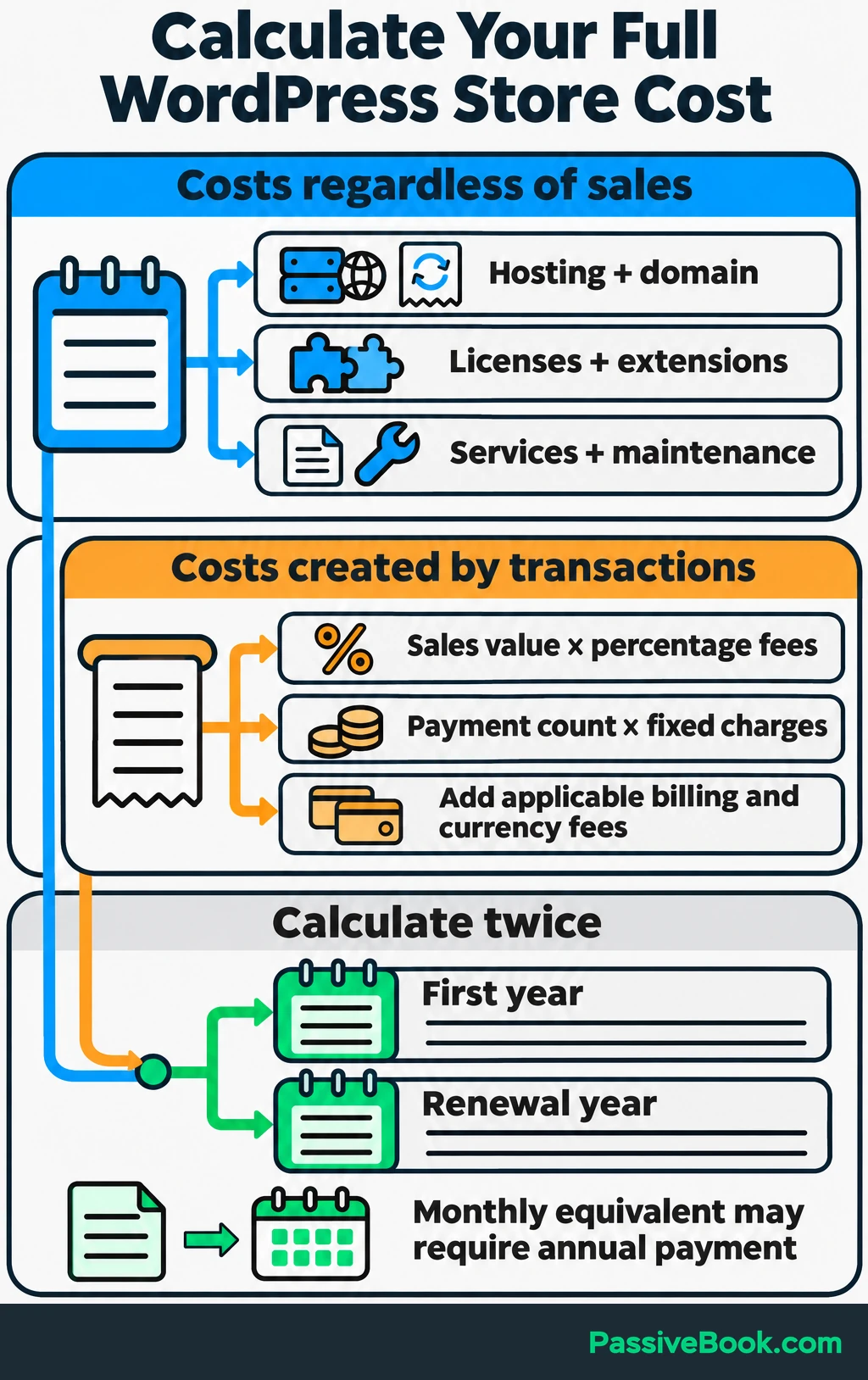
An advertised monthly equivalent can also require paying for the whole year upfront. Use the amount that will leave your bank account.
To find when upgrading becomes cheaper, count only sales that would incur the platform fee. Divide the extra annual license cost by the percentage fee the upgrade removes.
For SureCart, the table’s standard one-store Pro license replaces Launch’s platform fee:
$199 ÷ 0.029 ≈ $6,862 in annual fee-bearing sales
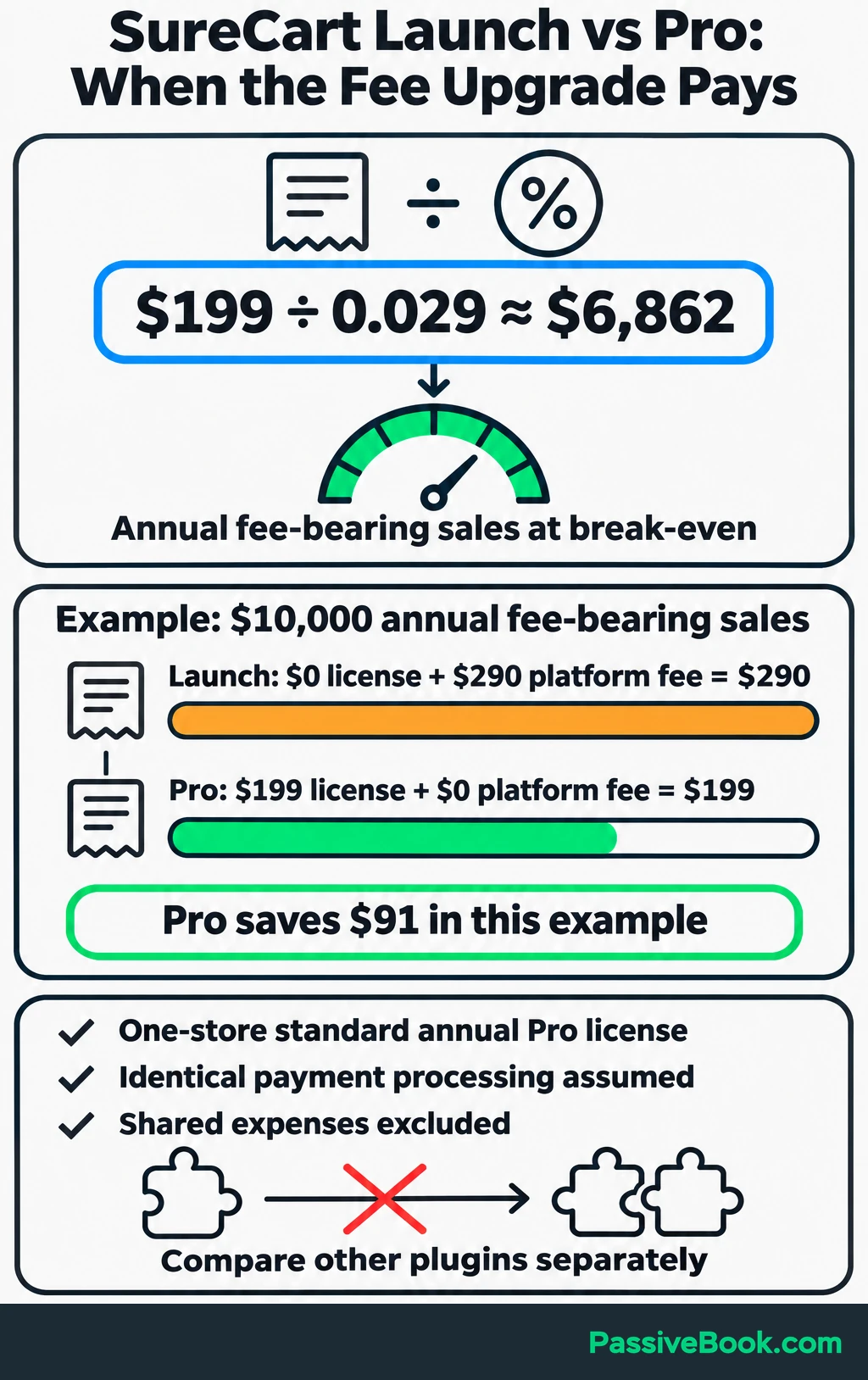
At roughly that sales level, the platform fee and annual license cost are equal.
Suppose the watercolor practice packs generate an illustrative $10,000 in annual sales, all subject to Launch’s fee:
| Option | Annual License Cost | Platform Fee on Those Sales | Combined Cost |
|---|---|---|---|
| SureCart Launch | $0 | $290 | $290 |
| SureCart Pro | $199 | $0 | $199 |
Pro is $91 cheaper in this example. The calculation assumes identical payment processing costs and excludes expenses shared by both setups.
That is a useful comparison within SureCart. It does not prove that SureCart is cheaper than every other plugin. Repeat the calculation using the complete configuration each alternative requires.
The cheaper setup can change as sales grow or licenses renew. The Software Cost Comparator includes an Offer Costs mode so you can put both configurations beside each other without building the calculations yourself.
Free Software Cost Comparator




What Should You Check Before Committing?
Test the Complete Purchase
Use a staging site—a separate test copy of your website—or an available trial. Test the purchase using the payment connection you plan to use for real orders.
Check support for your merchant country, selling currencies, customer payment methods and recurring payments. A processor offering a feature does not automatically mean the plugin’s integration supports it.
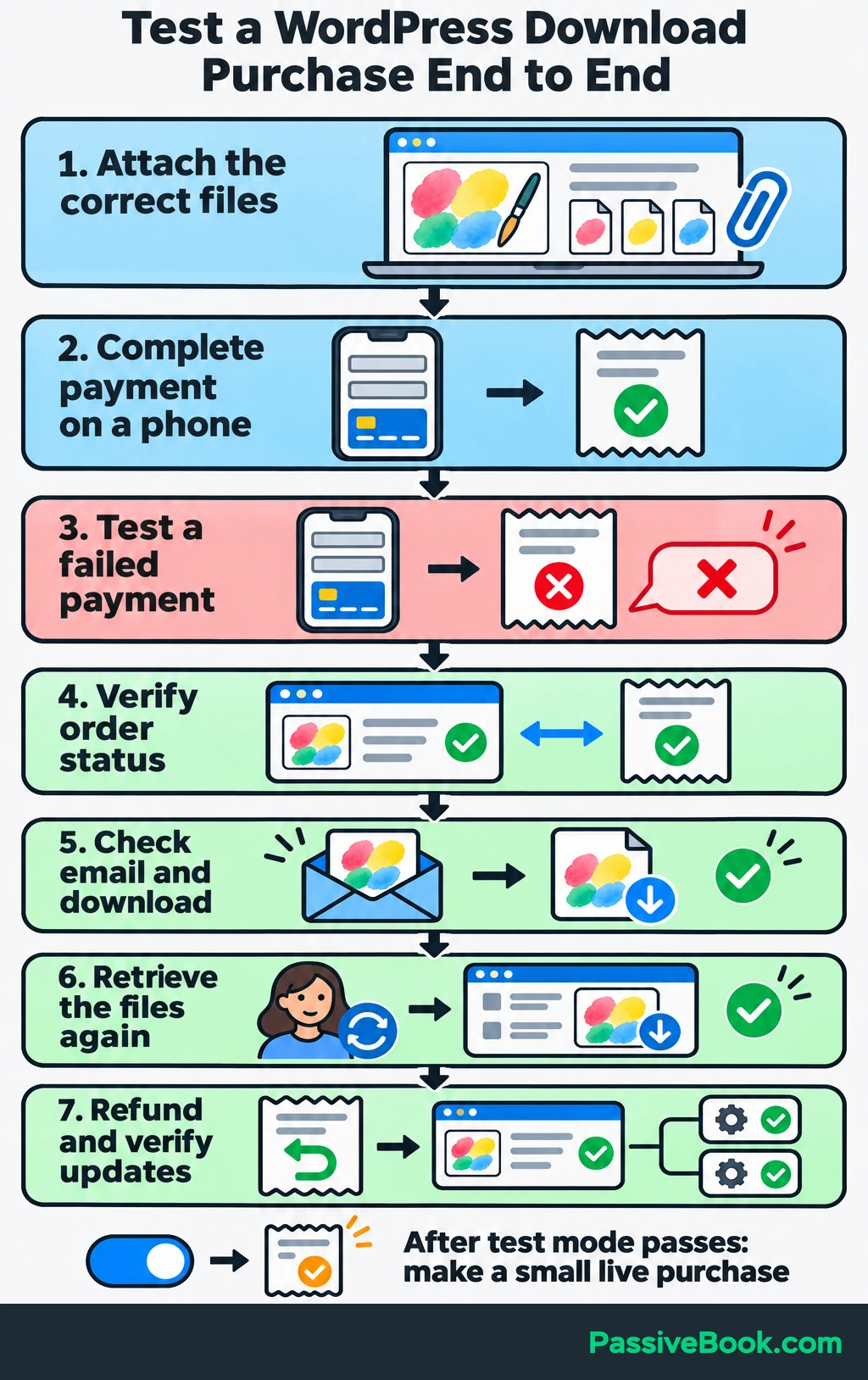
For the watercolor practice packs, run one purchase from beginning to end:
- Create a product and attach the correct download files.
- Open its page on a phone and complete a successful test payment.
- Run a failed-payment test and check that the message makes sense.
- Confirm that the order has the correct payment status.
- Receive the purchase email and open the download as a customer.
- Retrieve the files again through the promised account or purchase link.
- Process a refund and check that the order and related automations update.
Once test mode works, make a small live purchase before launch to confirm the real payment connection and email delivery.
Brush kits need additional checks for shipping charges, stock changes and fulfillment details. For protected lessons, test renewal, failed-payment handling, cancellation and access removal. A successful first payment covers only one part of a membership.
Check Integrations and Maintenance
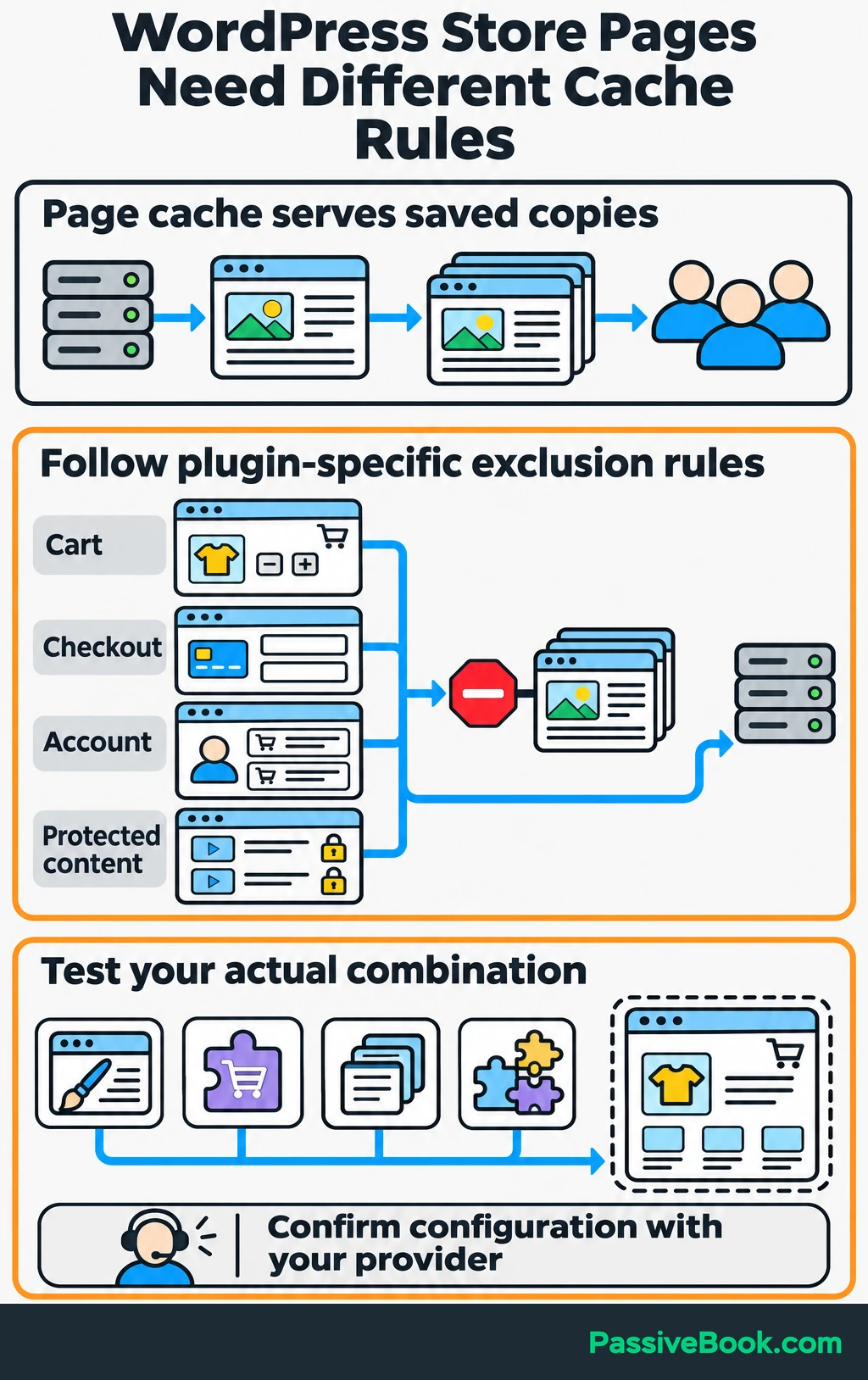
Test with your actual theme, checkout design, caching setup and essential extensions. A clean demonstration site cannot establish that your existing combination will work.
Page caching serves saved copies of pages to visitors. Follow your plugin’s instructions for excluding cart, checkout, account and protected pages. Ask your host or plugin provider to confirm the setup if you are unsure.
Hosting should also match the work your store performs. Assess representative product browsing and checkout activity rather than judging capacity from a quiet homepage.
Then verify one complete automation. For a practice-pack purchase, I would check that:
- The paid order updates the correct customer record.
- The buyer receives the right delivery message.
- A duplicate event does not send the message twice.
- A refund updates the corresponding customer or order status.
I use FluentCRM for email automation on WordPress, so I would first check whether the chosen plugin has a suitable connection. Include any connector, paid tier or automation service in the comparison. Webhooks send messages between services when events such as purchases or refunds occur. You still need to configure the receiving service to act on those messages.
Before committing, read recent release notes, compatibility information and recurring support complaints. Look for patterns relevant to your setup, especially unresolved checkout, renewal or fulfillment problems.
Also decide who handles each kind of failure. Your host, plugin developer, processor and cloud service may each own a different part. Keep their support details somewhere you can find without logging into a broken site.
Use HTTPS, supported software, secure administrator access and recoverable backups. WordPress’s security guidance provides the foundation. Make sure you can restore a backup, because a backup you cannot recover offers limited comfort.
Check Your Exit Options
Before moving a whole store, export a small sample of products, customers and orders. Open the files and inspect what they contain.
Check the fields that matter to your business: product variations, purchase history, customer identifiers and download permissions. An export button does not guarantee that another system can rebuild the same relationships.
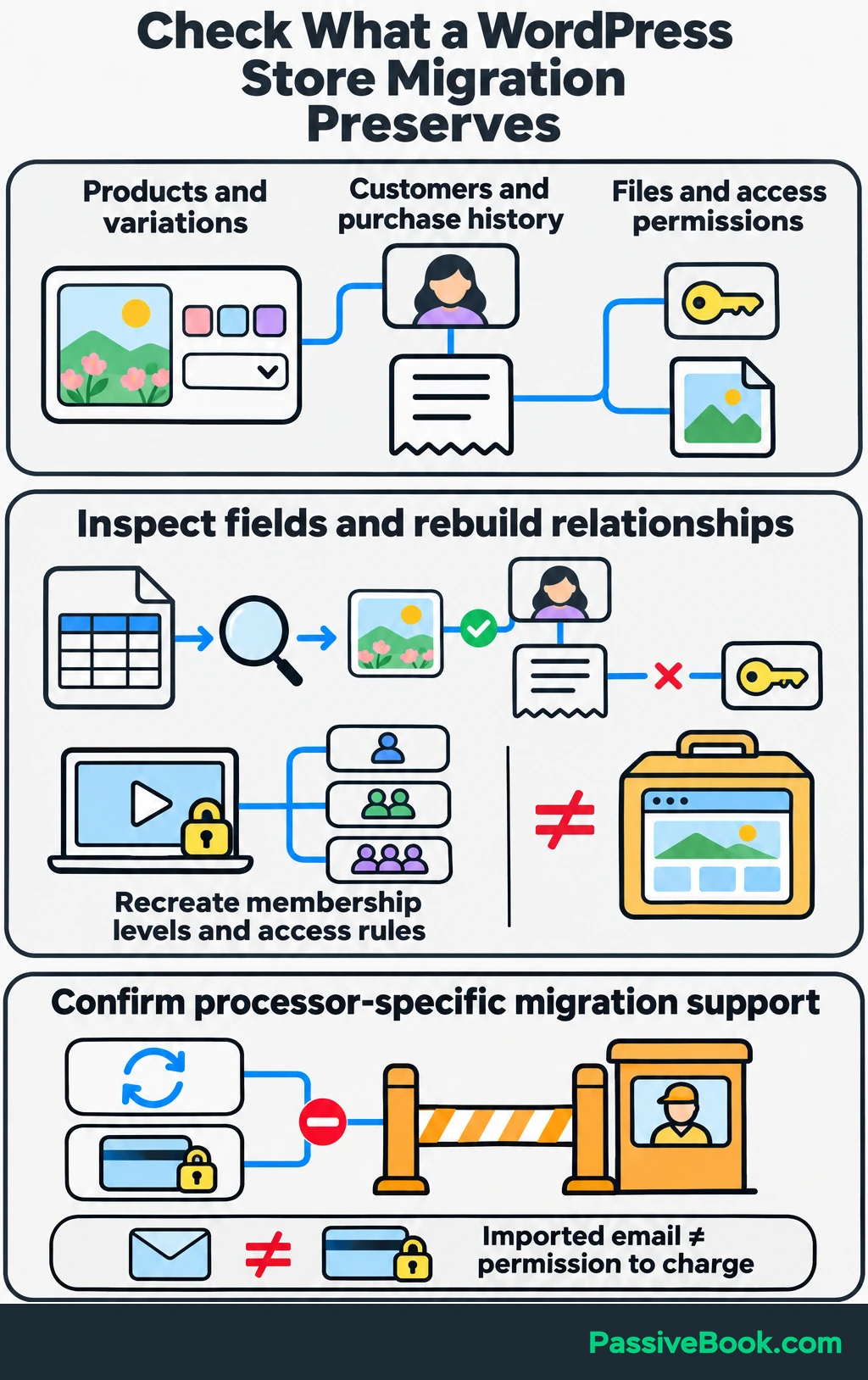
For the practice packs, confirm how files and previous purchase access would move. For protected lessons, check how membership levels and access rules would be recreated.
Active subscriptions and saved payment methods need special attention. Ask the destination provider to confirm migration support for your current processor and configuration before planning the switch. Do not assume that importing customer email addresses transfers permission to charge those customers.
My final choice would be the plugin that completes the required buying and delivery process at an acceptable renewal cost. I would add features when a specific offer or operating problem earns the expense.
What Next?
Write down one product you can sell now and what must happen after payment. Shortlist two plugins from the comparison, then test that purchase before buying optional upgrades.
Use the social buttons to share this guide when a plugin discussion needs a clearer view of fees, delivery and maintenance.
Which part of your purchase process would be hardest to move to another plugin? Tell me in the comments, and bring any other questions about choosing your setup.
Share this post with your friends & followers:

