You need a website with a few product pages, useful articles and a way to buy. Then a developer asks whether you want a static site, and suddenly a straightforward project sounds like an engineering exam.
The wrong choice can leave you paying for features you barely use or struggling to add something your business needs. Understanding how a page reaches a visitor will help you judge where static delivery fits, what needs a separate service and which costs belong in your budget.
What Is a Static Website?
A static website serves HTML pages that are already built, along with files such as images, stylesheets and scripts. HTML supplies a page’s structure and content. The server sends the saved page instead of running an application to assemble it for that visit.
“Static” describes how the page is delivered. It doesn’t mean the design looks dated, nothing moves or the content never changes.
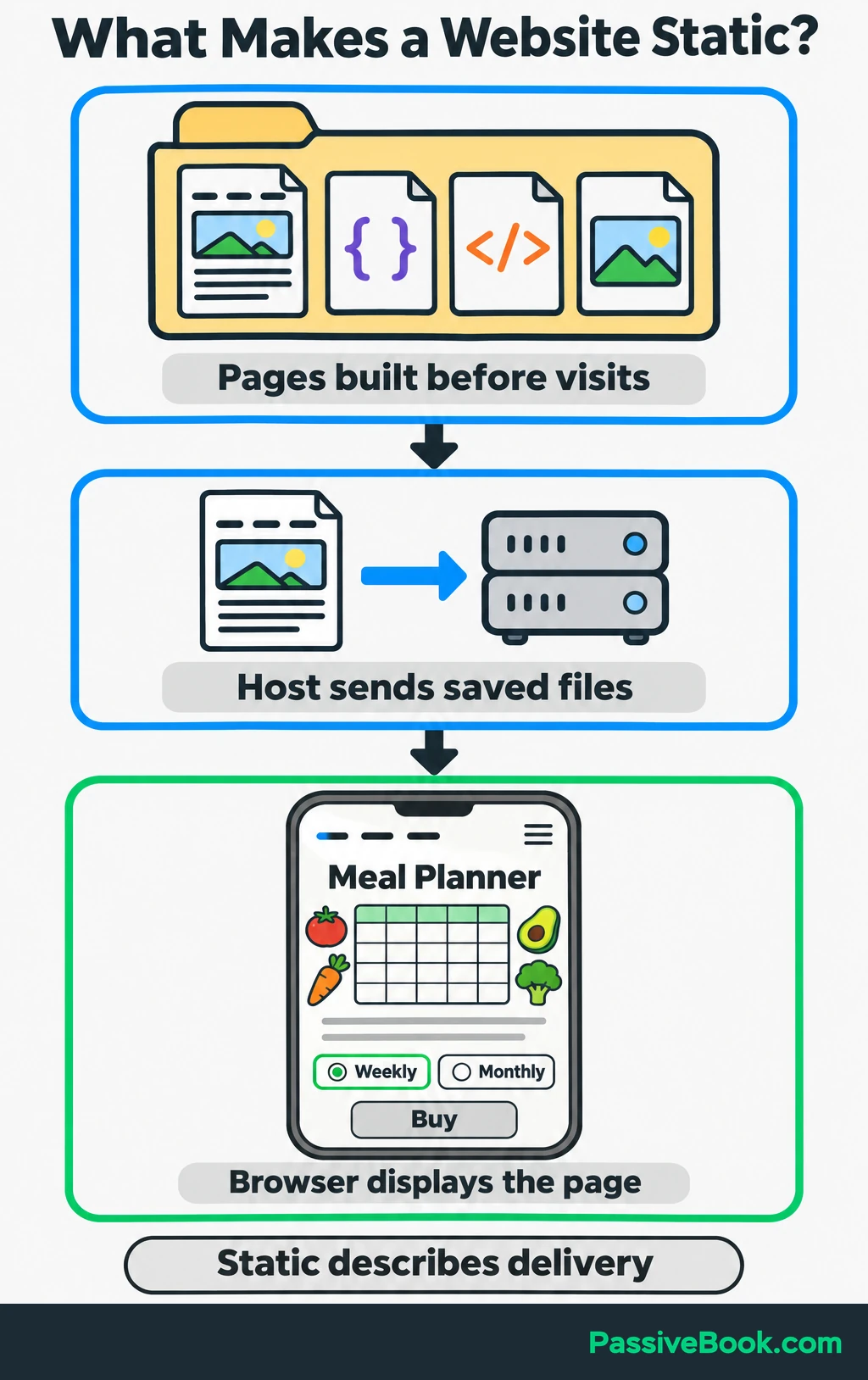
Imagine you sell printable meal-planning templates.
Your homepage, product descriptions and public articles could all be static. Visitors could browse previews and follow a buy button, while separate services handle payment and deliver the purchased files.
That is a credible business website. The public pages simply don’t need to be assembled again whenever someone reads them.
How Does a Static Website Work?
The Host Sends Files to the Browser
When someone opens a static page, the basic process looks like this:
- Their browser requests the page from your hosting service.
- The host returns the existing HTML file.
- The browser reads that HTML and requests linked files, such as images, CSS and JavaScript.
- The browser uses those files to display the page and run its interactions.
Each file has a different job. On your meal-planning product page:
- HTML: Supplies the structure and content, including the product heading, description and buy link.
- CSS: Controls presentation, such as colors, spacing and how the layout fits a phone screen.
- JavaScript: Can let visitors switch between weekly and monthly template previews without opening another page.
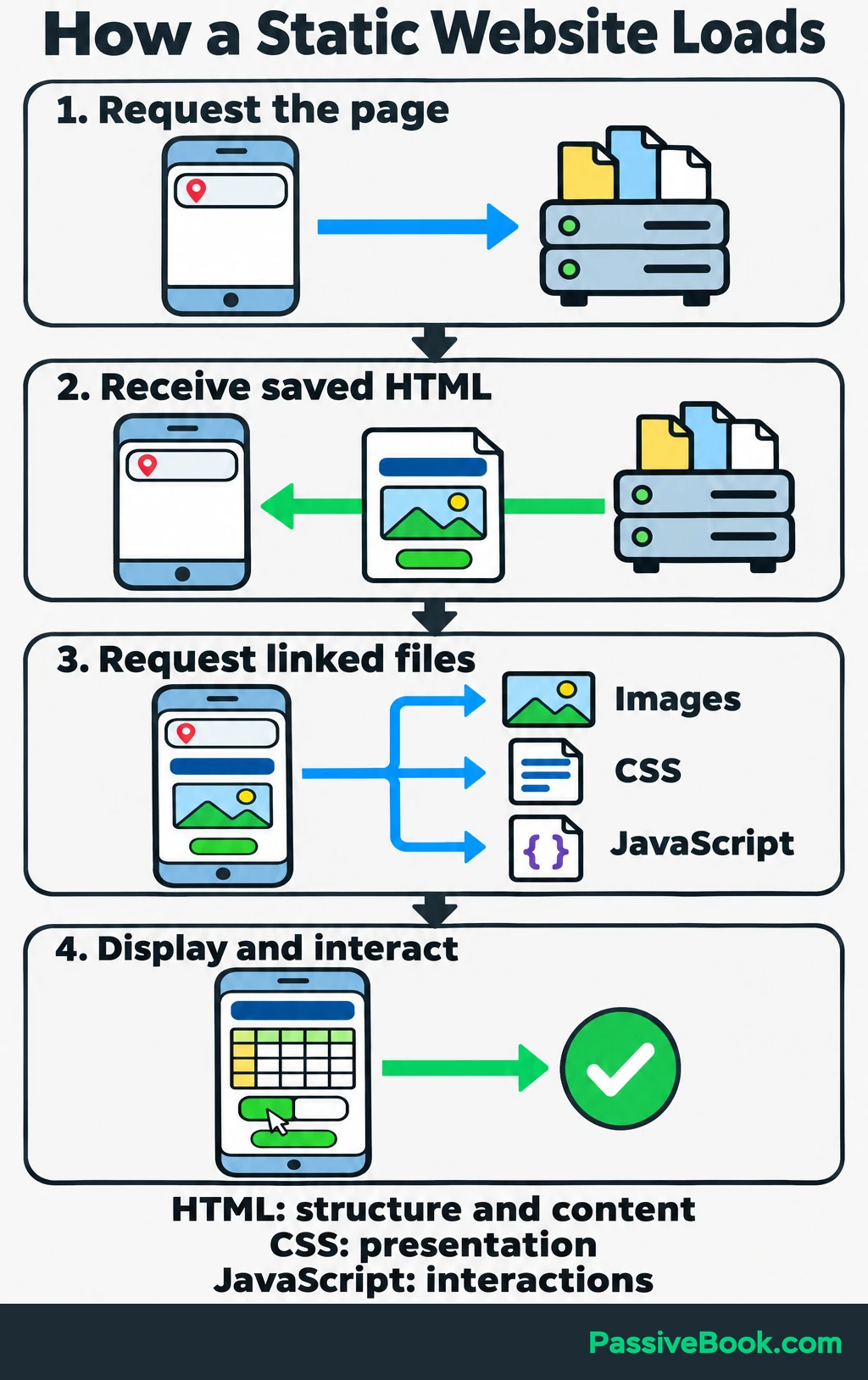
Static websites still use servers. The difference is that their public pages don’t need a page-generating application or database to assemble HTML for each visit.
Browser code runs on the visitor’s device. Server-side code runs on hosting infrastructure. JavaScript can run in either place, so seeing JavaScript on a site doesn’t tell you which architecture it uses.
Updates Become a New Published Version
You don’t have to write every static page by hand. There are three common ways to create the files:
- Direct editing: Write or edit HTML, CSS and JavaScript files.
- Visual tools: Design pages in a tool that exports static website files.
- Static site generators: Combine your content with reusable layouts to produce finished pages.
A static site generator lets you maintain one product-page layout and reuse it across your catalog. Eleventy is one such tool: it turns content and templates into a folder of files ready for hosting.
You’ll hear two terms here. A build creates the finished website files. A deployment publishes those files to hosting.
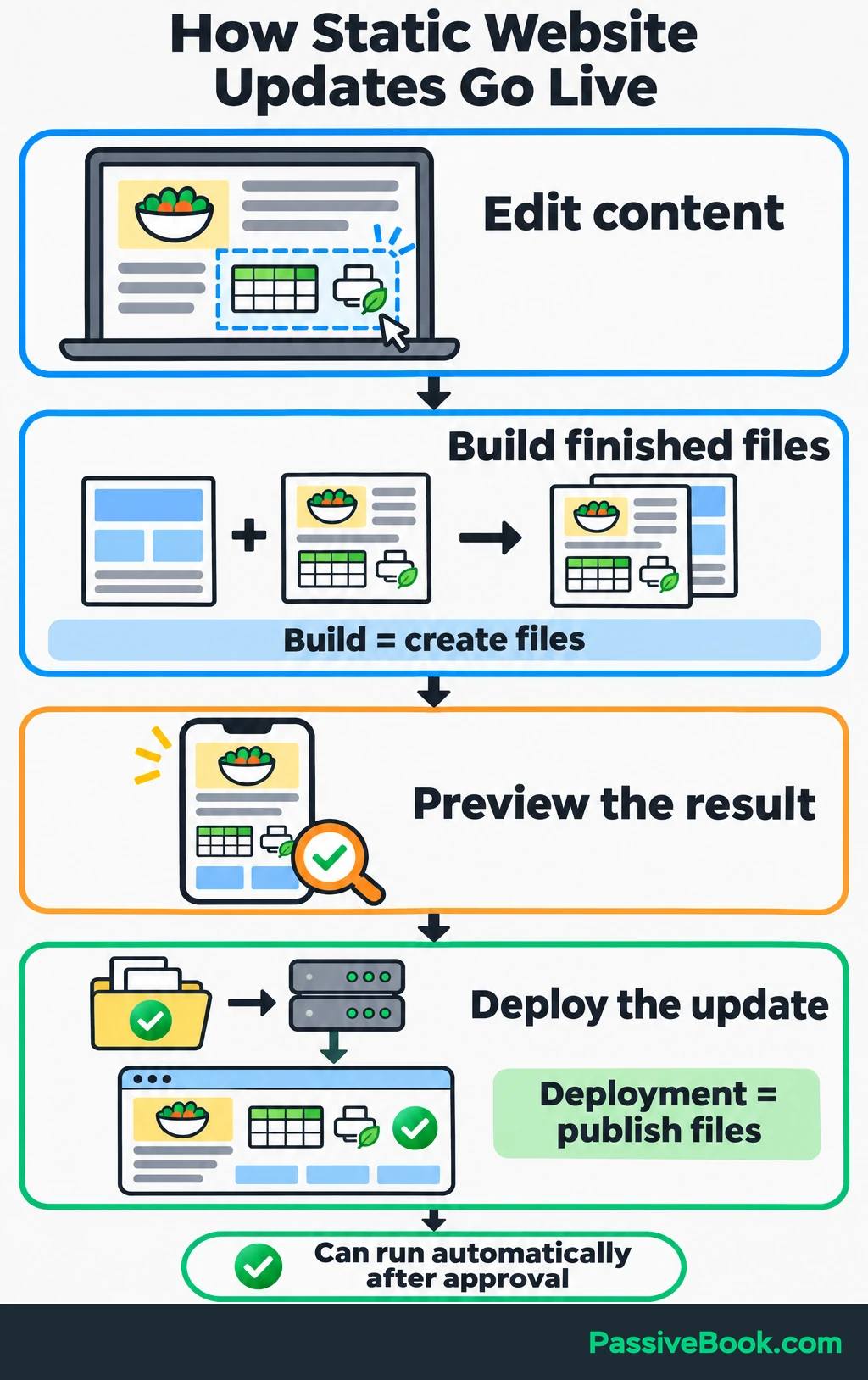
Suppose you add an ink-saving version to a meal-planning template. Your update might follow this path:
Edit the description → build the updated page → preview it → publish the new version.
Those steps can run automatically after you approve an edit.
A content management system, or CMS, can provide a familiar editing screen connected to this process. Static delivery does not require opening a code editor whenever you spot a typo.
How Do Static and Dynamic Websites Differ?
A dynamic website uses software running on the server to generate responses when needed. It often retrieves information from a database and puts that information into a page layout. The software and storage that handle these jobs form the site’s backend.
Personalization is one possible use. A dynamic page can also show the same public article to everyone.
| Comparison Point | Static Delivery | Dynamic Delivery |
|---|---|---|
| When HTML is generated | Before the visitor requests it | When needed, often in response to a request |
| How edits become public | Updated files are published, with a build if required | Saved changes become available through the application, subject to caching |
| How visitor-specific information appears | Browser scripts request it from a connected backend | The server can include it in the generated HTML |
| Backend maintenance | File hosting and publishing tools; connected services need their own upkeep | Hosting plus the page-generating application and any database it uses |
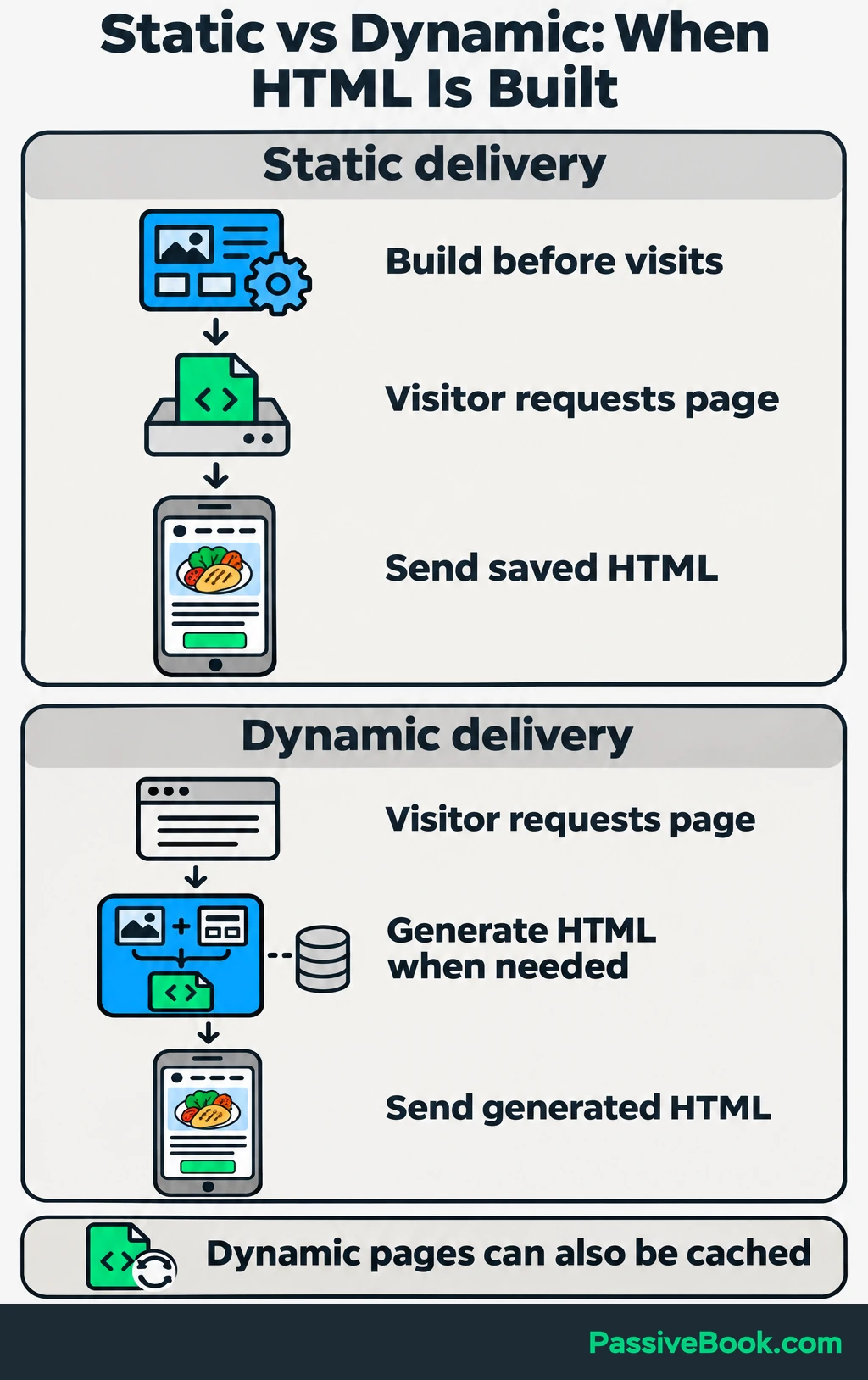
These approaches can coexist. Your public meal-planning articles could be static while a customer area uses a backend to retrieve saved plans.
Dynamic pages can also be cached: the system keeps a generated copy and reuses it when appropriate. Every visit doesn’t necessarily trigger fresh page generation.
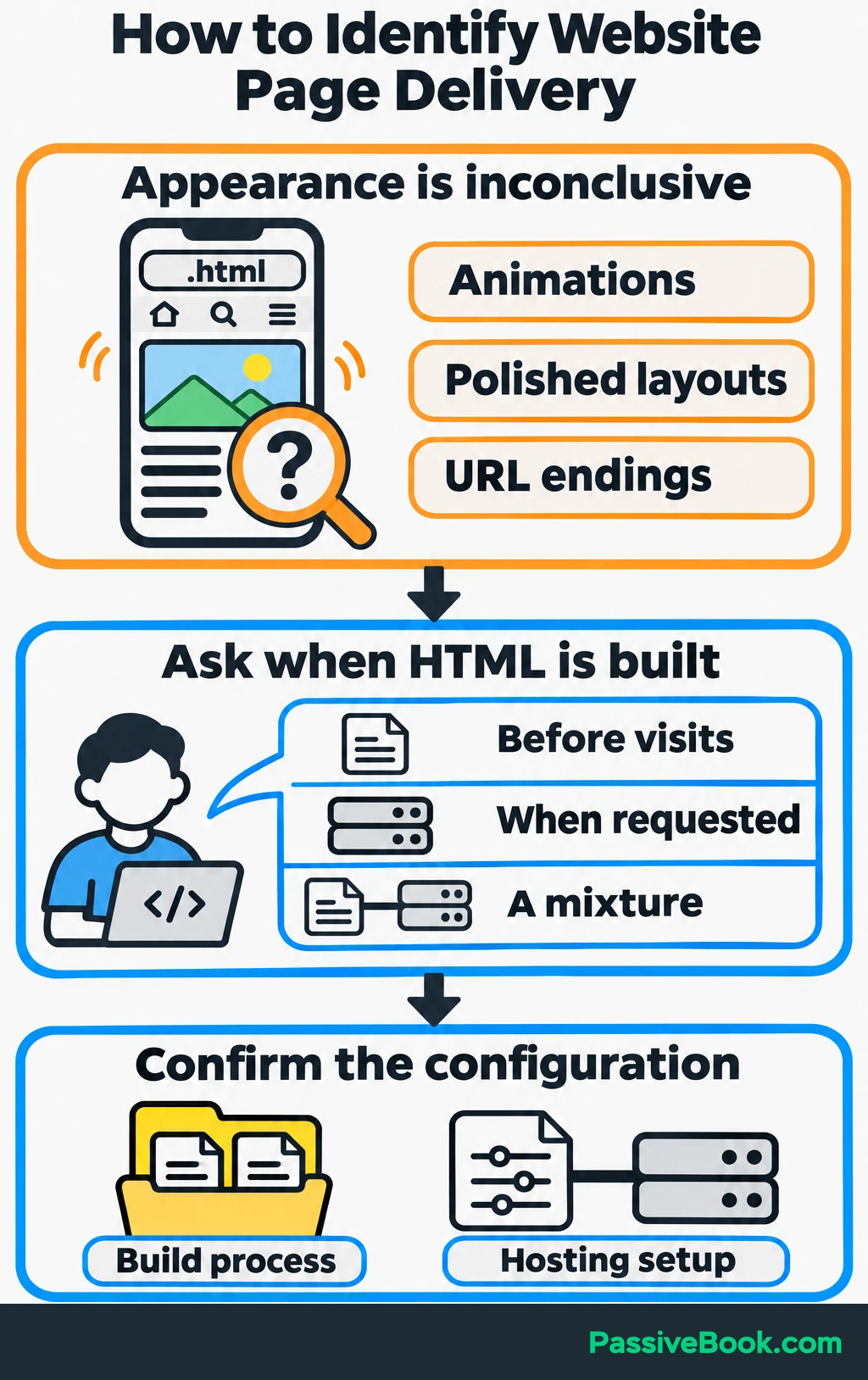
You generally can’t identify the architecture by looking at the finished site. Animations, polished layouts and addresses ending in .html aren’t reliable tests.
Ask the developer: “Is this page’s HTML built before visits, generated when requested, or a mixture?” The build and hosting configuration should confirm the answer.
What Features Can a Static Website Support?
A static page can support plenty of useful interactions. The important question is where each feature’s work happens.
| Visitor Action | What Handles It |
|---|---|
| Open a menu or expand an answer | JavaScript in the browser |
| Switch between template previews | Browser code using the available images |
| Filter a downloaded list of templates | Browser code working with that list |
| Submit a contact form | A backend or external form service |
| Join your newsletter | Your email platform or signup backend |
| Pay for a template | A payment or commerce service |
| Save a private meal plan across devices | An account system and backend storage |
Browser scripts can also request changing information through an API, which is an interface for communicating with another system. The original page files can stay static while the connected service supplies fresh data.
For sales, a static product page can link to a hosted checkout. Stripe Payment Links, for example, lets you place a payment link on your website. The payment happens on Stripe’s hosted page.
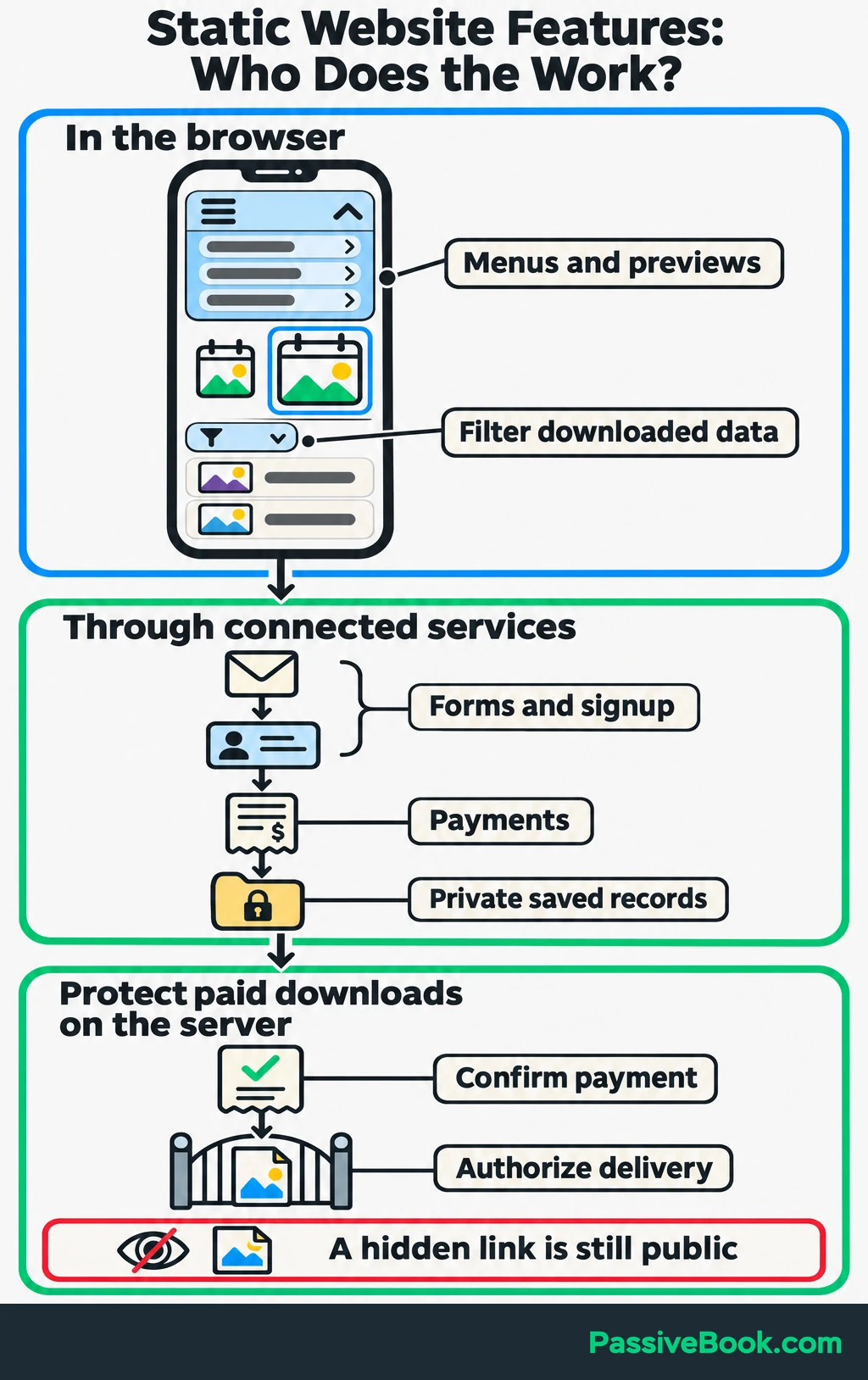
Payment and delivery are separate jobs, though. You still need a process that provides the purchased template after successful payment.
Private information needs more than a hidden button. Hiding a download link with JavaScript doesn’t protect a file that remains publicly accessible. Access checks must happen in a trusted server-side system, as OWASP’s authorization guidance explains.
I would keep public descriptions on the static site and let a suitable commerce service control access to paid downloads.
What Are the Benefits and Limitations?
Efficient Delivery and Traffic Handling
Prebuilt pages avoid the work of assembling HTML during a visit. That gives static delivery a useful starting point for performance.
A content delivery network, or CDN, can help further. It stores copies across multiple locations so visitors can receive files from a location nearer them, reducing requests to the original host. Cloudflare explains how static-content caching works.
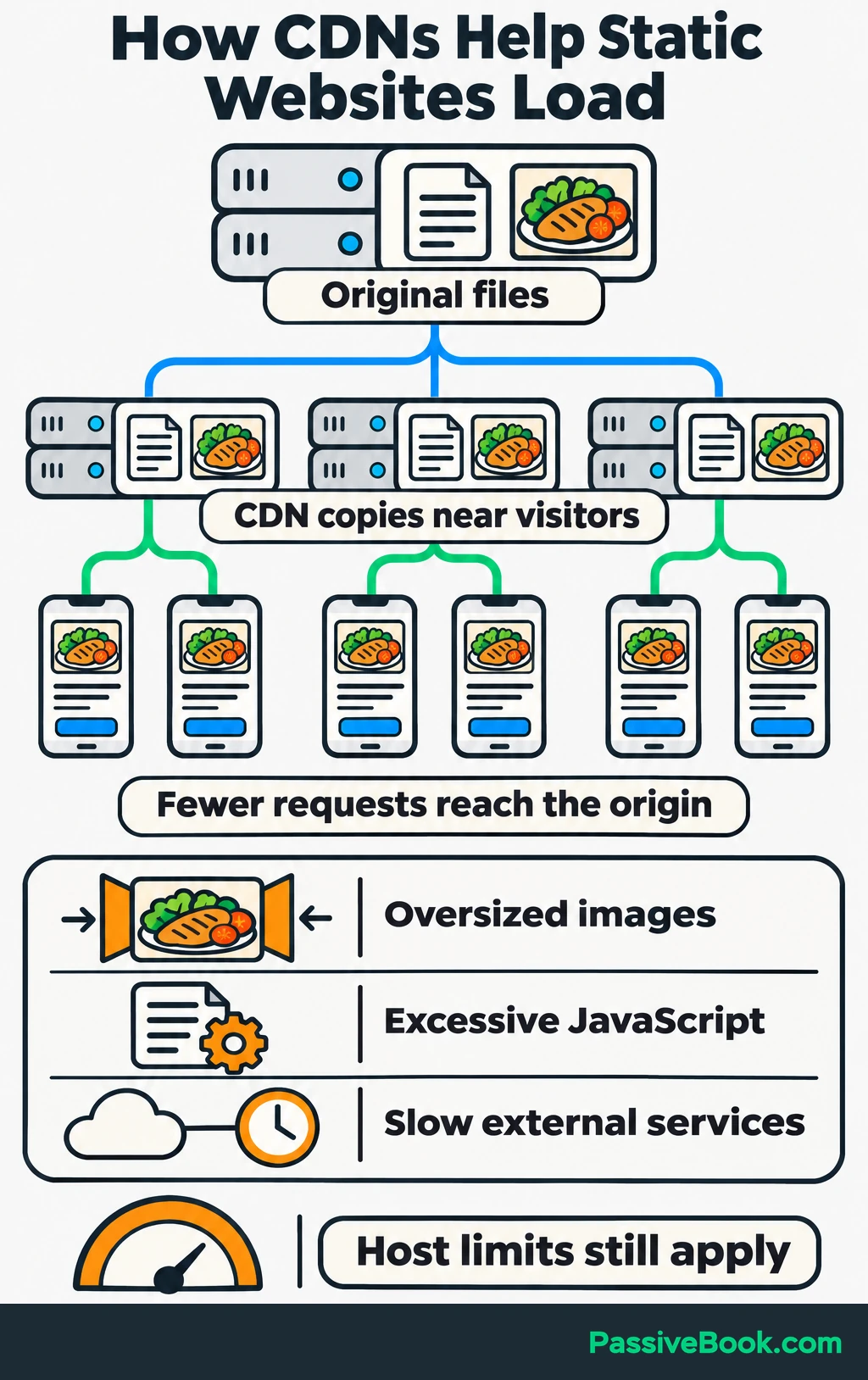
But judge the complete page. Huge preview images, excessive JavaScript and slow external services can still make a static site unpleasant to use.
For the meal-planning shop, I would resize product previews before adding elaborate transitions. A fast delivery system carrying unnecessarily large files still has unnecessarily large files to deliver.
Traffic capacity still depends on your host’s limits.
Fewer Backend Components to Maintain
A file-only public site doesn’t need a running page-generating application and database. That removes components you would otherwise have to operate, update and protect.
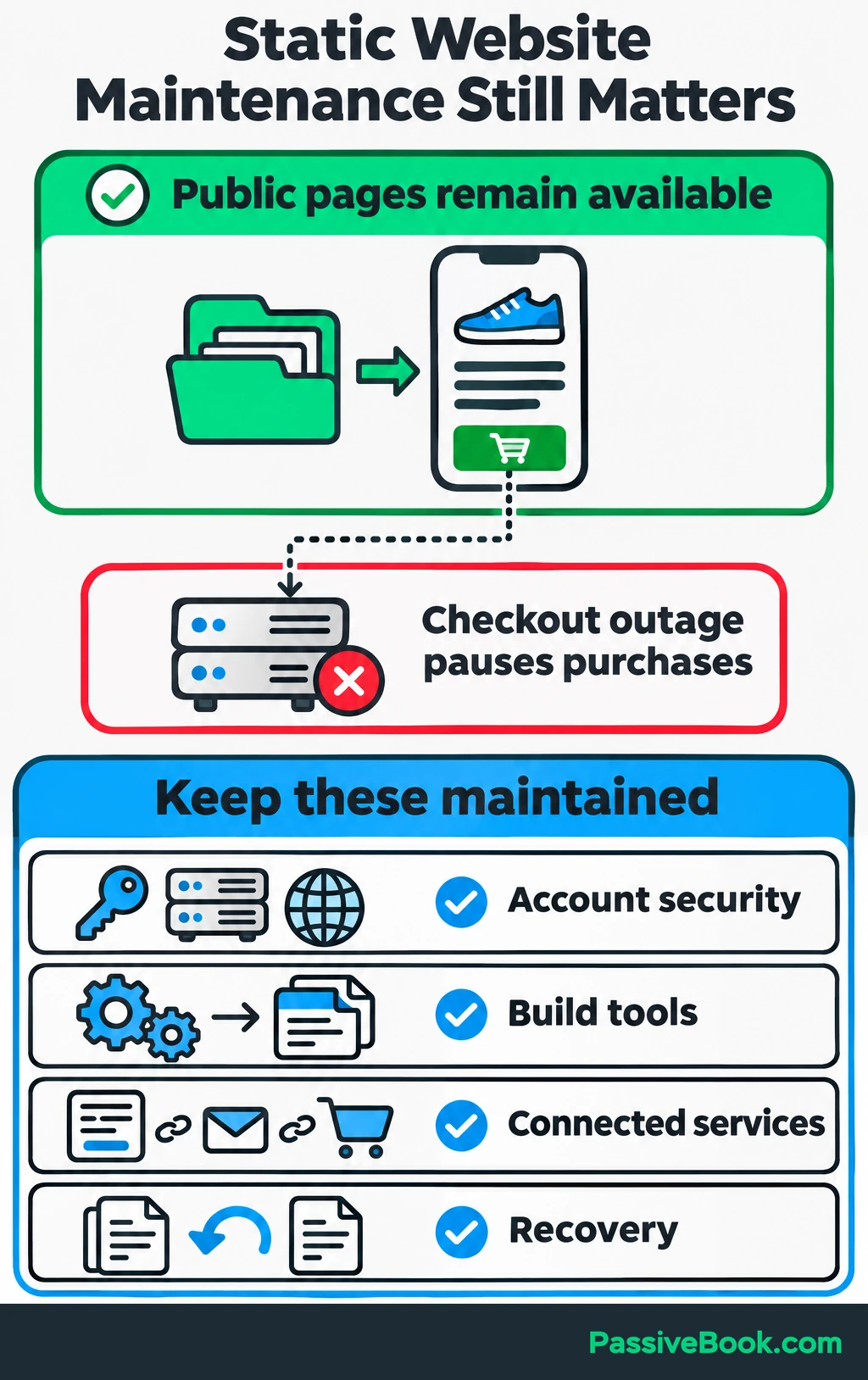
The remaining responsibilities still matter:
- Account security: Protect hosting, domain and publishing accounts.
- Build tools: Update the software and dependencies used to create the site.
- Connected services: Maintain forms, checkout, email and any account system.
- Recovery: Keep source files and a way to restore a working version.
Separating services can also limit the effect of a failure. If the meal-planning site’s checkout service goes down, its independently hosted product pages could remain available. Purchases would still have to wait for checkout to recover.
Editing and Publishing Still Need Upkeep
Reusable layouts make shared changes easier. Update one footer template, rebuild the affected pages and publish the result.
But someone must understand and maintain that workflow.
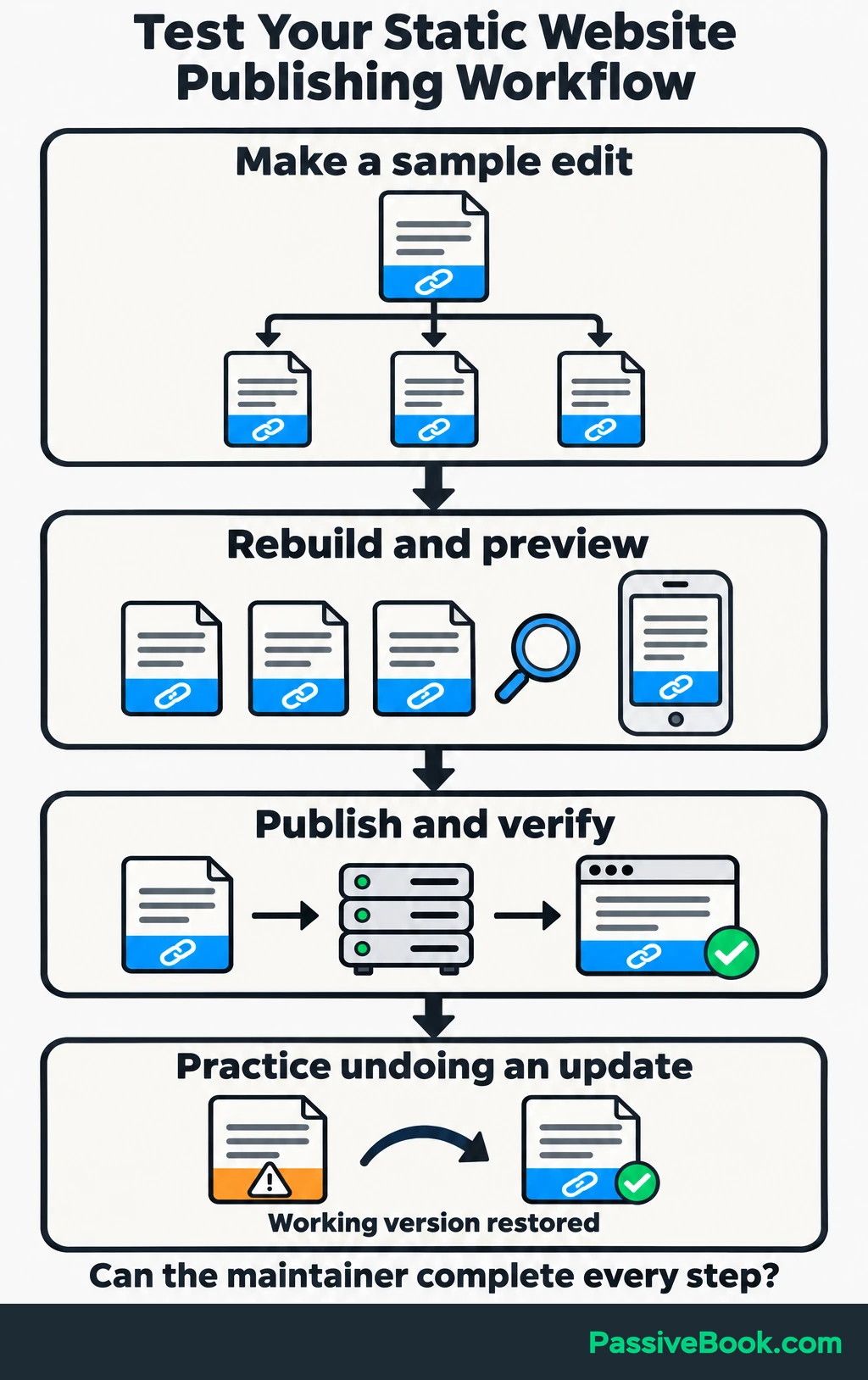
On a separate digital-product project, I once delayed a small description change because I had made publishing needlessly technical. The edit was easy; getting it onto the site was the nuisance. I simplified the publishing process because that friction was enough to make me postpone routine work.
I use self-hosted WordPress at Passive Book because its editing workflow suits how I publish. That is a choice about my work, not proof that every site needs the same setup.
Before choosing static delivery, ask whoever will maintain the site to make a sample edit and publish it. Include a demonstration of undoing a bad update.
Frequent publishing can suit a static site. A slow build or an awkward editing process is the problem, not the fact that you publish often.
Where Can You Host a Static Website?
You need hosting that stores and serves the finished files over HTTPS, which encrypts the connection between the visitor and the site.
Your domain name is the address visitors use. Hosting is the service that stores and delivers the website.
Managed static hosting takes care of the delivery infrastructure. General web hosting can also serve static files. A self-managed server gives you more responsibility for server setup, updates and recovery.
I use DigitalOcean for hosting, but I wouldn’t choose a self-managed server solely to deliver a small folder of public pages. Managed static hosting is where I would start for that job.
Two options to compare are:
| Hosting Option | What to Know |
|---|---|
| Cloudflare Workers Static Assets | Serves prebuilt files. Requests for those files are free; requests that run optional server-side code, called a Worker, follow separate limits and billing. Check Cloudflare’s billing conditions. |
| Netlify | Offers managed publishing and hosting. Publishing updates and serving files use monthly credits. On the free plan, exhausting those credits pauses all sites on your account until the next billing cycle unless you upgrade. Check Netlify’s plans and usage conditions. |
Before comparing providers, check these points:
- Publishing: Does it work with your chosen builder or generator?
- Domain and HTTPS: Can you use your own address with an encrypted connection?
- Redirects: Can old page addresses send visitors to their replacements?
- Recovery: Can you restore an earlier working deployment?
- Usage and terms: Is commercial use allowed, and what happens when you reach an allowance?
Then compare the complete cost: development, domain renewal, hosting usage, editing tools, connected services and ongoing support.
A cheap hosting plan may need paid extras or more of your time. Put two suitable options side by side before you commit.

Free Software Cost Calculator




Free file hosting can be useful. It doesn’t make the whole business website free, especially if every small edit requires paid help.
When Should You Use a Static Website?
Choose Static for Content Prepared Before Visits
Static delivery is a strong option when visitors mainly read information you can prepare in advance.
That includes portfolios, business information pages, landing pages, public blogs and documentation. Page count alone doesn’t decide suitability. A large collection of prepared articles can suit static delivery, while one page showing private, constantly changing records needs backend capabilities.
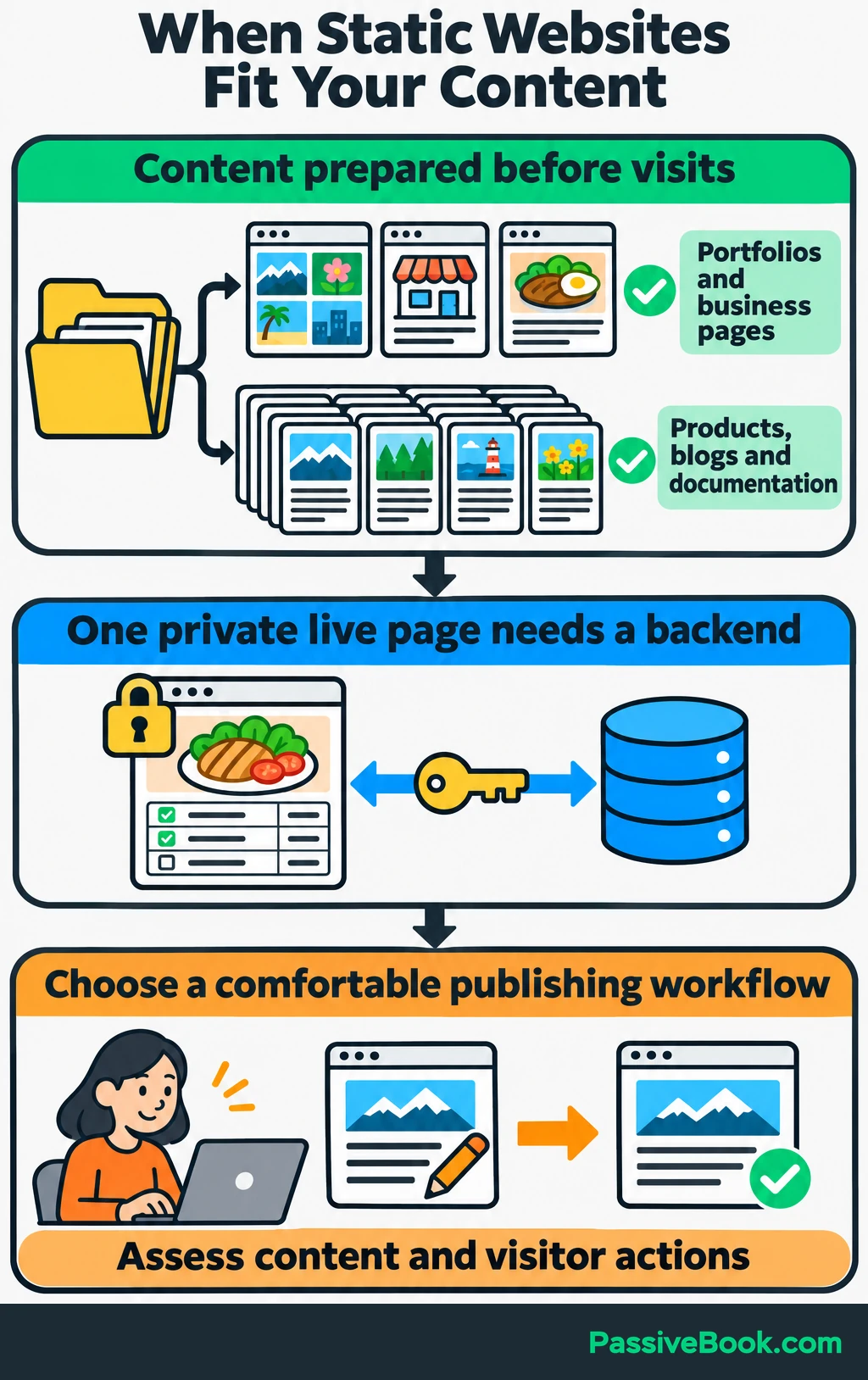
For the meal-planning business, product descriptions and articles can remain static even if you publish regularly or attract more visitors.
I would choose static here if the editing process is comfortable and the public pages don’t need visitor-specific HTML. There is little value in adding a page-generating application merely because the business hopes to grow.
Connect Services for a Few Transactional Features
A few transactional features don’t automatically require replacing the whole website.
For the meal-planning shop, a workable arrangement could be:
- Public content: Static homepage, articles, product descriptions and previews.
- Email signup: An embedded form connected to an email platform such as MailerLite.
- Checkout: A hosted commerce service, such as Gumroad, that handles payment and digital-product delivery.
The public host serves the pages, while the connected services handle actions that require processing.
I would start with that arrangement when it covers the actual sales process. Before committing, compare its combined fees and support effort with an integrated platform.
Also test the complete purchase journey. Open the product page, buy a test product through the provider’s supported testing process and confirm how delivery works. A functioning buy button is only part of the job.
Choose Dynamic When Live Data Drives the Experience
Favor a dynamic application or managed platform when private records, current permissions, complex transactions or immediately changing shared information drive the main experience.
Suppose the meal-planning business expands into an app. Customers sign in, save weekly plans, synchronize changes across devices and generate personal shopping lists.
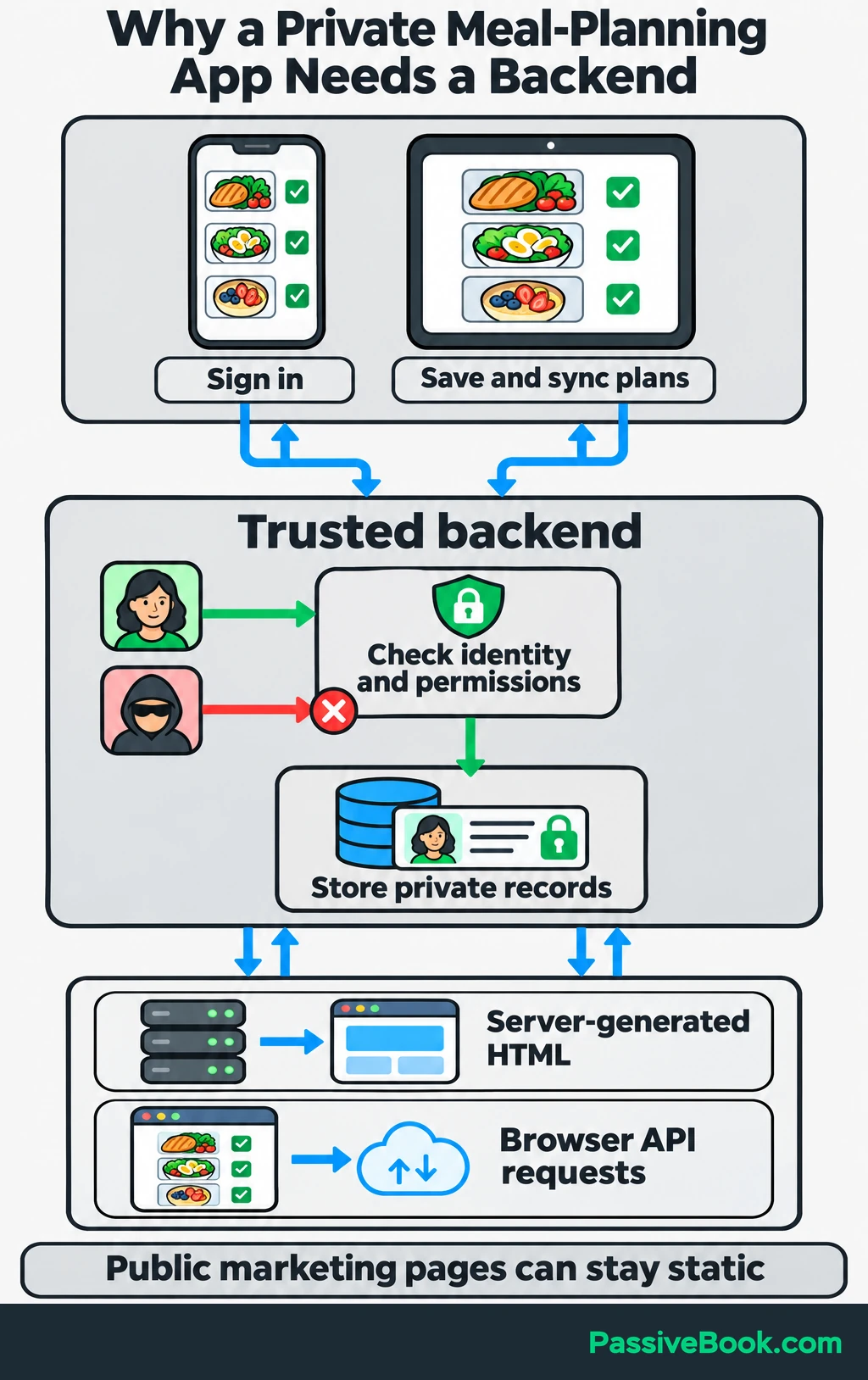
Now you need a trusted backend that stores records and controls who can access them. Publishing product descriptions no longer covers the main job.
That still leaves a choice about page delivery. The server can assemble current or visitor-specific HTML when requested, or browser scripts can retrieve data from a backend. Public marketing pages can remain static in either arrangement.
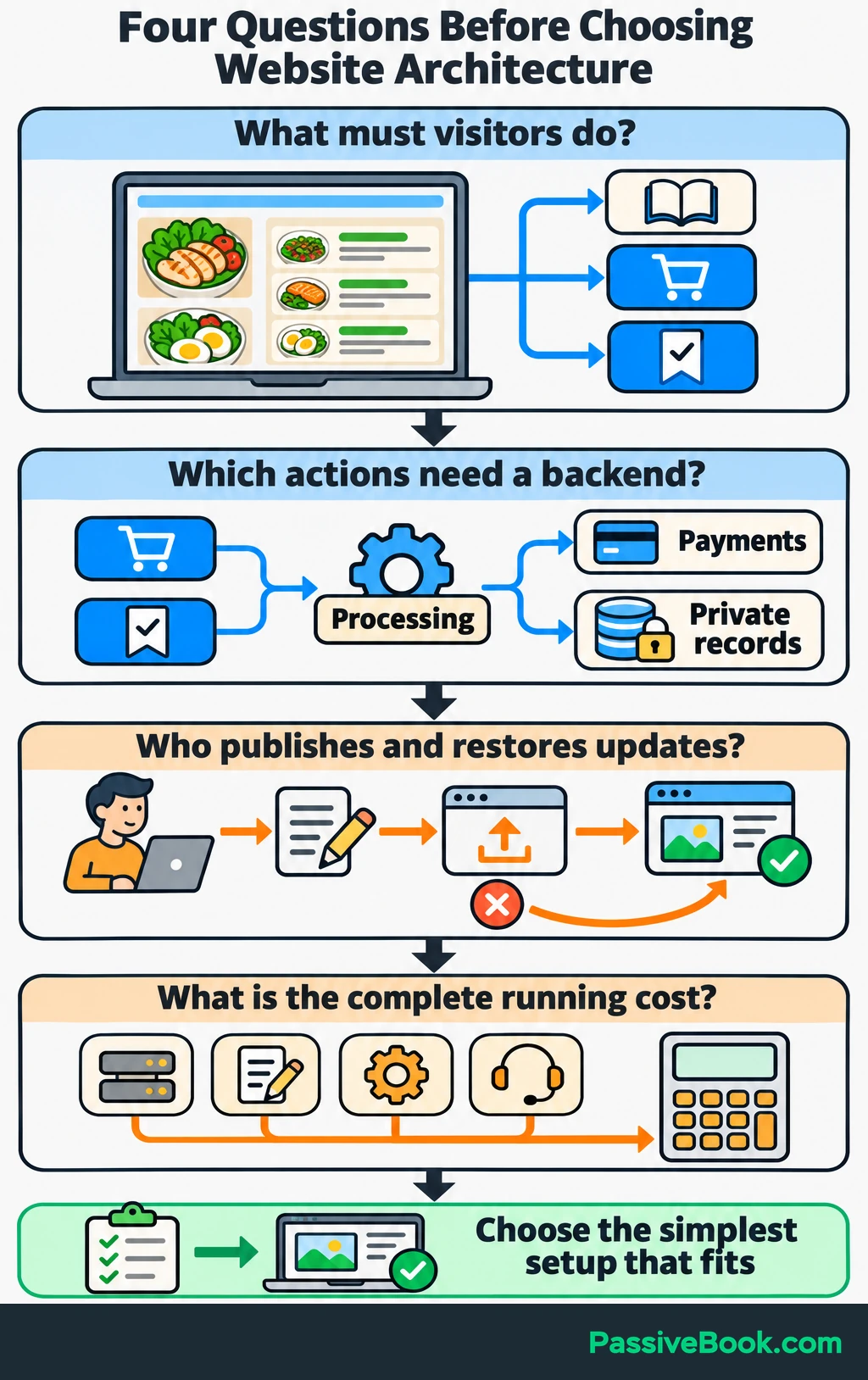
Before committing, work through four questions:
- What must visitors be able to do?
- Which actions need payments, private records or backend processing?
- Who will publish updates and fix a failed deployment?
- What will the complete setup cost to run and maintain?
Choose the simplest setup that supports those answers and your credible near-term plans. I would skip building a customer app “for later” when the current offer is a downloadable template. Give future features a requirement before you give them a budget.
What Next?
Write down every action visitors need to take on your proposed site. Mark which actions simply display published content and which need a backend, then use that list to assess a builder or developer’s proposal.
Use the social buttons to share this guide when a website discussion gets stuck on whether “static” means limited. It can help bring the conversation back to what the site actually needs to do.
Which visitor action is making your architecture choice hardest? Tell me in the comments, and bring any other questions about your setup too.
Share this post with your friends & followers:

