A photo gallery, a shop and a course area could all belong on your website. Building all three before you have a clear offer could also swallow the evenings you meant to spend finding customers.
Each format brings a different job after launch: answering inquiries, shipping orders, updating lessons or keeping discussions useful.
Choosing well means knowing which job supports your business. This guide compares 13 formats by what visitors do, how the site can earn money and the work it leaves on your calendar, so you can choose a first build you can actually run.
What Type of Website Should You Build?
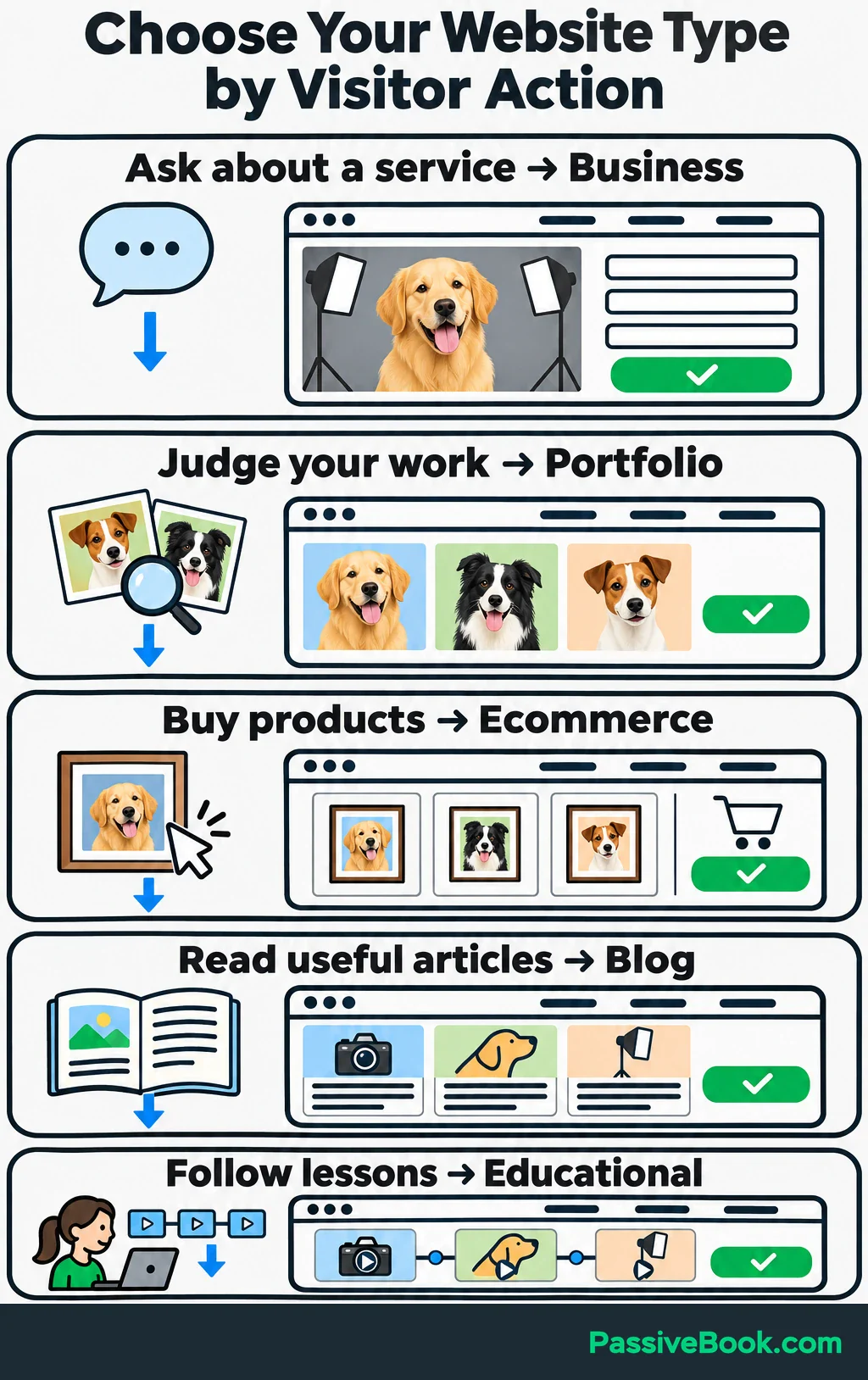
Start with the main action you want visitors to take.
If they need to ask about your service, choose a business website. If they need to judge your work, lead with a portfolio. Products need a buying process, articles need a clear publishing structure, and lessons need an organized learning path.
Write your purpose in one sentence:
This website helps [audience] achieve [outcome] and asks them to [main action].
Throughout this guide, imagine you’re starting a dog-photography business. You might photograph dogs, sell prints or teach owners to take better pictures. These are possible directions to test, rather than offers with established demand.
For a session-based business, your purpose could be:
This website helps local dog owners choose a portrait session and asks them to inquire about availability.
That points toward a business website with a portfolio section. It doesn’t call for a course library, discussion forum and shopping cart.
When planning one of my digital-product sites, I gave space to offers I wanted to create later. The navigation grew faster than the product range. Cutting those empty promises made it easier to explain what people could actually buy. I now choose the main action before planning the pages.
You can combine formats, so this choice doesn’t trap you forever. A business website can contain a blog, portfolio and store. Choose one primary purpose and make the other parts support it.
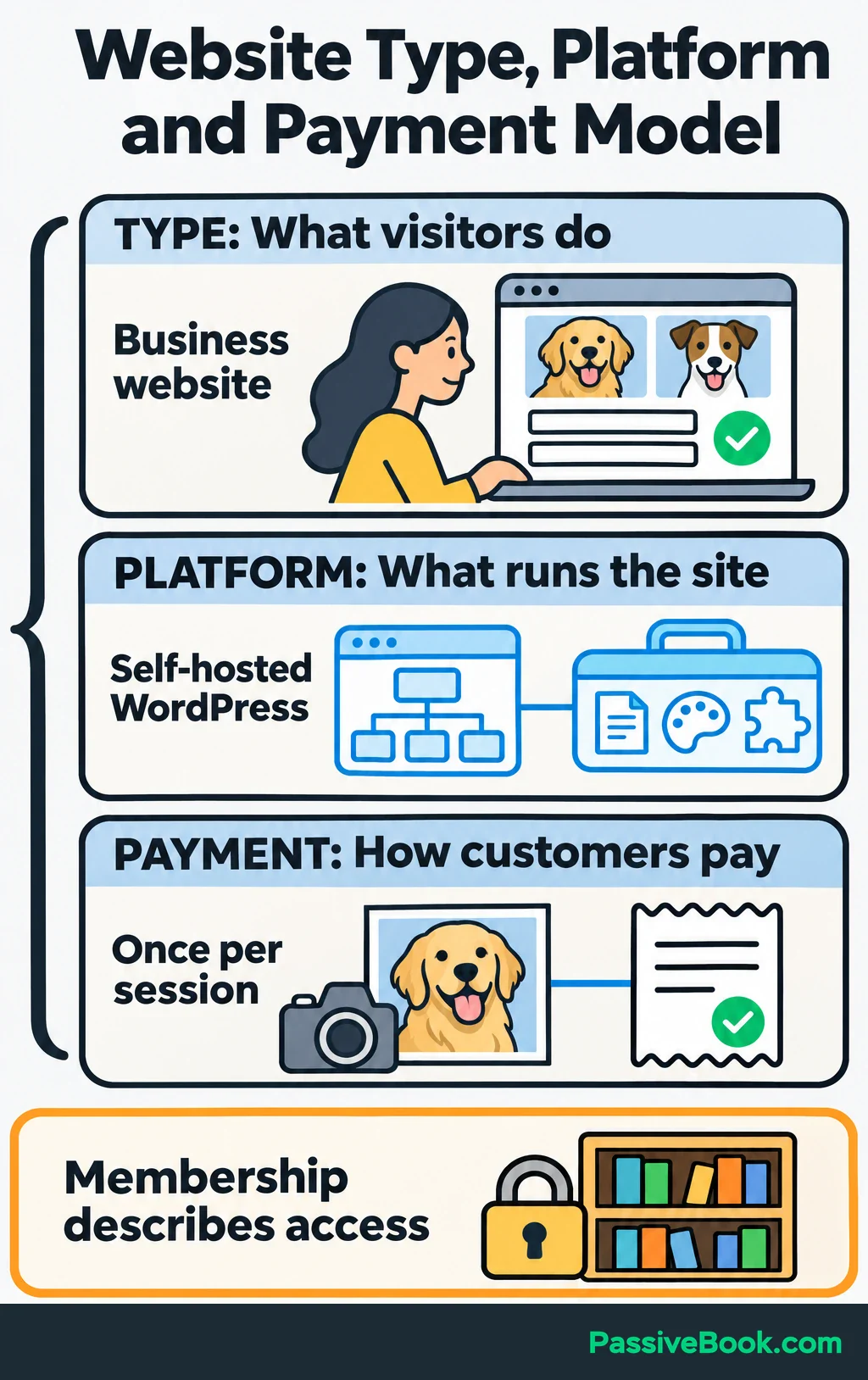
Also, separate three decisions:
- Website type: what visitors come to do.
- Platform: the software used to build and run it.
- Payment model: how customers pay, such as once per purchase or through a subscription.
WordPress is a platform. Membership is an access model. Neither tells you whether your offer solves a problem people will pay to fix.
13 Types of Websites to Build
Use this table to shortlist formats, then read the sections that match your plans. These are possible primary purposes, and several can share one website.
| Website Type | Main Visitor Action | Possible Revenue Source | Main Ongoing Commitment |
|---|---|---|---|
| Business Website | Inquire about or book a service | Service fees | Answering inquiries and delivering the service |
| Portfolio Website | Review work and discuss a project | Commissions, contracts or licensing | Selecting projects and explaining the work |
| Ecommerce Website | Choose and buy products | Product sales | Fulfillment, returns and customer support |
| Landing-page Website | Respond to one offer | Sales or service inquiries | Bringing relevant visitors and following up |
| Blog | Read useful articles and take a related next step | Products, services, commissions or advertising | Research, writing, updates and distribution |
| News and Media Website | Read, watch or listen | Sponsorships, advertising or paid access | Producing coverage and managing media rights |
| Educational Website | Follow lessons toward an outcome | Courses, workshops or instruction | Maintaining lessons and supporting learners |
| Membership Website | Pay for continuing access or benefits | Recurring membership fees | Delivering benefits and managing access |
| Community Website | Exchange advice and participate | Paid access, sponsorships or related offers | Welcoming members and moderating discussions |
| Directory Website | Find and compare providers or resources | Paid listings, sponsorships or referrals | Checking listings and attracting searchers |
| Marketplace Website | Buy from independent sellers | Commissions or seller fees | Recruiting both sides and resolving transaction problems |
| Event Website | Register, RSVP or buy tickets | Tickets, sponsorships or related sales | Updating details and communicating with attendees |
| Web Application | Complete an interactive task | Subscriptions, purchases or usage charges | Software maintenance and user support |
1. Business Website
Choose a business website when people need to understand your service and decide whether to contact you.
Start with what you offer, who it helps, where you work and how to inquire. Include relevant experience and evidence of your work. Visitors should also understand the process and what the service includes.
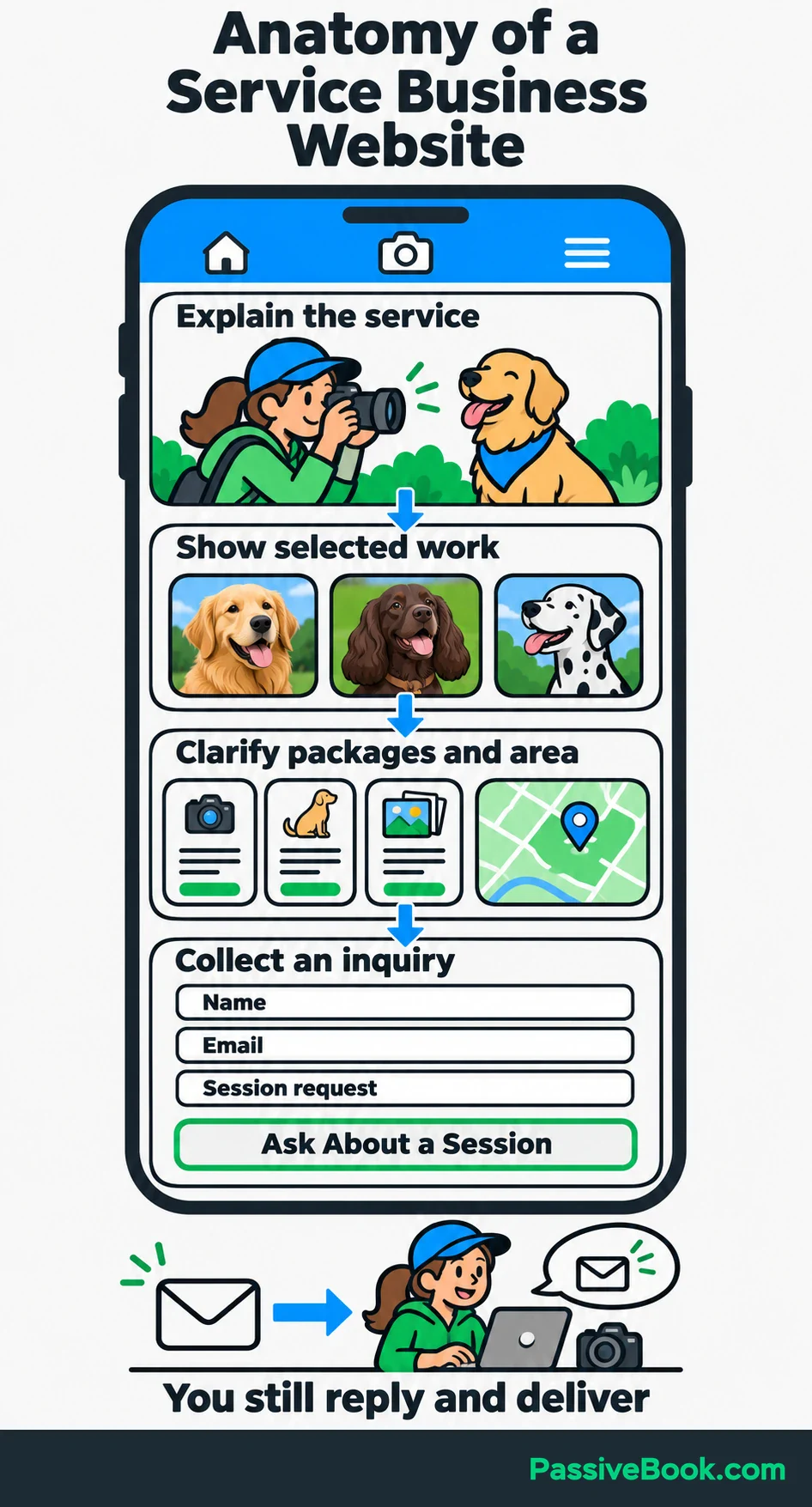
For dog-photography sessions, that means package information, selected portraits, your service area and an availability form. A useful button might say:
Ask About a Session
Revenue comes from the service you deliver. The website can explain your offer and collect inquiries, but you still need time to answer them and do the work.
I would add automated scheduling when customers can sensibly choose a slot without a conversation. Otherwise, a short inquiry form is enough to start.
2. Portfolio Website
Choose a portfolio when the work itself is central to the hiring decision.
Show selected projects and explain their context. A gallery proves you can make attractive images, but a project description can show whether you can handle a particular assignment.
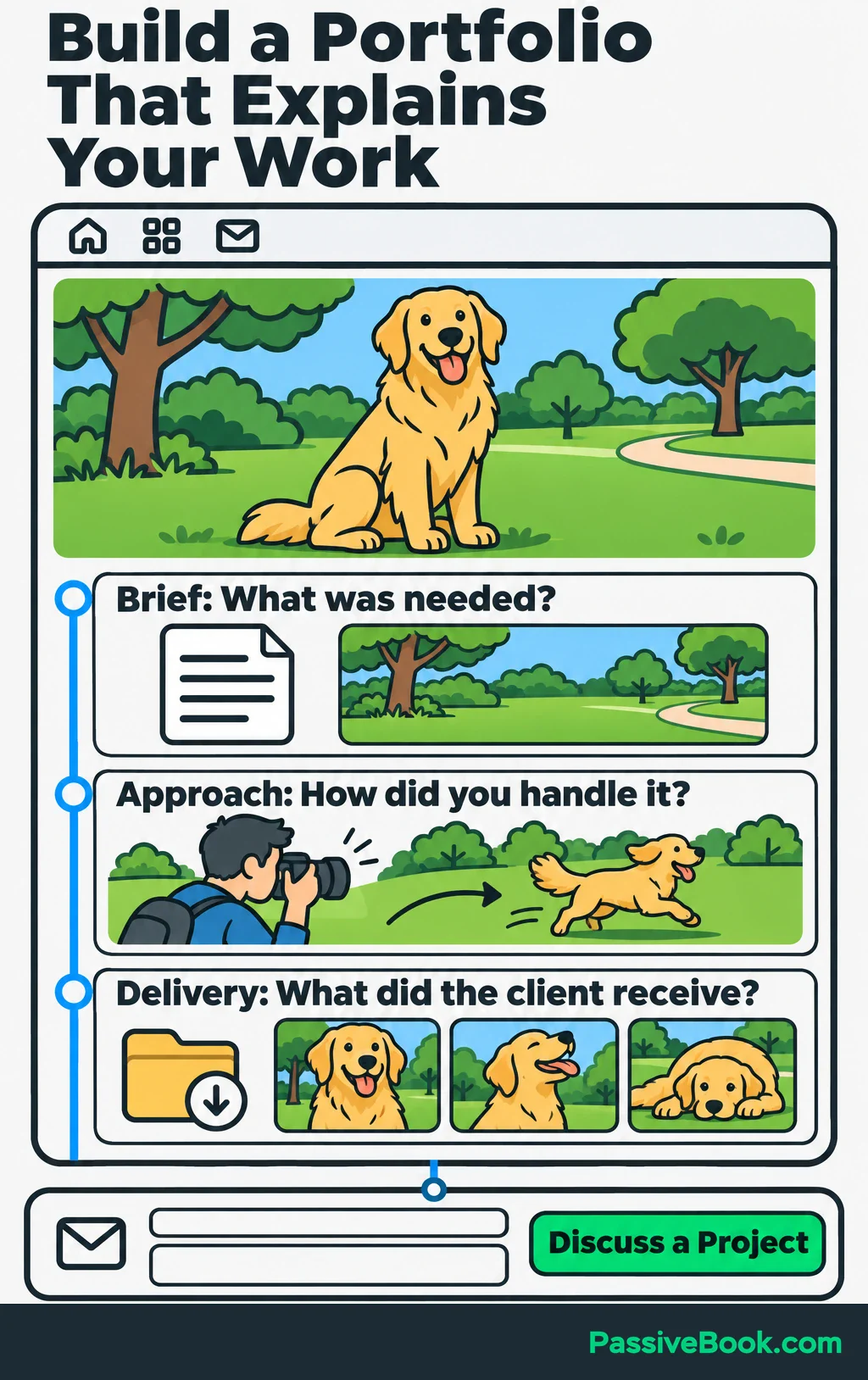
For the dog-photography business, you might show an outdoor portrait session and a pet-brand assignment as separate projects. Explain the brief, your approach and what you delivered.
This format can support commissions, contracts or image licensing. Keep the work relevant to the jobs you want next, and make the contact route obvious.
If visitors also need packages, service details and availability, I would put the portfolio inside a business website.
3. Ecommerce Website
Choose ecommerce when visitors need to select products and pay for them.
Start with a narrow catalog, useful product descriptions, clear options and a working checkout. Explain delivery, returns and how buyers can get help.
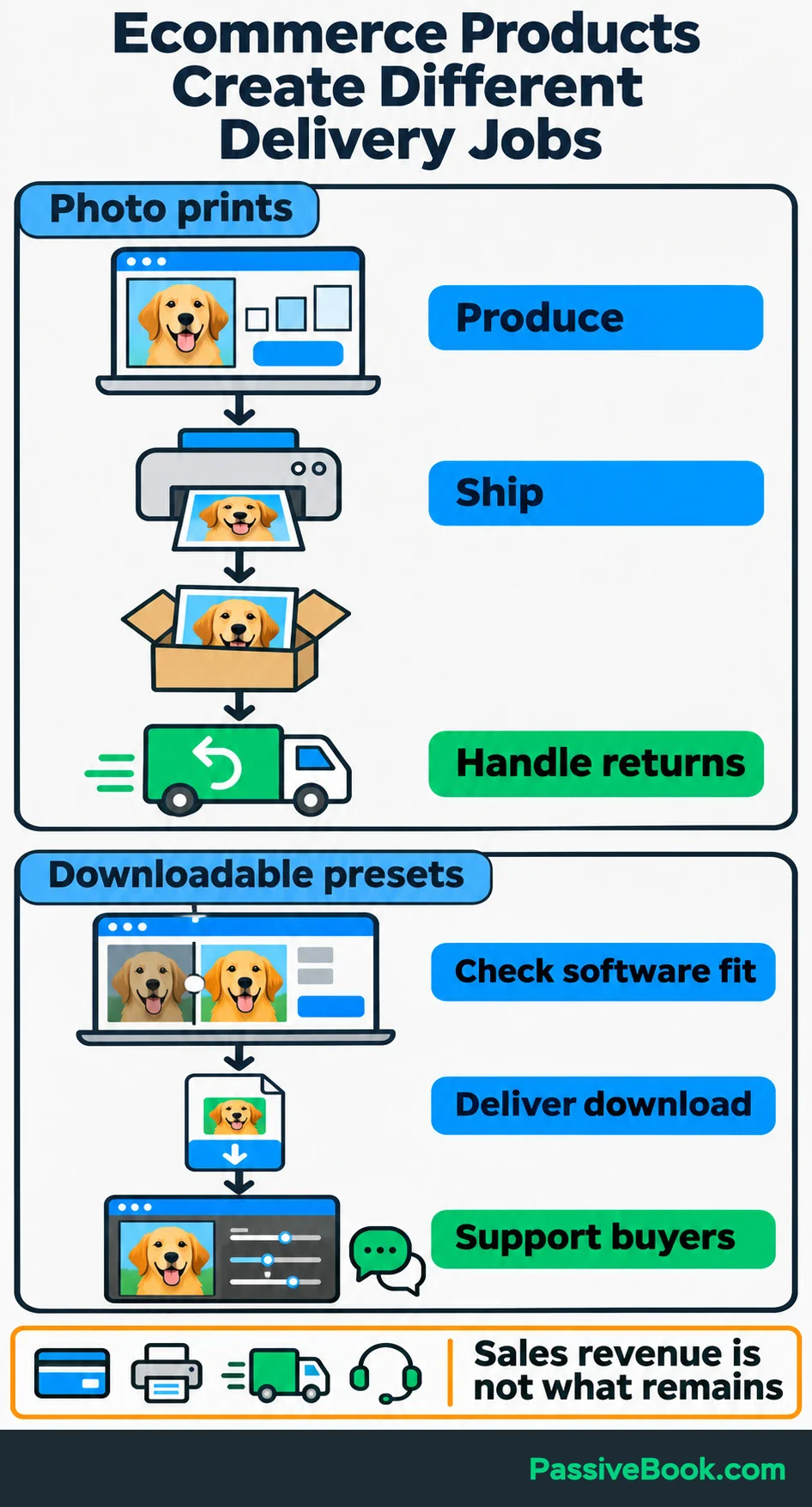
Your dog-photography business could sell photo prints or downloadable presets—saved settings buyers apply in photo-editing software. I would test one product line first because each brings different work. Prints need production and shipping, while presets need reliable downloads and clear software requirements.
My jewellery store failed after I launched without market research and ended up holding unsold inventory. I lost most of the money I put into it. That experience made me cautious about buying stock before testing demand.
Compare what remains after product costs, payment charges, fulfillment, returns and support. Sales revenue alone won’t tell you whether the store is worth running.
4. Landing-page Website
Choose a standalone landing page when one offer can be explained on a focused page.
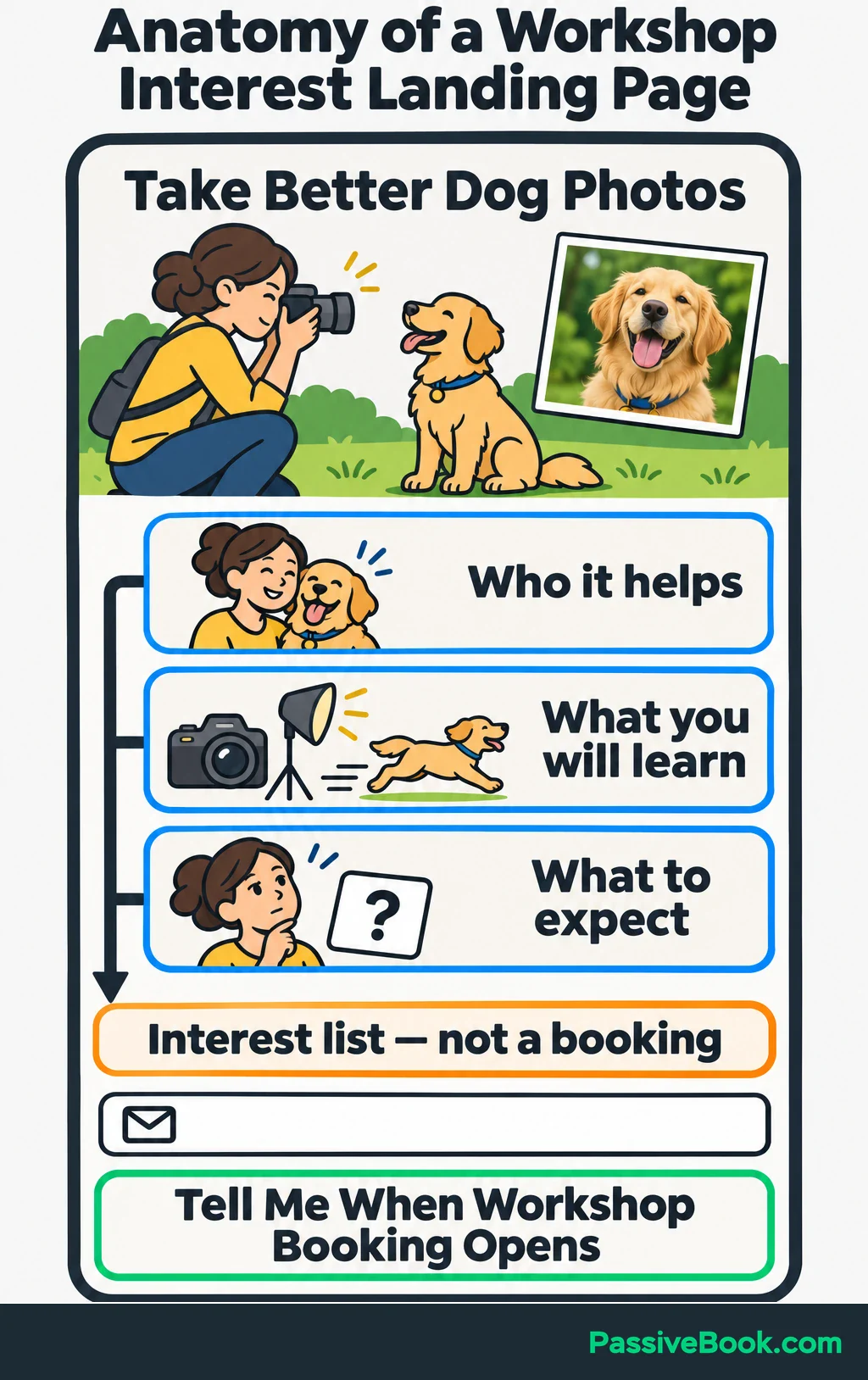
Include who it helps, what people receive, the information they need to decide and one main response. That response might be an inquiry, purchase or expression of interest.
For a proposed dog-photography workshop, you could explain the intended lesson and invite visitors to:
Tell Me When Workshop Booking Opens
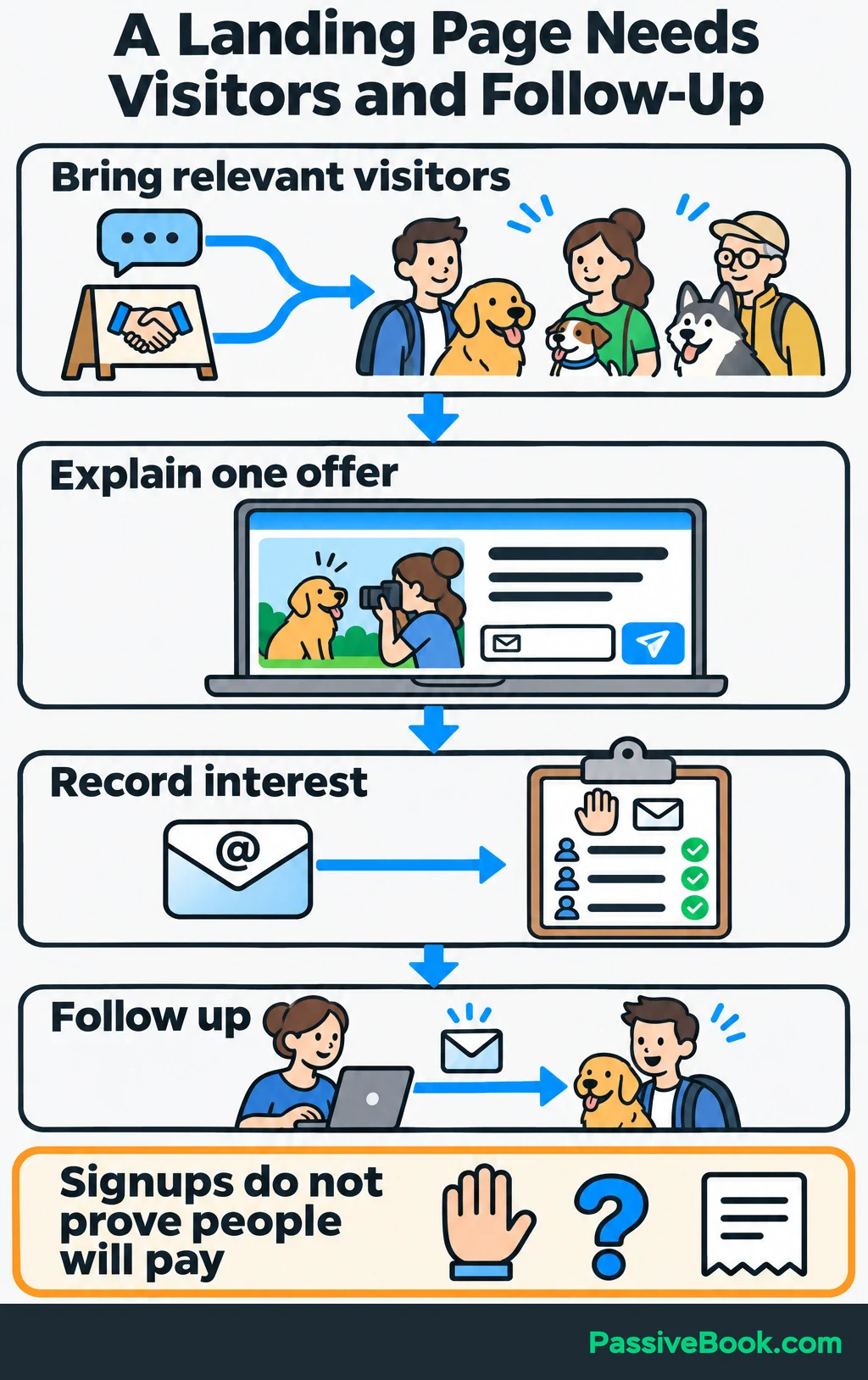
Make clear that this is an interest list. Signups show interest, but they don’t establish that people will pay.
Before building the page, decide how visitors will reach it and what happens after they respond. A page without distribution or follow-up is a very tidy dead end.
5. Blog
Choose a blog when useful articles are central to attracting and helping your audience.
Focus on a subject you can cover well, organize related articles and connect them to a relevant next action. A guide to photographing a moving dog could lead toward a practical photography lesson.
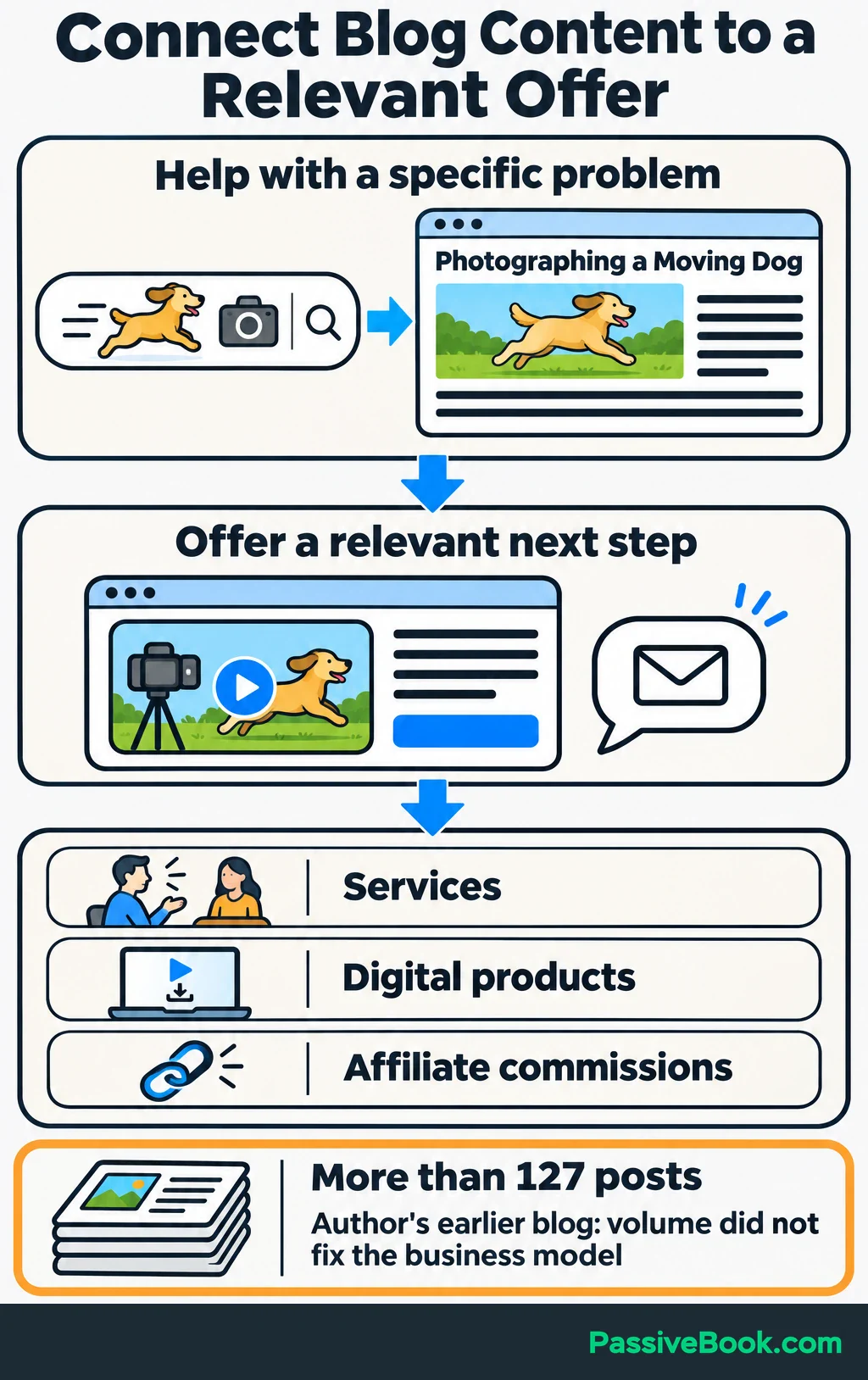
A blog can support services, digital products or advertising. Affiliate recommendations can also earn you commissions when readers buy through your links. Choose a plausible revenue path before committing to a large publishing schedule.
I publish on Passive Book and use Pinterest to bring readers to the site. But my earlier productivity blog taught me that volume wasn’t enough: more than 127 posts didn’t solve my niche and monetization problems.
If affiliate recommendations reach U.S. consumers, explain near the recommendation that purchases can earn you commissions. The FTC’s disclosure guidance warns that “affiliate link” alone may not make that relationship clear.
6. News and Media Website
Choose this format when visitors mainly come for editorial coverage, interviews, podcasts, videos or photo stories.
Organize the collection around topics people can browse. Episode summaries and clear descriptions help visitors decide what deserves their time.
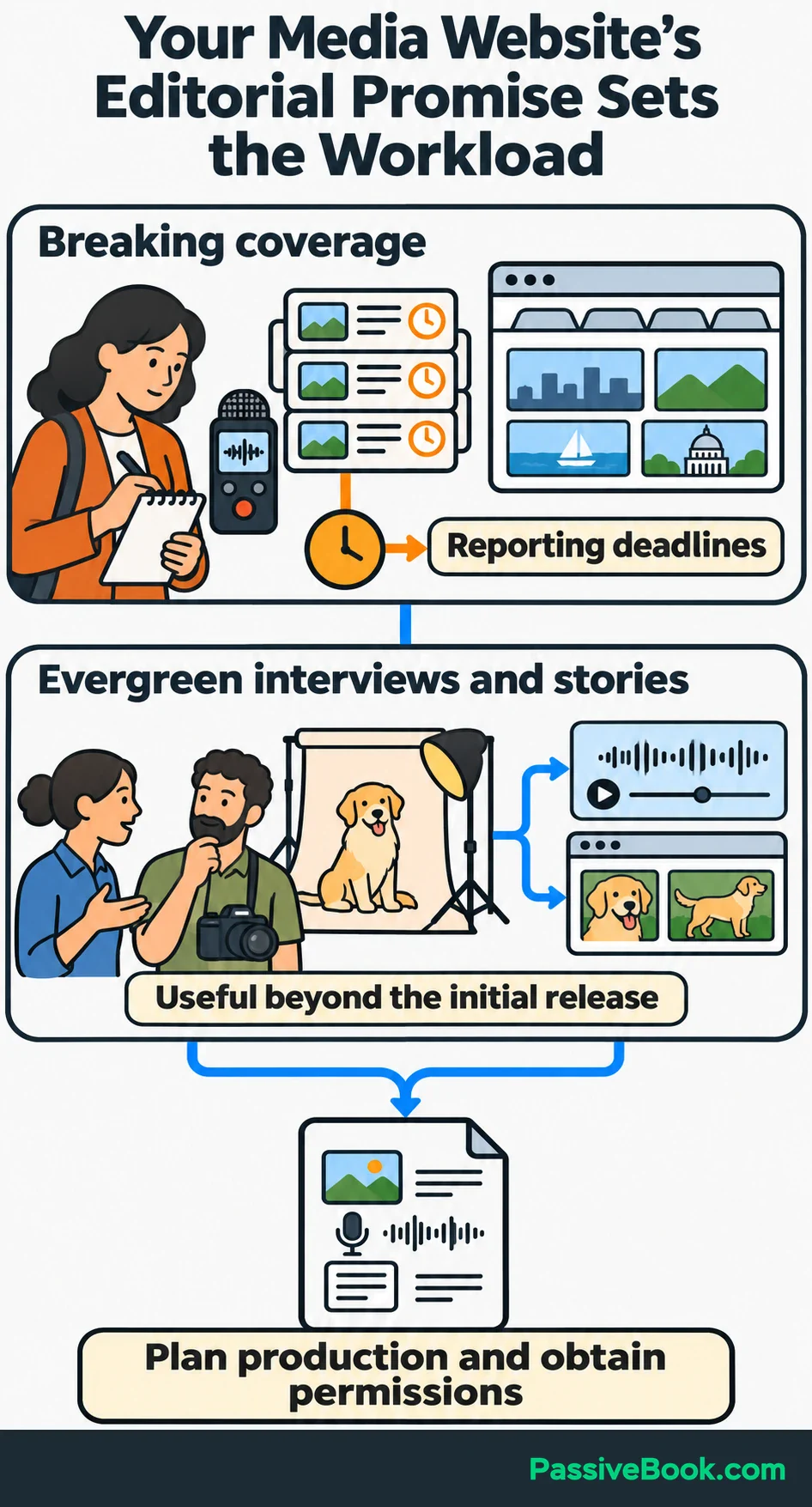
The dog-photography business could take a media direction by publishing photographer interviews and photo essays. Those pieces might support sponsorships, paid access or related products.
The commitment depends on your editorial promise. Breaking news creates reporting deadlines, while an interview about photographing dogs indoors may remain useful longer.
I would choose a manageable publishing schedule before buying production equipment. You also need permission to use other people’s photographs, recordings and contributions.
7. Educational Website
Choose an educational website when people need a sequence of lessons to reach a defined result.
Plan the learning outcome first, then build lessons and exercises around it. A searchable pile of videos is a library, but it isn’t automatically a useful course.
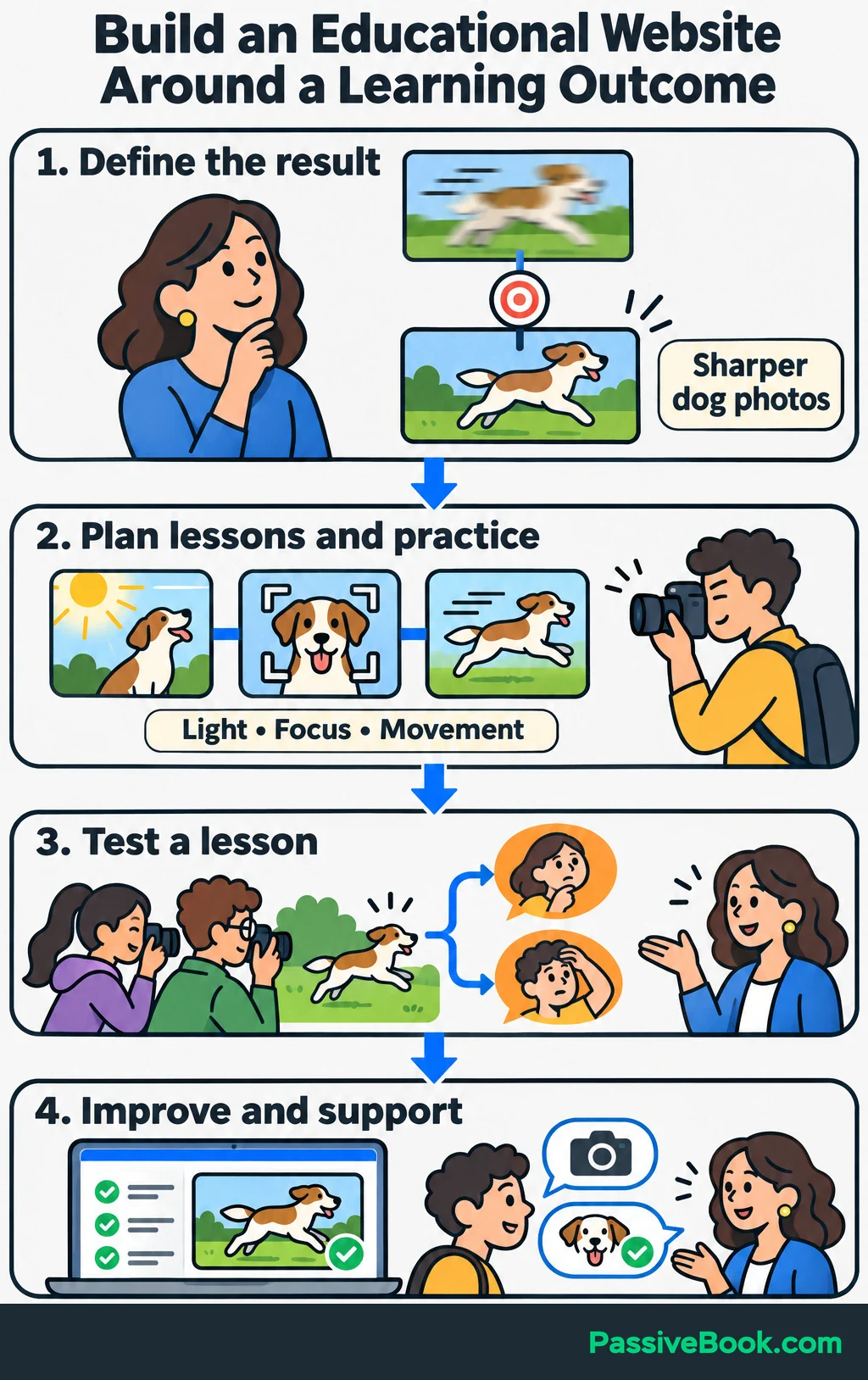
For the running example, a short course could teach owners to take sharper dog photos. Lessons might cover light, focus, movement and selecting the final image.
Test a lesson or workshop with prospective customers before recording an extensive course. Their questions can reveal missing explanations while changes are still cheap.
Revenue can come from courses, workshops or instruction. Add progress tracking, assessments or personal feedback when they help people learn, and budget time for learner support.
8. Membership Website
Choose a paid membership when customers have a continuing reason to pay.
That reason could be recurring feedback, access to a maintained resource library or ongoing support. Define the benefit and its delivery schedule before adding accounts and recurring billing.
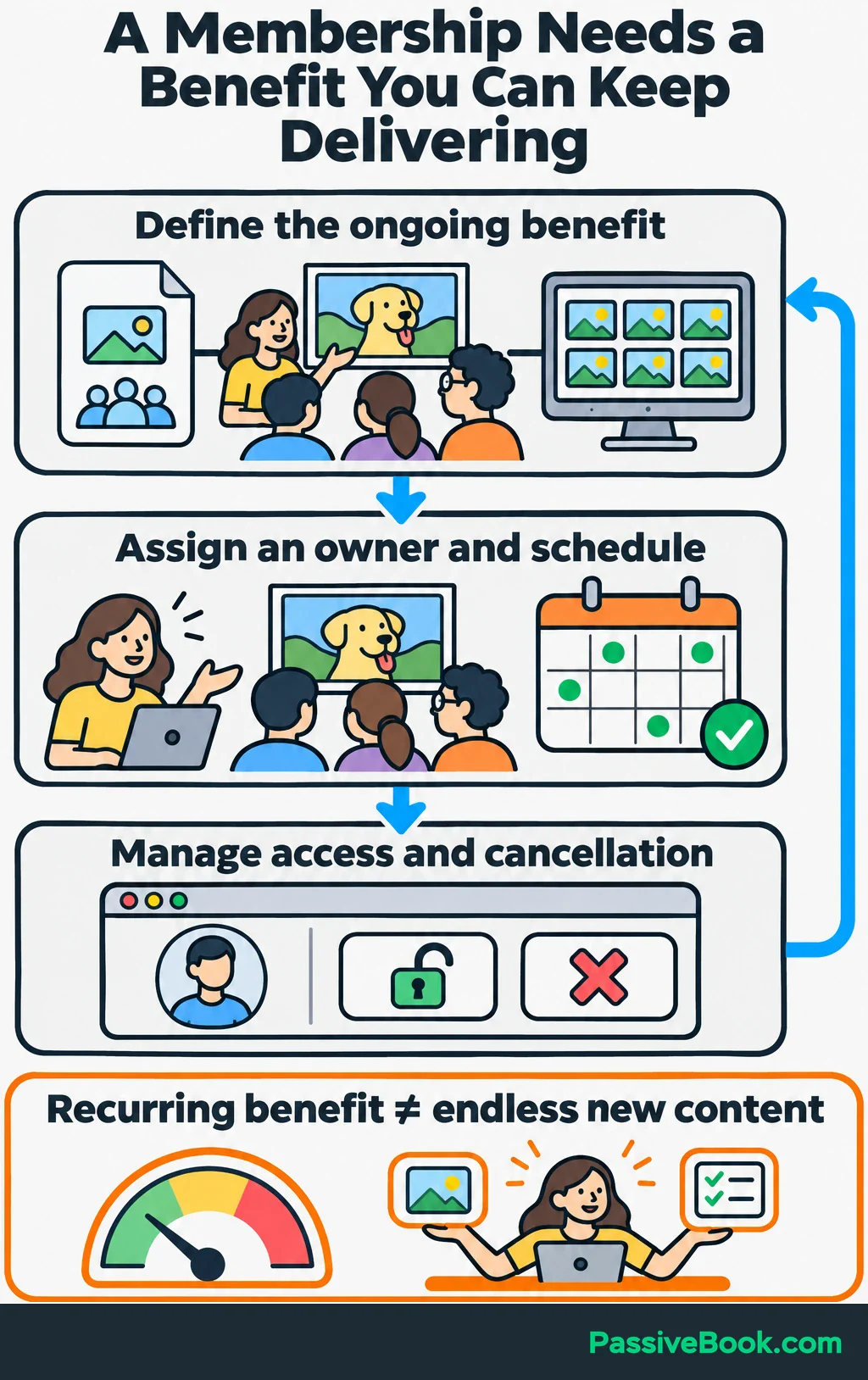
A dog-photography club might offer group critiques and a resource library. Members would need to know how critiques work, what access includes and how to cancel.
I abandoned a membership attempt because producing fresh premium content became unsustainable alongside corporate work. Finishing one batch only brought me to the next deadline.
That was a problem with the model I chose. Membership doesn’t have to mean endless new content, but the recurring benefit still needs an owner and a realistic workload.
9. Community Website
Choose a community when interaction among participants is the main reason to visit.
Begin with a shared purpose, a few useful discussion areas and clear participation rules. Someone also needs to welcome members, encourage useful exchanges and handle problems.
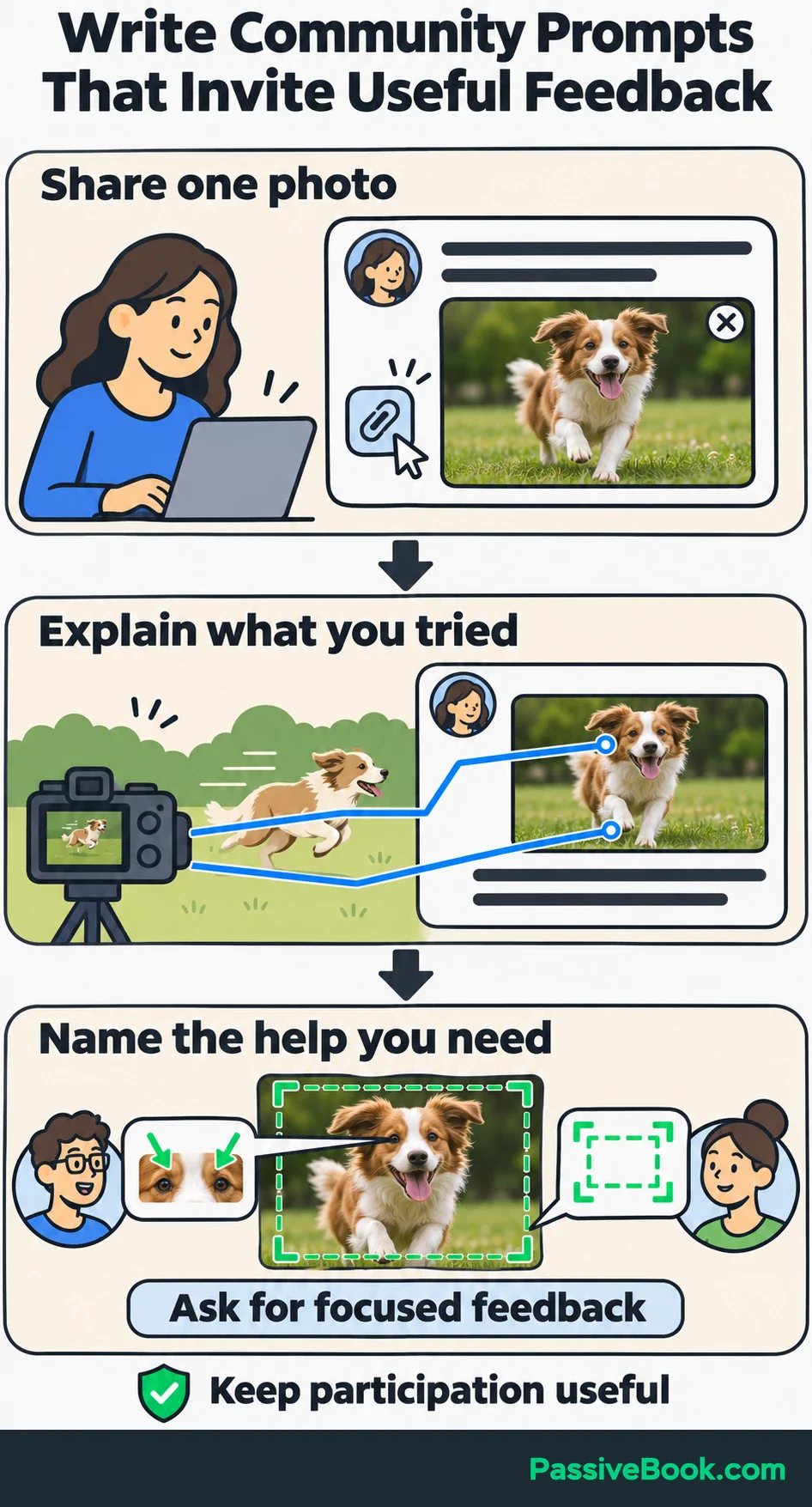
For dog-photography feedback, a simple posting prompt could be:
Share one photo, explain what you tried and name the part you want help with.
That gives people a reason to respond beyond “nice picture.”
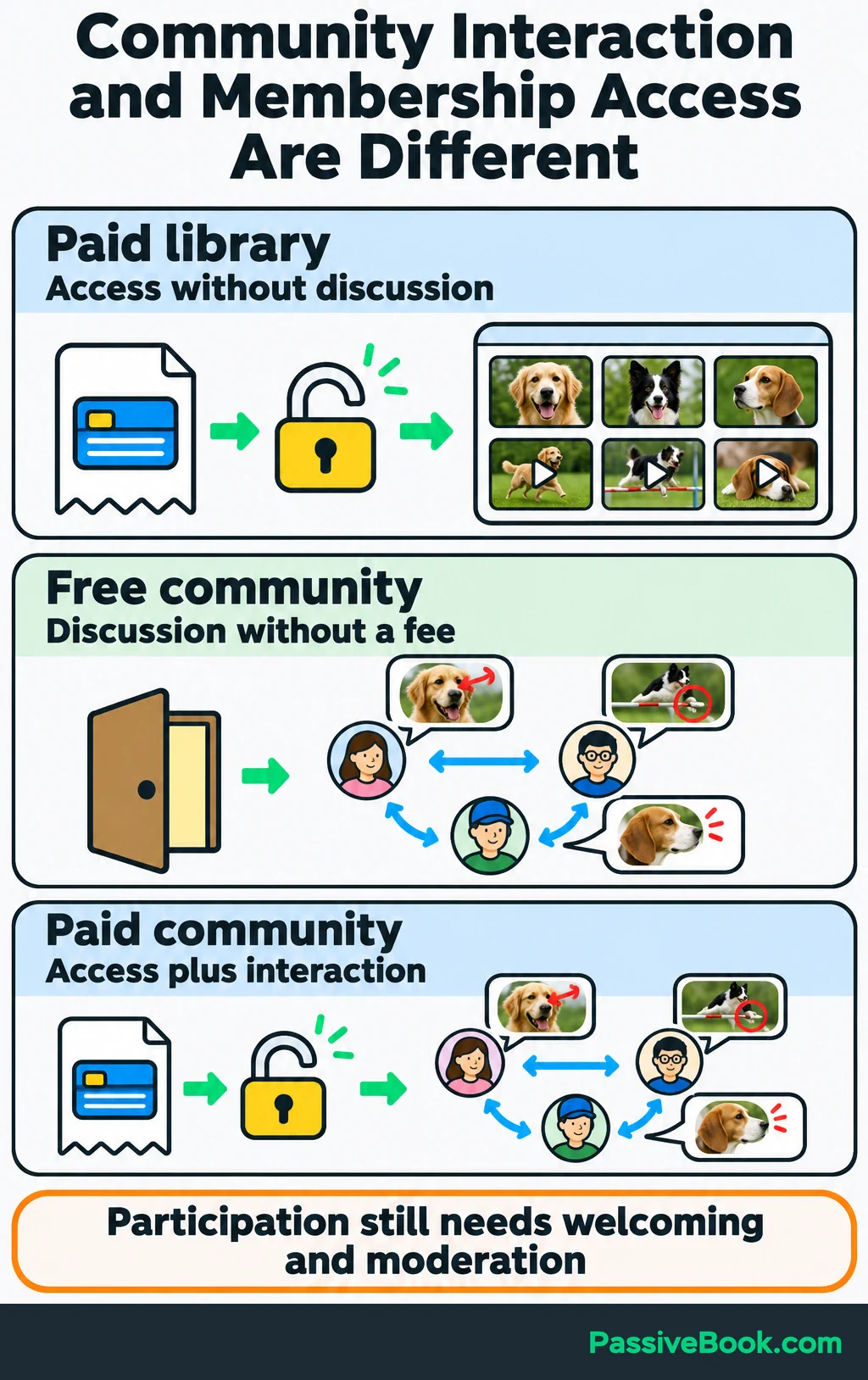
A community can be free and support another offer, or it can earn through paid participation or sponsorships. Keep it distinct from membership: a paid library can have no discussions, while a lively community can charge nothing.
I would test participation with a small group before paying for a large collection of forum features.
10. Directory Website
Choose a directory when visitors need to find and compare providers, places or resources.
Define who qualifies for inclusion and which details help visitors decide. For dog photographers, location, session style, service area and a link to recent work would be useful.
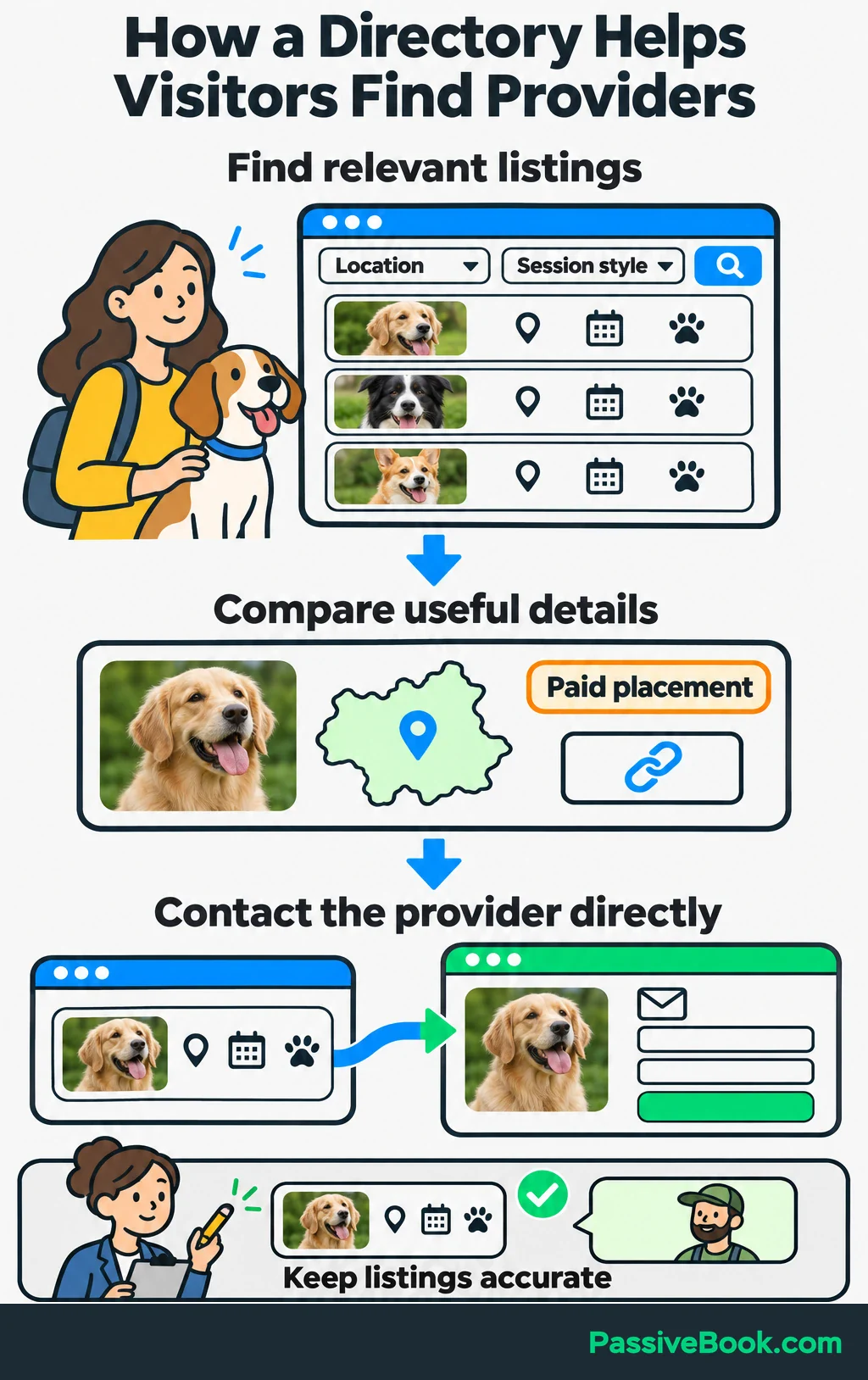
A directory sends visitors to the provider to inquire or book. You don’t need to manage the transaction yourself.
Possible revenue sources include paid listings, sponsorships and referral arrangements. Clearly identify paid placement when it affects what visitors see.
The continuing job is keeping information accurate and bringing relevant searchers to the site. I would start with one location or a tightly defined service rather than launch a national directory full of empty categories.
11. Marketplace Website
Choose a marketplace when independent sellers offer products or services and customers transact through your site.
For the dog-photography example, photographers could list sessions and owners could book through the platform. You would need to define availability, payment, delivery expectations, cancellations and problem resolution.
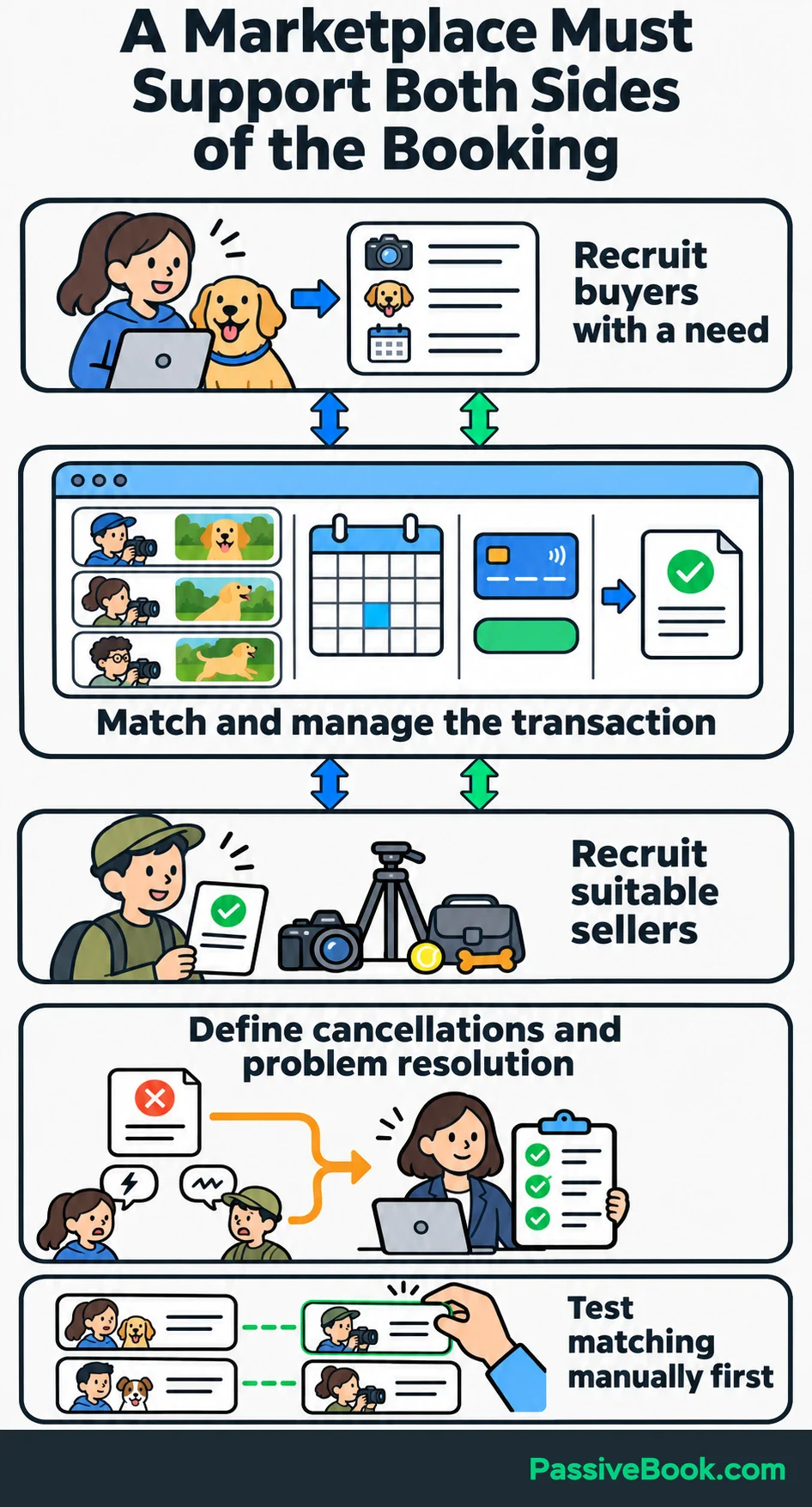
Revenue might come from commissions or seller subscriptions. But you also have two groups to recruit: suitable photographers and people who want to book them.
I would test the matching process manually before building extensive software. With participants’ agreement, collect a few requests, find suitable providers and learn where the process breaks.
A marketplace needs more than listings and a checkout. It needs a workable answer when a buyer and seller disagree.
12. Event Website
Choose an event website when visitors need to decide whether to attend and then register, RSVP or buy tickets.
Include the purpose, date, time zone, location or online access method, program, price and registration route. Explain what attendees should bring and how changes will be communicated.
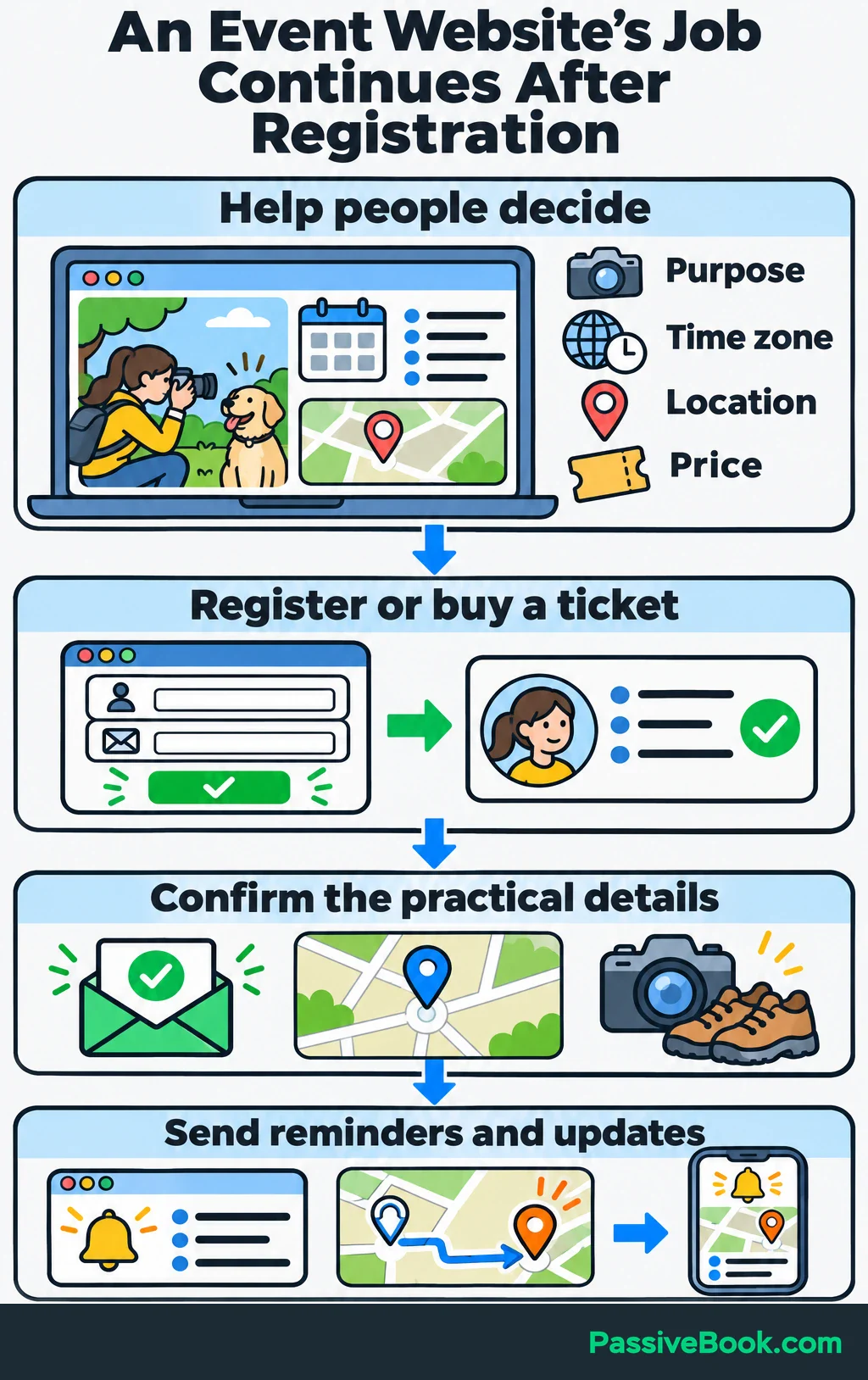
A dog-photography walk could use one event page with meeting details, the planned activity and a registration form. Ticket sales or sponsorships could fund it.
For a single walk, I would add that page to the existing business website. A separate site makes more sense when the event has its own identity or enough information to justify one.
Remember the work after registration: confirmations, reminders, questions and updates.
13. Web Application
Choose a web application when the main value is a task people complete in their browser.
Define the inputs and useful output before planning accounts, dashboards or integrations.
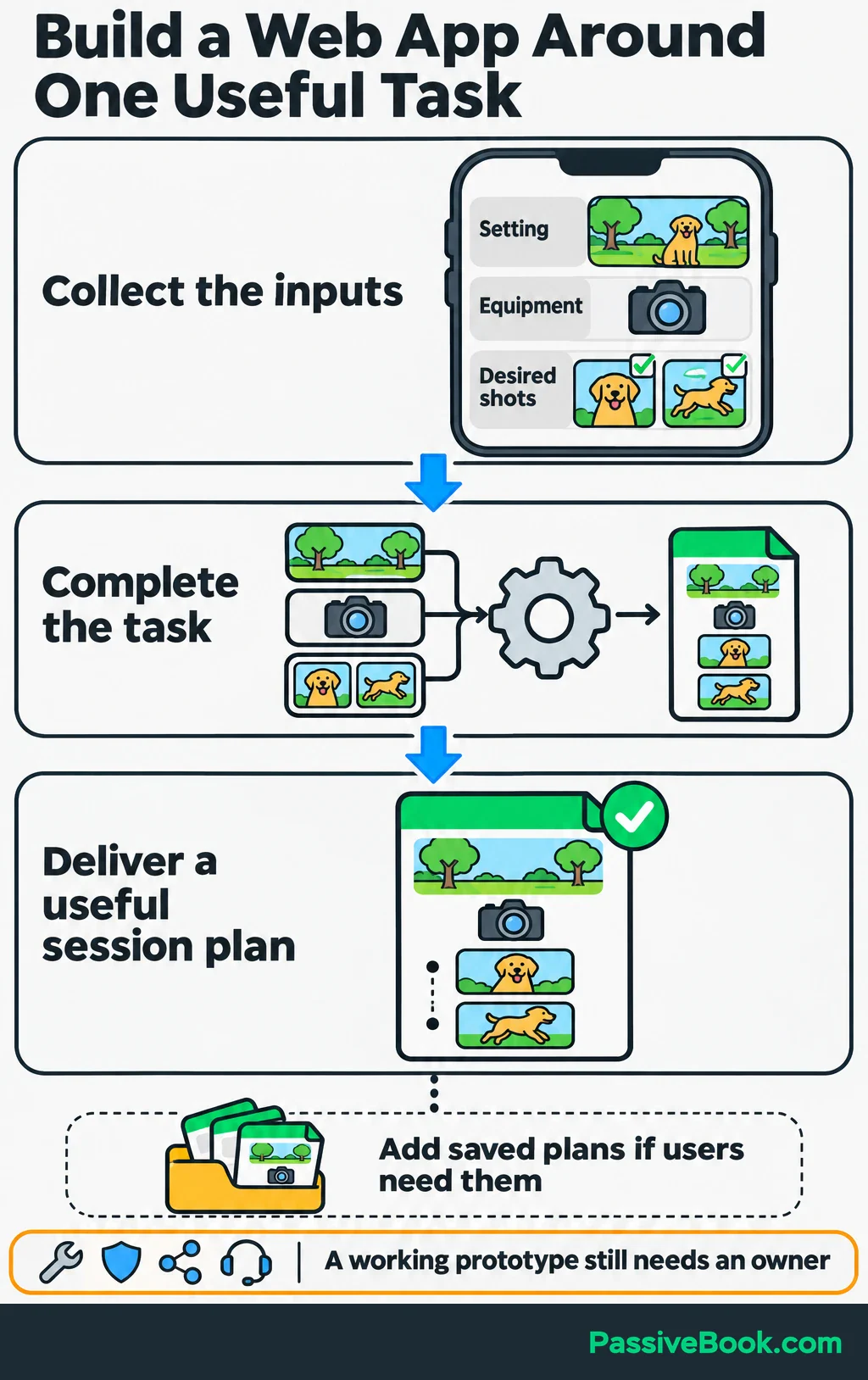
For example, owners might enter their setting, equipment and desired shots to create a dog-photo session plan. The useful result is the plan. Saving multiple plans could come later if users need it.
Revenue might come from subscriptions, one-time purchases or usage charges. The tool could also support another paid offer.
I would test a simple prototype before expanding it. Decide who will maintain the software, manage security, pay for external services and answer support requests. Generating the first working version doesn’t remove those jobs.
Choose the Format You Can Sustain
Match Demand to a Revenue Path
Choose the offer before choosing the website structure.
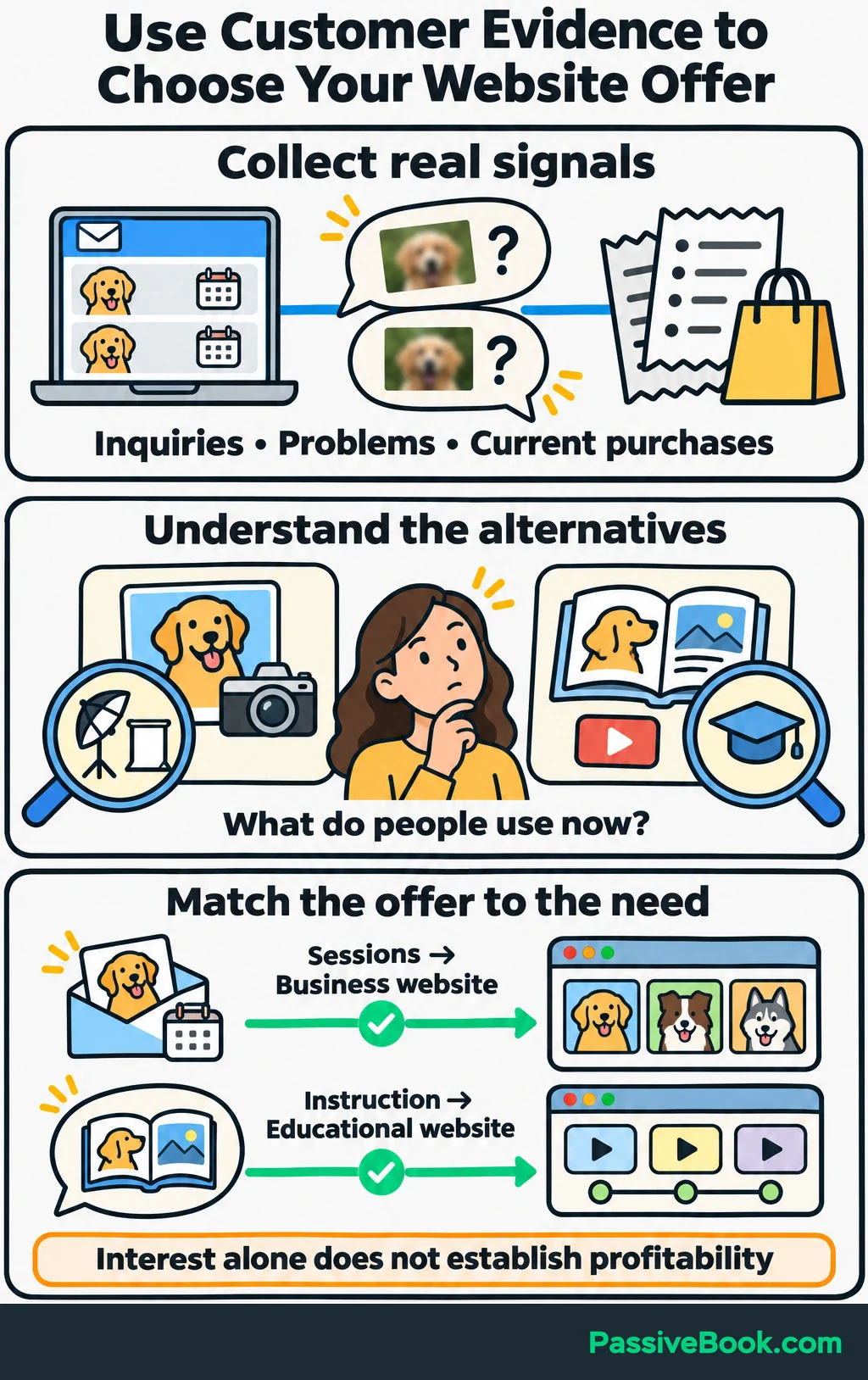
Look at existing inquiries, customer conversations, competing offers and what people already buy. Ask about the problem and current alternatives, rather than whether your website idea sounds interesting.
For each shortlisted format, answer:
- Who pays?
- What do they receive?
- Why would they choose it?
- How will relevant visitors find it?
- What must you deliver after payment?
For the dog-photography business, session inquiries point toward a business website with a portfolio. People seeking step-by-step instruction point toward an educational website. Those are different offers with different delivery work.
Choose one practical starting channel, too. Local partnerships and referrals could support sessions. Helpful search content could support a photography guide. You can start without paid ads or a large following, but you still need a credible route to prospective customers.
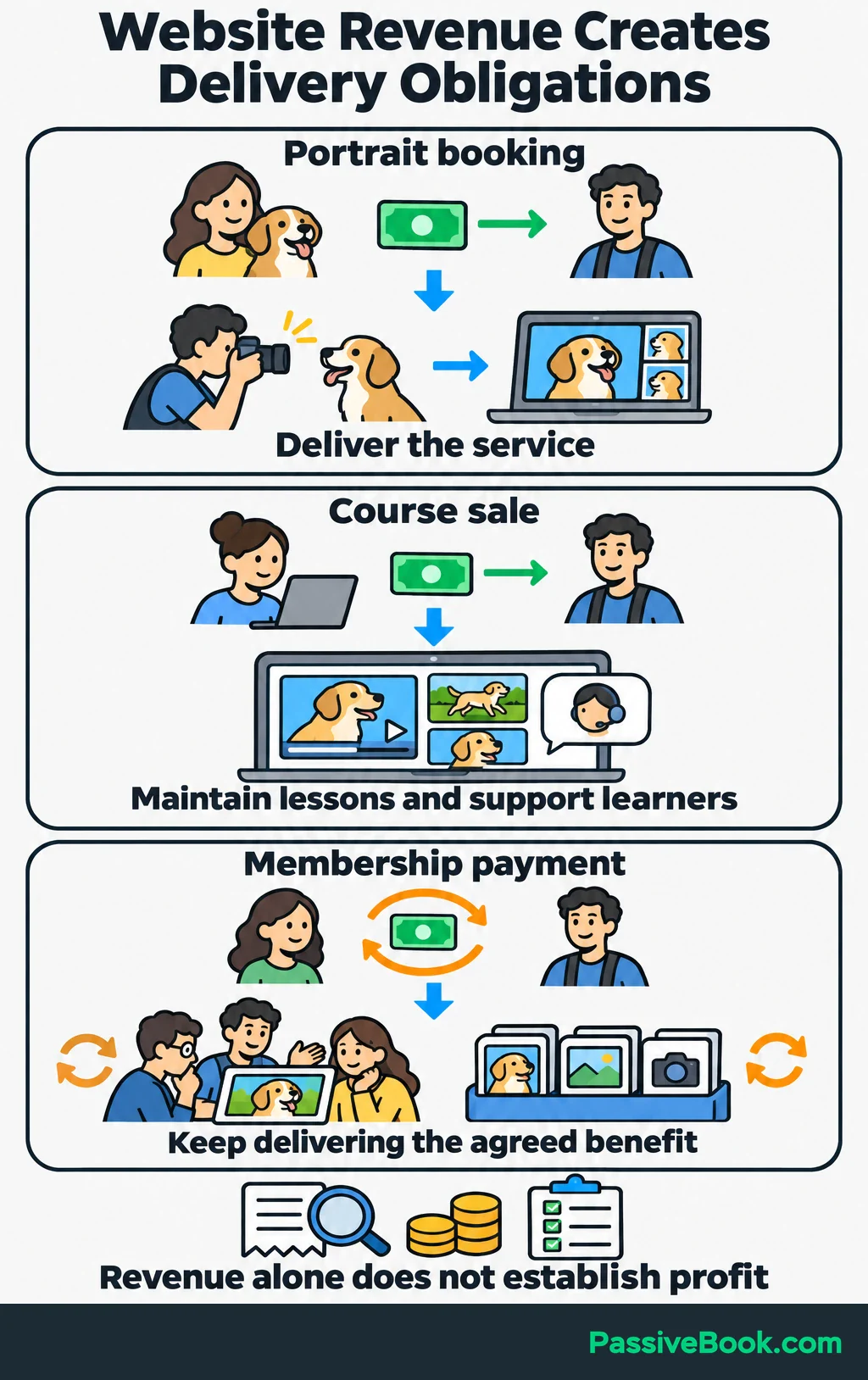
Then compare the business models behind the formats. A course sale, portrait booking and membership payment each create different costs and obligations. No website type establishes profitability by itself.
If you’re still weighing services, products or a membership, compare the work each would ask of you. A short fit check can help you choose a direction to test before building.
Free Business Model Finder




Compare Costs and Ongoing Work
Price the smallest workable version of your two strongest options.
Separate setup spending from recurring costs, and compare the same period for both. Check renewal prices and billing commitments so an introductory offer doesn’t distort the decision.
| Cost or Commitment | What to Include |
|---|---|
| Initial setup | Page creation, product preparation, configuration and any hired help |
| Recurring software | Domain renewal, hosting or platform subscription, and essential extensions |
| Each sale | Payment processing, production, delivery and expected support |
| Routine maintenance | Updates, backups, recovery checks and fixing broken functions |
| Your time | Writing, teaching, moderation, fulfillment or service delivery |
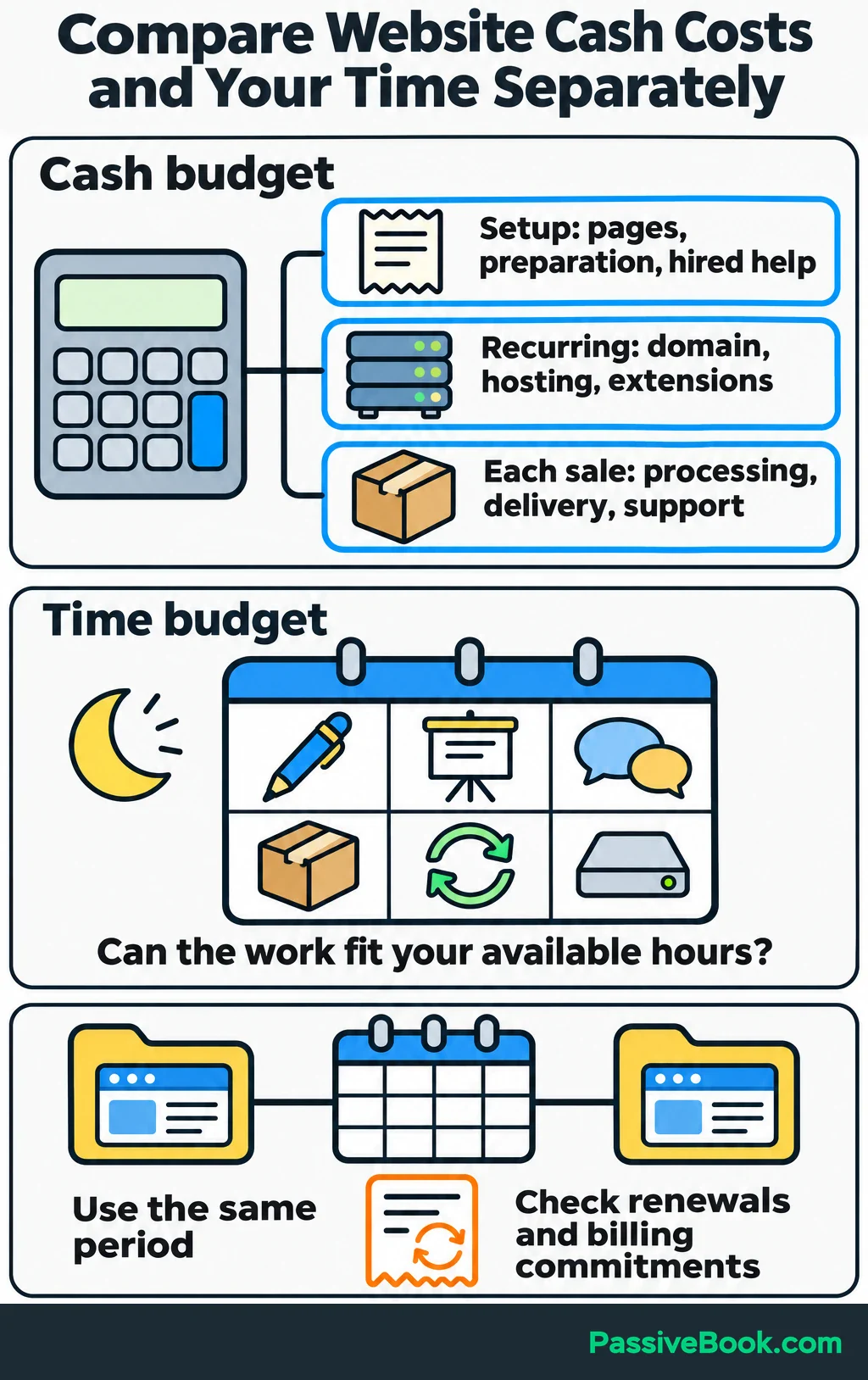
Free software is only one part of that budget. WooCommerce’s core store plugin for WordPress is free, but hosting, payment processing and optional extensions remain separate costs.
Compare your time separately from cash. If your available evenings already go toward photographing and editing sessions, a weekly interview show may be more work than you want to add.
For an existing website, check whether you can add the missing function before rebuilding. I would move platforms when the current one blocks an essential part of the business, rather than because another theme looks better.
Plan Your First Build
Choose a Platform for the Essential Features
List the functions required for the main visitor action. Ordinary pages, articles and forms need a different setup from recurring billing, searchable listings or an interactive planning tool.
Use templates and standard editing tools for ordinary pages. You don’t need advanced coding to explain an offer and collect inquiries. Specialized workflows may need dedicated software or clearly scoped development help.
My starting choices would be:
| Your Essential Need | What I Would Consider | Main Trade-off |
|---|---|---|
| One focused offer and response | Carrd | A focused page leaves less room for a growing content collection |
| Articles, service pages and supporting functions | Self-hosted WordPress | You must arrange maintenance and recovery |
| A product-focused store | Shopify or WordPress with WooCommerce | Compare hosted convenience with responsibility for hosting and extensions |
For a small page that collects inquiries or signups, check Carrd’s paid plans for a tier that supports your own web address and the forms you need.
I prefer self-hosted WordPress because I want control over hosting, content and how the site develops. Its themes and plugins handle different jobs: themes control the design, while plugins add functions such as forms or a store. That preference only helps if you can maintain the setup or pay someone to do it.
For a store, Shopify supports product sales, webpages and blogging. Compare its required plan and apps with the full cost of running WooCommerce, rather than comparing subscription price with free software.
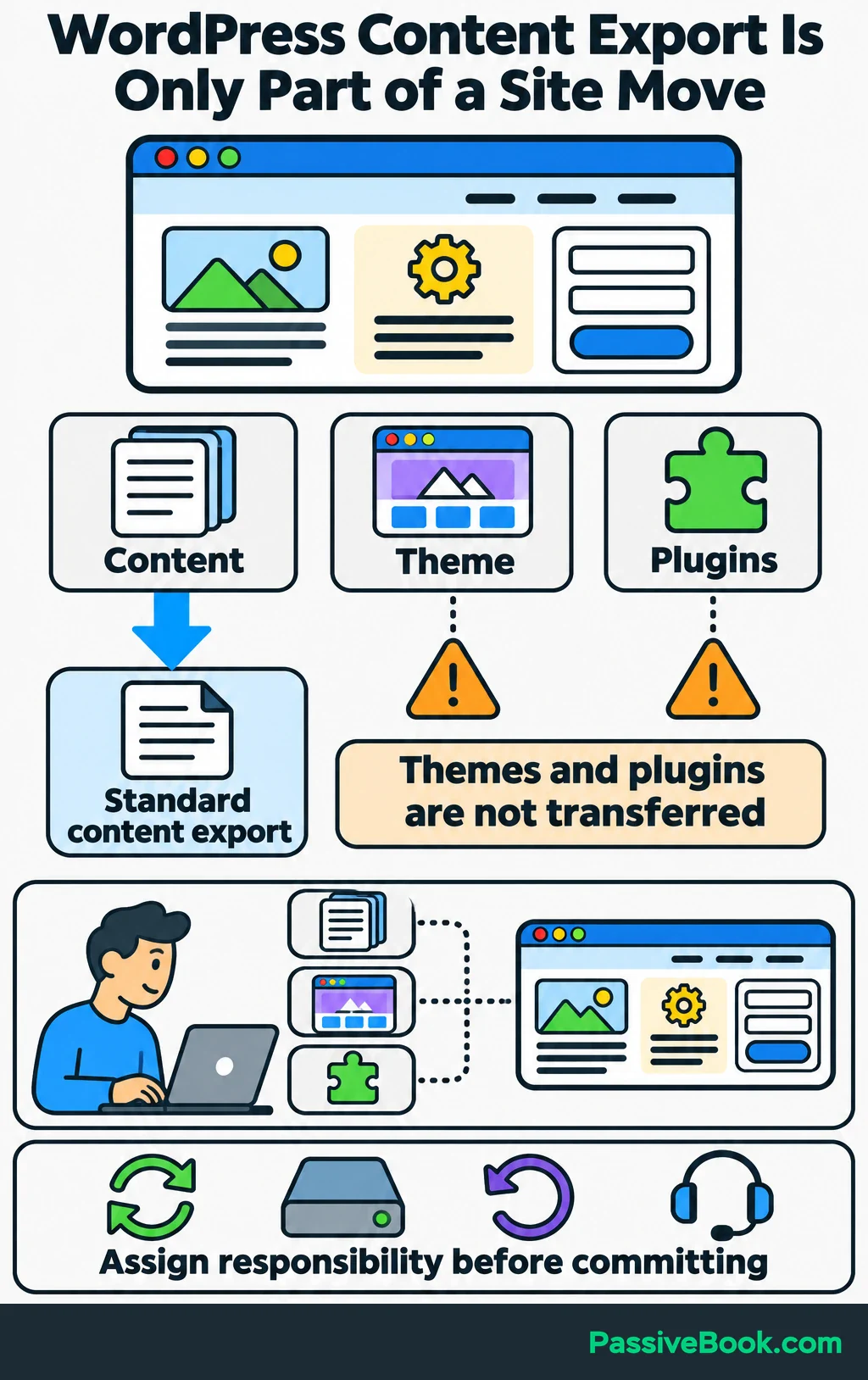
Before committing, check whether you can export the content and business records you need. Exporting data doesn’t guarantee an easy move: WordPress’s standard content export doesn’t transfer themes or plugins.
Assign responsibility for updates, backups, recovery and support. “The platform handles it” needs to be true for the specific job you mean.
Test the Smallest Useful Version
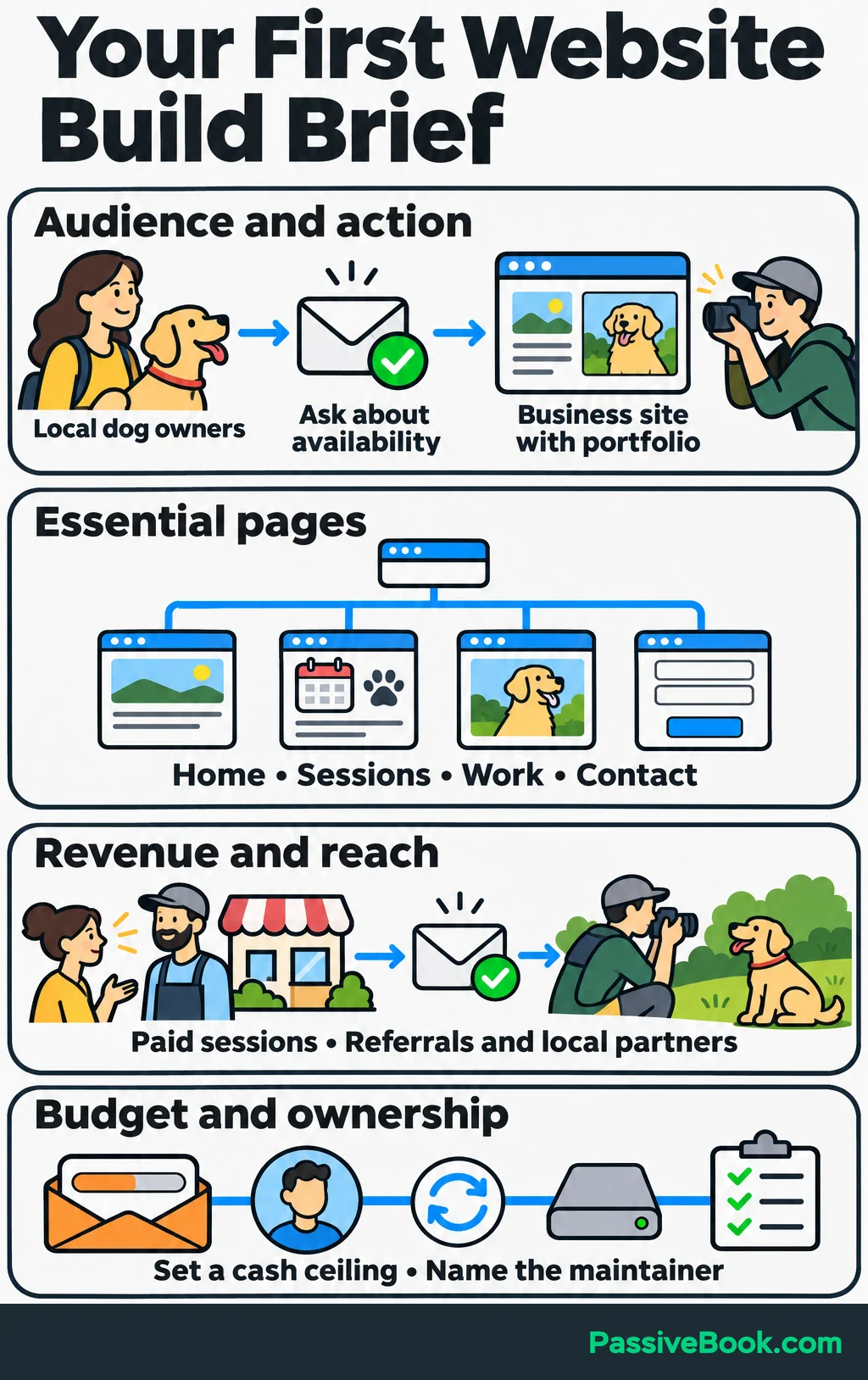
Write a short build brief before opening the editor. Include the primary format, audience need, main action, revenue path, essential pages, spending ceiling and maintenance owner.
For the dog-photography service direction, I would build this first:
- Primary Format: A business website with a portfolio section.
- Main Action: Ask about session availability.
- Essential Pages: A homepage explaining the offer, session details, selected work and a contact page.
- Revenue Path: Paid photography sessions.
- Starting Channel: Referrals and relevant local partnerships.
- Spending Rule: Set a first-year cash ceiling before purchasing, including renewals and maintenance.
- Maintenance Owner: You or a named person responsible for updates, backups and form checks.
The visitor journey should be complete even when the site is small. Someone arrives through a referral, understands the session, checks your work, sends an inquiry and receives confirmation that it reached you. You then reply and handle the booking.
Test that journey on a phone. If you sell a product, test payment and delivery. If you sell a course, test purchase and lesson access.
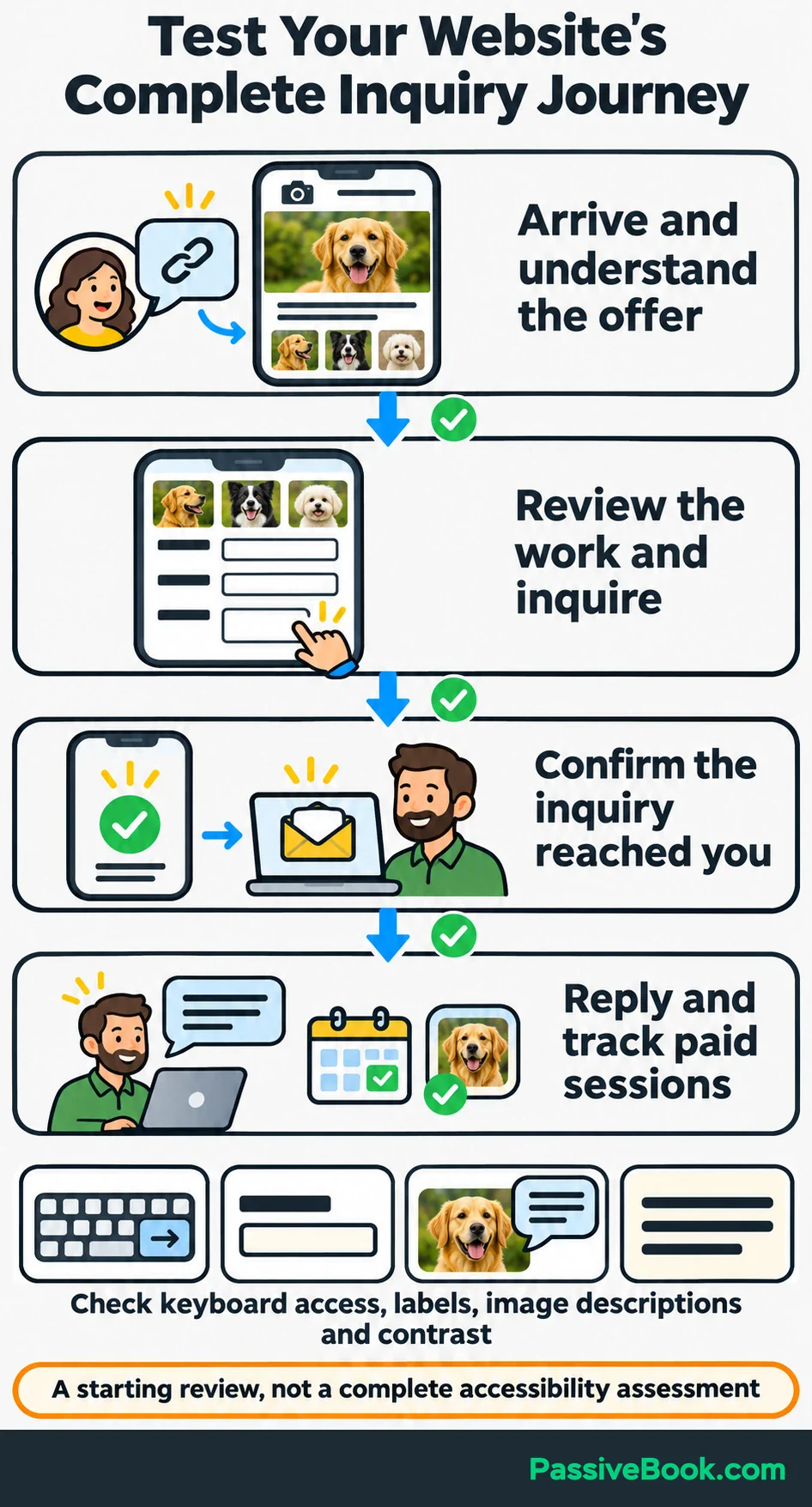
Also check keyboard navigation, form labels, meaningful image descriptions and readable contrast. W3C’s Easy Checks provides a starting review, though it isn’t a complete accessibility assessment.
After launch, track the main action and its business result. For the service site, record inquiries and which lead to paid sessions. That gives you more useful direction than visits alone.
Add a store, course or paid area when a customer need and a deliverable offer justify the extra work.
What Next?
Write your website’s purpose sentence and choose the smallest format that lets visitors complete that action. List the essential pages before buying a theme or subscribing to a platform.
Use the social buttons to share this guide when you’re comparing build options together—it can help keep the discussion focused on customers and workload.
Which website format fits what you can offer and maintain right now? Leave your answer, along with any other questions, in the comments.
Share this post with your friends & followers:

