You find a niche with scattered information and think, “I could put all of this in one place.” Then the questions arrive. Which platform should you use? Where will the listings come from? And why would anyone pay?
A list of links seems simple until you try to make it useful. Visitors need details they can compare, and owners need a reason to participate.
You can spend weeks on those details and still have no clear path to income. This guide pairs a manageable WordPress build with ways to attract listings and visitors, plus a worked cost check for your first paid offer.
Validate a Niche Before Investing
Start with a decision people struggle to make. Your directory needs to help them finish a task more easily than their current options.
Write that task in one sentence before choosing software.
For our running example, imagine building a directory of studios offering beginner pottery classes in Greater Manchester. The visitor’s task is:
“Find a nearby studio offering beginner pottery classes in the format I want.”
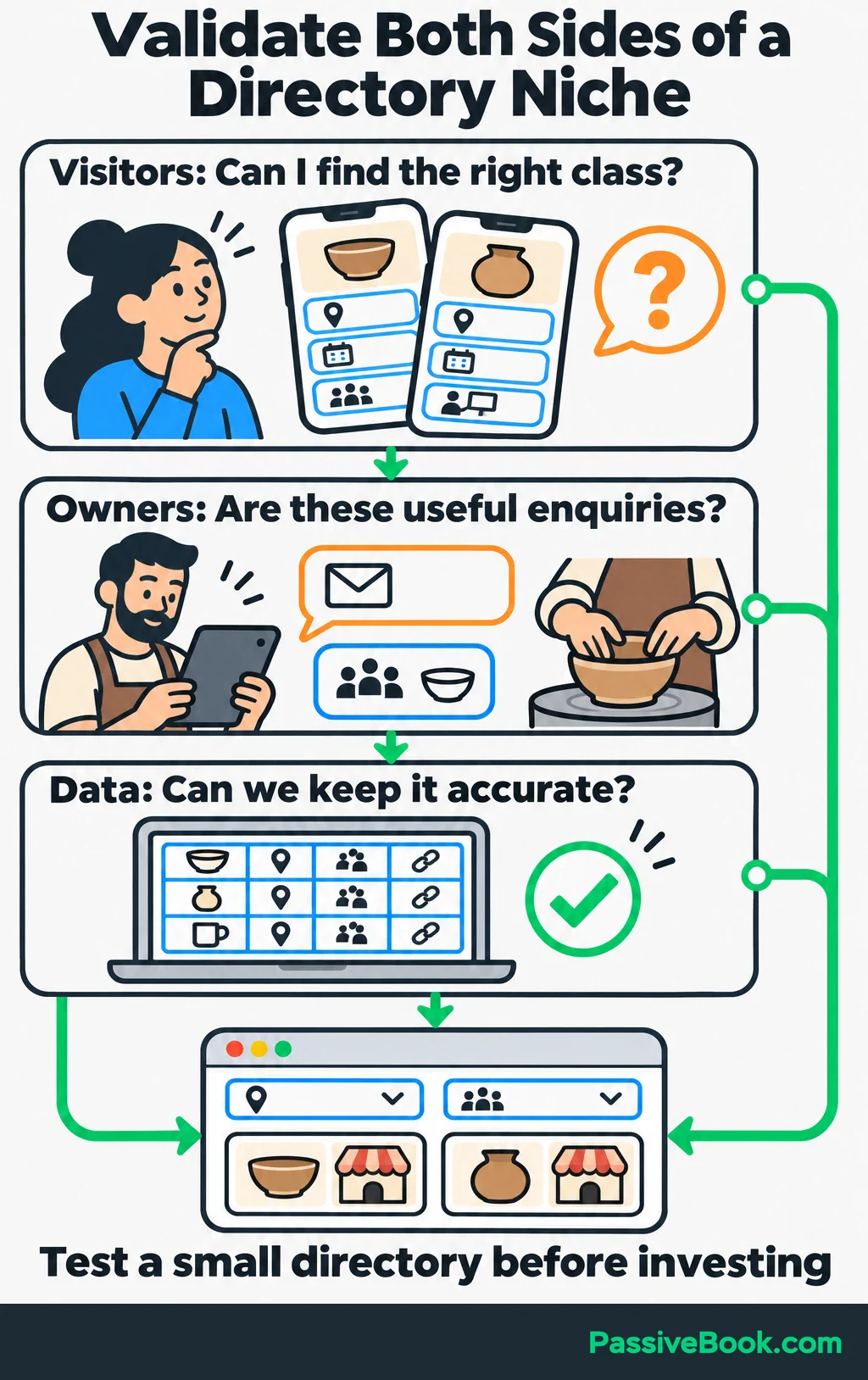
That gives you something specific to investigate. Can people already do this easily? Or do they have to open twelve websites to compare locations and class formats?
Search as a visitor would, and compare search results, existing directories and studio websites. Look for useful information that is missing or hard to compare. A directory needs a better answer than “the same links, arranged differently.”
Then check both sides of the business:
- Ask prospective visitors about the last time they searched. What did they struggle to find, and how did they choose?
- Ask studio owners which customers they want to reach and which enquiries are useful.
- Find out whether you can collect and maintain the information needed to make those matches.
I skipped market research with my online jewellery store and lost most of an approximately $1,200 investment. Buying inventory felt like progress, but it didn’t answer whether people wanted what I had bought. I would settle that question before paying for a directory theme.
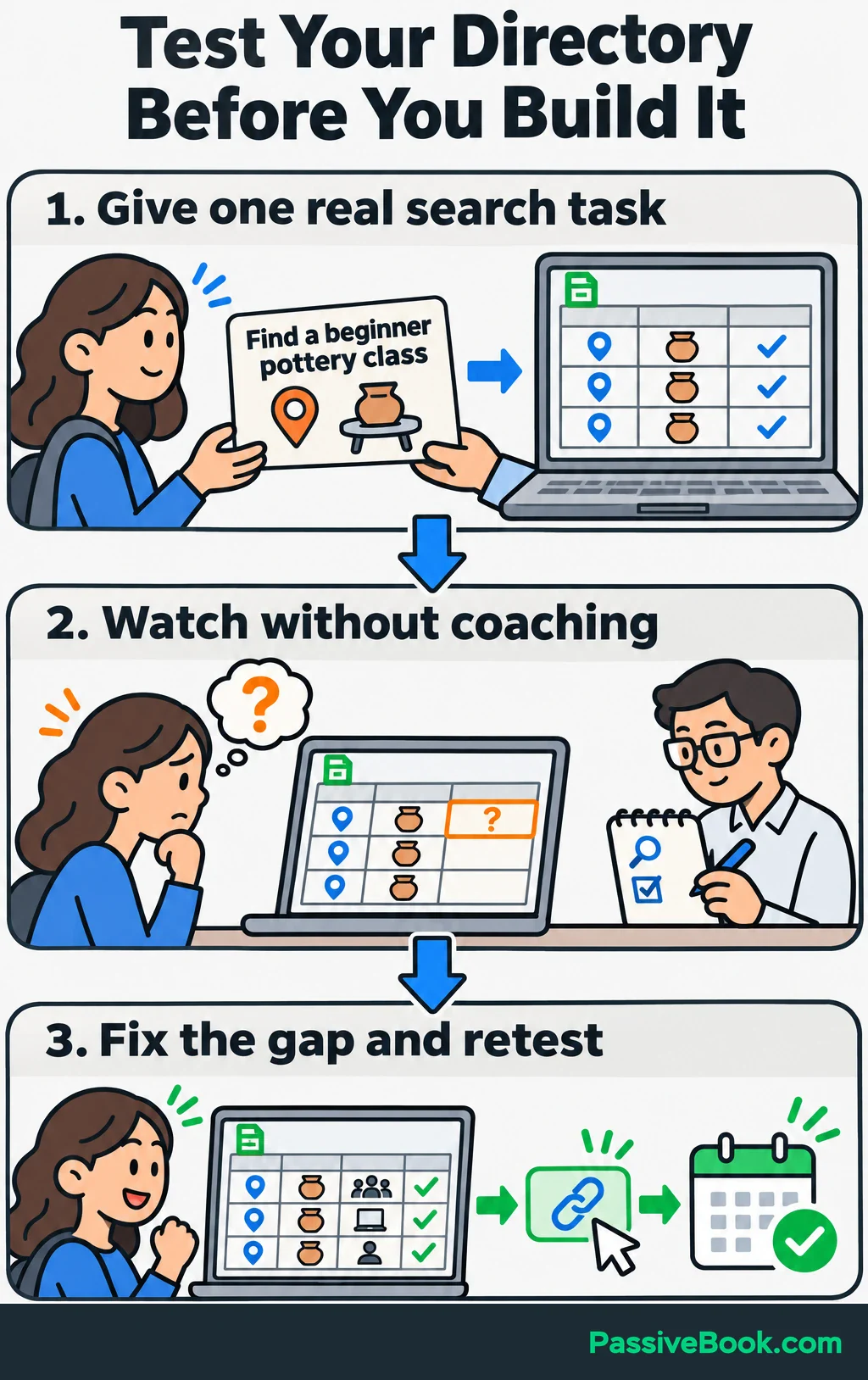
Build a small spreadsheet or sample page with enough studios to offer a meaningful choice. Ask a few prospective visitors to use it to find a class. Watch where they hesitate.
Ask owners to check their information too, and discuss a specific future paid benefit, such as a sponsored category placement. “Would you support this?” is easy to agree with. A defined offer gives you a more useful conversation.
Proceed when people can complete the search, reliable information is available and you have a plausible way to reach users. Narrow the location or category when those conditions are missing.
Define Your Listings and Essential Features
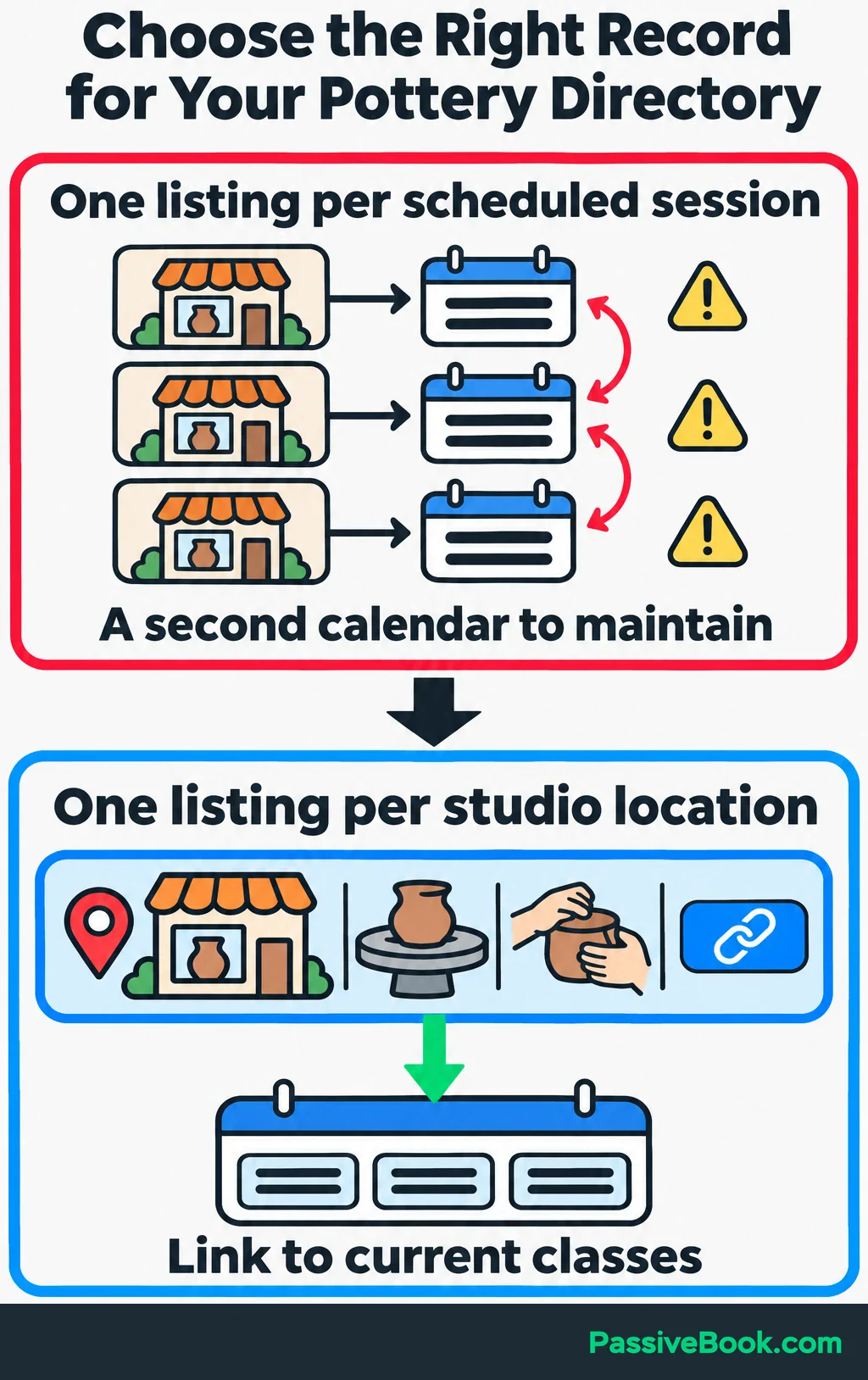
Choose what one listing represents before designing pages.
For the pottery directory, I would use one record per studio location and link to its current classes. Creating a separate listing for every scheduled session would leave you maintaining a second booking calendar.
Next, decide which details visitors need to compare.
| Field | Example Value | Required? | Used as a Filter? | Update Method |
|---|---|---|---|---|
| Stable listing ID | ST-001 | Yes, private | No | Assign once and retain |
| Studio name | Sample Clay Studio | Yes | Searchable | Check official website |
| Area | Salford | Yes | Yes | Confirm address |
| Address | Not yet confirmed | Yes, before approval | No initially | Website or owner confirmation |
| Beginner class formats | Wheel throwing; handbuilding | Yes; allow unknown | Yes | Check class pages |
| Website and booking link | Not yet collected | Yes, before approval | No | Add official website and beginner-class booking page; check links during reviews |
| Source and verification date | Not yet checked | Yes, private, before approval | No | Record the source URL and date when checking details |
| Moderation status | Pending | Yes, private | No | Approve after verification; retire if closed or no longer relevant |
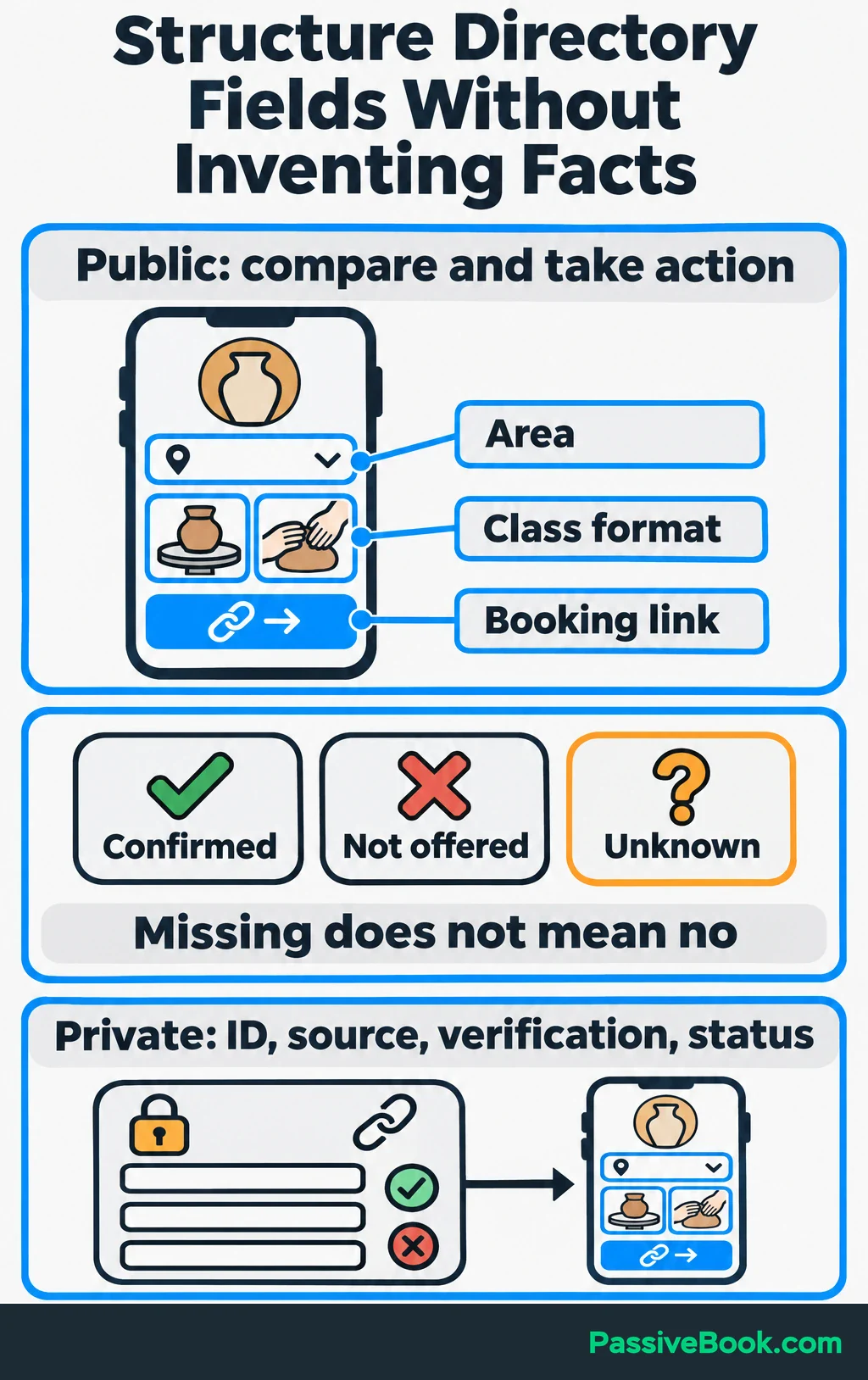
Use fixed choices for comparison fields. If one record says “wheel throwing” and another says “potter’s wheel,” a filter may treat them differently.
Missing information should remain unknown. An empty field does not mean a studio lacks that service.
I would leave out prices and evening availability until there is a workable way to maintain them. Every extra field creates an update commitment.
Plan a small set of pages:
- A homepage explaining what visitors can find.
- A browse page with useful filters.
- Category or location pages where the listings justify them.
- A reusable page for each listing.
- A submission form and a visible correction route.
Each listing needs a clear next action, such as “View Classes and Book.”
You do not need to write every page from a blank screen. AI Copywriting Studio turns your scope and visitor task into a first set of page and form copy you can use in your build.

Free AI Copywriting Studio




Skip visitor accounts, reviews and an internal booking system at launch unless testing reveals a task that requires them. A feature earns its place by helping someone choose or contact a studio.
Choose a Platform Within Your Budget
Compare WordPress and Hosted No-Code Tools
Test platforms against your listing plan. A polished demo tells you little about whether two filters work together or whether you can export your records.
I would compare WordPress with Directorist, a plugin that adds directory listings and search, and Webflow, a hosted website builder. Webflow’s content management system (CMS) stores listing records and uses templates to display them.
| Route | Suitable Use | Setup Work | Maintenance | Recurring Costs | Migration Requirements |
|---|---|---|---|---|---|
| Self-hosted WordPress with Directorist | A directory needing structured fields, submissions and room to expand | Configure hosting, plugin, fields, search and templates | You manage updates, backups and compatibility | Domain, hosting and any paid extensions | Export records and files; rebuild layouts and integrations elsewhere |
| Webflow with its CMS | A visually designed directory where hosted infrastructure is a priority | Build collections and templates, then connect filtering, submissions and payments | Webflow handles hosting; you maintain records and connected services | CMS-capable Site plan, domain and any added services | Export CMS records; recreate templates and workflows elsewhere |
WordPress is my preference because I want control over the site and its data. Directorist’s free core lets you add custom fields and search controls, accept owner submissions, and import or export listings as CSV files. CSV is a spreadsheet-style file that lets you move records in bulk. Directorist’s official plugin listing
Webflow is worth considering if you prefer hosted infrastructure and visual design. Its CMS stores structured records and supports CSV import/export, but prototype combined filters, owner submissions and payments before committing. Those workflows determine whether it suits your directory. Webflow’s CMS data documentation
You can use AI with either route to suggest fields, format verified records or draft layouts. The platform still needs to store, search and manage the listings.
I would skip an AI-generated custom application for this first launch unless you can maintain its code, database, security and deployment. A working preview is the beginning of that responsibility.
Calculate the Full Cost
Separate the cost of launching from the cost of keeping the directory running.
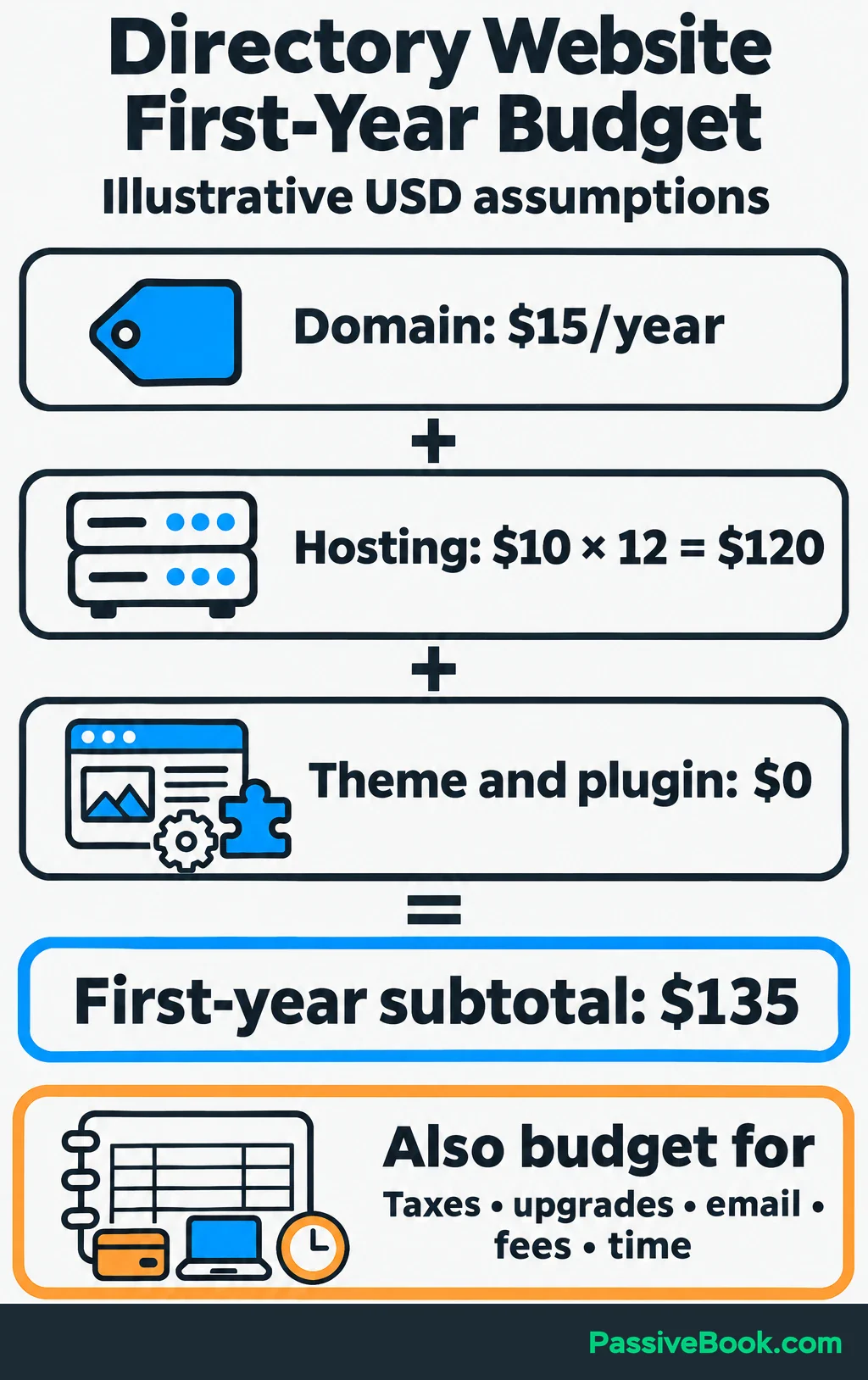
For an illustrative WordPress budget in USD, assume:
| Item | Assumed Cost |
|---|---|
| Domain registration | $15 per year |
| Hosting | $10 per month |
| Free theme and directory plugin | $0 |
| First-year subtotal | $135 |
That subtotal counts the annual domain and twelve months of hosting. It excludes taxes, paid extensions, email services, payment fees and your time.
For comparison, Webflow’s entry Premium Site plan is listed at US$25 per month billed annually, or US$300 per year before applicable taxes, domain registration and additional services. Basic does not include the CMS needed for this route. Check the Webflow pricing page before choosing a plan.
Monetization has its own costs. Directorist’s paid Pricing Plans extension supports packages and recurring billing through compatible Stripe or PayPal integrations, so budget for the required payment setup separately. Directorist Pricing Plans
Before buying upgrades, build a free prototype. WordPress can run on your computer without public hosting, and Webflow offers a free Starter option for trying the build.
Compare renewal prices and billing commitments too. An introductory discount is a pleasant first invoice, not an operating budget.
Build Your Directory in WordPress
Set Up the Site and Listing Template
Build one complete listing before importing a spreadsheet.
The basic setup is:
- Register a domain and connect it to your hosting.
- Install WordPress and enable HTTPS so the site uses a secure connection.
- Set up automated backups, including a copy you can recover if the hosting account fails.
- Install Directorist and a lightweight theme. I would start with GeneratePress.
- Create the location options, class categories and custom fields from your plan.
Use Directorist’s listing builder to arrange the details visitors need first: studio name, area, beginner class formats and booking link.
Add one studio record and inspect it on a phone. Can someone compare the important details without digging through a long description? Is the booking button easy to find?
Keep the layout reusable. Editing each listing page by hand defeats the point of storing structured records.
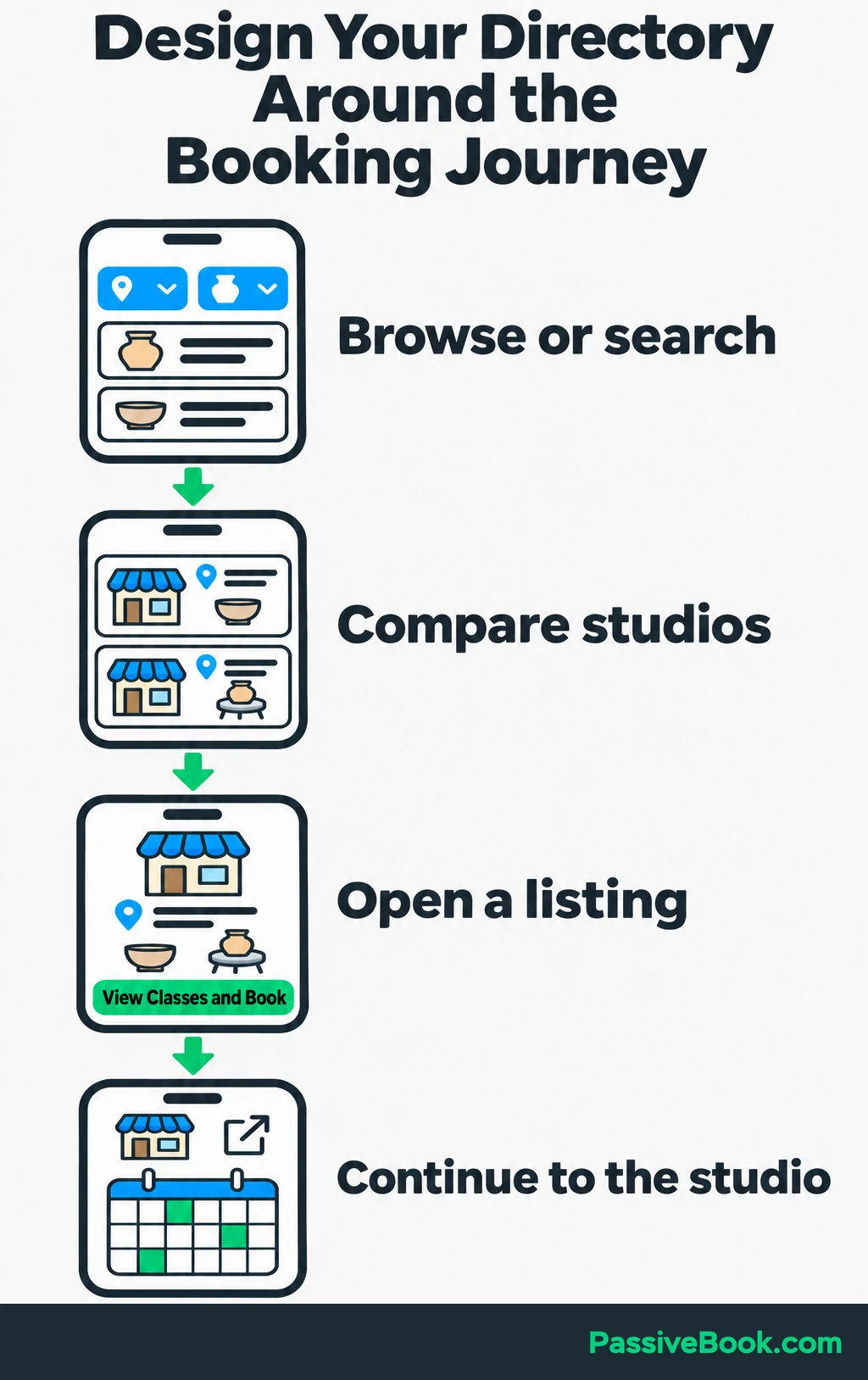
Create the homepage, browse page, submission page and navigation around this journey:
Browse or search → compare studios → open a listing → visit the studio’s booking page.
Add a short explanation of how you select and update listings, along with contact and privacy information. Visitors and owners should be able to see who runs the directory and how to report a problem.
Add Accurate Starter Listings
Collect records through direct research, owner submissions or datasets licensed for your intended use.
For the pottery example, check the studio’s official website or ask the owner to confirm important details. Write your own short summary and request approved photos.
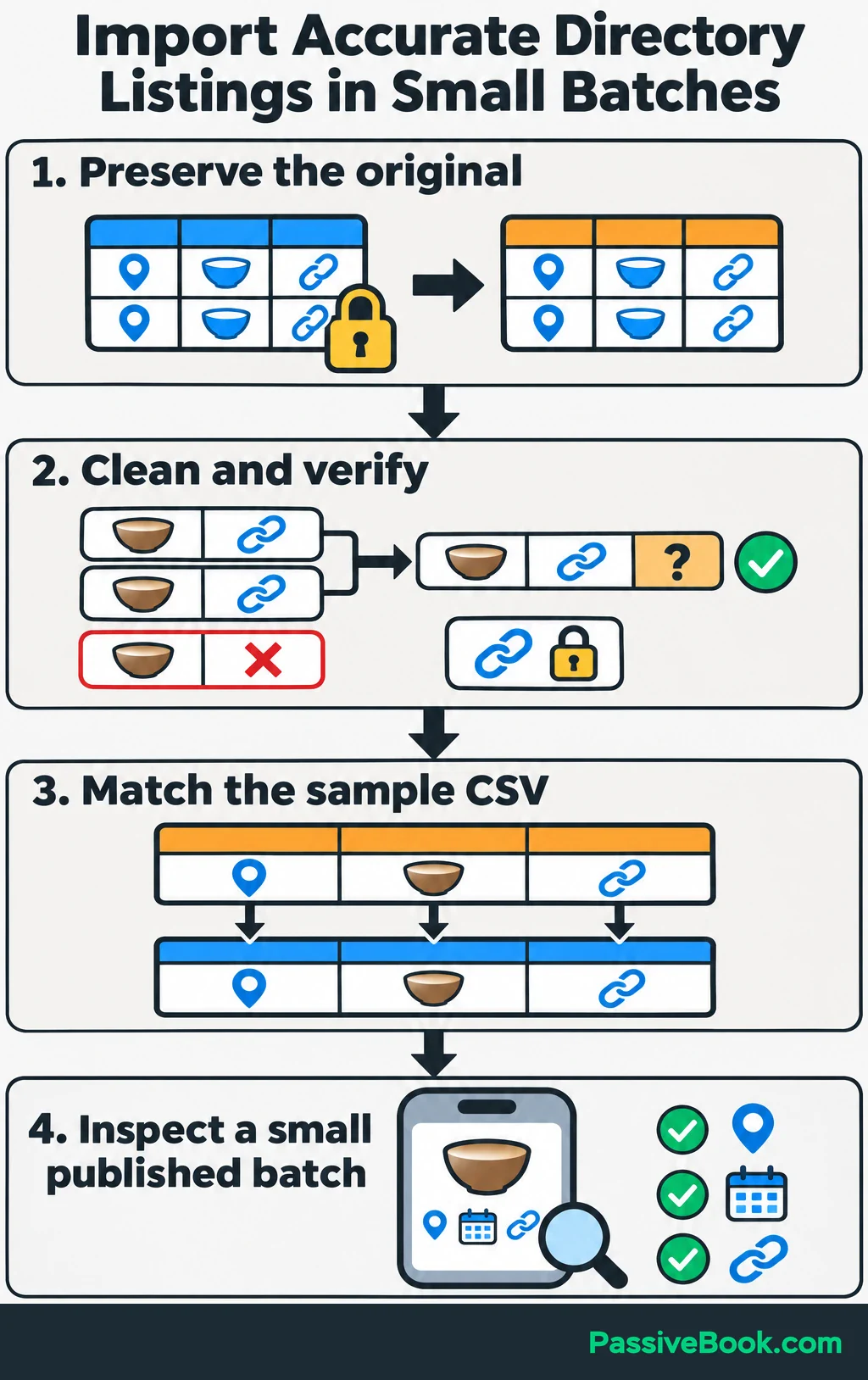
Before importing, clean the spreadsheet:
- Standardize names, addresses and class-format options.
- Remove duplicate locations and closed providers.
- Check that booking links lead to relevant pages.
- Record the source and verification date privately.
- Separate confirmed details from unknown information.
Collect only the personal information you need. Public availability does not remove privacy obligations; privacy regulators have specifically warned that publicly accessible personal information remains protected in most jurisdictions. Joint statement from privacy regulators
Download the importer’s sample CSV, then match your spreadsheet columns to its fields. Import a small batch and inspect the published results before adding the rest.
Keep an untouched copy of your original data. For a tiny starting collection, manual entry may be faster than troubleshooting an import.
Your launch target should be useful coverage, not an impressive listing count. If the directory promises Greater Manchester but leaves major areas empty, narrow the promise until you can support it.
Configure Search and Submissions
Use Directorist’s search form builder to add controls for the location and class-format fields you created.
Start with area and beginner class format, then test them together. Selecting Salford and wheel throwing should show studios matching both conditions.
Provide a reset control and explain empty results:
“No studios match both choices. Try another area or remove the class-format filter.”
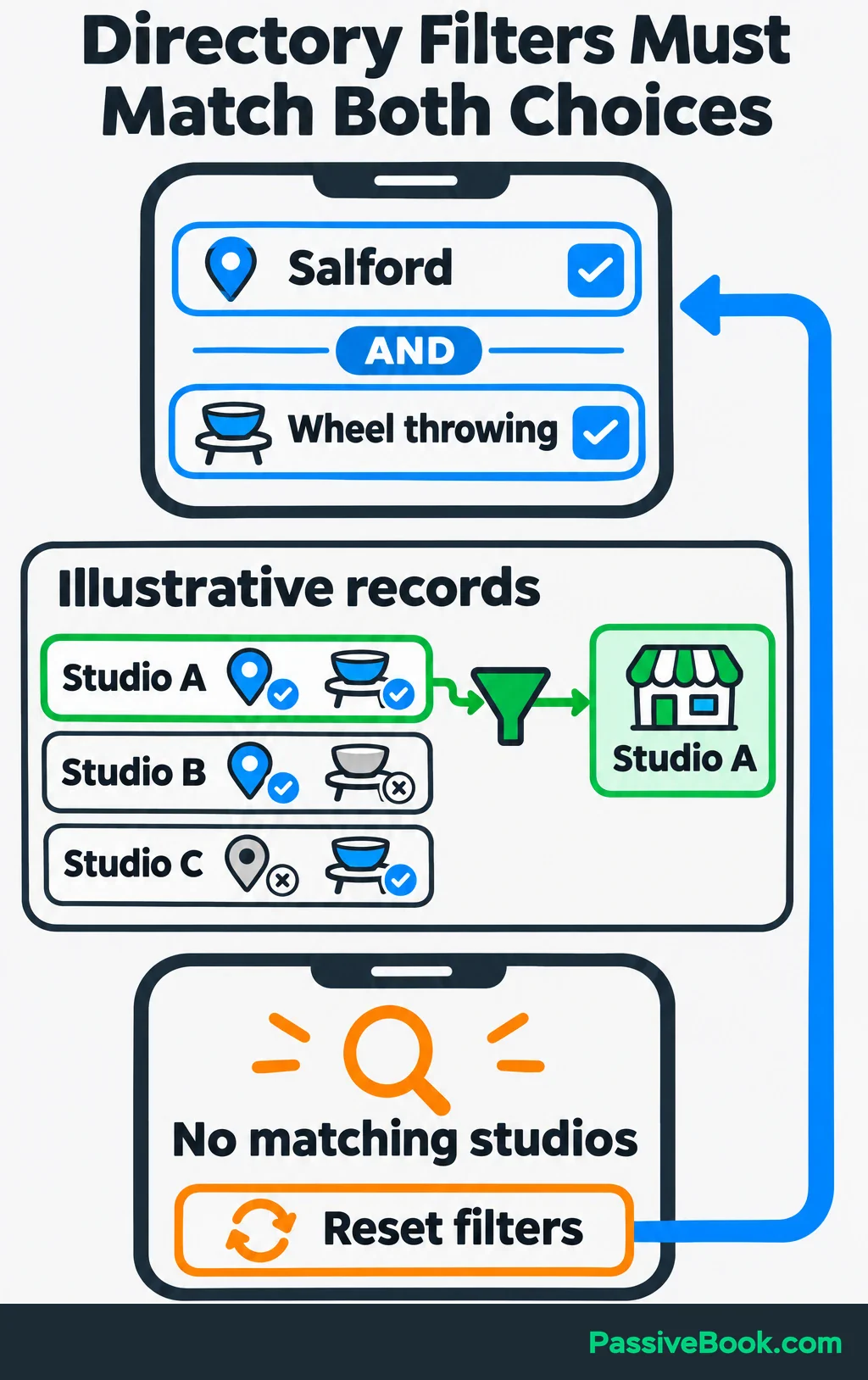
That gives visitors a way forward.
Keep the submission form close to your listing structure. Ask for the required public details and a private contact address for verification. Send new submissions and substantial edits into review before publication.
Put a correction link on each listing and include its ID in the request. Verify someone’s connection to the studio before granting editing access, and keep factual corrections available without a paid upgrade.
Check that forms have visible labels, work with a keyboard and explain errors clearly. “Enter a valid website address” helps. A red border on its own does not.
Test Before Opening the Directory
Ask someone unfamiliar with the build to complete the main visitor task on desktop and mobile. Let them try without coaching.
Then test the parts visitors cannot see:
- Combined filters, empty results and booking links.
- A new listing submission and its approval.
- A correction request and the resulting update.
- Confirmation and notification emails.
- A listing export and a backup restoration.
Connect Google Search Console to monitor search visibility, and add analytics for listing views, booking-link clicks and submissions. Test that those events are actually recorded.
A booking-link click shows that someone continued to the provider. It does not prove they booked. Keep that distinction in any report you sell.
Open the directory when the advertised search works and you can manage the review process. The launch does not need every feature, but it does need a reliable main journey.
Attract Your First Listing Owners
Begin with a useful request: help make the listing accurate.
Give each owner a direct link and explain the directory’s scope. A short message is enough:
“I’m building a guide to beginner pottery classes in Greater Manchester. Could you check your studio’s listing and confirm which beginner class formats you offer? Here’s the page: [listing link]. Corrections are free.”
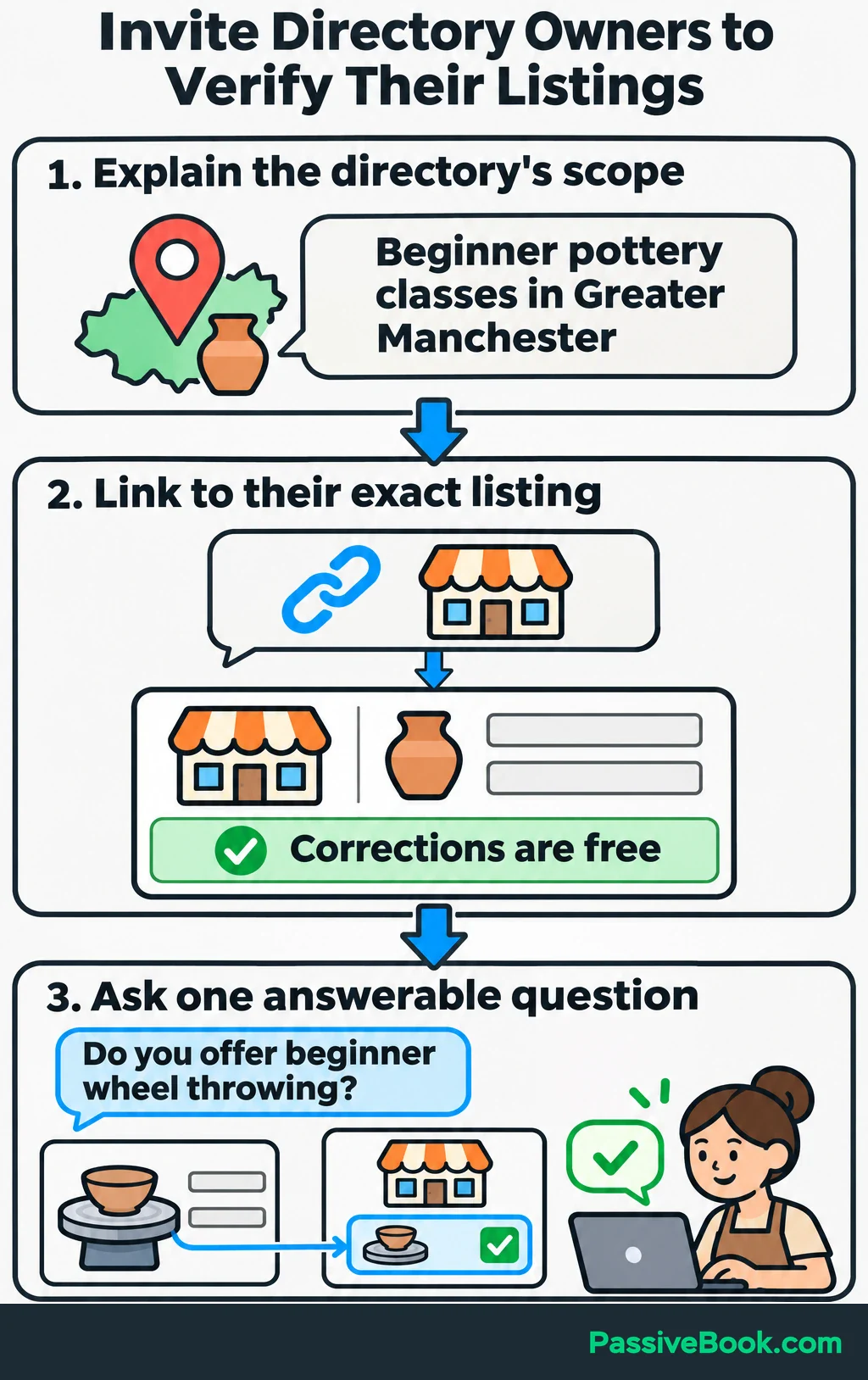
Add one specific question if something is missing. Asking whether a class accepts complete beginners is easier to answer than requesting “any information you think might help.”
Describe the audience you actually have. If the directory is new, say so. Do not promise enquiries or dress up an empty analytics account as an emerging media empire.
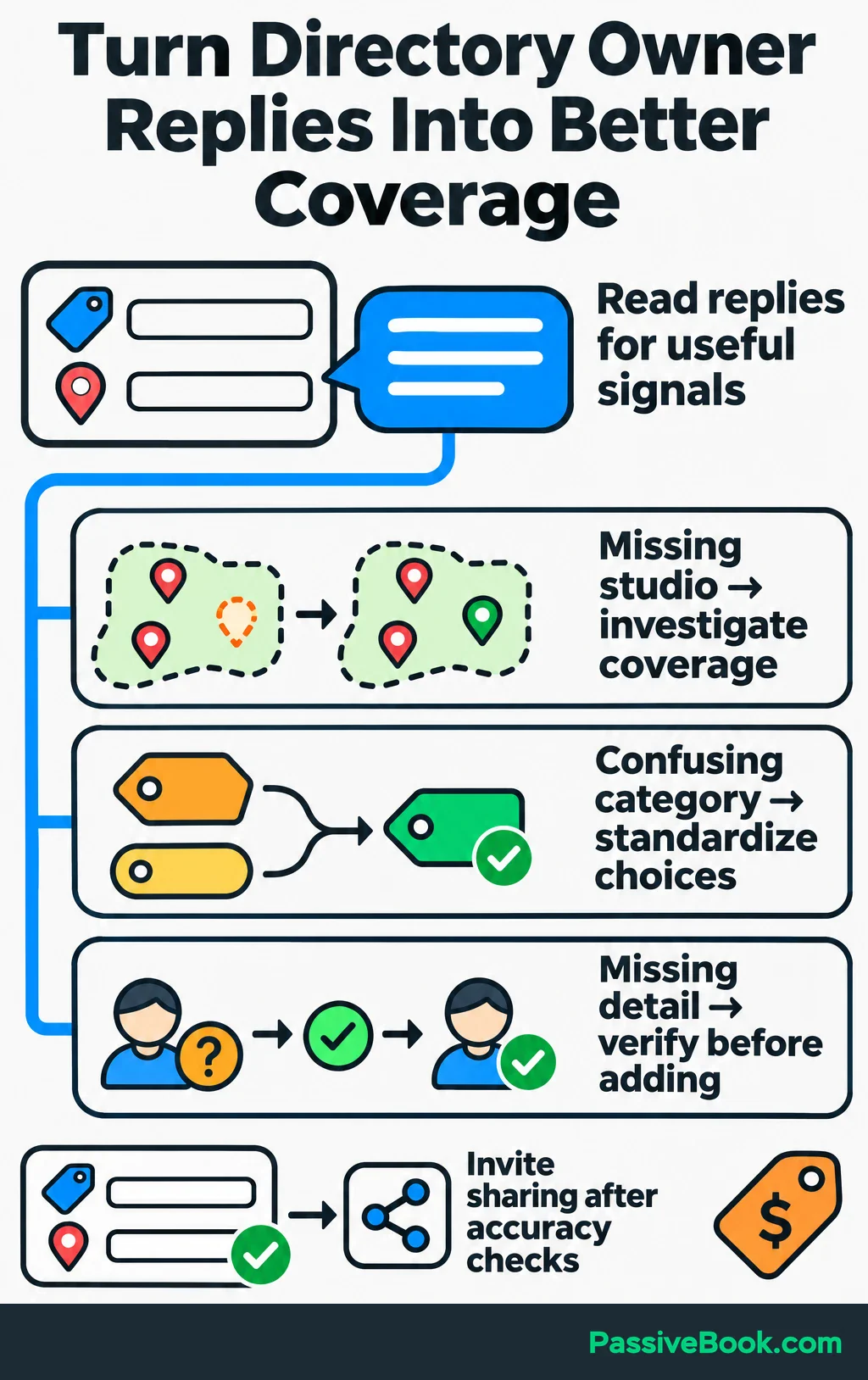
Owner replies can also reveal missing studios, confusing categories and useful comparison details.
Once a profile is accurate, invite the owner to share it if it helps their customers. Keep that invitation separate from your later paid offer. Checking a free listing should not turn into an unexpected sales obligation.
Grow Traffic to Useful Directory Pages
Publish Pages That Match Specific Searches
Build pages around searches your listings can satisfy.
For example, a page about beginner wheel-throwing classes in Manchester should show relevant studios and the details needed to compare them. Add brief guidance where it helps, such as explaining the difference between a one-off taster and a longer course.
Give the page a descriptive title and heading. Link it from relevant browse pages and link each result to its full listing.
Publish location and category pages when they contain a useful selection. Avoid creating hundreds of near-identical pages by swapping place names. Google’s scaled-content policy targets mass-produced pages made primarily to manipulate rankings without helping users. Google’s scaled-content policy
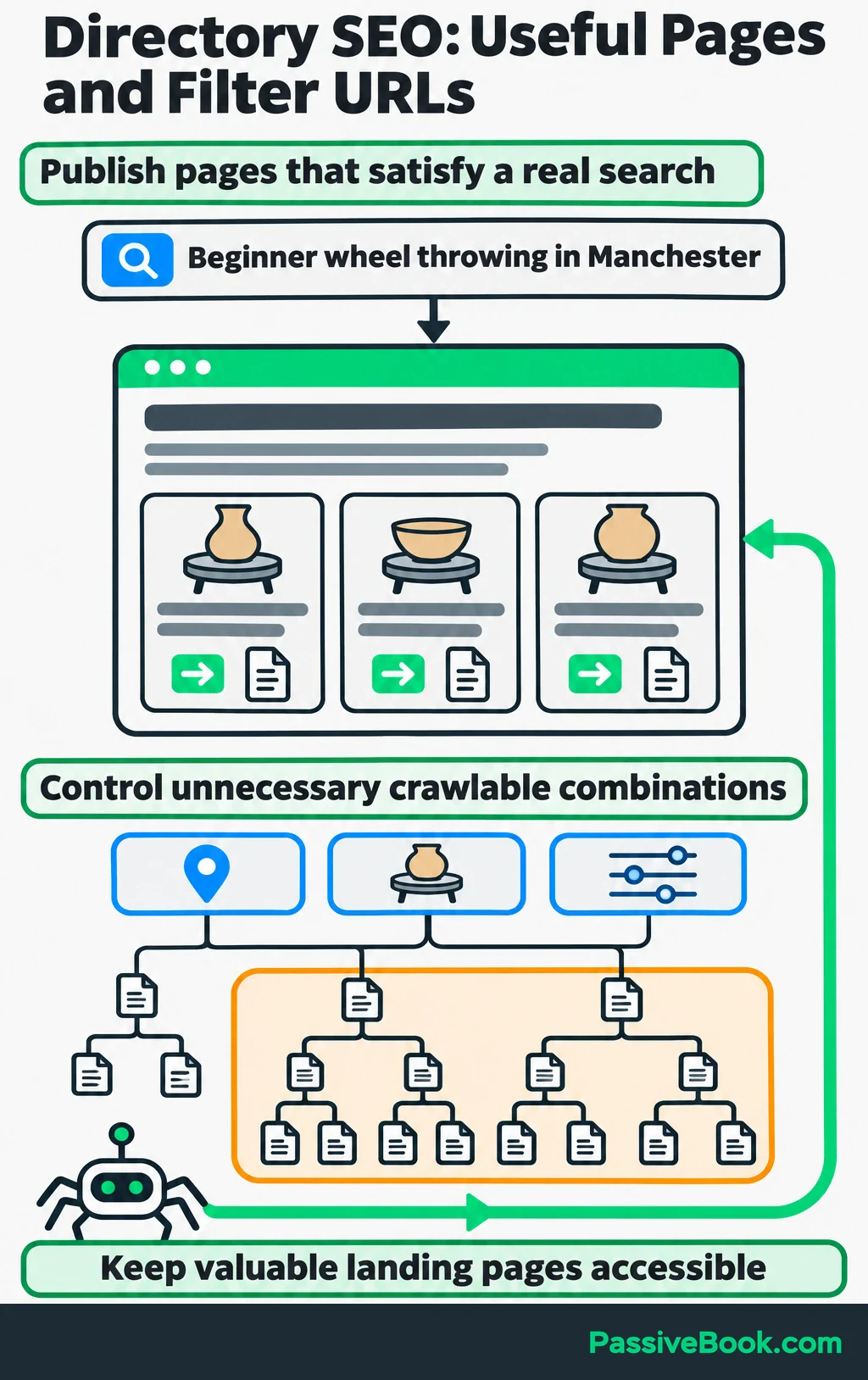
Filters need a separate check. They can generate huge numbers of URLs as visitors combine areas, formats and other options.
Keep your useful landing pages accessible to search engines and prevent unnecessary filter combinations from creating endless crawlable URLs. Google explains that these combinations can waste crawling resources and slow discovery of useful pages. Google’s guidance on filtered navigation
In WordPress, use Rank Math, a plugin for search engine optimization (SEO), to manage page titles and generate a sitemap—a list of pages for search engines to discover. Submit the sitemap in Google Search Console and inspect important pages to check that Google can access them.
As queries appear, use them to improve coverage. If visitors search for beginner evening classes, investigate whether you can maintain that information before adding the filter.
Give SEO changes time to work. Google notes that some effects can take months, so assess progress over weeks and months rather than refreshing a ranking report every morning. Google’s SEO Starter Guide
Reach Existing Communities and Audiences
SEO is one route to visitors. You can also reach people where the discovery problem already appears.
Look for local groups discussing classes, newsletters covering activities and publishers collecting things to do. Share a page that answers a real request, following the community’s rules.
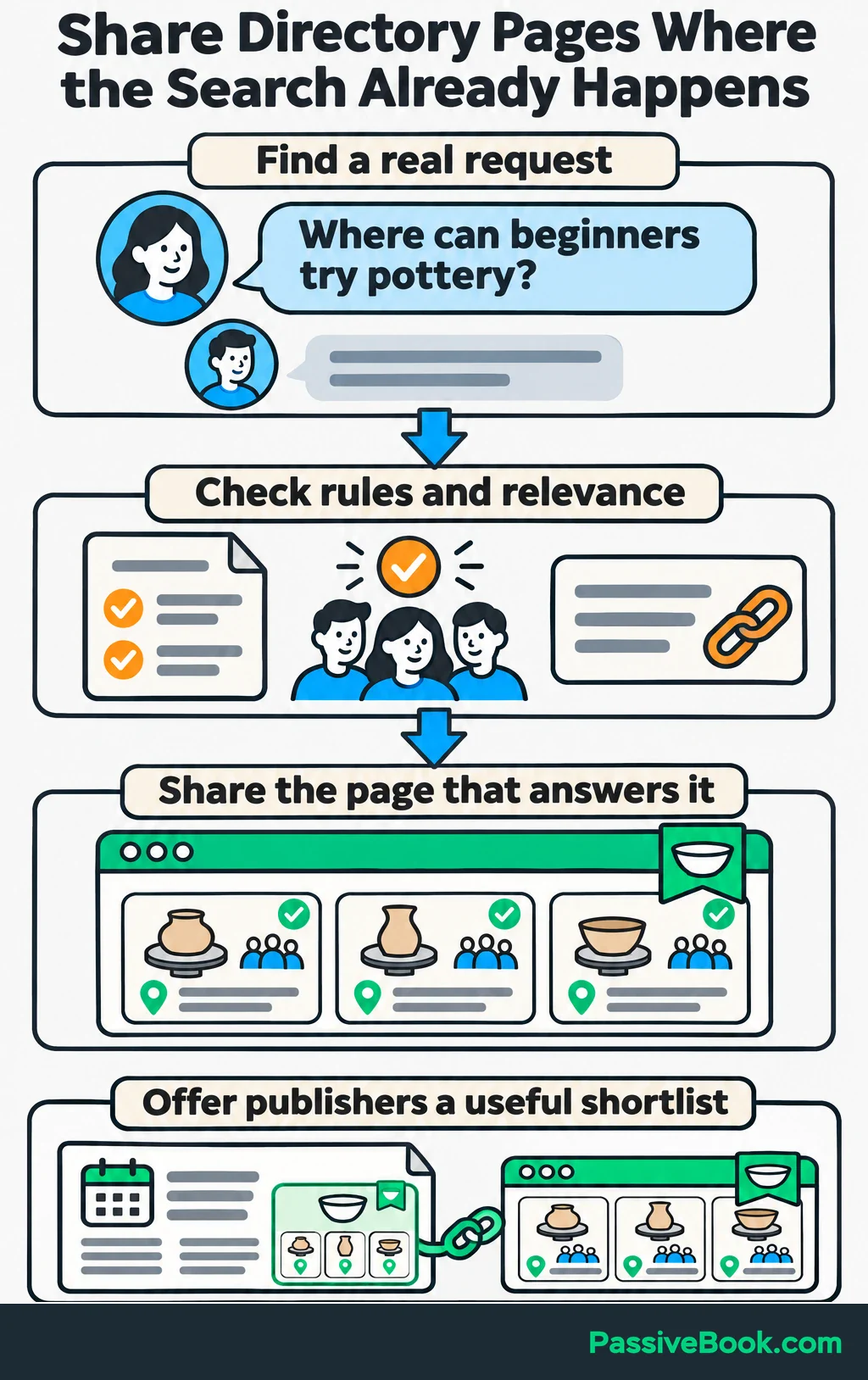
For the pottery directory, I would approach a local activities newsletter with a useful beginner-class page. A relevant shortlist gives the publisher something to share.
If you already have a related website or email audience, introduce the directory through content that helps those readers. An unrelated audience is not a shortcut just because you own the mailing list.
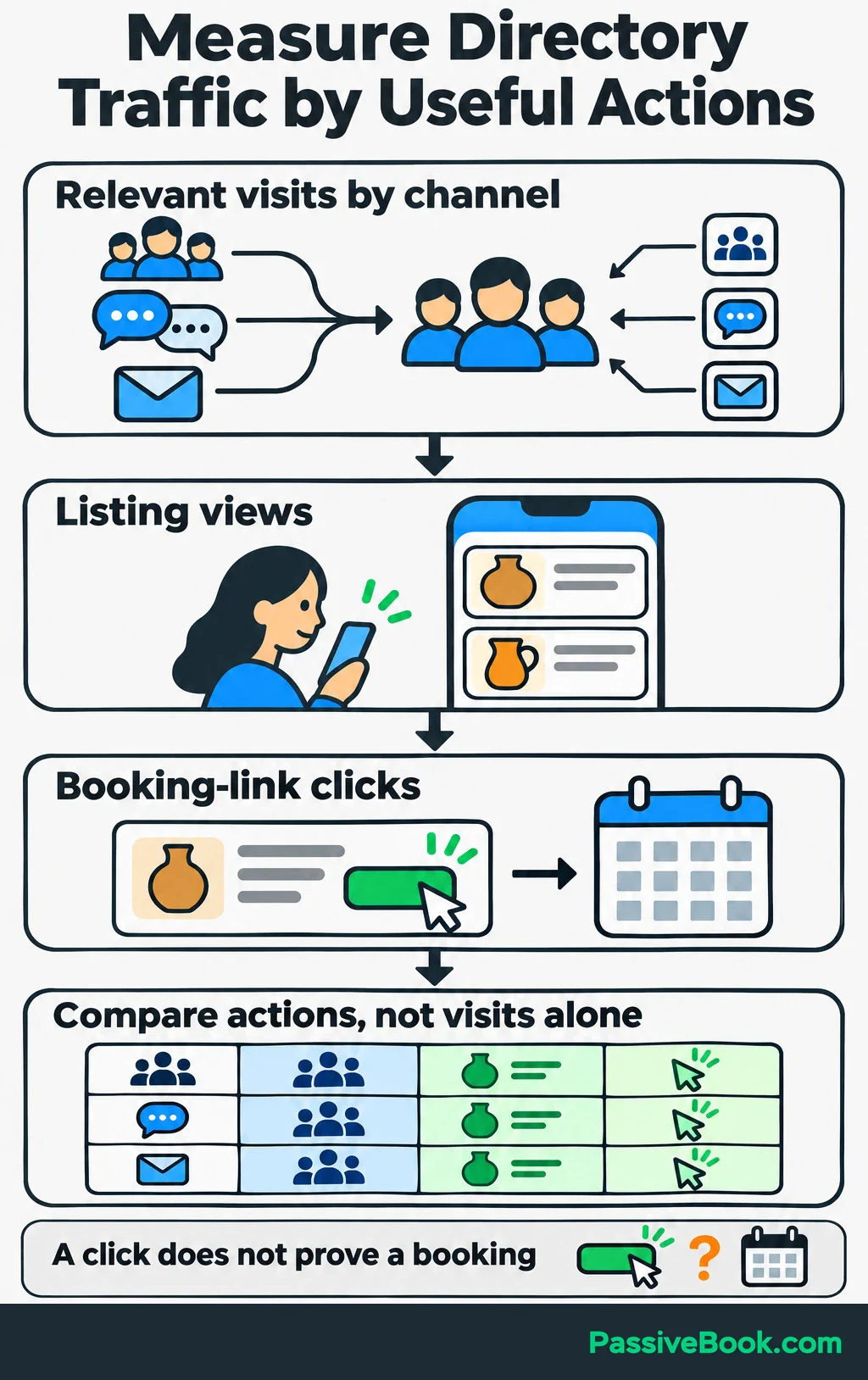
Offer optional updates when new or changed listings give people a reason to return. I would send a useful update when there is something worth reporting rather than create a weekly newsletter obligation immediately.
Compare channels by relevant visits and directory actions. A small number of visitors who open listings and follow booking links can teach you more than a large burst of curiosity clicks.
Monetize the Value Your Directory Delivers
Choose a Revenue Model
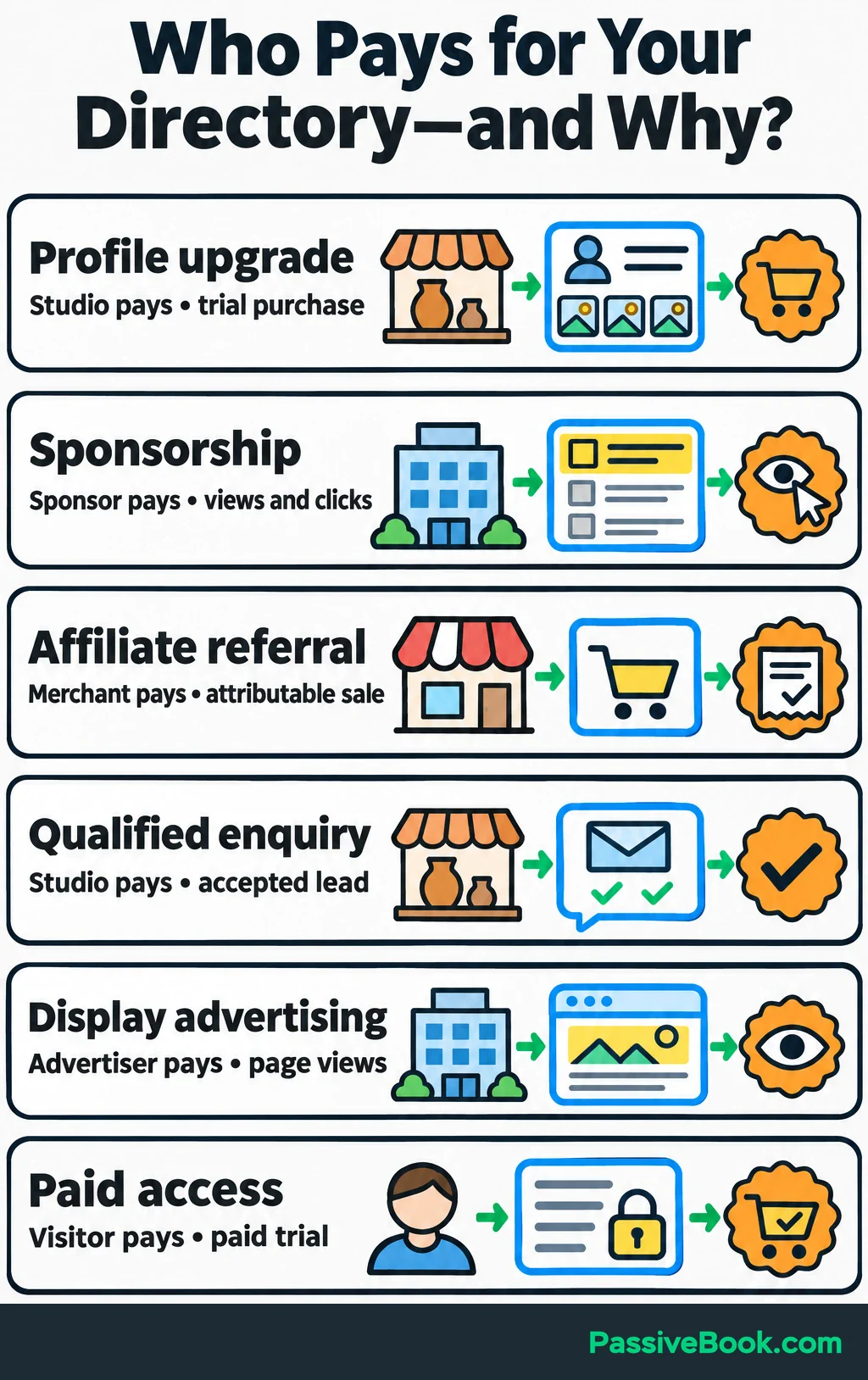
Choose one initial offer based on who benefits and what you can reliably deliver.
| Model | Payer | Purchased Benefit | Evidence Needed | Ongoing Work |
|---|---|---|---|---|
| Paid listing or profile upgrade | Studio | Extra photos, presentation or defined visibility | Owners purchase a trial after comparing a sample upgrade with a free profile | Maintain features and handle changes |
| Featured placement or sponsorship | Studio or relevant sponsor | A specified position for an agreed period | Views and booking-link clicks on the page that will carry the placement | Deliver placement and report activity |
| Affiliate referrals | Merchant or affiliate network | Referred customers under its terms | Program eligibility and attributable transactions | Maintain links and disclosures |
| Qualified enquiries | Studio | Enquiries meeting agreed criteria | A trial batch accepted by the studio and an agreed price that covers delivery costs | Verify, route and resolve disputes |
| Display advertising | Advertiser or ad network | Exposure to visitors | Page views on likely ad pages and an estimate of revenue after fees | Manage ads and browsing performance |
| Paid access | Visitor | Valuable information or functionality | Paid trials of information or tools visitors cannot get free | Keep paid information current and support access |
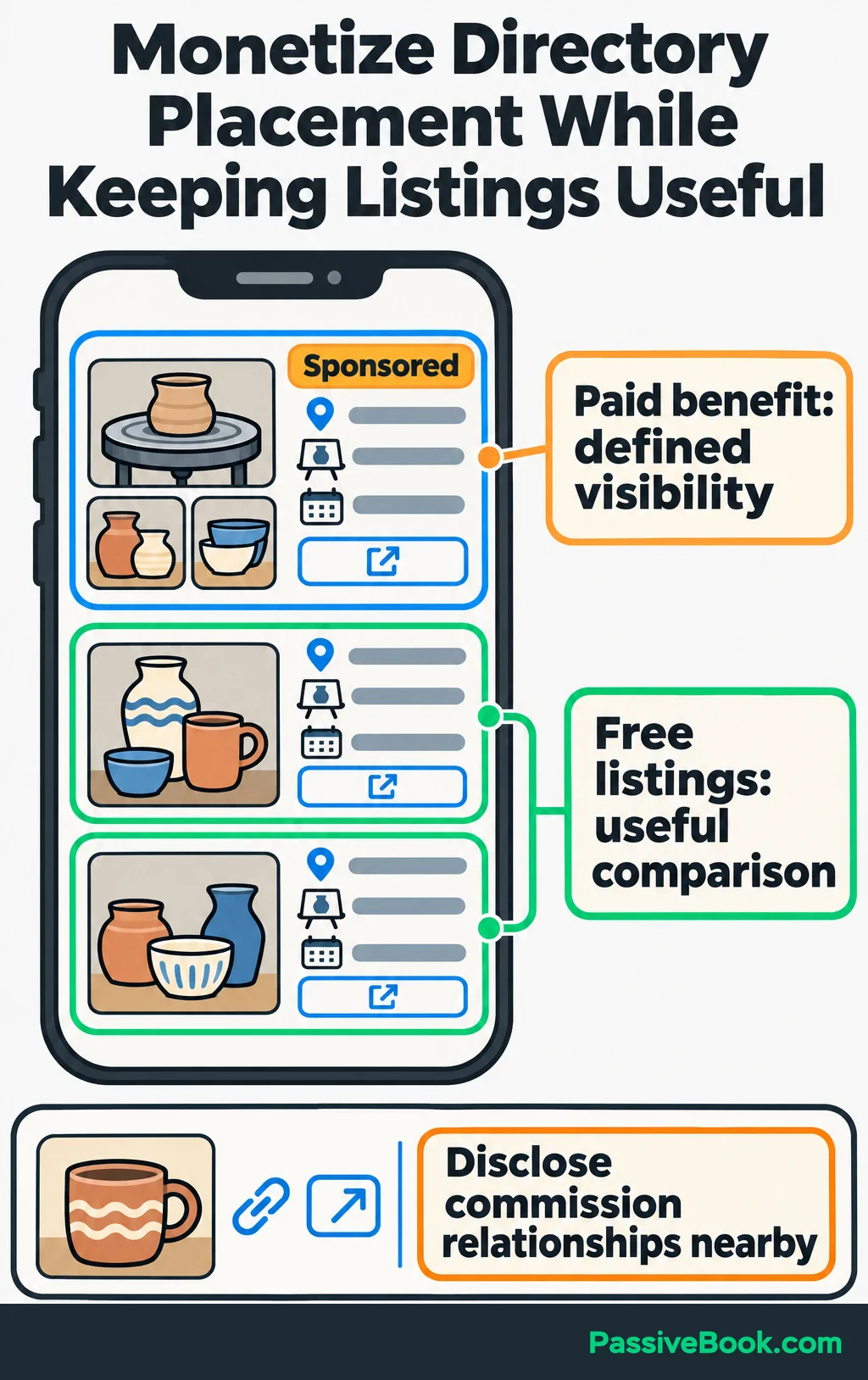
For the pottery directory, I would test a clearly labeled sponsored category placement once there is relevant use to show owners. Keep the free listings useful so visitors can still compare studios.
There is an established example of this structure: HappyCow lists businesses for free and offers additional advertising exposure through its Partner Program. That demonstrates the model, not what a new directory will earn. HappyCow’s business FAQ
I would leave display ads until the audience supports worthwhile income, and skip paid visitor access unless the directory offers a compelling benefit people cannot easily get elsewhere.
Qualified enquiries need more agreement than “we send leads.” Define qualifying criteria, duplicates, routing and disputes, and tell visitors which providers will receive their details.
Label sponsored placements clearly and disclose commission relationships beside affected recommendations. The FTC’s guidance explains why material connections need clear disclosure for US audiences; apply the rules relevant to your market. FTC disclosure guidance
Test a Paid Offer
Approach suitable owners with a package they can evaluate.
An illustrative pottery-directory offer could be:
“£15 for one month in one of three labeled sponsored positions on the beginner wheel-throwing category page, an enhanced profile with up to five approved photos, and a report of profile views and booking-link clicks. The trial ends after one month unless we agree to renew.”
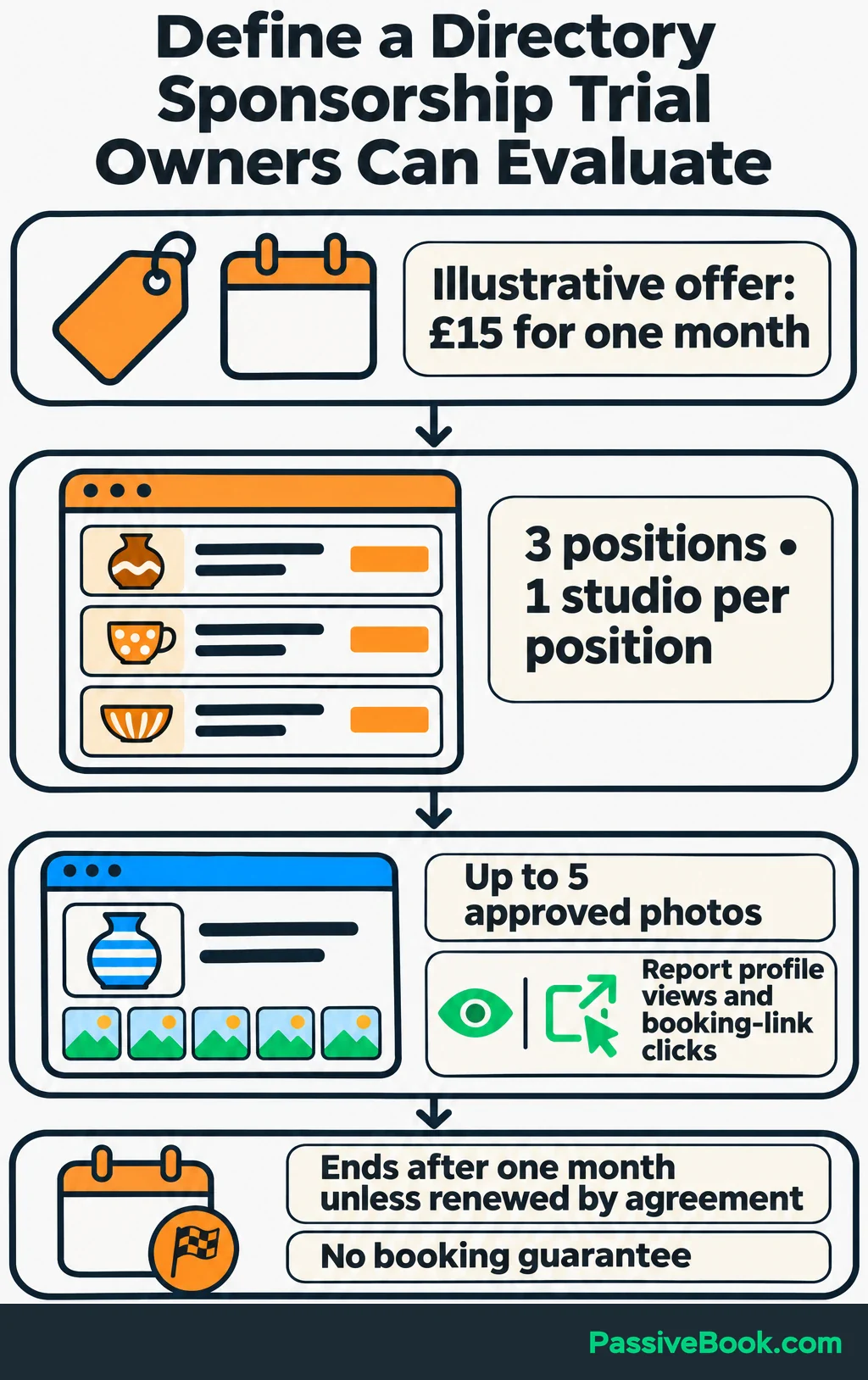
For this trial, give each paying studio one of the three positions for the full month. If you later sell rotating placements, explain how many advertisers share each position and how the rotation works.
Show relevant activity from a stated reporting period. If the page has little use, keep collecting evidence rather than implying that placement guarantees bookings.
I would test a simple fixed-term package before building several subscription tiers. Owner objections will show whether the problem is audience size, price, presentation or the benefit itself.
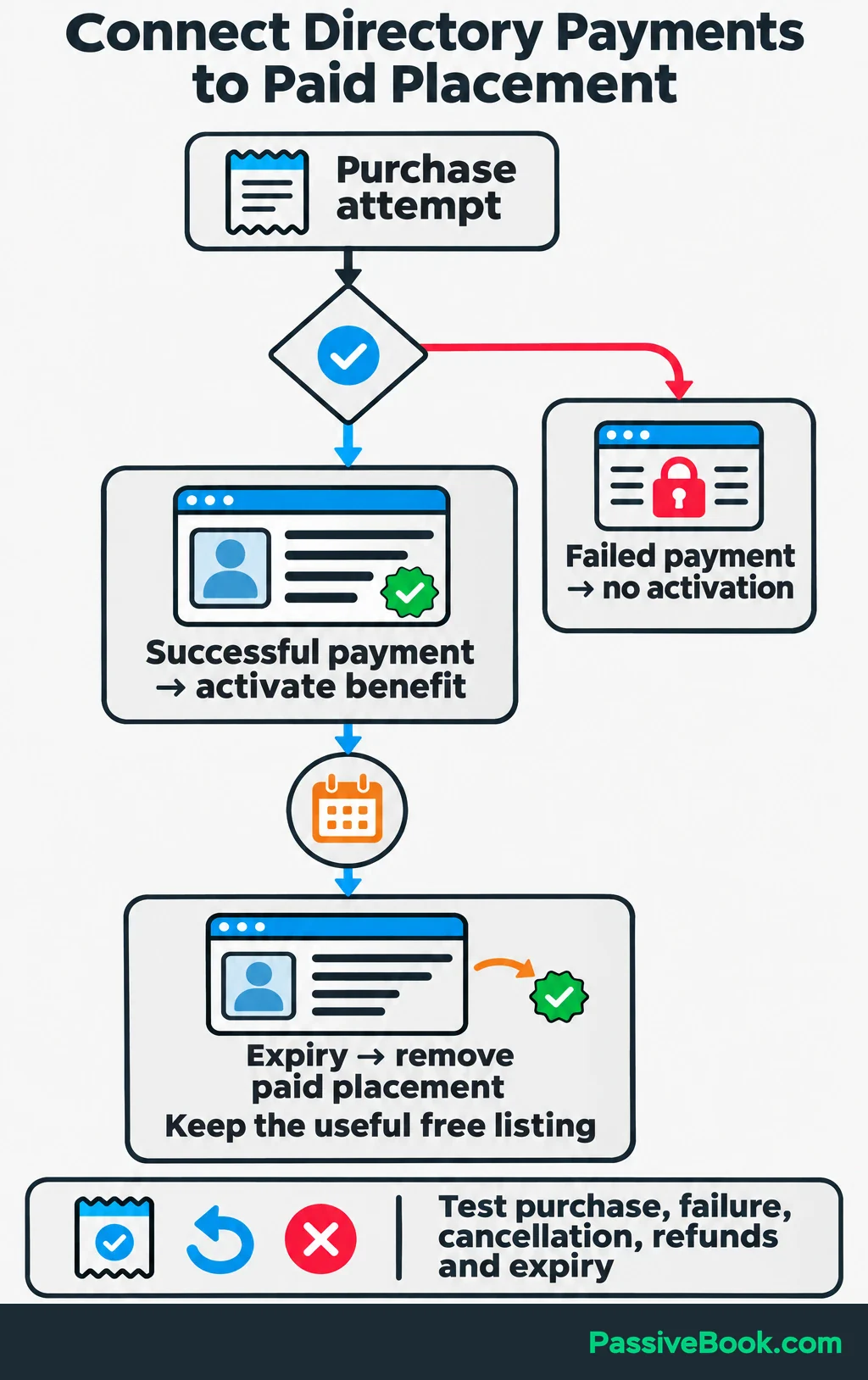
When you add checkout, connect payment status to the purchased benefit. A failed payment should not activate a package, and expiry should remove the paid placement without deleting the useful free listing.
Test purchase, payment failure, cancellation, refunds and expiry before accepting customers.
Recurring billing needs a recurring reason to stay. Continued placement may provide that reason, but track renewals and cancellations alongside new sales.
Calculate Break-Even
First work out how much each paid package contributes after costs caused by that sale. Then calculate how many packages cover your monthly fixed costs.
Here is an illustrative calculation for the pottery directory:
| Item | Monthly Amount |
|---|---|
| Package price per studio | £15 |
| Payment fees and other variable costs per package | £3 |
| Contribution per paying studio | £12 |
| Fixed operating costs | £60 |
Each package contributes £12 toward the £60 in fixed costs.
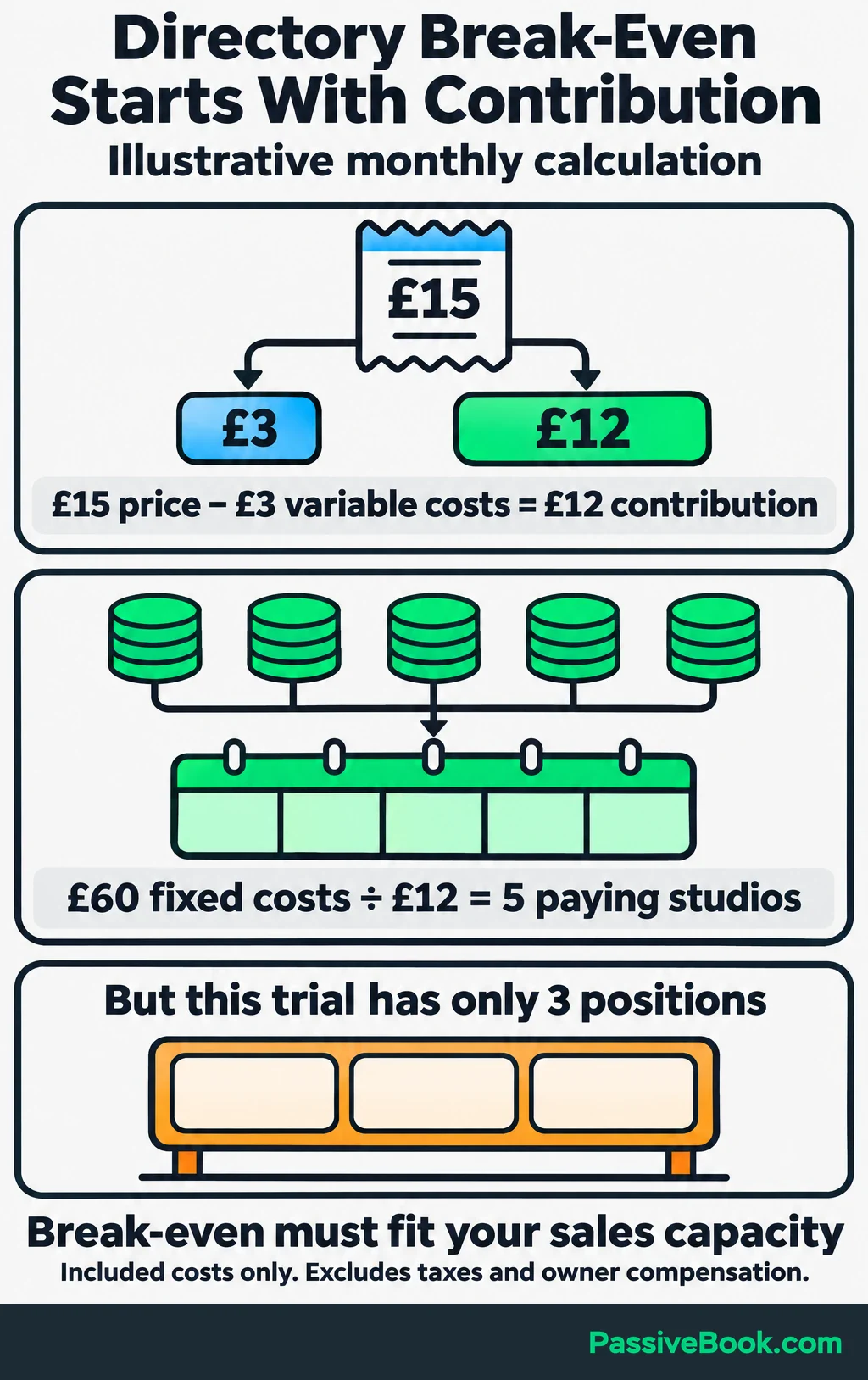
£60 ÷ £12 = five paying studios to cover those included costs.
But the trial offer above has only three positions. Selling all three gives:
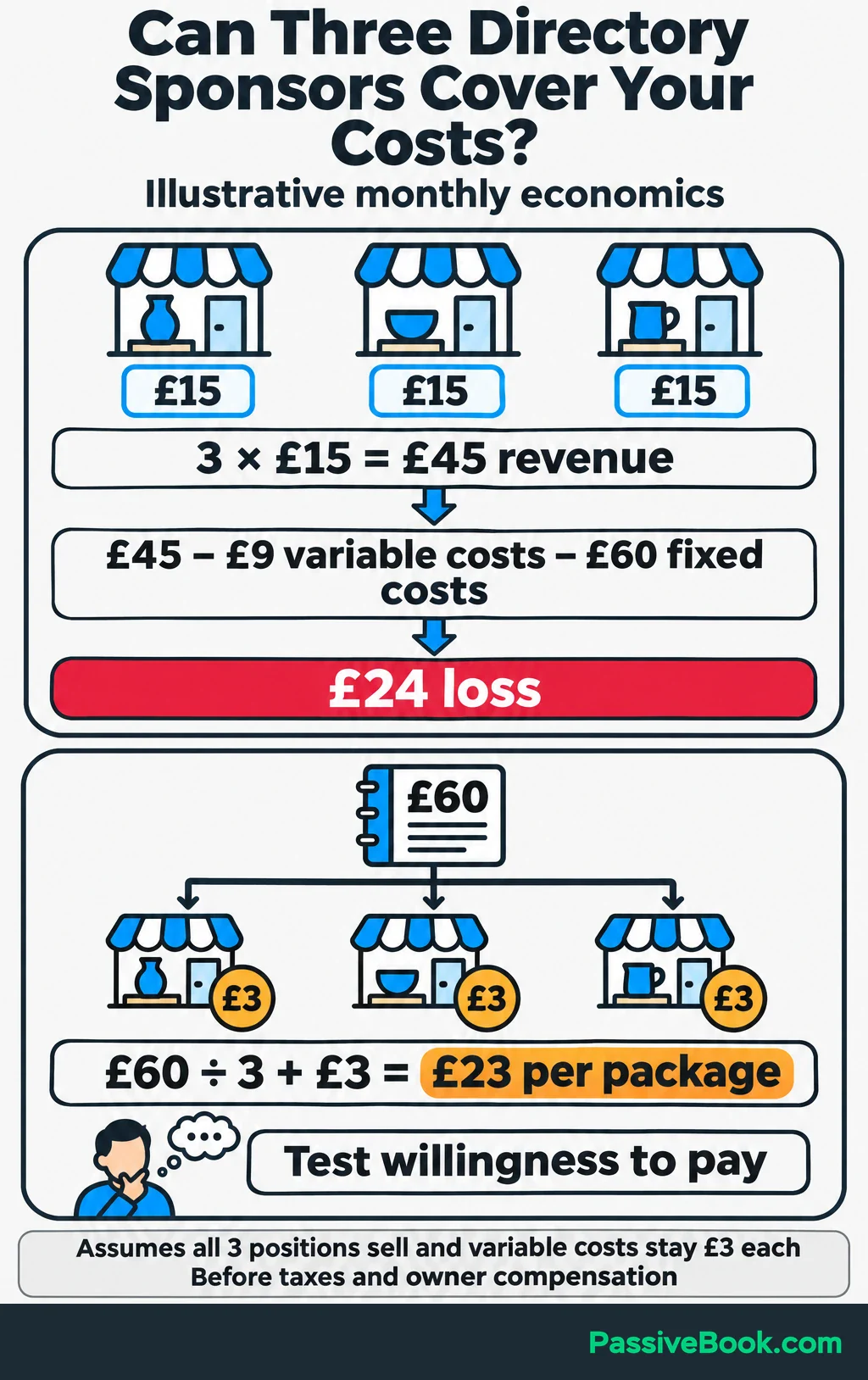
- Revenue of 3 × £15 = £45.
- Variable costs of 3 × £3 = £9.
- Subtracting £9 and £60 from £45 leaves a £24 loss before taxes and owner compensation.
With only three buyers, covering the included costs would require £23 per package, assuming variable costs stay at £3 each. I would test whether owners will pay that before treating the offer as sustainable.
Include paid extensions and services in the cost model, and allow for refunds. Track maintenance time separately so you can judge whether the return is worth the work.
A package can cover its cash costs and still leave you working for very little. Use your own assumptions to check the price, available positions and time commitment together.

Free Pricing Profit Calculator
For annual subscriptions, distinguish cash received upfront from its monthly equivalent. Collecting a year’s payment also creates a year’s delivery commitment.
Keep the Directory Current With Less Manual Work
Start with a manual process you can repeat:
Submission → duplicate check → verification → approval → publication → update request.
Record who checked the information and which source they used. Retire closed or irrelevant listings, and keep uncertain changes out of public pages until reviewed.
Set checking frequency according to how quickly a field changes. Booking links and prices need closer attention than a studio’s general location. I would run frequent link checks and review stable details less often, with owner reminders between reviews.
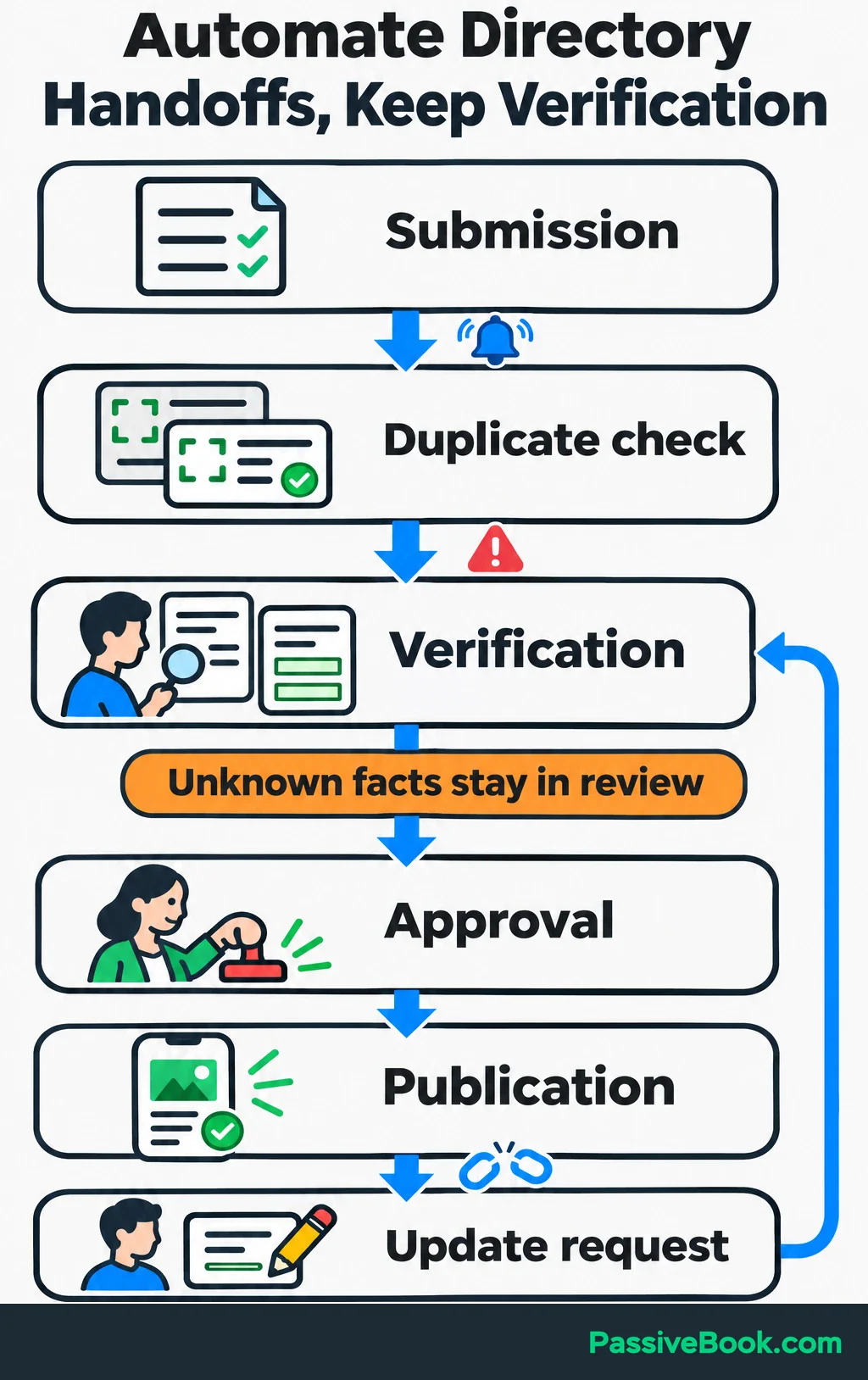
Once the process works, automate the handoffs:
- Notify you when a submission needs review.
- Send owners a direct link to confirm or correct their details.
- Flag broken booking links.
- Alert you when an automation fails.
I use n8n to connect tools so a completed step can trigger the next task. For a directory, a form submission could enter a review queue and trigger a notification through n8n or Make, another tool for connecting apps. Approval remains a separate action.
Give AI verified source material to normalize categories or draft summaries. Check factual changes before publishing, and keep “unknown” available. A tidy spreadsheet full of guesses is still bad data.
Improve What Works Before Expanding
Review a small dashboard that connects use, revenue and effort.
| Measure | What to Review |
|---|---|
| Useful listing coverage | Can visitors find meaningful choices across the advertised scope? |
| Visitor actions | Listing views, booking-link clicks and submitted enquiries |
| Approved submissions | Relevant additions compared with spam and review workload |
| Paying customers | Which offer owners actually purchase |
| Renewals and cancellations | Whether customers continue to value the benefit |
| Operating costs | Hosting, software, fees and other services |
| Maintenance time | Hours spent reviewing, correcting and supporting |
Let the weak point decide your next task.
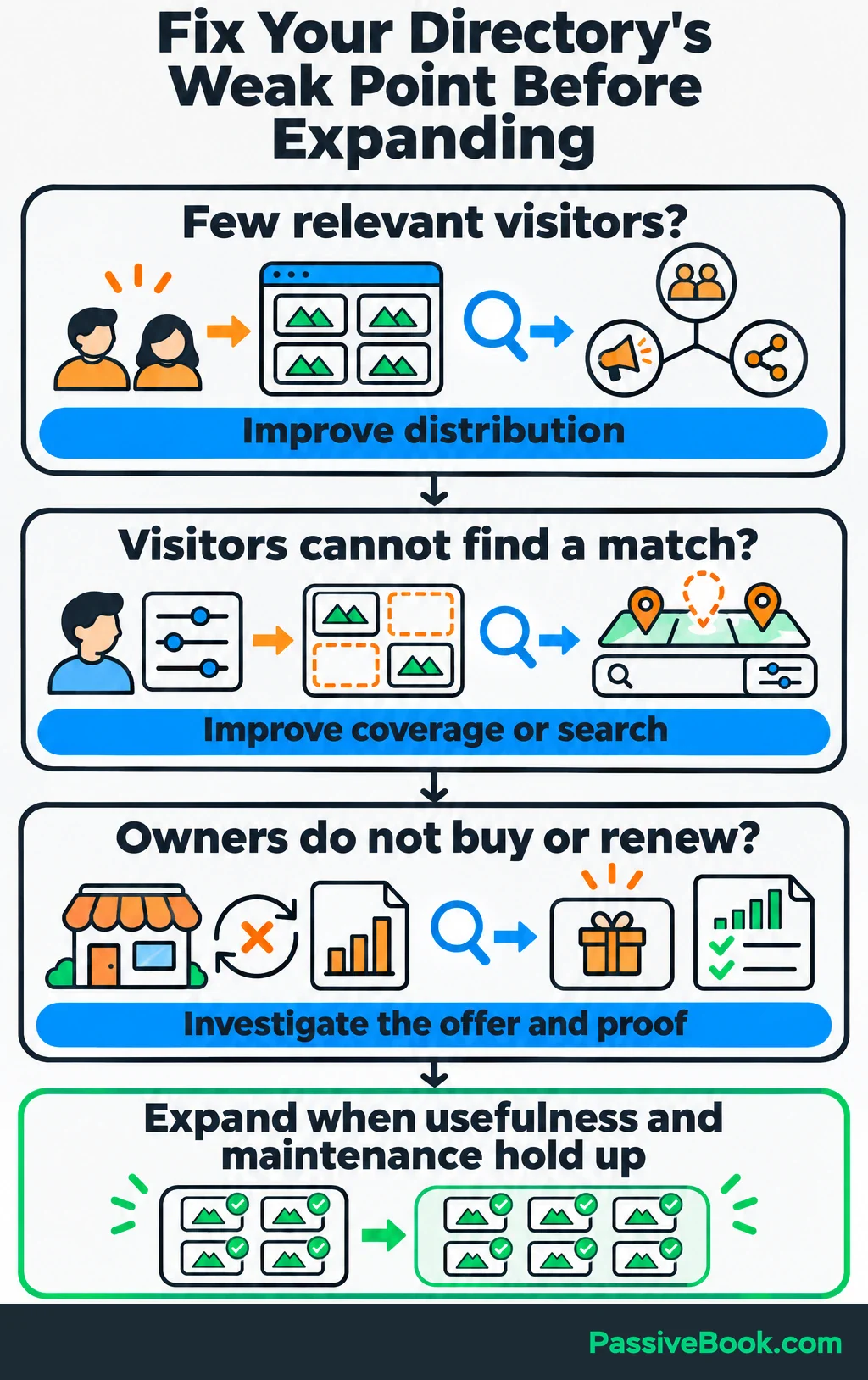
If relevant visitors are scarce, work on distribution. If visitors cannot find a suitable studio, improve coverage or search. If owners decline to buy or renew, investigate the offer and its evidence before adding another tier.
Set a review date and spending limit. A first review might come after a few months of active distribution, while allowing more time to assess SEO. The point is to make a decision from observed use and customer response.
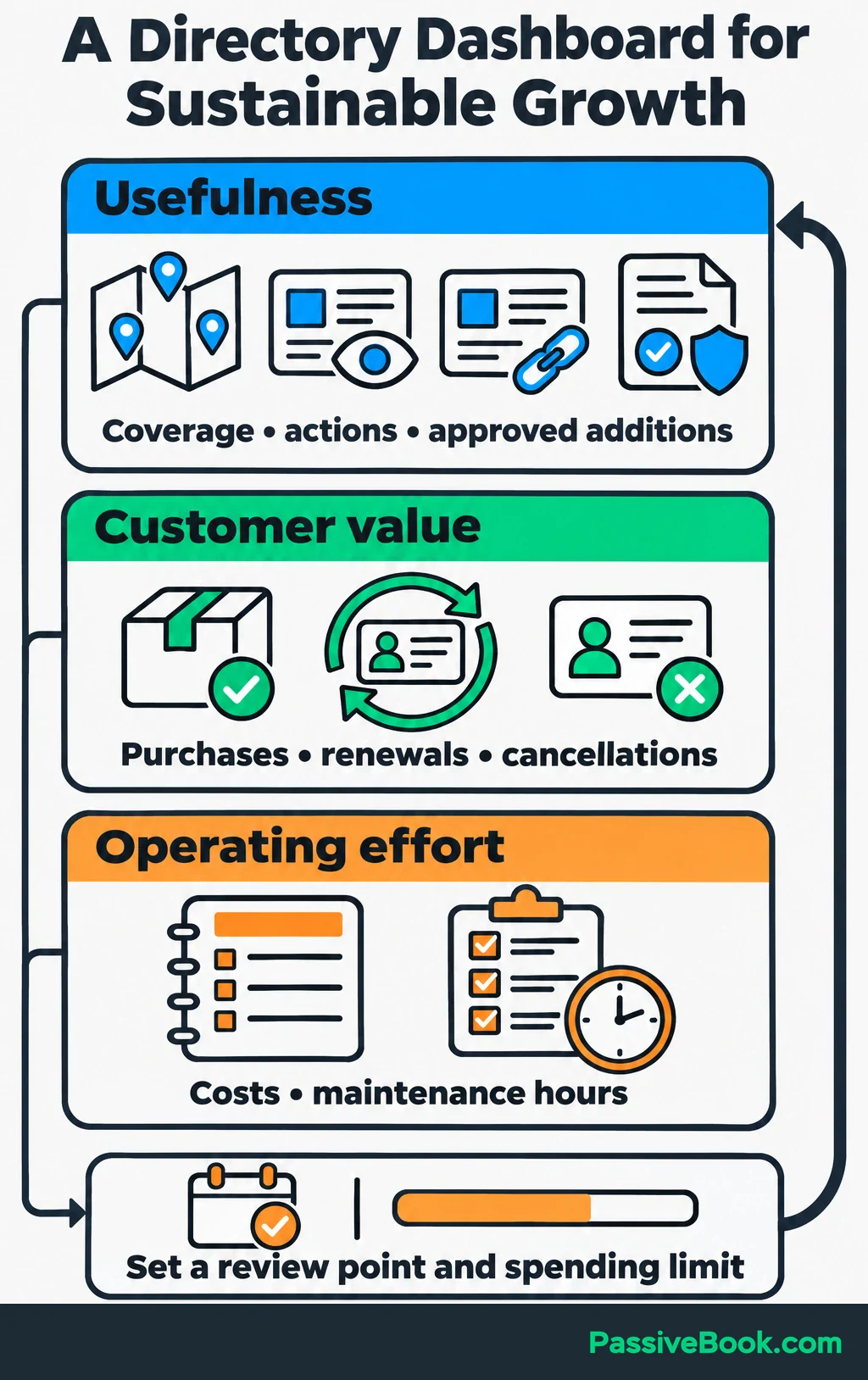
Expand into another area or category when the current directory helps people take action and you can maintain the extra records.
I would rather run a useful directory with a clear boundary than own a national collection of stale links. Broader coverage also means broader responsibility.
What Next?
Write the visitor’s search task in one sentence, then build a small spreadsheet that helps someone complete it. Test that before buying an upgrade.
Use the social buttons to share this guide when you want to compare directory ideas and launch costs with others.
What would your directory help people choose, and what makes that choice difficult now? Tell me in the comments, and bring any other questions too.
Share this post with your friends & followers:

