Your hosting bill looks reasonable until a checkout problem takes over the evening you had set aside for writing. Now you’re checking plugins, restoring files and wondering which problems your host actually handles.
Managed hosting promises to take work off your plate, but the useful question is how much work—and what remains yours.
I use DigitalOcean as my primary host, so this is an assessment of WP Engine’s documented services, not a firsthand performance review. This guide helps you judge whether its maintenance, support and recovery tools justify the complete bill for your site.
What Is WP Engine Managed WordPress Hosting?
WP Engine hosts WordPress websites and manages much of the technical platform behind them. That includes server maintenance, WordPress core updates, caching, platform security and backups.
You still run the website. You choose its design, publish content, control account access and make sure its forms and sales process work.
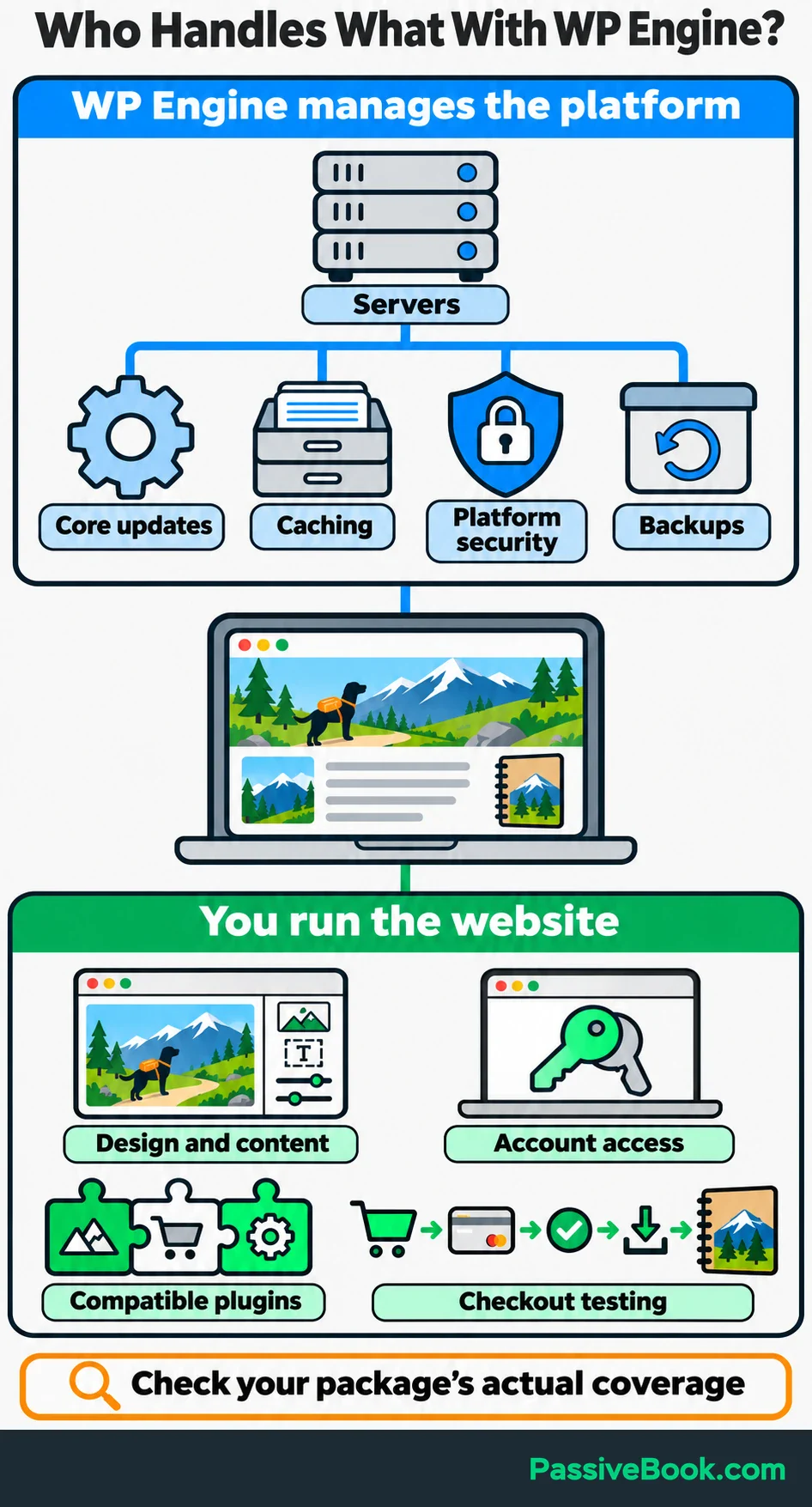
That division matters more than the word “managed.”
| Website task | WP Engine’s role | Your role |
|---|---|---|
| Hosting infrastructure | Maintains the platform and server software | Choose enough capacity for your workload |
| WordPress core | Manages automatic updates | Check that important site functions still work |
| Plugins and themes | Provides the hosting environment and optional update automation | Choose compatible tools and maintain them |
| Backups and recovery | Creates backups and provides restore tools | Decide what to restore and protect recent business data |
| Website sales | Hosts the store | Test payments, purchase emails and product delivery |
Compare these responsibilities with your existing package. Basic hosting can include backups and automatic updates too. The difference is what the provider actually does, how recovery works and which problems support will investigate.
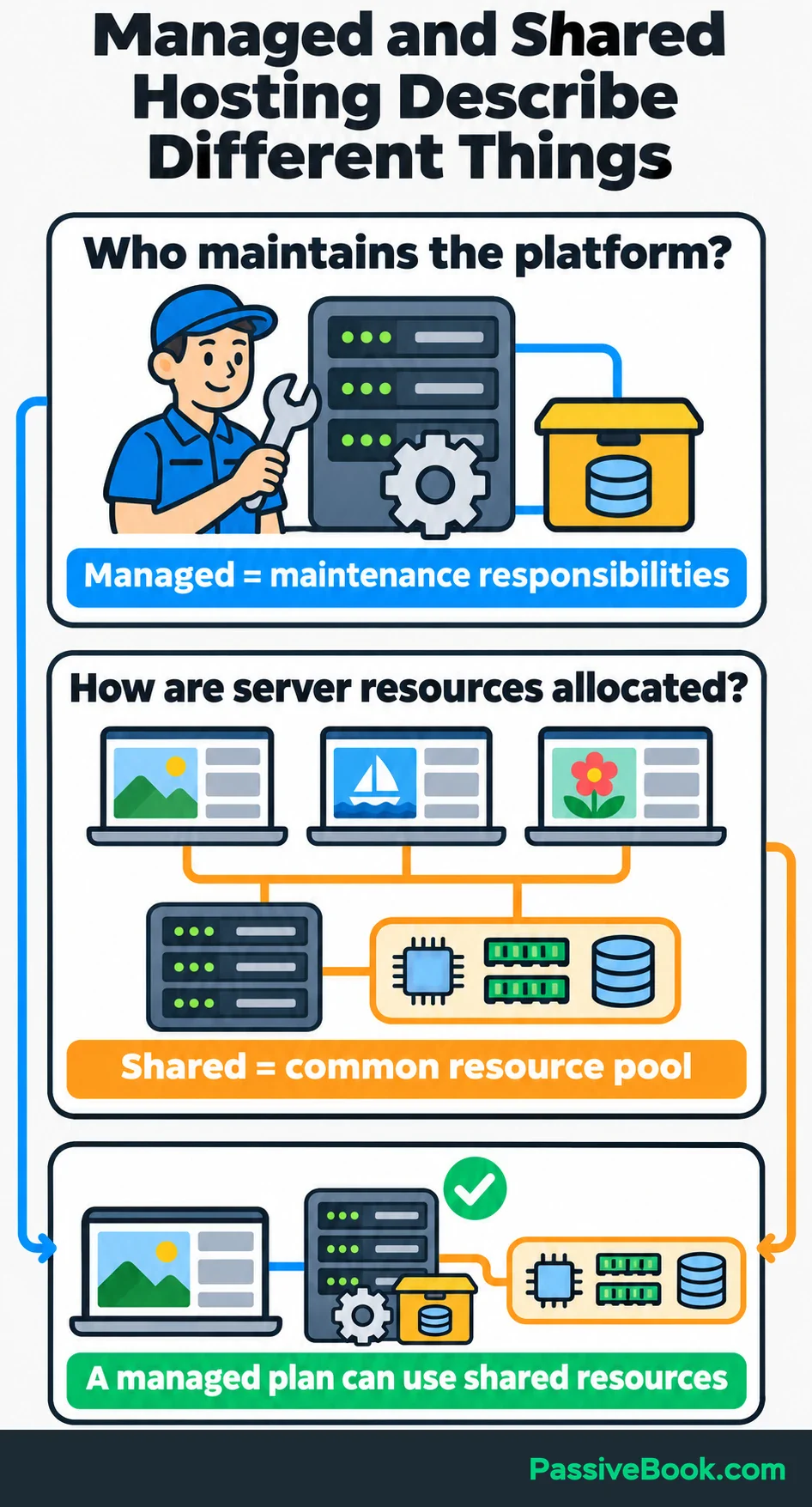
Also, “managed” and “shared” describe different things. Managed describes maintenance responsibilities. Shared means websites use a common pool of server resources. A managed plan can still use shared resources.
For the examples below, imagine you run a dog-friendly hiking blog and sell downloadable trail journals through WooCommerce, a WordPress plugin for running an online store. Its business scenarios and figures are illustrations.
What Does WP Engine Include?
Caching and Content Delivery
Caching saves a prepared version of content so WordPress doesn’t have to rebuild it for every visitor. WP Engine provides server caching and an included Cloudflare-powered content delivery network, or CDN, which places cached files closer to visitors. Its documentation explains the different caching layers and exclusions.
This suits public articles well. A hiking guide can show the same trail description and photographs to hundreds of readers.
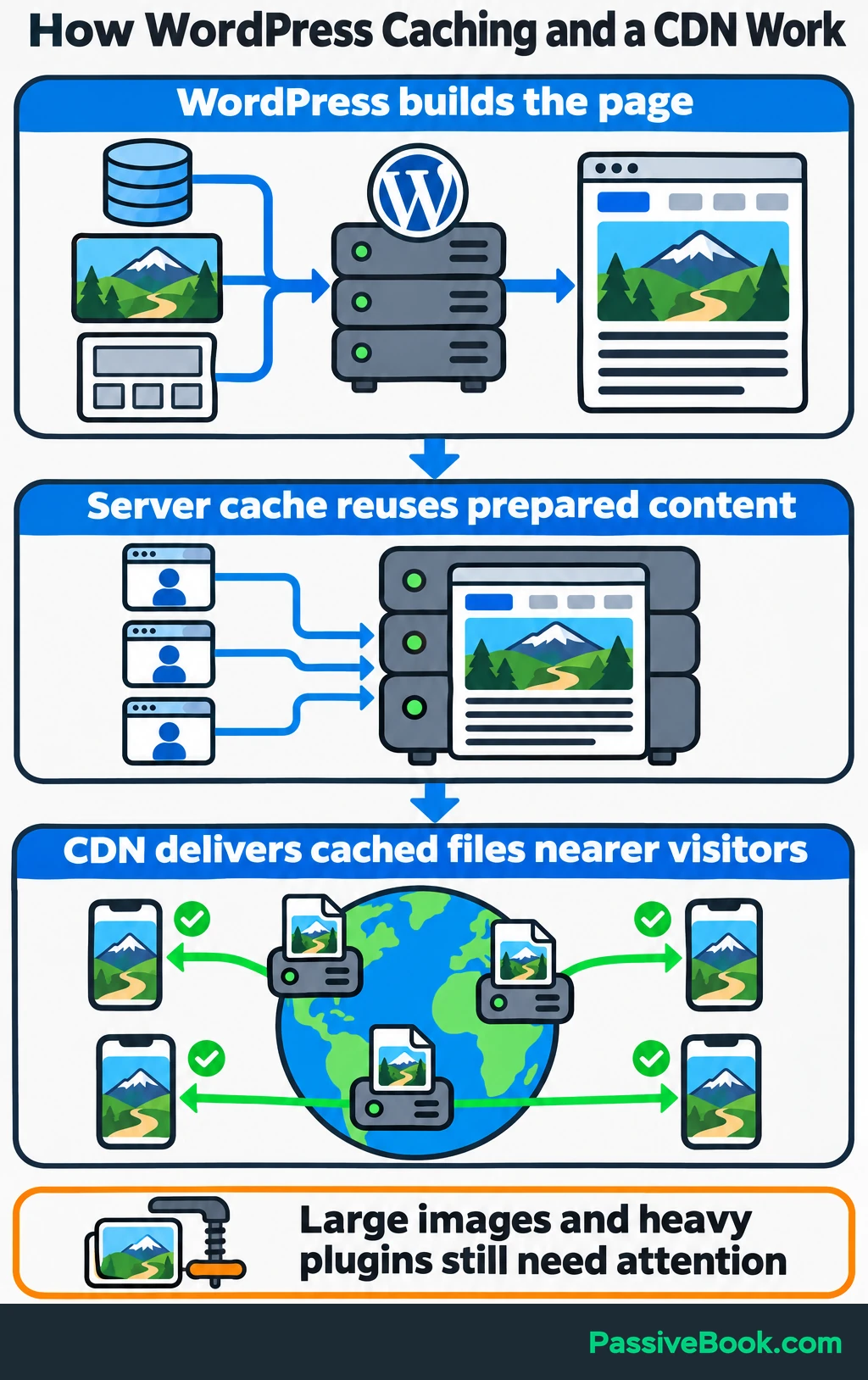
Checkout works differently because each customer has a separate cart. Cart, checkout and account pages need to avoid shared page caching. Standard WooCommerce pages have platform exclusions, but custom checkout addresses need checking too.
I would test these separately:
- A public guide, viewed while logged out.
- A product page with its images and buying options.
- The cart and checkout, including changes to quantities or discounts.
- The customer account and download area.
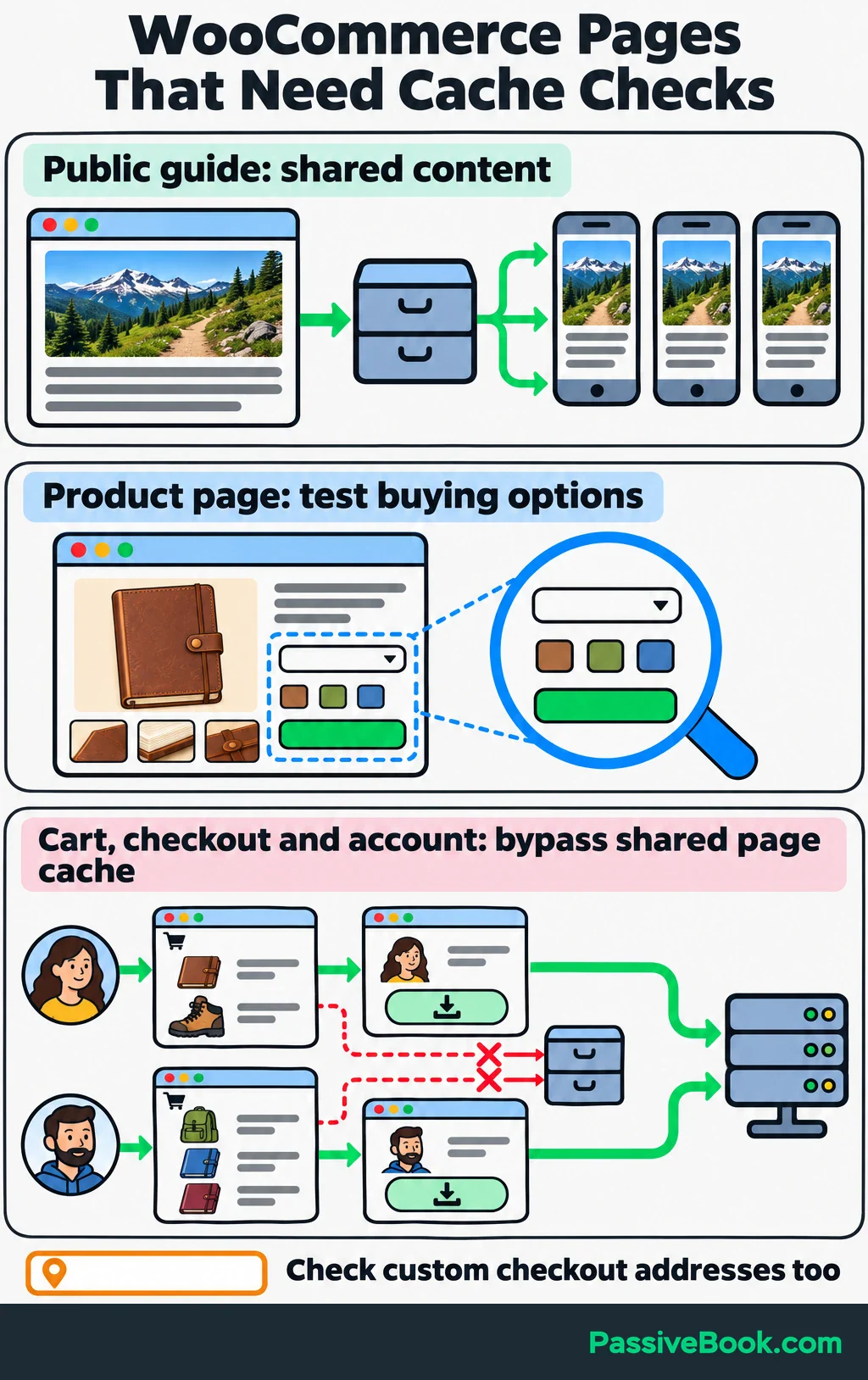
Hosting also can’t remove every source of slowness. Oversized photographs, a heavy theme and inefficient plugins still need attention. If the article loads quickly but checkout drags, that tells you where to investigate.
I would keep the site light before buying another performance tool. More optimization software can mean more settings to untangle.
Security and Recovery
WP Engine provides platform protection, but you still need strong account security and maintained plugins.
Its included Advanced Network has firewall and DDoS protections. A firewall filters hostile requests, while DDoS protection helps resist traffic floods intended to overwhelm a site. The paid Global Edge Security extension adds stronger controls, including expanded firewall rules and bot protection. Managed SSL encrypts connections between visitors and your site. These differences appear in WP Engine’s network comparison.
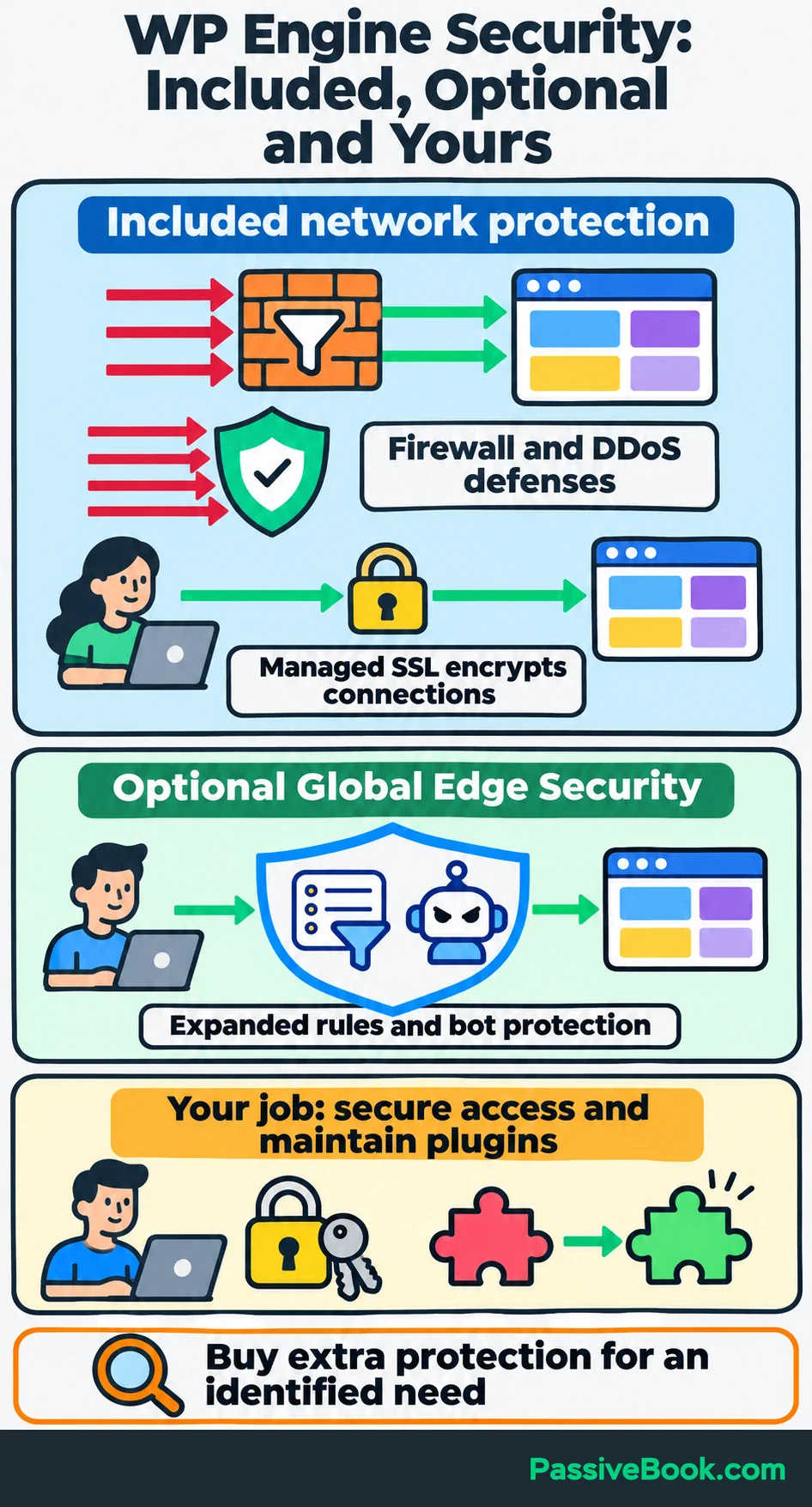
I wouldn’t buy the security extension simply because checkout offers it. Start by identifying the protection you need beyond the included service.
Recovery deserves just as much attention. WP Engine provides daily backups, manual backup points, downloadable copies and restoration tools. Plan around the documented 30-day backup history, and download a copy before a major change.
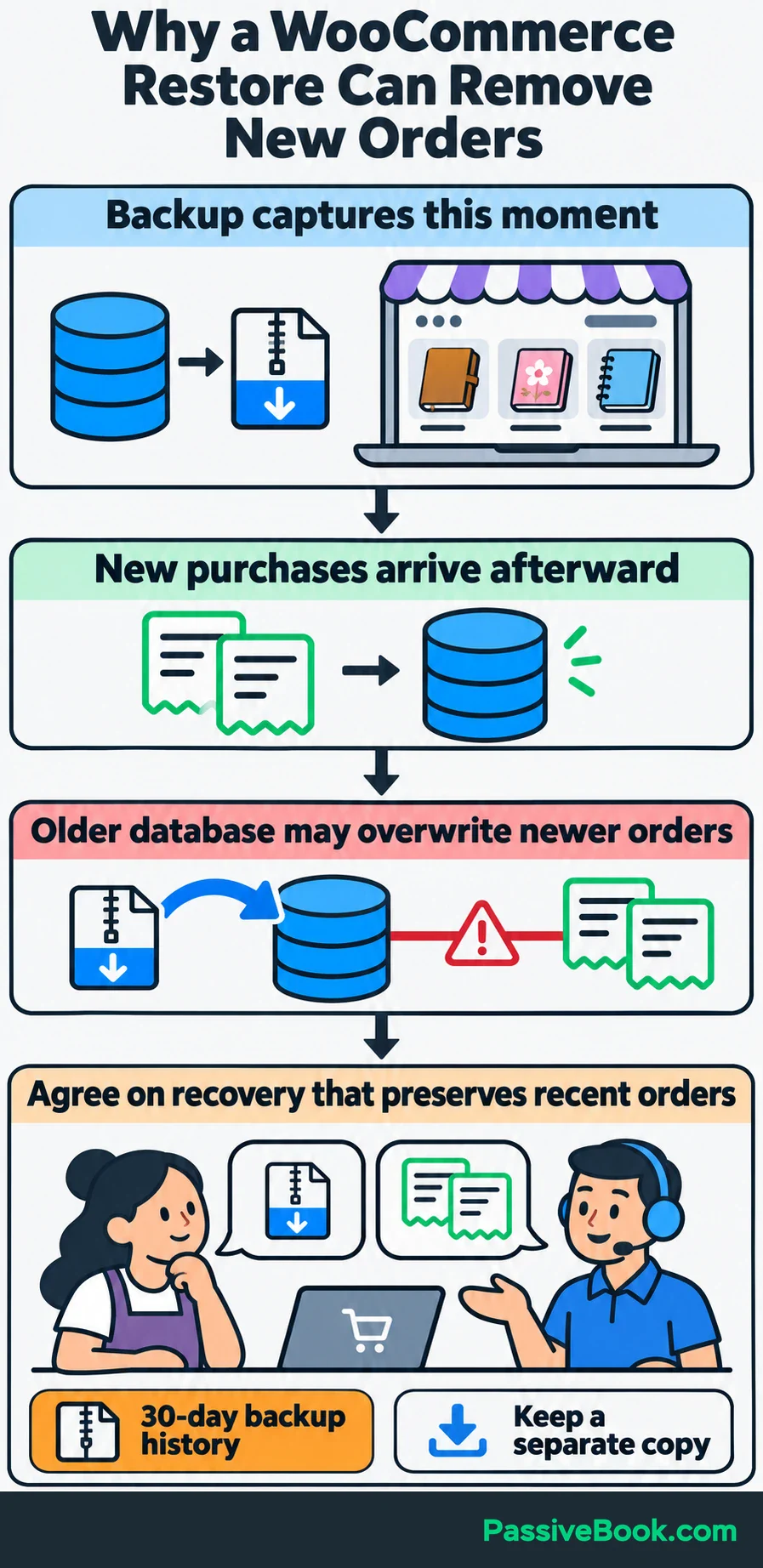
A backup point records the site at a particular moment. Create one before changing your theme or updating an important store plugin.
But restoring an older database can also remove newer orders. If your trail-journal store accepted purchases after the backup, a full restore could roll those records back too.
Contact support before restoring an active store and agree on a recovery method that preserves recent orders. Having a restore button is useful. Knowing what it will overwrite is more useful.
Updates and Testing Environments
WP Engine manages WordPress core updates and tests releases before deploying them. Security and maintenance releases receive faster treatment than major feature releases.
Plugin and theme maintenance is a separate job unless you have update automation included or purchase it.
WP Engine’s Smart Plugin Manager can automate those updates, create backups, check for visual problems and roll back changes when it detects trouble.
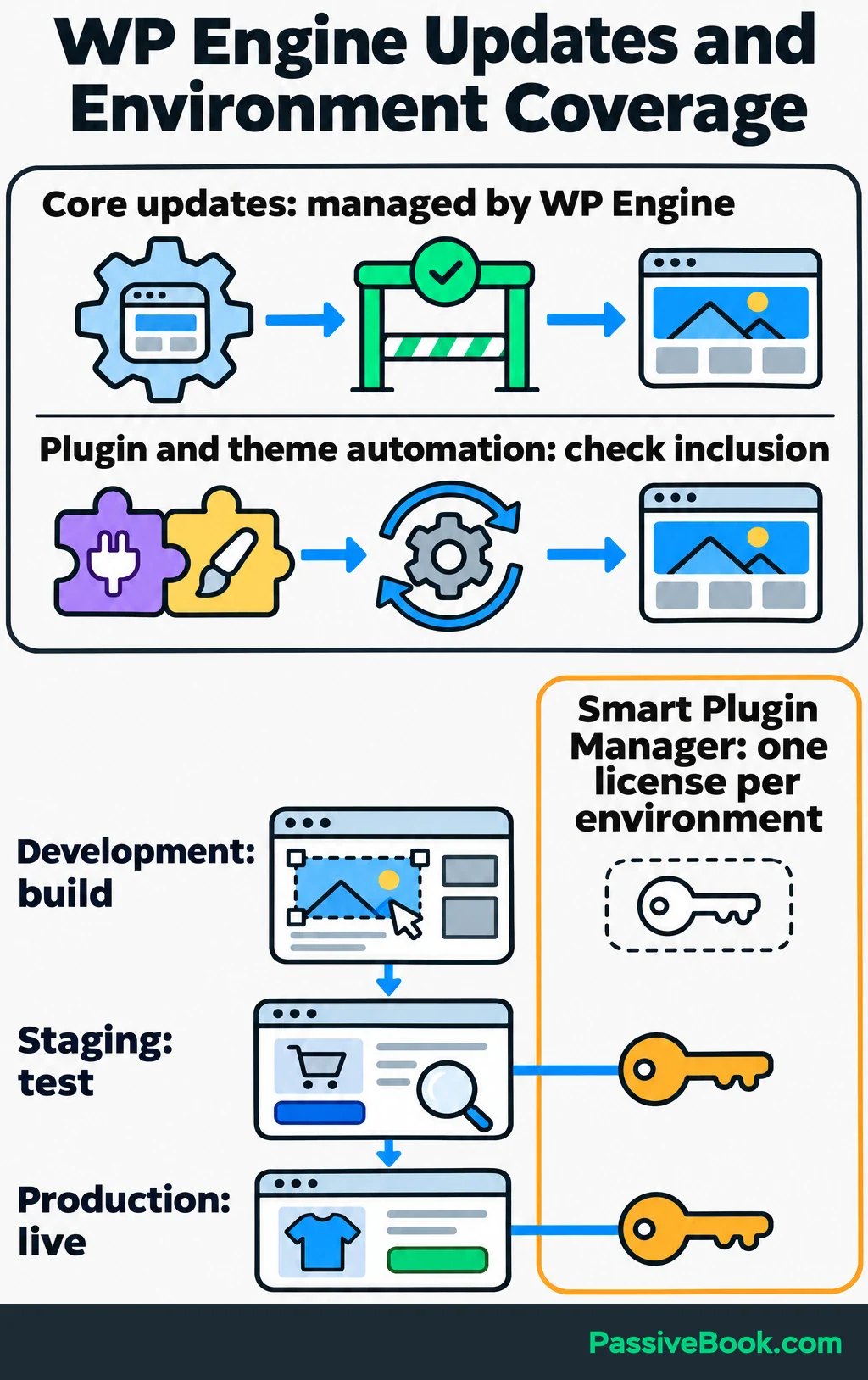
An environment is a separate working copy of your site:
- Production: The live website customers visit.
- Staging: A copy for testing updates and changes.
- Development: Another workspace for building larger changes.
Smart Plugin Manager uses one license per environment, so covering both production and staging can require separate licenses. See its update process and license coverage.
On one of my digital-product sites, a layout change looked fine on desktop but covered the buy button on my phone. I had checked the editor preview and stopped there. That experience changed what I count as “tested.”
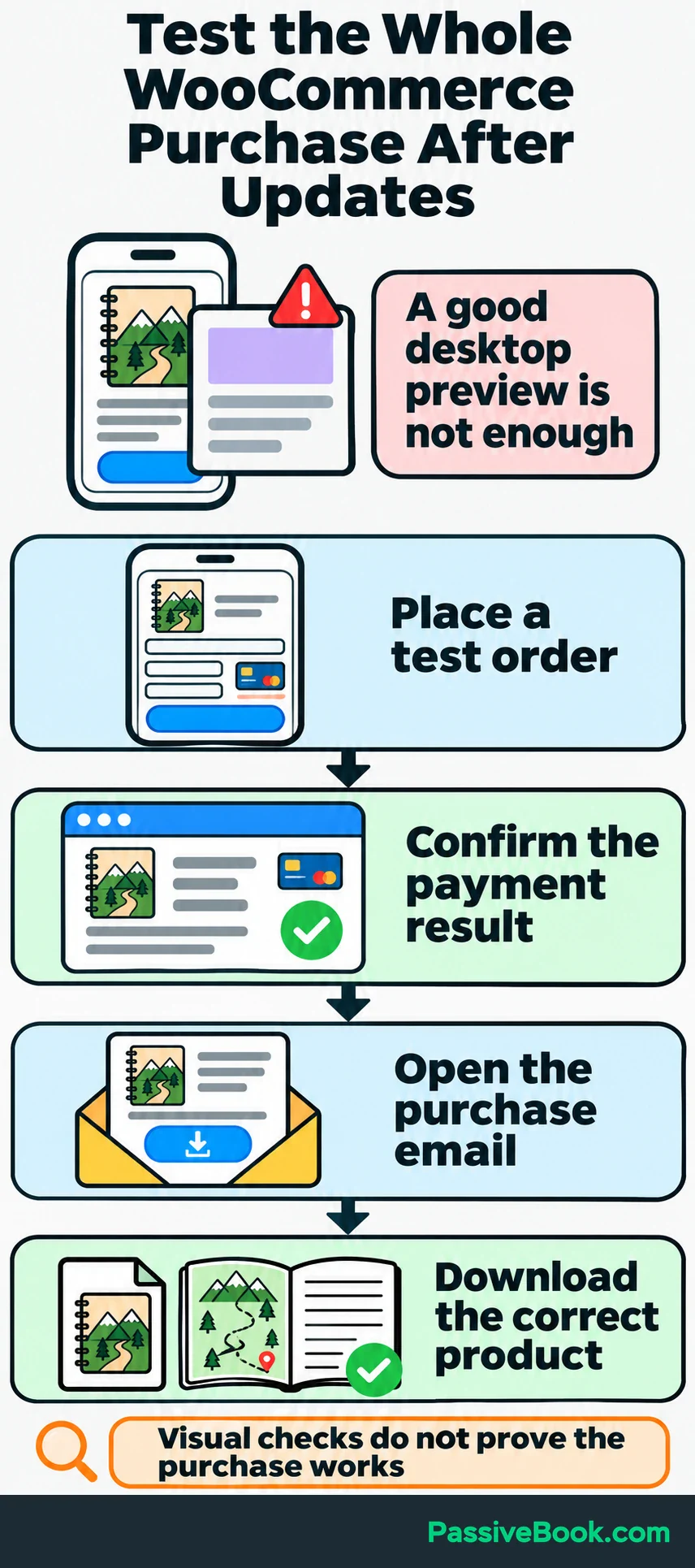
For your site, a useful test follows the customer’s task. After changing the trail-journal checkout, place a test order, check the payment result, open the purchase email and download the correct file.
Visual checks can catch a broken layout. They don’t prove that the whole purchase process works.
Be careful when moving changes from staging to production too. Copying an old staging database over a live store can overwrite recent orders, just as restoring an old backup can.
WordPress Support and Uptime Commitments
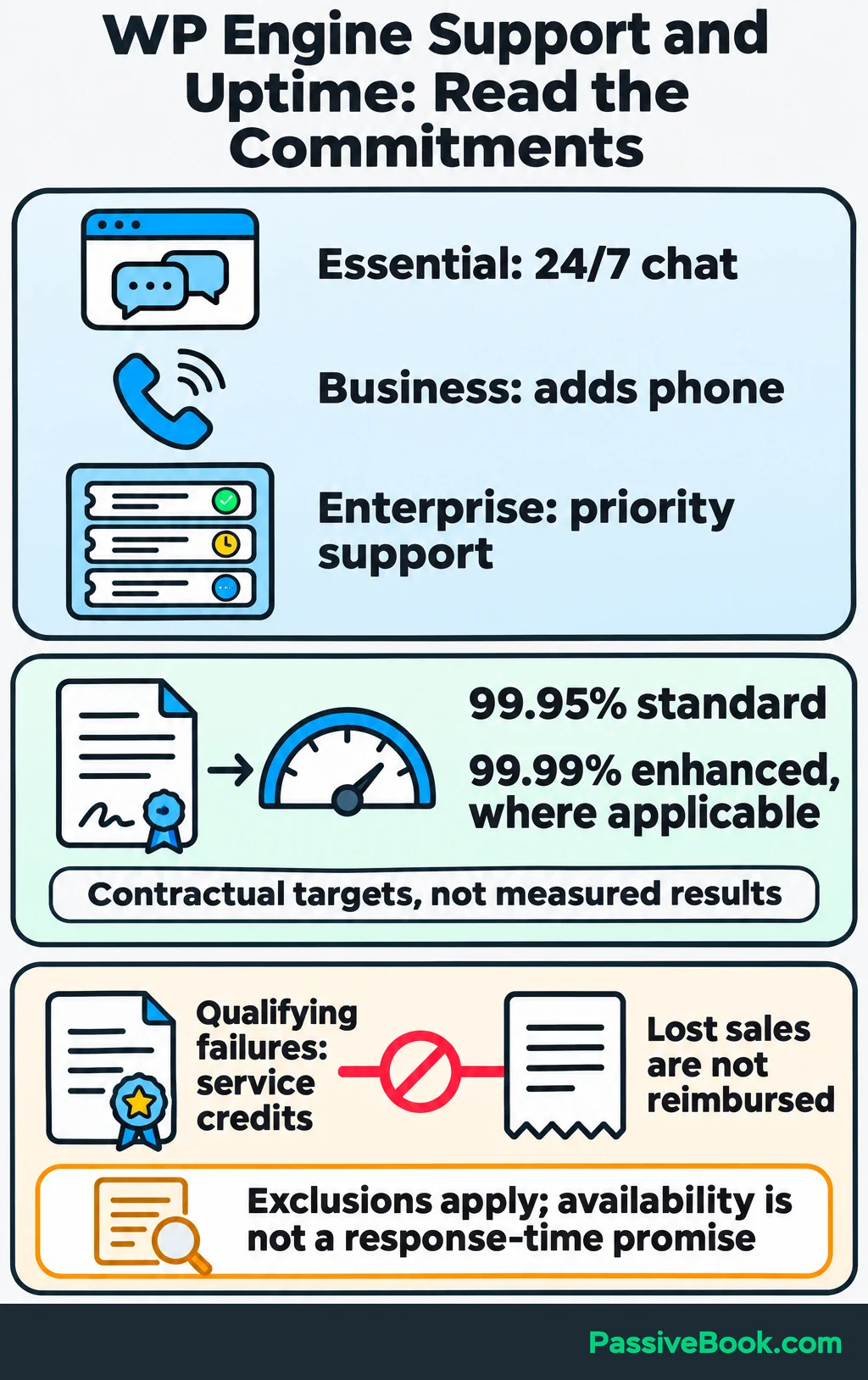
Essential lists 24/7 chat support. Business adds phone support, and Enterprise includes priority support. The plan comparison also shows which tiers include services such as managed migration and plugin-update automation.
Use hosting support for problems involving the platform, caching, SSL, backups and server performance. A custom checkout feature, theme bug or design change may still need a developer or the plugin vendor.
When reporting a problem, give support something concrete: the affected page, what you expected, what happened and when it started. “Checkout fails after applying this discount” gives them a better starting point than “the website is broken.”
WP Engine’s standard availability commitment is 99.95%, with an enhanced 99.99% commitment where applicable. These are contractual targets, not measured uptime results. Defined exclusions apply, and qualifying failures provide service credits under its Service Level Agreement.
Those credits don’t reimburse lost sales. Likewise, round-the-clock support availability doesn’t establish a particular response or resolution time.
How Much Does WP Engine Cost?
Subscription Prices and Billing Commitments
The advertised entry price uses annual billing:
| Tier | Advertised entry price | Upfront payment |
|---|---|---|
| Essential | US$28 per month equivalent, billed annually | US$336 for the year |
| Business | Quote required | Set by your order |
| Enterprise | Quote required | Set by your order |
The monthly equivalent helps you compare subscriptions, but it isn’t a monthly-payment quote.
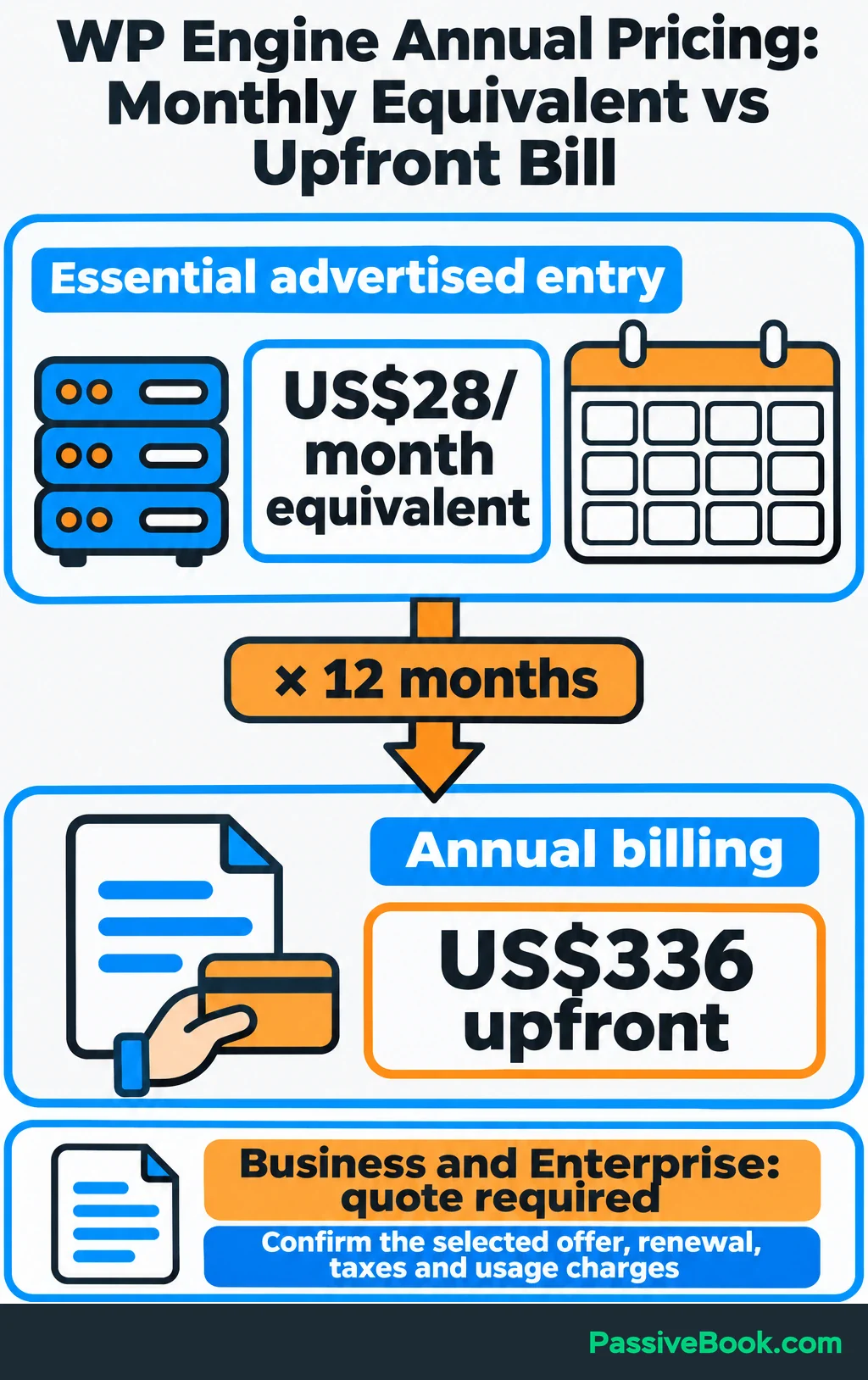
First-year Essential offers apply to eligible new purchases and exclude renewals. Taxes and usage charges may also apply. Use the pricing page linked above for current offers, then compare these two amounts in your order:
- The complete first-term payment.
- The amount due when the subscription renews.
I would judge affordability using the renewal bill. A discount can make trying a service easier, but it doesn’t make the ongoing cost disappear.
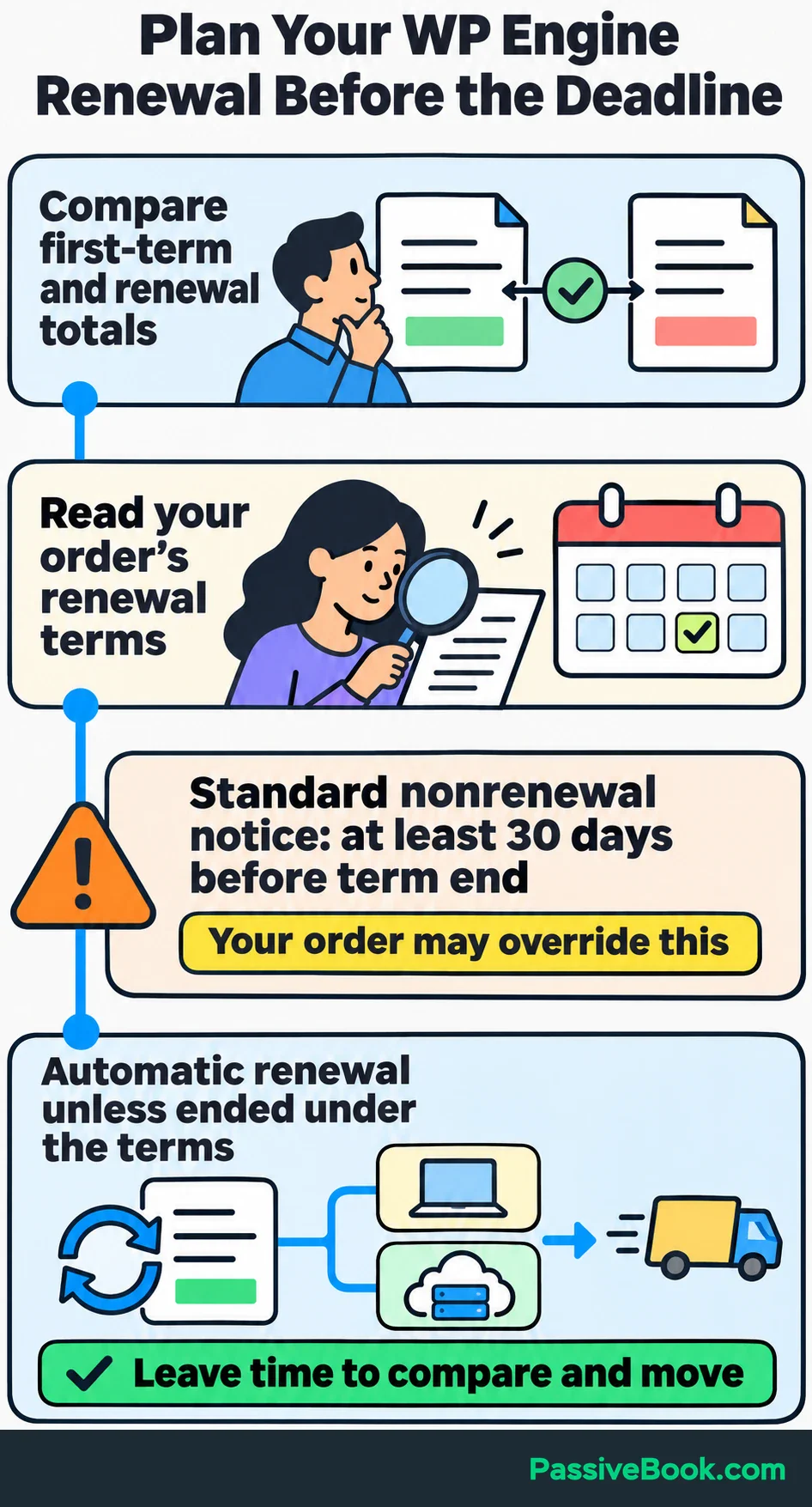
Check the notice deadline as well. WP Engine’s standard terms provide automatic renewal and require notice of nonrenewal at least 30 days before the term ends, unless your order overrides that requirement. Its renewal terms make the order especially important.
Put a reminder before that deadline, with enough time to compare alternatives and move if needed.
Optional Add-ons and Separate Services
The hosting subscription may be only part of your bill, but check what your tier includes before adding services. WP Engine’s plan comparison lists one license each for plugin-update automation, Site Monitoring and NitroPack optimization with Business and Enterprise. The services below handle different jobs.
| Service | What it handles | When I would consider it |
|---|---|---|
| Smart Plugin Manager | Automated plugin and theme updates with checks and rollback | Updates repeatedly slip or consume time you need elsewhere |
| Site Monitoring | Checks site availability and sends alerts | You need outage alerts and don’t already have suitable monitoring |
| NitroPack | Front-end optimization of images and page code | Testing shows a problem it can address |
| Global Edge Security | Expanded firewall, DDoS and bot protection | The included protection leaves an identified need |
Check the selected cart for each service’s price and coverage. In particular, count the environments that need an update-automation license. One license doesn’t automatically cover every copy of your website.
Domain registration and business email also need separate arrangements. You can keep your domain at a registrar such as Namecheap or Porkbun and use a separate mailbox provider.
Store emails deserve their own decision. WP Engine’s default outgoing email is limited and lacks the monitoring available from specialist sending services. Its email documentation recommends an external provider for more robust sending.
My preference for WordPress is FluentSMTP, a plugin that connects the site to Amazon SES to send purchase emails. A full business inbox is a separate service again.
For the hiking blog, test the journal receipt and download email through whichever sending service you choose. A successful payment followed by a missing download email still creates a support job.
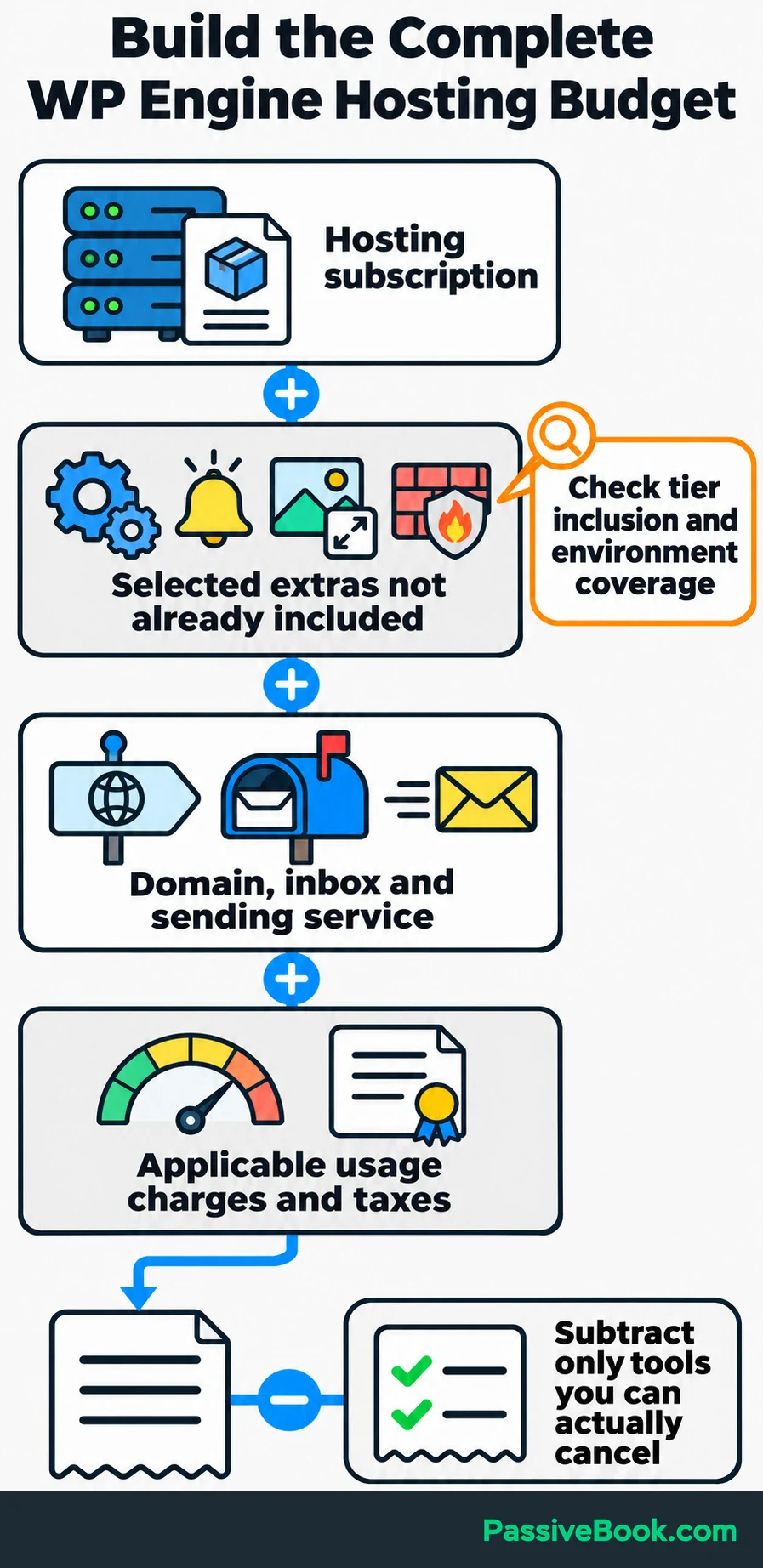
Build the budget by adding hosting, selected extensions, domain registration, email services, applicable usage charges and taxes. Only subtract existing tools if you can actually cancel them.
Usage Charges and Limits
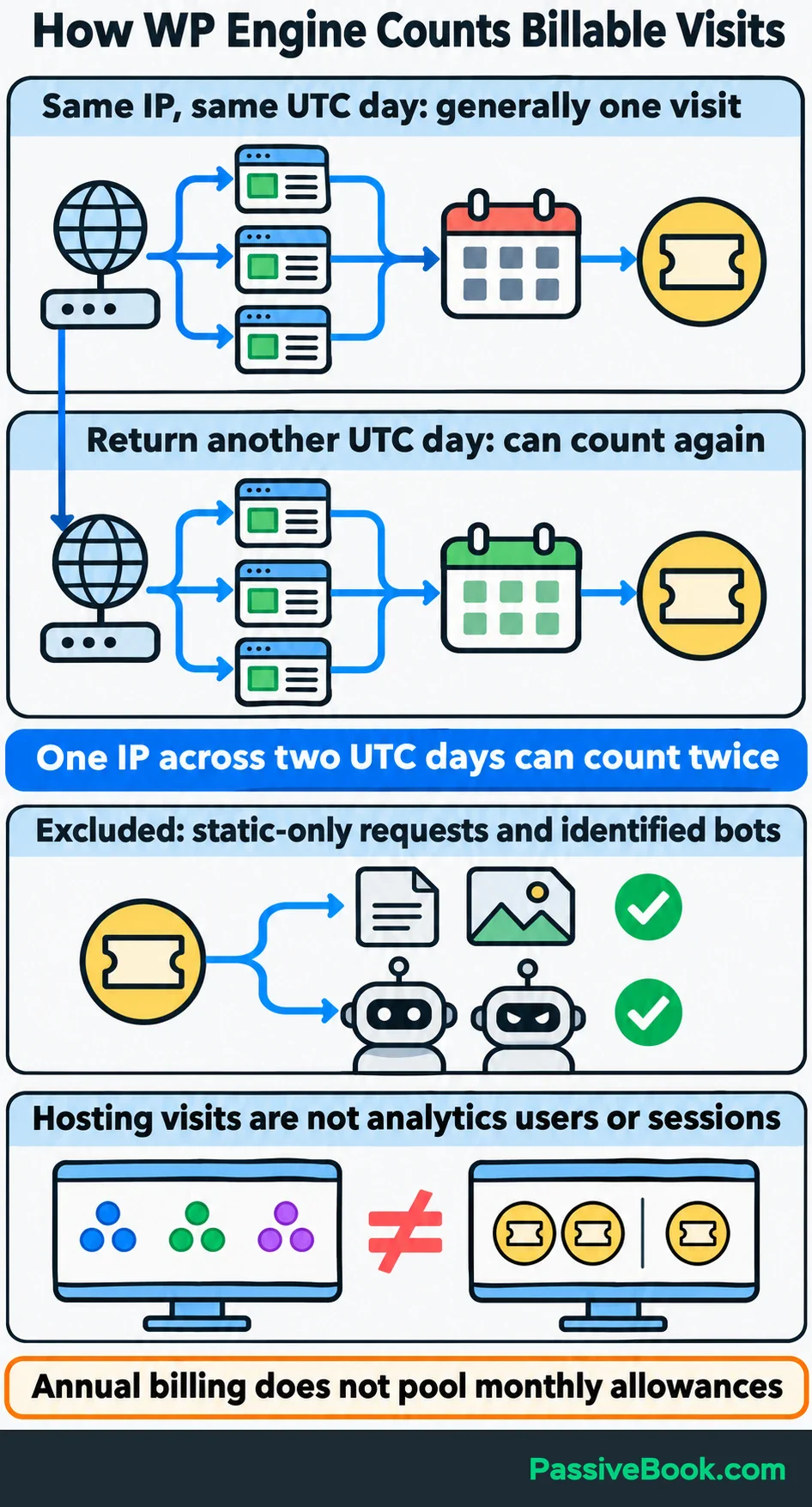
WP Engine’s billable visits don’t match analytics users or sessions.
Its method generally counts a qualifying visit once per unique IP address per UTC day. Requests for static files alone and visits from known or suspected bots are excluded. Someone returning on another day can count again, so use the host’s billable-visit definition when estimating costs.
That same policy lists a charge of US$2 per 1,000 extra monthly visits for named plans, including Startup, Professional, Growth and Scale. Apply that rate only if your order falls under those terms. Confirm the rate attached to the plan you are buying.
Annual payment doesn’t turn the monthly traffic allowance into a yearly pool. A busy month can still generate a separate usage bill.
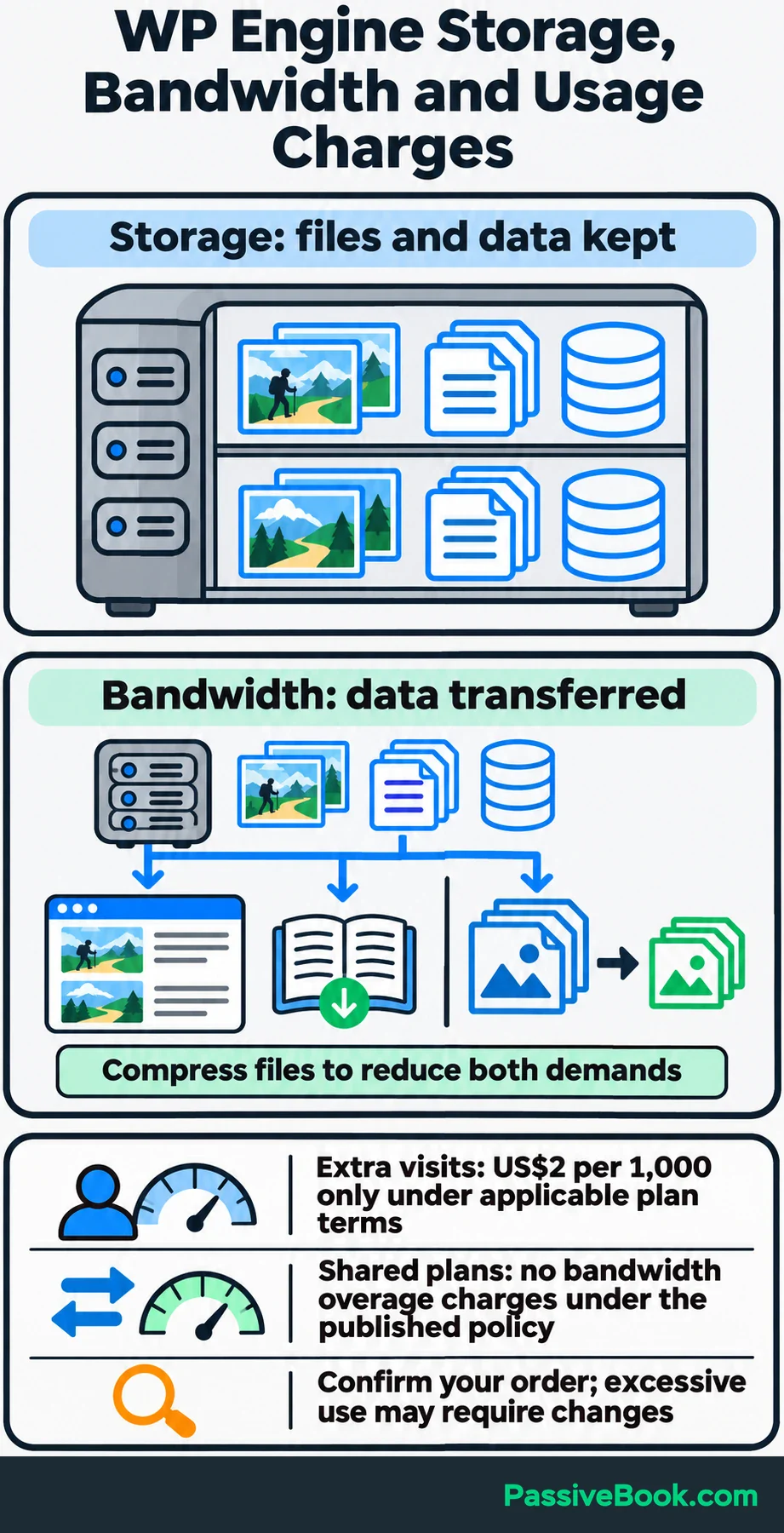
Storage and bandwidth are different limits:
- Storage: Files and data kept on the hosting account.
- Bandwidth: Data transferred when people load pages or download files.
Under WP Engine’s published resource-usage policy, shared plans don’t receive bandwidth overage charges. Excessive use can still require optimization or a different plan.
For the hiking blog, large trail photographs use storage and add to data transfer when readers load them. Journal downloads also transfer data. Compressing those files can help both the visitor experience and your resource budget.
Which WP Engine Plan Fits Your Site?
Start with the work your website performs. List how many sites you need to host, how much storage they use and when traffic peaks. Note functions such as checkout that must process each customer’s request separately.
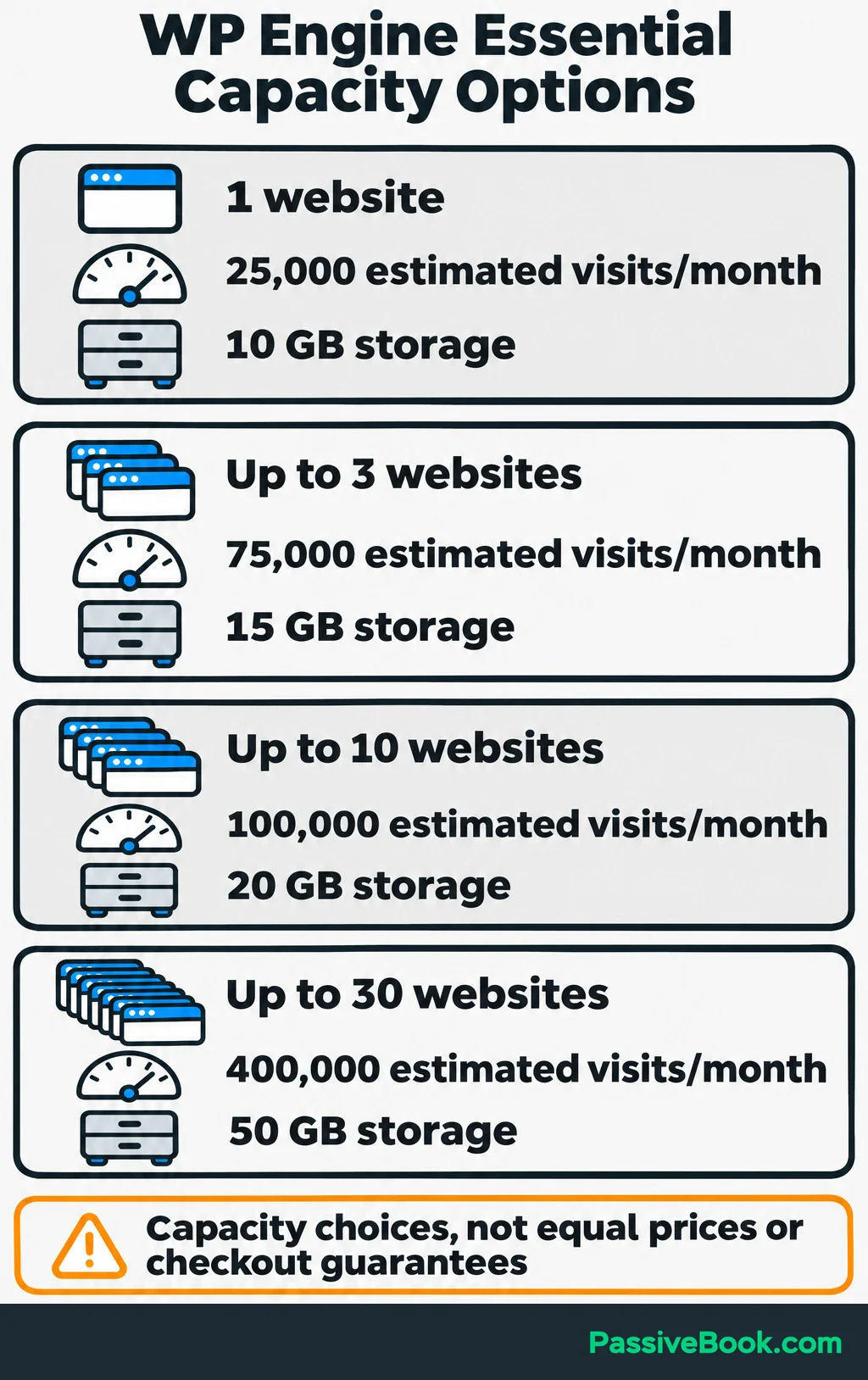
Essential offers these capacity options:
| Websites | Estimated monthly visits | Storage |
|---|---|---|
| 1 | 25,000 | 10 GB |
| Up to 3 | 75,000 | 15 GB |
| Up to 10 | 100,000 | 20 GB |
| Up to 30 | 400,000 | 50 GB |
These are capacity choices within Essential, and the entry price doesn’t cover every row. Use the linked plan comparison to check the selected configuration.
The visit figures are estimates. They don’t tell you how many people can use checkout simultaneously.
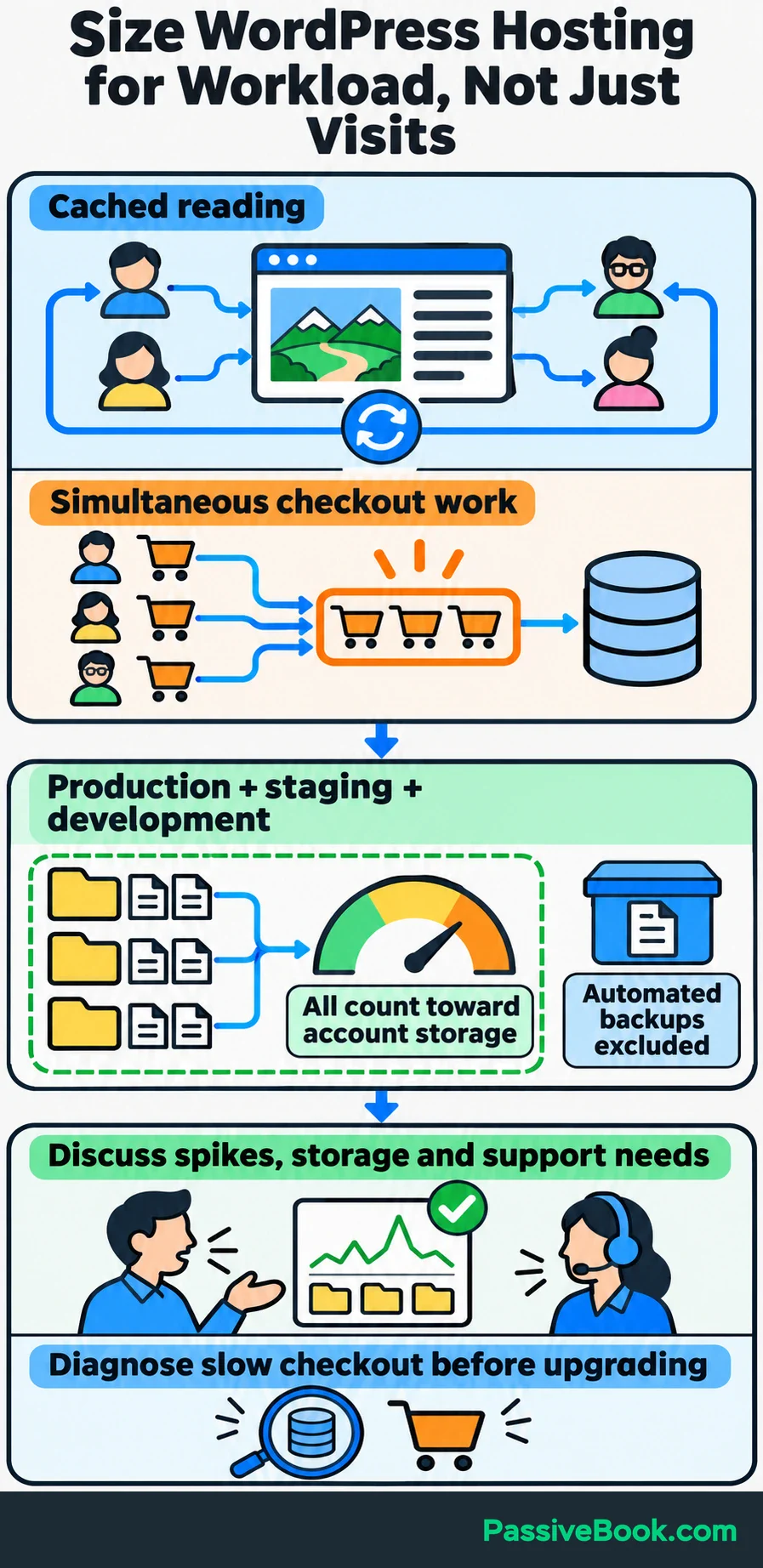
A blog serving cached guides has a different workload from a store processing many purchases at once. Tell WP Engine about expected traffic spikes and busy checkout periods, then ask it to size the plan around those demands.
Include testing copies in your storage estimate. Production, staging and development files count toward account storage, while WP Engine’s automated backups don’t. A photo-heavy hiking blog can use more space once you create those copies.
Essential uses shared resources. Business and Enterprise provide isolated resources, along with different service levels. I would consider those tiers when the workload or support needs justify them.
I wouldn’t upgrade just because a plan allows more websites. If checkout is slow, first ask support to investigate uncached requests, slow database work and troublesome plugins. Extra capacity may help, but it shouldn’t be your first attempt to diagnose an application problem.
For a single hiking blog with modest journal sales, I would investigate the smallest suitable Essential configuration first. Then confirm that its storage, traffic allowance and support match the site.
What Should You Check Before Moving to WP Engine?
Check compatibility before paying for a move.
WP Engine restricts certain plugins, including some caching and backup tools. Its platform also doesn’t use .htaccess, a server configuration file that can contain redirects and access rules. Custom rules need recreation through supported controls.
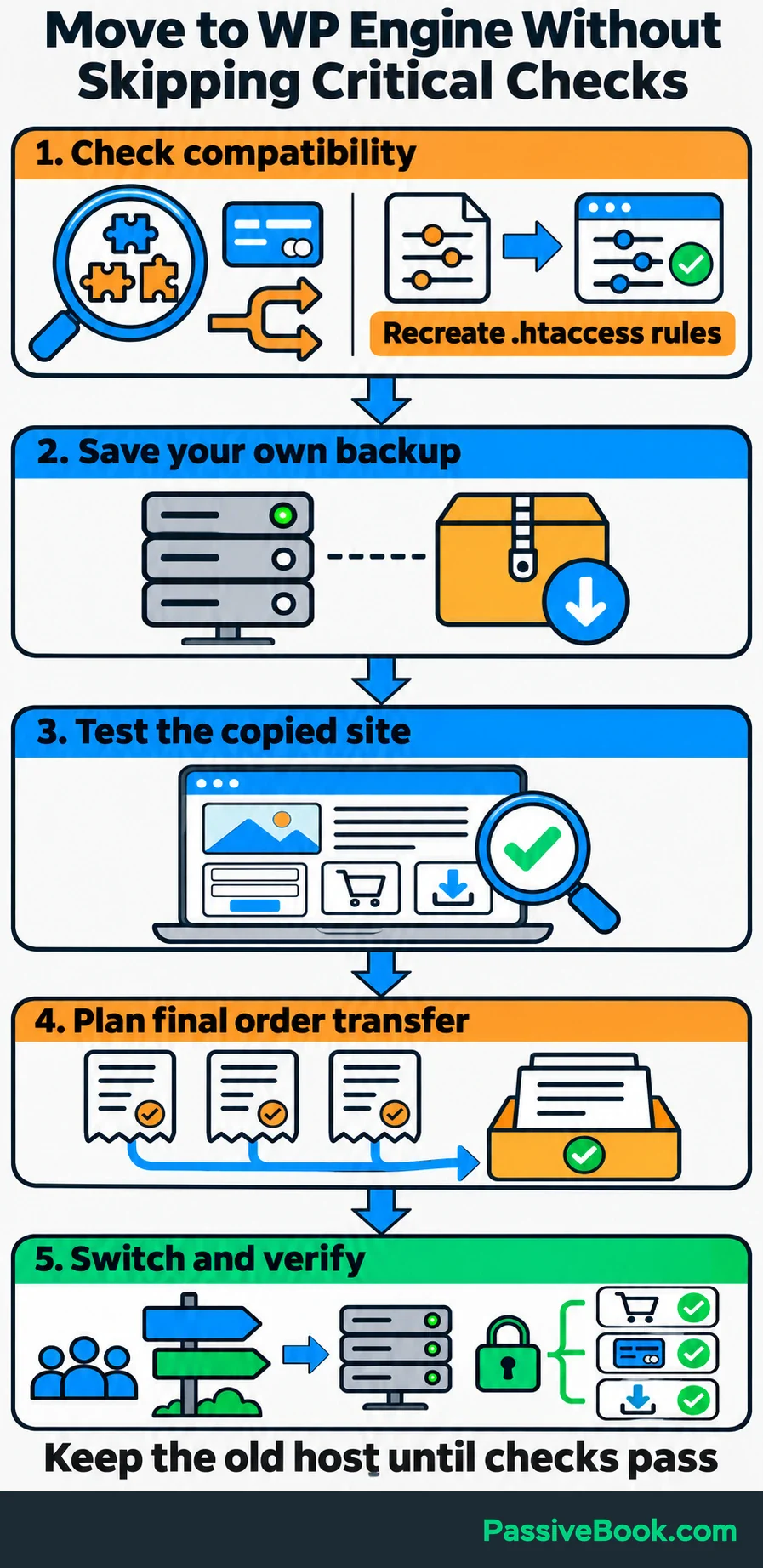
The migration documentation covers these compatibility issues and the available automated migration tool. Business lists a managed migration service, but you should still agree on who handles final testing and the switch to the live domain.
I would move in this order:
- Check the essentials: Review your theme, payment tools, download delivery, redirects and important plugins for compatibility.
- Save a separate backup: Download a copy you control and keep the previous hosting account active.
- Test the copied site: Check articles, images, forms, redirects, checkout, purchase emails and downloads.
- Plan the final transfer: Decide how orders received during testing will reach the new site.
- Switch and verify: Update the domain’s DNS records to direct website traffic to the new host. Check that secure HTTPS pages load and test the live customer journey.
A copied store needs special care. Prevent it from sending duplicate customer emails, running live payment actions or repeating scheduled tasks. Arrange a short sales pause or another agreed method of transferring final orders so customers don’t buy through two separate versions of the store.
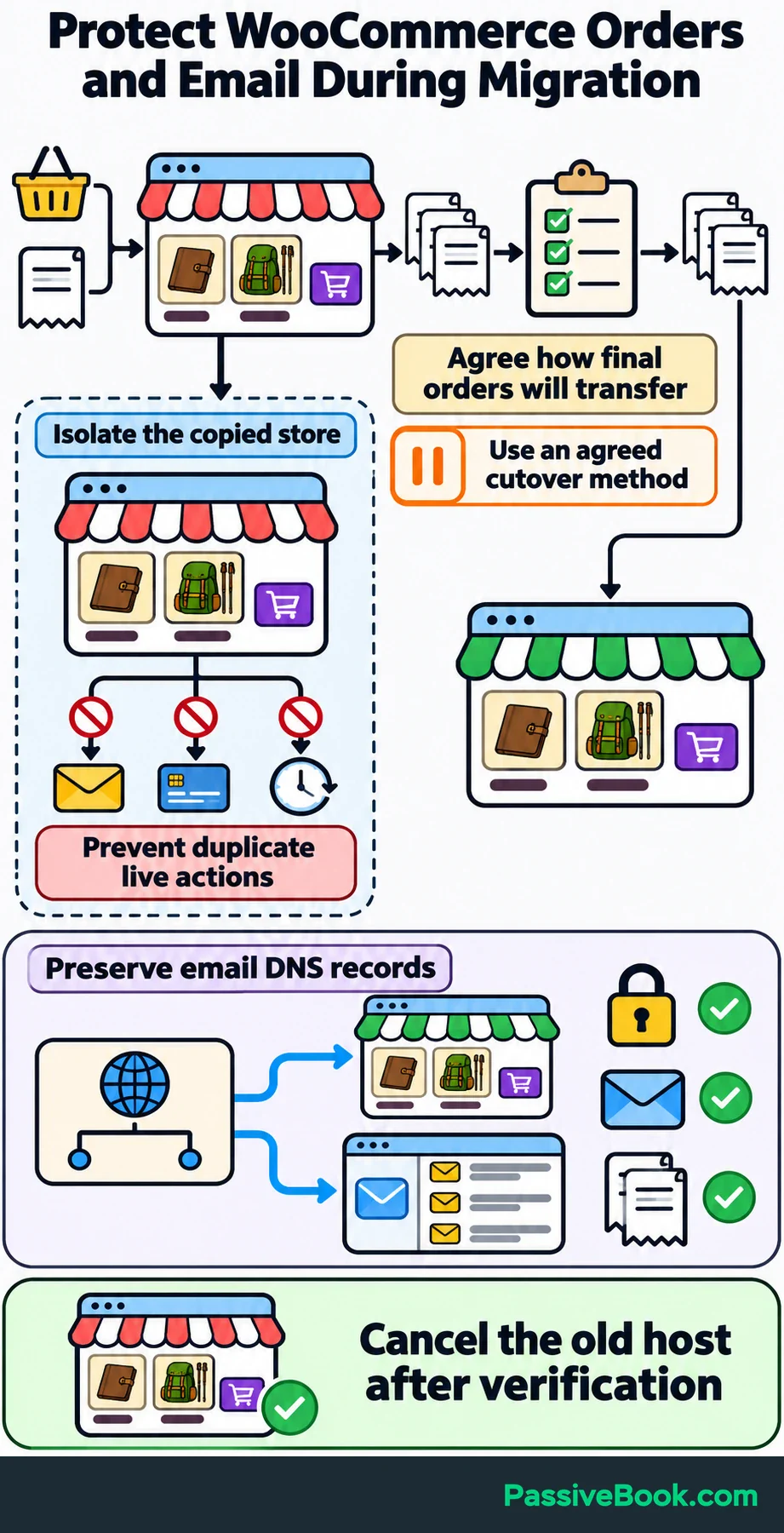
For the hiking blog, a working homepage isn’t enough. Open a trail article, buy a journal through the agreed test process and confirm the correct file arrives.
Preserve email DNS records when changing the website’s domain settings. Website hosting and email can point to different providers, so changing one shouldn’t accidentally break the other.
End the previous hosting subscription after the live site, email and order records have been checked.
Is WP Engine Worth the Extra Cost?
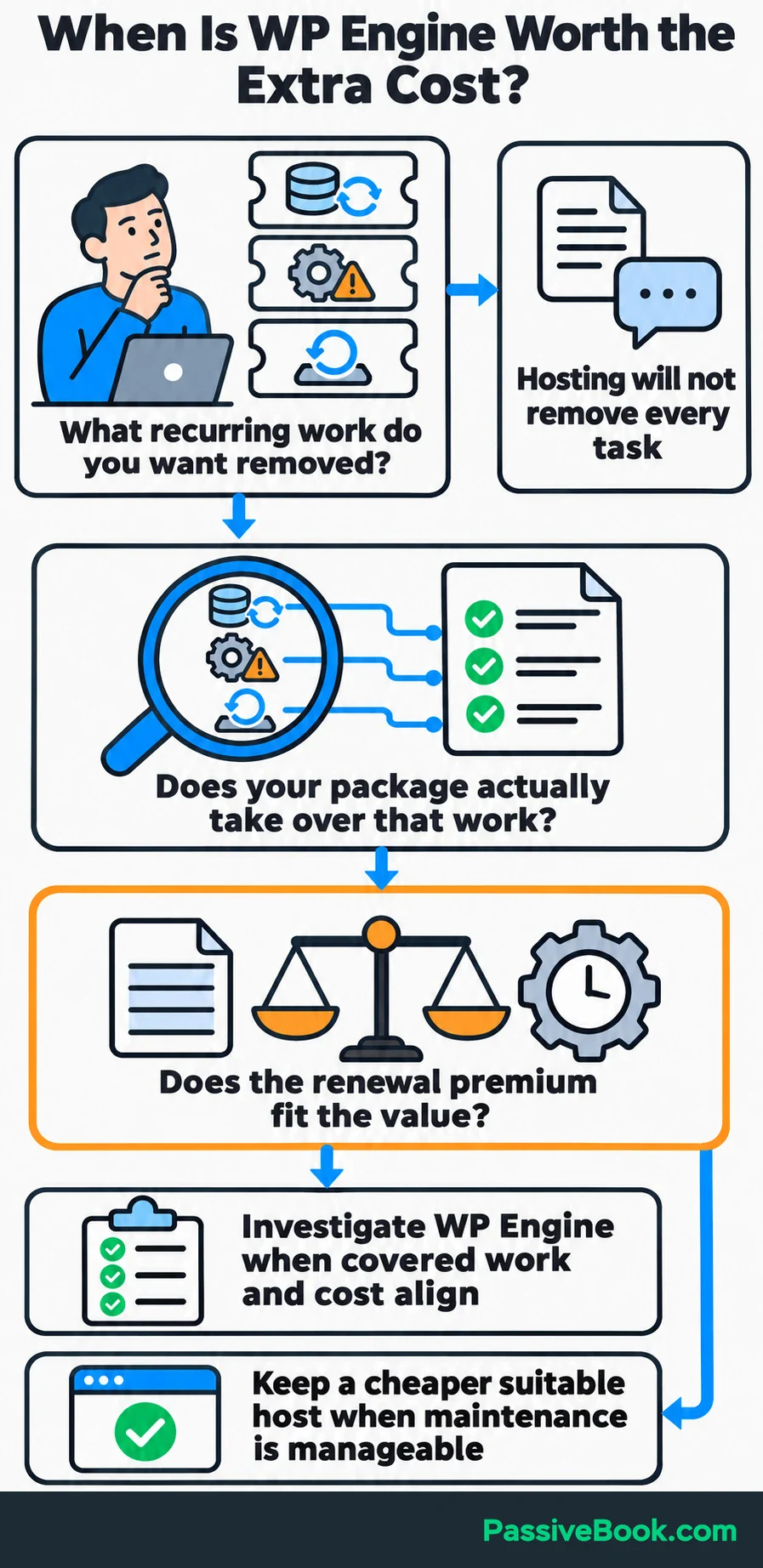
I would favor WP Engine when its maintenance, testing, recovery and support address problems you repeatedly face—and the renewal bill fits comfortably.
I would keep a cheaper suitable host when the site performs well, maintenance is manageable and most of WP Engine’s extra services would go unused.
DigitalOcean remains my primary host because I’m comfortable managing that setup. That preference doesn’t make server maintenance a sensible use of everyone else’s evening. The comparison should reflect the work you want to keep doing.
Give the price difference a practical test.
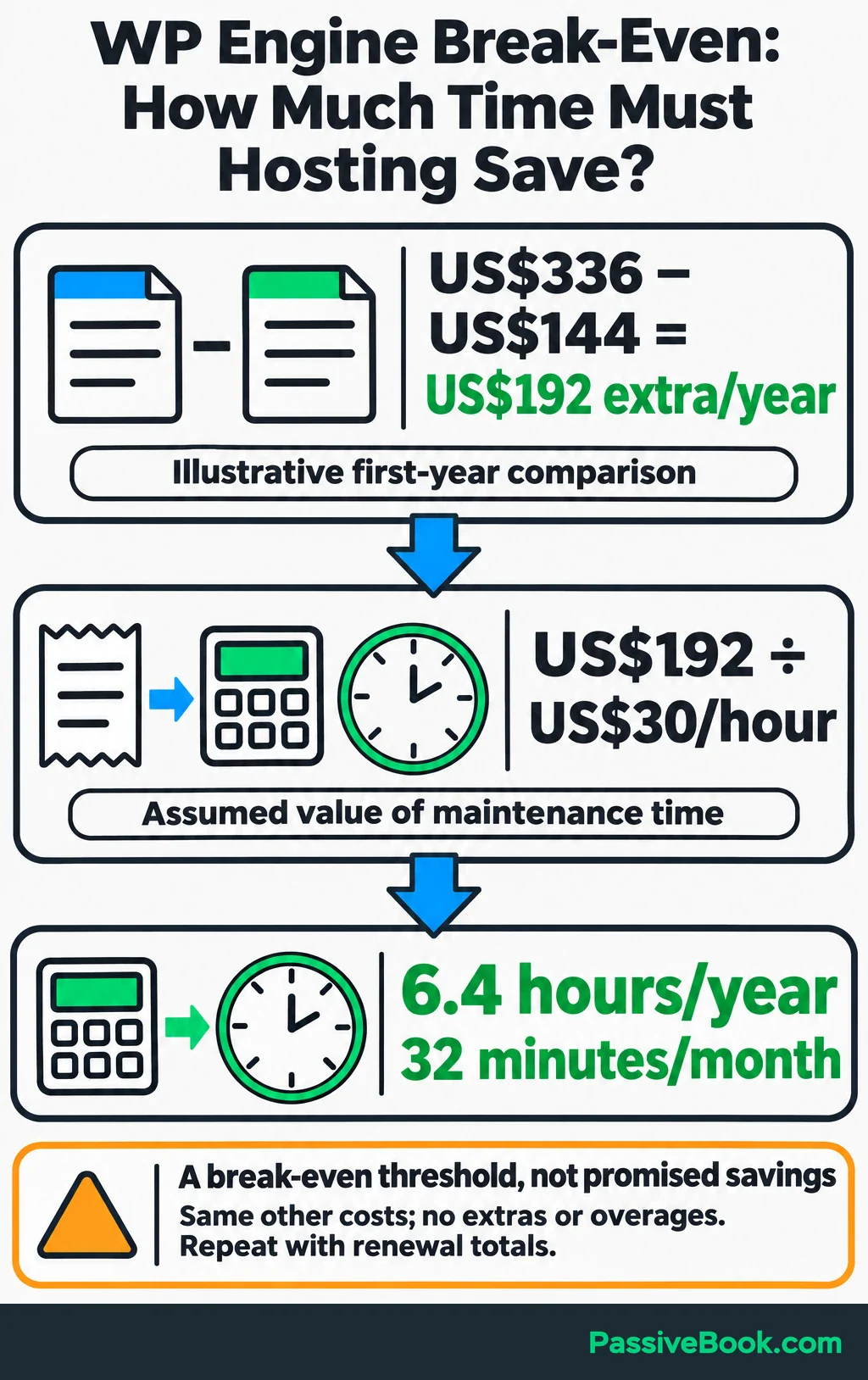
First, compare complete annual bills and subtract only services you can cancel. Then divide the extra annual cost by what you consider an hour of your maintenance time worth.
You can run this comparison with your own hosting quotes instead of the example below. Keep cash costs separate from the value of your maintenance time.
Free Software Cost Calculator


For the illustrative hiking blog, assume:
- WP Engine hosting: The entry annual payment shown earlier.
- Alternative hosting: A hypothetical US$12 monthly plan, or US$144 annually.
- Other costs: Identical domain and email costs, with no add-ons or overages.
- Time value: An assumed US$30 per hour.
For this first-year comparison, the extra hosting cost is US$192. Dividing that by US$30 gives 6.4 hours a year, or 32 minutes a month.
That is a break-even point, not a claim that WP Engine saves that much time. Ask whether the tasks it takes over currently consume that time—and whether they are actually included in your chosen package.
If your main frustration is writing articles or answering customer questions, hosting won’t remove it. If you regularly spend evenings managing backups, investigating platform problems or arranging recovery, the premium has a clearer purpose.
Repeat the calculation with the actual renewal totals before committing. I would rather pay for work I can stop doing than collect another subscription with an impressive feature list.
What Next?
Make a two-column list of your last three website maintenance problems and who would handle each one under your proposed WP Engine plan. Then put the complete first-year and renewal costs beside that list.
Use the social buttons to share this guide when hosting comparisons start drowning in feature names. The useful comparison is the work removed and the bill that remains.
Which website task would you most like your host to take over, and why? Share it in the comments, along with any other questions about choosing or moving hosts.
Share this post with your friends & followers: