A hosting plan can look cheap until you reach checkout and discover that the advertised monthly price requires four years of payment upfront. Then you notice that backups, email, or the renewal bill need another look.
Those details matter because your site has to do more than display a homepage. It needs to publish articles, deliver files, and let customers finish buying.
This comparison puts those jobs beside the cost and maintenance each provider leaves with you. It draws on published plans and attributed third-party tests, so you can build a shortlist without mistaking a promotional price for the whole deal.
Which Web Hosting Company Should You Choose?
Match the Hosting Type to Your Site
Start by deciding who will maintain the server and what your website needs to do. That narrows the choice faster than comparing 27 storage allowances.
A VPS is a virtual private server. Cloud hosting describes infrastructure that can offer configurable computing resources, but the word “cloud” does not tell you who maintains it.
| Hosting Type | What You Get | What You Still Handle | When I Would Choose It |
|---|---|---|---|
| Shared hosting | An account sharing server capacity with other customers | Your content, plugins, settings, and any maintenance outside the package | A new site whose publishing and buying activity fit the account limits |
| Managed WordPress | Hosting with WordPress services such as updates, backups, or security assistance | Content and site decisions; plugin testing and other work depend on the service | A WordPress business where reducing maintenance justifies the recurring bill |
| Managed VPS or cloud hosting | Configurable server resources with an administration service | Your application and whatever the management agreement excludes | A site needing more resources or control than its shared account provides |
| Unmanaged VPS or cloud hosting | A virtual server you configure | Operating-system patches, security, monitoring, backups, recovery, and the website stack | A business with someone able to administer the server |
| Dedicated hosting | An entire physical server | Administration unless you purchase management | A workload that needs the server’s capacity or isolation |
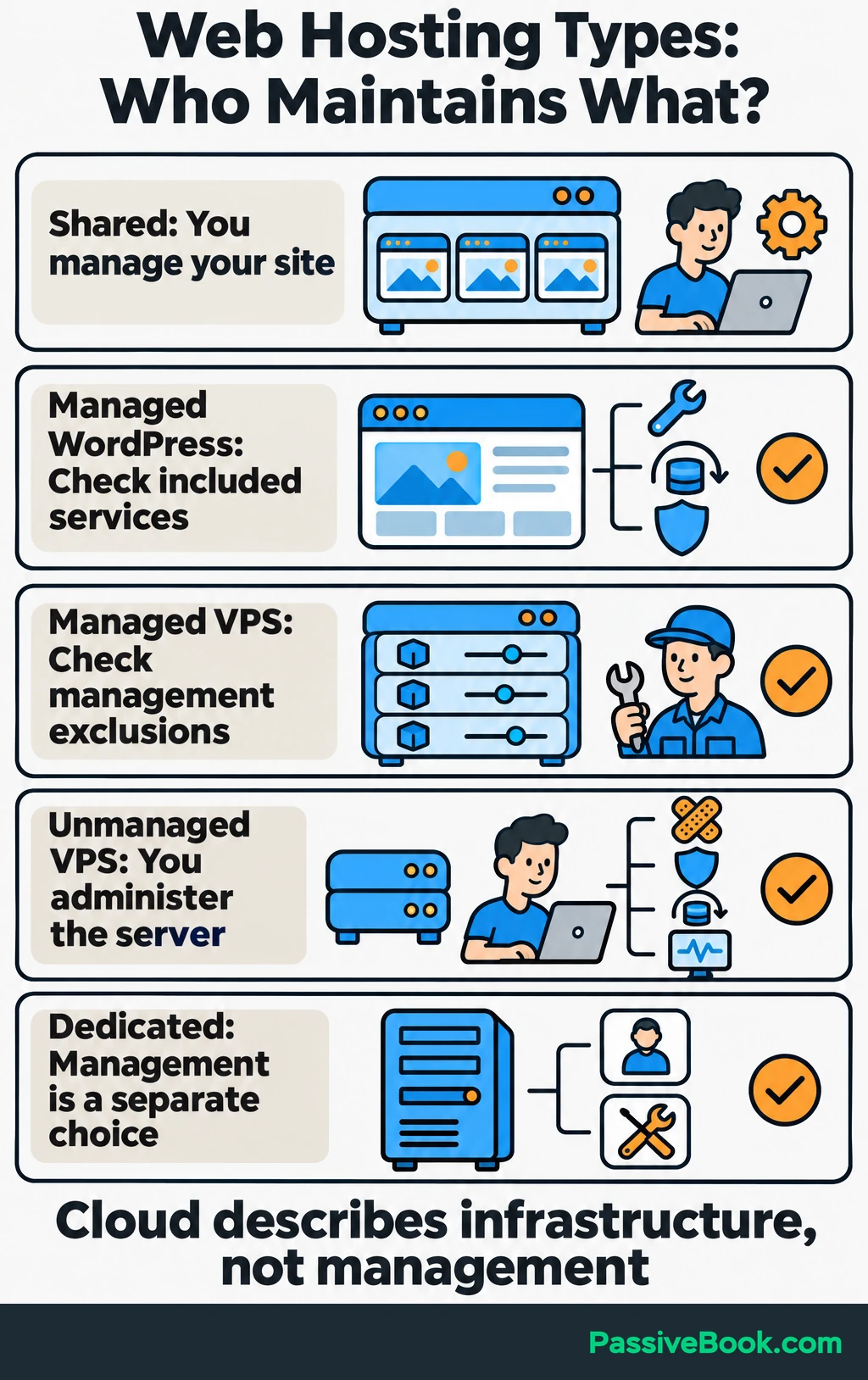
“Managed” needs a closer look. One company may update WordPress itself, while another also handles backups, malware removal, and recovery. Ask which work belongs to you before paying.
I would skip an unmanaged server for a first site unless a technical partner owns that work. Installing WordPress is the easy afternoon. Maintaining its server is the ongoing arrangement.
You also do not need a dedicated server because you cross a particular monthly visitor count. Resource use and simultaneous activity matter more than a universal traffic threshold.
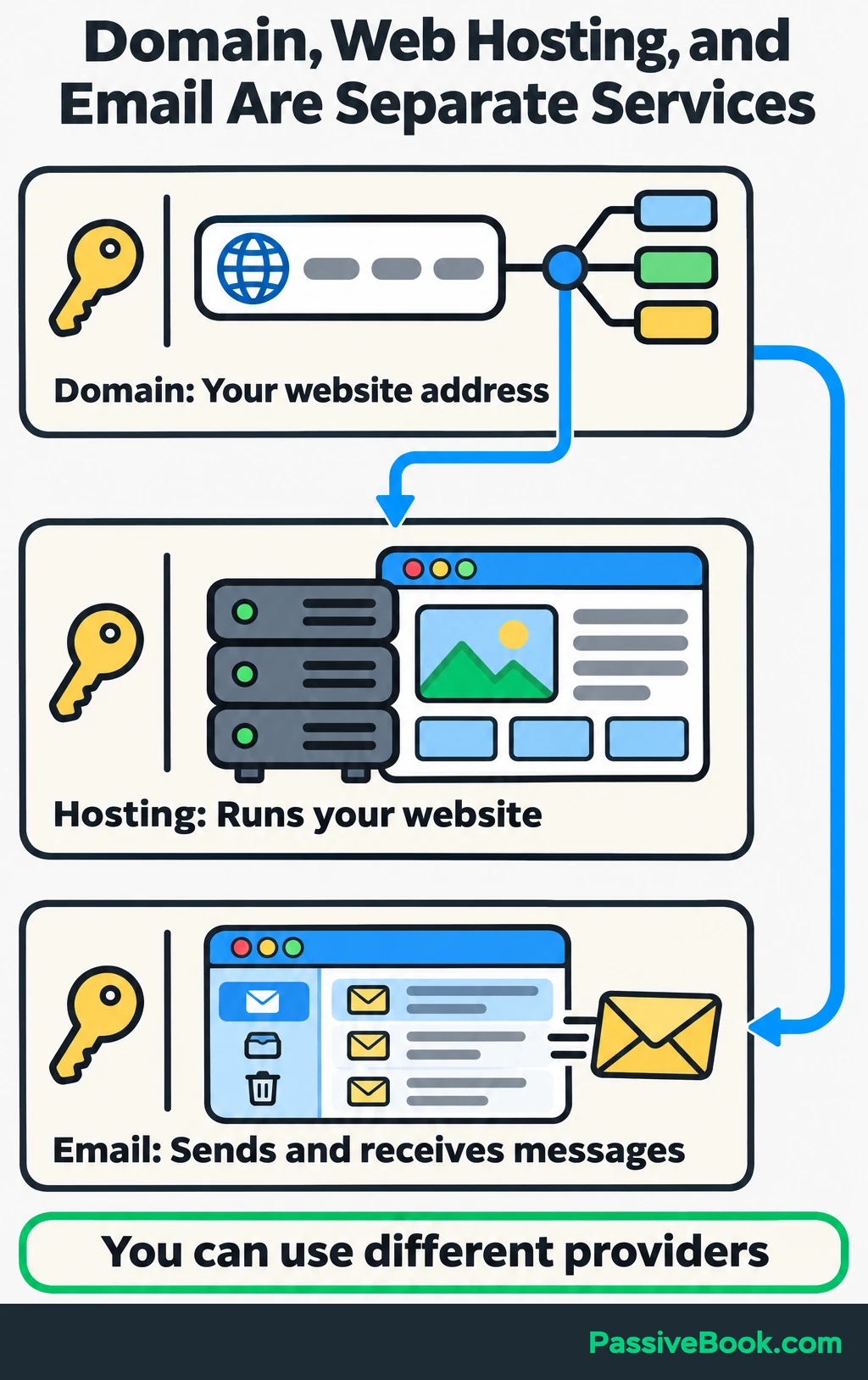
Keep these three purchases separate in your mind:
- Domain: Your website’s address.
- Hosting: The service running your website.
- Email inbox: The place you send and receive business email.
A bundle can be convenient, but you can register a domain with one company and host the site elsewhere.
Shortlist Providers by Your Needs
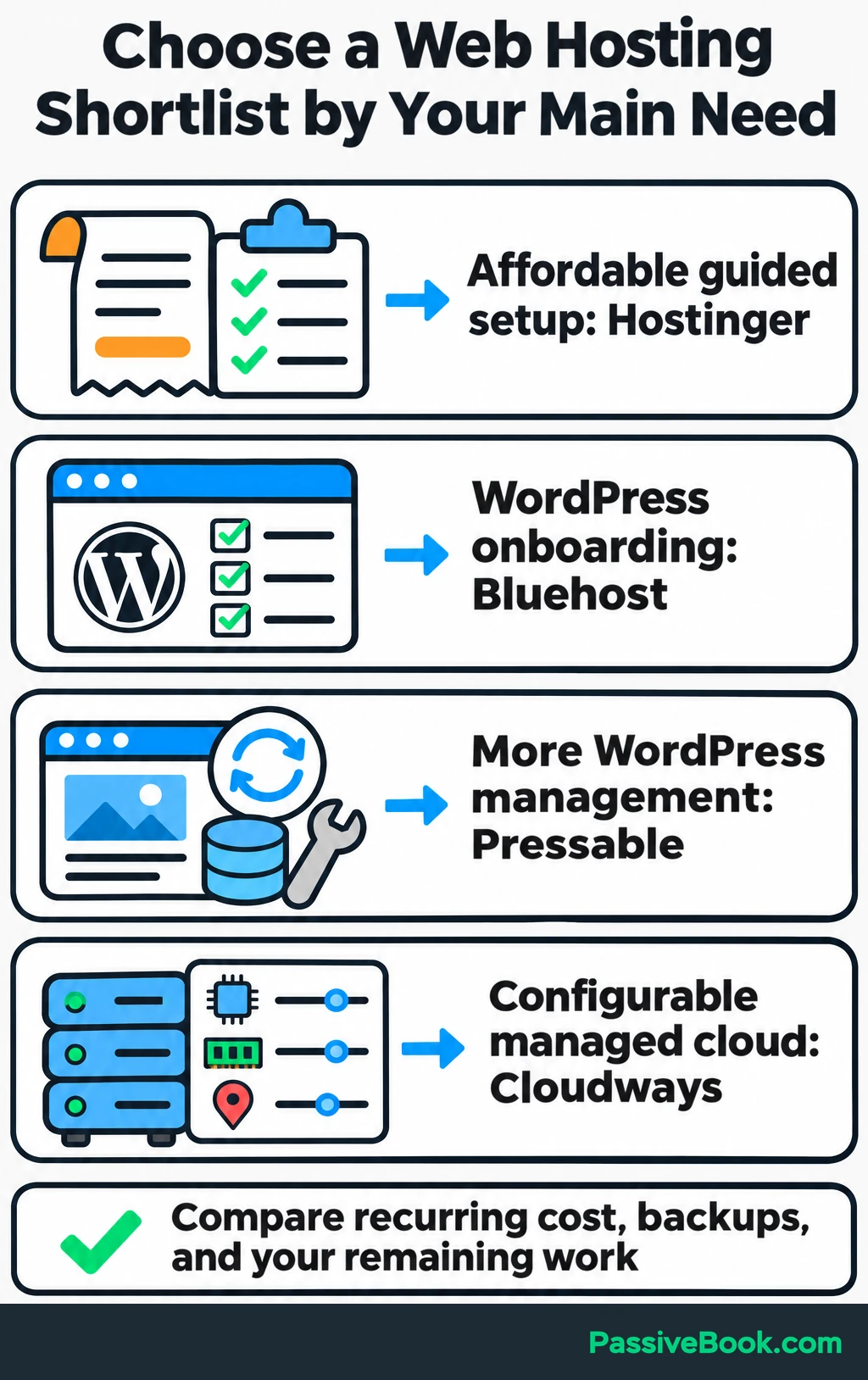
For most readers, I would begin with four options:
- Hostinger: Compare it when affordable guided setup matters most and you accept the prepaid term.
- Bluehost: My starter-friendly recommendation when you want help getting a self-hosted WordPress site running.
- Pressable: Compare it when you would rather pay for more WordPress management.
- Cloudways: Consider it when you need configurable cloud resources with a management layer.
Then compare the recurring cost, backup arrangements, and work each service leaves with you.
Throughout this guide, imagine you run a dog-friendly weekend-travel blog. You publish destination guides and sell downloadable trip planners through WooCommerce, the WordPress store plugin. The business and its figures are illustrative.
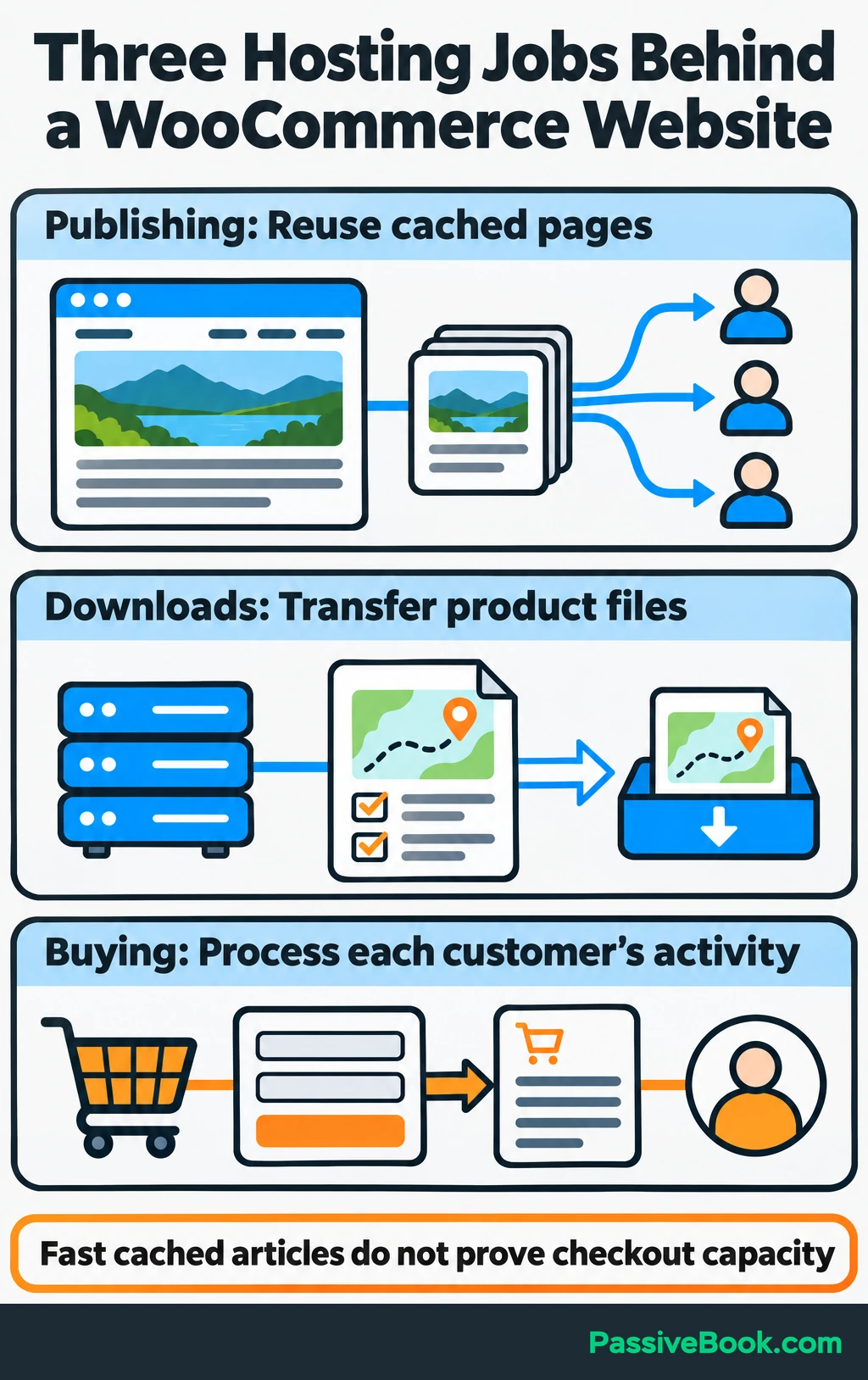
That site has three different hosting jobs:
- Publishing: Serve articles and destination photographs.
- Downloads: Store planner files and transfer them to customers.
- Buying: Process carts, checkout, orders, and customer-account activity.
Caching saves a ready-made version of a page so the server can reuse it. That helps article delivery, but checkout and account pages need information specific to each customer. A fast cached article test cannot settle every question about store capacity.
Use the table to spot likely fits, then read their reviews below. Check the linked plan pages for current prices and limits before paying. Prices are in US dollars from US-facing or USD offers unless no price is quoted. They exclude taxes and optional extras.
A monthly equivalent spreads a prepaid bill across its term; it is not monthly billing. Totals marked “calculated” multiply the published rate by the paid term. Checkout-dependent amounts need a quote for your selected configuration.
| Rank / Provider / Representative Plan | Suitable Use | Hosting Type and Management Responsibility | Initial Payment and Term | Renewal or Ongoing Cost | Principal Drawback |
|---|---|---|---|---|---|
| 1. Hostinger — Premium | Starting a modest publishing site | Shared; host runs server, you manage site | $95.52 prepaid for 48 months; $1.99/month equivalent | $10.99/month equivalent for the same term | Four-year commitment and weekly backups |
| 2. Bluehost — Starter | Guided WordPress setup | Shared with managed WordPress updates; you manage site | Calculated $143.64 for 36 months; $3.99/month equivalent | $9.99/month equivalent | No phone support on Starter |
| 3. DreamHost — Launch | Several small websites | Shared; host runs server, you manage sites | Calculated $34.68 for 12 months; $2.89/month equivalent | $10.99/month equivalent on annual renewal | Email trial ends after three months |
| 4. HostArmada — Start Dock | One site wanting bundled protection | Shared; server management and listed security services included | $1.91/month equivalent on annual offer, plus two promotional months; confirm invoice | $11.95/month regular rate | Daily backups may leave too much order data exposed |
| 5. Pressable — Signature 1 | Reducing WordPress maintenance | Managed WordPress; you manage business and site content | $250 billed annually; $20.83/month equivalent | Listed annual rate is $250; confirm renewal quote | One installation and a visit allowance |
| 6. Cloudways — Flexible | Configurable cloud resources | Managed cloud layer; you retain application responsibilities | Usage billing; displayed configurations start at $11/month | Selected server rate plus backups and extras | More configuration and billing choices |
| 7. SiteGround — StartUp | One site wanting integrated tools | Shared with WordPress services; you manage site | Calculated $23.88 prepaid for 12 months | $17.99/month equivalent | Large increase after the initial term |
| 8. GreenGeeks — Lite | Small sites considering energy matching | Shared with WordPress tools; you manage sites | Calculated $35.40 prepaid for 12 months | $13.95/month equivalent | Introductory price hides a higher recurring bill |
| 9. Namecheap — Stellar Plus | Budget hosting with mailboxes | Shared; host runs server, you manage sites | Term, location, and invoice depend on selection | Obtain the selected term’s renewal quote | File limits still apply to “unlimited” features |
| 10. Kinsta — Single 20GB | Managed WordPress with diagnostics | Managed WordPress; you manage application choices | Promotional first month displayed at $0 | $35/month on the selected monthly configuration | Separate storage and transfer allowances |
| 11. WP Engine — Essential | Paying to reduce platform maintenance | Managed WordPress, PHP, and MySQL maintenance | $336 billed annually; $28/month equivalent | Confirm renewal and selected extensions | Additional services can increase the bill |
| 12. KnownHost — Entry | One WordPress site with email | Managed WordPress; you manage site | Introductory invoice depends on term | $11.95/month published renewal rate | One-site allowance |
| 13. ScalaHosting — Build #1 | Moving to a managed cloud server | Managed cloud VPS; application scope needs checking | Calculated $269.52 for the one-year promotion | $54.95/month equivalent | Substantial renewal increase |
| 14. WPX — Starter | WordPress with bundled repair services | Managed WordPress with listed fixes and security services | $719.60 prepaid for five years; displayed $11.99/month equivalent | Obtain renewal invoice for selected term | Very long commitment for the headline price |
| 15. Rocket.net — Starter | WordPress with integrated CDN and security | Managed WordPress; you manage site | Separate $1 introductory month on monthly offer | $30/month; annual option available | Unmetered visitors still have a transfer limit |
| 16. InMotion Hosting — Launch | Storage-heavy small sites | Shared; host runs server, you manage site | $16.99 on monthly billing | $16.99/month for that option | Backups and support scope need checking |
| 17. Hosting.com — Starter | Moving an existing site | Shared managed package; confirm application scope | Promotional 12-month term prepaid; invoice at checkout | Disclosed at checkout | Full comparison requires a checkout quote |
| 18. IONOS — Plus | Minimizing first-year hosting cost | Shared; host runs server, you manage site | $1/month rate with a one-year term; confirm payment schedule | $14/month | Sharp increase after year one |
| 19. InterServer — Standard | Avoiding long prepayment | Shared; host runs server, you manage site | $2.50 for the first month | $7/month on monthly billing | CPU, memory, process, and file limits |
| 20. ChemiCloud — Starter | One site wanting bundled services | Shared; host runs server, you manage site | Promotional invoice depends on term | Published regular rate is $11.95/month | Weaker retained reliability evidence |
| 21. FastComet — Starter | Choosing among hosting locations | Shared; host runs server, you manage site | Obtain full invoice for selected term | Published regular rate is $9.95/month | Modest storage allowance |
| 22. Liquid Web — Managed VPS, 4 GB | Server resources with administration | Fully managed VPS; confirm supported software | Displayed $76.25/month; invoice depends on configuration | Confirm panel, backup, and recurring charges | Higher operating cost |
| 23. GoDaddy — Web Hosting Economy | Buyers requiring phone support | Shared; managed WordPress is a separate product | Market- and term-specific checkout quote | Obtain matching renewal quote | Similar branding covers different services |
| 24. HostGator — Hatchling | Shared hosting with cPanel | Shared; host runs server, you manage site | Introductory invoice depends on term | $395.61 for a three-year renewal | Account-wide storage can constrain several sites |
| 25. DigitalOcean — Basic Droplet, 1 GiB | Owners with server skills | Unmanaged cloud server; you administer it | Usage billing, with a $6 monthly cap for this instance | Infrastructure plus backups and administration | Server maintenance belongs to you |
| 26. Vultr — Cloud Compute | Selecting infrastructure resources | Unmanaged cloud server; you administer it | Instance- and region-dependent usage quote | Resources, backups, software, and administration | Requires an administrator |
| 27. Hetzner — Cloud | Infrastructure suited to available locations | Unmanaged cloud server; you administer it | Configuration-dependent quote | Include networking, backups, taxes, and administration | Full operating cost exceeds the instance price |
The plan sources appear in the corresponding reviews. Where a complete invoice or renewal quote is unavailable, I have left that gap visible.
How These Web Hosts Are Ranked
This is an editorial recommendation order for a small online business. I give weight to manageable maintenance, recurring cost, availability evidence, recovery provisions, workload performance, and access to support.
It is not a league table sorted by one speed measurement. A configurable infrastructure service can be excellent and still be a poor first purchase for someone who does not want to maintain a server.
“Tested” refers to the attributed third-party results discussed below. I have not run one uniform firsthand test across all 27 providers. Some entries are assessed from their published services and terms.
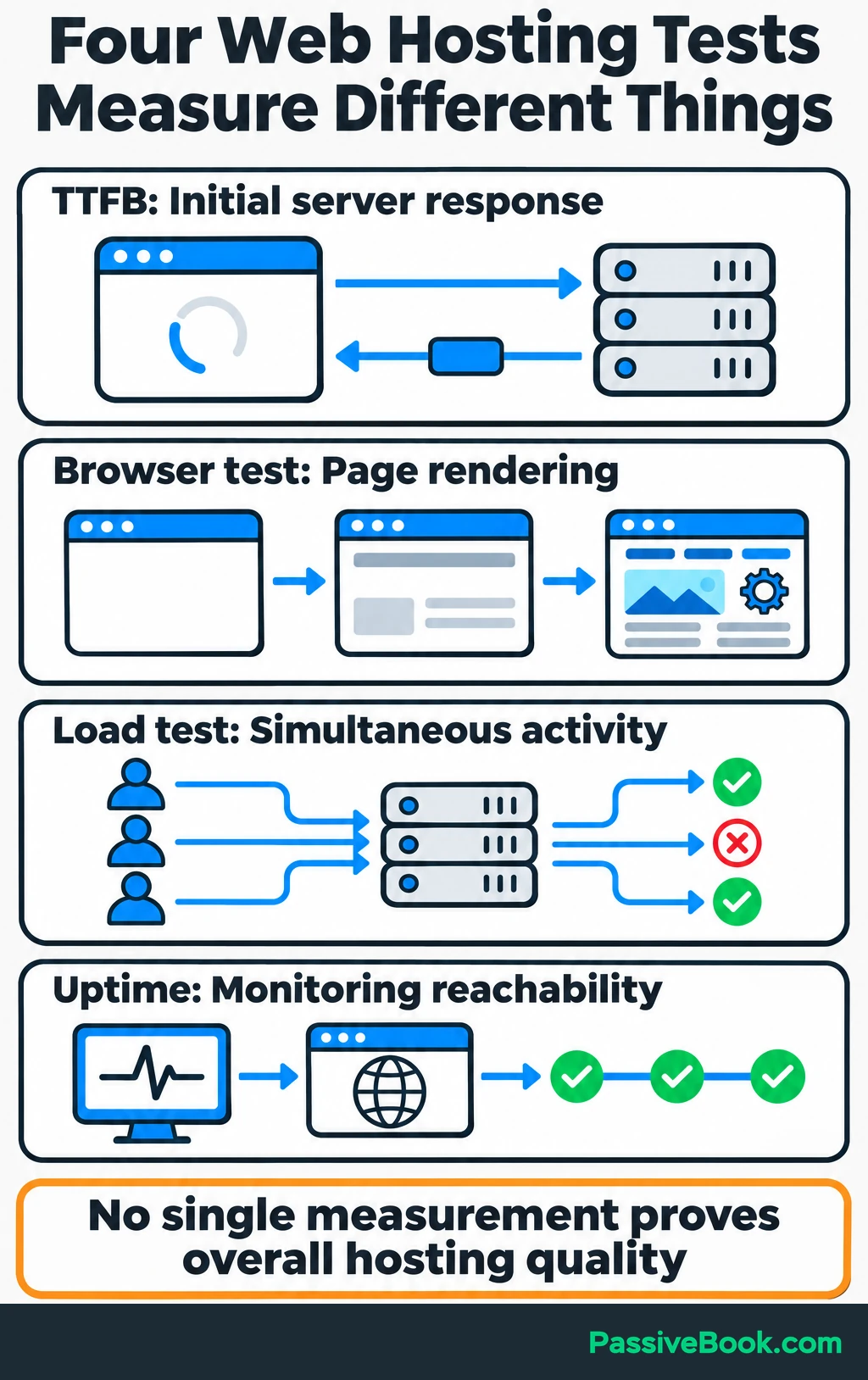
The measurements answer different questions:
- Time to first byte: How long the initial server response takes. It does not measure the whole page loading.
- Browser testing: How a page renders, including its images, scripts, and layout.
- Load testing: How the tested setup responds as simultaneous activity increases, including errors.
- Uptime monitoring: Whether monitoring requests reach the site during the observation period.
Hostingstep’s methodology uses a standard WordPress setup with caching enabled, frequent response and availability checks, and a short load test rising to 100 concurrent users over one minute. Those results are useful for comparing its tested setups, but they do not reproduce every store’s checkout workload.
Review Signal’s methodology combines availability monitoring for at least three months with load testing. Its dynamic test includes page visits and logins, while its static test examines cacheable delivery. Packages stay close to their default setup, with straightforward performance options sometimes enabled.
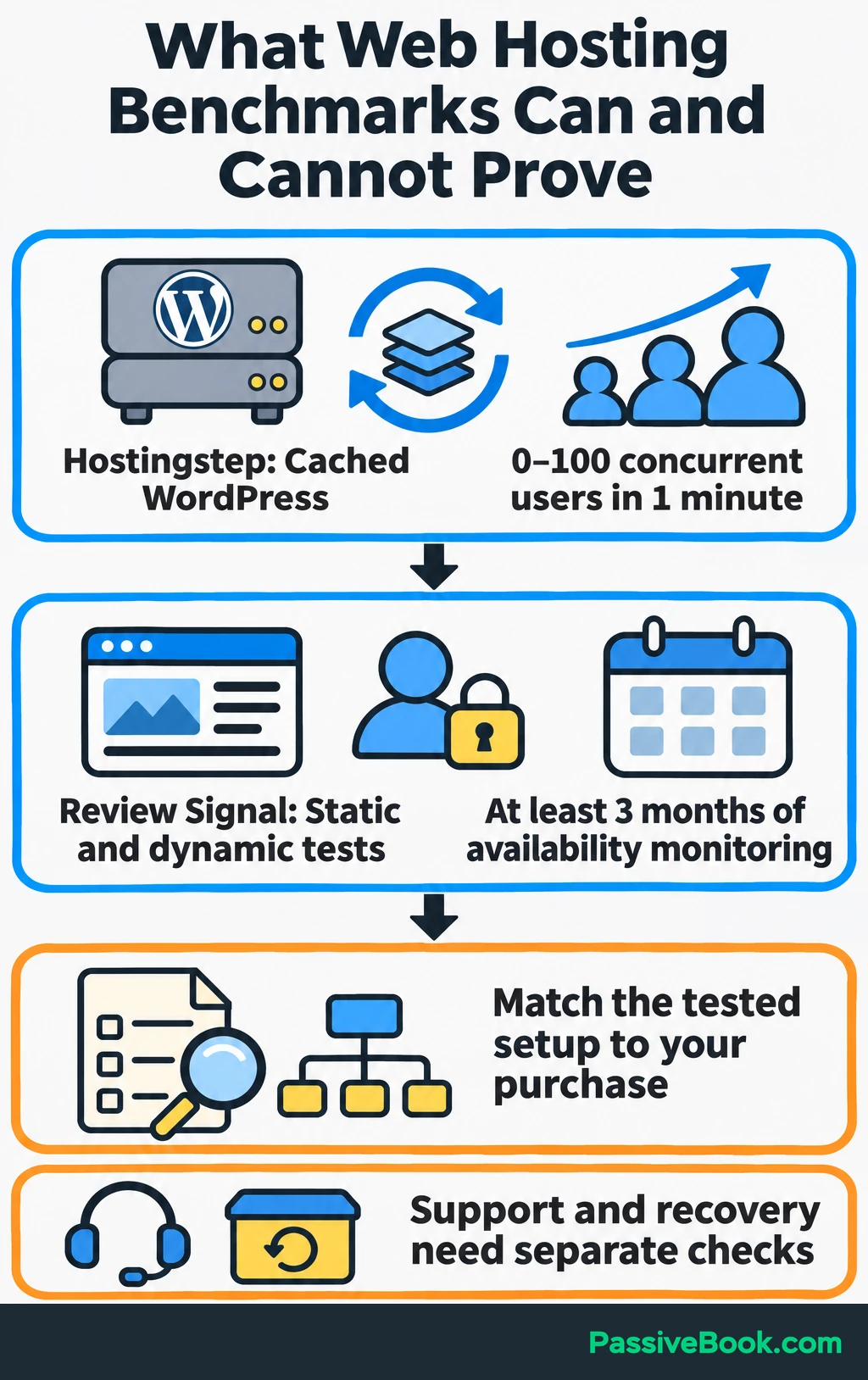
Neither a performance award nor a fast response proves that support will solve your problem or successfully restore your store. I assess published support access and recovery services separately.
I use DigitalOcean as my primary host, and I recommend Bluehost as a starter-friendly alternative. Those preferences explain my perspective; they are not comparative test results.
Affiliate disclosure: If you purchase through an affiliate link on Passive Book, I may earn a commission at no extra cost to you.
The 27 Best Web Hosting Companies, Ranked
1. Hostinger — Affordable Hosting With Guided Setup
Hostinger is where I would start the comparison when you want guided setup and a low initial hosting bill.
Its Premium plan includes three websites, 20 GB of solid-state (SSD) storage, and weekly backups. Unlimited adds 50 GB of NVMe storage and daily backups, but its recurring cost is higher. NVMe is a faster way for a server to access solid-state storage. Included mailboxes are free for the first year, so they belong in your later budget.
For the travel blog, Premium is worth comparing during the publishing stage. Once planner sales begin, I would arrange more frequent backups of order data rather than accept a possible week of lost changes.
Hostingstep tested Premium and Business with cached WordPress setups and recorded 99.98% uptime for each across 243 days, October 1, 2025–May 31, 2026. Business handled its short load test better. Business was the tested package name; that result does not establish the performance of the Unlimited offer listed here.
My main objection is the commitment. A small monthly equivalent still means paying for four years at once.
2. Bluehost — Guided WordPress Onboarding
Bluehost is my starter-friendly choice when getting WordPress running matters more than having detailed server control.
The Starter package includes managed WordPress updates, weekly backups, chat support, and 10 GB of NVMe storage shared across its allowance of 10 websites. Phone support requires a higher plan.
I would choose it for the setup experience, but I would not treat permission to add 10 sites as a reason to launch 10 projects. All those sites still share the account’s resources.
For the travel-planner business, weekly backups need another look as soon as orders matter. Guided onboarding helps you launch, but the recovery interval determines how much recent work you could lose.
Bluehost earns its place here because it gives beginners a clear route into self-hosted WordPress. Its renewal cost and support channel still need to fit your budget.
3. DreamHost — Several Modest Websites Under One Account
DreamHost is worth comparing when you already have a reason to run several small websites.
Its Launch offer includes 25 websites, 25 GB of NVMe storage, daily automated backups, and a three-month email trial. The storage belongs to the whole account.
That makes it a possible fit for a main travel blog and a few modest supporting projects. It does not mean each site receives its own full storage allowance or separate pool of computing resources.
DreamPress is a different purchase. Compare that managed WordPress service when staging and additional WordPress management would save you work.
I would choose Launch for an existing need to host several modest sites. I would skip paying for a larger package because I might someday have an empire of websites. I have enough unfinished ideas without giving them server space.
4. HostArmada — Bundled Backups and Malware Removal
HostArmada deserves a place on the shortlist when you want several protective services included.
Start Dock covers one website with 15 GB of NVMe storage, seven daily backup copies, malware scanning and removal, firewall protection, and one website transfer.
The useful distinction is malware removal. A service that tells you a site is infected leaves a different job on your desk from one that also helps remove the infection.
For the planner store, daily backups are a starting point. If you cannot afford to lose a day’s orders, ask about a more frequent database backup arrangement before choosing the plan.
Start Dock’s acceptable-use guidance lists 30 GB as acceptable transfer usage, without imposing a hard cap. I would ask what happens if planner downloads regularly push the site above that amount.
5. Pressable — Managed WordPress With Strong Benchmark Results
Pressable is my stronger candidate when reducing WordPress maintenance matters more than getting the lowest introductory price.
Signature 1 includes one WordPress installation, 20 GB of storage, and an allowance of up to 30,000 visits. Signature includes hourly database backups and daily backups of the whole site. Ask how a restore handles orders placed after the selected backup.
There is also useful independent evidence. In Review Signal’s 2026 under-$25 tests, Pressable’s submitted one-site configuration, listed at $10/month with 5 GB of storage, recorded zero dynamic load-test errors and 100% availability across three monitors during that benchmark round. The methodology requires at least three months of availability monitoring.
That was a different configuration from Signature 1, and the dynamic workload involved WordPress activity rather than completed planner purchases.
I would shortlist Pressable once the store earns enough to justify paying for more management. The visit allowance and annual commitment still belong in the decision.
6. Cloudways — Configurable Managed Cloud Hosting
Cloudways makes sense when you need to choose server resources but want a hosting management layer.
With Cloudways Flexible, the infrastructure provider, server size, location, and support package affect the bill. Offsite backup storage carries an additional charge of $0.033 per GB per server. Flexible and Autonomous have different service and scaling models, so compare the one you intend to buy.
Hostingstep’s October 2025–May 2026 report covers cached WordPress setups on entry configurations using DigitalOcean Standard, DigitalOcean Premium, Vultr, Vultr High Frequency, and Linode. Observed uptime ranged from roughly 99.996% to 99.999%. The two DigitalOcean configurations completed its one-minute, 0–100-user load test without errors.
I would choose Cloudways when a resource problem or configuration requirement gives me a reason to move beyond ordinary shared hosting. It is more to understand than a starter account, and application maintenance does not disappear.
7. SiteGround — Integrated WordPress Tools and Email
SiteGround is worth comparing when you want hosting tools and email in one place.
StartUp includes one website, 10 GB of storage, email, an SSL certificate for encrypted connections, a content delivery network (CDN), and daily backups. The CDN distributes eligible content through servers closer to visitors.
GrowBig is the more relevant comparison if you need staging and on-demand backups. Staging gives you a separate copy of the site where you can check changes before applying them to the live version.
For the travel-planner store, that can make testing a WooCommerce update less awkward. It does not remove the need to test checkout and downloads.
My decision would turn on the renewal bill. The initial discount is appealing, but I would compare the recurring price with managed WordPress alternatives before committing.
8. GreenGeeks — Hosting With Renewable-energy Matching
GreenGeeks is a reasonable candidate when its hosting package fits and its environmental policy matters to you.
The Lite WordPress plan includes five websites and 25 GB of storage. As with other shared plans, those allowances need to fit the account’s combined workload.
GreenGeeks says it purchases renewable-energy certificates matching three times its calculated annual energy consumption. That is certificate matching, not a claim that every server receives electricity directly from renewable generation.
I would use that policy to help choose between otherwise suitable options. First establish that the plan can support your publishing, downloads, recovery needs, and recurring budget.
9. Namecheap — Budget Shared Hosting With Email
Namecheap is worth comparing when you want inexpensive shared hosting with mailboxes and cPanel, a control panel for managing the hosting account.
I would look at Stellar Plus before choosing the cheapest Stellar package because Plus includes access to automated daily, weekly, and monthly backups. Stellar’s internal twice-weekly backups are not guaranteed.
The “unlimited” wording needs care. Stellar Plus has a 300,000-file allowance covering files, folders, and stored email. A large collection of images, old backups, and mail can use that allowance.
For the planner business, I would count downloadable products and email storage alongside WordPress files. I would also confirm the SSL arrangement after the first included year.
Compare the full initial and renewal invoices for your term and location. Namecheap’s domain-registration value is a separate decision from its hosting value.
10. Kinsta — Managed WordPress With Diagnostics
Kinsta becomes interesting when you need help finding performance problems as well as running WordPress.
Its configurable plans include application performance monitoring, migrations, and managed WordPress services. Performance monitoring helps identify slow parts of the application, such as a plugin or database operation.
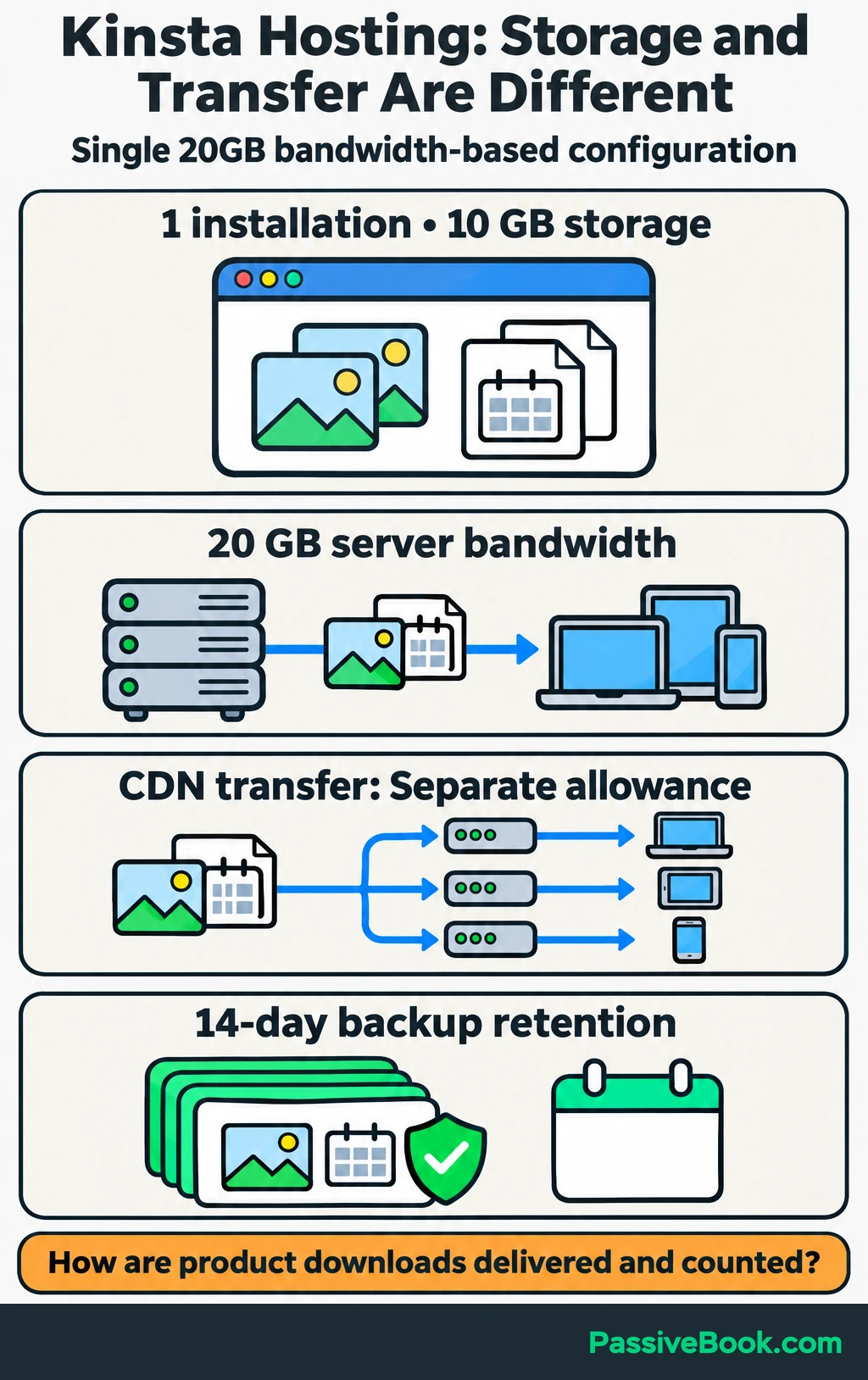
The Single 20GB bandwidth-based configuration in the table includes one installation, 10 GB of storage, 20 GB of server bandwidth, separate CDN transfer, and 14-day backup retention.
Pay attention to the billing model you select. Visits, server transfer, CDN transfer, and storage are different allowances.
For the travel-planner site, product downloads belong in the transfer estimate. I would ask how those files are delivered and counted before comparing Kinsta with another host.
I would pay for its management and diagnostics when I need them. For an unproven publishing project, I would begin with a less expensive shortlist.
11. WP Engine — Managed WordPress Maintenance
WP Engine is worth comparing when you want more platform maintenance included.
Its Essential service lists managed WordPress, PHP, and MySQL maintenance, daily backups, and chat support. PHP runs WordPress code, while MySQL stores its database information.
Hostingstep’s cached Startup test recorded a 355 ms US time to first byte and 100% observed uptime from October 1, 2025–May 31, 2026. Those measurements describe Startup during that window, not a guarantee for Essential or future availability.
I would compare Business separately if isolated resources, phone support, or managed migration are requirements. Selected extensions also need to go into the total.
For a planner store, the appeal is reducing the amount of platform work you own. Decide whether that saves enough time to justify the ongoing bill, then check the store-specific backup and recovery arrangements.
12. KnownHost — Managed WordPress With Included Email
KnownHost is a useful comparison when you want managed WordPress and email together.
The Entry plan includes one website, 50 GB of NVMe storage, email accounts, staging tools, scheduled backups, and migration assistance.
That storage allowance gives you room to consider photographs and planner files, but it should not become the whole buying decision. CPU, memory, and simultaneous activity still matter.
I would ask how often the scheduled backups run and how much recent order information a restore could overwrite. “Backups included” is a useful starting point for a question, not the complete answer.
KnownHost belongs on the shortlist when its combined services fit one WordPress business. Compare the selected introductory term with the published renewal rate rather than assuming the headline offer continues.
13. ScalaHosting — A Managed Cloud-server Upgrade
ScalaHosting is a deliberate step toward a managed server.
Build #1 provides two CPU cores, 4 GB of RAM, and 50 GB of NVMe storage. Its package includes SPanel, the company’s hosting control panel, offsite backups, and website and email migration.
The one-year promotional terms differ sharply from the renewal rate shown in the table. I would budget around the recurring bill before deciding whether the promotion is attractive.
For the travel-planner business, this becomes relevant when measured resource use or a configuration requirement explains the upgrade.
I would skip it if the only reason is that “cloud server” sounds more serious. A larger server does not fix every slow plugin, oversized photograph, or poorly configured website.
14. WPX — Bundled WordPress Repair Services
WPX is worth comparing when you want migrations, security work, and technical fixes packaged together.
Its Starter plan includes one website, 10 GB of storage, 100 GB of bandwidth, daily backups, malware scanning and removal, and its listed repair service.
The commitment deserves as much attention as the features. The displayed monthly equivalent in the table requires a five-year prepayment. I would compare shorter terms before accepting that bill.
For the planner store, ask what the repair service covers when a plugin change breaks checkout. A named service is only useful when its scope matches the problem you need help with.
WPX could make sense when those included services save work you would otherwise buy separately. I would not commit for five years merely to make the monthly figure look smaller.
15. Rocket.Net — Integrated WordPress Edge Delivery
Rocket.net suits a shortlist built around managed WordPress with integrated delivery and security.
Its Starter package includes a CDN, firewall, malware protection, migrations, and daily backups. It allows one WordPress installation, 10 GB of storage, and 50 GB of bandwidth.
The visitor allowance is unmetered, but the transfer allowance remains. Those are different promises.
For the travel blog, articles may work well with cached delivery, while planner downloads still need to fit the transfer budget. Ask how protected downloads are served and counted.
I would compare Rocket.net when I want those services bundled rather than assembled separately. I would still ask about checkout capacity because fast cached pages do not show how much simultaneous buying activity the hosting server can handle.
16. InMotion Hosting — Shared Hosting With Substantial Storage
InMotion Hosting is worth comparing when storage and included email matter.
The Launch shared plan includes two websites and 100 GB of NVMe storage. The monthly option in the table lets you compare it without mixing in a long prepaid promotion.
For the travel-planner business, storage can grow through destination photographs, product files, and email even when visitor numbers remain modest.
Launch includes live chat, while higher shared plans add phone support. I would also price the backup service I need.
The storage allowance is useful when you can explain what will occupy it. Otherwise, I would give recovery arrangements and recurring cost more weight than a large number of gigabytes.
17. Hosting.Com — Assisted Website Migration
Hosting.com is worth considering when moving an existing website is a major part of the purchase.
Its Starter package lists five websites, 15 GB of NVMe storage, daily backups, malware detection and removal, and managed migration.
Before buying, establish whether that migration covers your current platform, database, email, and any other services that need to move.
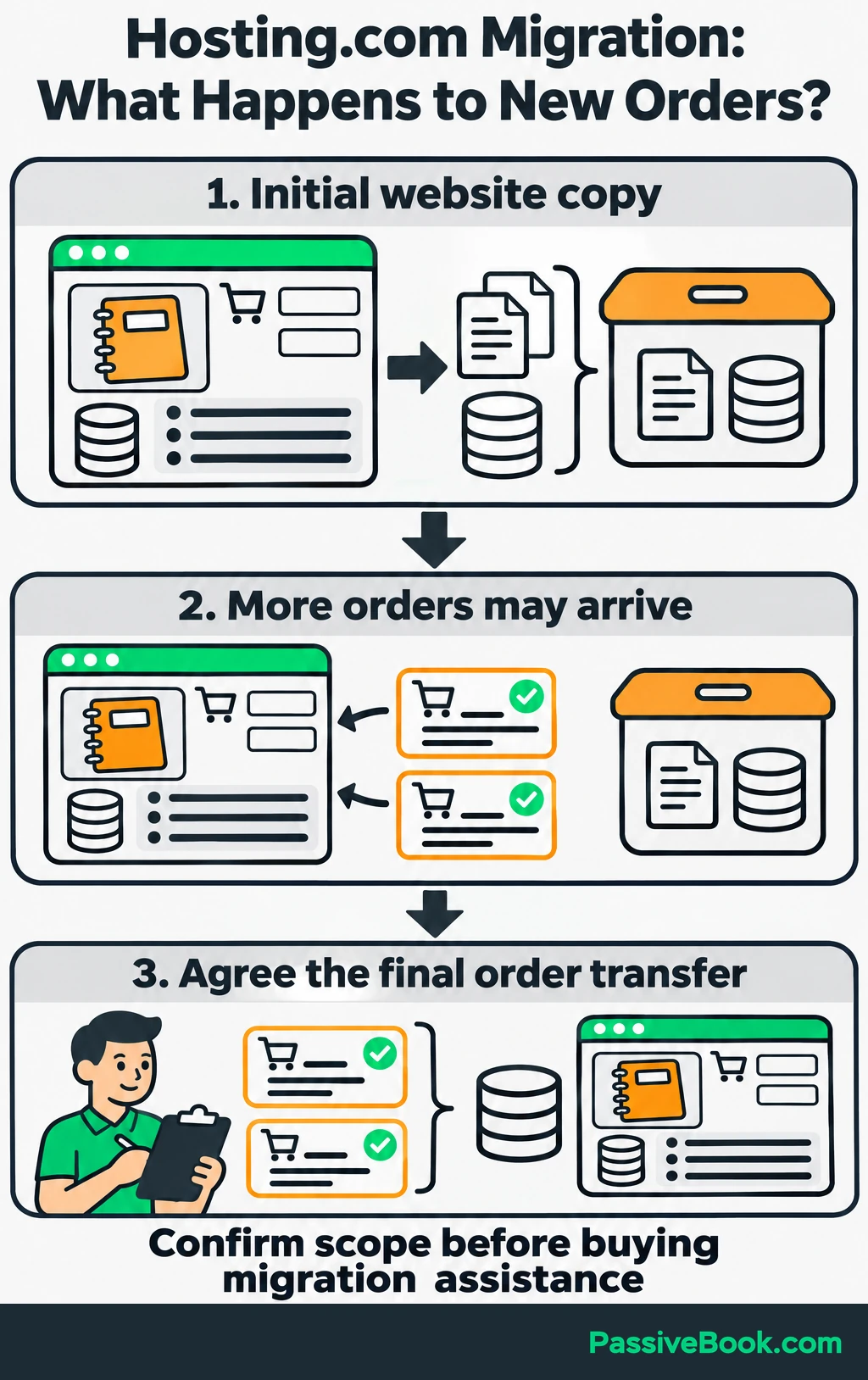
The promotional payment terms require the initial 12-month term upfront, with renewal pricing disclosed at checkout. I would collect both amounts before comparing the offer.
For the planner store, the important migration question is how the final orders reach the new site. Copying the articles is only one part of the move.
I would choose migration assistance when its written scope saves meaningful work. A general promise to “move your site” needs enough detail to plan around.
18. IONOS — A Low Introductory Annual Bill
IONOS deserves a look when minimizing the first-year hosting cost matters.
Its Plus offer lists 350 GB of NVMe storage and four email addresses. The introductory rate applies with a one-year term, followed by the higher rate in the table.
Compare what you will spend across both periods. A very small first-year payment can still lead to a larger ongoing commitment than another suitable plan.
For the travel-planner business, I would also check the database and computing allowances rather than choose it on storage alone.
IONOS can belong on a budget shortlist, but I would make the decision using the renewal bill. The size of the discount is not a hosting feature.
19. InterServer — Shared Hosting Without a Long Commitment
InterServer is one of the more useful comparisons when you want monthly billing.
Its Standard monthly offer includes email, weekly backups, and DirectAdmin, a hosting control panel. The first month and subsequent monthly rate are separate in the table.
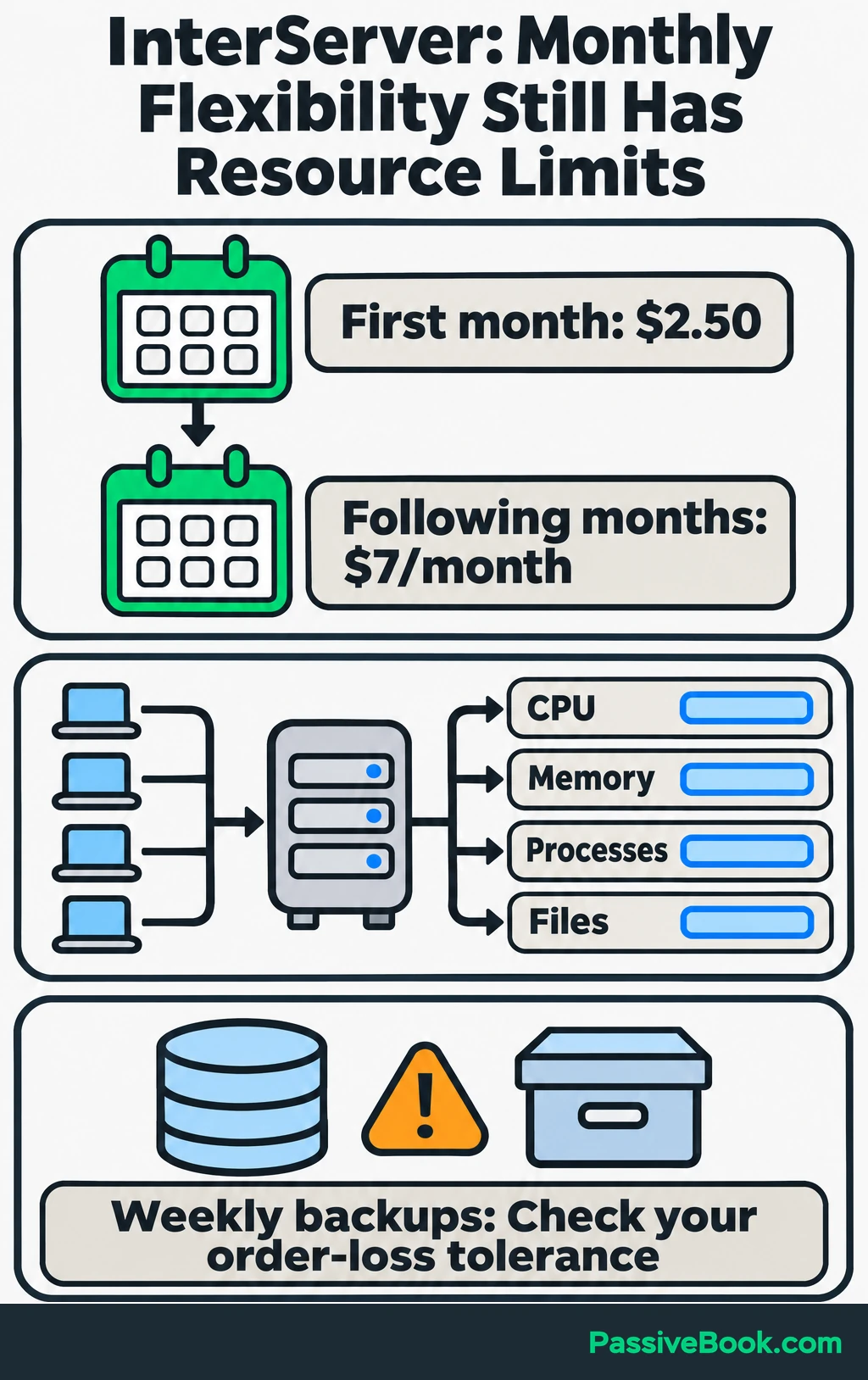
That structure gives you flexibility without a multi-year prepayment.
Its shared account still has resource limits. CPU capacity, memory, simultaneous processes, and file counts matter when you combine sites or add a store.
For the travel-planner business, I would arrange a backup interval suited to orders rather than rely solely on the included weekly copy.
I would choose this route when keeping the commitment short matters more than securing a lower monthly equivalent through years of prepayment.
20. ChemiCloud — A Bundled Shared-hosting Alternative
ChemiCloud offers a familiar package of shared-hosting services.
Starter includes one website, 20 GB of NVMe storage, email, daily backups, and migration assistance.
The published test results give me a reason to rank it lower. Hostingstep’s cached Starter setup recorded 99.76% uptime during October 2025–May 2026. Its one-minute load test reaching 100 concurrent users recorded a 4.2% error rate.
Those results concern that tested setup, but they matter when availability and buying activity are central to the decision.
For a planner store taking regular orders, I would prioritize providers with better published uptime results. ChemiCloud remains a comparison option when its package fits, but I would want a clear reason to choose it over those alternatives.
21. FastComet — Shared Hosting With Location Choices
FastComet is worth comparing when its available hosting locations suit your audience.
Its Starter package includes one website, 10 GB of NVMe storage, cPanel, and restoration tools.
Choose a suitable available location, then compare the full purchase term, migration scope, and recovery provisions. Location is one part of performance, not a substitute for examining the rest of the service.
For the travel blog, the main audience’s location matters more than the destinations you write about. A guide to a distant weekend trip does not mean your server belongs there.
I would keep FastComet on the shortlist when its location and service package solve a clear need. The storage allowance also needs to cover both photographs and downloadable products.
22. Liquid Web — Managed VPS Administration
Liquid Web is for a more specific need: server resources with administration included.
Its fully managed 4 GB VPS configuration lists two virtual CPUs, 80 GB of SSD storage, and 3 TB of bandwidth. Control-panel choices and the management package need to be included in the quote.
I would consider it when server-level requirements explain why a shared or ordinary managed WordPress account no longer fits.
For the travel-planner business, that might follow a measured capacity problem or a software requirement. It would not be my starting point for publishing the first destination guides.
Compare fully managed and self-managed services separately. They can have similar resource labels while leaving very different amounts of work with you.
23. GoDaddy — Hosting With Phone Support
GoDaddy is worth considering when access to phone support is a firm requirement.
Its web-hosting service and managed WordPress service are separate products. Compare the exact package’s support, renewal bill, backups, and included services.
I would ask a concrete recovery question before buying. Being able to call someone is useful, but the service still needs to cover the help you expect.
An existing domain account may make account management convenient. It does not require you to host the website there.
For the planner store, I would choose GoDaddy only after its hosting terms win the comparison. Keeping one fewer login is pleasant, but it does not settle checkout capacity or recovery.
24. HostGator — Shared Hosting With cPanel
HostGator belongs in the comparison when you want shared hosting with cPanel.
Its Hatchling package lists 10 websites and 10 GB of SSD storage. That storage allowance covers the account, so it needs to accommodate all the sites you actually run.
The official renewal chart publishes a full three-year Hatchling renewal invoice. Use that total when comparing the introductory commitment with another host.
For the travel-planner business, a large website allowance is less useful than enough space for images, products, and working copies of the site.
I would compare HostGator’s support and recovery provisions with Bluehost and the other shared hosts before deciding. The control panel alone would not determine my choice.
25. DigitalOcean — Cloud Infrastructure You Administer
DigitalOcean is my primary hosting provider because I value control. That preference does not make it my default recommendation for a beginner.
A Basic Droplet is a cloud server. The instance in the table includes 1 GiB of RAM, one virtual CPU, and 25 GiB of SSD storage, but the price does not include someone administering your website stack.
You or a technical partner must own patches, monitoring, security, backups, and recovery.
This is the decision I make before comparing instance prices: do I want to own that work? If the answer is no, I compare a managed service.
For the travel-planner business, Cloudways can provide a management layer on DigitalOcean infrastructure. The two purchases assign different responsibilities to you, so compare their complete operating costs.
26. Vultr — A Choice of Cloud Instance Families
Vultr is useful when you know which infrastructure characteristics your site needs.
Its Cloud Compute options include different instance families and resource configurations. Compare the chosen CPU, memory, storage, region, backups, and software together.
I would choose an instance after examining the workload. The cheapest available server is not automatically a suitable home for WooCommerce.
For the planner site, someone needs to maintain the operating system and application stack, and someone needs to be available when recovery is required.
Vultr belongs on an infrastructure shortlist alongside DigitalOcean and Hetzner. I would skip that shortlist entirely if the business has no administrator and no desire to hire one.
27. Hetzner — Cloud Hosting With an Administrator
Hetzner is another infrastructure option when its locations and resource choices fit your website.
Its Cloud service offers shared-resource and dedicated-vCPU configurations. A dedicated virtual CPU allocation is different from renting an entire physical server.
Build the complete quote around the selected configuration, including public networking, backups, applicable taxes, and administration.
For the planner business, I would compare the cost of running and eventually moving the site, not just the server line on the invoice.
Hetzner’s position here reflects the maintenance burden for this audience. It can be a sensible infrastructure choice with an administrator, but it asks for a different operating arrangement from beginner shared hosting.
What Should You Check Before Paying?
Calculate the Full Ownership Cost
Compare suitable plans over the same period. Two years is a useful starting point when an introductory offer lasts one year, but a longer prepaid deal needs its full commitment shown too.
Add the payments needed to run the site:
- Hosting: Initial term, renewals, and required upgrades.
- Domain: Renewal after any included first year.
- Email: Mailboxes after trials or introductory allowances end.
- Recovery: Backup storage, restoration charges, and any independent backup service.
- Moving: Migration fees and necessary overlap between hosts.
- Usage: Storage, transfer, visit, or other overage charges.
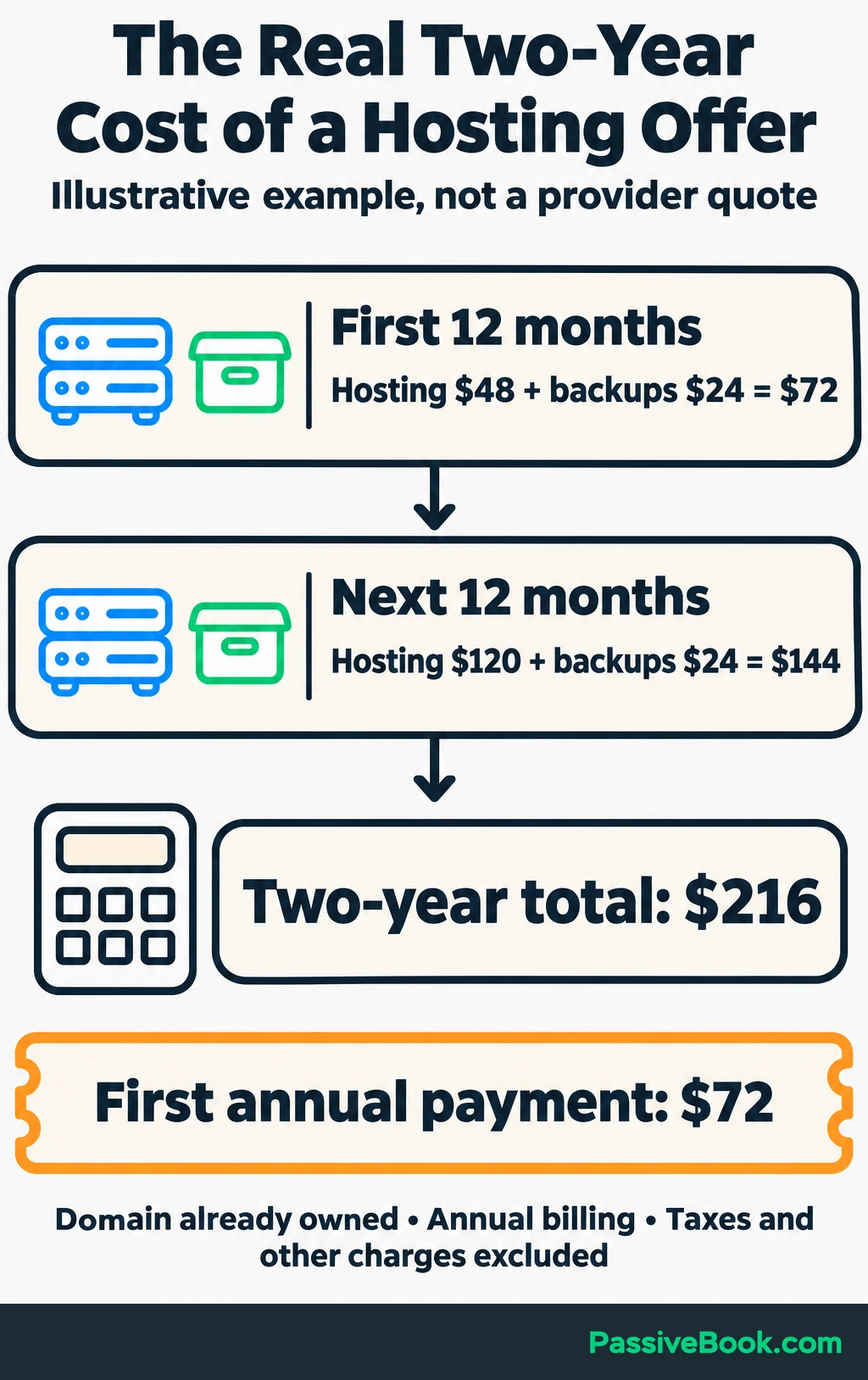
Keep “due now” separate from the monthly equivalent. A four-year commitment affects your cash even when the equivalent looks affordable.
Once you have two suitable plans, put their payment terms and required extras side by side. That makes it easier to see both the cash needed now and the cost over your planned period of use.

Free Software Cost Calculator


For an illustration, suppose the travel-planner business already owns its domain. Hosting costs $4 per month equivalent in year one and $10 in year two, and backups cost $2 per month throughout.
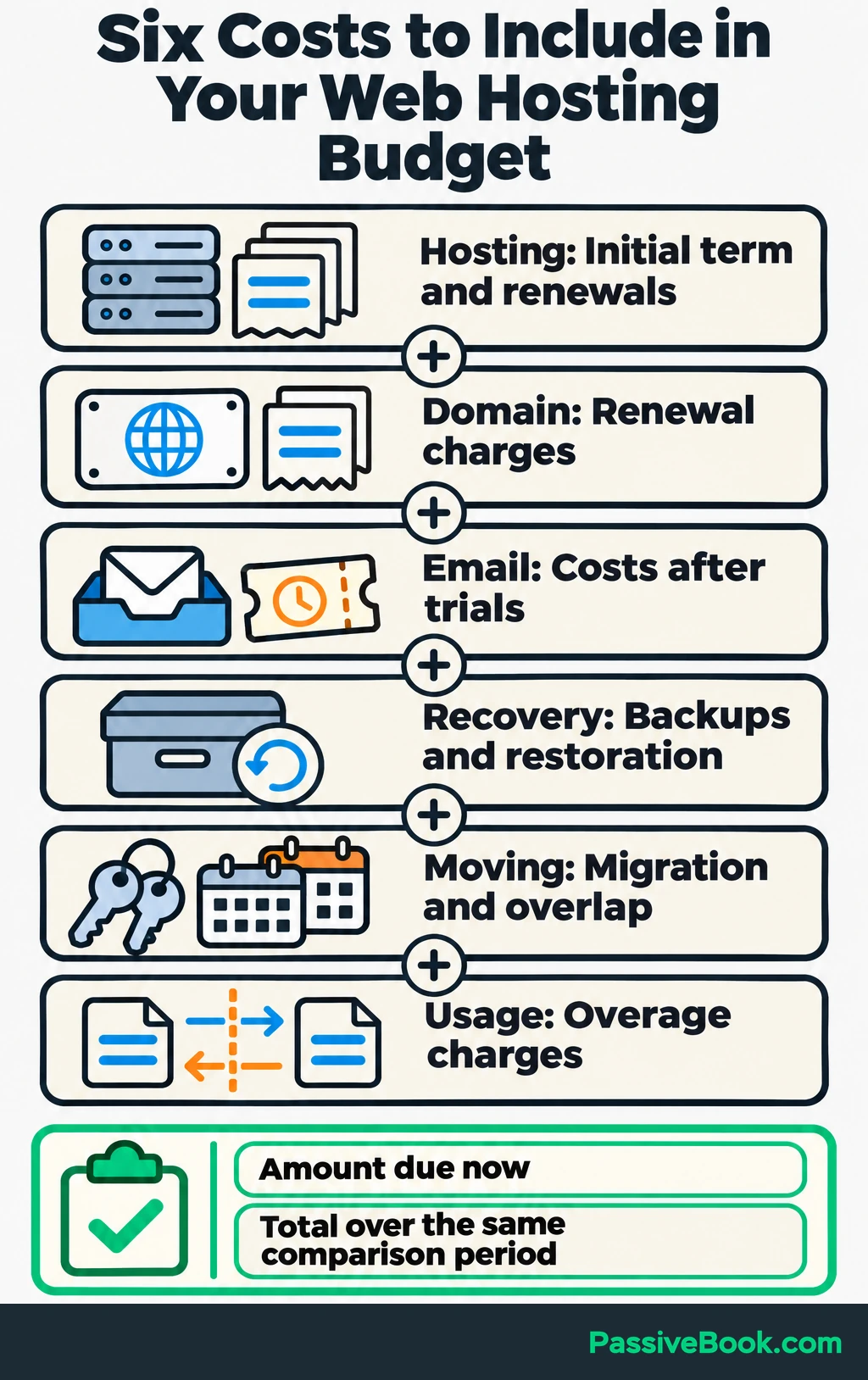
The calculation counts 12 months of hosting and backups in each year. It assumes annual billing, unchanged rates, and no taxes or other charges.
| Period | Hosting | Backups | Total |
|---|---|---|---|
| Year one | $48 | $24 | $72 |
| Year two | $120 | $24 | $144 |
| Two years | $168 | $48 | $216 |
These are illustrative rates, not a quote from a listed provider.
The useful number is $216 over two years, alongside the first annual payment of $72. Both tell you something the initial hosting rate leaves out.
Confirm Capacity, Recovery, and Support
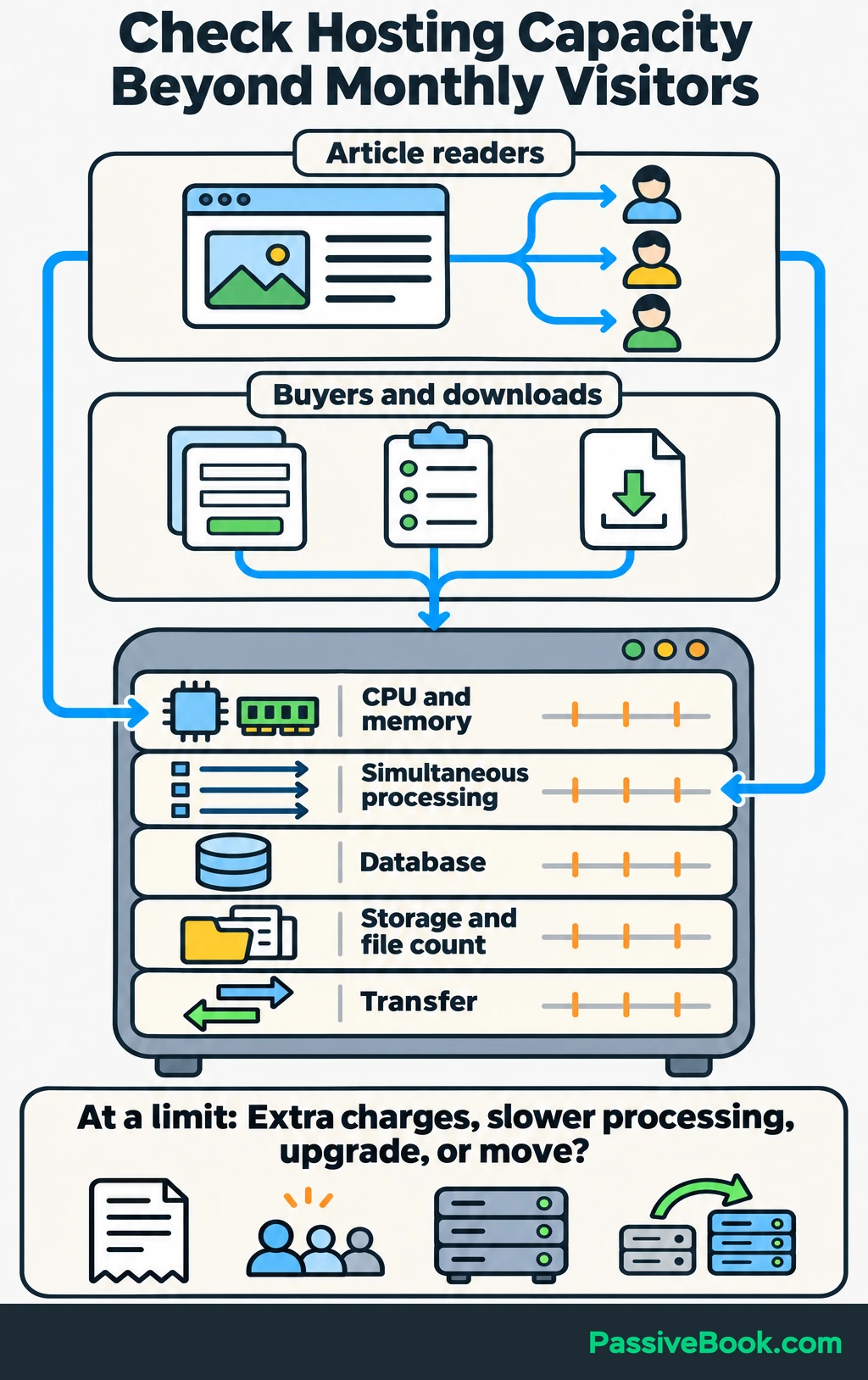
Ask what happens when you reach a limit. The answer could be an extra charge, slower processing, a required upgrade, or a move to another service.
Check the limits relevant to your site:
- Storage and file count: Website files, photographs, downloads, email, and stored copies.
- CPU and memory: The computing resources available to run WordPress and its plugins.
- Simultaneous processing: How much uncached activity can happen together.
- Database: Space and other limits affecting articles, products, customers, and orders.
- Transfer: How much data visitors and customers can download.
- Growth: Upgrade cost, expected interruption, and whether migration is required.
For the travel blog, separate a burst of article readers from several customers buying and downloading planners together. Those activities place different demands on the account.
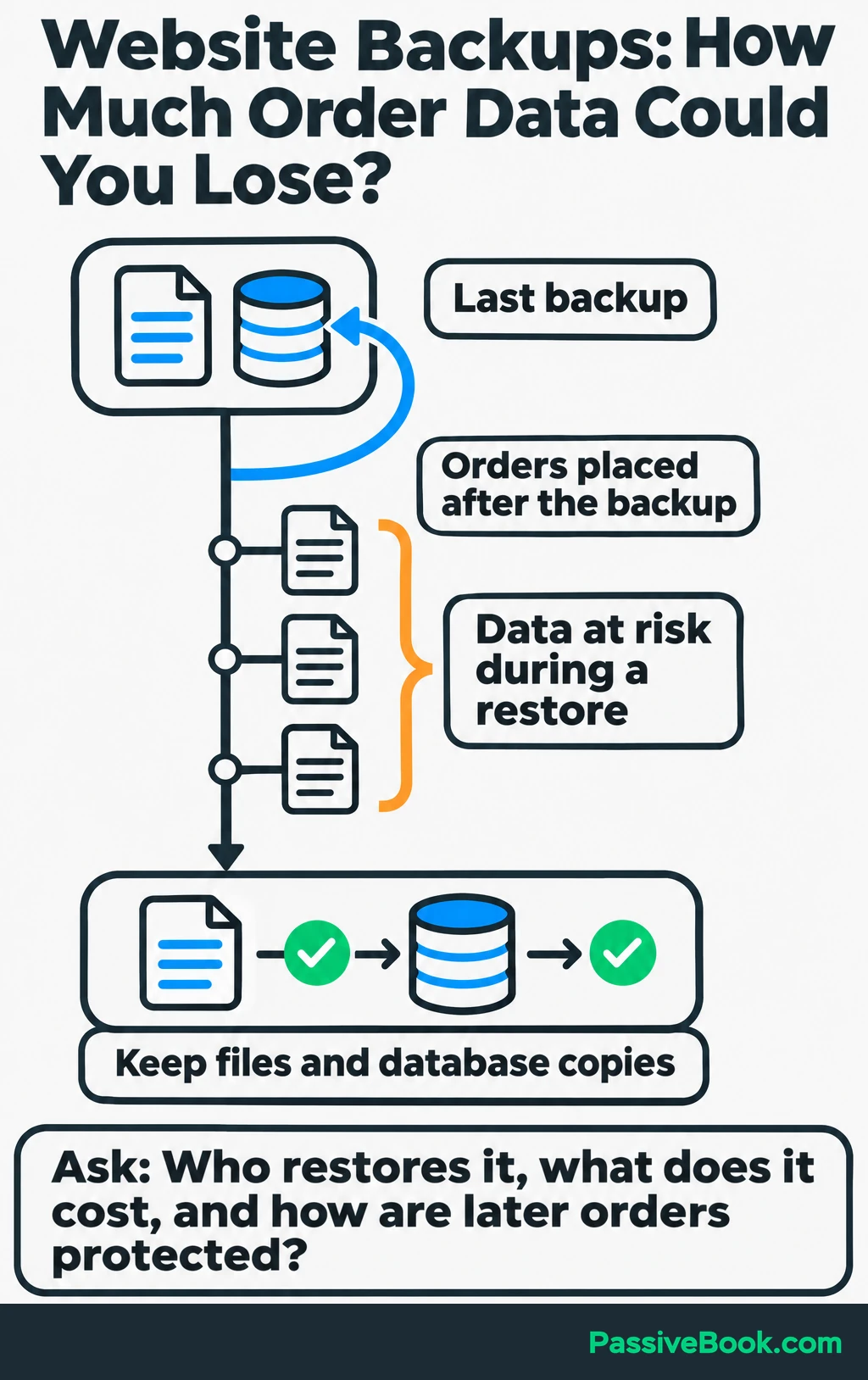
Next, decide how much recent data you could afford to lose. That determines the backup interval you need.
A daily copy may be acceptable for a site that changes occasionally. A store receiving orders throughout the day may need more frequent database protection.
Keep an independent copy of both the website files and database, and test that you can recover them. WordPress’s backup guidance explains why both parts matter.
Also confirm:
- Retention: How far back the available copies go.
- Restoration: Who performs it, what it costs, and what existing data it replaces.
- SSL: Whether the certificate renews automatically.
- Security help: Whether the package includes malware removal or only detection.
- Support access: Which channels operate when you need them.
I would send support one practical question:
“Can you restore my website files and database to a chosen backup, what would it cost, and how would you protect orders placed after that backup?”
Read the answer for scope and clarity. A friendly greeting does not restore a database.
Finally, read the uptime-credit terms. A credit against your hosting bill does not establish compensation for lost sales.
Confirm Migration and Cancellation Terms
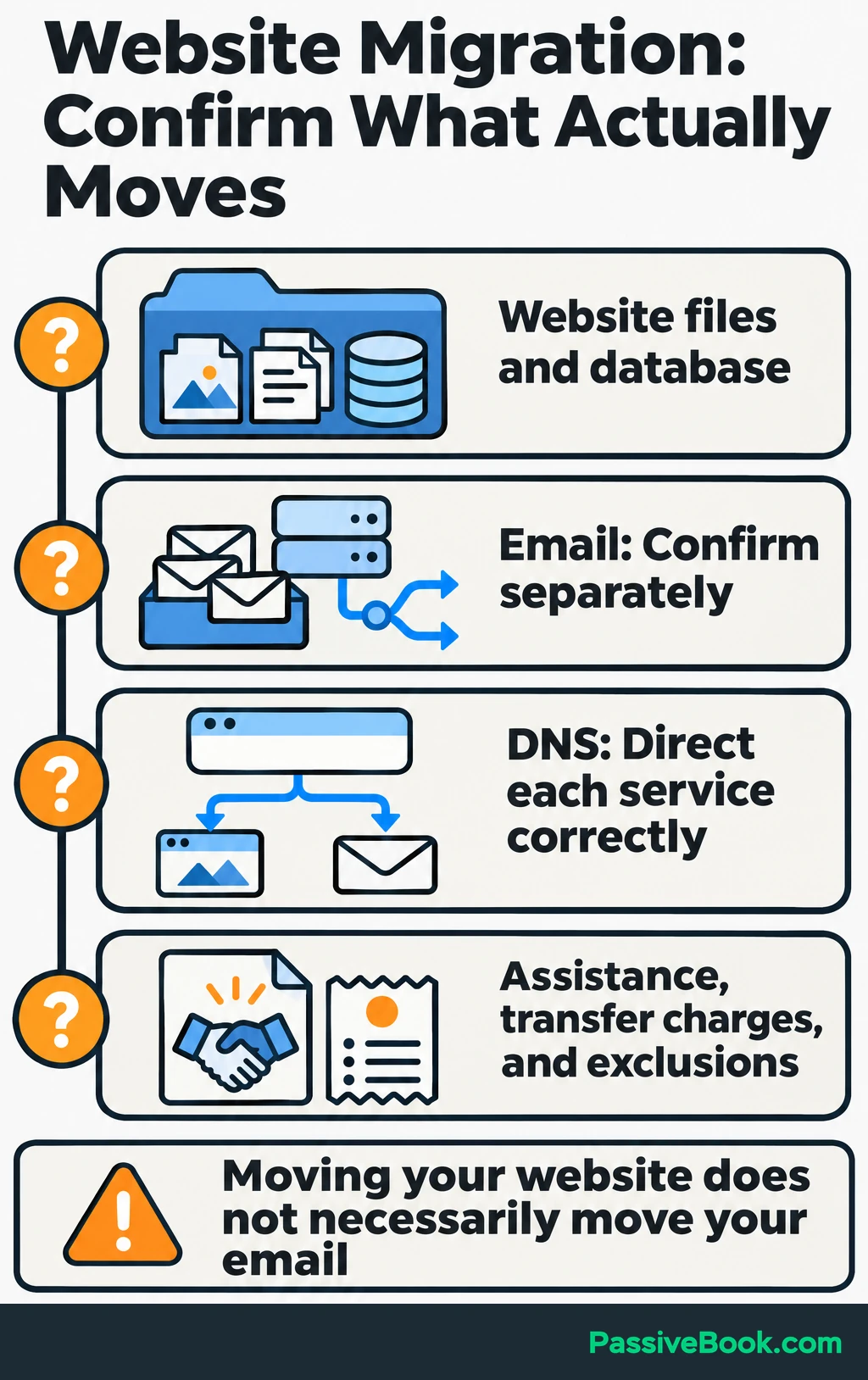
Get the migration scope before purchasing. Confirm whether it includes website files, databases, email, DNS assistance, and any transfer charges.
DNS is the system that directs your domain to the correct services. Moving the website does not necessarily mean moving its email too.
Test the copied site before sending visitors to it. For the travel-planner business, the check should cover:
- Publishing: Destination guides, images, menus, and forms.
- Buying: Product pages, cart, checkout, and payment confirmation.
- Delivery: Download permissions, planner files, and customer accounts.
- Email: Order messages, form notifications, and business inboxes.
Coordinate the final transfer of order data. Orders can arrive after the first site copy, so the migration needs a plan for those changes.
Keep the old host available until the move is verified. WordPress’s migration guidance covers the underlying site-moving work.
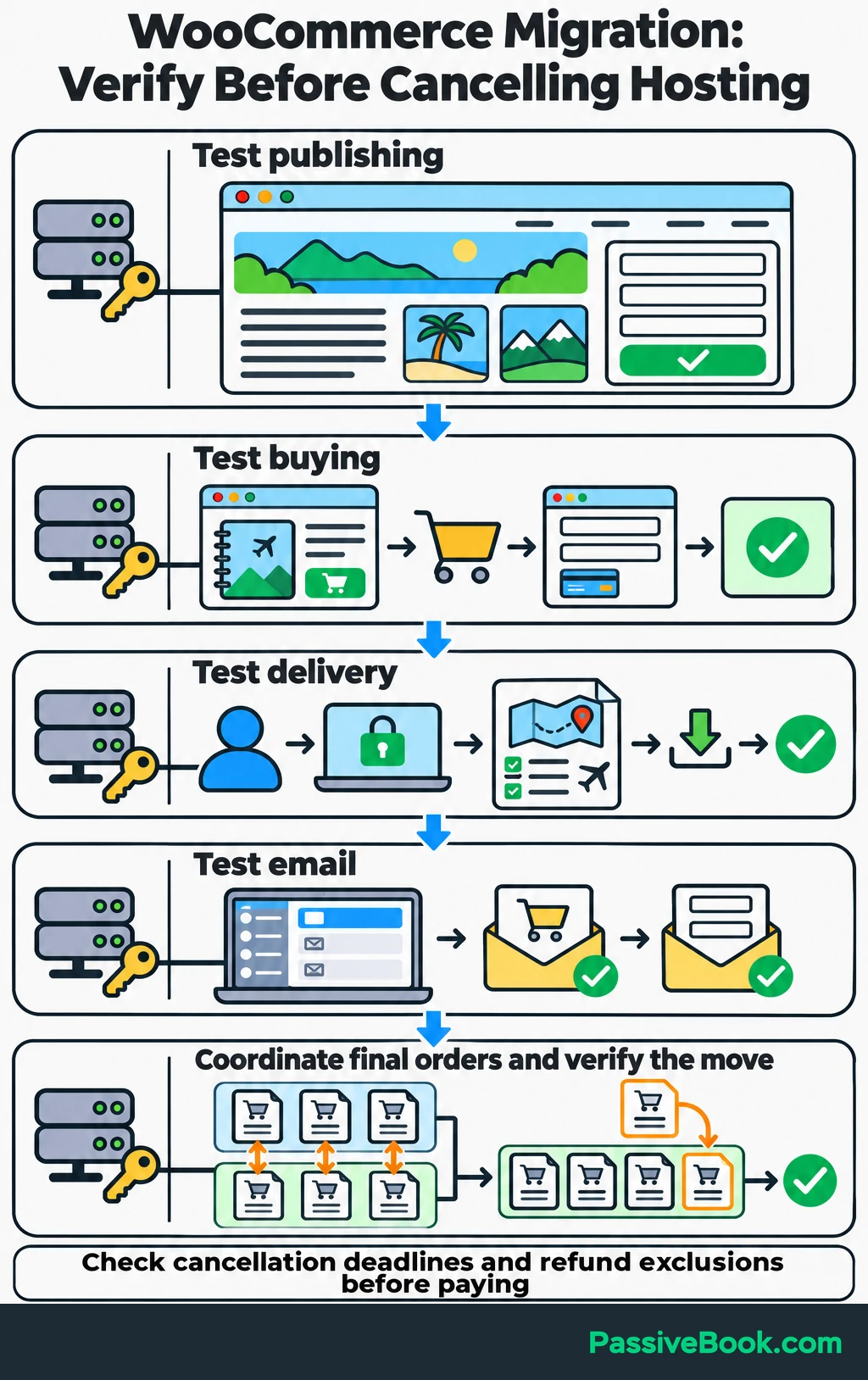
Before paying, also confirm the cancellation deadline, refund exclusions, and any charges tied to an included domain.
For the example business, I would begin with Hostinger or Bluehost if publishing dominates and the backup arrangement covers the early store. I would compare Pressable when regular sales make reduced maintenance more valuable, and Cloudways when measured resource needs justify more configuration.
Choose the plan whose recurring cost, recovery arrangements, and maintenance work you can live with after the introductory offer ends.
What Next?
Pick two providers and write down their amount due now, renewal bill, backup interval, and the maintenance you must handle. Then send each the recovery question above before purchasing.
Use the social buttons to share this comparison when hosting discussions get stuck on the cheapest monthly headline. The prepaid commitment and recovery terms deserve a place in that conversation.
Which would you pay more to avoid: server maintenance, a long commitment, or losing recent orders? Tell me in the comments, and bring any other hosting questions with you.
Share this post with your friends & followers: