A designer asks for the latest product photo, and you send three files because you’re not sure which one was approved. Meanwhile, the packaging artwork sits in a shared folder that gives them more access than they need.
Those small file problems keep pulling you back into work you thought was finished. But buying a complicated platform can create another job: maintaining the platform. To weigh that extra work against the problems you already have, this guide compares six systems, their costs, and the tasks to test before moving your files.
What Does Digital Asset Management Software Do?
Digital asset management (DAM) software gives you a searchable library for storing, organizing, controlling, and sharing digital files. Those files might include product photographs, videos, PDFs, logos, or editable designs. File details (metadata), access permissions, and version history help people find and reuse the correct file. IBM’s DAM overview describes these core functions.
The basic workflow is straightforward:
- Upload the original file.
- Add details that help people find it.
- Record whether it is ready to use.
- Decide who can view, edit, or download it.
- Retrieve and share it when needed.
Two terms matter here. Metadata describes an individual file, such as its product code, photographer, or approval status. Taxonomy means the consistent categories you use across the library. Calling the same asset type “Product Photo” everywhere makes searching easier than mixing “Photos,” “Product Shots,” and “Photography.”
For the examples below, imagine you run an online shop selling ceramic mugs. Your files include product photographs, care-guide PDFs, packaging artwork, and promotional graphics. Each mug design has a product code, or SKU, such as MUG-BLUE-350.
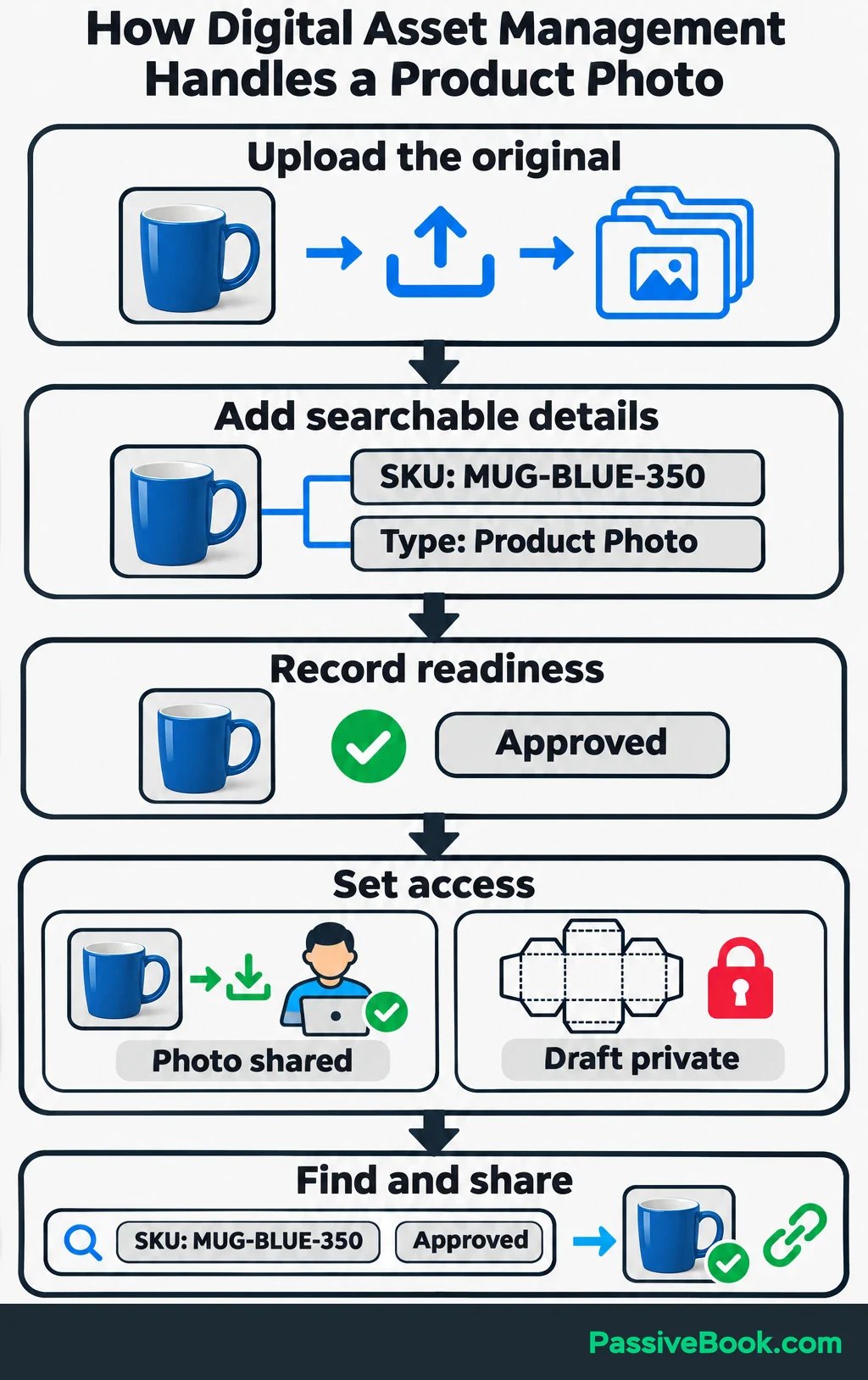
A useful search might be:
Product SKU: MUG-BLUE-350
Asset Type: Product Photo
Status: Approved
The result should give you the approved blue-mug photograph without requiring you to remember who uploaded it. Sharing that photograph should also leave unfinished packaging artwork private.
That is a stronger reason to consider DAM than simply wanting better folders.
Cloud storage can already do more than hold files. Google Drive, for example, supports file version management, so version history alone does not make a system meaningfully better for your business.
Across my content sites, I’ve found that an exported graphic and its editable source can look equally “finished” when they sit beside each other. Renaming files helps, but it still leaves a decision for the next person opening the folder. That is why I care more about clear approval rules than a handsome thumbnail grid.
Keep organized cloud storage if naming rules, folders, and sharing permissions already handle the work. Consider DAM when finding approved files, answering asset requests, and sorting out revisions repeatedly require your involvement.
The Best Digital Asset Management Systems
My shortlist is Filecamp for inexpensive sharing, Dash for ecommerce publishing, and Stockpress or ResourceSpace for a free hosted starting point. Pics.io deserves a look when keeping your existing cloud repository matters. Bynder fits more involved review and distribution processes.
These recommendations reflect documented capabilities and workflow fit, rather than firsthand product testing. The “best for” labels are my judgments about where each system earns a place on the shortlist.
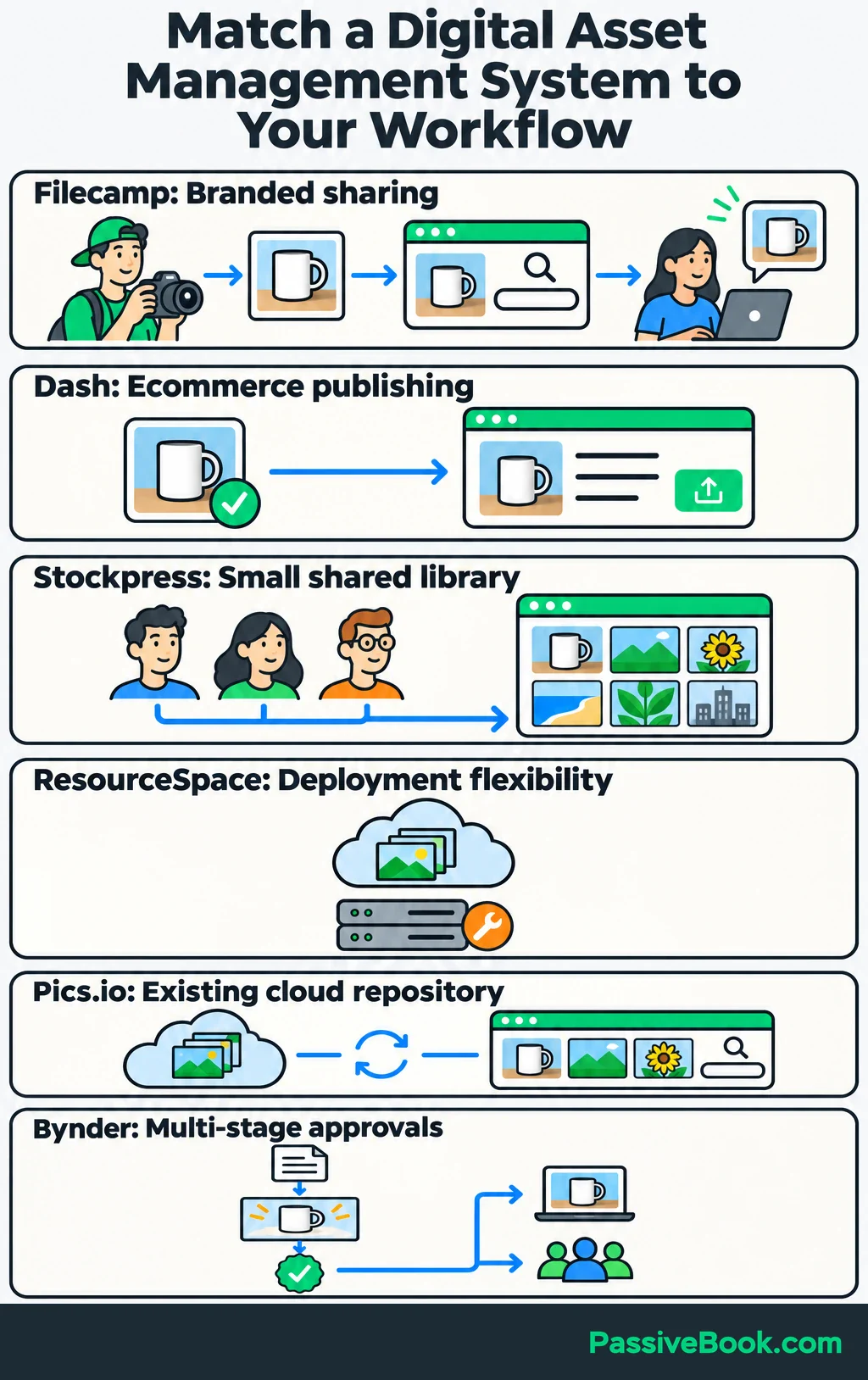
Paid prices below are USD with monthly billing. Check the linked pages for current prices, plan limits, and trial terms.
An API lets other software request files or perform actions in the library. It matters when you need a custom connection between tools.
| System | Recommended Workflow | Starting Price and Billing Basis | Included Storage and Users | Free Plan or Trial | Integration Consideration | Main Limitation |
|---|---|---|---|---|---|---|
| Filecamp | Branded file sharing with collaborators | Basic: $29/month | 20 GB; unlimited users | 30-day trial with Professional features and 10 GB | No public API for custom automation | Commenting on drafts requires Professional |
| Dash | Moving product imagery into publishing and design tools | Start Up: $109/month | 10 GB; unlimited users; 250 monthly downloads | 14-day trial; no permanent free plan | Shopify, WooCommerce, WordPress, Canva, and REST API | Download usage matters alongside storage |
| Stockpress | A small shared library without per-user fees | Free; Essential: $99/month | Free: 3 GB; Essential: 200 GB; unlimited users | Permanent free plan with 14 days of introductory Premium access | Free includes Dropbox, Box, and Google Drive connections; API requires Premium | Free lacks the versioning and statuses included in Essential |
| ResourceSpace | A free hosted library with an open-source route available | Free hosted service | 10 GB; up to 10 users | Free hosted offer, separate from self-hosted software | WordPress, Canva, and API integrations; confirm availability for your deployment | Self-hosting adds maintenance work |
| Pics.io | Managing assets around an existing cloud repository | Solo: $100/month; Micro: $250/month | Solo: 1 included user and 100 GB; Micro: 10 users and 1 TB; either can use your own storage | 7-day trial | API starts with Small at $800/month | Important collaboration features require a higher plan |
| Bynder | Structured approvals and distribution across several systems | Custom quote | Not publicly listed; confirm storage and users in your quote | Demo available; ask about evaluation access | Integration marketplace available; required modules and setup must be quoted | Cost and setup depend on the complete package |
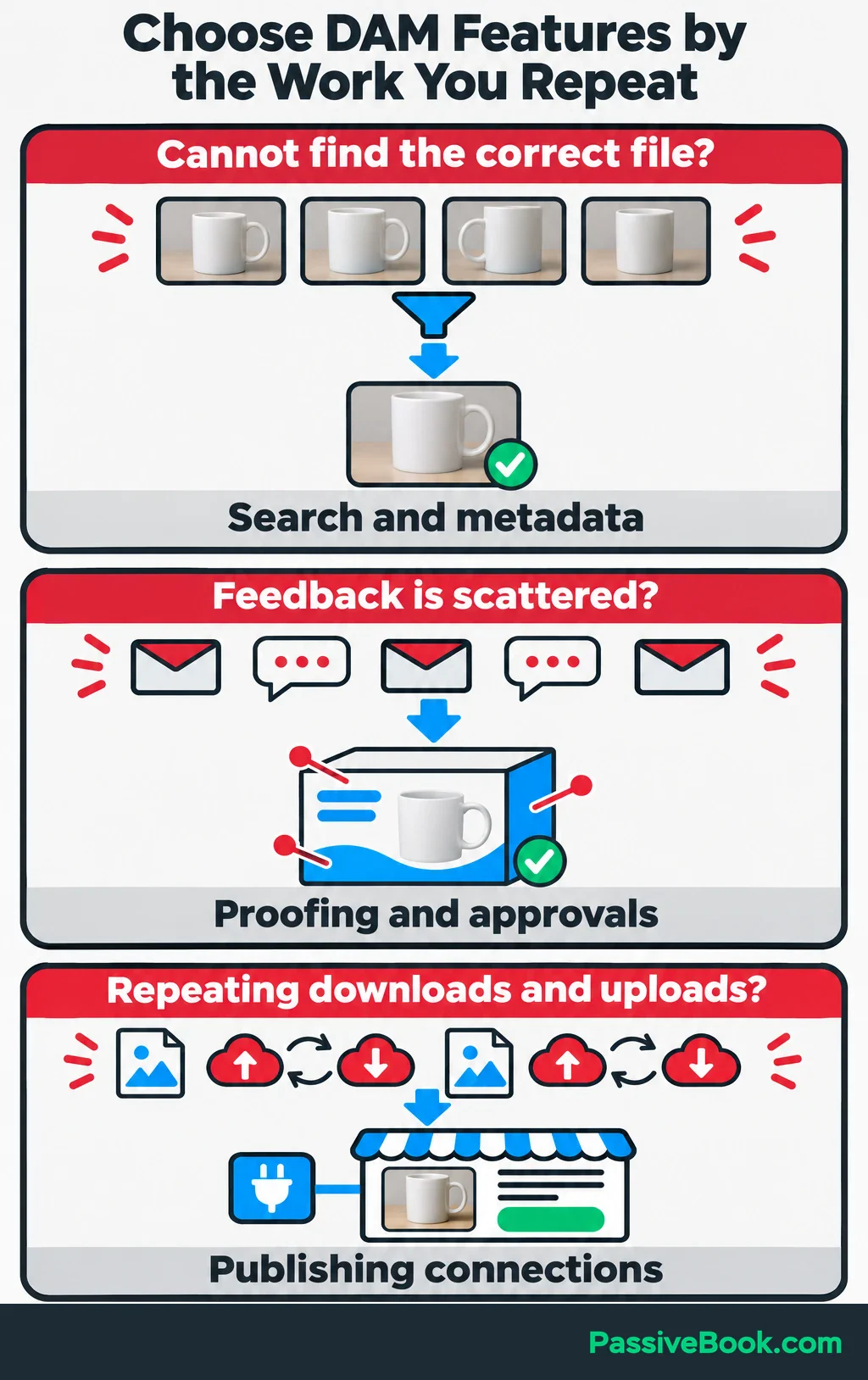
Start with the recurring obstacle you want to remove. Search matters if people cannot find files. Proofing tools let people review drafts and leave feedback in one place, which helps when comments are scattered across email threads. A storefront connection matters if downloading and uploading images is a regular chore.
A feature list becomes useful when you can connect it to work you already do.
Filecamp: Best for Low-cost Asset Sharing
I would shortlist Filecamp when the main job is giving collaborators a searchable, branded place to find and download files.
For the mug shop, that might mean letting a photographer upload new images while a designer downloads only the approved ones. Unlimited users make occasional collaborators easier to accommodate without calculating whether each person deserves a paid seat.
Choose the tier around the work. Advanced adds collections and automatic tags, while Professional adds commenting and proofing tools. Simple photographer access and detailed packaging feedback are different requirements.
The important constraint is automation. Filecamp says it has no public API, which can rule it out when an essential custom connection depends on one.
Its trial includes Professional features. Test the work against the tier you intend to buy, or you may accidentally choose a workflow your eventual plan cannot support.
Dash: Best for Ecommerce Content Workflows
Dash is my first shortlist choice when the problem continues after someone finds the correct image.
Perhaps you retrieve a mug photograph, download it, upload it to your shop, and repeat the process in Canva for a promotion. Dash’s documented integrations include Shopify, WooCommerce, WordPress, and Canva, and it provides a REST API for custom connections.
That makes the publishing task the important trial. Find an approved photograph and use it in an actual draft product listing. Check how many steps disappear and whether you still need to fix filenames, sizes, or crops.
Watch the usage model. Integration downloads and embedded-link use count toward the download allowance, although individual views through embedded links do not. Exceeding storage automatically increases the subscription.
I would choose Dash over a cheaper sharing library only when those publishing connections remove enough recurring work to justify the difference.
Stockpress: Best for a Small Free Collaborative Library
Stockpress is worth trying when you need a small shared library and want to avoid paying per person. Its free plan includes AI tagging and connections to Dropbox, Box, and Google Drive.
The decision gets more serious when approval and revision handling enter the picture. Essential adds file versioning, statuses, annotations, and custom download sizes. Those features could help distinguish an approved mug photograph from an earlier edit.
I would test Free first if the job is simply finding and sharing a modest collection. If your essential requirement is managing revisions, evaluate Essential from the start.
New accounts temporarily receive Premium access, so check which features remain after that period ends. API access and content portals belong to Premium.
Storage also has a firm consequence: uploads freeze when you reach the limit until you reduce storage or upgrade. Leave room for incoming work rather than filling the library to its ceiling.
ResourceSpace: Best for Open-source Flexibility
ResourceSpace offers two different ways to start without a software subscription: its free hosted service and downloadable open-source software.
I would try the hosted service first if you have limited time and modest requirements. It lets you assess whether the library suits your files before taking on server administration.
The downloadable software has no license charge, but someone must still manage infrastructure, backups, upgrades, and troubleshooting. ResourceSpace’s deployment options separate that route from paid cloud packages that include those services.
For the mug shop, the first task stays the same whichever route you choose: find an approved photograph, inspect its details, and share it without exposing packaging drafts.
I like having deployment choices, but I would skip self-hosting unless someone clearly owns the maintenance. A free license does not put backups on the calendar.
Pics.Io: Best for Working With Existing Cloud Storage
Pics.io deserves a place on your shortlist when keeping a Google Drive or Amazon S3 repository is an important requirement.
For collaborative work, I would compare Micro rather than Solo. Micro adds version control, custom fields, commenting, and roles. The table above lists its price, storage, and included users.
The practical catch is synchronization. Changes made directly in connected storage must sync before they appear in Pics.io. Its sync documentation says Google Drive auto-sync is unavailable on Solo, while Micro runs it every 30 minutes and allows manual sync anytime.
Test that delay with a real task: upload mug photographs directly to the connected repository and retrieve them in Pics.io.
Include external storage charges when bringing your own storage, and account for paid AI add-ons if you need them.
Bynder: Best for Complex Approval and Distribution Workflows
I would consider Bynder when the problem spans several connected stages: briefing, reviewing, approving, and distributing assets.
Its offering includes the core DAM and additional products such as Asset Workflow for briefing and approval. That wider scope can be useful when several people must make decisions before an image reaches a publishing system.
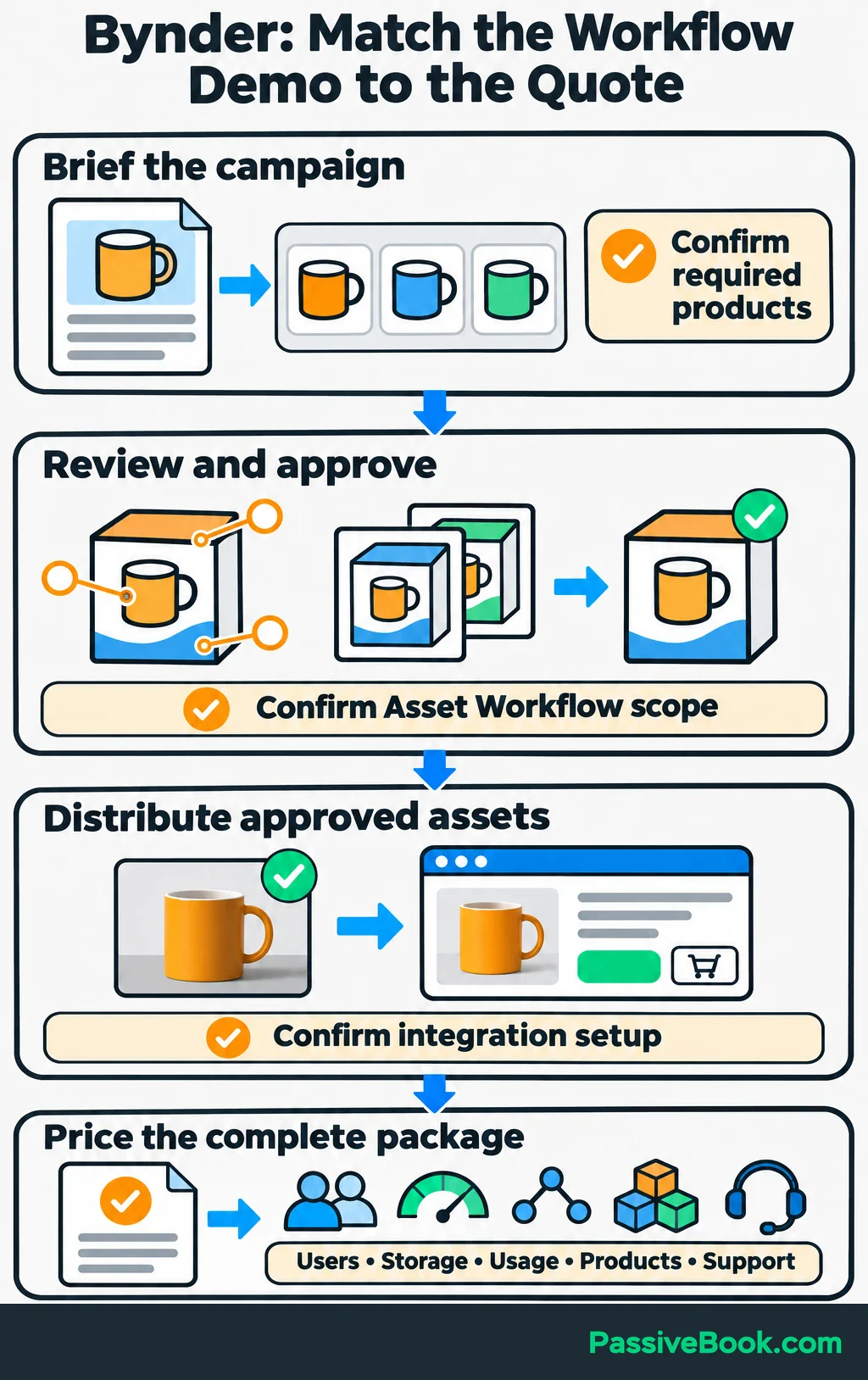
Ask for a demonstration of one complete mug campaign. Submit the imagery, collect feedback, approve a version, and make the approved assets available where they will be published.
Then require the proposal to identify every necessary module and integration task.
Bynder does not publish a standard entry price. Its quote depends on users, storage, connected-system usage, selected products, and support. I would only proceed when the full process justifies that cost and administration.
For basic retrieval and occasional sharing, I would try the simpler options first.
How Much Will a DAM Actually Cost?
Compare the smallest plan that completes your required work. A free library without essential version handling is not your usable price. Neither is a paid plan that lacks the connection your workflow needs.
For the first year, count the subscription you will actually pay and add:
- Setup and migration charges.
- Extra storage and asset-delivery charges.
- Required integrations, development, and add-ons.
- Hosting and paid maintenance for self-hosted software.
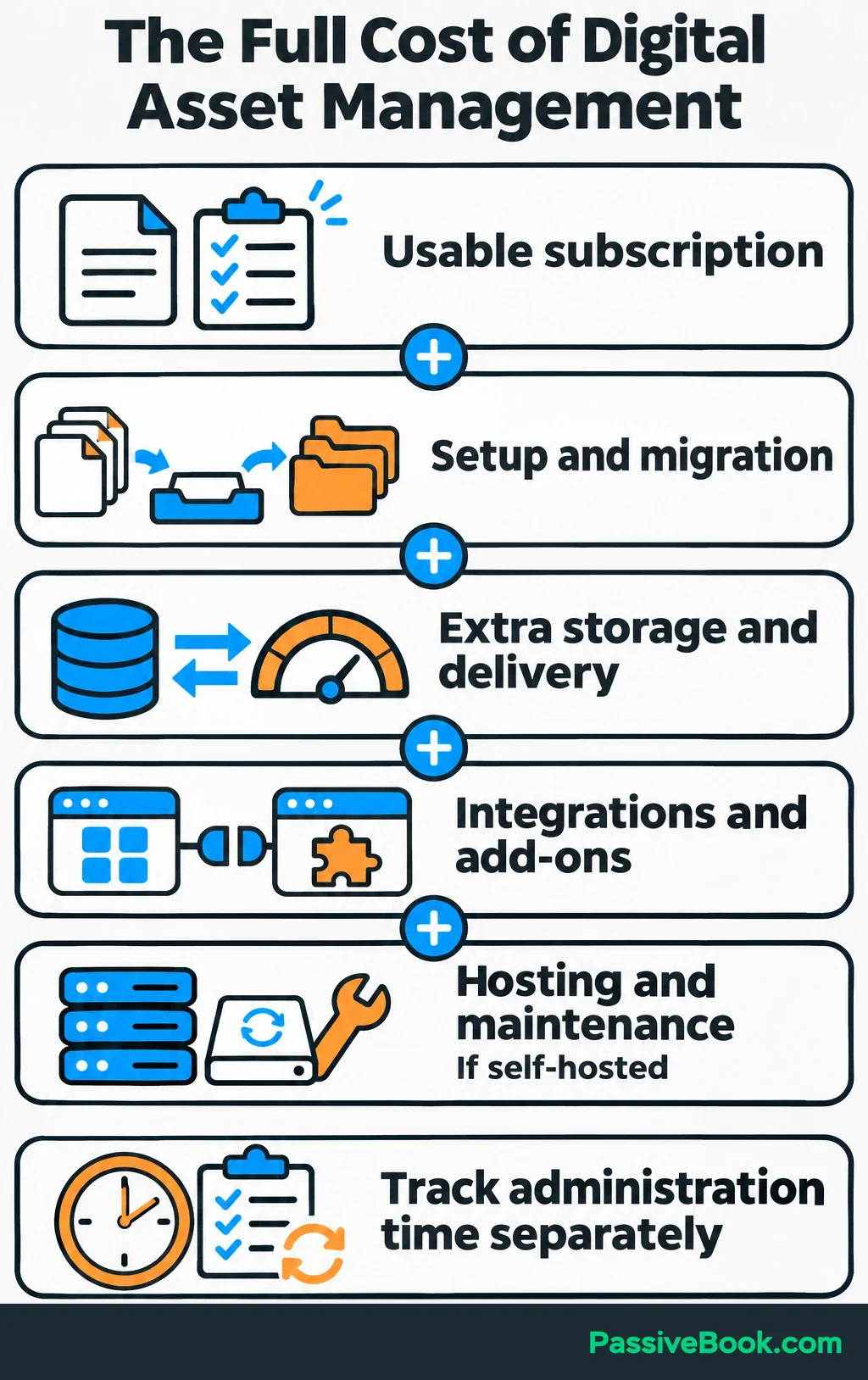
Record your own administration time separately. It may not appear on an invoice, but it still takes time away from the business.
To estimate value, track time spent finding files, sending assets, recreating existing material, and correcting outdated images. Then subtract the time you expect to spend maintaining the new library.
For illustration, suppose you save five hours each month but spend one hour maintaining the system. You gain four hours. If you value that time at $30 an hour:
Four net hours × $30 = $120 of monthly time value.
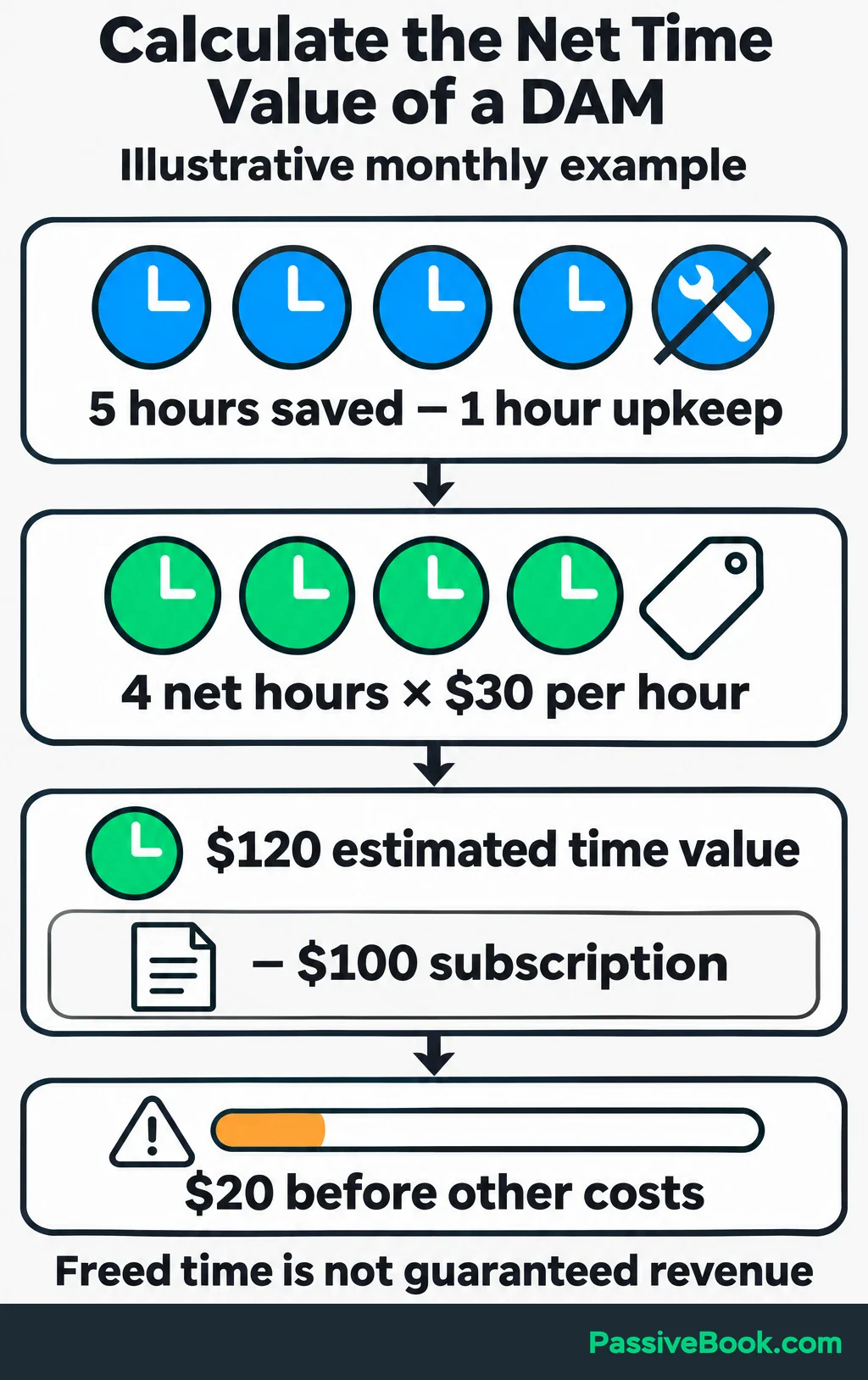
A $100 monthly subscription would leave $20 of that value before other costs. That is a thin margin if setup takes substantial work.
Freed time also does not automatically become revenue. Decide what you would do with it.
For a custom proposal, request first-year and renewal totals, contract length, included onboarding, usage allowances, and any cancellation or export charges. I would settle those points before moving the library.
How to Choose a DAM That Fits Your Workflow
A trial should answer whether the system improves your work enough to justify its cost. Uploading a few attractive photographs and admiring the search screen will not answer that.
Choose two finalists and give both the same files and tasks.
Define the Asset Structure Before Your Trial
First, list what the system must handle:
- The tasks that currently cause repeated work.
- Your actual file formats and required previews.
- Current storage use and likely additions.
- Who needs upload, edit, approval, and download access.
- Your total budget, including maintenance.
- The publishing and design tools you need to connect.
An upload succeeding does not mean the preview is useful. Include an editable packaging file and the care-guide PDF alongside the mug photographs.
Next, define only the information needed to find and reuse those files. Start small:
| Field | Mug Shop Example | Decision It Supports |
|---|---|---|
| Product SKU | MUG-BLUE-350 | Find files for the correct product |
| Asset Type | Product Photo, Care Guide, Packaging Artwork, Promotional Graphic | Separate files by their purpose |
| Approval Status | Draft, In Review, Approved, Retired | Identify what is ready to use |
| Usage Rights | Photographer agreement: website and email use allowed; printed packaging excluded | Check whether the planned use is allowed |
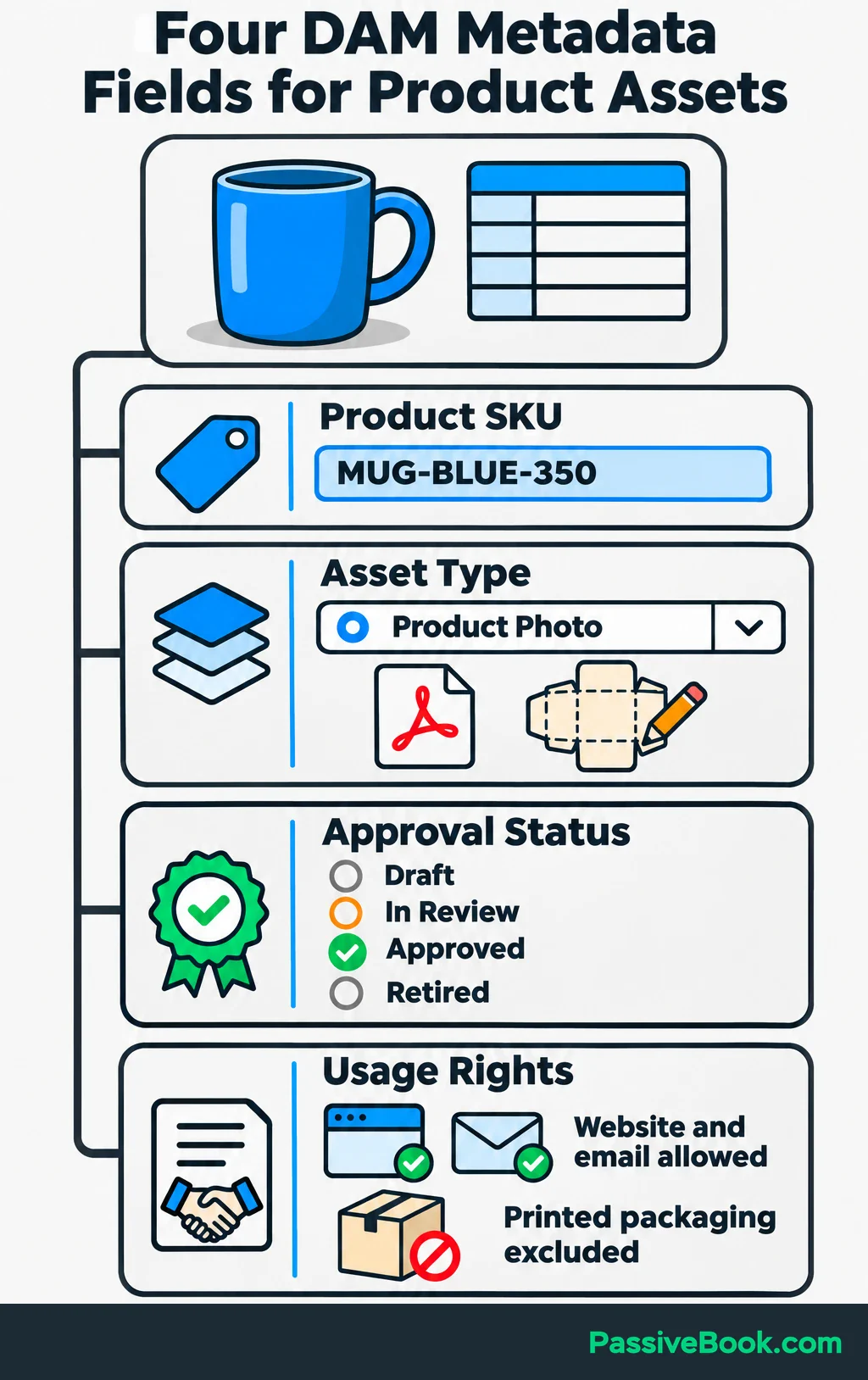
Use fixed choices where consistency matters. Four fixed status labels are easier to maintain than everyone inventing their own.
Assign one owner for naming rules and approval decisions. That can be you. The point is to make the decision clear.
Build a representative trial collection: current photographs, an older version, a duplicate, packaging artwork, and a care-guide PDF. Both finalists should receive that same collection.
You do not have to invent the library structure from a blank page. This AI Skill turns a short file list into a populated asset register and instructions you can give your next collaborator.
Free AI Asset Library Assistant




Test Retrieval, Sharing, and Integrations
Run the work from beginning to end and compare it with your current process.
For the mug shop, that means finding the approved blue-mug photograph by SKU, locating its editable source, sharing selected files with a designer, and replacing an older version.
For a blog, use a post title or URL instead of a SKU, and test the article graphic alongside its editable source. For an agency, include two clients’ files and confirm that each client can access only their own assets.
Record three things: how long the task takes, whether anyone chooses the wrong file, and where someone needs help. These observations are more useful than a general impression that the interface feels modern.
Test access from the recipient’s side. Use a collaborator account and a signed-out browser to confirm that:
- The intended files are available.
- Restricted drafts remain inaccessible.
- Revoking a shared link blocks further access through that link.
Revocation cannot retrieve a copy someone has already downloaded, so share only the files they need.
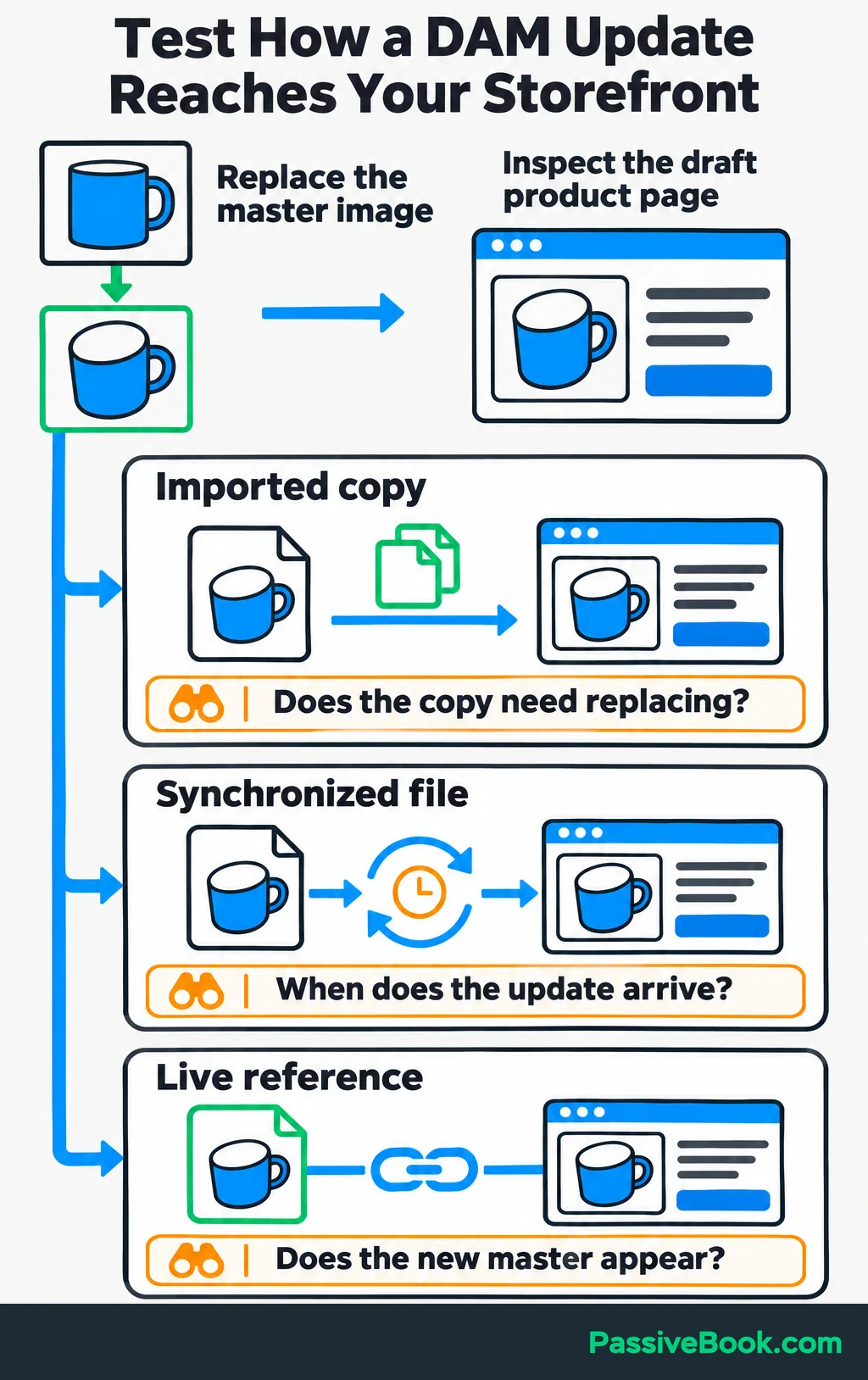
Next, test the actual publishing connection. Find out whether it imports a copy, synchronizes files, or serves a live reference to the master. Replace the master image and inspect the draft product page. The result tells you whether a change in the library reaches the storefront automatically or requires another action.
I use n8n to connect apps and automate tasks in my business. That experience has made me strict about what starts an automation.
For the mug shop, only assets approved for storefront use should enter the publishing workflow. Before building around n8n, verify that the DAM can supply that approval status and that the connection can access the files it needs without exposing restricted drafts.
Finally, check AI tags against searches you would actually use. “Blue cup” may help discovery, but it cannot replace a product SKU, a human approval decision, or a record of usage rights.
Check Portability Before Committing
Export the trial collection before you buy. Inspect what comes out, rather than stopping when the download finishes.
Check the originals, filenames, metadata, collection relationships, and available version history. Some information may need a separate export or manual reconstruction, and you should know that before the library grows.
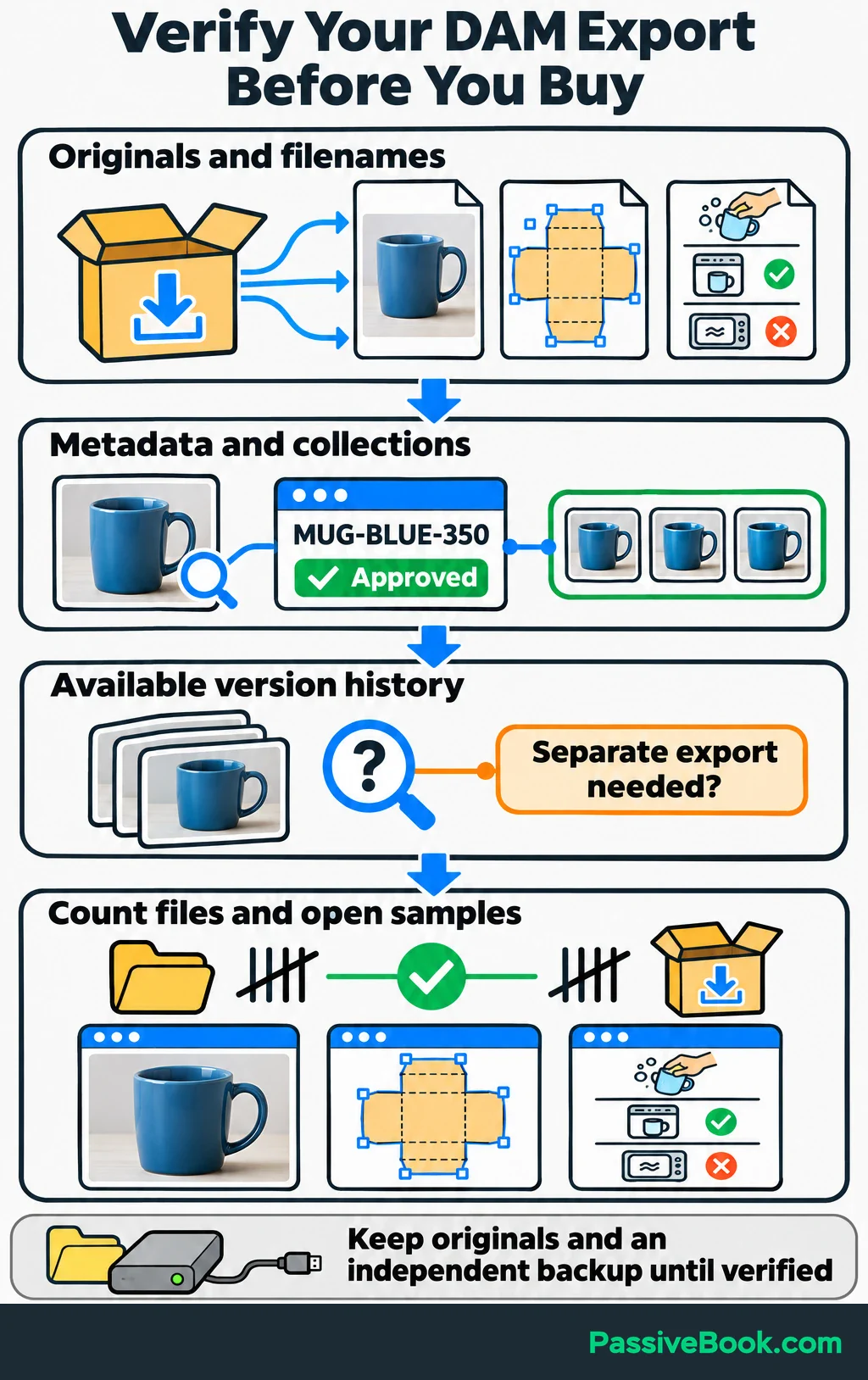
Compare file counts and open representative files after both import and export. Include the editable packaging artwork and PDF, not just the easiest image format.
Keep the source library and an independent backup until you have verified the transfer.
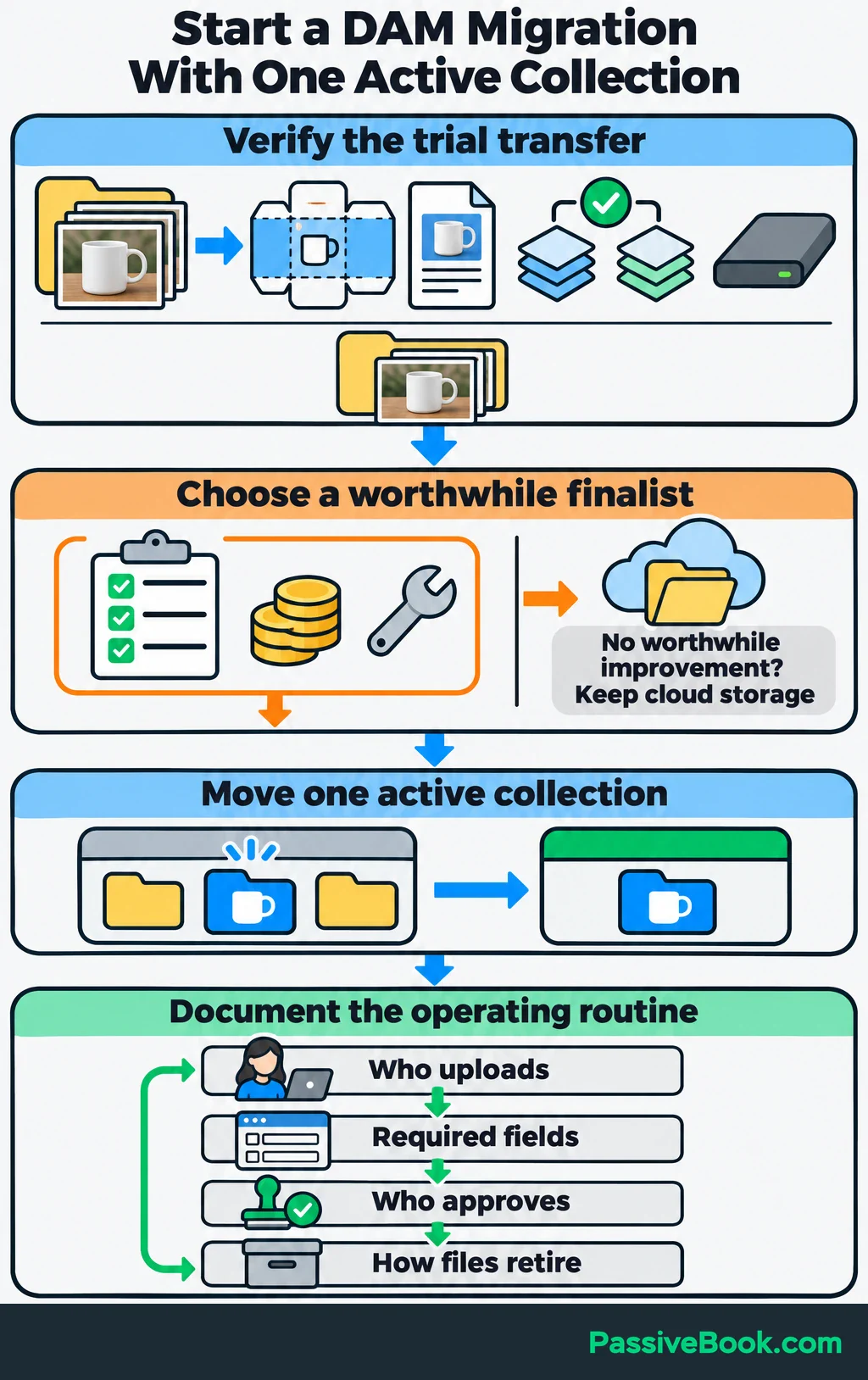
I would choose the lowest-cost finalist that completes the essential tasks with manageable upkeep. If neither produces a worthwhile improvement, keep organized cloud storage and fix the naming or access rules causing the trouble.
When a system does earn its place, move one active collection first. Document a short routine: who uploads, which fields are required, who approves, and how retired files leave active use.
That routine gives the next upload somewhere clear to go. Without it, you have paid for a larger place to lose things.
What Next?
Gather one active product’s files and write down the three retrieval or sharing tasks that cause the most trouble. Use that collection to test two options before committing to a migration.
Use the social buttons to share this guide when a tool comparison could help turn scattered files into a workable library.
Which file task would you most like to stop handling manually? Leave your answer—and any other DAM questions—in the comments.
Share this post with your friends & followers:

