You spend half an hour writing a useful post, publish it, and get a handful of views. Meanwhile, an account posting cat jokes seems to have the whole internet’s attention.
The temptation is to post more, copy whatever looks popular, or pay for visibility. But those choices can fill your week without bringing more interested people to your business.
The useful question is how to make your posts worth discovering—and give that attention somewhere to go. This guide connects content, replies, and a manageable publishing routine so you can build reach without making X your second job.
What Increases Organic Reach on X?
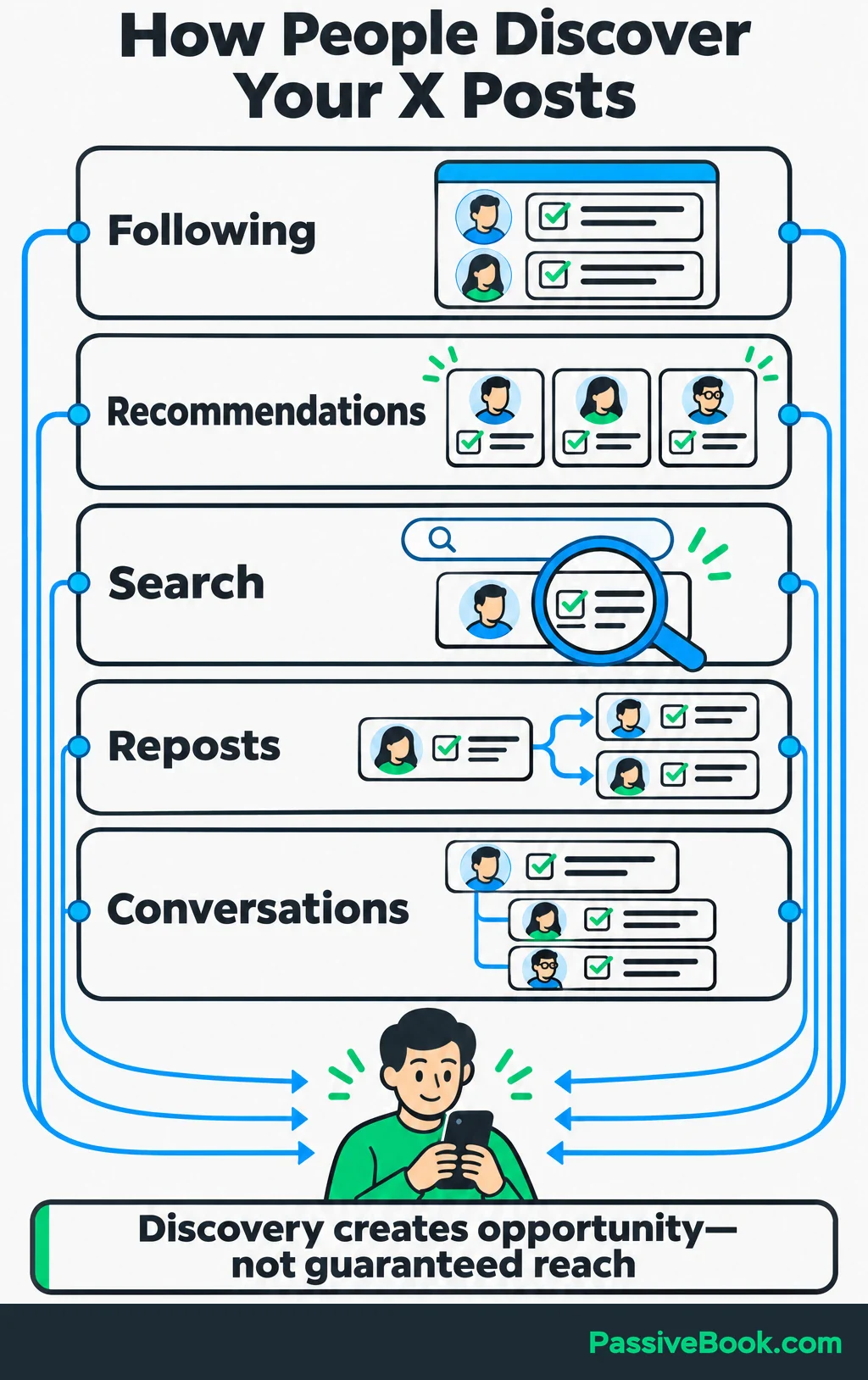
Organic reach comes from people finding your posts without paid promotion. They might see them through accounts they follow, recommendations, search, reposts, or conversations.
You don’t need a large following to appear in someone’s feed. X’s published For You system combines posts from followed and unfollowed accounts, then ranks them using predictions about each viewer’s actions and attention. That creates an opportunity to reach non-followers, although it doesn’t guarantee distribution. X’s For You algorithm documentation
My approach is straightforward: answer questions your intended audience already has, contribute to relevant conversations, and develop the ideas that attract interested people.
Start with free posting and participation. You can use the tactics below without buying a subscription.
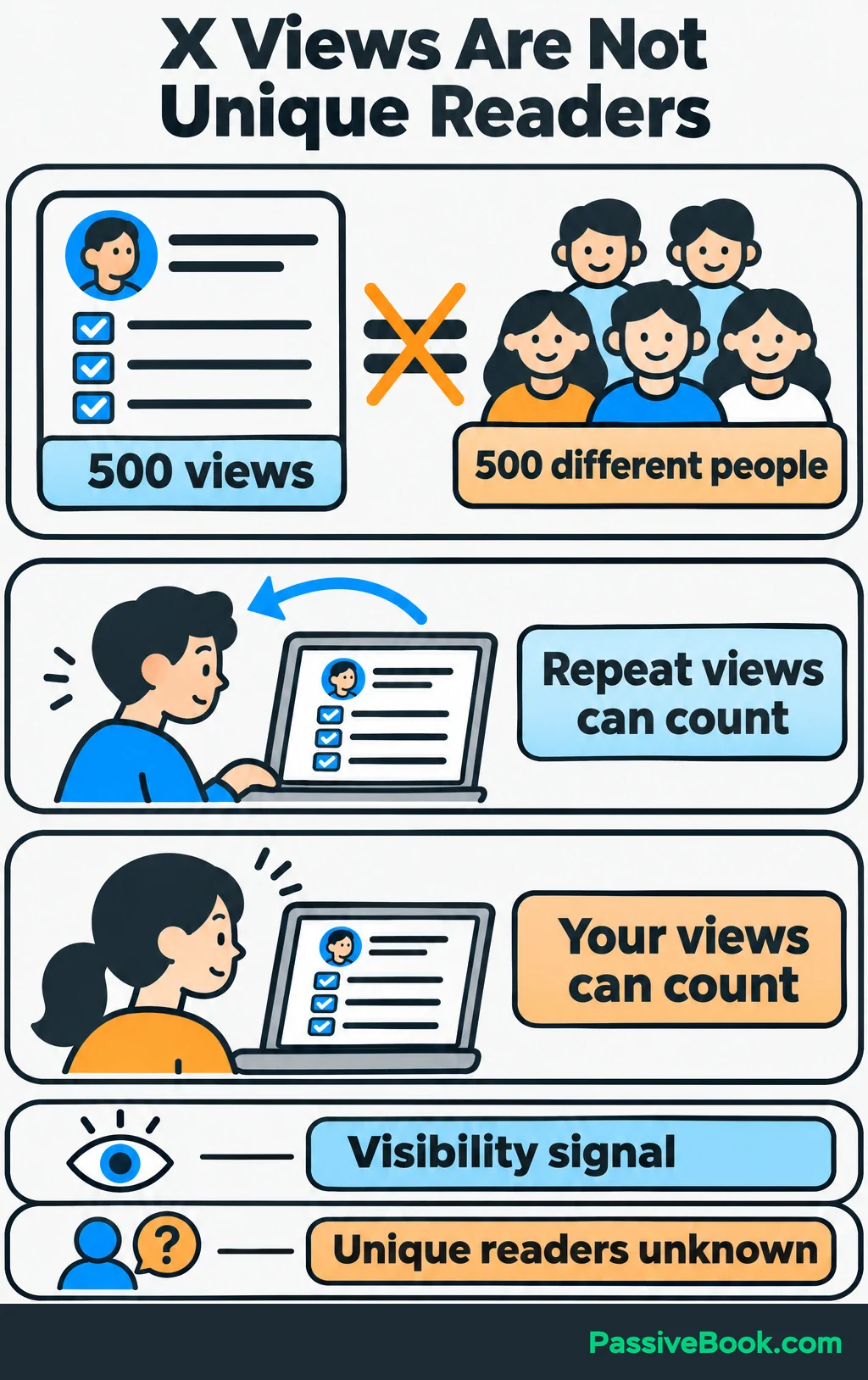
Also, treat public views as a visibility signal. They aren’t a count of unique people: repeat views and your own views can count. A post with 500 views hasn’t necessarily reached 500 different readers. X’s view-count definitions
Throughout this guide, imagine you run a shop selling printable cat-sitter handover sheets. The sample posts illustrate the process; they aren’t customer results.
Give People a Clear Reason to Follow You
Before increasing your posting effort, decide what people should expect from your account.
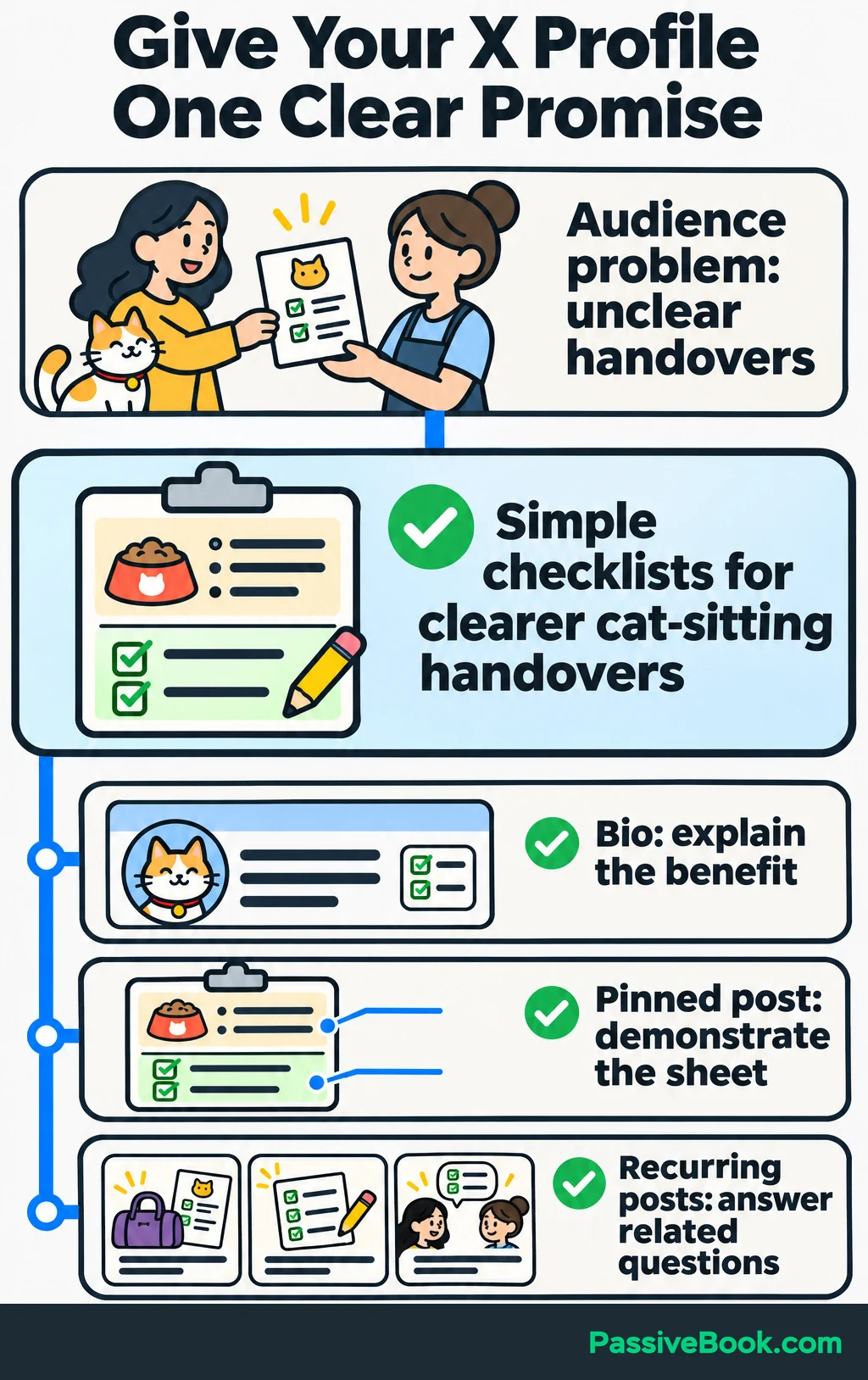
Choose a promise that connects an audience problem to something you can keep helping with. “Pet content” gives you plenty to post about, but it gives visitors little reason to choose your account.
For the handover-sheet shop, a clearer promise is:
Simple checklists for clearer cat-sitting handovers.
Build recurring subjects around that promise:
- Preparing instructions before the owner leaves.
- Recording what happened during each visit.
- Passing clear updates between sitters.
Collect actual questions from customer messages and public discussions. Save the question alongside the answer you can contribute. “What should I leave for the sitter?” is a better starting point than “Need something for Tuesday.”
Then make your profile support the same promise. Use a recognizable image, explain what you offer in your bio, and pin a useful demonstration. For this shop, I would pin an annotated handover sheet showing where instructions and completed tasks belong.
Keep the account public if you want discovery beyond approved followers. Protected posts limit who can see them.
Your profile should make the decision to follow easy: “This account keeps helping with a problem I have.”
Publish Posts People Can Use and Share
Open With a Specific Problem and Deliver the Answer
Start with a situation the reader recognizes, then give them something they can use.
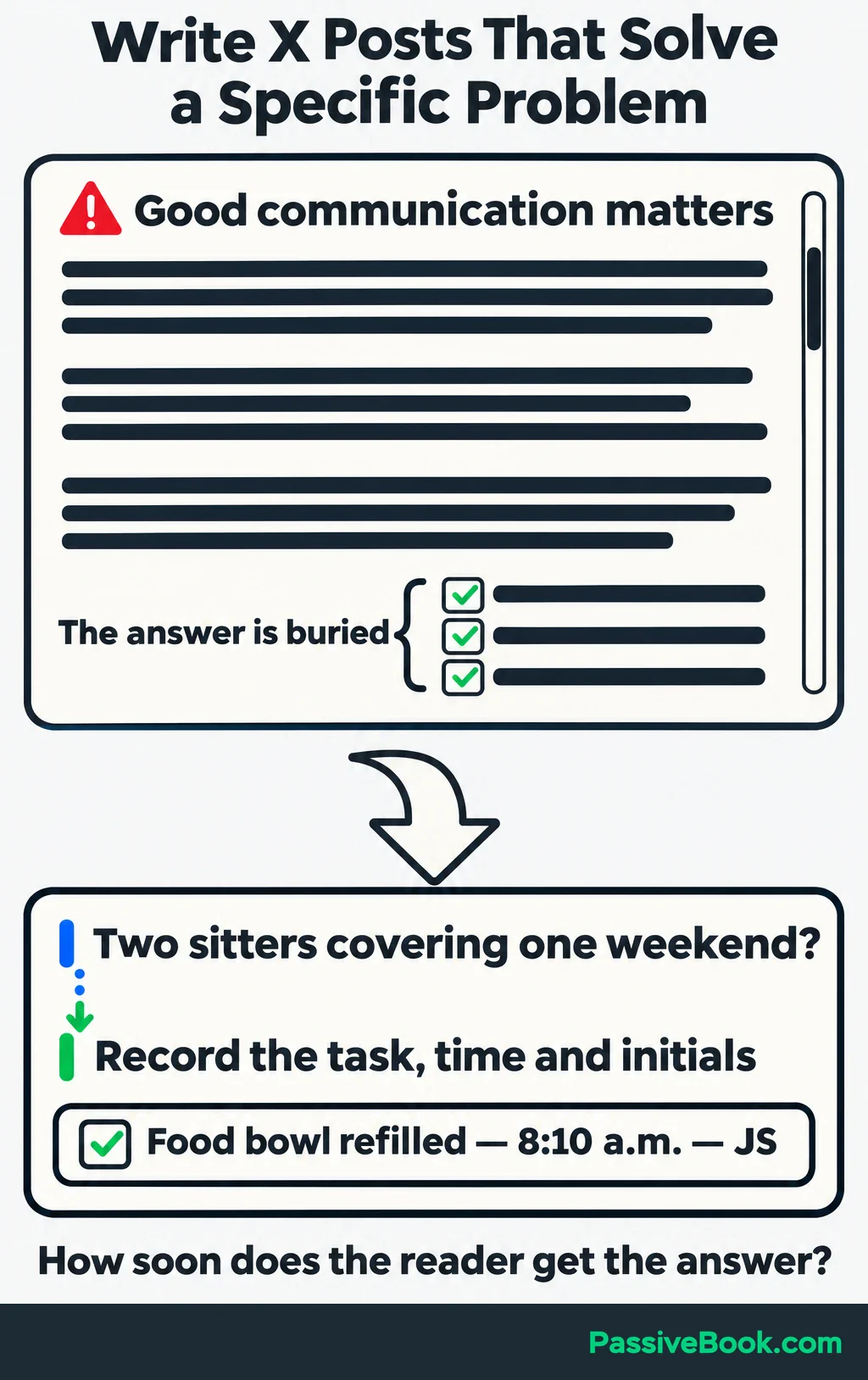
“Good communication matters” asks people to agree. “Two sitters covering one weekend?” helps the right person recognize their problem.
Follow that opening with the answer. Don’t spend three posts explaining why handovers matter before showing what to write.
Here’s a complete sample post:
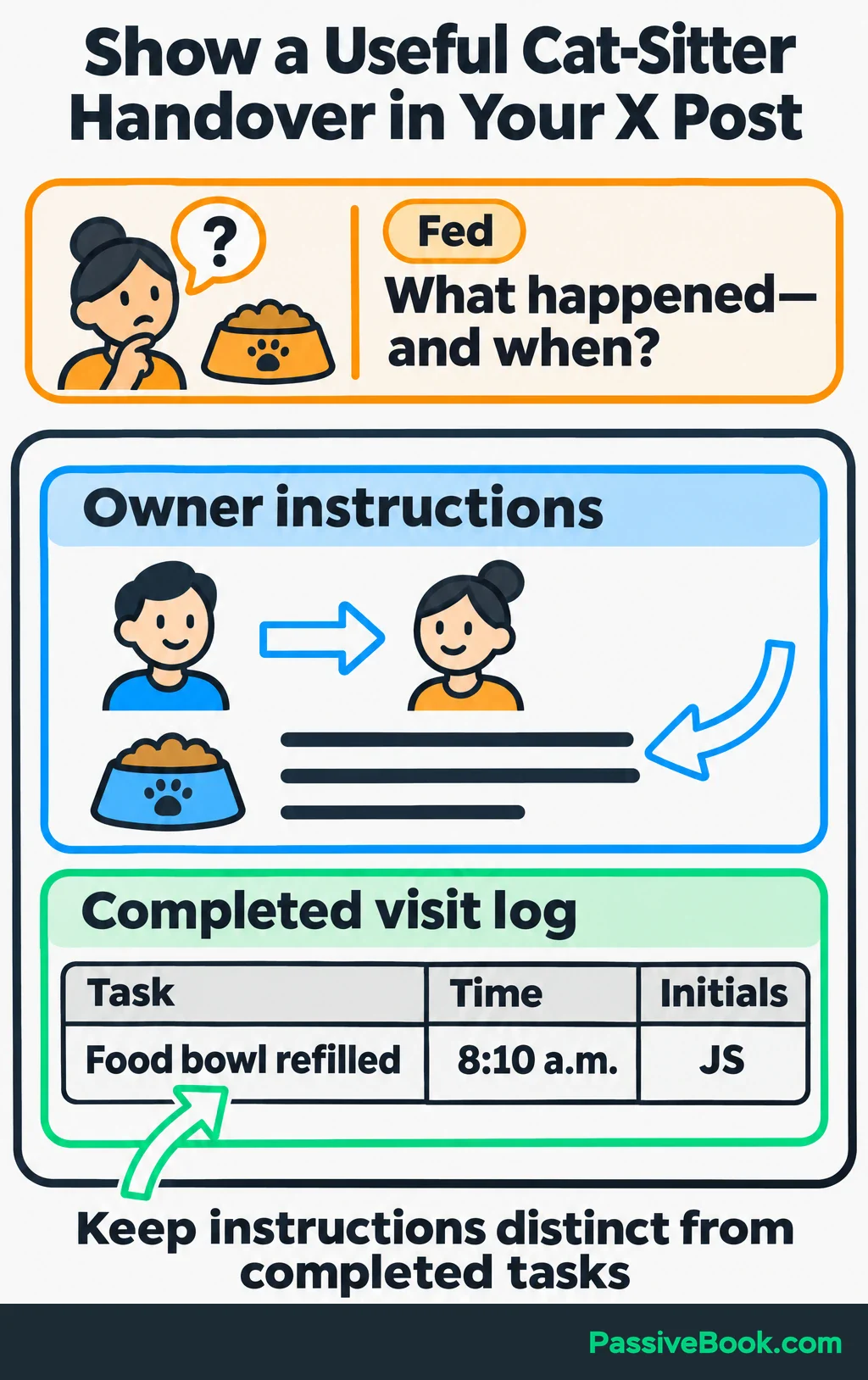
Two sitters covering one weekend? “Fed” leaves the next person guessing.
On your cat-sitter handover sheet, record the task, time and initials:
Food bowl refilled — 8:10 a.m. — JS
Keep the owner’s instructions beside the visit log.
The reader gets a practical improvement even if they never visit the shop. They can also see what the product helps organize.
Add substance through a small demonstration, a reason behind a design choice, or an answer to a repeated question. For example, explain why planned tasks and completed tasks need separate spaces.
I’ve caught myself polishing an opening while leaving the useful example buried underneath it. Moving the example up usually makes the draft clearer. That’s the editing check I would use here: how far must someone read before they get the answer?
Ask a question when the responses would help you understand the problem:
What information do you most often have to chase before a cat-sitting visit?
That gives people something specific to discuss, and their answers can shape future posts.
If you have a useful answer but keep getting stuck on the wording, AI Social Copy Studio can turn your notes into three drafts. Each takes a different angle, so you have more than three versions of the same opening.

Free AI Social Copy Studio




Choose the Format That Makes the Idea Clearest
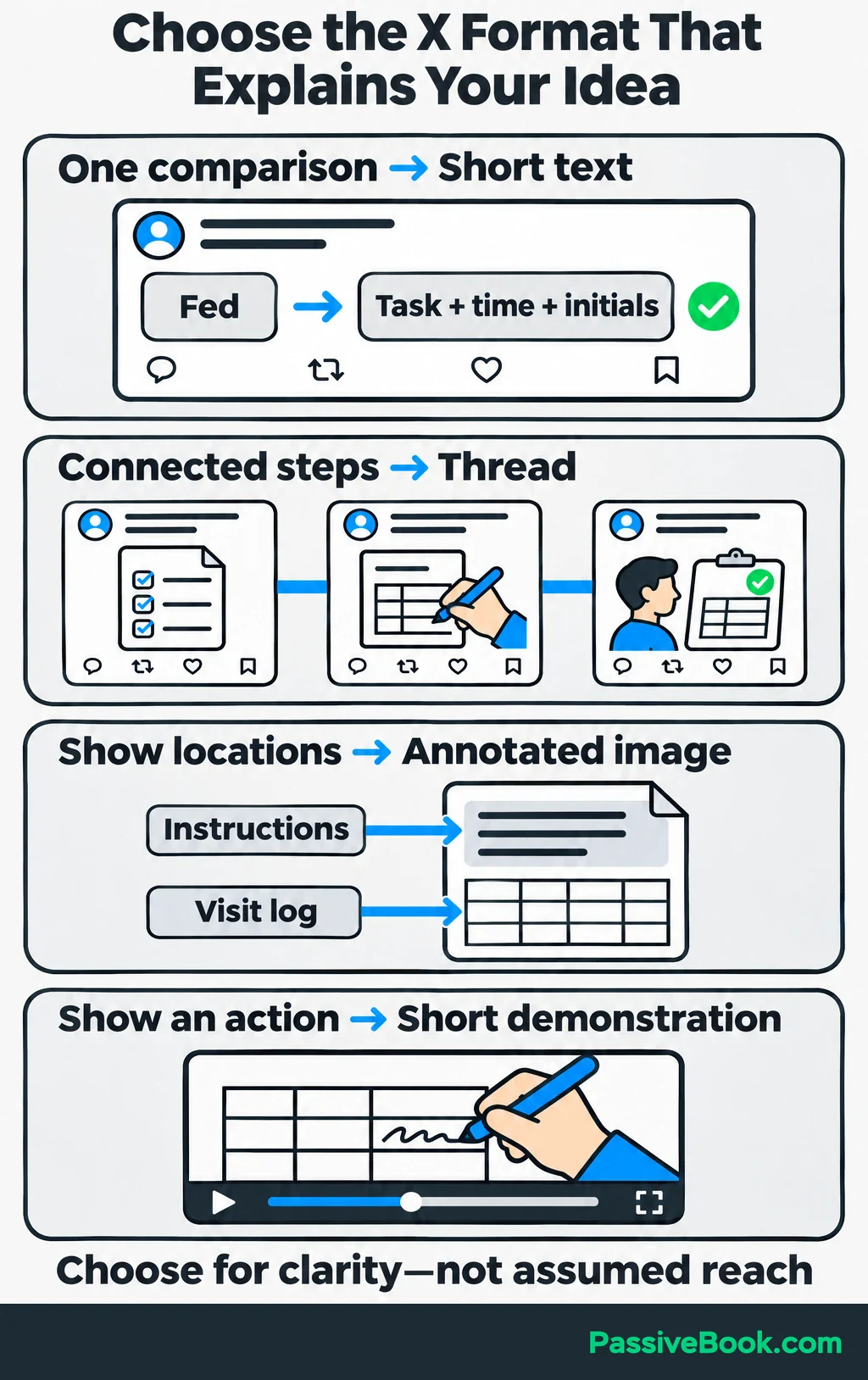
Choose the format after you know what you want to explain.
| What You Need to Explain | Format I Would Choose | What to Include |
|---|---|---|
| Why completion times belong in a visit log | Short text post | A comparison of “Fed” with “Food bowl refilled — 8:10 a.m. — JS” |
| How to prepare and use the whole handover sheet | Thread (a series of connected posts) | Enter the owner’s instructions, record a completed task, and show how the next sitter checks the log |
| Where instructions and visit records belong | Image | A readable sample with arrows pointing to each area |
| How someone fills in the sheet | Short demonstration | A screen recording or hands-only clip completing one visit entry |
A thread earns its length when each post adds a necessary part of the explanation. If the whole answer fits in one post, I would keep it there.
For images, make the important text readable on a phone. Canva is enough for a simple annotated sheet. An unrelated cat photo may be pleasant, but it won’t show someone how the handover works.
You can also demonstrate a product without appearing on camera.
When linking to a fuller resource, leave a useful takeaway in the post and explain what the click provides. “Download a sample visit log” is clearer than “Learn more.”
I would test formats against the explanation they need to carry. I wouldn’t assume video, threads, or moving every link into a reply gives every account more reach.
Reach New People Through Relevant Conversations
Write Replies That Stand on Their Own
Replies give you a way to contribute where the subject already has someone’s attention.
Search for phrases your audience uses, such as “cat sitter instructions” or “cat sitting checklist,” and review recent discussions. Read the conversation before answering so you don’t repeat advice someone has already given.
Keep a short list of relevant accounts. Include people asking practical questions, related businesses, and peers whose discussions you can contribute to. Follower count alone is a poor reason to join a conversation.
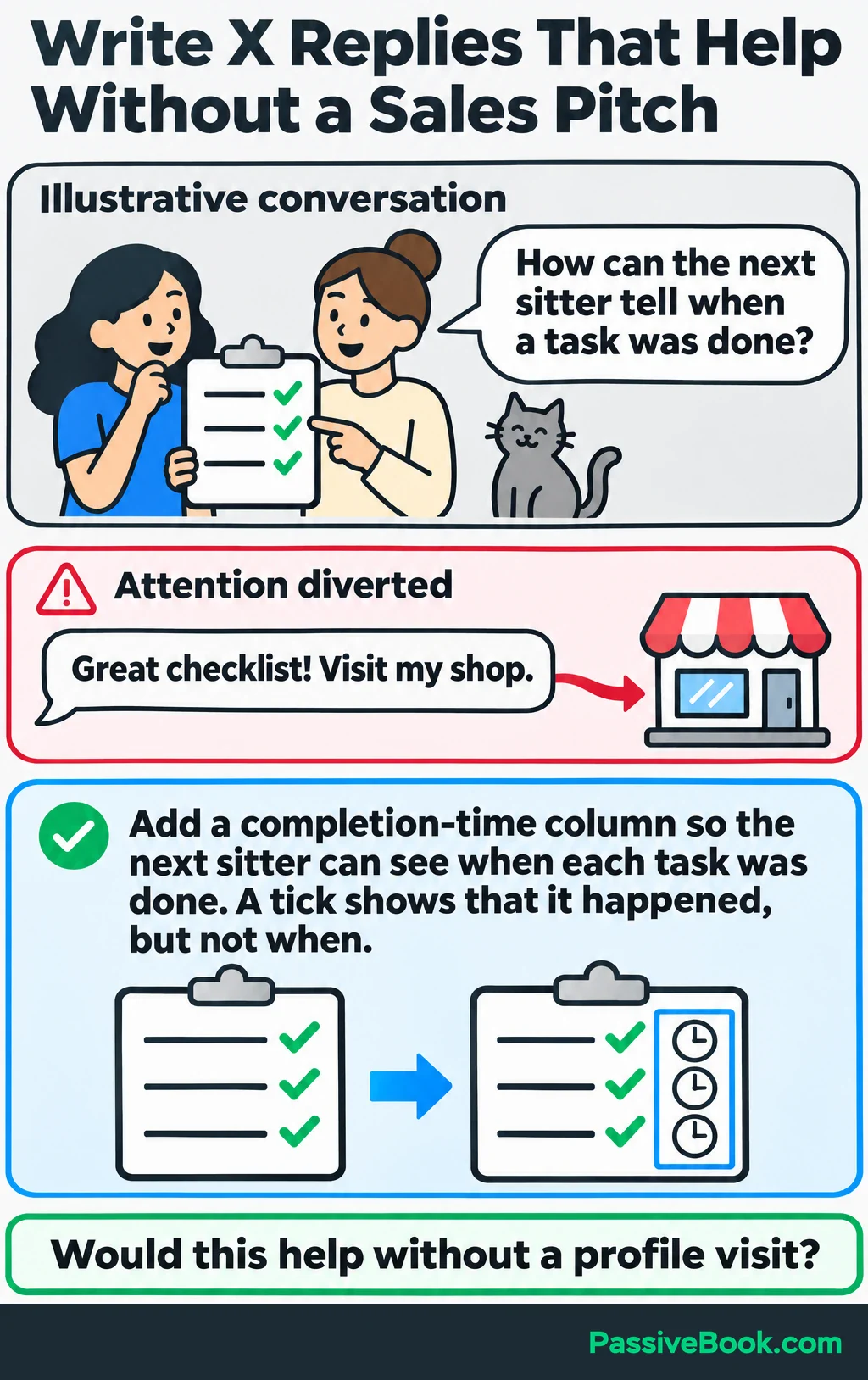
A useful reply should make sense without a sales pitch. For example:
Add a completion-time column so the next sitter can see when each task was done. A tick shows that it happened, but not when.
That is more useful than “Great checklist!” followed by a shop link.
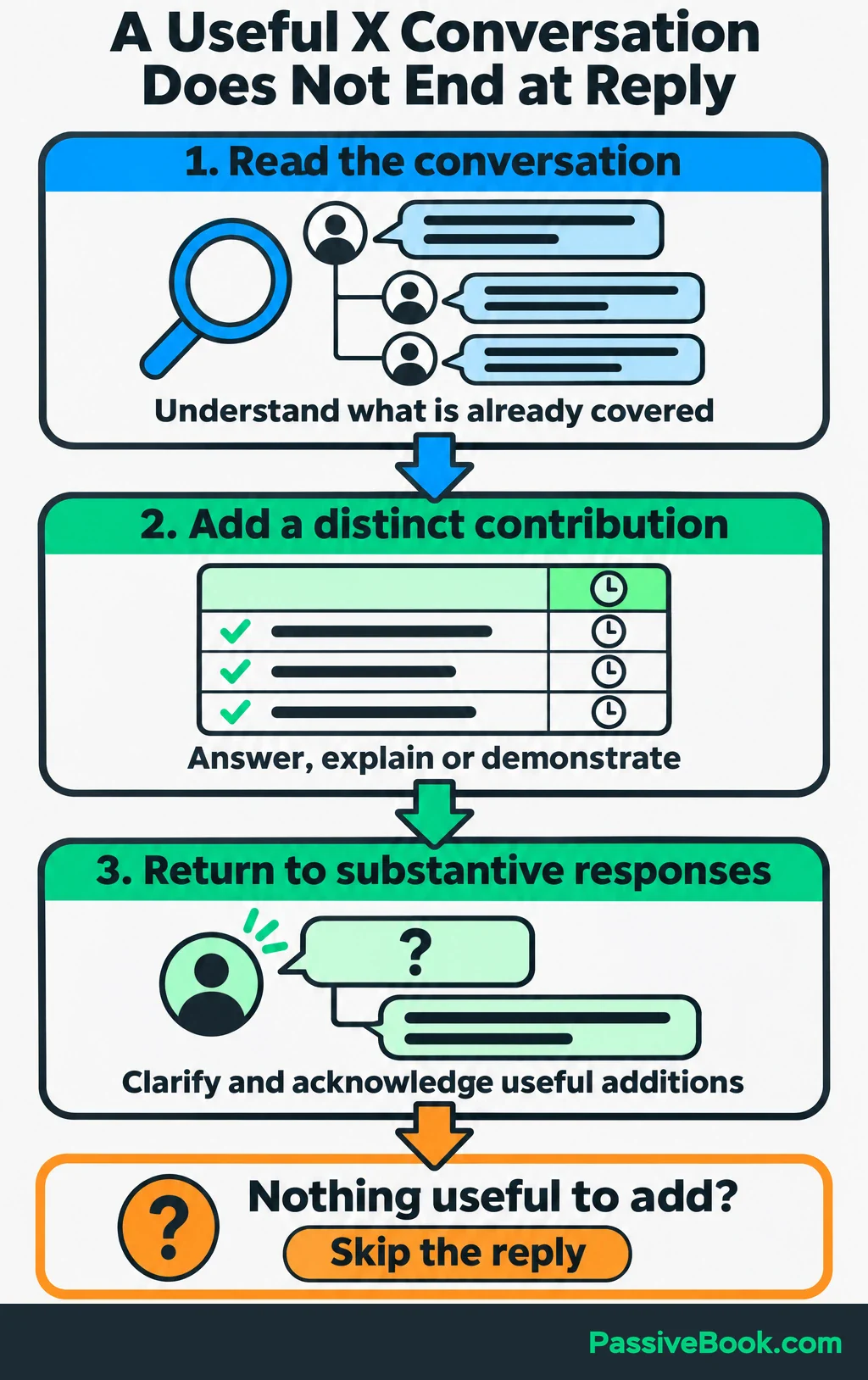
Return to substantive replies on your own posts, too. Clarify the advice, answer follow-up questions, and acknowledge useful additions. X lists whether the original author has replied among its conversation-ranking factors. It also lists paid subscriber status, so free and paid accounts don’t have identical reply treatment. Neither point guarantees where a particular reply will appear. X’s explanation of conversation ranking
Skip purchased engagement, reply swaps, bulk unsolicited pitches, and automated comments dropped under unrelated posts. X prohibits content spam and coordinated attempts to inflate engagement. X’s authenticity policy
My rule is simple: publish the reply only if it helps the conversation even without a profile visit.
Make Your Contributions Easy to Discover
Name the subject clearly. A phrase such as “cat-sitter handover checklist” tells readers what your advice covers. “This changes everything” tells them very little.
Use the words naturally in the explanation. Add a hashtag when it identifies a relevant topic or event, but don’t attach unrelated trends because they happen to be busy.
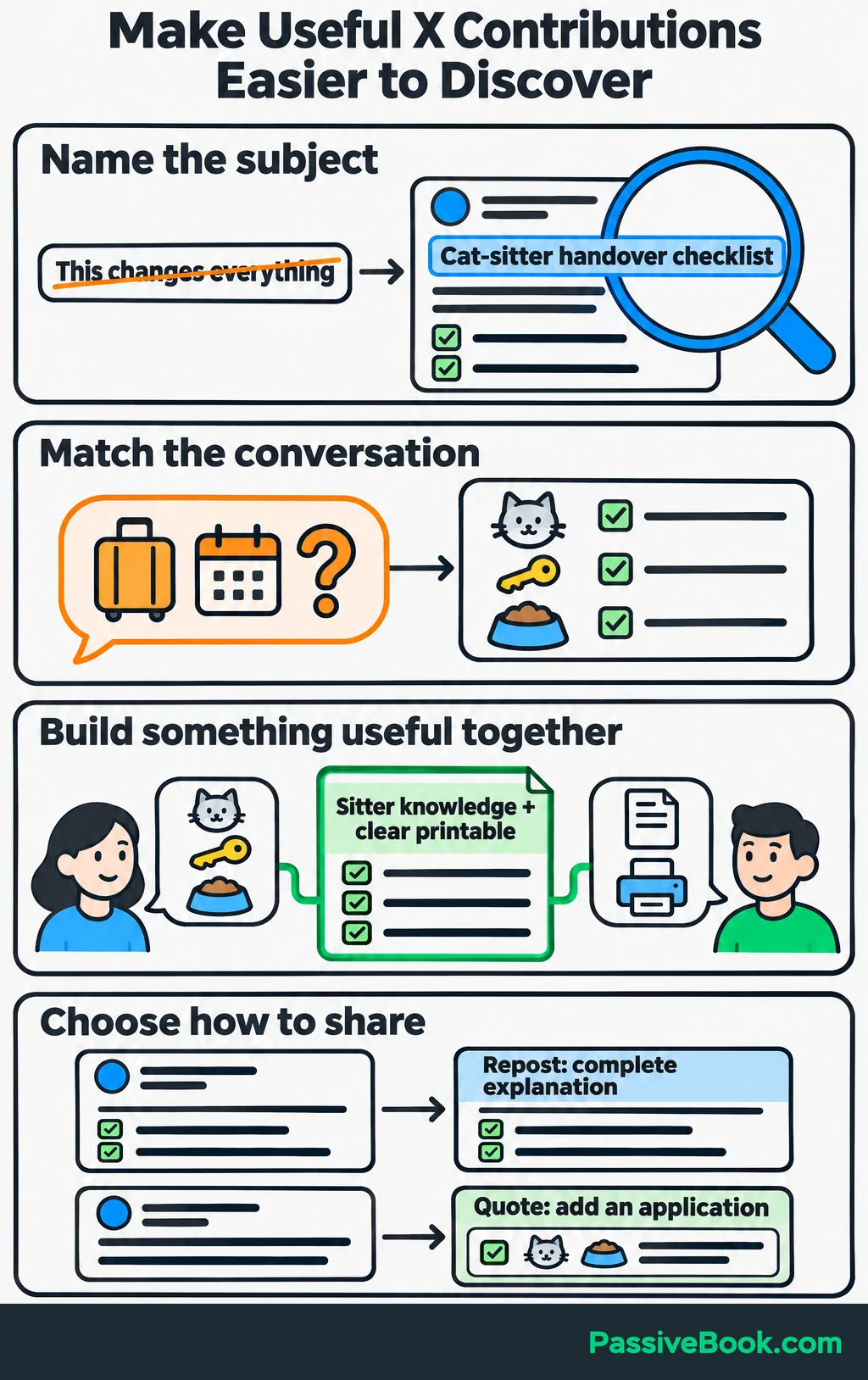
Timely participation also needs a clear connection. A discussion about preparing for a holiday could be a good place to explain what to leave for a sitter. Answer the question being asked rather than forcing your usual pitch into it.
Collaboration can produce something worth sharing. You could build a handover checklist with a cat-sitting business: they contribute the information they need before a visit, and you turn it into a clear printable. Both contributors then have a useful resource to share.
When sharing another person’s post, choose between a repost and a quote based on what you can add. Repost a complete explanation directly. Quote it when you can contribute a concrete application, such as showing how their handover advice translates into a completed entry.
Build a Sustainable Publishing Rhythm
Choose a schedule that leaves room for both useful posts and real replies.
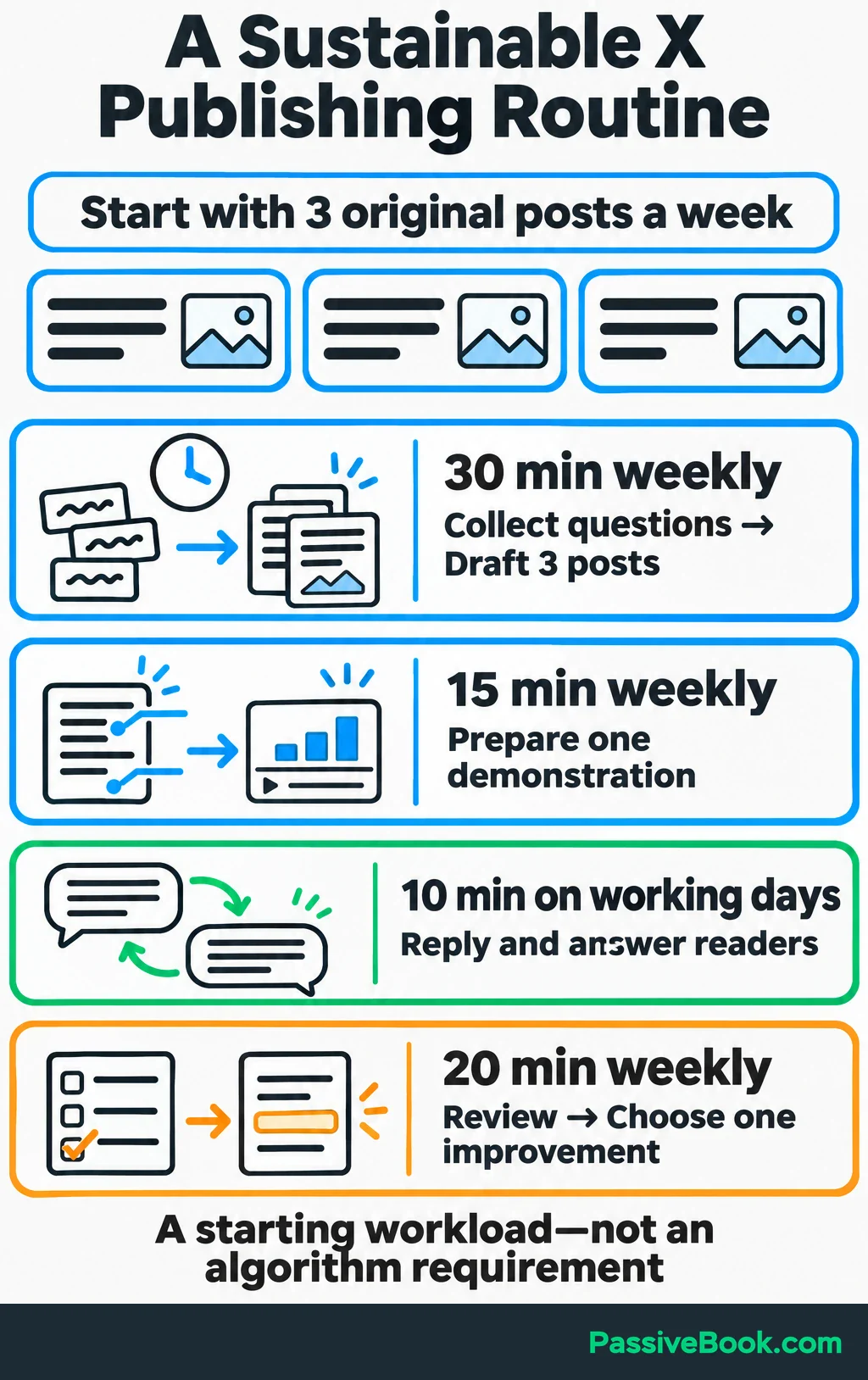
I would start with three original posts a week and a short conversation check on working days. That’s a starting workload, not an algorithm requirement.
Here’s one way to fit the work around other commitments:
| Work Block | Time to Set Aside | Concrete Output |
|---|---|---|
| Collect questions and draft | 30 minutes weekly | Three drafts based on saved audience questions |
| Prepare a demonstration | 15 minutes weekly | One annotated sheet or short clip |
| Participate in conversations | 10 minutes on working days | Helpful replies and answers to your own readers |
| Review results | 20 minutes weekly | One decision about what to develop next |
Keep a backlog with four things: the audience question, proposed opening, example, and best format. A spreadsheet or Notion page is enough.
Scheduling can reduce interruptions, but first make sure the drafts have a clear opening, a complete takeaway, and a connection to your account’s promise. Scheduling vague advice a month ahead mostly makes you efficiently vague.
Test posting windows when your intended readers are active. Compare similar posts across several time slots rather than choosing a universal “best time” from a chart.
You can revisit strong ideas without repeating the same post. The completion-time advice could become an annotated sheet, a short demonstration, and an answer to a question raised in the replies. Each version should add something.
Increase volume only when you can keep that standard and still participate in conversations.
Give Interested Readers a Useful Next Step
Decide what a successful visit from X should lead to.
For the handover-sheet shop, I would begin with a downloadable sample. It lets interested readers try the layout before buying the full product.
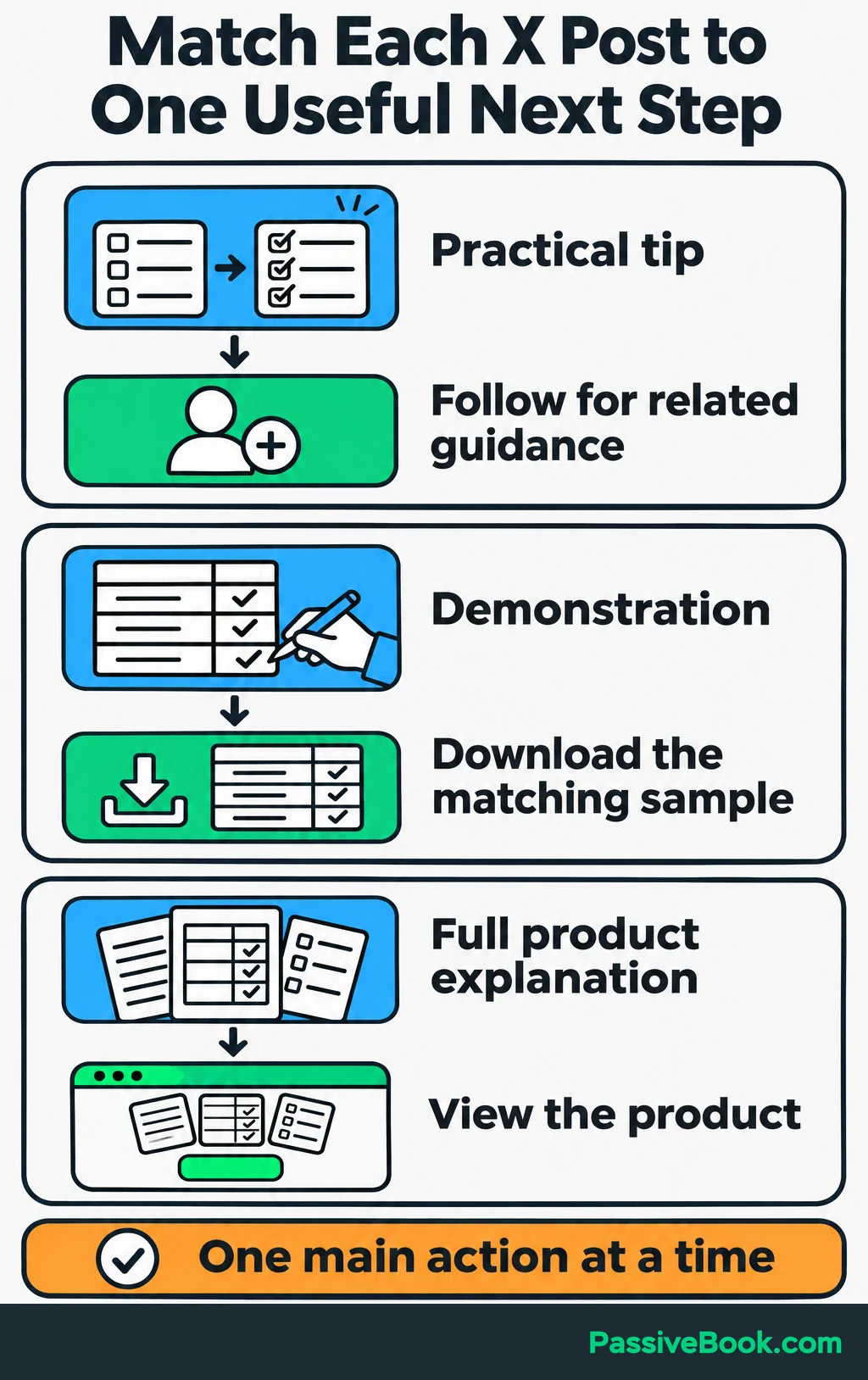
Match the next step to the post:
- A practical tip can invite people to follow for related guidance.
- A demonstration can point to the corresponding sample.
- A post explaining the full product can link to that product.
Choose one main action at a time. Asking people to follow, reply, repost, subscribe, and shop turns a small decision into homework.
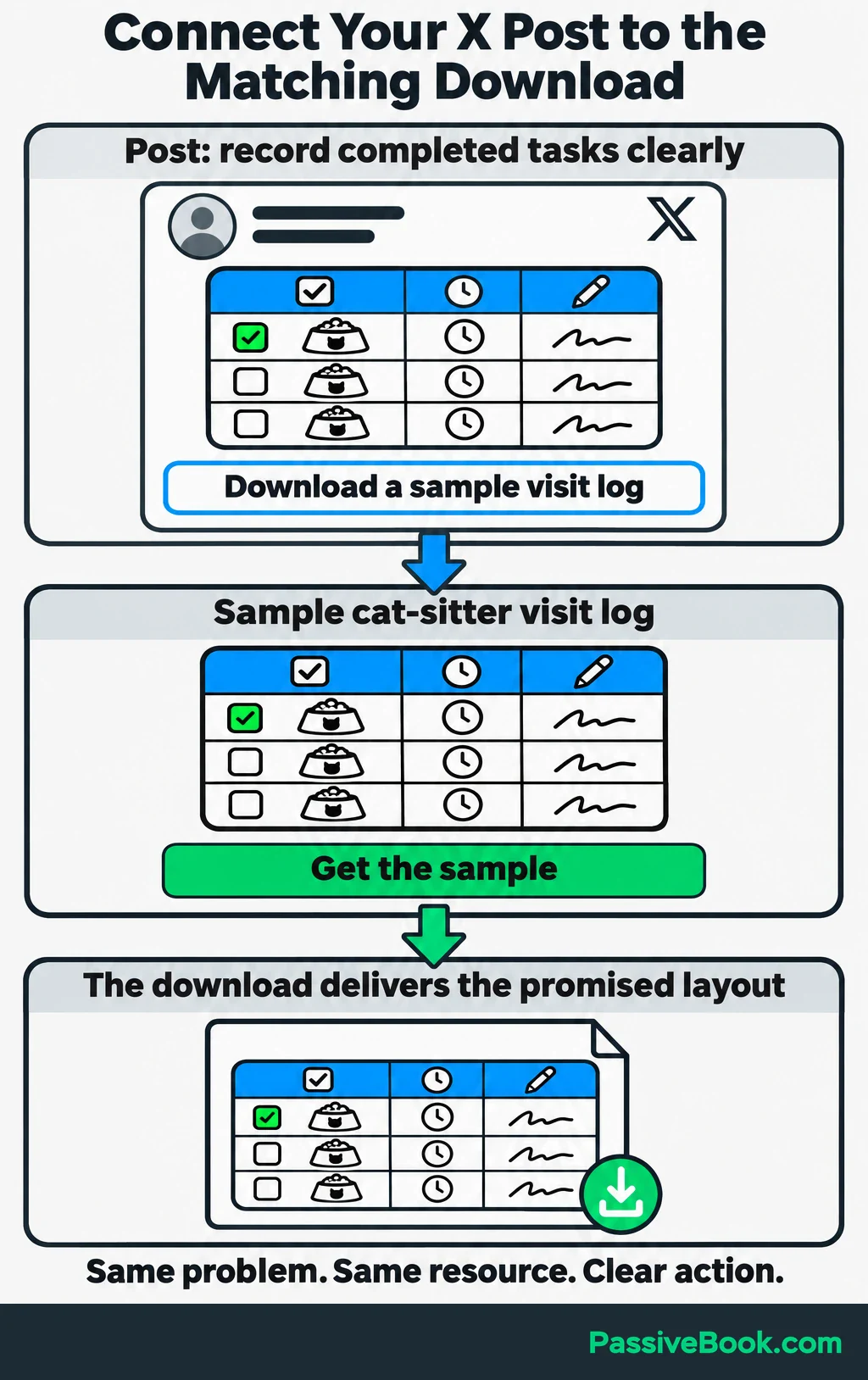
Keep the destination specific. Someone clicking a post about recording completed tasks should arrive at the sample visit log, with an obvious way to get it.
I learned the cost of skipping this connection while running Instagram and Twitter/X for another niche around 2022. I spent six months chasing followers, and the bank account was still at about $47. I kept looking for another way to grow the audience before deciding what that audience should do next.
That experience is why I choose a business purpose for attention before committing more hours to it. For this shop, I would track sample requests alongside visibility. More views are useful when they bring people closer to something they actually want.
Use Results to Improve Your Next Posts
Track Visibility and Qualified Outcomes
Use a simple sheet before paying for a reporting tool.
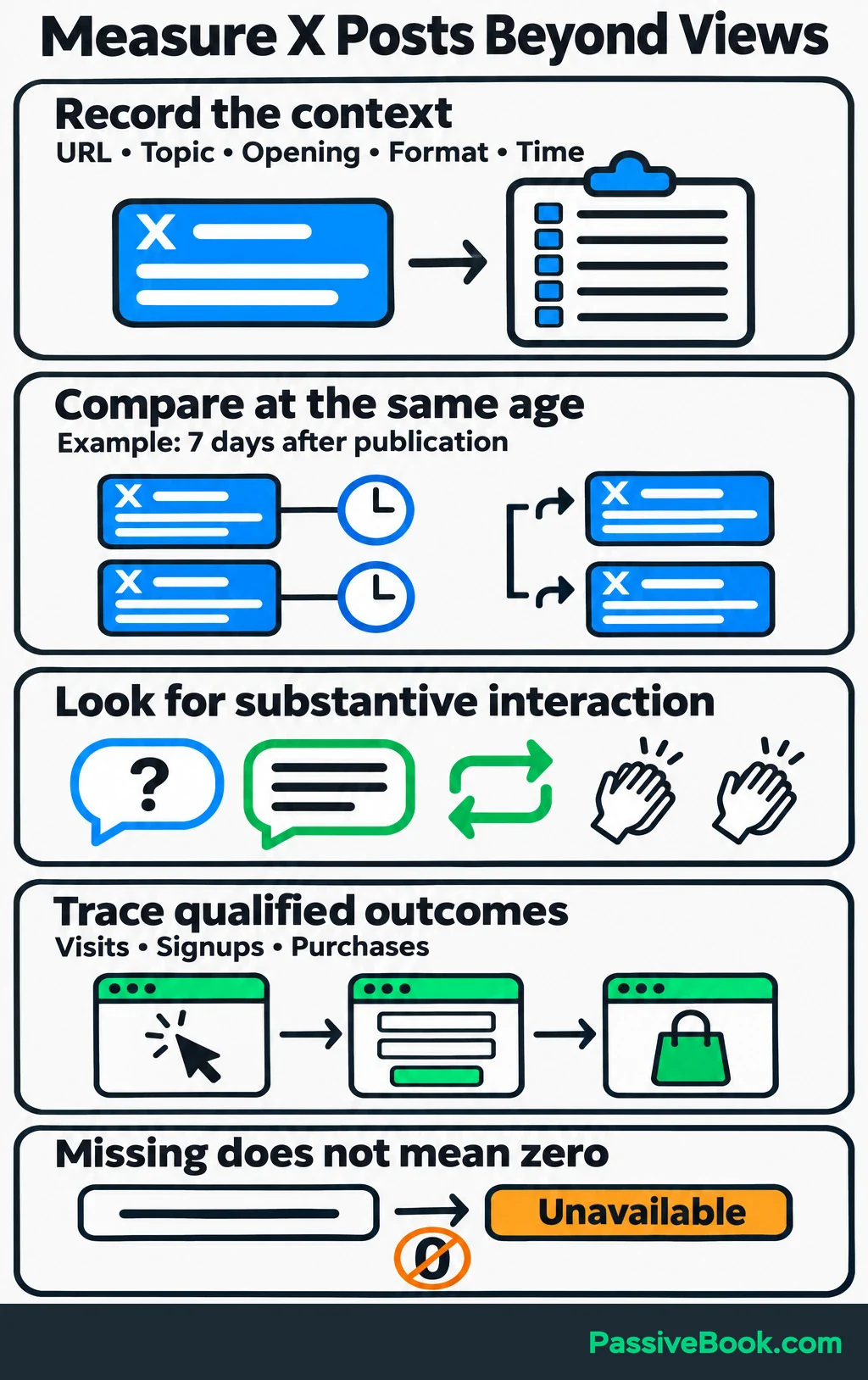
For each post, record:
- The post URL, topic, and opening.
- Format and publication time.
- Views at a consistent post age.
- Substantive replies and reposts.
- Website visits, signups, or purchases you can trace to the post.
A substantive reply asks a relevant question, shares an experience, or adds useful detail. A row of applause emojis doesn’t tell you much about what to publish next.
Take visibility readings at the same age—for example, seven days after publication. Compare original posts with original posts and replies with replies. Look at typical results across a group of comparable posts, not just your biggest success.
For website visits, add tracking labels to destination links. These are called UTM parameters, and Google Analytics can use them to identify traffic from particular campaigns and links. Google’s campaign-parameter guidance
For the sample sheet, a tagged link would look like this:
https://example.com/sample-visit-log?utm_source=x&utm_medium=organic_social&utm_campaign=cat_sitter_sheets&utm_content=completion_time_textReplace the address before ? with your page’s URL. Keep the source, medium, and campaign values consistent; change utm_content for each linked post. To connect visits to signups or purchases, track those actions on your website.
If a figure isn’t available, mark it unavailable. Don’t treat missing data as zero.
Use the review to choose your next subject. Questions about switching between sitters might deserve another demonstration, even if a broader post attracted more views.
Diagnose Weak Results Before Increasing Volume
Low views alone don’t establish that your account has been restricted. If posts are missing from search, check email confirmation, content filters, and the public-account setting. X also says it may not show every post in search results. X’s search troubleshooting guidance
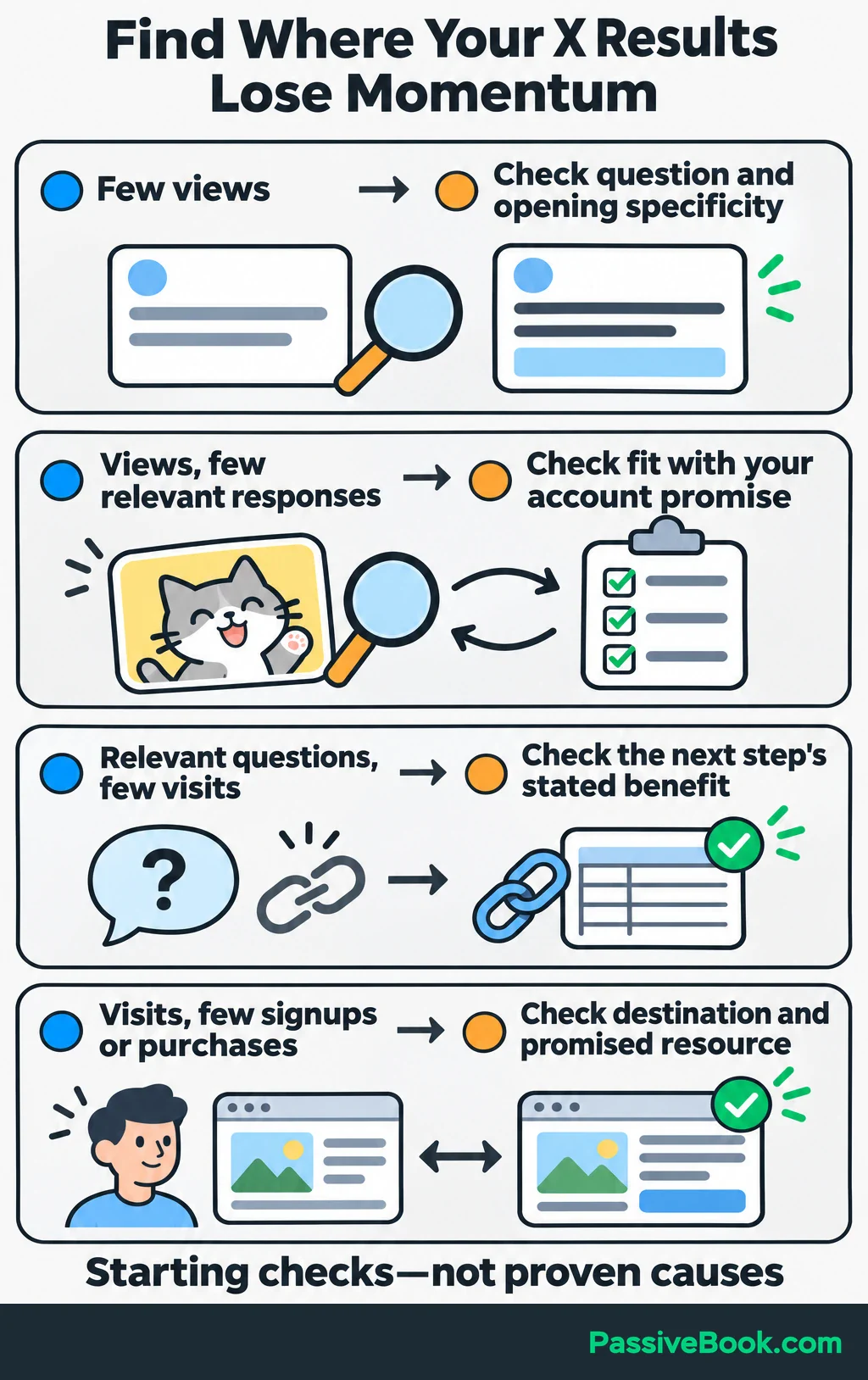
Then examine where progress stops:
| What You Observe | What I Would Check First | One Change to Test |
|---|---|---|
| Few views across comparable posts | Whether the question and opening are specific enough | Replace a broad communication tip with a two-sitter handover problem |
| Views but few relevant responses or followers | Whether the subject matches the account’s promise | Explain a handover problem rather than posting general cat entertainment |
| Relevant questions but few website visits | Whether the next step offers a clear benefit | State exactly what the downloadable sample contains |
| Visits but few signups or purchases | Whether the destination delivers what the post promised | Show the matching sheet and make the download or purchase action clear |
These are starting points for investigation, not proof of the cause.
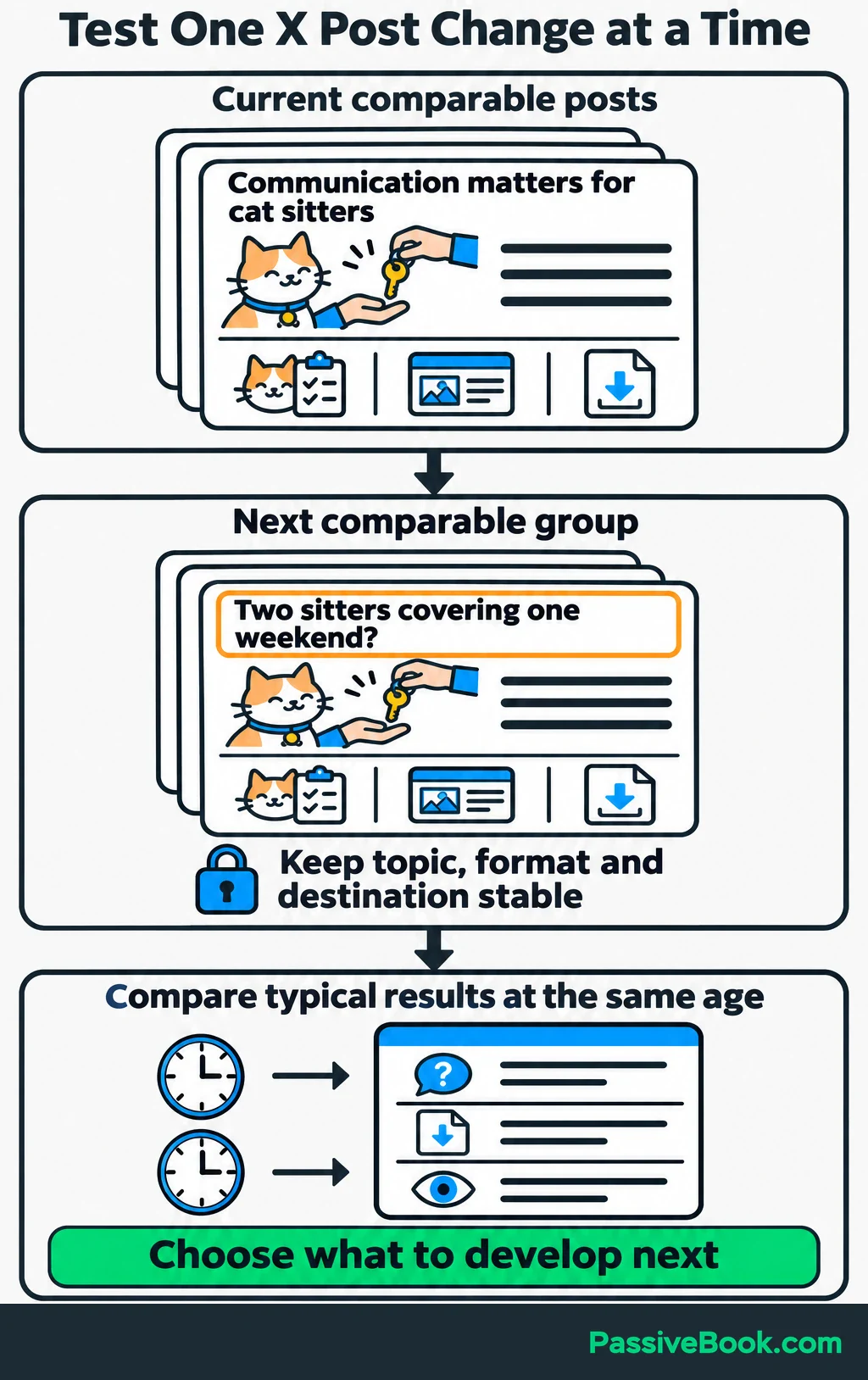
Change one substantial element across the next group of comparable posts. If you change the subject, opening, format, and destination together, you won’t know what helped.
I would develop a subject that repeatedly brings interested questions and sample requests before doubling the publishing schedule. More output is useful after you have something worth repeating.
What Next?
Take one question your audience has asked and turn it into a post with a clear answer and one concrete example. Record its results after a consistent interval, then use what you learn to choose the next post.
Use the social buttons to share this guide if a clearer publishing routine would help cut the hours spent chasing views.
Where does your X activity lose momentum: getting discovered, attracting relevant people, or turning attention into action? Tell me in the comments, and bring any other questions there too.
Share this post with your friends & followers:

