Your posts get a few likes, but the conversation ends there. Next week, you’re trying to attract another group of strangers instead of hearing from people who already know you.
That makes X hard to justify around a day job. You can keep publishing and still have little evidence that anyone wants to come back. This guide follows a dog-portrait shop building an organic X community, with a manageable routine for attracting relevant people and encouraging repeat participation.
Give People a Clear Reason to Participate
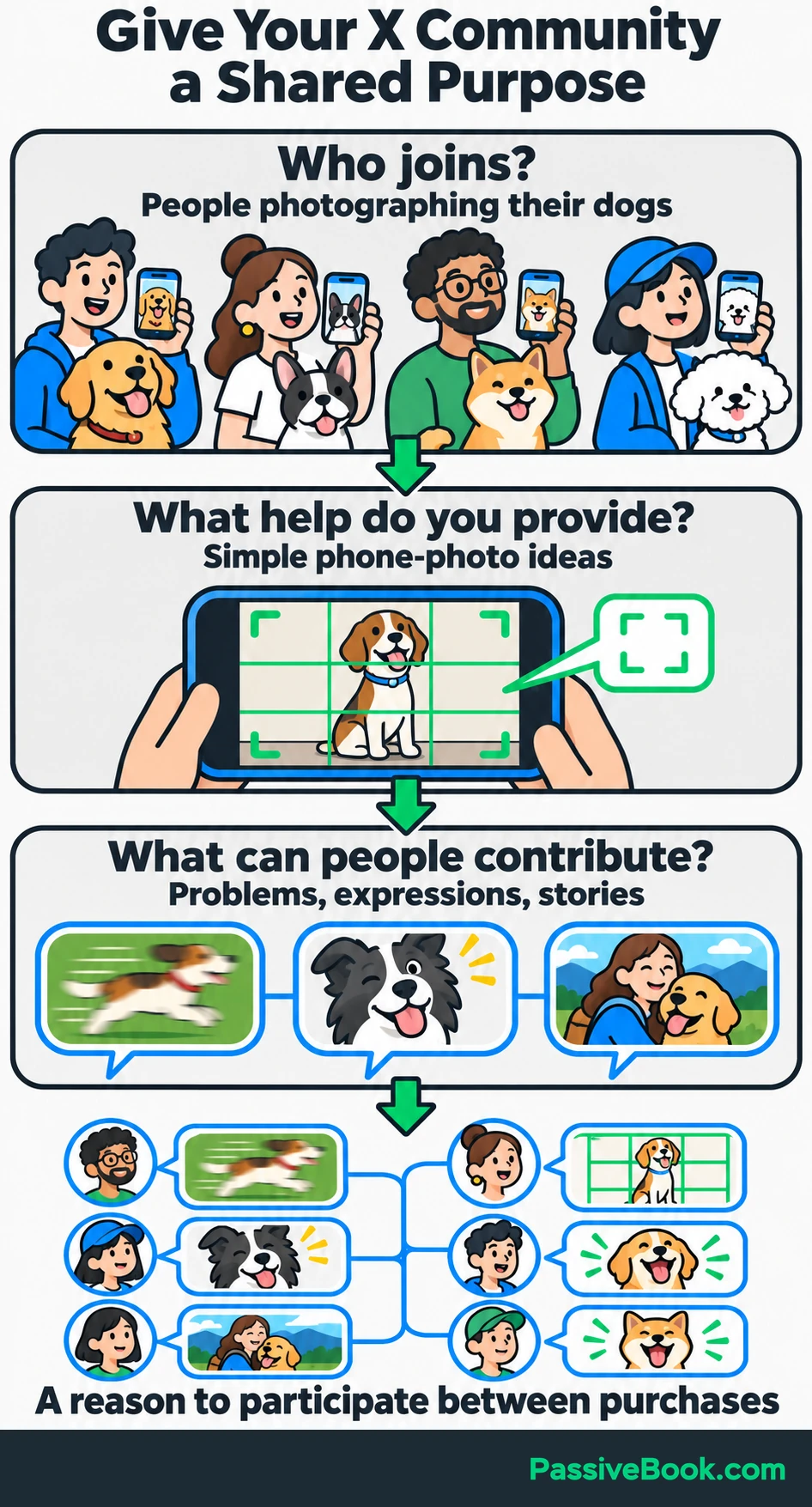
Start with a shared problem you can keep helping people solve. Your product gives people a reason to buy, but the discussion needs to be useful between purchases.
Write one sentence that connects three things:
- Who you want to bring together.
- What useful help you can keep providing.
- What participants can contribute themselves.
Use this structure: “We help people ___ by sharing ___ and discussing ___.”
Throughout this guide, imagine you run a small online shop selling custom dog-portrait prints. The posts, exchanges, schedule, and figures are illustrations.
Your shared interest could be capturing dogs’ personalities in everyday photos. You contribute simple phone-photo ideas, and participants share their difficulties, favorite expressions, and stories behind their pictures.
That gives you more to discuss than “Here’s another print for sale.”
Make the purpose visible in your bio:
Custom dog portraits and simple phone-photo ideas. Share your favorite expressions and the stories behind them.
Then pin a welcome post that offers a useful starting point. It might explain three checks before taking a photo and end with: “What’s hardest about capturing your dog’s personality?”
Include a brief expectation that beginner questions are welcome and replies should stay helpful and relevant.
Use a recognizable shop image, consistent language, and clear visuals. Text posts and annotated photos can carry this whole approach without putting you on camera or making your private life part of the content plan.
X announced plans to retire its separate Communities feature, as reported by TechCrunch. I would build around public posts and replies.
Find Relevant People in Existing Conversations
Before filling a publishing calendar, find out what people already discuss.
Search for the words someone would use when describing the problem. For the portrait shop, try phrases such as “blurry dog photos” or “taking photos of a black dog.” These are starting points to explore, not verified measures of demand.
Read the replies as well as the original post. Look for unanswered questions, repeated frustrations, and people who explain what they have tried.
Keep useful accounts in a private X List so you can revisit their posts without depending on your main feed. Record recurring questions in a simple sheet or Notion page.
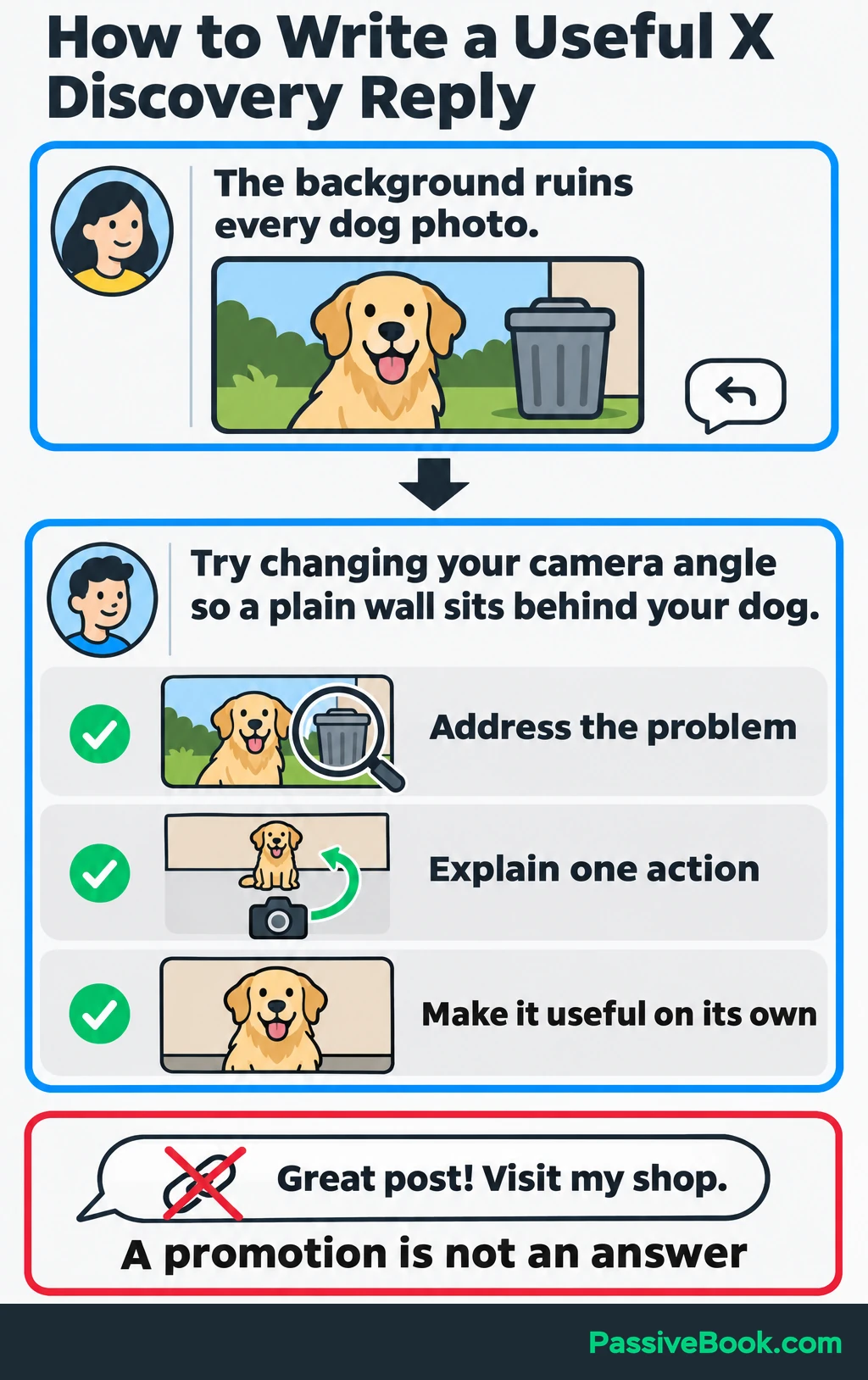
Then contribute where you have something specific to add. A useful reply should stand on its own.
If someone complains that every photo has a distracting background, you could suggest changing the camera angle so a plain wall sits behind the dog. Explain that step before mentioning equipment or linking to anything.
I would skip a reply if my only contribution were “Great post!” followed by a link. It gives the other person another promotion to ignore.
Avoid engagement exchanges, mass follow-and-unfollow tactics, and repetitive promotional replies. X explicitly prohibits coordinated engagement exchanges, follow churn, and several forms of reply spam. X’s authenticity policy.
If you already have interested customers or newsletter readers, invite them into a particular discussion. “We’re comparing ways to photograph dogs indoors” gives them a clearer reason to visit than “Follow us on X.”
Publish Posts People Can Use and Answer
Answer Recurring Questions
Choose a few themes from the questions you find. For the portrait shop, I would start with:
- Removing distracting backgrounds.
- Capturing everyday expressions.
- Choosing a favorite image for a portrait.
Each post should do one useful job. Explain a small fix, show a process, or help someone make a choice.
Teach the method before showing the result. For a background example, explain how to look behind the dog, change your angle, and check the new frame. Then show an annotated comparison using your own photos or images you have permission to use.
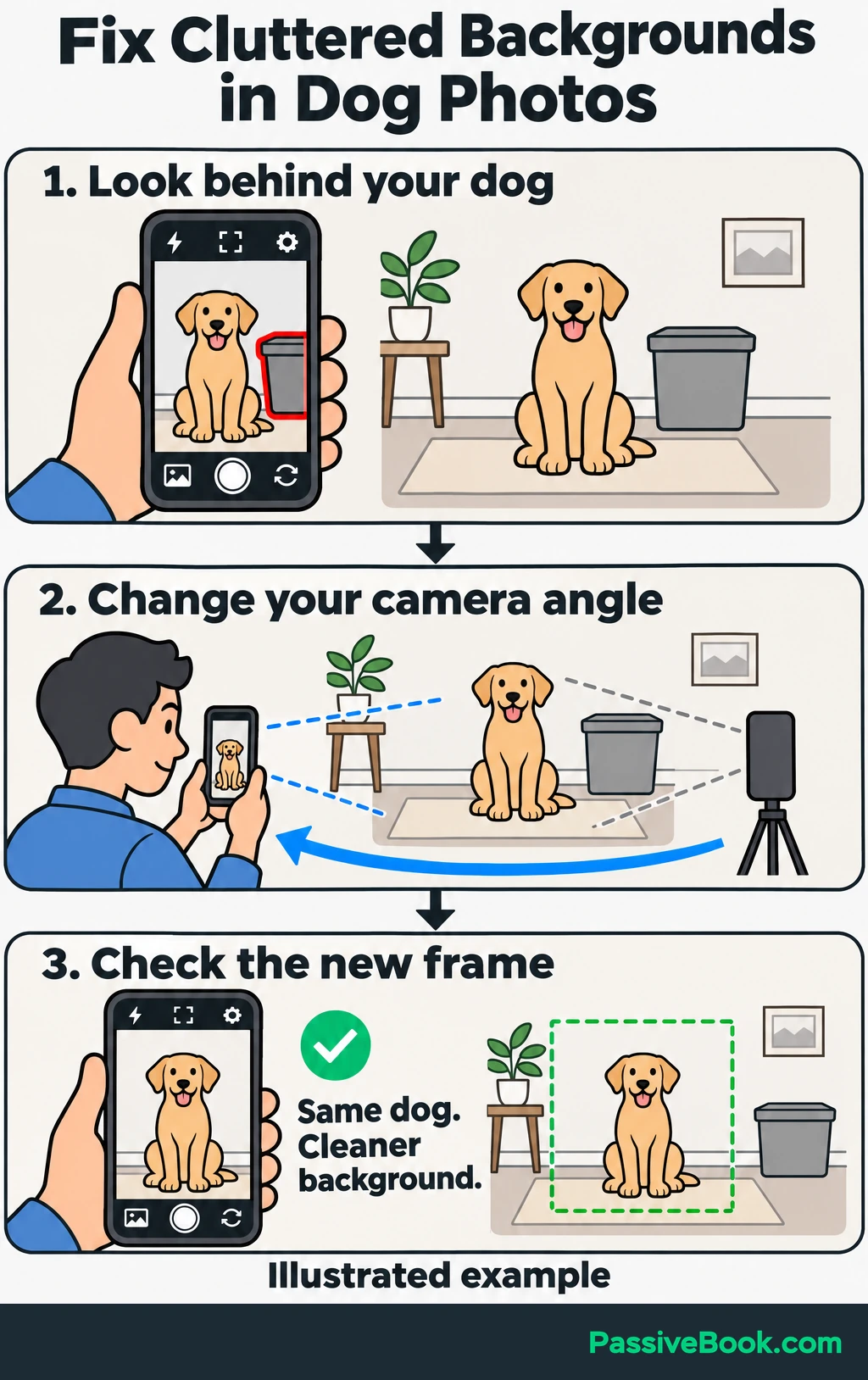
Here’s a complete short post you could adapt:
Before taking another dog photo, check what’s behind your dog. Move a little so a plain wall replaces the chair or bin in the frame. What usually spoils your favorite shots: background clutter, blur, or awkward framing?
Choose the format that makes the explanation easiest to follow:
| What You Need to Explain | Format I Would Use |
|---|---|
| One small change | A short text post |
| Several connected steps | A thread with one step per post |
| A visible difference | An annotated image comparison |
| A useful point from another contributor | A quote post that adds explanation and credits them |
Add an image description when uploading a visual. Explain the information the picture carries, including what changed in a comparison. “Dog photo comparison” tells a reader very little; “The second frame removes the bin by shifting the camera left” communicates the lesson.
Ask One Focused Question
Give people enough context to answer, and ask for one contribution at a time.
“Any thoughts?” leaves them to invent the discussion. “What makes indoor dog photos hardest for you: movement, clutter, or lighting?” offers a clear way in.
Questions work especially well when someone can answer from experience:
- “Which expression do you wish you had a better photo of?”
- “What have you tried to keep the background simple?”
- “When choosing between two photos, what makes one feel more like your dog?”
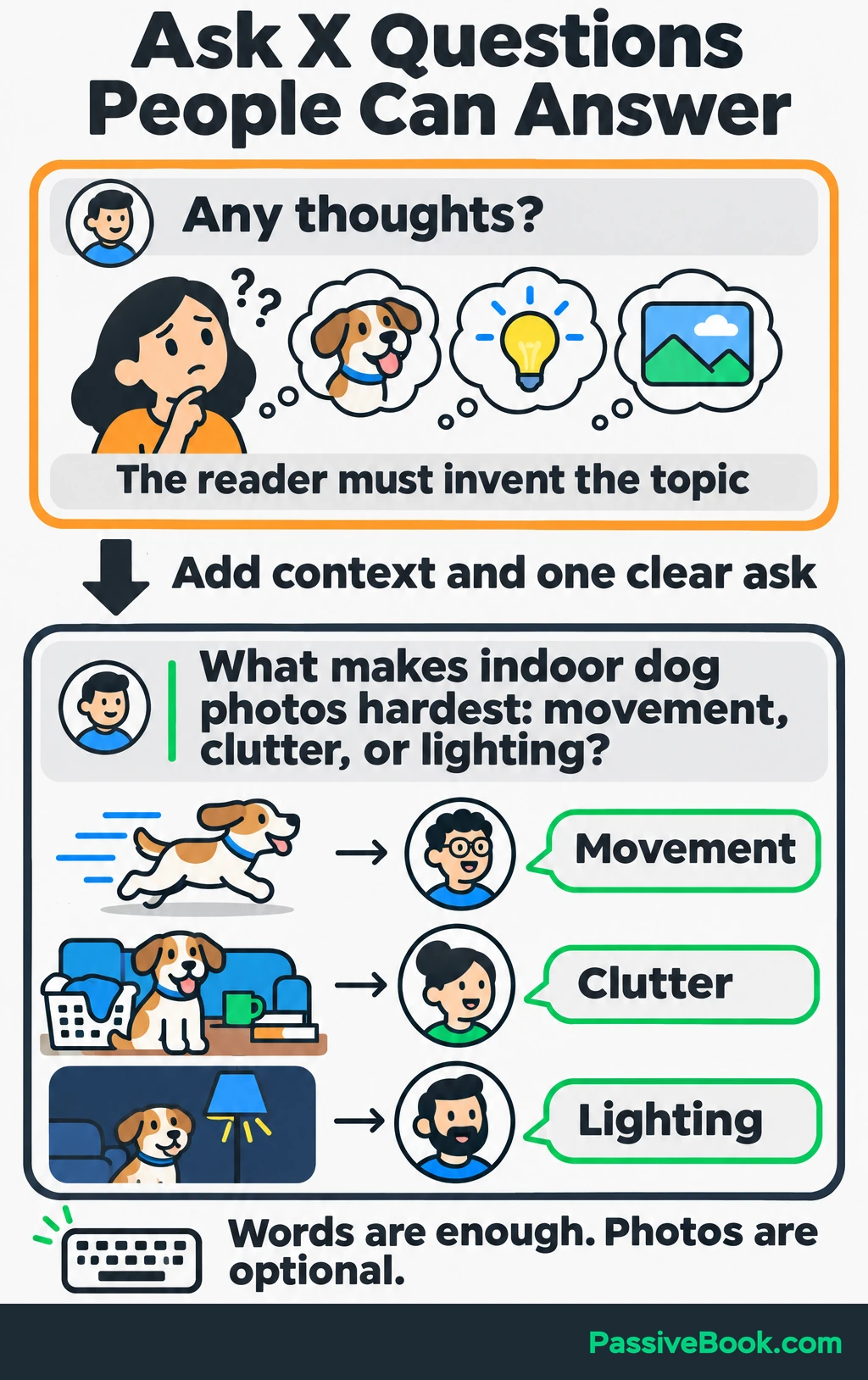
Let people respond in words. Requiring a photo adds work, and some people will prefer to keep their pictures private.
If you have a useful topic but the wording keeps coming out vague, AI Social Copy Studio can draft a post and follow-ups from your own advice. You can check the details before using any of it.

Free AI Social Copy Studio




A poll can help choose the next topic. Follow it with a useful post that addresses the result, and invite voluntary replies for context. Poll creators cannot see who voted or how individual people voted, so a poll cannot replace a conversation with identifiable participants. X’s poll privacy explanation.
Publish when relevant people are active and you have time to respond. I would test a few practical time slots and compare the discussions they produce. A supposedly perfect posting time is little help if you’re unavailable for every reply.
Turn Replies Into Repeat Participation
Follow Through on Conversations
Respond to what the person actually said. Answer their question, acknowledge a useful detail, or ask a follow-up that moves the problem toward a solution.
For example:
Participant: “My dog looks great, but the background is always a mess.”
Shop reply: “Try changing your angle so a plain wall sits behind your dog. Is the clutter mostly indoors or outside?”
Participant: “Indoors. Usually around the sofa.”
Shop reply: “Try photographing from beside the sofa so the wall becomes the background. If you try it, I’d be interested to hear whether that helps.”
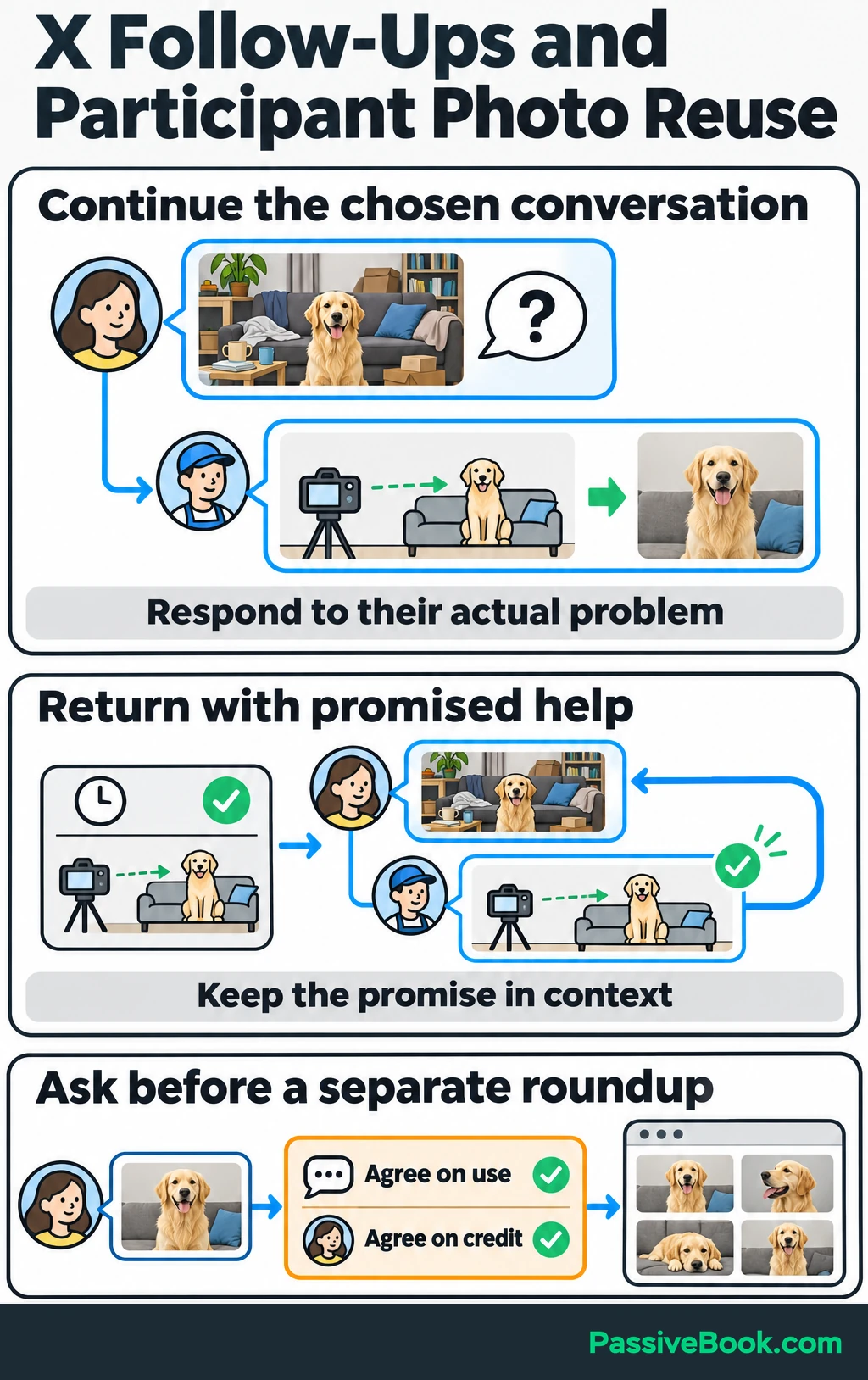
The follow-up has a purpose. It helps you give a better answer and leaves room for the person to return with an experience.
Keep track of anything you promise. If you say you’ll explain a technique later, return to the original conversation when that explanation is ready.
This is also how participants begin helping one another. When two people describe the same problem, connect the discussions and invite them to compare what worked. Mention someone only when their earlier contribution directly helps.
Keep public follow-ups within the conversation people chose to join. For a separate photo roundup or customer story, ask the contributor whether you may use their material and agree on the credit before publishing it.
Create a Familiar Reason to Return
Choose one recurring discussion you can maintain. Give it a clear purpose so people know what participation involves.
For the portrait shop, I would try a weekly photo problem discussion:
- Someone describes one difficulty.
- You or another participant suggests a small change.
- They can return with an update.
- The next discussion opens with a useful lesson from the previous one.
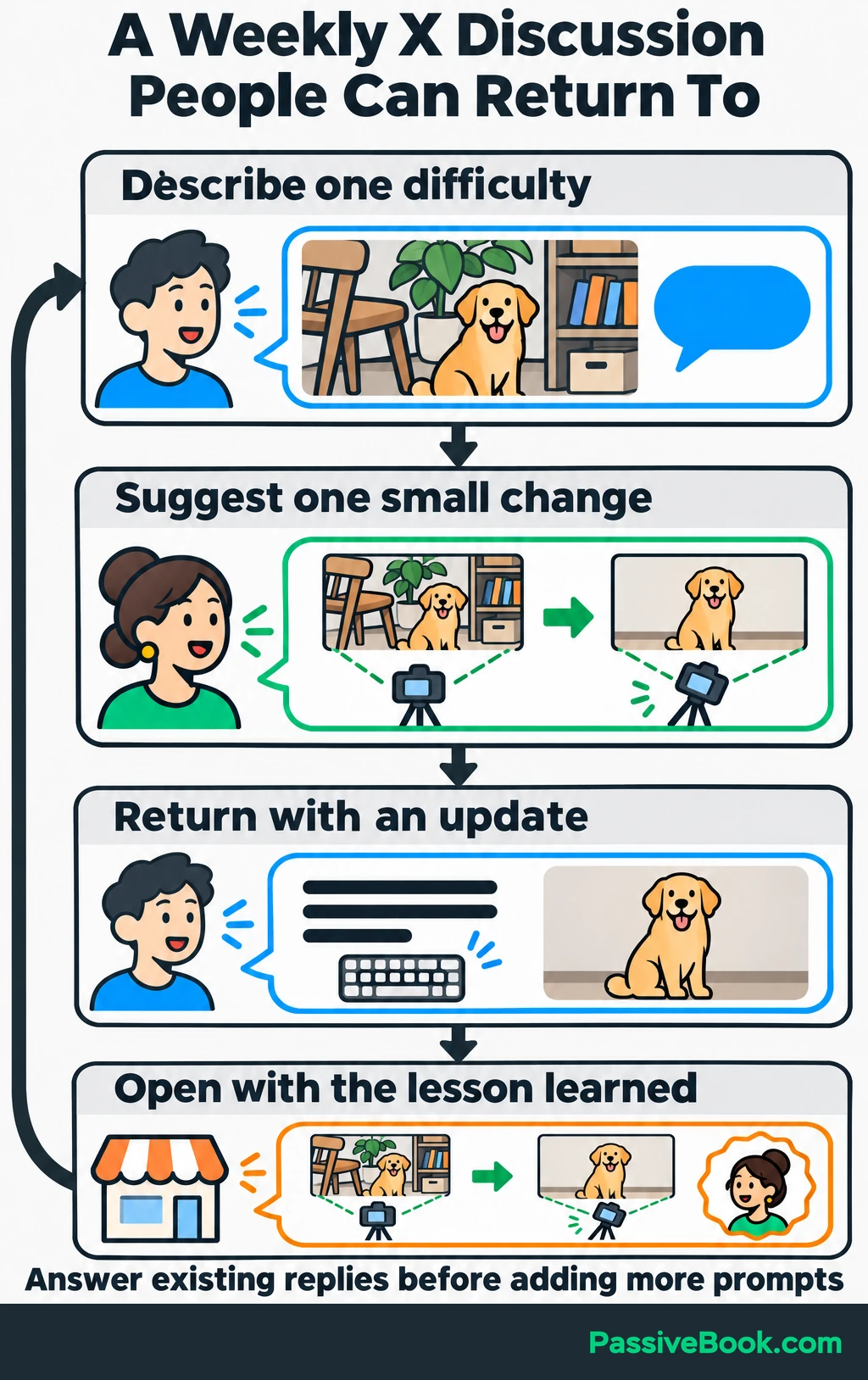
If several people struggled with clutter, the next installment might begin with a short demonstration of changing the background through camera position. That shows how their questions shaped what you published.
Start small. A recurring discussion with two thoughtful replies still gives you something to follow up on. Publishing more prompts before answering those replies just creates a larger inbox.
Welcome basic questions and credit specific contributions. “Your point about photographing near the doorway helped explain the angle” is more useful than a vague shout-out.
Make the expectations clear: stay on topic, disagree respectfully, and avoid repetitive promotion. Model that behavior, and use mute, block, and reporting tools when needed.
As regular participants become comfortable, invite them to suggest questions or help newcomers. Look for exchanges that continue without every answer passing through you. That is a useful sign that people value one another’s experience.
Keep the Work Manageable
Set your time budget before setting your publishing target.
Preparation, replies, follow-ups, and review all count as work. A plan that allows thirty minutes for posting and nothing for conversation has left out the point of the exercise.
For an illustrative 90-minute week, I would use:
| Time | Work |
|---|---|
| 30 minutes | Review questions and prepare two useful posts |
| Three 15-minute sessions | Join relevant conversations, answer replies, and revisit promised follow-ups |
| 15 minutes | Update the scorecard and choose the next topic |
Keep a small queue with the discussion link, what needs answering, and your next action. That saves you from relying on memory across several short sessions.
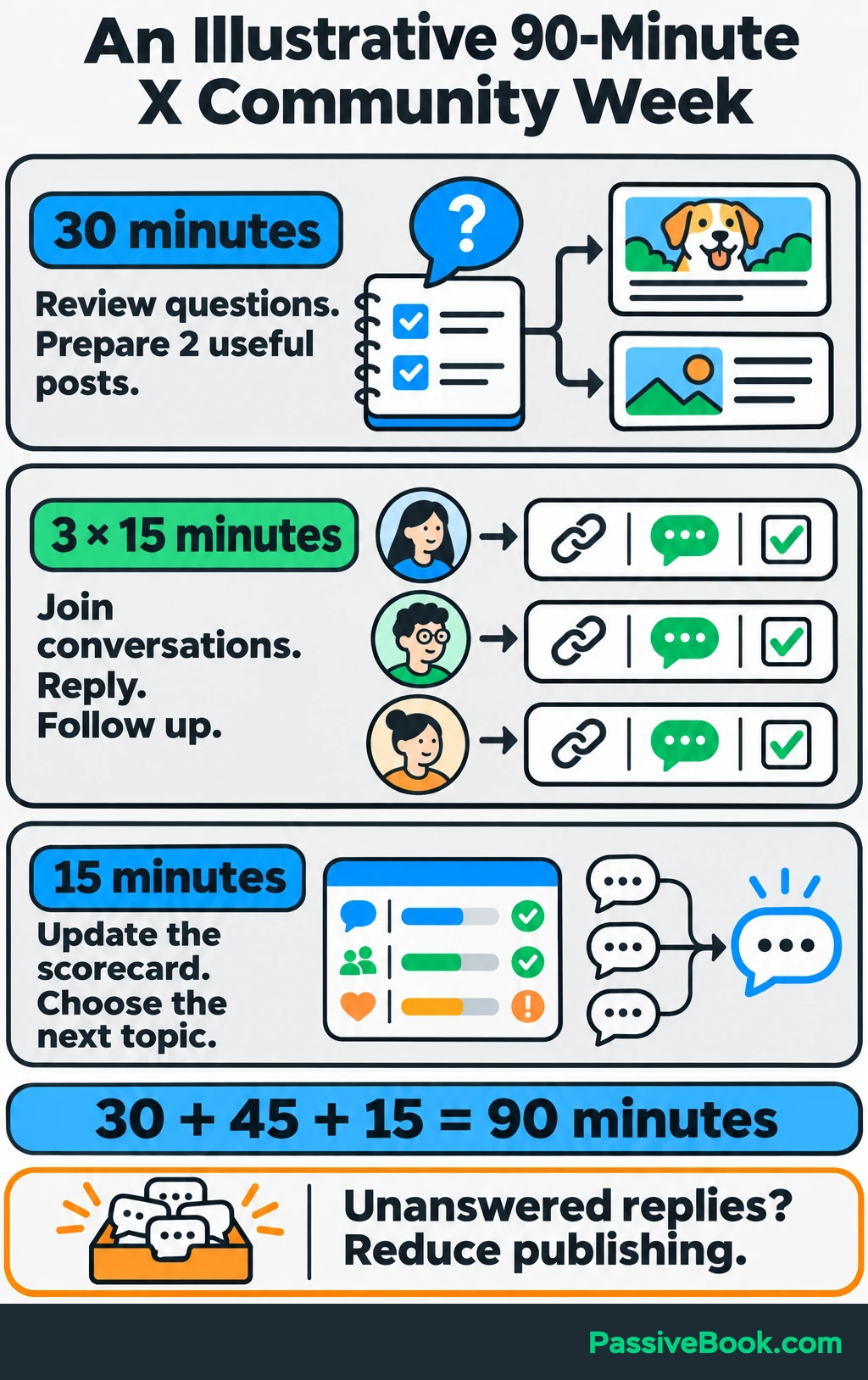
The content calendar includes a starter X week with space for replies and promised follow-ups, not just publishing dates. Choose a worked example and fit it around the sessions you can actually keep.
Turn Your Marketing Ideas Into a Publishing Plan
Organize content ideas, set publishing dates, and track what resonates with your audience in one calendar.
AI can help organize anonymized notes, group recurring questions, or suggest clearer versions of a draft. I would use Claude for that preparation, then check the wording and publish a version that fits the actual conversation.
Keep replies and DMs under human control. X prohibits unsolicited automated outreach and requires prior written, explicit approval for AI reply bots. X’s automation rules.
You can batch preparation without automating personal exchanges. If unanswered conversations accumulate, reduce publishing until you can maintain the discussions you already have.
Offer a Useful Next Step
Make the next step answer a need that has already appeared.
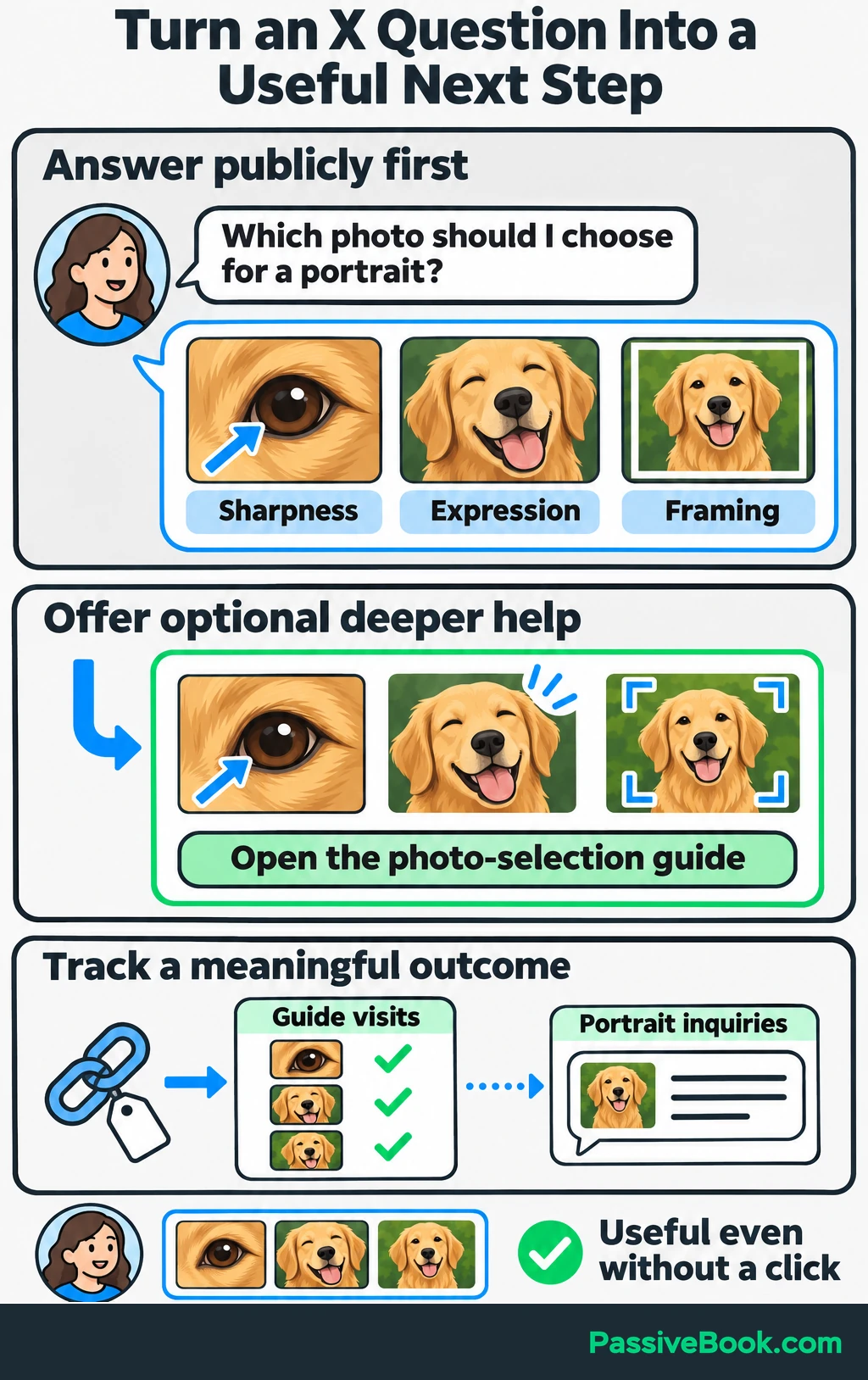
If people ask how to choose a photo for a custom print, answer the basic question publicly. Then offer an optional guide with fuller examples.
The invitation might end: “The photo-selection guide shows how to compare sharpness, expression, and framing before ordering a portrait.” Give it one clear action, such as opening the guide.
People who never click should still leave with something useful. Otherwise, every answer becomes a preview for another destination.
I spent six months chasing Instagram and Twitter/X followers in another niche around 2022. I kept checking whether the audience was growing, but I wasn’t checking whether conversations led anywhere useful for the business. The business payoff was negligible.
That experience is why I would track a business outcome alongside participation when an account supports a business. For this shop, it could be visits to the photo-selection guide or portrait inquiries. For a hobby community, I’d focus on whether people try a tip and return to share what happened. Choose an outcome that helps you assess the time you spend.
Add campaign tags—labels at the end of a URL—to identify visits from X in Google Analytics, your site’s traffic reporting tool. For a guide at https://example.com/photo-guide, share this tagged link:
https://example.com/photo-guide?utm_source=x&utm_medium=social&utm_campaign=photo_selectionKeep the tags consistent, and check that Google Analytics is recording visits on your site. Google’s campaign URL guidance.
Measure Participation and Improve the Next Cycle
Keep a Small Participation Scorecard
During the weekly review, record each discussion topic and link in a sheet. Count participation across the same seven-day window each time.
Use these definitions:
- A relevant contributor adds something connected to the shared topic.
- A substantive reply adds a question, experience, answer, or useful disagreement.
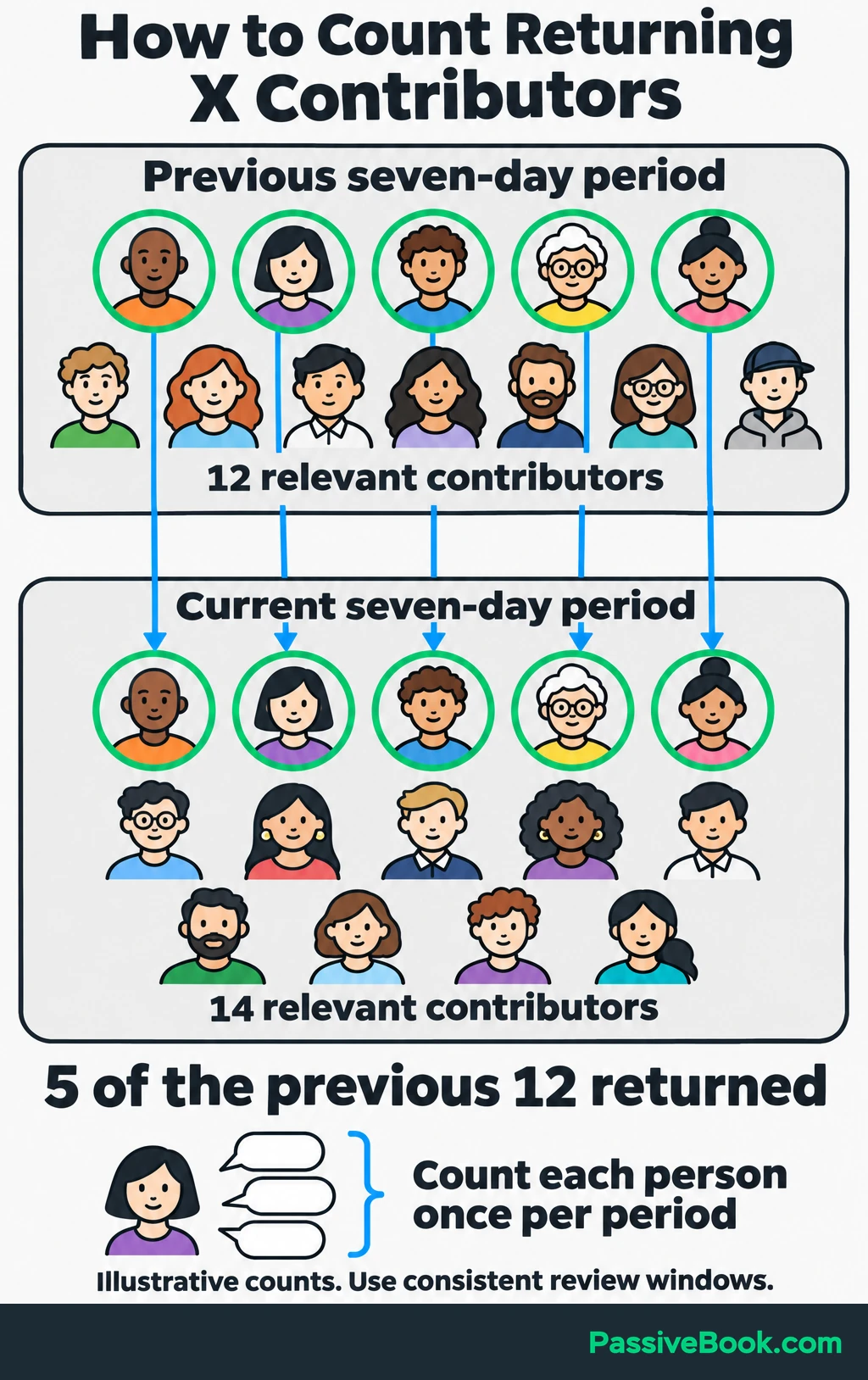
- A returning contributor participated in the previous review period and contributes again in the current one.
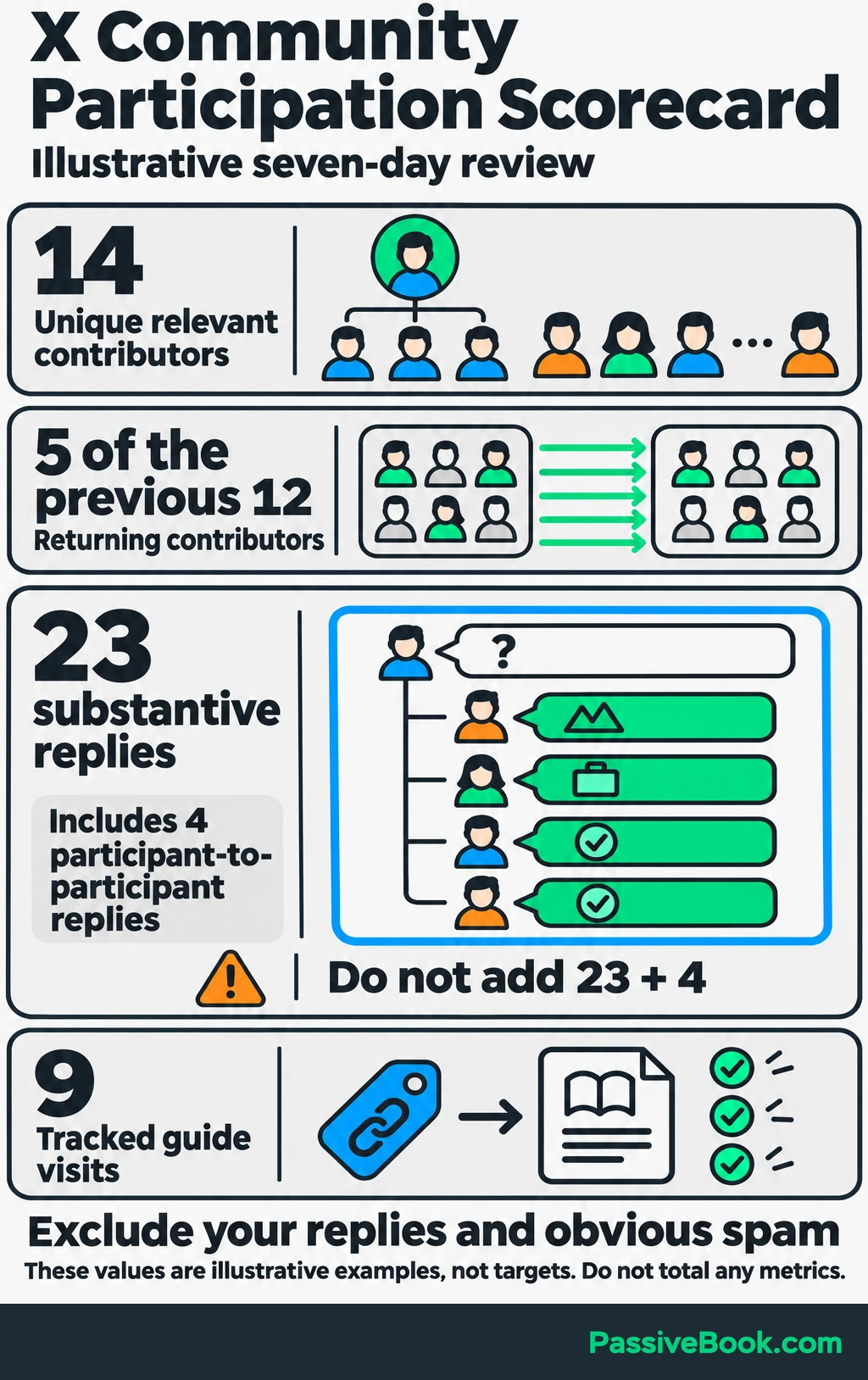
Exclude your own replies and obvious spam. Count each person once in the weekly contributor total, even if they join several discussions.
Here is an illustrative weekly scorecard for the portrait shop:
| Measure | Example Result |
|---|---|
| Unique relevant contributors | 14 people contributed during the week |
| Returning contributors | 5 of the previous week’s 12 contributors returned |
| Substantive replies | 23 replies added questions, experiences, or useful answers |
| Participant-to-participant replies | 4 replies answered or built on another participant’s contribution |
| Tracked guide visits | 9 visits arrived through the tagged guide links |
The participant-to-participant replies are part of the substantive reply count, so don’t add the two figures together.
Keep views and total engagements as context. X can count repeated views, and its engagement measure includes clicks as well as social interactions. Neither figure directly tells you whether people are forming a habit of returning. X’s view-count definition, X’s engagement definitions.
Fix the Point Where Participation Stalls
Use the scorecard to choose a specific change. A quiet account doesn’t automatically need more posts.
| What You Observe | What I Would Try Next |
|---|---|
| Few relevant people join | Spend more of the available time on useful discovery replies and clarify the profile promise |
| Posts get attention but little useful response | Ask a narrower question that someone can answer briefly |
| People reply once and disappear | Follow up on their experiences and make the recurring discussion more recognizable |
| Every exchange depends on you | Invite participants to compare experiences and answer related questions |
| Discussions grow but guide visits stay weak | Check whether the guide answers the problem people are discussing |
| Guide visits arrive but inquiries remain scarce | Check whether the destination clearly explains the portrait offer and ordering process |
Compare several discussions across consistent review periods before making a large change. With a small group, one person being away can noticeably change the numbers.
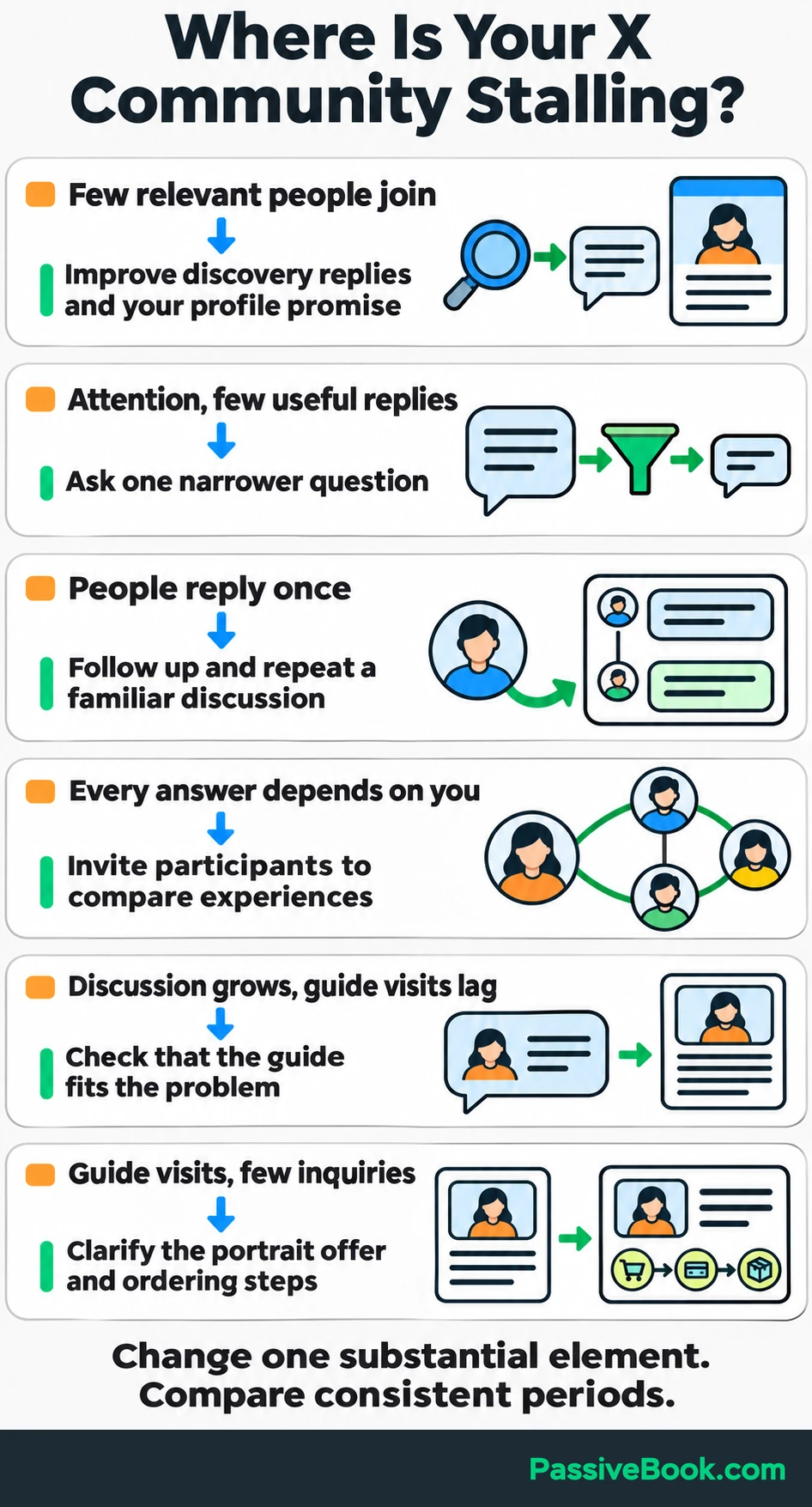
Change one substantial element at a time. Keep the topic and format similar, but ask a narrower question. Record whether useful replies and repeat participation improve.
If repeated attempts bring little participation or business value, I would reduce the effort and reassess whether X deserves that time.
What Next?
Write your one-sentence participation promise and use it to answer one relevant question on X. Leave enough time to follow up if the person responds.
Use the social buttons to share this guide as a practical starting point for building conversations people want to return to.
Where does participation stall for you: getting the first useful reply or giving people a reason to return? Share your experience in the comments, and bring any other questions too.
Share this post with your friends & followers:

