A customer can complain about your product without tagging your account. Your notifications look quiet, but the complaint is sitting in a public conversation you haven’t seen.
Checking X more often might help, but it also gives you another task that can swallow an afternoon. And finding the post is only half the job. Someone still needs to answer it and follow through.
You need a way to catch useful conversations without keeping one eye on the feed all day. This guide connects those searches to a simple service queue, so a complaint has somewhere to go after you find it.
Find Relevant Conversations Beyond Your @Mentions
Start with X’s built-in search, account notifications, and one tracking sheet for issues that need a reply or follow-up. That sheet is your service queue. Add paid tools when a specific part of that setup becomes difficult to maintain.
Monitoring finds individual mentions. Social listening connects them into patterns, such as repeated confusion about washing instructions. Customer service turns an individual problem into an answer or remedy.
Around 2022, I spent six months chasing Instagram and Twitter/X followers for a separate side niche. The follower count gave me something to watch, but it didn’t give the business much to show for the effort. That experience shapes what I would measure here: useful conversations, addressed problems, and changes worth making.
Throughout this guide, imagine you run Cedar Paw Beds, an online shop selling washable dog beds. Its customer posts, replies, and outcomes are illustrative.
Build Reusable Brand and Problem Searches
First, list the ways people might refer to your business:
- Your handle and business name.
- Common misspellings and shortened names.
- Distinctive product names.
- Your website domain and branded hashtags.
Check notifications for conversations directed at you, then search for references that leave out your handle.
Use quotation marks to keep a phrase together, uppercase OR for alternatives, and parentheses to group them. X documents these patterns in its search operator guidance.
For Cedar Paw Beds, start with:
("Cedar Paw Beds" OR CedarPawBeds OR @CedarPawBeds)Keep that broad search, then create a second one for known service topics:
("Cedar Paw Beds" OR CedarPawBeds) (delivery OR zipper OR refund)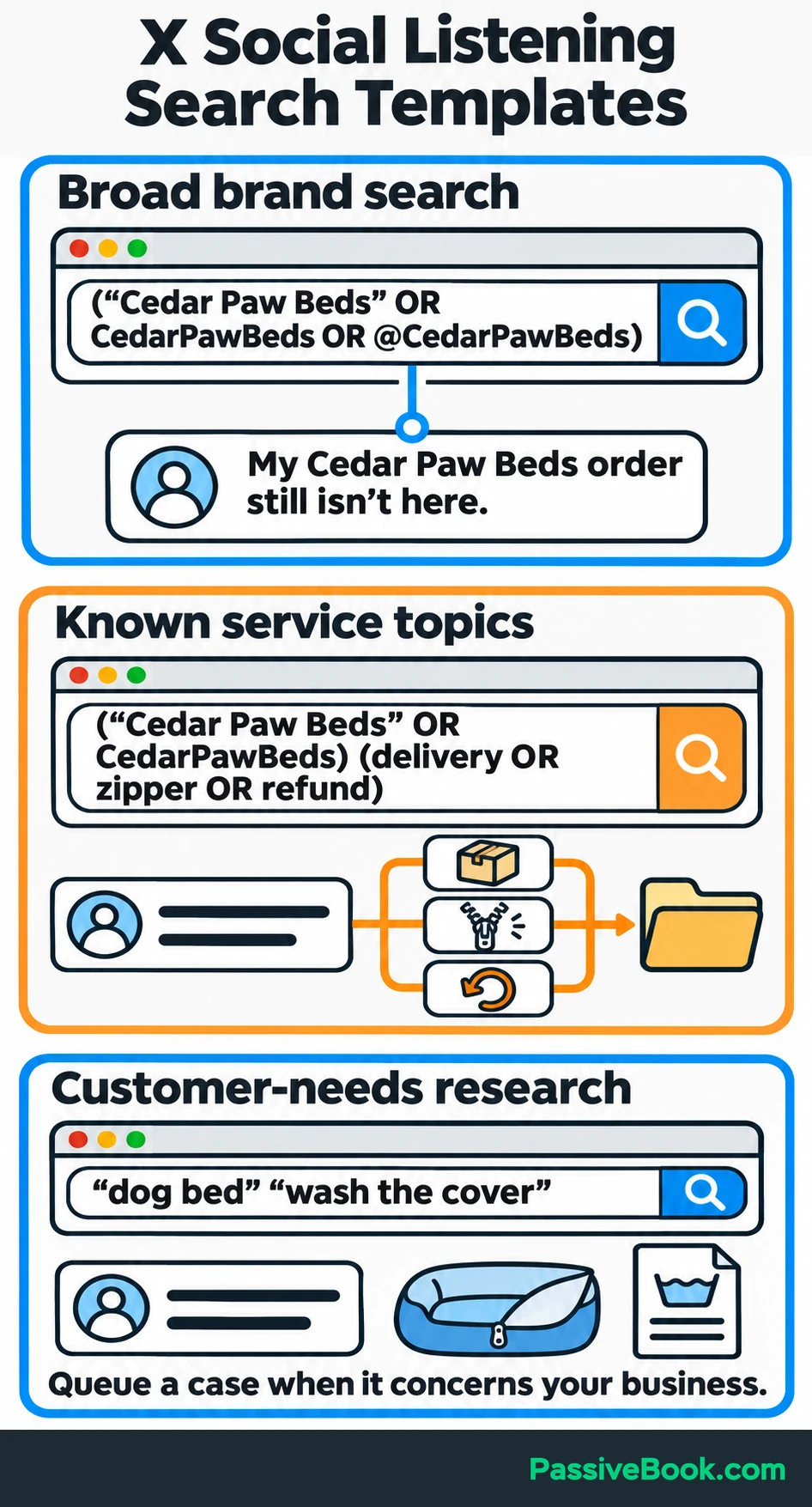
The second search helps you review likely problems quickly. The broad search catches wording you didn’t predict, such as “My Cedar Paw Beds order still isn’t here.”
If typing queries feels awkward, use Advanced search on X’s signed-in website. Combine exact phrases, account mentions, exclusions, languages, and dates through the form. Bookmark useful results pages in your browser so you can reopen them.
The AI Customer Support Studio can turn your brand names and service topics into searches you can paste into X. When a search turns up a complaint, it can also help draft a reply using the conversation and your approved guidance.

Free AI Customer Support Studio




Keep one customer-needs search separate from brand monitoring:
"dog bed" "wash the cover"This can surface questions worth answering in your product instructions. It doesn’t make every matching post a sales opportunity. Save useful wording, and move a post into your service queue when it clearly concerns your business.
Filter Noise Without Hiding Complaints
Review recent matches using Latest. Top emphasizes relevance and popularity, while Latest lists matching posts in reverse chronological order. Visibility restrictions still apply, so neither view guarantees every relevant post will appear. X explains the difference between its search views.
Read the results before adding exclusions. If an ambiguous name produces unrelated posts, add a distinctive product term first. Exclude a word only when it repeatedly brings in irrelevant conversations.
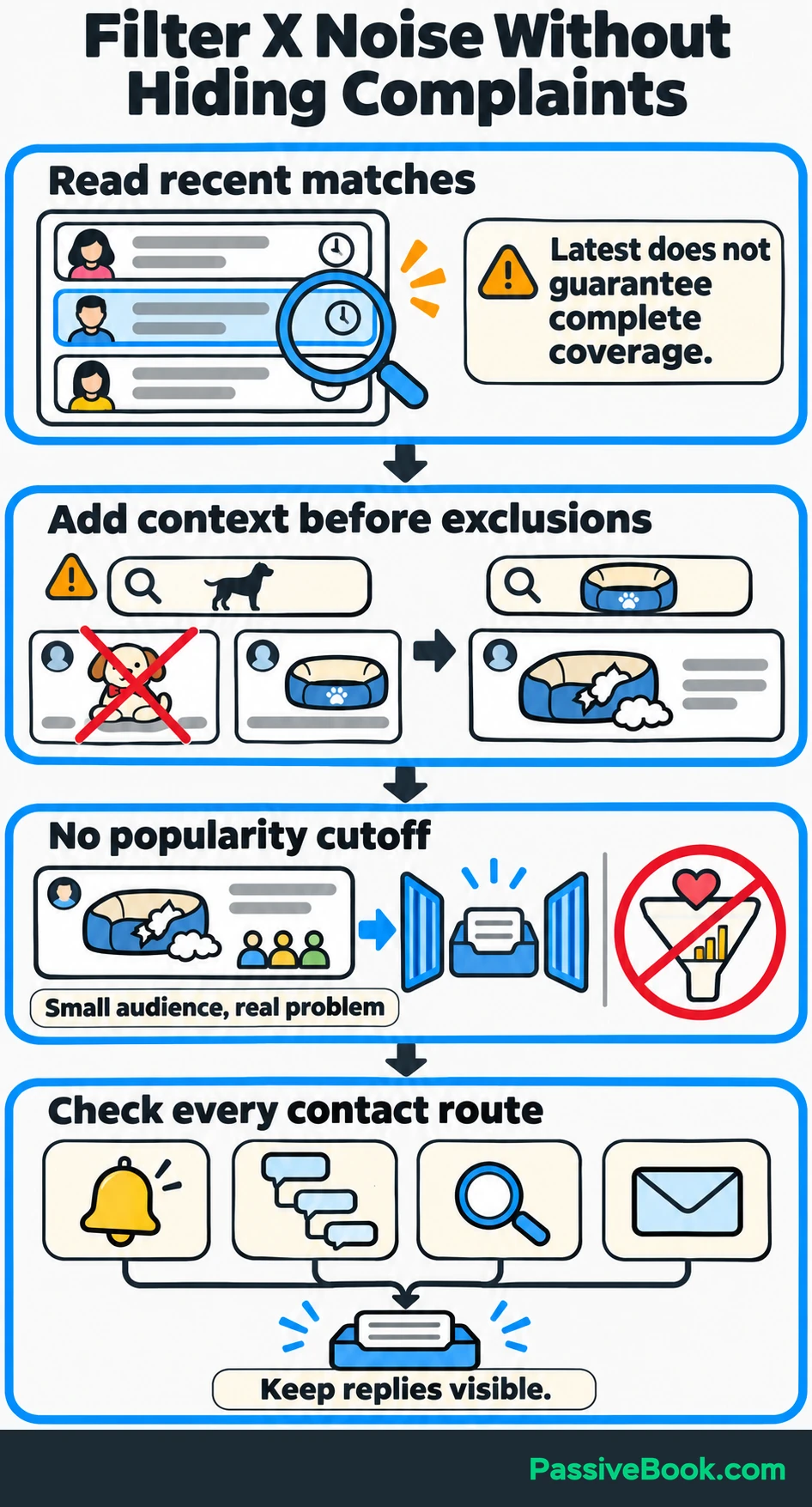
Don’t filter service searches by minimum likes, reposts, or follower counts. A broken product deserves attention even when the complaint has an audience of three.
Keep replies visible, too. A customer may describe the problem beneath an earlier post rather than publish a new one.
During each review, check notifications, replies, and message requests alongside your searches. These routes cover different conversations, and an empty results page is a poor reason to assume everyone is happy.
Identify Sentiment and Prioritize Customer Issues
Create one record for each customer issue in a spreadsheet or your existing support system. Keep these fields:
- Post URL, customer handle, and issue summary.
- Topic, sentiment, and priority.
- Posting time, discovery time, and first useful reply time.
- Owner, status, and next action with a deadline.
- Resolution time and outcome.
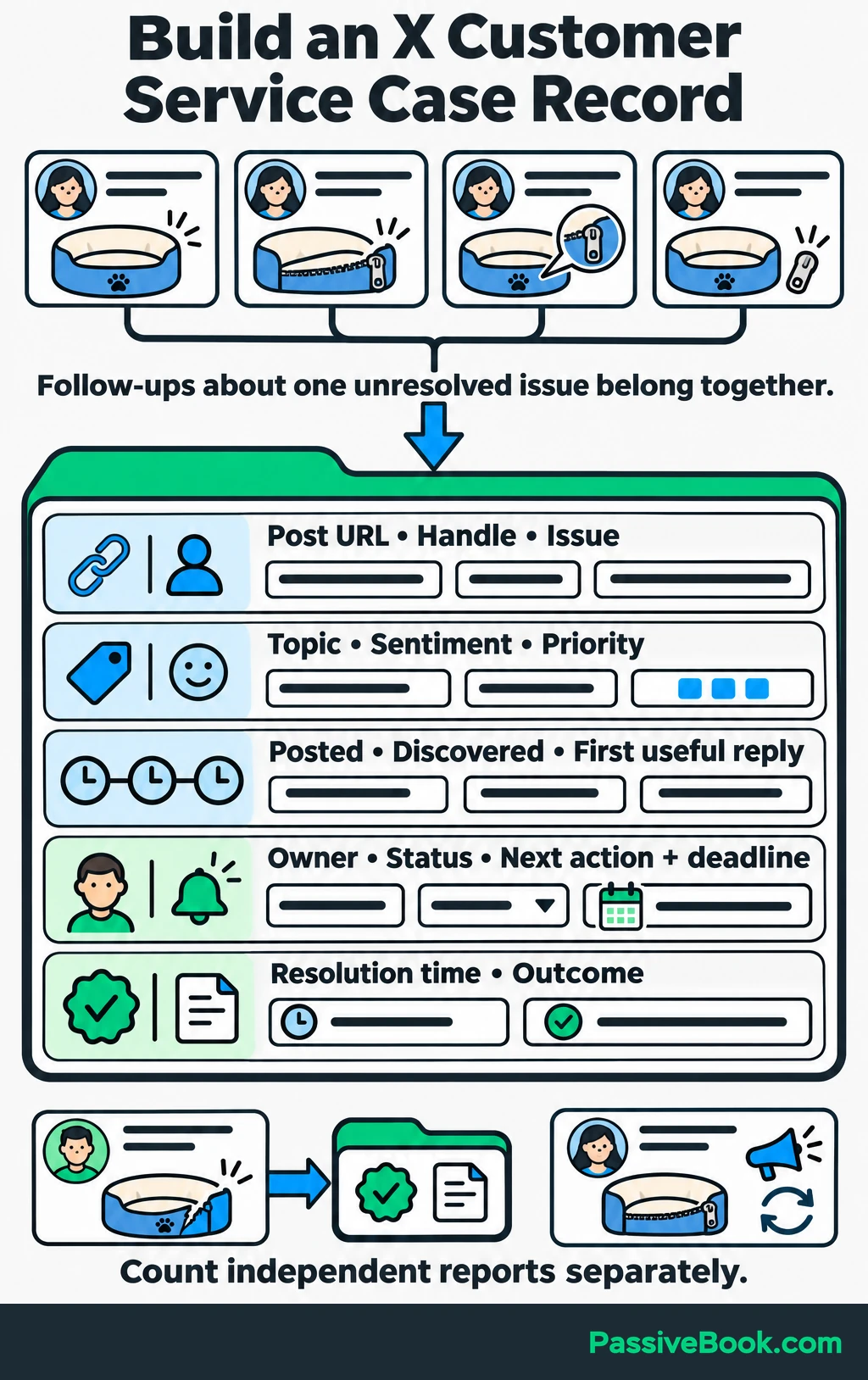
Attach follow-up posts about the same unresolved problem to that record. Otherwise, one frustrated customer posting four times can look like four separate product failures.
Count independent customer reports separately. Reposts may spread a complaint, but they don’t prove another customer experienced it.
Separate Sentiment From the Customer’s Request
Read the original post and the surrounding exchange before assigning a sentiment label. Use positive, neutral, negative, mixed, or unclear.
Then record the help needed in a separate field. Sentiment tells you how the person sounds; the request tells you what to do.
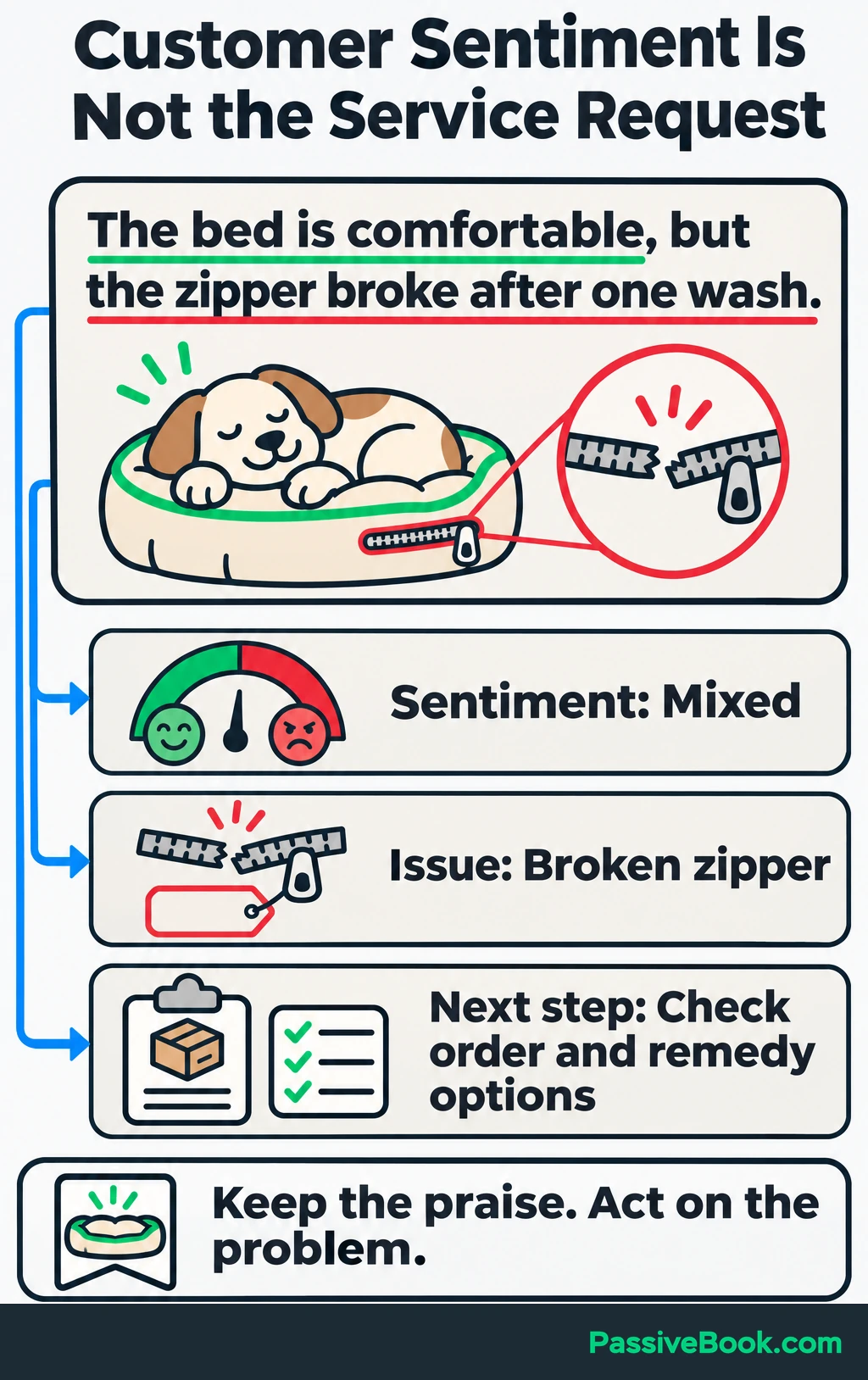
Consider this post:
“The bed is comfortable, but the zipper broke after one wash.”
Mark the sentiment as mixed. Record the issue as a broken zipper and the next step as checking the order and available remedy. Preserve the praise about comfort because it identifies something the customer values.
Now compare:
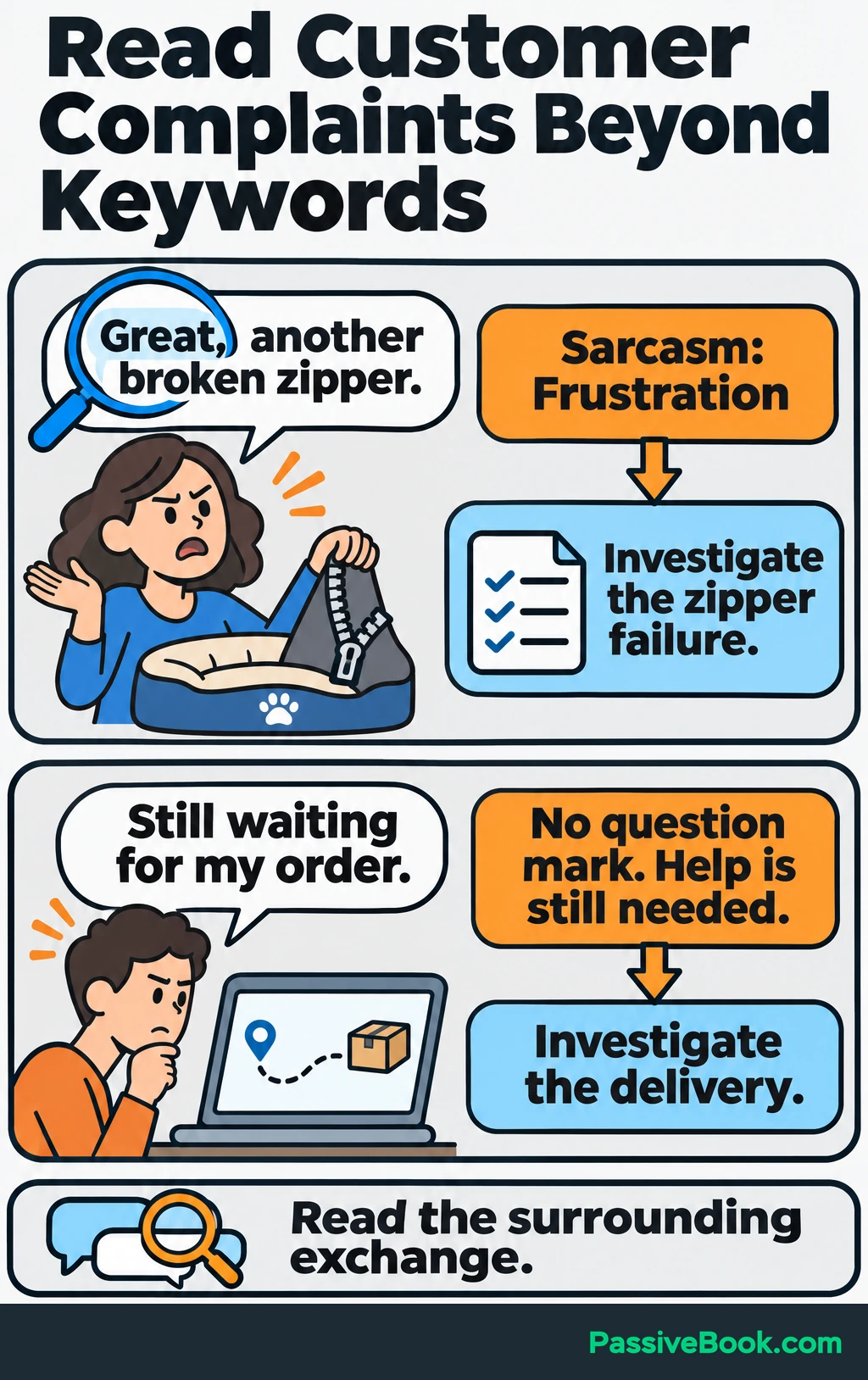
“Great, another broken zipper.”
That is frustration despite the positive word. Review sarcasm and unclear wording yourself rather than letting a sentiment label decide the response.
Some posts won’t contain an explicit request. “Still waiting for my order” is enough to investigate a delivery problem.
Set Priority by Customer Impact
Prioritize the possible consequence, then decide who must act. An angry washing question and a calmly described safety concern should not receive priority based on tone.
For a small shop, a triage table can be this simple:
| Priority | Trigger | First Action | Responsible Person |
|---|---|---|---|
| Urgent | Detached zipper pull that could be swallowed, or exposed personal information | Review immediately when discovered; address the possible hazard or exposure | Owner or designated incident lead |
| High | Unresolved missing delivery, damaged bed, or stalled remedy | Check the case and give a specific next step | Assigned support person |
| Routine | Washing, sizing, or returns question | Answer from approved guidance | Person covering service |
| Review Later | Praise or a general suggestion with no help needed | Acknowledge where useful and record the insight | Person reviewing feedback |
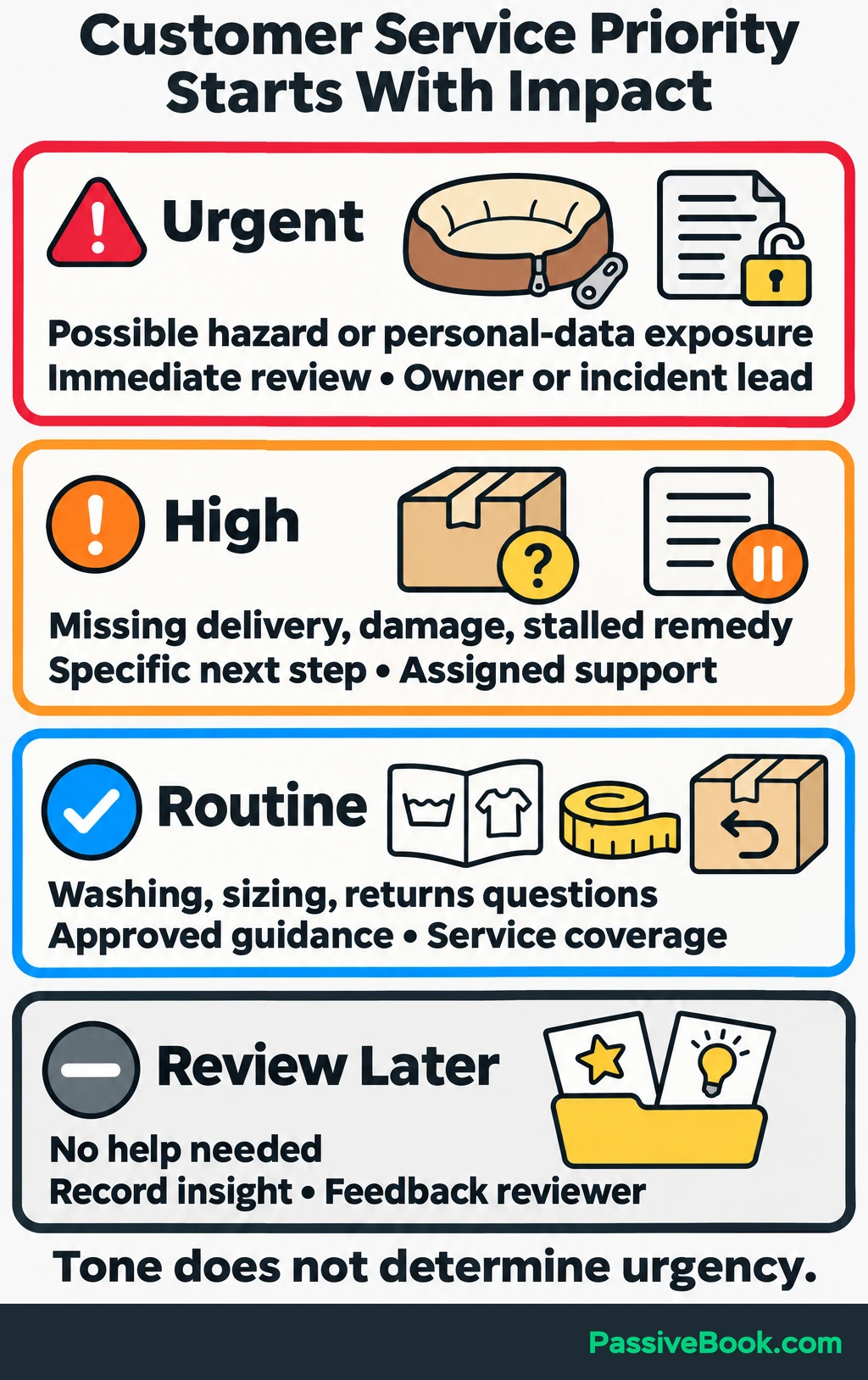
A question about washing the cover can wait for the next routine review. A detached zipper pull needs immediate human attention when found. For the latter, ask the customer to stop using the affected bed while the owner reviews the report.
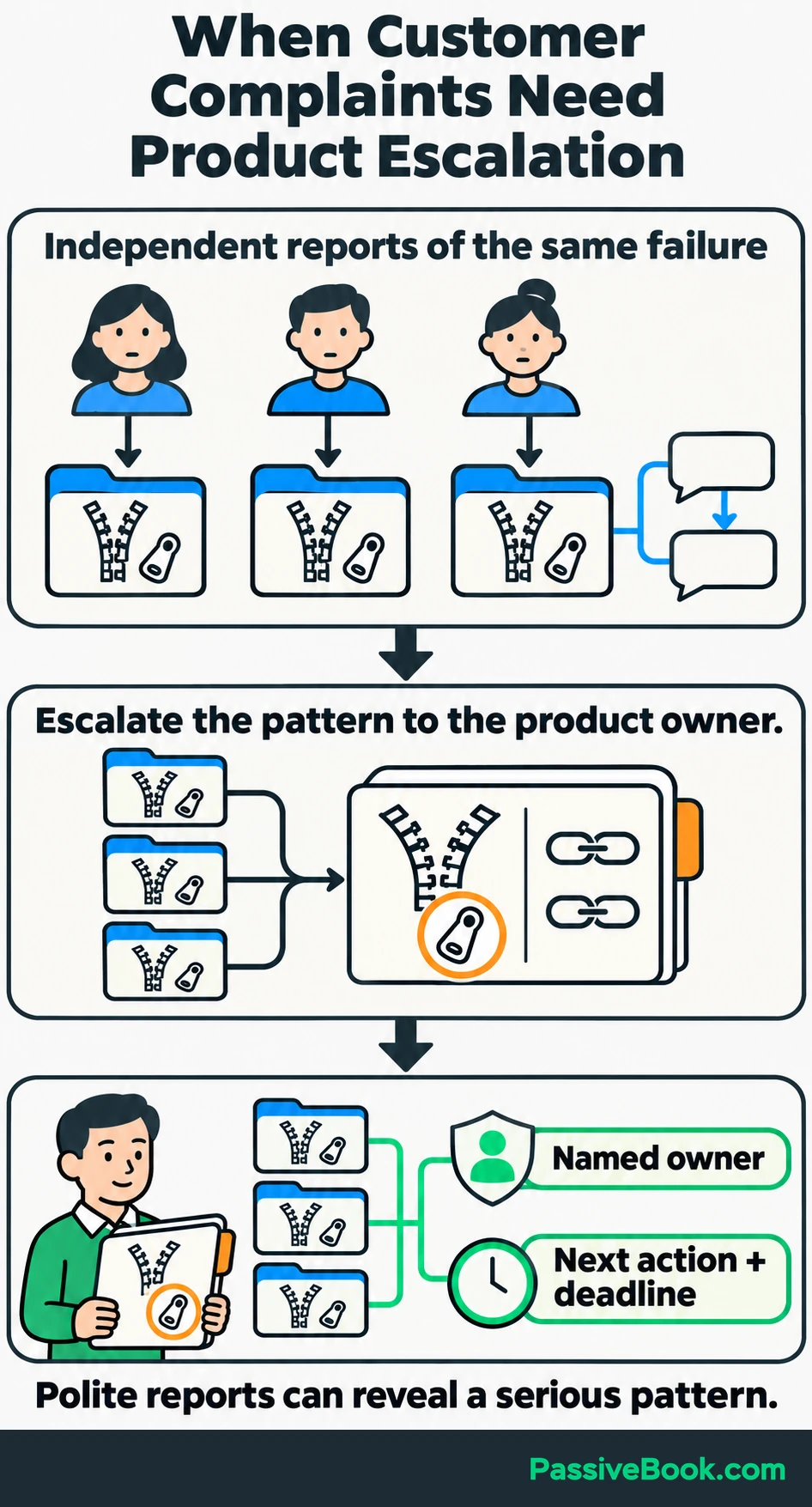
Every actionable case needs an owner and a next-action time. If you work alone, put your own name there. Future you still needs instructions.
If you’d rather not build the queue from scratch, copy the Social Service Desk below. Add your first issue to see who owns it, what happens next, and whether anything is already overdue.
Several independent reports of the same failure also deserve escalation to whoever handles the product. The pattern matters even if each customer sounds polite.
Respond Clearly and Follow Through to Resolution
Give a Useful First Public Reply
Before replying, read the full exchange and check whether the customer already has an open case. Asking them to start again after they have supplied the details is an efficient way to make a small problem more irritating.
A useful first reply acknowledges the specific issue and gives one clear next step.
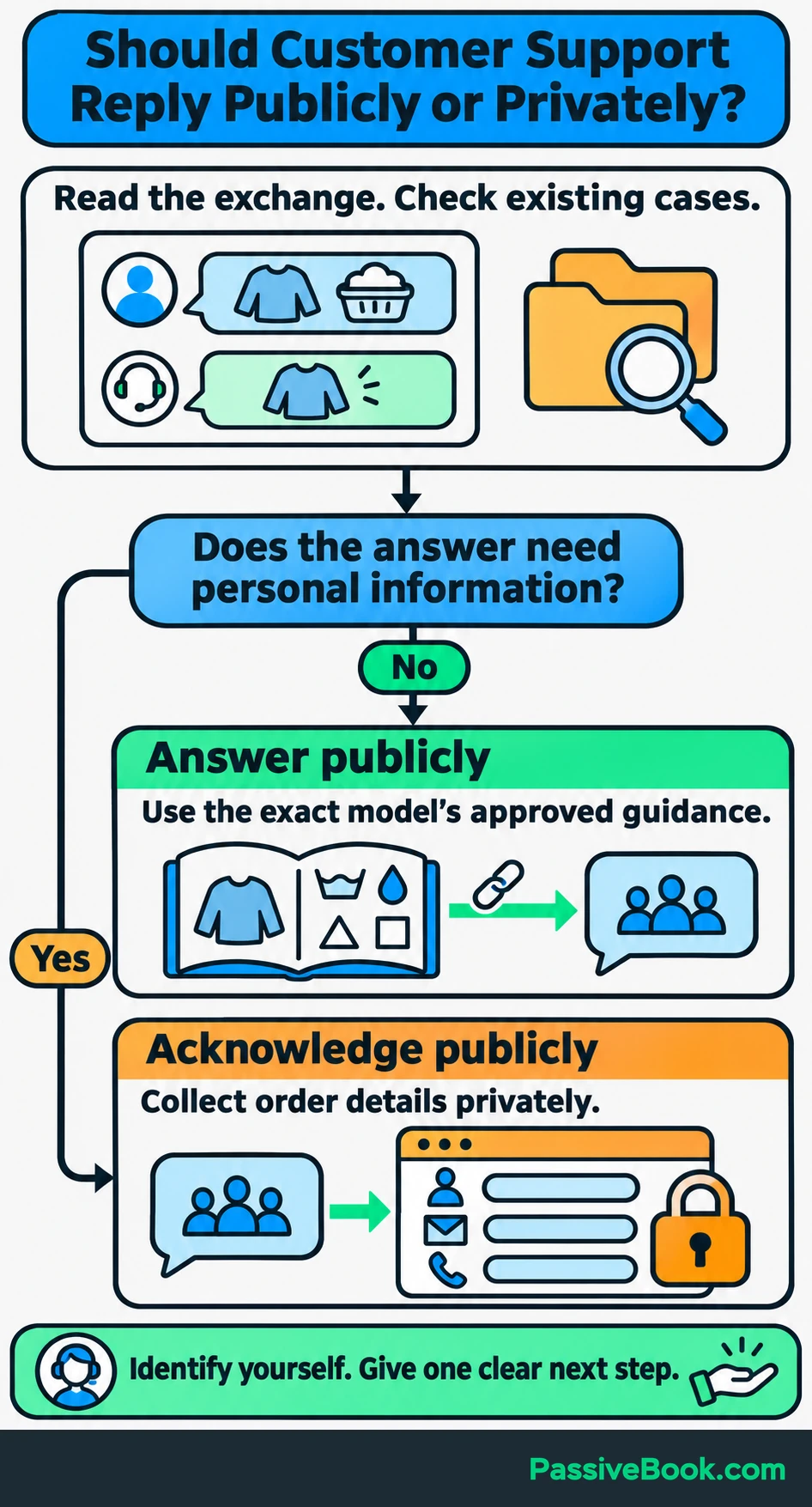
Answer general questions publicly when the answer needs no personal information. For a washing question, check the exact model’s care instructions, summarize the relevant steps, and link directly to the full instructions. Making someone send a private message to learn how to wash a cover adds work for both of you.
For an order-specific problem, use a complete reply like this, adapted to your actual support route:
Hi, I’m with Cedar Paw Beds. I’m sorry the zipper broke after washing. Please use the support form in our profile and link to this post so we can check your order and options. Keep your order number and contact details out of this public thread.
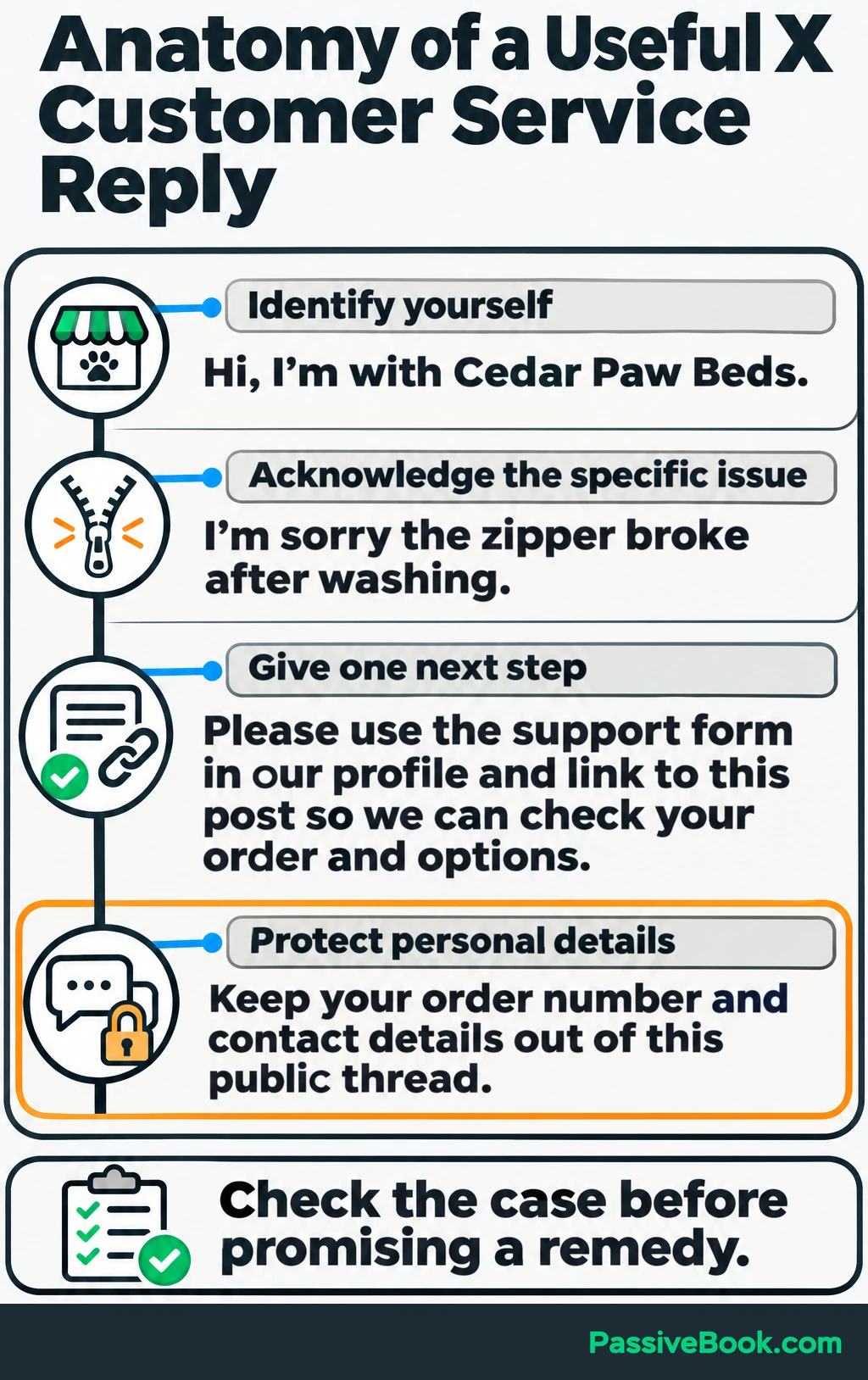
This acknowledges the problem without promising a replacement before checking the case.
You can also respond to an untagged complaint when the context clearly identifies your business. Briefly identify yourself, address the issue, and avoid turning the reply into a sales pitch.
Promise a response time only when your service coverage can support it.
Move Account Details Into a Private Channel
Keep addresses, contact details, order information, and payment information out of public replies. Request only what you need through your support form or another suitable private channel.
If someone has already exposed personal information, don’t quote it back. Ask them to remove it, and report unauthorized disclosure where appropriate.
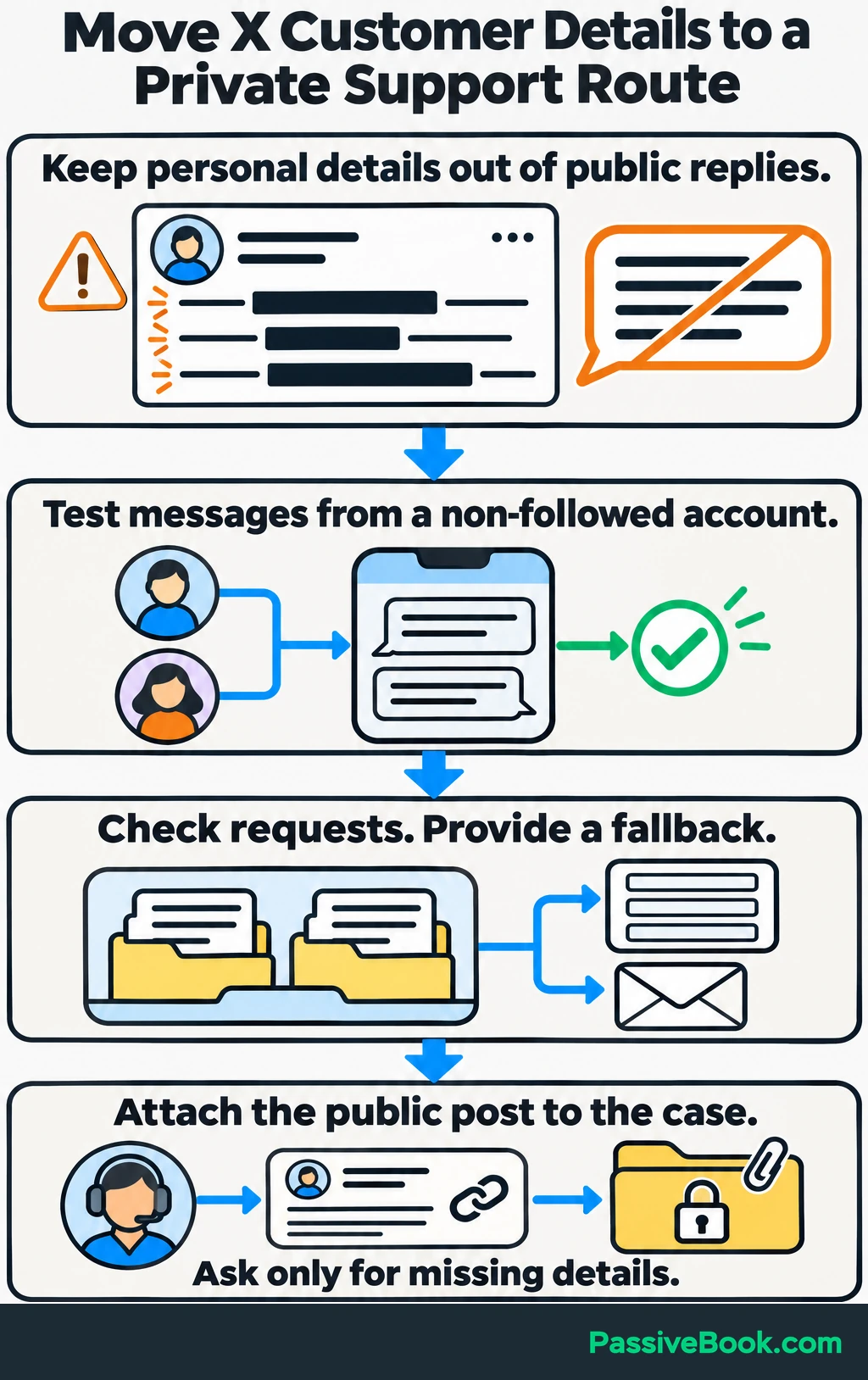
Before directing customers to message you on X, test that route from an account you don’t follow. A visible message button alone doesn’t prove the person can reach your inbox. Message requests can also remain separate until accepted, including in Priority or Hidden request inboxes. X’s Chat guidance explains these restrictions.
Check those requests during service reviews, and provide a support-form or email fallback.
Attach the public post to the support case yourself where possible. The customer should be supplying missing details, not reconstructing the conversation for your convenience.
Track the Case Until the Issue Is Addressed
Check the order, product information, and applicable policy before offering troubleshooting, a replacement, or a refund.
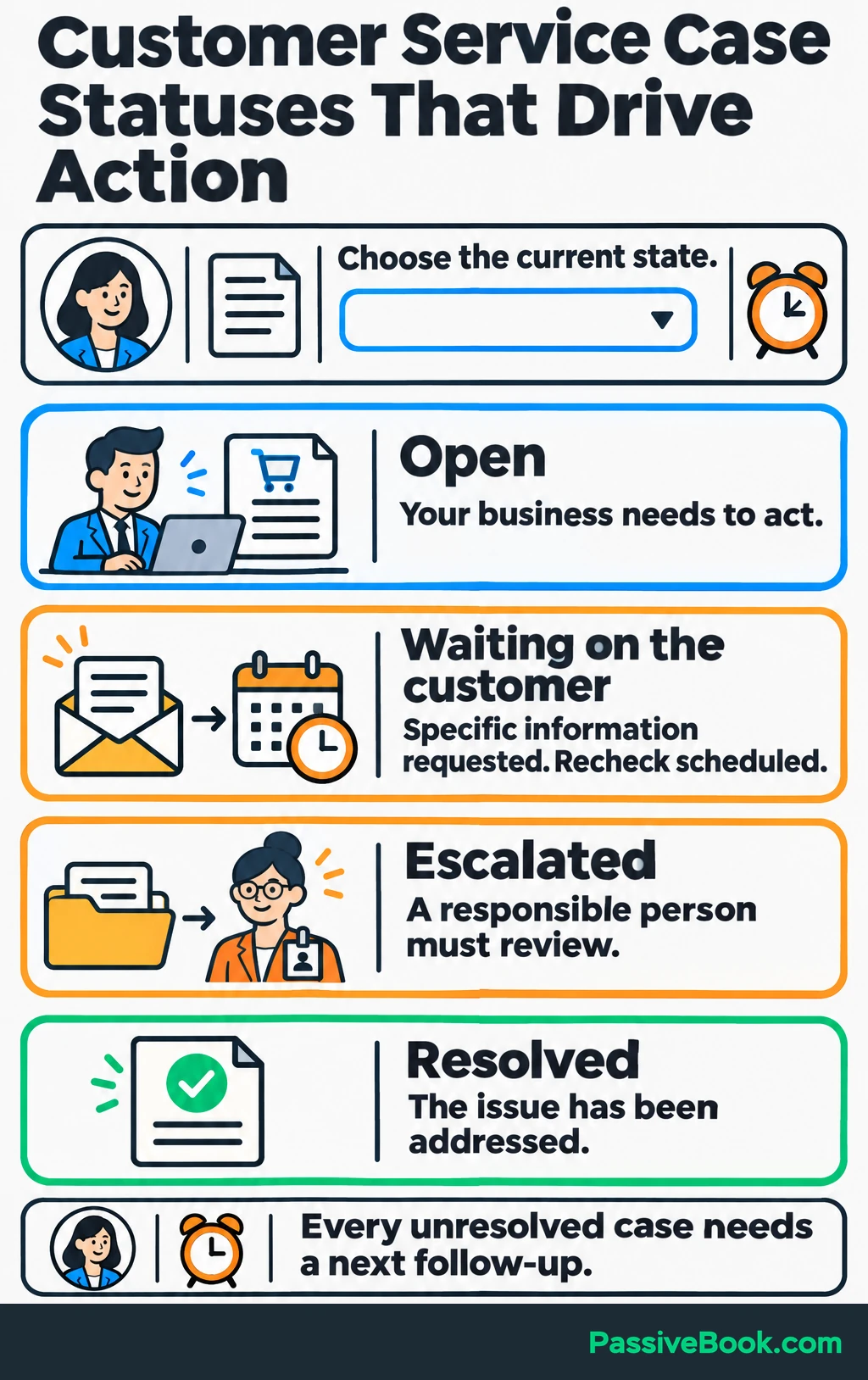
Use statuses that make the next action obvious:
- Open: your business needs to act.
- Waiting on the customer: you have requested specific information.
- Escalated: another responsible person must review it.
- Resolved: the issue has been addressed.
Set the next follow-up before leaving an unresolved case. “Waiting on the customer” should include when you will check again.
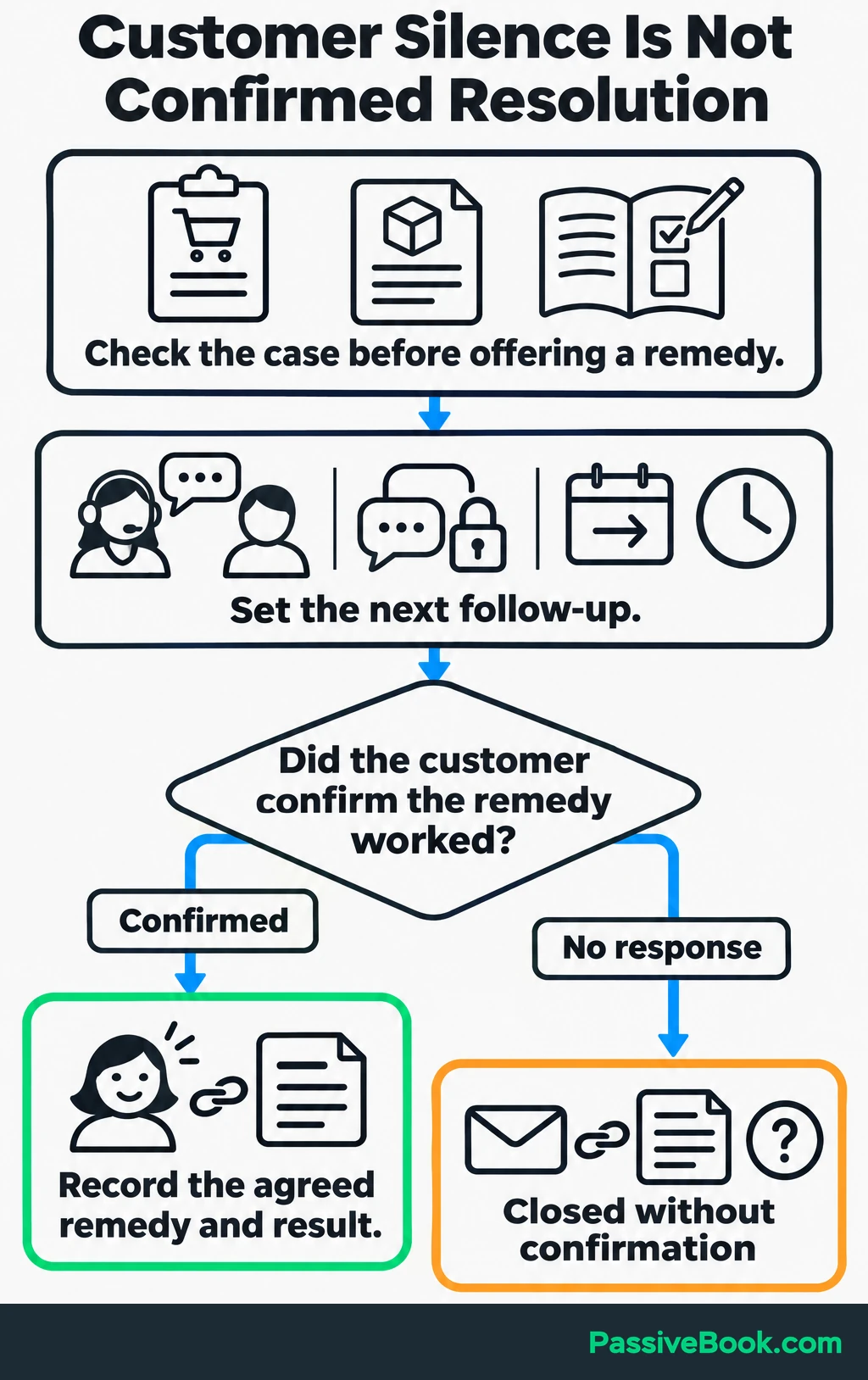
Return to the public thread when an update would help, but reveal no private details. For example:
We’ve replied through the support case with the next step. Please continue there so we can keep your order details private.
Once the customer confirms the agreed remedy worked, record that outcome. If they stop responding, record “closed without confirmation” rather than treating silence as proof of success.
Reduce Manual Work With a Repeatable Monitoring System
Match Tools to the Workload
Set review times around conversation volume, issue severity, and your available coverage. For low volume, I would start with checks near the beginning, middle, and end of the staffed day, then adjust based on what gets missed or delayed.
At each check, review urgent alerts and overdue cases before broader customer-needs searches. Publish your service hours and an alternative contact route so customers know how to reach you between reviews.
Stay with bookmarked searches and a tracking sheet while the workload is manageable. Bookmarks make searches reusable, but someone still has to check them.
When that becomes difficult, buy help for the specific task:
| Where Work Gets Stuck | What I Would Consider |
|---|---|
| Switching between searches and notifications | X Pro for reviewing several columns together |
| Missing keyword matches while away from the dashboard | A listening service that delivers alerts |
| Losing track after the first reply | Improve the case queue, ownership, and reminders |
| Repeatedly copying alerts into cases | Connect the alert source to your existing workflow |
X Pro, formerly TweetDeck, is a paid dashboard for reviewing several searches and notifications in columns. Its column alerts can play sounds or show desktop notifications during staffed monitoring. Check the current subscription requirements and price before paying.
For alerts away from a dashboard, Brand24 is worth testing. It lists X monitoring and sentiment analysis among its listening features, and it offers filtered email and mobile notifications.
I would test either option against known relevant posts before paying. Compare useful matches, delivery delay, irrelevant alerts, mention limits, total cost, and how much work it takes to create a case. Test each tool’s query syntax rather than assuming your native X search will transfer unchanged.
A dashboard organizes review, an alert service delivers matches, and your case queue manages resolution. Paying for the first two won’t fix a neglected third.
Automate Handoffs and Draft Preparation
Start with a source that can actually deliver alerts into your workflow. A browser bookmark cannot trigger a case by itself.
If the source offers email notifications or a supported integration, use Make or n8n to connect the incoming result to your tracking system. These tools connect apps and run repeatable actions. I would choose Make for a straightforward visual setup and n8n when I already had it running.
Build the handoff in this order:
- Receive a matching post and its URL.
- Check whether that URL already exists in the queue.
- Link the post to a case about the same unresolved problem, or create a new record.
- Suggest a topic and priority.
- Assign an owner and a follow-up reminder.
- Notify the responsible person about urgent matches and put routine mentions in a digest.
Use the post URL or ID to remove duplicate alerts. Have a person review uncertain case matches before merging records.
Save adaptable replies for delivery, washing, and returns questions. Personalize the acknowledgment and next step each time.
On a digital-product site, I once kept reusing a saved download reply after the delivery steps had changed. Checking the customer’s route exposed the mismatch, so I rewrote the saved answer. That is the check I would repeat whenever a support process changes: a template can save typing and still send someone in the wrong direction.
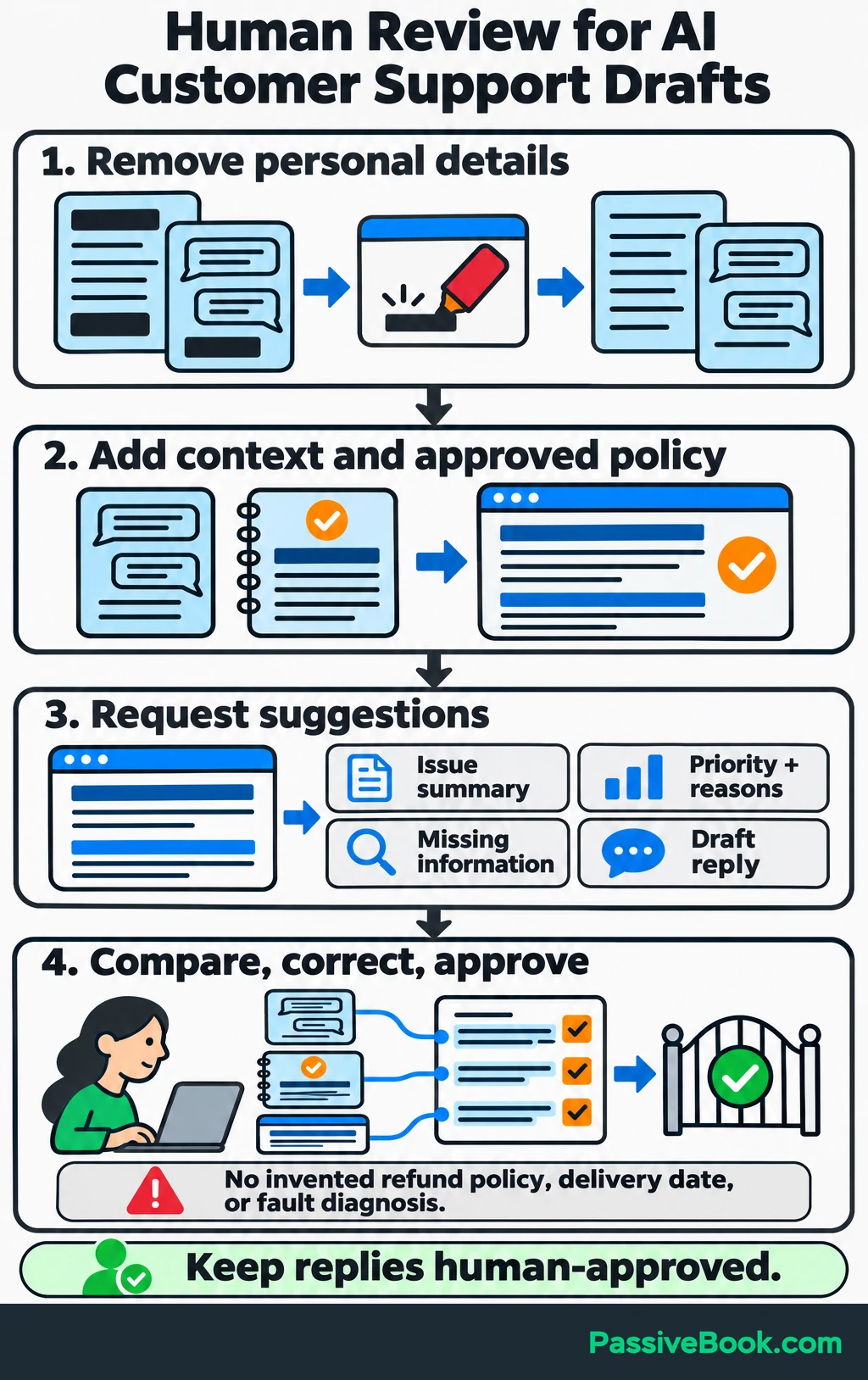
Give AI the post, relevant conversation context, and the applicable part of your approved support policy. Remove personal details such as names and order numbers before sharing the material. Then ask for an issue summary, suggested priority with reasons, missing information, and a draft reply.
Compare the result with the original conversation before publishing. In particular, check that it hasn’t invented a refund policy, delivery date, or diagnosis of the product fault.
Keep replies human-approved. X prohibits unsolicited automated replies based solely on keyword searches, and operating an AI reply bot requires prior written, explicit approval. Its automation rules set out those requirements.
I would automate copying, sorting, and reminders first. Those tasks are repetitive, and they don’t require pretending a machine has personally checked someone’s order.
Turn Listening Insights Into Better Service
Review the cases together at a regular interval, such as once a week. Group them by the underlying issue: delivery communication, washing instructions, zipper durability, or returns confusion.
Keep specific praise, too. “The washing guide answered my question” tells you which service practice to preserve.
Treat X conversations as leads for investigation. They are not a representative customer survey. Compare recurring themes with support tickets, returns, and order records before deciding how widespread a problem is.
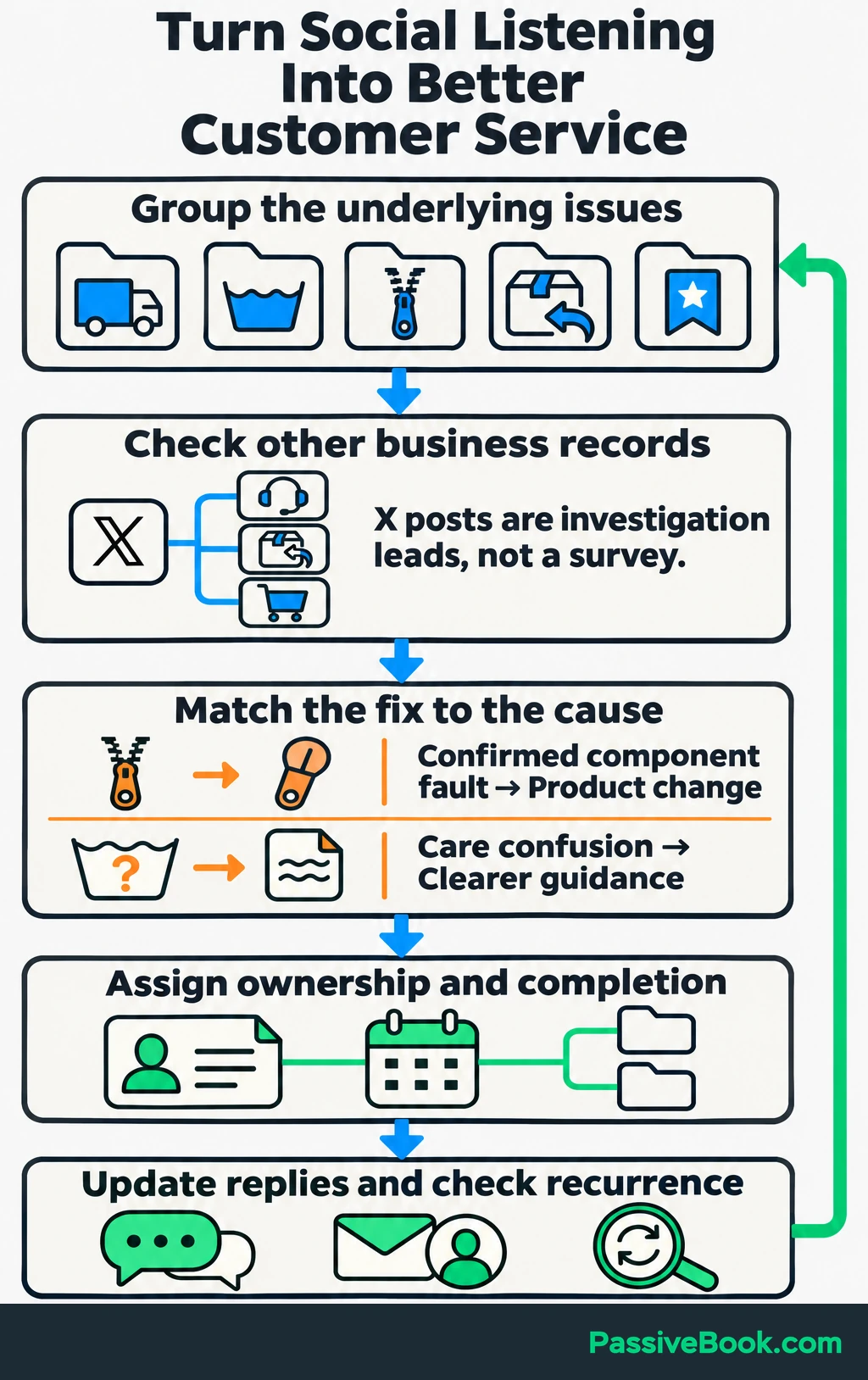
For Cedar Paw Beds, several independent zipper complaints should prompt a check of return records and affected products. A confirmed component fault calls for a product change. Repeated uncertainty about washing calls for clearer care guidance. Don’t rewrite the FAQ and declare victory while the component keeps breaking.
Give each improvement an owner, a completion date, and links to the cases behind it. Once completed, update saved replies and contact affected customers when the change addresses their concern.
Track a few measures that tell you where the process slows down:
- Posting to discovery: how long the issue remained unseen.
- Discovery to first useful human reply: how long it waited for a meaningful response.
- Discovery to resolution: how long it took to address.
- Overdue follow-ups: cases where the promised next action has slipped.
Choose elapsed time or staffed hours and use the same definition throughout. Keep cases still waiting for a reply or resolution visible alongside completed ones, or your figures will hide the slowest work.
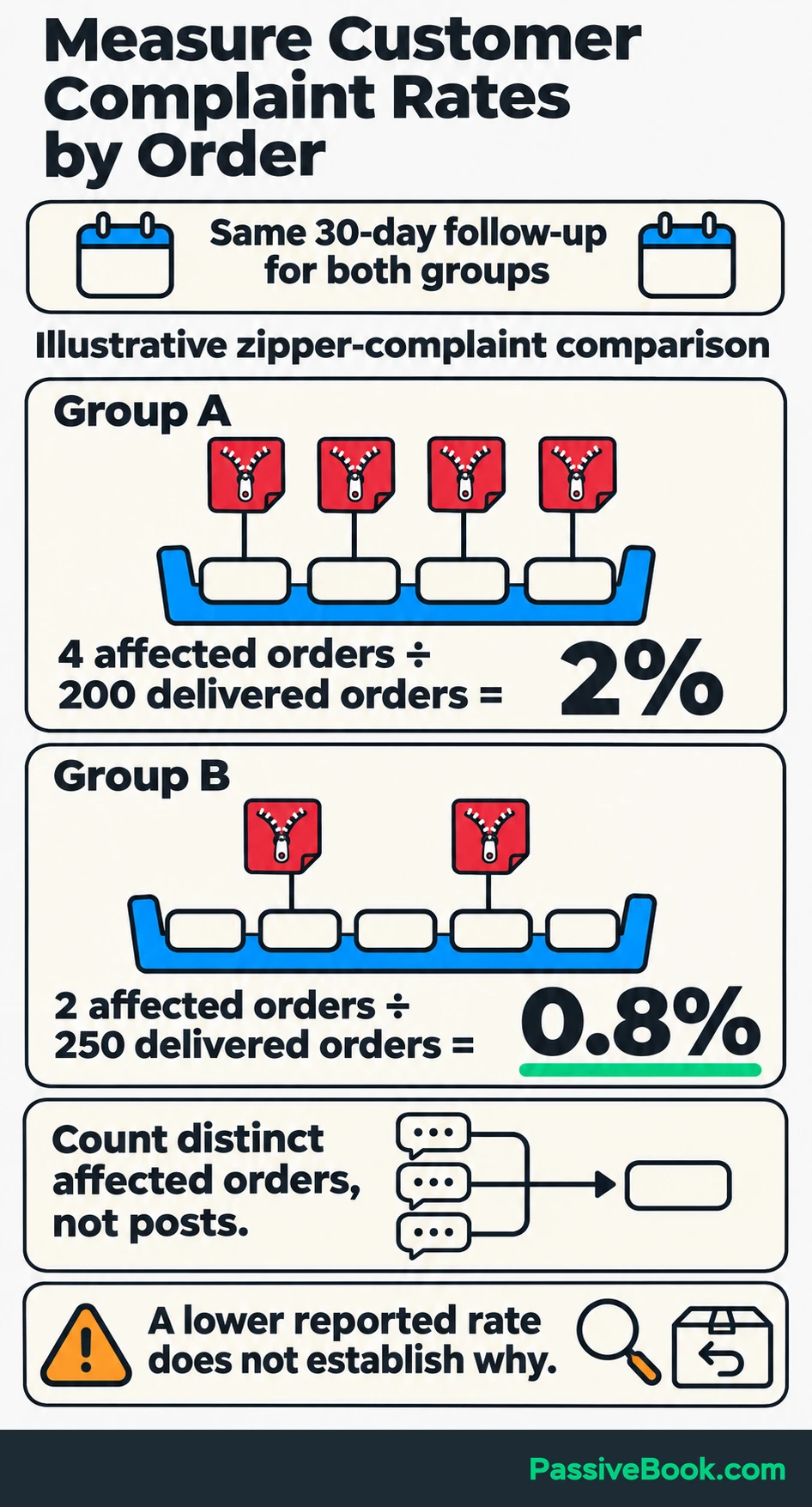
After a fix, check whether the targeted issue recurs. Count affected orders rather than raw posts, and account for changing sales volume.
For example, compare groups of delivered orders that have each completed a 30-day follow-up period. Within each group, count distinct orders with a zipper complaint during those first 30 days, then divide by all eligible delivered orders.
An illustrative four affected orders out of 200 gives a 2% complaint rate. Two out of 250 gives 0.8%. That suggests fewer reported problems in the second group, but inspection and return records still help establish why.
Finally, track time spent monitoring and the alerts you discard. If most matches are irrelevant, improve the searches before adding more automation. Feed useful customer wording into your queries and successful resolutions into your saved replies.
What Next?
Create one broad brand search and one issue search, then open a tracking sheet and give the first actionable post an owner and next step. That is enough to start a service loop you can improve.
Use the social buttons to share this guide when a practical way to catch complaints and follow through would help your community.
Where is your biggest gap: finding conversations, deciding what matters, or finishing the follow-up? Share your answer—and any other questions—in the comments.
Share this post with your friends & followers:


Free Social Service Desk