Your week is already full, but X keeps asking for another post. You share a tip between meetings, disappear for four days and return with a product link. Each post takes effort, yet you’re unsure what that effort adds up to.
That uncertainty makes it hard to decide whether X deserves another hour or whether the time would be better spent improving your offer. This guide helps you build a manageable publishing and conversation routine, with a way to see whether it brings relevant people closer to subscribing, inquiring or buying.
1. Define the Audience and Problem Your Content Will Serve
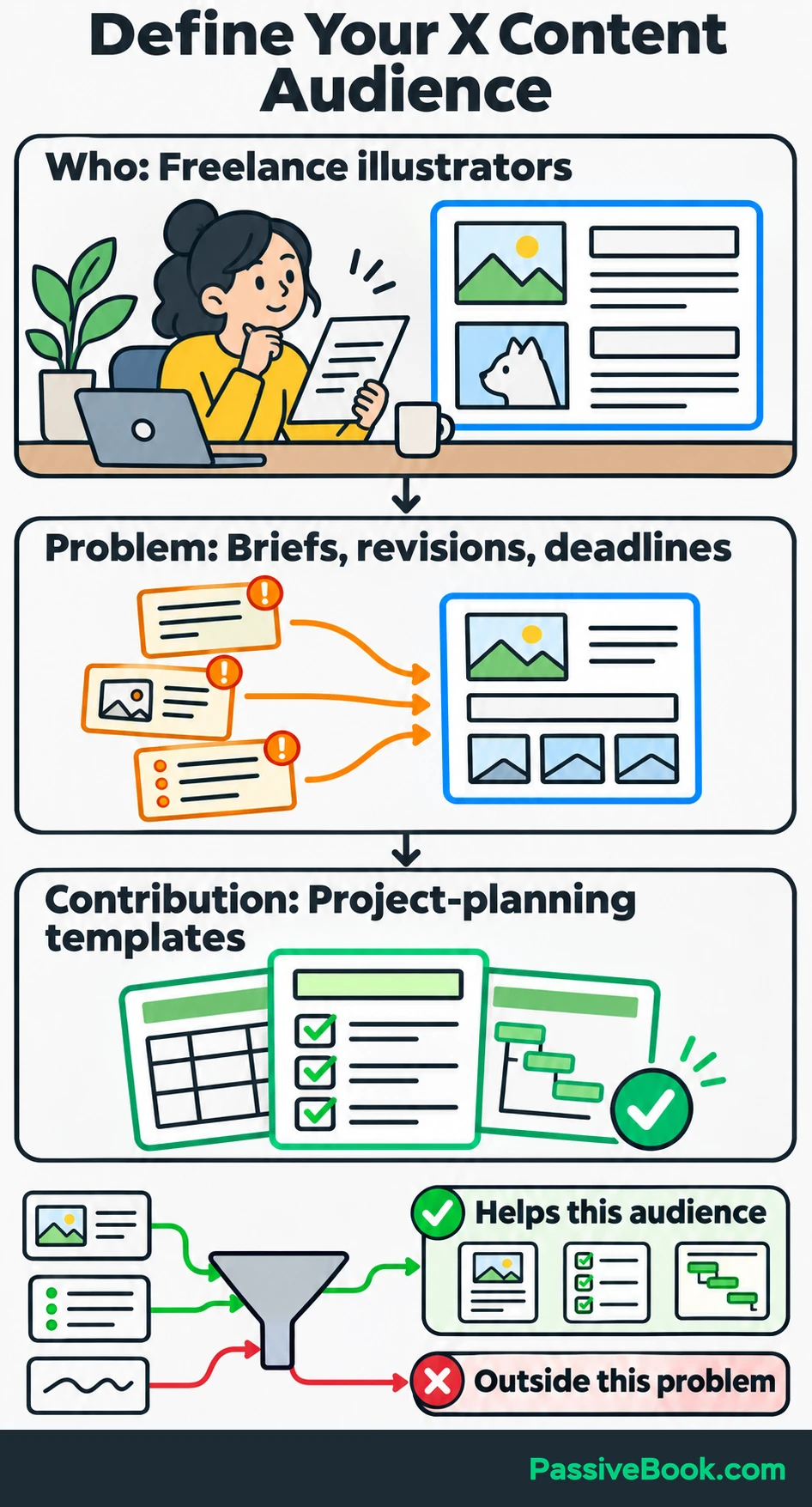
Start with a problem you can help people solve. “People interested in business” gives you almost nothing to work with. A specific person facing a specific task gives you questions to answer.
Write down:
- Audience: Who needs your help?
- Problem: What are they struggling to do?
- Contribution: What knowledge, product or service can you offer?
For the running example, imagine you sell project-planning templates for freelance illustrators. Your free client-brief checklist leads to a paid planner. The shop examples, schedules and figures throughout this article are illustrations, not observed results or benchmarks.
Your audience needs to organize client instructions, revision requests and deadlines. That gives your content a purpose beyond “post something about creativity.”
Find the language people use when these tasks go wrong. Start with customer emails, support questions and sales conversations. If you have no customers yet, ask potential buyers how they handle the task now and where they get stuck.
Then search X for those problems. Try phrases such as “illustration client feedback” or “conflicting revision notes,” and read the replies. An original post may describe the frustration, while a reply reveals the question nobody answered.
Keep a small listening list of potential customers, practitioners and competing offers. Record the question, the answers already available and the useful explanation you could add.
Check who is participating, too. A lively discussion among people selling templates doesn’t automatically mean illustrators are there looking for help. If you can’t find relevant customer conversations, I would give X a four-week test before building your week around it.
For an existing account, review which posts attracted relevant questions or inquiries. Keep those subjects in consideration, even when other posts received more likes.
Finish with a positioning statement:
I help freelance illustrators organize briefs, revisions and deadlines with reusable project-planning templates.
That sentence becomes a filter. A topic belongs when it helps those people with those problems.
2. Connect Your Content to One Business Outcome
Choose a Primary Goal
Choose the result your business needs next. That might be email subscribers, qualified inquiries or purchases. Relevant audience growth can also be a goal when you’re still testing a problem, but define whose attention matters.
Around 2022, I spent six months chasing Instagram and Twitter followers in another niche, separate from Passive Book. My bank balance stayed around $47.
I kept treating the next post as the missing piece. I wasn’t giving enough thought to what an interested person should do afterward. That experience is why I want a business purpose attached to the account before I worry about its posting frequency.
Complete this sentence:
Use X to reach [audience], help with [problem] and encourage [next action].
For the template shop:
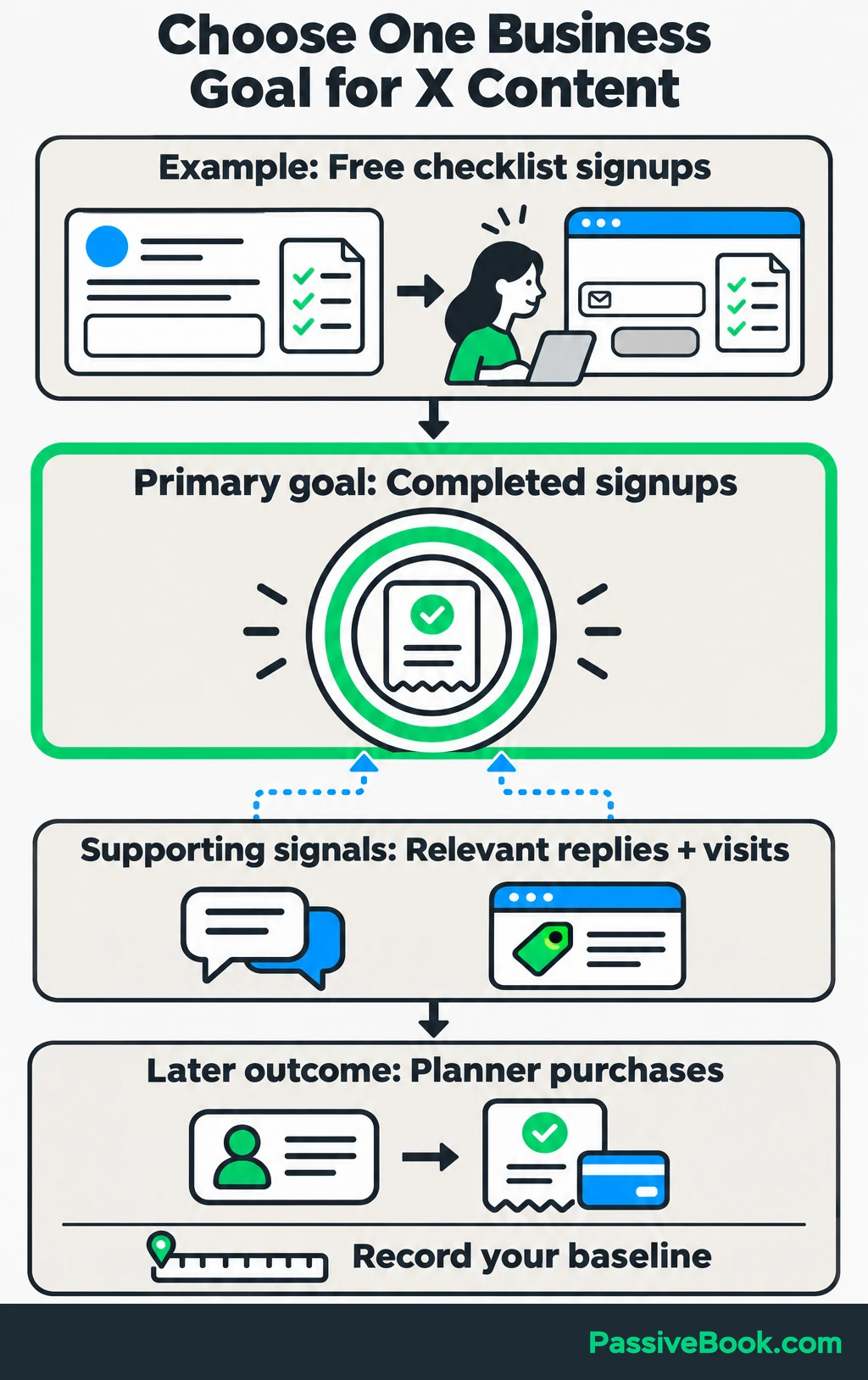
Use X to reach freelance illustrators, help them collect clearer client instructions and encourage signups for the free client-brief checklist.
Completed checklist signups are the primary goal. Relevant replies and website visits help explain progress, while later planner purchases show whether those signups support the business.
Record your starting results and set a review date. If the account is new, use the first review period to establish a baseline. Don’t borrow a stranger’s growth target and turn it into your own deadline.
Give Interested Readers a Clear Next Step
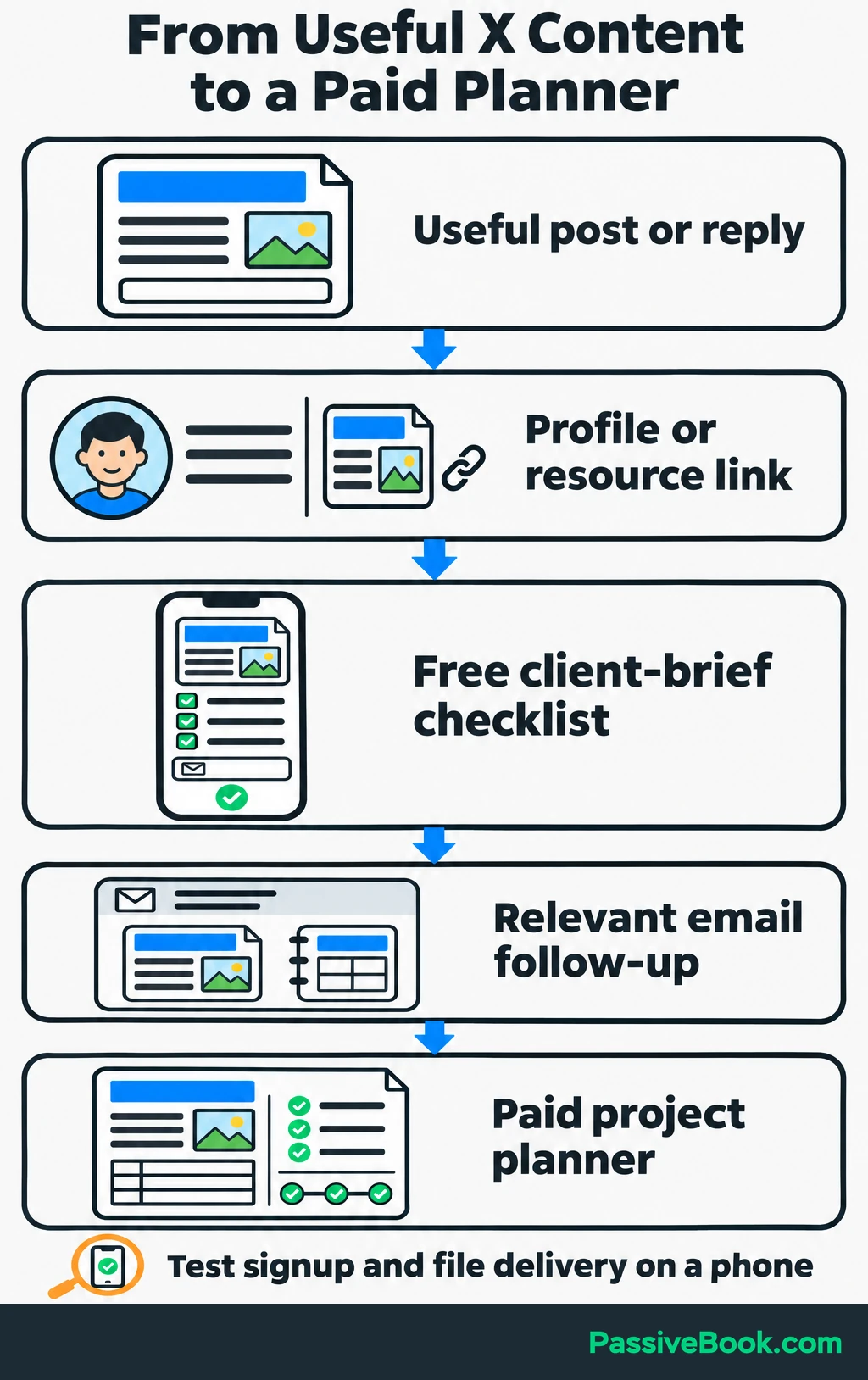
Map the route from a useful post to your offer:
Post or reply → profile or resource link → free checklist → relevant email follow-up → paid planner.
Each step should continue the same promise. A post about client briefs should lead to the brief checklist, not a homepage where visitors have to find it themselves.
Make your bio explain whom you help and what they gain. A short version for the shop could read:
Project planners for freelance illustrators. Organize briefs, revisions and deadlines. Get the free client-brief checklist below.
Use a recognizable profile image and pin a useful introduction or resource with one clear invitation.
Before promoting the checklist, complete the signup yourself on a phone. Check that the page makes sense, the form works and the promised file arrives. Your form or email platform should record a successful signup rather than a click on the submit button.
Add consistent tracking labels, called UTM parameters, to destination links. Google Analytics uses these labels to identify referring campaigns. Google explains how campaign URLs work here.
For this shop, use:
utm_source=x
utm_medium=organic_social
utm_campaign=client_brief_checklist
utm_content=monday_brief_tip
Keep the first three consistent for this campaign and change utm_content to identify individual posts, the bio or the pinned post.
If you use Google Analytics 4 (GA4), mark the completed-signup event as a key event—an action you want to track as a business result. Test that it records correctly before relying on the report.
3. Choose Repeatable Content Pillars
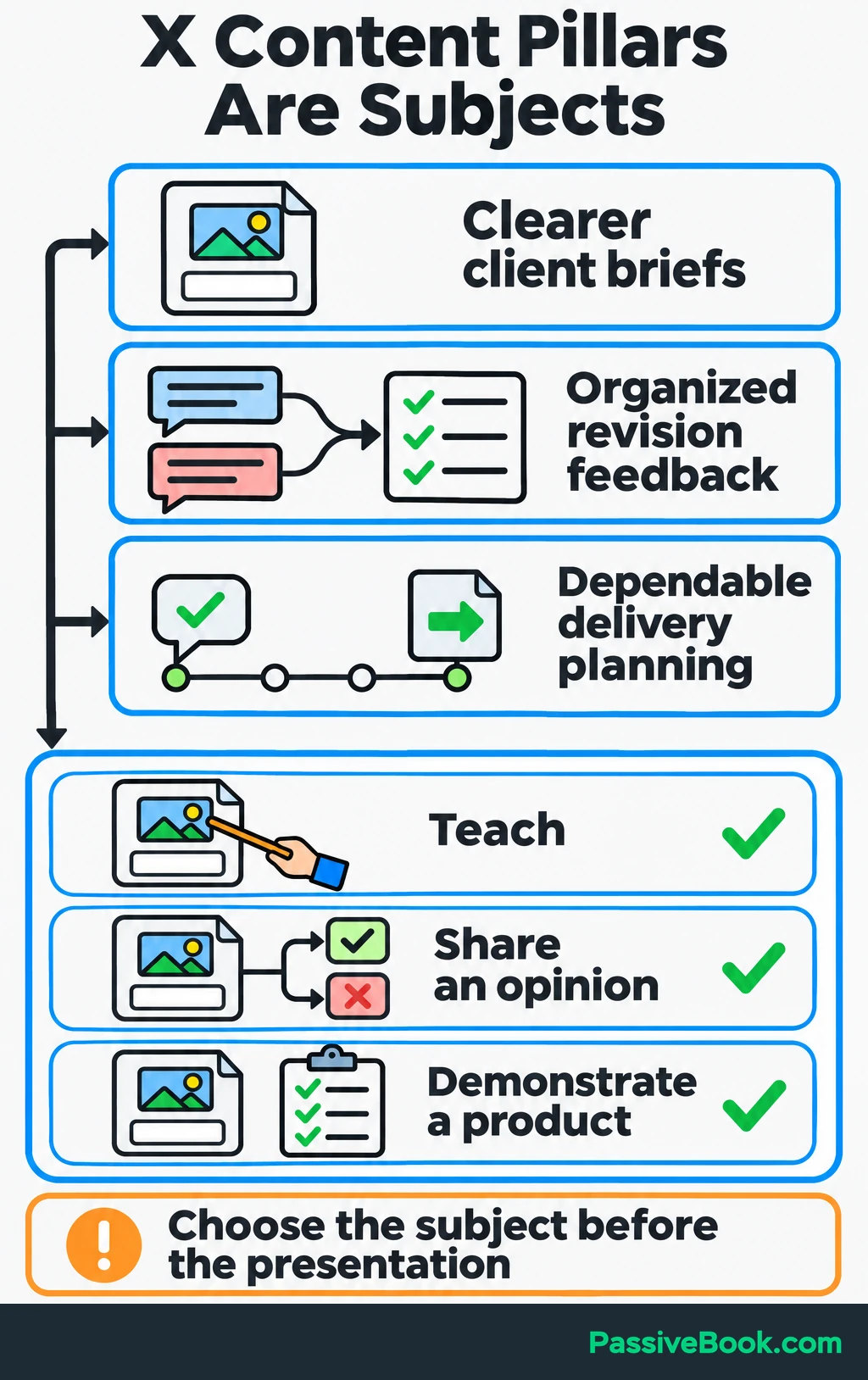
Content pillars are the subjects you return to because your audience keeps needing help with them.
I would start with three. That gives you enough variety without turning the account into a general-interest magazine.
For the template shop, those subjects are:
- Clearer Client Briefs: Collect the information needed before work begins.
- Organized Revision Feedback: Turn scattered comments into agreed changes.
- Dependable Delivery Planning: Plan work around deadlines and client approvals.
“Education,” “opinion” and “promotion” describe how you present something. They don’t tell you what to discuss. You can teach, share an opinion or demonstrate a product within any of these subjects.
Turn each pillar into questions and post ideas:
| Pillar | Audience Question | Post Idea | Supporting Material | Relevant Next Action |
|---|---|---|---|---|
| Client briefs | How do I confirm what the client needs? | Ask where the illustration will appear before agreeing on deliverables | Example brief field: “Where will the illustration appear?” | Download the brief checklist |
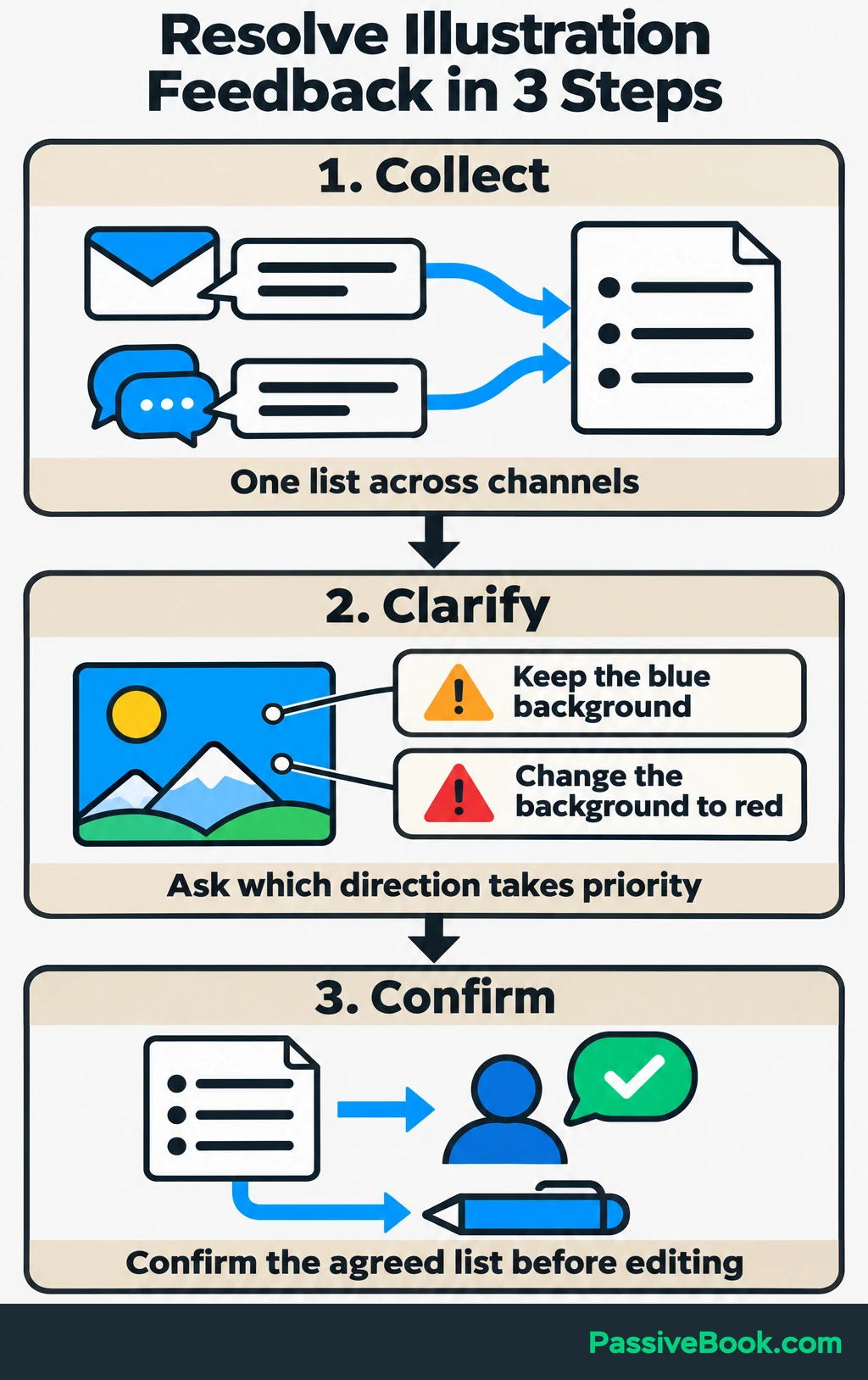
| Revision feedback | How do I handle contradictory comments? | Flag conflicting requests before making changes | Example conflicting notes: “Keep the blue background” and “Change the background to red” | Collect conflicting requests and ask which takes priority |
| Delivery planning | How do I leave room for client approval? | Separate a feedback deadline from final delivery | Example timeline: client feedback due May 12; final files due May 16 | See how the planner separates feedback and delivery dates |
Give posts different jobs. Some should solve a small problem. Others can show how your product works, invite a useful discussion or explain why you made a particular choice.
I would skip a fixed promotional ratio. If every post is an invitation to buy, you need more useful explanations. If nobody can tell you sell anything, you need a clearer offer.
Personality can come through your judgment. Explain why you prefer one agreed revision list over five message threads. You don’t need to share your breakfast, your family or a camera-facing monologue to have a recognizable voice.
4. Turn Audience Questions Into Useful X Posts
Write One Clear Takeaway
Choose one question and one takeaway before drafting.
A useful structure is:
Recognizable problem → practical instruction → concrete example.
“Improve client communication” leaves the reader to do the thinking. This opening gives them something to act on:
Revision notes scattered across email and DMs? Collect them in one numbered list before your next illustration pass.
Then show what belongs in that list or explain how to resolve a conflict. The useful detail is the post.
Here’s a complete short-post example for the shop:
Before starting an illustration, ask where it will appear. A website header and a printed flyer may need different dimensions. Put the intended use in the brief before you agree on the deliverables.
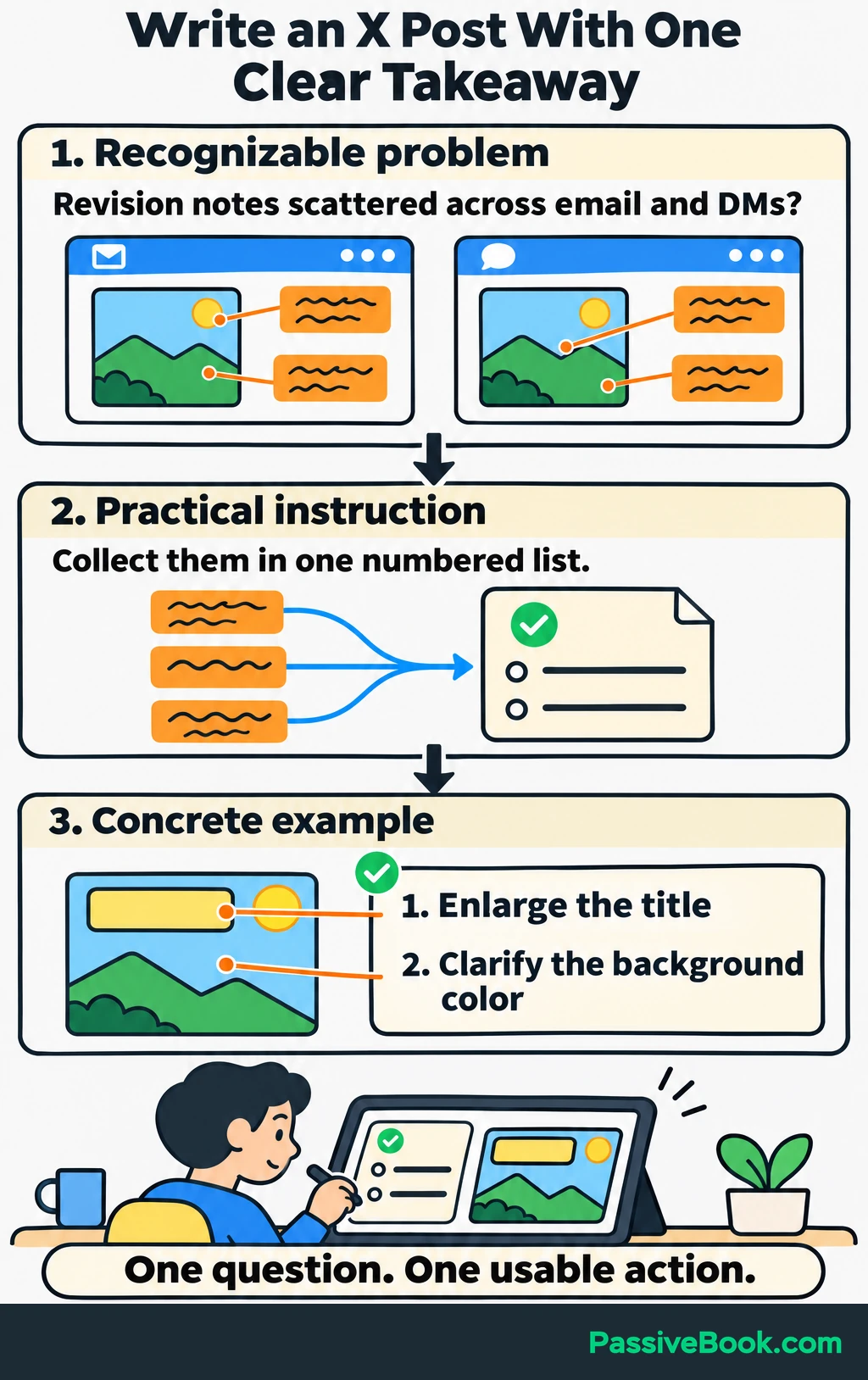
The post answers one question and stands on its own. In a separate post promoting the checklist, connect that same lesson to the resource: explain that the checklist helps readers collect intended use and other project details before starting.
If choosing the words is slowing you down, AI Social Copy Studio can turn your notes into three post drafts. Each draft gives readers something useful and keeps the next step connected to your offer.

Free AI Social Copy Studio




Not every post needs a link. Sometimes the right next action is to try the advice. Sometimes it’s to answer a question that will help you understand the problem better.
Keep a few voice rules beside your drafts:
- Language: Use familiar words and name the actual task.
- Detail: Include a field, example, decision or step the reader can use.
- Claims: Explain what the method does without promising results you haven’t established.
- Invitation: Choose a next action that follows from the takeaway.
Label sample documents as demonstrations. If you later share customer work, use genuine evidence with permission and remove private information. A mock planner can show the layout perfectly well without pretending to be a success story.
Match the Format to the Explanation
Choose the smallest format that can explain the point properly.
| Format | Use It When | Shop Example |
|---|---|---|
| Short text post | One takeaway needs little supporting detail | Ask about intended use before agreeing on deliverables |
| Thread | Readers need a connected sequence | Collect, clarify and confirm revision requests |
| Annotated image | The arrangement of information matters | Show how a revision tracker separates requests from approval status |
| Question or poll | The answer will inform a real decision | Ask where revision feedback becomes hardest to manage |
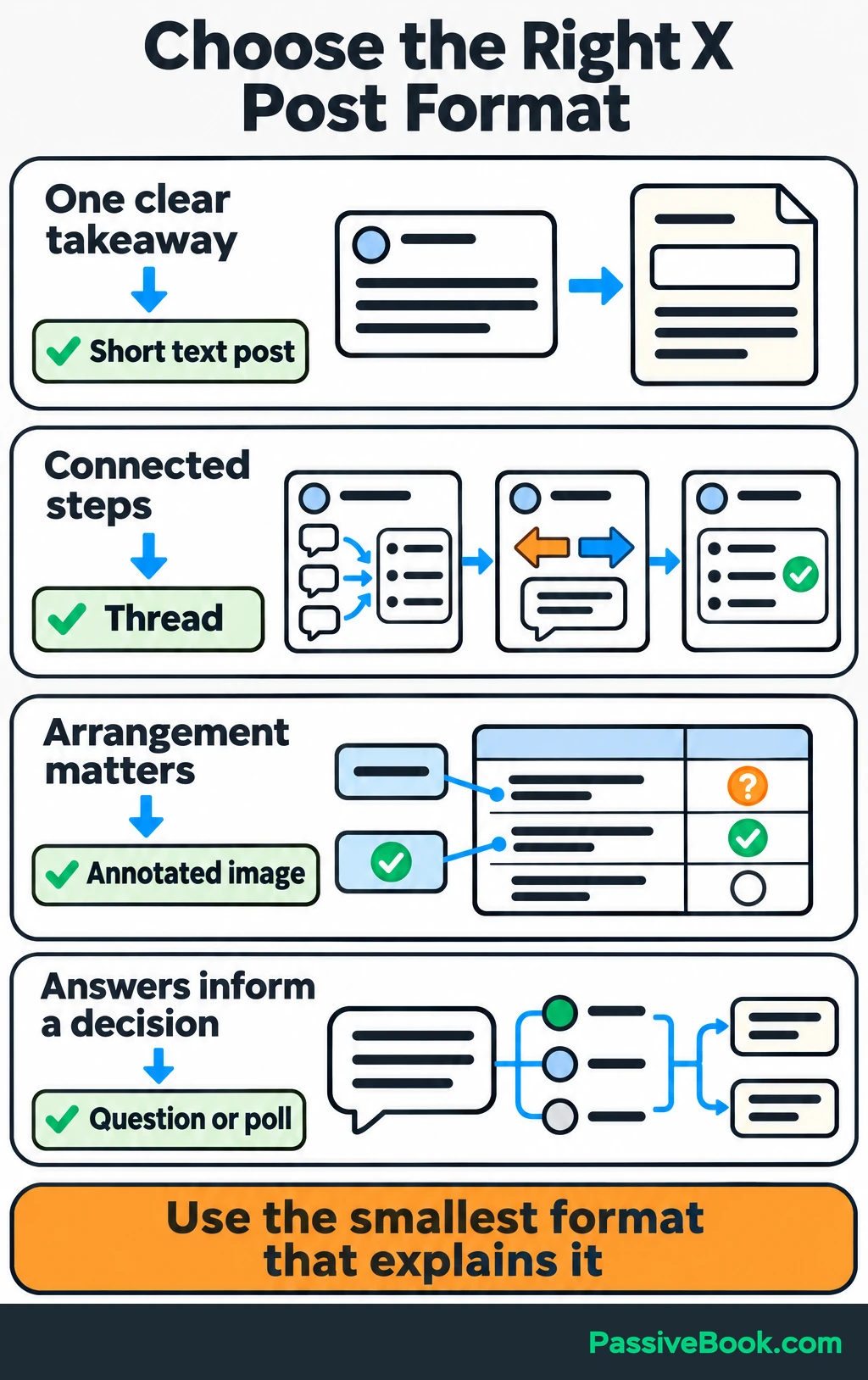
A revision-feedback thread could explain three steps:
- Collect comments from different channels into one list.
- Flag requests that conflict and ask which direction takes priority.
- Send the agreed list for confirmation before editing.
Its opening should name that problem and promise that process. Each later post should help deliver it. A thread doesn’t improve because you’ve found enough material for another installment.
For screenshots and diagrams, make the important text readable on a phone. Add an image description that includes the wording and relationships needed to understand the example. For a tracker, explain which request is awaiting clarification and which is approved.
Text, screenshots and annotated examples give you plenty to work with without appearing on camera.
5. Build a Publishing Schedule You Can Maintain
Set Your Cadence From Available Capacity
Budget the work before choosing a posting frequency.
Include research, drafting, publishing, conversations and review. A schedule that counts only writing time will look wonderfully efficient until you try to use it.
Here’s how a two-hour weekly budget could work:
| Task | Weekly Time | What Gets Done |
|---|---|---|
| Planning | 15 minutes | Choose three audience questions |
| Drafting | 45 minutes | Write posts and prepare one simple visual |
| Publishing | 15 minutes | Check links and prepare the queue |
| Conversations | 30 minutes | Join relevant discussions and answer replies |
| Review | 15 minutes | Update the scorecard and choose an adjustment |
| Total | 120 minutes | Complete the weekly routine |
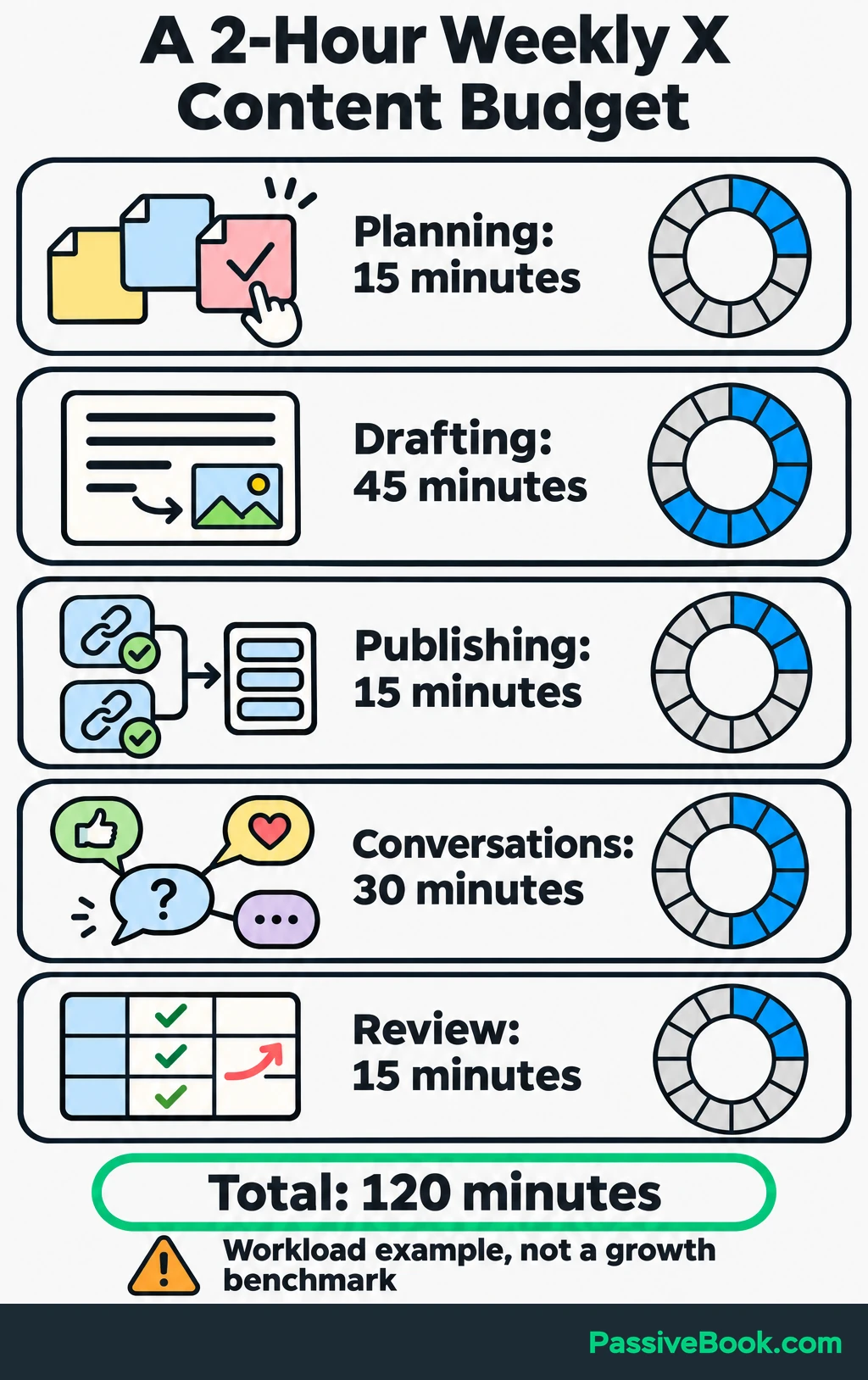
Three original posts fit only if you can produce them within that budget. This is a workload example, not an optimal frequency or a growth threshold.
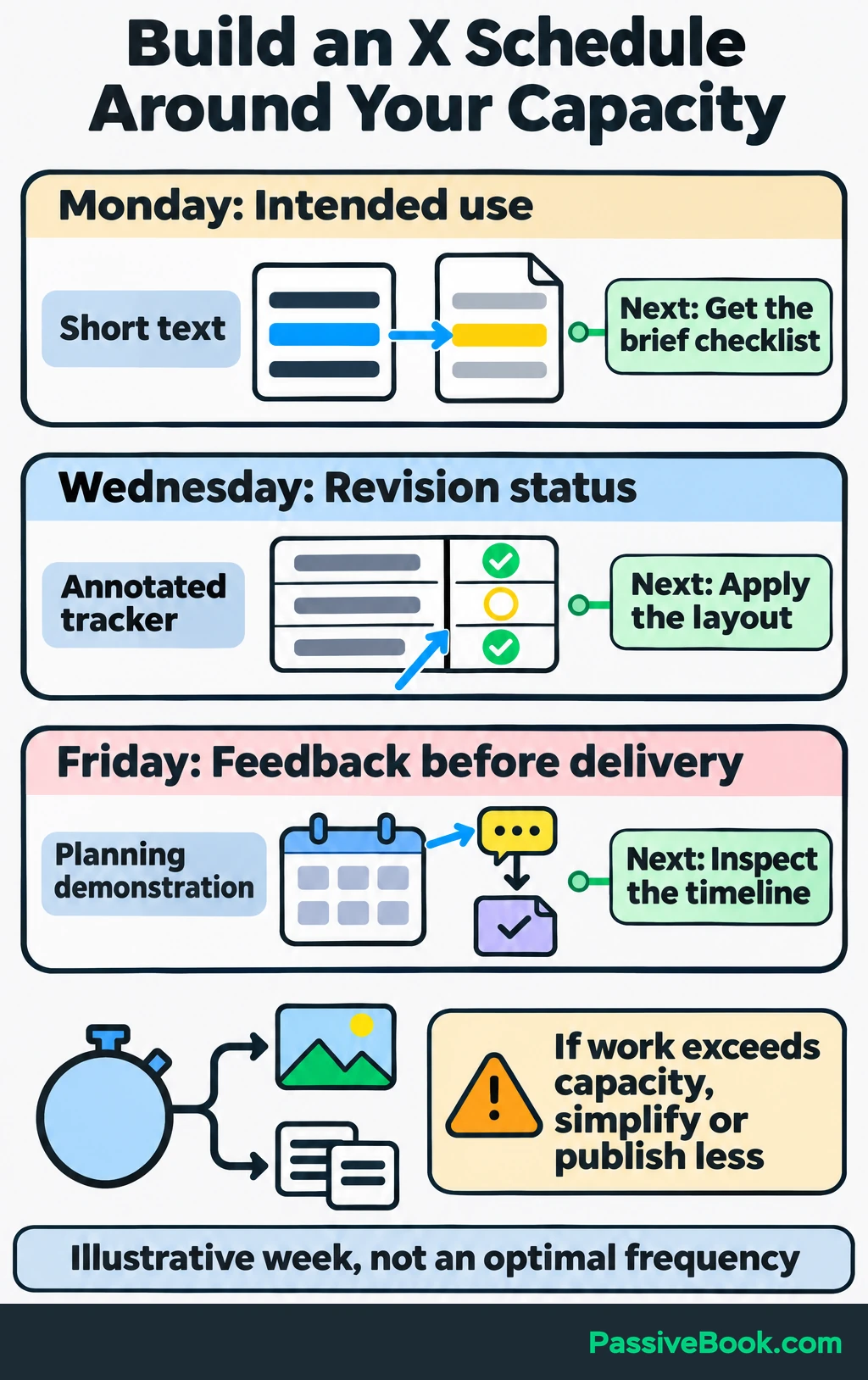
Time your first batch. If an annotated image takes the entire drafting session, simplify it or publish fewer posts.
For the shop, an illustrative week could look like this:
| Day | Post | Format | Next Action |
|---|---|---|---|
| Monday | Ask about intended use before agreeing on deliverables | Short text | Get the brief checklist |
| Wednesday | Separate revision requests from their approval status | Annotated tracker | Apply the layout |
| Friday | Place a client-feedback deadline before final delivery | Planning demonstration | Inspect the planner’s timeline |
Choose initial publishing windows around your audience’s likely activity and times when you can respond. Then test alternatives using your own results.
Keep publication dates and time zones in the calendar, alongside the audience question, pillar, format, draft, next action, destination link and status. The strategy decides what deserves to be published; the calendar keeps it moving.
You don’t have to start with an empty calendar. The X starter pack gives you three editable posts for a service, a product or an audience-research week, with optional cards for replies and follow-ups.
Turn Your Marketing Ideas Into a Publishing Plan
Organize content ideas, set publishing dates, and track what resonates with your audience in one calendar.
Batch Preparation and Maintain a Publishing Queue
Prepare similar work together. Choose the questions, draft the posts and then make the visuals. That saves you from repeatedly switching between research, writing and design.
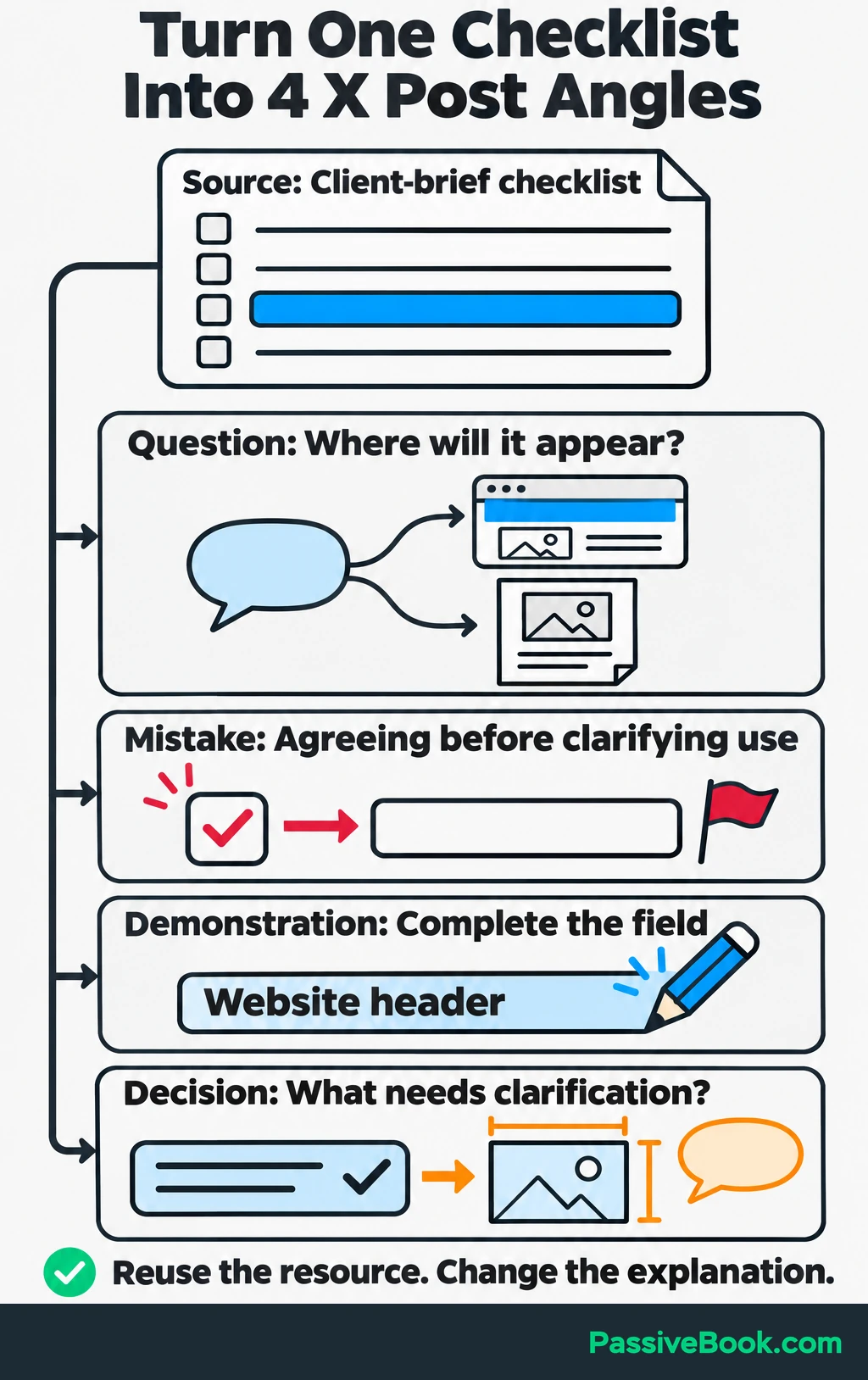
Repurpose the ideas inside an existing resource. Your client-brief checklist could supply:
- A Question: Where will the finished illustration appear?
- A Mistake: Agreeing on deliverables before confirming their intended use.
- A Demonstration: A completed intended-use field.
- A Decision: How that answer changes what you need to clarify.
Those are different explanations drawn from one resource, so each post still earns its place.
You can ask AI to suggest angles from supplied notes or shorten a draft. Keep responsibility for the advice, examples and claims. Read the result aloud and replace anything you wouldn’t say.
Start with a document or spreadsheet and publishing reminders. I would add scheduling software only when manual publishing becomes a bottleneck. A paid tool shouldn’t be the entrance fee for testing a channel.
Before putting a post in the queue, check its usefulness, accuracy, link and next action. Test one scheduled post before trusting the workflow.
Review timely commentary manually and pause the queue when events make a planned post inappropriate. Preparation should reduce routine work while leaving room for judgment.
6. Join Conversations That Reach the Right People
Your listening list is also a place to find conversations where you can contribute.
Choose discussions by who is involved and what you can add. A small conversation about a problem your product solves can deserve more attention than a popular post with little connection to your business.
Useful replies answer the question, add an example, explain a tradeoff or supply a missing step.
In a discussion about scattered illustration feedback, you might suggest collecting the comments into one numbered list and flagging contradictions before editing. That helps the person without requiring them to visit your profile first.
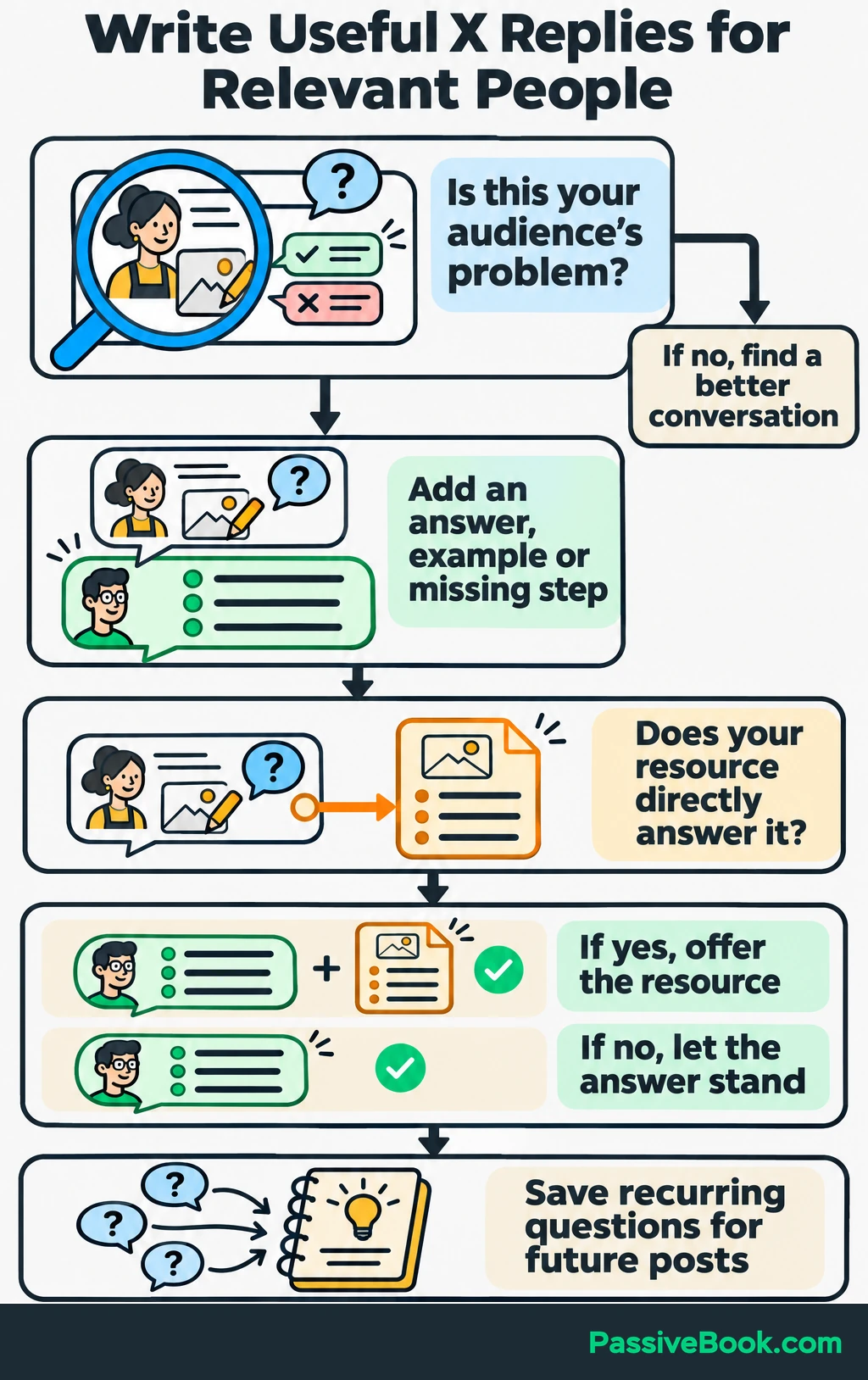
Introduce your resource when it directly answers the question. If someone only needs help with one conflicting instruction, answer that first. Your checklist doesn’t need to attend every conversation.
Respond to substantive replies on your own posts, too. A question about customizing the planner may belong in a private conversation, while a general question about deadlines could become your next public explanation.
Record recurring questions and objections in your idea bank. That gives the next batch a better starting point than staring at an empty calendar.
Keep these relationship-building replies manual. X prohibits unsolicited automated replies based on keyword searches alone, and operating an AI reply bot requires prior written, explicit approval from X. Those rules are separate from preparing and scheduling your original posts. X’s automation rules explain the distinction.
7. Use Results to Improve the Strategy
Track Progress Toward the Primary Goal
Keep a compact scorecard that follows the path from attention to the result you want.
For the template shop:
| Measure | What to Record |
|---|---|
| Post views | Available view counts for published posts |
| Relevant conversations | Replies and inquiries about briefs, revisions or delivery planning |
| Website visits | Recorded sessions from consistently tagged X links |
| Primary outcome | Completed checklist signups |
| Business outcome | Later planner purchases associated with those subscribers, where recorded |
| Time spent | Actual time used for preparation, publishing, replies and review |
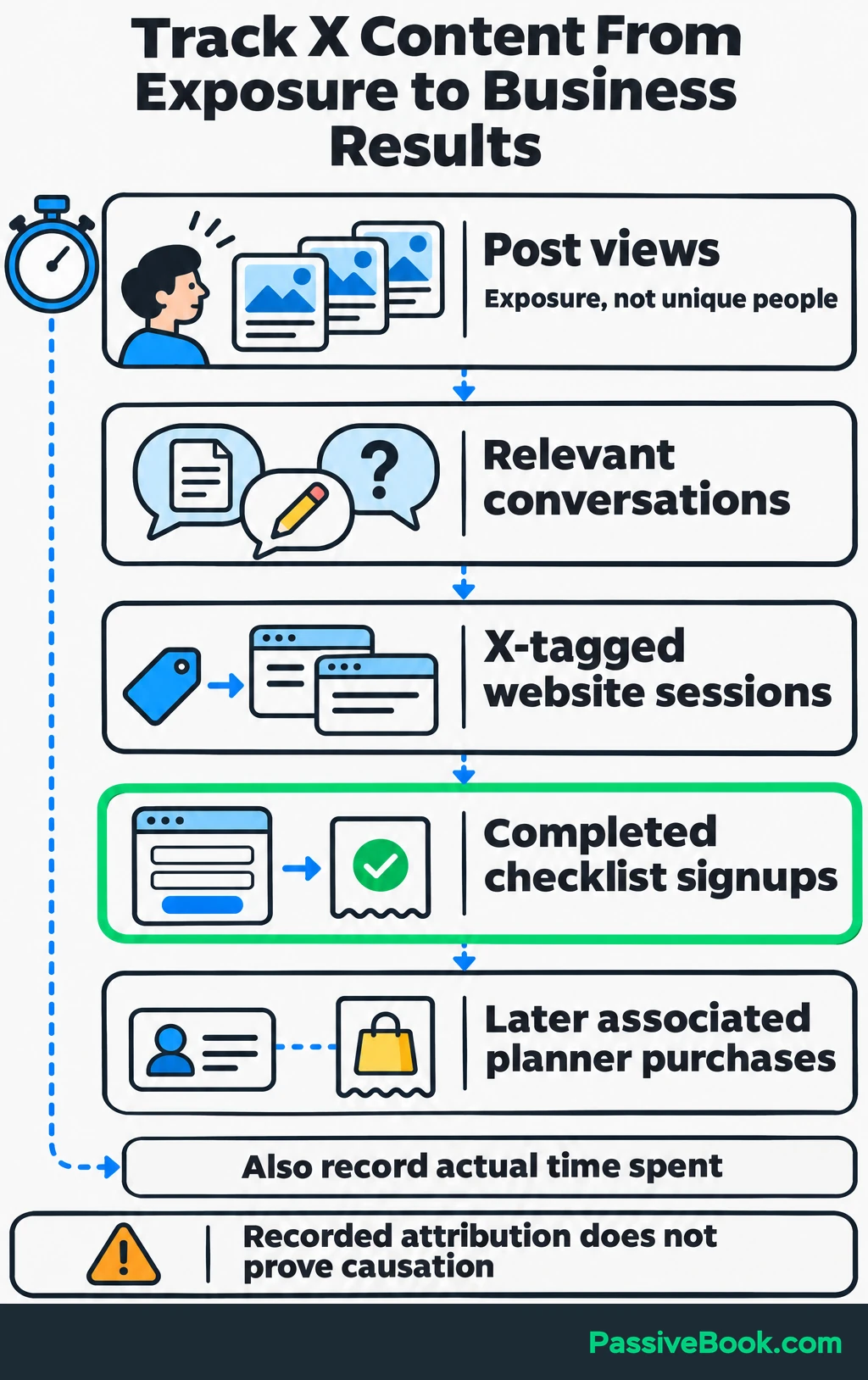
Treat public views as exposure counts. They aren’t unique people reached: repeat views and your own views can count. X’s view-count explanation makes this clear.
Read the replies alongside the numbers. Questions about using the planner on real projects tell you something different from generic compliments.
To measure whether recorded visits lead to signups, count the X-tagged sessions containing a completed signup. Divide that by all X-tagged sessions in the same review period.
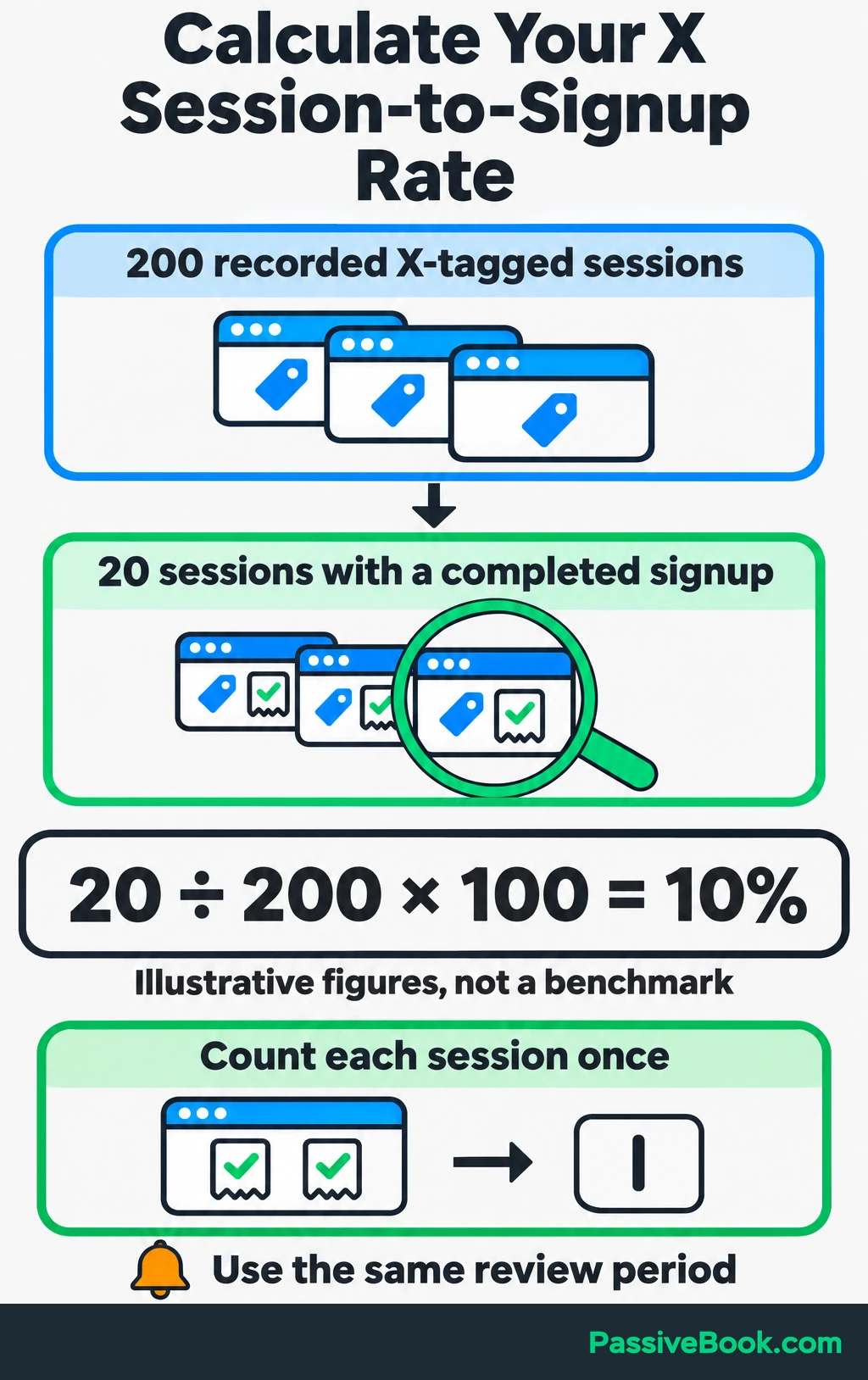
For illustration, suppose 20 of 200 recorded X-tagged sessions include a completed checklist signup:
Session-to-signup rate = 20 ÷ 200 × 100 = 10%Count each session once, even if the signup event fires more than once. Don’t divide all your email subscribers by X sessions; the two groups wouldn’t match.
These are recorded X-attributed outcomes. They help you assess the channel, but they don’t prove X caused every conversion.
Change the Part That Limits Progress
Check execution weekly: did the posts go out, did the links work and did you stay within your time budget?
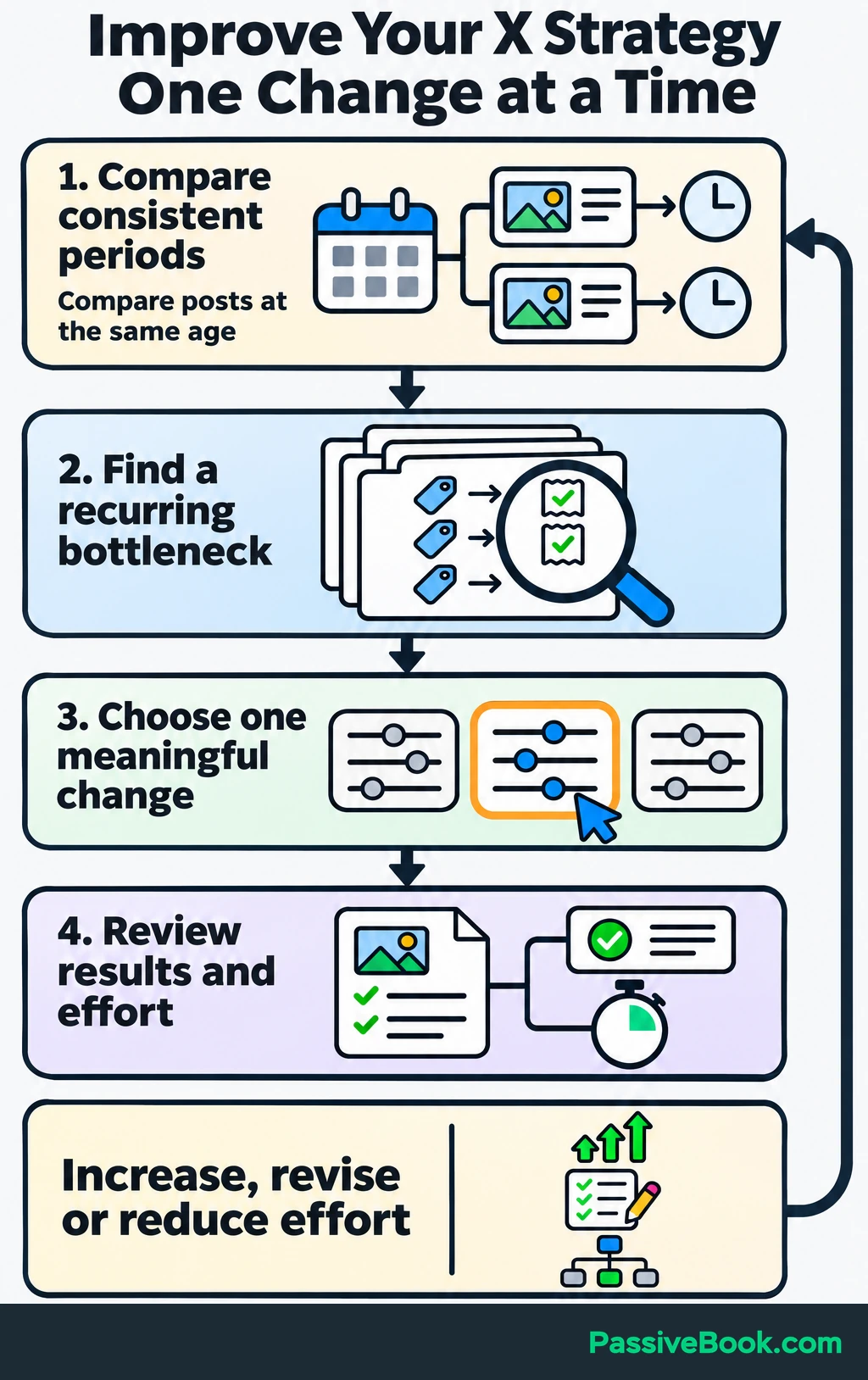
Review business progress over a consistent period. Compare posts after the same amount of time, and look for recurring patterns before changing direction because one post did unusually well or badly.
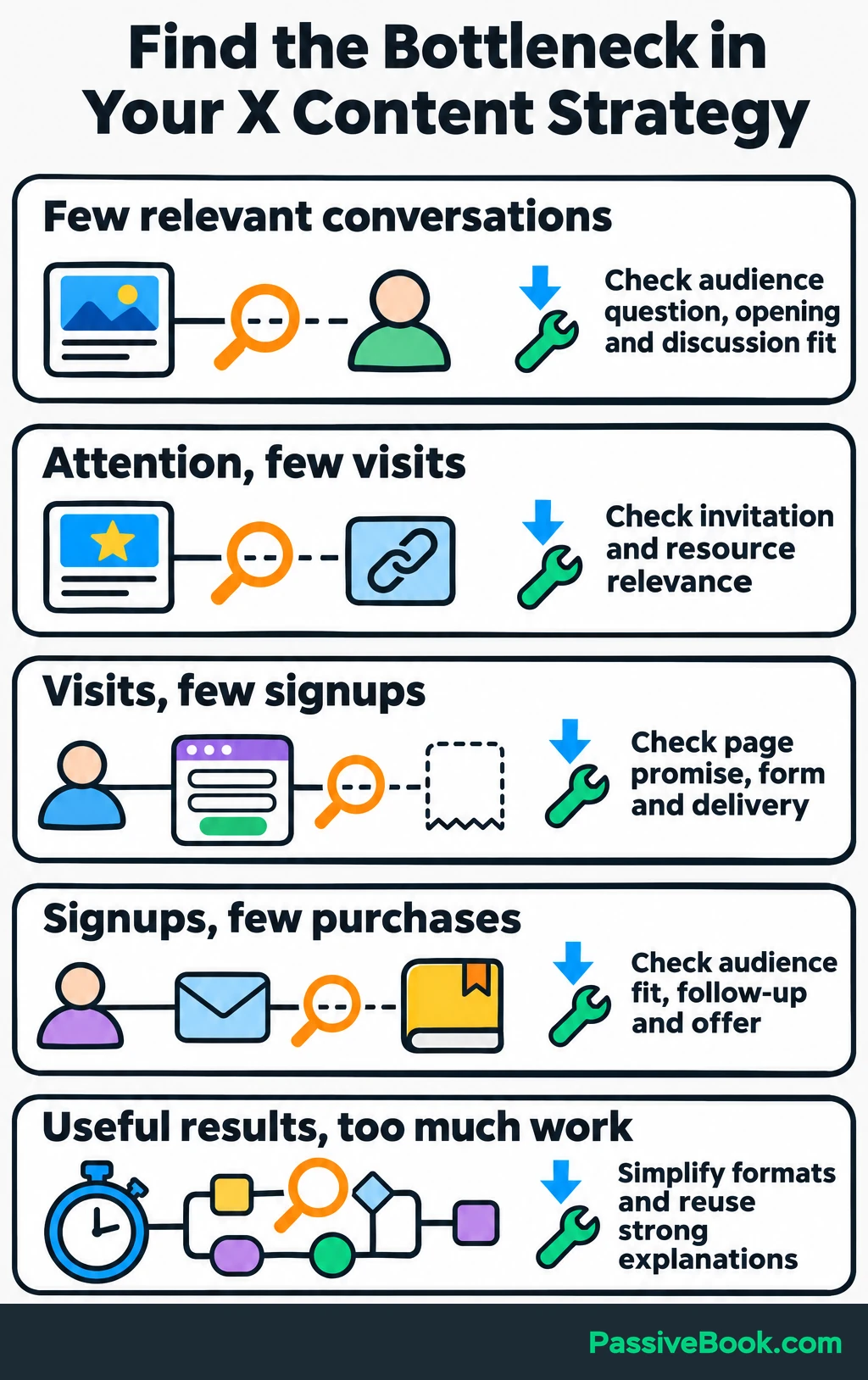
Let the gap guide the change:
| What You Observe | What to Check Next |
|---|---|
| Few relevant people see or discuss the content | Make the audience question more specific, improve the opening or choose better conversations |
| Attention produces few website visits | Strengthen the connection between the takeaway, invitation and resource |
| Visits produce few signups | Check the page’s promise, form and resource delivery |
| Signups produce few purchases | Examine audience fit, email follow-up and the planner’s relevance |
| Useful results take too much work | Simplify formats and reuse strong explanations through new questions |
I would choose one meaningful change per review cycle. If you change the audience, offer, format and schedule together, you make the next decision harder.
Keep the current strategy on one page. For the shop, it could read:
| Decision | Working Plan |
|---|---|
| Audience | Freelance illustrators managing client projects |
| Positioning | Reusable templates for organizing briefs, revisions and deadlines |
| Primary goal | Completed client-brief checklist signups |
| Conversion path | Useful content → checklist → relevant follow-up → paid planner |
| Content pillars | Client briefs, revision feedback and delivery planning |
| Publishing capacity | Up to three weekly posts within a two-hour budget |
| Conversation routine | Thirty minutes weekly for relevant discussions and replies |
| Scorecard | Views, relevant conversations, tagged sessions, signups, purchases and time |
| Baseline and review | Establish the initial baseline during a four-week test, then choose the next change |
That review window is a planning choice, not a promise of results. Increase effort when useful business signals justify it. If X keeps consuming time without producing relevant conversations or progress toward the goal, revise the approach or reduce its role.
Consistency includes making that decision.
What Next?
Write your audience, the problem you solve and one desired next action on a single page. Then choose a real audience question for your first post.
Use the social buttons to share this guide when you want to bring a more useful plan into a conversation about posting consistently.
Which part of your current X activity is hardest to connect to a business result? Tell me in the comments, and bring any other questions there too.
Share this post with your friends & followers:

