You spend an evening filming a useful demonstration, but the views give you little to work with. Did the right people find it? Did they leave before the answer? Or did the video attract people who only liked the cat wandering through the background?
Without those answers, another upload can mean another evening spent guessing. This guide shows how to make your demonstrations easier to find in TikTok search, reach viewers who need them, and use the results to decide which videos deserve more of your time.
How TikTok Search and Discovery Work
TikTok has several ways to put videos in front of people. Two matter most here:
- Search responds to something a person types.
- The For You feed recommends content based on what TikTok predicts will interest that person.
TikTok says that, for most users, content information—including how closely a video matches the search term—generally carries more weight in search. On For You, interactions such as time spent watching generally carry more weight. These are broad priorities, not a published ranking formula. TikTok’s recommendation guidance.
My approach is to serve both: make the subject easy to recognize and deliver an answer worth watching. A clear description cannot rescue a demonstration that skips the important step.
A small account can start with this approach. In its published explanation of For You recommendations, TikTok says follower count and previous high-performing videos are not direct recommendation factors. That statement concerns For You; it does not establish how follower count affects search rankings. TikTok’s For You explanation.
Throughout this guide, imagine you run an online shop selling foldable soft-sided cat carriers. Your example model has a removable base insert and folding sides, and you want to answer “how to fold a cat carrier.” The queries, copy, and figures below are illustrations.
Find One Search Question Worth Answering
Collect Phrases From TikTok and Customer Questions
Start with problems people already bring to you. Check customer emails, product questions, comments, and conversations. Record their wording before translating it into polished marketing language.
Someone asking how to put a carrier away probably does not need “space-saving feline transport solutions.” They need the carrier to stop occupying the cupboard.
Then investigate those questions on TikTok:
- Type a candidate phrase into search and note relevant autocomplete suggestions.
- Watch several results that answer the same question.
- Read their comments for missing steps, unclear explanations, or questions about a particular model.
- Record what you could demonstrate more clearly.
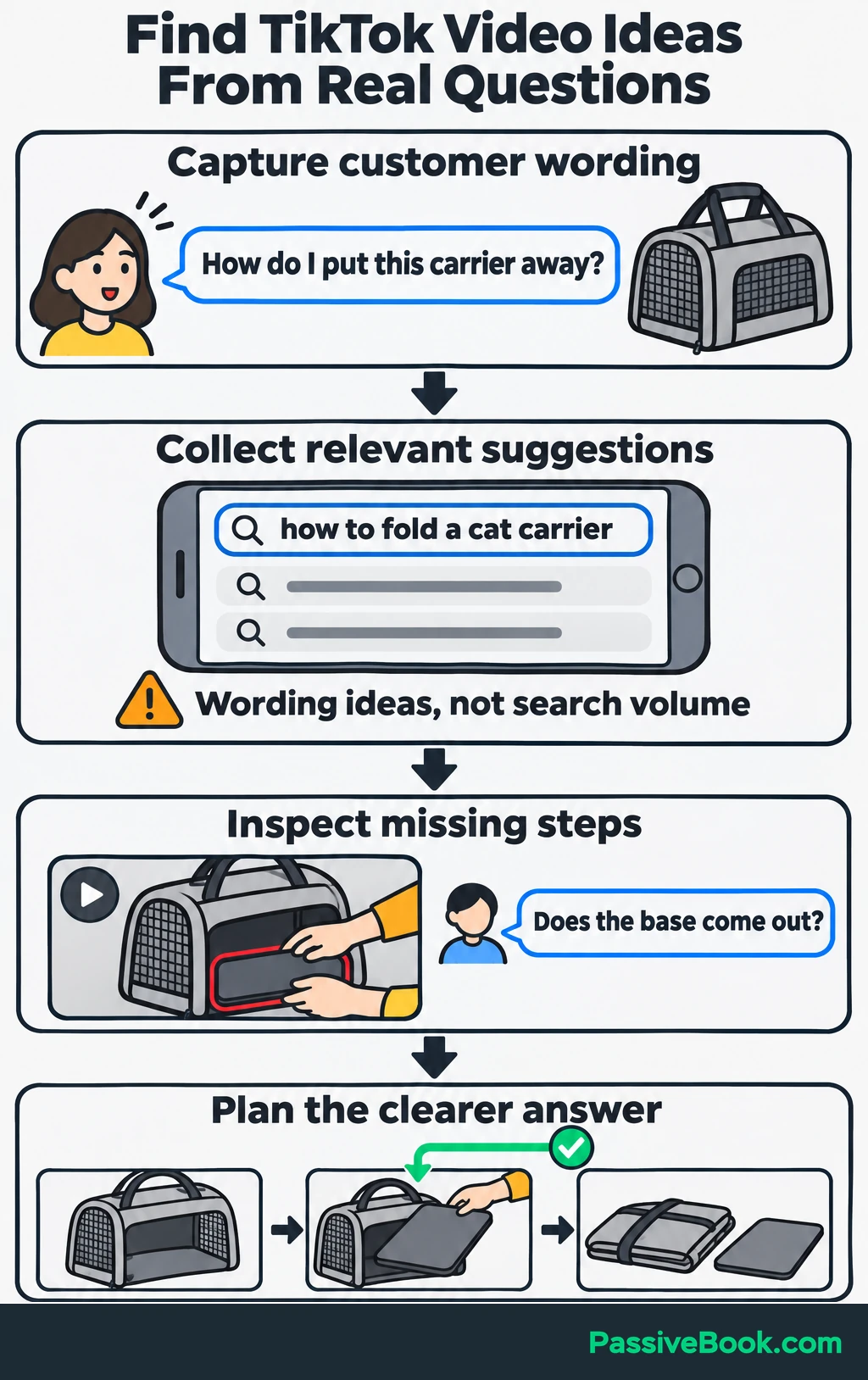
Autocomplete gives you wording ideas. It does not tell you how many people search for a phrase.
You can also search TikTok for “Creator Search Insights.” Where available, this built-in research tool shows searched topics and a “Content gap” filter for topics searched often but covered by relatively few videos. TikTok’s introduction to Creator Search Insights.
A content gap still needs a business reason. A popular topic can be completely irrelevant to what you sell, and the label does not promise easy rankings. If the tool is unavailable, ordinary search and customer questions are enough to begin.
Keep your notes in a spreadsheet or Notion. One useful row might look like this:
| Candidate Query | Viewer Need | Demand Signal | Missing Answer to Check | Planned Demonstration |
|---|---|---|---|---|
| How to fold a cat carrier | Put the carrier away after use | Not checked yet; look for customer questions and relevant TikTok topics | Whether existing videos show removal of the base insert | Show the empty carrier, remove the insert, fold the sides, and arrange the parts for storage |
I would skip a paid keyword tool at this stage. You need a useful question and evidence that people ask it before you need another subscription.
Choose the Query Your Video Can Answer Best
Decide what the searcher wants to accomplish. An instruction question needs steps. A comparison needs differences that help someone choose. A product question needs a clear answer about that product.
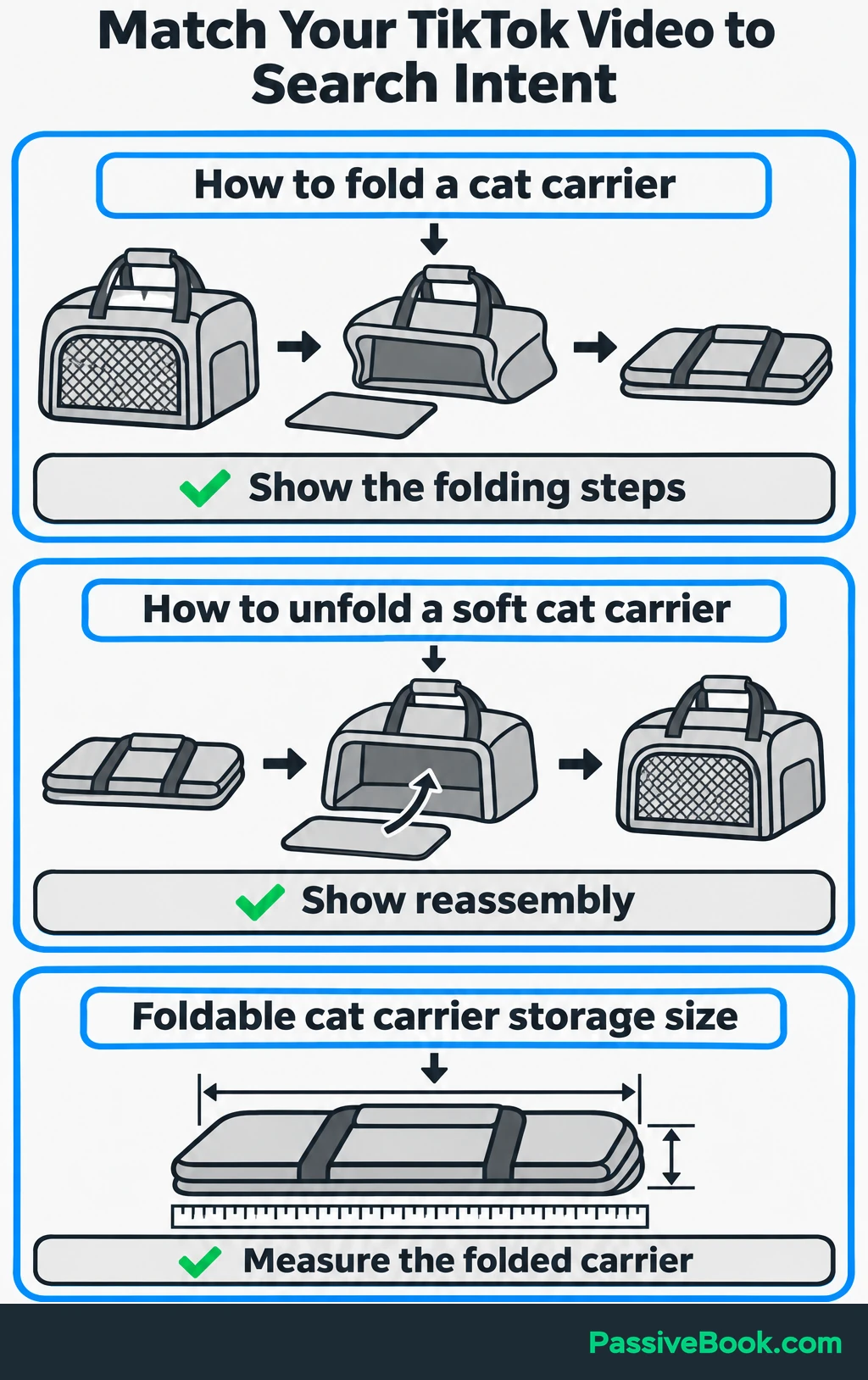
For the carrier shop, these searches call for different videos:
| Query | What the Video Should Deliver |
|---|---|
| How to fold a cat carrier | A folding demonstration with the model identified |
| How to unfold a soft cat carrier | Reassembly, including replacing the base insert |
| Foldable cat carrier storage size | The folded carrier measured beside a ruler |
Choose the question you can answer completely and show clearly. Review several relevant results and look for a specific improvement: a hidden fold, a rushed action, or a missing view of where the insert goes.
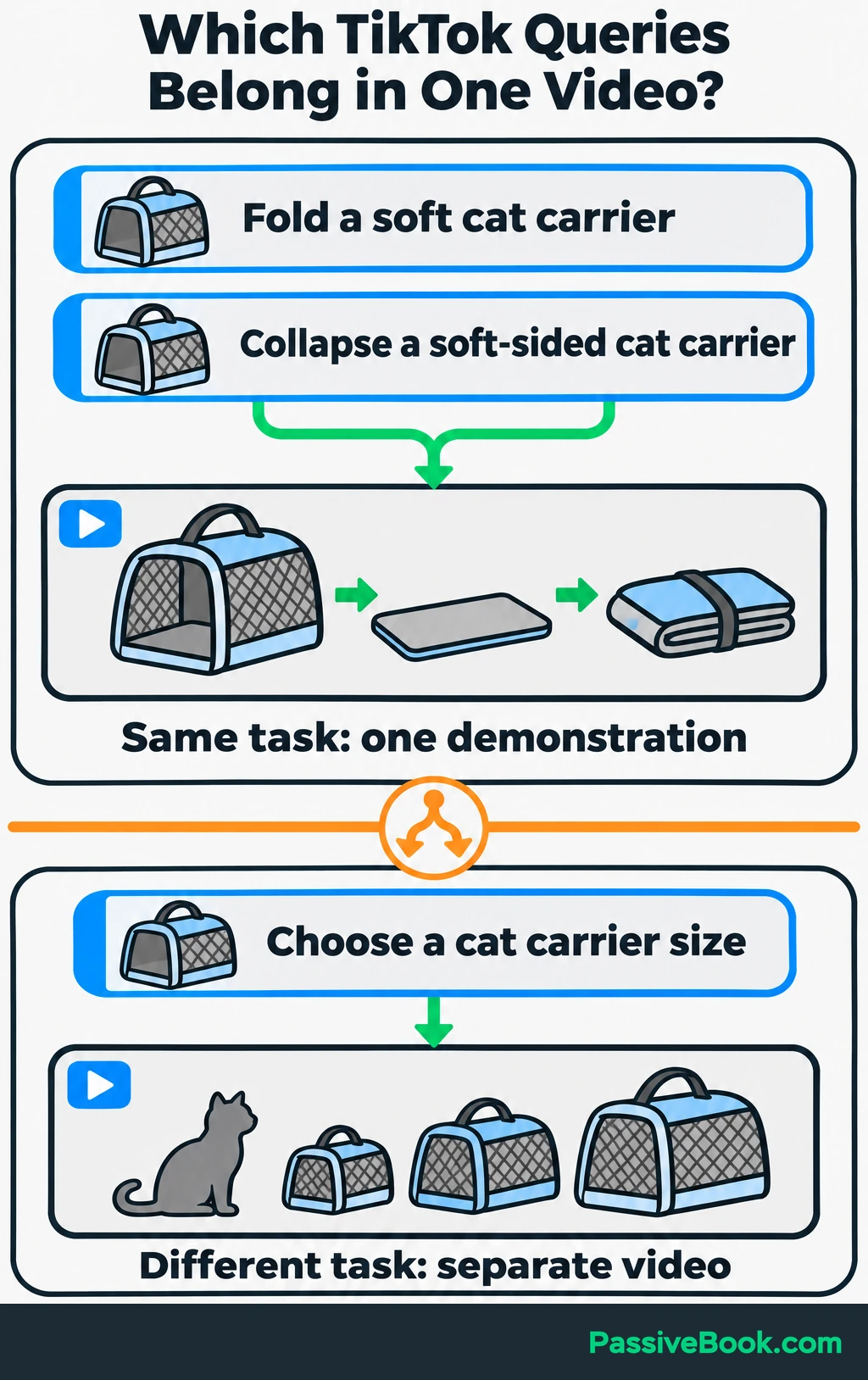
Close variations such as “fold a soft cat carrier” and “collapse a soft-sided cat carrier” may fit one demonstration if they describe the same task. Choosing a carrier size deserves its own video.
Also consider who benefits. A folding guide may help existing customers more than new buyers. That can still make it worthwhile, but judge it partly as customer support rather than expecting every viewer to become a sale.
Make a Video That Answers the Query
Match the Opening to the Search
Show the task or result immediately, then begin helping.
For the carrier video, open with the carrier folded flat and readable text:
How to fold a cat carrier
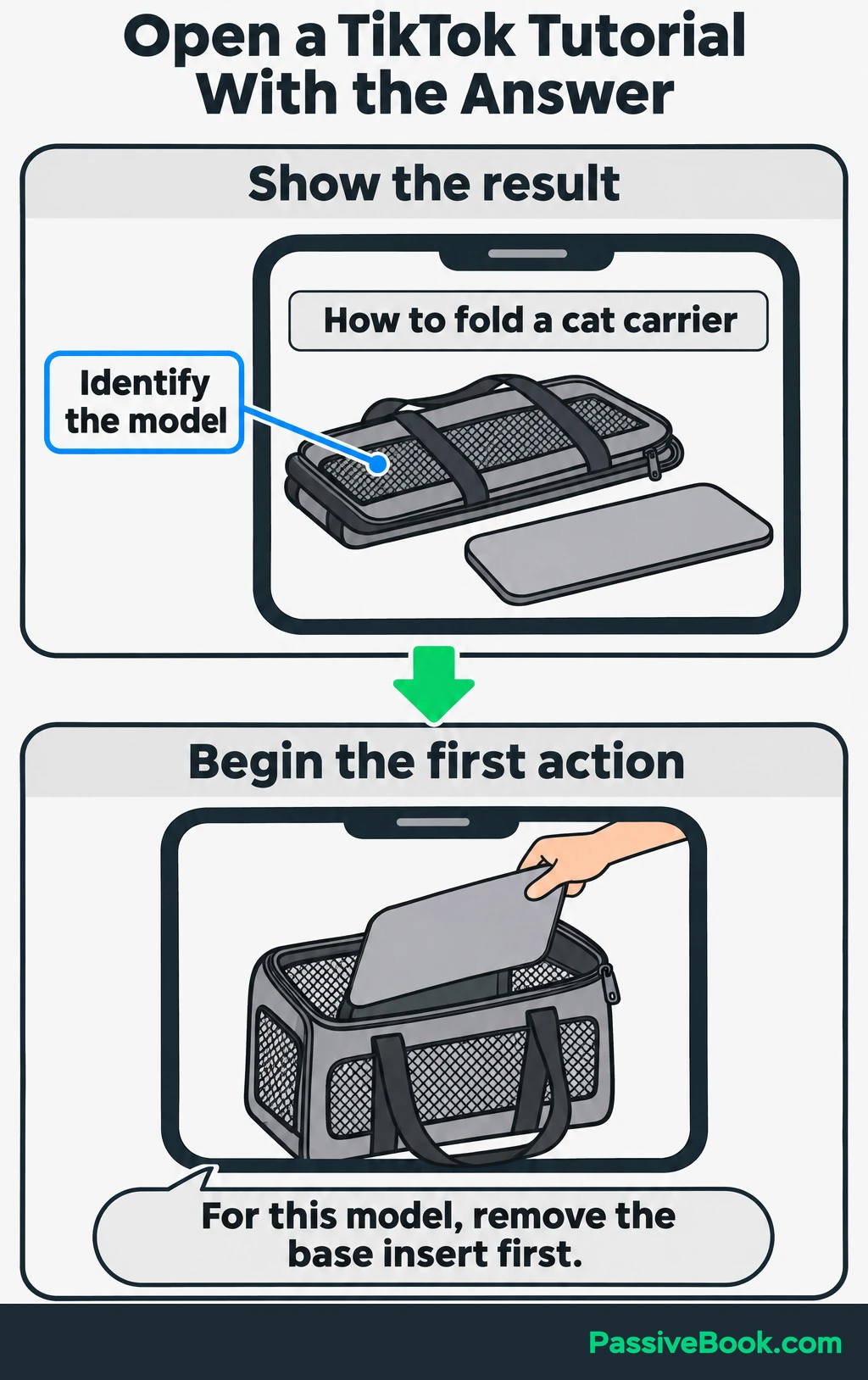
Then show the assembled, empty carrier and begin:
“For this model, remove the base insert first.”
Include the model’s name on screen so viewers can compare it with theirs. The folding mechanism matters more than whether both carriers happen to be blue.
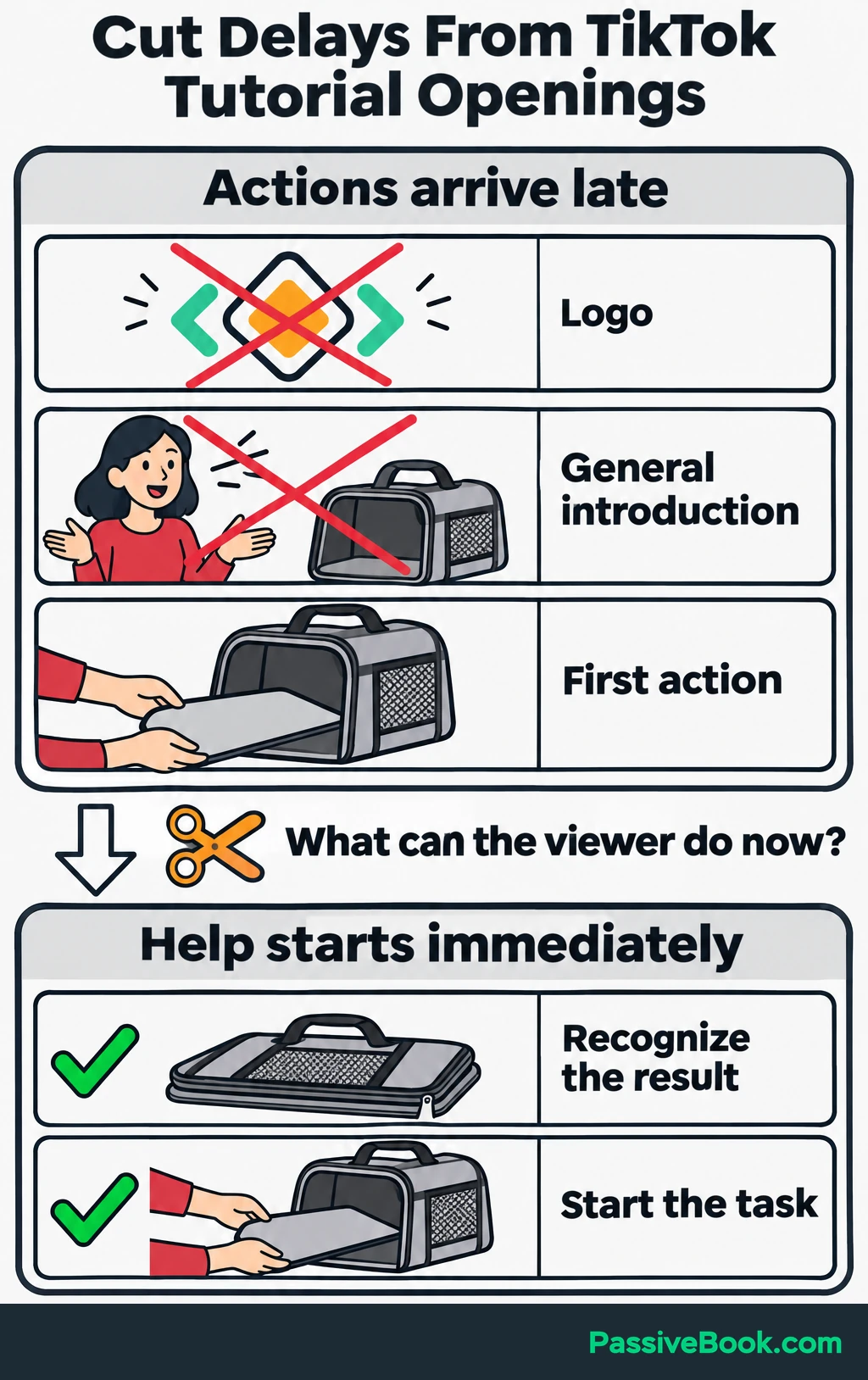
I would skip the logo animation and general introduction. Neither helps someone work out why their carrier will not collapse.
While preparing a tutorial for one of my digital products, I caught myself explaining the background of the files before showing the first action. I moved that action to the start and kept the background only where it explained a choice. I use the same editing check here: what can the viewer do after this sentence?
You do not need to hide the answer behind “wait until the end.”
Demonstrate the Answer Clearly
Outline the actions before you film. This prevents you from discovering a missing step after putting everything away.
For an instruction video, plan three parts:
- The finished result, so viewers recognize what they are trying to achieve.
- Every action needed to get there.
- A close-up of the detail most likely to cause confusion.
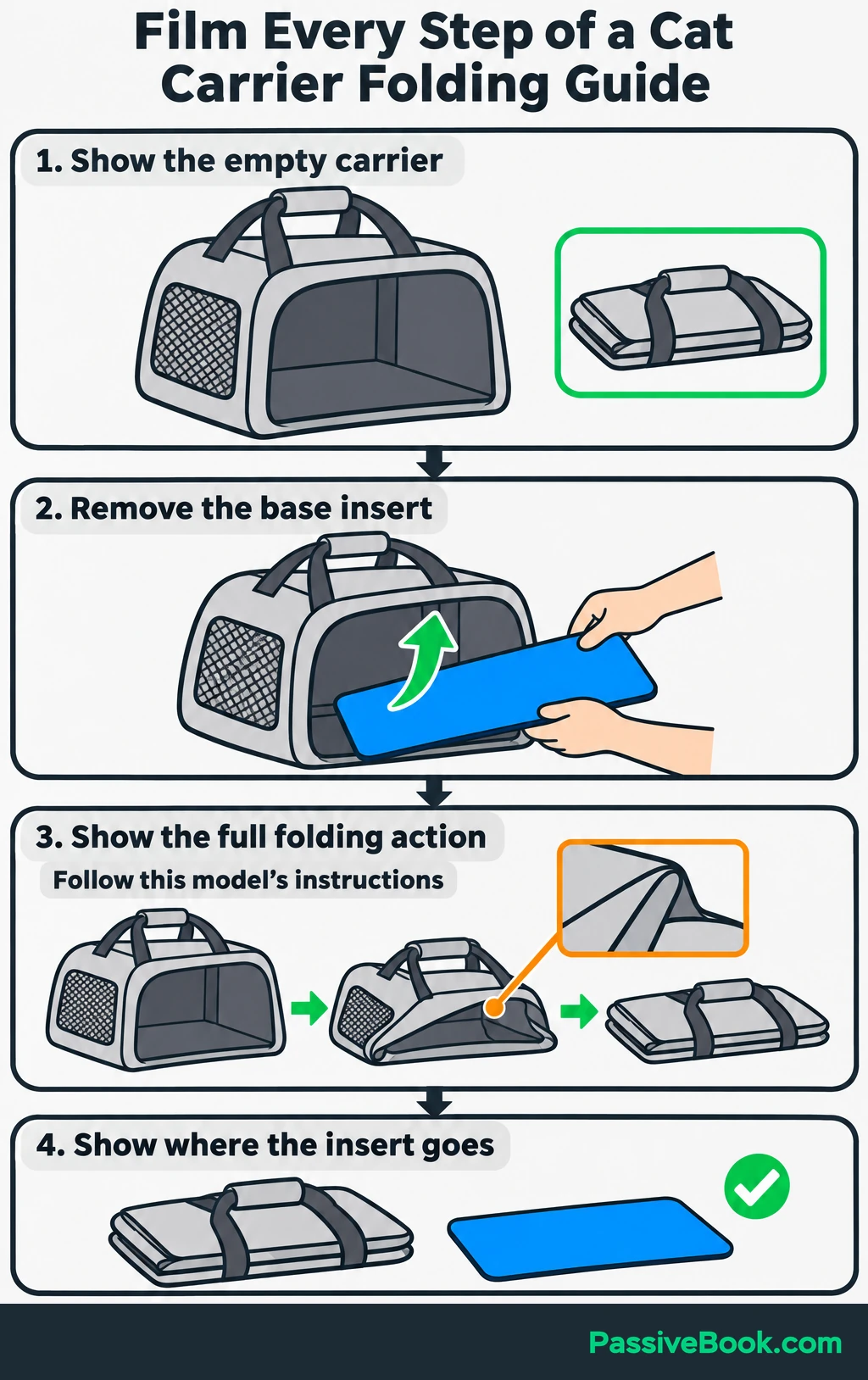
For the example carrier, film it empty. Show the base insert coming out, the sides folding according to that model’s instructions, and the insert stored alongside the folded carrier. Keep the full folding action visible rather than cutting straight from assembled to flat.
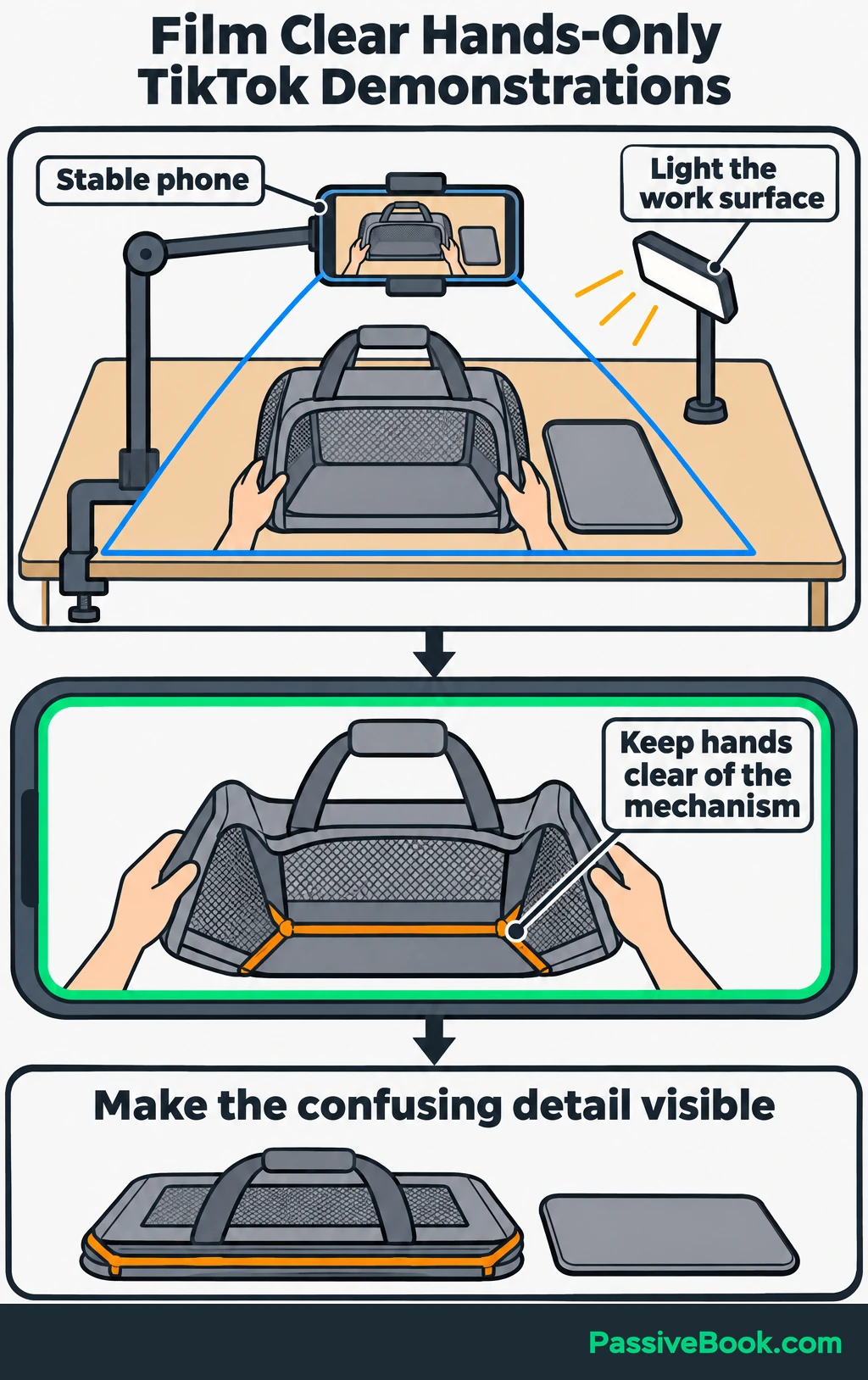
Hands-only footage works well for this task. Put the phone on a stable support, light the work surface, and keep your hands from covering the folds. Add a voiceover afterward if explaining while filming makes the demonstration awkward.
You can do this without appearing on camera. The viewer needs to see the mechanism.
Cut repeated explanations and empty pauses, but preserve the steps. A video that is shorter because it omits the difficult part has failed its promise.
End with one relevant next step. For this folding guide, I would point viewers toward the reassembly demonstration. Save an unrelated product pitch for another video.
If you have the customer question and the steps but are stuck on the wording, AI Social Copy Studio can turn them into a filming draft. It includes hands-only and screen-recording options, so appearing on camera is not a requirement.

Free AI Social Copy Studio




Optimize Video Text, Captions, and Hashtags
Align Spoken Wording and Visible Text
Once the answer works, make its subject clear wherever viewers encounter it.
Say the topic naturally when using narration, show a readable version near the opening, and use short labels beside the actions they explain. TikTok’s seller guidance recommends relevant, accurate keywords in video text, descriptions, hashtags, and cover text. TikTok’s search optimization guidance.
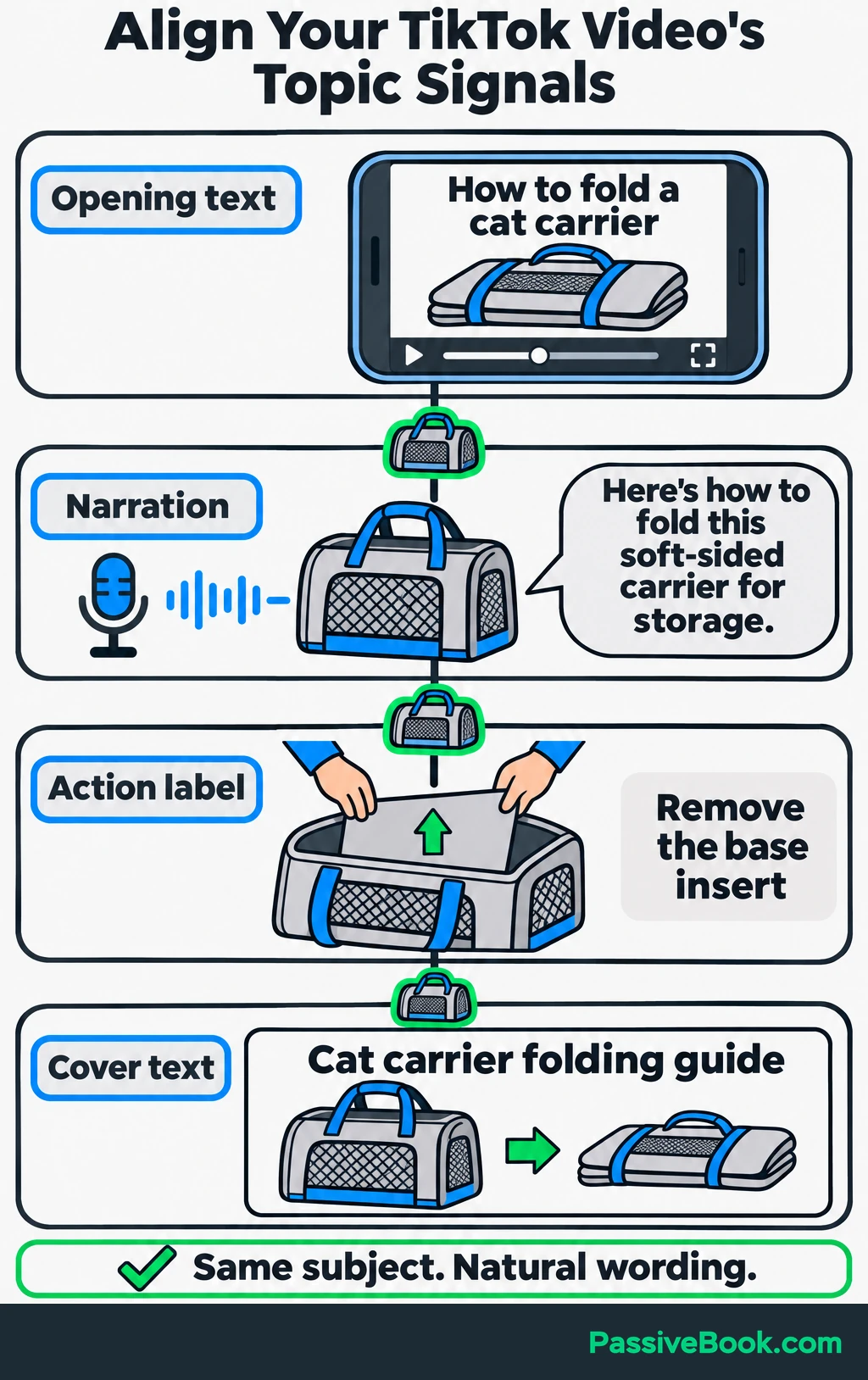
For the carrier video, that could mean:
| Placement | Example Wording |
|---|---|
| Opening text | How to fold a cat carrier |
| Narration | “Here’s how to fold this soft-sided carrier for storage.” |
| Action label | Remove the base insert |
| Cover text | Cat carrier folding guide |
These placements should agree about the subject. They do not need identical wording, and there is no reason to repeat the phrase in every sentence.
Add subtitles for spoken content and correct transcription errors, especially product names. Keep text away from the folding points, your hands, and the playback controls. Preview the finished video on a phone at normal size.
I would choose a cover frame that clearly shows the carrier and its folded shape. A tiny paragraph pasted over a product photo asks too much of a scrolling thumb.
Write a Useful Post Description
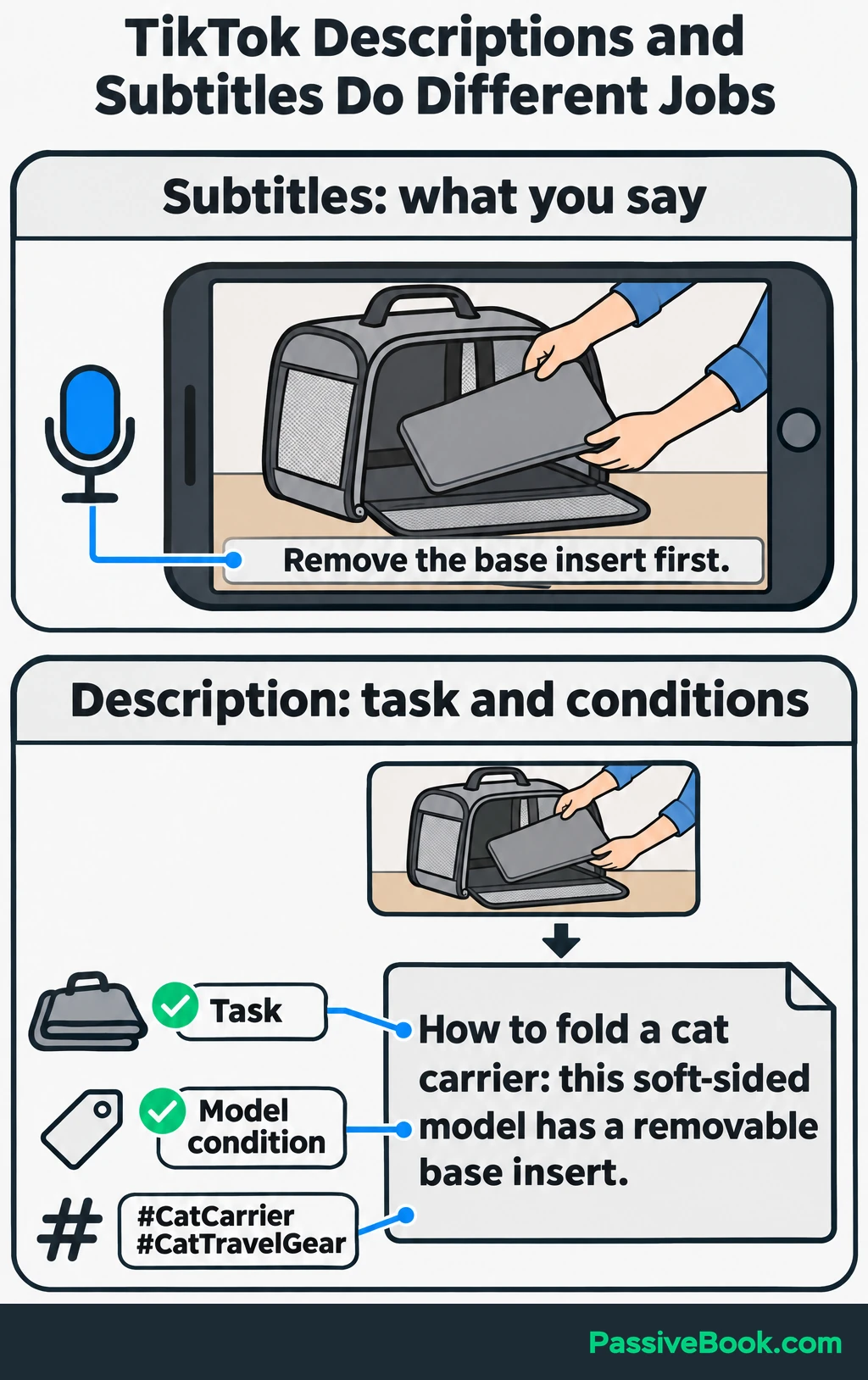
The post description is the written text attached to the upload. Subtitles show what you say inside the video. Give each a useful job.
Use the description to summarize the answer and identify any important condition, such as the model shown. Here is a complete example you can adapt:
How to fold a cat carrier: remove this model’s base insert, fold the sides along their designed folds, and store the insert alongside it. This demonstration shows our soft-sided model with a removable base.
#CatCarrier #CatTravelGear
Use hashtags that describe the actual video. TikTok says extra hashtags do not guarantee broader reach, and tags such as #FYP do not necessarily improve the chance of For You placement. TikTok’s hashtag guidance.
I would spend the remaining effort improving the demonstration rather than finding a supposedly perfect hashtag count. Avoid hidden keyword lists and descriptions padded with loosely related searches.
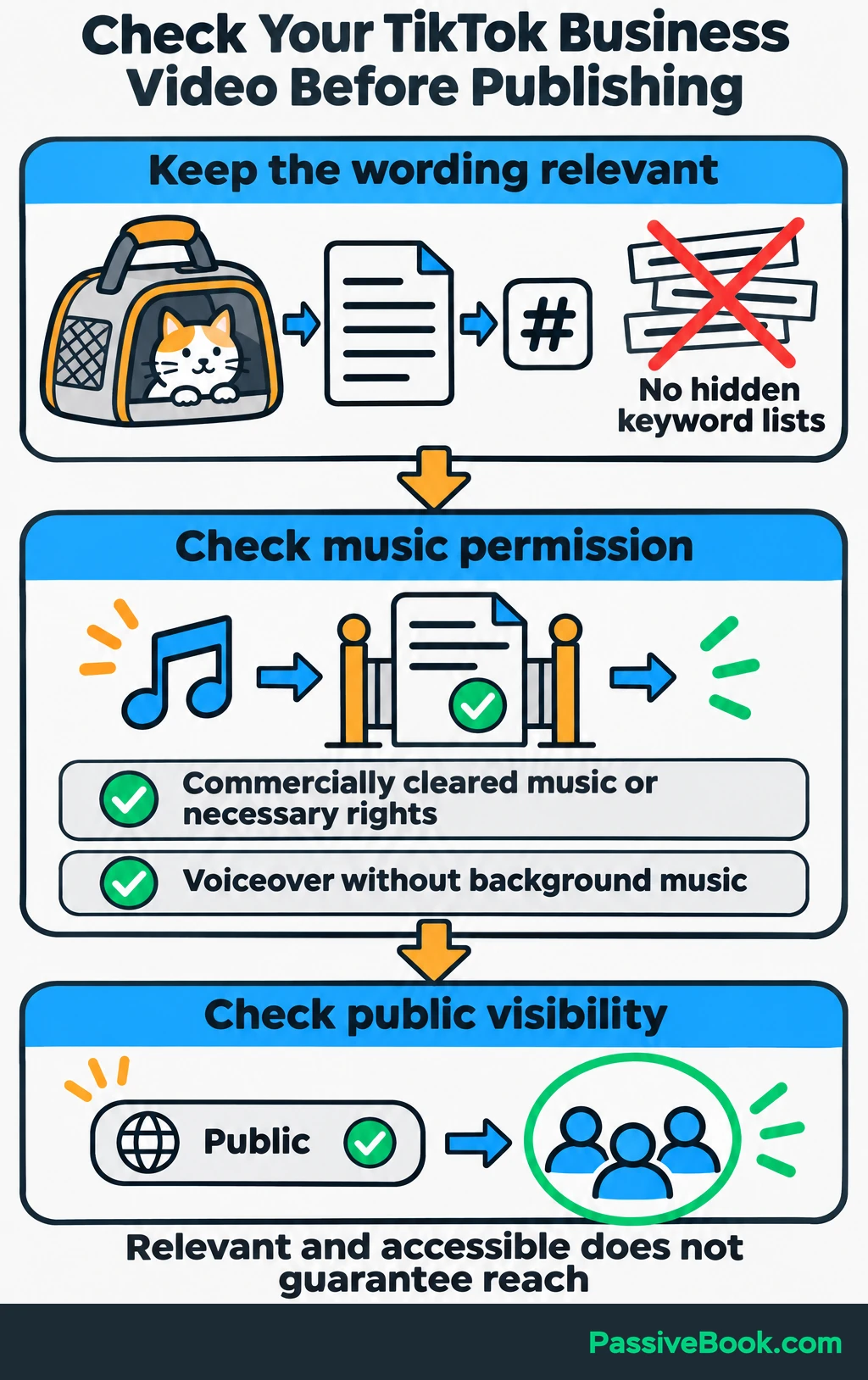
Trends and sounds are optional creative choices. Use one when it makes the answer easier to follow or more enjoyable, but keep the demonstration understandable without knowing the trend.
For content promoting a business or product, choose music cleared for commercial use or obtain the necessary rights. TikTok says its licenses for music outside the Commercial Music Library do not cover commercial use in content. A voiceover without background music is also a sensible choice. TikTok’s commercial music guidance.
Before publishing, check that the post is publicly visible if you want people beyond approved followers to discover it.
Measure Search Visibility and Useful Actions
Separate Search Performance From Total Views
A view count tells you how much viewing happened. It does not tell you whether search brought those viewers or whether they needed your answer.
Open the video’s analytics in TikTok Studio, TikTok’s content management and analytics tool, to check traffic sources, watch time, and completion. Where available, Creator Search Insights shows search-specific results. TikTok lists search views and search view percentage among its Search Analytics metrics.
For an illustrative estimate, count all views of one video during a chosen reporting period, then apply the percentage of those views attributed to search:
2,000 total views × 15% from search ≈ 300 search views.
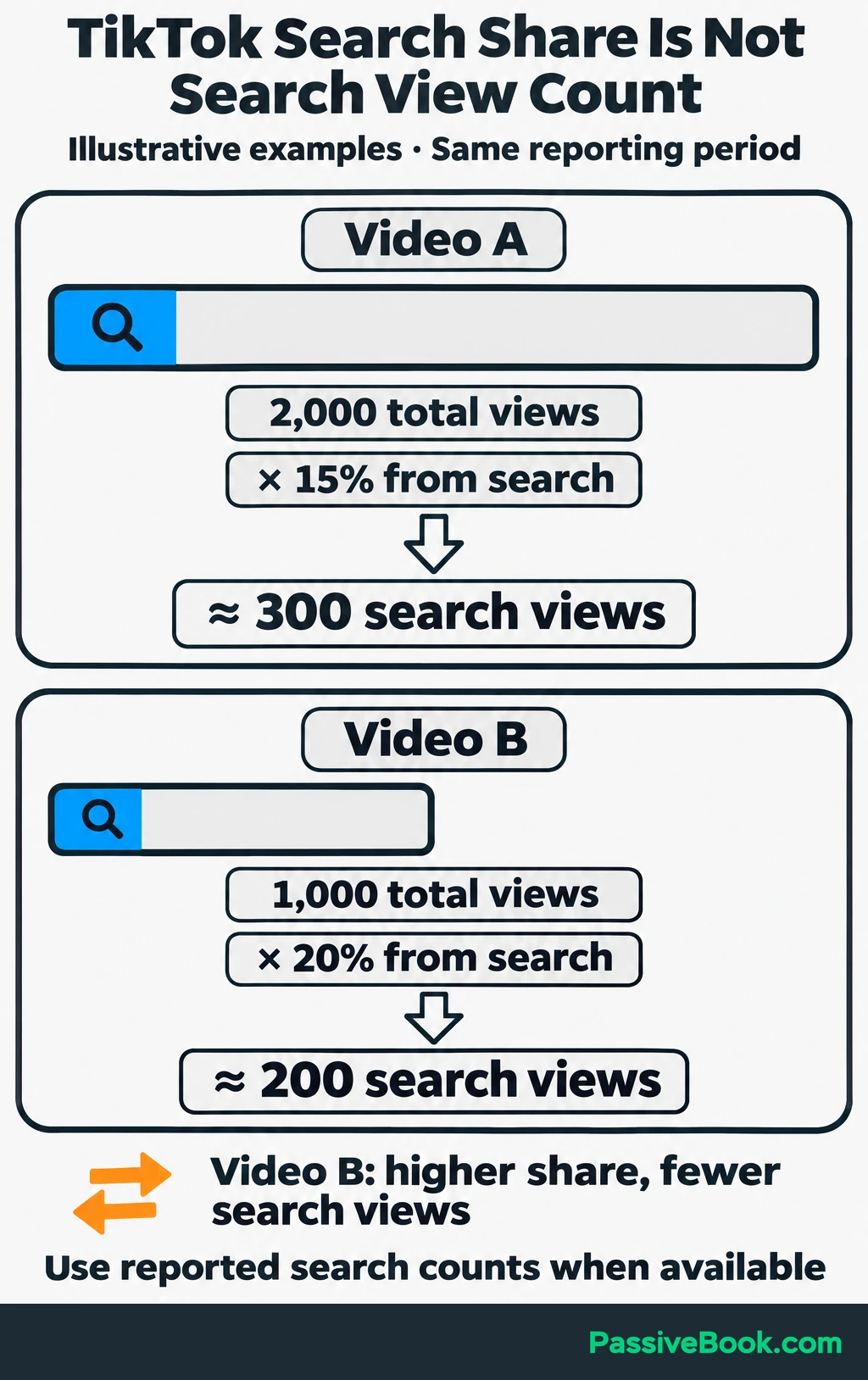
A second video with 1,000 total views and 20% from search has about 200 search views: a higher share but fewer search views. Use a reported count when available.
I would review weekly and compare each post’s first seven days. In a tracking sheet, record:
- The video, query, and reporting period.
- Total views, search views, watch time, and completion where shown.
- Relevant questions or actions and the next change.
Mark unavailable data as unavailable.
Searching your target phrase can confirm an appearance, but personalized results do not establish what everyone sees.
Track Whether the Right Viewers Take Action
Choose one useful outcome for the video: product inquiries, website visits, purchases, or fewer repeated setup questions. For the carrier shop, questions about folded dimensions suggest relevant interest.
I spent six months chasing Instagram and Twitter/X followers in another niche, and the bank account stayed around $47. That was not a TikTok experiment. It is why I separate audience growth from business progress when deciding where to spend my time.
If you direct viewers to dimensions, make those dimensions easy to find on the linked page. Check website-link eligibility first: TikTok says Personal Accounts need at least 1,000 followers to add a website link. TikTok’s account feature requirements.
When a profile link is available, add tracking tags such as utm_source=tiktok and utm_medium=organic_social to its address. These labels let Google Analytics or your shop’s analytics identify TikTok visits and purchases. A shared profile link identifies the channel, but it cannot reliably tell you which video prompted a visit.
Improve the Next Video From the Results
Use the results to choose the next change. Do not respond to every weak upload by rewriting everything.
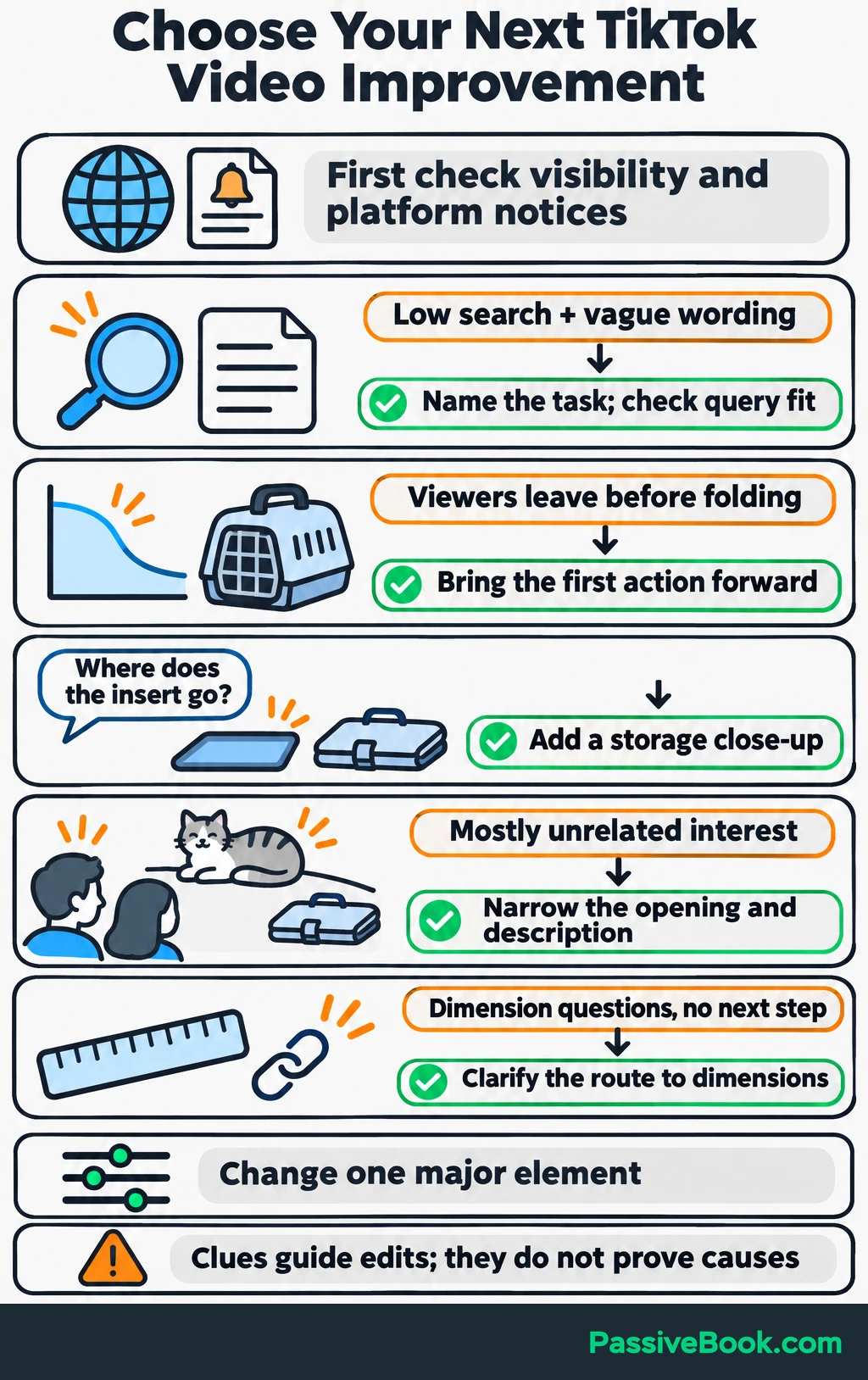
First, check public visibility and platform notices. If TikTok marks a post ineligible for For You, review the stated reason and appeal if the decision appears wrong. That notice concerns For You eligibility; it does not explain every search problem. TikTok’s content eligibility guidance.
Then connect what you observe to a useful edit:
| What You Observe | What I Would Try Next |
|---|---|
| Little search discovery and a vague description | Name the specific task and check whether the query fits the demonstration |
| Viewers leave before the folding begins | Remove the introduction and bring the first action forward |
| Comments repeatedly ask where the base insert goes | Add a close-up showing the insert beside the folded carrier |
| Views bring mostly unrelated interest | Narrow the opening and description to the carrier-folding task |
| Relevant viewers ask about dimensions but do not continue | Make the route to the dimensions clearer |
Viewing behavior points to questions worth investigating; it does not prove the cause. If viewers leave at a confusing cut, inspect that cut before blaming the keyword.
Change one major element across comparable videos, such as the opening visual or the camera angle. Record what changed. Organic posts are not controlled experiments, but a clear record is more useful than “this one felt better.”
Keep a reusable brief so each upload does not become a new planning project:
- Query: How to fold a cat carrier.
- Missing Answer: The base insert must come out before folding.
- Opening: Show the folded result and identify the model.
- Demonstration: Remove the insert, show the folds, and arrange the parts for storage.
- Description: Summarize the task and the model’s mechanism.
- Next Action: Watch the reassembly demonstration.
Batch related footage while the camera and product are ready. Folding, reassembly, and folded dimensions can each answer a separate question without requiring three separate setups.
If you use ChatGPT or Claude, ask for opening variations or a shorter description based on your verified steps. I would keep filming and product checks in human hands. AI has never met your carrier, however confident it sounds about the hinges.
Continue topics that repeatedly bring relevant search views or useful customer actions, and compare that value with production time. If a topic earns attention but serves neither customers nor the business, investigate before making ten more versions.
What Next?
Choose one customer question and write a six-line video brief before filming anything. Check the existing results, identify the step you can show more clearly, and build your first demonstration around it.
Use the social buttons to share this guide when a content-planning discussion needs a practical way to move from “post more” to answering useful questions.
Which question could you demonstrate clearly without appearing on camera? Tell me in the comments, and bring any other questions about TikTok search with you.
Share this post with your friends & followers:

