You can spend an evening making a TikTok video, get a few encouraging comments, and still have no idea whether anyone wants what you sell. The next video becomes another guess, and your limited marketing time disappears into editing.
The difficult part is connecting something people want to watch with an offer they have a reason to explore. You also need a way to tell whether that connection works. This guide shows how to build that path, make useful videos without appearing on camera, and decide whether the results deserve more time or money.
Choose One Offer and One Customer Action
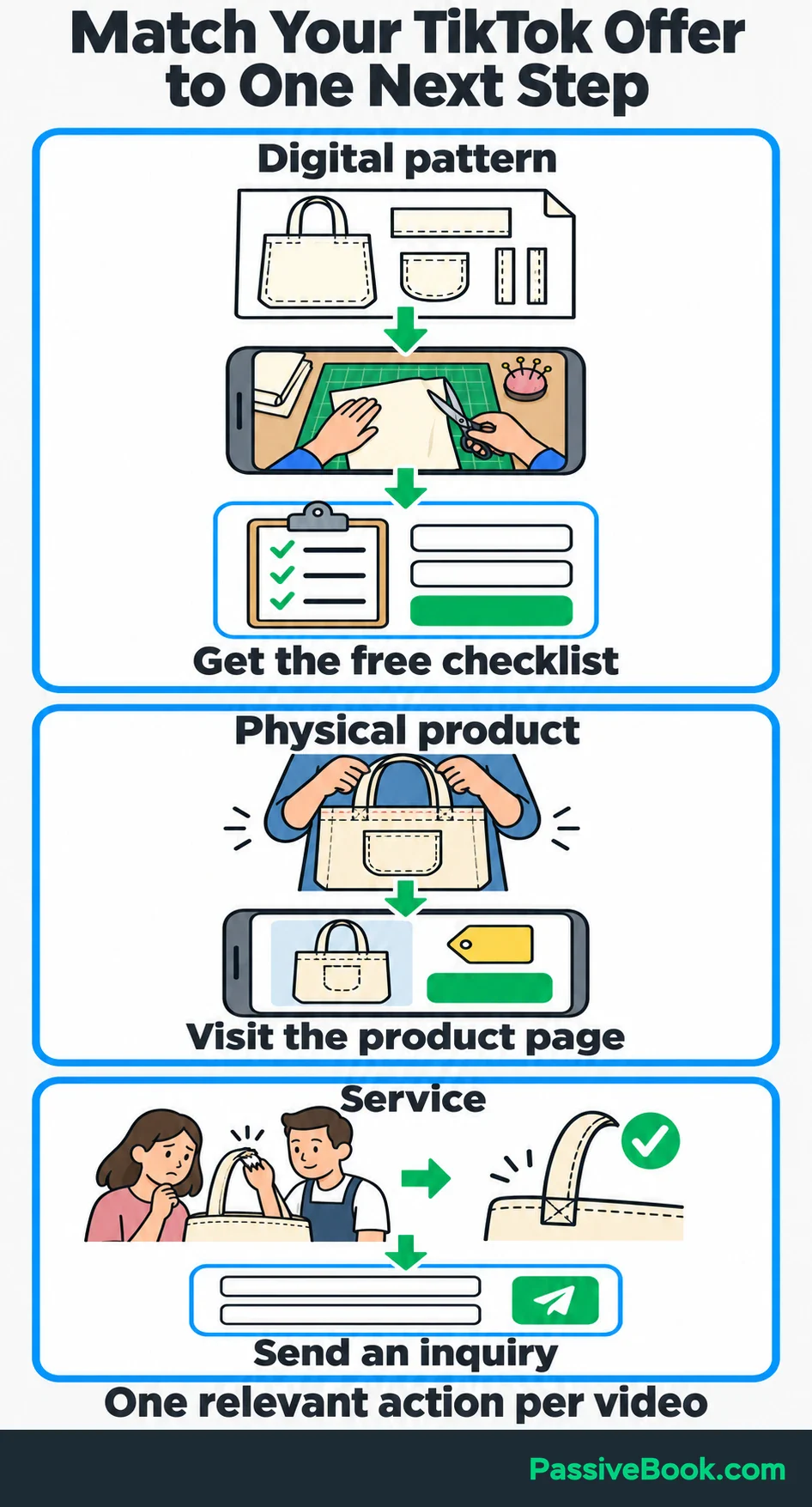
Start with the offer you want TikTok to support. Then choose the customer action that would move someone closer to buying: requesting a useful download, sending an inquiry, or visiting a product page.
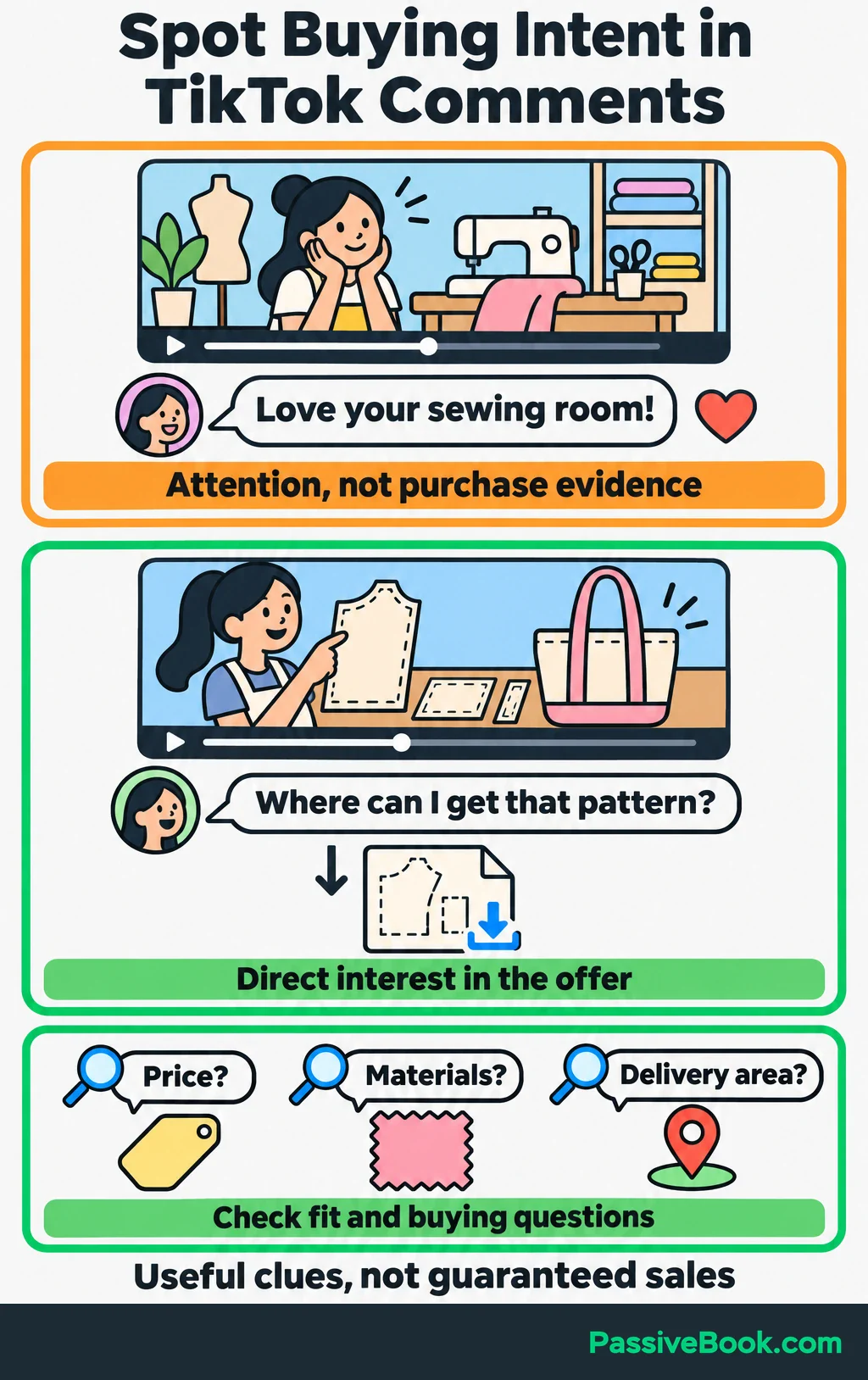
Before making videos, search TikTok for questions your customers ask. Read the comments beneath relevant results and look for:
- Questions your product or service can answer.
- People asking about prices, availability, materials, or delivery.
- Interest from places where you can serve customers.
A popular topic alone tells you little about purchase interest. “Where can I get that pattern?” is more useful evidence for a pattern shop than a hundred comments admiring someone’s sewing room.
For the running example, imagine you sell a downloadable tote-bag sewing pattern. Your first content series helps people prepare their fabric, offers a free pre-cutting checklist, and introduces the paid pattern through follow-up emails. The business, sample copy, and figures in this guide are illustrations.
For a physical product, demonstrate it in use and link to its product page. For a service, show how you handle one customer problem and invite an inquiry.
Make checklist signups the main outcome for that series. Each video should have one relevant next step. Asking viewers to follow, comment, download, and buy gives them a small administrative job.
Set limits before you start. I would try three videos a week for four weeks, with one weekly production block and no advertising spend. That is a manageable experiment, and the review point stops it from becoming an unpaid second job. Four weeks gives you something to review; it does not guarantee enough evidence to judge sales potential.
Set up Your TikTok Business Profile
Use a Business Account when the account’s main purpose is promoting your products or services. Choose a name people can connect to your website and a clear profile image that remains recognizable at a small size.
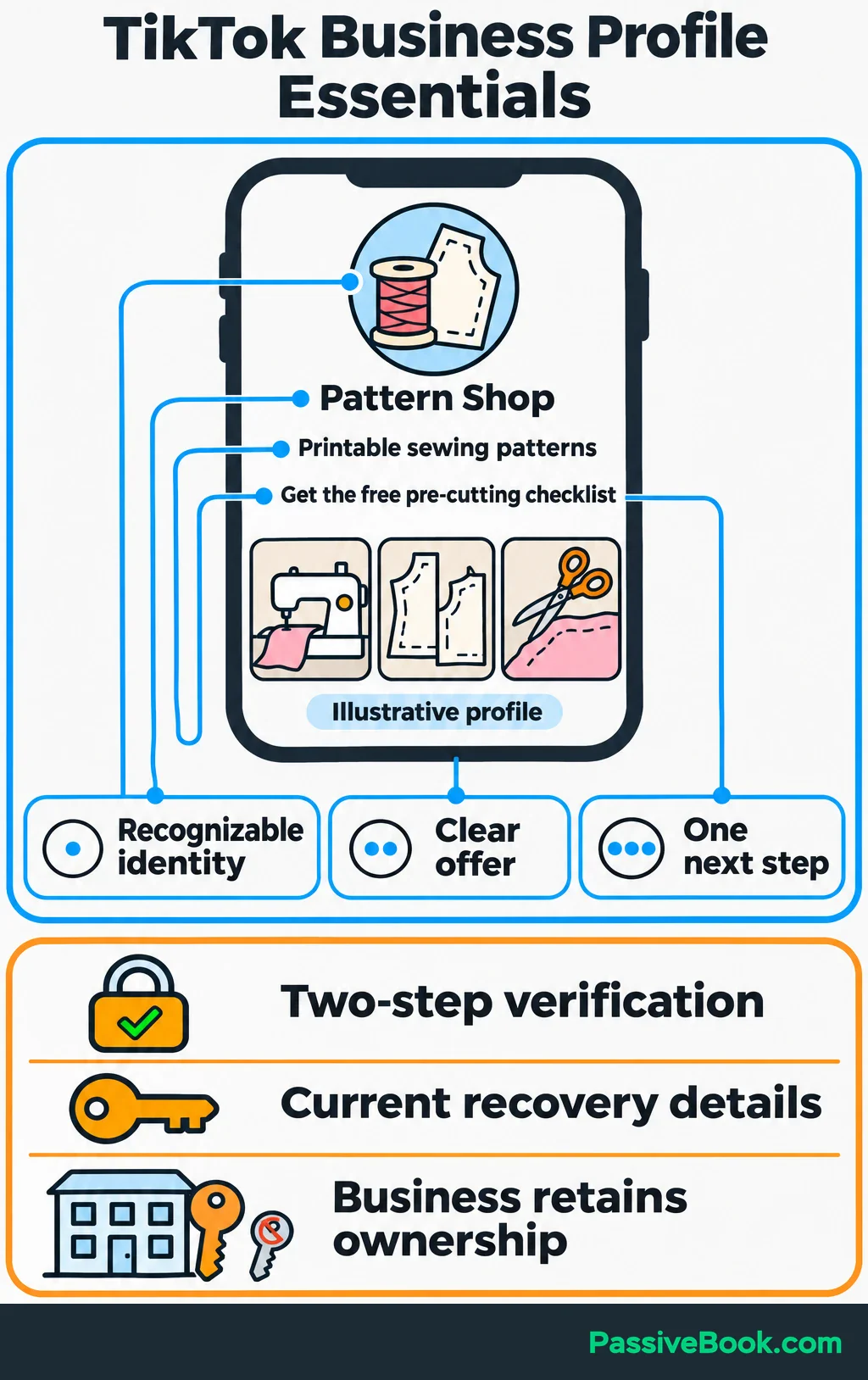
Your bio should explain what you offer and why someone should take the next step. For the pattern shop:
Printable sewing patterns for practical weekend projects. Get the free pre-cutting checklist.
To review performance and schedule posts, link your TikTok account to TikTok for Business, TikTok’s platform for business tools. This grants Advanced Access to Business Suite, where you can use analytics and a post scheduler. Displaying a business bio-link publicly also requires successful business verification under TikTok’s business-feature access requirements.
Complete that setup before recording videos that say “link in bio.” Open your public profile and test whether a visitor can actually reach the page. If the link is unavailable, resolve that before making website signups the focus of your series.
Secure the account with two-step verification and current recovery details. If someone helps manage it, keep ownership with your business and give them only the access they need.
Build the Path From Your Videos to Your Offer
Decide where an interested viewer should land before you publish. The destination needs to continue the promise made in the video.
A checklist demonstration should lead to the checklist signup page. A detailed product walkthrough can lead to the product page. Your homepage is a poor substitute if visitors must hunt for the thing you just showed.
For the checklist page, include:
- A headline naming the problem it helps solve.
- A preview that shows what the checklist contains.
- A short signup form.
- A clear explanation of what emails people can choose to receive.
On the paid pattern page, show the finished bag, sample instructions, required skills and materials, supported printing formats, price, and download process. Make it clear that buyers receive a digital file.
Use tools you already have. On WordPress, I would build the page with GenerateBlocks, capture signups with Fluent Forms, and handle email follow-up with FluentCRM. Kit is another option if you want a hosted email tool. You do not need to move your whole business to test one marketing channel.
Automate the useful handoff:
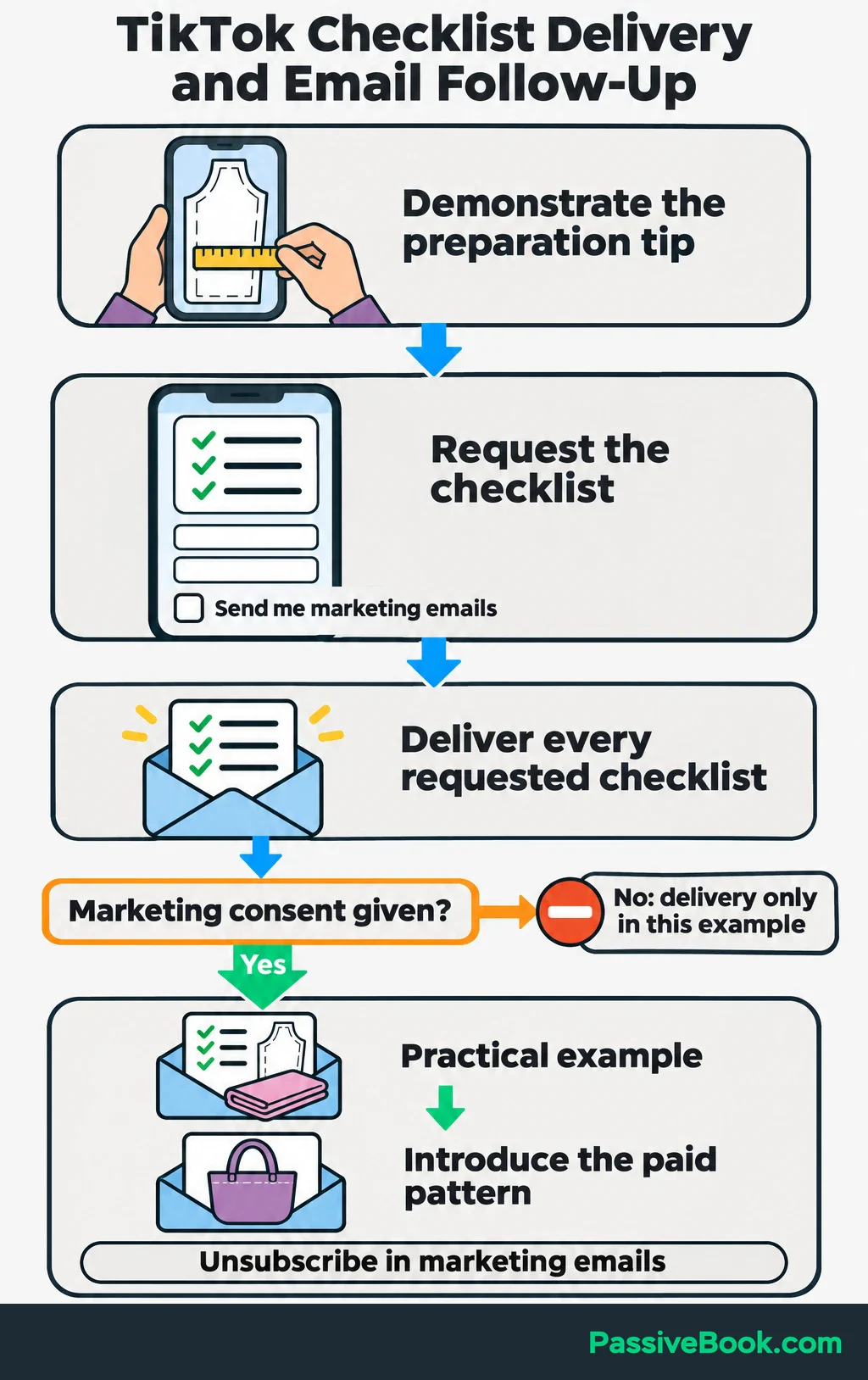
- Deliver the requested checklist immediately.
- Send subscribers who agreed to marketing a practical example of using it.
- Introduce the paid pattern and explain what it adds.
Keep permission clear. Requesting a download does not automatically mean someone wants promotional emails. For UK individual subscribers, unsolicited email marketing requires consent unless a defined exception applies. An optional, unticked marketing checkbox is a straightforward starting point for this example. Include an unsubscribe option in marketing emails. The ICO explains the requirements and exceptions.
Add tracking tags to the profile link so your website analytics can identify visits through it:
?utm_source=tiktok&utm_medium=organic_social&utm_campaign=sewing_checklistUse the same naming consistently, and record signups and purchases separately from visits.
Finally, test everything inside TikTok’s mobile browser: open the link, submit the form, receive the file, follow the email links, and complete a test checkout. A working desktop preview does not finish this job.
Find Content Ideas That Attract Potential Customers
Collect questions before collecting video ideas. Customer messages, reviews, support requests, searches, and relevant comments give you useful starting points.
Save the wording people use. “Why did my printed pattern come out too small?” gives you a clearer teaching task than “create educational content.”
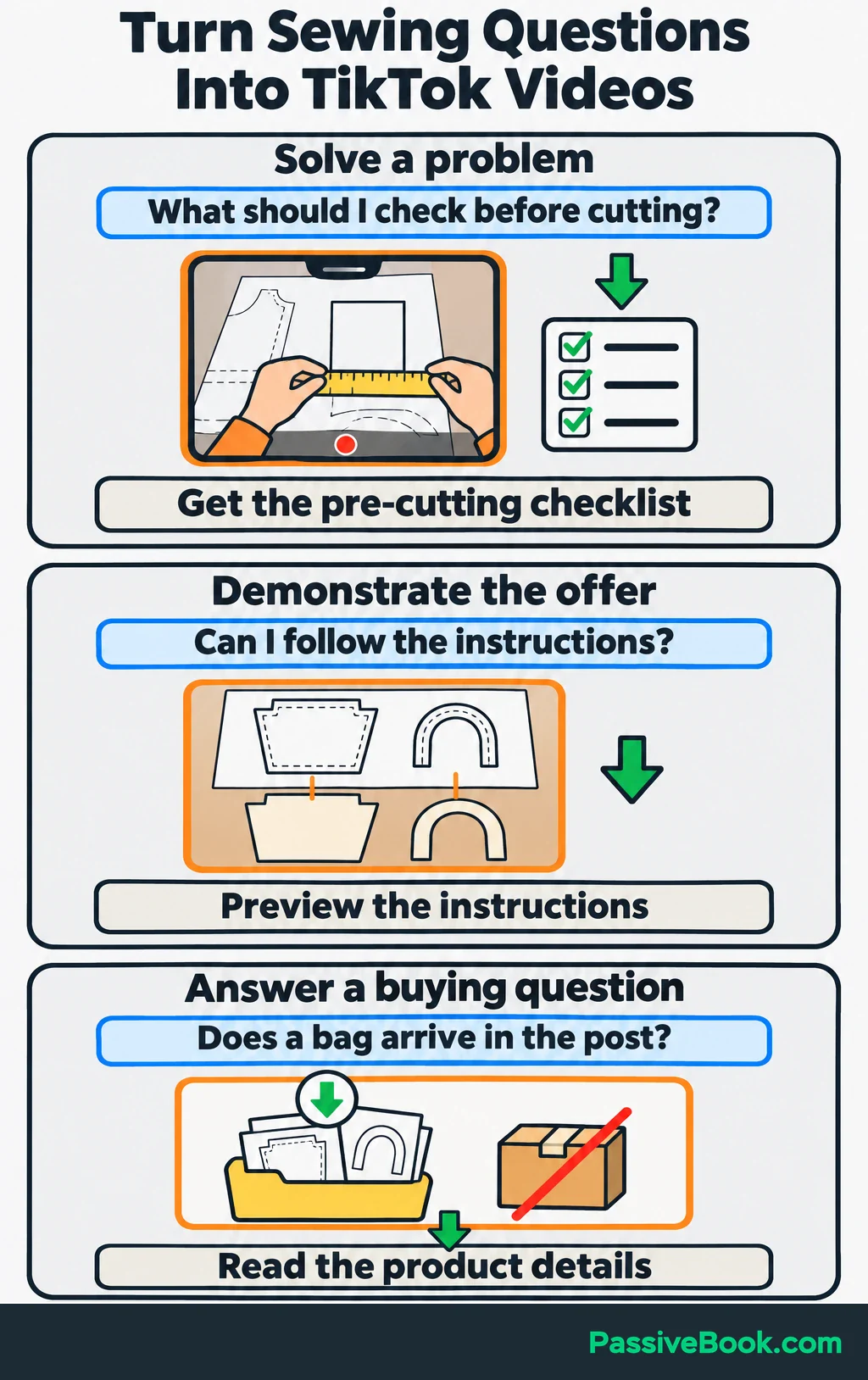
Plan videos around three jobs:
- Solve a Problem: Help someone complete a small task.
- Demonstrate the Offer: Show how the product works.
- Answer a Buying Question: Remove uncertainty about what the customer receives.
Here is how those jobs could shape the pattern shop’s content:
| Customer Question | Opening Hook | Demonstration | Next Action |
|---|---|---|---|
| “What should I check before cutting?” | “Check this before you cut your fabric.” | Measure the printed test square and check the layout before cutting | Get the pre-cutting checklist |
| “Can I follow the instructions?” | “Here’s what one instruction page looks like.” | Match the paid pattern’s diagram to the fabric pieces | Preview the pattern’s instructions |
| “Does a bag arrive in the post?” | “This download contains the pattern, not a finished bag.” | Open the downloadable files and show their contents | Read the pattern’s product details |
Choose questions whose answers create a natural reason to explore your offer. A funny sewing mishap might attract attention, but it needs a useful connection to the product to earn a place in this plan.
Make the topic clear in your spoken explanation, on-screen text, and caption. Add relevant descriptive hashtags, such as #SewingPatterns or #ToteBagSewing, rather than a pile of unrelated popular tags.
TikTok lists query relevance and hashtags among its search signals, while viewing behavior and other interactions influence feed recommendations. My practical takeaway is to make the subject easy to recognize and the answer worth watching. TikTok explains these recommendation signals here.
Create Videos That Make Your Offer Useful and Understandable
Open With the Problem and Demonstrate the Answer
Give each video one takeaway. A simple structure works well as a starting point:
- Establish the problem or show the result.
- Demonstrate the useful action.
- Offer one relevant next step.
Teach the process before mentioning the product. For the sewing example, show how to check a printed pattern’s scale before presenting your checklist.
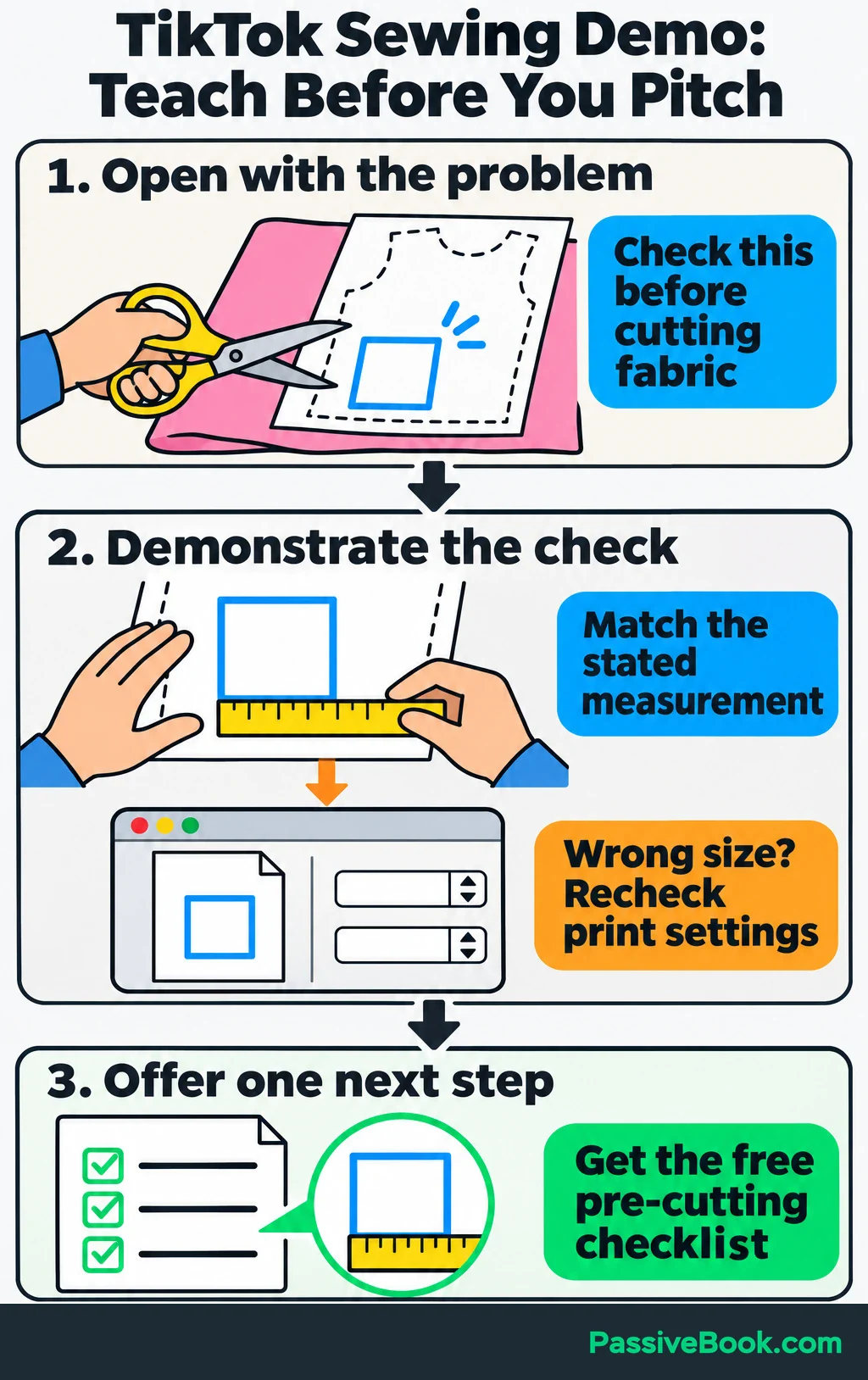
A short sequence could look like this:
“Before you cut your fabric, measure the test square on your printed pattern.”
Show the ruler against the square, explain checking it against the stated measurement, and show the print setting to revisit if it is wrong.
Then close with:
“The free pre-cutting checklist includes this check. Get it through the profile link.”
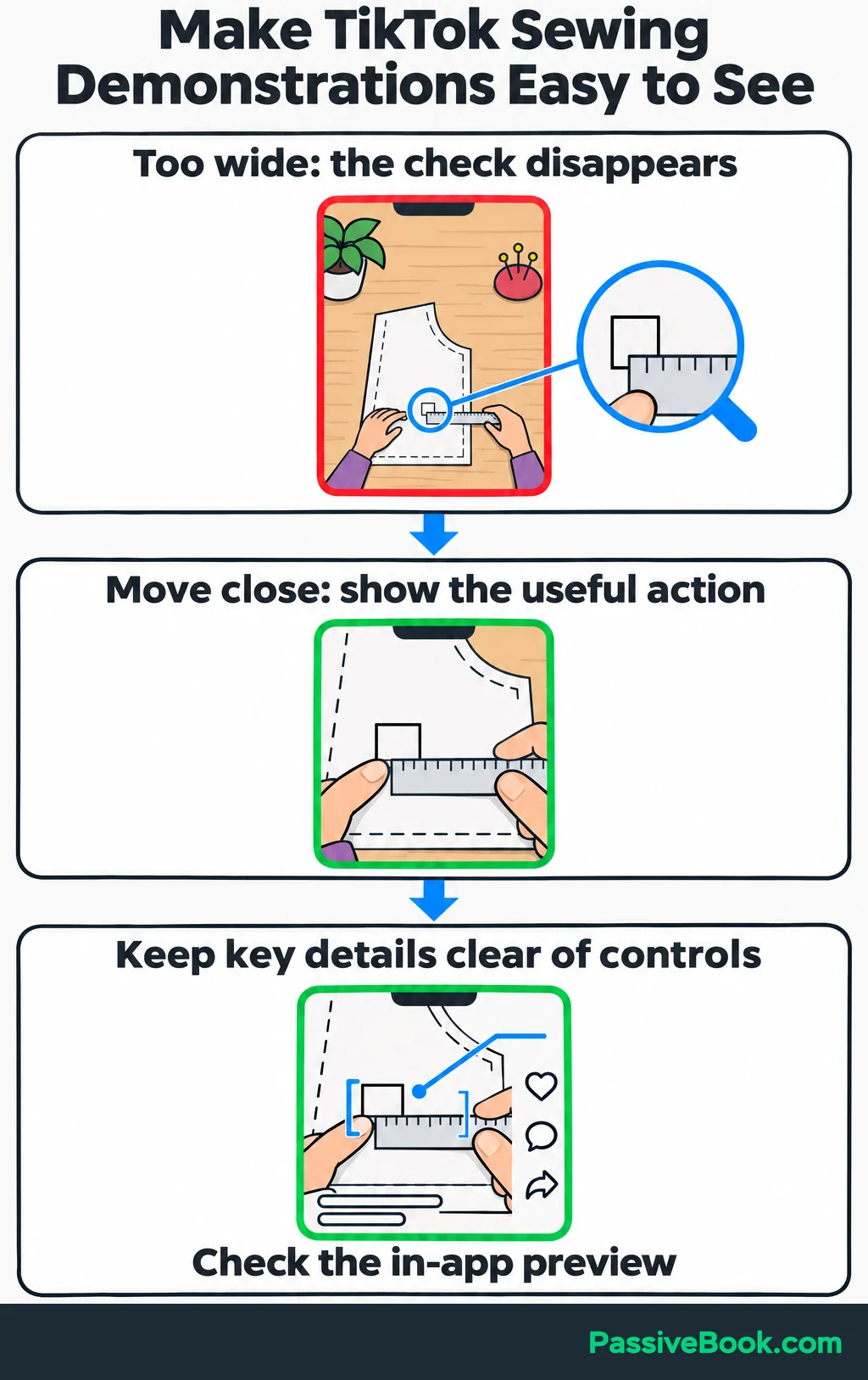
The viewer receives a useful answer even if they never download anything. That is the standard I would use for introductory videos.
Skip the opening speech about your business. Show the relevant page, task, or result immediately. Film vertically, remove pauses that add nothing, and keep essential text away from the areas covered by TikTok’s buttons and captions.
Match the next step to what you demonstrated. A preparation tip can lead to the checklist. A full look inside the pattern can lead to its product page.
Use Repeatable Formats Without Appearing on Camera
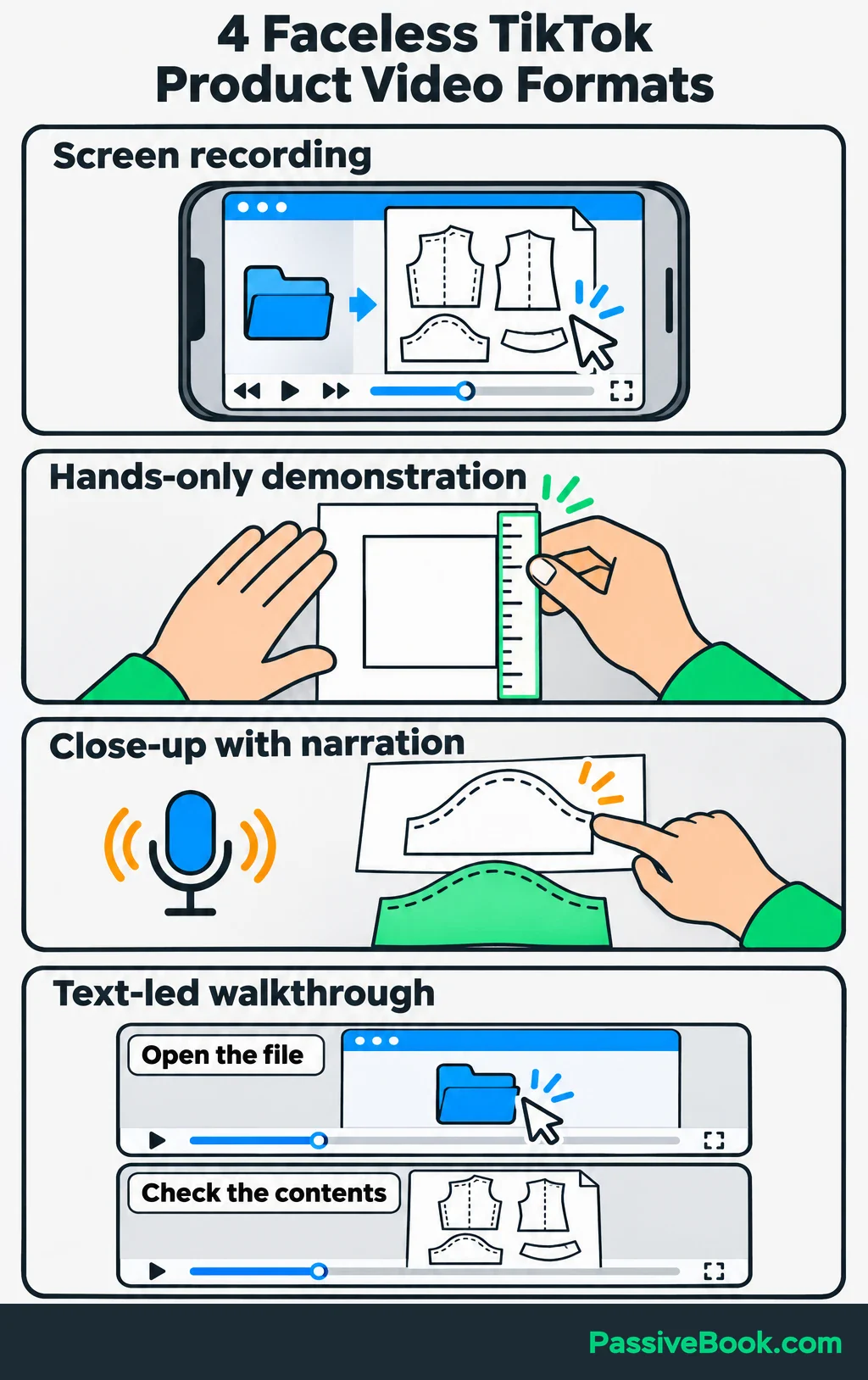
You can explain a product clearly without putting your face in the video. Choose the format that makes the task easiest to see.
| Format | What to Show |
|---|---|
| Screen recording | Open the download, navigate the instructions, or show printing options |
| Hands-only demonstration | Measure the test square or arrange the pattern pieces |
| Close-up with narration | Explain a diagram while pointing to its matching fabric piece |
| Text-led walkthrough | Show a short sequence with readable instructions on each shot |
Record supporting footage in batches. A clear shot of opening the files can support several videos, but each video still needs a distinct question and answer.
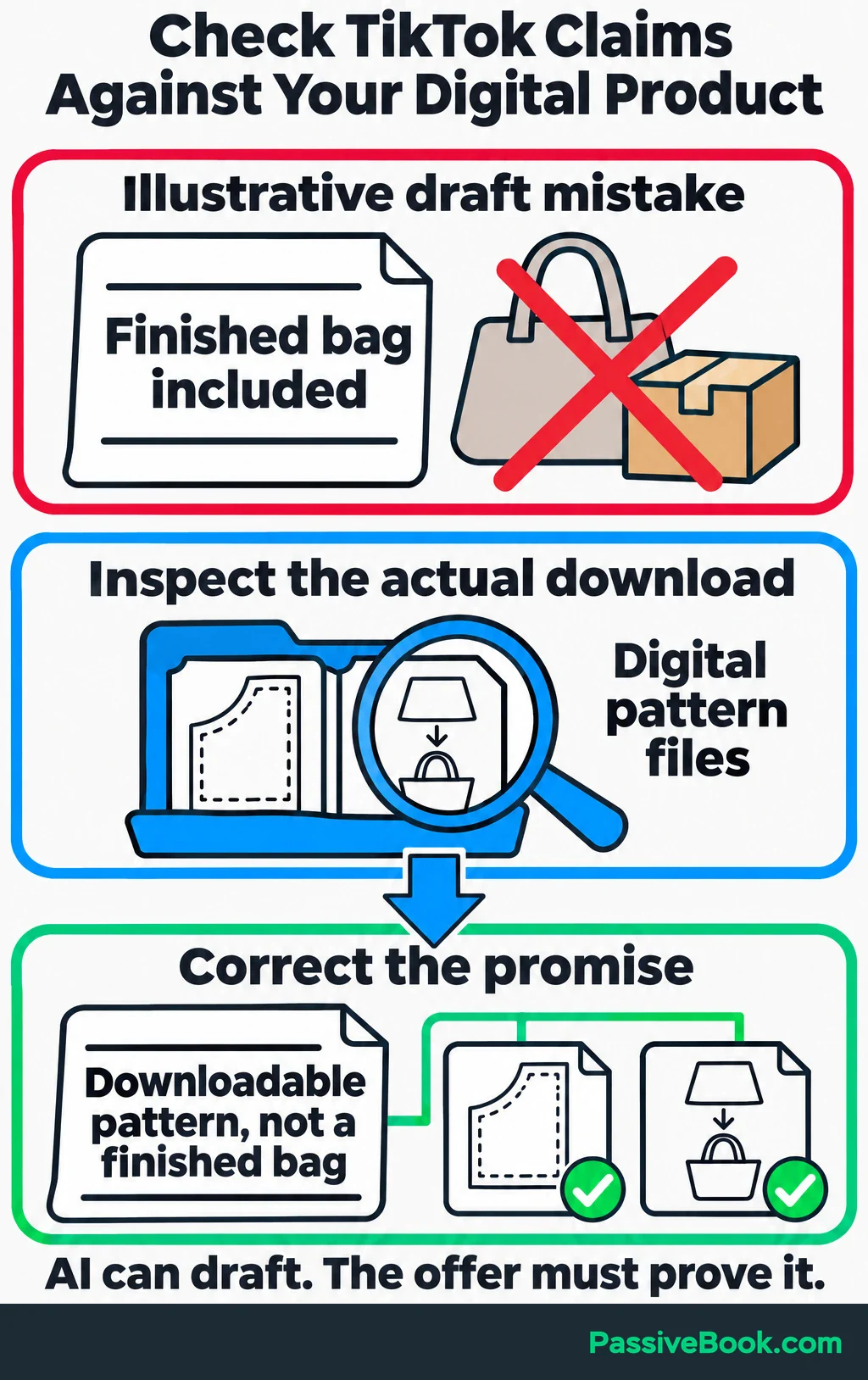
During preparation for one of my digital-product promotions, I caught a draft describing a feature more generously than the download supported. The file was open beside the script, which made the mismatch obvious. I now treat that comparison as part of reviewing promotional copy.
Use AI for hook ideas, outlines, or turning rough notes into a script. Then check every promised feature against the actual offer. A polished sentence cannot add a missing feature to your download.
If the blank script is slowing you down, AI Social Copy Studio can turn your offer and one customer question into a ready-to-record draft. It includes what to show and how to introduce the next step, so you can review the whole message before filming.

Free AI Social Copy Studio




Record clear narration and correct automatic captions. If you use text alone, leave enough time to read it.
Use your own or properly licensed visuals. For music, choose a suitable track from TikTok’s Commercial Music Library or obtain the necessary rights. TikTok says its licenses for music outside that library do not cover commercial use. See TikTok’s commercial music rules.
Make Publishing and Customer Conversations Repeatable
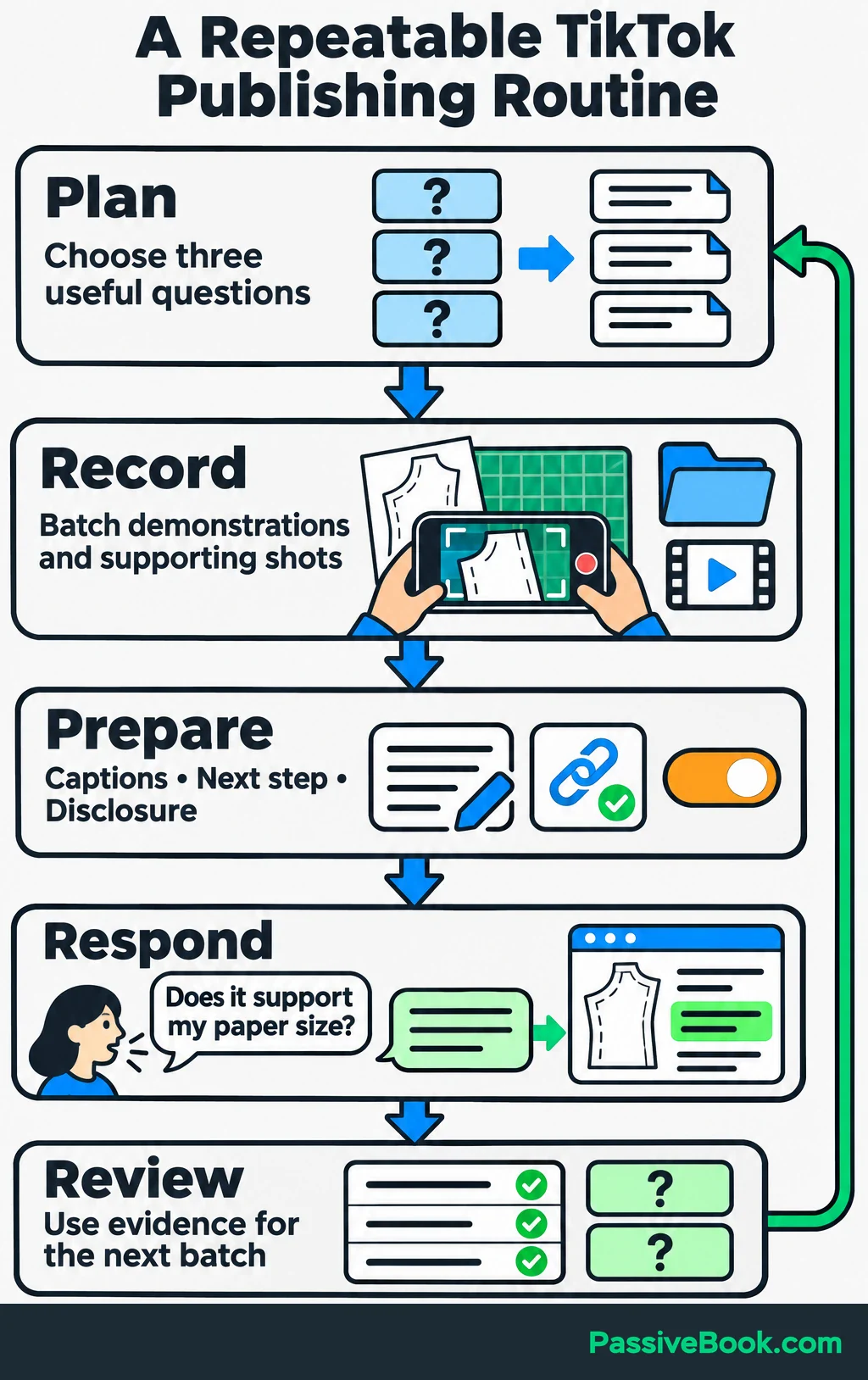
Build a routine around the time you actually have. For the first series, I would use this weekly cycle:
- Plan: Choose three customer questions and draft short scripts.
- Record: Film the demonstrations and shared supporting shots together.
- Prepare: Edit, check captions, confirm the next action, and schedule.
- Respond: Use a short daily window for relevant comments and questions.
- Review: Record results and choose the next batch.
Each post needs a complete answer, a descriptive caption, and a matching next step. Trends can supply a format when they help explain something. They do not deserve automatic space in your calendar.
Enable TikTok’s commercial-content disclosure setting when a post promotes your business, product, or service. This applies to promotion of your own offer too. TikTok requires disclosure for promotional content.
Treat comments as both conversations and research. If people repeatedly ask whether the pattern supports their paper size, answer clearly and improve the product page. That question has exposed information buyers need before ordering.
Join relevant conversations with useful answers. Mention your offer when it directly addresses the question, and make your connection to it clear. Pasting your shop link beneath every sewing video is unlikely to make you anybody’s favorite neighbor.
Repurpose your own demonstrations across channels, adjusting captions, next steps, and audio permissions. Keep a clean version of the footage so you can adapt it easily.
Once your message and destination work together, consider a small creator collaboration. Choose someone whose audience needs the product, agree on deliverables and reuse rights, and use a distinct link or code to track the response. I would establish those basics before paying for access to a large follower count.
Use Results to Improve the Customer Journey
Use TikTok analytics to understand attention. Use your website analytics, email records, and orders to understand business results.
I spent six months chasing followers on Instagram and Twitter/X while my bank balance stayed around $47. That was a different platform experiment, but it changed what I consider progress. A growing audience needed somewhere useful to go, and I had neglected that part.
Keep a video log with the topic, format, publication date, viewing metrics, profile activity, and customer questions. Separately, review totals for tracked TikTok website visits (called sessions), signups, purchases, revenue, spending, and production time.
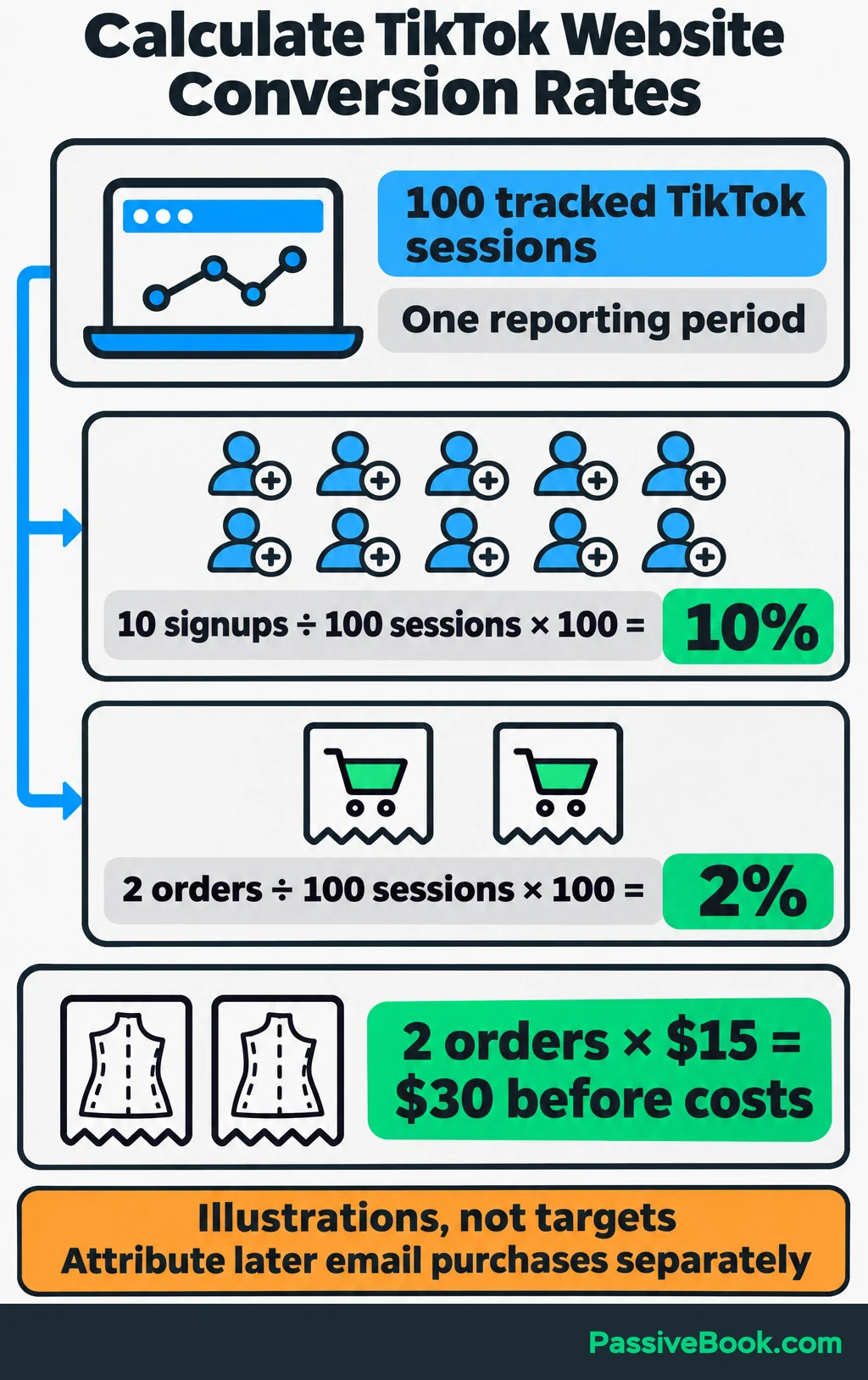
Calculate rates using actions recorded within the same group of tracked sessions and the same reporting period. Do not divide all website sales by TikTok visits.
Suppose your tracked TikTok traffic produces 100 website sessions during the review period. Within those sessions, visitors complete 10 checklist signups and place two orders:
| Measure | Calculation | Result |
|---|---|---|
| Signup rate | 10 signups ÷ 100 tracked sessions × 100 | 10% |
| Purchase rate | 2 orders ÷ 100 tracked sessions × 100 | 2% |
| Revenue | 2 orders × an assumed $15 pattern price | $30 before costs |
These figures illustrate the calculation; they are not targets. Later purchases through email need their own attribution rather than being added to this session-based rate.
A shared profile link identifies visits through that link. It does not reliably tell you which organic video caused every purchase. Keep video-level attention and channel-level customer outcomes distinct.
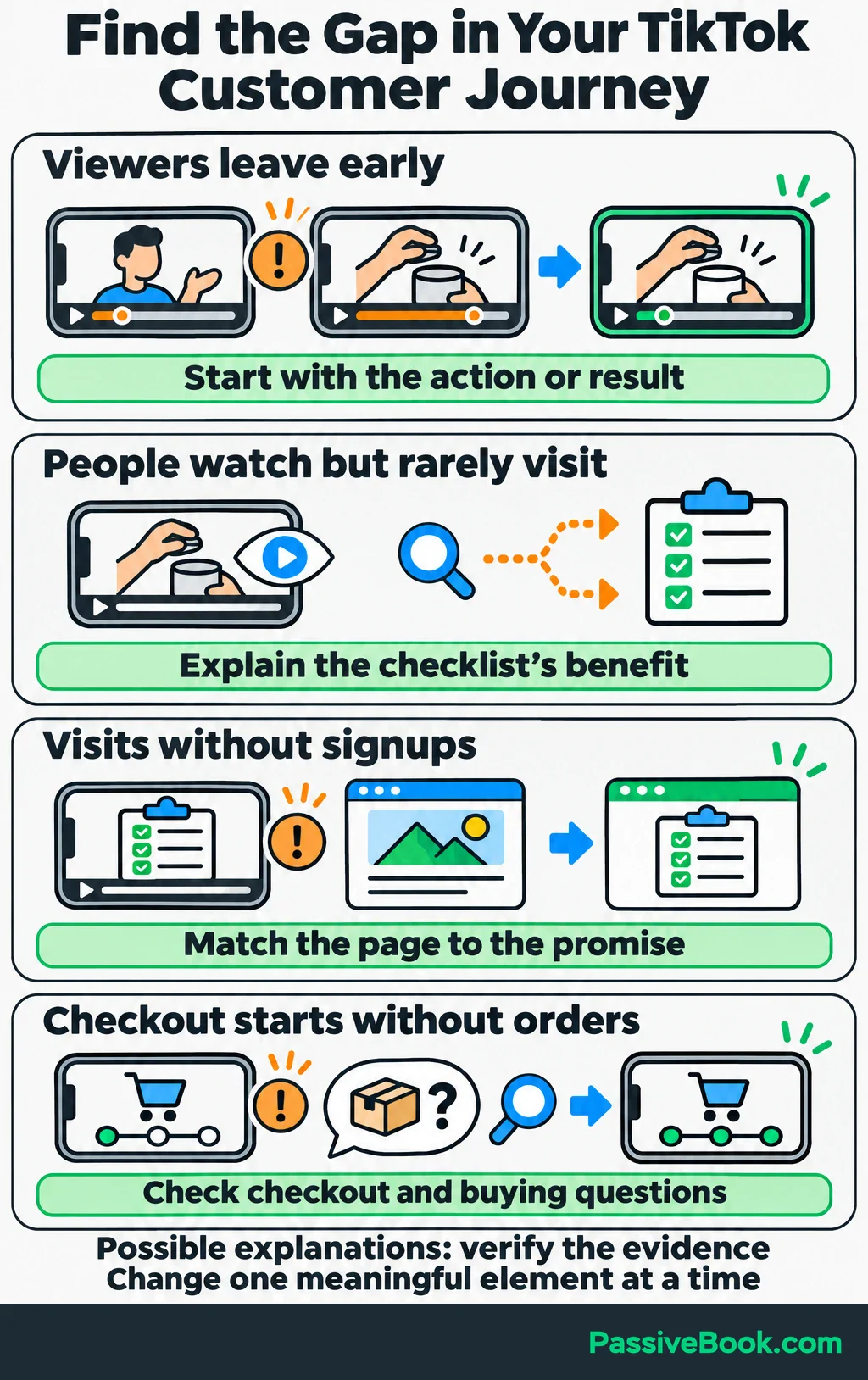
Use the gap between stages to choose your next test:
| Observation | Possible Issue | Next Test |
|---|---|---|
| Viewers leave before the demonstration | The opening delays the answer | Start with the action or visible result |
| People watch, but few visit | The offer connection or next step is unclear | Explain exactly what the checklist helps them do |
| Visitors leave without signing up | The page does not match the video’s promise | Align the headline and preview with that promise |
| People reach checkout but do not finish | Delivery details, price, or checkout may cause friction | Test checkout and answer repeated buying questions |
These are possible explanations, so check the evidence before changing things.
Compare related videos after comparable time live. Change one meaningful element at a time and repeat topics that produce relevant customer actions. Avoid declaring a winner from one order.
Include your time in the decision. If the process keeps exceeding your allowance, simplify the format or publish less often. More videos are useful only when their value justifies making them.
Test Paid Promotion With a Spending Limit
I would keep the first experiment organic. Before paying for traffic, check that your page works, records signups or purchases, and attracts relevant interest.
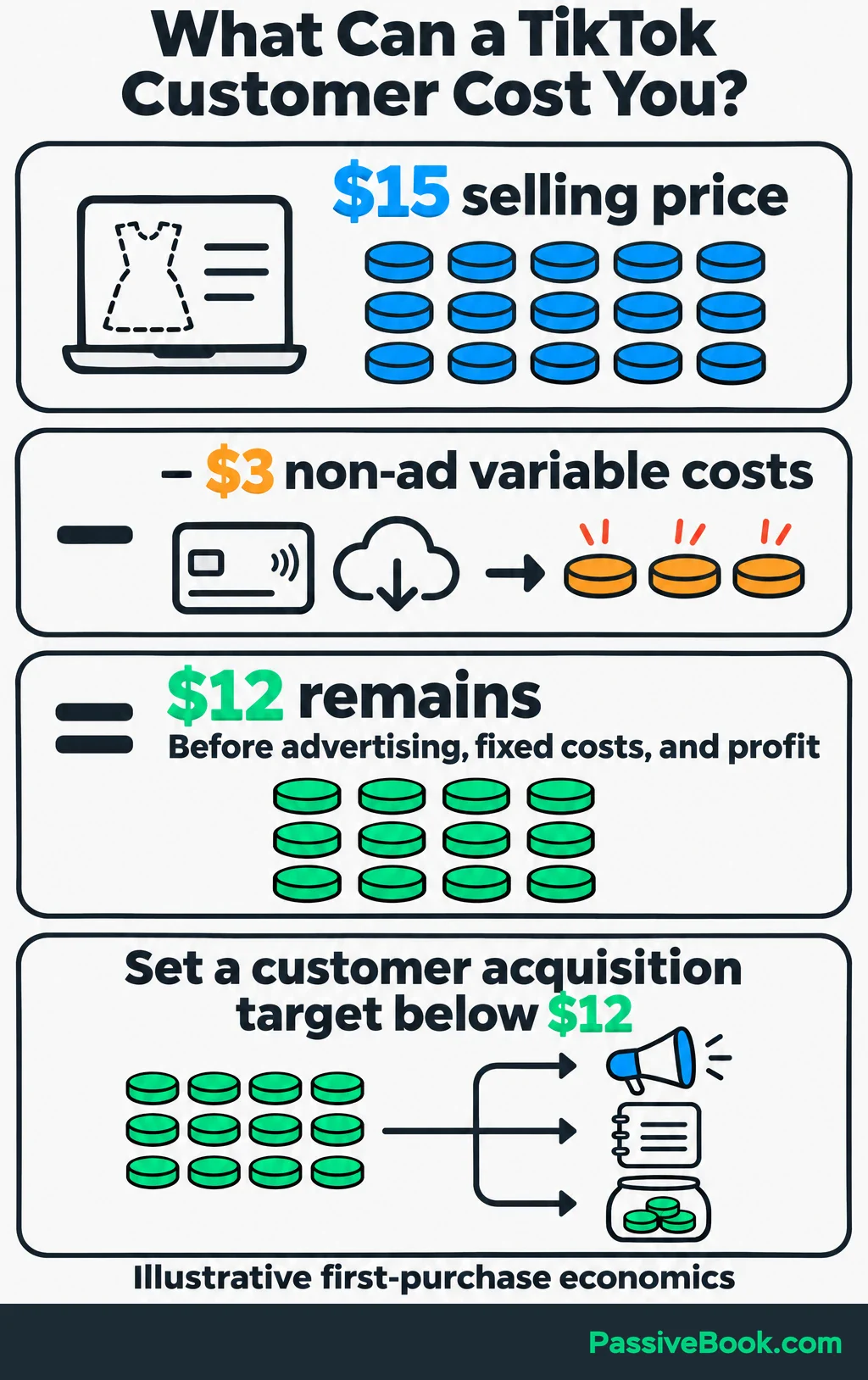
Work out what each sale leaves for advertising. Subtract payment fees, delivery costs, and other costs caused by that sale from the price:
$15 selling price − $3 in non-ad variable costs = $12That leaves $12 before advertising, fixed costs, and profit. Set a lower limit for what you’ll spend to win one new customer. Base it on the first purchase unless your records support repeat purchases. An imagined lifetime customer is very generous with your money.
Choose a Promotion Tool That Fits the Job
Choose the tool for the job. Spark Ads is an ad format within Ads Manager.
| Tool or Format | When I Would Use It | What to Select or Check |
|---|---|---|
| Promote | Boost an existing post | Select the available website, lead, or sales goal you need |
| Ads Manager | Control campaigns and measurement | Select Sales for purchases, Lead Generation for leads, or Traffic for visits |
| Spark Ads | Advertise an existing post | Use your own post or get the creator’s authorization |
Buying visits does not show whether you can acquire customers profitably.
Ads Manager requires daily ad-group budgets above US$20 and campaign budgets, when set, above US$50. Lifetime ad-group minimums increase with duration. Check TikTok’s budget requirements before committing. If the minimum test costs more than you can afford to lose, stay organic.
Run One Measurable Test
Test one offer and destination with different videos, such as a preparation demonstration and a look inside the paid pattern.
Install TikTok Pixel, code that reports selected website actions to TikTok, through your website’s supported integration. Confirm that signup or purchase events record correctly before launch. Explain advertising-data use in your privacy notice and check that any required consent controls tracking. TikTok provides cookie-consent guidance.
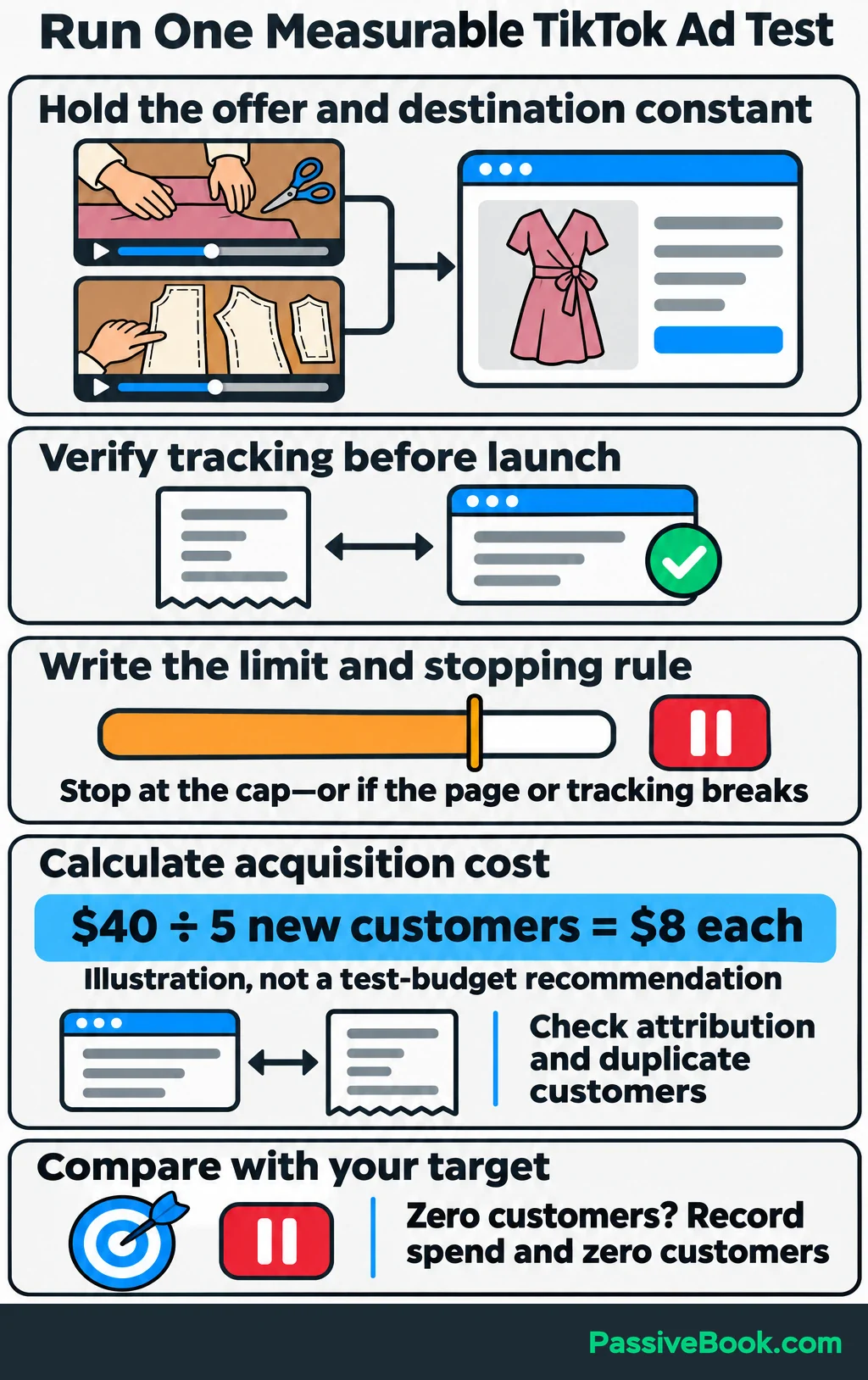
Write down the test rules before spending:
- Goal: Acquire new customers for the sewing pattern.
- Audience: People in markets you can serve.
- Limit: Set an affordable total for the full test.
- Stopping Rule: Pause at that limit, or sooner if the page or tracking breaks.
- Decision Measure: Compare spending per new customer with the target set above.
To calculate customer acquisition cost, divide ad spend by new customers credited to the campaign. Use your chosen attribution window—the period after an ad click or view in which a purchase can count—and check customers against store records to avoid duplicates.
For illustration, $40 spent to acquire five attributed new customers gives a cost of $8 each. With none, record “$40 spent, zero customers.”
Monitor spending and pause at your limit. If acquisition costs exceed what the product can support, more budget makes the same problem more expensive.
What Next?
Choose one customer question and write a short video that answers it. Before filming, open the page you plan to send viewers to and check that it delivers the promised next step.
Use the social buttons to share this guide if a clearer path from video views to customer actions would help your business conversations.
Which part of that path needs the most work in your business: the videos, the destination, or the follow-up? Share your answer in the comments, and bring any other questions too.
Share this post with your friends & followers:

