You have half an hour to film, but the trend you saved needs three locations, another person, and a joke that has nothing to do with what you sell. Finding something popular was easy. Finding something worth making is harder.
Choose badly and you can spend your evening editing a video that gives the wrong people a reason to watch. To make that filming time count, this guide shows you how to choose trends your audience will care about, adapt them with TikTok’s tools, and decide which formats deserve another session.
Find TikTok Trends Relevant to Your Audience
Start with a question your audience wants answered and the response you want from them. That gives your browsing a purpose.
A trend is a repeated sound, joke, prompt, challenge, or storytelling pattern. A feature is a tool, such as timed text, that helps you make your version.
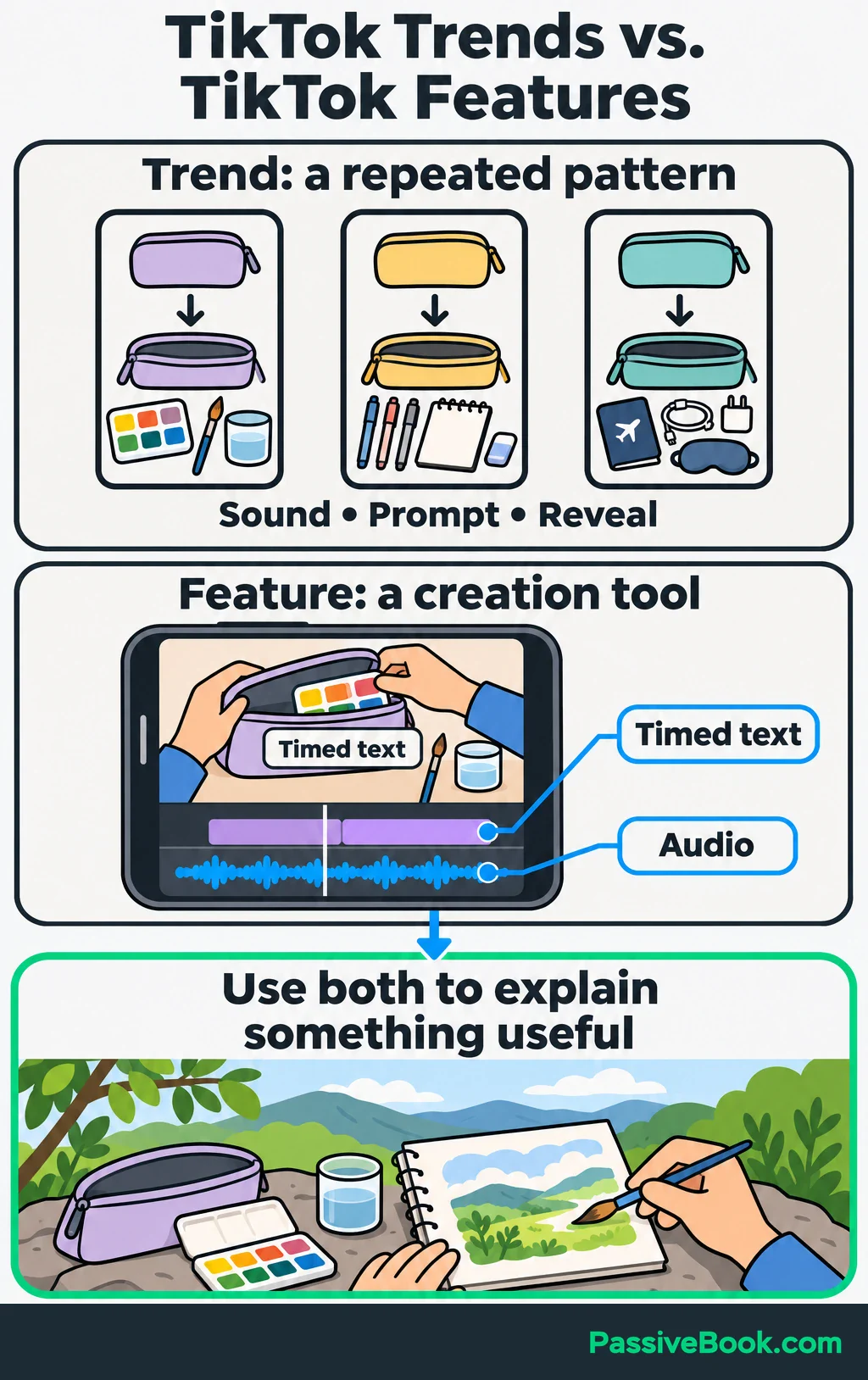
Neither guarantees reach. TikTok includes sounds and hashtags among its recommendation signals, but says viewer interactions, including time spent watching, generally carry more weight for most users’ For You recommendations. I would put the useful demonstration ahead of the fashionable soundtrack. TikTok’s recommendation explanation.
Throughout this guide, imagine you run an online shop selling travel watercolor kits. Your starting question is:
“What do I need to paint outdoors?”
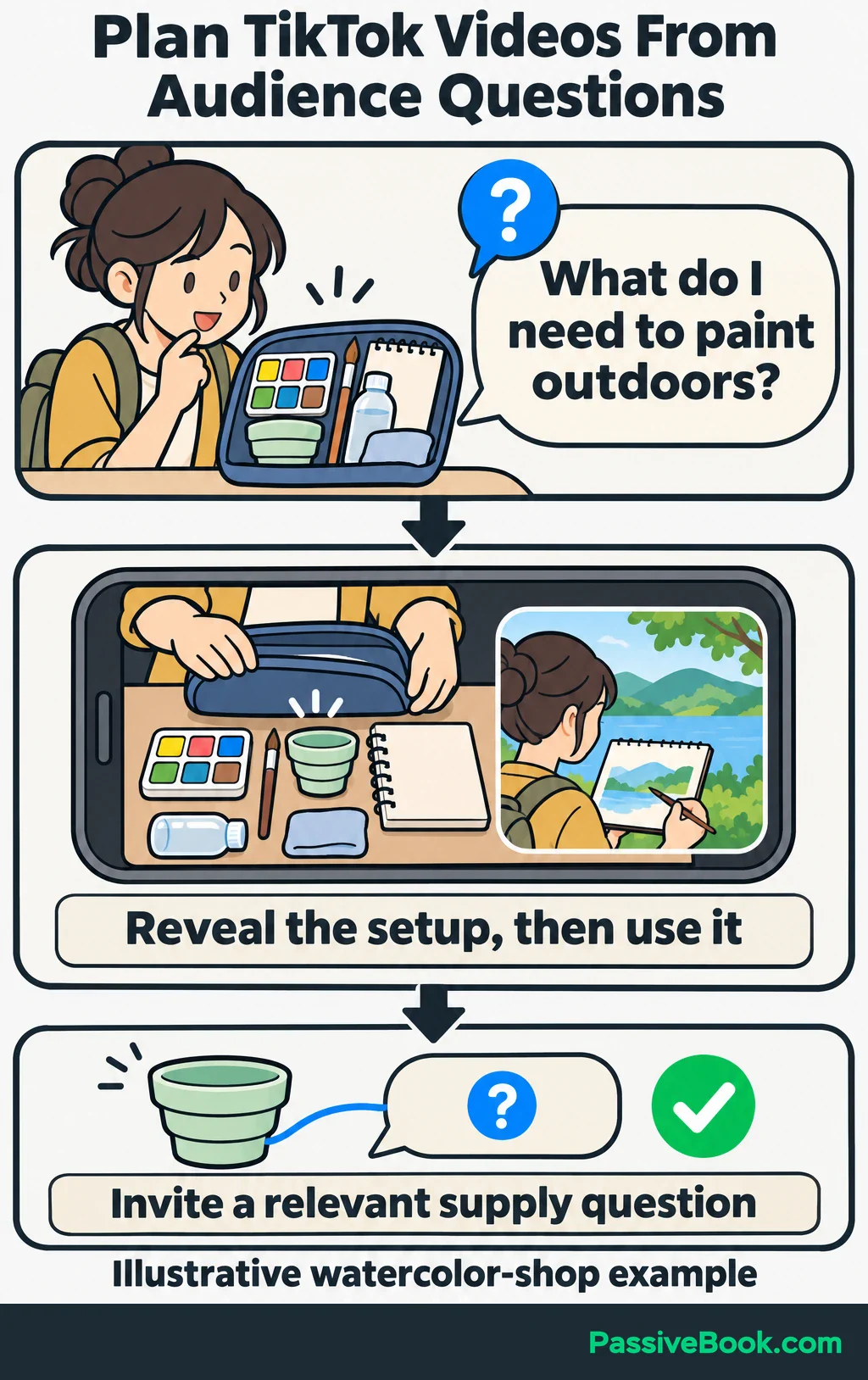
The response you want is a relevant question about the setup or kit. Hands unpacking supplies and painting a small sketch can answer that question without your face appearing.
The shop’s proposed videos, copy, and hashtags below are illustrations, not verified trends or measured results.
Explore Hashtags and Videos in Creative Center
Use Creative Center to find possible topics, then inspect the videos behind them.
Open Creative Center’s hashtag trends, choose your audience’s market and a recent time window where those controls are available, and narrow by industry. Log in if prompted to see more results.
Open a promising hashtag’s analytics and look at:
- Trendline: Is activity rising, holding steady, or fading across the selected period?
- Related Videos: What opening, sequence, or payoff keeps appearing?
- Audience and Region: Does the topic attract people in the market you serve?
- Related Hashtags: Is there a closer match to your subject?
Creative Center lists #marvelrivalsavengers under Games, but popularity alone gives a watercolor shop little reason to use it.
Next, browse the Video tab and compare several executions of a promising idea. Look for the shared pattern. Perhaps each video starts with a small container, reveals an unexpected amount inside, and finishes by showing everything in use.
That pattern may be useful even when the original subject is unrelated.
Discover Sounds and Creators Inside TikTok
Search for phrases your audience would use, such as “what to pack for watercolor painting.” Explore relevant videos, creator profiles, hashtags, and comments.
When a video catches your attention, tap its sound name to open the sound page and watch several videos that use it. Work out what people are repeating:
- A lyric that changes the meaning of the footage.
- A spoken line followed by an answer.
- A beat that signals a reveal.
- A visual joke that works without the sound.
Follow creators who reach your intended audience. Compare their videos for recurring questions and adaptable formats.
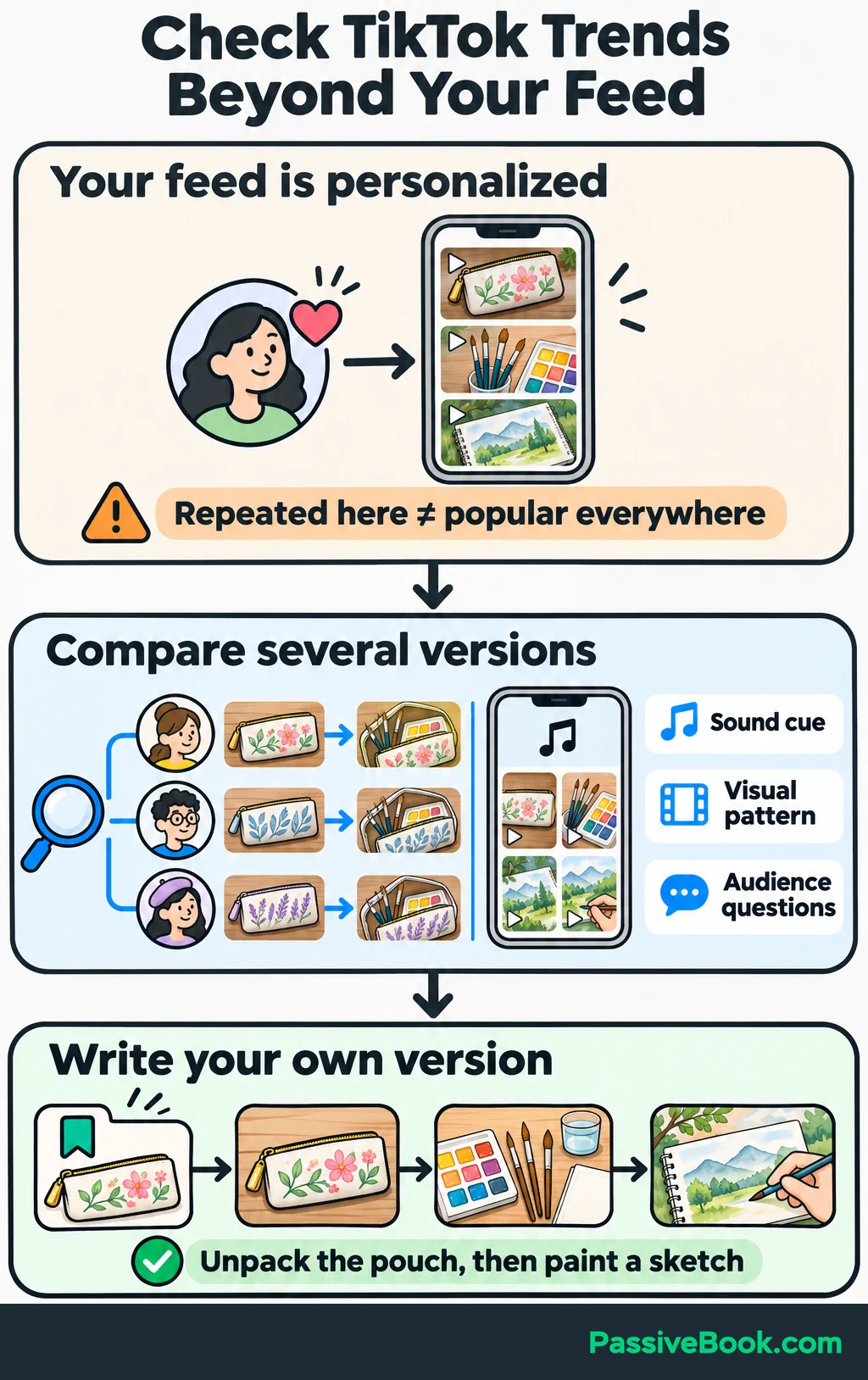
Treat your For You feed as a personalized suggestion box. Seeing something repeatedly there does not establish that it is popular across TikTok.
Save each useful reference with the date checked and one sentence explaining your version:
“Reveal everything inside the pouch, then show the supplies making one outdoor sketch.”
Once you have a workable candidate, stop browsing. Research needs an ending.
Choose a Trend Worth Making
Before filming, explain the trend’s appeal in one sentence. If you cannot, read the captions and comments until you understand the context—or choose something else.
Then make four checks:
- Audience Relevance: Would someone interested in your subject care about the answer?
- Current Participation: Are several accounts still making recent versions?
- Message Fit: Can your useful point fit the format without a long explanation?
- Production Effort: Can you make it with footage, equipment, and time you already have?
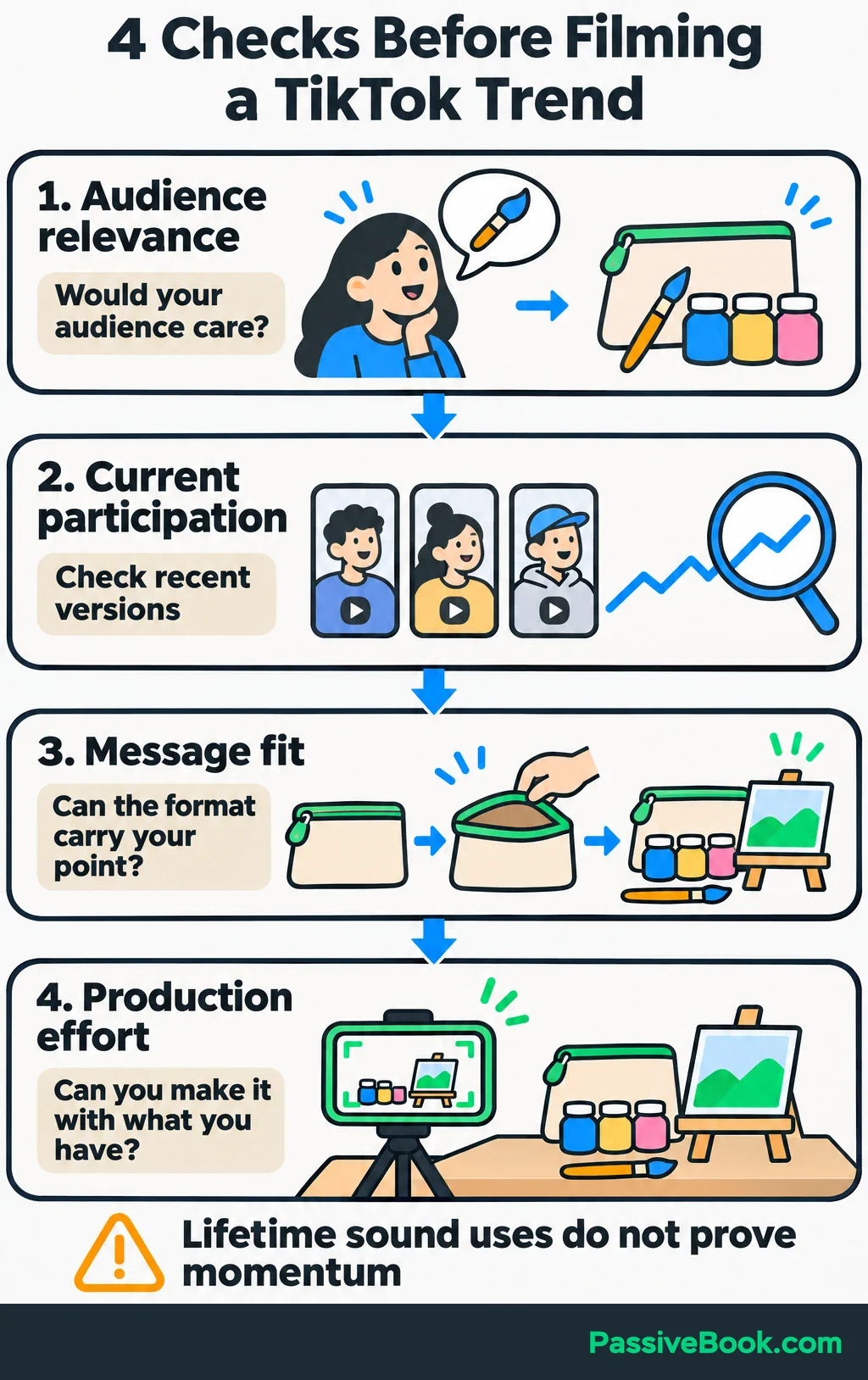
A sound with a large lifetime use count may have peaked long ago. Check recent examples and the trendline together rather than treating cumulative totals as proof of momentum.
For promotional videos, check music rights before planning cuts around a song. TikTok recommends its Commercial Music Library because those tracks are cleared for commercial use. Its licenses for music outside that library do not cover commercial use. You can also use your own audio without unlicensed music, or music for which you hold the necessary rights. TikTok’s commercial music guidance.
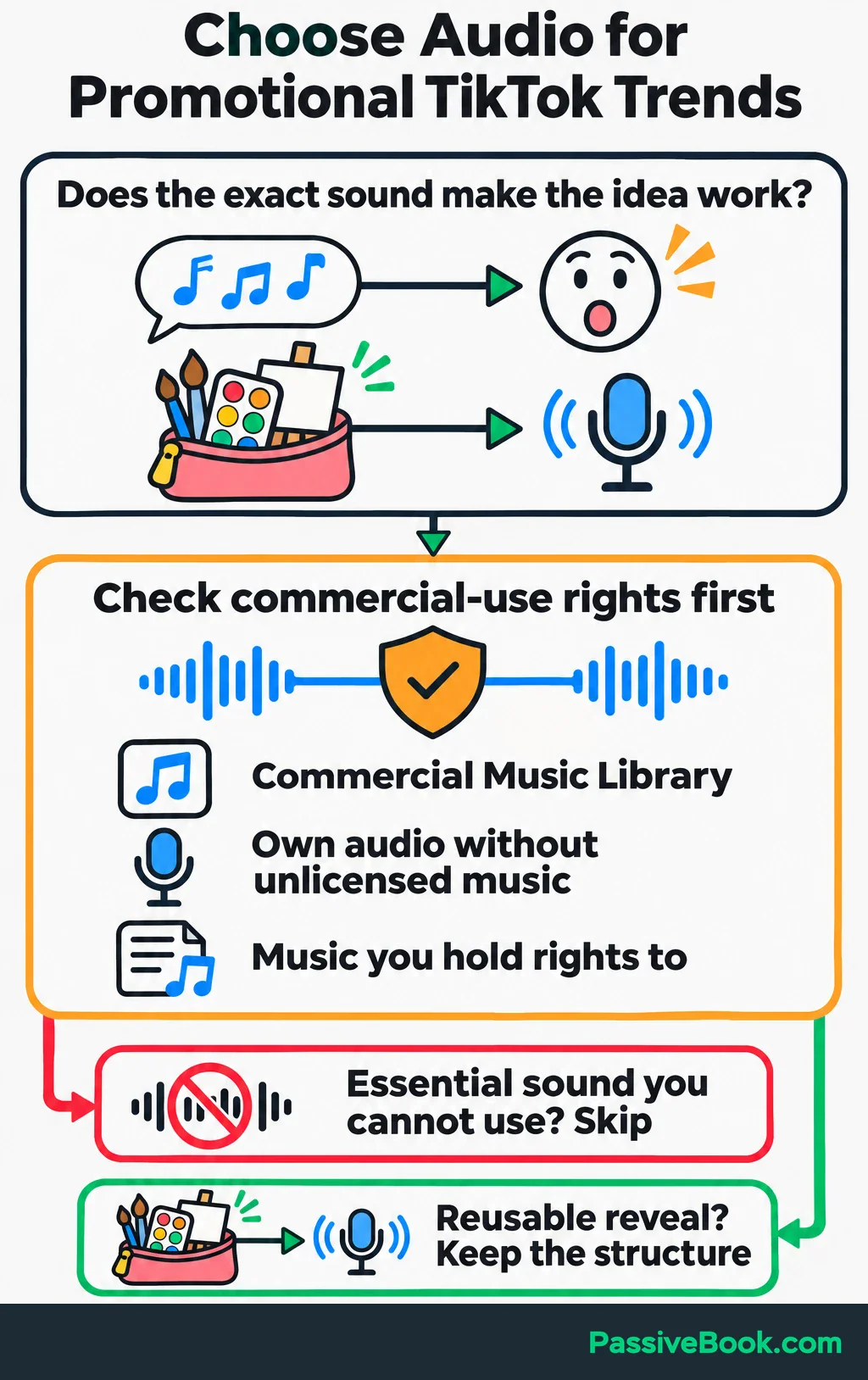
I would skip a trend if its appeal depends entirely on a song I cannot use. Rebuilding the idea around another track can leave you with an elaborate reference nobody recognizes.
A reusable reveal is a different matter. If opening the pouch and showing the complete painting setup makes sense with narration alone, keep the structure.
Keep your references in a spreadsheet with the date checked, your proposed video, and the footage needed. Add a decision, such as “skip—requires unrelated joke.”
Adapt the Trend Into an Original Video
Write the audience takeaway before the opening line:
“You can see the complete setup for a quick outdoor watercolor sketch, including what comes separately.”
Now map that answer onto the format’s opening, progression, and payoff.
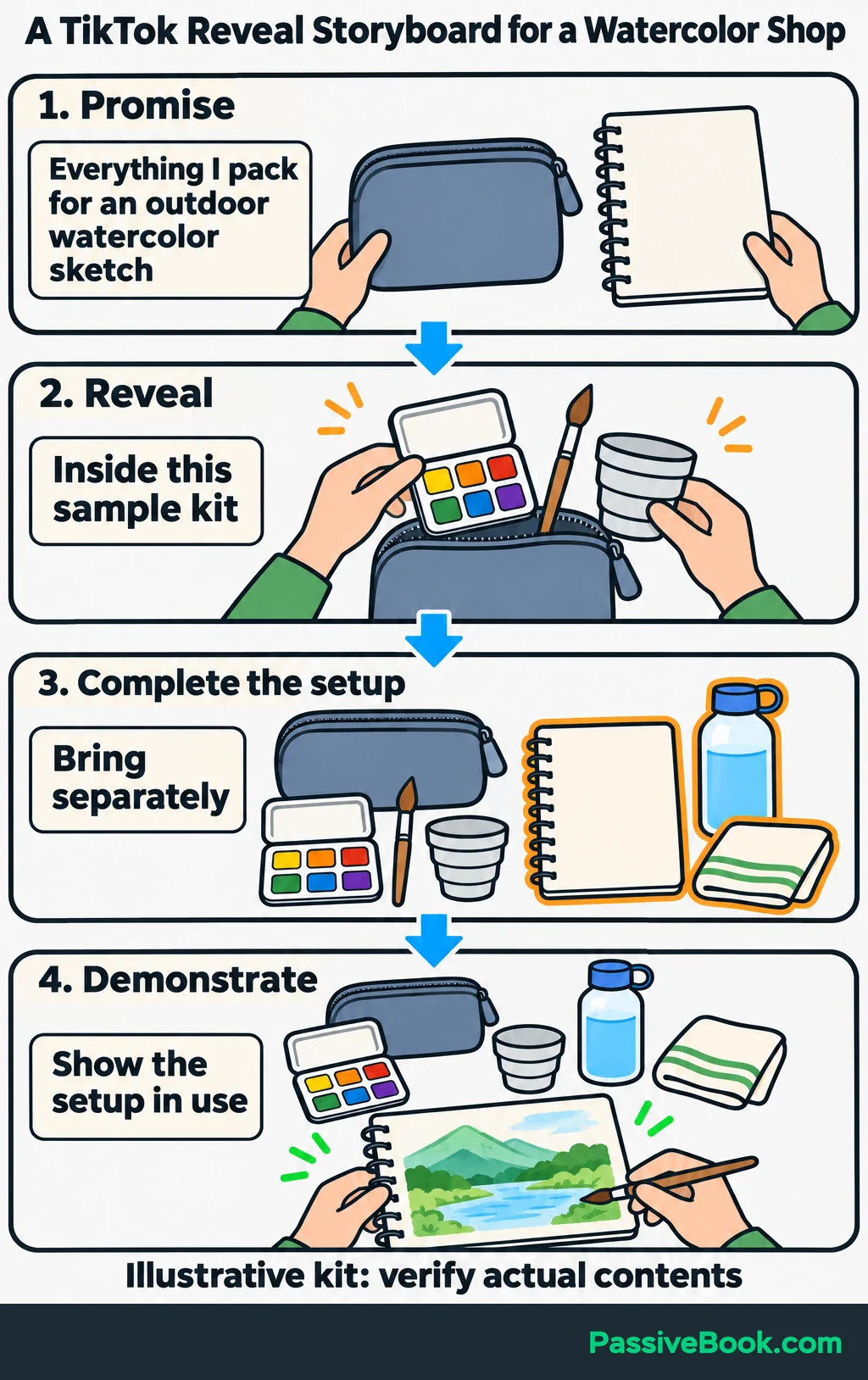
Keep the recognizable structure, but replace the wording, situation, footage, and conclusion with your own. Your product should help deliver the answer rather than interrupt it.
For the watercolor shop, a compact reveal could work like this. Assume this sample kit contains a palette, brush, and folding cup; the sketchbook, water bottle, and cloth are carried separately. Change those details to match the actual product before filming.
| Shot | What Viewers See | Spoken Copy |
|---|---|---|
| Opening | A closed pouch beside a sketchbook | “Here’s what I pack for a quick outdoor watercolor sketch.” |
| Reveal | Hands unpack the palette, brush, and folding cup | “The palette, brush, and folding cup fit inside this pouch.” |
| Complete Setup | A water bottle and cloth join the supplies | “I bring the sketchbook, water, and cloth separately.” |
| Demonstration | Hands paint, followed by the finished sketch beside the kit | “Here’s the setup in use. Which supply would you like a closer look at?” |
Use “Everything I pack for an outdoor watercolor sketch” as the opening text.
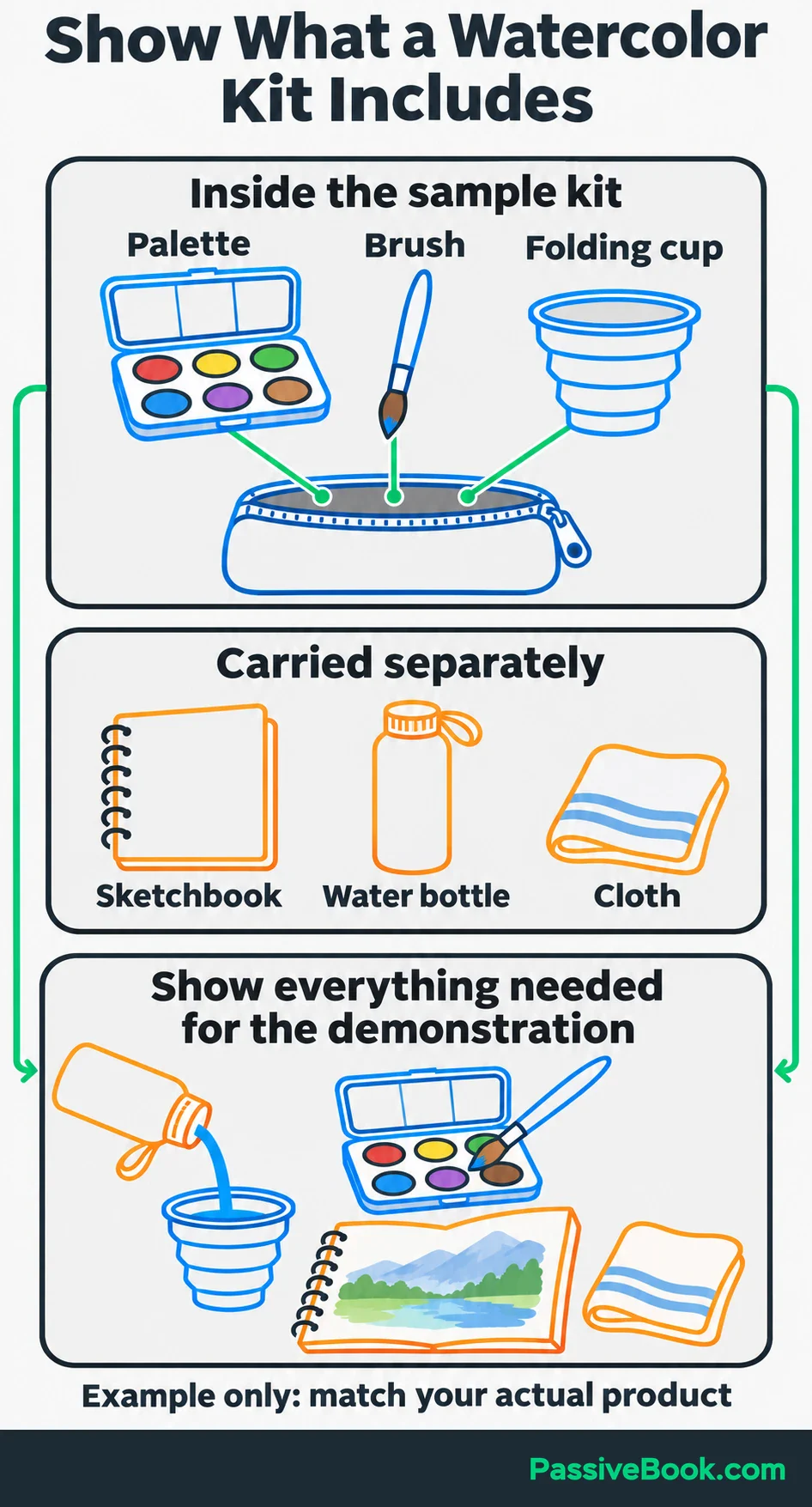
The separately carried supplies matter. Leaving them outside the shot could make the kit look more complete than it is, and it leaves the viewer’s original question partly unanswered.
Keep your usual tone and visual style. If your shop normally explains things plainly, a loud comedy routine is extra work with no clear purpose.
If you have a reference but are stuck on your version, AI Social Copy Studio can draft the words and shot directions around your business and the footage you can make. You can use it for a hands-only demonstration, too.

Free AI Social Copy Studio




Create the Video With TikTok’s Native Features
Choose features according to what the viewer needs to understand. A clear unpacking sequence may need only trimmed clips, timed text, and narration.
Choose Usable Audio Before Timing Your Edit
First decide whether the exact sound is essential.
If a lyric supplies the joke, replacing it changes the idea. If the format is simply a reveal, your own narration may do the job.
To add audio, start a post and tap Add sound. Search for your cleared track, preview it, and select the relevant excerpt before arranging cuts around its cues.
For the watercolor video, you could place the fully unpacked setup on a musical beat. Keep enough time afterward for viewers to see what each item does. Hitting the beat is less useful if the supplies disappear before anyone can identify them.
Record narration in a quiet place and lower the music beneath it. Preview through your phone’s speaker as well as headphones so you can judge whether the explanation is easy to hear.
Edit Clips, Text, and Effects Around the Message
Record or upload your footage, then arrange it in the order the viewer needs: promise, reveal, complete setup, demonstration.
Trim pauses that add nothing. Keep the moments that explain the task, such as filling the cup or wetting the brush.
Tap Text to add the opening line, then add later text beside the action it describes. For example:
- “Inside the kit” during unpacking.
- “Bring separately” beside the bottle, cloth, and sketchbook.
- “Ready to paint” when the complete setup is visible.
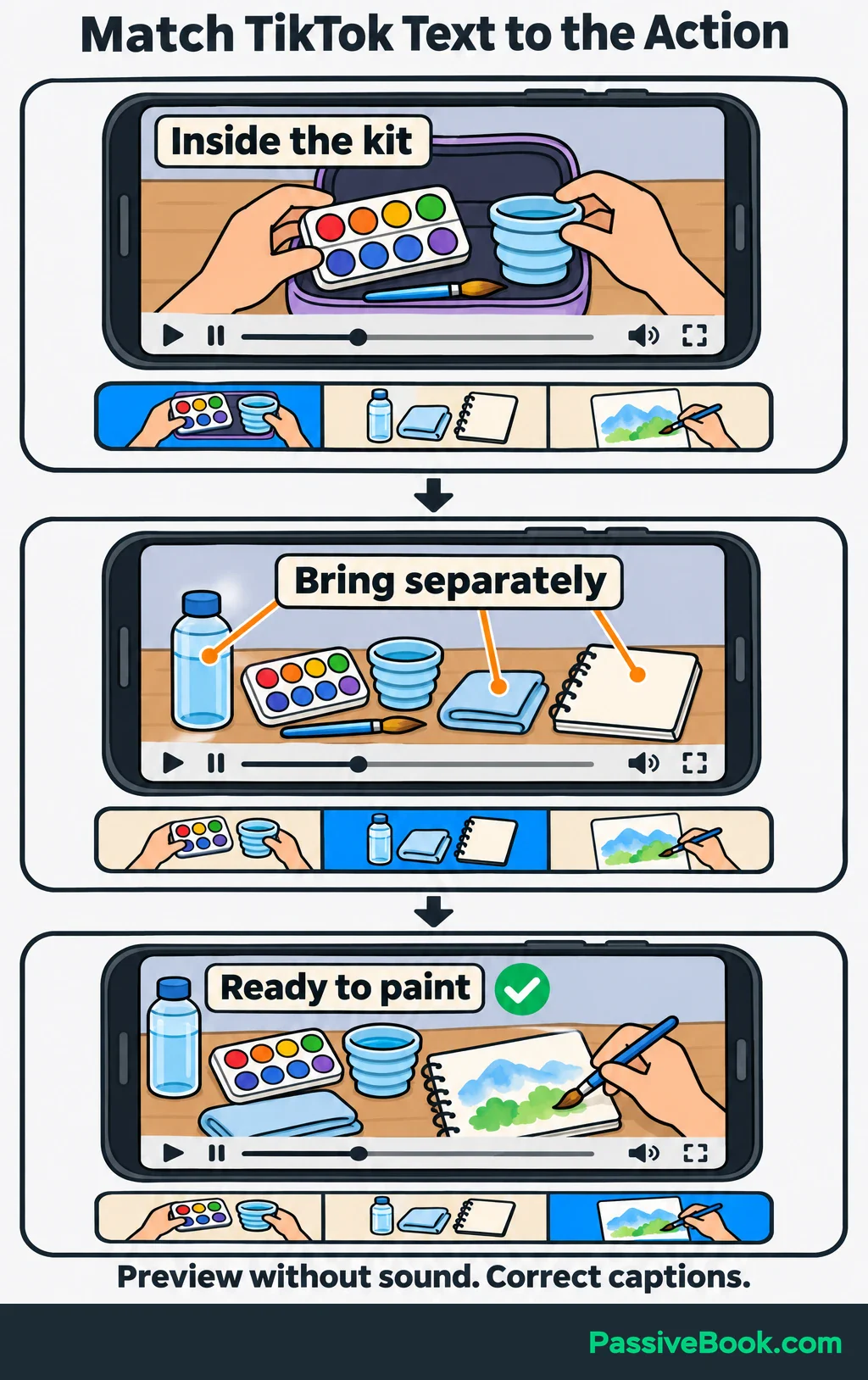
Use the text clip’s timing controls to set when each line appears and disappears. Keep text large enough to read on a phone and away from the buttons and description area.
If the footage needs explanation, add a voiceover after arranging the clips. Name an item while showing its purpose, rather than reading a list over an unrelated shot.
Effects should earn their place. An image overlay could show a close-up of the finished sketch, but a transition that hides how the cup unfolds removes useful information.
To turn speech into on-screen captions, tap Captions on the editing screen. Correct transcription errors, especially product names, then watch without sound to check that the main answer is clear.
Use Duet or Stitch for a Useful Response
Choose Duet when viewers need to see the original video alongside your contribution. Choose Stitch when a short excerpt should introduce your response.
Open the source video’s sharing options and select Duet or Stitch. With Stitch, choose the excerpt before recording your addition.
Suppose a creator asks how to carry painting supplies without taking a large bag. A Stitch could introduce your hands-only packing demonstration. A Duet would make more sense if you need to compare your setup with theirs while both remain visible.
Add an answer, observation, or demonstration. A reaction with nothing useful attached gives people little reason to stay.
If the source does not allow the feature, choose another source or make a standalone explanation with your own footage. Check any source audio before using the response in a promotional post, too.
Publish With Clear Context and Relevant Hashtags
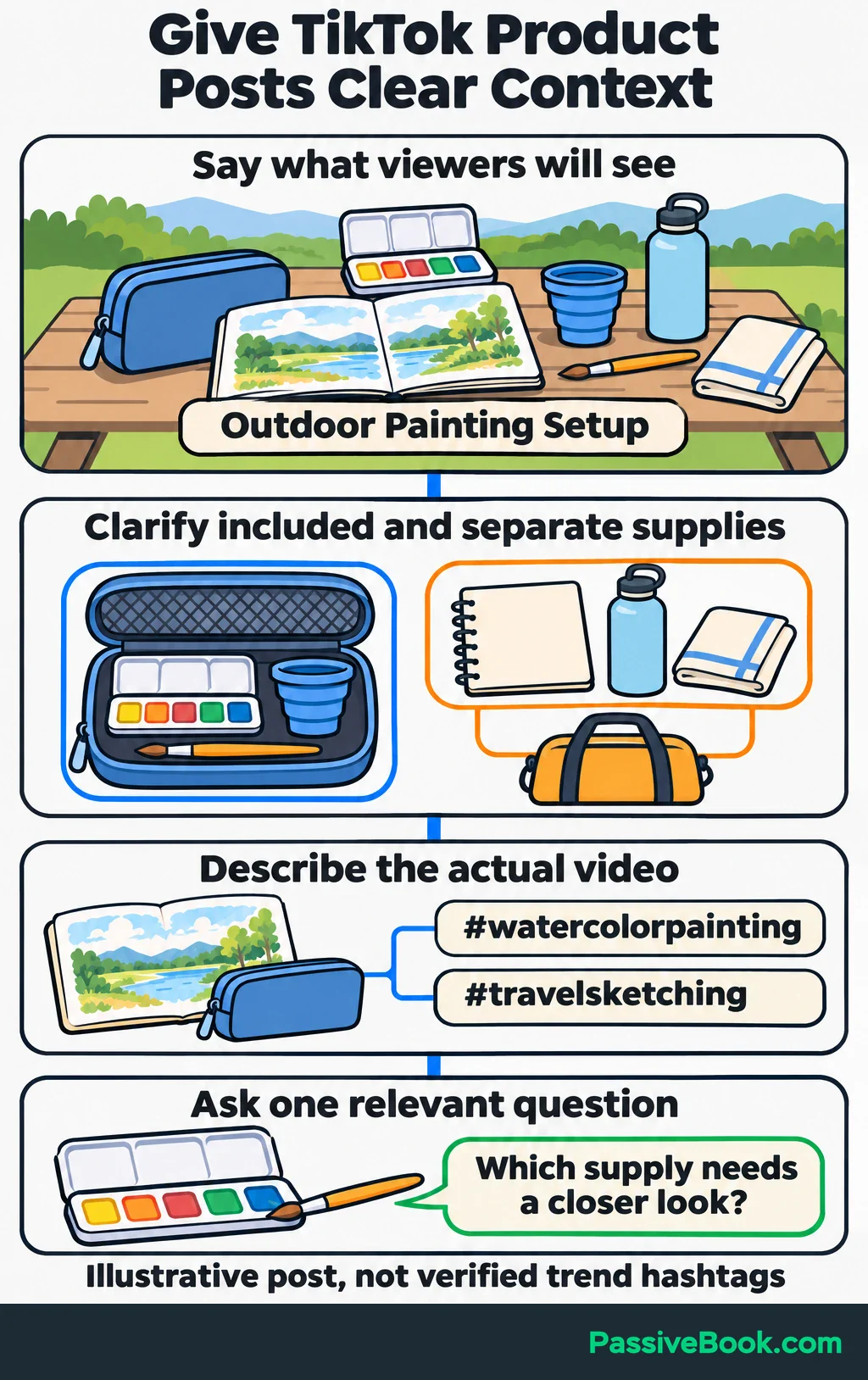
Write a description that tells people what they are watching. You can add information that would clutter the video, such as which supplies are sold separately.
For the sample video:
What I pack for a quick outdoor watercolor sketch. The palette, brush, and folding cup fit in the kit pouch; I bring the sketchbook, water, and cloth separately. Which supply would you like a closer look at?
#watercolorpainting #travelsketching
Those hashtags describe the proposed video. They are not claims about current popularity.
Add a trend hashtag only when you are actually participating in that trend. TikTok says more hashtags do not guarantee broader reach, and adding #FYP does not automatically improve your chances of appearing in For You feeds. TikTok’s hashtag guidance.
Before publishing:
- Cover: Choose a clear frame and a readable label, such as “Outdoor Painting Setup.”
- Playback: Watch with sound on and off, checking text placement and audio.
- Visibility: Confirm who can view the post.
- Disclosure: Turn on the content disclosure setting when promoting a business, product, or service, including your own.
TikTok requires that disclosure for self-promotion as well as qualifying third-party promotions. Choose the option for your own brand when promoting your shop. TikTok’s promotional-content requirements.
Give viewers one next action. Here, the question about supplies fits the video’s purpose. Answer substantive comments and save repeated questions as ideas for later demonstrations.
Repeat the Formats That Attract Relevant Interest
Review posts weekly so you can decide what deserves another production session. TikTok Studio provides account, content, and audience analytics you can use alongside the comments themselves. TikTok Studio’s analytics overview.
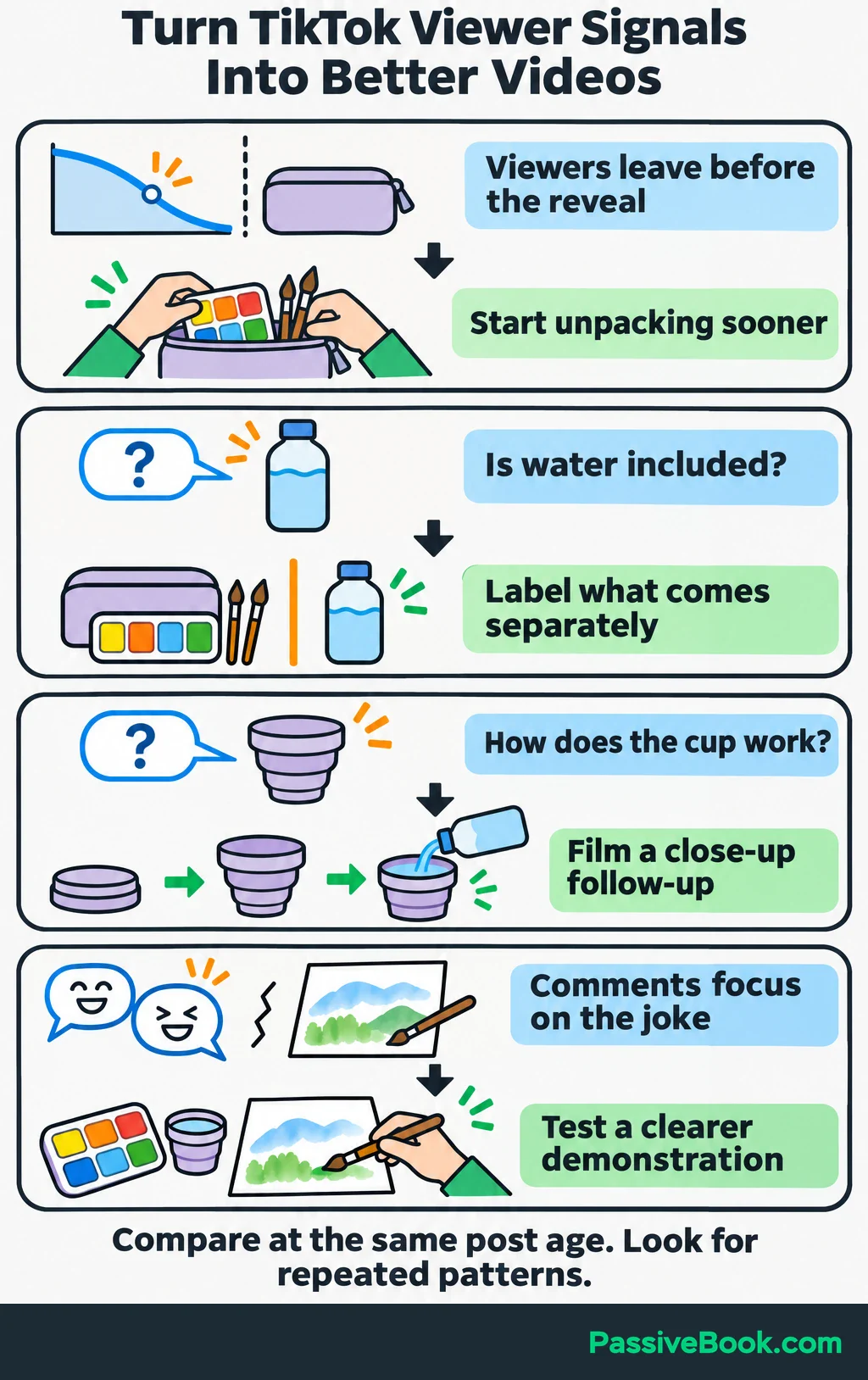
Compare posts with similar purposes at the same elapsed time after publishing. For example, review each product demonstration seven days after posting. That is a consistent comparison window, not a claim that performance ends after a week.
Check where viewers stop watching, then read comments for questions about the supplies or their use.
| What You Observe | What to Check | A Useful Next Change |
|---|---|---|
| Viewers leave before the reveal | Does the opening show why the setup matters? | Start unpacking sooner and shorten the introduction. |
| Comments ask whether water is included | Is the separately carried bottle clearly labeled? | Show what is included and what you bring yourself. |
| People ask how the cup works | Does the video demonstrate that step? | Make a close-up follow-up showing it unfold and fill. |
| Most responses concern an unrelated joke | Did the trend distract from the painting topic? | Test a more direct demonstration. |
Performance differences are clues. One better result does not prove the trend caused it, so look for patterns across several relevant posts.
My own warning comes from Instagram and Twitter/X in another niche. I spent six months chasing followers, and the follower count gave me something to check while the business produced little. I had made audience growth the task and left its business purpose vague.
That is why I would review product questions and inquiries alongside reach. A video can attract attention without attracting interest in what you offer.
Add production time and a repeat, revise, or retire decision to your tracker. A format that repeatedly produces useful questions in a manageable filming session deserves another try.
To keep the work contained, I would start with these limits:
- Discovery: Spend up to 15 minutes finding and checking one candidate.
- Production: Batch unpacking, supply close-ups, and painting footage in one session.
- Review: Make one specific change for the next version rather than rebuilding everything.
If no trend fits, publish the useful original demonstration. You still answered a question, and you avoided spending your evening forcing a watercolor kit into a joke about something else.
What Next?
Choose one question your audience asks and save one video format that could help answer it. Write your adaptation in a sentence before you film.
Use the social buttons to share this guide when your next content-planning conversation needs a practical way to choose trends.
Which audience question could you answer with footage you already have? Share it in the comments, and bring any other questions about adapting trends or using TikTok’s tools.
Share this post with your friends & followers:

