You have a product you could demonstrate in a short video, but can you open a shop before you have an audience? Before buying stock, you also need to know whether each sale would leave enough money to make packing the order worthwhile.
A shop can generate orders and still leave you short of cash for postage, refunds, or the next supplier payment. To help you judge whether a small launch is worth funding, this guide covers U.S. eligibility, shop setup, order costs, and ways to attract buyers without paid ads or appearing on camera.
Check Whether You Qualify to Sell
Start with your location and legal business structure. Open the official TikTok Shop seller portal, select your market, and check which seller types it accepts before ordering inventory.
This guide uses United States requirements and dollar examples. If your business operates elsewhere, check local requirements in Seller Center, TikTok’s dashboard for managing products, orders, and payments.
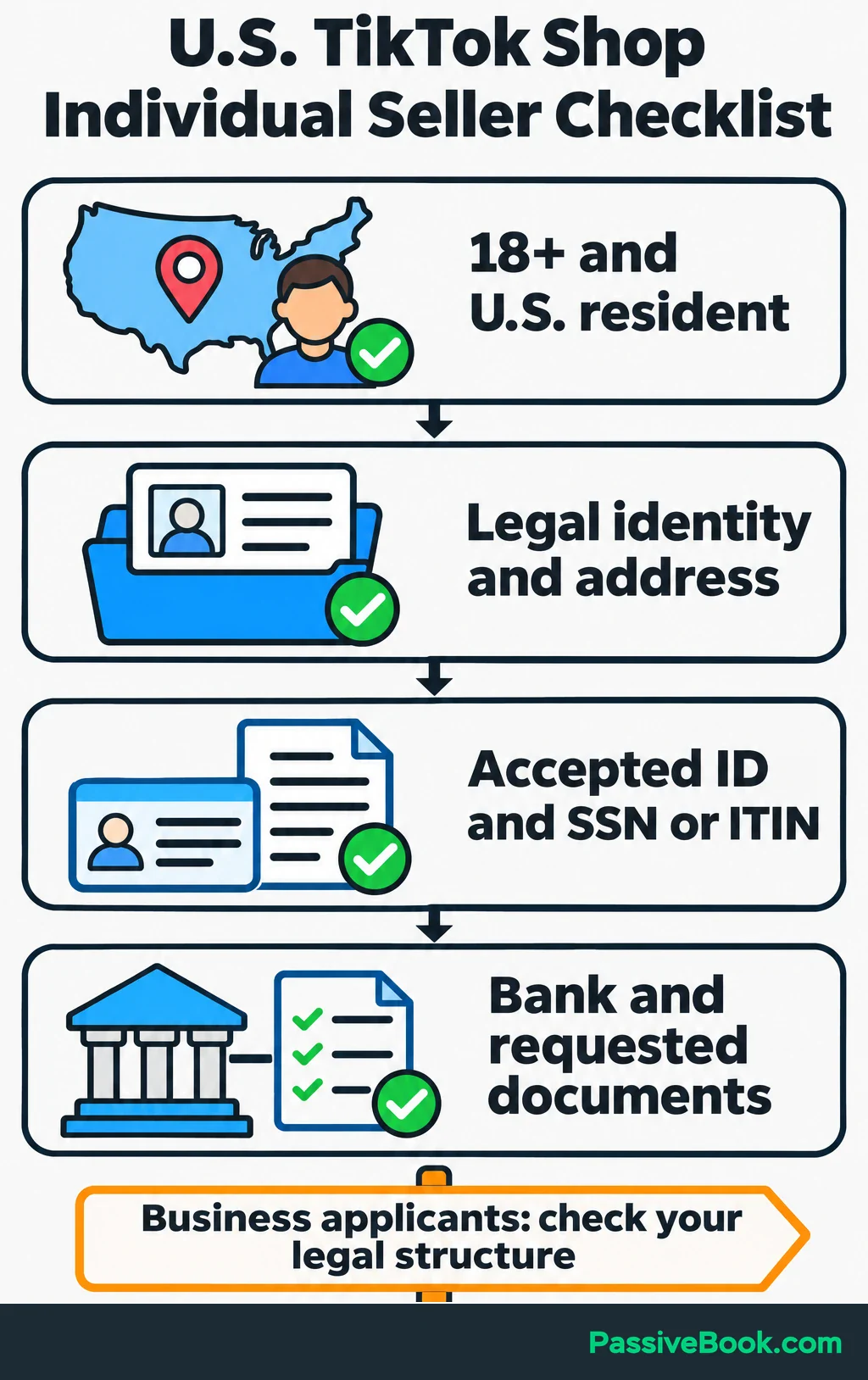
For a U.S. individual seller account, you must be at least 18 and reside in the United States. Prepare:
- Your legal name, date of birth, and residential address.
- Accepted identification, such as a U.S. passport, driver’s license, state ID, or permanent resident card.
- Social Security number or Individual Taxpayer Identification Number information.
- Banking details and any requested address or tax documents.
These are the U.S. individual seller requirements. Business applications require information appropriate to their legal structure, so apply as the individual or business that will actually operate the shop.
Do You Need 1,000 Followers to Sell on TikTok Shop?
You do not need 1,000 followers to promote your own shop’s products through a linked U.S. official account. That account is for selling your shop’s products and does not provide access to the affiliate product marketplace.
Affiliate creators follow a different route. They promote other sellers’ products for commission, and U.S. applicants need at least 1,000 followers alongside age, location, verification, and account-standing requirements.
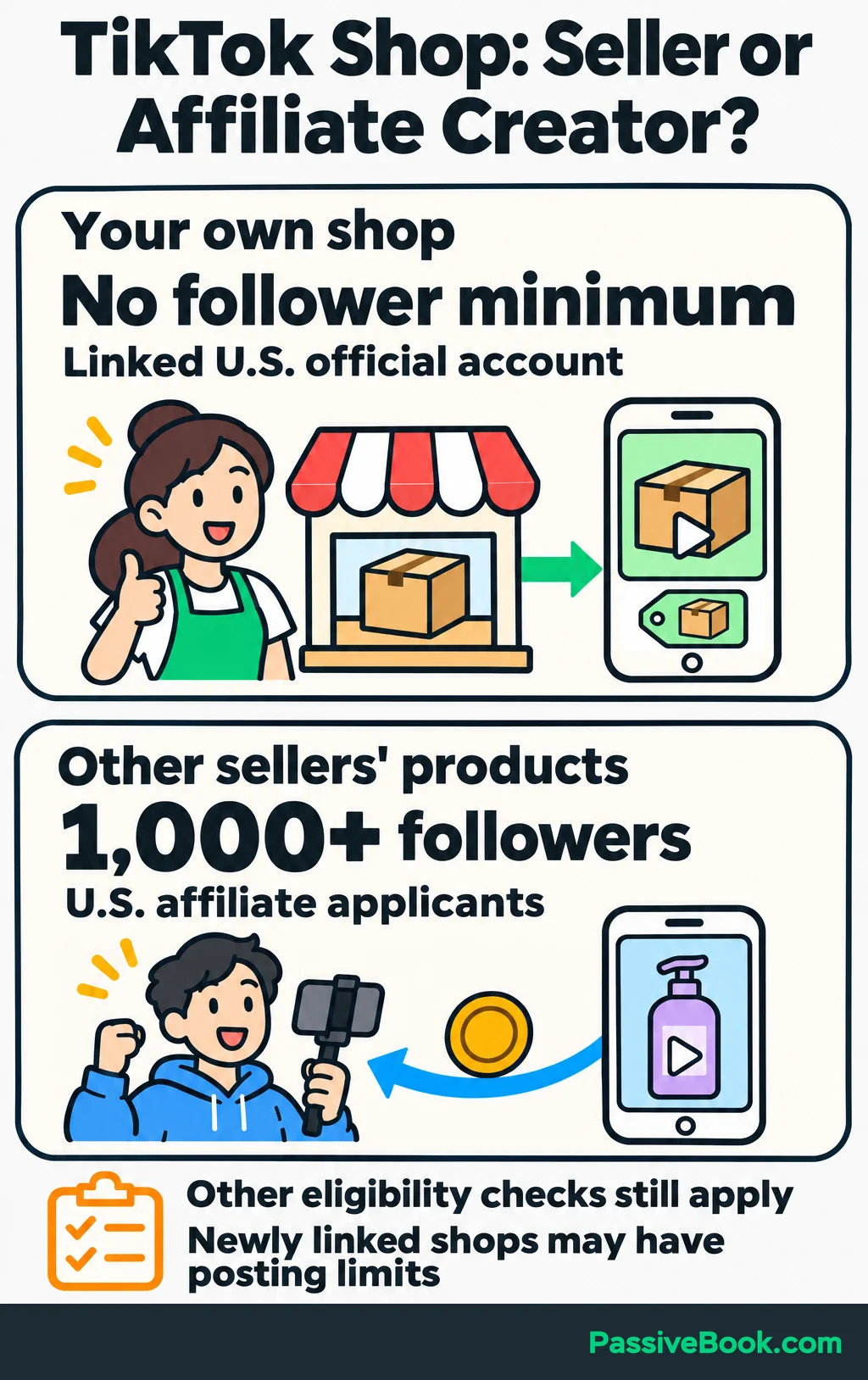
Newly linked shop accounts may also enter a pilot with publishing limits. Check your available quota before planning a week of shoppable posts. TikTok’s creator eligibility guide explains these account differences.
I would settle which route you want first. Promoting another seller’s products can remove the need to operate a shop, but it is a different business from selling your own stock.
Choose a Product Buyers Can Understand Quickly
Start with one product or a small assortment you already know. You need something you can explain, inspect, ship, and price without guessing.
Compare possible products against five questions:
- What specific problem does it solve?
- Can you show that use clearly on video?
- Is the quality consistent?
- What does it cost to ship in its actual packaging?
- Will the likely selling price cover the costs?
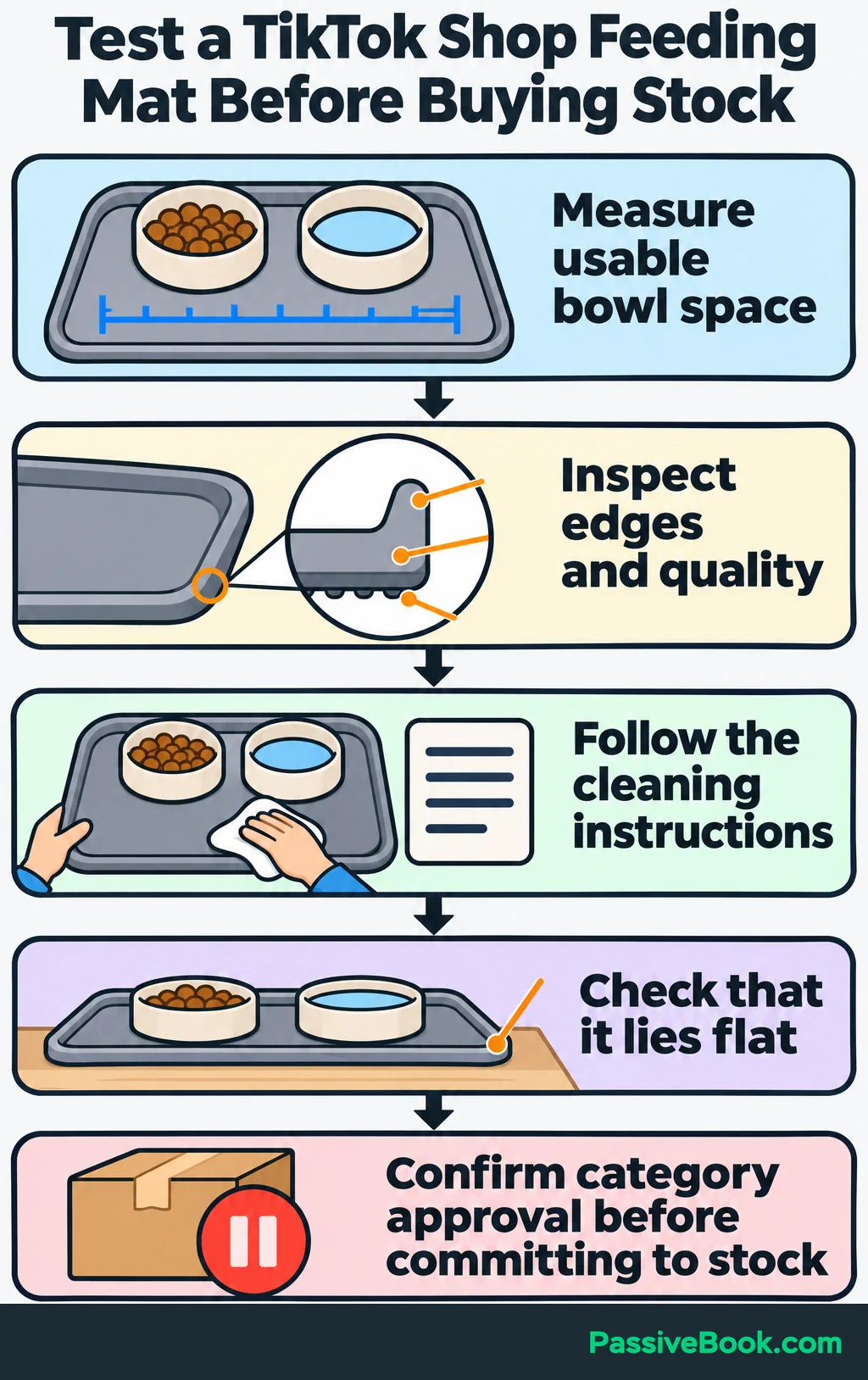
For our running example, imagine you run a cat-feeding accessories shop and want to sell a washable silicone feeding mat. Its features, costs, and promotional examples throughout this guide are illustrative.
Read comparable listings, reviews, and customer questions. For the mat, investigate bowl fit, dimensions, edge height, cleaning, and storage. These questions give you a sample-testing checklist and material for later demonstrations.
Then inspect a sample. Measure it, follow its cleaning instructions, and check whether it lies flat after unpacking. Confirm that the actual product and category qualify for sale, including any required approvals, before committing to stock.
I put about $1,200 into an online jewellery store and lost most of it after skipping market research and accumulating unsold inventory. That happened before TikTok Shop. The uncomfortable lesson still applies: finding a supplier does not establish that buyers want the product.
I would buy enough to test the offer, rather than enough to earn the supplier’s warmest congratulations.
Choose How You Will Fulfill Orders
Decide who will store inventory, pack orders, arrange carrier handoff, and receive returns. Then compare the cost using the product’s packed weight and dimensions.
Shipping services and warehouse services do different jobs:
| Arrangement | Who Stores and Packs the Product? | What You Need to Check |
|---|---|---|
| TikTok Shipping | You or your fulfillment partner | Choose from carriers listed in Seller Center; compare label costs and handoff arrangements |
| Fulfilled by TikTok | TikTok’s fulfillment warehouses | Inventory intake, storage, fulfillment charges, and return arrangements |
| Seller Shipping | You or your fulfillment partner | Confirm account access, then arrange delivery with a carrier supported by TikTok Shop |
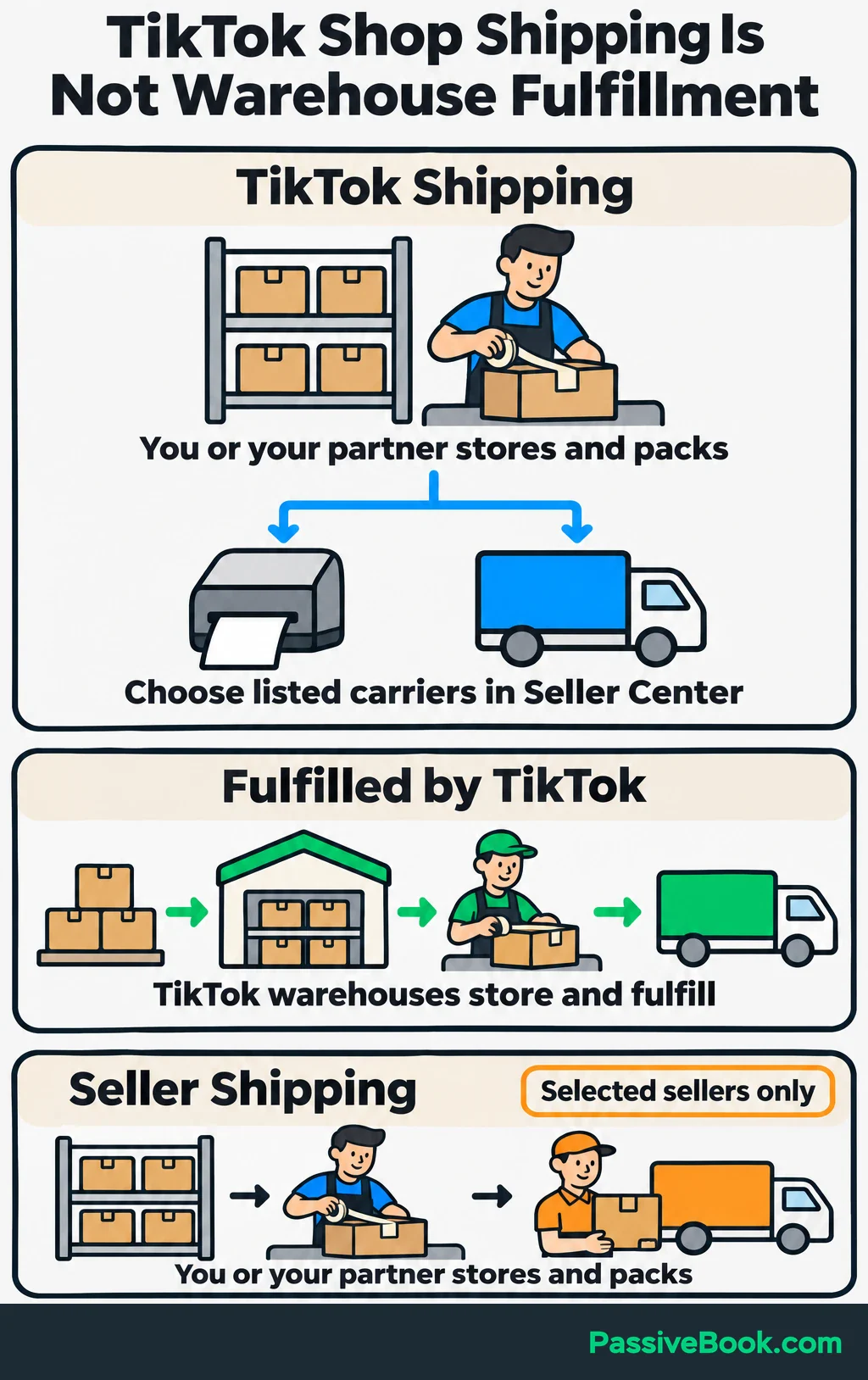
Seller Shipping is available only to selected sellers. These distinctions come from TikTok’s U.S. shipping requirements.
For a small feeding-mat test, I would compare packing orders yourself against the full cost of warehouse fulfillment. Include postage, packaging, handling, storage, and freight into the warehouse. Outsourcing may save useful time, but a low advertised handling charge is only part of the bill.
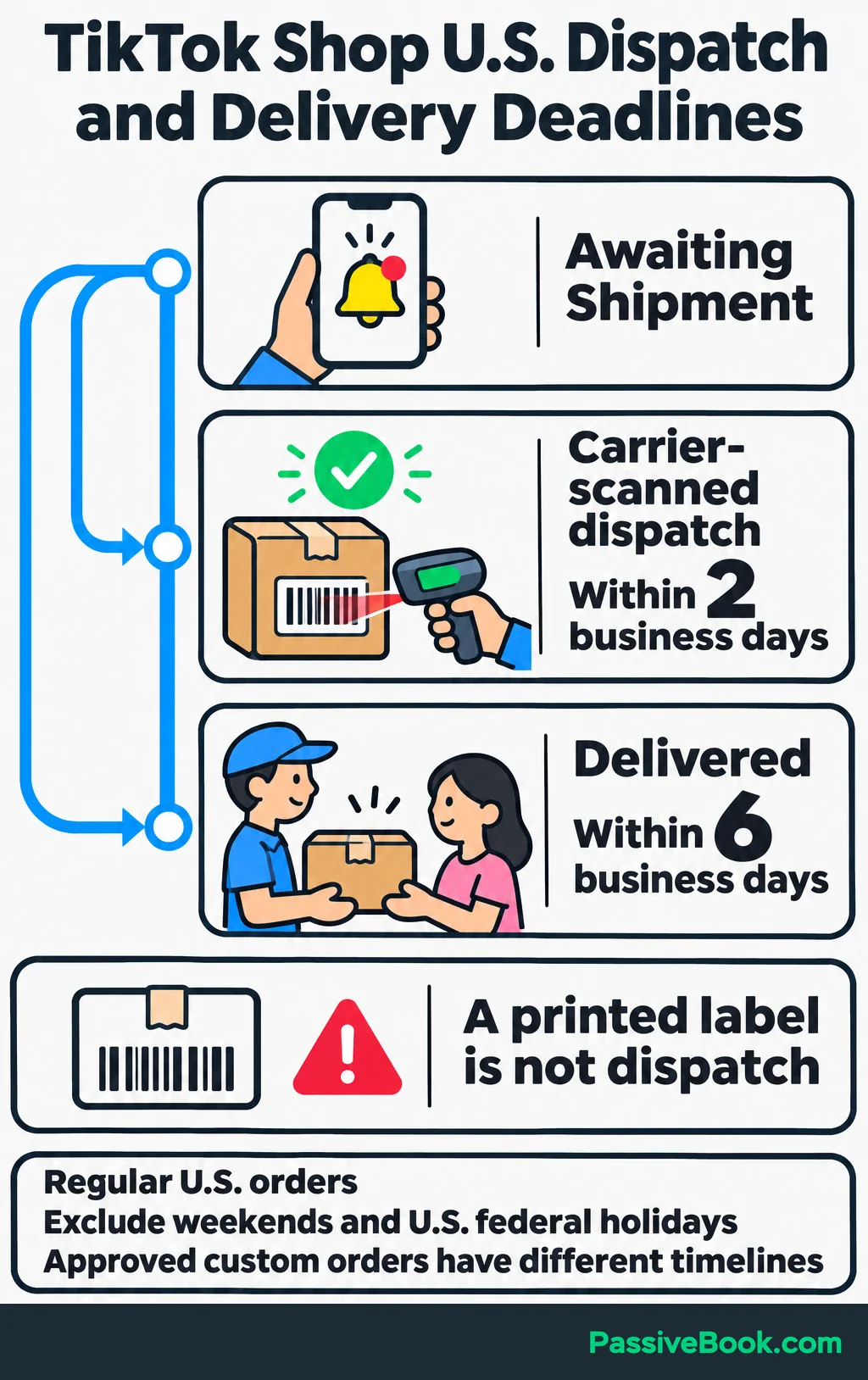
Check carrier collection times against your work schedule. For regular U.S. orders, TikTok requires carrier-scanned dispatch within two business days and delivery within six business days of “Awaiting Shipment.” Business days exclude weekends and U.S. federal holidays; approved custom-order arrangements have different timelines. See the fulfillment policy.
Printing a label does not mean a parcel has been dispatched. Plan around the carrier accepting and scanning it.
Can You Sell Without Holding Inventory?
You can avoid storing and packing stock yourself, but you still need a compliant inventory arrangement.
U.S. policy allows third-party fulfillment providers when you maintain ownership of the inventory. It prohibits buying from another online retailer and having that retailer ship directly to your TikTok customer. These conditions appear in TikTok’s third-party fulfillment requirements.
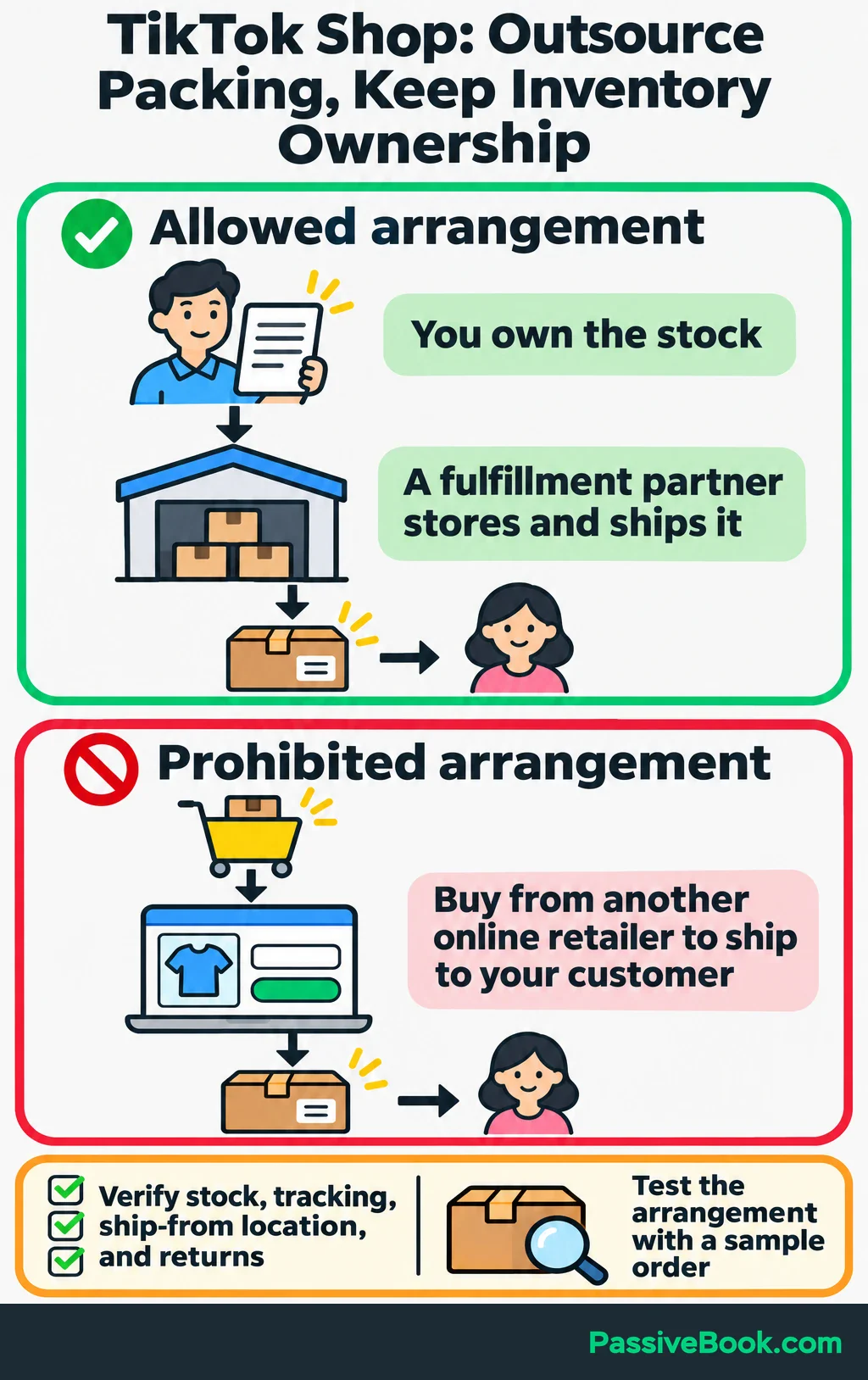
Before relying on a supplier or warehouse, confirm:
- When you take ownership of the stock.
- How available quantities stay accurate.
- Where orders ship from.
- Whether labels and tracking work with your shop.
- Who receives returns and reports damaged goods.
Place a sample order through the proposed arrangement. A supplier’s promise of “fast shipping” is less useful than seeing the packaging, tracking, and arrival yourself.
Calculate Your Costs Before Setting a Price
U.S. shop registration has no setup fee, according to the official seller portal linked earlier. Selling still brings platform fees and operating costs.
Most U.S. categories, including dog-and-cat accessories, carry a 6% referral fee. The fee base includes customer payment plus platform-funded discounts, minus tax, and includes customer-paid shipping. Check your category in TikTok’s referral fee schedule.
Next, calculate what remains from an order after its direct costs. This is your contribution toward overhead, your time, and profit.
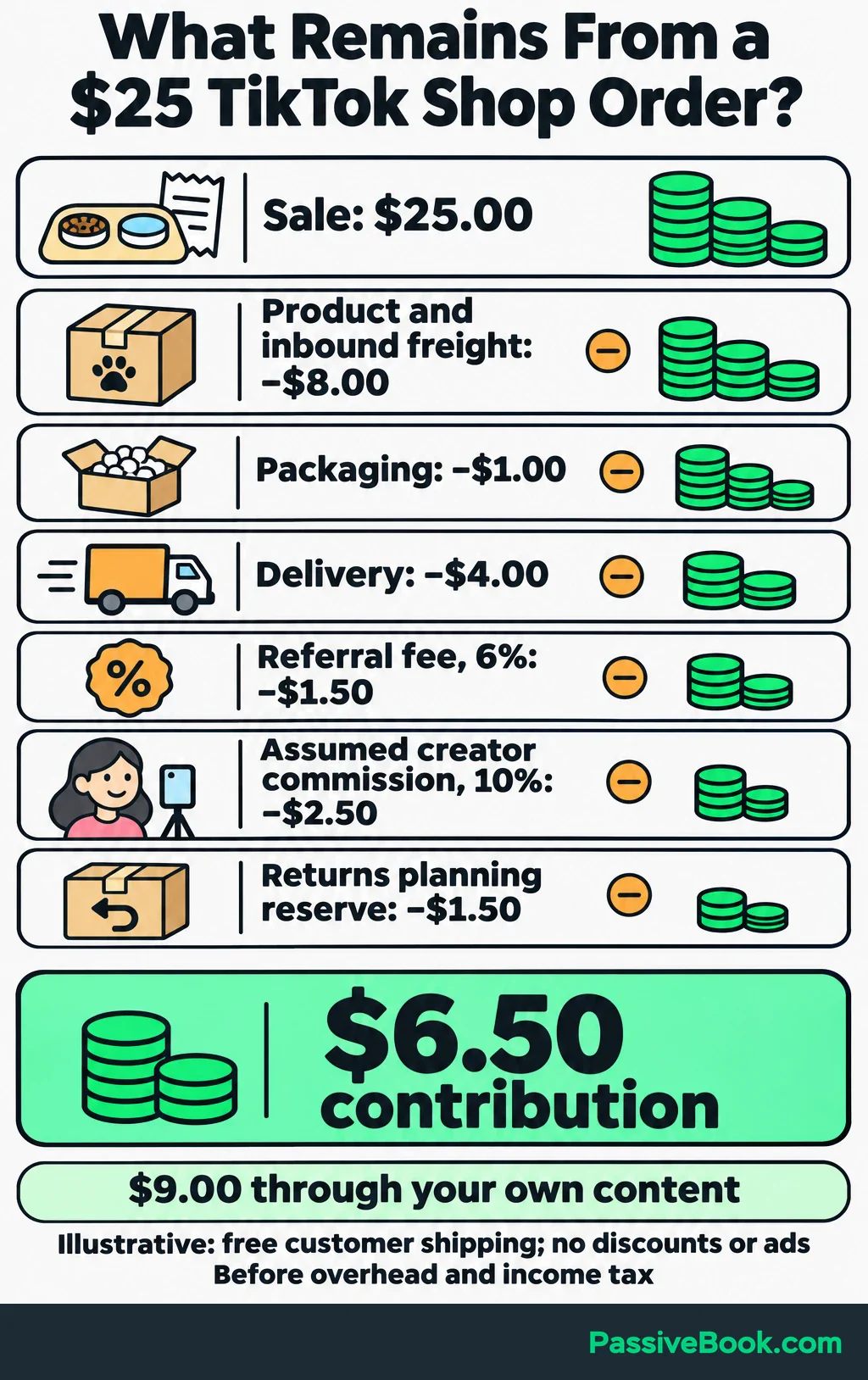
Count revenue excluding tax and after seller-funded discounts, then subtract:
- Product cost, including freight to get it into your stock.
- Packaging and fulfillment charges.
- Delivery costs you pay.
- TikTok’s referral fee.
- Any applicable creator commission.
- An allowance for returns and unrecovered costs.
- Advertising costs, when used.
Here is a feeding-mat example. Assume a $25 item price, free shipping for the customer, no discounts or ads, and that you pack the order yourself.
| Revenue or Expense | Amount | Calculation Base | Contribution Remaining |
|---|---|---|---|
| Item revenue | $25.00 | One mat sold for $25, excluding tax | $25.00 |
| Landed product cost | −$8.00 | Mat plus freight into your stock | $17.00 |
| Packaging | −$1.00 | Packaging used for this order | $16.00 |
| Delivery | −$4.00 | Postage paid by you | $12.00 |
| Referral fee | −$1.50 | 6% of $25 | $10.50 |
| Creator commission | −$2.50 | An assumed 10% of $25 | $8.00 |
| Returns allowance | −$1.50 | Your illustrative planning reserve | $6.50 |
The order leaves $6.50 before overhead and income tax. Selling through your own content carries no affiliate commission, so the same order leaves $9 under these assumptions.
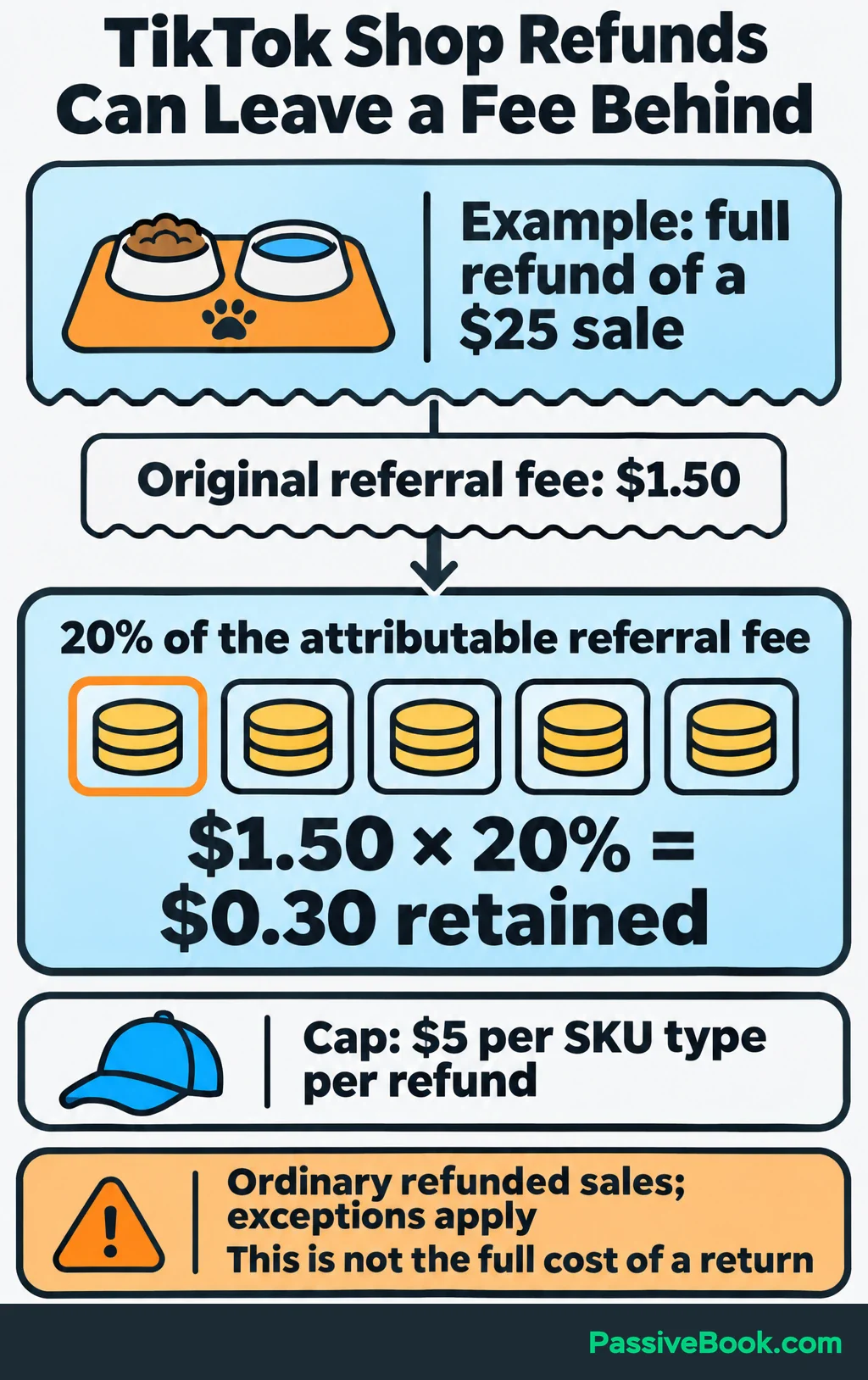
The returns allowance is money you set aside for planning. It is not an automatic platform deduction or a typical loss rate. Adjust it as you learn your actual return costs.
A refund may also leave unrecovered fees. For ordinary refunded sales, TikTok retains a refund administration fee equal to 20% of the referral fee attributable to the refunded amount, capped at $5 per SKU type per refund. The refund fee rules explain the exceptions.
I would test every proposed discount and commission in this worksheet before enabling it. A creator offer that leaves you almost nothing per order needs a better price or a lower cost.
The calculator below works backward from what you want each order to leave. It also shows how much room you have for a creator commission or discount before you miss that target.
Free Pricing Profit Calculator




Keep Cash Available Until Payouts Arrive
An order can be profitable on paper while you lack the cash to ship the next one.
Budget separately for samples, stock, packaging, postage, and refunds before sales proceeds reach your bank. Only then decide how much inventory to buy.
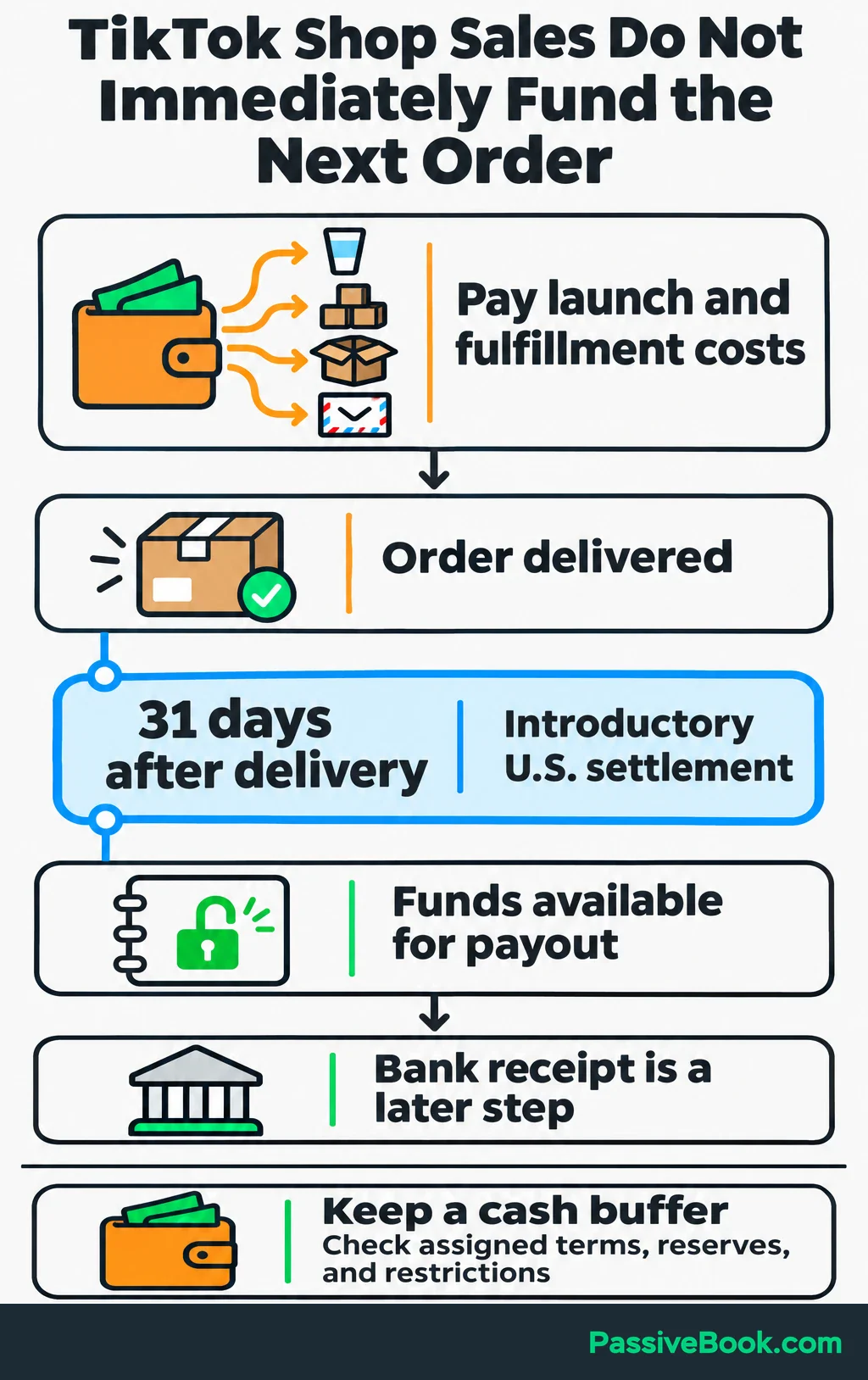
TikTok lists introductory settlement for new or probationary U.S. sellers as 31 days after delivery, when funds become available for payout. Bank account names must also match the verified individual or business name. Check your assigned terms in the finance and settlement guide.
For the feeding mat, that means paying for stock and shipping before the customer’s payment becomes usable. Build your launch around that gap, rather than assuming each sale immediately funds the next parcel.
Keep a separate cash buffer and check for any reserves or restrictions shown in your account before placing a reorder.
Create Your Seller Account and Set up Seller Center
With the product, delivery arrangement, and costs worked out, you can enter the details without making expensive decisions halfway through registration.
Register and Complete Verification
Open the official seller portal, choose your market, and create an account using a supported sign-in method.
Select your actual seller type and enter your details exactly as they appear on your documents. Submit the requested identity, business, address, and tax information.
If verification fails, read the specific request. Correct the name mismatch, unclear document, missing information, or other stated issue. Repeatedly submitting the same application will not resolve it.
Use the application status shown in Seller Center to plan your next steps. Once available, complete the tax setup and verify your payout account using the matching holder name discussed above.
Keep copies of what you submitted so you can answer later verification requests consistently.
Prepare the Shop to Accept Orders
Complete the shop’s operating details before promoting anything:
- Add the shop name and contact information.
- Enter the actual warehouse or pickup address.
- Provide a working returns address.
- Configure your chosen fulfillment method, delivery destinations, and shipping charges.
- Link the TikTok account that represents the shop and authorize the connection.
The official account must share the shop’s name, and approved products can synchronize to its Store Page.
Then find the areas for products, orders, customer messages, returns, finances, and account health. Enable notifications that help you catch deadlines.
I would also write a short daily checklist now. “Check orders, messages, and return requests” is easier to maintain than remembering six separate screens during a lunch break.
Publish Your First Product Listing
Create the listing in the accurate category and use a title that identifies the item. For our example, “Washable Silicone Cat Feeding Mat” works once you have confirmed the material and care instructions.
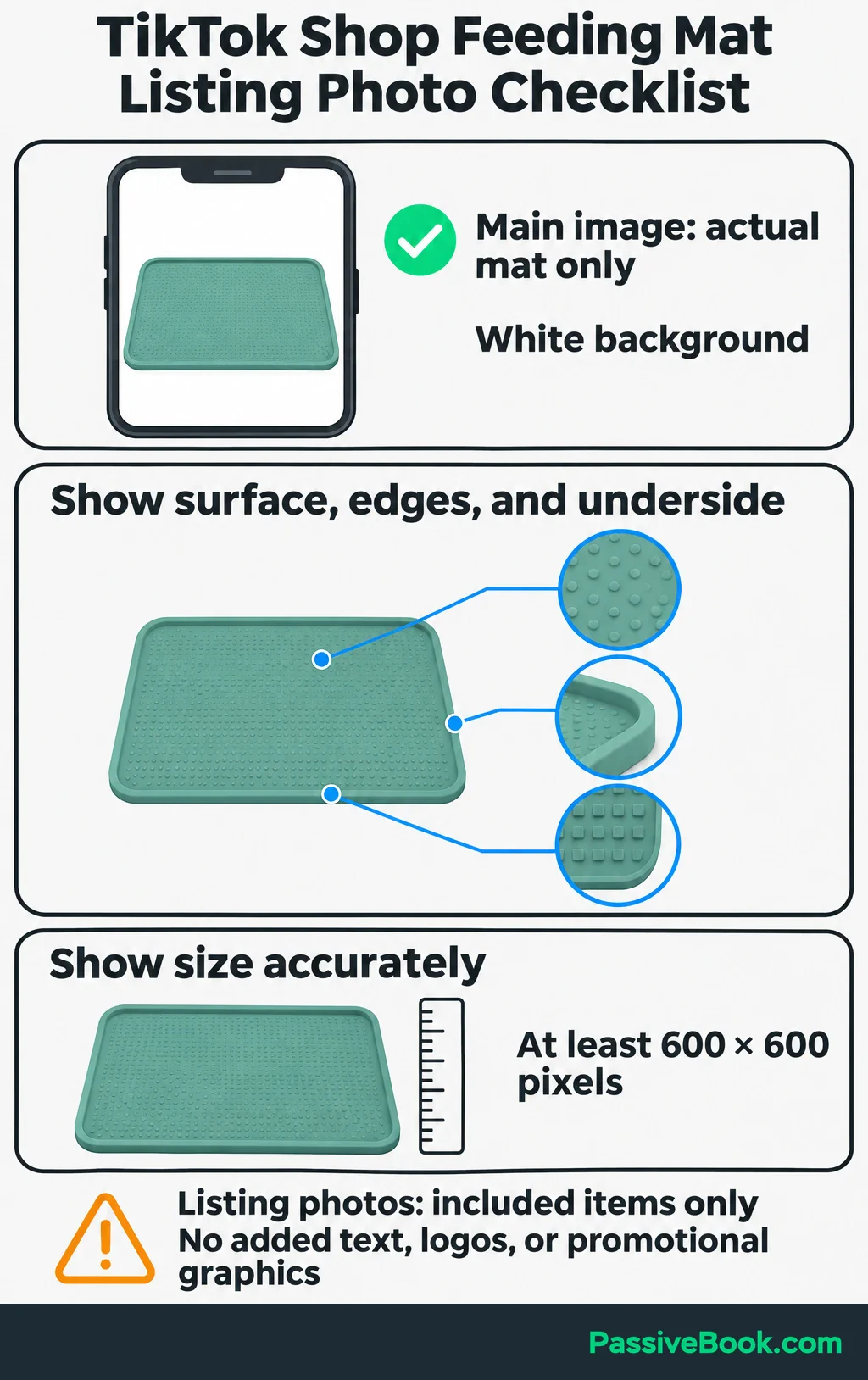
Photograph the actual mat. Show its surface, edges, underside, and size. Use a white-background main image and clear images at least 600 × 600 pixels, without added text, logos, or promotional graphics. TikTok’s listing policy also requires accurate product information.
In the description, cover:
- Materials and measured dimensions.
- What the customer receives.
- Care instructions supported by the product.
- Any required warnings.
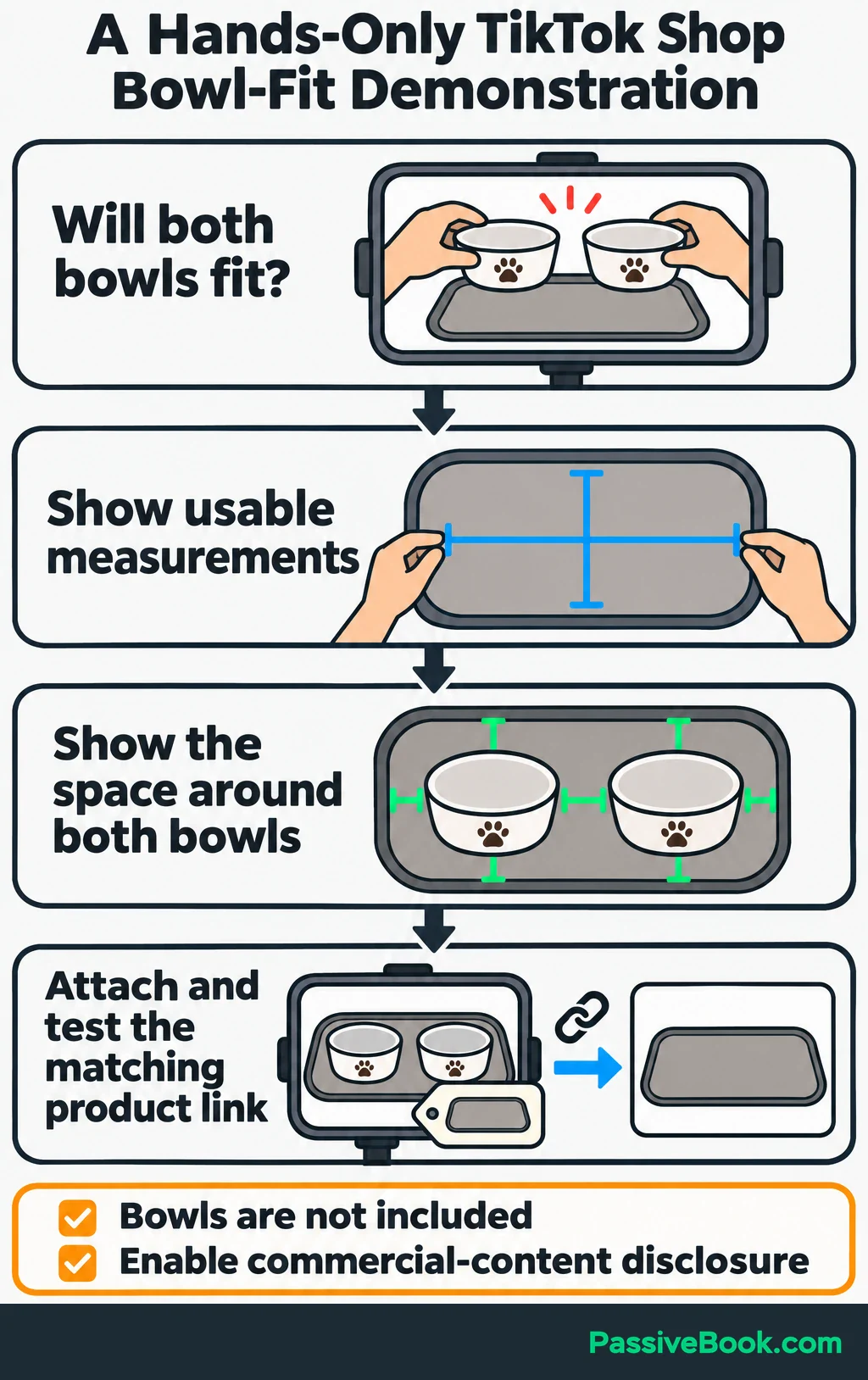
If bowls appear in promotional demonstrations, make clear that they are not included with the mat. Show only the items included in the sale in listing photos.
Enter the correct brand, variants, and any required product identifier. Add a SKU—your code for identifying a particular stock item—along with its price and available quantity. Use the packed parcel’s weight and dimensions for shipping.
Submit the listing and address any stated rejection reason. After approval, preview the variants, stock, delivered price, and product-link availability before directing viewers to it.
Start Attracting Buyers
Choose a promotion route you can maintain alongside order handling. Recorded videos suit demonstrations you can prepare in advance, affiliates introduce relevant creators, and LIVE lets you answer questions as they arise.
I would start with recorded demonstrations and add other routes when you can support them. Paid advertising is optional, and none of these routes guarantees orders.
Demonstrate the Product in Shoppable Videos
Build each video around one buying question. Show the issue, demonstrate the product, explain the detail that matters, and point viewers to the tagged listing.
For the feeding mat, a useful opening is:
“Will both bowls fit on this mat?”
Show an overhead view with the mat’s measurements, then place the bowls inside its usable surface. Finish by showing the space left around them. That answers a buying question more clearly than calling the mat “perfect for every cat.”
Other demonstrations could show cleaning according to the care instructions or how the mat fits a particular feeding area.
You can film these hands-only, with narration or captions. Showing your face is not necessary for this kind of demonstration, but the product still needs to be clearly visible.
Before publishing, attach the matching product and test the link. Enable TikTok’s required commercial-content disclosure for your own promotions and for paid or incentivized creator content, including LIVE. TikTok explains the disclosure requirement here.
Batch a few distinct demonstrations in one filming session, within your account’s publishing allowance. Then use customer questions to decide what to record next.
I would skip five near-identical clips of the same rinse. Bowl fit, edge height, and cleanup answer different concerns and give you more useful feedback.
If you know your product but are stuck on what to film, AI Social Copy Studio can turn those facts into three distinct demonstrations. Each draft includes the shots, narration, and captions so you are not starting with a blank page.

Free AI Social Copy Studio
Partner With Affiliate Creators
Check whether your shop and product qualify in Affiliate Center, where you manage creator partnerships. Shop eligibility does not automatically make every product eligible.
Let eligible creators discover your products through Open Collaboration, or invite specific creators through Target Collaboration. TikTok’s affiliate policy explains both arrangements.
Choose creators whose existing content fits the product. For the feeding mat, look for clear feeding-routine or pet-accessory demonstrations. Review their content and available sales performance, then offer a commission your order calculation can support.
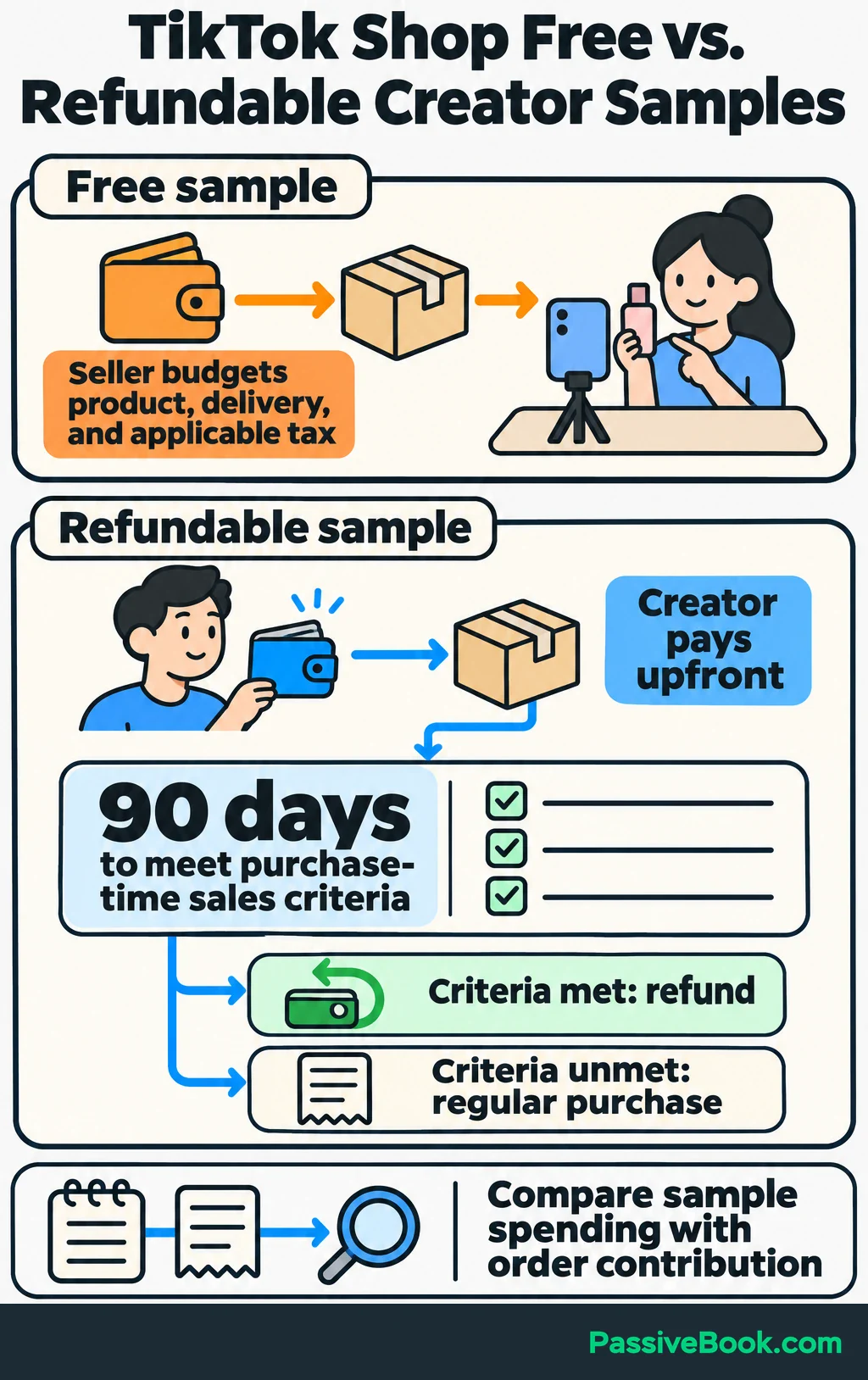
Set a sample budget before approving requests. Count the product, delivery, and applicable tax.
Free samples cost you money. With refundable samples, the creator pays upfront and has 90 days to meet the sales criteria that applied when they purchased. Meeting those criteria earns a refund; otherwise, the sample remains a regular purchase. Review the arrangements in TikTok’s sample guide.
Give creators a short factual brief covering dimensions, material, care, included items, and useful buyer questions. For example:
“Please show how your bowls fit inside the mat’s usable area. Bowls are not included.”
Let the creator choose how to explain it to their audience. You need accurate demonstrations, not several people reading identical praise.
Compare contribution from creator-attributed orders with sample spending before expanding. A large number of videos does not repay the sample bill by itself.
Use LIVE for Real-time Demonstrations
Confirm that the linked account has LIVE shopping permission before scheduling a session. U.S. accounts linked to a shop can go LIVE without a follower minimum, subject to TikTok’s checks, under its account-linking requirements.
Prepare the product, available stock, demonstration sequence, and answers to common questions. Add the mat to the LIVE shopping bag and pin it while demonstrating.
A product-focused camera angle can show bowl placement, measurements, and cleaning while you explain and answer viewers. Keep the session active rather than leaving the camera pointed at an unattended product.
I would try LIVE when repeated questions benefit from an immediate demonstration and you have time to handle the resulting orders. It is another selling option, not a compulsory evening shift.
Fulfill Orders and Handle Returns
Set a routine for checking paid orders and arranging timely carrier handoff.
For each order, pick the correct variant, inspect it, pack it securely, and confirm that tracking records dispatch within the applicable deadline. Keep relevant packing and delivery evidence in case a problem arises.
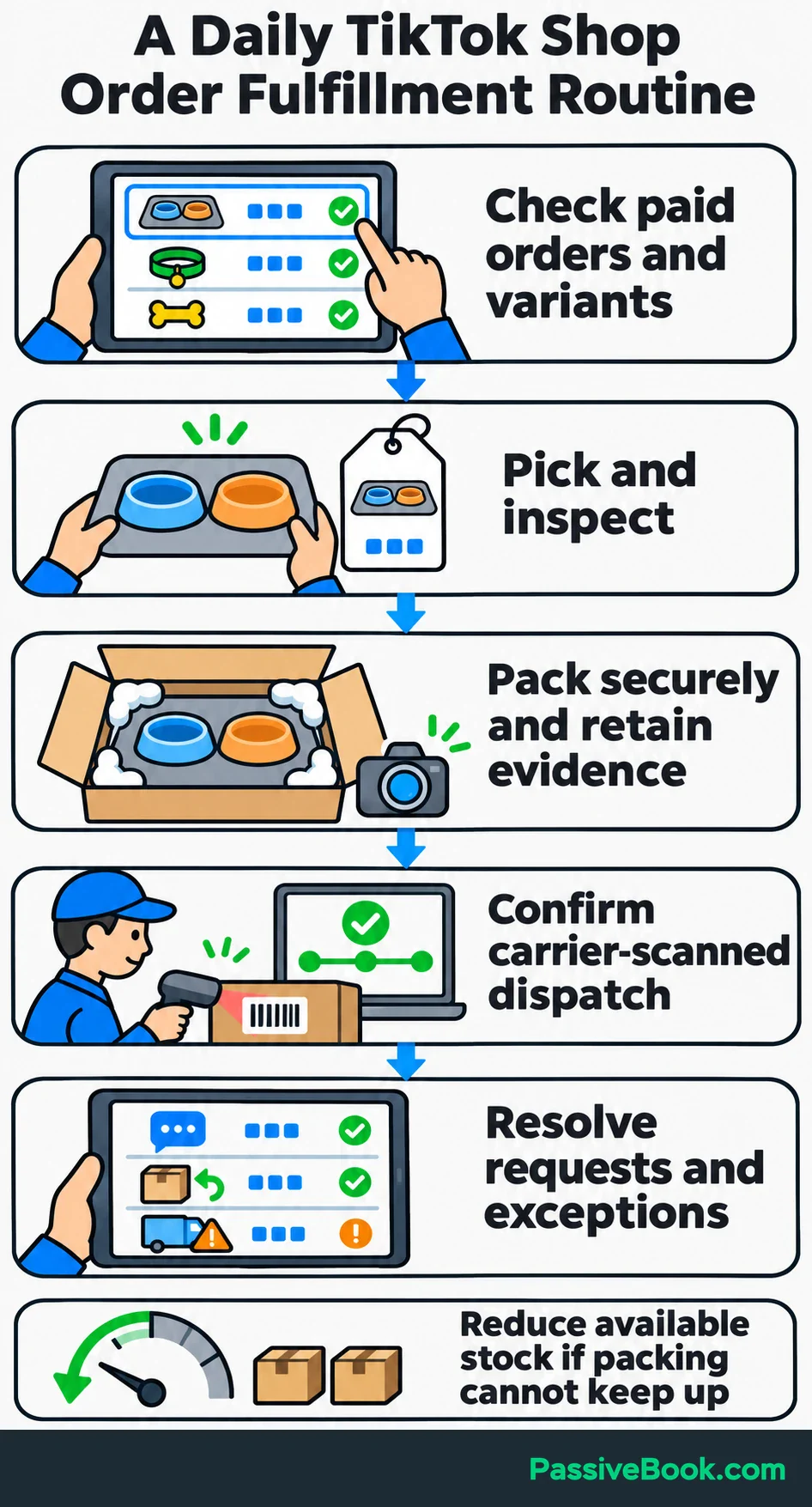
Watch stock quantities and delivery exceptions. If you cannot reliably pack more orders, reduce the available quantity before another promotion sends buyers to the listing.
Check messages, cancellation requests, returns, and account-health notices often enough to meet their displayed deadlines. Process requests through Seller Center so the order record stays complete.
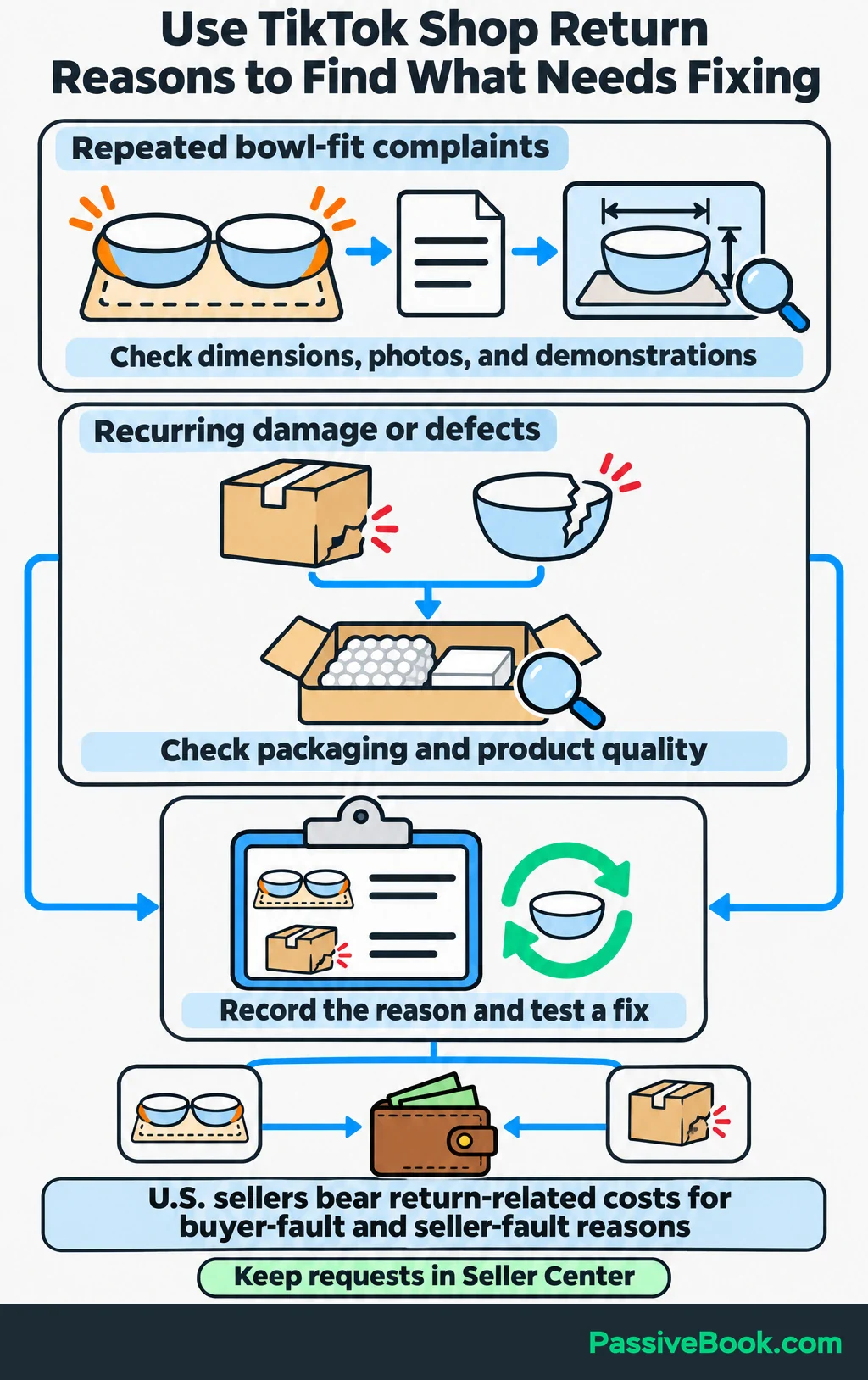
Budget for returns even when the product is sound. U.S. rules place return-related costs on sellers for both buyer-fault reasons, such as an item not fitting, and seller-fault reasons, such as defects. See TikTok’s return and refund responsibilities.
Record the reason for each return. Repeated bowl-fit complaints may point to unclear dimensions or demonstrations, while recurring damage may require different packaging.
Finally, reconcile payouts against orders, fees, commissions, shipping, and refunds. Sales revenue, money deposited in your bank, and profit are three different numbers.
Use Early Results to Decide What to Improve
Review results over the same reporting period so your comparisons mean something. Track product views, clicks, orders, returns, and contribution by promotion source.
Keep order counts beside rates. Two purchases can help you spot questions to investigate, but they provide little evidence for a large inventory order.
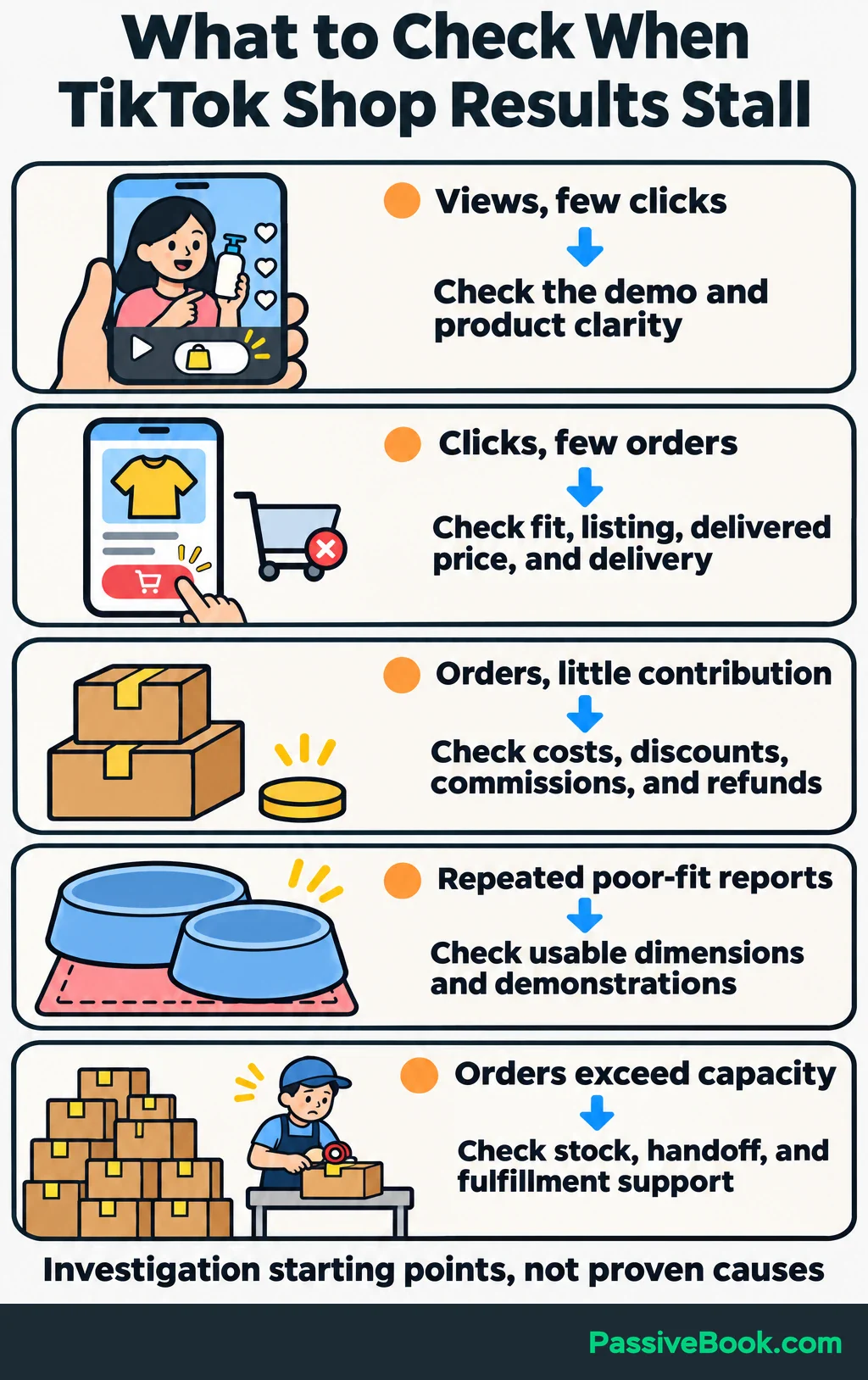
Use the pattern to choose the next change:
| What You Observe | What I Would Check First |
|---|---|
| Videos get views but few product clicks | Whether the demonstration answers a buying question and makes the product easy to identify |
| Product clicks do not become orders | Listing clarity, suitability, delivered price, and delivery information |
| Orders arrive but little contribution remains | Product cost, shipping, discounts, commissions, and refunds |
| Buyers repeatedly report poor bowl fit | Usable dimensions, listing photos, and the bowl-placement demonstration |
| Orders outpace packing capacity | Available stock, carrier handoff arrangements, and fulfillment support |
These are starting points for investigation. Views alone cannot tell you why someone did not buy.
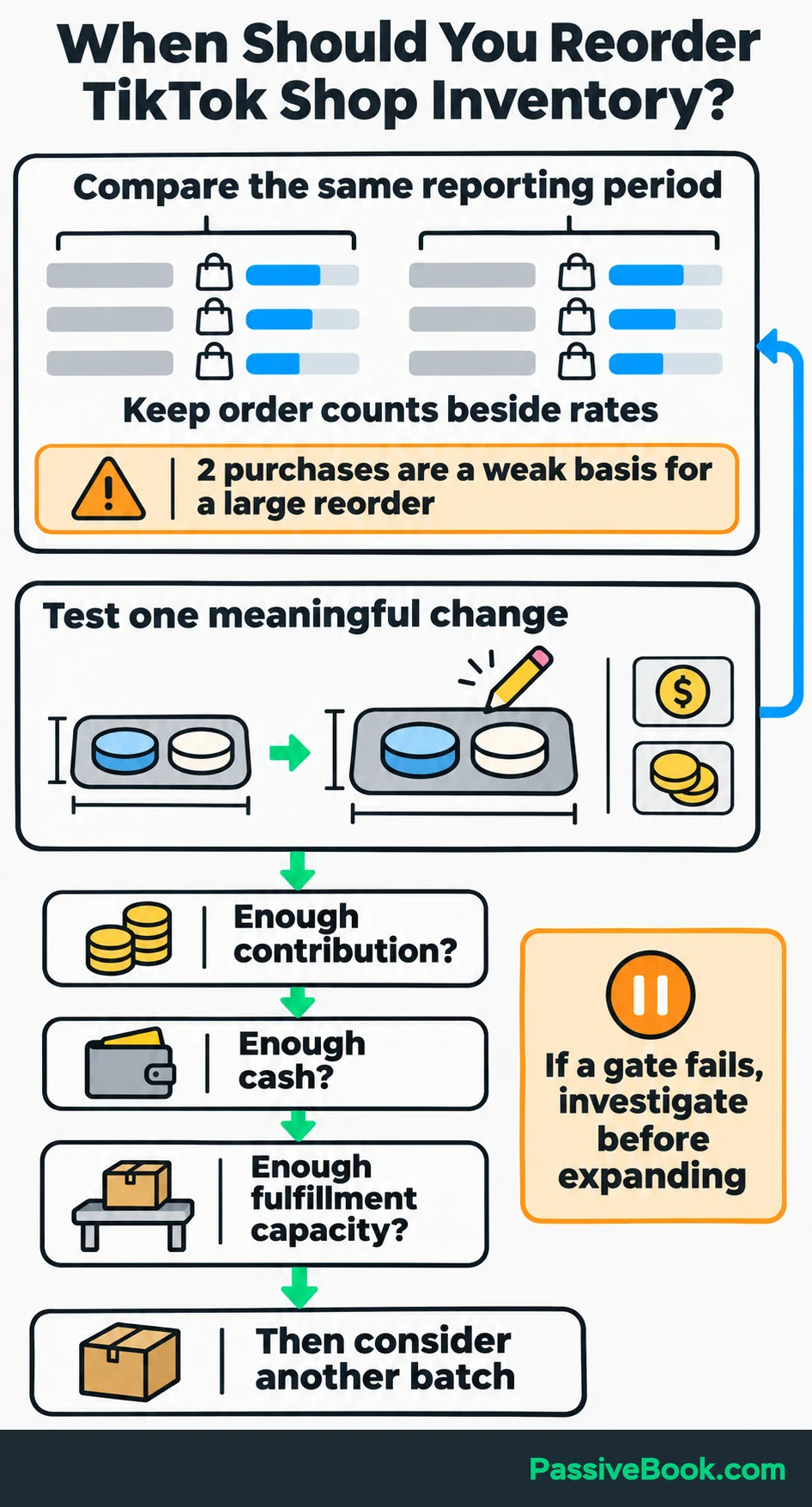
Test one meaningful change at a time. For the mat, show usable dimensions more clearly before changing the price, commission, and video opening together.
Reorder when demand leaves enough contribution, cash, and fulfillment capacity to support another batch. I would judge TikTok Shop by the money it leaves for the time and cash required. A busy packing table is not a profit statement.
What Next?
Check your market’s seller eligibility and price one product using the order-cost worksheet before buying stock. Those two checks will tell you whether a small launch deserves your next few hours.
Use the social buttons to share this guide when comparing launch costs and responsibilities with a business partner.
Which part of selling on TikTok Shop feels hardest to fit around your current schedule? Tell me in the comments, and bring any other questions about getting your first product ready.
Share this post with your friends & followers:

