A video can collect plenty of views while your shop gets no new orders. By the end of the week, you have several posts to show for your effort, but little reason to choose one idea over another.
When you have only a few hours to spare, that uncertainty makes the next batch harder to justify. Posting more takes time you could spend improving your offer or helping customers.
You need a way to judge which videos deserve that time. This guide shows how to build a repeatable TikTok routine and turn useful attention into visits, inquiries, and orders.
How Organic TikTok Marketing Grows Your Brand
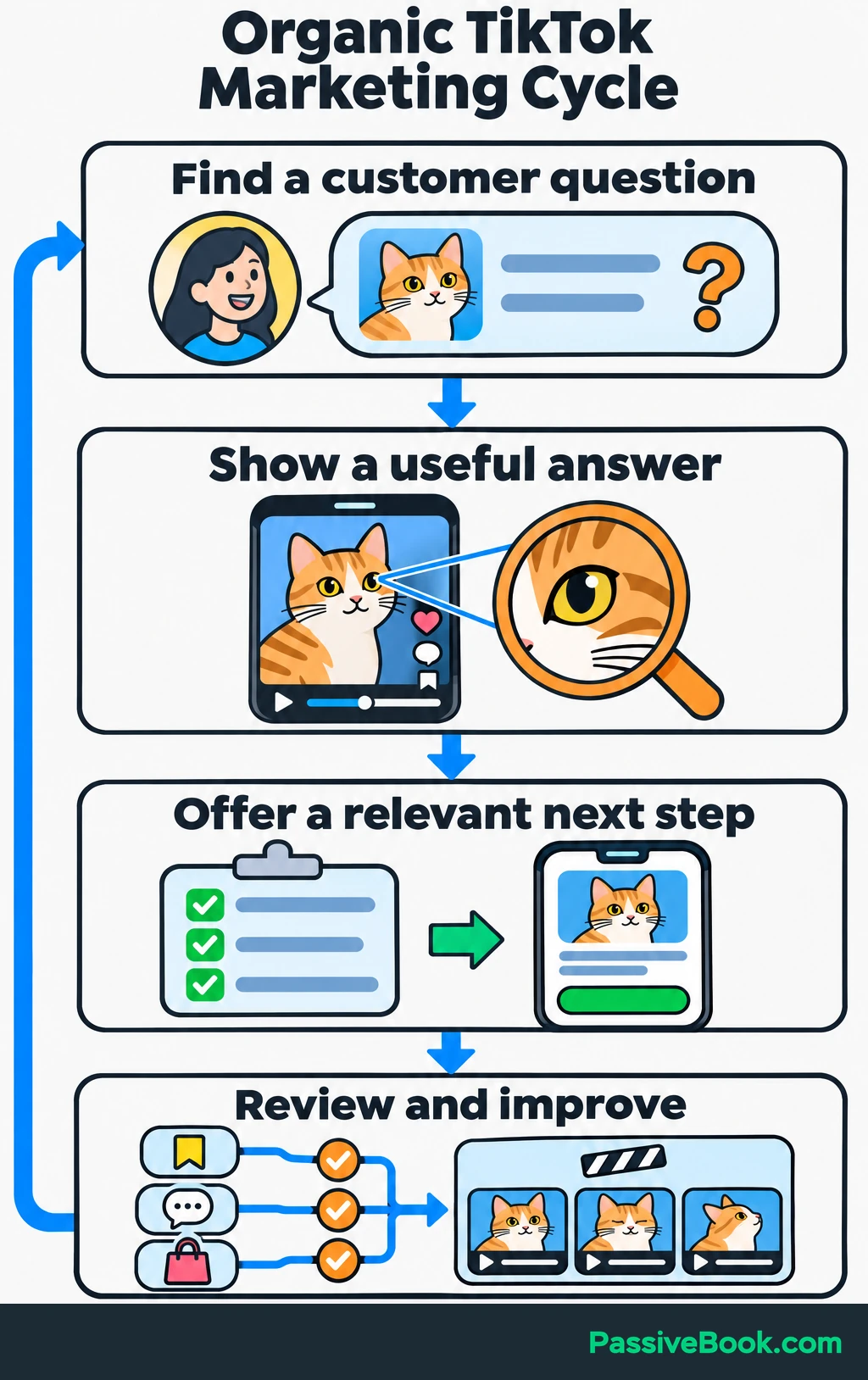
An organic TikTok marketing strategy needs a repeatable cycle:
- Find a question your future customer asks.
- Show a useful answer.
- Give interested viewers a relevant next step.
- Review the response and improve the next batch.
Organic means unpaid distribution, but filming, editing, and replying still cost time. Your system should make that work manageable and connect attention to something your business needs.
Plan for both recommendations and search. The For You feed is TikTok’s personalized stream of recommended videos. TikTok says user interactions, including viewing time, generally carry more weight there for most users. In search, information about the content, including how closely it matches the query, generally carries more weight for most users. TikTok explains these recommendation signals here.
My practical takeaway: make the subject clear immediately, then deliver what the opening promises. A clever opening that delays the answer is a poor trade.
Throughout this guide, imagine you run an online shop selling custom cat portraits as printable digital files. You also offer a free photo-preparation checklist. The shop, content plans, copy, and figures are illustrations.
Choose the Customer Problem and Business Outcome
Start with a situation your offer helps resolve. Then choose the action you want interested viewers to take.
For the portrait shop, people want a personal keepsake, but they may be unsure which photo to send or what “printable digital file” means. Those questions give you useful content and a natural connection to the product.
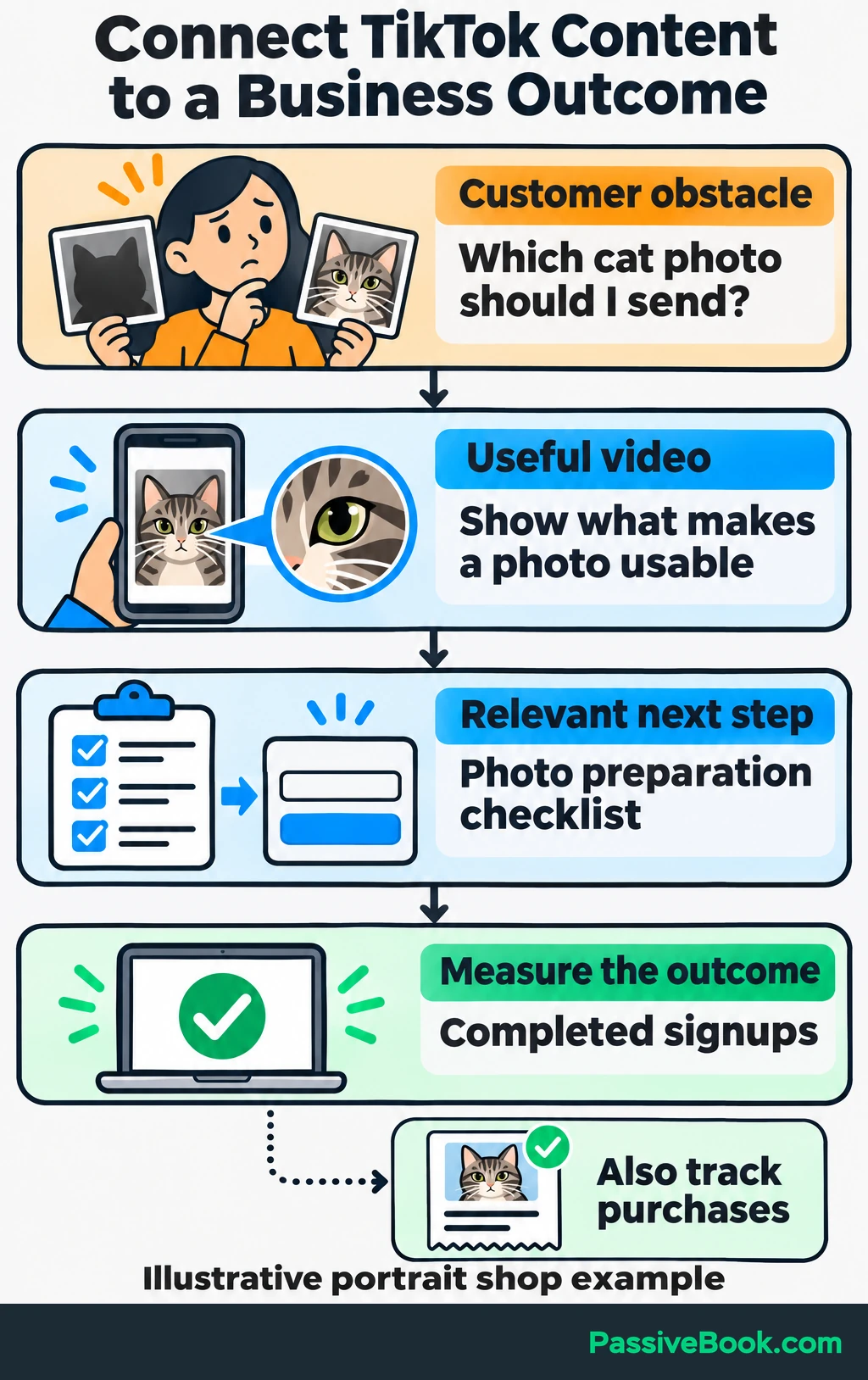
Choose one primary business outcome for your first test:
| Primary Outcome | Measure to Review |
|---|---|
| Reach potential customers | Views alongside comments that show the intended customer situation |
| Bring people to the offer | Tracked visits to the portrait page |
| Build an email list | Completed checklist signups |
| Generate orders | Tracked purchases and revenue |
I would begin with checklist signups if photo selection is a common buying obstacle. Keep purchases visible too, so you can check whether those signups eventually support the shop.
When I ran Instagram and Twitter/X for a side niche, I spent six months chasing followers while the bank account stayed around $47. More attention gave me something to report, but I had no useful route from that attention to revenue. That experience shapes how I would approach TikTok: choose the business outcome before choosing the posting schedule.
Write your strategy in one sentence:
“Show how cat photos become printable portraits, answer ordering questions, and help interested viewers choose a photo and place an order.”
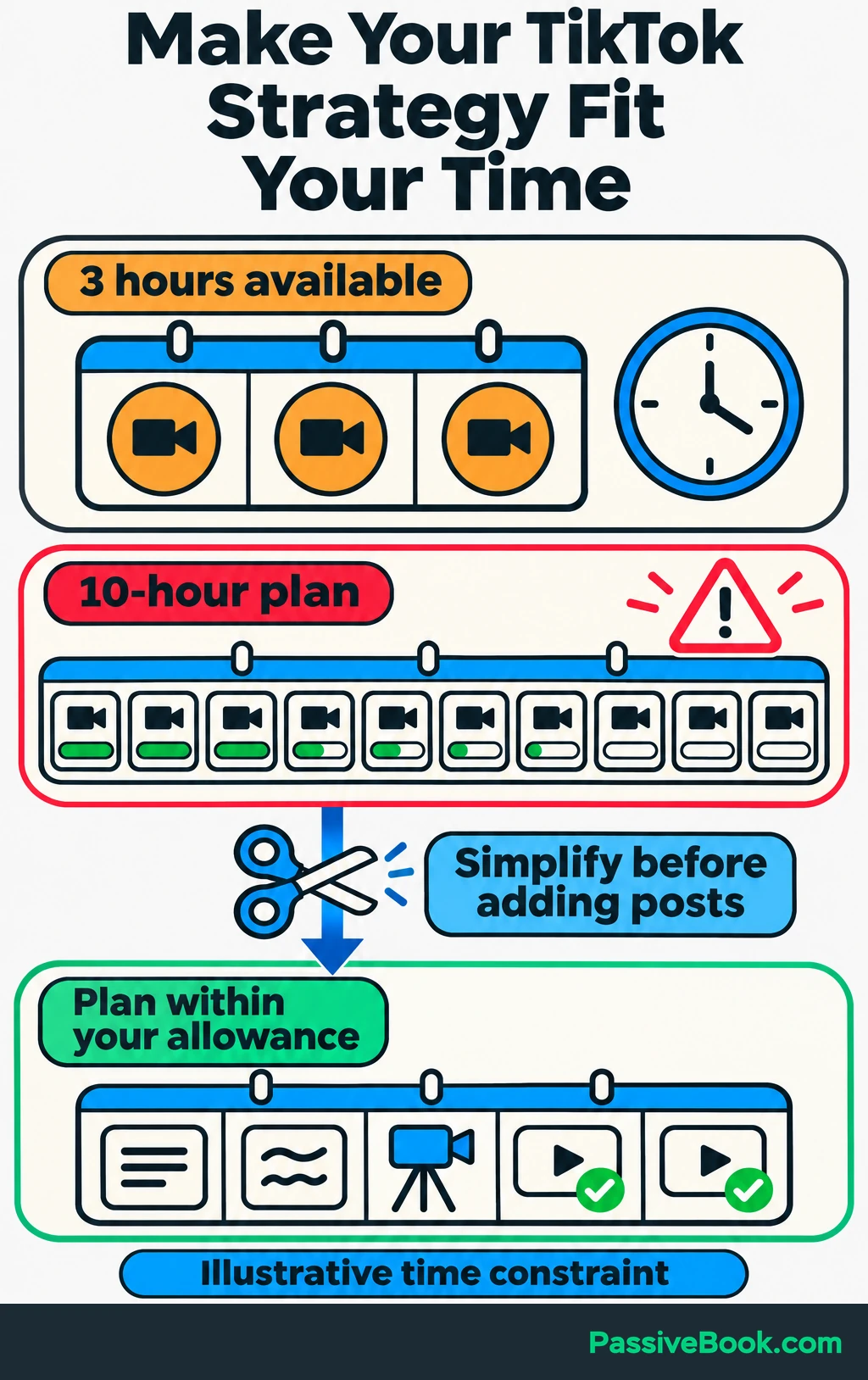
Then set a weekly time limit. A strategy that needs ten hours when you have three will soon become a folder of unfinished videos.
Find Questions Your Future Customers Already Ask
Collect real wording before brainstorming video titles. Start with customer emails, product feedback, and questions asked before a purchase. Then explore TikTok search suggestions and comments on relevant videos.
Look for questions you can answer visibly. A clear comparison or walkthrough gives you more to work with than a broad topic such as “pet art.”
For the portrait shop, you might investigate:
- “What photo should I use for a cat portrait?”
- “Can I use a dark photo?”
- “How do I print a digital pet portrait?”
These are research prompts, not verified search suggestions or evidence of demand.
If available in your region, Creator Search Insights can help you explore searched topics and content gaps—topics people search for that have relatively few videos. Choose gaps connected to your customers and offer. TikTok describes Creator Search Insights here.
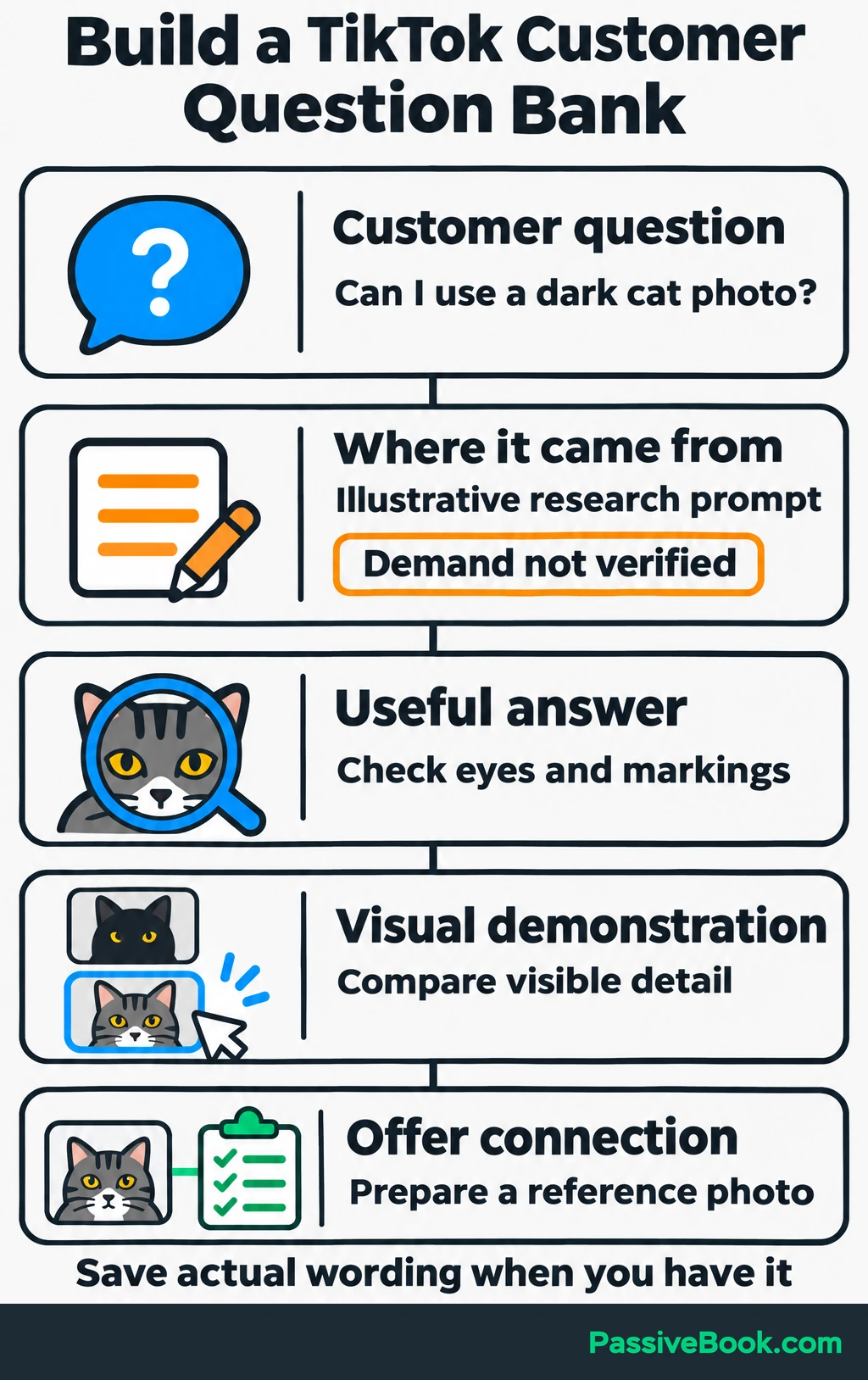
Keep an idea bank with five fields: customer question, where you found it, useful answer, visual demonstration, and connection to the offer. Record the actual comment or inquiry when you have one.
Study relevant videos to see how they introduce the question and where their explanation leaves people confused. Then make your own answer with original footage. Copying the opening without understanding the question gives you somebody else’s video and none of their reasoning.
Prepare a Clear Route From Your Profile to Your Offer
Before recording a sales-focused video, check what happens after someone visits your profile.
Use a recognizable shop name and image, and say plainly what you sell:
“Custom cat portraits from your photos. Printable digital files.”
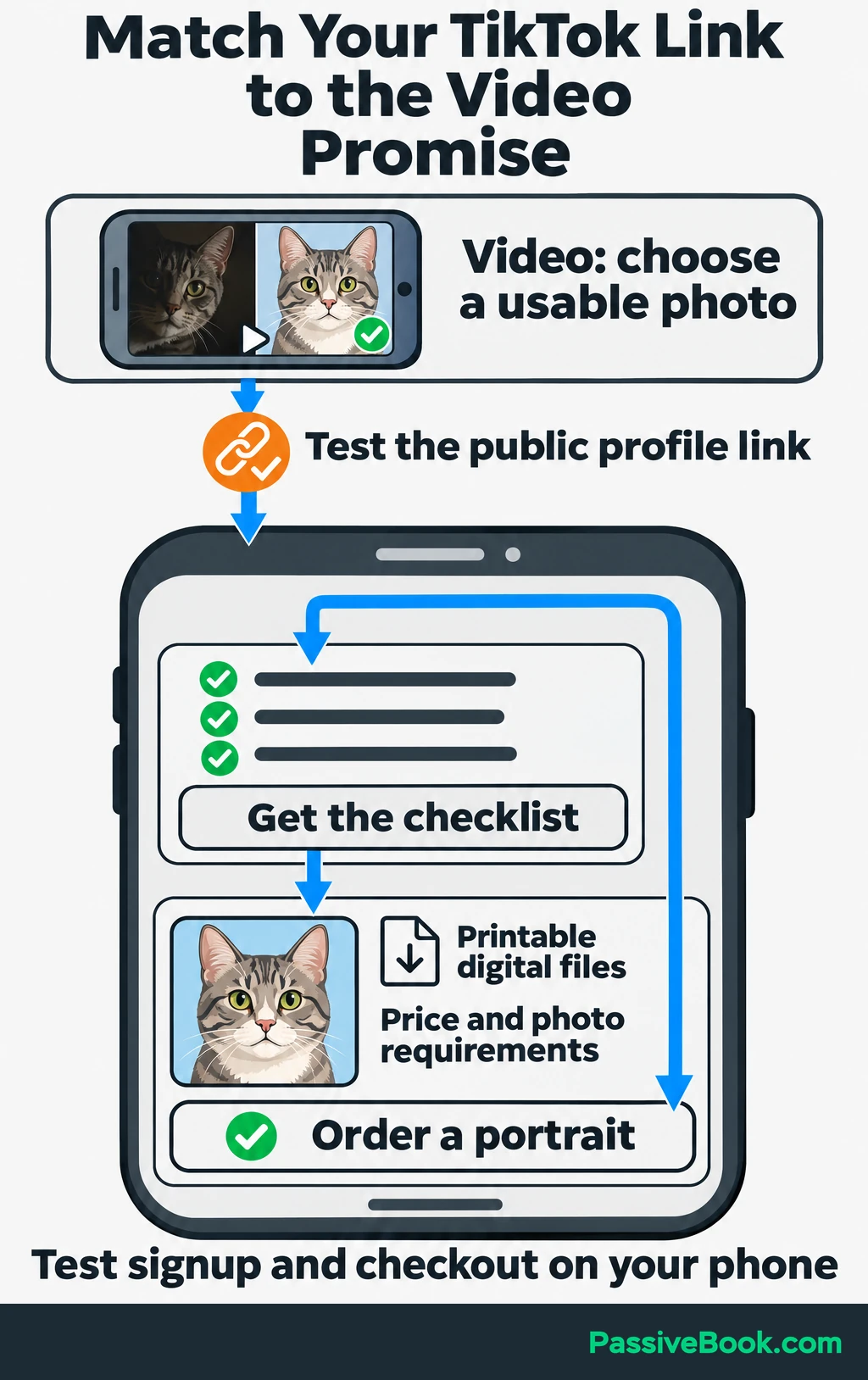
Then check your public profile for a working, clickable website link. Access depends on account eligibility, and editing a link in your settings does not necessarily mean visitors can see it. TikTok’s business-feature requirements explain the access levels.
Until the link works publicly, use actions viewers can complete inside TikTok: save the comparison, follow the series, or ask a photo-selection question. Record “link in bio” only after testing it.
Your destination should continue the task introduced in the video:
- A photo-selection tutorial should make the checklist easy to find.
- A portrait demonstration should make examples and ordering details easy to find.
- An explanation of delivered files should lead to clear information about formats, print sizes, and purchase requirements.
For this shop, I would start with one focused mobile page containing a checklist preview and a clearly labeled route to order a portrait. Buyers should be able to purchase without joining the email list.
Show what the order includes, its price, the photo requirements, and how delivery works. Complete a test signup and checkout on your phone before sending visitors there.
Turn Customer Questions Into Repeatable Videos
Build Recurring Content Series
Choose a few subjects you can return to as new questions appear. These are your series.
Keep subjects separate from filming formats. “Choosing a reference photo” is a subject. An overhead comparison or screen recording is a format. You can use either format across several subjects without inventing a new production process each week.
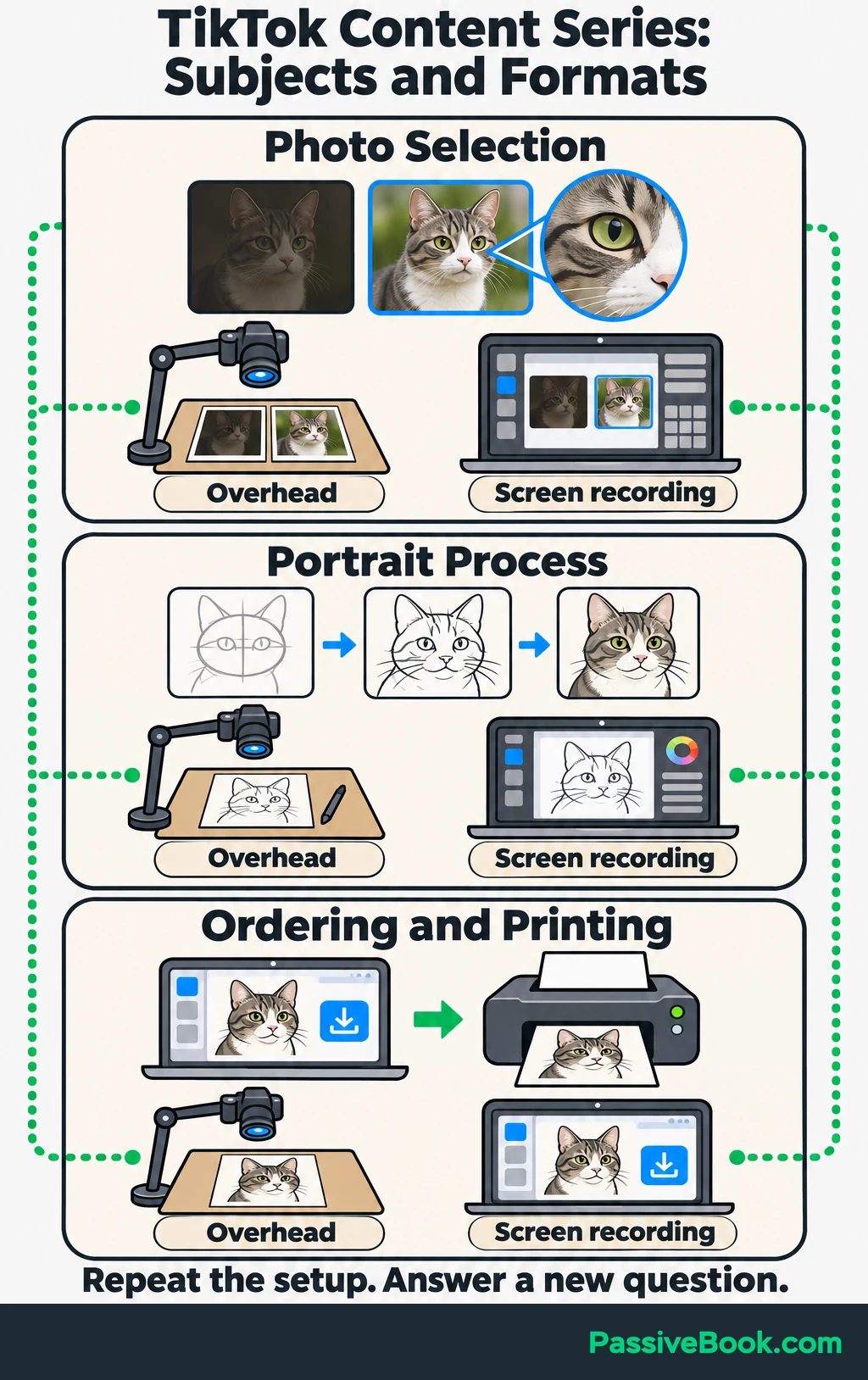
For the portrait shop, I would start with three series:
- Photo Selection: Help people choose a usable reference image.
- Portrait Process: Show how the artwork develops.
- Ordering and Printing: Explain what buyers receive and what happens next.
Turn those into a batch using a planning table:
| Customer Question | Series | Opening Shot | Useful Takeaway | Product Connection | Next Step |
|---|---|---|---|---|---|
| Which photo should I send? | Photo Selection | Two photos side by side | Compare visible facial detail and lighting | Prepare a reference photo for an order | Save the comparison |
| How does my photo become artwork? | Portrait Process | Reference image beside the finished portrait | See the main stages of the work | Understand the custom service | View ordering details through the profile link |
| Will a print arrive in the mail? | Ordering and Printing | Delivered file open on a screen | Understand that the purchase is a digital download | Know what the order includes | View file and printing details through the profile link |
Use the same text style, framing, and basic layout across the batch. Canva can help you build reusable title cards, but keep the demonstration larger than the decoration.
Open With the Problem and Deliver the Answer
Give each video one promise. Introduce the task, demonstrate the useful action, and finish with one next step.
Start with the subject. A logo animation makes viewers wait to discover whether the video answers their question.
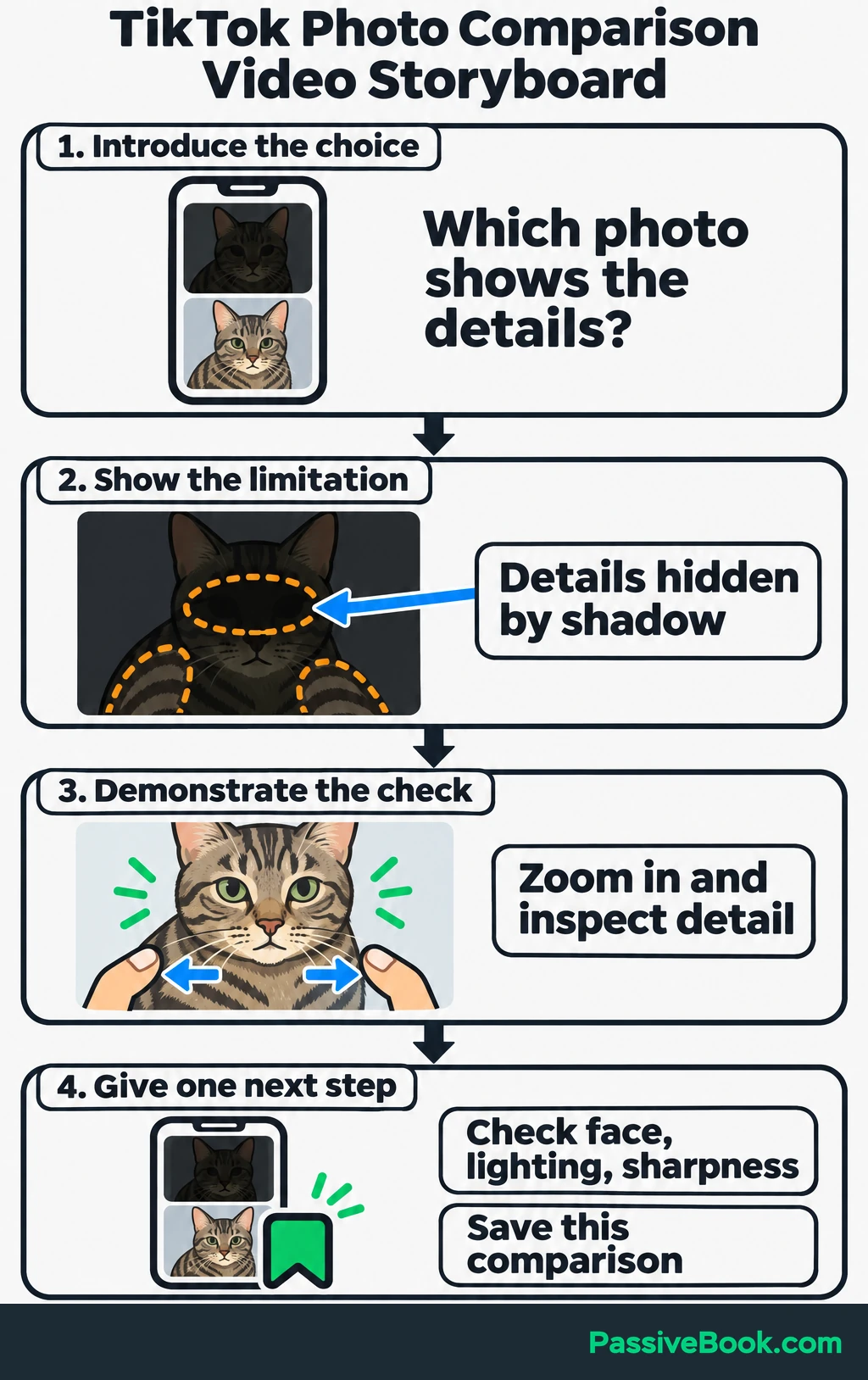
Here is a complete short script you can adapt for the photo-comparison video:
| Shot | Spoken Copy |
|---|---|
| Show two photos of the same cat | “Which photo shows the details your portrait needs?” |
| Point to the darker photo | “This one captures a lovely moment, but the shadow makes the eyes and markings hard to see.” |
| Enlarge the brighter photo | “Here, you can see both eyes and the fur pattern clearly. Zoom in on your original photo and check whether those details stay visible.” |
| Show both photos again | “Before sending your photo, check the face, lighting, and sharpness. Save this comparison for when you choose.” |
The answer arrives before the request.
If translating that example into your own business is the sticking point, AI Social Copy Studio can draft two video scripts around what you sell and what you can show. You get the words and shots together, so you are not starting with an empty script.

Free AI Social Copy Studio




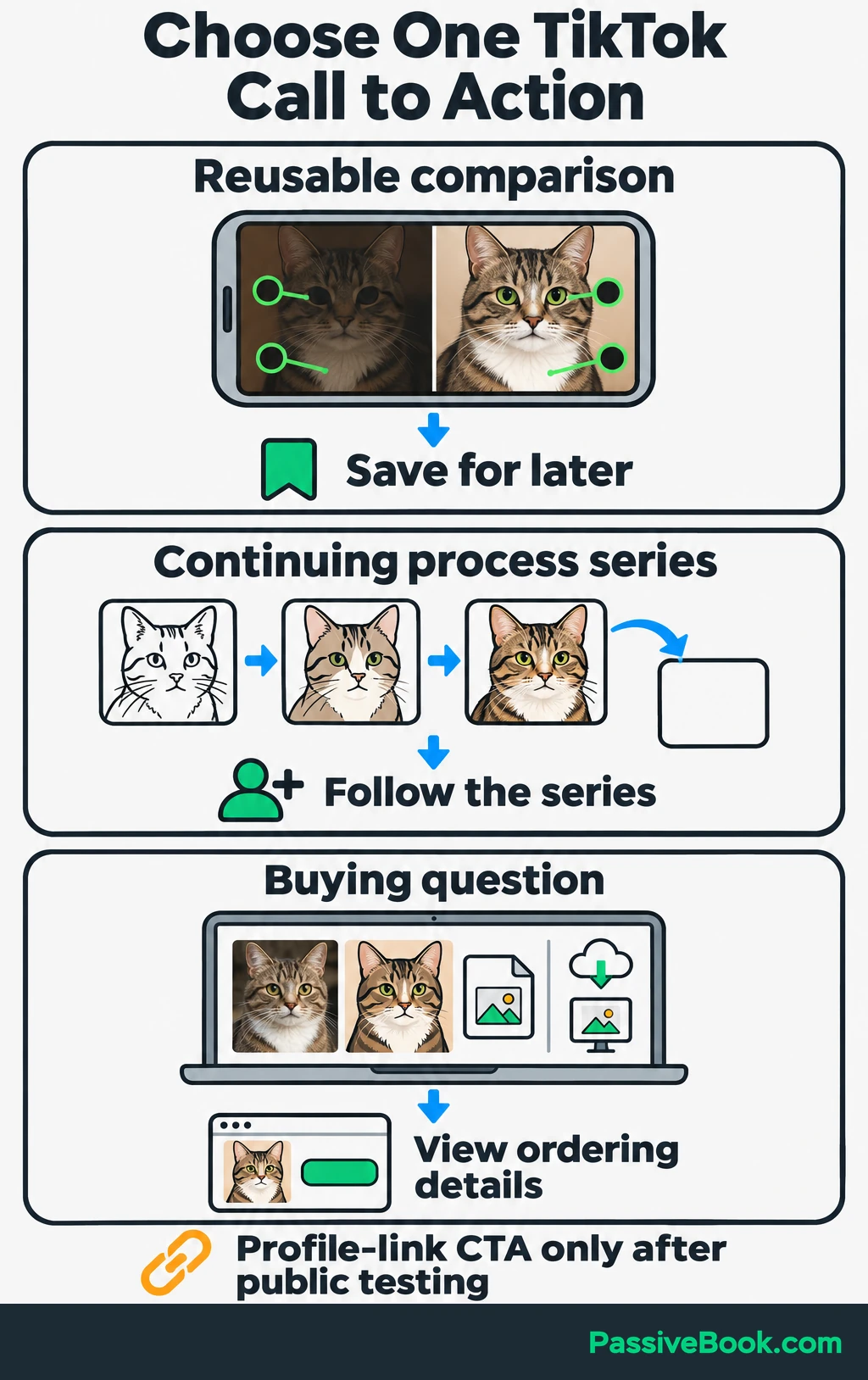
For a product-focused variation, open with the reference photo and finished portrait together. Show a short section of the work, then explain the delivered file. Finish with: “You can see portrait options and ordering details through the link on my profile.”
Choose a length that makes the answer understandable. Cut pauses, repeated explanations, and anything that delays the useful action.
Match the call to action to the video’s job. A reusable comparison can earn a save. A continuing process series can invite a follow. A buying-question video can send interested viewers to the offer. Asking for all three makes the ending cluttered.
Make Clear Demonstrations Without Appearing on Camera
You can show the work without filming your face. Use hands-only footage, close-ups, screen recordings, and narrated walkthroughs.
For the portrait shop, the useful material is already in the process: comparing reference images, drawing details, and showing the finished file. Unrelated stock footage adds another editing task without explaining the product.
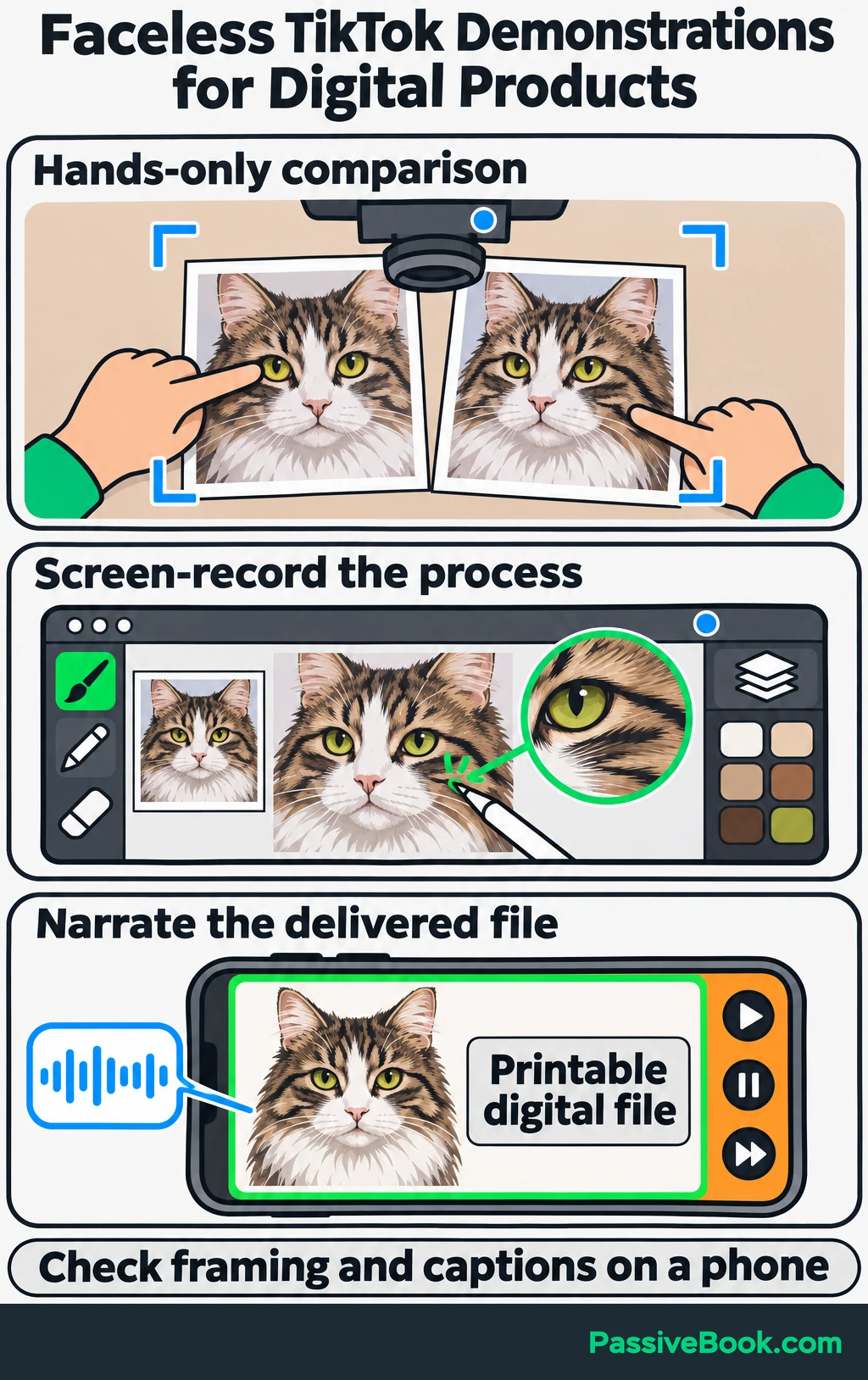
Film vertically and frame the important action closely. Keep essential text away from interface buttons and check the finished video on a phone. Correct automatic captions, and describe important visual actions aloud so the explanation still makes sense when someone cannot see every detail.
For promotional videos, use music from TikTok’s Commercial Music Library or audio you have the necessary commercial rights to use. TikTok says its licenses for music outside that library do not cover commercial promotion. See TikTok’s commercial music rules.
Disclose videos promoting your own business, and disclose third-party promotions made in exchange for payment or another incentive. In the app, turn on “Disclose commercial content,” then choose “Your brand” for your shop or “Branded content” for a third-party promotion. TikTok requires this disclosure for promotional content.
Batch Production and Publish Consistently
Batch similar tasks so each video does not require a fresh setup.
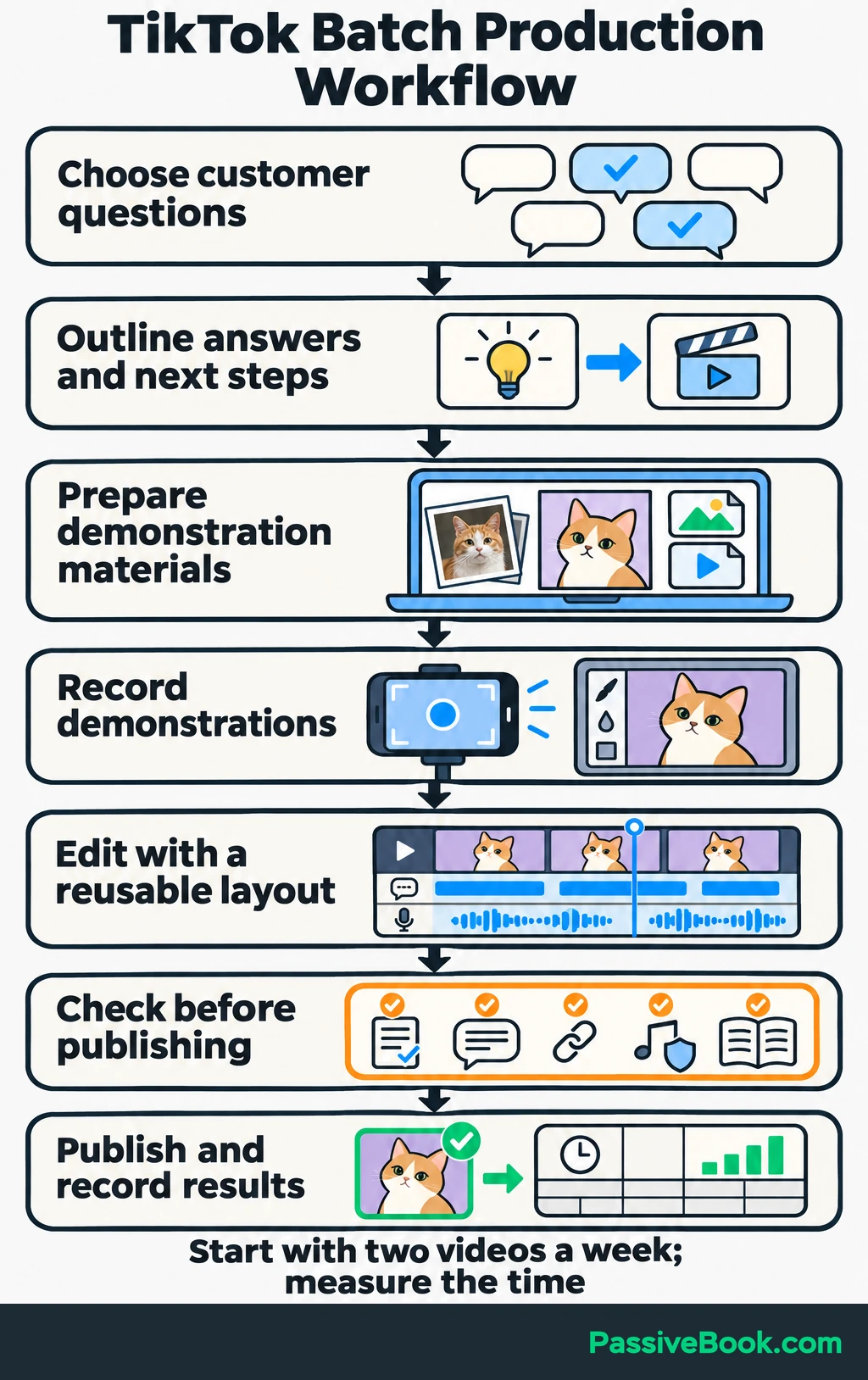
Use this sequence:
- Choose the questions for the batch.
- Outline each answer and its next step.
- Prepare the files, products, or comparison images.
- Record the demonstrations.
- Edit with a reusable layout.
- Check accuracy, captions, links, audio rights, and disclosure.
- Publish and record the results.
For the portrait batch, use the same artwork project throughout. Capture the photo comparison, record part of the portrait process, and show the delivered files while everything is open.
I would start with two videos a week and measure the time required. That is a starting choice, not a platform rule. If it consumes your entire weekly allowance, simplify production before adding posts.
Prepare finished videos ahead of time. Use native scheduling if your account has access; otherwise, set publishing reminders. A scheduler is useful, but it cannot rescue an unfinished batch.
Make each video’s topic clear in the opening, on-screen wording, and caption. Use customer language and a few relevant descriptive hashtags. I would skip a trend unless it helps explain an idea already worth making.
Keep everything in one tracker: plan, production status, publication date, time spent, and results. Start with publishing times you can manage, then adjust if your audience response shows a useful pattern.
AI can group collected questions, suggest alternative openings, or turn an outline into a shot list. Check the answers yourself. Once the workflow works, tools such as Make or n8n can move approved ideas into your tracker or send review reminders. Automating a confusing process mainly helps you produce confusion faster.
Turn Audience Conversations Into New Content
Give replies a bounded place in your week. A short reply window after publishing and a weekly review can keep questions from becoming an all-day interruption.
Prioritize comments that reveal a real task or buying concern. Answer directly, and save recurring questions for future videos.
For example, “Does the frame come with it?” suggests that viewers may mistake the digital portrait for a shipped print. Reply clearly, then make a video showing the download and explaining how the buyer can have it printed.
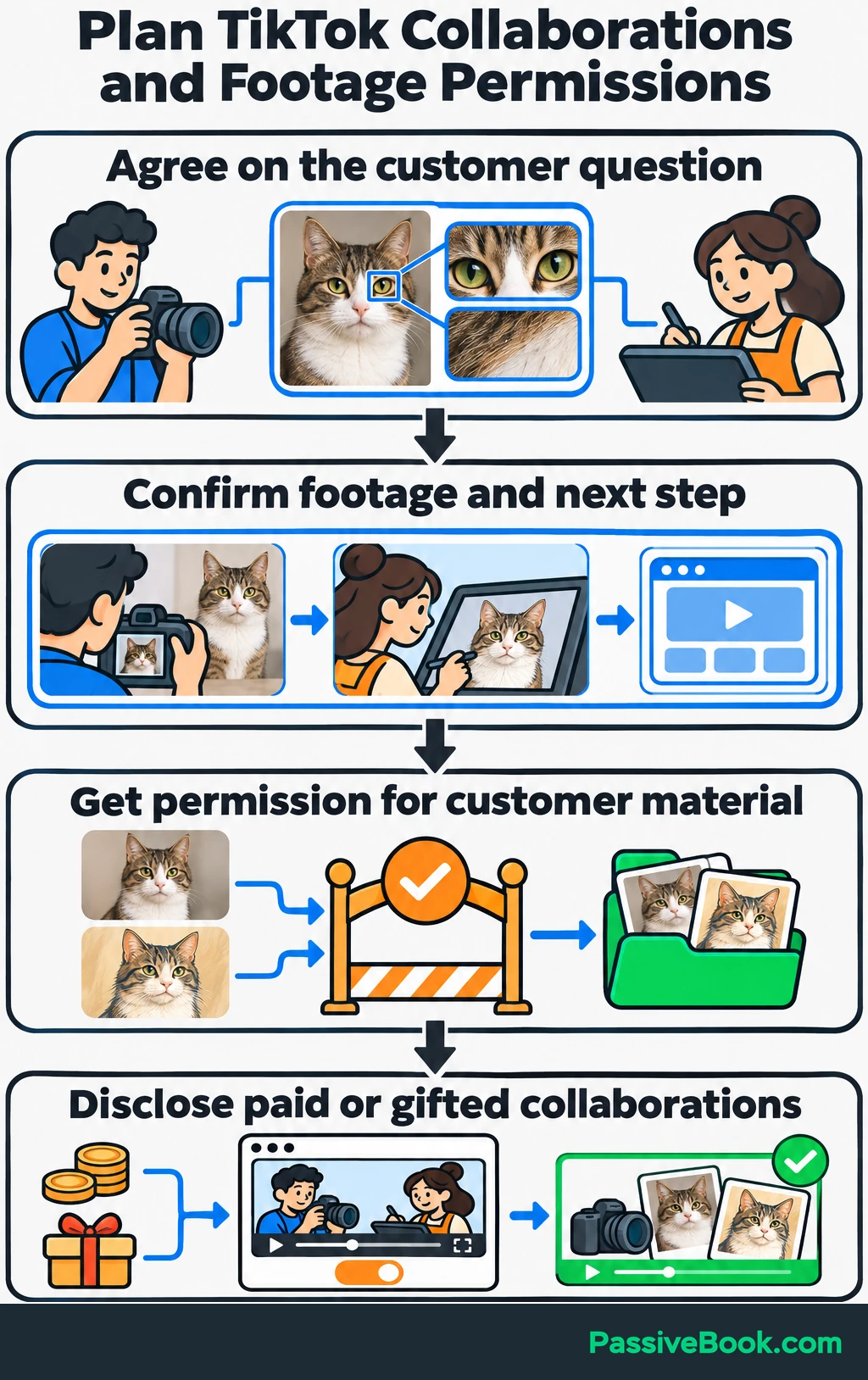
Useful conversations also happen beyond your own posts. Contribute answers where they help, and consider a small collaboration with a complementary creator. A cat photographer could demonstrate reference-photo selection while you explain which details you need for the portrait.
Agree on the question, footage, and intended next step before filming. Apply promotional disclosure requirements to paid or gifted collaborations.
Get permission before using customer photos, finished commissions, or customer footage in marketing. Build that request into your process so you know which material you can use when planning the next batch.
Improve the Weakest Part of the Strategy
Diagnose Attention and Audience Fit
Review videos together according to their purpose. A photo-selection tutorial and an ordering explanation have different jobs, so raw views alone cannot tell you which worked better.
Compare posts with similar lengths and similar time since publication. Look for patterns across several videos:
| What You Observe | What I Would Test |
|---|---|
| Viewers leave before the comparison begins | Show the comparison in the opening shot |
| People watch but repeatedly misunderstand the answer | Simplify the explanation and label the relevant detail |
| Comments focus on cute cats with little interest in portraits | Introduce the portrait task more clearly |
| Viewers save the explanation and ask related questions | Make a follow-up that answers the next question |
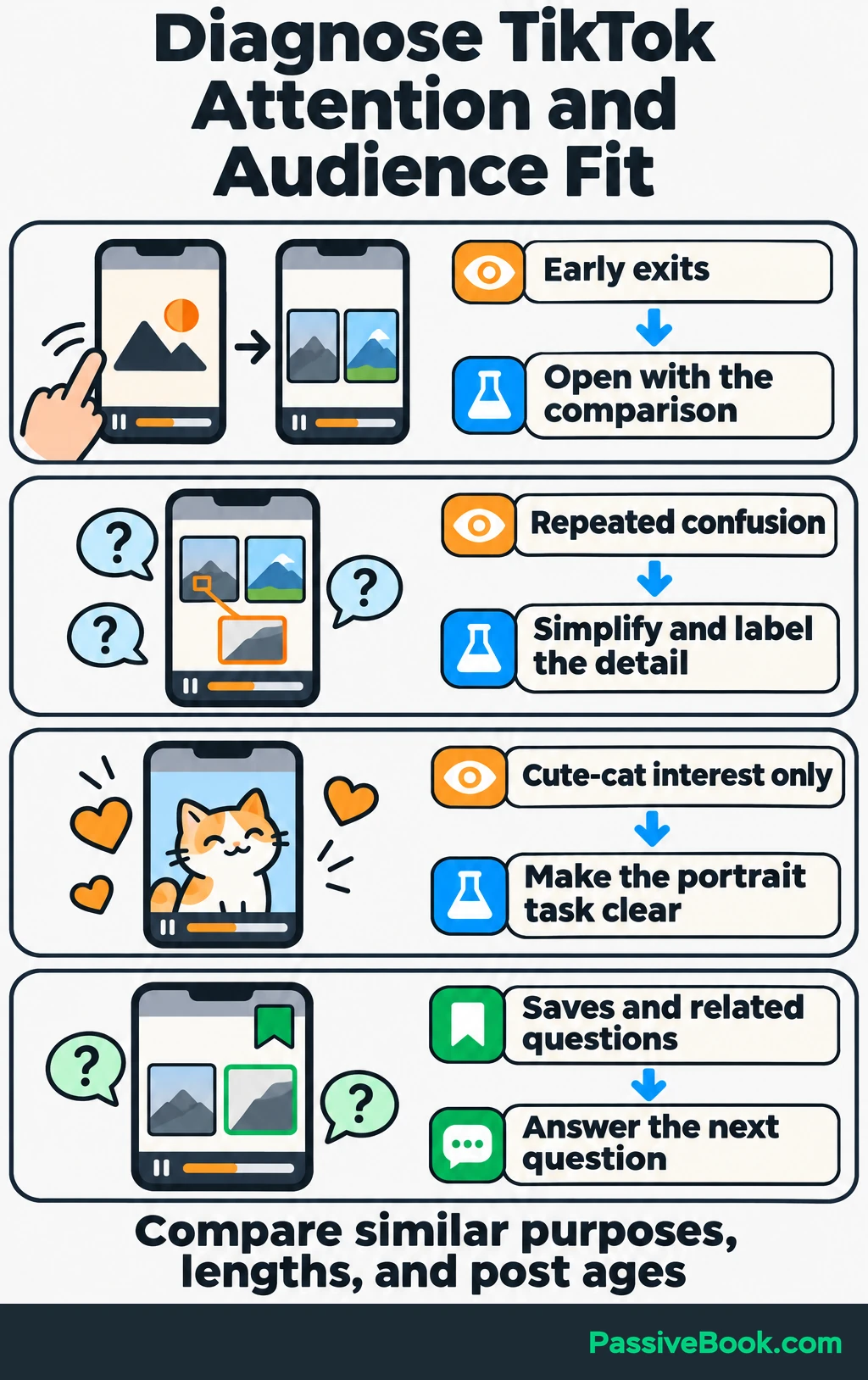
Saves, shares, viewing behavior, and relevant comments help you judge the content. Profile activity and website results help you judge its connection to the business.
If distribution is unexpectedly restricted, check for a For You eligibility notice. Read the stated reason and appeal if you believe the decision is wrong. TikTok explains restrictions and appeals here. Low views alone do not explain what happened.
Find Friction Between Interest and Conversion
Follow the path a viewer takes and look for the first weak connection.
Relevant engagement with few profile visits may mean the video does not explain how your shop helps. Profile visits without website traffic may point to an unclear promise or a broken link. Website visits without signups or orders call for a closer look at the page.
Add consistent tracking tags to your profile destination. These are short labels in the URL that identify the traffic source and campaign, for example:
?utm_source=tiktok&utm_medium=social&utm_campaign=cat_portraits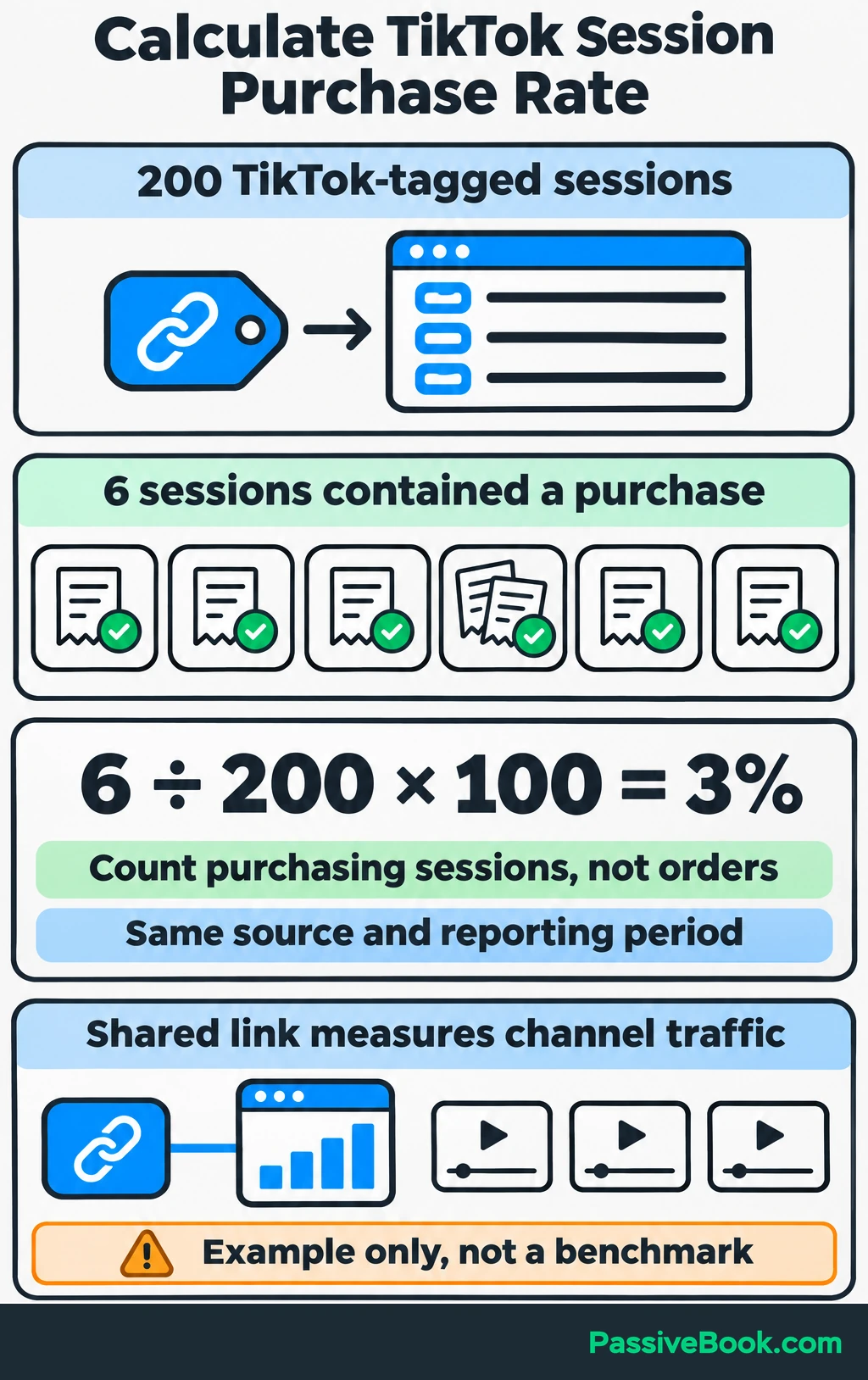
Google Analytics explains how campaign URL parameters identify referred traffic. Also configure and test tracking for completed signups and purchases; a tagged visit does not record those actions by itself.
A shared profile link identifies channel or campaign traffic. It cannot reliably tell you which individual video caused each purchase. Use video-level signals to improve posts and website results to assess the channel.
Check the mobile page against the video’s promise. Does the checklist preview appear where people expect it? Is the digital-only delivery clear? Can buyers find the price and complete checkout easily?
In website analytics, a session groups a visitor’s activity during a visit. To calculate a session purchase rate, divide tracked sessions containing at least one purchase by all tracked sessions from the same traffic source and reporting period.
For illustration, if 6 of 200 TikTok-tagged sessions contained a purchase:
6 ÷ 200 × 100 = 3%That is an arithmetic example, not a benchmark or forecast. Count purchasing sessions rather than orders, because one session could contain multiple orders.
Repeat Productive Ideas and Test One Change
Choose what to repeat according to the job it performed.
A photo-comparison video may deserve another version because it attracts relevant questions. An ordering explanation may deserve more work because it supports qualified visits and purchases, even with fewer views.
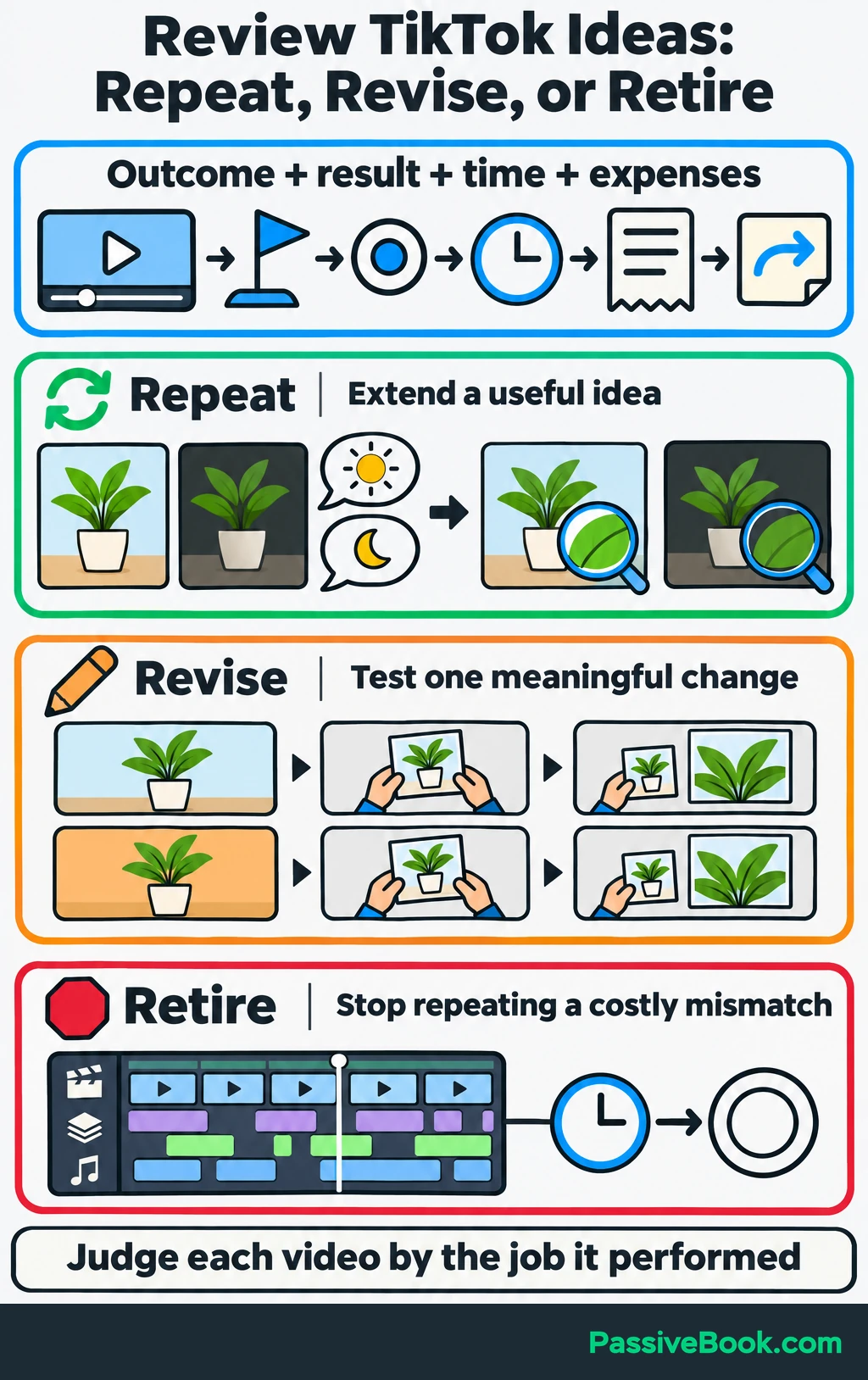
Extend the useful idea into the next customer question. After comparing bright and dark photos, you could show how to check whether an image stays sharp when enlarged. You keep the useful comparison format and answer a different part of the task.
Test one meaningful change at a time. Keep the demonstration and try a clearer opening, or keep the opening and change the next step. Several changes at once make the result harder to interpret.
Add the intended outcome, result, production time, and next change to your existing tracker. At each batch review, decide what to repeat, revise, or retire.
Before increasing output, compare tracked business results with production time and expenses. A manageable series that brings useful inquiries deserves attention. A complicated series that keeps missing the goal deserves revision, however impressive it looks in your drafts.
What Next?
Choose one question customers ask before buying and outline a video that visibly answers it. Check that its next step works before you record.
Use the social buttons to share this guide when a conversation about TikTok needs a practical way to connect videos with business results.
Which part of that connection needs the most work in your business: choosing questions, making videos, or turning interest into action? Tell me in the comments, and bring any other questions too.
Share this post with your friends & followers:

