You spend Saturday making three TikTok videos, then struggle to explain what any of them should do for your business. One shows your process. Another follows a trend. The third exists because you felt you should post something.
That uncertainty gets expensive when every video takes another slice of your weekend. Even a popular post leaves you guessing whether the effort helped.
A useful strategy gives each post a job and keeps production within the time you have. This guide connects audience questions, repeatable videos, and a clear offer in a one-page plan you can use for your next batch.
1. Choose the Business Outcome Your Content Should Support
Start with the action you want a suitable viewer to take. That decision helps you choose topics and judge whether the work deserves more time. It also shapes your call to action: the next step you ask viewers to take.
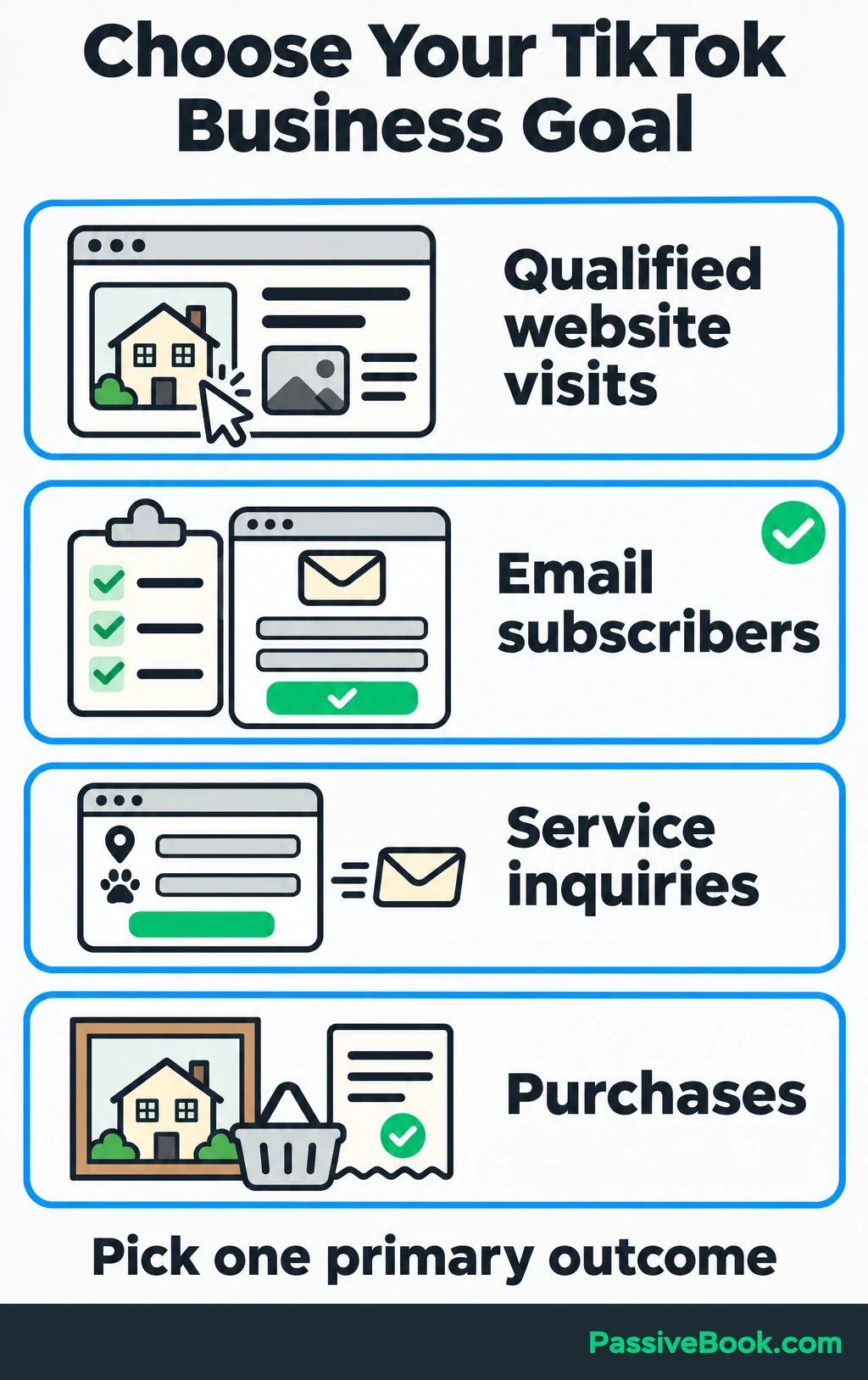
Pick one primary outcome:
- Qualified website visits: People reach a page that matches the problem your business solves.
- Email subscribers: People request a useful resource connected to your paid offer.
- Service inquiries: Prospective customers ask about work you provide, within your service area or scope.
- Purchases: Customers buy the product featured in your content.
I spent six months chasing Instagram and Twitter/X followers in a side niche, and the bank balance stayed around $47. That experience taught me to ask where attention would lead before spending more time earning it. It was a lesson from those channels, but it informs how I would plan a TikTok channel.
Connect your chosen outcome to one offer. A product business can demonstrate the product, a service business can explain how it solves a customer problem, and an affiliate business can show a relevant product in use. I would prioritize one route until you understand whether it works.
For a dog-walking service, send viewers to an inquiry form that asks for their area and walking needs. For an affiliate pet-product account, send them to a review showing how you tested the item and explaining that you may earn a commission.
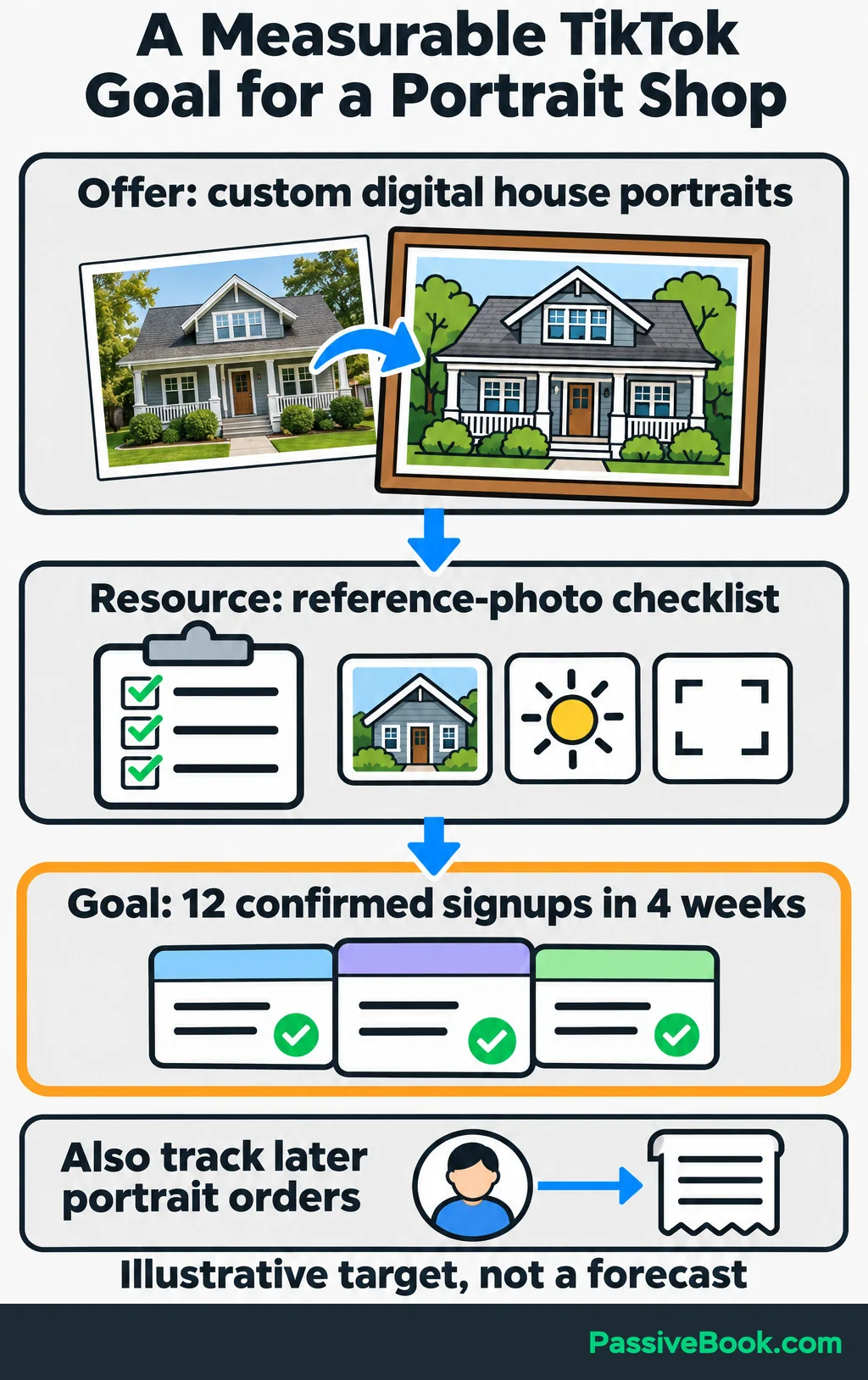
For the worked example, imagine you sell custom digital house portraits. A free photo-selection checklist helps prospective buyers prepare a suitable reference photo, and its delivery email explains how to order. The business, posts, schedule, and figures throughout this guide are illustrations.
Write an audience promise:
We help people choose reference photos and turn a meaningful home into custom portrait artwork.
Your primary outcome is checklist signups, and you also track whether those subscribers order portraits.
Give the goal a number and a review date. For this example, use 12 confirmed checklist signups during a four-week test. For your own plan, set the target from your starting traffic, past results, and available production time.
Views and followers help explain progress, but keep the business result at the top of the page.
2. Find the Questions Your Prospective Customers Ask
Describe the viewer’s situation before collecting video ideas. What are they trying to do, what is stopping them, and what would a useful answer help them decide?
Start with customer messages, product questions, reviews, and conversations. If you have no customers yet, study questions people ask about similar offers.
For the portrait shop, useful questions might include:
- Can I use an old photo of a house?
- Which angle shows the building clearly?
- What happens between sending a photo and receiving the artwork?
Search these questions on TikTok and read the comments beneath relevant posts. Record the wording people use and the details they still need. These example questions are starting points to investigate, rather than verified search suggestions.
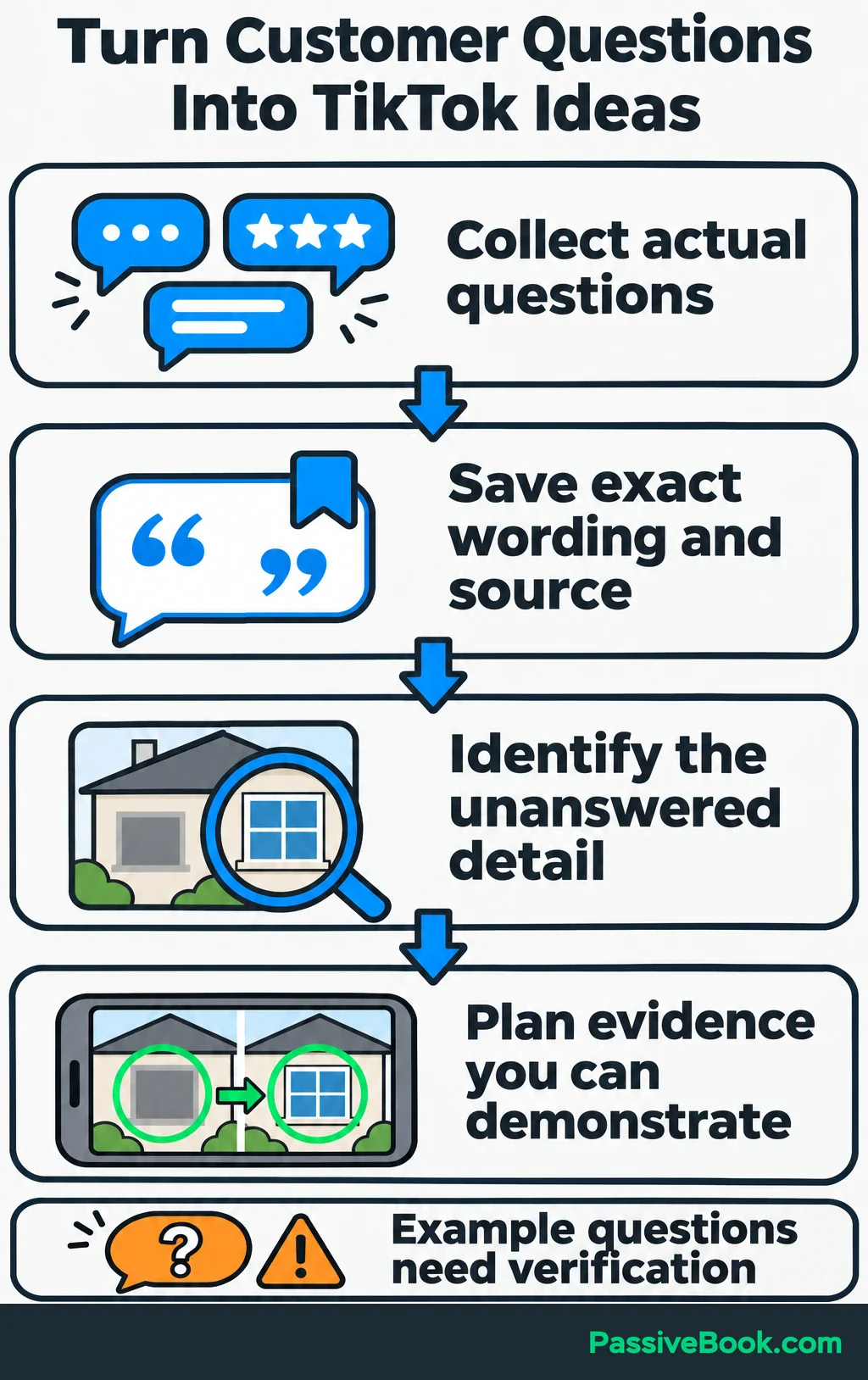
Study several accounts serving similar customers. For each promising post, note its opening, format, demonstration, and unanswered follow-up question. Compare it with that account’s other recent posts so one unusually popular video does not become your entire strategy.
Where available, use Creator Search Insights to supplement that research. Its content-gap filter highlights topics searched often but covered by relatively few videos. TikTok describes the tool as available in selected regions. TikTok’s Creator Search Insights explanation
Keep an idea bank with these fields:
| Field | Example entry to investigate |
|---|---|
| Audience question | Can I use an old photo of a house? |
| Source observation | Not yet collected; save the exact question and where you found it |
| Unanswered detail | Which features must be visible for an old photo to work? |
| Original angle | Compare clear and obscured window details in photos you can publish |
| Offer connection | Help a prospective buyer choose the reference photo needed to order a portrait |
Save the actual observation before asking AI to organize anything. A convincing list of invented customer questions is still invented.
3. Build Content Pillars and Repeatable Series
Choose Recurring Subjects That Connect to Your Offer
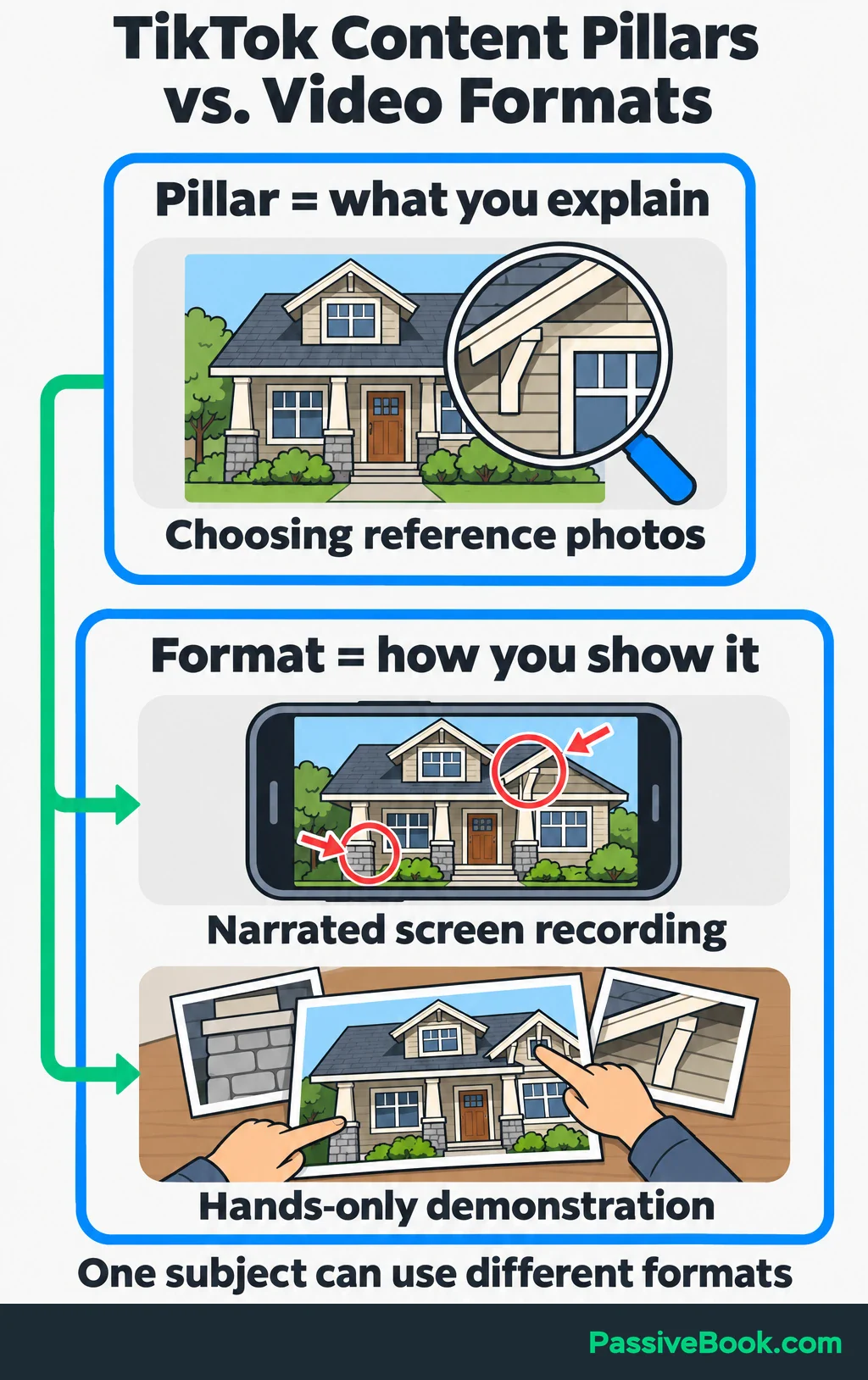
A content pillar is a subject you return to. A format is how you present it. “Choosing reference photos” is a pillar, while a narrated screen recording is a format.
I would start with three distinct pillars. That gives you enough room to answer different questions without turning the account into a general-interest channel.
For the house-portrait shop:
| Pillar | Questions it can answer |
|---|---|
| Choosing reference photos | Which angle works? Are the important details visible? Can an old photo be used? |
| Planning the finished display | What size suits the space? How would different frame options look? |
| Understanding the portrait process | What does the customer submit? How are revisions handled? What file is delivered? |
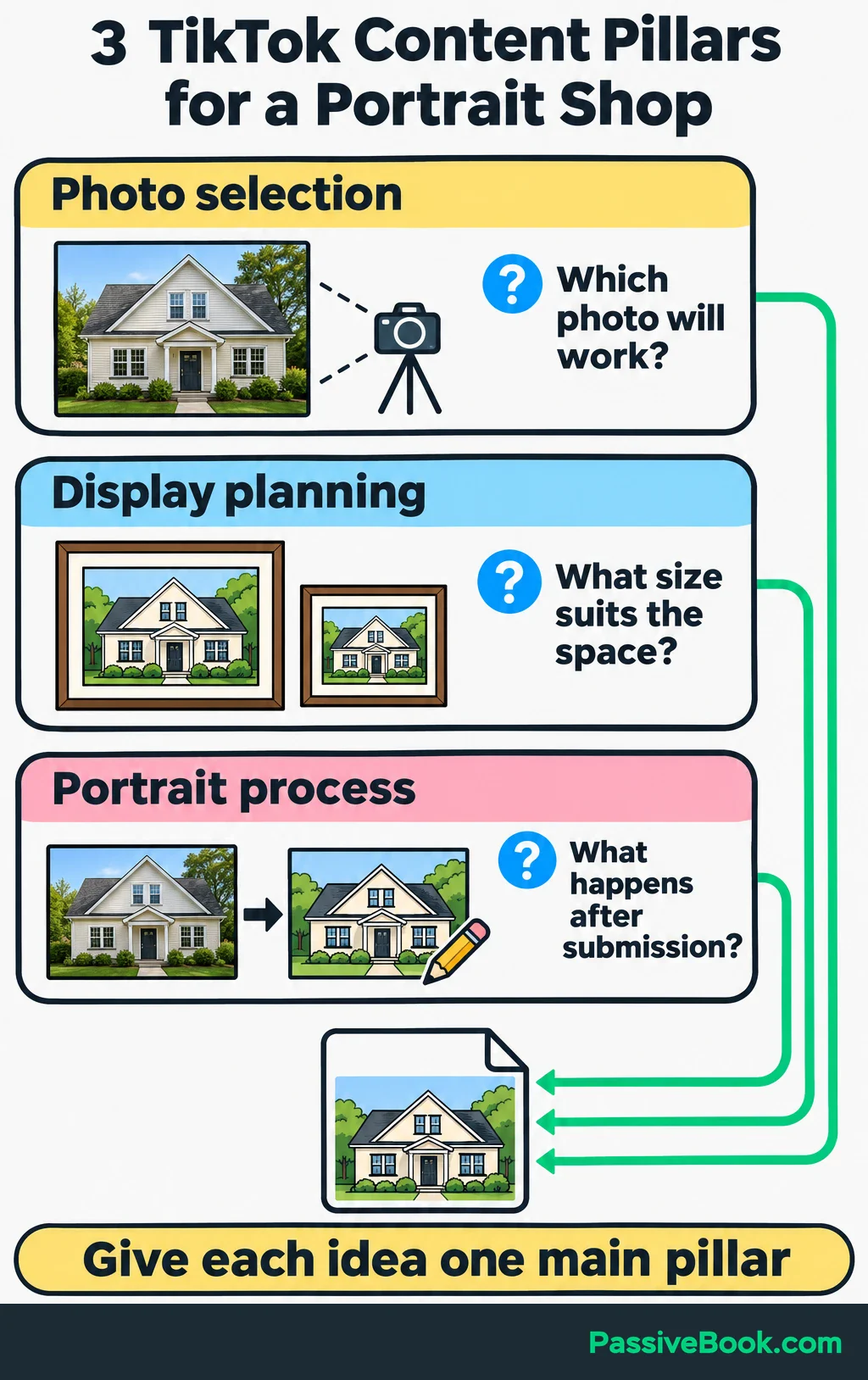
Give each idea one main pillar. A post about visible window details belongs under photo selection, even if you briefly show the finished artwork.
Within those subjects, make posts that introduce a problem, demonstrate an answer, and help viewers evaluate your offer. You do not need a rigid promotional percentage. You need a reason for each post to exist.
Give Each Series a Repeatable Format
Turn each pillar into a series with a clear promise. The viewer should understand what they will get, and you should know what footage to collect.
For example:
- “Which Photo Would You Choose?”: Compare two reference photos and explain one useful difference.
- “One Portrait, Two Display Options”: Show the same artwork in two clearly labeled mockups.
- “From Photo to Portrait”: Record one stage of the drawing process and explain what happens there.
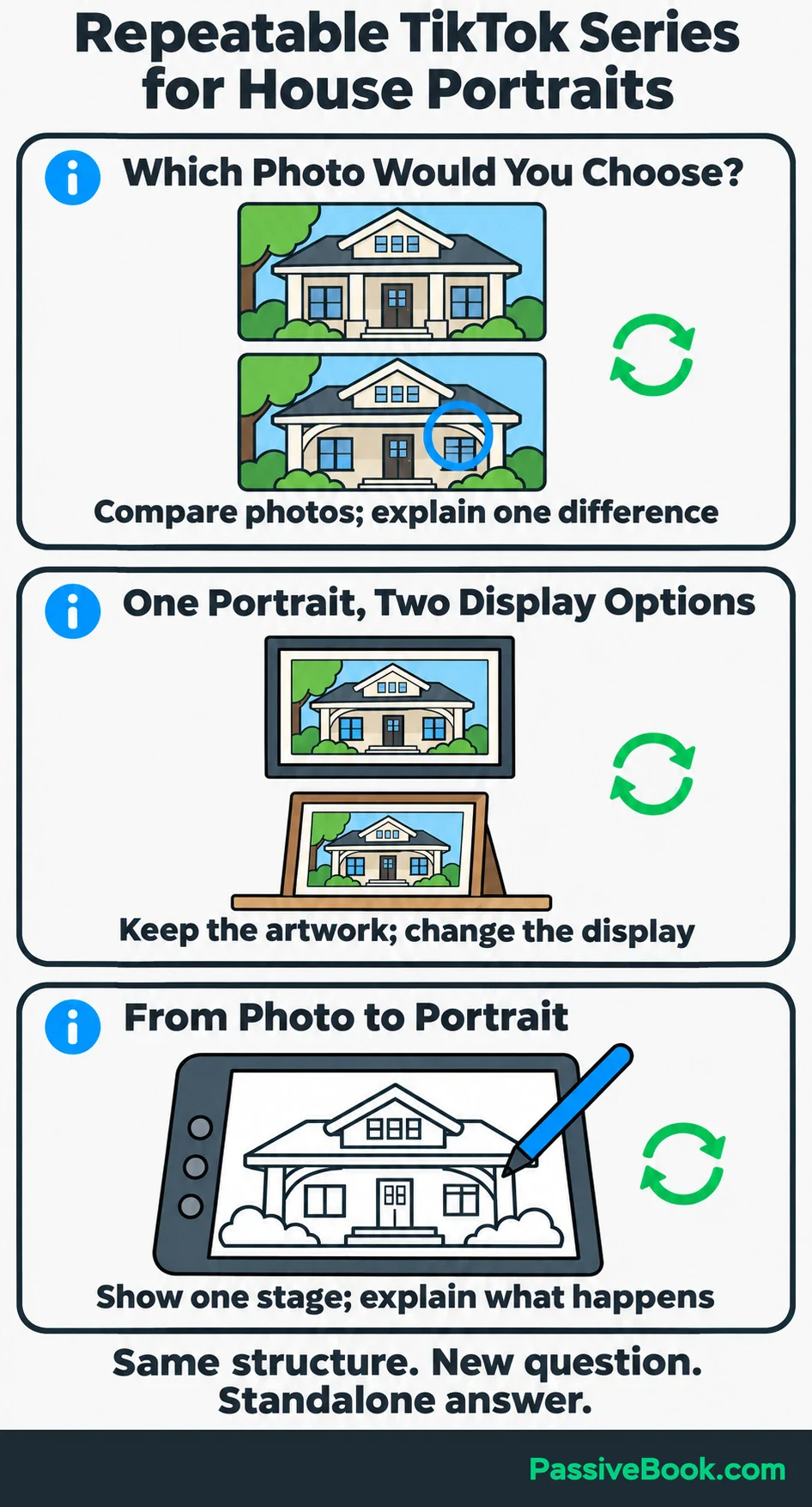
These can all work without your face on screen. Use original screen recordings, artwork close-ups, hands-only footage, voiceovers, and readable text.
Make each episode understandable on its own. Someone discovering episode six should not need to watch five earlier posts to understand the advice.
Keep the structure and change the question. That is where the time saving comes from. Trends can provide occasional packaging, but I would skip any trend that makes the useful part harder to understand.
4. Build a Working Path From Your Videos to Your Offer
Before writing “get the checklist,” build the route:
Useful video → clear profile → matching signup page → checklist delivery → portrait-order information
Choose an account type that fits your activity. TikTok recommends a Business Account when your primary purpose is promoting a business, and Personal Accounts also offer analytics. Personal Accounts need at least 1,000 followers to add a website link. TikTok’s account-type guidance
Do not assume switching account types guarantees a visible link. TikTok’s business-feature guidance ties public business bio-link display to Verified Business Account access. Check your available features and test the profile as a visitor before promising “link in bio.” TikTok’s business-feature requirements
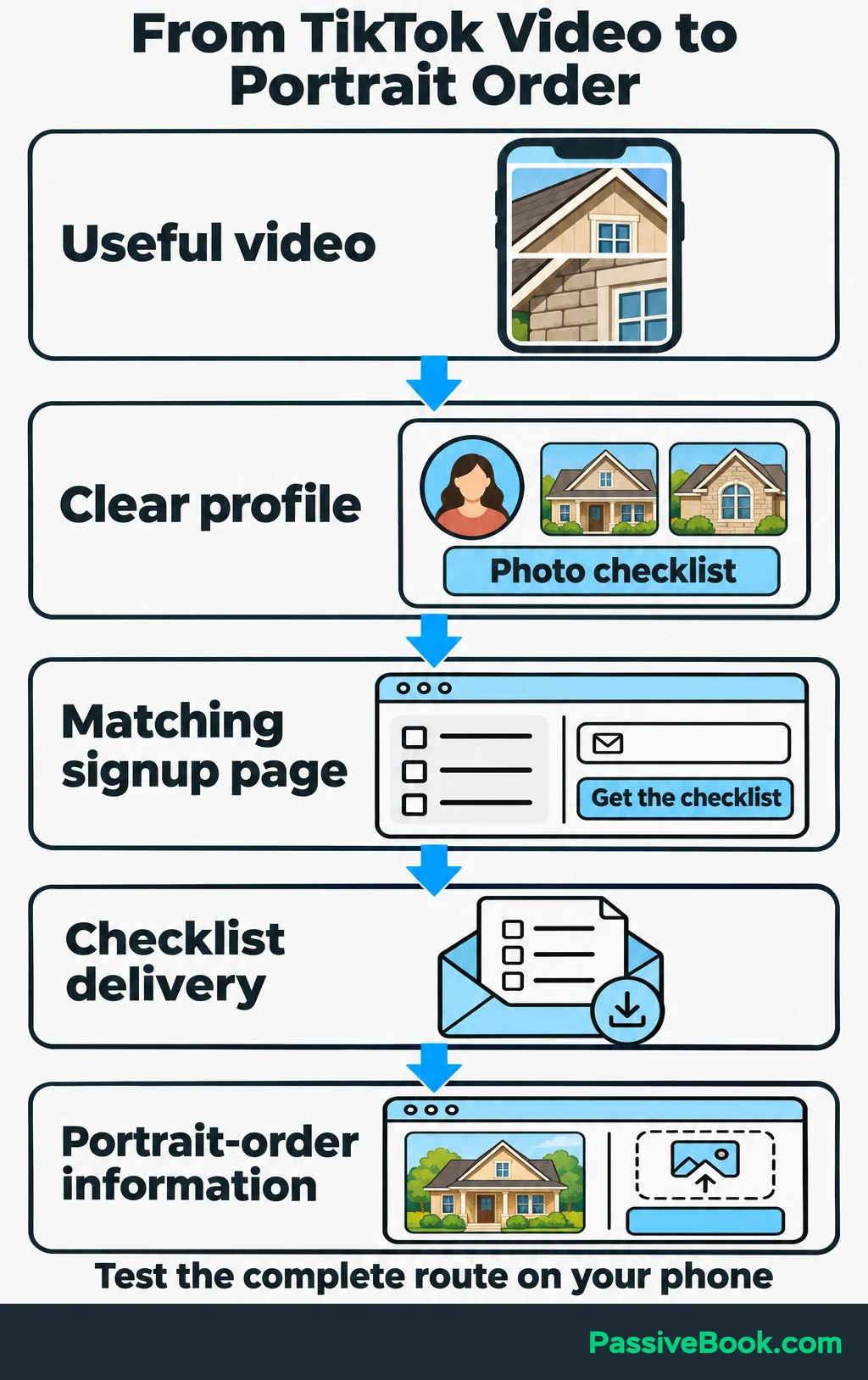
Without a clickable route, show a short website address people can type. Make its destination match the promise in the video.
Your profile should explain the offer and next action:
Custom digital house portraits from your photos. Get the free reference-photo checklist.
Send visitors to a focused page showing what the checklist helps them do, a preview, and a simple signup form. Test the form and delivery email on your phone.
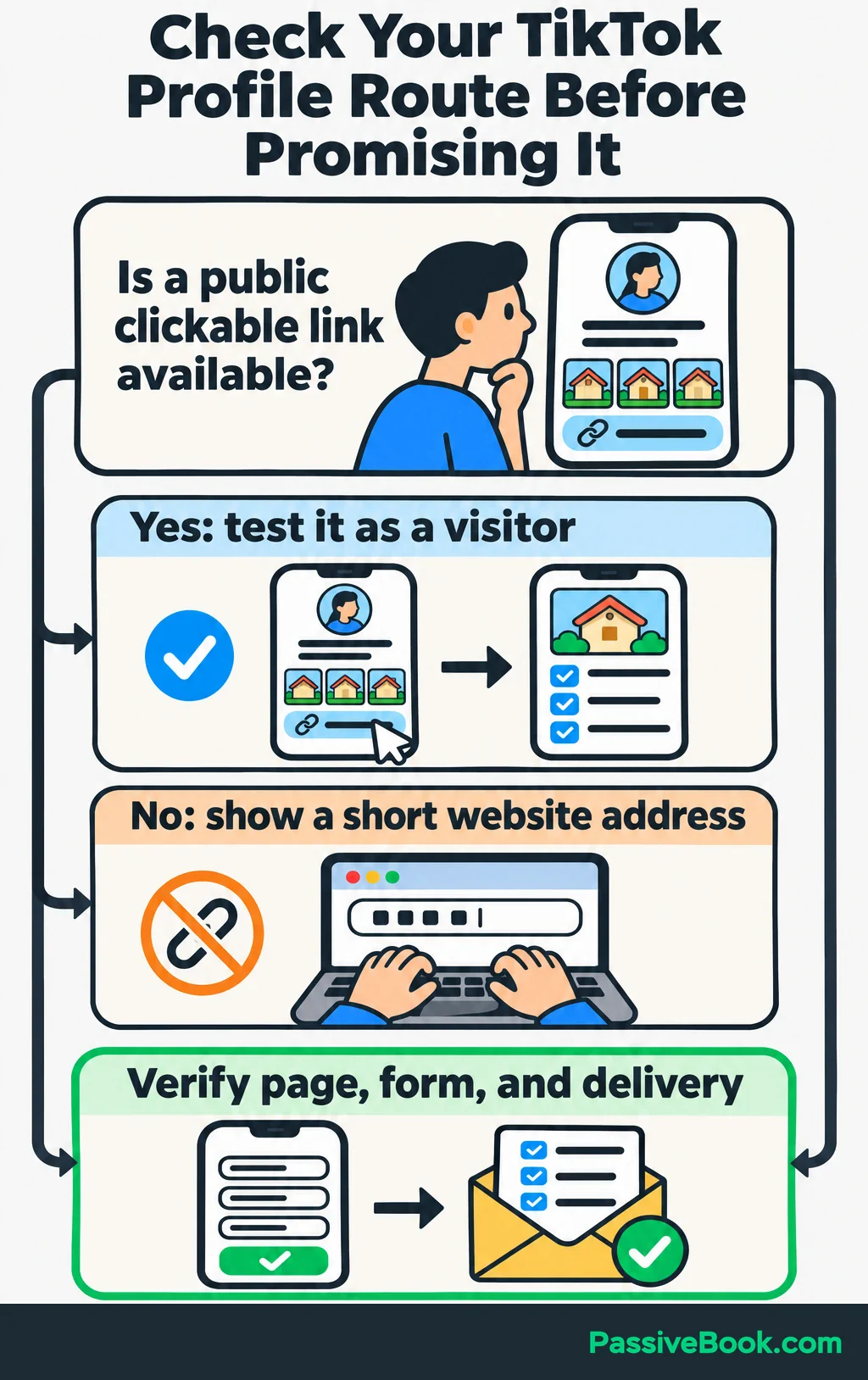
The email should deliver the checklist first, then explain the next step: choosing a portrait style, submitting a photo, or viewing order details. Use your existing website and email tools if they can handle that journey.
Add campaign tags to the destination link so website analytics can recognize the traffic. For example:
?utm_source=tiktok&utm_medium=organic_social&utm_campaign=house_portraitsThese tags identify the source, channel, and campaign when the tagged link is used. Google Analytics campaign URL guidance
5. Turn Each Idea Into a Clear, Useful Post
Open With the Problem or Visible Result
Write the opening before filming. It tells you what the video needs to show, which saves recording footage you will later cut.
Try two versions:
- Problem-led: “Which of these house photos would work better for a portrait?”
- Result-led: “This photo makes the window details much easier to draw.”
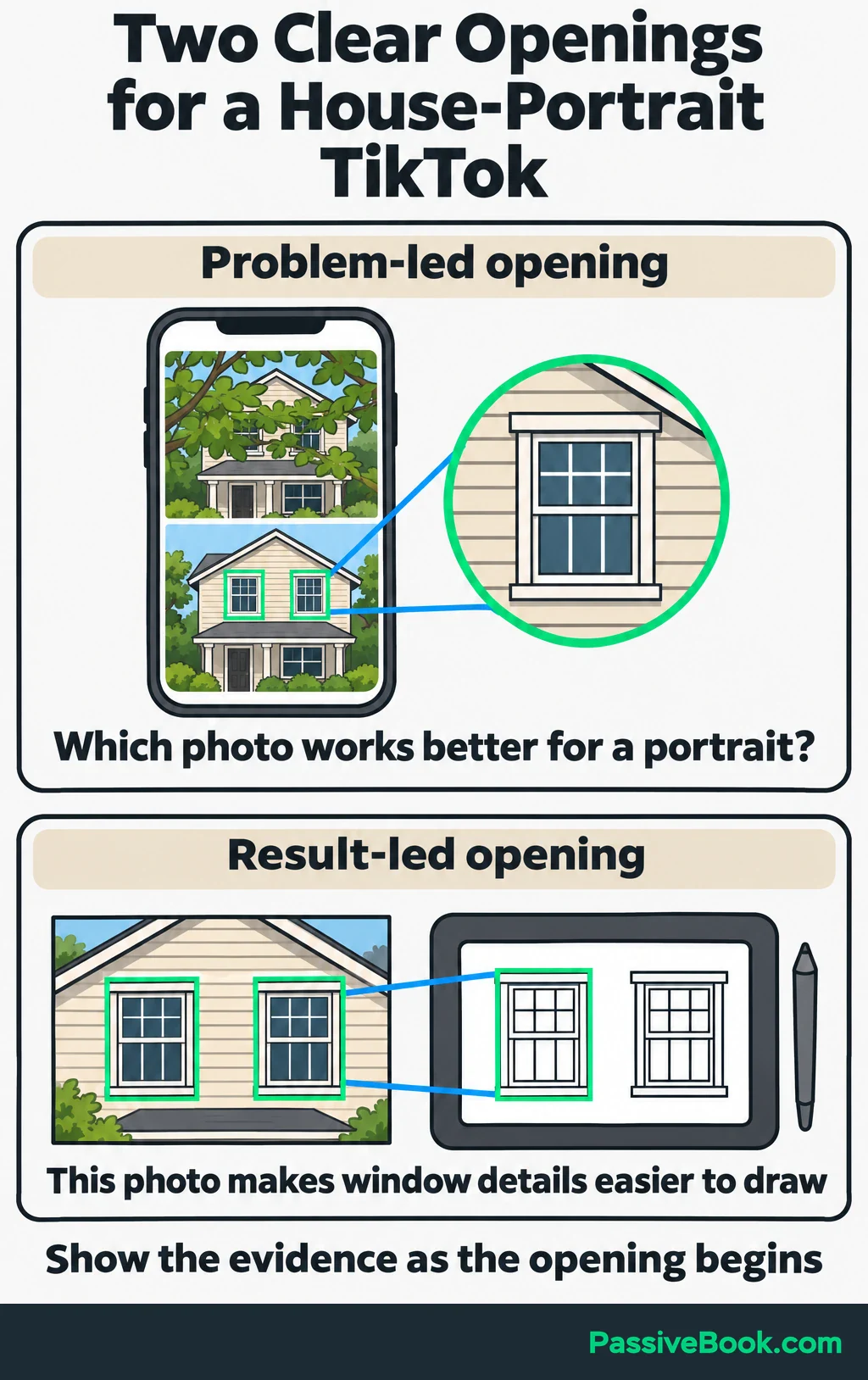
Put the evidence on screen immediately. Show both photos while asking the comparison question, or zoom into the window details while explaining the result.
A greeting, logo animation, and account introduction can consume the space where the answer should begin. I would cut them unless they help someone understand this particular post.
Curiosity is useful when the demonstration pays it off. Making people wait for an ordinary answer is just queue management.
Deliver One Answer and One Next Action
Use a simple structure: opening → demonstration → next action.
Answer one question well enough that someone can use the advice. For a photo comparison, show the detail that affects the choice and explain why it matters.
Here is a complete script for the illustrated portrait shop. It assumes you have tested the profile link:
Which of these house photos would work better for a portrait?
Look at the windows and roofline. In the first photo, the shadows hide some details. In the second, you can see their shapes more clearly.
Choose a photo where the features you want included are easy to see. It doesn’t need to win a photography award.
Get the free reference-photo checklist through my profile before choosing your image.
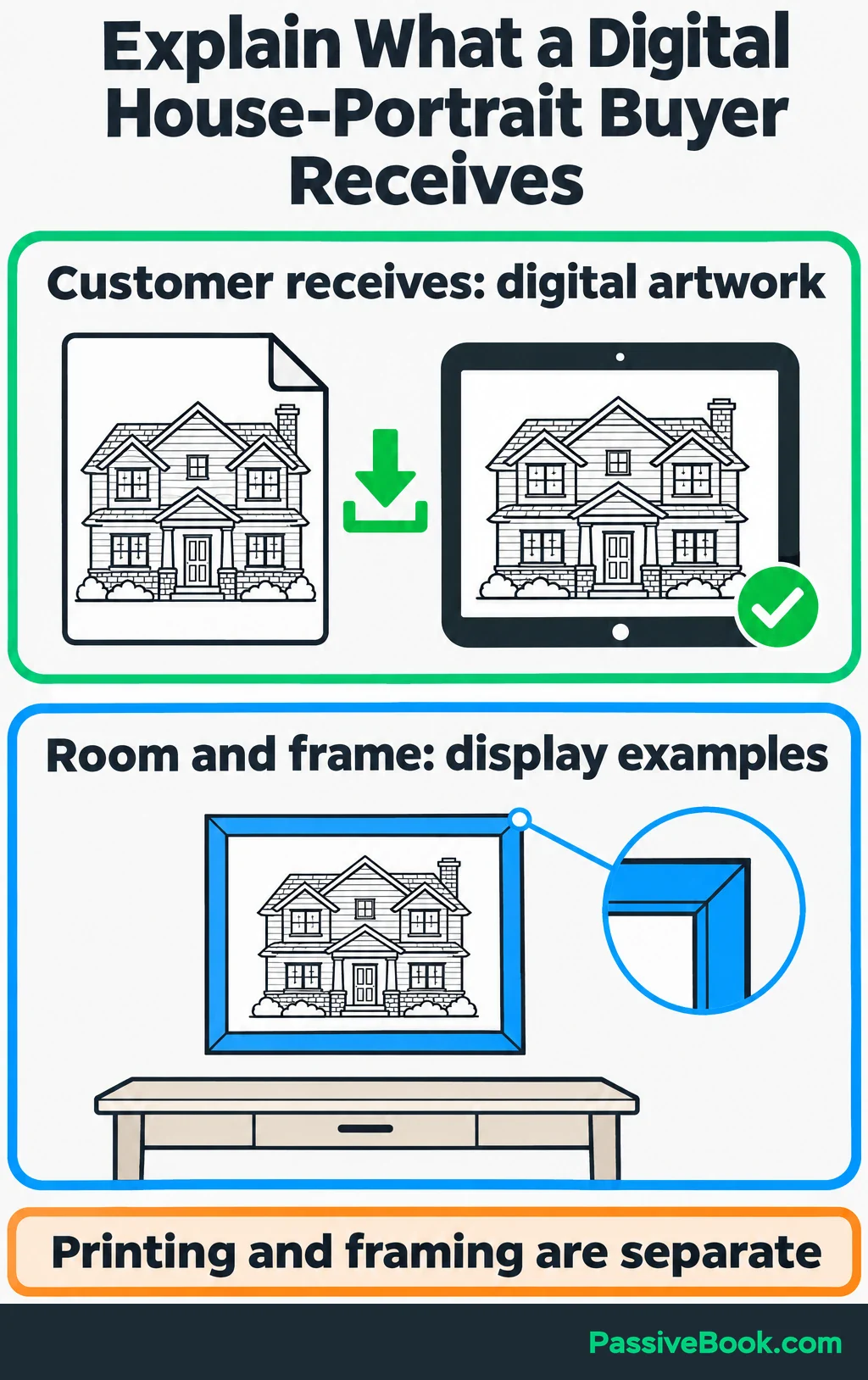
Show the two photos during the comparison, then zoom into the details being discussed. Use images you own or have permission to publish.
The portrait example gives you the structure, but your videos need different words and evidence. This AI Skill drafts three scripts around your offer and the footage you can actually make.

Free AI Social Copy Studio




Let the explanation determine the length. Cut repetition, but keep the close-up long enough for viewers to see what you mean.
Choose one next action that fits the post. A display-planning video might deserve a save, while a walkthrough of the finished product can invite viewers to explore portrait options.
When showing the offer, make the deliverable clear. If you sell a digital file, label physical frames and room mockups as display examples. Buyers should understand what arrives after checkout.
Make the Topic Easy to Find and Follow
Use the audience’s words in the opening text, explanation, and description. “How to choose a photo for a house portrait” tells viewers more than “Something exciting is coming.”
Add relevant hashtags that describe the subject. I would spend more time improving the demonstration than assembling a wall of tags.
TikTok says viewer interactions, including time spent watching, generally carry more weight in For You recommendations. In search, content information such as how closely a post matches the query generally carries more weight. My practical takeaway is to answer the stated question and make the answer easy to watch. How TikTok recommends content
Film vertically, keep important details large enough to see, and move essential text away from interface overlays. Add captions and correct automatic transcription errors before publishing.
For promotional posts, use music cleared for commercial use or audio you have the necessary rights to use. TikTok recommends its Commercial Music Library because its general music licenses do not cover commercial use. A plain voiceover is also a sensible starting choice. TikTok’s commercial music guidance
6. Set a Sustainable Production and Publishing Routine
Choose Your Cadence From Production Capacity
Make one complete post and time the scripting, filming, editing, and publishing.
Then set aside weekly time for planning—including research—plus replies and review. Divide the remaining time by your measured time per post to see how many videos fit.
For illustration:
- Available time: 120 minutes each week.
- Planning, replies, and review: 30 minutes.
- Production time remaining: 90 minutes.
- Production time per video: 30 minutes.
- Weekly capacity: Three videos.
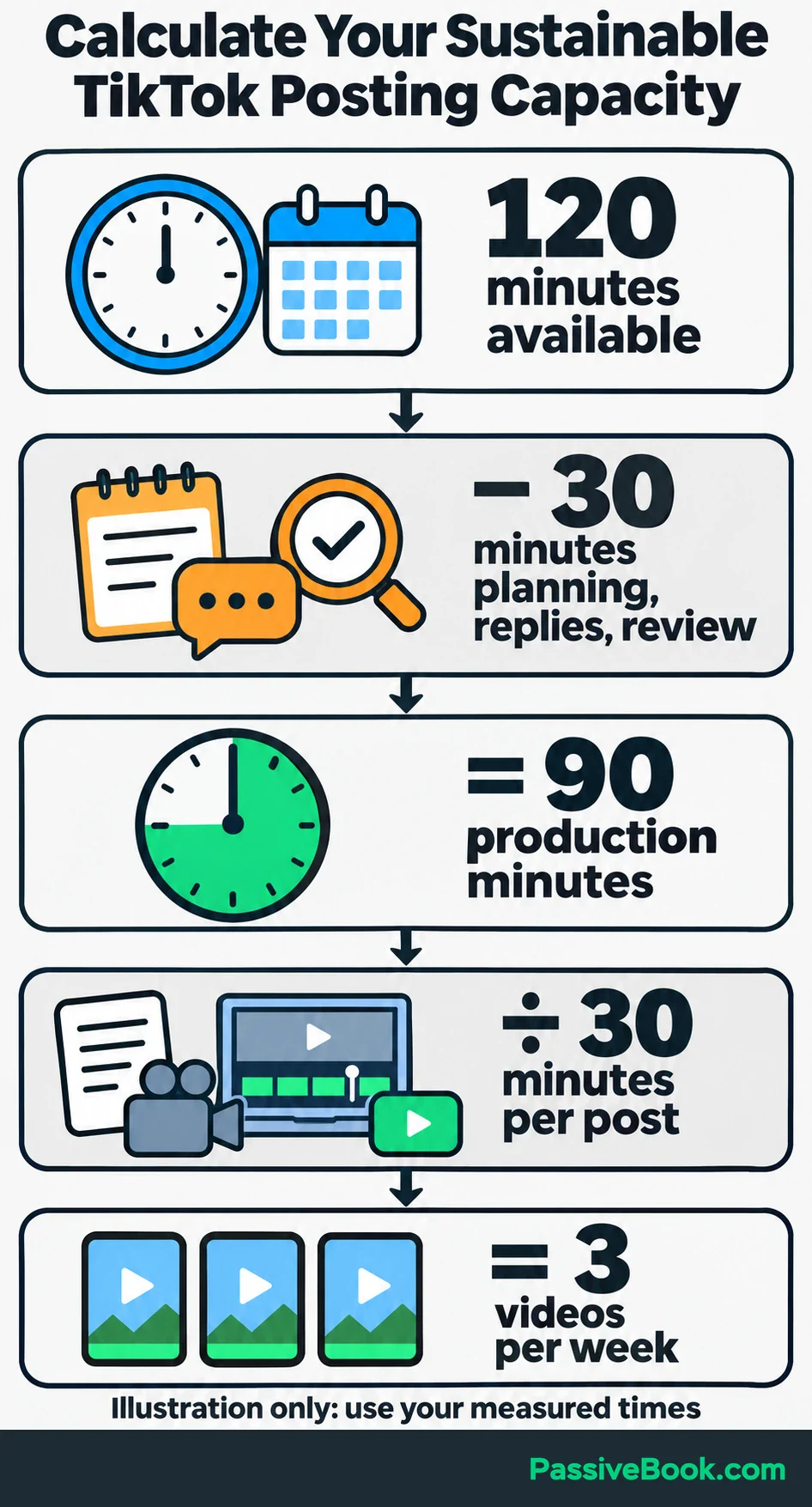
Use your measured production time in place of these figures. If a post takes longer, reduce the cadence or simplify the format.
My membership-site attempt became a content treadmill alongside a corporate job. That experience makes me suspicious of any plan that works only during a week with no interruptions.
I would begin with a schedule you can keep on an ordinary week. Choose practical publishing slots and adjust them as you learn about your audience. A daily quota is a poor substitute for a workable production plan.
Batch Similar Tasks and Keep a Simple Calendar
Batch the work that shares the same setup. Choose questions together, draft their scripts, record related footage in one session, and edit with a reusable structure.
For the portrait shop, one recording session could capture photo comparisons, drawing progress, and display mockups. Each finished post still needs its own question and explanation.
Keep a spreadsheet or planning board with the publish date, audience question, pillar, series, format, opening, call to action, footage needed, status, and review date.
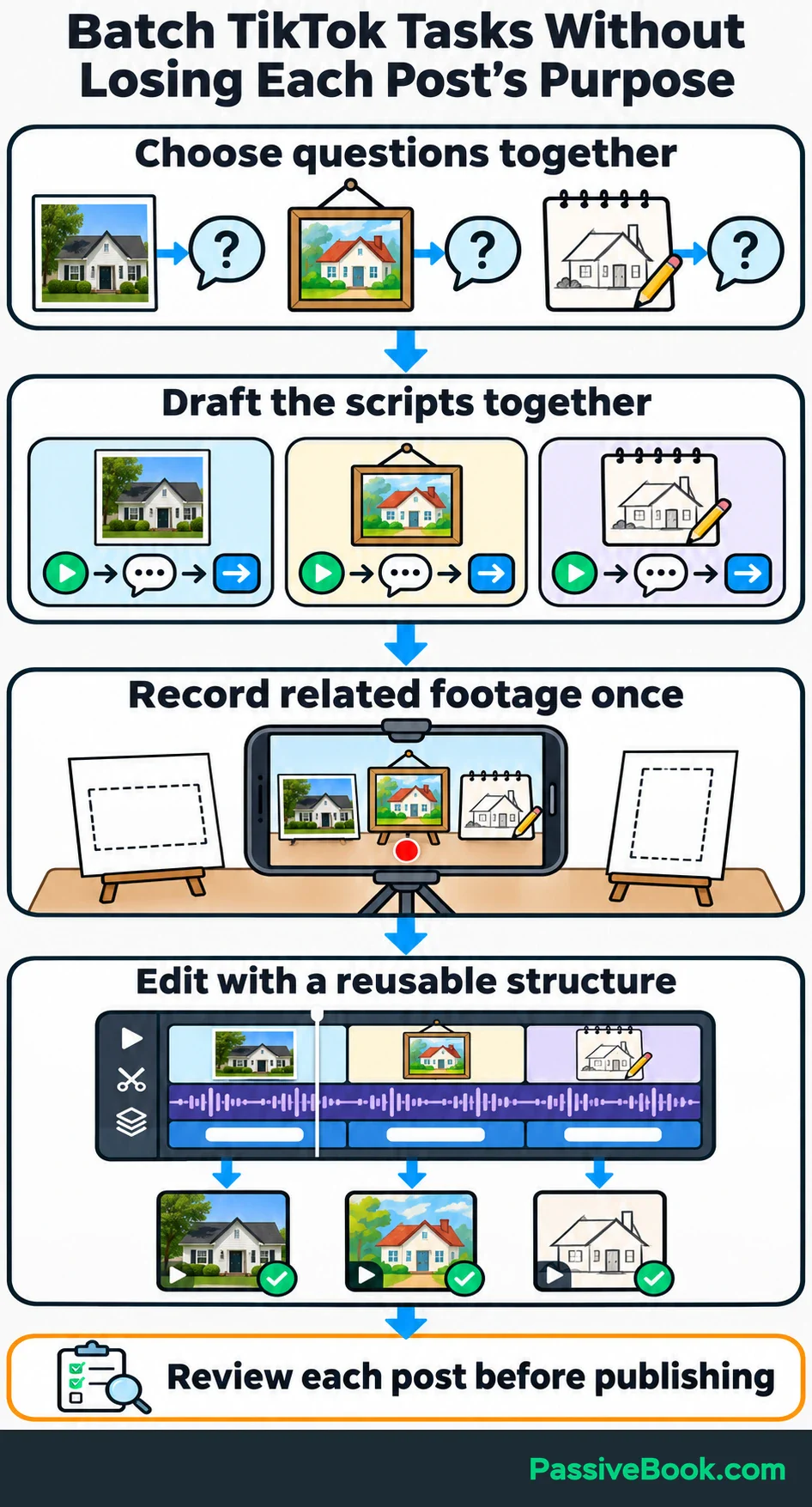
A three-post week could look like this:
| Slot | Question and series | Footage and opening | Next action |
|---|---|---|---|
| Tuesday | Which reference photo should I choose? “Which Photo Would You Choose?” | Two annotated photos. “Which photo shows the window details clearly?” | Get the photo checklist |
| Thursday | How might the artwork fit above a desk? “One Portrait, Two Display Options” | Hands placing two paper size guides. “Compare these sizes before choosing your print.” | Save the comparison |
| Saturday | What happens after I submit a photo? “From Photo to Portrait” | Screen recording of the drawing process. “Here’s how this reference becomes digital artwork.” | View portrait options |
Start with your phone, a simple editor, and native tools. TikTok Studio combines creation, post management, analytics, and comment tools for creators aged 18 and over. I would try that before paying for a separate management platform. TikTok Studio overview
AI can group your collected questions or suggest alternative openings. Give it the actual question, offer, and demonstration, then check the draft against what you can show. Review each post yourself before it goes live.
Before publishing promotional posts, turn on TikTok’s content disclosure setting and select whether you are promoting your own business or a third-party brand. TikTok requires this for both types of promotion. TikTok’s promotional-content requirements
Feed Audience Questions Into the Next Batch
Reserve time for useful replies. Comments can reveal where your explanation stopped too soon or where a customer needs help deciding.
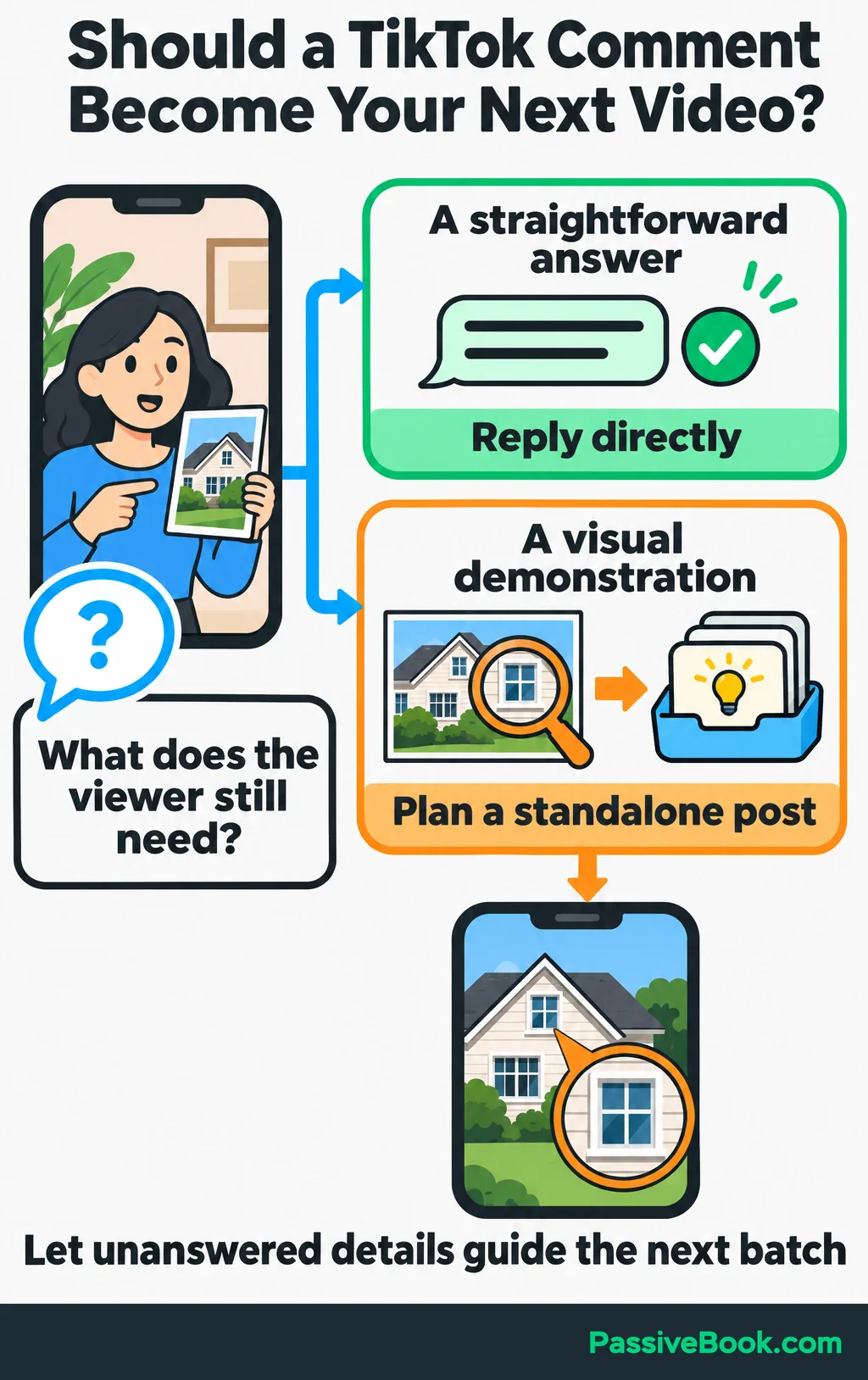
Answer straightforward questions directly. When a question needs a demonstration, add it to the idea bank and make a standalone post.
For example, “Can you work from an old family photo?” deserves more than “Yes!” if the answer depends on visible detail. Explain what you need to inspect and show a suitable example.
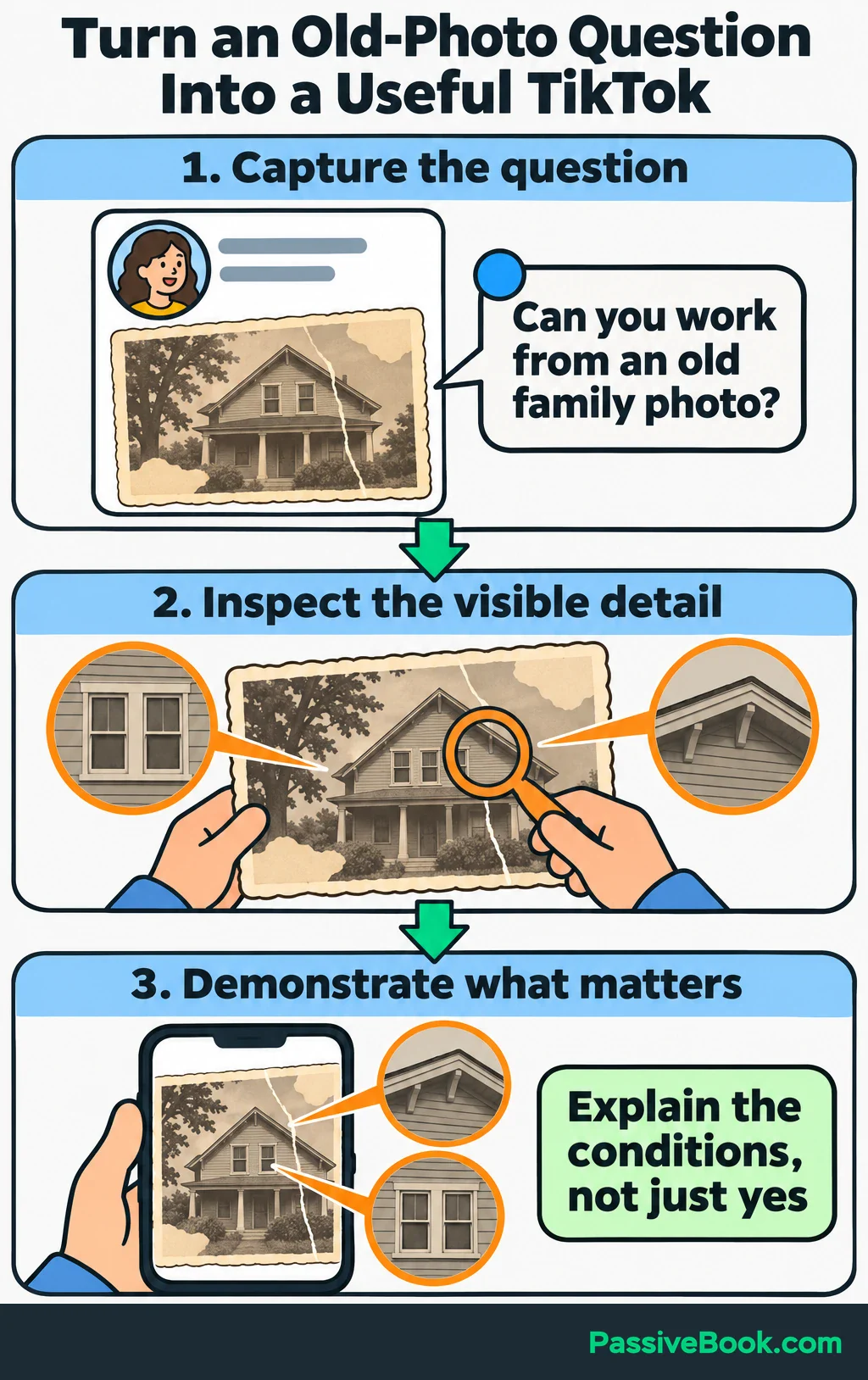
Ask questions that improve the next batch:
What makes choosing a reference photo difficult?
That gives you something to work with beyond a row of heart emojis.
7. Use Results to Improve the Next Batch
Separate Content Response From Business Results
Review posts weekly and assess the business goal at the review date you chose.
Keep two groups of measures:
| What you want to understand | What to inspect |
|---|---|
| Whether the explanation holds attention | Watch time and completion, alongside video length |
| Whether viewers find it useful | Saves, shares, and comments about the actual subject |
| Whether people take the next step | Tracked website sessions, confirmed signups, or relevant inquiries |
| Whether the offer earns revenue | Purchases and sales records connected to those visitors or subscribers |
| Whether production is sustainable | Time spent creating and maintaining each series |
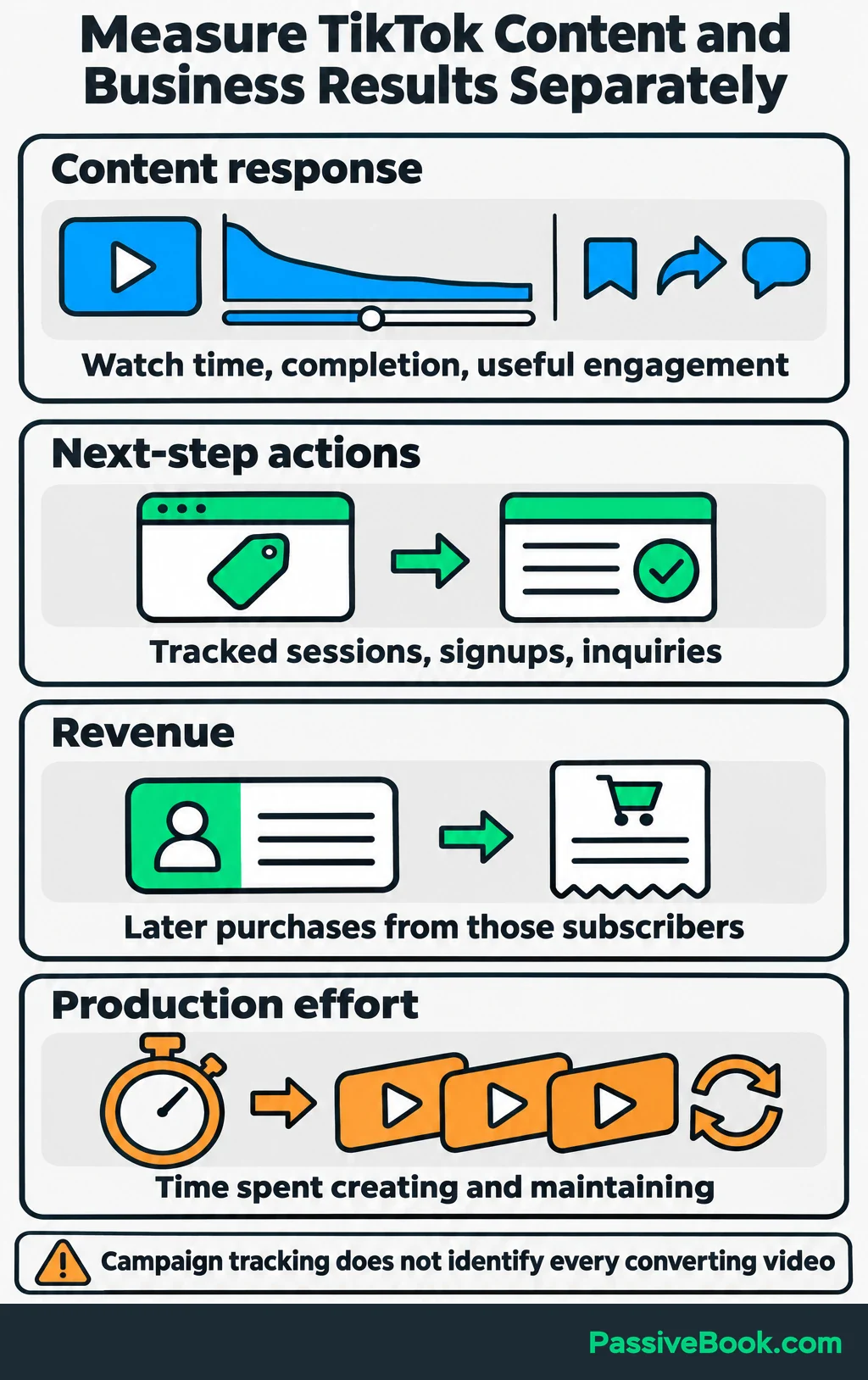
Compare posts with similar purposes, lengths, and time since publication. A three-day-old tutorial and a month-old product reveal have had different opportunities to produce results.
For signup conversion, count confirmed signups generated during the tracked landing-page sessions in the same review period. Divide those signups by the sessions and multiply by 100.
In an illustrative four-week report, 12 confirmed signups from 120 tracked sessions gives:
12 ÷ 120 × 100 = 10% signup conversion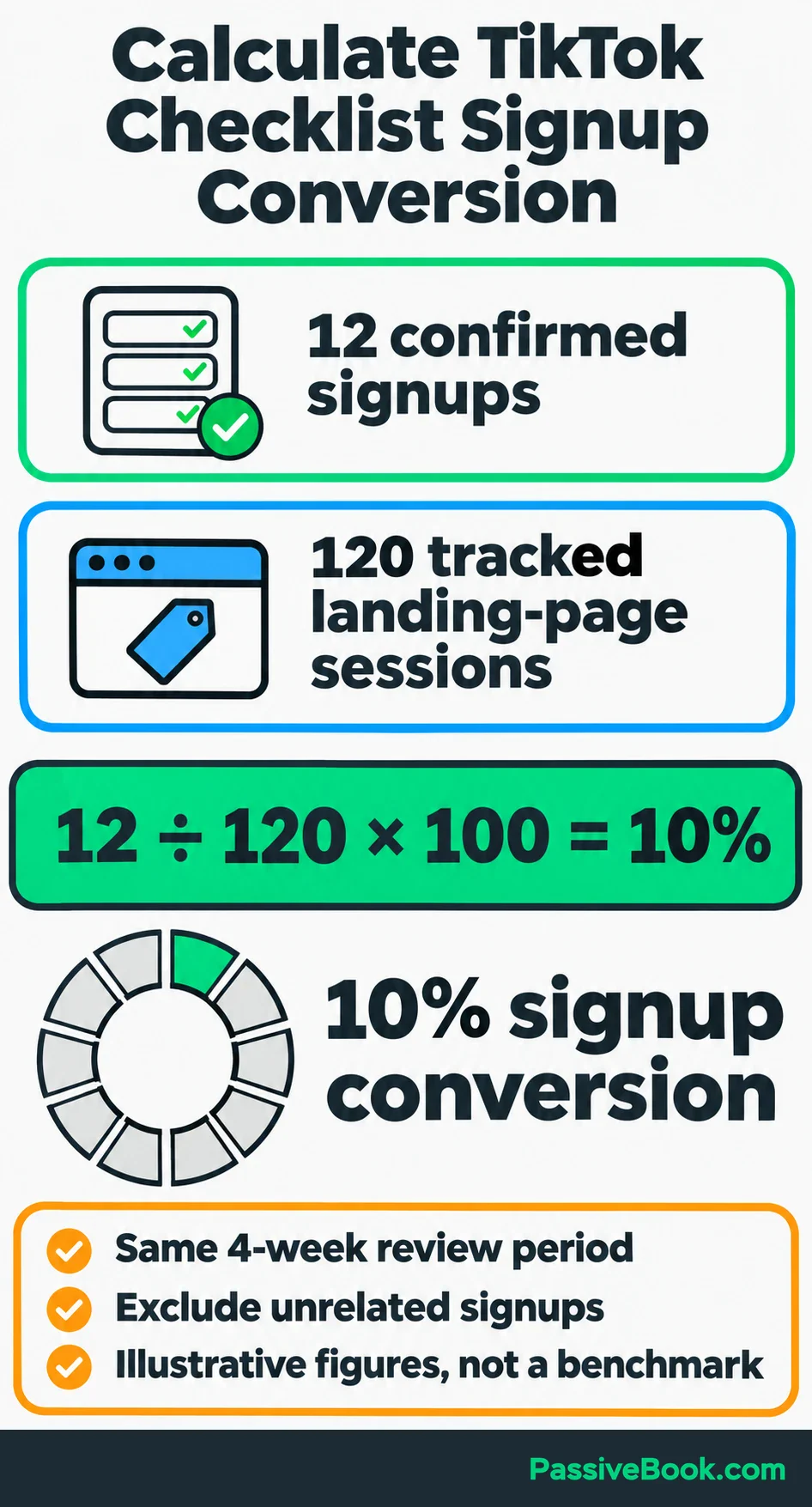
Exclude unrelated signups from that calculation.
A shared profile link can identify campaign traffic, but it will not reliably tell you which video prompted every visit. Read post performance alongside campaign results and avoid assigning every signup to the latest upload.
Also track which checklist subscribers later order. Keep that group separate from customers who arrived through other channels.
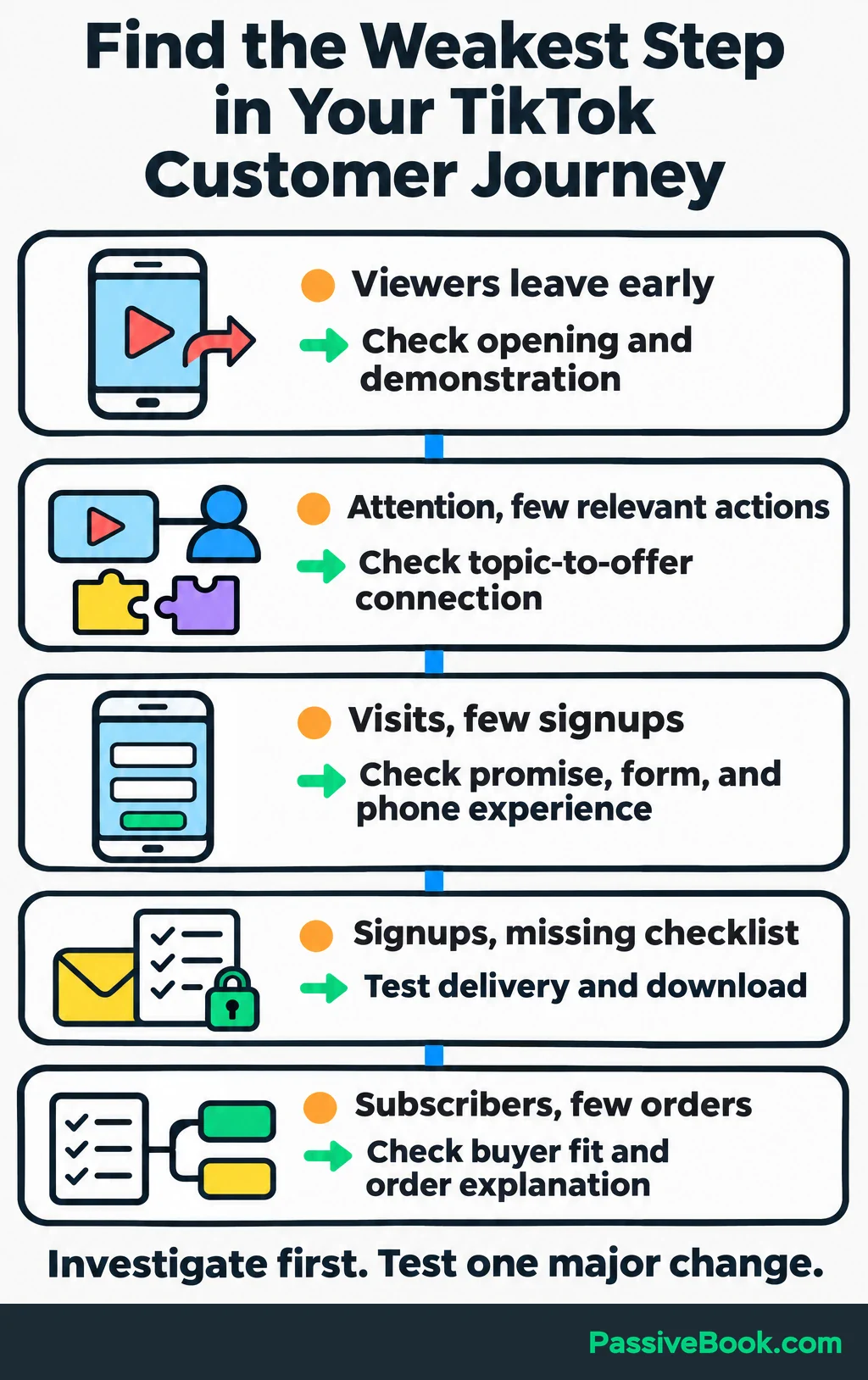
Fix the Weakest Part of the Journey
Use the evidence to choose the next change.
| What you observe | What I would check or change first |
|---|---|
| Viewers leave before the answer | Put the demonstration earlier and make the opening more specific |
| Posts attract attention but few relevant actions | Check whether the topic connects clearly to the profile promise and offer |
| Visitors reach the page but rarely sign up | Review the promise, preview, form, and phone experience |
| People submit the form but miss the checklist | Test the delivery email and download |
| Subscribers get the checklist but do not order | Check whether it attracts prospective buyers and whether ordering is explained clearly |
These are starting points to investigate, rather than diagnoses from one number.
I would expand a modest-view series that repeatedly brings suitable customers. A popular series that never connects to the offer needs revision before it gets more production time.
Change one major element at a time. For example, keep the topic and demonstration but replace a vague opening with a specific comparison. Record the change, the relevant result, and what you will test next.
Your One-Page TikTok Content Strategy Template
Copy this brief into your planning document:
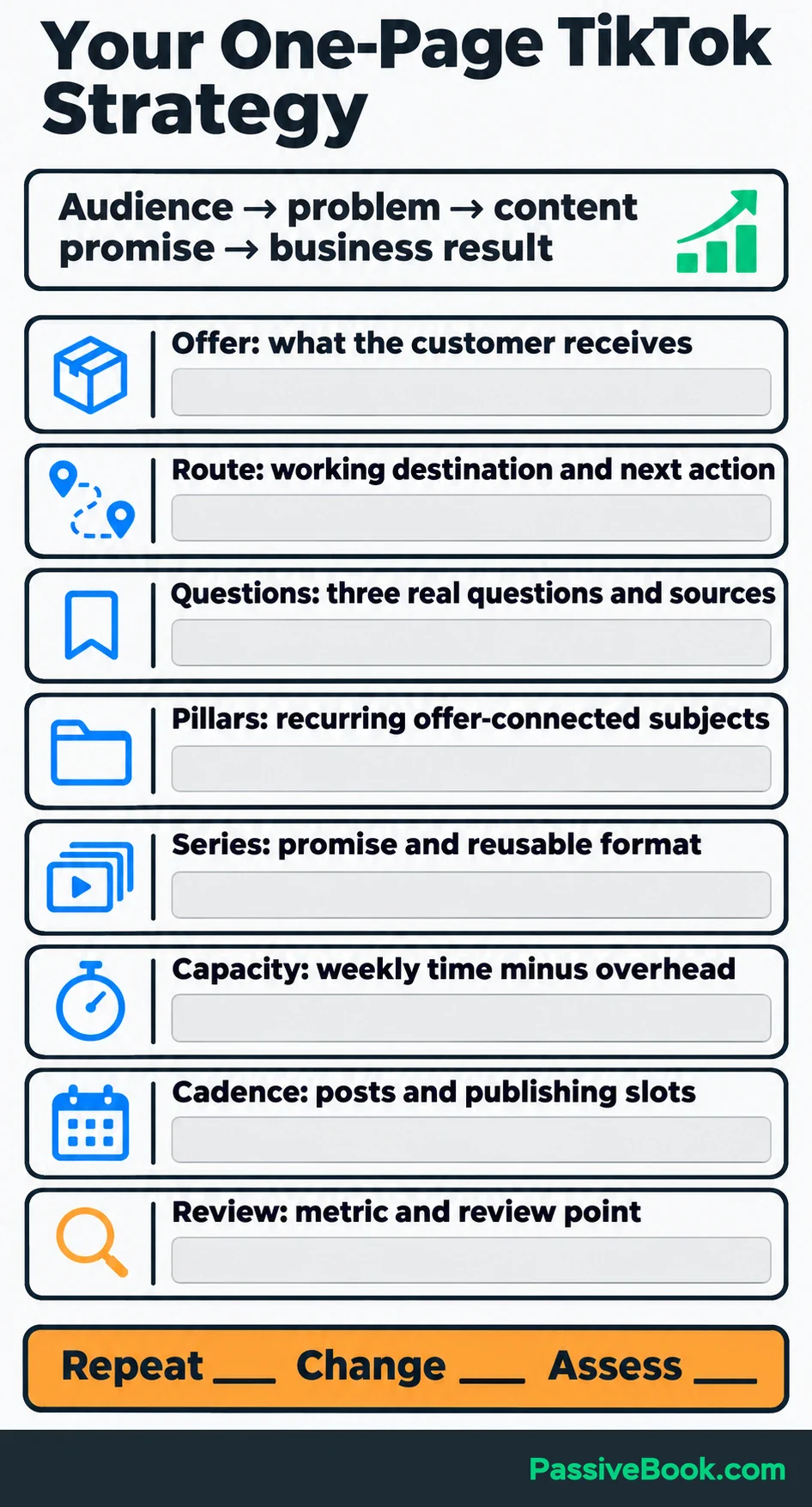
We help [audience] solve [specific problem] through [content promise]. Our primary outcome is [business result], measured by [metric] by [review date].
Fill in the operating decisions beneath it:
| Field | Your plan |
|---|---|
| Offer | [What you sell and what the customer receives] |
| Conversion route | [Video → profile → working destination → next action] |
| Audience questions | [Three real questions and where you found them] |
| Content pillars | [Recurring subjects connected to the offer] |
| Series and formats | [Series promise and reusable production structure] |
| Production capacity | [Weekly time, overhead, and measured time per post] |
| Publishing cadence | [Number of posts and practical publishing slots] |
| Review routine | [When you review posts and assess the business outcome] |
Here is the completed portrait-shop version:
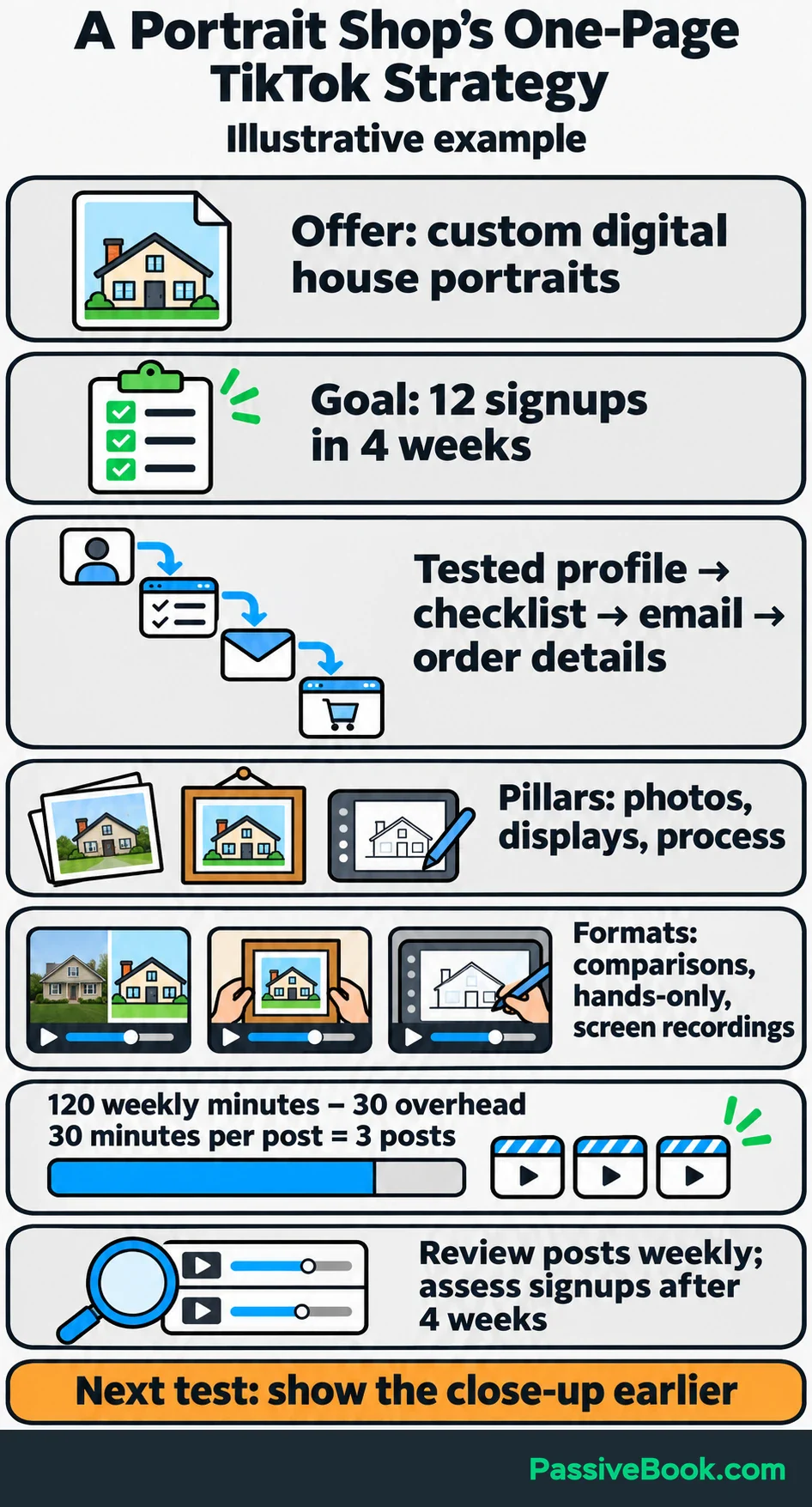
| Field | Completed example |
|---|---|
| Audience promise | Help people choose suitable photos and turn a meaningful home into custom portrait artwork |
| Primary outcome | 12 confirmed photo-checklist signups during a four-week test |
| Offer | Custom digital house portraits; printing and framing are separate |
| Conversion route | Useful video → profile with a tested public link → checklist page → delivery email → portrait-order page |
| Audience questions | Which photo should I use? Can an old photo work? What happens after submission? Verify these during research |
| Content pillars | Photo selection, display planning, and the portrait process |
| Series and formats | Photo comparisons, hands-only display demonstrations, and narrated drawing recordings |
| Production capacity | 120 weekly minutes, including 30 for planning, replies, and review; 30 production minutes per post |
| Publishing cadence | Three posts each week |
| Review routine | Compare posts weekly at similar ages; assess signups after four weeks and track later orders |
Finish each review with one decision:
Repeat [topic or series], change [one element], and assess [relevant result] at the next review.
For the example:
Repeat the photo-comparison series, show the close-up earlier, and compare watch time on similar-length posts after seven days.
That is how to create a TikTok content strategy you can maintain: connect the next audience question to a useful post, a working offer route, and a decision you can review.
What Next?
Choose one real customer question, write its opening and answer, and book a production slot in your calendar. Use that first post to measure how much work your weekly plan can hold.
If this guide helped turn scattered ideas into a workable schedule, use the social buttons to share it and give more content plans a practical starting point.
Which part of your route from video to customer needs the most work? Tell me in the comments, and bring any other questions there too.
Share this post with your friends & followers:

