Your most-viewed video took an afternoon to make. The next one was quicker, earned fewer views, and brought better questions. Which deserves a follow-up?
If you judge by views alone, you can spend your next free evening repeating content that attracts attention but gives people little reason to return or take action. This guide shows you where to find TikTok Analytics and how to compare videos fairly so you can choose a follow-up worth another hour of your time.
How to Access TikTok Analytics
You need at least one public post to access analytics. Both Personal and Business accounts have access, so you don’t need to switch account types just to see your numbers. TikTok Studio is the built-in hub for managing posts and checking their performance.
To open analytics in the TikTok app:
- Open your profile and tap the menu button.
- Select TikTok Studio, then open Analytics.
- Complete the activation prompt if this is your first visit. It may ask you to select Get started and Turn on.
- Tap View all if you see a summary and want the full dashboard.
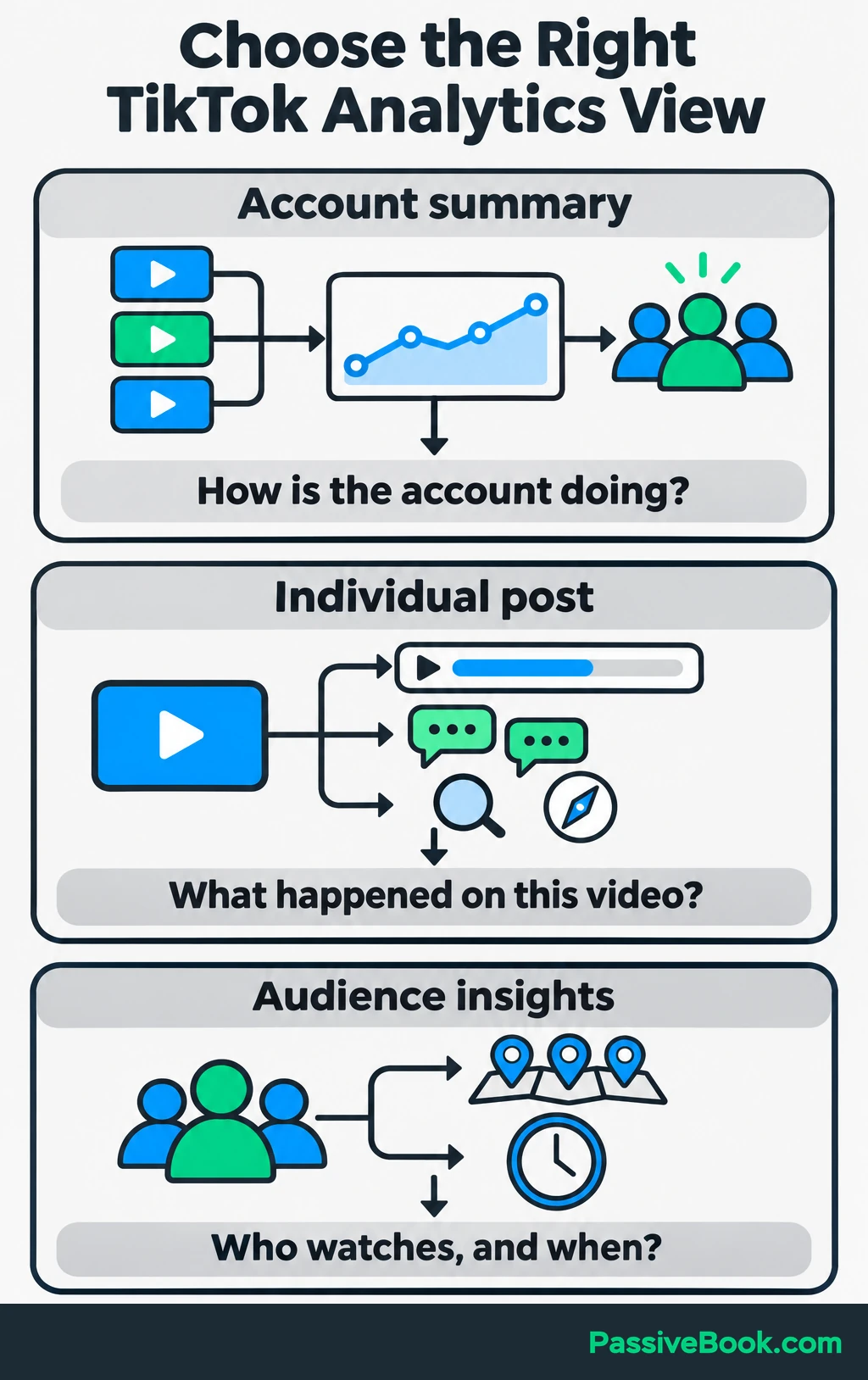
On a computer, sign in to TikTok Studio and open Analytics. I would use the computer for a regular review because comparing posts and keeping notes is easier on a larger screen.
For one video, open the post and tap More insights. You can also open its options and select Analytics.
Use each view for a different job:
- Account summary: Check overall views, profile activity, and audience growth during a selected period.
- Individual-post analytics: Investigate a video’s viewing behavior, responses, and traffic sources.
- Audience insights: Look for viewer and follower patterns that can inform topics and publishing times.
If the dashboard is empty, check that you’re signed into the right account, have a public post, have activated analytics, and have selected a period that includes your posts. A newly published video may need time to show useful data. If a control is missing in the app, try the desktop version before assuming you need another account type.
Choose the Metrics That Match Your Goal
Before studying the dashboard, choose one main outcome for your next group of videos. Otherwise, you can always find a number that makes a weak result look respectable.
Views matter when you want exposure. Relevant questions matter when you want to understand demand. Purchases matter when you’re testing whether content supports an offer.
| Goal | Primary measure | What it means | Decision it supports |
|---|---|---|---|
| Discovery | Video views | How often the video was viewed | Which topics deserve another reach test |
| Useful engagement | Shares and relevant comments | Whether people pass it along or discuss the problem it addresses | Which questions and demonstrations to develop |
| Audience building | Follower growth during the period | Whether your audience is growing | Which recurring topics give people a reason to follow |
| Business results | Tracked sign-ups or purchases | Whether referred visitors complete a useful action | Whether to improve the offer, invitation, or destination |
Keep a few distinctions clear. Video views count viewing events, while unique viewers count distinct people where that metric is available. A view total isn’t a headcount.
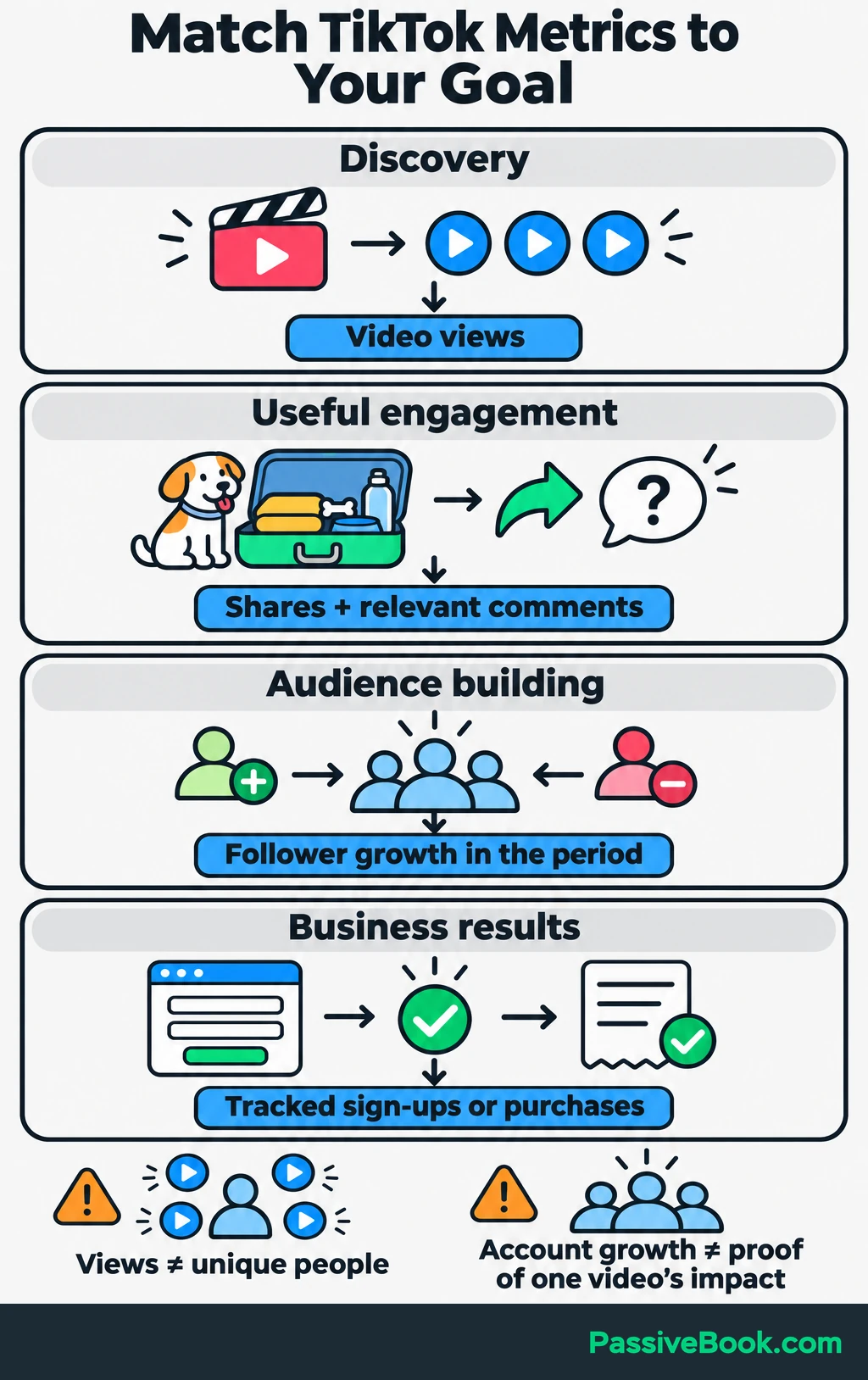
Your follower total is also different from growth during a selected period. And account growth during a busy week doesn’t prove that one particular video caused it. Use post-level follower results when available, and keep those separate from account-wide changes.
During my six months chasing Instagram and Twitter/X followers for a side niche, I kept checking whether the accounts had grown. The business made little financial progress. My review notes had plenty of audience numbers but offered little help deciding what was worth making again.
I started putting the useful business action beside the traffic number. That’s the habit I would bring to TikTok.
For the examples here, imagine you sell a downloadable dog-travel packing planner. You publish packing demonstrations and offer a sample checklist through your profile link. The figures and copy below are illustrations, not observed results or performance targets.
A demonstration can serve two connected goals: attract people interested in packing for a trip with their dog, and give them a reason to request the sample. Watch time helps you assess the demonstration, while profile activity and tracked sign-ups help you investigate what happened afterward.
Compare Similar Videos Before Choosing Winners
A video published yesterday hasn’t had the same opportunity as one published three weeks ago. Comparing their current totals tells you little about which approach deserves another attempt.
Keep one spreadsheet row per video. Record:
- Creative details: Topic, opening, format, and length.
- Timing: Publication date and age when measured.
- Results: Views, your primary result, and the supporting metrics needed to explain it.
Choose a consistent measurement point, such as seven days after publication. That’s a review choice, not a TikTok rule. Use the same point for the posts you compare.
Compare videos with similar purposes, and use similar lengths when judging viewing behavior. Keep posts you paid to promote separate from organic comparisons.
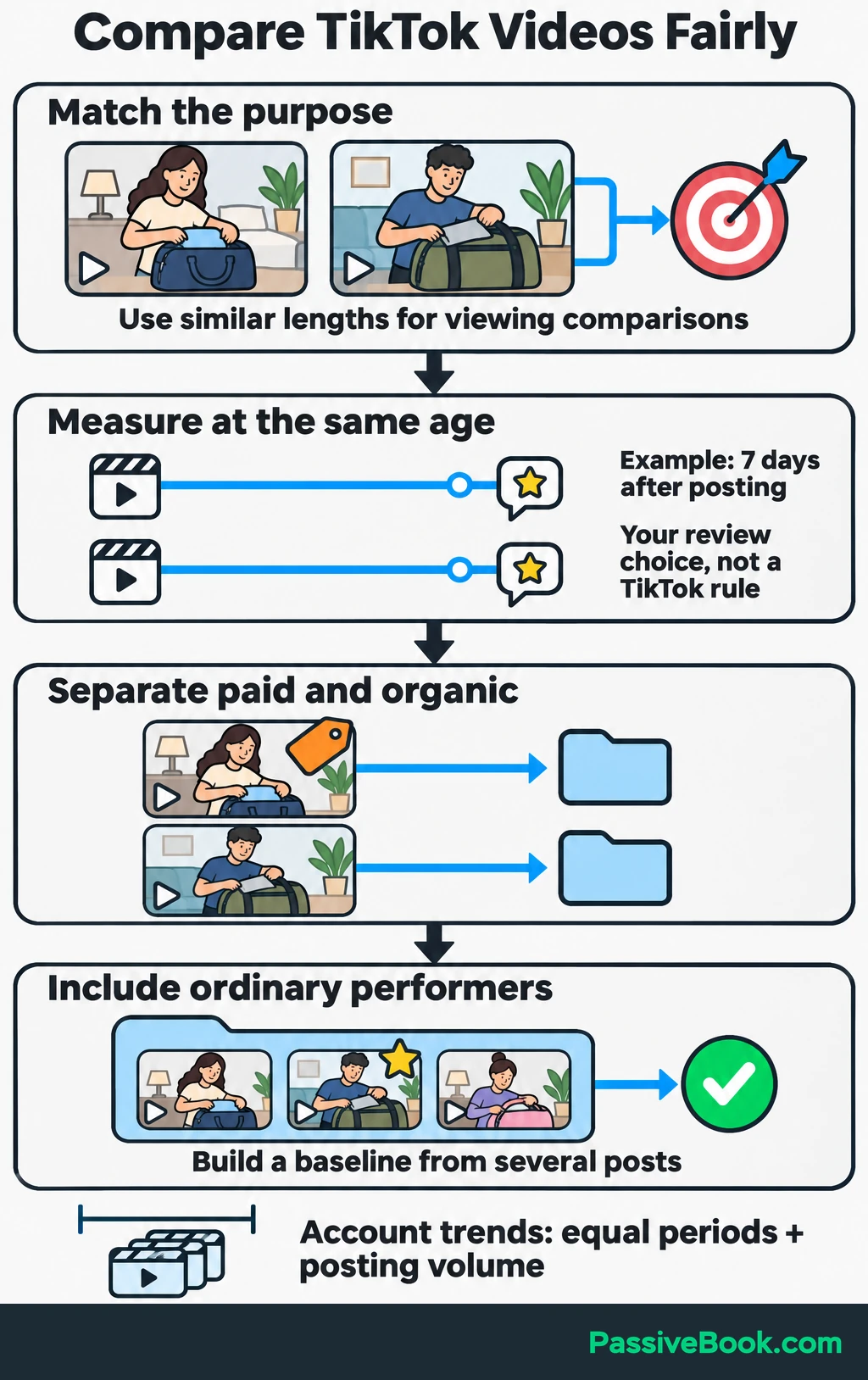
For account trends, compare equal reporting periods and note how many videos you published. Doubling your output can raise total views while leaving each video’s performance much the same. That matters when your spare time is the scarce resource.
Build your baseline from several comparable posts, including ordinary performers. Studying only your biggest hit leaves you with no sense of what usually happens.
Rates can help when posts receive different amounts of exposure. To compare sharing, count each video’s shares and divide by that same video’s views, measured at the same age:
Shares per view = shares ÷ video views × 100
| Packing demonstration | Views after seven days | Shares after seven days | Shares per view |
|---|---|---|---|
| Overnight bag walkthrough | 1,000 | 20 | 2% |
| Weekend bag walkthrough | 4,000 | 40 | 1% |
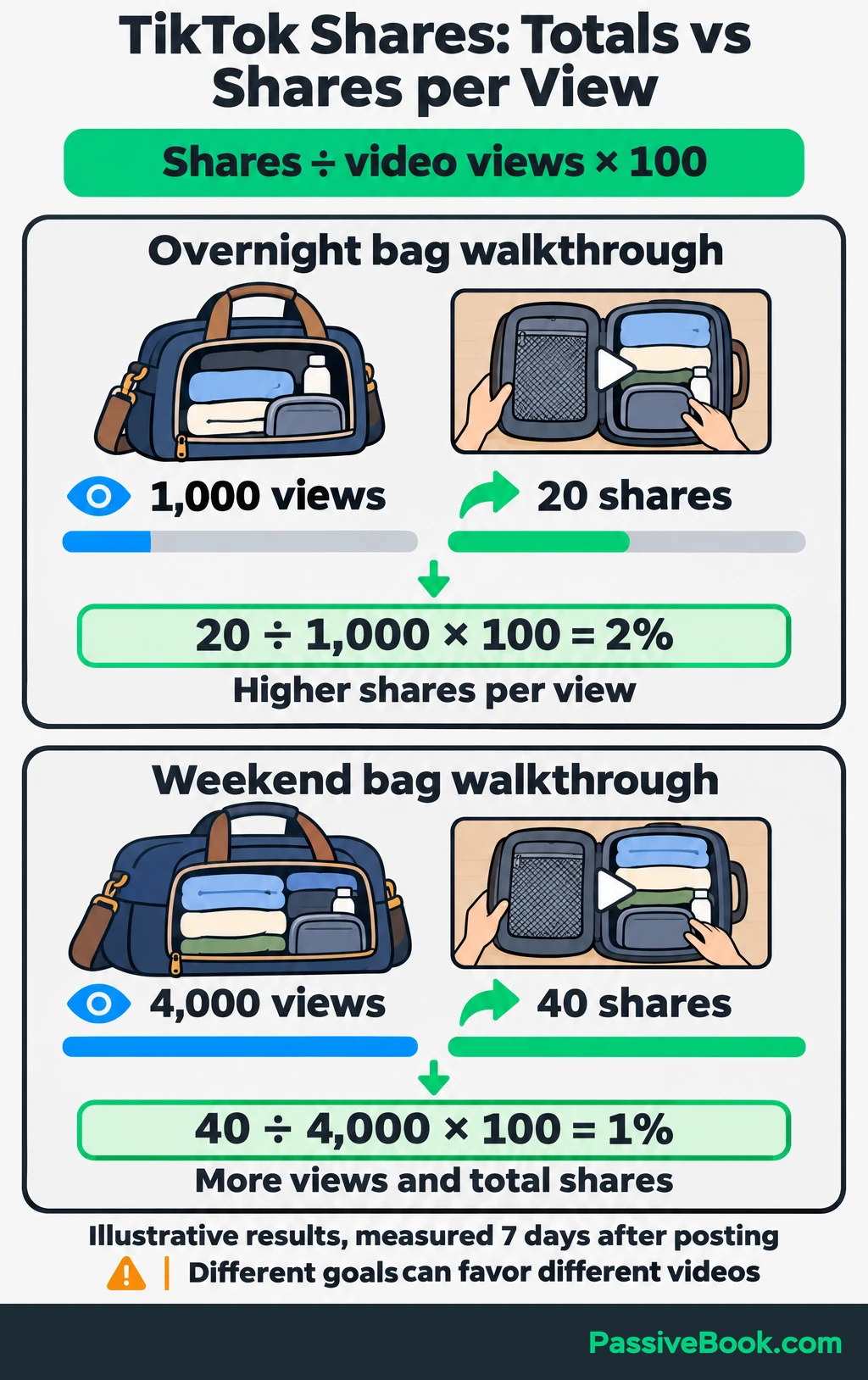
The weekend video generated more shares overall. The overnight video generated more shares for each view.
Neither result cancels the other. If exposure is your goal, the second deserves attention. If you’re testing which demonstration earns more shares per view, investigate the first.
“Shares per view” is simply the calculation used here, not a universal TikTok engagement-rate formula. It also doesn’t explain why a video performed better. That takes a closer look at the content.
A video can earn more responses and still take too much time to justify repeating. This workbook puts production effort beside performance, with worked examples for the cases where the numbers disagree.
Use Content Signals to Improve Your Next Videos
Improve the Opening and Delivery
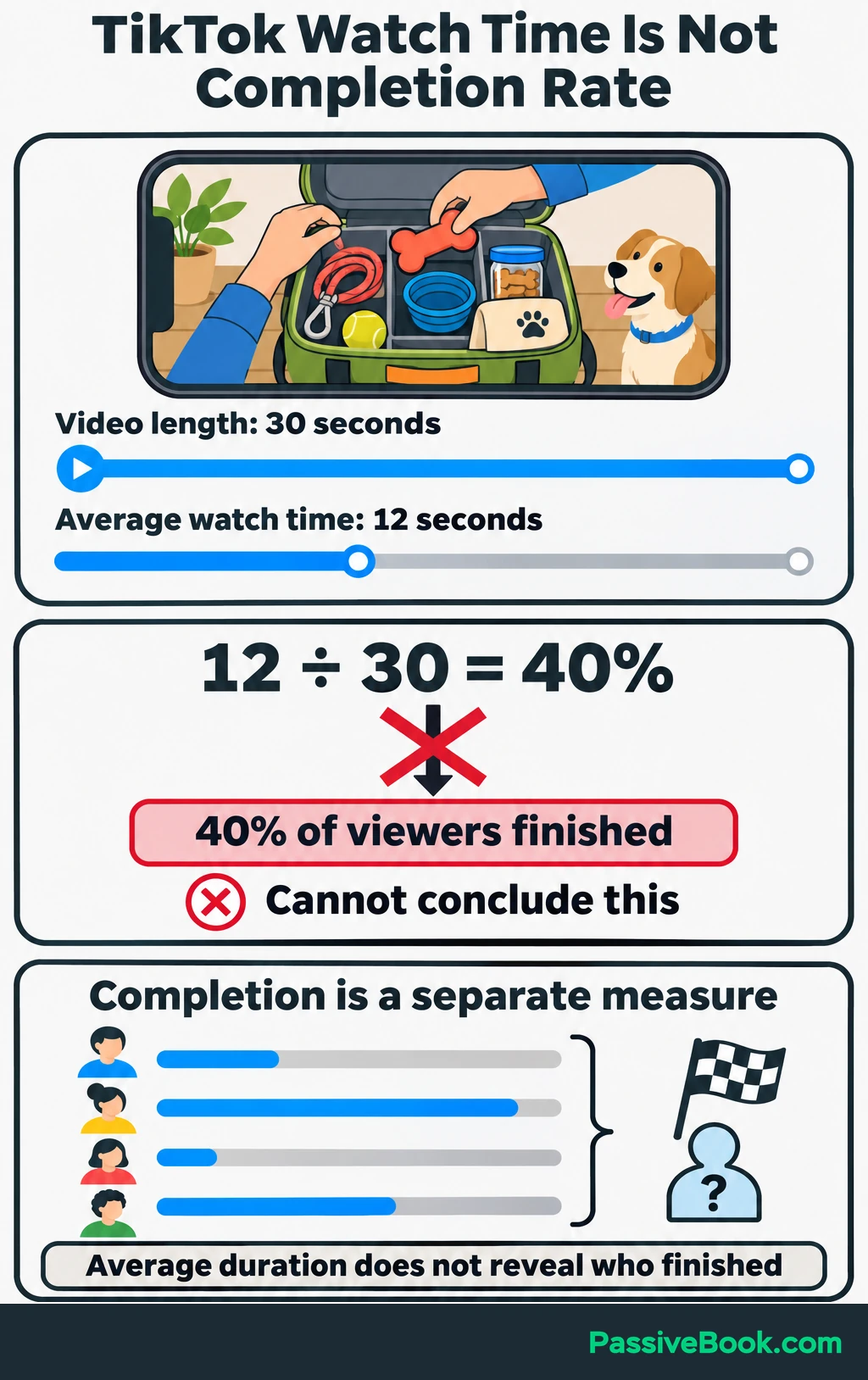
Start by reading average watch time beside video length. It tells you how long people watched on average, not what percentage of viewers finished.
For example, an average watch time of 12 seconds on a 30-second video doesn’t mean 40% of viewers finished. Some may have left immediately, while others stayed much longer.
Compare stronger and weaker videos, then watch them again with three questions in mind:
- Subject: How quickly can you tell what the video will help you do?
- Demonstration: When does the useful part begin?
- Payoff: Does the video deliver what its opening promised?
Where a retention chart is available, use a sharp drop as a place to investigate. Rewatch that moment. A repeated explanation, a long pause, or a change of subject may suggest something to test.
Show the problem or result before a general introduction. For the packing demonstration, I would try opening with the packed bag:
“Here’s how I organize everything for an overnight trip with a dog.”
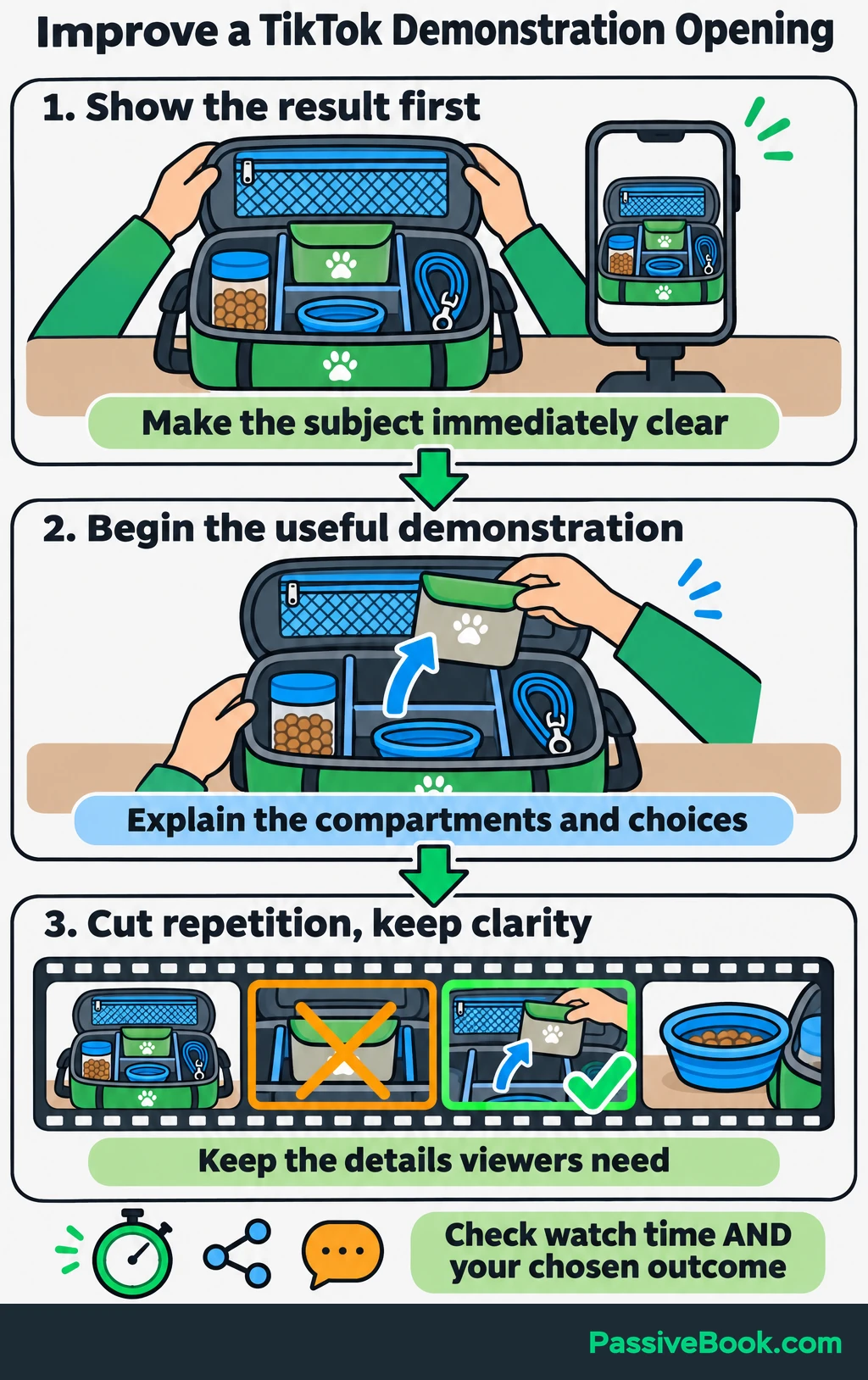
Then show the compartments and explain the choices. You can film your hands and the bag; the useful demonstration doesn’t require an on-camera introduction.
Cut repeated explanations and slow transitions, but keep the details needed to follow the answer. A faster video that leaves viewers confused is an efficient way to create more work.
Judge the revision against your chosen outcome as well as watch time. If people watch longer but relevant questions and shares weaken, review the topic, explanation, and next action before declaring a win.
Repeat Topics That Earn Useful Responses
Look for topics that earn useful responses across several posts. Then read the comments to understand what people responded to.
A high comment count can include confusion or an argument. A smaller set of specific questions may give you a much better next video.
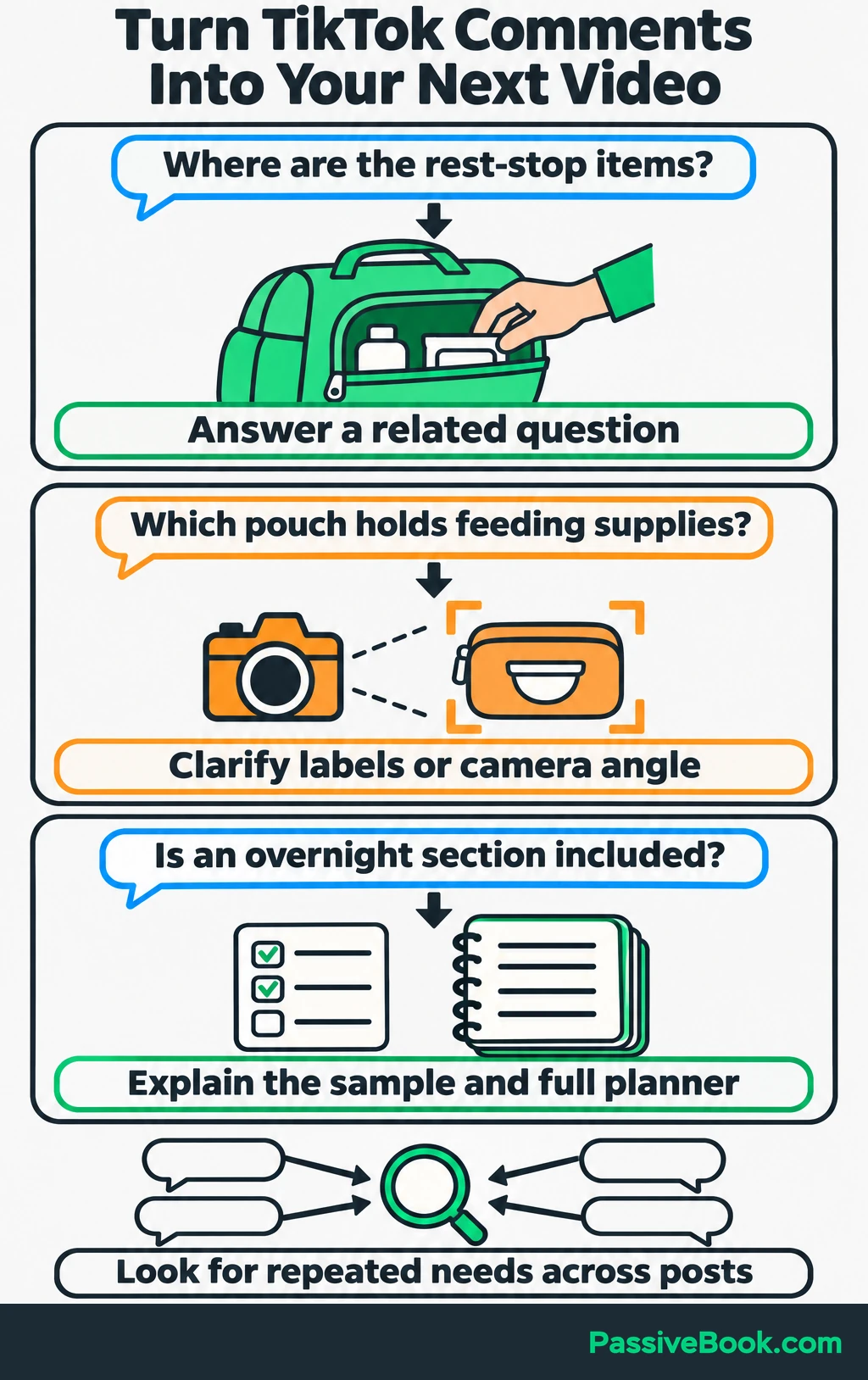
For the dog-travel planner, these comments would suggest different actions:
- “Where do you put things you need during a stop?” Make a follow-up showing the easy-access compartment.
- “I couldn’t tell which pouch held the feeding supplies.” Improve the labels or camera angle.
- “Does the checklist include an overnight section?” Explain what the sample includes and how it relates to the full planner.
The process comes first: identify a repeated need, decide whether it calls for a new answer or a clearer explanation, and build the next video around that decision.
Develop related questions rather than recycling the same script. One packing topic can lead to demonstrations about labeled compartments, keeping frequently used items accessible, or checking the bag before departure.
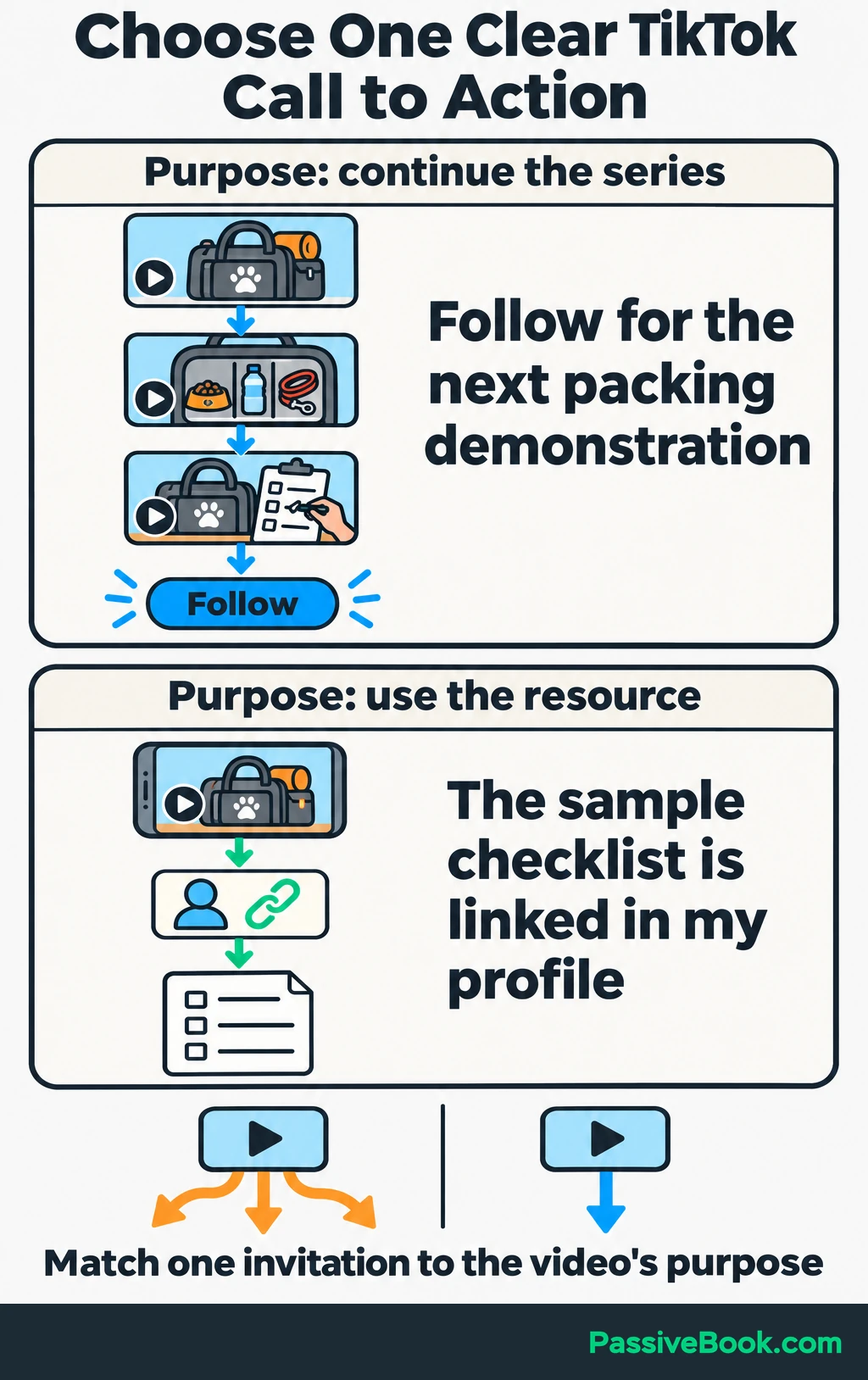
Match the invitation to the video’s purpose. “Follow for the next packing demonstration” supports a series. “The sample checklist is linked in my profile” supports a resource someone can use.
I would choose one clear invitation per video. Asking for a follow, comment, share, and purchase makes a short demonstration sound like an airport announcement.
Refine Your Audience and Discovery Strategy
Traffic sources help you understand how viewers found a video. Use that information to choose what to investigate next.
If a specific packing question attracts search traffic, test another closely related question. Where search queries are available, check whether the questions match the video’s answer.
If viewers are finding a video through your profile, inspect the profile itself. Does it clearly describe the demonstrations people can expect? Would a visitor know why to watch another one?
Read audience location and demographic information alongside successful topics and comments. Location might help you choose familiar terms or examples, but a broad audience category won’t tell you which packing problem someone needs solved.
Audience activity can also help you choose publishing times. TikTok’s Business Suite audience reporting includes activity information, and audience views in Studio may provide useful timing signals.
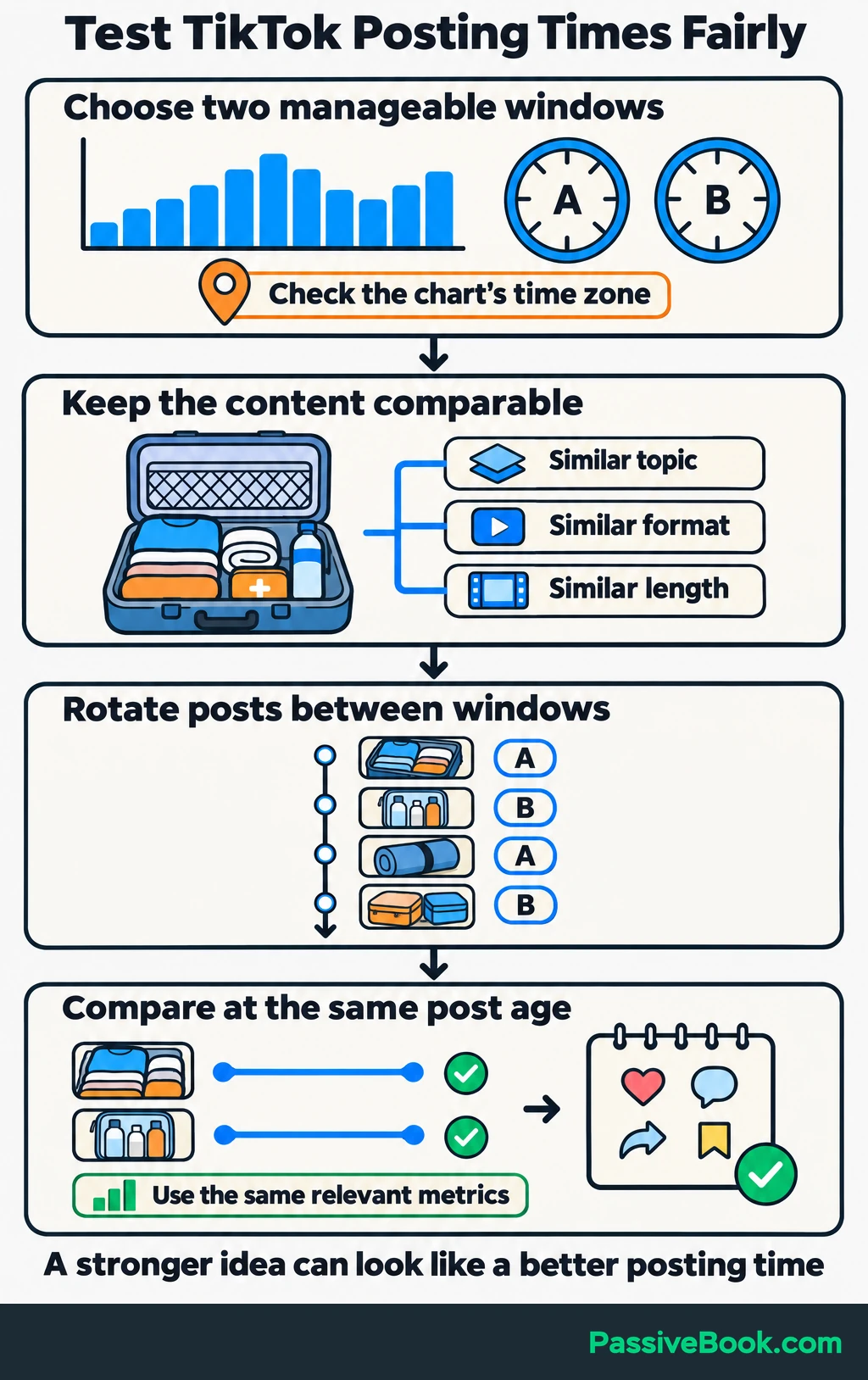
Pick two windows you can maintain, check the chart’s displayed time zone, and rotate comparable posts between them. Compare results at the same age after publication. Keep topic and format reasonably similar so you’re not mistaking a stronger idea for a better posting time.
When discovery remains weak, I would test a clearer topic before adding more production work. Replace a general “travel essentials” montage with a demonstration answering one question:
“How do you keep the things you need at a rest stop easy to reach?”
That gives the next comparison a clear purpose: does a specific problem attract more relevant attention than a broad collection of items?
Connect TikTok Content to Sign-Ups and Sales
Before choosing an off-platform conversion goal, confirm that your profile has a working, clickable website link.
TikTok documents a 1,000-follower requirement for Personal account website links. For business accounts, TikTok’s access rules require business verification to display the website link publicly. Switching to a Business account alone shouldn’t be your plan for unlocking a link.
If you can’t offer a clickable link yet, focus the current review on useful engagement and audience growth while preparing the destination.
Once the link works, make sure a website analytics tool such as Google Analytics is installed on the destination site. Then add UTM campaign parameters: short labels attached to the URL so the tool can identify visits through your TikTok link. Google explains how these labels appear in its campaign reporting guidance.
For the sample checklist, the labels could be:
utm_source=tiktok&utm_medium=organic_social&utm_campaign=dog_travel_sampleAdd them after a ? on a destination URL that has no existing parameters. Use & if it already has parameters, then test the finished link.
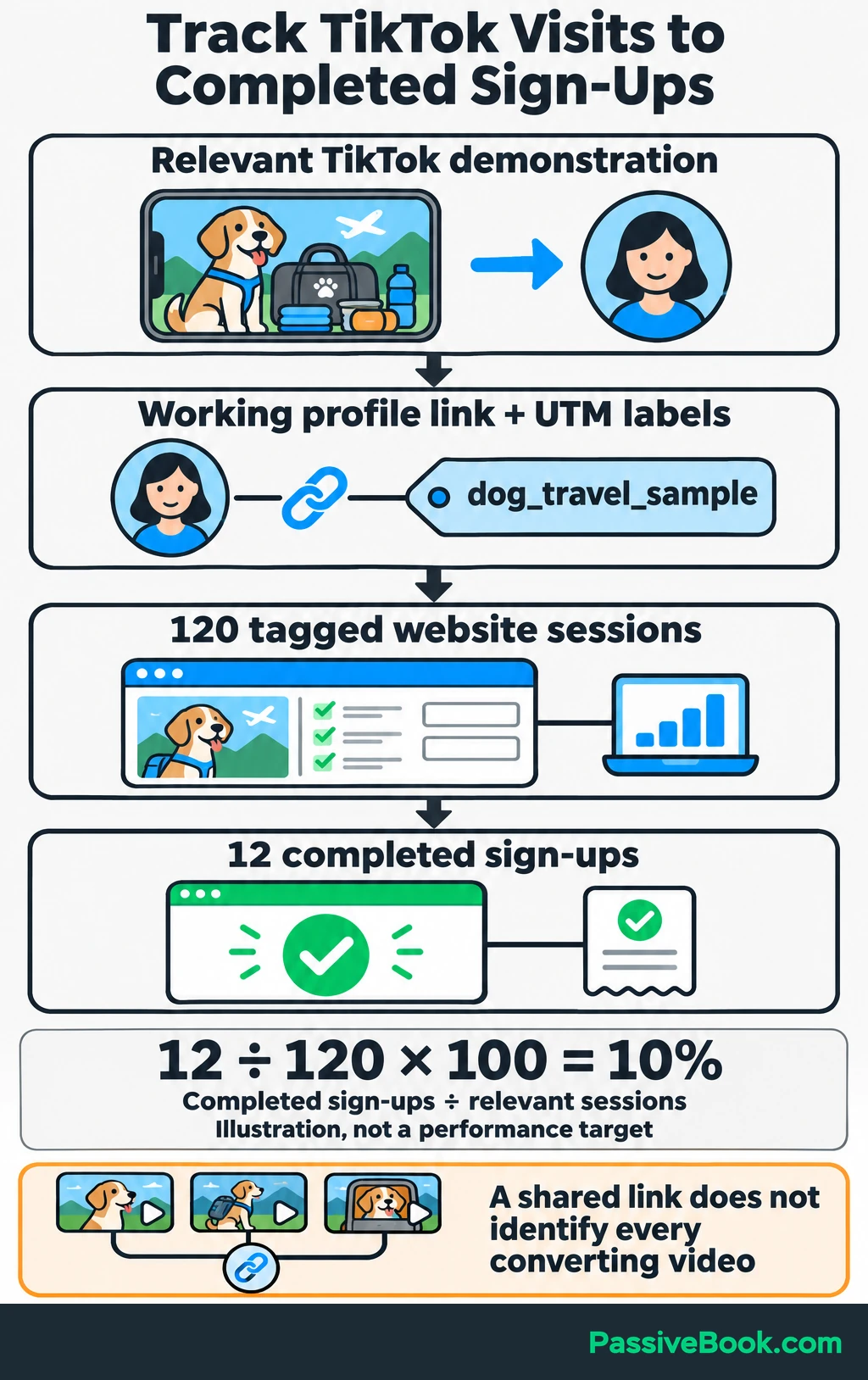
To review these visits in Google Analytics, open the Traffic acquisition report and group the table by Session campaign. Look for dog_travel_sample.
Next, check that your website records a successful sign-up or purchase. Opening a form or clicking its submit button isn’t proof that the action finished. Run a test through to confirmation.
Review the path in stages:
| What you observe | What I would check first |
|---|---|
| Videos attract relevant responses, but profile activity stays weak | Whether the invitation gives viewers a useful reason to visit |
| Profile activity rises, but tagged website sessions stay weak | Whether the profile clearly names the resource and the link works |
| Tagged sessions arrive, but few visitors sign up | Whether the page explains the sample, shows what’s included, and has a working form |
| People request the sample, but purchases remain weak | Whether the sample and follow-up explain the full planner’s additional value |
These are starting points for investigation. Change the part of the path that appears weakest rather than rewriting everything at once.
To calculate sign-up conversion, count completed sign-ups from the tagged website sessions in your selected period. Divide those sign-ups by those same sessions:
Sign-up conversion rate = completed sign-ups ÷ relevant website sessions × 100
For illustration, 12 completed sign-ups from 120 tagged sessions equals 10%. That describes this sample’s website conversion, not a target every account should meet.
A shared profile link identifies traffic using that link. It doesn’t tell you which individual video prompted every visit or purchase. Review campaign results alongside your publishing log, but don’t award all the sales to whichever video had the most views.
Turn Each Review Into a Repeat, Improve, or Pause Decision
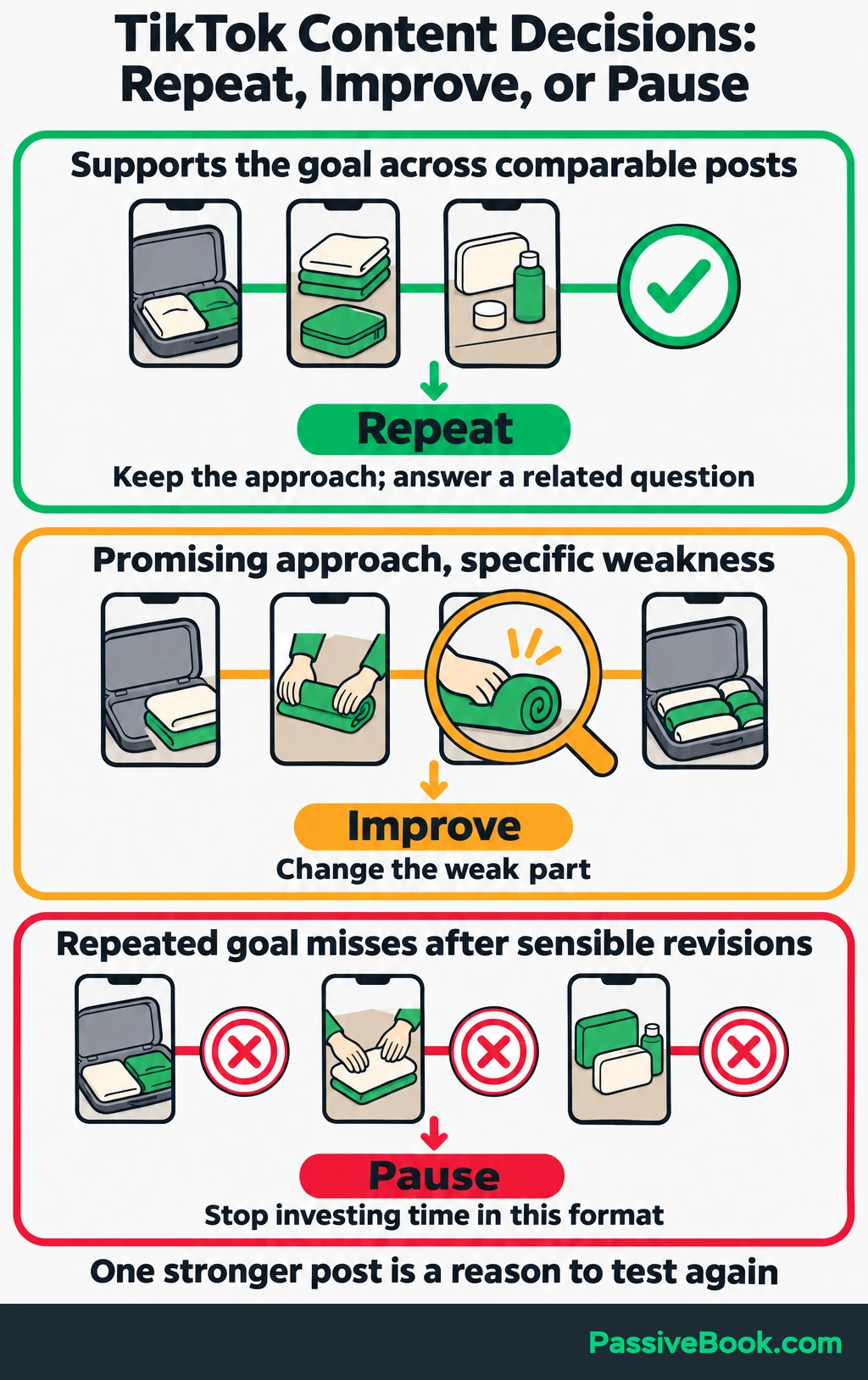
I would start with a weekly review and give each reviewed approach one action:
- Repeat: Keep a topic or format that supports the goal across comparable posts, then answer a related question.
- Improve: Retain a promising approach and change the part with a specific weakness.
- Pause: Stop spending time on a format that repeatedly misses the goal after sensible revisions.
Write down what you expect before publishing the next test. For example:
“Showing the packed bag first will increase average watch time while maintaining shares per view.”
That is specific enough to assess. “Make better videos” is a wish wearing a work shirt.
Change one main element: the opening, demonstration order, topic, or invitation. Then compare the next group of posts using the same measurement point and relevant metrics.
Keep the decision log short enough that you’ll use it:
| Finding | Change | Expected result | Comparison posts | Actual result | Next action |
|---|---|---|---|---|---|
| Packing walkthroughs spend several seconds introducing the topic before showing the bag | Show the packed bag first | Higher average watch time without weaker shares per view | Similar-length packing walkthroughs measured after seven days | Not measured yet; revised posts are still collecting data | Review at the agreed measurement point |
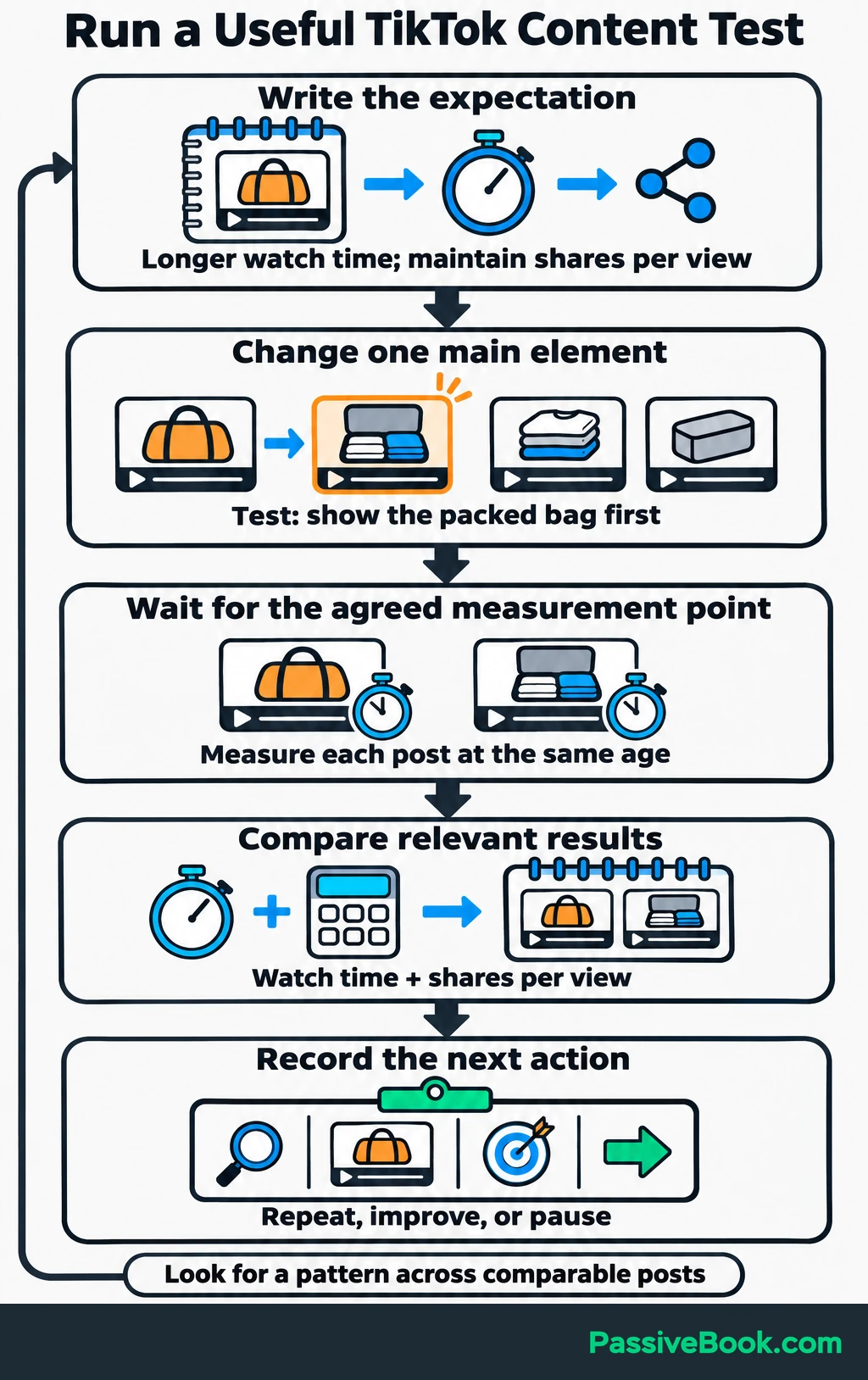
A single stronger post is a reason to test again, not proof that you found the cause. When a useful pattern holds across comparable posts, carry it forward.
For example, retain the clearer opening and test the checklist invitation next. You’re building a set of choices that earn their place in your content process.
That’s how to use TikTok analytics without creating a second job: make the report answer what deserves your next hour.
What Next?
Open one recent video’s analytics and choose a comparable post. Write down their goal, age when measured, and one difference worth testing in your next video.
Use the social buttons to pass this guide along when a conversation about TikTok gets stuck at view counts. A useful comparison gives that conversation somewhere practical to go.
Which content decision would you most like your analytics to help you make? Share it in the comments, and bring any other questions too.
Share this post with your friends & followers:


Free Social Performance Workbook