You have a useful guide ready, but turning it into Pinterest content keeps slipping behind everything else. When you finally make a few Pins, you have no clear way to choose the next topic or judge whether the effort helped.
That uncertainty makes another batch hard to justify, especially when you have an evening to spare rather than a marketing team. This guide shows how to connect your topics, Pins, and results so each batch gives you a better reason to make the next one.
How Organic Pinterest Audience Growth Works
Pinterest can show your content through search, personalized recommendations, and related ideas beneath other Pins. That gives people ways to find you before they follow your account. Your starting point is a question they want answered, rather than a follower count you need to reach. Pinterest explains these discovery routes here.
Choose one main business outcome before you start making graphics. That might be visits to useful articles, email signups, or product purchases. Track audience growth alongside it so you can tell whether greater visibility helps your business.
Pinterest brings meaningful referral traffic to Passive Book. That is why I care about the connection between a Pin and the page it promotes. A popular image is useful, but a relevant visitor has somewhere to go next.
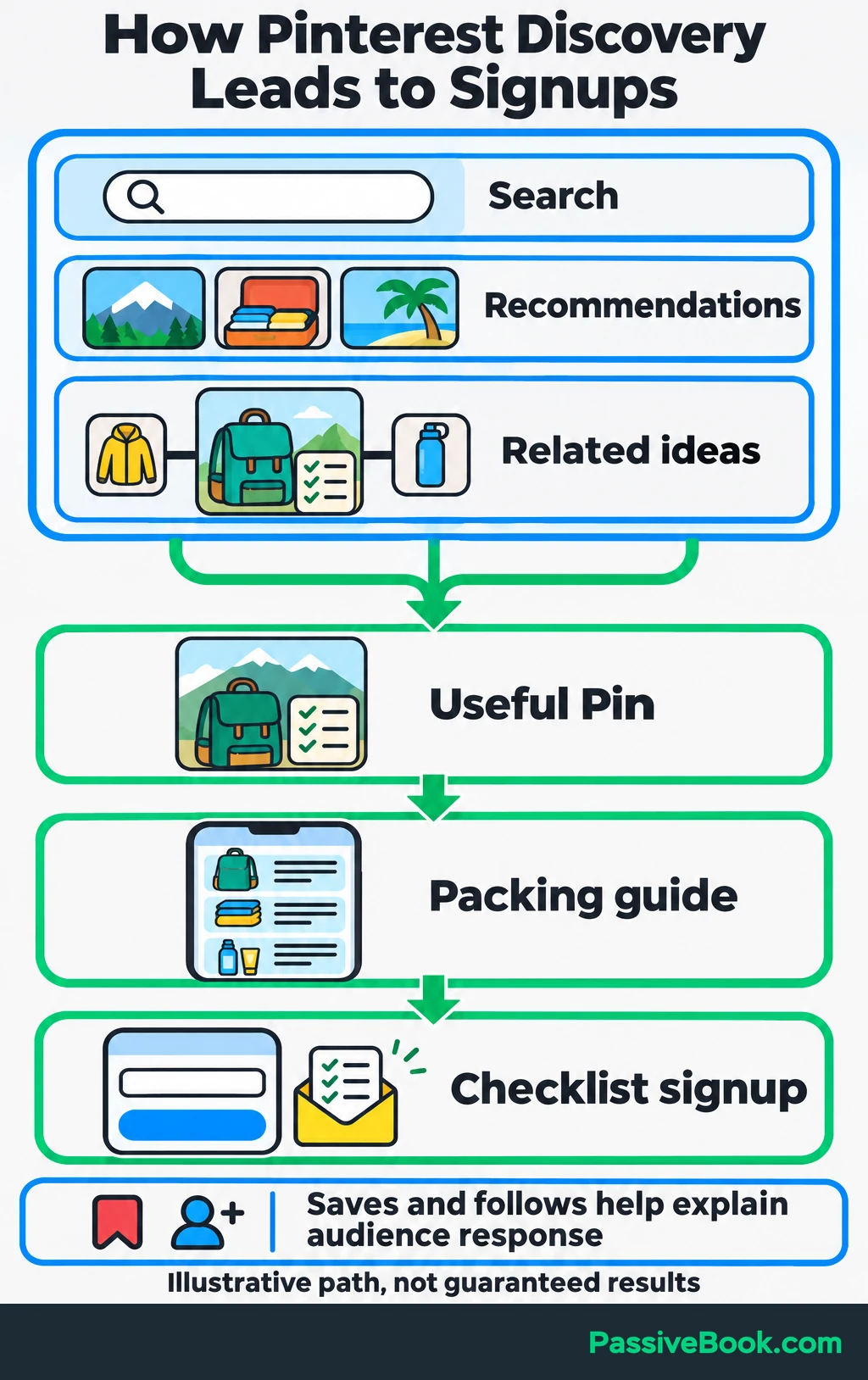
Throughout this guide, imagine you run Weekend Dog Hikes, a dog-hiking blog with a day-hike packing guide and a free printable packing checklist. Its search phrases, copy, workload, and figures are illustrations, not observed results.
For that site, I would choose checklist signups as the main outcome. Reach, saves, and follows would help explain how people discover and respond to the content.
Build a library of useful ideas instead of betting everything on one viral Pin. Pinterest says Pins can gain engagement months or even years after publication. That creates an opportunity for older work to keep helping, but it gives you no guaranteed traffic timetable. Pinterest’s distribution guidance explains this longer window.
Find Topics Your Audience Searches for
Match Audience Questions to Useful Destinations
Start with a problem your content or product helps solve. Then decide what someone with that problem needs next: instructions, a comparison, a checklist, or something to buy.
For Weekend Dog Hikes, “What should I pack?” connects naturally to the packing guide. The printable checklist helps readers use that guide when they prepare their bag.
Research the wording on Pinterest:
- Enter a broad phrase, such as “hiking with dogs.”
- Explore the suggested refinements that actually appear.
- Open relevant results and look at what they promise.
- Visit a few linked pages to see whether they deliver.
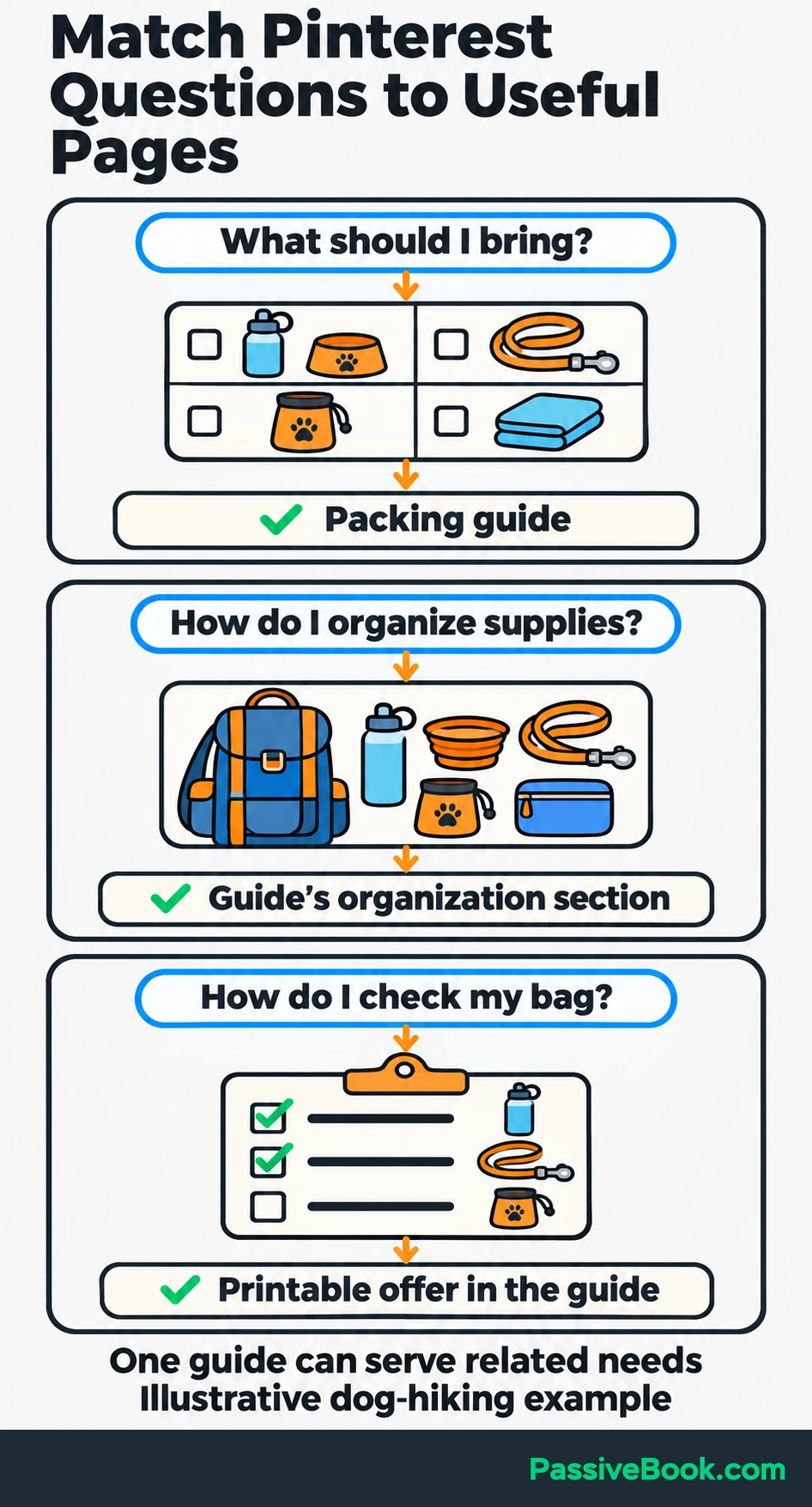
You are looking for a useful match between the question, the Pin, and the destination. A results page full of packing lists suggests a different task from one full of scenic trail photos.
Group phrases by the need behind them. “Dog hiking packing list” and “what to bring hiking with a dog” could belong together if the same guide answers both.
Keep a small planning table:
| Audience Question | Keyword Group to Investigate | Destination Page | Pin Angle | Intended Action |
|---|---|---|---|---|
| What should I bring? | Dog hiking packing list | Day-hike packing guide | Preview of packing categories | Read the guide |
| How can I keep supplies organized? | Packing for a hike with a dog | Packing guide’s organization section | Gear arranged beside a day bag | Read the packing method |
| How can I check my bag before leaving? | Dog hiking checklist | Packing guide with printable offer | Printable checklist preview | Request the checklist |
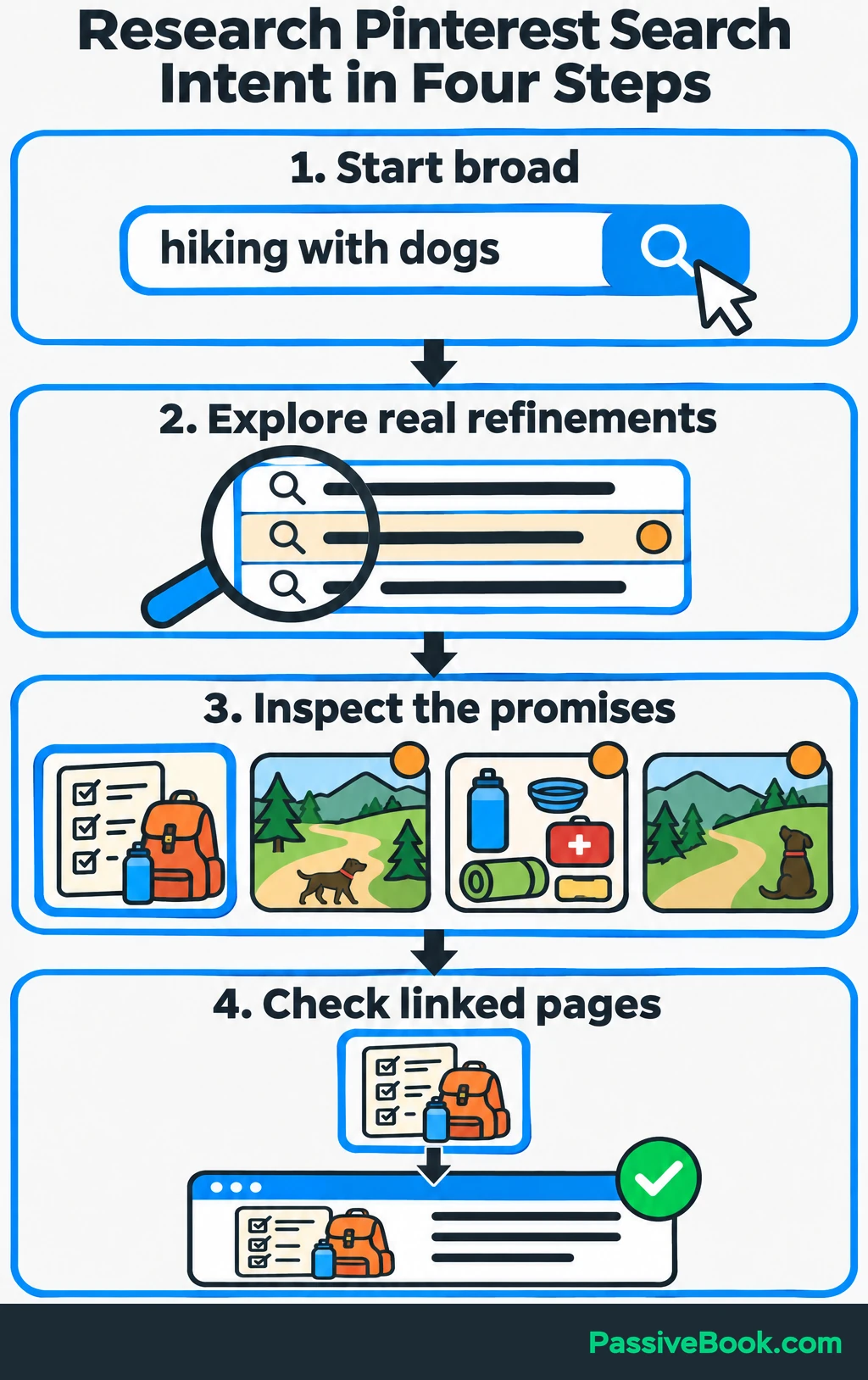
These phrases are research prompts. Keep or replace them based on what you find.
Look for an omission you can fix. Perhaps the competing guides list supplies but never show how to organize them. Your own labeled gear photo could make the explanation easier to use.
I would prioritize that improvement over copying the most common headline. More of the same is a weak reason to click.
Use Trends to Choose Timely Angles
Use Pinterest Trends to investigate when relevant interest rises in the region you serve. Look for recurring patterns and prepare the page and Pins before the increase, rather than starting when interest has already peaked.
For the dog-hiking blog, investigate seasonal packing questions alongside the everyday guide. Let the data show whether a useful pattern exists; do not assume every outdoor topic peaks together.
The search-interest graphs use a 0–100 scale, with 100 marking a search term’s peak relative interest rather than 100 searches. A rising line does not prove people want to buy. Use the tool to help choose timing and angles. Pinterest explains how its trend data works.
Keep everyday questions in your plan. I would add a seasonal version only when the guide has something useful to say about that season. A different background color does not make the advice timely.
Make Your Profile Worth Following
Create a free business account or convert an existing account so you can use Pinterest Analytics. You can use it without running ads.
Then claim your website if you own it and can complete verification. Claiming connects saved content from your site with your profile and gives you insight into how that content is shared. Most marketplace storefronts cannot meet the ownership and editing requirements. Pinterest’s website-claiming guidance explains the distinction.
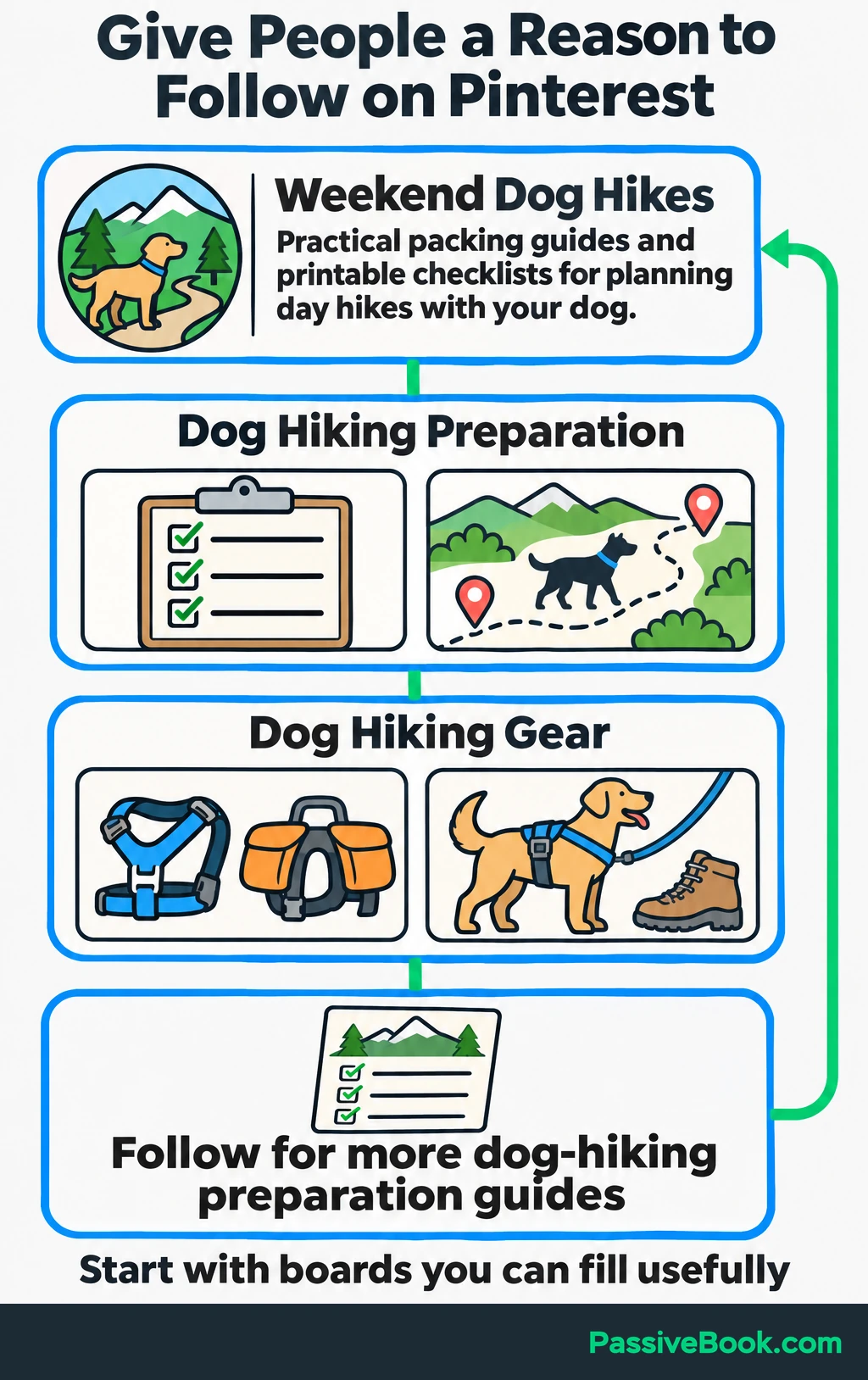
Make your profile’s promise specific. Visitors should understand what they will get more of if they follow.
For the running example:
- Profile Name: Weekend Dog Hikes
- Bio: Practical packing guides and printable checklists for planning day hikes with your dog.
- Profile Image: A clear, recognizable logo that matches the website.
Create public boards around distinct needs. “Dog Hiking Preparation” could hold packing and planning content, while “Dog Hiking Gear” could hold equipment comparisons and demonstrations. Give each board a short description that explains what belongs there.
I would start with the boards you have useful content to fill. A dozen nearly empty boards create more sorting work without giving visitors much to explore.
Invite existing readers to follow where the invitation fits. At the end of the packing guide, “Follow for more dog-hiking preparation guides” gives people a reason. A bare “Follow me” leaves them to invent one.
Create Pins That Earn Saves and Clicks
Start With a Destination That Delivers the Promise
Choose the destination before you design. Write down the audience need, the promise your Pin will make, and the page that fulfills it.
A “Dog Hiking Packing List” Pin should open the packing guide directly. Sending people to the homepage makes them search again for something you already promised.
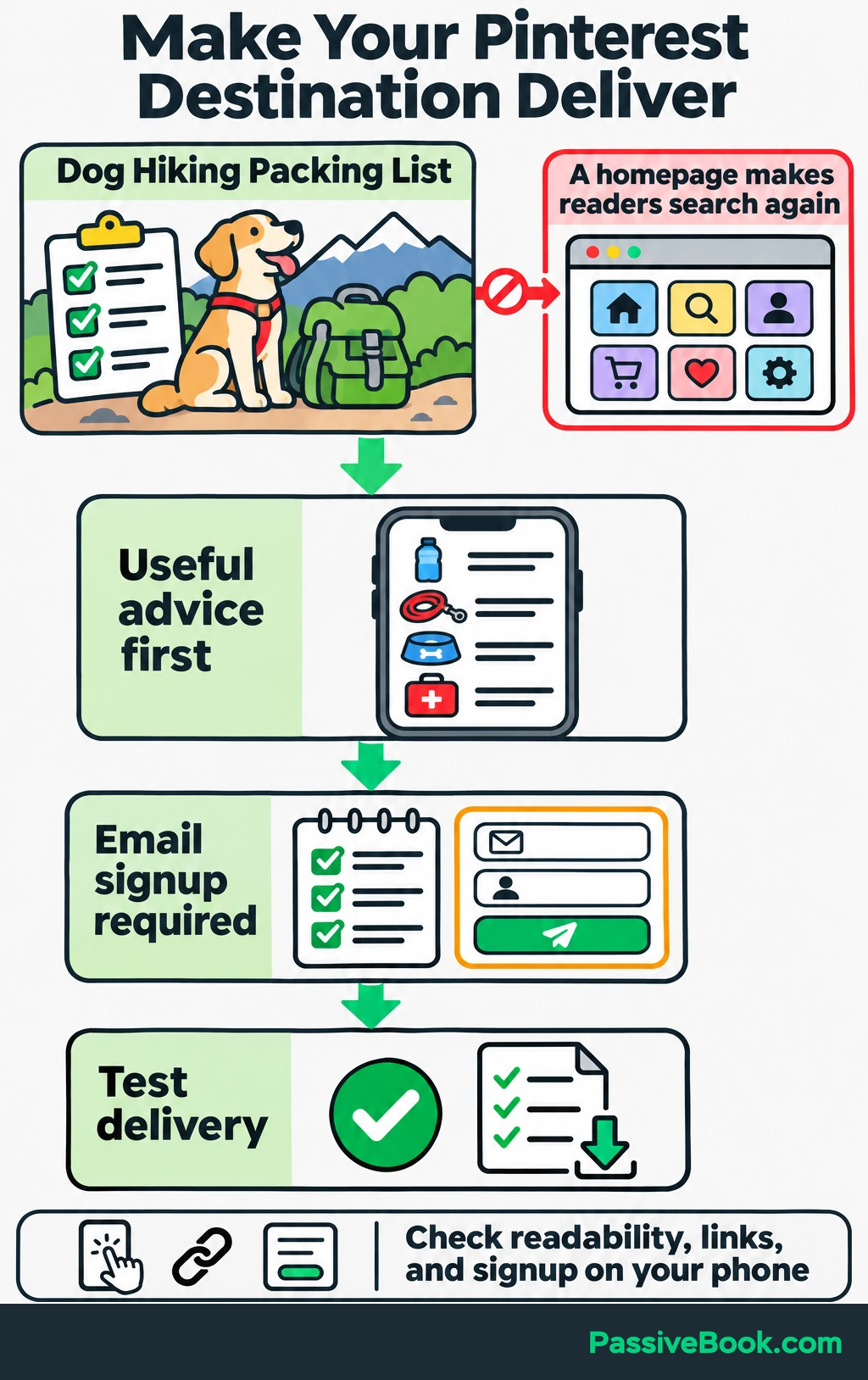
The guide should provide useful packing advice, and the printable should be an obvious next step. If getting the printable requires an email signup, say so beside the offer.
Test the page on your phone:
- Does the promised advice appear quickly?
- Can you read it without zooming?
- Does the printable signup work?
- Does the confirmation or download arrive as expected?
Fix a broken link, slow page, or confusing offer before making more Pins for it. Pinterest also recommends matching the Pin’s image, wording, and keywords to its destination. Its performance guidance covers these checks.
Make the Idea Clear at a Glance
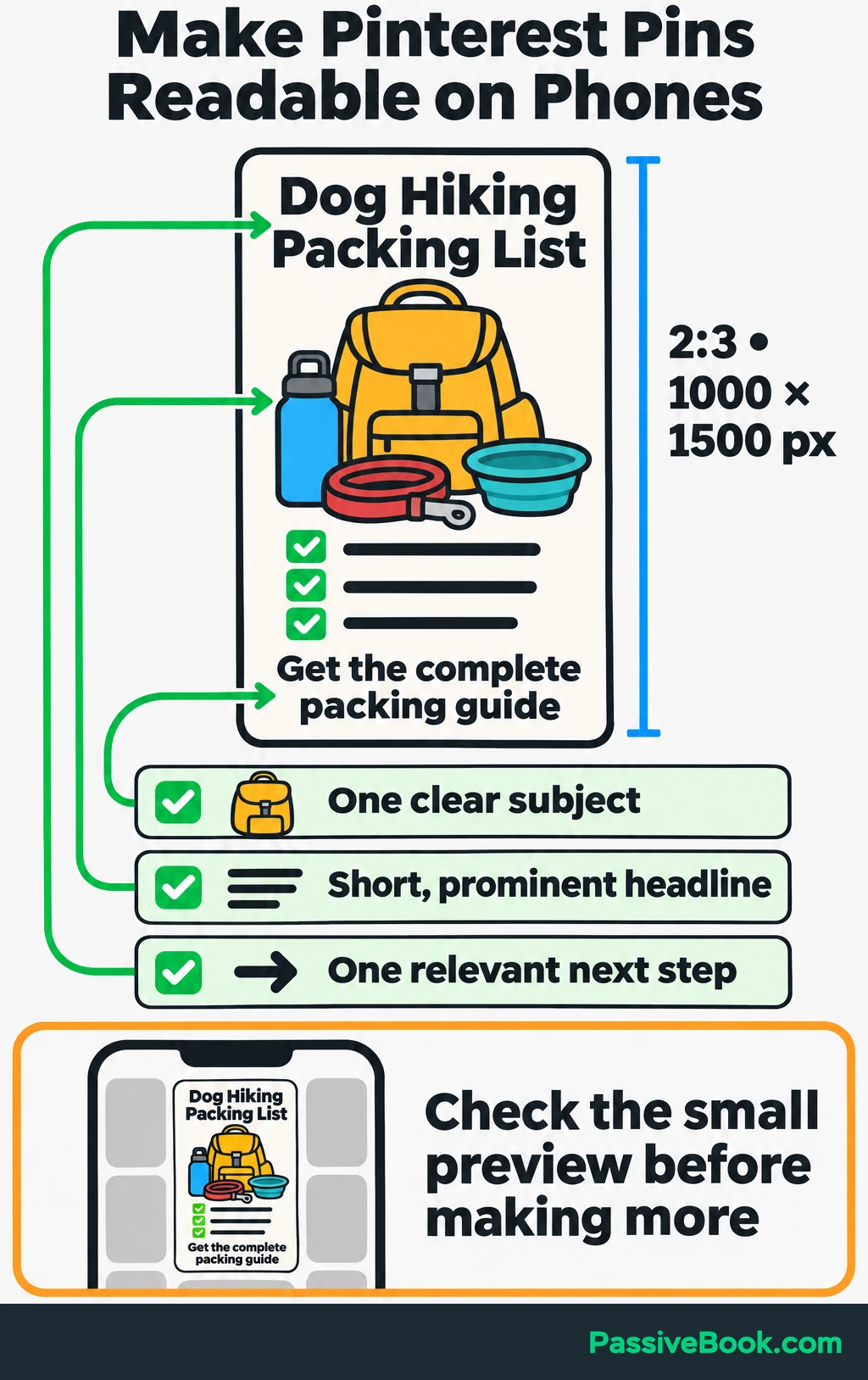
Use a vertical image with one clear subject and a short, readable message. Pinterest recommends a 2:3 ratio for image Pins, such as 1000 × 1500 pixels. Its Pin creation guide covers the format.
Show something that helps explain the idea. For the packing guide, that could be a checklist preview, an organized gear layout, or a packed day bag. A pleasant photo of a dog on a mountain may set the mood, but it tells people little about the packing advice.
I once kept adding text to a Pin because every line seemed useful. At full size it looked thorough. At phone size it looked like terms and conditions. Now I check the small preview before making more versions.
Build a few reusable templates in Canva or an editor you already know. Keep the headline prominent, use strong contrast, and remove decoration that makes the message harder to see.
Give the Pin a descriptive title and a natural description. For example:
- Title: Dog Hiking Packing List for a Day Trip
- Description: Organize your dog’s day-hike supplies with a practical packing guide and printable checklist.
- Call to Action: Get the complete packing guide.
Use search wording where it describes the content. Repeating several near-identical phrases makes the description harder to read.
Match the call to action to the task. “Save this packing checklist” fits a useful reference image. “Get the complete packing guide” gives people a reason to visit your site.
Pinterest says saves signal that content is useful or inspiring and may help it reach more interested people. That supports making something worth keeping, rather than adding “save this” to an empty image. Pinterest’s audience-building advice explains the signal.
Add alt text that describes meaningful visual information for screen-reader users. For a gear layout, describe the items and their arrangement. Keep it useful to someone who cannot see the image.
Create Distinct Angles From the Same Useful Page
One strong page can support several Pins when it answers related questions. Each version needs its own useful message and visual treatment.
For the packing guide, you could create:
- Checklist Preview: Show the printable’s categories so readers can see how it helps them check their bag.
- Gear Layout: Photograph supplies grouped beside the bag to illustrate organization.
- Packing Demonstration: Record a short overhead video showing the packing order.
The video can show your hands and the bag. Being useful does not require being on camera.
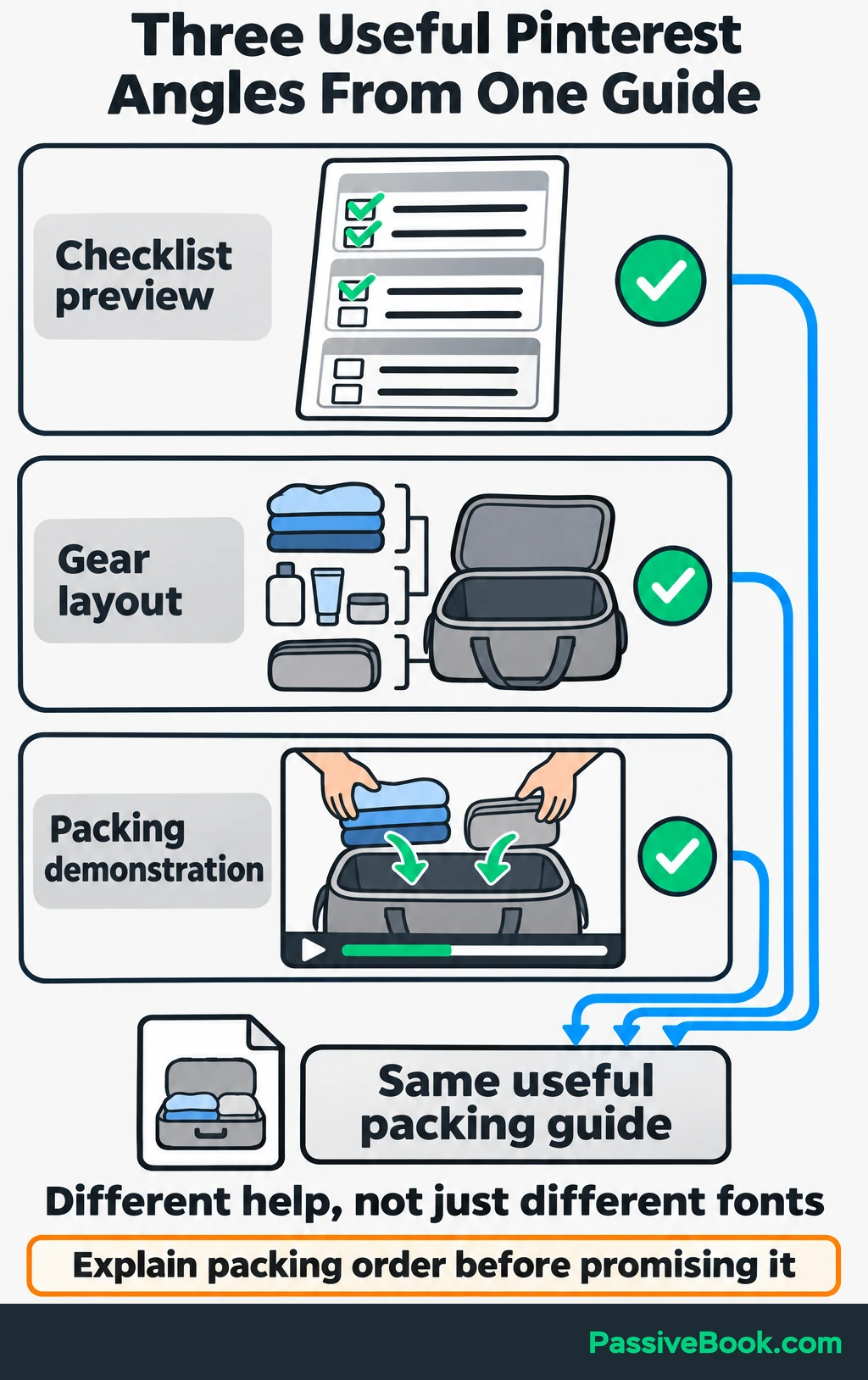
Keep the destination honest. A Pin about packing order needs a guide that explains packing order. If that section is missing, improve the guide before publishing the Pin.
I would skip batches of nearly identical graphics made by swapping fonts and colors. They take time to manage, and they teach you little about which idea your audience wants.
If finding a second useful angle is where you get stuck, AI Pinterest Studio can draft two treatments from your page. You can review the wording before spending time on the graphics.
Free AI Pinterest Studio




Publish Fresh Pins on a Sustainable Schedule
Choose a weekly workload you can maintain alongside the rest of your business. Pinterest recommends fresh content each week and explicitly favors relevant content over a prescribed number of Pins. Its organic publishing guidance supports starting with a manageable batch.
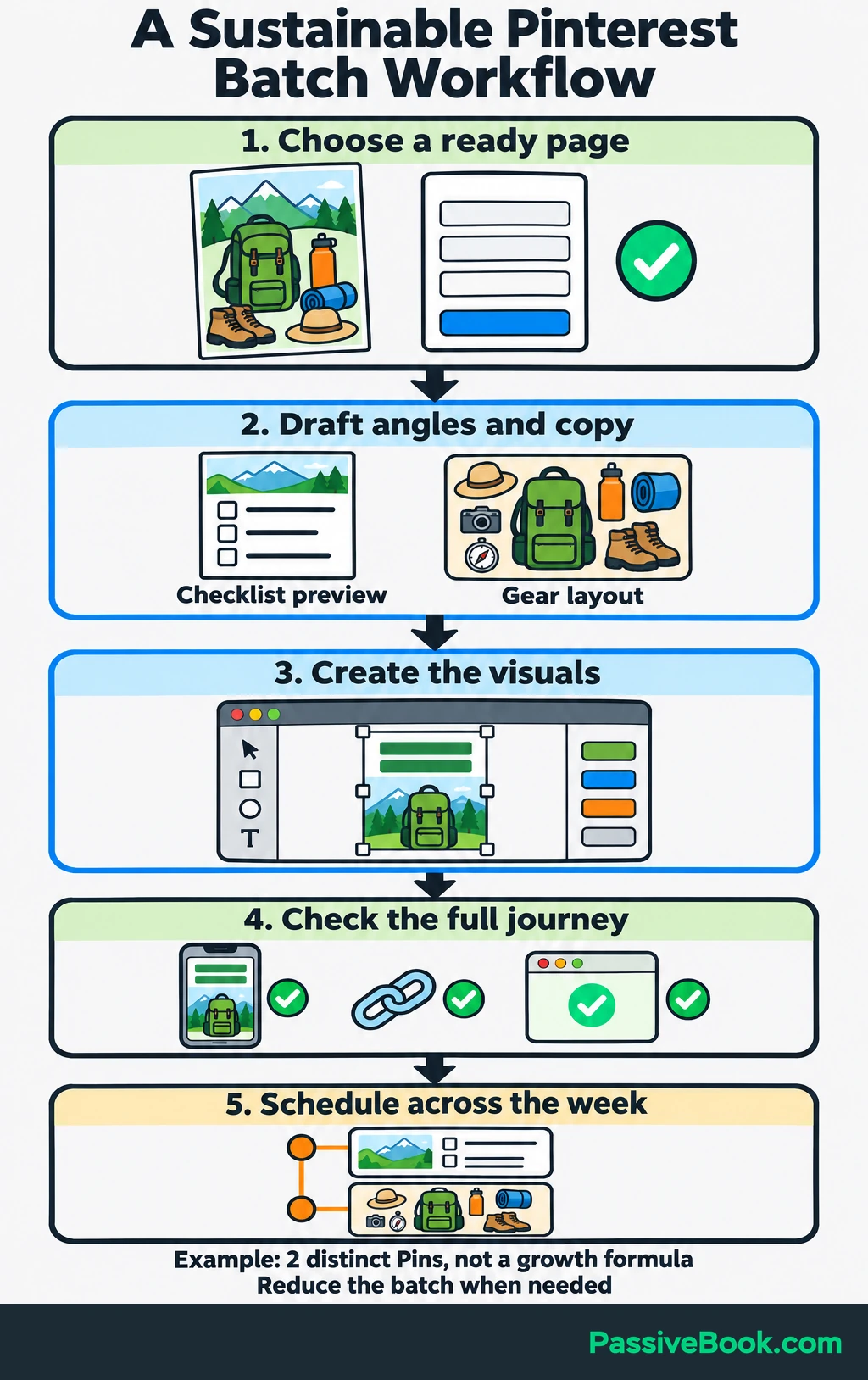
For Weekend Dog Hikes, an initial batch could contain two distinct treatments of the packing guide. That is an example workload, not a growth formula.
Work through the batch in groups:
- Select the page and check that it is ready.
- Draft the Pin angles, titles, and descriptions.
- Create the visuals using your templates.
- Check readability, links, and the signup.
- Schedule the finished Pins across the week.
Use Pinterest’s native scheduler before paying for another tool. Choose a future publication date while creating each Pin. A small queue does not need an expensive control room.
Record the destination, keyword group, creative angle, relevant board, planned date, and published Pin link in a spreadsheet or Notion table. This becomes useful when you review results because you can connect a number with the decision that produced it.
Save each Pin to a closely related board. Avoid repeatedly uploading identical content or excessively saving the same Pins; Pinterest says duplicate publishing can trigger spam restrictions. Its duplicate-content guidance is clear on this.
Check comments during your weekly review and answer genuine questions. If several people ask how to organize supplies, that may deserve a clearer guide section or a new demonstration.
When the workload stops fitting, reduce the batch. I would rather publish one useful Pin with a working destination than maintain an ambitious queue full of rushed promises.
Use Results to Improve the Next Batch
Measure the Path From Discovery to Business Results
Review organic results for your business content. Leave out unrelated Pins you saved from other websites so their performance does not distort your decisions.
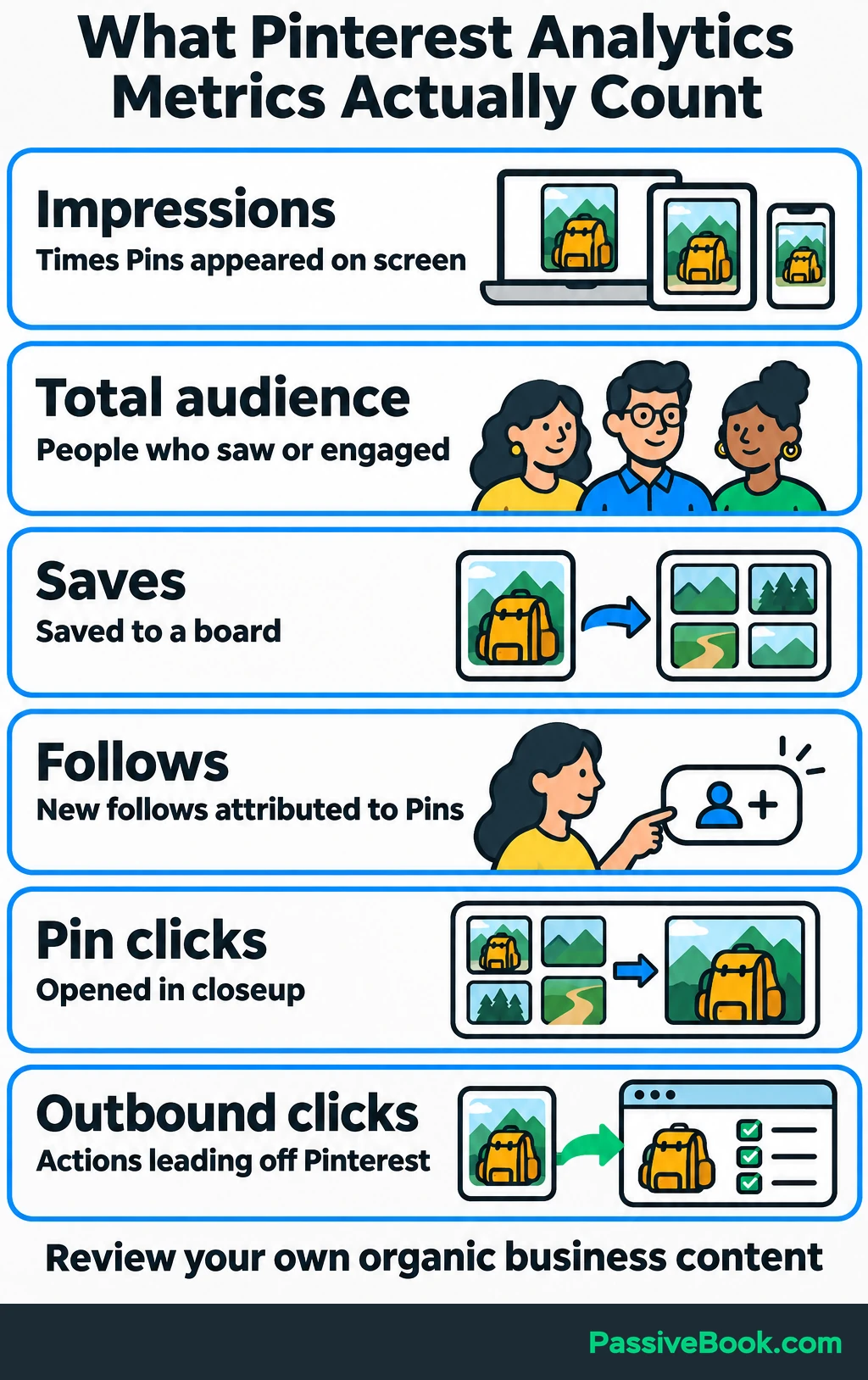
Use the metrics to answer different questions:
| Metric | Meaning | Decision It Helps You Make |
|---|---|---|
| Impressions | Times your Pins appeared on screen | Whether the content is getting exposure |
| Total Audience | People who saw or engaged with your Pins | Whether you are reaching more people, rather than counting repeat appearances |
| Saves | Times people saved a Pin to a board | Which ideas people want to revisit |
| Follows | New follows attributed to your Pins | Which content encourages continued interest |
| Pin Clicks | Clicks that open a Pin in closeup | Whether the preview makes people inspect it |
| Outbound Clicks | Actions that lead off Pinterest | Which Pins send people toward your website |
These distinctions come from Pinterest’s analytics definitions. A closeup is not a website visit, and impressions are not a count of individual people.
To calculate outbound click rate, count the outbound clicks and impressions for the same Pin over the same period. Suppose the packing-guide Pin had a working link from publication and received 60 outbound clicks from 2,000 impressions in its first 30 days:
60 ÷ 2,000 × 100 = 3% outbound click rate
Next, check website results. Suppose your analytics records 50 Pinterest-referred visits, measured as sessions, to the packing guide during that period. If five of those sessions include a completed checklist signup:
5 ÷ 50 × 100 = 10% session signup rate
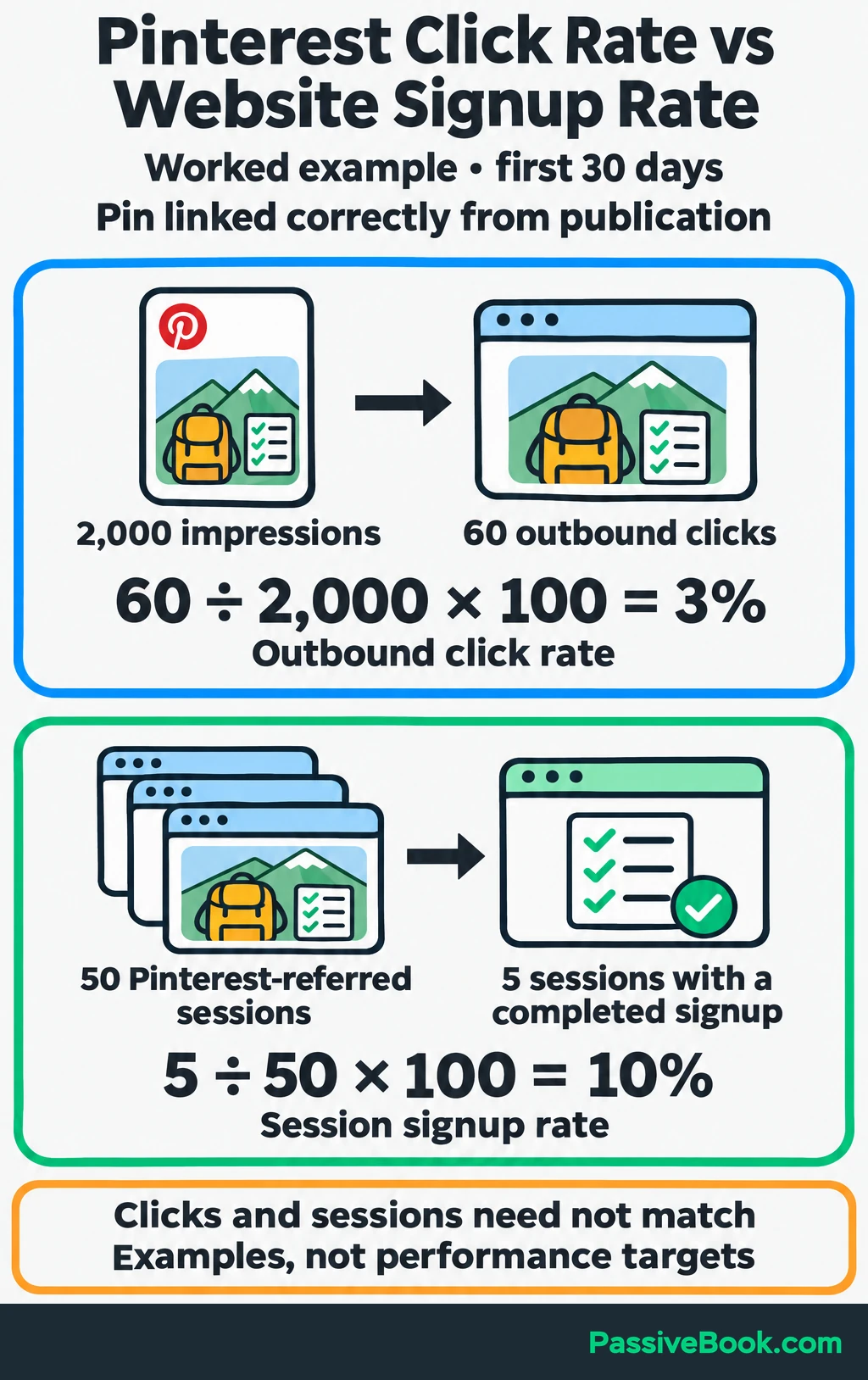
These are worked examples, not performance targets.
Pinterest clicks and website sessions measure different activity, so their totals need not match. Use each report to assess its part of the journey.
To distinguish Pin versions in website analytics, add campaign tags—tracking labels—to the destination links. Keep utm_source=pinterest, utm_medium=organic_social, and utm_campaign=dog_hike_packing the same, then give each version a different utm_content value, such as checklist_preview or gear_layout.
Set up and test signup tracking before relying on it. Record a completed signup rather than just a click on the signup button.
Improve the Weakest Stage
Start with a weekly review, but let the amount of evidence decide whether to change anything.
When reach is limited, revisit the question, search wording, board relevance, and visual clarity. Check whether a stranger could understand the Pin without reading its description.
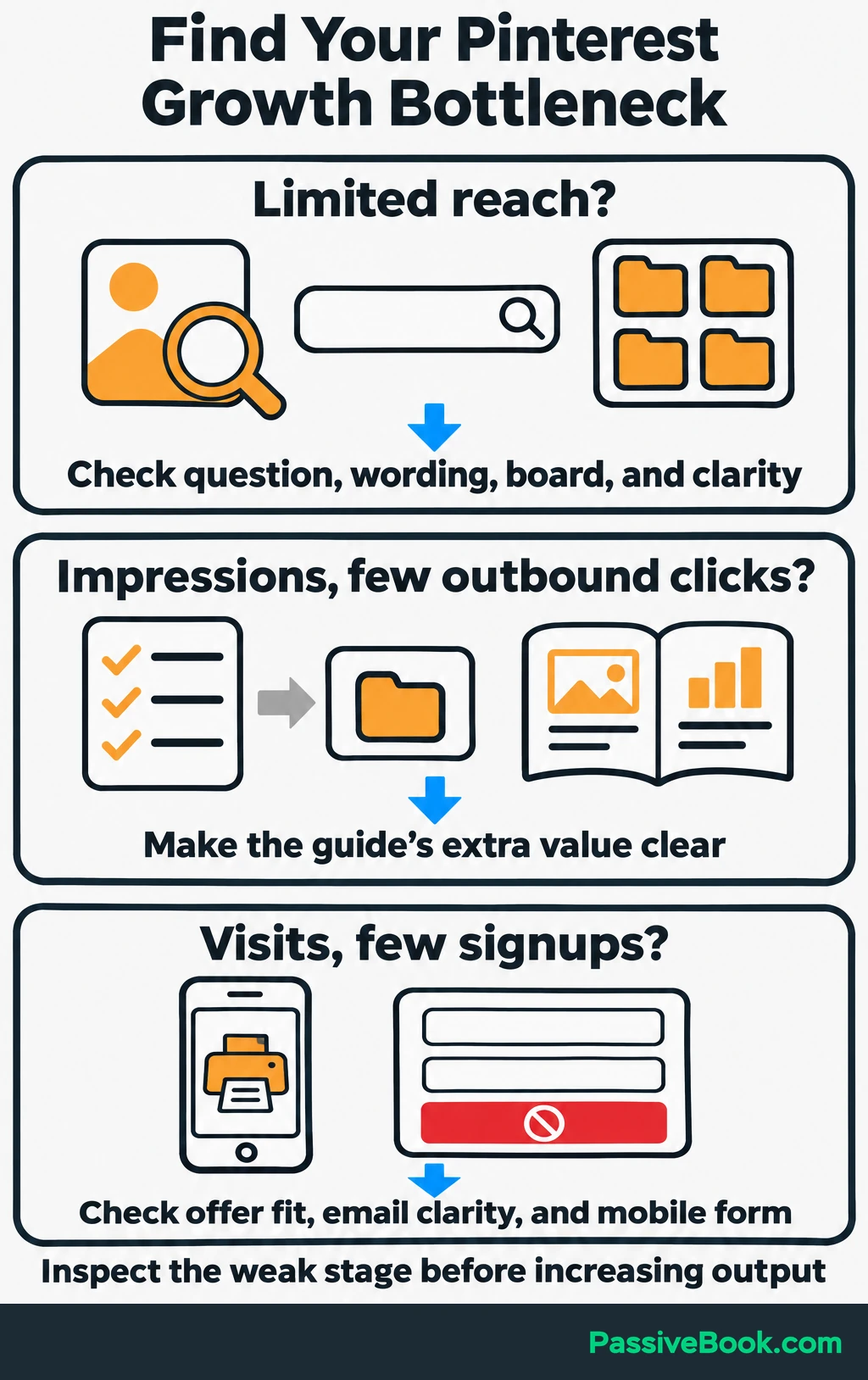
When impressions grow but outbound clicks remain weak, inspect the reason to visit. A useful checklist image may earn saves because it answers the question on Pinterest. If you want visits, make the additional value of the guide clear.
When visits arrive but signups do not, inspect the destination before increasing production. Is the printable relevant to the guide? Is the email requirement clear? Does the form work comfortably on a phone?
Compare related Pins over equivalent periods since publication. You might compare each Pin’s first 30 days, rather than putting a three-day-old Pin beside one that has circulated for six months. Treat that as a comparison window, not a deadline for success.
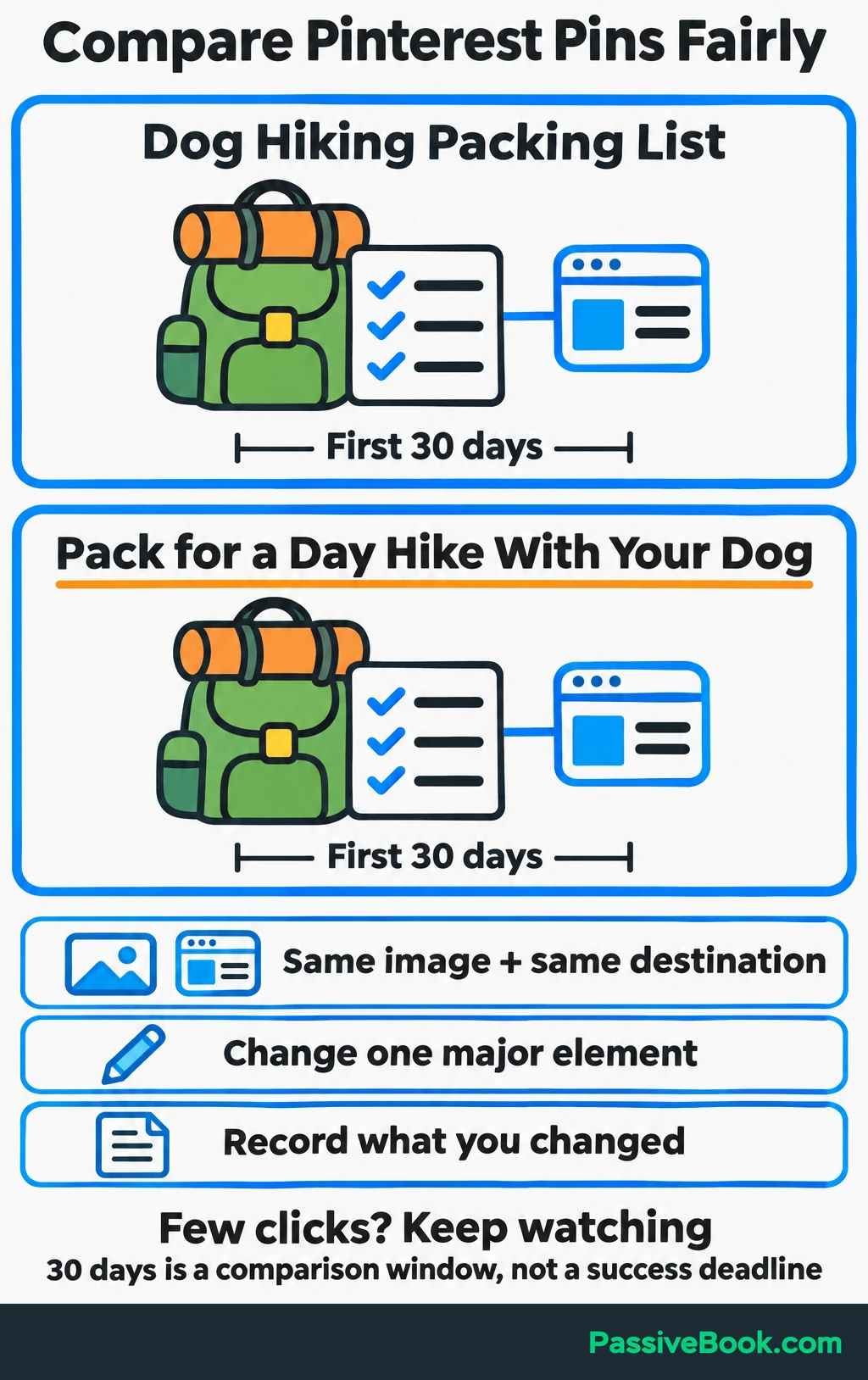
Use your own comparable content as the benchmark. A small difference based on a handful of clicks is a reason to keep watching, not rebuild the whole system.
Change one major element at a time. For example, keep the packing-guide destination and image, but test a clearer headline. Record the change so you know what you were trying to learn.
Expand a topic or approach when it repeatedly brings relevant visitors and supports your chosen outcome. That is how to grow your Pinterest audience with a useful feedback loop: each batch helps you decide what deserves the next hour.
What Next?
Choose one useful page and write down the question it answers, one Pin angle, and the action you want visitors to take. Make that your first batch before planning a month of content.
Use the social buttons to share this guide when the conversation turns to making Pinterest worth the time it takes.
Where does your process lose momentum: choosing topics, making Pins, publishing, or turning visits into results? Share your answer in the comments, and bring any other questions too.
Share this post with your friends & followers:

