You have a useful guide or product, but getting people to find it has become another job. Posting every day takes time, and paying for traffic feels expensive when you’re still working out what sells.
Pinterest offers a way to publish useful content without appearing on camera. But a collection of attractive Pins can still leave your website quiet.
The work needs a clear route from discovery to a business result. This guide shows you how to build that route, fit publishing around a busy week, and measure whether your Pins bring subscribers and buyers.
How Pinterest Brings Customers to Your Business
A Pin is a visual bookmark that can link to your website. Boards group related Pins, and people discover them through search, visual search and personalized recommendations.
For your business, the useful path looks like this:
Relevant search → helpful Pin → matching website page → email sign-up or purchase.
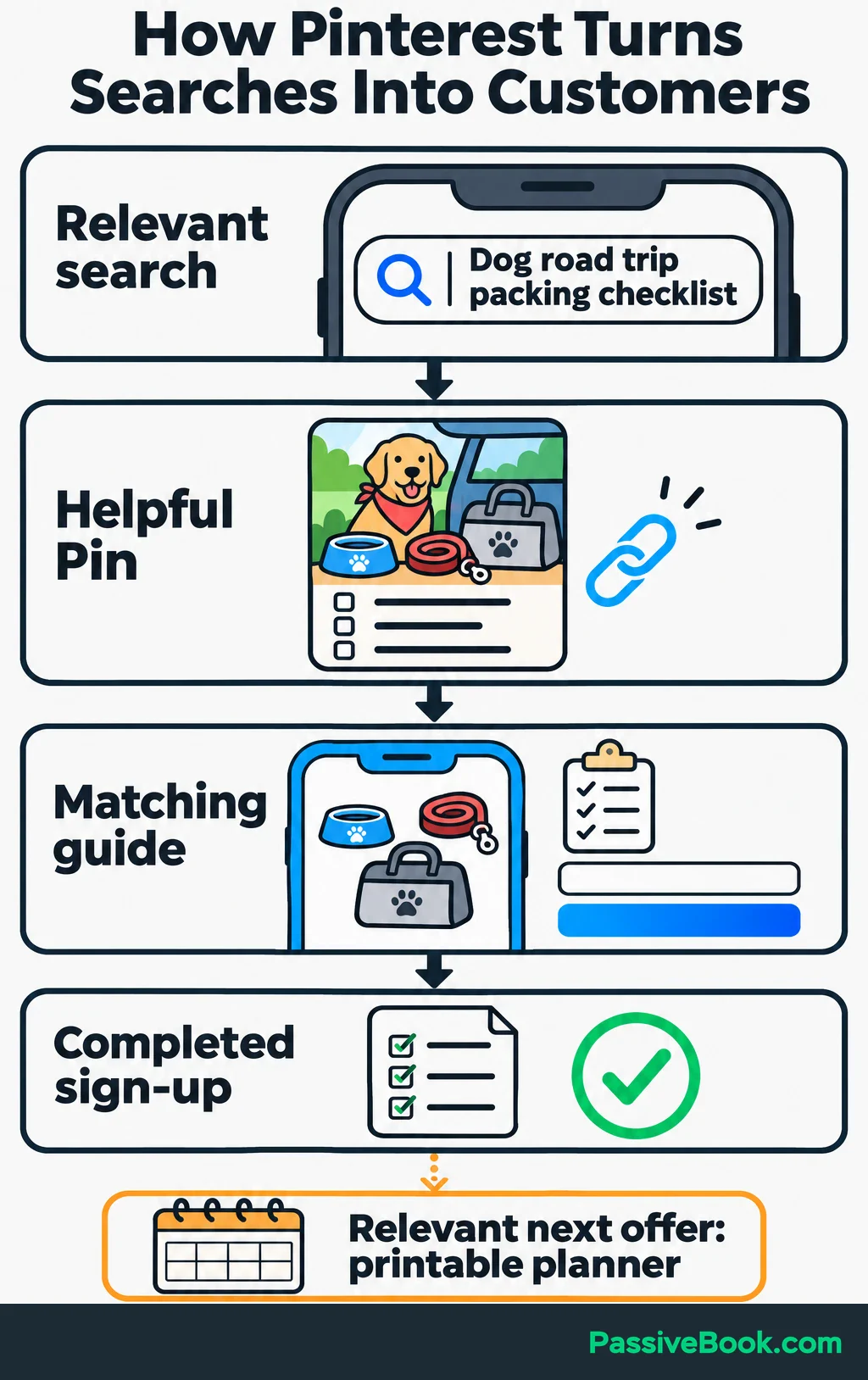
Start with that whole path. A Pin about packing for a trip should lead to the packing guide, where visitors can find the promised advice and take a relevant next step.
Pinterest says Pins can gain engagement months or even years after publication. That gives lasting resources a chance to keep being discovered, but it doesn’t guarantee steady traffic. Pinterest’s distribution guidance makes clear that there is no fixed engagement window.
I use blogging and Pinterest for Passive Book, where Pinterest drives meaningful referral traffic. That’s why I consider it worth testing. Your own website results should decide whether it earns more of your time.
For the walkthrough, imagine you run a dog-travel blog. You offer a free road-trip packing checklist and sell a printable travel planner. The guide helps visitors prepare, the checklist gives them something convenient to keep, and the planner offers more detailed organization.
You can build this path with static image Pins. I would start there before adding video, shopping features or paid ads.
Set up Your Pinterest Business Account
Create a free business account so you can use Pinterest Analytics. You can also convert an existing personal account if it already suits your business.
Conversion keeps your Pins and followers, but business accounts must be public. I would create a separate account if your personal boards cover unrelated interests. Use a desktop browser when creating a new business account.
Complete the profile with:
- Your business name.
- A recognizable logo or profile photo.
- Your website address.
- A short description of what visitors will find.
For the dog-travel site, the description could say:
Practical guides and printable planners for road trips with dogs. Find packing checklists and tools for organizing your next trip.
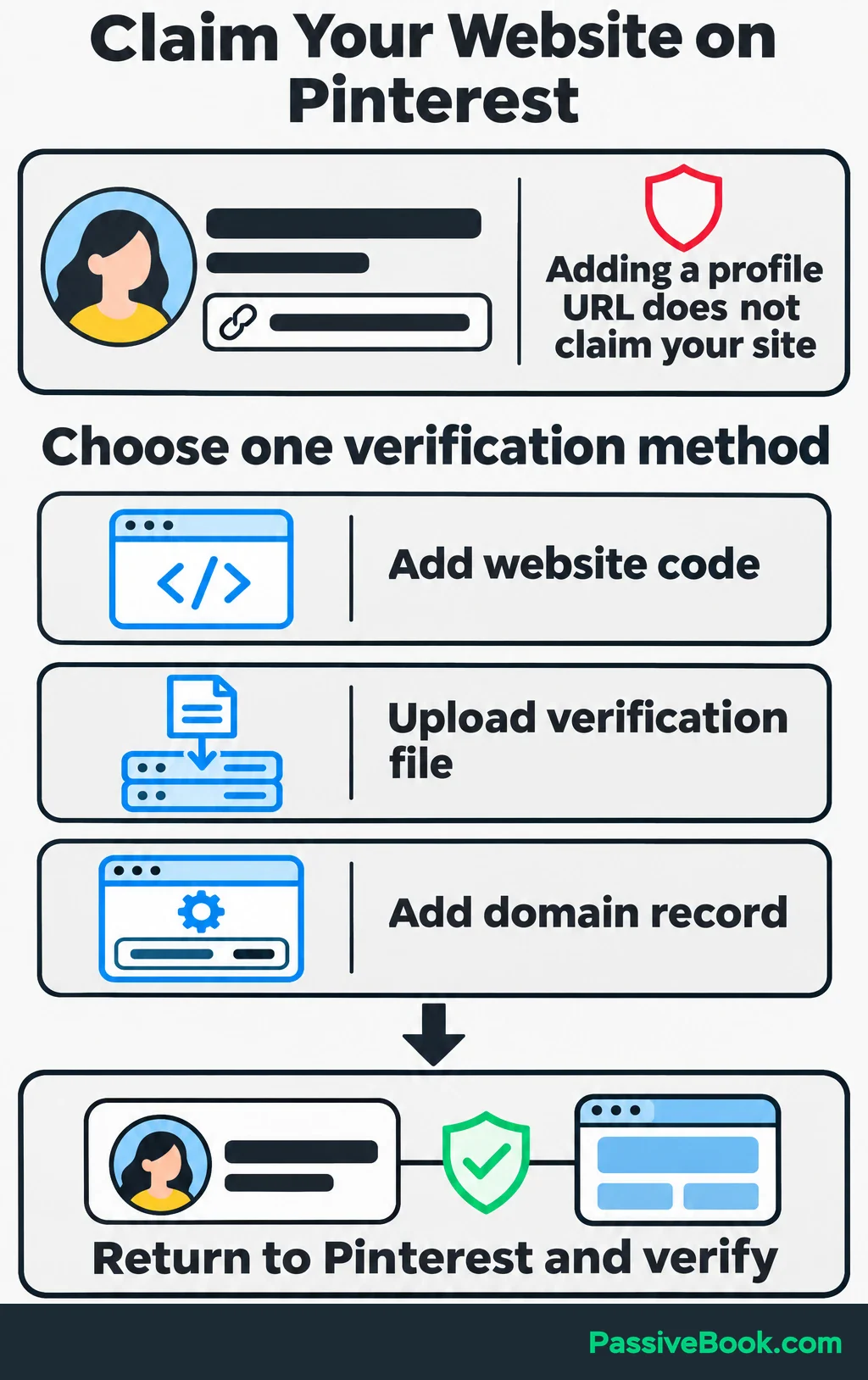
Then claim your website. Claiming connects content saved from your site with your Pinterest profile and gives you more insight into its sharing activity.
You need control of your site or domain to verify ownership. Pinterest lets you add a short piece of code to your site, upload a verification file or add a record through the company that manages your domain.
Choose the method you can manage, add the supplied verification information, then return to Pinterest and complete verification. Simply entering your website address in your profile doesn’t claim it.
Find Pinterest Searches That Match Your Offers
Start with the problems your existing pages and products solve. Then investigate how people describe those problems on Pinterest.
Enter a phrase in search and inspect the suggestions. Open relevant Pins and visit their destinations. You’re looking for the kind of answer people expect: instructions, ideas, comparisons or something to buy.
For the dog-travel site, two phrases worth investigating are:
- “Dog road trip packing checklist” for the helpful guide.
- “Printable dog travel planner” for the product page.
These are example phrases to research, not verified search opportunities.
Choose topics you can answer well and connect to a useful next action. A broad phrase such as “cute dogs” gives you much less direction than a question your packing guide can answer.
Review competing pages for gaps. Perhaps they list supplies but offer no printable copy, or their product images make the planner impossible to inspect. Improve the answer with original material rather than copying the existing Pin.
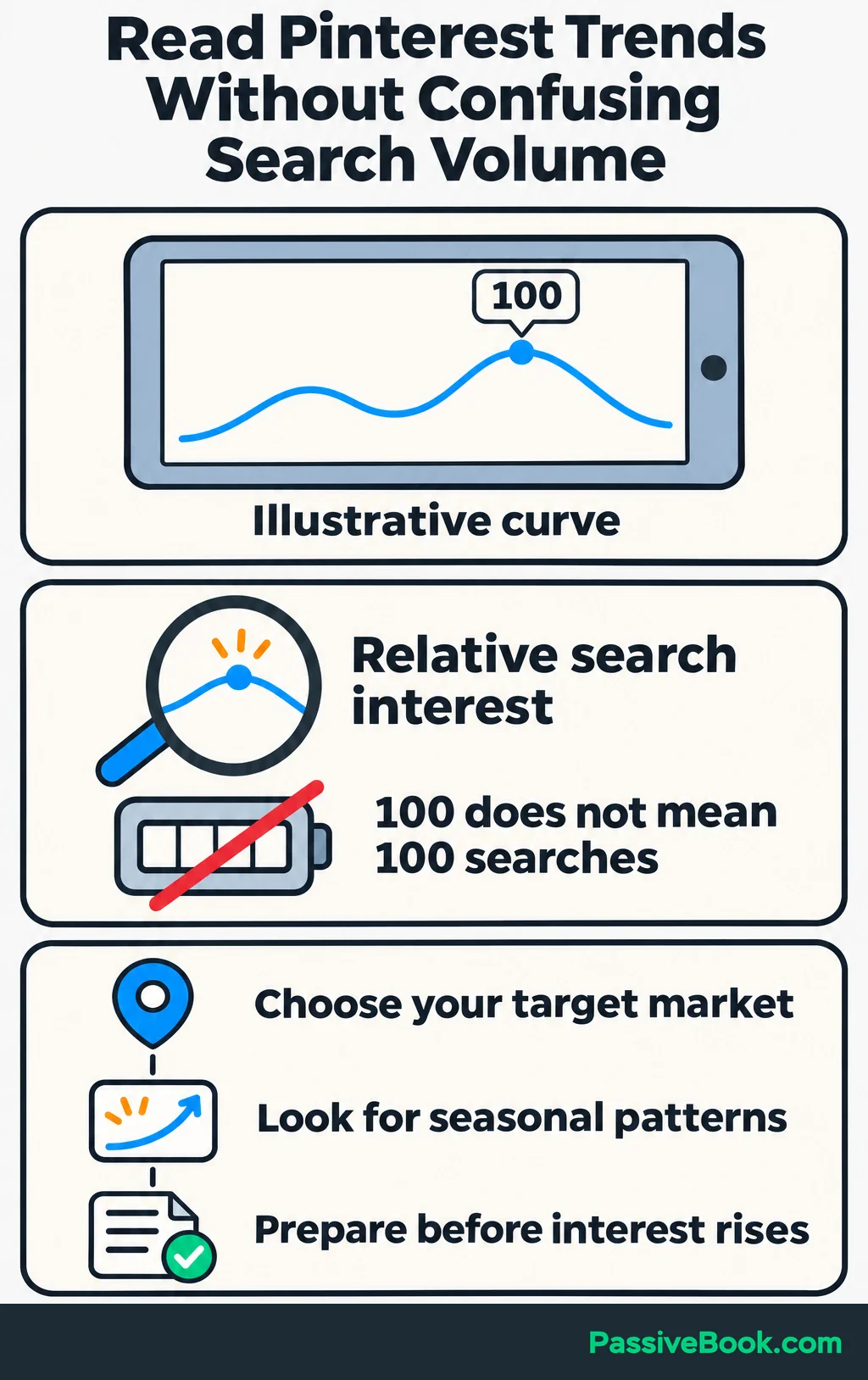
Use Pinterest Trends to check seasonal patterns in your target market. Its graphs show relative search interest, not monthly search counts, so a score of 100 does not mean 100 searches. Use the Trends data to judge timing, and prepare seasonal content before interest rises.
Keep your decisions in a simple planning sheet:
| Search Phrase to Investigate | Visitor Intent | Destination URL | Next Action | Board | Pin Angle |
|---|---|---|---|---|---|
| Dog road trip packing checklist | Find a practical packing list | /dog-road-trip-packing/ | Request the free checklist | Road Trips With Dogs | Pack a weekend travel bag |
| Printable dog travel planner | Inspect a printable product | /dog-travel-planner/ | Buy the planner | Dog Travel Planning | Preview the planning pages |
Create public boards around those customer needs. Clear names such as “Road Trips With Dogs” tell people what belongs there. Add an accurate description, and save each Pin to the board that fits it best.
I would skip clever board names that need explaining. “Adventures With My Bestie” could mean several things, and none of them tells me where the packing checklist lives.
Prepare a Website Page That Fulfills the Pin’s Promise
Match the Destination to the Visitor’s Intent
Choose the destination before designing the Pin.
Someone searching for instructions should reach a useful guide. Someone looking for a printable planner should reach a page where they can inspect and buy it. Sending both to your homepage adds another search to their day.
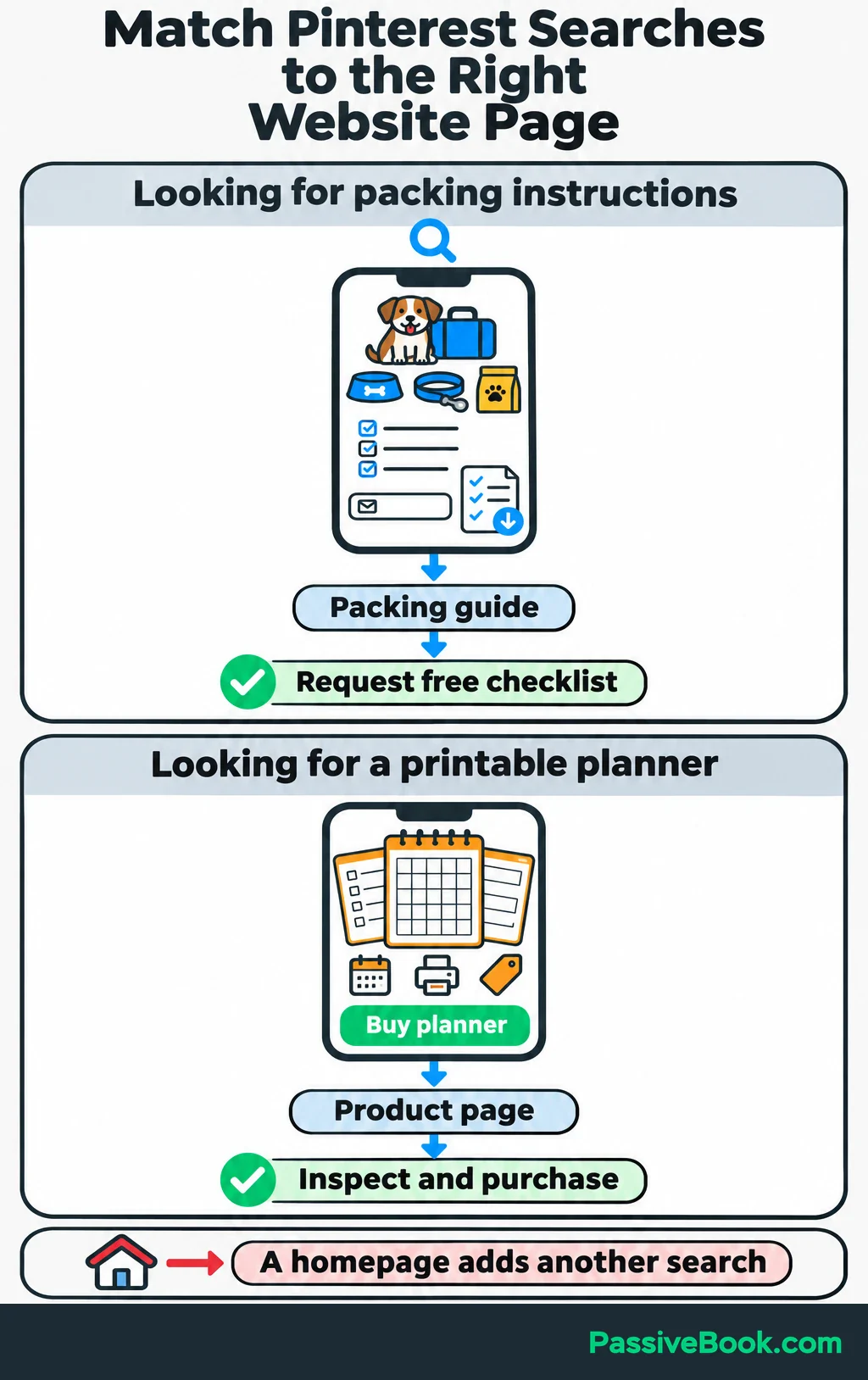
For the packing guide, put the useful list near the start. Group supplies clearly, then offer a downloadable version beside the list:
Want a copy you can check off while packing? Enter your email to receive the free dog road-trip packing checklist.
Explain what else they’re signing up for if you will also send emails. You can introduce the paid planner later, where its extra features become relevant.
The product page has a different job. Show the actual planner pages, explain what they contain and how to use them, state the price, and make buying straightforward.
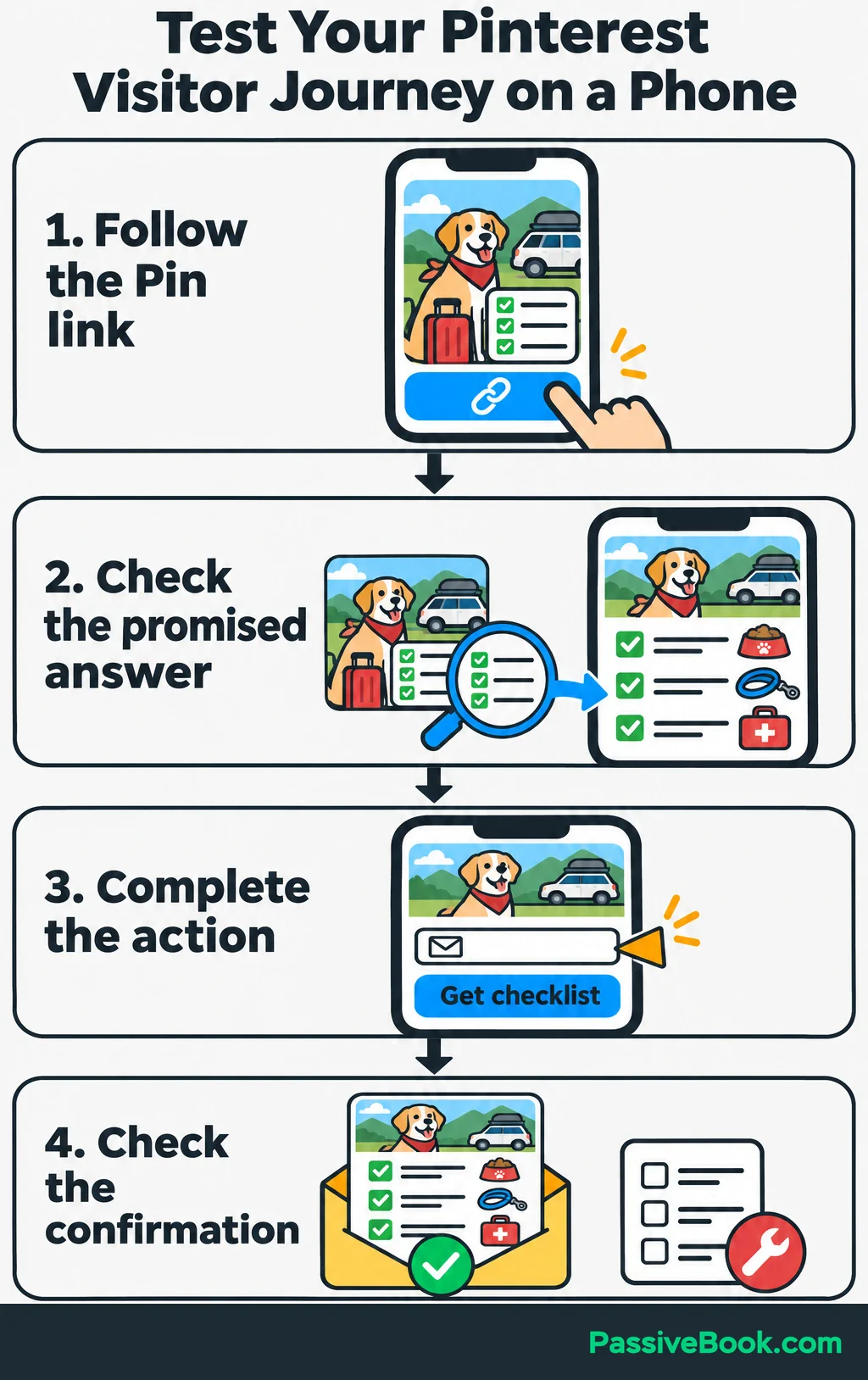
While batching Pins for Passive Book, I’ve caught headlines that promised more than the linked article covered. They sounded useful on their own, which made the mismatch easy to miss. I now review the Pin and page together before scheduling.
Do the same on your phone. Follow the Pin’s link, read the page, submit the form or test checkout, and check the confirmation. A beautiful Pin cannot rescue a broken download form.
Follow the FTC’s disclosure guidance: disclose commissions near affiliate recommendations, including in promotional Pins. Plain wording such as “I earn a commission if you buy through this link” explains the connection. Also check that your affiliate program permits your planned promotional method.
Set up Tracking Before Sending Traffic
Choose one outcome for the first test: completed checklist sign-ups for the guide or purchases for the product page.
In Google Analytics, which tracks website visits and actions, record the completion as an event and mark it as a “key event.” Count completed actions, not button clicks. For confirmed subscribers, record the event after email confirmation.
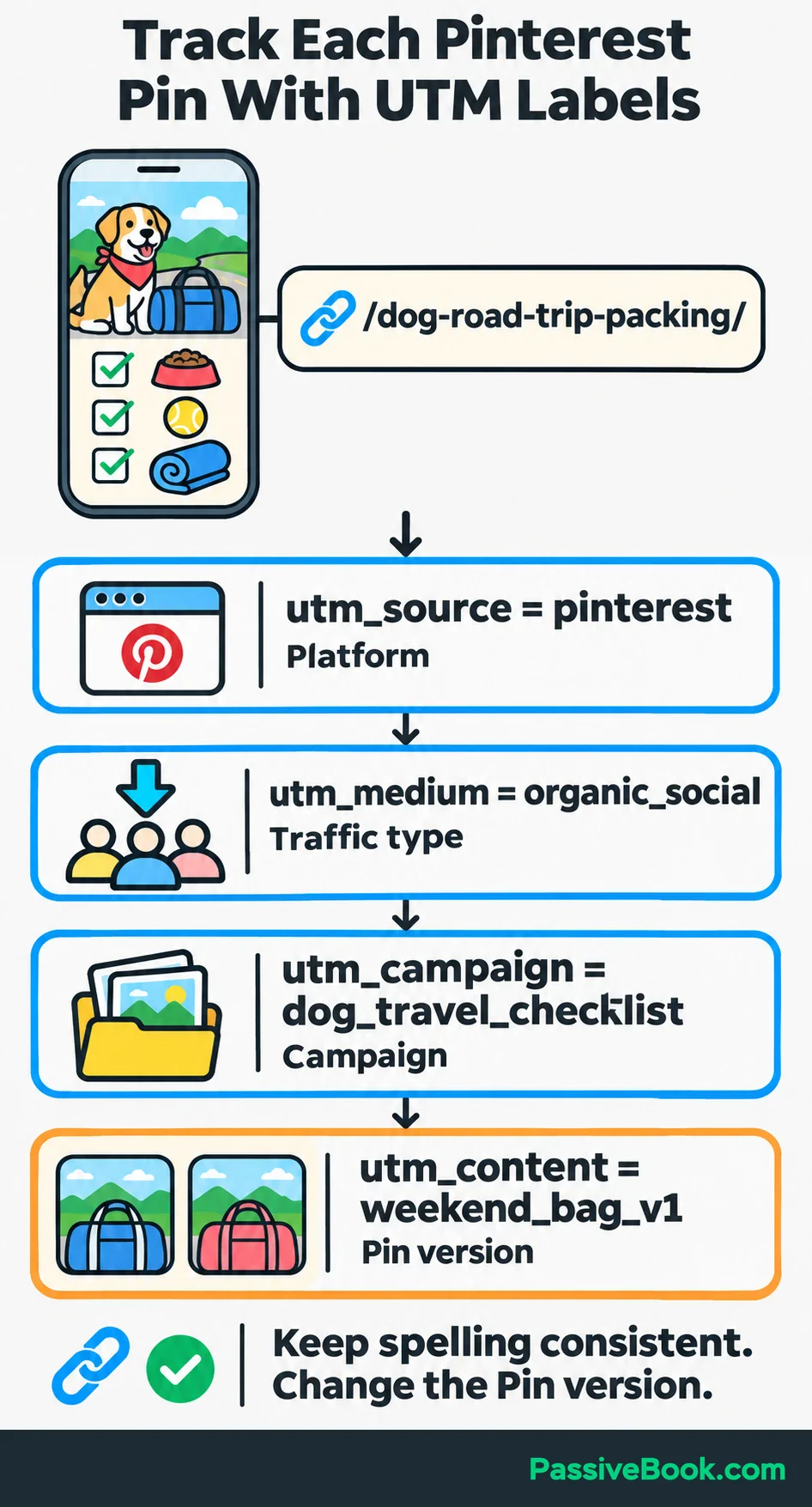
Next, add tracking parameters to each Pin’s destination link. These are small labels added to the URL so website analytics can identify where a visit came from.
Use a consistent structure:
| Parameter | Example Value | What It Identifies |
|---|---|---|
utm_source | pinterest | The referring platform |
utm_medium | organic_social | Your unpaid social traffic |
utm_campaign | dog_travel_checklist | The content campaign |
utm_content | weekend_bag_v1 | The individual Pin version |
Use the URL builder linked from Google’s campaign URL guidance to combine your page address with these values. Keep spelling and capitalization consistent, and change utm_content for each Pin.
Copy the generated URL into the Pin’s link field and test a sign-up. Check that analytics records the labels and one completion, even after refreshing the confirmation page. Fix duplicate counts before using the totals.
Create Pins That Attract Relevant Clicks
Design a Clear Visual Promise
Use Canva or another design tool you already know. Start with a reusable vertical template.
Pinterest recommends a 2:3 image ratio, such as 1000 × 1500 pixels, in its image specifications.
Give each Pin:
- One clear idea.
- An image that supports it.
- A headline readable at phone size.
- Strong contrast between text and background.
- A small, consistent brand mark.
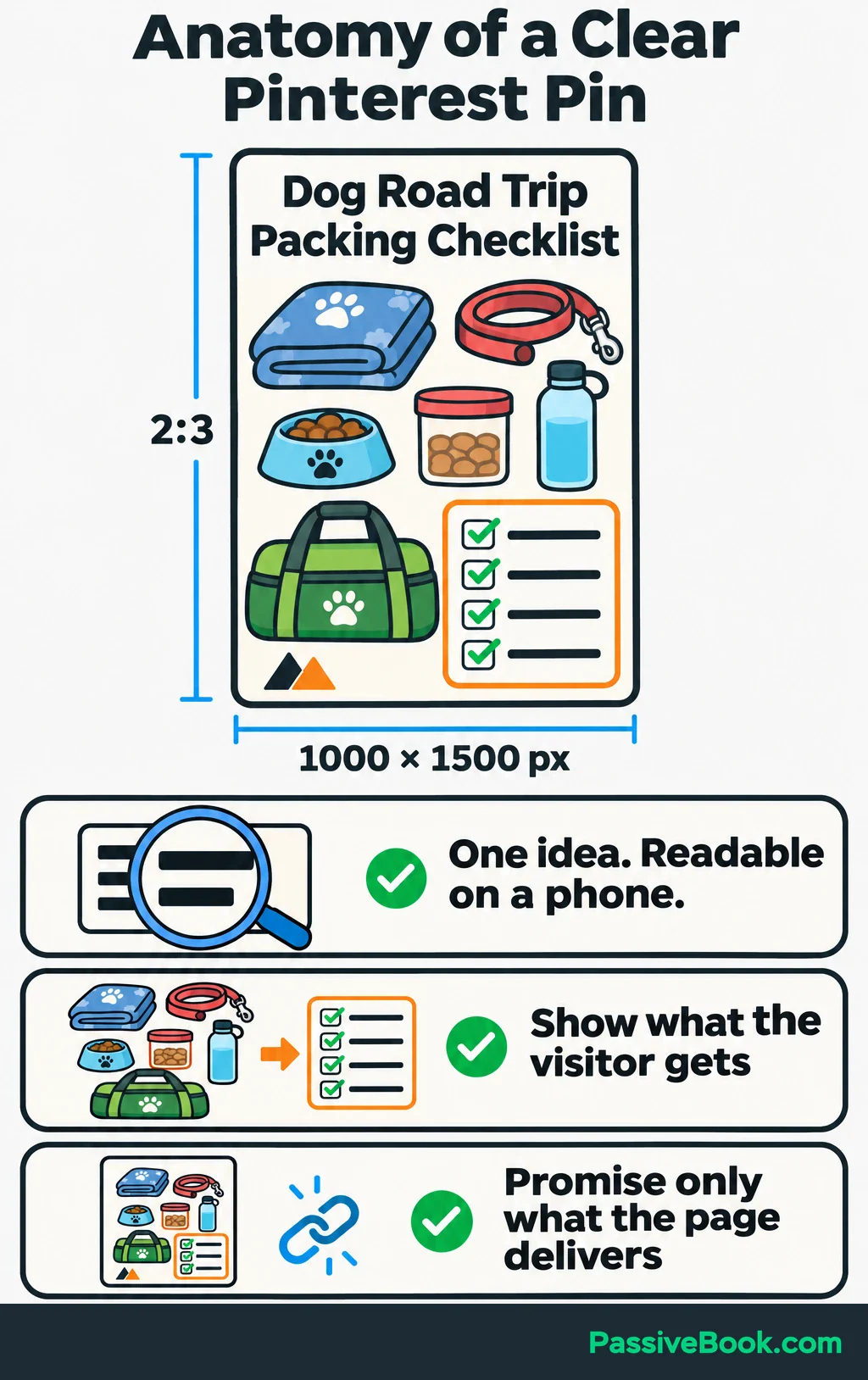
For the packing guide, show organized travel supplies or a preview of the checklist. For the planner, show the actual printable pages. A generic dog photo may look pleasant, but it doesn’t show what the visitor gets.
Create distinct angles from material the destination already covers. The packing guide might support:
Dog Road Trip Packing Checklist
Or:
Organize Your Dog’s Weekend Travel Bag
The second angle only works if the guide helps readers organize that bag. Changing the headline doesn’t give the page new powers.
I would build two simple templates before making a large design library. One can feature a photo and headline, and the other can show a printable preview. That is enough variety to begin learning what attracts useful visits.
Write Searchable Titles and Descriptions
Write the title as a clear description of the page. Name the subject and add a useful detail when it helps.
For example:
Dog Road Trip Packing Checklist for a Weekend Away
Use the description to explain what the visitor can do after clicking:
Organize your dog’s travel supplies with a practical packing list, then download a copy to check off before you leave.
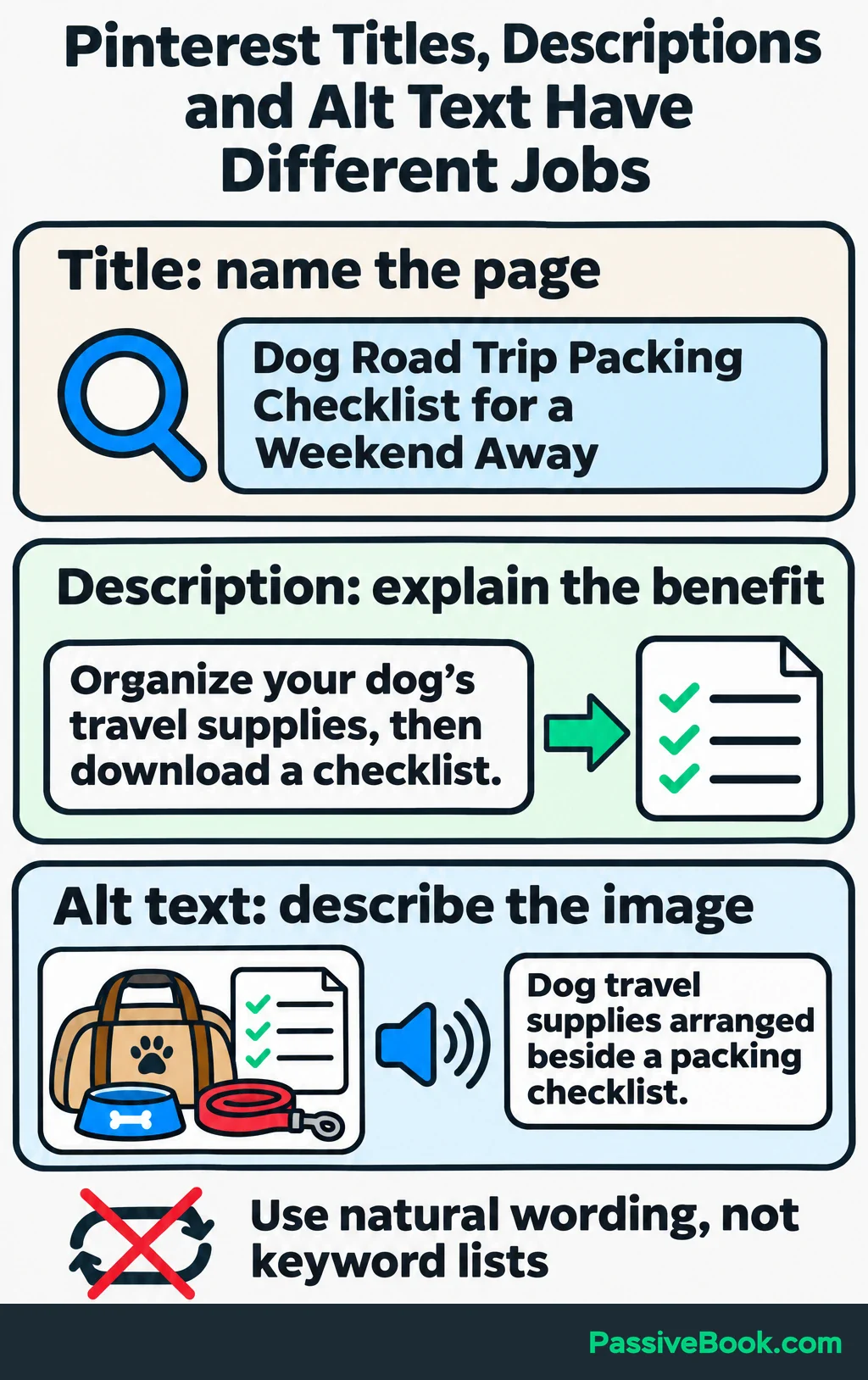
The search phrase fits naturally because it describes the content. Repeating it several times would make the description harder to read without adding meaning.
You don’t have to write every version from scratch. Pinterest Copy Studio uses your page to draft three different angles, with the copy and visual direction together so you can review each promise before designing.
Free AI Pinterest Studio


Pinterest recommends relevant keywords in titles and descriptions to help its systems understand the content. It also recommends clear board titles and descriptions in its organic search guidance.
Add the tagged destination URL, choose the most relevant public board, and preview the finished Pin. Check that the headline is readable and the link opens the intended page.
Alternative text is a written image description for people using screen readers. Use that field to describe what’s visible rather than adding a list of keywords.
Batch and Schedule a Sustainable Publishing Routine
A repeatable batch is easier to maintain than deciding what to publish every morning.
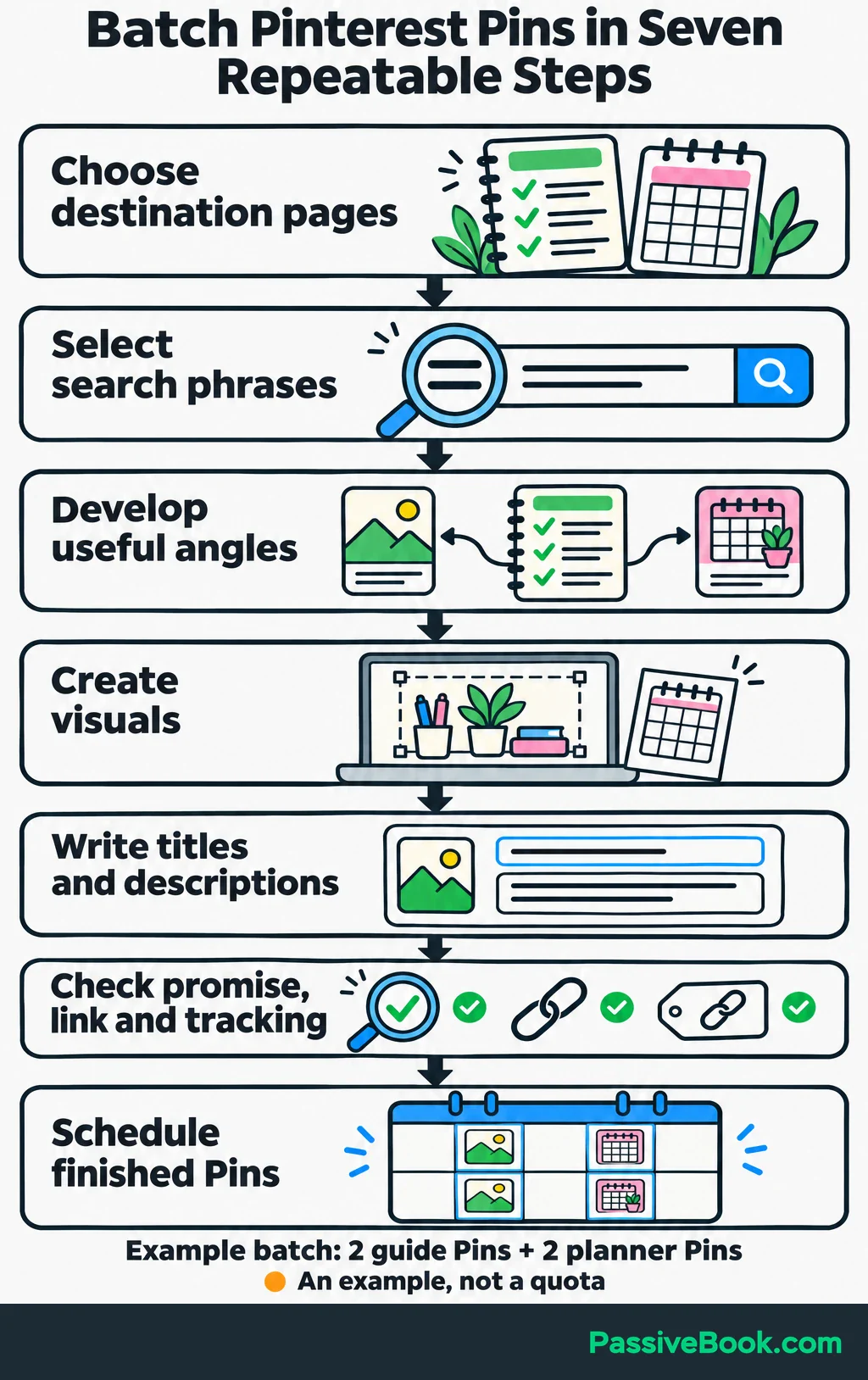
Work through the same sequence:
- Choose the destination pages.
- Select a relevant search phrase for each.
- Develop useful Pin angles.
- Create the visuals.
- Write titles and descriptions.
- Check promises, links and tracking.
- Schedule the finished Pins.
Keep the design link, copy, destination URL and publication status in your planning sheet. The next session should begin with prepared material rather than a hunt through downloads and browser tabs.
For an illustrative starter batch, make two distinct Pins for the packing guide and two for the planner page. Spread them across a schedule you can replenish. Four Pins is a manageable example, not a required quota.
Pinterest recommends fresh content weekly rather than a fixed number of Pins. I would follow that principle and choose a workload you can sustain alongside your other responsibilities.
Use Pinterest’s native scheduler to publish prepared Pins. When creating a Pin, choose “Publish at a later date” and select a time. I would skip a paid scheduling subscription until the built-in tool creates a real constraint.
Reuse your layouts, but give each new Pin a useful angle. Repeatedly uploading the same image is not much of a content system.
AI can help draft options from the actual page. For example, give Claude the packing guide and ask:
Suggest five Pinterest headlines with different useful angles. Use only topics covered in this guide, and identify the section supporting each headline.
Review the output, choose the strongest options and check the finished links yourself. Automating an inaccurate promise just helps you publish the mistake faster.
When research reveals a relevant question your site cannot answer, add it to the website content plan. More designs won’t fill a missing answer.
Measure Pinterest Traffic and Conversions
Use these metrics to distinguish visibility, engagement and website visits:
| Metric | What It Tells You |
|---|---|
| Impressions | Your Pin appeared on a screen |
| Saves | Someone bookmarked it to a board |
| Pin clicks | Someone opened the Pin in closeup |
| Outbound clicks | Someone took an action leading off Pinterest |
For website traffic, focus on outbound clicks, which Pinterest defines as actions leading off the platform. Total engagement also includes saves and Pin clicks.
Filter Pinterest Analytics to organic Pins linking to your site. For the same reporting period, check website analytics for sessions carrying your Pinterest campaign labels. A session is a visit that may include several page views.
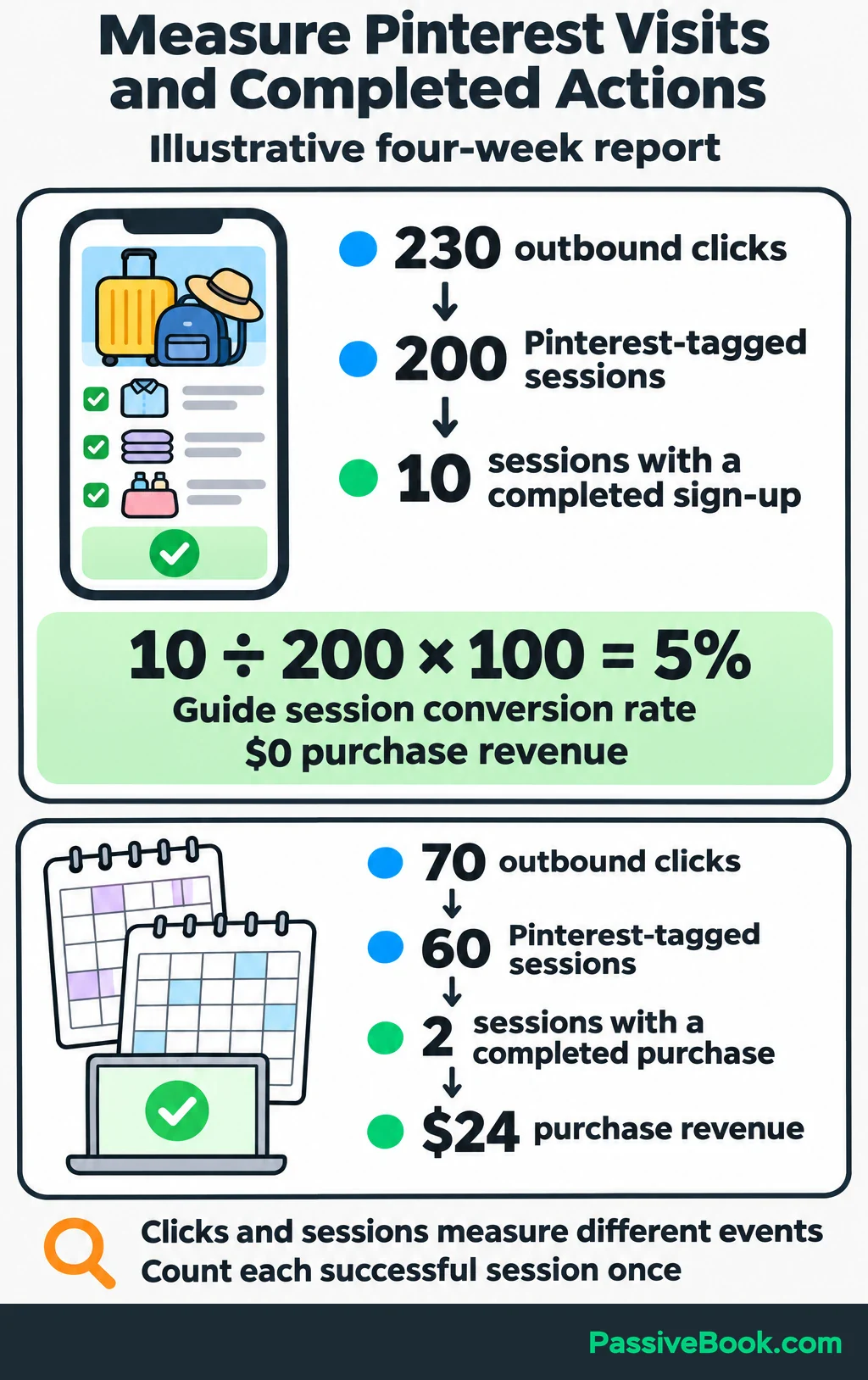
This illustrative report covers the same four-week period for both pages:
| Destination | Outbound Clicks | Pinterest-Tagged Sessions | Sessions Completing the Chosen Action | Purchase Revenue in Those Sessions |
|---|---|---|---|---|
| Packing guide | 230 | 200 | 10 with a completed checklist sign-up | $0 |
| Planner page | 70 | 60 | 2 with a completed purchase | $24 |
To calculate the guide’s session conversion rate, count the Pinterest-tagged sessions in that period and how many included a completed checklist sign-up. Count each successful session once, even if the event fired more than once.
In this example:
10 sessions with a sign-up ÷ 200 Pinterest-tagged sessions × 100 = 5%
That gives you a baseline for the guide. It is not a universal target.
Pinterest outbound clicks and website sessions measure different events, so their totals need not match. Use each to judge its own stage rather than trying to force them into agreement.
Keep affiliate-link clicks separate from confirmed commissions. Also record later purchases from email separately from purchases attributed to Pinterest sessions. Pinterest may have introduced the subscriber, but combining those reports can count the same sale twice.
Improve the Weakest Step in the Journey
Choose the next task from the gap in the journey.
| What You See | What I Would Check First | A Useful Change to Test |
|---|---|---|
| Little relevant exposure | Compare the Pin’s wording with search suggestions and its board’s topic | Target a clearer question the page answers |
| Impressions but few outbound clicks | Read the headline on my phone and check whether the image shows what visitors will get | Test a more specific benefit with a matching visual |
| Website visits but few completed actions | Follow the Pin’s link, test the form or checkout, and confirm analytics records completion | Make the next action clearer or fix the broken step |
| Completed actions but weak business value | Check which products subscribers buy after using the free resource | Show how the paid product helps with the next task |
Treat these as starting points for investigation. A low total alone doesn’t tell you which part is wrong.
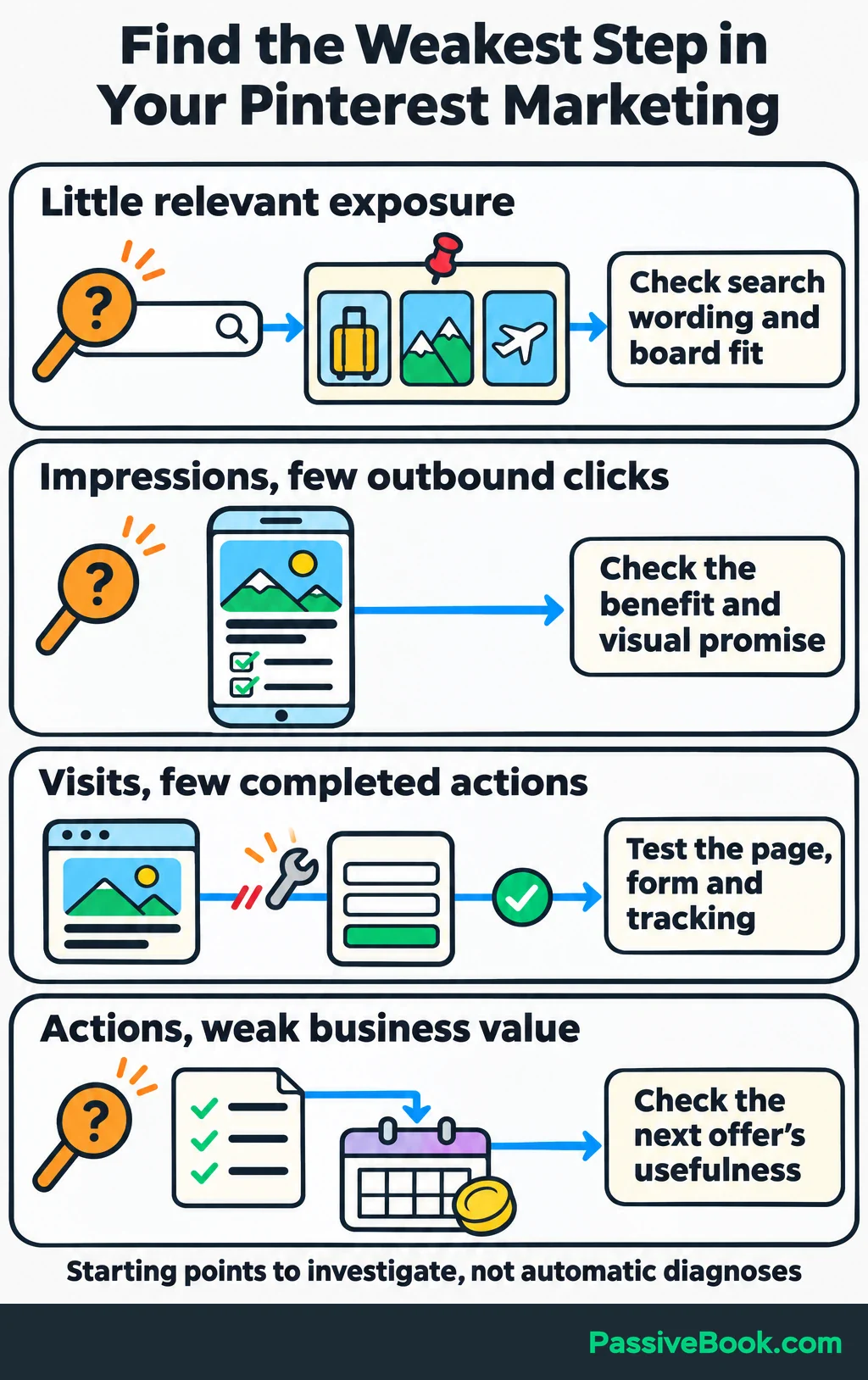
For the packing guide, impressions without clicks might justify a clearer headline. Visits without sign-ups call for checking the guide and form before making another batch of graphics.
Compare Pins at similar publishing ages, and don’t declare a winner from a handful of visits. An older Pin has had more opportunity to be discovered.
Change one major element at a time while keeping the topic and destination consistent. If you change the headline, image, page and offer together, you won’t know which change helped.
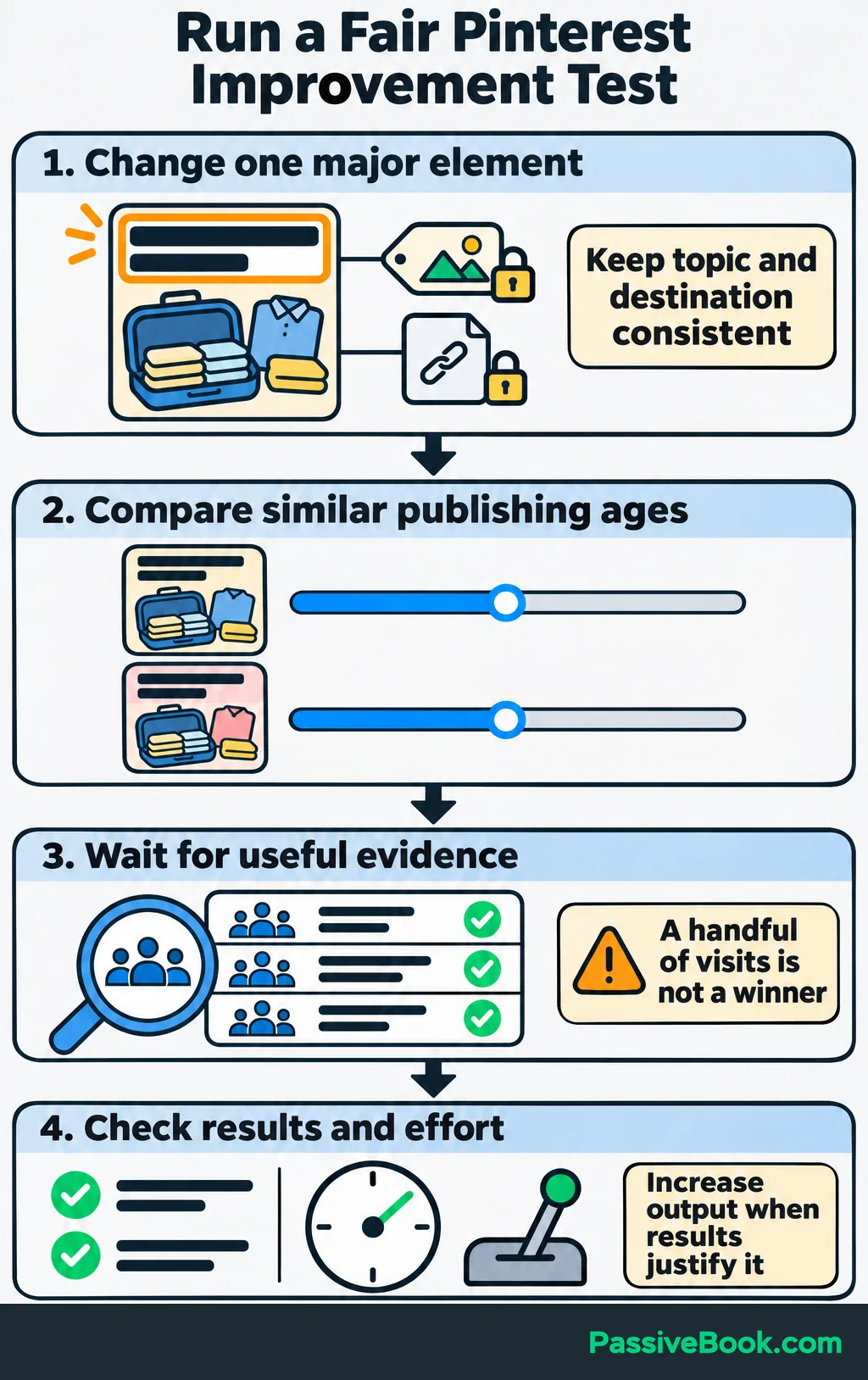
I would review results weekly, but make decisions when there is enough useful evidence. A weekly review is a reminder to look, not an obligation to fiddle.
Give more production time to pages that attract relevant visits and completed actions. Repair broken links and outdated destinations before sending more people to them.
Track the time you spend, too. If Pinterest needs every spare evening to produce a few low-value visits, the workflow needs work before it deserves expansion. Increase output when the results justify it, and automate the repeated steps once you know they are useful.
What Next?
Choose one existing page and write down its Pin promise, destination URL and intended business result. Then follow the route on your phone and complete the action yourself.
Use the social buttons to share this guide if it would help turn a Pinterest content plan into something measurable.
Which step in your own route feels weakest: getting discovered, earning the click or turning the visit into action? Tell me in the comments, and bring any other questions with you.
Share this post with your friends & followers: