Your product looks good in a photograph, but can a shopper tell whether it fits, what it costs, and where to buy it? Those gaps matter when someone discovers your shop on Pinterest for the first time.
Uploading a catalog handles part of the job. It doesn’t explain why someone should choose your product, and a successful upload doesn’t necessarily mean the item can appear in organic shopping results.
This guide shows how to connect your store, check your Product Pins, and turn product photographs into useful shopping decisions—then measure whether that work brings visits and purchases.
How Product Pins Help You Sell on Pinterest
Learning how to merchandise products on Pinterest starts with connecting a shopping need to a product that meets it. The route is simple:
Discovery → Product Pin → product page → checkout.
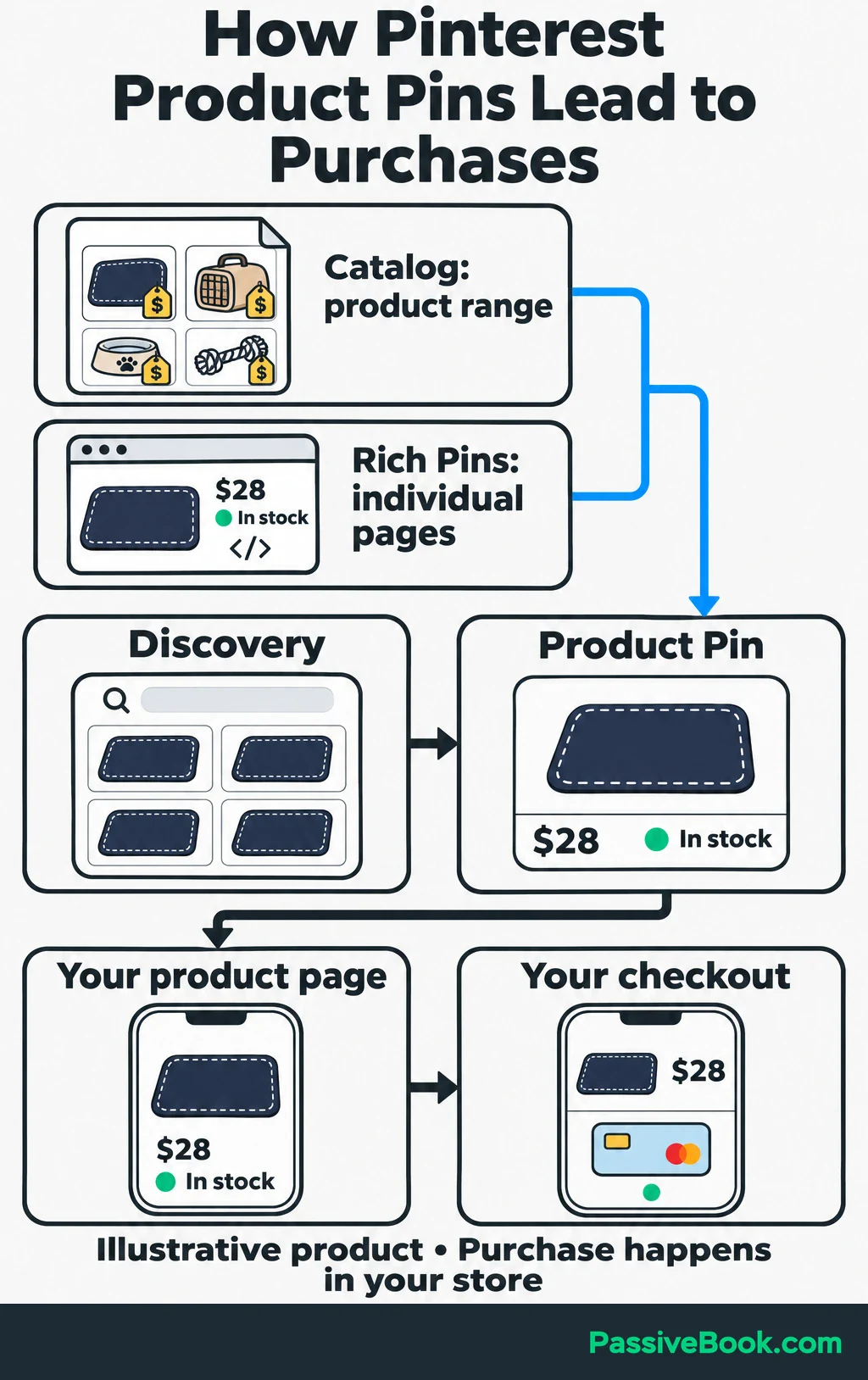
Product Pins show information such as price and availability. A catalog creates them across your product range, while product rich Pins pull information from individual product pages. Both routes support organic discovery, and you can use them together.
Pinterest charges no product-listing fee or sales commission, and advertising is optional. Shoppers complete their purchases on your website or app. Your store, payment processing, photography, and time still have costs. Pinterest’s shopping explanation
You can start without building a large following or buying ads. I would put that initial effort into accurate listings and a small set of useful product demonstrations.
Throughout this guide, imagine you sell washable cat-carrier mats. Your featured item is a small navy mat priced at $28. Its specifications, copy, and later performance figures are illustrations.
Pinterest drives meaningful referral traffic to my Passive Book blog. That gives me a reason to take the channel seriously, but it doesn’t establish physical-product sales through Product Pins. For your store, qualified visits and purchases are the evidence that matters.
Prepare Your Store for Pinterest Shoppers
Create a Pinterest business account or convert an existing account, then complete your profile. Say plainly what you sell. “Washable mats for cat carriers” gives a shopper more information than “Making every journey special.”
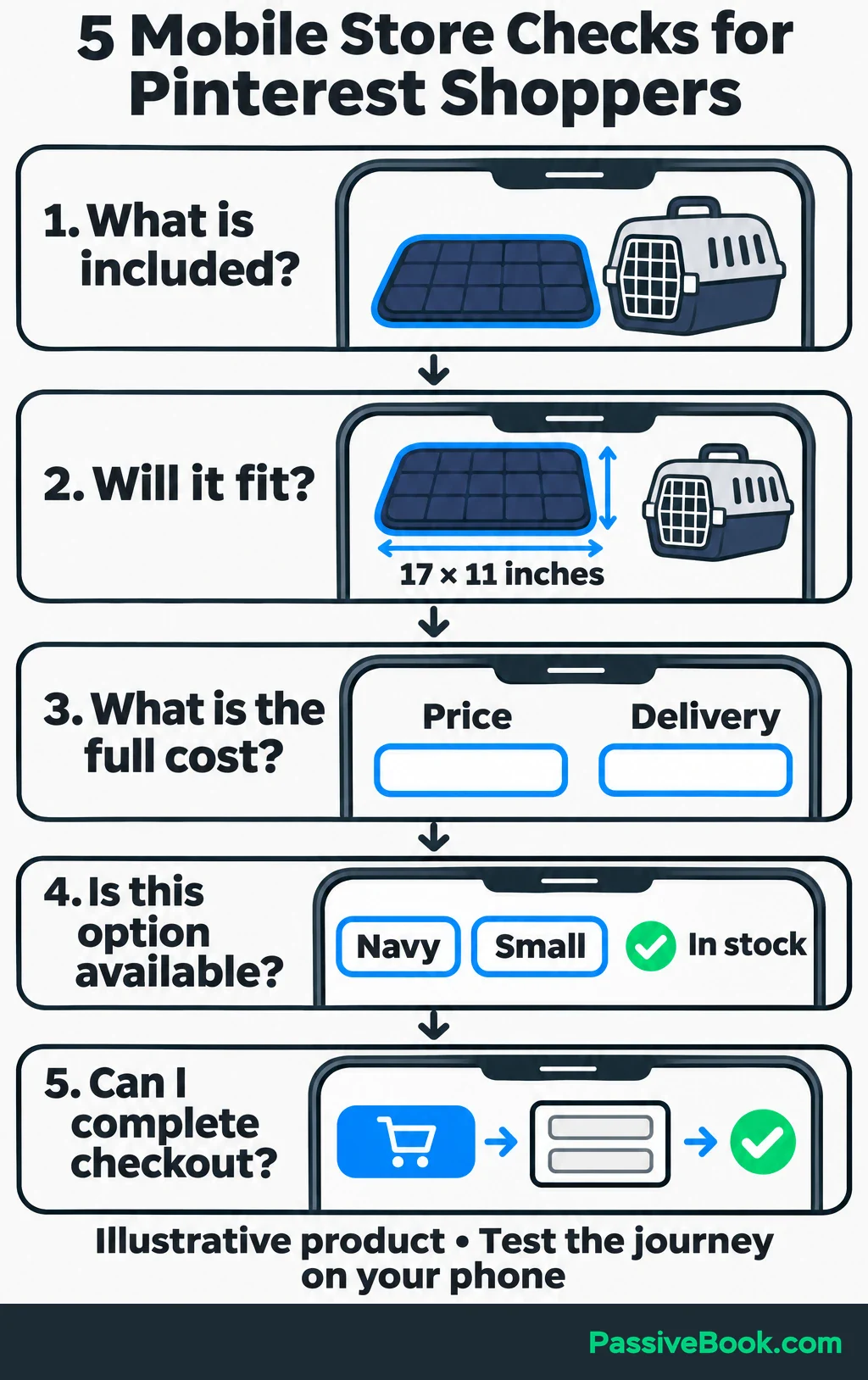
Next, open a product page on your phone and answer these questions:
- Product: Can you see exactly what comes with the purchase?
- Fit: Are dimensions and compatibility details easy to find?
- Cost: Are the price, delivery charges, and any conditions clear?
- Availability: Can you tell whether the selected option is in stock?
- Purchase: Can you select a variant, add it to the cart, and complete checkout?
For the navy mat, show its measurements beside an image of it inside a carrier. Include materials and washing instructions, and explain how buyers should check their carrier’s interior dimensions.
I’ve caught missing context on my own sites by following a Pin’s link on my phone. Information that seemed obvious while editing the page was much harder to find as a visitor. That’s why I do this check before spending time on another design.
Make contact details, shipping information, and return terms easy to find. Before connecting your products, check Pinterest’s merchant guidelines: some products and business practices are excluded, even if you already sell the items on your website.
Create Product Pins From Your Store
Choose the setup that fits how you maintain your store. I would use a catalog integration for an ongoing product range and consider product rich Pins for individual listings or a smaller initial test.
Connect a Catalog for Ongoing Product Syncing
First, check that catalogs are available in your country. Pinterest requires a business account, a claimed website, a compliant storefront, and an installed Pinterest tag—a tool that records activity on your site.
Claim your website to prove you control it. Use your store integration where supported, or add Pinterest’s verification tag or DNS record.
Most marketplace shop addresses, including Etsy, eBay, and Amazon shops, cannot be claimed because you don’t control their website code. If that describes your store, check the individual-listing route below before building a catalog feed. Pinterest’s website ownership requirements
Use the integration for your existing platform:
- Shopify: The official Pinterest app supports product publishing, daily catalog updates, and Pinterest tag tracking. Pinterest for Shopify
- WooCommerce: Pinterest for WooCommerce supports catalog syncing and tag installation. I would use this route for an existing WooCommerce store instead of maintaining a second product spreadsheet. Pinterest for WooCommerce
Connect the intended Pinterest business account, complete website verification, and enable product syncing. An integration may ask you to connect an advertising account during setup; connecting it doesn’t mean you need to launch a paid campaign.
The catalog supplies product details. Before enabling the tag’s activity tracking, configure consent controls where required, following Pinterest’s tag consent guidance.
Without an integration, you can prepare a supported feed, such as a CSV file. Each row describes a product or variant.
Here is how the illustrated navy mat maps to Pinterest’s fields. The example addresses use example.com; replace them with your actual product and image URLs.
| Pinterest field | Example | What to check |
|---|---|---|
id | MAT-S-NAVY | Identifies only this variant and stays unchanged between updates |
title | Washable Cat Carrier Mat — Navy, Small | Matches the product page’s name, color, and size |
description | Removable navy carrier mat, 17 × 11 inches. Check carrier dimensions before ordering. | Matches the item’s dimensions and use |
link | https://example.com/products/carrier-mat?variant=navy-small | Opens with navy and small selected |
image_link | https://example.com/images/mat-small-navy-v1.jpg | Loads publicly and shows the navy mat |
price | 28.00 USD | Matches the selected variant’s price and currency |
availability | in stock | Matches store inventory |
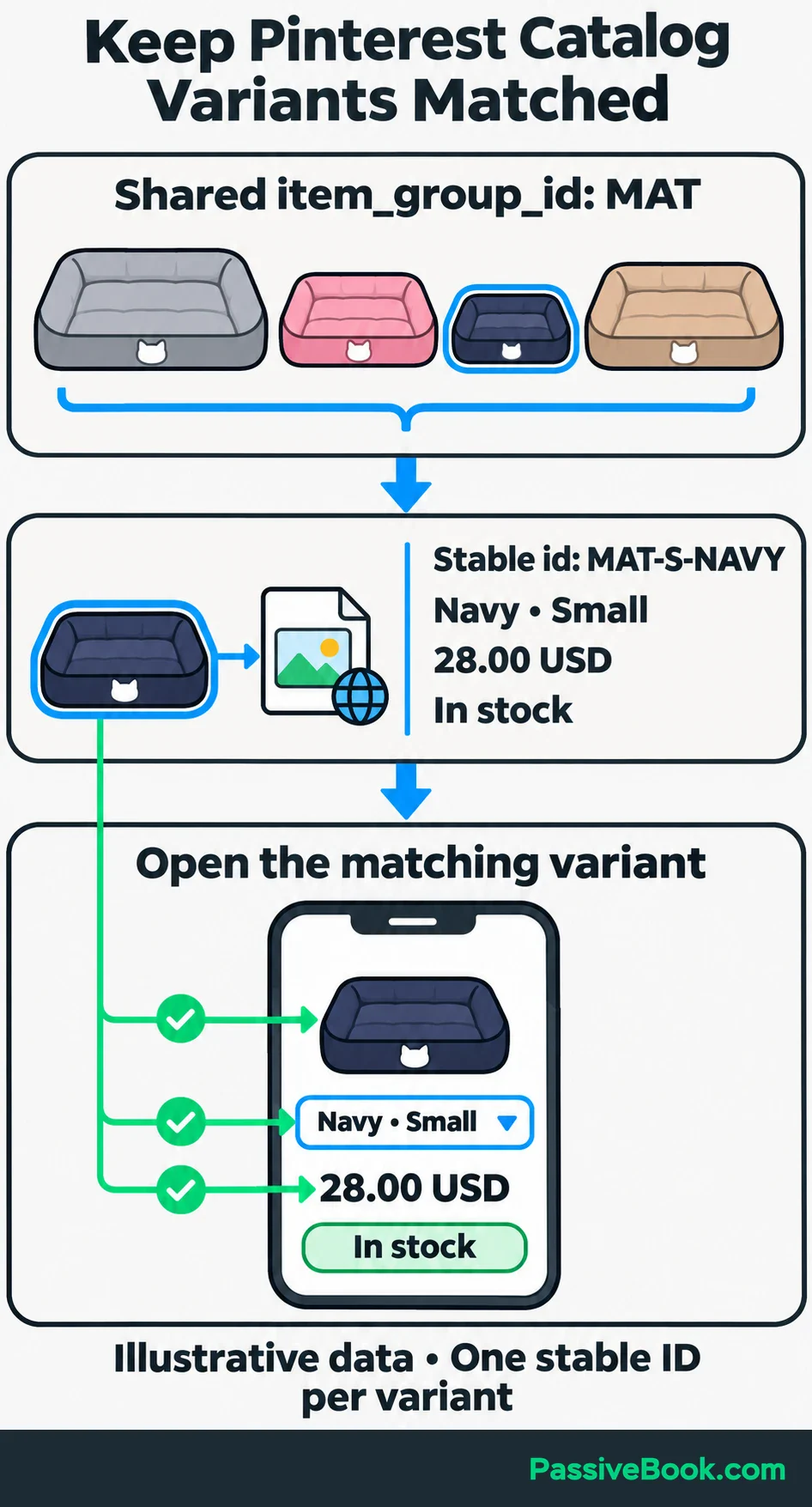
item_group_id | MAT | Shared by this mat’s size and color variants |
Give each variant its own stable ID and use item_group_id to connect variants. Pinterest requires the main feed image to be accessible to its crawler and at least 1,000 × 1,500 pixels. Its catalog requirements explain the supported fields and formats. Pinterest’s feed specifications
Submit the feed through Add data source in your catalog tools. Provide a hosted feed URL or upload the file, then select the selling country, language, and currency. The country and language cannot be changed later.
Run the data-source test, correct any errors, and submit the feed.
Use Product Rich Pins for Individual Listings
Product rich Pins read structured details, called markup, from your product pages. These details include the name, price, currency, and availability.
Check whether your store already supplies Pinterest-supported Open Graph or Schema.org product markup. Use its product-page tools to add or correct that information before considering custom code.
Then create a Pin linked directly to the listing and inspect the product information that appears. Pinterest says syncing can take up to 24 hours, and product details appear for qualifying, in-stock items that meet its merchant guidelines. Pinterest’s rich Pin requirements
Some marketplaces, including Etsy and eBay, supply supported product information themselves. That can make individual Product Pins possible even when you cannot claim the marketplace shop address.
Check the Import and Purchase Journey
In catalog diagnostics, check Ingestion issues for upload failures and missing or invalid product details. Then check Distribution issues for products ineligible for organic shopping placements. A successful upload alone doesn’t establish eligibility.
Fix the listed problems in your store or feed.
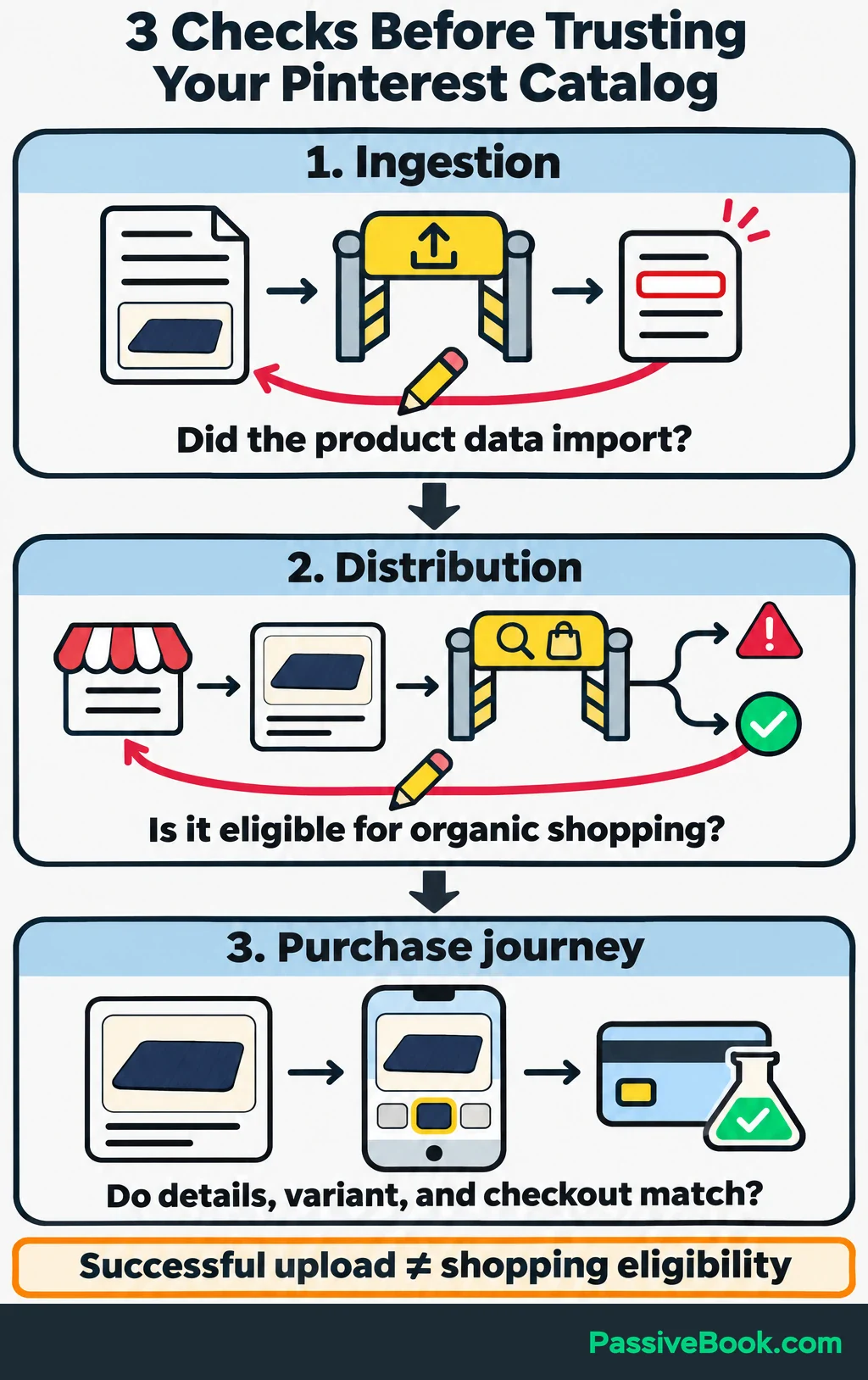
After the next import, inspect Product Pins on your phone, including a variant and an item with a recent price or stock change.
For the navy mat, confirm that its image, price, currency, and availability match the store. Follow the link to check that it opens the small navy option and shows clear delivery information. Use your payment provider’s test process to check checkout.
Choose Products Around a Clear Shopping Need
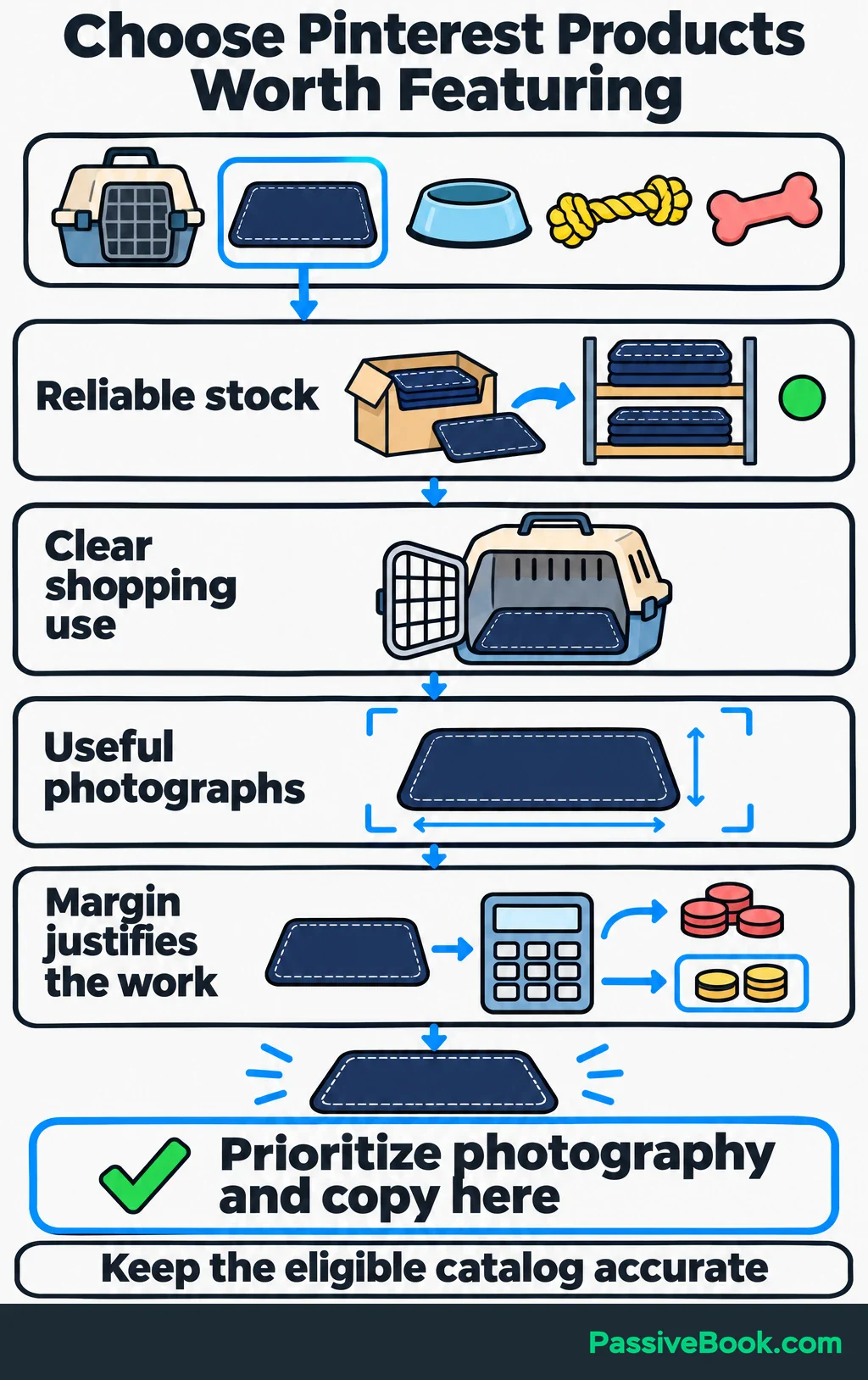
Keep the eligible catalog accurate, but concentrate photography and writing on products worth featuring.
I would start with items that have reliable stock, a clear use, useful photographs, and enough margin to justify the work. A frequently unavailable product creates more maintenance and fewer chances to buy.
For each featured item, write the purchase question it answers. With carrier mats, that might be:
- Fit: Will this sit flat inside my carrier?
- Cleaning: Can I remove it easily for washing?
- Materials: What fabric will my cat sit on?
Those questions give you stronger starting points than an unexplained grid of colors.
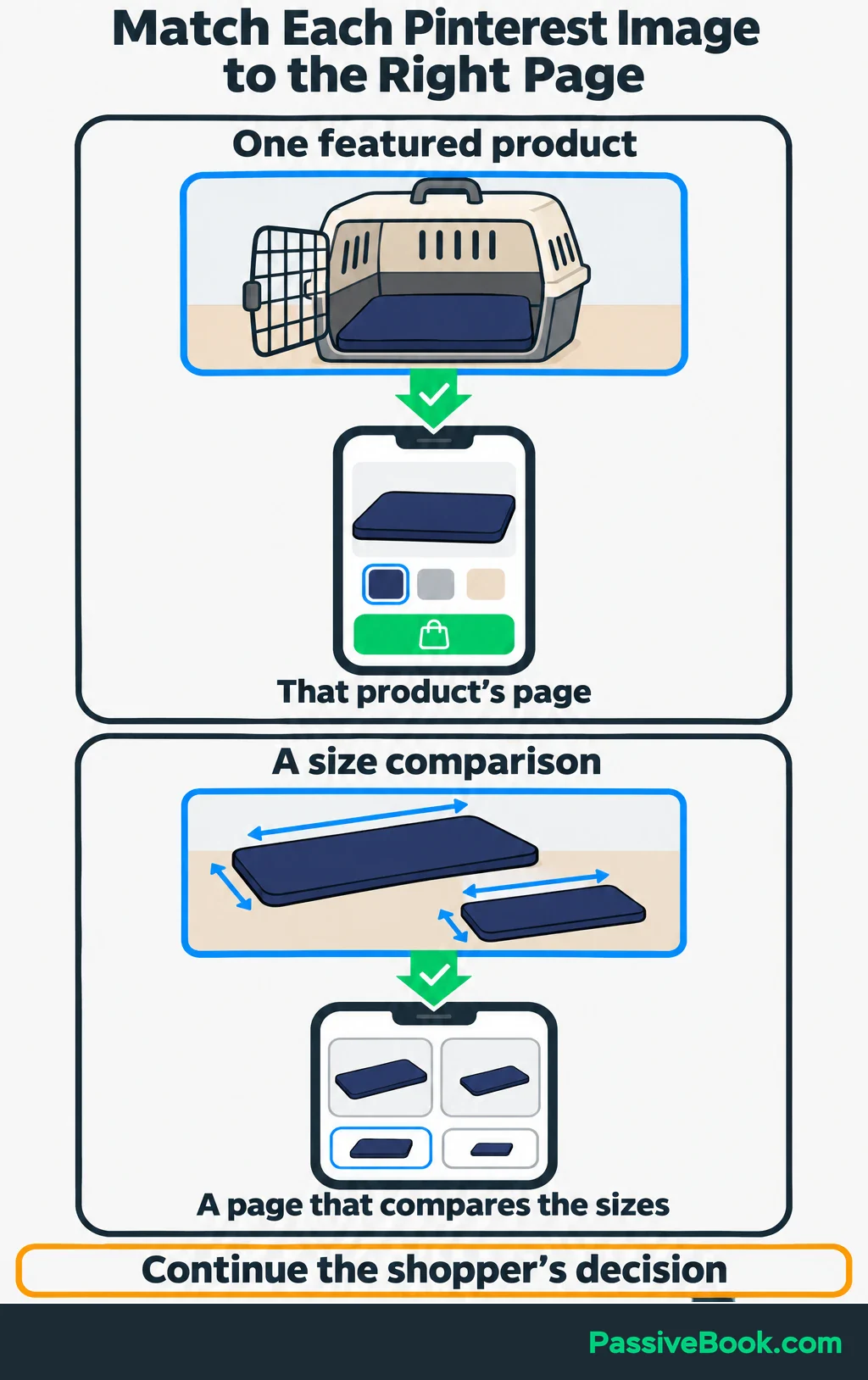
Show alternatives when they solve the same need. Two sizes deserve a clear size comparison. Two colors can appear together when the shopper is choosing a finish. A complementary item belongs in a coordinated setup, with its role explained.
Match the selection to the destination. A photograph focused on the navy mat should lead to that item. A comparison of several sizes should lead to a collection or page where those sizes are easy to compare.
The shopper should arrive with the decision already partly understood.
Write Product Listings Shoppers Can Find
Build a short phrase map before writing titles. Combine what the product is, where it is used, and which attributes affect the purchase.
| Phrase group | Illustrative language | Where it helps |
|---|---|---|
| Product identity | Cat carrier mat | Main product name |
| Practical use | Removable carrier liner | Description, if accurate |
| Distinguishing details | Washable, navy, small | Title and variant information |
| Buying question | How to check carrier-mat fit | Original Pin angle |
Check Pinterest search suggestions and relevant results for language shoppers use. These example phrases show the process; they are not measured demand or proven ranking opportunities.
Lead with the product name. “Washable Cat Carrier Mat — Navy, Small” tells shoppers more than “The Travel Companion.” Keep the charming name elsewhere if you like it. It shouldn’t have to do the whole sales job.
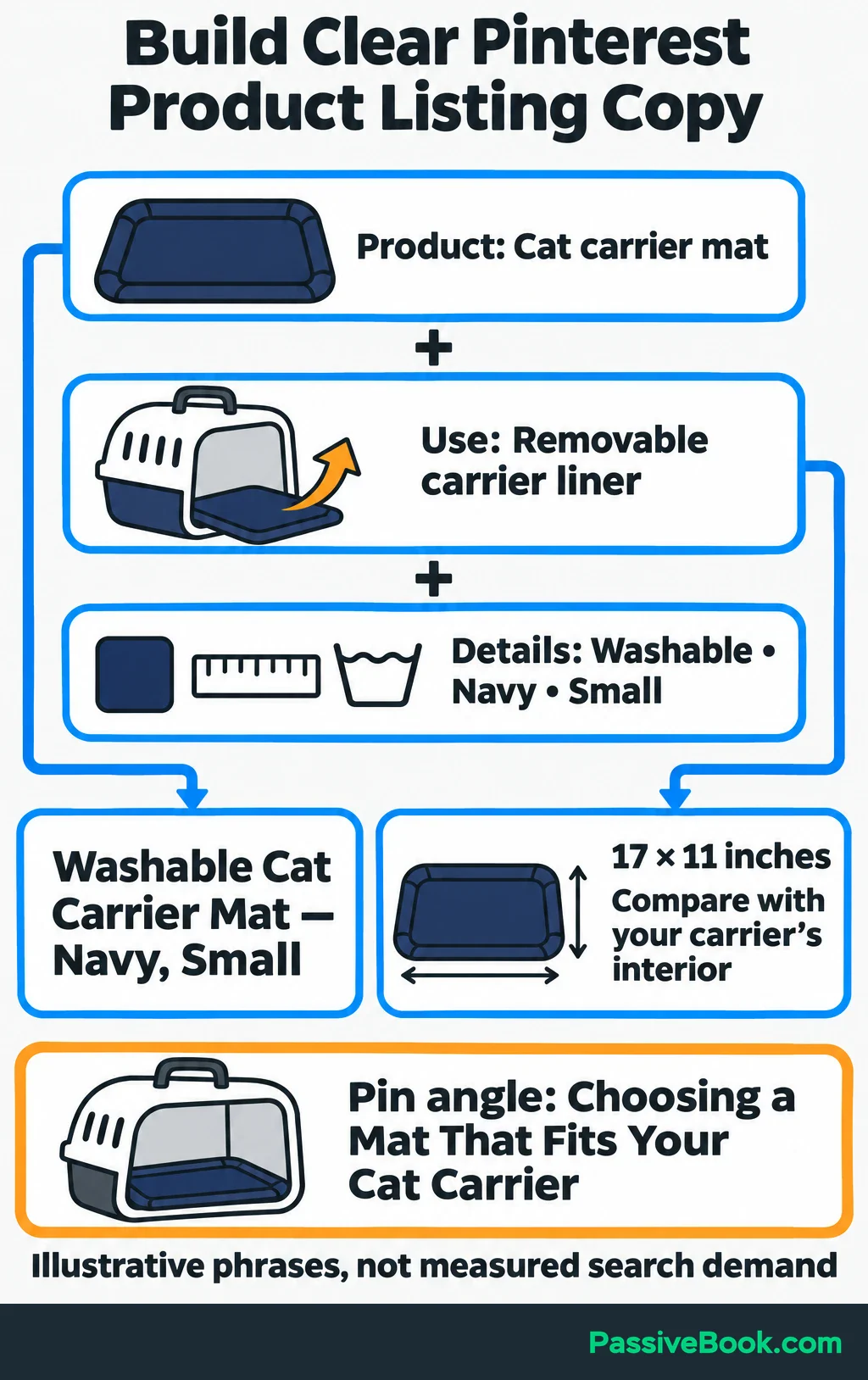
Use the description to answer practical questions. For the illustrated mat:
A removable navy mat for the base of a cat carrier. Measures 17 × 11 inches. Compare these measurements with your carrier’s interior before ordering, and follow the washing instructions on the product page.
For an original Pin, choose a particular buying angle:
Choosing a Mat That Fits Your Cat Carrier
Pair that title with a photograph showing the mat inside a carrier and the measurements clearly marked.
If you have the product details but keep getting stuck on the wording, AI Pinterest Studio can turn them into a listing draft and three useful Pin angles. You’ll have copy to review against your item instead of starting from a blank page.
Free AI Pinterest Studio




Edit catalog titles and descriptions in the store or feed supplying Pinterest so future imports retain your changes. Keep the product name, color, size, and destination consistent.
I would skip a description made from a pile of search phrases. It takes space that could explain fit, care, or what arrives in the package.
Create Visuals That Answer Buying Questions
Start with a clear main product photograph. Show what the customer receives, including its shape and color, without hiding the item behind props.
Then create separate images that answer the questions you identified. Each visual needs a job.
| Buying question | Photograph or video | Short overlay | Destination |
|---|---|---|---|
| Will it fit? | Overhead photograph inside a carrier, with dimensions marked | “Check your carrier’s dimensions” | Navy mat product page |
| How does it come out? | Short video lifting the mat from the carrier | “Removable for washing” | Product page with care instructions |
| What is the fabric like? | Close-up of the actual surface and stitching | “See the fabric up close” | Product page with material details |
Use a vertical 2:3 canvas, such as 1,000 × 1,500 pixels. Pinterest recommends that shape for image creative, and it gives you room to show the product clearly. Keep any overlay readable on a phone. Pinterest’s creative guidance
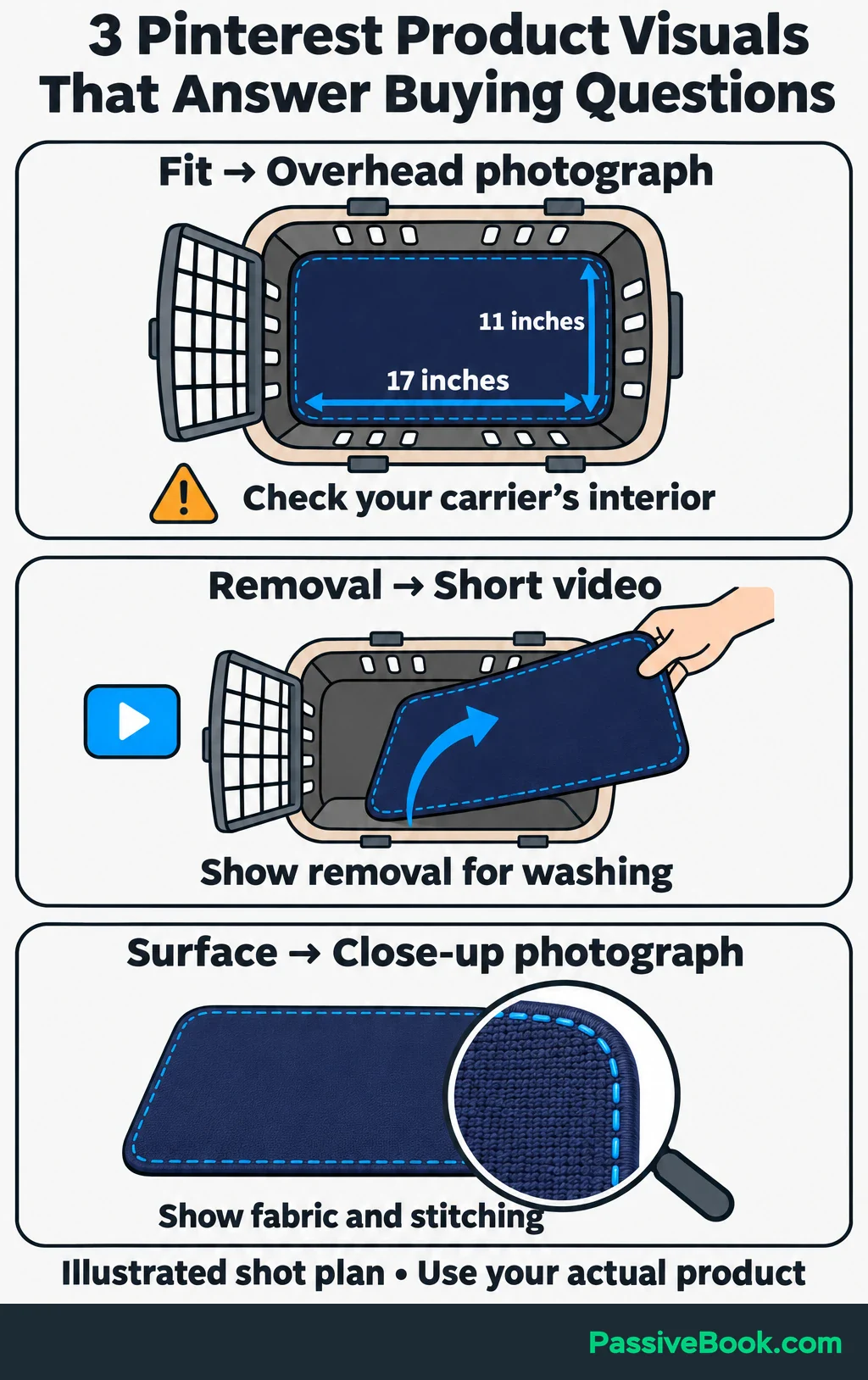
Canva is enough for this work. I would build one simple layout, then swap the photograph and buying question. You don’t need a new design system for every color.
Use video when movement adds information. Lifting the mat out and putting it back explains removal better than a decorative slideshow.
Keep every demonstration faithful to the item. A mat shown inside one carrier doesn’t establish universal fit, and “washable” doesn’t automatically mean suitable for every machine cycle.
Add alternative text to standard image and video Pins so people using screen readers can understand the visible product or action. For example:
Navy rectangular mat inside an open cat carrier, with its length and width marked.
Batch these assets during one photography session. Different questions earn different Pins; changing the background color alone adds little shopping value.
Build a Shoppable Browsing Experience
Create focused public boards with names that explain their contents. “Cat Carrier Mats and Travel Comfort” gives visitors a useful browsing theme. A vague board name makes them work harder.
Save relevant Product Pins to those boards so profile visitors can browse them. Catalog ingestion creates the Product Pins, while board curation gives them an organized place on your profile.
Next, publish original Pins using your strongest demonstrations. To connect a pictured item to its listing, choose the product-tagging option and either search for its Product Pin or supply its product-page link.
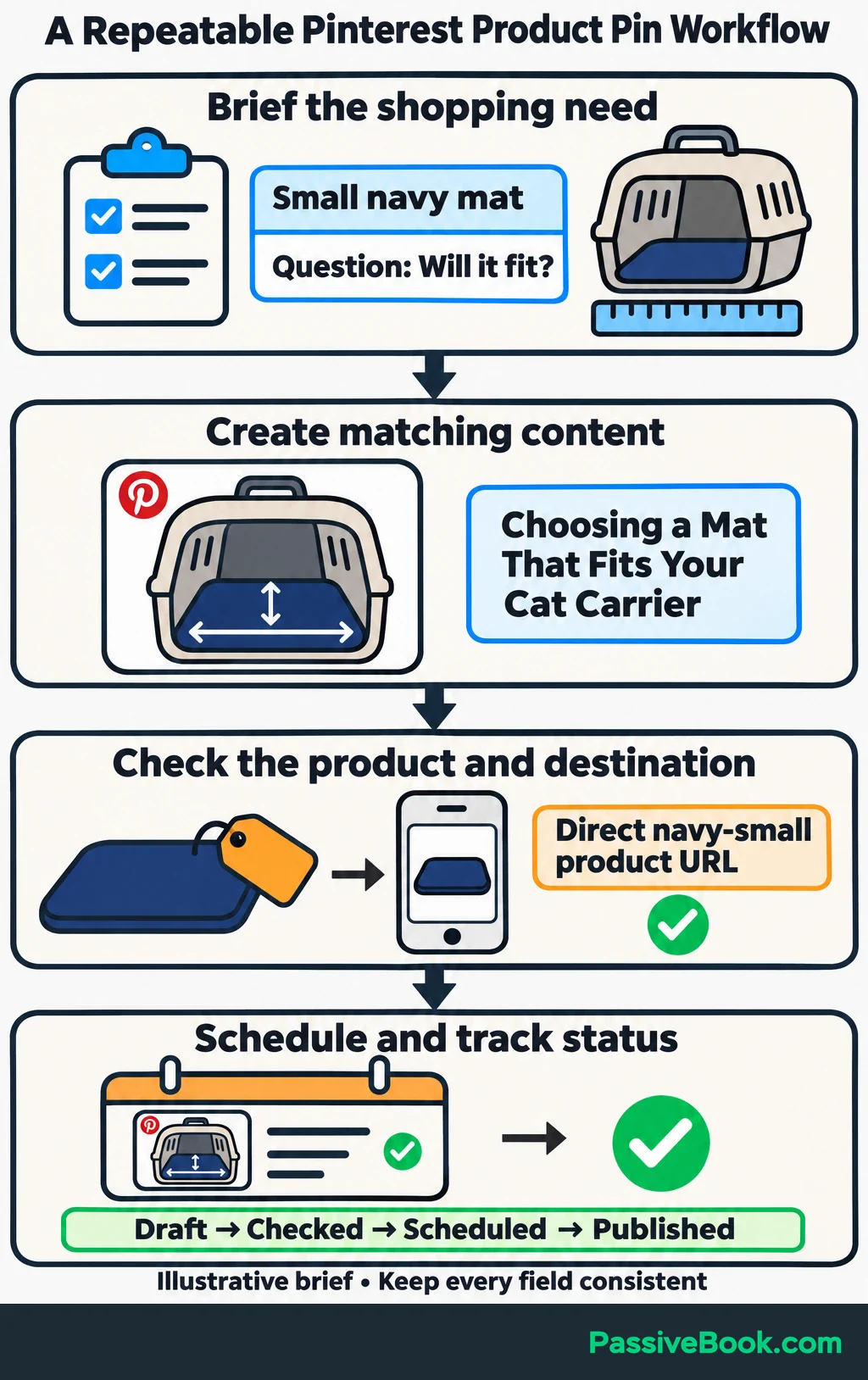
Tag the actual item shown. For the fit photograph, use the navy mat and link the Pin to that product page. If the image compares your range, use the matching collection as the main destination and tag the pictured products where supported.
Give shoppers a useful next action:
Check dimensions and available colors.
That tells them what they can resolve by visiting the store.
Keep a repeatable publishing brief in a spreadsheet or Notion:
- Product: Small navy carrier mat.
- Shopping need: Check whether it fits.
- Visual purpose: Show placement and measurements.
- Title: Choosing a Mat That Fits Your Cat Carrier.
- Description: Measure your carrier’s interior and compare it with this 17 × 11-inch mat. Check dimensions and available colors on the product page.
- Destination: Direct navy-small product URL.
- Status: Draft, checked, scheduled, or published.
Start with a manageable batch and use Pinterest’s native scheduler for standard Pins. I would skip a paid scheduling tool until a specific workload justifies it.
The goal is a repeatable process you can maintain alongside the store. A calendar full of nearly identical Pins is still work.
Keep Product Information Current
Update prices, stock, URLs, and images in the store or feed supplying Pinterest. Give yourself one reliable place to make changes.
Pinterest fetches hosted feeds every 24 hours, so make the updated full feed available daily. When replacing a catalog image, supply a different image URL so Pinterest recognizes the change. Update the existing data source rather than creating a duplicate. Pinterest’s feed-update guidance
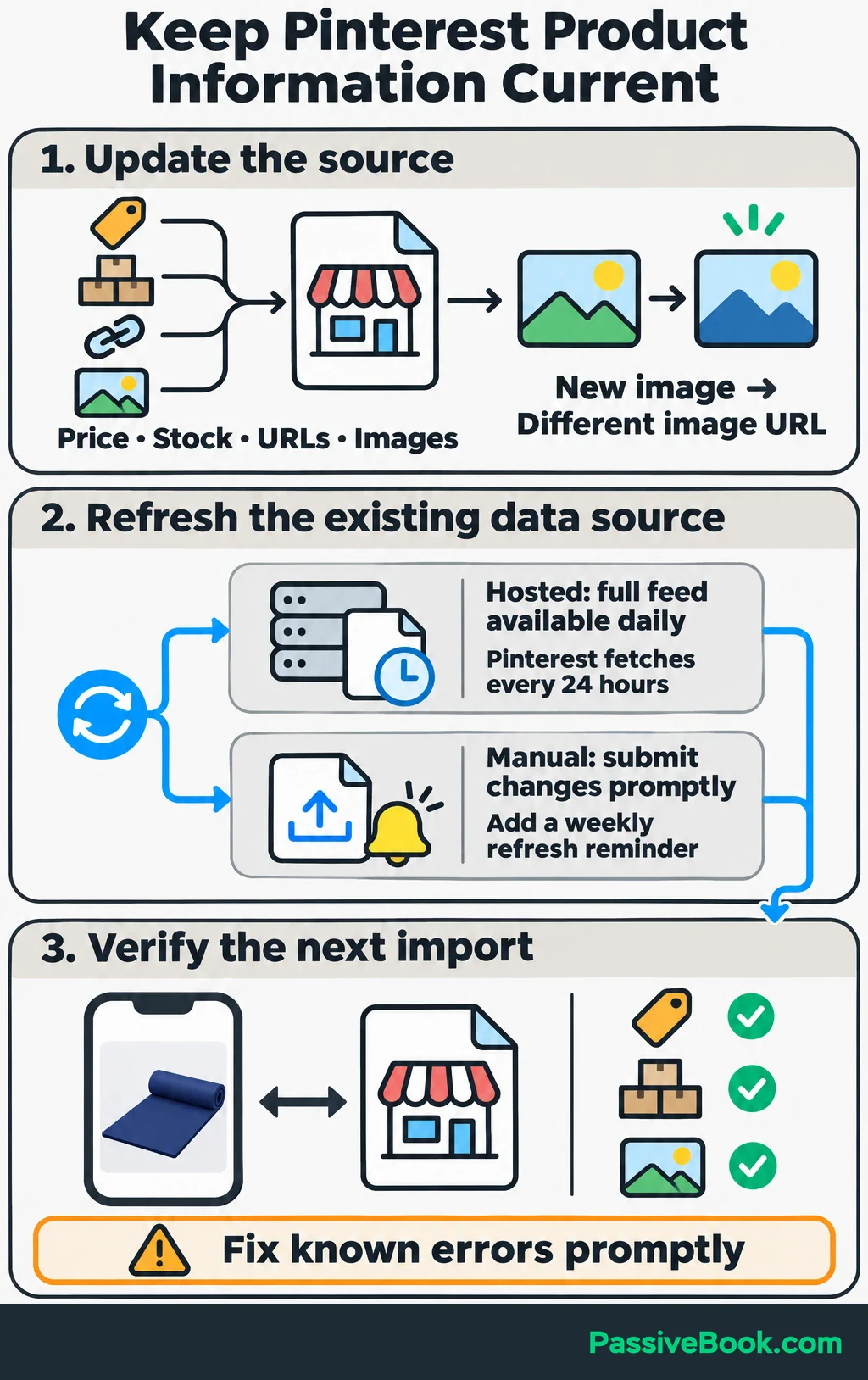
With manual uploads, submit changes promptly and set a weekly refresh reminder. Pinterest’s merchant guidelines require price and stock information to be current within seven days, but I wouldn’t leave a known price error waiting for the weekly check.
After a promotion or stock change, inspect the next import and a few live Product Pins. Check whether the integration is working before assuming it has handled everything.
If the navy mat sells out, update its availability. If you replace its photograph, check that Pinterest eventually displays the replacement. Automation saves the repeated entry; a short review catches the failures.
Improve the Step That Limits Sales
Follow the purchase path in order:
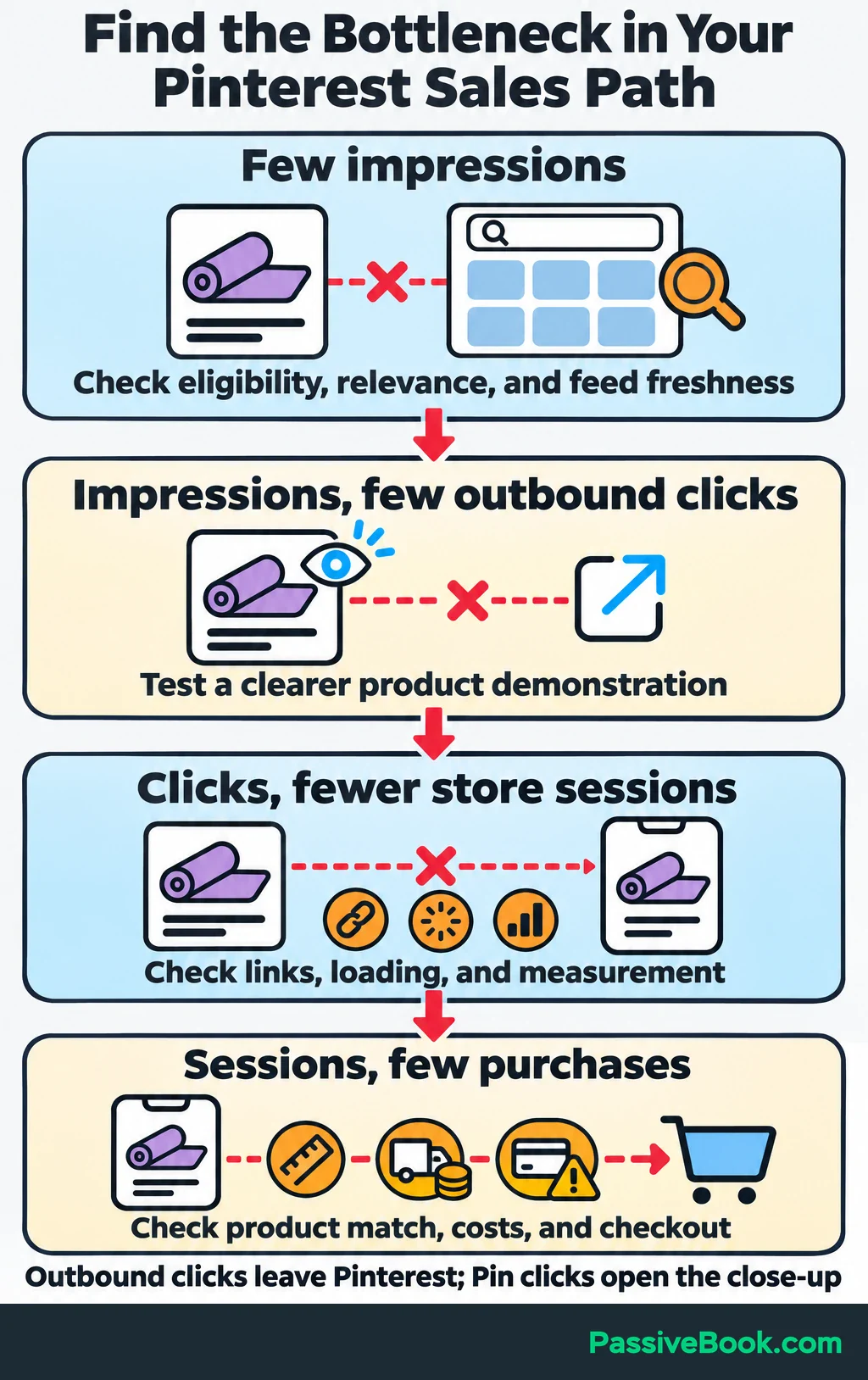
Impressions → outbound clicks → store sessions → purchases.
Impressions show that your Pins appeared on screen. Outbound clicks lead away from Pinterest, while Pin clicks open the Pin close-up. Saves offer useful context, but they don’t establish store traffic or sales. Pinterest’s metric definitions
Use store analytics or Google Analytics to track Pinterest-referred sessions (visits), orders, and revenue. To compare creative angles, add campaign parameters—tracking labels on manually published URLs. Keep the source and medium labels consistent, and give the fit and cleaning Pins different content labels.
Calculate conversion using orders and sessions from the same report and period, with the same rules for crediting Pinterest with a purchase.
Use the observed gap to choose your next change:
| Observed problem | What to inspect | Next change |
|---|---|---|
| Few impressions | Organic eligibility, product information, search relevance, and feed freshness | Resolve distribution issues, then improve an unclear product title |
| Impressions without outbound clicks | Whether the image shows the item and gives a reason to visit | Test a clearer demonstration or buying question |
| Outbound clicks without similar store traffic | Destination URL, redirects, page loading, and analytics setup | Fix the link or measurement problem |
| Visits without purchases | Product match, fit information, delivery costs, and checkout | Resolve the most obvious purchase obstacle |
For conversion, count completed orders from the Pinterest-referred sessions you are measuring.
Suppose your store records 200 Pinterest-referred sessions during a month, and four of those sessions produce one-mat orders under the same reporting method.
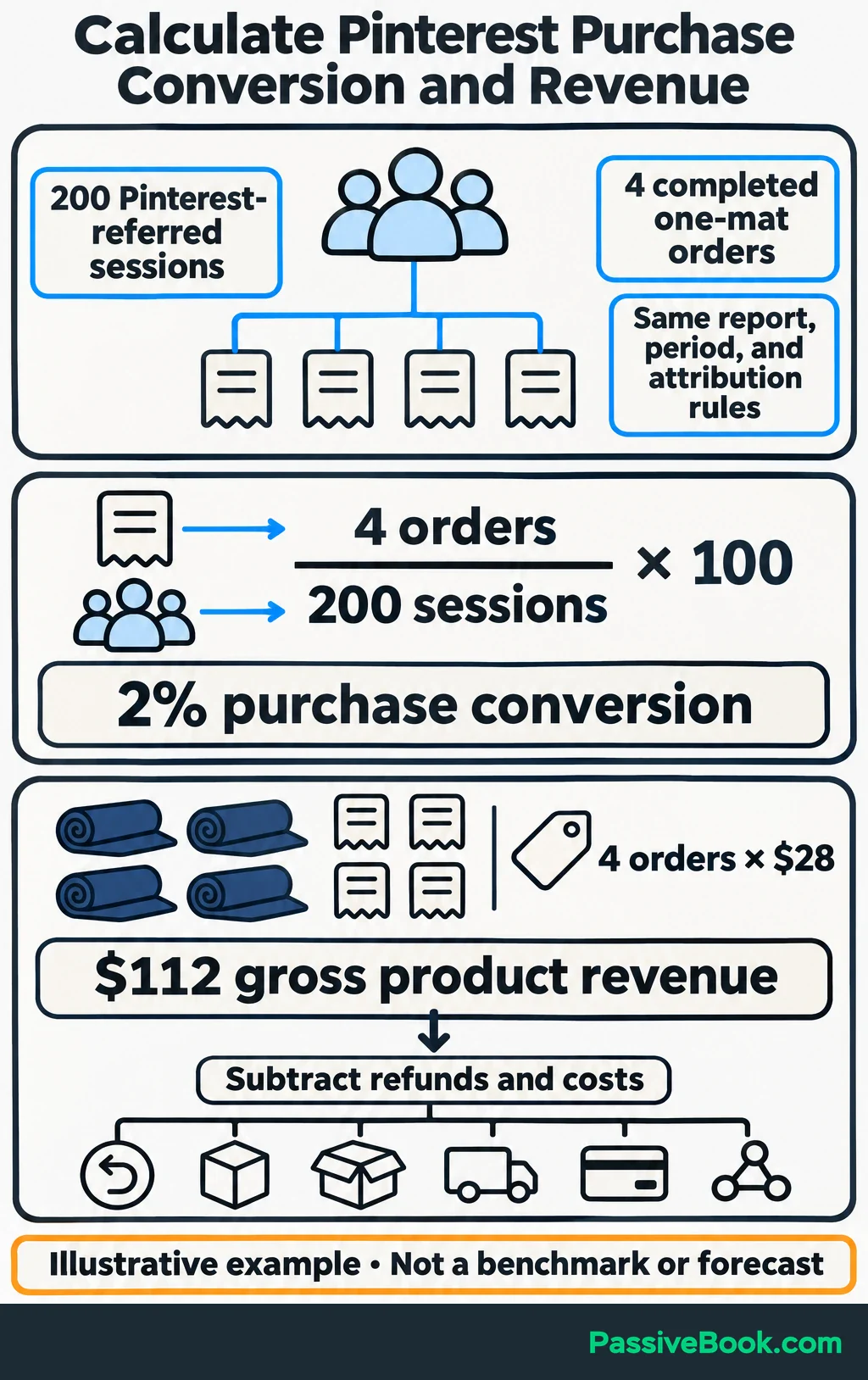
4 orders ÷ 200 sessions × 100 = 2% purchase conversion
At the illustrated $28 price, those four orders produce $112 in gross product revenue, before refunds and costs. These figures demonstrate the calculation; they are not a benchmark or forecast.
Then subtract product, packaging, fulfillment, payment, and additional channel costs from the revenue you retain. Compare what remains with the time spent maintaining the channel.
I would expand a product theme after it brings relevant visits and purchases. If a cleaning demonstration attracts buyers, test another useful cleaning angle before making twenty unrelated designs.
Fix broken links and feed failures immediately, but give working Pins more than publication day to show what they can do. Pinterest says there is no fixed engagement window, and older Pins can gain engagement later. That creates an opportunity for useful assets to keep working, without guaranteeing future sales. Pinterest’s distribution explanation
What Next?
Choose one in-stock product and follow its path from Pinterest to checkout on your phone. Write down the first missing answer, mismatched detail, or broken step, then fix it before making another Pin.
Use the social buttons to share this guide when a catalog setup needs to become a workable shopping experience.
Which part of your purchase path needs the most attention: discovery, the click, or the product page? Share your answer in the comments, and bring any other questions too.
Share this post with your friends & followers:

