A Pin brings someone to your site, but the visit ends without a sign-up, inquiry or sale. After a week of making new designs, you’re still unsure whether Pinterest is helping the business.
That uncertainty makes the next batch harder to justify. With limited time, you need more than a growing pile of Pins to show for the work.
Pinterest drives meaningful referral traffic to Passive Book, but I still need to know what happens after the click. This guide connects searches, Pins, destination pages and follow-up so you can find where interested visitors drop out and give them a clearer route to subscribing or buying.
Start With the Business Action You Want
Choose the action before choosing the Pin design.
For each destination, pick one primary conversion: a completed email sign-up, an inquiry or a purchase. Outbound clicks tell you whether people leave Pinterest for your site, but the conversion tells you whether that visit served a business purpose.
Build this connected path:
Relevant search → specific Pin promise → matching website page → clear next action.
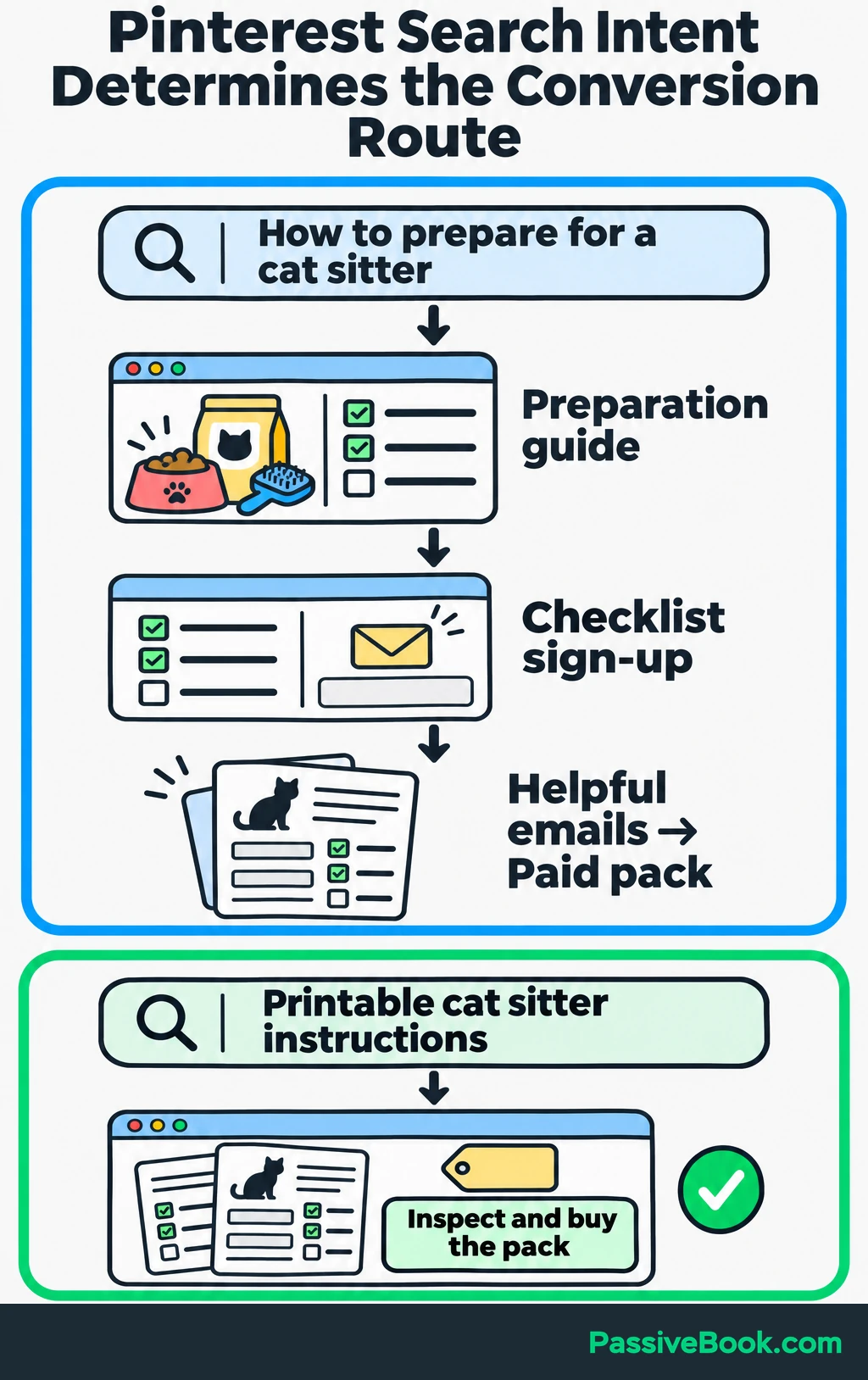
Throughout this guide, imagine you run a cat-care blog selling printable cat-sitter handover packs. The business, search phrases, copy and figures are illustrations.
Your educational route could be:
“How to prepare for a cat sitter” → preparation article → free checklist → helpful emails → paid handover pack.
The article helps readers organize supplies and care instructions. The checklist helps them finish those tasks, and the paid pack provides ready-to-fill sheets.
Someone searching for a printable handover pack may be ready to buy, so that Pin can lead straight to the product page. I wouldn’t make them join an email list first. They came looking for the thing you sell; let them inspect it.
Prepare Your Pinterest Business Account
Create a free business account or convert an existing personal account. This gives you access to Pinterest Analytics, and you can use it without running ads.
Next, claim your website to verify your connection to it. This gives you analytics for Pins from your site, including Pins other people create.
You’ll need access to your website’s code or domain settings to complete verification. Follow the verification option that suits your setup and confirm that the claim succeeds.
Then make the profile easy to recognize:
- Use your business name and a clear logo or profile image.
- Explain what your content helps people do.
- Create boards around subjects you actually cover.
- Give those boards plain names, such as “Cat Sitter Preparation.”
I’d start with a few useful boards. Creating twenty nearly empty boards is an excellent way to postpone publishing anything.
Find Searches That Connect Naturally to Your Offer
Start with the problems your pages and products solve. Then investigate how people describe those problems on Pinterest.
Enter a phrase into search, review relevant suggestions, and open some results and their linked pages. Look for the kind of help people expect: instructions, inspiration, a download or a product.
For the cat-care example, investigate phrases such as “how to prepare for a cat sitter,” “cat sitting checklist” and “printable cat sitter instructions.” These are starting ideas to check, rather than confirmed search opportunities.
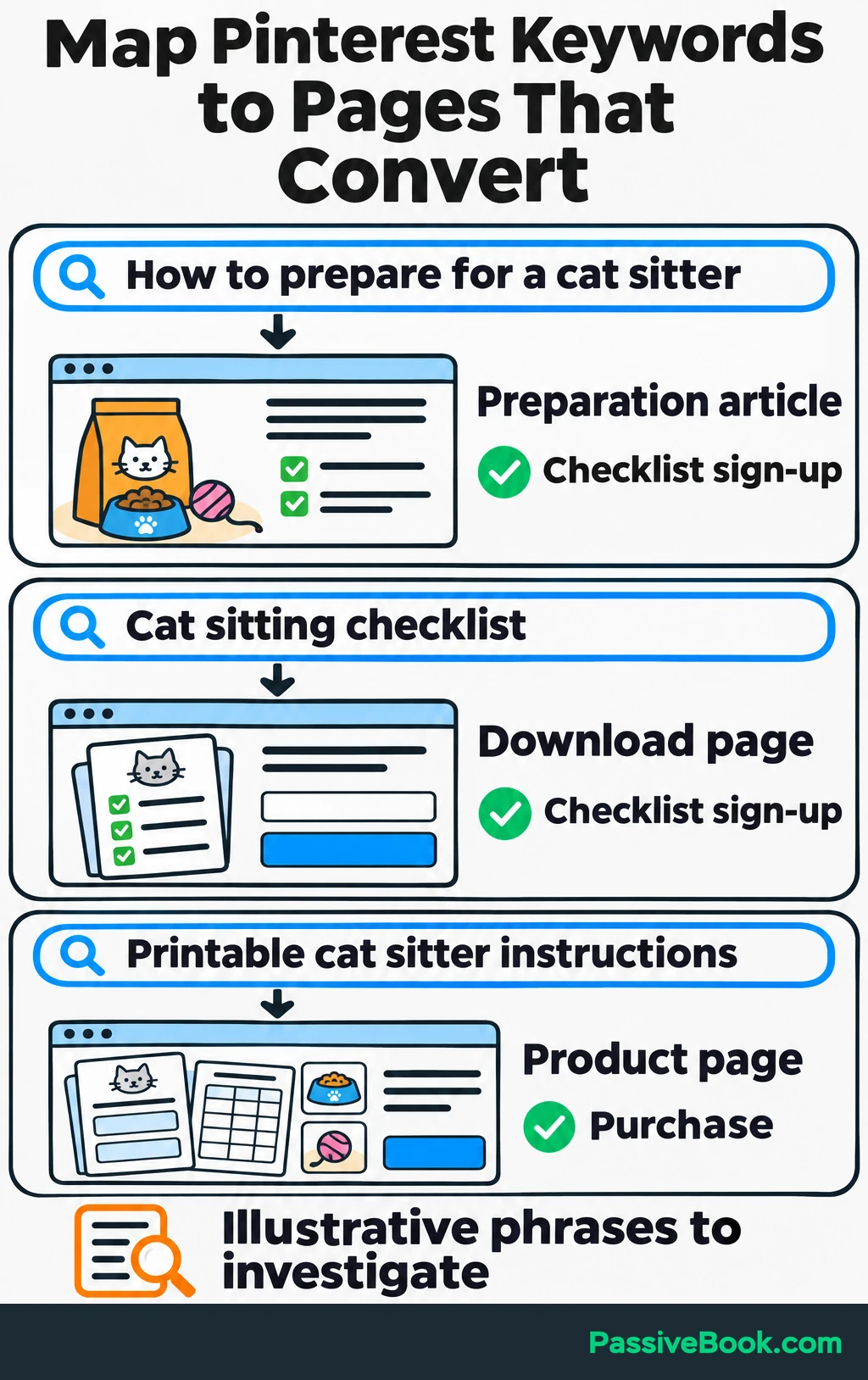
Put your findings into a small planning table:
| Search Phrase to Investigate | Expected Need | Pin Promise | Destination | Primary Conversion |
|---|---|---|---|---|
| How to prepare for a cat sitter | Practical preparation steps | Organize supplies and care notes before you leave | Preparation article | Checklist sign-up |
| Cat sitting checklist | A usable task list | Get a printable preparation checklist | Download page | Checklist sign-up |
| Printable cat sitter instructions | Ready-to-fill sheets | Preview care sheets and visit logs | Product page | Purchase |
The table forces a useful decision: where will this visitor go, and why would that page help?
Look for gaps you can fill with clearer instructions, better examples or an easier resource. I’d choose a closely related phrase over a popular topic that has no sensible connection to the offer.
Use Pinterest Trends to investigate timing in your target market. Its graphs show relative interest, not absolute search counts or the number of website visitors you can expect. Use them to plan before interest rises, as explained in Pinterest’s Trends documentation.
Build a Destination That Turns Interest Into Action
Match the Page to the Search
Choose the destination before designing the Pin. Then make the Pin promise, page headline and opening content agree.
If the Pin promises preparation instructions, link to those instructions. A homepage adds another search task, and a product page may skip the help the person wanted.
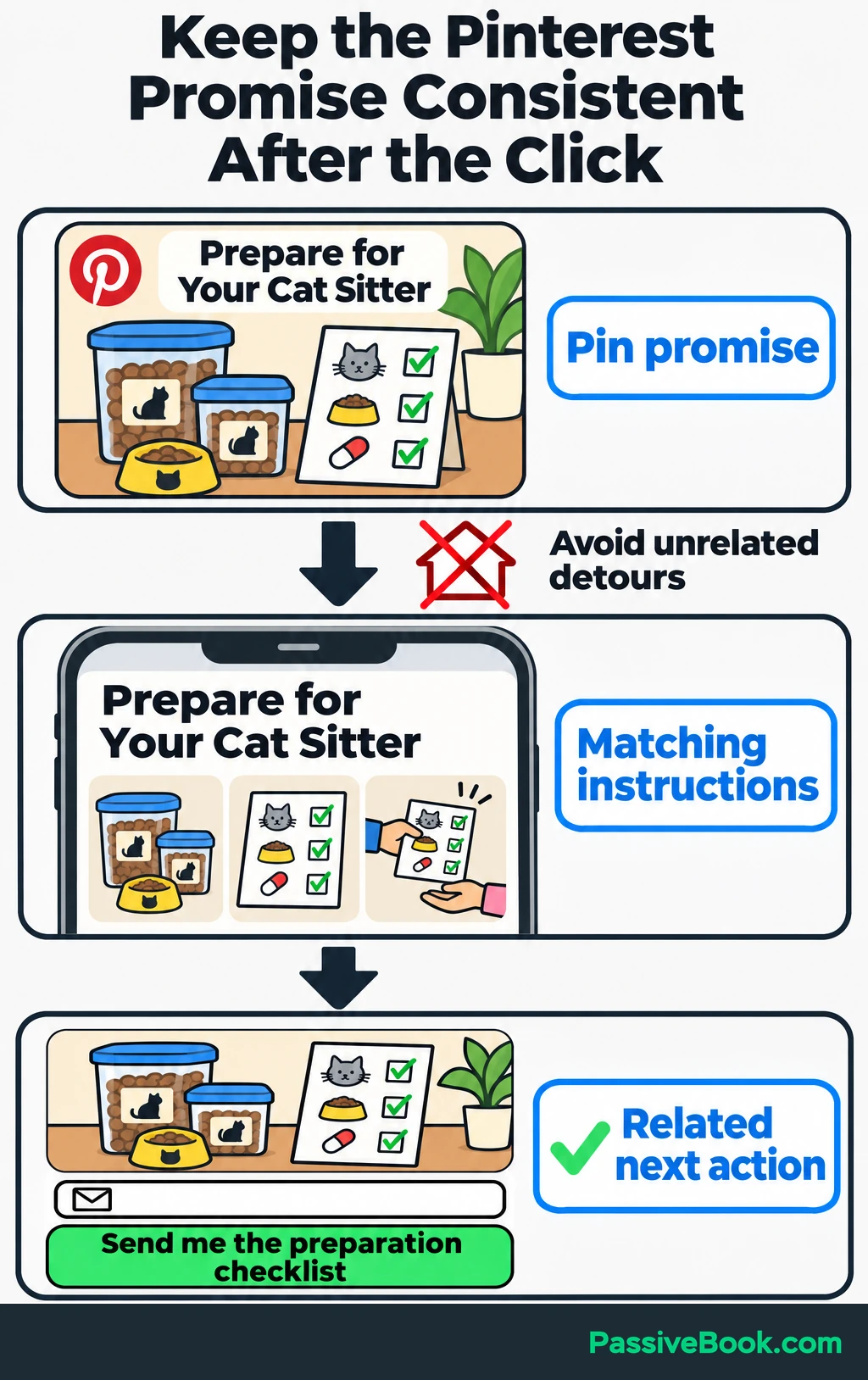
The preparation article should first explain how to organize supplies, write care notes and prepare for the handover. Place the checklist offer where it helps readers complete that work.
Different pages need different information:
| Destination | What the Visitor Needs |
|---|---|
| Educational article | Clear instructions, practical examples and a related next step |
| Checklist download page | A benefit, a preview, a short form and an explanation of what emails follow |
| Handover-pack product page | Contents, file format, previews, price and a clear purchase button |
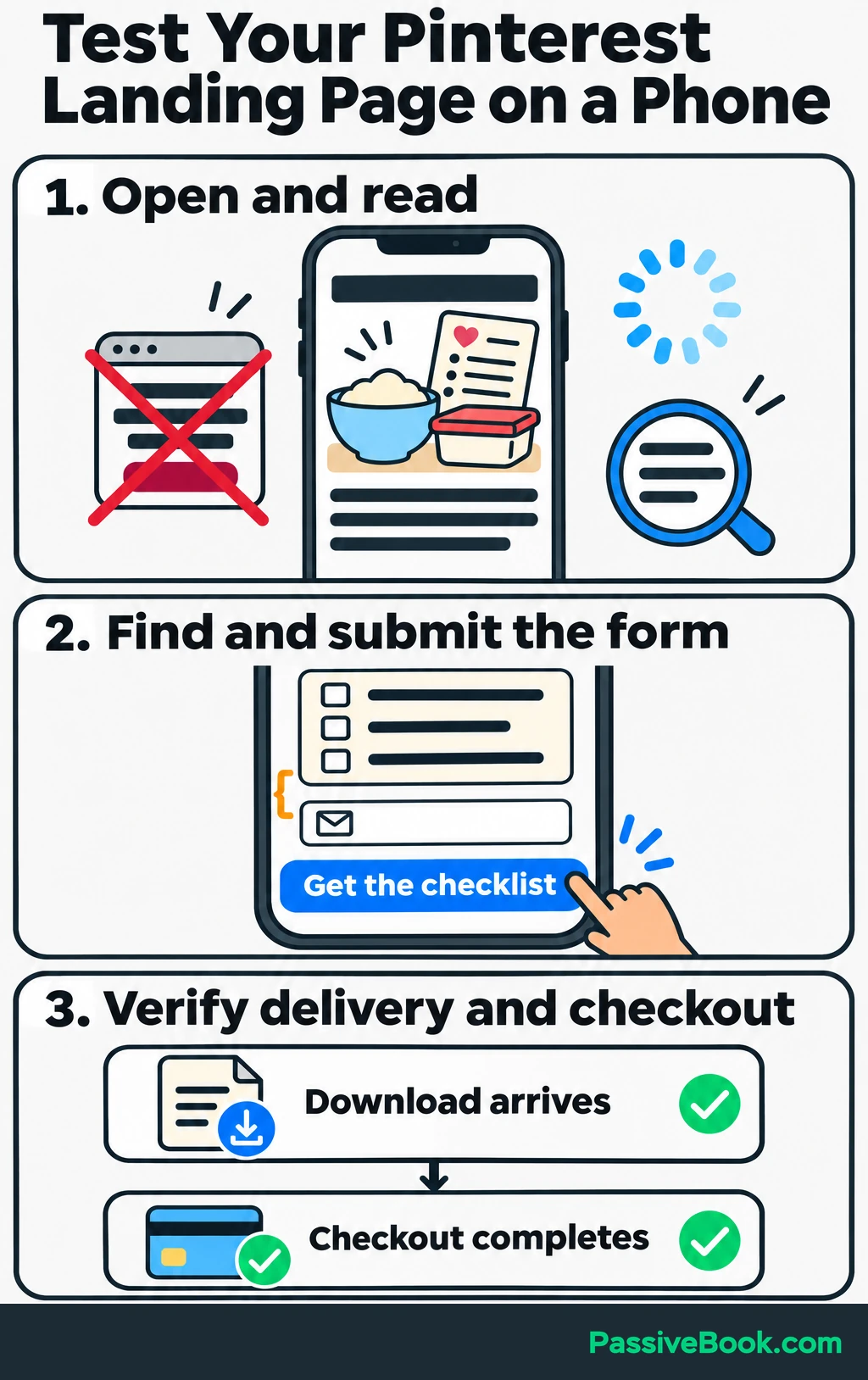
Make the call to action specific. “Send me the cat-sitter preparation checklist” tells readers what submitting the form will do.
I learned to check this on a phone after polishing a digital-product page on my laptop. The preview looked good, but on the smaller screen it pushed the form far below the explanation. I moved the form closer to the preview before sending more people there.
For your own page, test the whole visit on a phone. Check loading, text size, pop-ups, the form, download delivery and checkout. Keep the primary next action easy to find.
Follow up With Help That Leads to the Offer
A free resource should lead naturally to the paid product.
In this example, the checklist covers what to prepare. The paid handover pack supplies the sheets for recording it. That gives your follow-up emails a useful job.
I would start with three messages:
| Timing | Purpose | Example Content |
|---|---|---|
| Immediately after sign-up | Deliver the resource | Link to the checklist and suggest starting with supplies and care notes |
| After a short delay | Help the reader use it | Show how to turn scattered notes into clear sitter instructions |
| After another delay | Introduce the paid pack | Preview the ready-to-fill care sheets and daily visit logs |
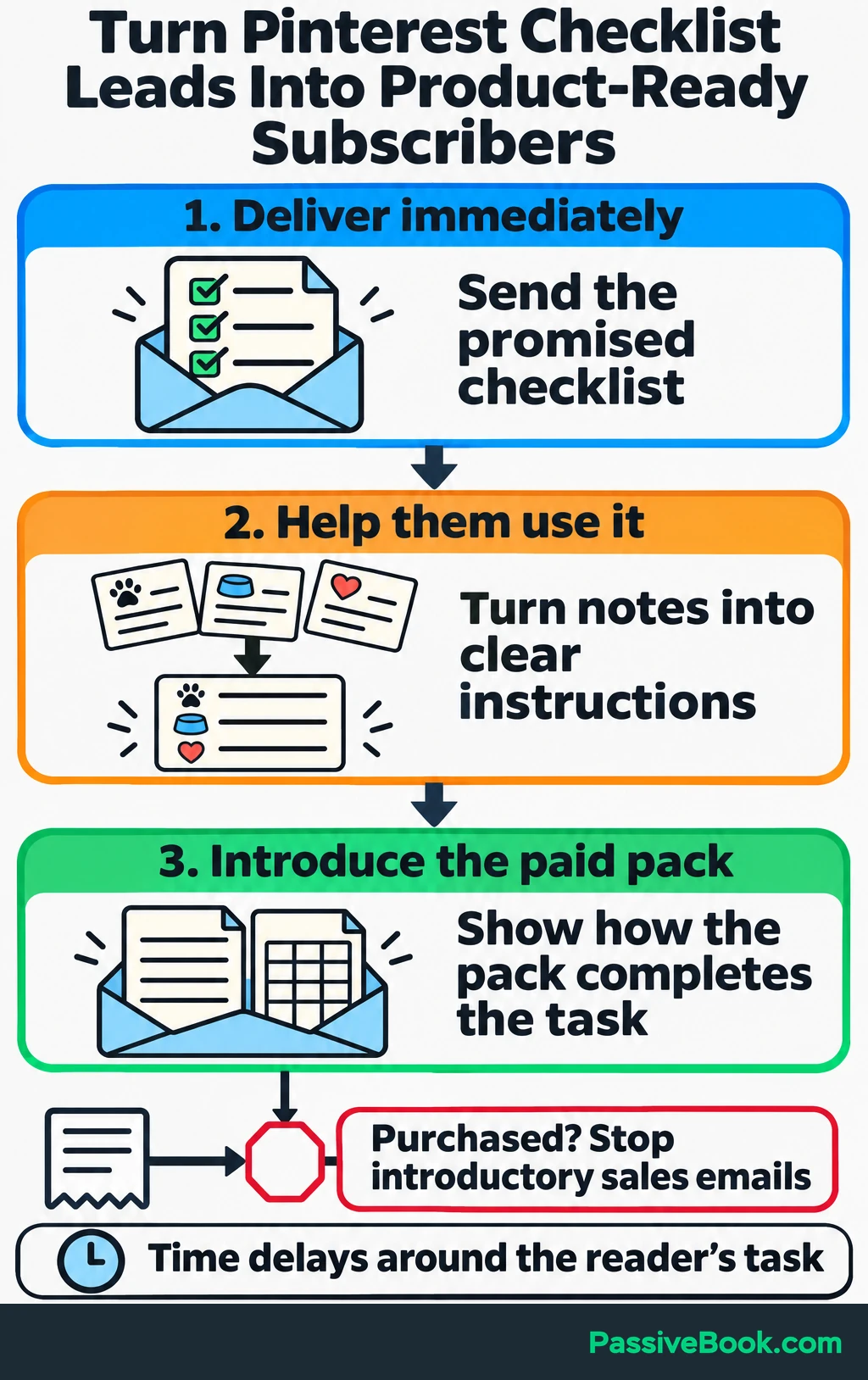
Set the delays around the task. Someone preparing for a trip needs timely help, so I wouldn’t stretch a short preparation sequence across several weeks.
If you use WordPress, I’d consider Fluent Forms for sign-ups and FluentCRM for automated email follow-up. Its form integration can pass form information into subscriber fields.
Whichever tools you choose, connect purchase records to the automation so introductory sales messages stop after purchase.
Also save the original acquisition source with the subscriber. Capture the campaign details when the visitor arrives, retain them while they browse, and pass them through the form into the subscriber record. Test that connection; adding tags to a link does not automatically save them in your email tool.
Track Conversions Before Publishing
Give each tool a clear job. Pinterest Analytics reports activity on Pinterest, website analytics reports measured visits and actions, and subscriber and checkout records confirm leads and orders.
Start by adding consistent campaign tags to your Pin links. These extra URL details identify where a visit came from and which creative sent it.
For example:
https://example.com/cat-sitter-preparation/?utm_source=pinterest&utm_medium=social&utm_campaign=cat_sitter_prep&utm_content=checklist_previewKeep the source, medium and campaign consistent. Change utm_content for each variation, such as supplies_photo or checklist_preview. Google explains how these tags identify campaigns and distinguish creative variations in its campaign-tagging guidance.
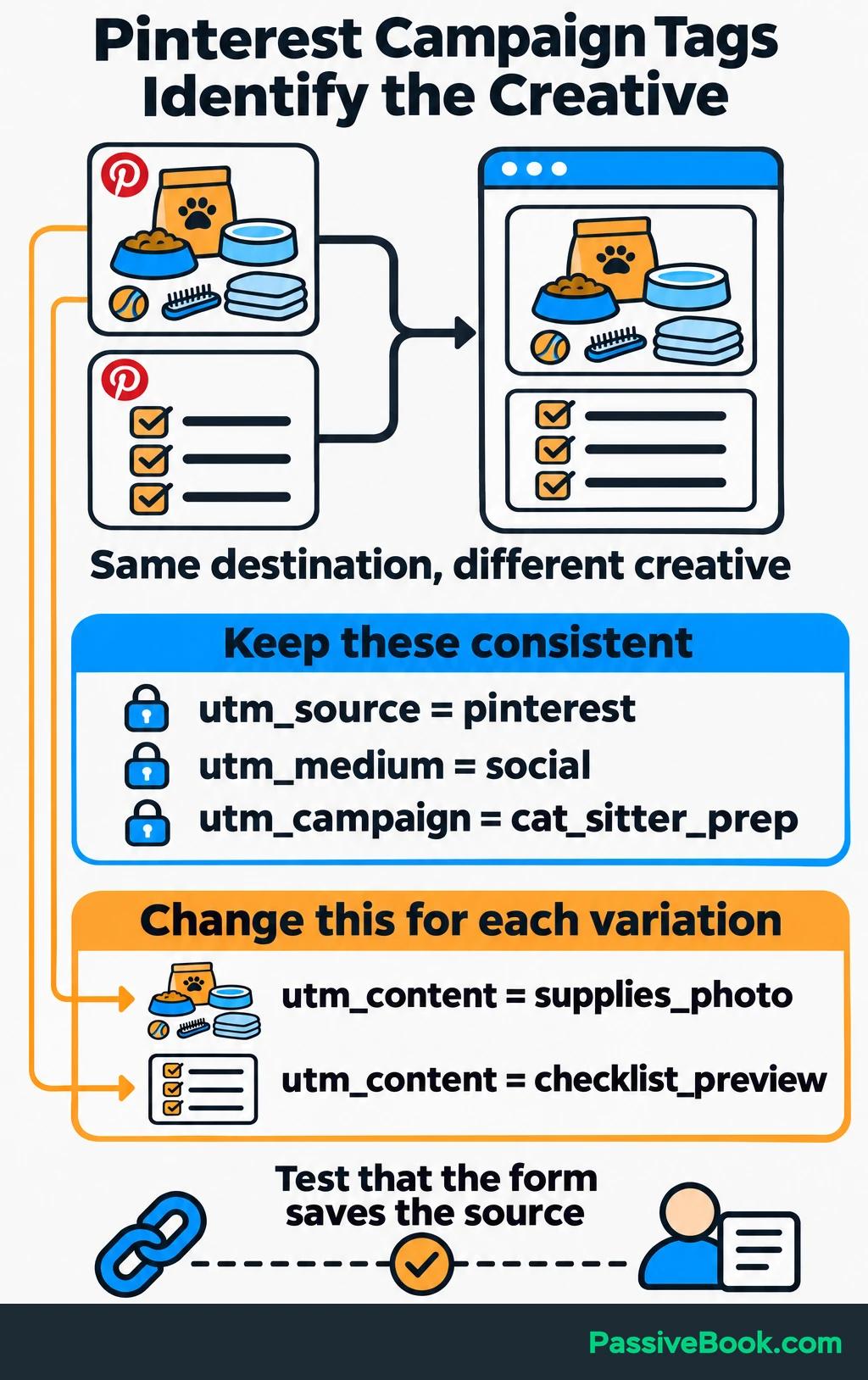
In Google Analytics 4, record successful sign-ups or inquiries as key events—important completed actions. Trigger the event after success, rather than when someone merely clicks the submit button. Google’s key-event guide shows a confirmation-page approach.
Connect purchase and revenue tracking through your checkout integration too. Check that a test order records once with the correct value.
Before publishing, run through the route yourself:
- Open the tagged destination link.
- Complete the form and check the subscriber’s saved source.
- Confirm that the resource and follow-up arrive.
- Verify the successful action in website analytics.
- Test checkout and confirm the order in your sales records.
I’d report purchases completed during Pinterest-referred sessions separately from later email purchases linked in customer records to an original Pinterest lead. Count each order once.
Create Pins That Attract Qualified Clicks
Show a Specific Benefit at a Glance
Build the Pin around one useful promise.
“Cat Care Tips” leaves people guessing. “Prepare for Your Cat Sitter: A Practical Checklist” names the task and the help available.
Use a vertical 2:3 design, such as 1,000 × 1,500 pixels, following Pinterest’s image guidance. Then keep the design simple:
- Choose a relevant photo or an actual resource preview.
- Make the main text readable at phone-feed size.
- Use strong contrast and leave space around the words.
- Keep branding small enough that the promise stays prominent.
- Give people a reason to visit the page.
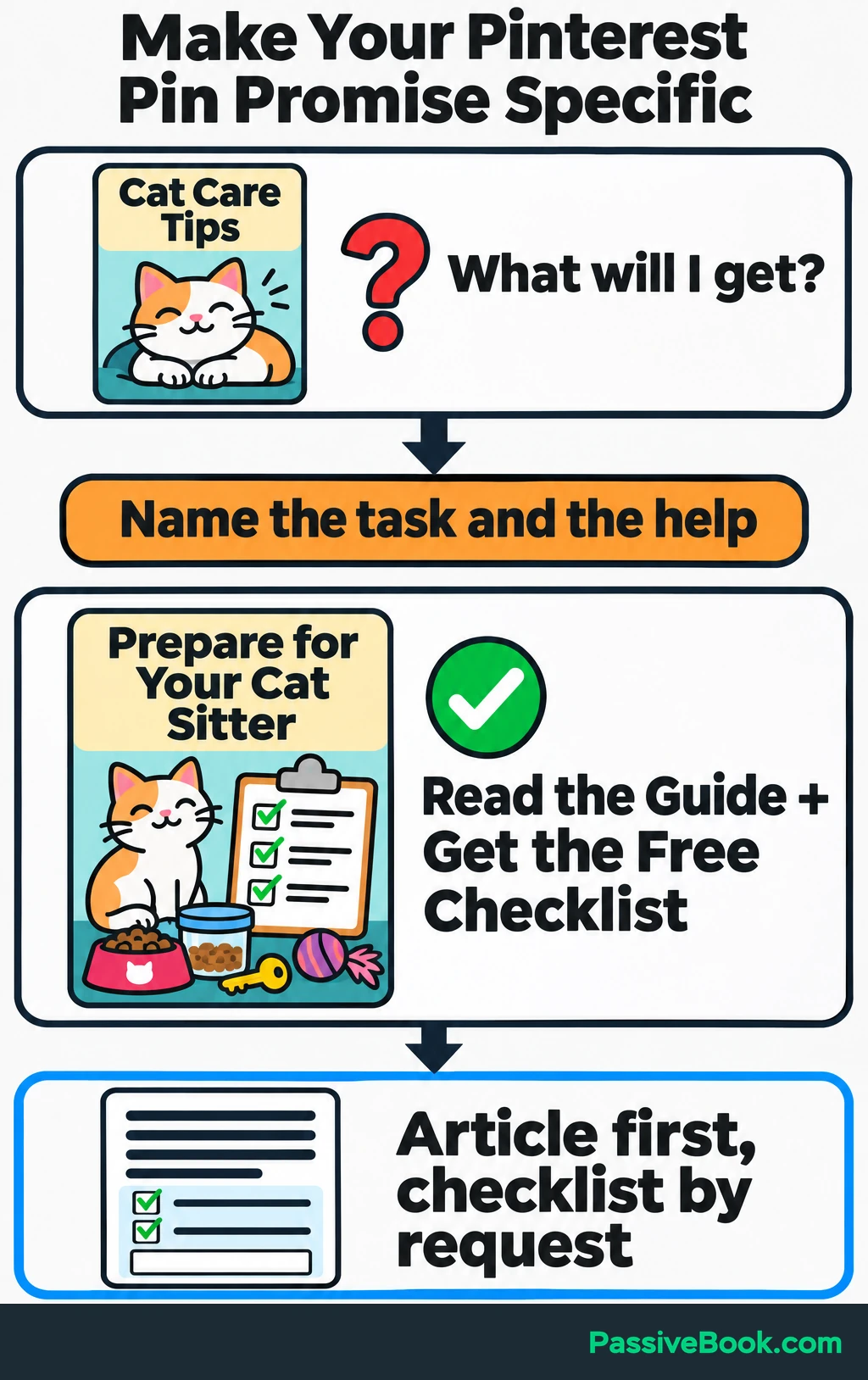
That reason might be full instructions, a download or product details. Match the wording to the destination. If clicking opens an article with a checklist form, “Read the guide and get the checklist” sets a clearer expectation than “Download now.”
For the preparation article, create two distinct approaches: one showing organized supplies and another showing the checklist itself. Both can lead to the same page because that page supports both promises.
I would skip minor color changes until I had tested meaningfully different messages. A beige background cannot rescue an unclear offer.
Give Pinterest Clear Context
Write a focused title and a natural description. Use the relevant search phrase where it explains the content, and describe what visitors will find after clicking.
Here is a complete illustrative Pin package for the preparation article:
- Image Text: “Prepare for Your Cat Sitter”
- Image Call to Action: “Read the Guide + Get the Free Checklist”
- Pin Title: “How to Prepare for a Cat Sitter: Supplies, Notes and Checklist”
- Pin Description: “Get ready for your cat sitter with practical steps for organizing supplies and writing care notes. Read the preparation guide, then request the free printable checklist to work through before you leave.”
- Board: “Cat Sitter Preparation”
- Alt Text: “Cat-sitter preparation checklist beside labeled food containers and a notebook. Text reads: ‘Prepare for Your Cat Sitter. Read the Guide + Get the Free Checklist.’”
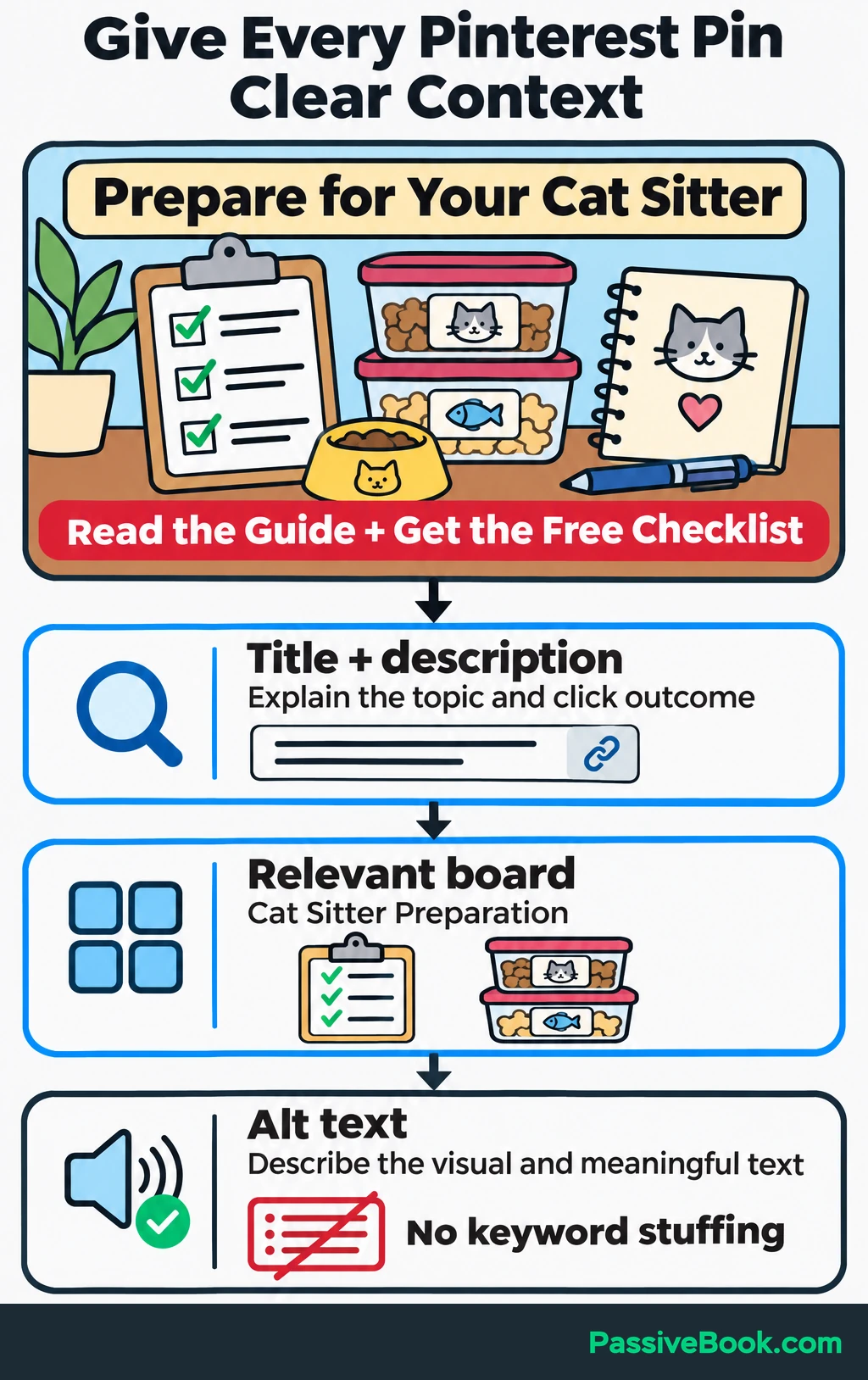
Alt text explains the visual for people using screen readers. Describe what is present, including meaningful text, instead of inserting a list of search phrases.
If you have a page ready, AI Pinterest Studio can draft two Pin approaches and matching page copy from it. That gives you something to edit instead of adapting the cat-sitter example from scratch.
Free AI Pinterest Studio




Record each Pin’s message, design, destination, campaign tags and publication date. A simple spreadsheet is enough. You need to know what changed when a variation produces a different result.
Batch and Schedule a Sustainable Publishing Routine
Choose a routine that fits around the rest of your business.
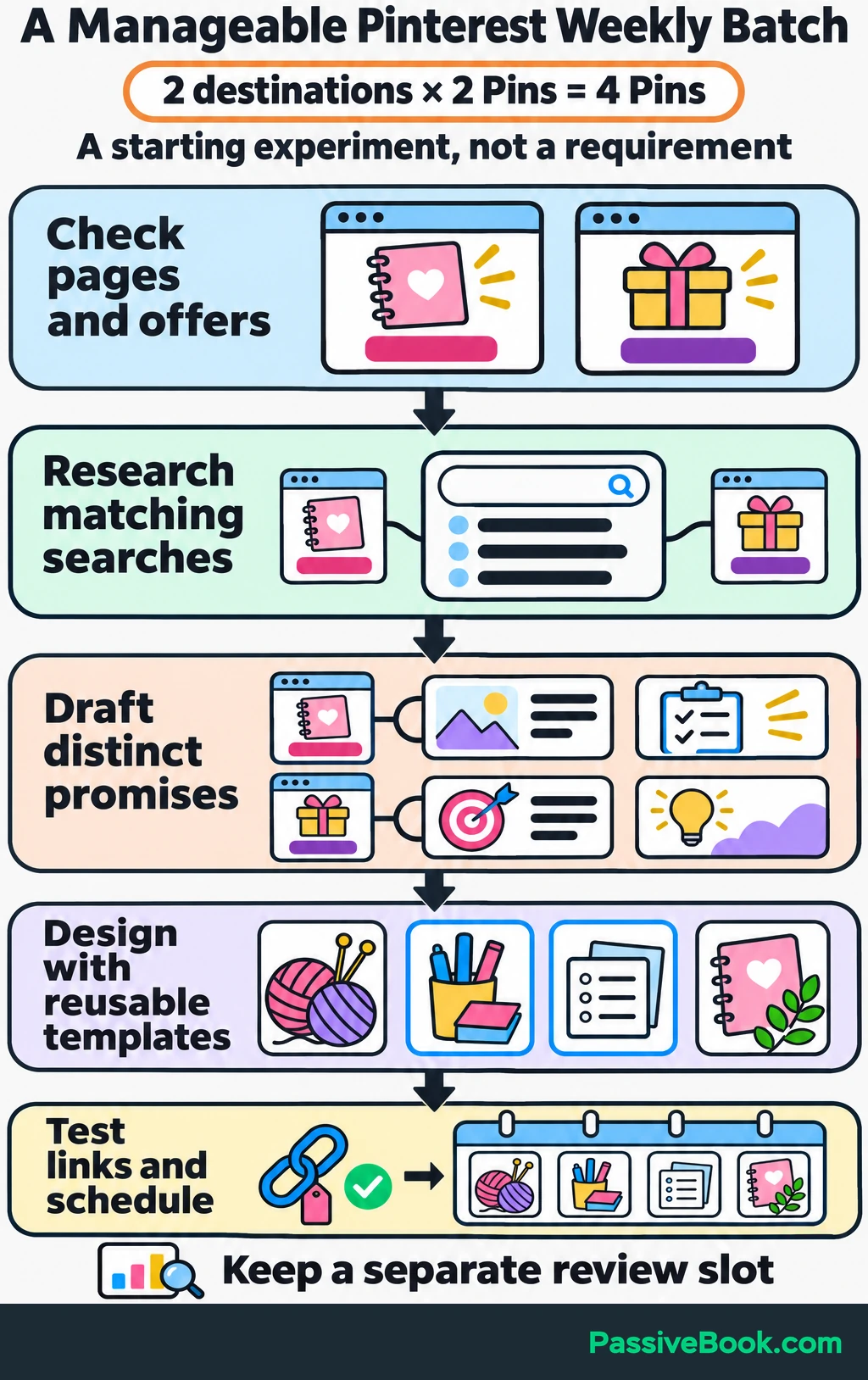
I would begin with one weekly batch and a separate review slot. As a manageable starting experiment, choose two useful destinations and create two distinct Pins for each. That is a workload choice, not a Pinterest requirement.
Batch related tasks together:
- Select the destination pages and check their offers.
- Research searches that fit those pages.
- Draft the Pin promises and descriptions.
- Create the designs from reusable Canva templates.
- Check the tagged links and schedule publication.
Start with Pinterest’s native scheduler for a small queue and refill it as Pins publish. I wouldn’t pay for another scheduling tool until the built-in option creates a real constraint.
AI can help draft alternative headlines, organize your planning sheet or summarize reports. Review the promises yourself and keep publishing within approved methods. Pinterest prohibits unauthorized automation and repetitive, deceptive or irrelevant publishing in its spam rules.
Keep useful destination pages updated too. Pinterest says Pins can gain engagement months or years after publication, so an older Pin may still send visitors to yesterday’s offer. Its distribution guidance explains that there is no fixed engagement window.
That gives useful content a chance to keep working, but it does not guarantee steady traffic. Compare successive periods and Pins of similar publishing age before abandoning an approach.
Improve the Part of the Funnel That Loses Visitors
Measure Progress Toward the Conversion
Read the path toward your chosen conversion:
Impressions → outbound clicks → website sessions → sign-ups or purchases.
Distinguish Pin clicks from outbound clicks. A Pin click opens a close-up, while an outbound click leads away from Pinterest. They answer different questions, as shown in Pinterest’s metric definitions.
To measure how often exposure led to an outbound click, divide outbound clicks by impressions for the same Pins and reporting period.
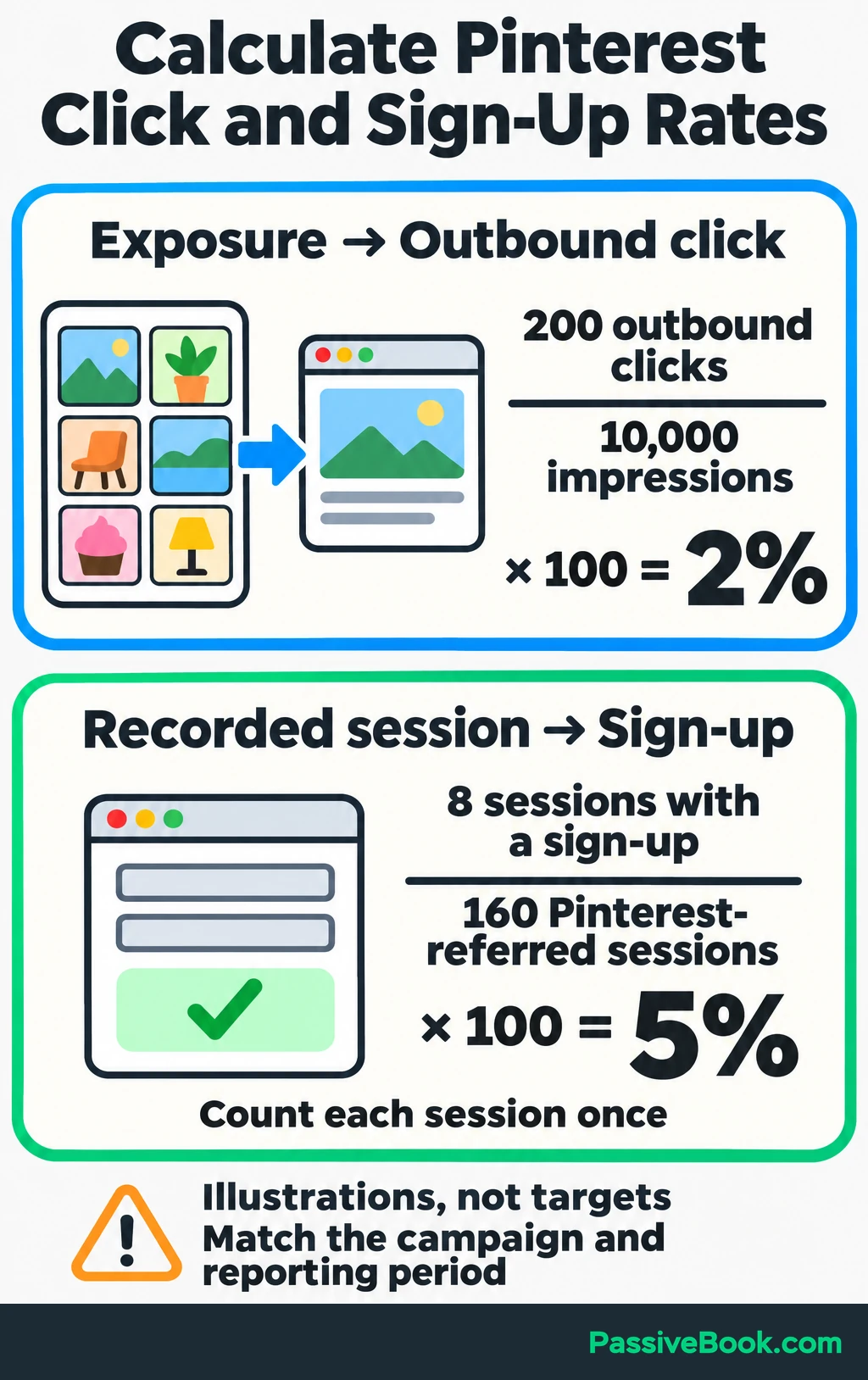
Using illustrative figures:
200 outbound clicks ÷ 10,000 impressions × 100 = 2%Next, count the recorded Pinterest-referred sessions that included a completed sign-up, then divide by all recorded Pinterest-referred sessions for the same campaign and reporting period. Count each session once, even if it contains repeated sign-up events.
For example:
8 sessions with a completed sign-up ÷ 160 Pinterest-referred sessions × 100 = 5%Those percentages demonstrate the calculations. They are not benchmarks or targets.
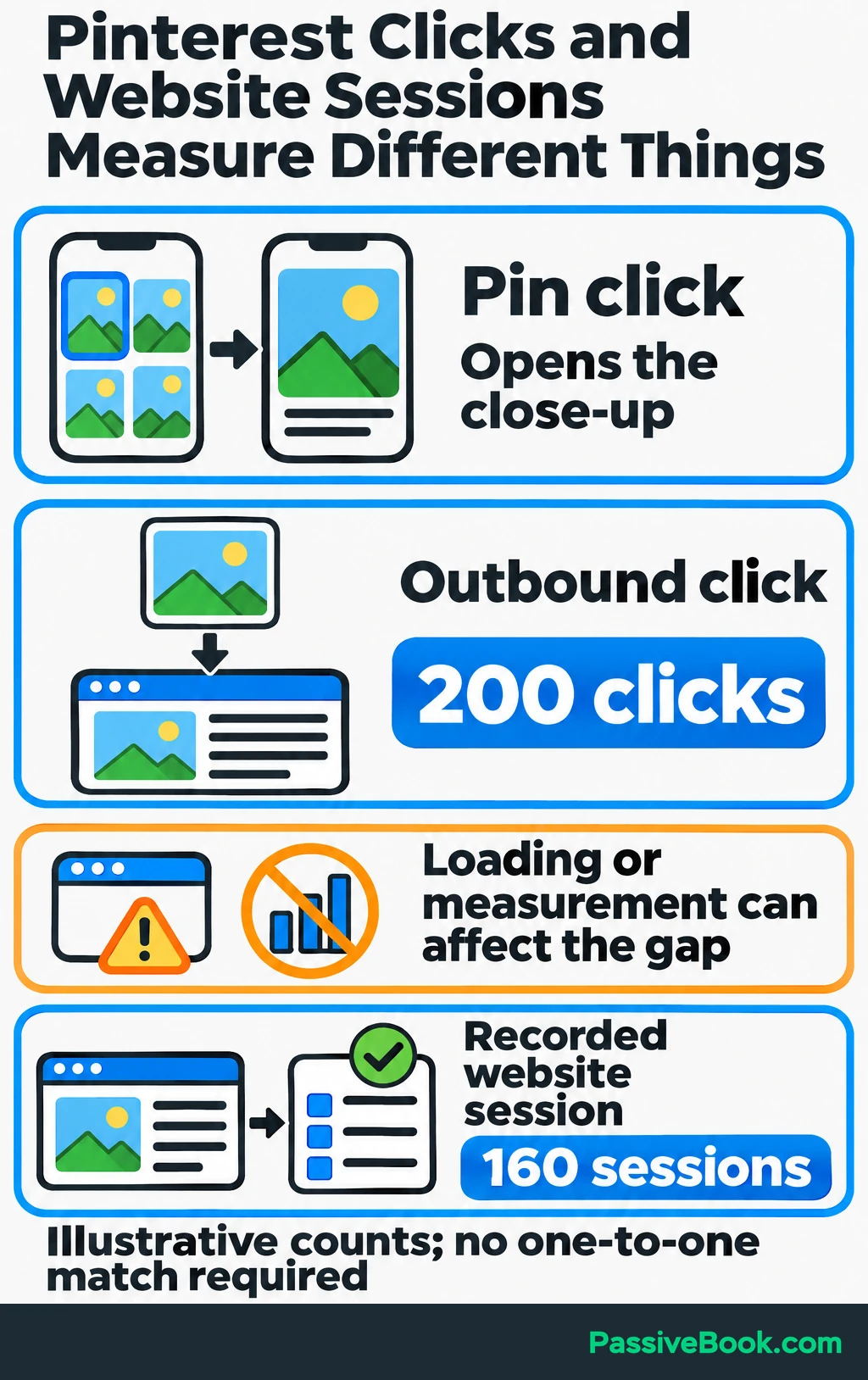
The 200 outbound clicks and 160 measured sessions do not have to match. A click and a recorded session are different measurements, and loading failures or blocked analytics can widen the gap.
Keep a report with one row per destination and Pin variation. Include impressions, outbound clicks, sessions, primary conversions, purchases and attributable revenue.
Add engaged sessions as a secondary check. By default, these are visits lasting over 10 seconds, containing a key event or including at least two page views. They do not replace your chosen business action.
Use campaign tags to distinguish your own variations. Also review Pinterest-referred traffic by landing page to include visits from Pins other people create. Leave variation-level results unattributed when the records cannot identify the Pin.
I’d compare results with your own baseline for similar pages, offers and reporting periods. One sign-up from a handful of visits is a reason to keep watching, not a reason to declare a winning strategy.
Fix the Bottleneck Before Increasing Output
Use the report to choose the next change.
| Observed Problem | What to Check | Next Change |
|---|---|---|
| Little exposure | Search relevance, board fit and publishing age | Refine the topic or board placement, then compare Pins of similar age |
| Exposure without outbound clicks | Whether the promise is clear and the design is readable | Test a clearer benefit or resource preview |
| Outbound clicks without recorded sessions | Links, page loading and analytics collection | Repair the technical issue and test the route again |
| Sessions without sign-ups | Whether the page delivers the promise and explains the resource | Improve the page match, preview, form or call to action |
| Subscribers without purchases | Resource use, follow-up links and product fit | Demonstrate how the paid pack completes the task |
| Purchases without recorded revenue | Checkout tracking and order values | Correct the integration before judging revenue |
If traffic drops suddenly, open the affected Pins and test their links before assuming an account restriction. Check for broken pages, changed URLs and unnecessary redirects.
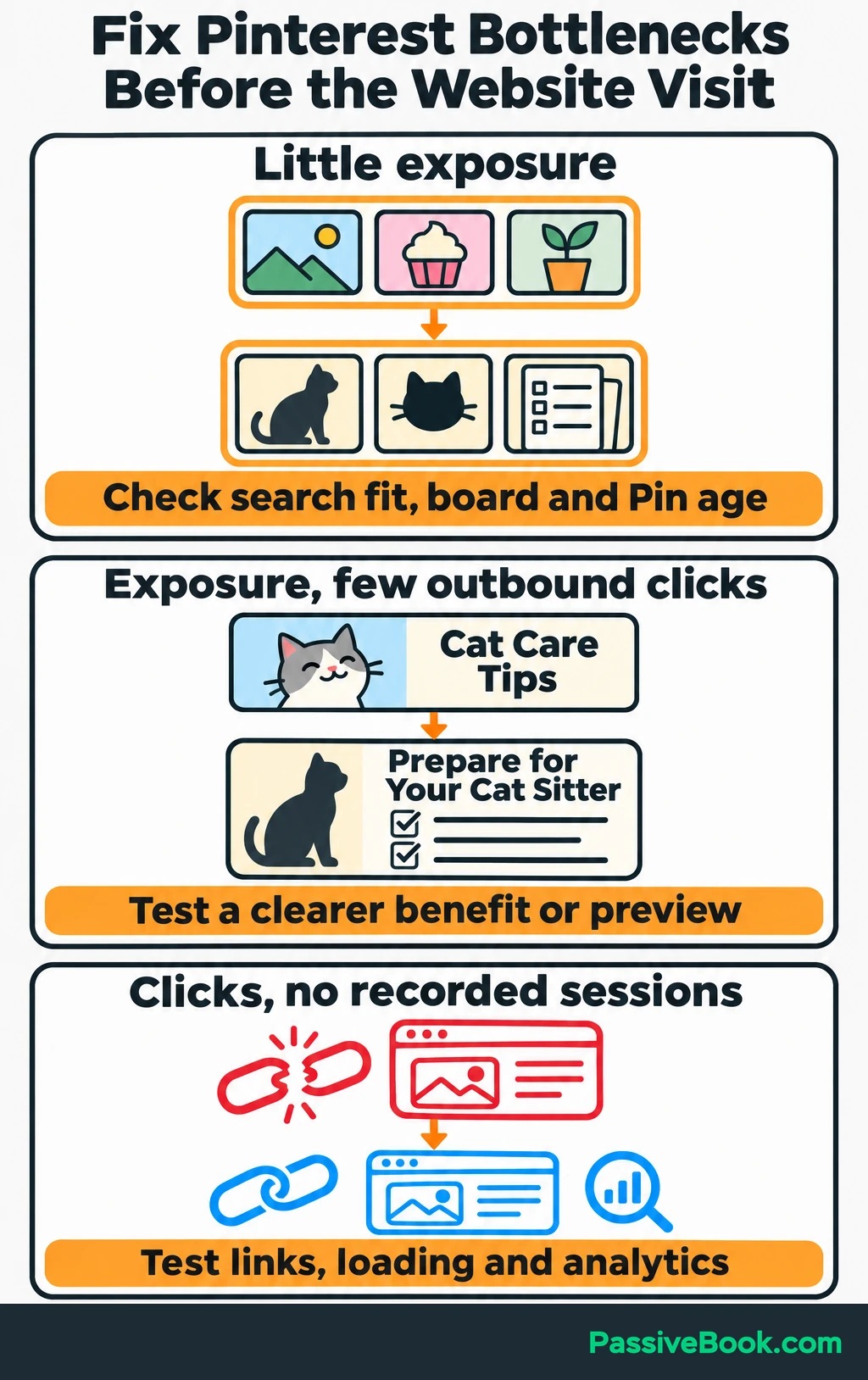
Change one meaningful element at a time. If a Pin gets exposure but few outbound clicks, try a clearer checklist preview while keeping the destination unchanged. If people arrive but rarely sign up, work on the page before redesigning every Pin.
Compare the original and revised versions over similar conditions. When traffic is sparse, let more evidence collect rather than making another change every few days.
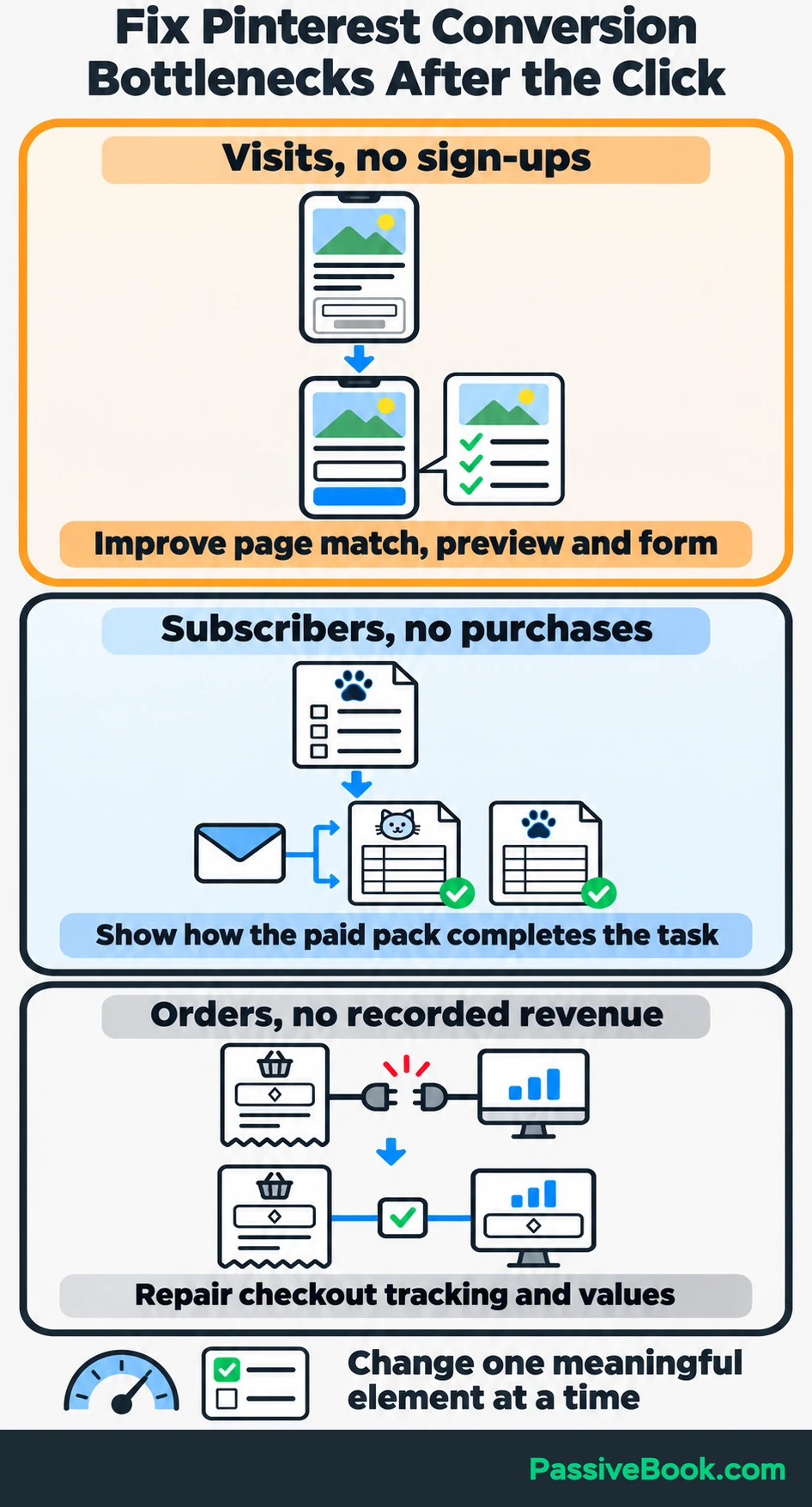
Expand the topics that produce useful leads, purchases or revenue. For the cat-care business, that might mean adding a guide to writing sitter instructions once the preparation route shows promise.
I’d rather maintain a small set of pages with clear offers than keep feeding a content calendar that never reaches checkout.
What Next?
Choose one destination page and write down its primary conversion. Then follow the route on your phone, from the Pin promise through the completed action, and fix the first point that breaks or becomes unclear.
Use the social buttons to share this guide when you want to bring the conversation back to leads and sales instead of monthly views.
Where does your current Pinterest path lose people: before the click, on the page or after the sign-up? Share what you’ve noticed in the comments, and bring any other questions too.
Share this post with your friends & followers:

