Your packing-checklist graphic looks clear in the editor, but the last line disappears in Pinterest’s preview. Now a finished design needs another round of work.
A size that suits an image may not suit a video, and upload limits can change with the tool you use to publish. That makes a simple design task harder than it needs to be. This guide compares image Pins, videos, carousels and common ad formats, with dimensions and file requirements you can check before spending time on the design.
Pinterest Pin Sizes at a Glance
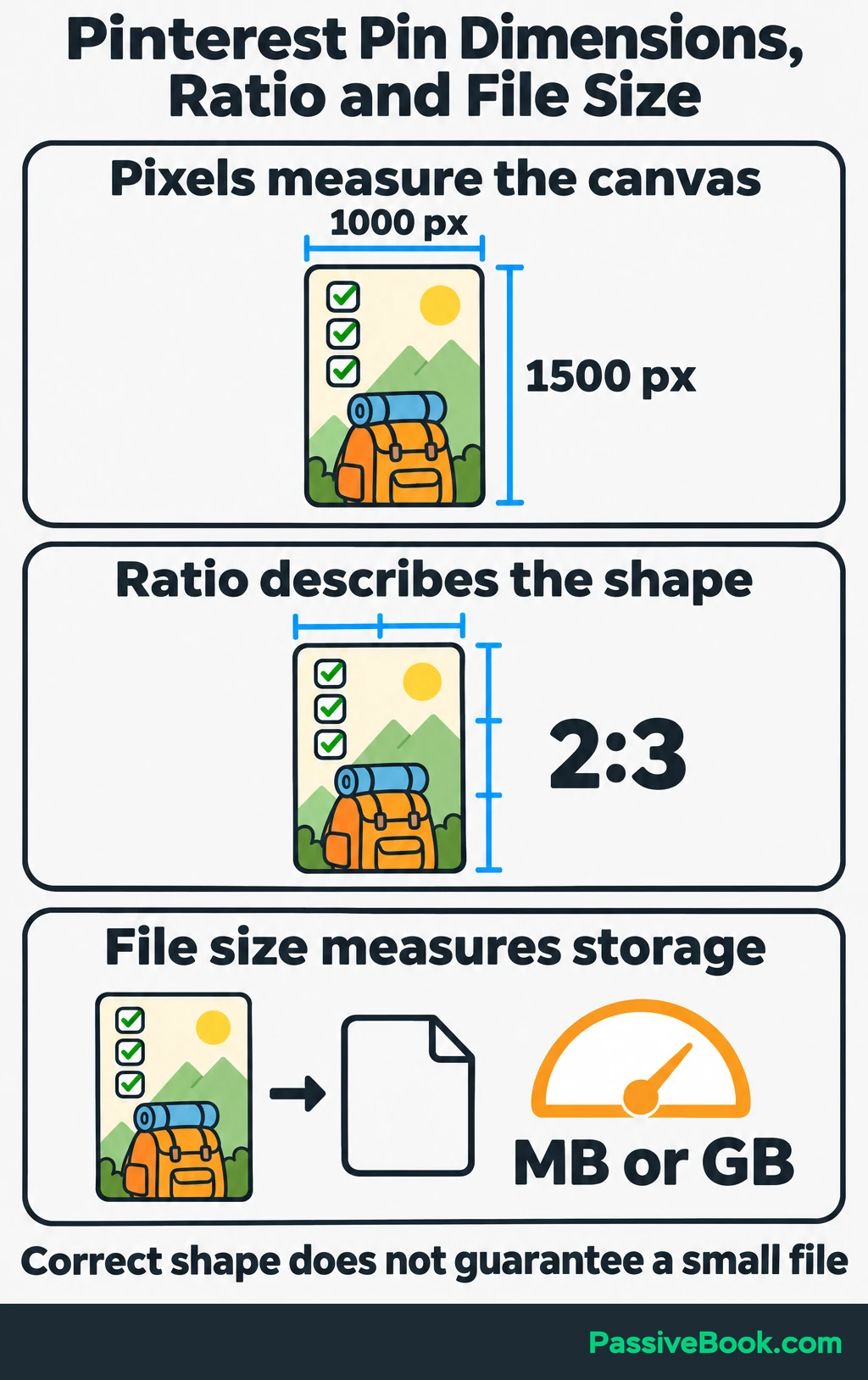
Three measurements matter when comparing Pinterest Pin formats and sizes:
- Pixel Dimensions: The image or video’s width × height, such as 1000 × 1500 px.
- Aspect Ratio: The relationship between width and height. A 1000 × 1500 px image has a 2:3 ratio.
- File Size: How much storage the exported file uses, measured in MB or GB.
A correctly proportioned image can still exceed an upload limit. Likewise, a small file can have the wrong shape.
Use this table for ordinary image and video uploads and manually created static carousels. Advertising requirements appear later.
| Format | Suitable Content | Publishing Route | Recommended Canvas and Ratio | Supported Files | Maximum File Size | Duration or Card Limits |
|---|---|---|---|---|---|---|
| Image Pin | Checklist previews, article graphics, product photos | Ordinary Pin creation on desktop or mobile | 1000 × 1500 px, 2:3; square alternative: 1000 × 1000 px, 1:1 | JPEG, PNG, BMP, TIFF, WEBP | Web: 20 MB; keep shared exports within this limit | One image |
| Video Pin | Demonstrations, walkthroughs, animated designs | Ordinary Pin creation on desktop or mobile | 1080 × 1920 px, 9:16, for full-screen video | Web: MP4, M4V; mobile also accepts MOV | No universal organic video cap listed; check the uploader | 4 seconds–5 minutes |
| Static Carousel | Swipeable steps or related views | Desktop advertising tools; eligible business account required | 1000 × 1500 px, 2:3, or 1000 × 1000 px, 1:1 | JPEG, PNG | 20 MB per image | 2–5 cards |
The first two rows follow Pinterest’s organic Pin specifications for unpaid publishing. Carousel publishing has separate requirements, explained below.
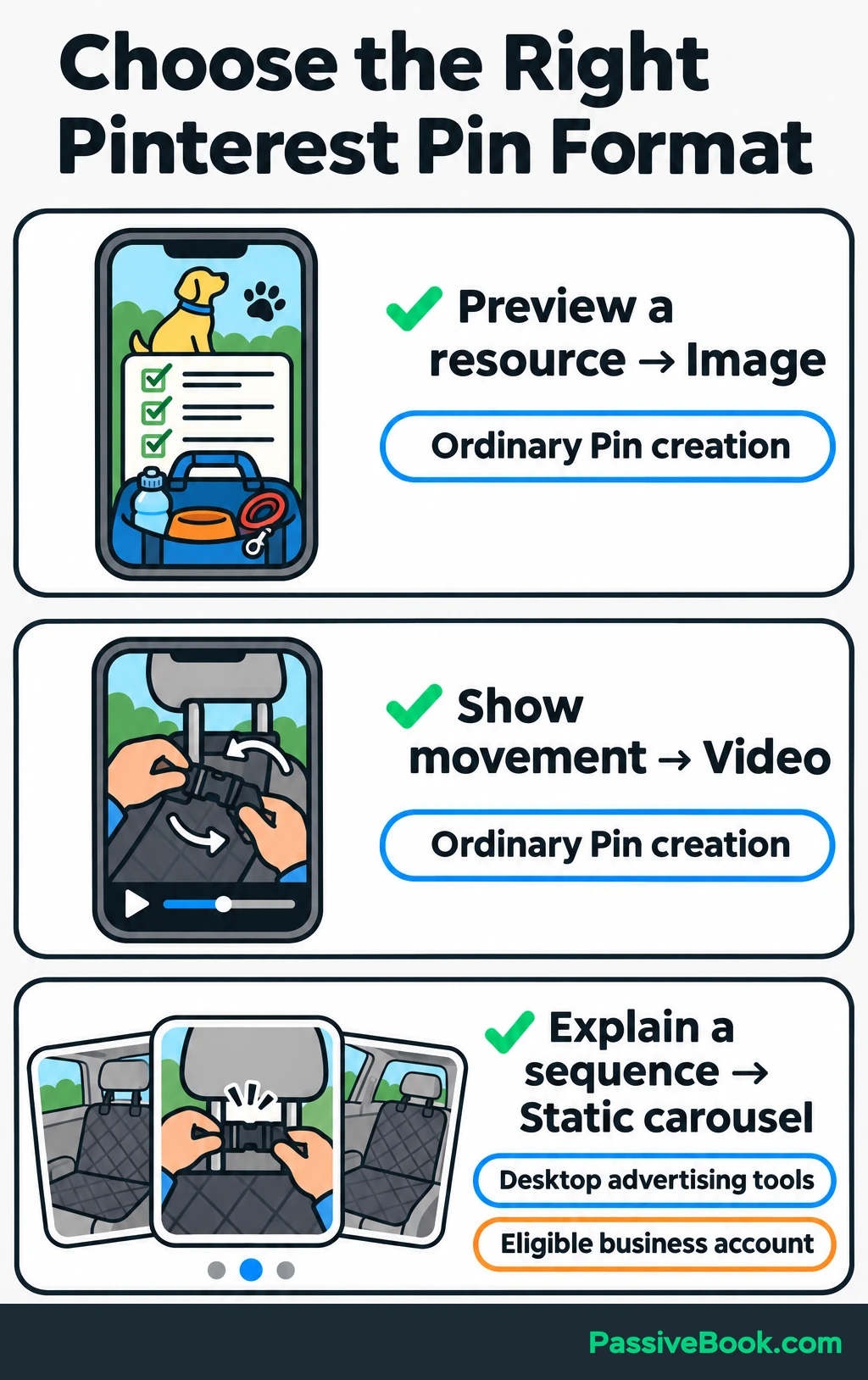
Choose the format by what you need to show. For the running example, imagine you publish a dog-travel blog with a car-seat-cover fitting tutorial and a printable road-trip packing checklist. An image can preview the checklist, video can show the fitting process, and a carousel can break the tutorial into swipeable steps.
Rich Pins and Product Pins do not need their own canvas templates. Rich Pins pull information from your website, while Product Pins carry shopping information. Follow the dimensions for the underlying image or video. Pinterest’s Pin-type guide explains the distinction.
Correct specifications help your assets upload and display properly. They do not guarantee reach, visits or sales.
Standard Image Pin Dimensions and File Limits
I would make 1000 × 1500 px at 2:3 your default image template. Use 1000 × 1000 px at 1:1 when a square composition suits the subject. Pinterest recommends the vertical canvas for images, but those exact pixel dimensions are not mandatory. Pinterest’s recommended canvases also include the full-screen video size.
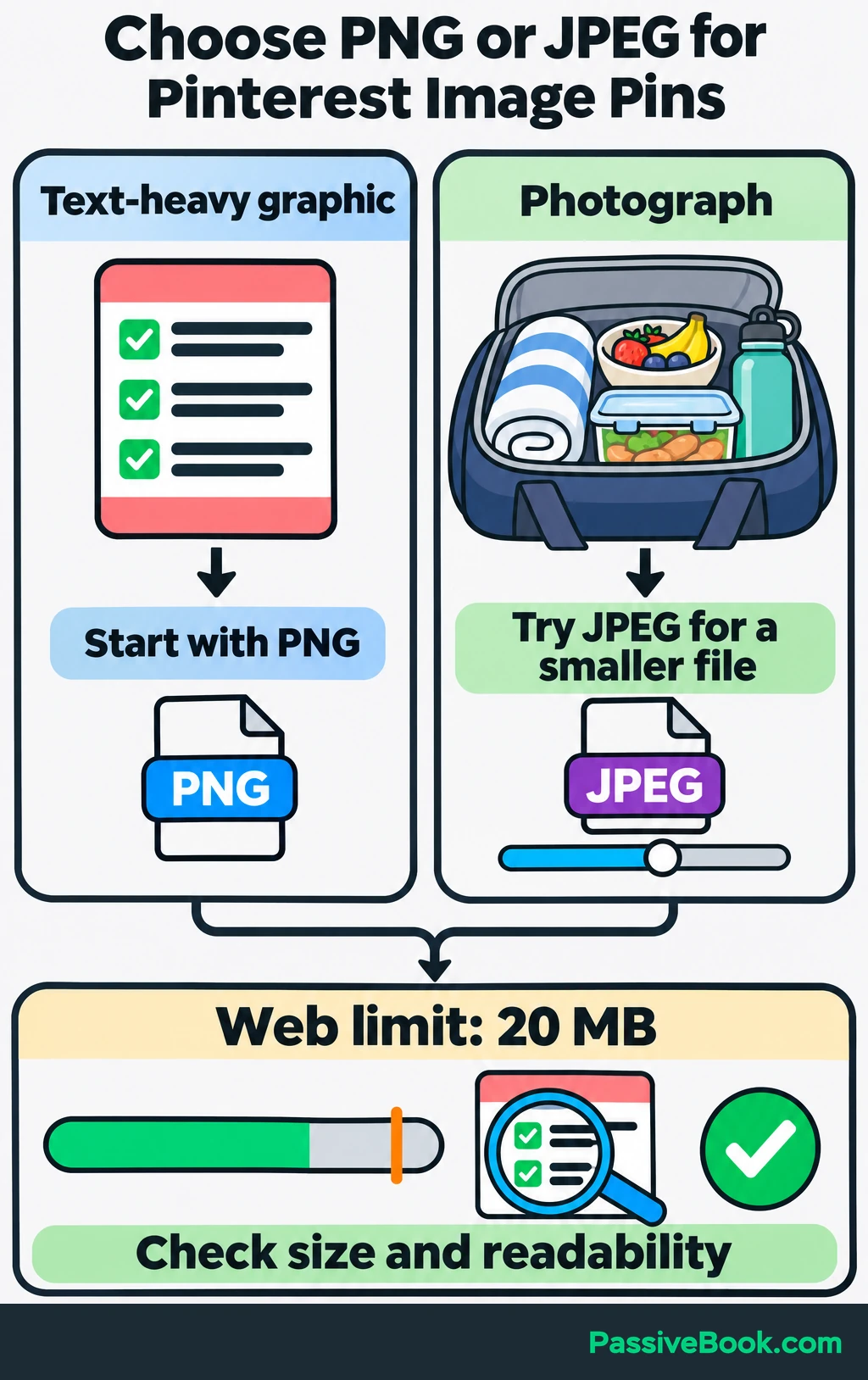
Export JPEG or PNG for a simple, reusable workflow. PNG is my starting choice for text-heavy graphics, and JPEG is useful for photographs when you need a smaller file. Keep either within the 20 MB web limit.
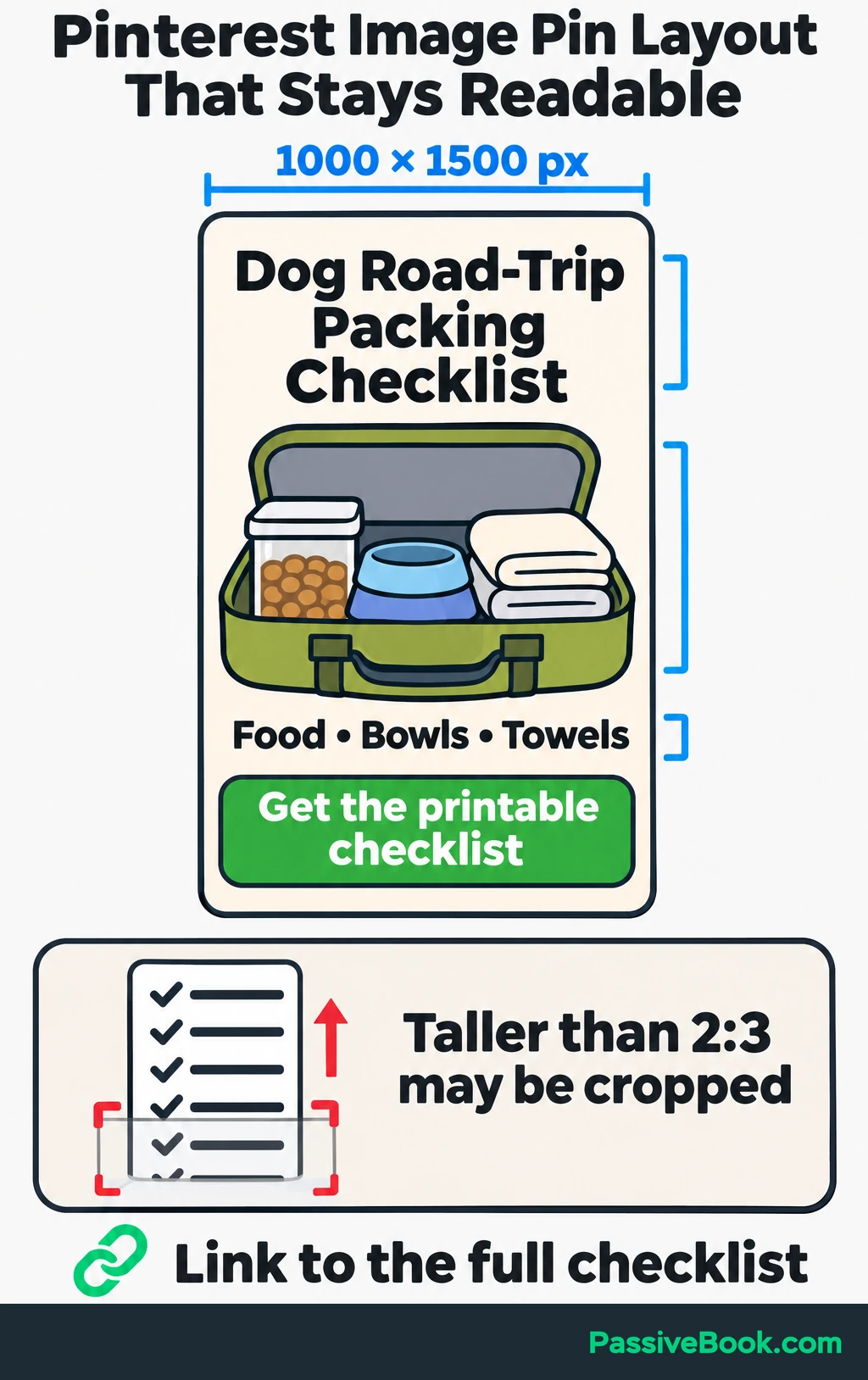
Images taller than 2:3 may be cut off in feeds. Give the headline and main subject enough room, and avoid putting an essential instruction at the very bottom of a long graphic.
For the checklist example, build one clear preview:
- Canvas: 1000 × 1500 px.
- Headline: “Dog Road-Trip Packing Checklist.”
- Main Image: A packed travel bag with its contents visible.
- Preview: A short checklist excerpt, such as “Food • Bowls • Towels.”
- Next Action: “Get the printable checklist.”
Link to the complete resource rather than shrinking every item onto the Pin. A checklist nobody can read is mostly decoration.
If the canvas is ready but the design is not, AI Pinterest Studio can turn your content into a written layout. Start with one Pin and keep the text for your next update.
Free AI Pinterest Studio




Text overlays, collages and infographics are image styles. They follow the same upload requirements as other static images.
Video Pin Dimensions and Upload Requirements
Choose video when movement explains something a photograph cannot. Showing where a seat-cover strap attaches is a better reason to make a video than adding motion to a headline.
For ordinary organic uploads, use:
- Canvas: 1080 × 1920 px at 9:16 for full-screen viewing.
- Other Supported Ratios: 1:2, 2:3, 3:4, 4:5 and 1:1.
- Duration: At least 4 seconds and no more than 5 minutes.
- Practical Export: MP4 with H.264 encoding. H.265 is also supported.
Encoding is the method used to compress the video inside its file. Your editor may list it as a codec in the export settings.
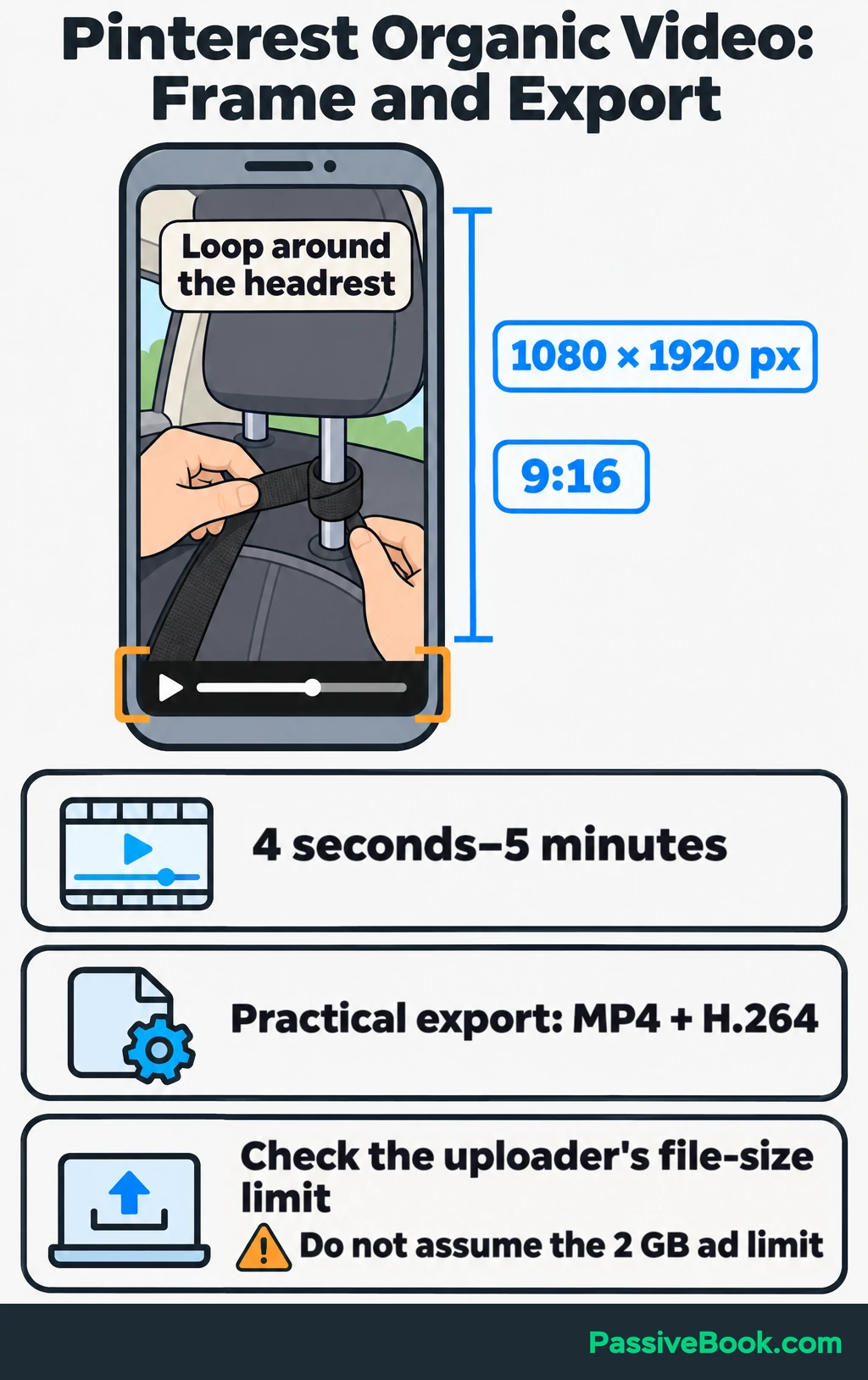
Check the uploader’s file-size restriction before exporting a large video. Do not assume that the 2 GB advertising allowance applies to ordinary organic uploads.
For the fitting tutorial, frame the attachment points closely enough to see what happens. Add short instructions such as “Loop around the headrest,” and choose a cover showing the finished installation.
Keep important text away from player controls and preview the result on a phone. When adapting landscape footage, crop around the action or extend the background. Stretching the footage changes the subject’s proportions and rarely improves anyone’s tutorial.
If you animate a static design, export it as video and apply the video requirements.
Carousel Pin Sizes and Publishing Requirements
Check access before designing a set of cards. You need a Pinterest business account in an eligible advertising market and a desktop device.
Pinterest allows eligible users to publish an unpaid carousel through its advertising tools. Opening those tools does not mean you must promote the Pin. Follow the organic publishing option and leave promotion settings unused. Pinterest’s carousel requirements explain this route.
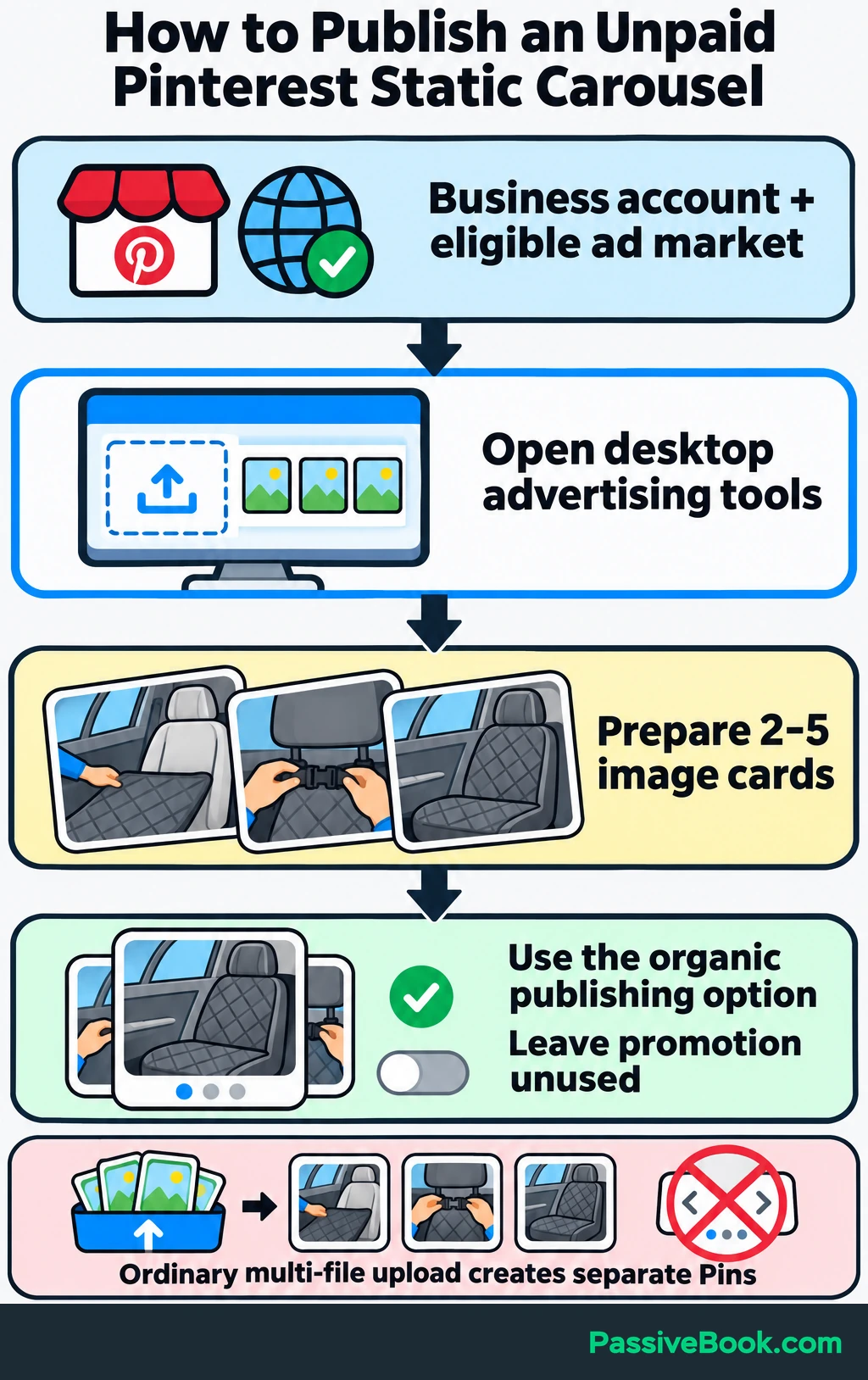
For a manually created static carousel:
- Card Count: 2–5 images.
- Canvas: Use the same dimensions throughout: 1000 × 1500 px at 2:3, or 1000 × 1000 px at 1:1.
- Export: JPEG or PNG, with each image no larger than 20 MB.
Give each card one job. The seat-cover tutorial could use three:
- Show the cover laid across the seat.
- Show the attachment points in close-up.
- Show the finished installation.
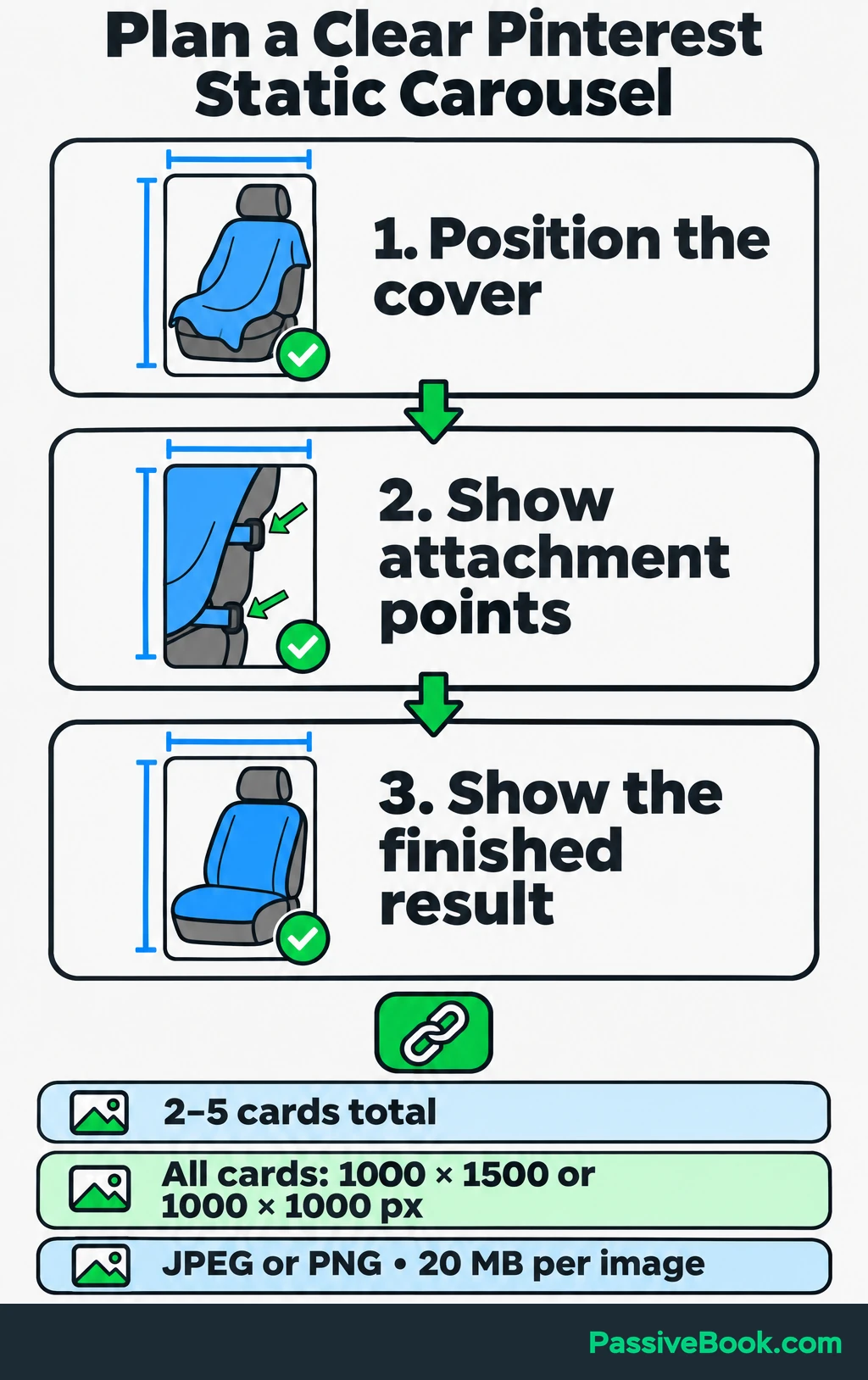
Keep headings in a consistent position so the sequence feels connected. Each card’s destination should match what it shows; all three can lead to the full fitting tutorial.
Uploading several files through ordinary desktop Pin creation produces separate Pins. It does not create a swipeable carousel. The mobile app can combine selected images and clips into a video Pin, which is also a different format.
How Pinterest Ad Specifications Differ
Before reusing an organic asset in an ad, check its file settings as well as its canvas. A video can have the right dimensions and still fail the advertising requirements.
Image, Video, and Carousel Ads
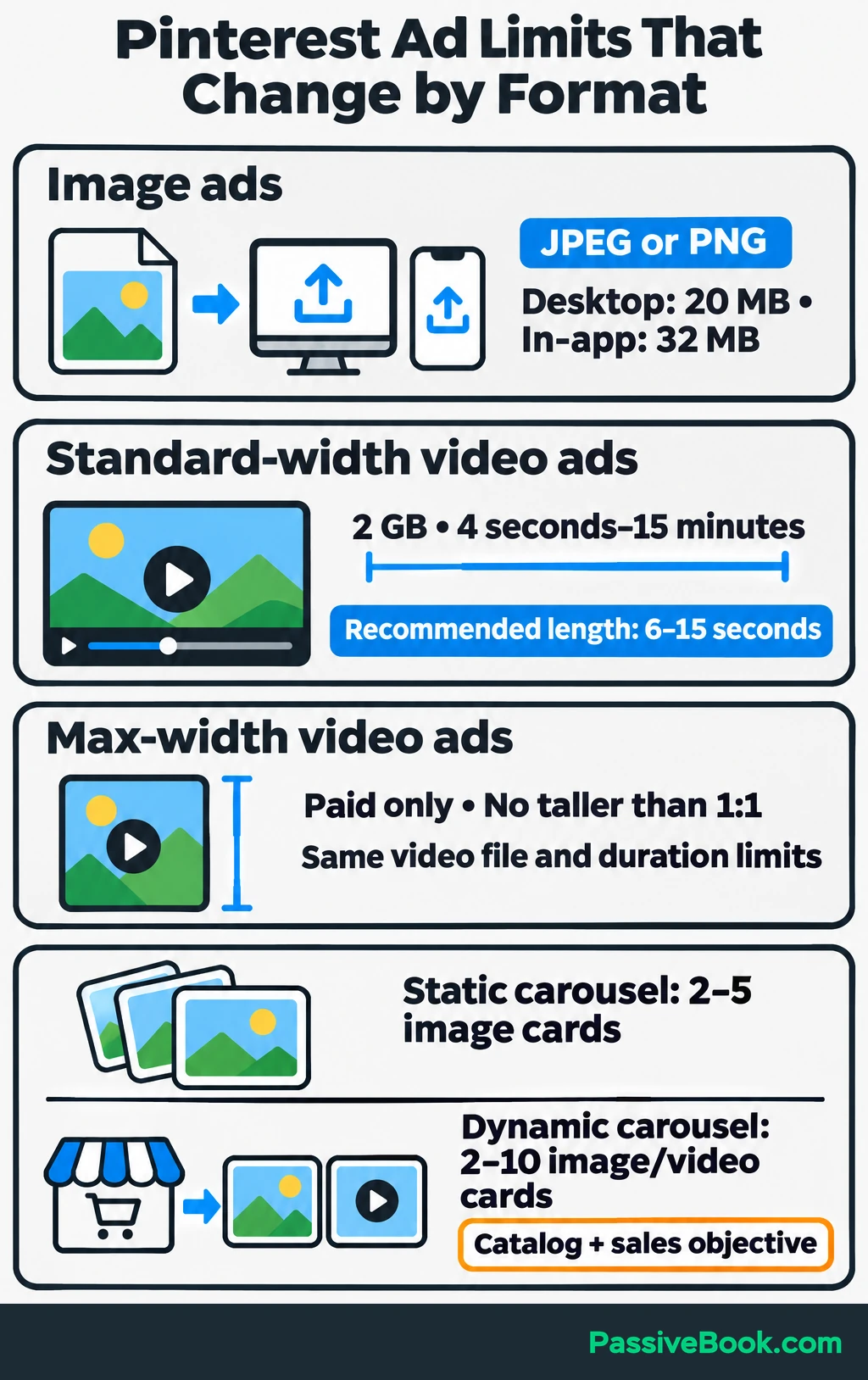
Standard image ads use JPEG or PNG, with a maximum of 20 MB through desktop tools or 32 MB in-app. The recommended canvas is 1000 × 1500 px at 2:3. Pinterest also warns that taller images may be cut off in feeds. Pinterest’s image-ad specifications cover these limits.
For the remaining formats:
- Standard-Width Video Ads: MP4, MOV or M4V; H.264/H.265; maximum 2 GB; duration 4 seconds–15 minutes. Recommended ratios are 1:1, 2:3, 4:5 and 9:16. Pinterest recommends 6–15 seconds for ad length.
- Max-Width Video Ads: Paid-only, using square or landscape creative no taller than 1:1. File types, encoding, size and duration limits match standard-width video ads.
- Static Carousel Ads: Use the 2–5-card specifications above.
- Dynamic Carousel Ads: Catalog-based carousels for the sales objective support 2–10 image/video cards.
- Shopping Ads: Follow the corresponding standard image or video ad specifications.
These requirements come from Pinterest’s ad specifications. A catalog is the product feed Pinterest uses to build shopping creative; its dynamic carousel allowance does not apply to a manually uploaded tutorial carousel.
I would prepare the format you actually plan to run. There is little value in making a landscape ad version while your immediate task is publishing an unpaid checklist Pin.
Collections Ads
A collection pairs a large hero asset with smaller product assets. It is a different layout from swipeable carousel cards, and you create it on desktop for display in the mobile app.
For a straightforward static collection, prepare:
- Hero Image: One square 1:1 or vertical 2:3 image, such as 1000 × 1500 px.
- Secondary Images: 3–24 images. I would use 1000 × 1000 px at 1:1.
- Image Export: JPEG or PNG, no more than 10 MB per image.
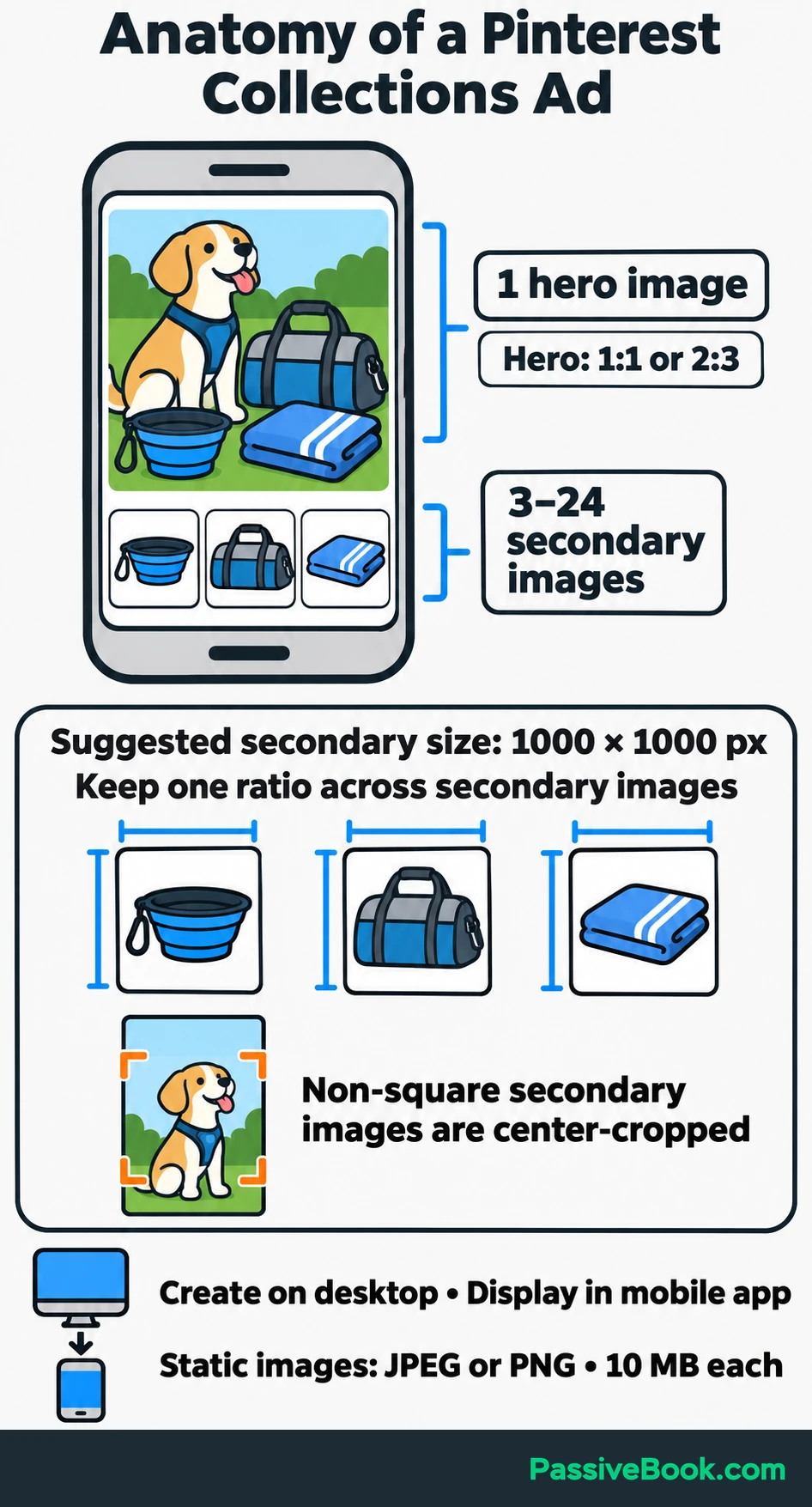
Secondary images may use 2:3 instead, but they must all share one ratio. Non-square secondary images are center-cropped in the feed.
A video hero supports MP4, MOV or M4V with H.264/H.265, up to 2 GB, and a duration of 4 seconds–15 minutes. Recommended ratios include 1:1, 2:3 and 9:16. Pinterest’s ad specifications list these limits for collections.
Use this format when you have related products to browse. For the dog-travel blog’s tutorial and printable checklist alone, I would start with a standard Pin.
Idea Ads
For full-screen Idea ad creative, use 1080 × 1920 px at 9:16. JPEG or PNG are practical still-image exports, and MP4 is a practical video choice.
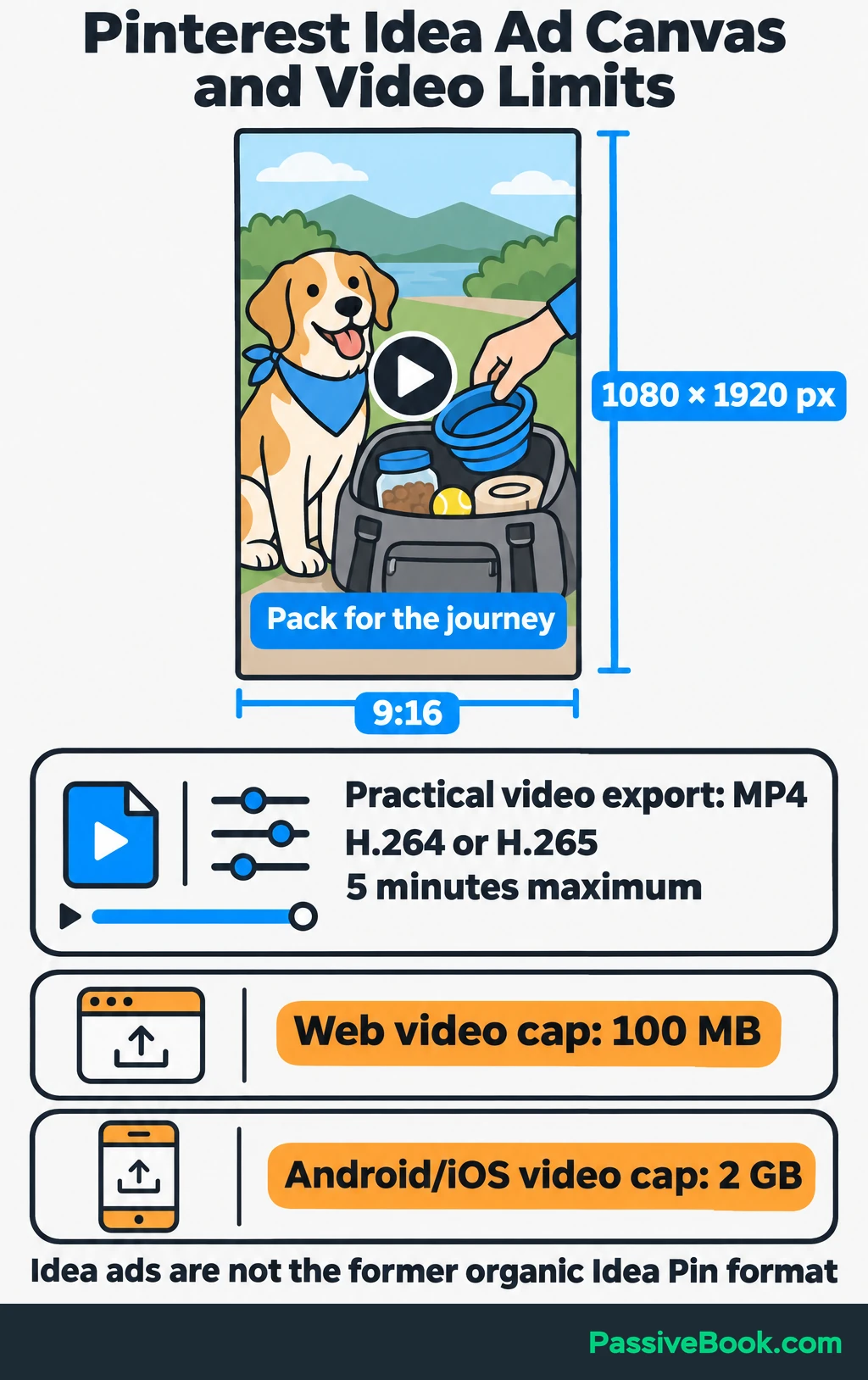
Video supports H.264/H.265, has a five-minute maximum, and is capped at 100 MB on web or 2 GB on Android/iOS under Pinterest’s Idea-ad requirements.
Do not confuse this advertising format with the former separate organic Idea Pin format. Pinterest announced the combination of standard Pins and Idea Pins in its 2023 format update. For unpaid image or video publishing, use the organic requirements earlier in this guide.
Prepare and Preview Your Pin Before Publishing
Save reusable canvases in Canva or your preferred editor for the formats you use regularly. I would begin with one vertical image template and add a video template when a topic needs a demonstration.
For a custom 2:3 canvas, multiply the width by 1.5 to get the height. An 800 px width gives a 1200 px height.
Then work through these checks:
- Adapt the Composition: Crop the photograph or extend its background while keeping the subject’s proportions.
- Inspect the Export: Check pixel dimensions, file type and file size. For video or carousels, check duration or card count too.
- Preview at Phone Size: Read the headline without zooming. Look for cropped subjects, hidden instructions and text covered by video controls.
- Check the Sequence: Confirm the video cover or carousel order makes sense before someone reads the description.
- Open the Destination: The packing-checklist Pin should lead directly to the checklist page.
- Keep the Source: Save the editable design alongside the finished export.
I’ve had a simple headline edit turn into a rebuild because I could find the exported image but not the editable design. Keeping the source is a small habit that saves a very dull afternoon.
Fix Common Sizing and Upload Problems
Change the setting that caused the problem, then preview the new export before publishing.
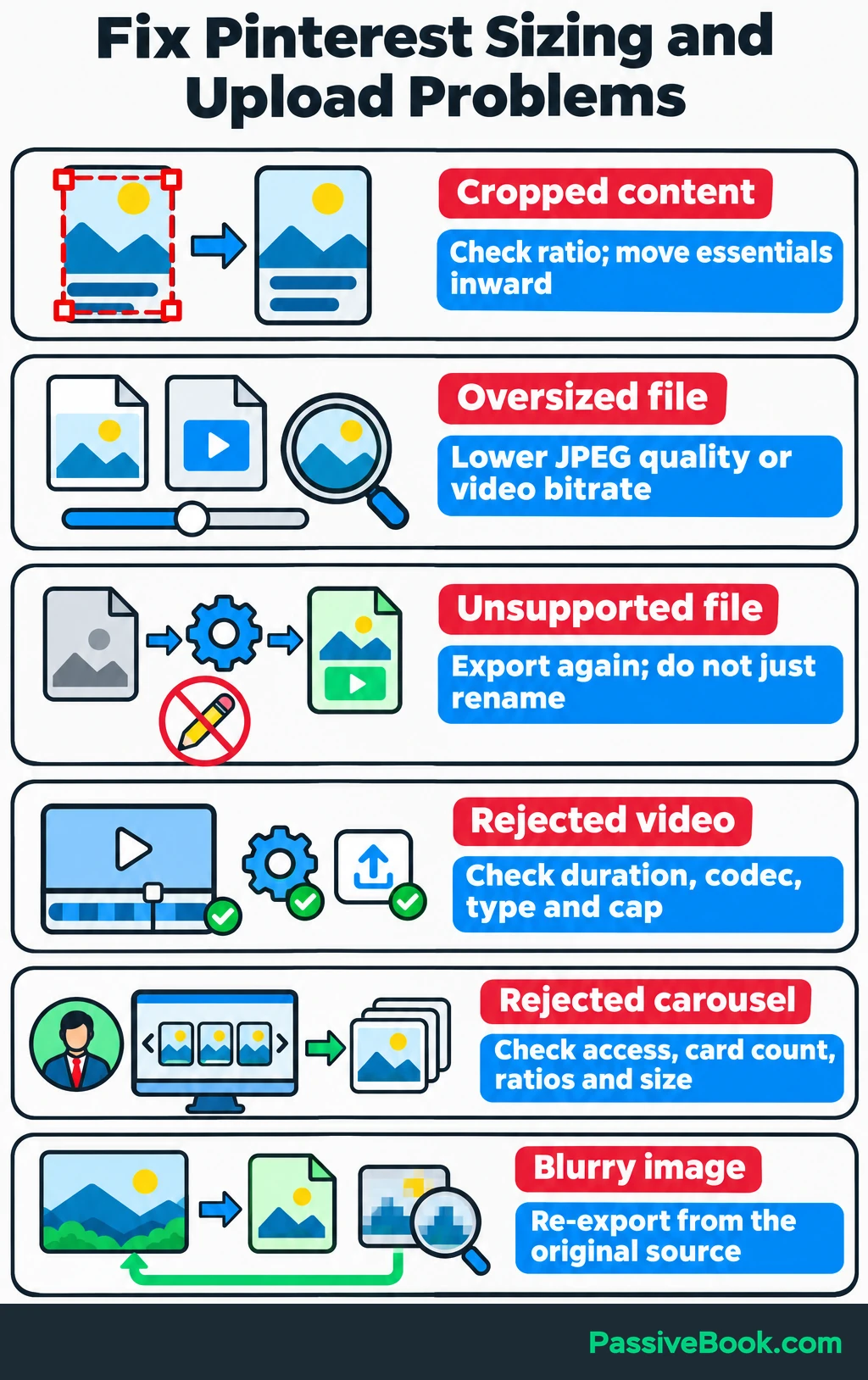
- Cropped Text or Subjects: Check the ratio and move essential content inward. For a tall infographic, shorten the preview rather than reducing every line of text.
- Oversized Files: Lower JPEG export quality or video bitrate—the amount of video data saved each second. Inspect the result so compression does not make text or details unreadable.
- Unsupported Files: Export again using an accepted format. Renaming a file extension does not convert its contents.
- Rejected Videos: Check duration, encoding, file type and the uploader’s file-size limit. Make sure you are following the rules for your publishing route.
- Rejected Carousels: Check account eligibility, desktop access, card count, consistent ratios and each image’s file size.
- Blurry Images: Return to the original photograph or editable design and export at the intended dimensions. Enlarging a small finished image cannot restore missing detail.
If the Pin looks sharp in your editor but blurry after export, inspect the exported file first. That tells you whether to fix the design settings or investigate the upload.
What Next?
Create one 1000 × 1500 px template and use it for your next checklist or article Pin. Check the exported file and destination before publishing, then keep the editable source for the next design.
Use the social buttons to share this reference when your next Pin project needs fewer resizing detours.
Which format would explain your next piece of content most clearly, and why? Share your choice in the comments, and bring any sizing questions with it.
Share this post with your friends & followers:

