You have time to make two Pins this week, but which articles deserve them? Your most-viewed Pin looks promising. Another gets fewer views but sends more people to your website.
Choose by views alone and you could spend that time promoting content that attracts attention without supporting your business.
Pinterest sends meaningful referral traffic to Passive Book, but deciding what to create next still takes judgment. This guide shows you how to connect Pin performance to website results, spot the weak point, and choose what deserves another hour of work.
Choose the Metrics That Match Your Goal
Choose one primary outcome before opening the dashboard. That might be useful website visits, email signups, or purchases.
Outbound clicks help you judge whether Pins send people off Pinterest. Your website analytics tells you what those visitors do next. Keep both in view, but let your chosen outcome guide the decision.
These are the core measures to understand, using Pinterest’s metric definitions:
| Metric | Meaning | Decision It Informs |
|---|---|---|
| Impressions | Times your Pin appeared on screen | Whether it is getting exposure |
| Saves | Times people saved it to a board | Which ideas people want to keep |
| Pin clicks | Clicks that open the Pin in closeup | Whether people inspect it more closely |
| Outbound clicks | Actions leading to a destination off Pinterest | Which Pins generate website traffic |
| Outbound click rate | Outbound clicks as a percentage of impressions | How efficiently exposure becomes clicks |
For the running example, imagine you run a dog-travel blog. You offer a free road-trip packing checklist and sell a printable dog-trip planner. All figures and test scenarios below are illustrations, not observed results or benchmarks.
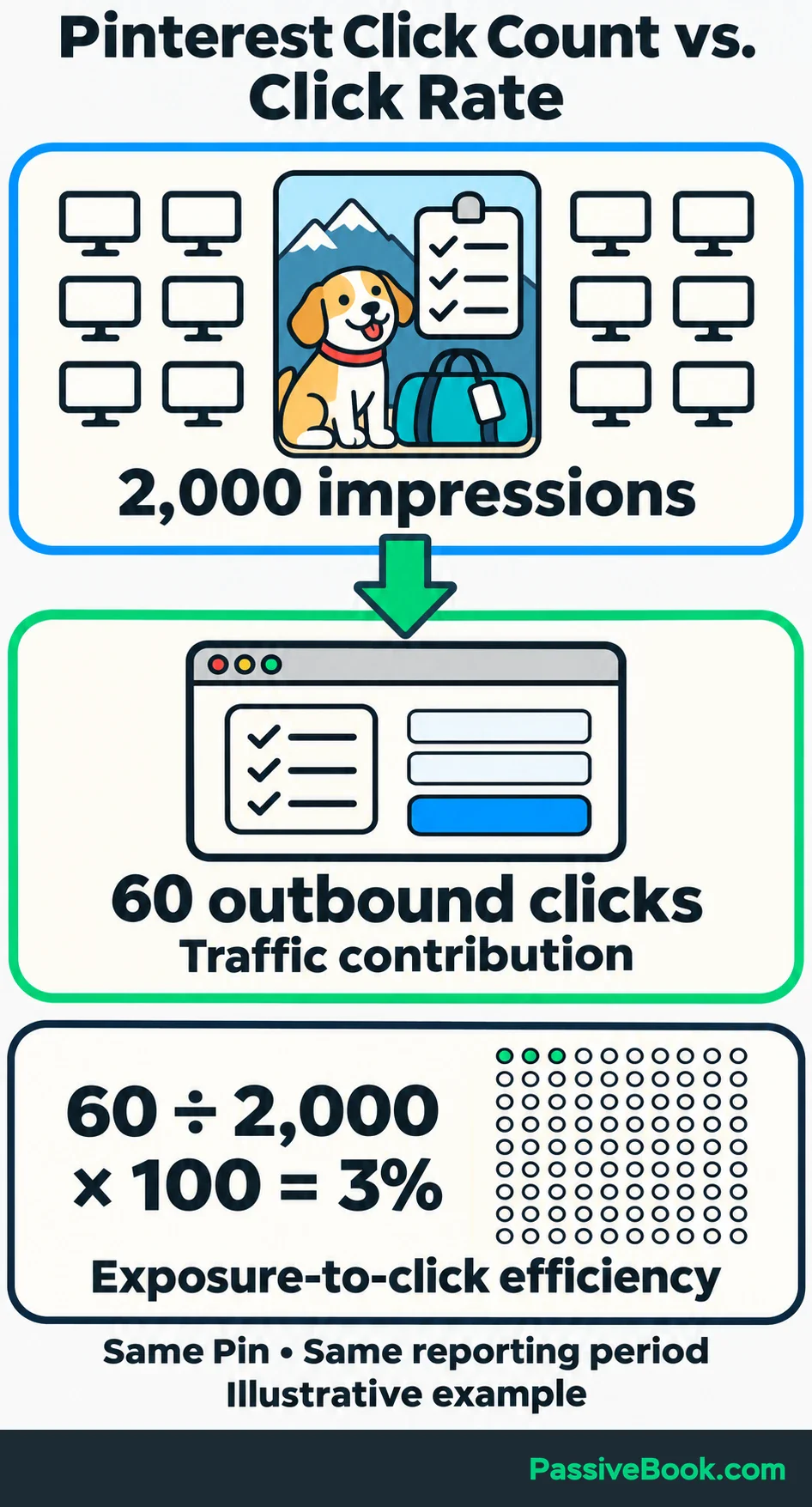
To calculate outbound click rate, count outbound clicks and impressions for the same Pin over the same period. If you added its destination link after publication, start both counts from the date you added it:
Outbound click rate = outbound clicks ÷ impressions × 100
A checklist Pin with 60 outbound clicks from 2,000 impressions has a rate of:
60 ÷ 2,000 × 100 = 3%
Read the count and rate together. The count shows traffic contribution, and the rate shows how efficiently appearances turn into clicks.
A profile showing 200,000 monthly views still needs that second check. Before producing more Pins, ask whether those views lead to visits and whether the visits serve your goal. A large number can be useful. It can also be expensive wallpaper.
Open an Organic Report You Can Compare
You need a free Pinterest business account to access Analytics. Create one or convert your existing personal account.
Claim your website too. This lets you include activity on content other people save from your site. You must control the website and be able to complete Pinterest’s verification; most marketplace storefronts cannot be claimed. See Pinterest’s website requirements if your setup is unclear.
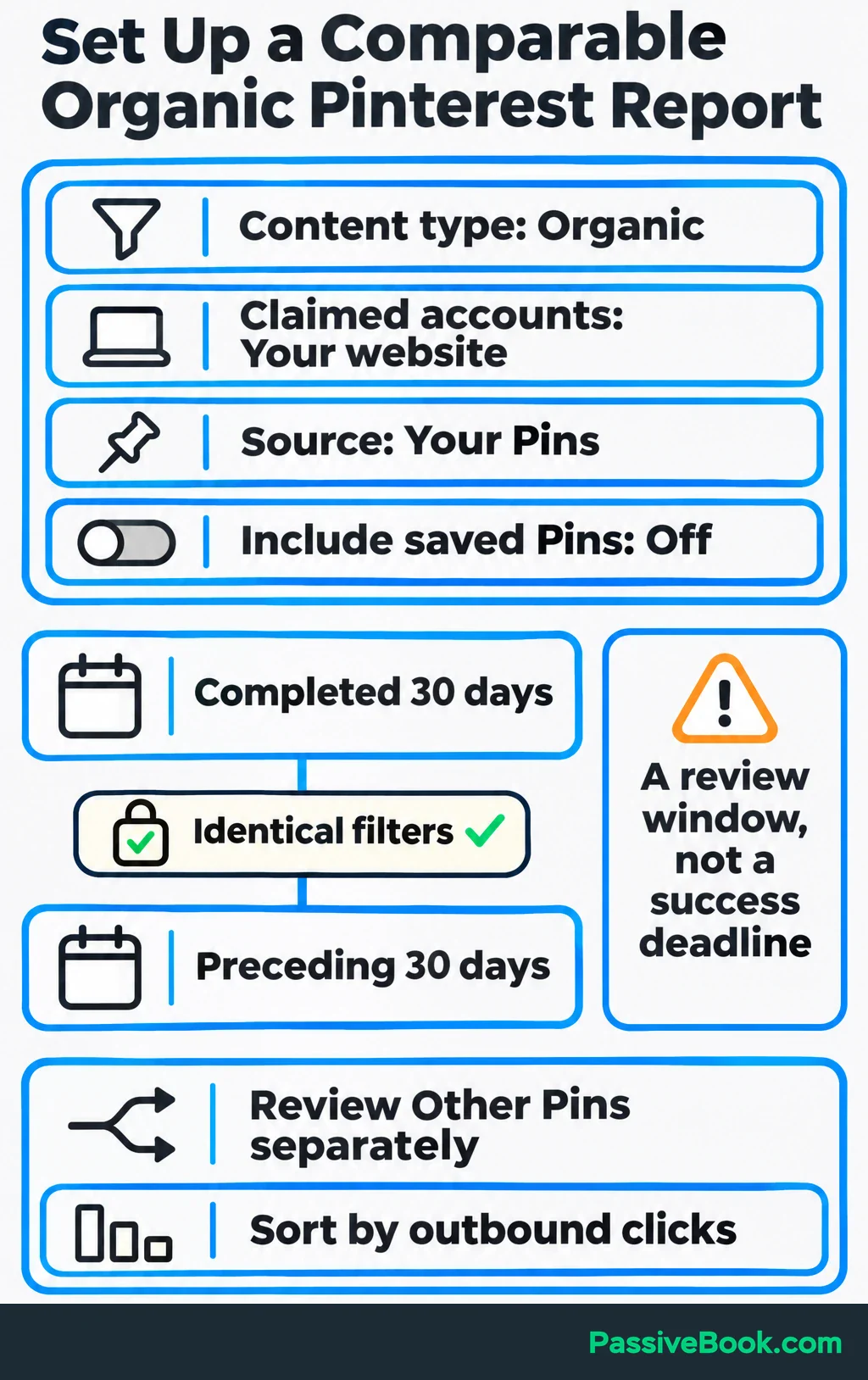
Then prepare a report you can repeat:
- Open Analytics and select Overview on desktop, or open Analytics from your business profile in the app. To access the filters below, select More filters on desktop or tap the filter icon in the app.
- Set Content type to Organic.
- Under Claimed accounts, select your website.
- Use Source to separate Your Pins from Other Pins.
- Leave Include saved Pins off to exclude unrelated saved content.
Start with a completed 30-day period and compare it with the preceding 30 days. Keep the filters identical. This is a starting review window, not a deadline by which every Pin must succeed.
Sort Top Pins by outbound clicks, then inspect the leading Pins and their individual stats. Open each destination too. You want to see the promise, design, and page behind the number.
I would begin with your own Pins because those are easiest to improve. Review Other Pins separately for clues about which pages people choose to share.
Connect Outbound Clicks to Business Results
Track Visits and Completed Actions
Before comparing signups or sales, confirm that your website records them correctly.
Google Analytics 4 (GA4) records actions as events. Mark completed checklist signups as key events to track them as business outcomes. The purchase event is marked by default. Test the actions you track: signups should record completion, and purchases should include accurate amounts.
Next, add tracking tags to new Pin destination links. These tags, called UTM parameters, identify where visits came from and which creative sent them.
For the checklist campaign, use:
| Parameter | Example Value | Purpose |
|---|---|---|
utm_source | pinterest | Identifies the platform |
utm_medium | organic_social | Separates this traffic from paid activity |
utm_campaign | dog_trip_checklist | Groups Pins promoting the checklist |
utm_content | packing_photo_a | Identifies a particular creative |
Keep the naming consistent and record each tagged URL beside its Pin. Give the next creative its own utm_content value.
In GA4, open Traffic acquisition and switch the table to Session source / medium. Find pinterest / organic_social for the tagged traffic. Review other Pinterest referral rows separately when assessing older, untagged visits.
Compare sessions, completed signups or purchases, and purchase revenue. To see the percentage of sessions containing a purchase, select purchase under Session key event rate. Google’s traffic-acquisition documentation explains this measure.
Pinterest counts outbound clicks; GA4 records website sessions. Repeated clicks and tracking gaps mean these totals will not necessarily match.
To investigate further:
- Compare landing pages within Pinterest traffic to find destinations that produce useful results.
- Compare tagged designs in a GA4 exploration, a custom report. Filter to the same Pinterest traffic and group by Session manual ad content—the field Google maps to
utm_content, including for organic Pins.
Calculate Organic Pinterest ROI
Organic Pinterest has costs even when you buy no ads. Include design and writing expenses, a reasonable share of relevant tools, and your time at a stated hourly value.
Start with the money left from attributed purchases after refunds, transaction fees, delivery costs, and other variable costs. Call this contribution. Then subtract Pinterest marketing costs, counting each cost once.
ROI = (attributed contribution − Pinterest marketing costs) ÷ Pinterest marketing costs × 100
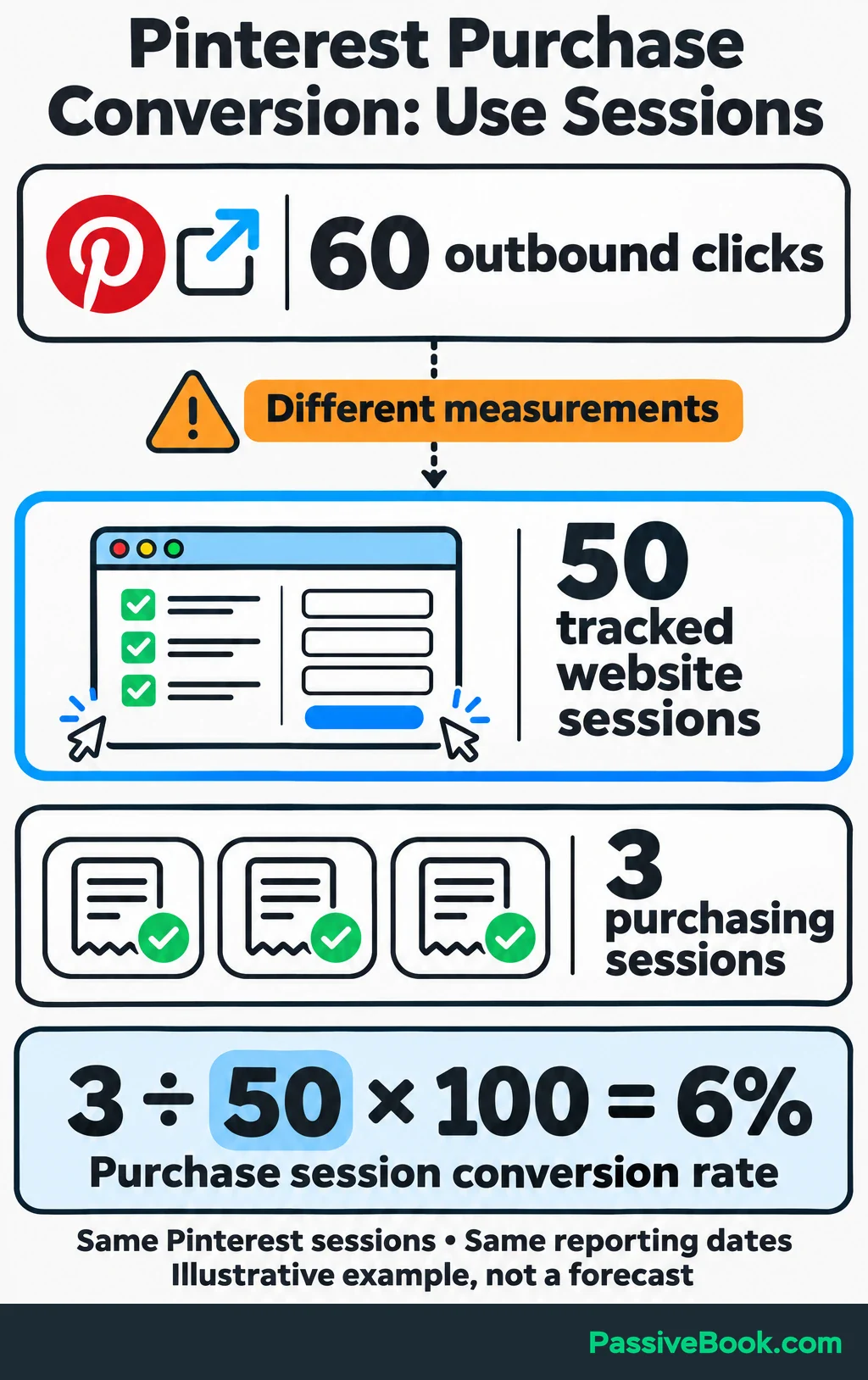
Continue the checklist example. Suppose its 60 outbound clicks lead to 50 tracked sessions. Three separate sessions each contain one planner purchase.
The purchase conversion rate counts purchasing sessions among those same 50 Pinterest sessions:
3 ÷ 50 × 100 = 6%
Suppose each purchase leaves $15 after variable costs. Those three purchases contribute $45.
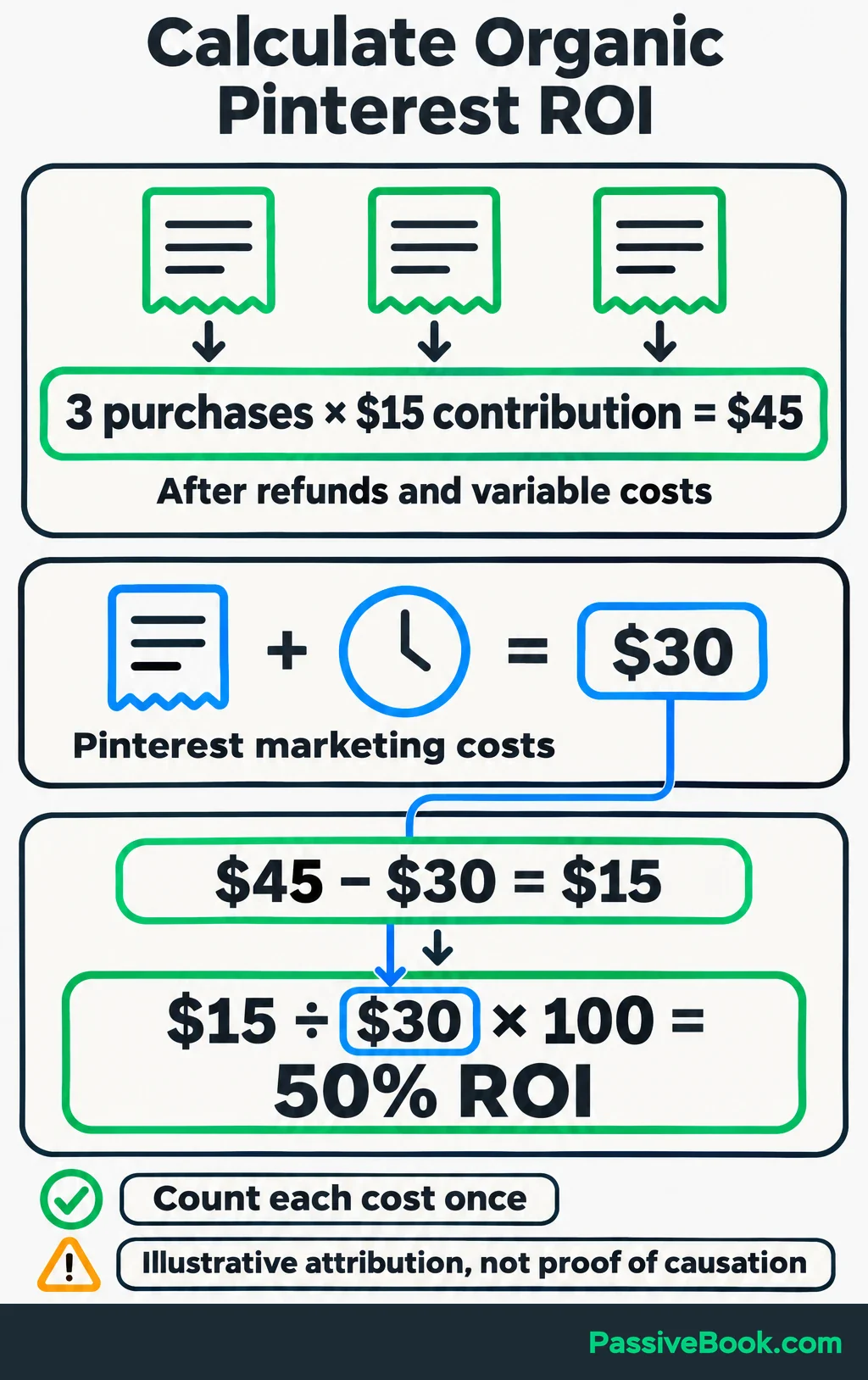
If Pinterest production costs total $30—say, $5 in allocated expenses plus one hour valued at $25—the calculation is:
($45 − $30) ÷ $30 × 100 = 50% ROI
Use purchases recorded within Pinterest-attributed sessions for the same reporting dates. This gives Pinterest credit without proving it caused each purchase, and three sales are too few for a reliable forecast.
If signups are your goal, track them separately until you have evidence of what subscribers later buy. An email address does not arrive with a guaranteed dollar value attached.
Find the Pins and Patterns Worth Expanding
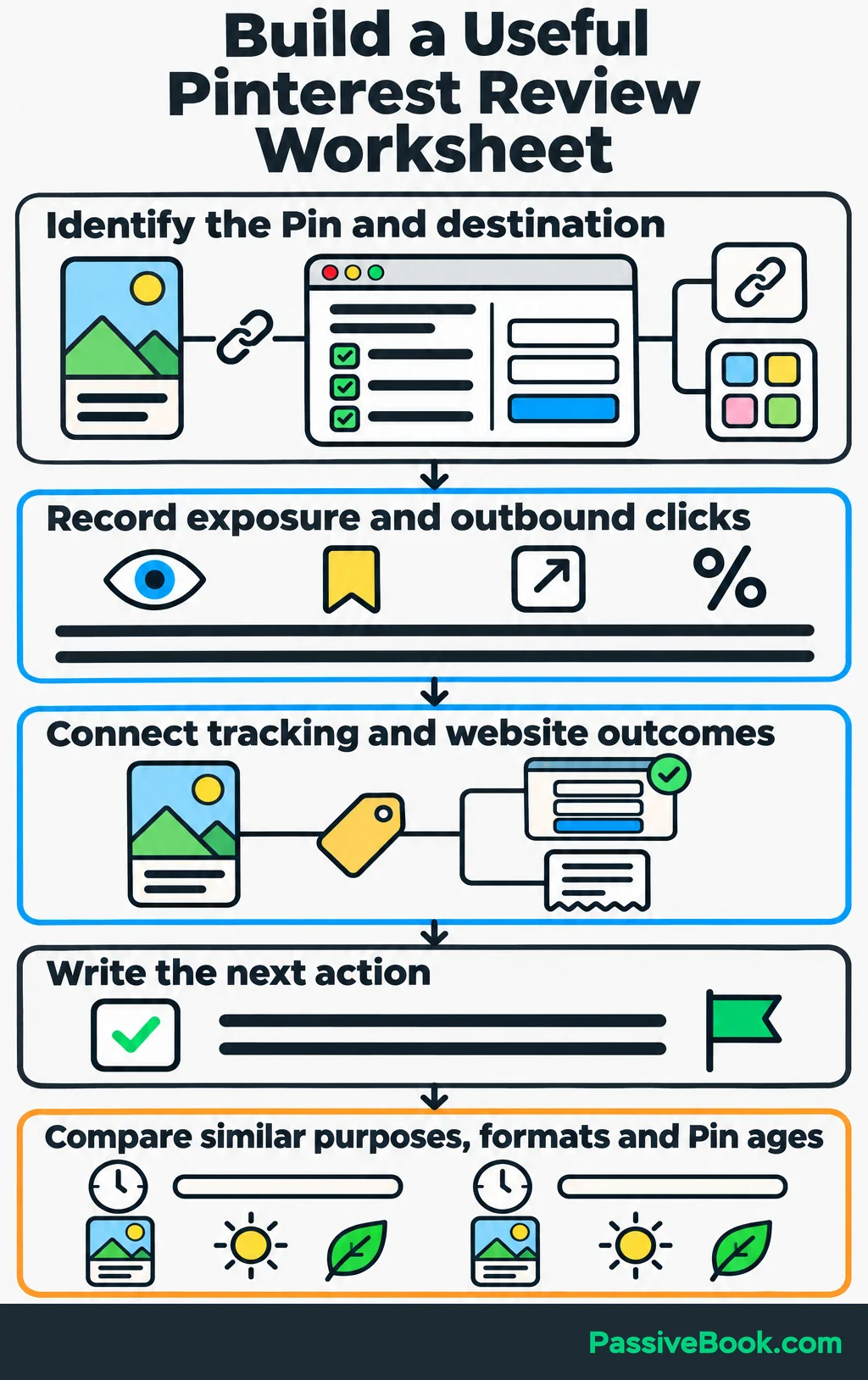
Keep one worksheet so each review ends with a decision.
Give each Pin a row and include:
- Its URL, destination, topic, format, headline or visual approach, and publication date.
- Reporting dates, impressions, saves, outbound clicks, and outbound click rate.
- Tracking identifier, website outcomes, and next action.
On one review, I caught myself opening Canva before checking the linked article. I had chosen a design to improve without deciding whether its destination deserved more visitors. Now I put the destination beside the Pin in my worksheet. It makes that question harder to skip.
Compare Pins with similar purposes and formats over equivalent periods after publication. A new checklist Pin and a well-established guide Pin have had different chances to produce results. Seasonal topics need comparable demand too.
Your own comparable Pins provide the most useful starting benchmark. I would skip a universal “good Pinterest click rate.” It cannot tell you whether your topic, offer, and audience are working together.
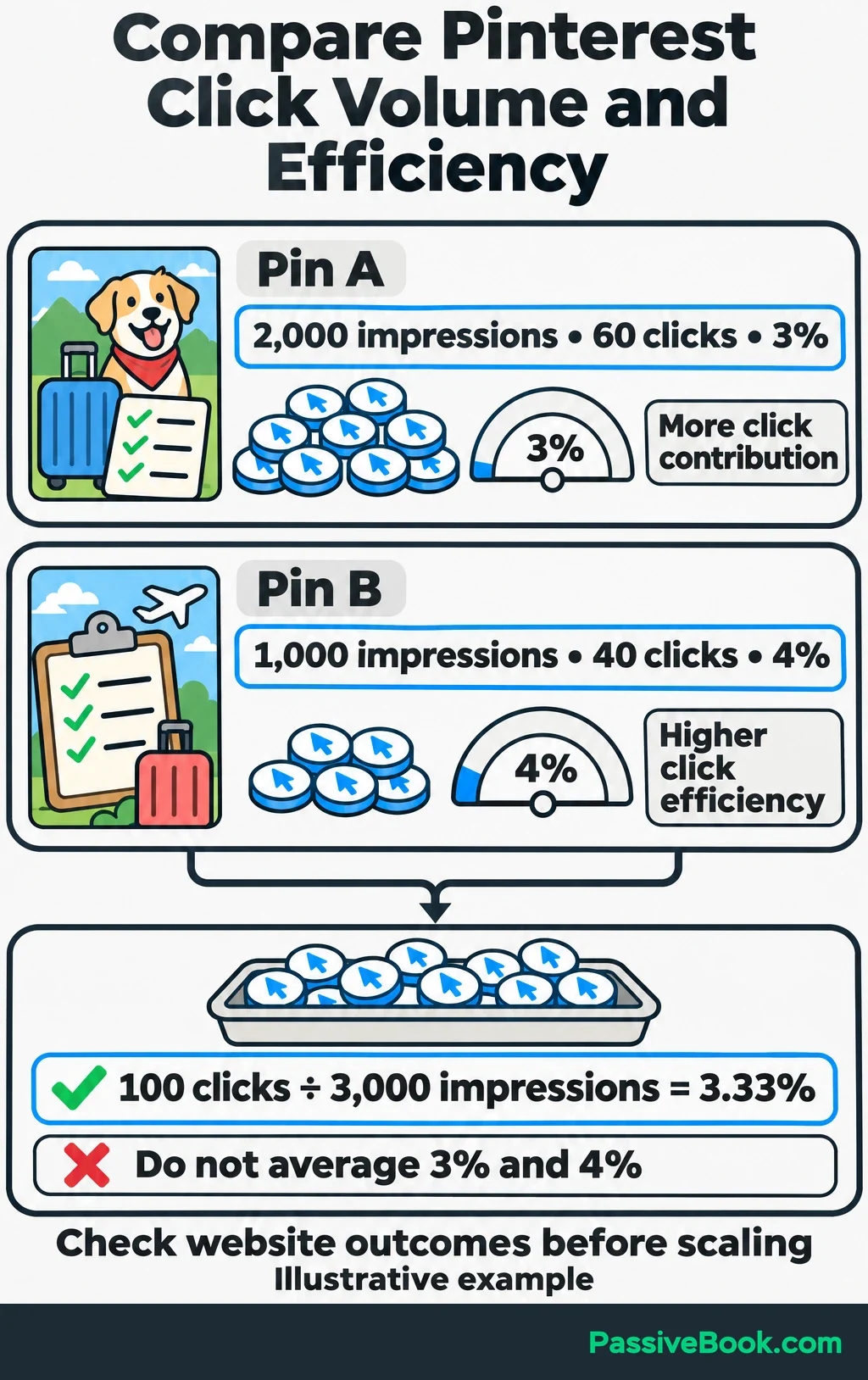
Consider two Pins promoting the checklist:
| Pin | Impressions | Outbound Clicks | Outbound Click Rate | Initial Decision |
|---|---|---|---|---|
| A | 2,000 | 60 | 3% | Keep A available; check its website results |
| B | 1,000 | 40 | 4% | Retest B’s approach before expanding production |
B has the higher rate, but A contributes more clicks. Neither number tells you which produces more signups or purchases until you check the website results.
When combining Pins, count all their clicks and impressions before calculating the rate:
(60 + 40) ÷ (2,000 + 1,000) × 100 = 3.33%
Simply averaging 3% and 4% would give each Pin equal weight despite their different exposure.
Look for repeated success around a topic, promise, image approach, or destination. One Pin with a high rate from a handful of clicks is a reason to investigate, not a reason to triple production.
Our Pinterest workbook puts comparable Pins and their destinations side by side. It also checks whether one extra click would change the ranking, so a fragile lead is easier to spot.
Improve the Weakest Part of the Journey
Low Impressions: Sharpen Relevance
When exposure is weak, first check whether the Pin clearly serves one specific need.
Its image, title, description, board context, and destination should tell the same story. “Dog Travel Tips” is broad. “Dog Road-Trip Packing Checklist” gives the reader a clearer reason to care, provided the linked page delivers that checklist.
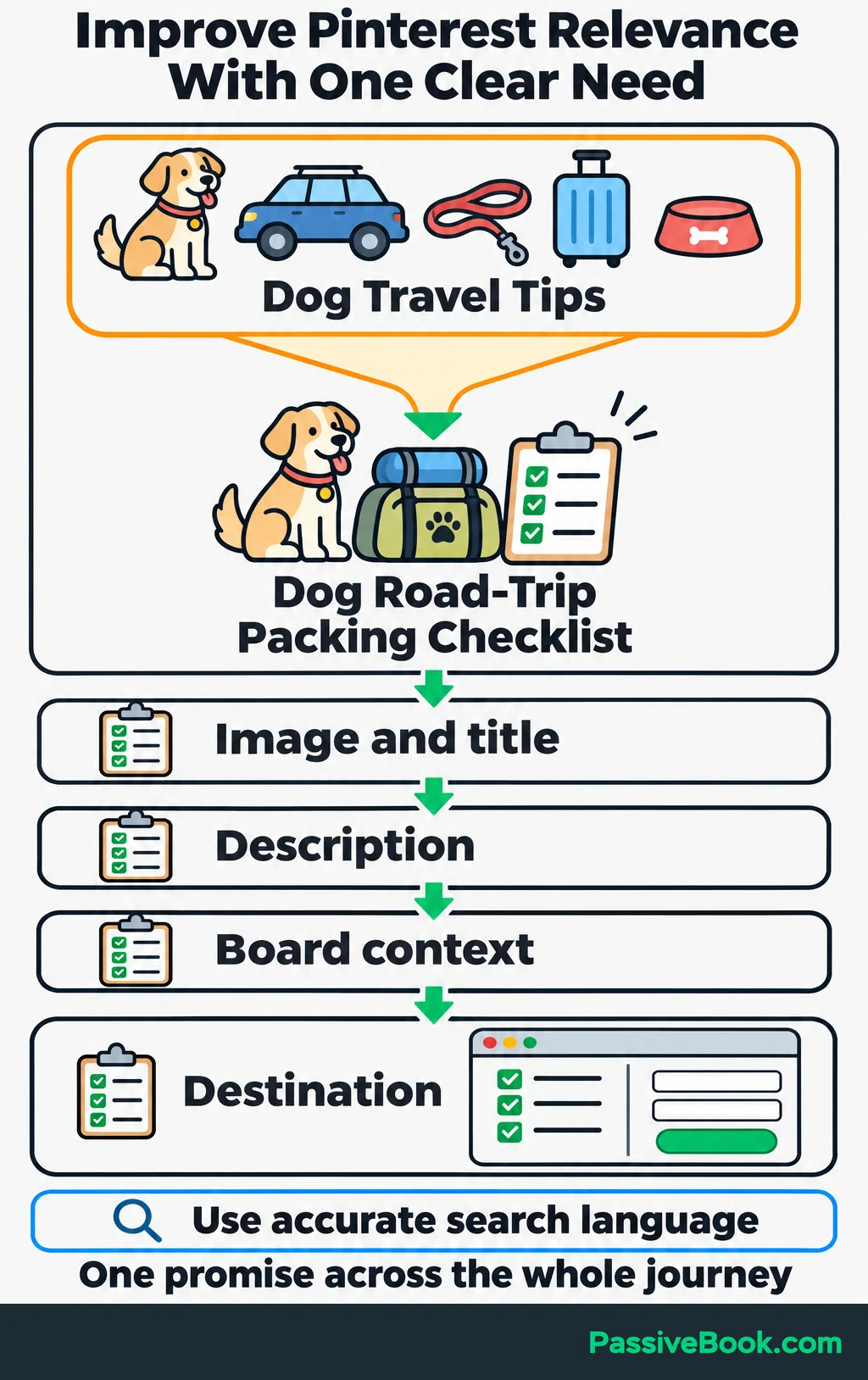
Check Pinterest search suggestions for accurate ways people describe the topic. Use them to develop a clearer focus for a new Pin rather than adding unrelated phrases.
Also check that the destination works and that your hosting or security settings allow Pinterestbot, Pinterest’s automated website crawler, to retrieve the page. Pinterest includes these checks in its distribution troubleshooting guidance.
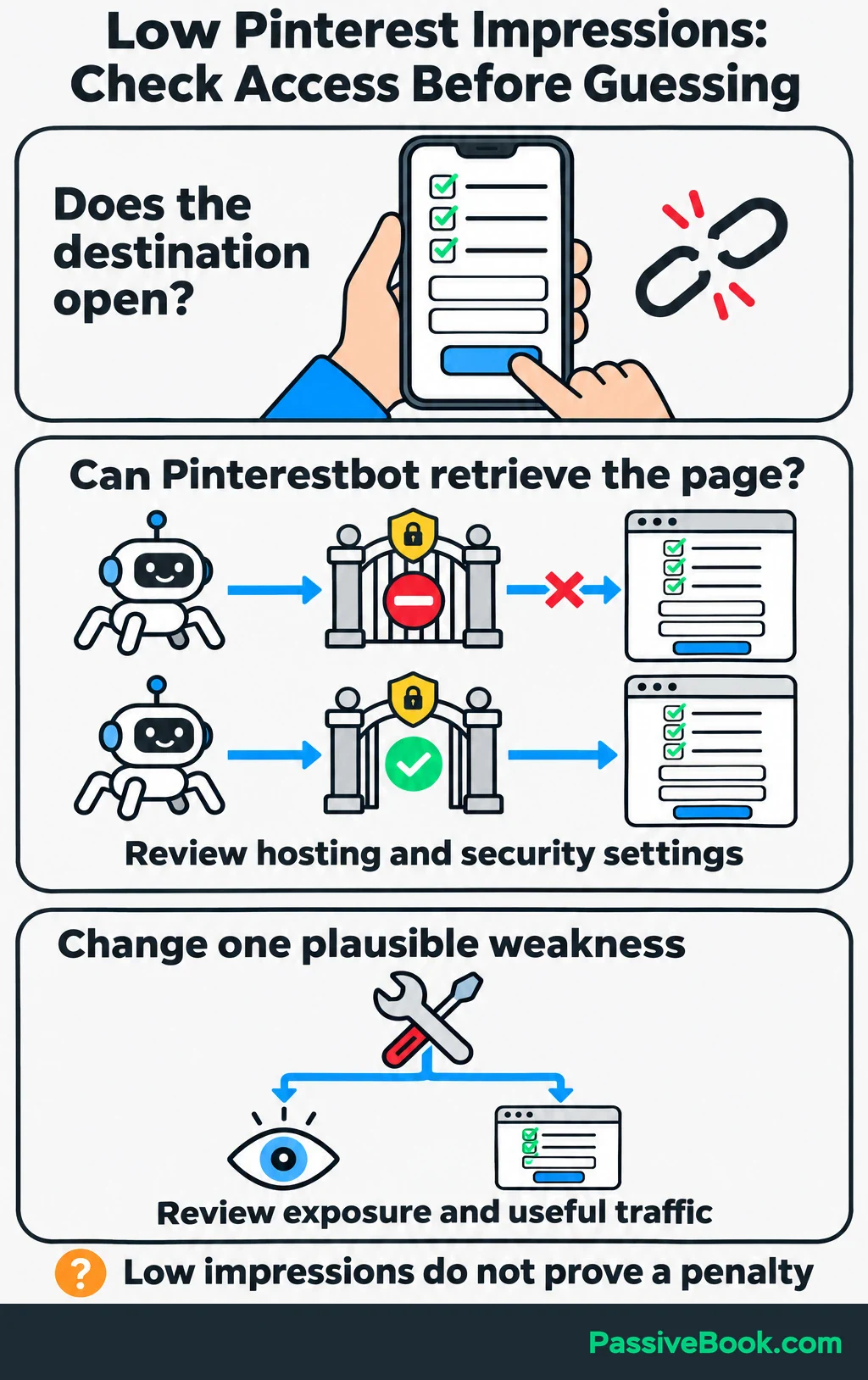
Low impressions alone do not establish an account penalty or explain the cause. Change one plausible weakness, then assess whether exposure and useful traffic improve together.
I would keep a relevance change that brings suitable visitors even if it never produces a dramatic impressions graph.
Impressions Without Clicks: Strengthen the Reason to Visit
When people see the Pin but rarely leave Pinterest, inspect the reason you have given them to visit.
Compare it with Pins that generate traffic for the same topic. Choose one difference to test: the headline, its readability, or an image that better explains the resource.
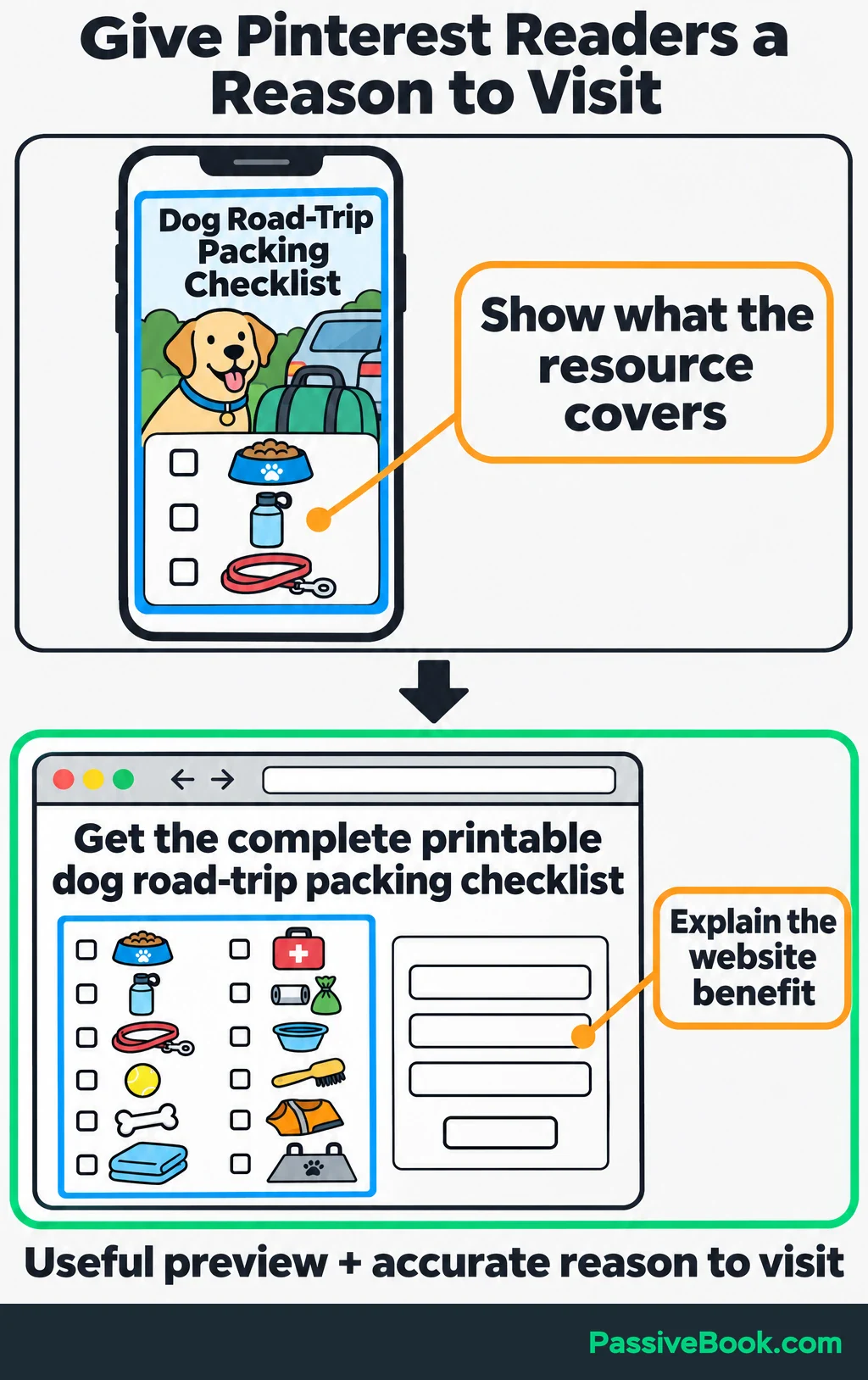
For the checklist, show a readable preview of a few packing categories and make the website benefit clear:
“Get the complete printable dog road-trip packing checklist.”
That gives the destination a purpose beyond repeating the image.
Check the design at phone size. Can you read the headline without zooming? Does the image explain what is available? For image Pins, Pinterest recommends a 2:3 aspect ratio in its creative guidance.
A Pin with many saves and few outbound clicks deserves the same check. People may find it worth keeping without seeing a reason to open the page.
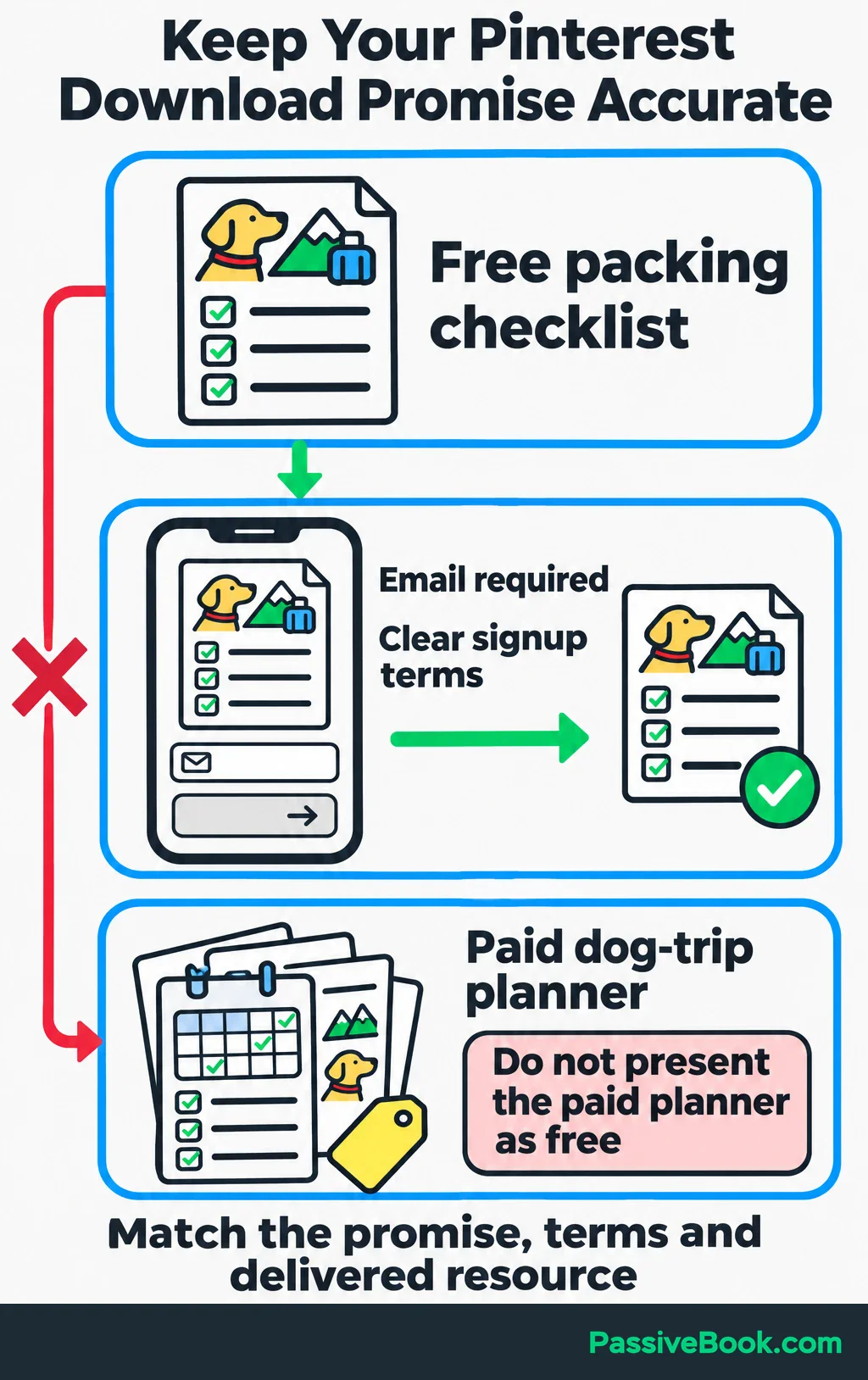
Test a clearer website benefit, but keep the promise accurate. If the free checklist requires an email address, make that clear on the page. If the full planner is paid, do not imply that it is the free download.
Visits Without Conversions: Improve the Destination
First, verify tracking. Then follow the visitor’s path on your phone.
Open the actual Pin link, find the promised resource, submit the form, and check that delivery works. Test checkout too if purchases are the goal.
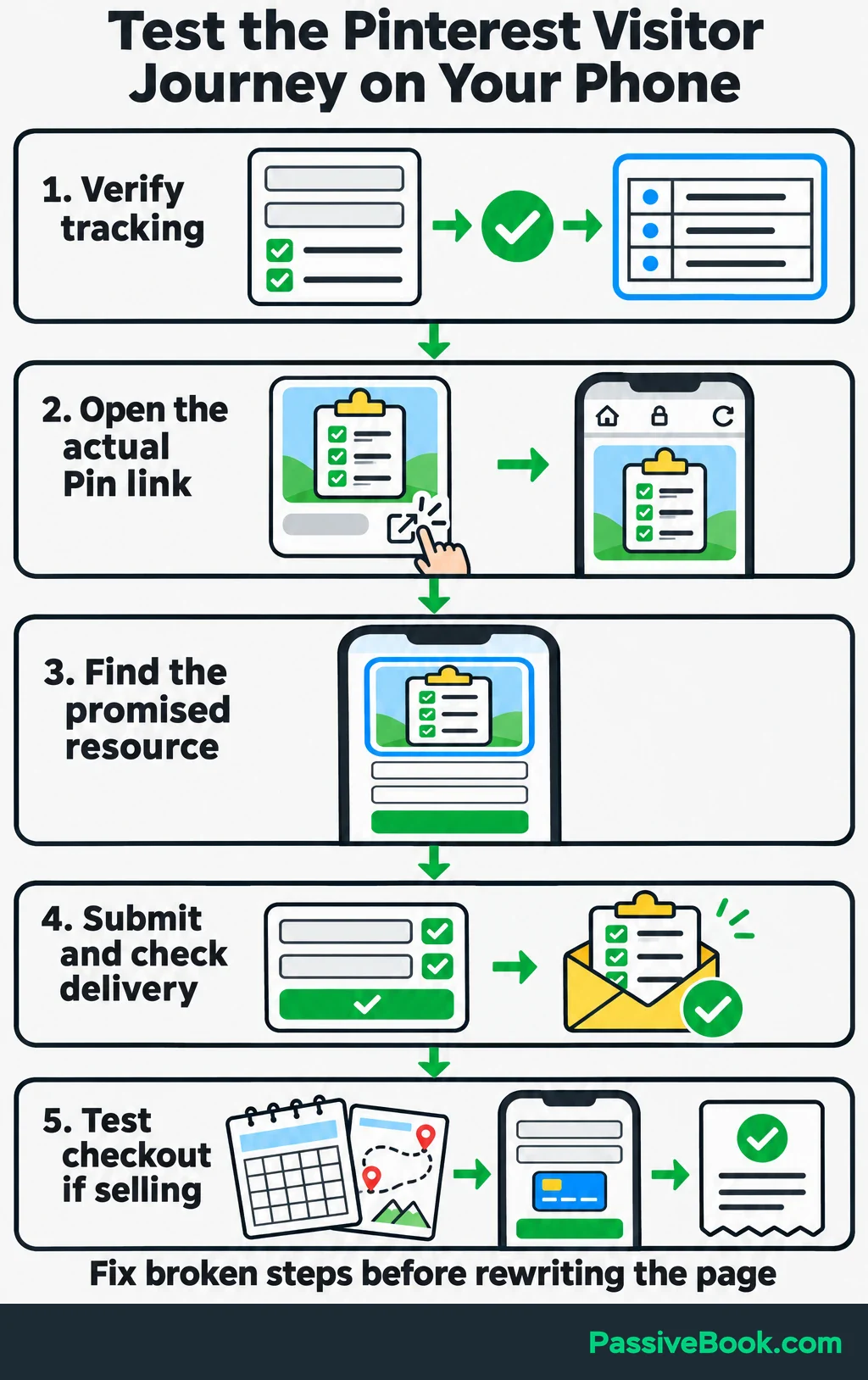
Look for practical failures:
- The link opens the homepage instead of the checklist page.
- The page loads slowly on mobile.
- The signup form fails or asks for unnecessary information.
- The opening content does not explain the promised download.
- The planner’s contents and use are hard to understand.
Fix broken steps before rewriting the page.
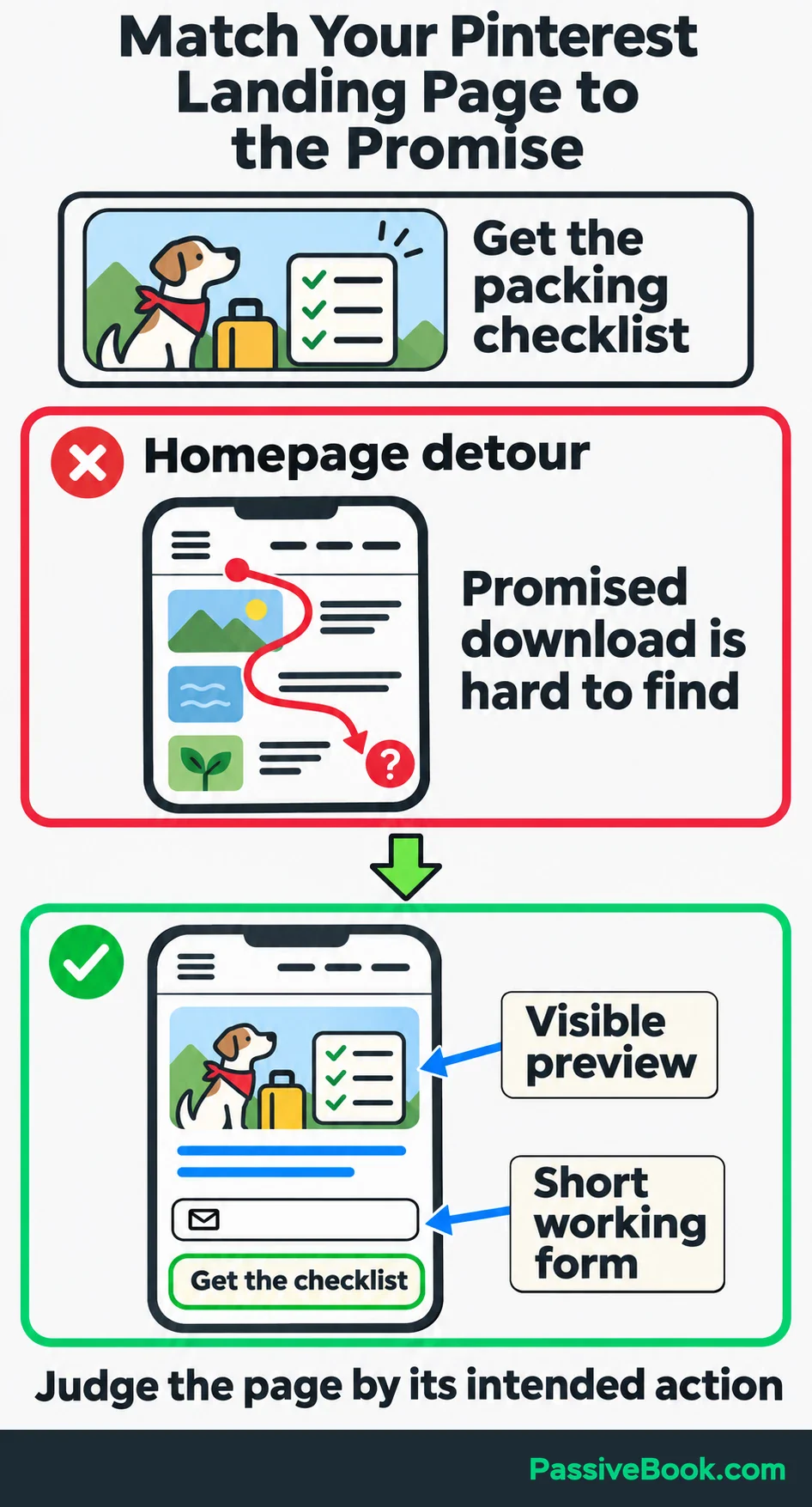
Then choose one improvement based on what visitors need. The checklist page might need a preview and a shorter signup form. The planner page might need sample pages showing how it helps organize a trip.
Judge the destination by its purpose. A guide meant to answer a question can provide a useful reading visit without producing an immediate purchase. But a checklist signup page should make the checklist easy to find and request.
Test One Meaningful Change at a Time
Write down what you think is wrong and what change could help.
For the checklist, a useful hypothesis is:
“Making the printable benefit clearer will improve outbound click rate and bring more checklist visitors.”
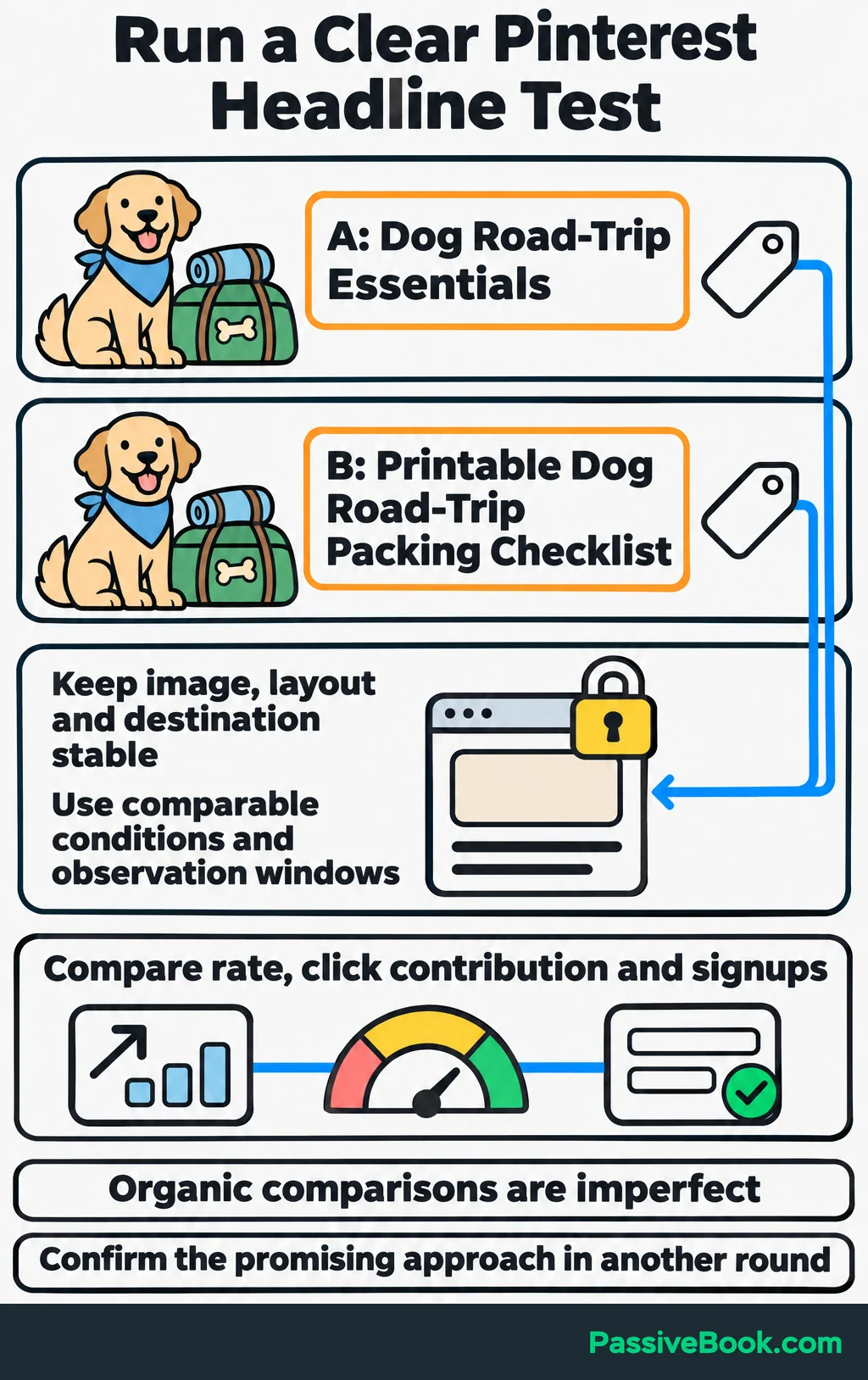
Create two distinct Pins for the same destination. For a headline test, keep the image and layout consistent and compare:
| Variant | Headline |
|---|---|
| A | Dog Road-Trip Essentials |
| B | Printable Dog Road-Trip Packing Checklist |
Keep the topic, format, relevant board context, and publishing conditions as comparable as practical. Give each variant its own tracking identifier.
If choosing the wording is slowing you down, Pinterest Copy Studio can draft both variants from your page content. It keeps the supporting copy identical so you can test one text change at a time.
Free AI Pinterest Studio


Choose success before publishing. For this test, I would compare outbound click rate and total click contribution, then check whether the additional visits support checklist signups. A higher rate with almost no traffic is not enough to settle the decision.
Record publication dates and schedule a review using equivalent periods after publication. Start with your normal review window, but extend observation when the evidence is too thin.
Keep the destination stable during the creative test. If you also rewrite the signup page, you will struggle to tell which change explains the difference. Test the page separately and use its signup or purchase conversion rate to judge that work.
Organic comparisons are imperfect because exposure and audiences can differ. Treat the first result as a lead, then confirm the promising approach in another comparable round before making it your default.
You can make these variants in Canva and schedule them with Pinterest’s native scheduler. I would use those before paying for another tool just to run a small test.
Turn Each Review Into a Scale, Refresh, or Pause Decision
A review should change what you do next. Give each priority Pin or destination one decision:
- Scale: Create distinct new Pins and closely related content around topics and promises that repeatedly produce useful visits or conversions.
- Refresh: Test new creative when a useful destination receives weak click performance. Improve the page when visits arrive but its intended action rarely happens.
- Pause: Reduce new production for combinations that repeatedly trail comparable options after targeted improvements.
Pausing production does not require deleting older Pins. Pinterest says Pins have no fixed engagement window and can gain engagement months or years after publication. Keep useful older content available and include it in reviews. Pinterest explains Pin distribution here.
If results drop, check the reporting dates and filters first. Then find the source of the decline: one leading Pin, one topic, or the whole account. A decline concentrated in one seasonal topic calls for a different response from a broken website affecting every destination.
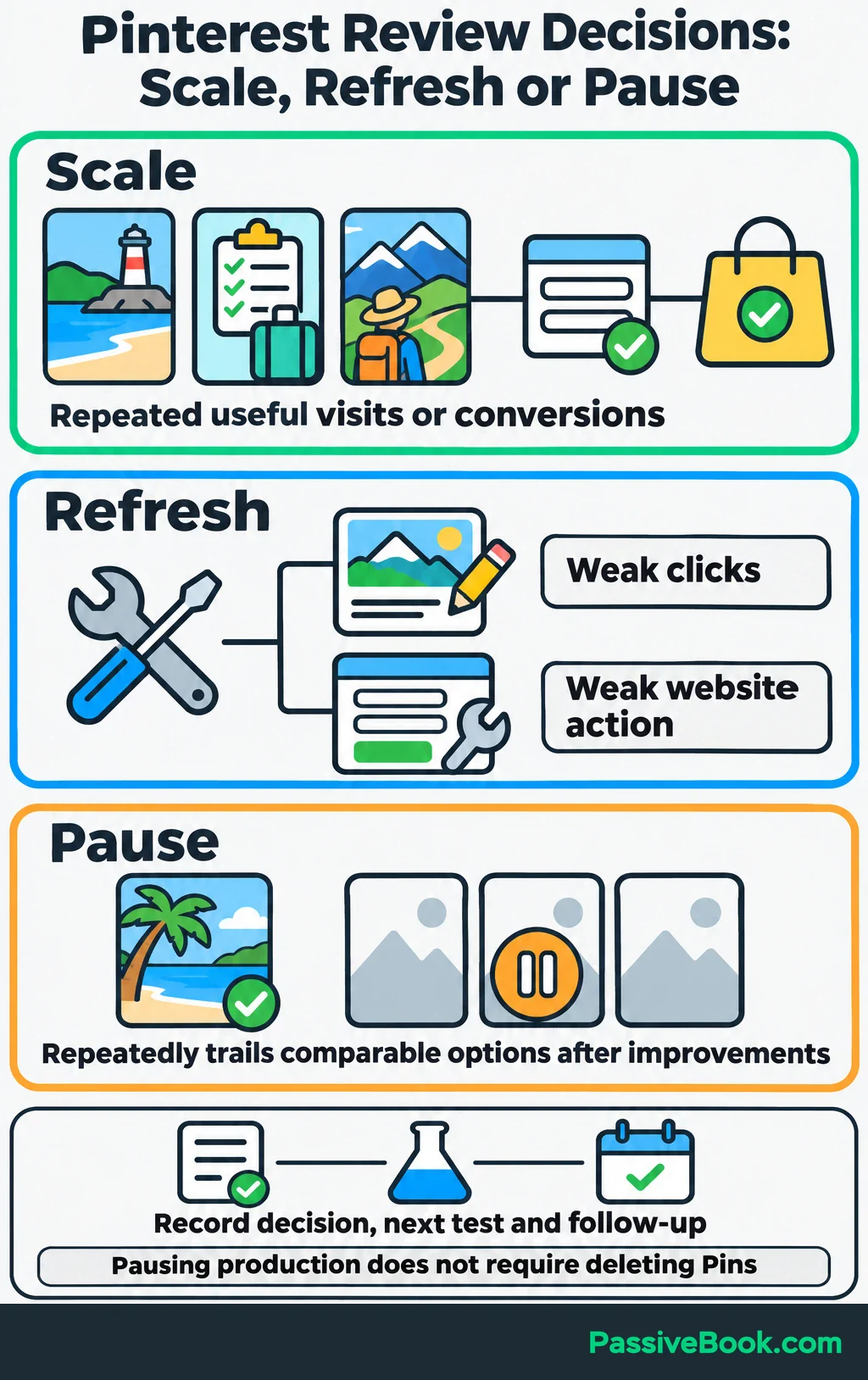
Start with a monthly review. Record the decision, next test, and follow-up date in the same worksheet.
Once that process is useful, standardize the export and summary. If you already use n8n, it can help move exported figures into your reporting sheet. I would automate the copying before trying to automate the judgment. A faster report is useful only if you know what decision it supports.
For the dog-travel example, keep Pin A available for its click contribution and test whether B’s higher click rate holds up in another distinct checklist Pin. Expand further when the extra traffic supports signups or planner purchases.
If it does not, address the weak stage before increasing production. More visitors cannot submit a broken form any faster.
What Next?
Open your organic report and choose three Pins: your biggest traffic contributor, one with plenty of impressions but few outbound clicks, and one whose visitors rarely complete the intended website action. Put them in a worksheet and choose one improvement to test.
Use the social buttons to share this guide when your next Pinterest conversation turns to views. It gives that conversation somewhere more useful to go: clicks, website results, and decisions.
Where does your Pinterest journey seem weakest—getting seen, earning clicks, or turning visits into results? Tell me in the comments, and bring any other questions too.
Share this post with your friends & followers:


Free Social Performance Workbook