Would a potential client recognize your work from your LinkedIn headline, or would they have to open your profile and guess?
“Founder,” “creative” and “entrepreneur” can all be true, but they leave the useful part unexplained. A visitor still needs to know what you offer, whether it fits their needs and where to see your work.
Those gaps can leave a relevant visitor unsure whether to get in touch. The edits below make your work easier to find and assess, with sample copy you can adapt on a free account without committing to daily posts.
Choose What You Want to Be Found For
Choose the main opportunity your profile should support. That could be client inquiries, employment, partnerships or connections with people doing related work.
You can welcome several kinds of opportunities, but one should guide your opening message. Otherwise, your profile becomes a cupboard where every past ambition gets its own shelf.
Complete this sentence:
I do [specific work] for [audience], helping them [practical purpose].
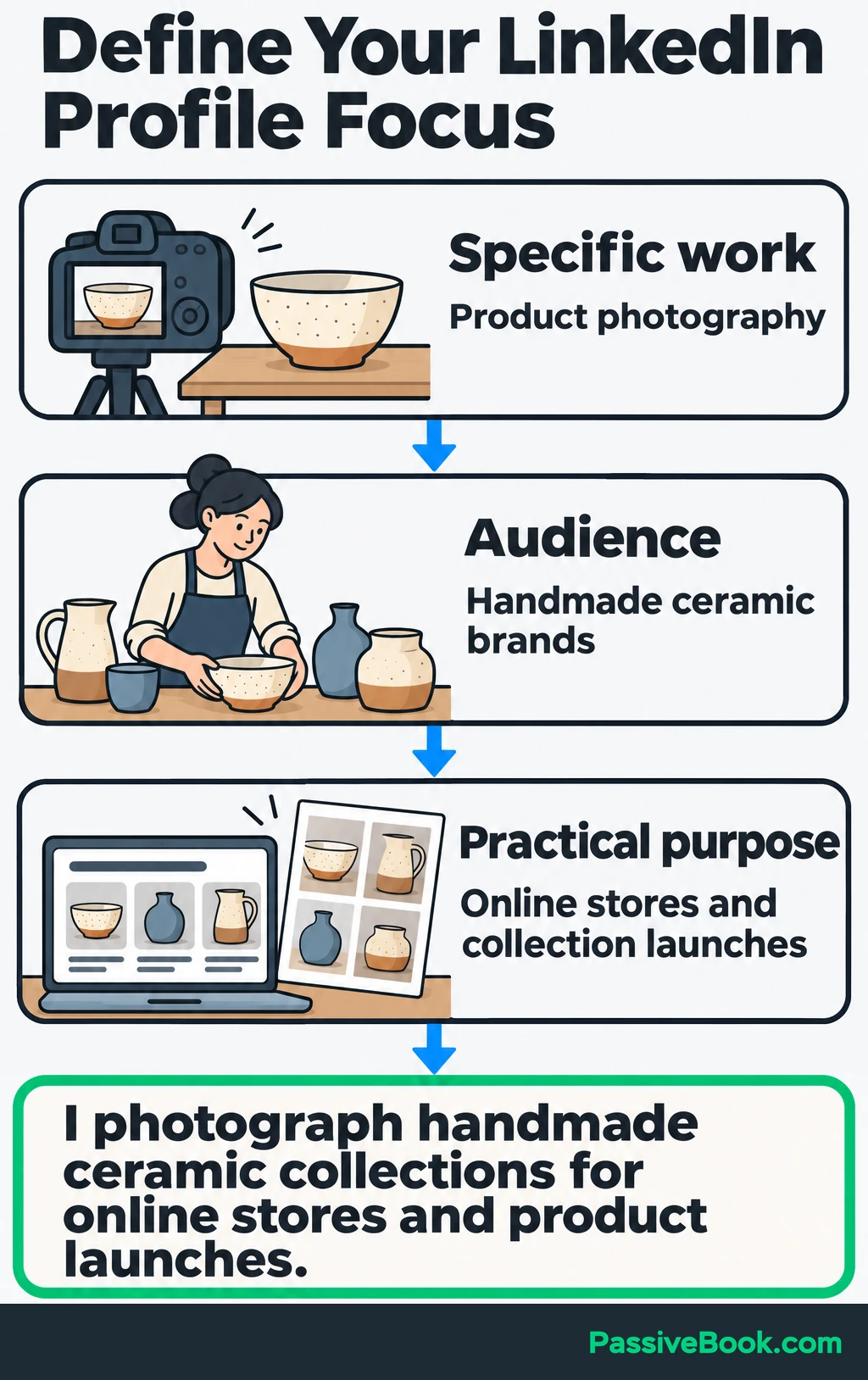
Throughout this guide, imagine you photograph handmade ceramics for independent brands.
Your starting sentence could be:
I photograph handmade ceramic collections for online stores and product launches.
That gives you a useful filter. Your headline should name that work, your About section should explain it, and your samples should show it.
If you want employment, focus on the role and contribution you can support with evidence. If you are starting out, use relevant projects and coursework to demonstrate your direction. You do not need to pretend you already have the job you want.
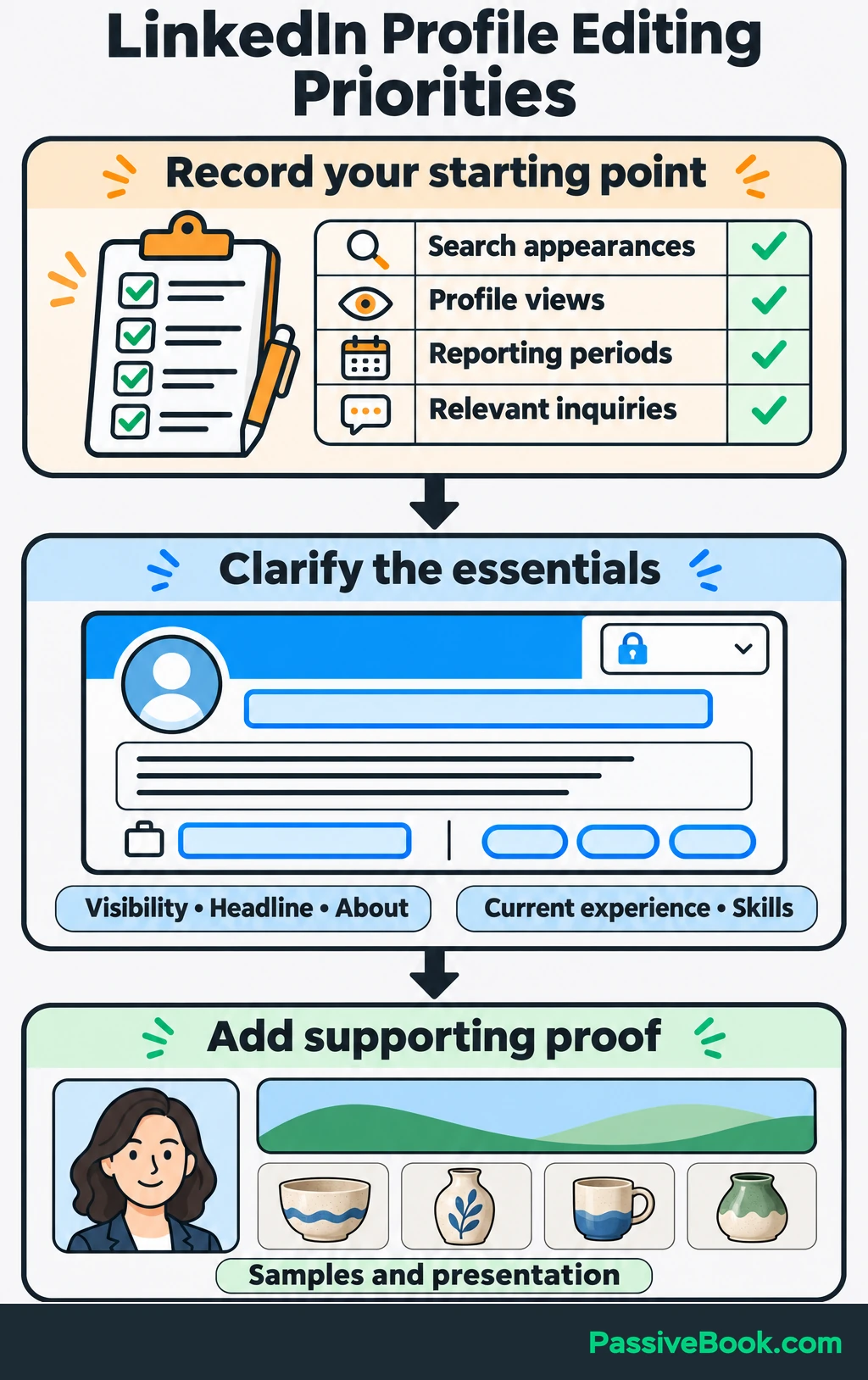
Before editing, record the search appearances and profile views available in your analytics, including their reporting periods. Note any relevant inquiries too. You will need that starting point when you review the changes.
I would prioritize visibility settings, headline, About, current experience and skills. Then improve the samples and presentation. These core edits fit a free LinkedIn account; consider paid features when you have a specific need they solve.
Check Your Profile’s Visibility Settings
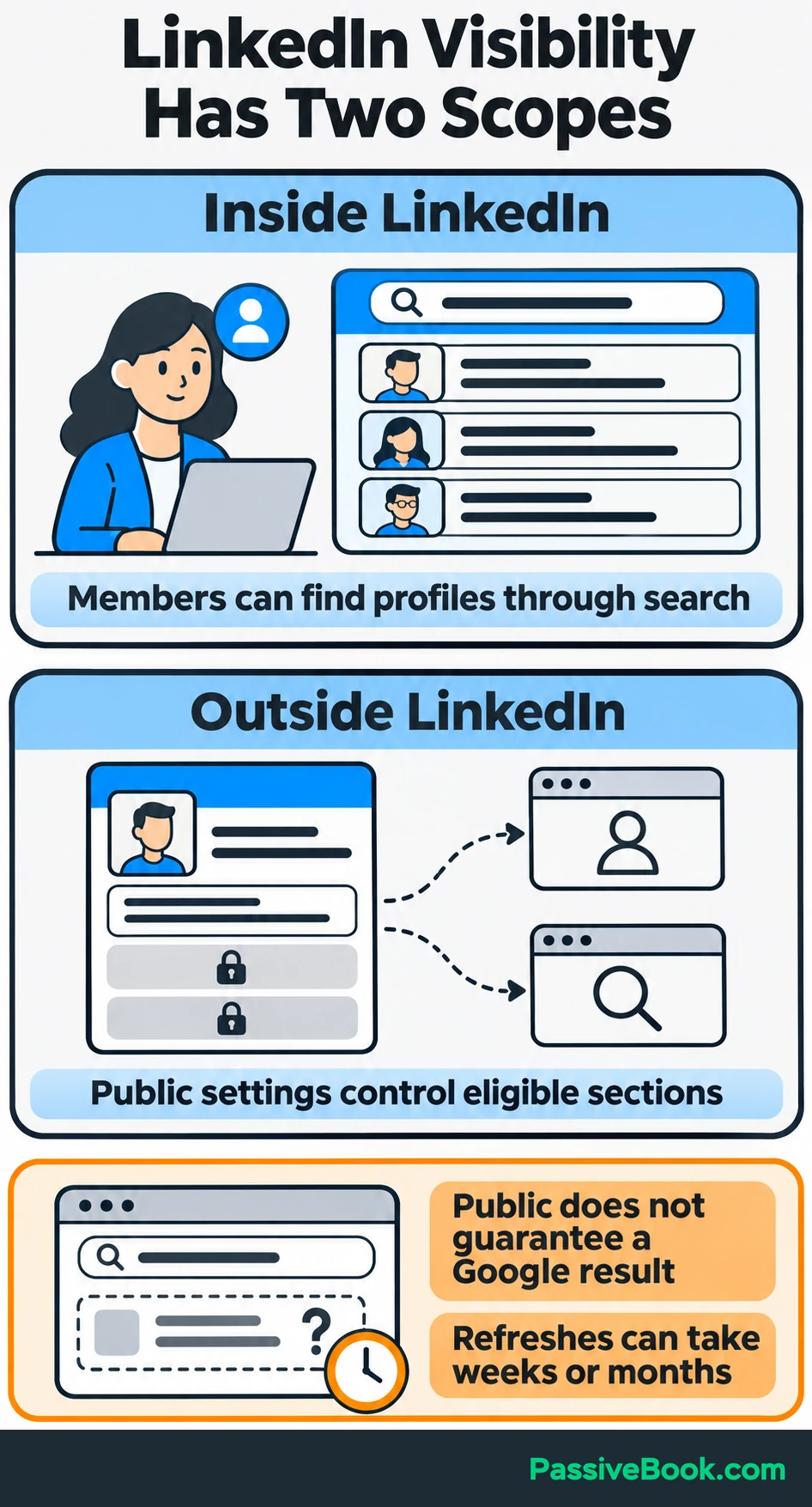
Being discoverable within LinkedIn and appearing outside LinkedIn are separate things.
Members can find profiles through LinkedIn search. Your public-profile settings control which sections are eligible to appear to signed-out visitors and through search engines. Turning on public visibility does not guarantee a Google result. LinkedIn explains these visibility controls here.
Review the professional information you want people to discover:
- Enable public visibility for the sections you are comfortable sharing.
- Check who can see your profile photo.
- Keep your location and industry accurate.
- Inspect the public preview to see what a visitor can actually read.
For the photography example, use your real location and explain your service area in the profile text. If you accept shipped products, say so. Do not choose a false location to look closer to potential clients.
Check your edits in the public preview rather than repeatedly searching Google. LinkedIn says external search engines can take weeks or months to refresh profile information. Its public-profile guidance explains that delay.
Before changing job or education entries, switch off profile-update sharing if you prefer to edit quietly. Your saved changes will still be visible to people who visit your profile.
Find Keywords That Match Your Work
Start with the words used by people who might hire, buy from or partner with you.
Read suitable job descriptions, project briefs, client inquiries and relevant professional profiles. Look for repeated names for roles, services, skills and deliverables. Save the terms that accurately describe what you can do.
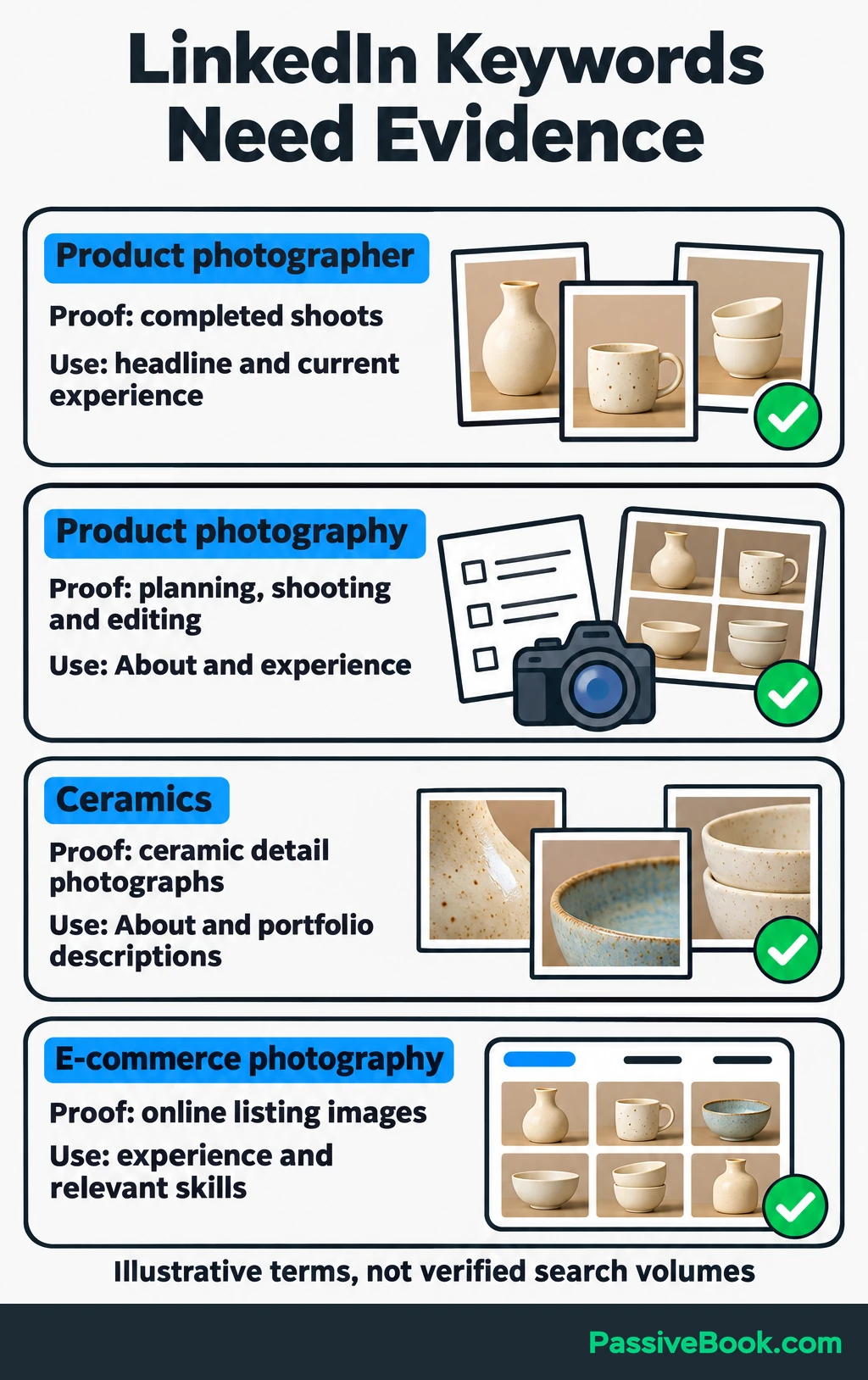
For the ceramic photography example, a small keyword map might look like this:
| Phrase | Evidence You Could Show | Where to Use It |
|---|---|---|
| Product photographer | A portfolio of completed product shoots | Headline and current experience |
| Product photography | A description of planning, shooting and editing a collection | About and experience |
| Ceramics | Photographs showing ceramic shapes, surfaces and glaze details | About and portfolio descriptions |
| E-commerce photography | Images prepared for online product listings | Experience and relevant skills |
This is an illustrative selection, not a list of verified high-volume searches.
Use one main role or service phrase and a few supporting terms. Each should earn its place by describing real work.
LinkedIn Recruiter, LinkedIn’s hiring tool, shows why more than your headline matters. Its job-title filters use titles in Experience, keyword searches draw from profile text, and skills filters use listed skills and relevant profile content. These are documented Recruiter features, rather than a ranking formula for every LinkedIn search. See LinkedIn’s Recruiter search definitions.
Write the terms into useful sentences:
I provide product photography for handmade ceramic brands, including individual product images and collection photographs for online stores.
Repeating “product photography” six times would add words without explaining another useful thing.
Write a Headline That Makes Your Specialty Clear
Lead with the role or service you want people to recognize. Then add the audience or specialty that helps them decide whether to keep reading.
A useful structure is:
[Role or service] for [audience] | [Relevant specialty]
For example:
Freelancer | Creative | Entrepreneur
becomes:
Product Photographer for Handmade Ceramic Brands | E-commerce Photography
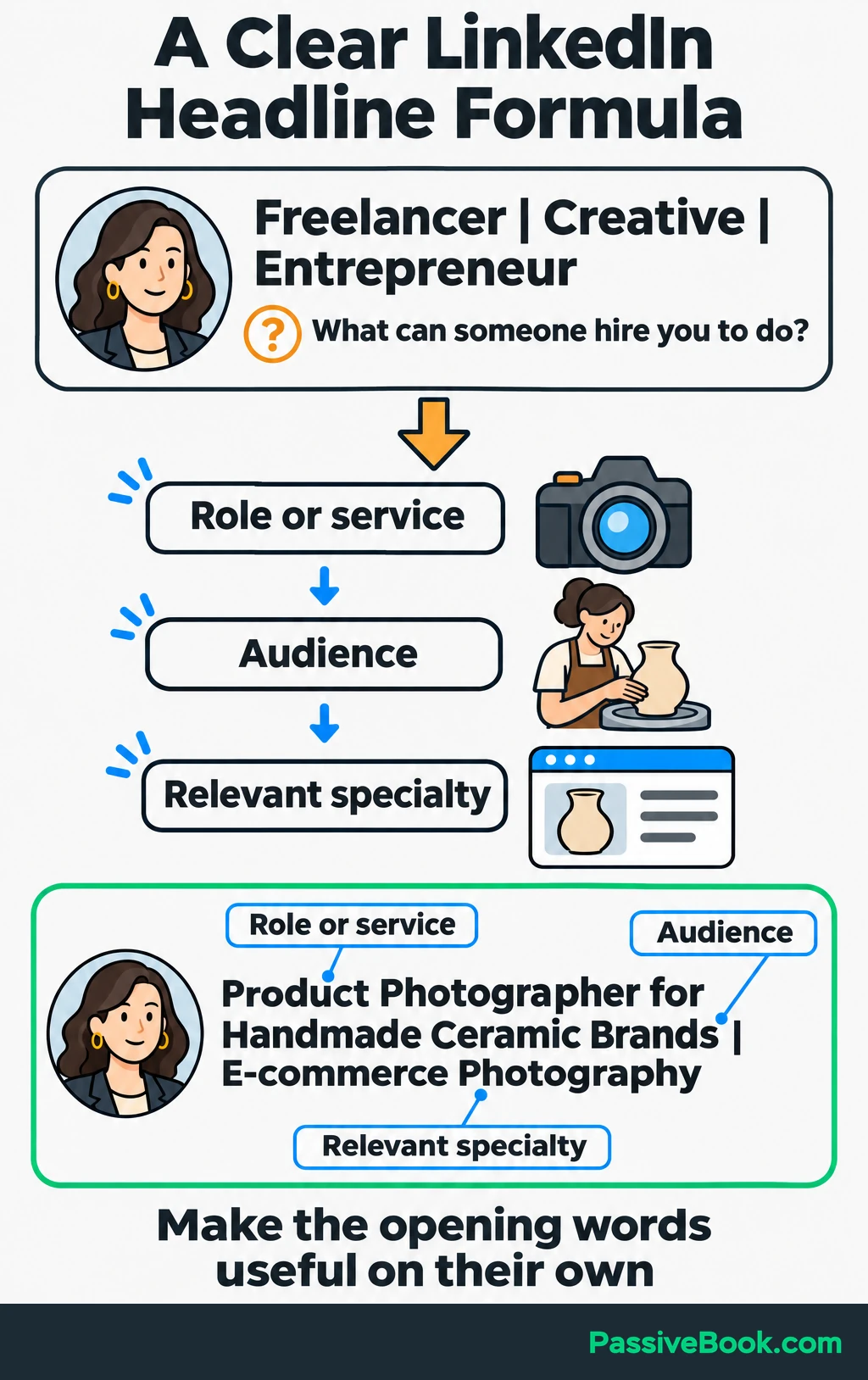
The second version answers a question the first one avoids: what could someone hire you to do?
When I rewrote my professional bio after moving from corporate data science into online businesses, I tried to fit every part of my background into the opening. It read like several people sharing one name. Choosing the work I wanted to explain first made the rest easier to place.
You can keep relevant past experience further down the profile. Your headline does not need to carry your entire working life.
Make the opening words useful on their own because a preview may shorten the rest. Then show the headline to someone unfamiliar with your work and ask what they think you do.
If their answer is vague, clarify the service before adding another keyword.
Make Your Photo and Banner Reinforce Your Message
Use a recent photo where people can recognize you. Clear lighting, an uncluttered background and a comfortable expression matter more than an expensive shoot.
A phone photo taken near a window can do the job. Check it at the small size people will see beside a comment.
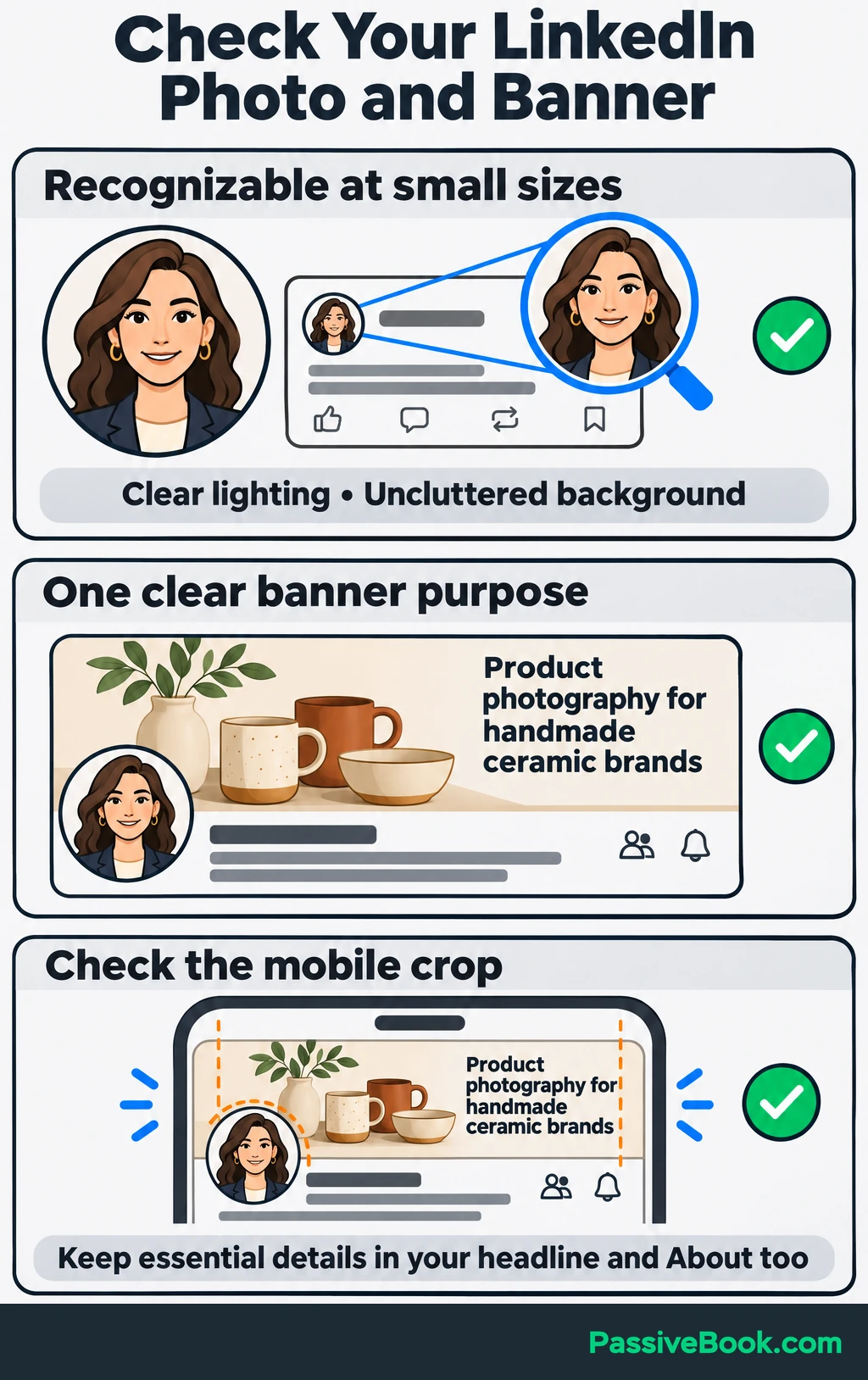
Give your banner one clear purpose. It can show your work or reinforce your specialty with a short message.
For the running example, I would choose an original photograph of a ceramic collection and, if space allows, this line:
Product photography for handmade ceramic brands
Canva is useful if you need to combine the image and text. I would skip a crowded design with service lists, social handles and a motivational quote. The mugs have enough to compete with already.
Check the result on desktop and mobile. Look for cropped text and overlap with your profile photo, and keep essential service details in your headline and About section too.
Write an About Section That Helps Visitors Decide
Open with the work you do and the people you help. A visitor should reach that explanation before your career history.
Then explain what you handle, how you approach it and what evidence they can inspect. Finish with one next step.
For this example, the complete About section could read:
I create product photographs for handmade ceramic brands, with images for online stores and collection launches.
I photograph individual pieces, product details and styled collections. Before a shoot, we agree on the products, required views, backgrounds and where the finished images will be used.
My ceramic-product portfolio shows examples of this work, including close-up glaze details and consistent views across a collection. Each project includes a short explanation of the brief and the images delivered.
If you are planning a shoot, view the portfolio linked in my contact information, then email me about your next collection. Include the types of pieces, where you need to use the images and your preferred timing so we can discuss the scope.
Adapt the copy to services and evidence you actually have. If your portfolio is small, explain the relevant project clearly rather than decorating it with “extensive experience.”
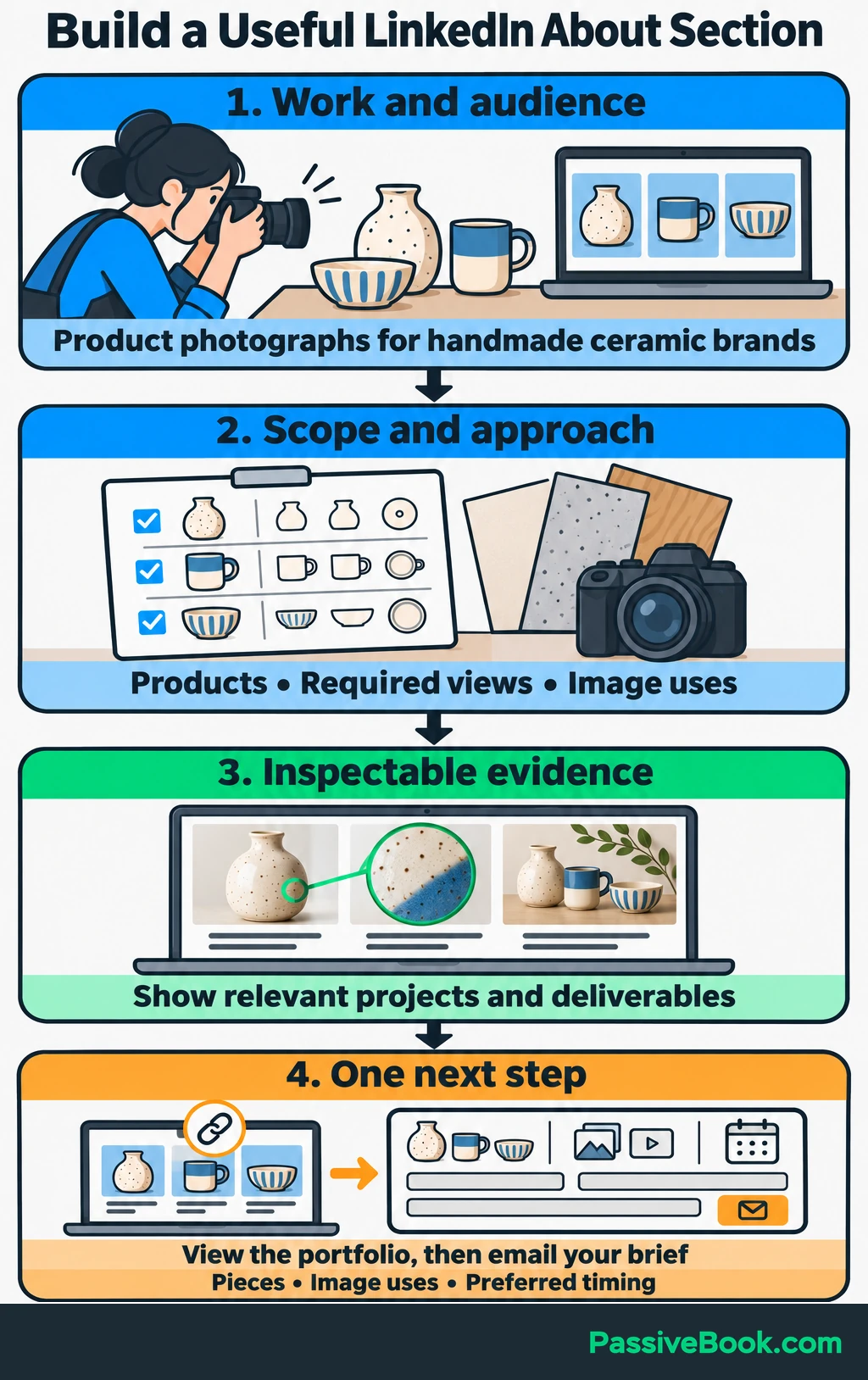
The sample also gives visitors a reason to contact you and tells them what to send. “Let’s connect” leaves more work for them.
If you have rough notes, an AI writing assistant can help organize them. I use Claude for longer drafts, but the useful part is the constraint you give it:
Using only the facts below, draft a first-person LinkedIn About section. Open with my work and audience. Explain my services and approach, include my evidence, and end with my chosen contact step. Use the supplied keywords naturally. Flag missing information instead of inventing it.
Facts: [your notes]
Relevant keywords: [your terms]
Contact step: [your next step]
Read every factual statement before using the draft. Remove invented achievements and replace phrases you would never say aloud. An AI assistant can arrange your notes; it cannot supply a career you forgot to have.
If your notes are ready but the wording is not, LinkedIn Copy Studio can turn them into a coordinated set of profile drafts. It helps your headline, About section and supporting experience explain the same work.
Free AI Social Copy Studio


Back Up Your Positioning With Experience and Proof
Your headline makes a promise. The sections below should give visitors enough evidence to judge it.
Describe Relevant Experience Through Actions and Deliverables
Update your current role first, followed by the previous work most relevant to your goal.
Keep titles, organizations and dates accurate. If an internal job title is unfamiliar, explain the work in the description rather than replacing it with a more impressive title.
Describe three things: the assignment, your contribution and what you delivered.
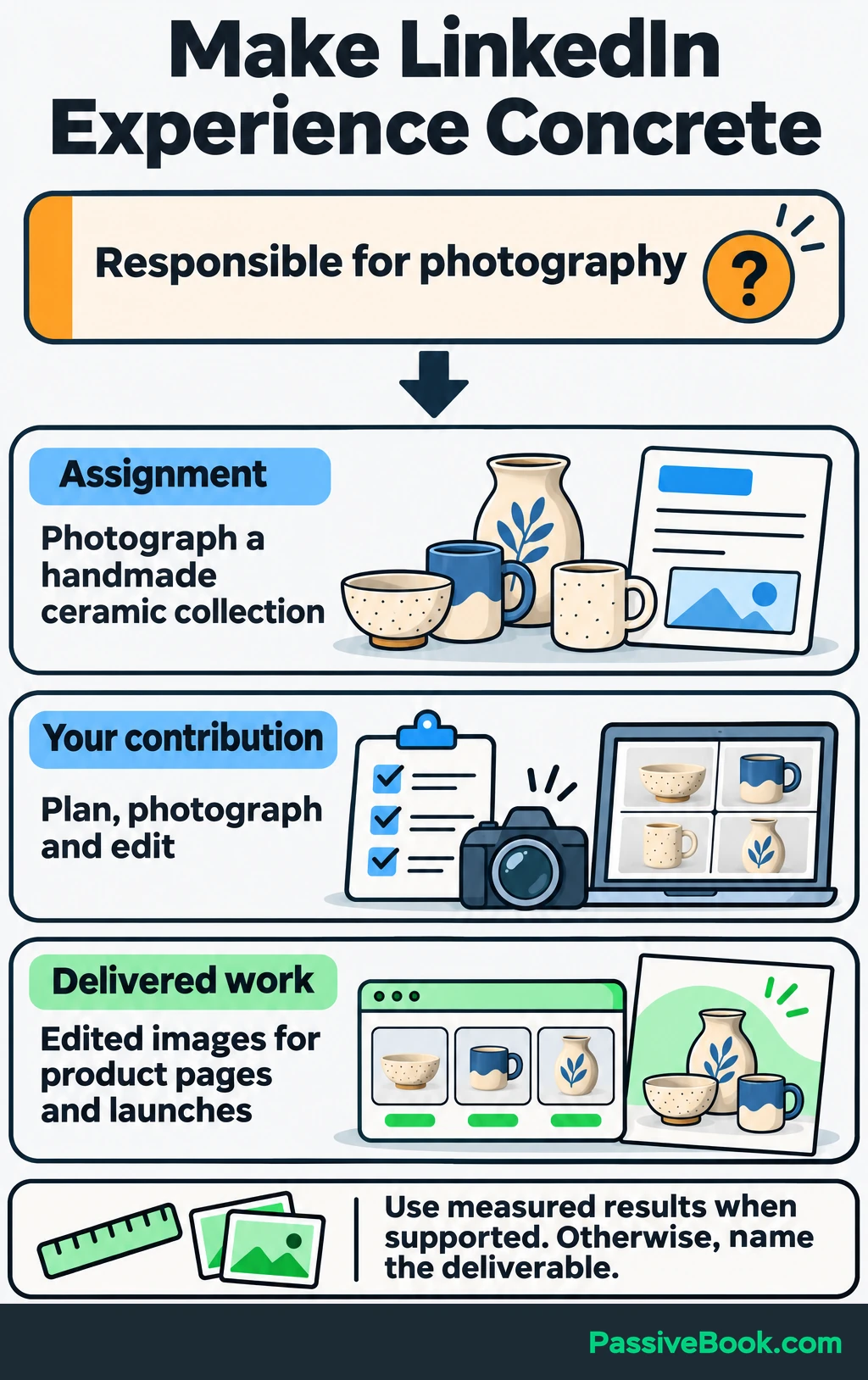
For the photographer, that might become:
Plan and photograph handmade ceramic collections, delivering edited images for product pages and launch campaigns. Agree on the shot list, backgrounds and required views before each shoot.
That is stronger than “responsible for photography” because a visitor can picture the work.
Use measured results when you have them and can explain what they mean. Otherwise, name the completed deliverable. A finished collection of product images is useful evidence without an invented sales increase attached.
Relevant independent, academic, volunteer and personal projects can also demonstrate ability. Identify them accurately so readers understand the context.
Align Skills and Credentials With Your Direction
Choose skills that support the work you want to attract, and show those skills in your experience descriptions.
For the photography profile, I would prioritize product photography, lighting and photo editing over a broad label such as “creativity.”
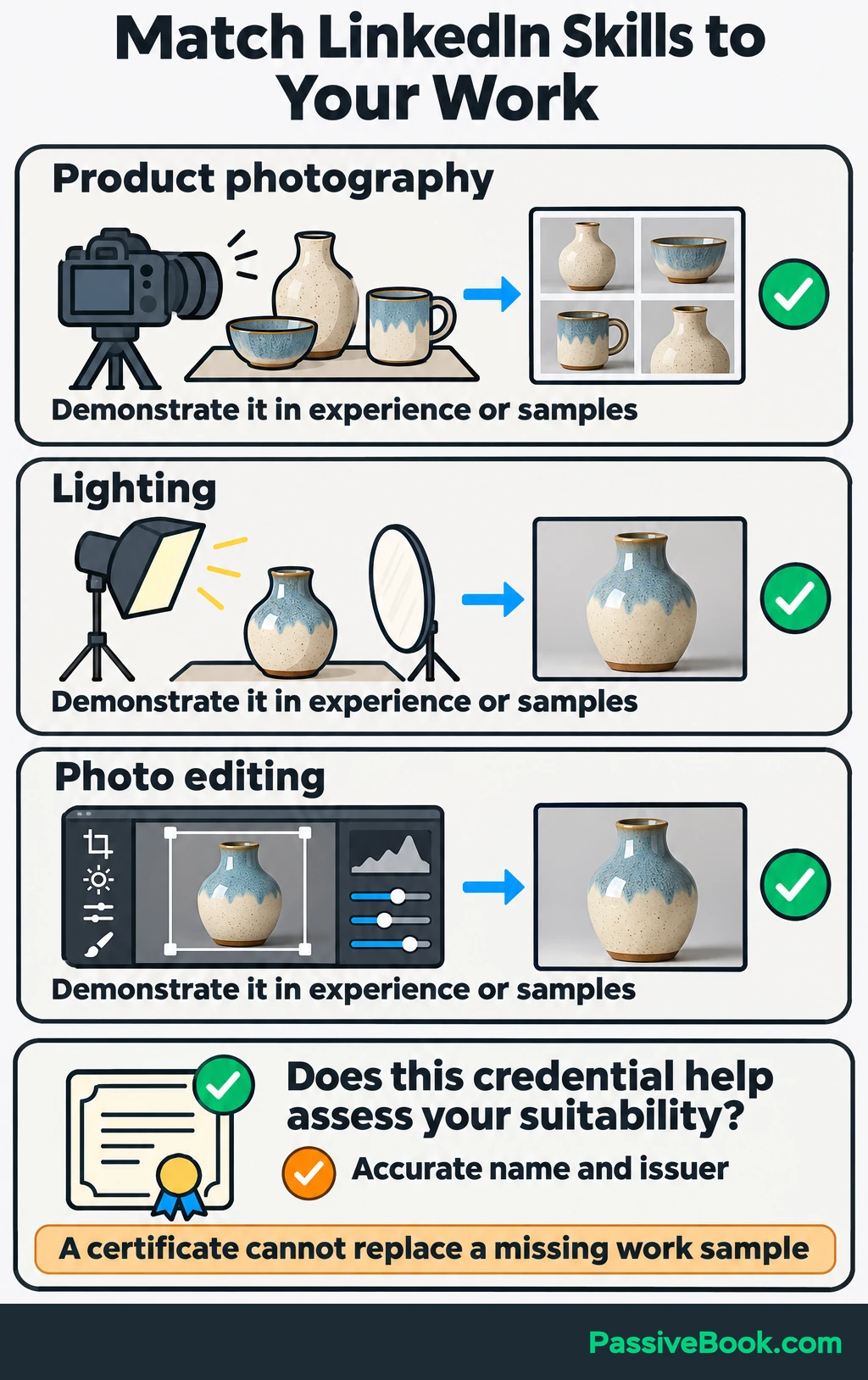
Review older entries too. A skill can be true and still deserve less attention because it no longer supports your direction.
Add education, licenses and certifications when they help someone assess your suitability. Use accurate qualification names and issuers.
I would not take a course just to fill this section. If the missing evidence is a relevant work sample, another certificate may leave the same question unanswered.
Feature Work Samples That Demonstrate Your Ability
Choose a small set of samples that shows the work you want more of. LinkedIn’s Featured section can hold posts, articles, images, documents and external links.
Start with the strongest relevant piece, and give it a descriptive title:
Handmade Ceramic Collection: Product Photography Portfolio
Add a short explanation of the assignment, your contribution and the finished work. For example:
Individual product views, glaze close-ups and styled group photographs prepared for a ceramic collection’s online launch.
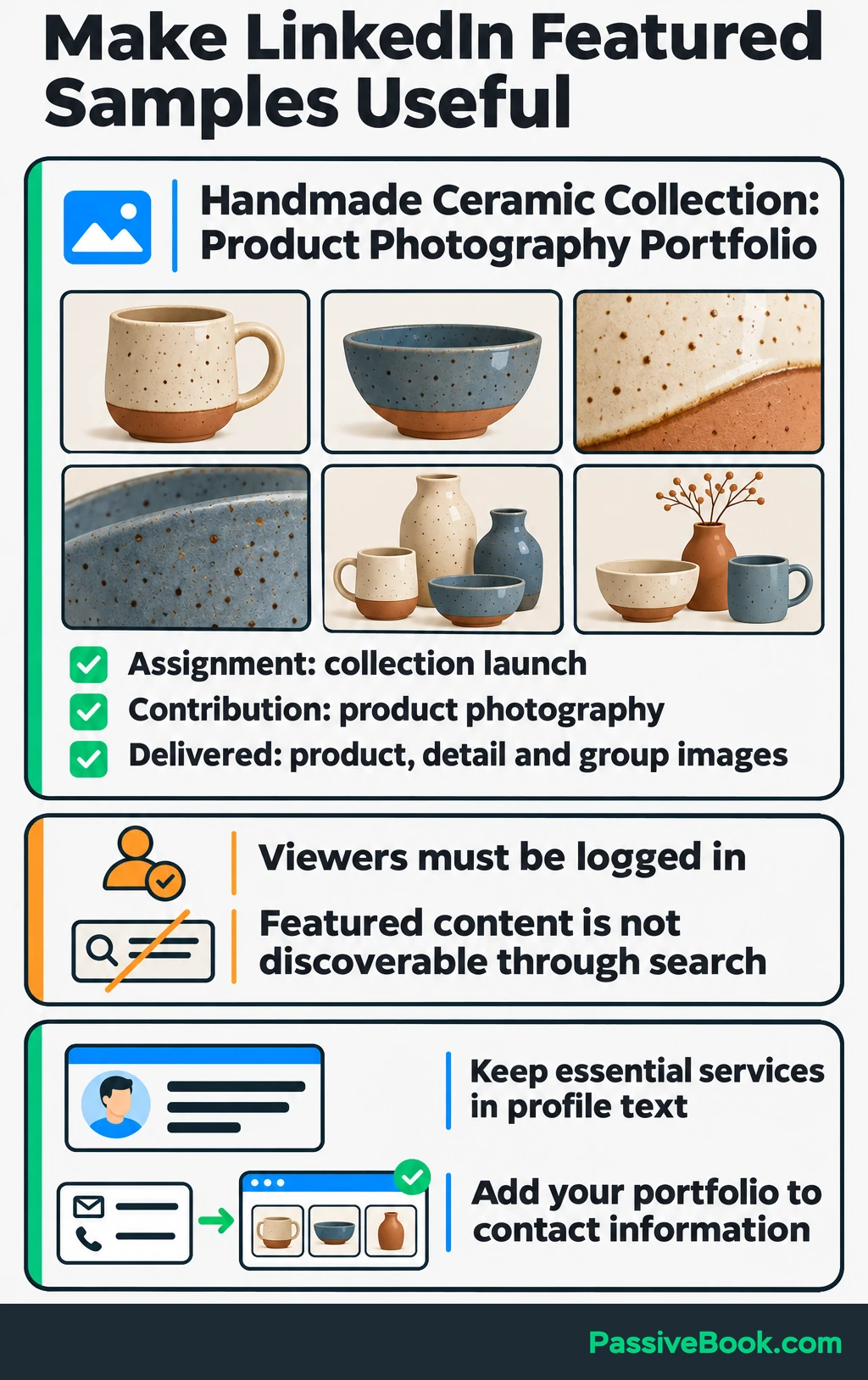
A visitor should understand why the sample is relevant before opening it.
Featured content is not discoverable through search, and viewers must be logged in to LinkedIn to see it. Keep your essential service descriptions in profile text, and include your portfolio website in your contact information. LinkedIn documents these Featured-section limits.
Open every linked destination yourself. Check that the sample loads, the images are clear and visitors do not hit an unexpected permission request.
Request Recommendations About Specific Work
Ask someone who has directly observed a contribution relevant to your current direction. That could be a client, colleague, supervisor or collaborator.
Make the request specific enough to help them remember the work, while leaving the judgment to them.
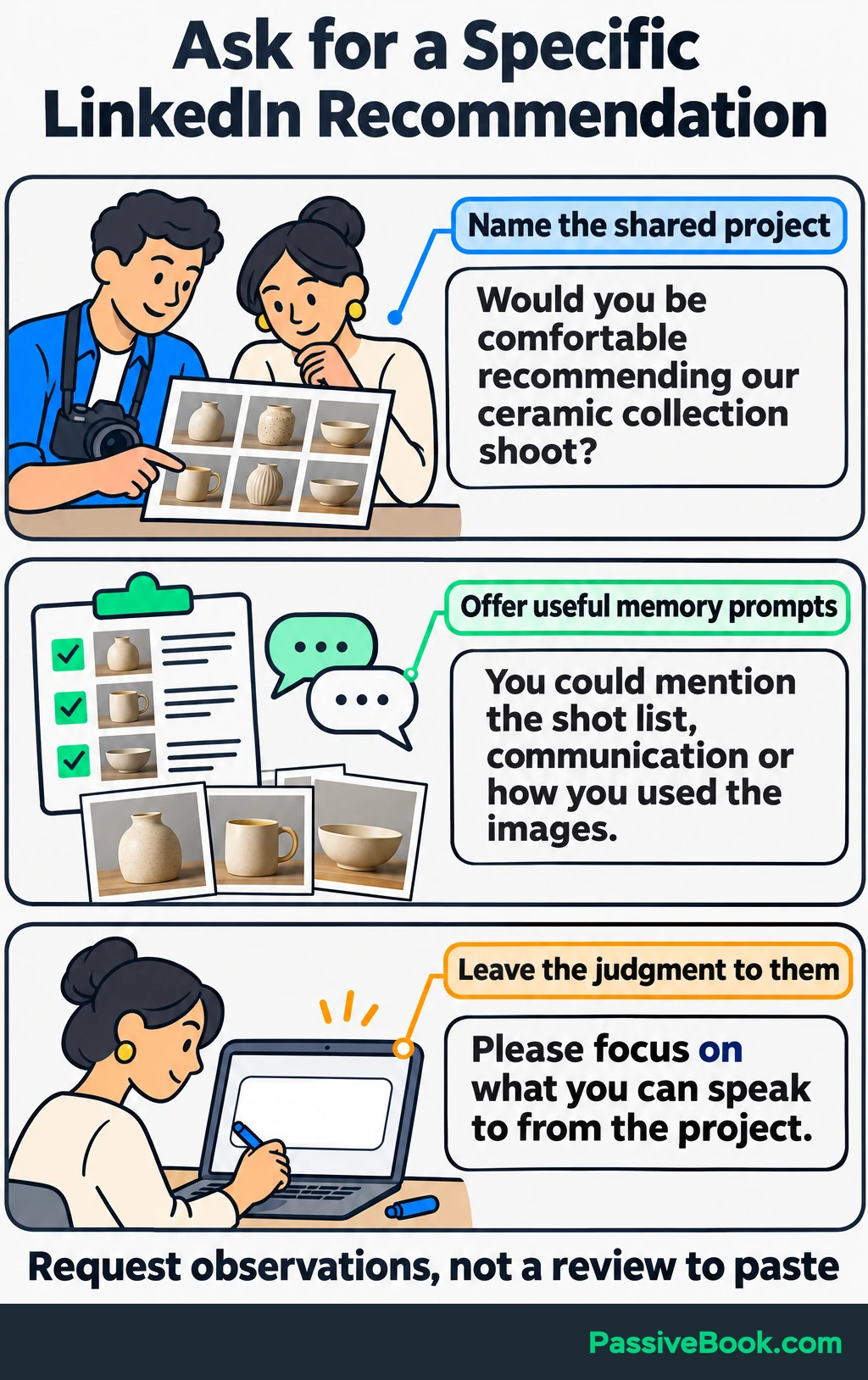
For the photography example:
Would you be comfortable writing a LinkedIn recommendation about our ceramic collection shoot? If useful, you could mention how we agreed on the shot list, how communication worked or how you used the finished images. Please focus on what you can speak to from the project.
Do not send a glowing review for them to paste under their name.
I would choose a recommendation that explains what working together was like over one that merely calls you talented. Concrete observations help a visitor judge whether your approach suits them.
Make Contacting You Straightforward
Choose one main contact route and make sure your About section points to it.
Add a suitable business email, website or portfolio to your contact information, and review who can see it. Avoid assuming that every visitor can send you a direct message.
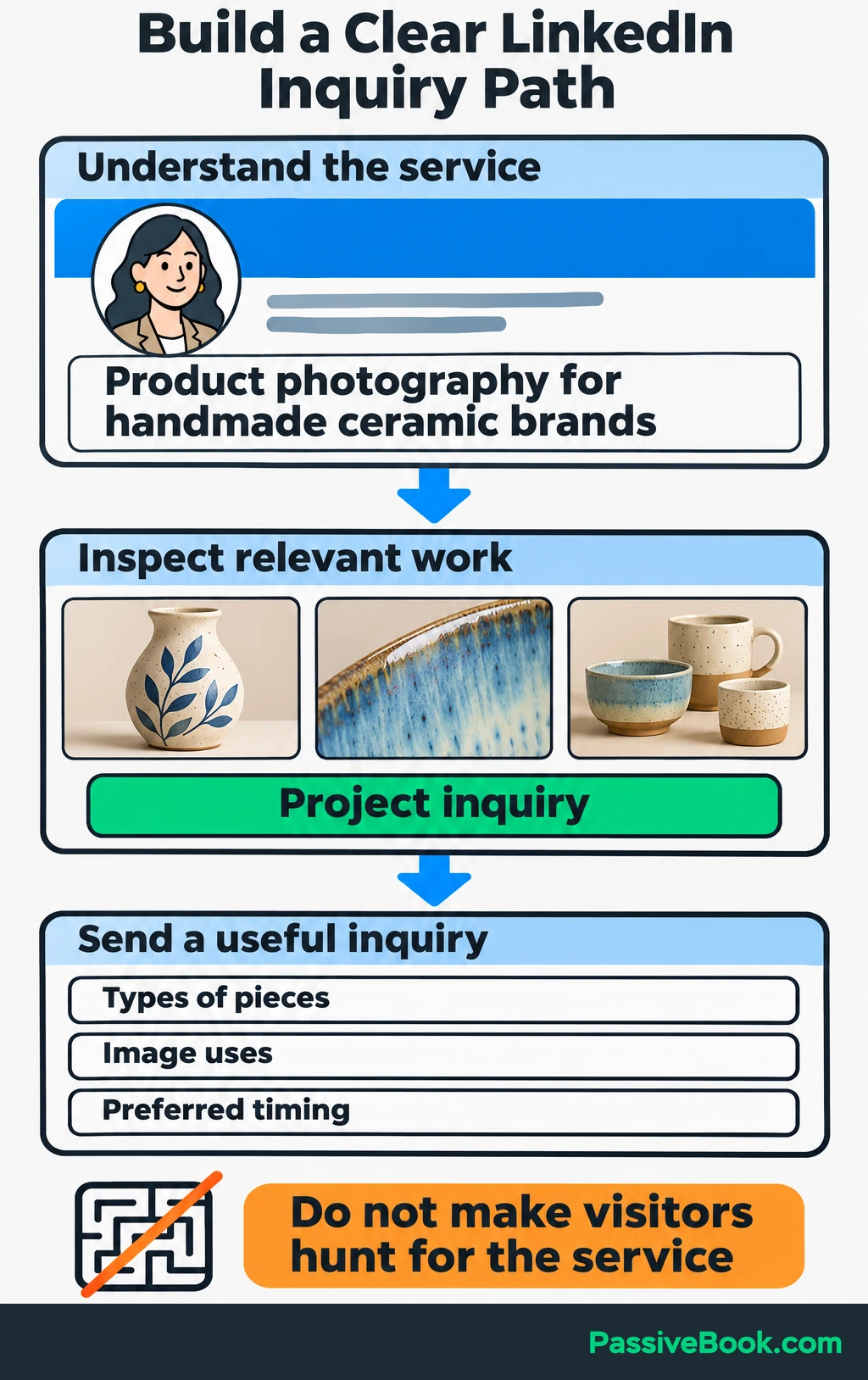
For the photographer, the journey should be simple: read the profile, open the ceramic portfolio and find a clear project inquiry option.
Test that journey from beginning to end. If you use a form, submit it and check that the message arrives. If you list an email address, send a test message.
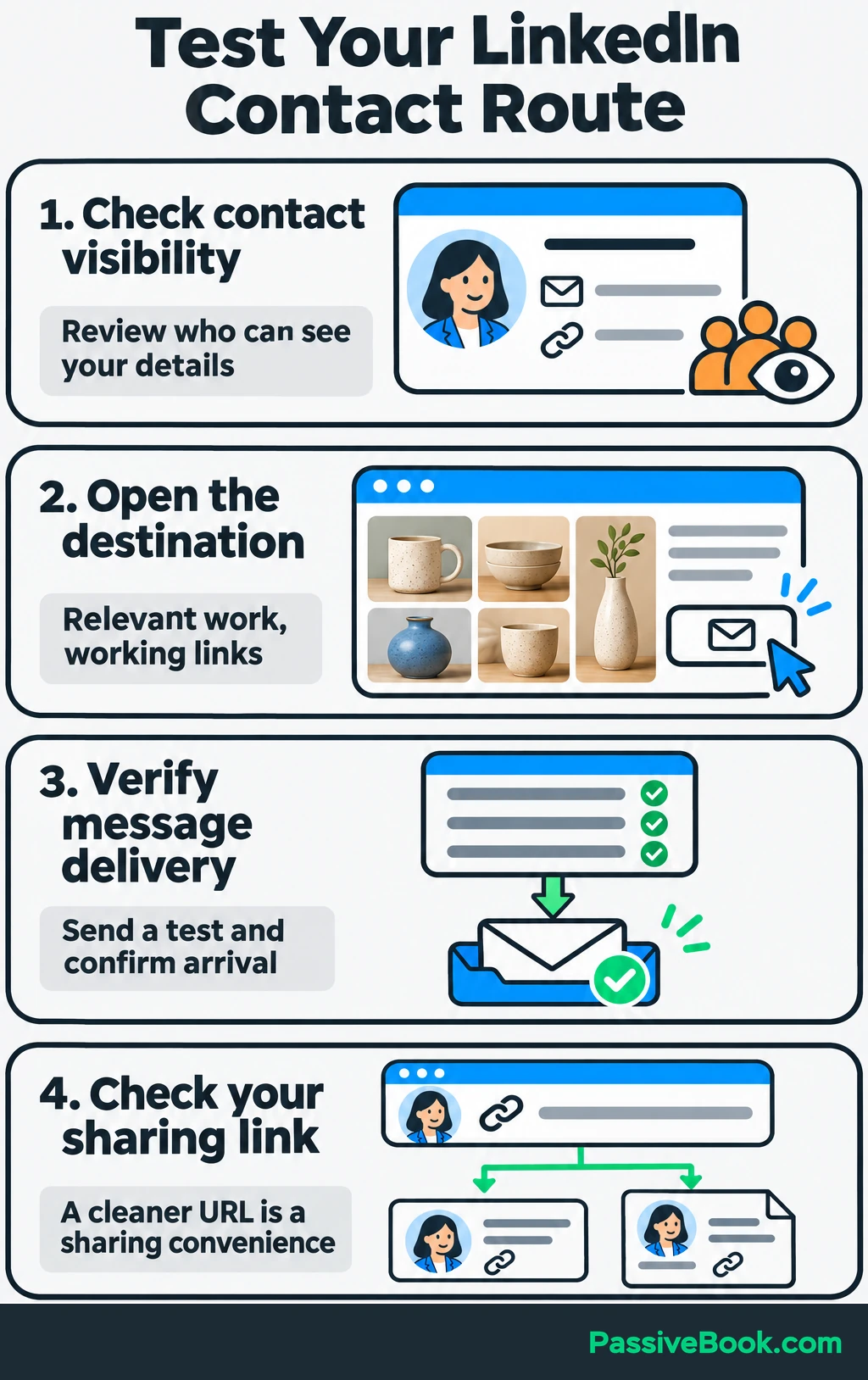
Keep the destination consistent with the profile. A promise of ceramic-product photography should lead to relevant work, rather than a general homepage where visitors must hunt for the service.
Customize your profile URL with a recognizable version of your name for convenient sharing. Then use it in relevant professional materials and follow-ups after conversations. Treat the cleaner URL as a convenience, rather than a ranking trick.
Check Whether You Are Attracting Relevant Attention
Review discovery and business outcomes separately.
Search appearances concern being found through LinkedIn search. Broader profile appearances can also include your name and headline showing in posts, comments and network recommendations. Profile views indicate visits to the profile itself. LinkedIn explains the difference between appearances and views.
Those numbers answer different questions:
| What to Track | What It Helps You Assess |
|---|---|
| Search appearances | Whether people are encountering you through search |
| Profile views | Whether people are opening your profile |
| Relevant connection requests | Whether the people reaching out fit your direction |
| Relevant inquiries | Whether the profile supports useful conversations |
| Opportunities | Whether those conversations lead to work, interviews or partnerships |
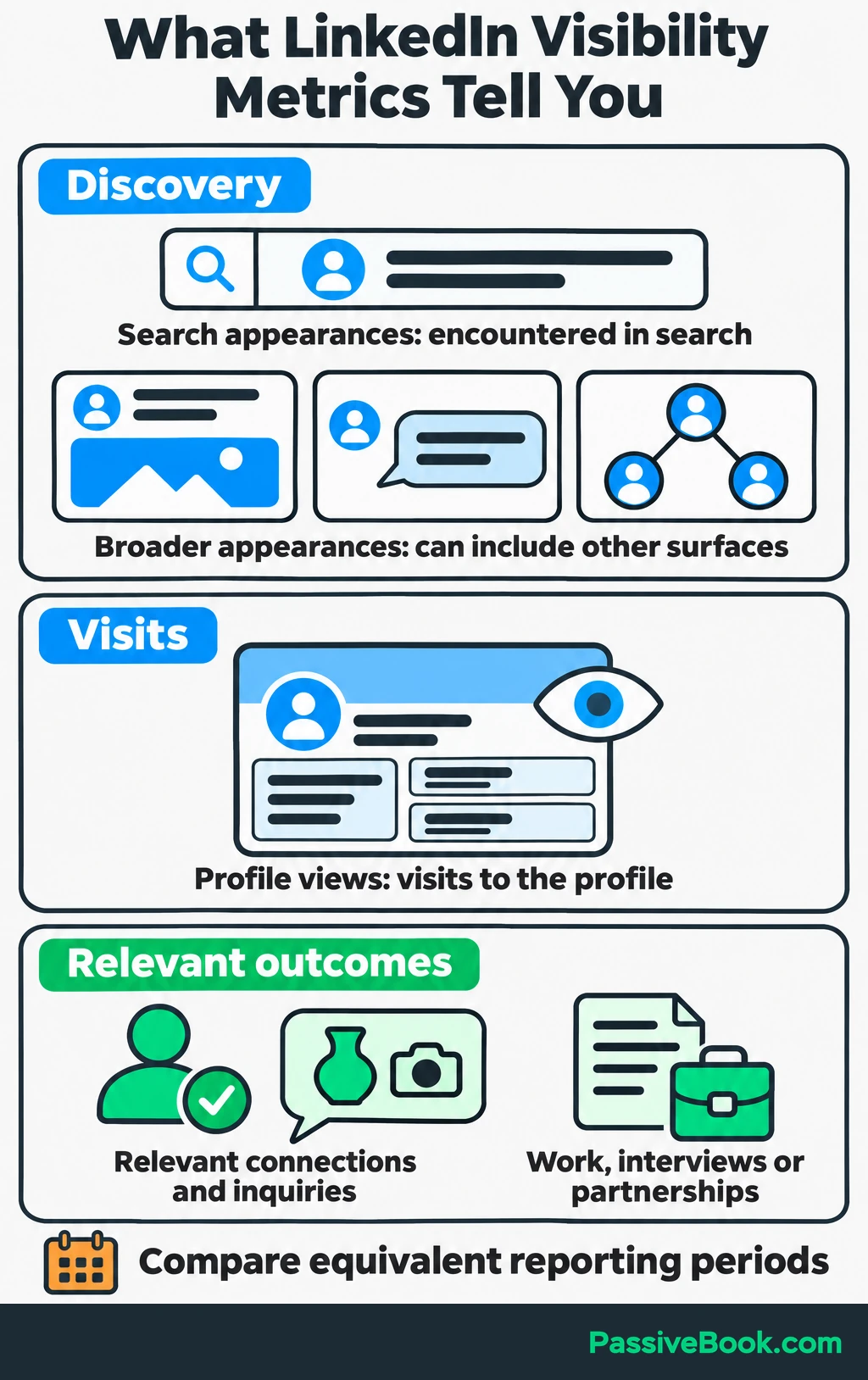
Keep a simple sheet with the reporting period, profile changes, search appearances, profile views, relevant inquiries and next action. Record other changes too, such as sending more connection requests or joining an active discussion.
Use whatever searcher information your account shows to assess audience fit. For the photographer, interest from ceramic brands or relevant creative teams would be more useful than a larger count with no clear connection to the service.
I would start with a weekly review, but give sparse results more time before changing the copy again.
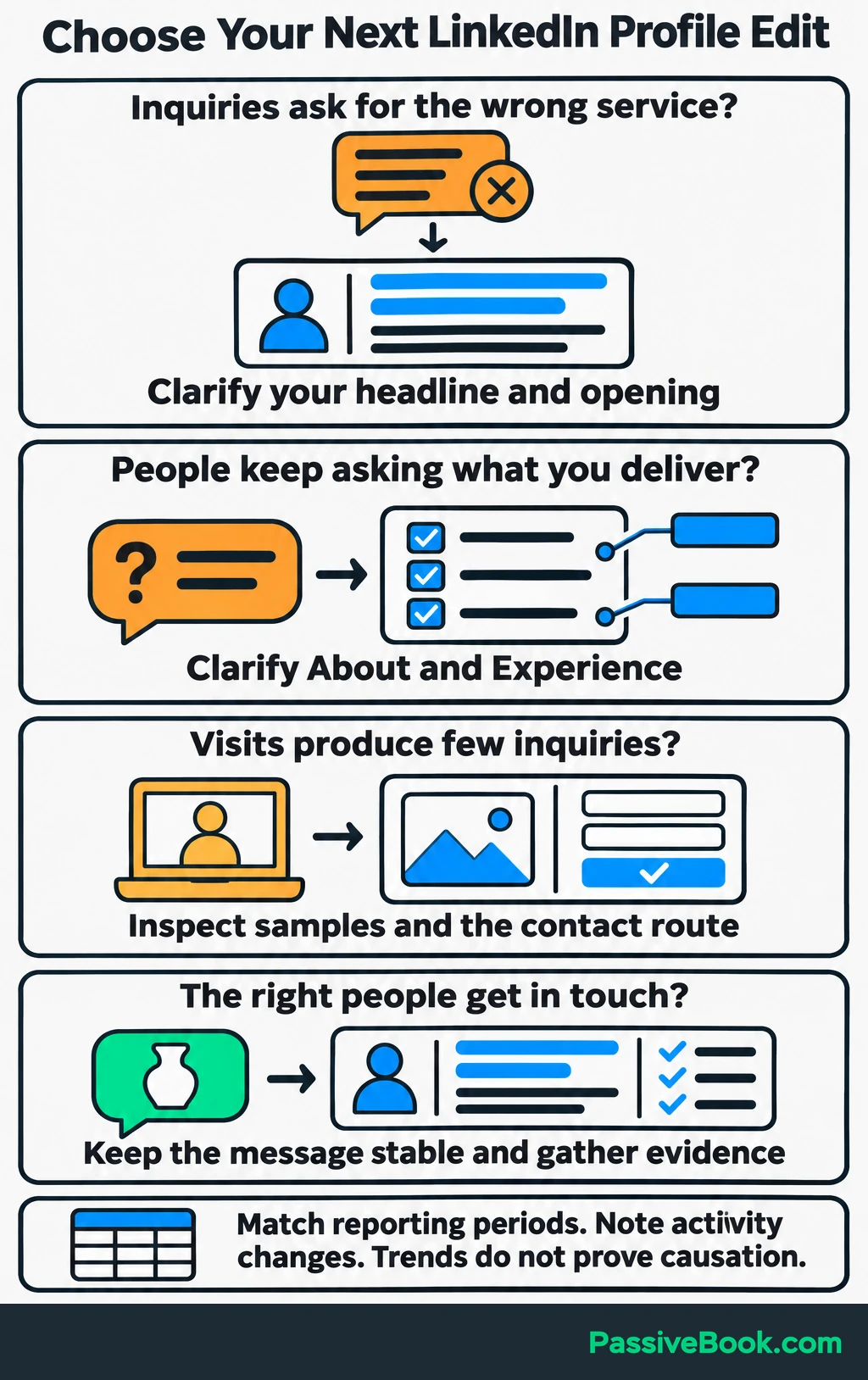
Let repeated patterns guide the next edit:
- If inquiries concern services you do not offer, clarify your headline and opening.
- If people repeatedly ask what you deliver, make the scope clearer in About and Experience.
- If visits produce few inquiries, inspect the work samples and contact route.
- If the right people get in touch, keep the message stable while you gather more evidence.
Compare equivalent reporting periods. A rise after an edit shows a trend, but it does not prove that edit caused the increase, especially if your activity changed too.
You can complete these profile improvements without taking on a constant posting schedule. Useful comments and professional conversations give people additional ways to encounter your work. Choose those activities because they reach relevant people, rather than because an empty content calendar makes you feel guilty.
Refresh the profile when your services, evidence or goals change.
What Next?
Rewrite your headline using a recognizable service or role and the audience you want to reach. Then check whether the opening of your About section supports the same promise.
Use the social buttons to share this guide when a conversation turns to making LinkedIn profiles clearer and easier to find.
What would you most like the right visitor to contact you about after reading your profile? Leave your answer in the comments, along with any other questions.
Share this post with your friends & followers: