You spend half an hour on LinkedIn, add a few connections and leave a helpful comment. But when you check your enquiries, nothing has changed.
The hard part is knowing which activity could lead to paid work. Posting more can fill your calendar while leaving the same gap between being noticed and being hired.
You can start without ads, subscriptions or a large audience. The nine methods below show how to find suitable buyers, earn a relevant conversation and carry it toward an offer or meeting—then check whether that effort produces customers.
Define What a Qualified Lead Looks Like
Before learning how to generate leads on LinkedIn, decide whose interest would be worth pursuing.
Write down four things:
- Problem: What does your offer help someone fix?
- Buyer: Who experiences that problem?
- Decision-maker: Who can approve the purchase?
- Constraints: Which locations, budgets or delivery requirements can you serve?
Throughout this article, imagine you offer freelance booking-page redesigns to independent cat boarding businesses. You help owners make their services, requirements and enquiry steps easier to understand. The business, scripts and figures are illustrative.
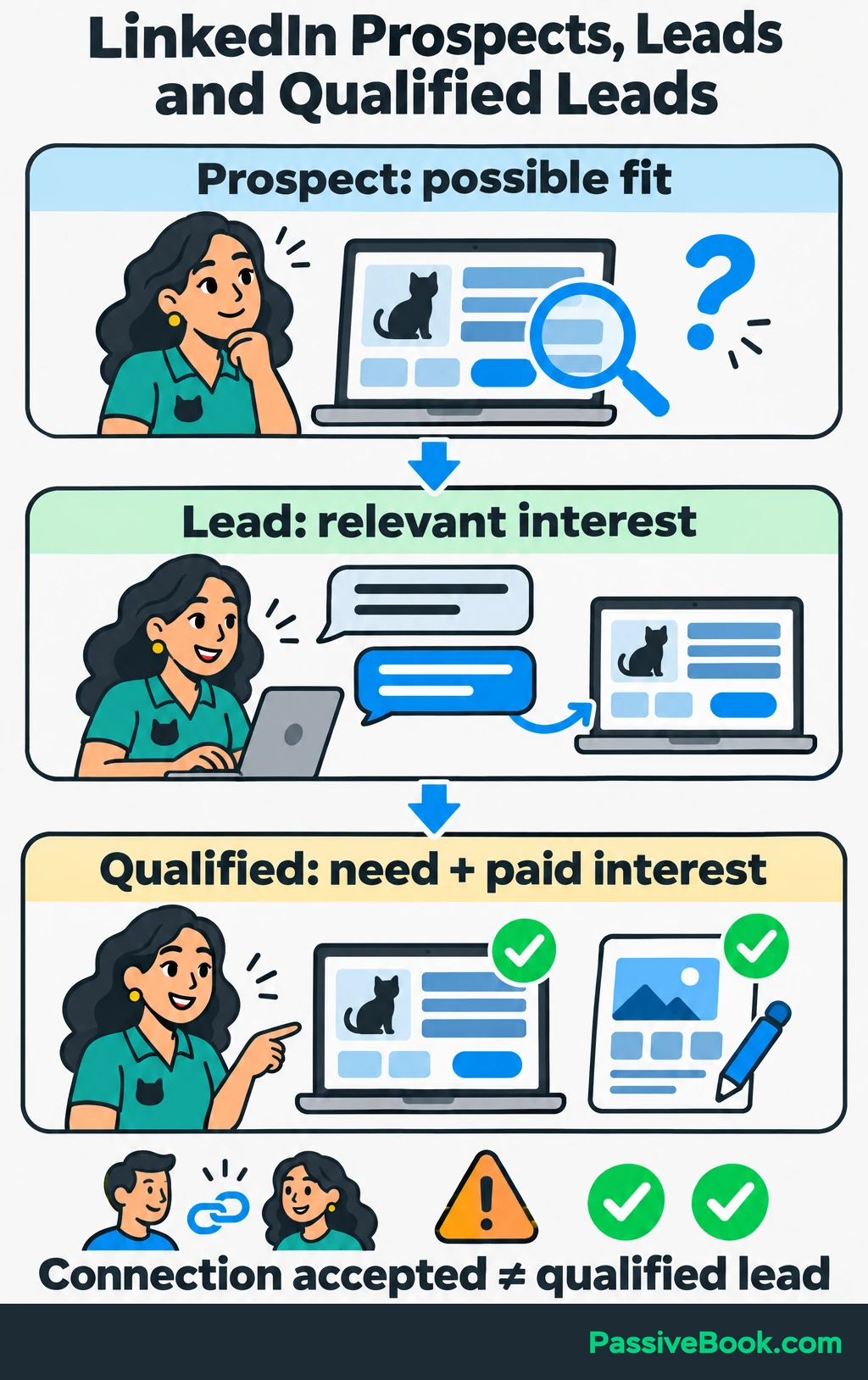
A cattery owner with a confusing booking page could be a suitable prospect. They become a lead when they express relevant interest. You qualify that lead by confirming a need you can address and a willingness to explore paid help.
A connection acceptance alone tells you very little.
Before investing much time, search for suitable owners and look for discussions they join. If you cannot find them participating, I would test another channel before building an elaborate LinkedIn routine.
For a consumer offer, ask about personal needs in conversation. A job title does not tell you whether someone has a new pet or wants help caring for it.
1. Make Your Profile Explain Why Someone Should Contact You
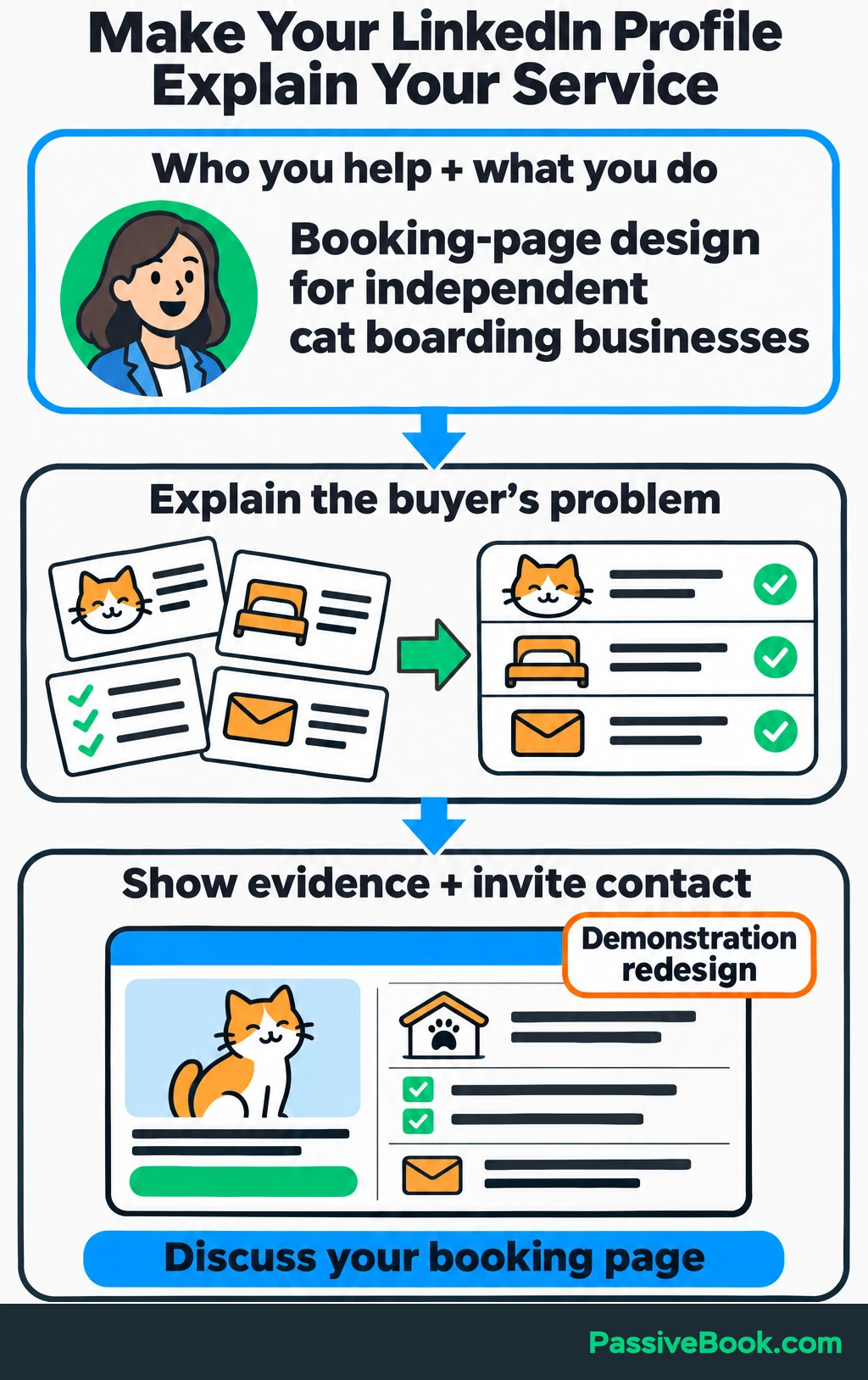
Your profile should answer three questions quickly: whom do you help, what do you do, and how can someone take the next step?
Start with a headline that names the service and buyer:
Booking-page design for independent cat boarding businesses
Then open your About section with the problem you address. Explain the work in plain words and end with one invitation:
I redesign booking pages so customers can find your boarding information, understand your requirements and send an enquiry. Message me to discuss your booking page.
In my freelancing days, I sometimes made service descriptions longer because I thought more detail would make them more convincing. Then I had to explain the basic offer again in messages. I had answered questions buyers were not asking yet.
Now I would put the offer first and let the supporting detail earn its place.
Add a recognizable photo and a relevant work sample. In your Featured section, show a booking-page demonstration with brief notes explaining your choices.
Label it “demonstration redesign” if it was not client work. Explain what you changed, but do not claim it increased bookings without evidence.
2. Find Suitable Prospects With LinkedIn Search
Search for the people who could buy your service, then check whether their businesses fit.
Try combinations of business type, role and location:
- “Cattery owner”
- “Cat boarding manager”
- “Cat boarding” plus a region you serve
If people searches are thin, find company pages first and identify the owner or manager.
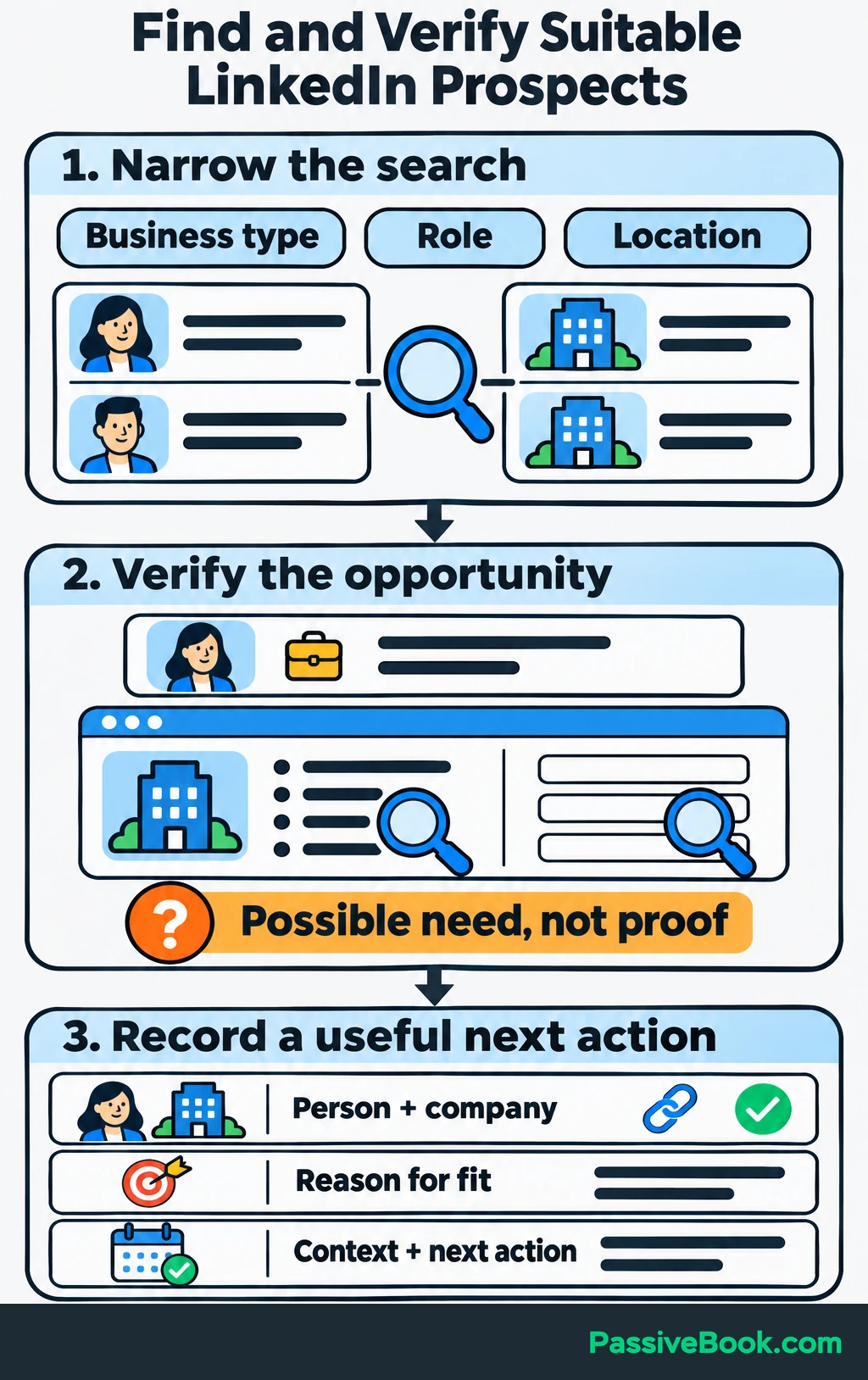
Check the person’s current role and visit the company website. Look for a concrete reason your service might help. Perhaps boarding requirements are spread across several pages, or the enquiry form gives no clear instructions.
That observation gives you something to explore. It does not prove the owner considers it a problem.
Keep a shortlist with the person’s name, company, profile link, reason for fit, conversation context and next action. Include suitable people already in your network.
Start with free search. LinkedIn applies a commercial-use limit to prospecting searches and some profile browsing, so work through a focused list and respect account notices.
I would skip a paid prospecting subscription until you can explain what blocks your current process. A bigger list will not fix an unclear offer.
3. Leave Useful Comments Where Buyers Participate
Find discussions your buyers already care about and contribute something they can use.
Read the post and replies before commenting. Add a specific suggestion, a relevant example or a question that moves the discussion forward.
If an owner mentions repeatedly answering the same booking questions, you might write:
Put arrival times, boarding requirements and the next enquiry step together on the booking page. Which detail do customers most often miss?
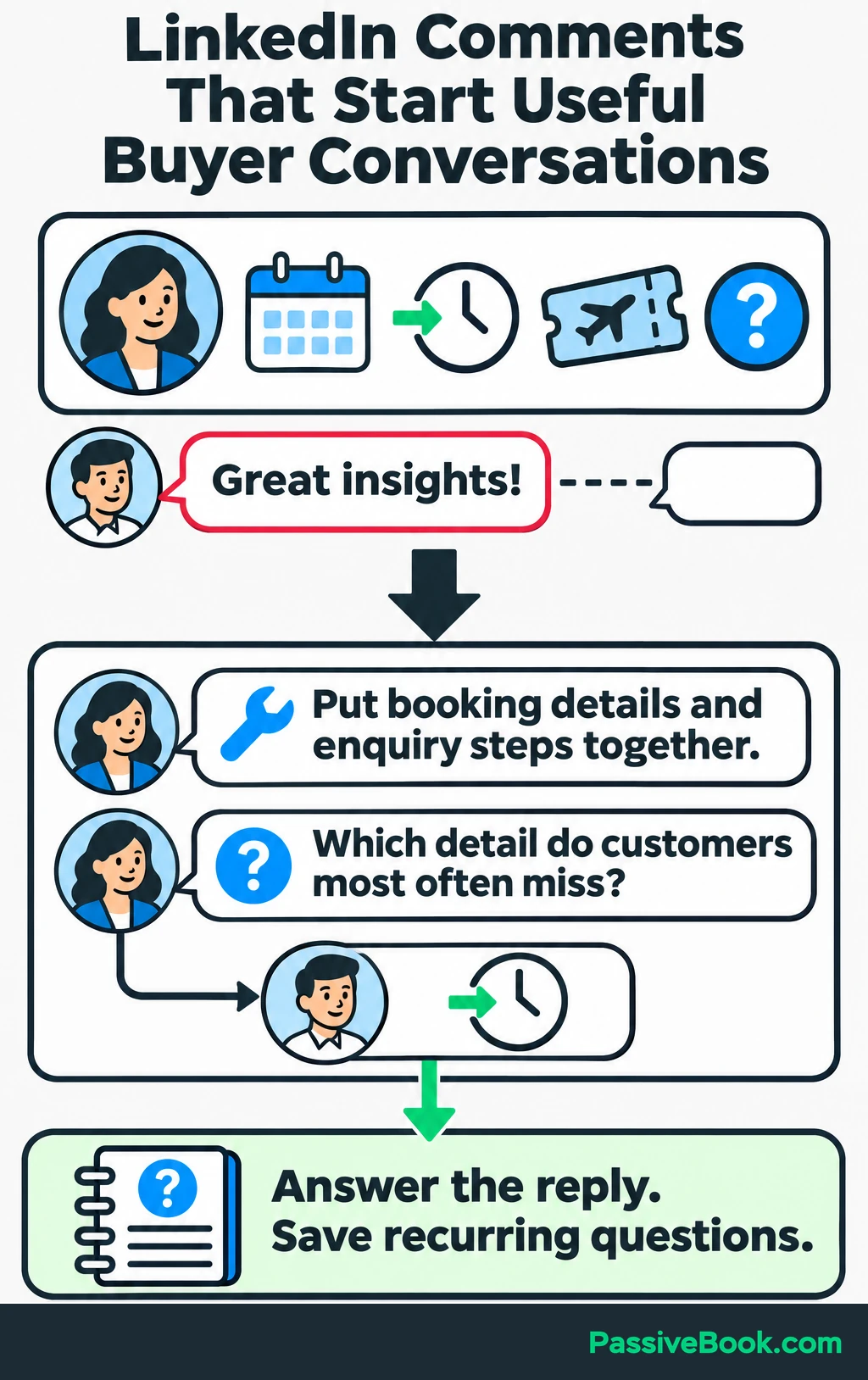
That gives the owner an idea and leaves room for a real answer.
“Great insights!” gives them less to work with. LinkedIn has enough applause.
When someone replies, respond to what they say. If they describe a problem your service addresses, explore it before mentioning your offer.
Save recurring questions in a simple note. They can become future posts or resources, and they give you the language buyers actually use.
4. Build Relationships in Relevant LinkedIn Groups
A group is useful when suitable buyers have worthwhile conversations there. Its member count matters much less.
Before joining several, check a few recent discussions:
- Are owners or managers participating?
- Do questions receive useful replies?
- Are members discussing business problems you understand?
- Do the rules allow the kind of contribution you want to make?
For the booking-page service, a pet-business group could be relevant. A group filled with unrelated promotions would be a poor use of time.
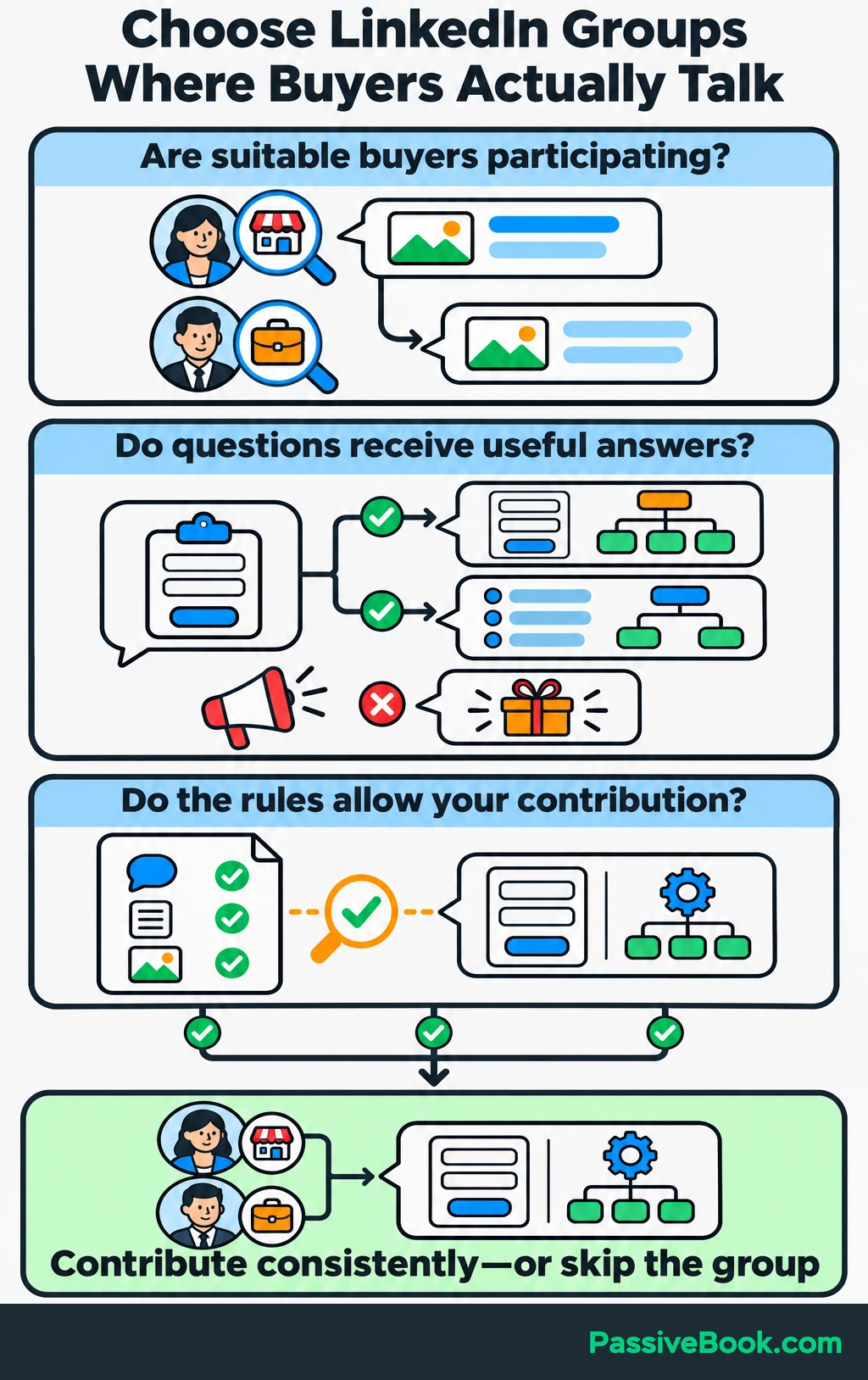
Choose one promising group and return to useful discussions. Answer questions about explaining services, organizing booking information or making forms easier to complete.
Follow its rules and keep unsolicited promotion out of your replies. If someone asks about your work or invites further discussion, continue individually through an available messaging route.
I would skip groups entirely if your buyers are having better conversations under public posts. You do not need to use every method equally.
5. Publish Posts That Answer Buyer Questions
Use posts to show how you think about problems buyers want solved.
Start with questions from enquiries, comments and sales conversations. Choose one that comes up before someone buys your service, then give a practical answer.
For example, a post could explain how to review a booking page:
Before redesigning your booking page, check whether a visitor can answer three questions: What boarding services are available? What do I need to prepare? How do I enquire?
If those answers are scattered, start by bringing them together.
What information do customers most often miss before contacting you?
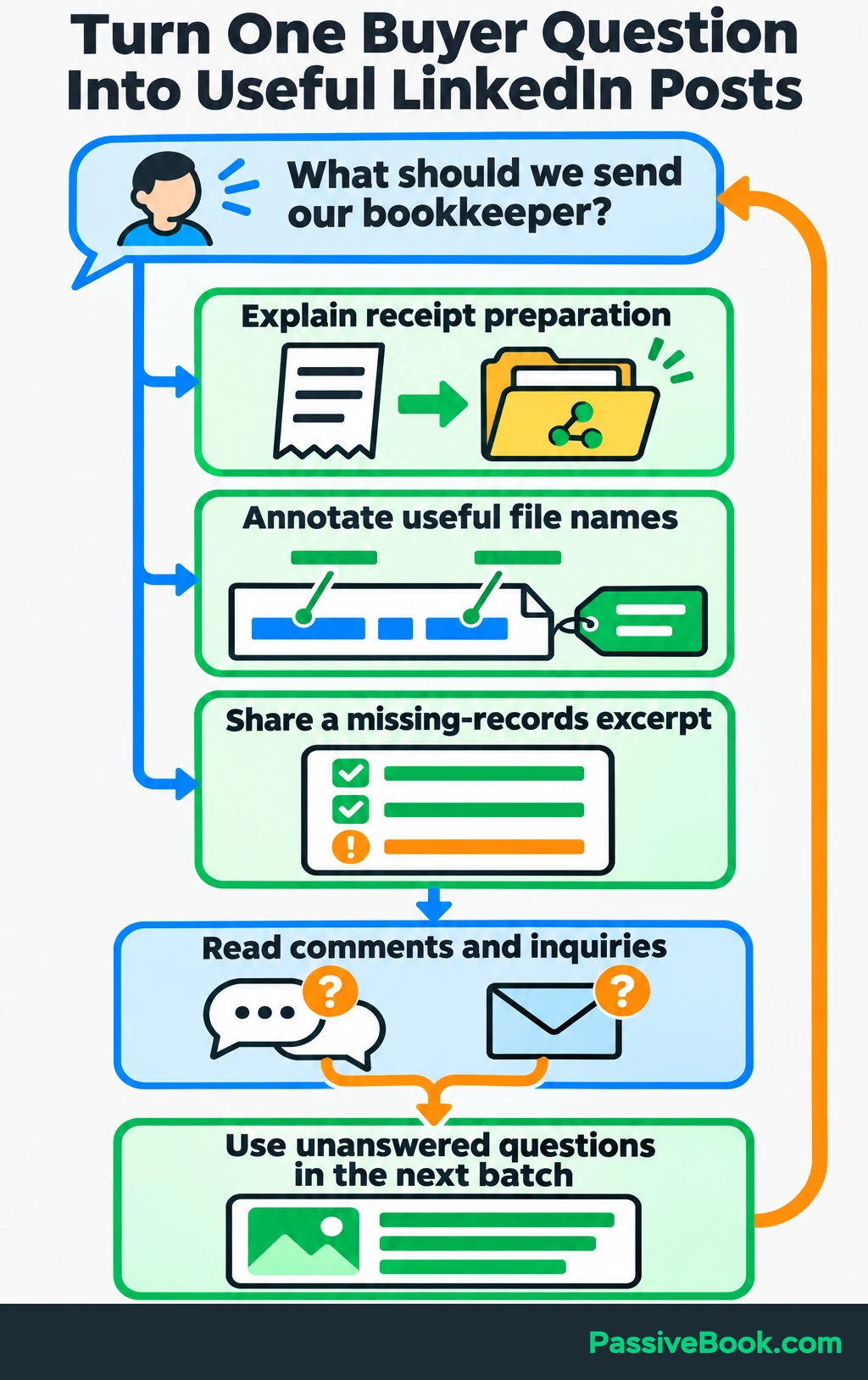
Add an annotated demonstration if it makes the explanation clearer. A simple image made in Canva is enough; you do not need a video production department.
Choose a publishing rhythm that leaves time for replies and prospecting. I would start with one useful post a week and reuse questions from conversations.
Daily posting is a commitment I would make only if it earned its place in the business. An empty content calendar is not a customer problem.
6. Offer a Resource That Connects to Your Service
Create a small resource that helps buyers complete a task related to your paid offer.
For the design service, that could be a one-page booking-page checklist. It might help owners check whether their page includes:
- Service details: Boarding options, location and what the stay includes.
- Requirements: The business’s own preparation and eligibility information.
- Enquiry questions: Details needed to assess a booking request.
- Next step: A clear way to enquire and an explanation of what happens afterward.
Keep the resource narrow. A useful page beats an unfinished ebook.
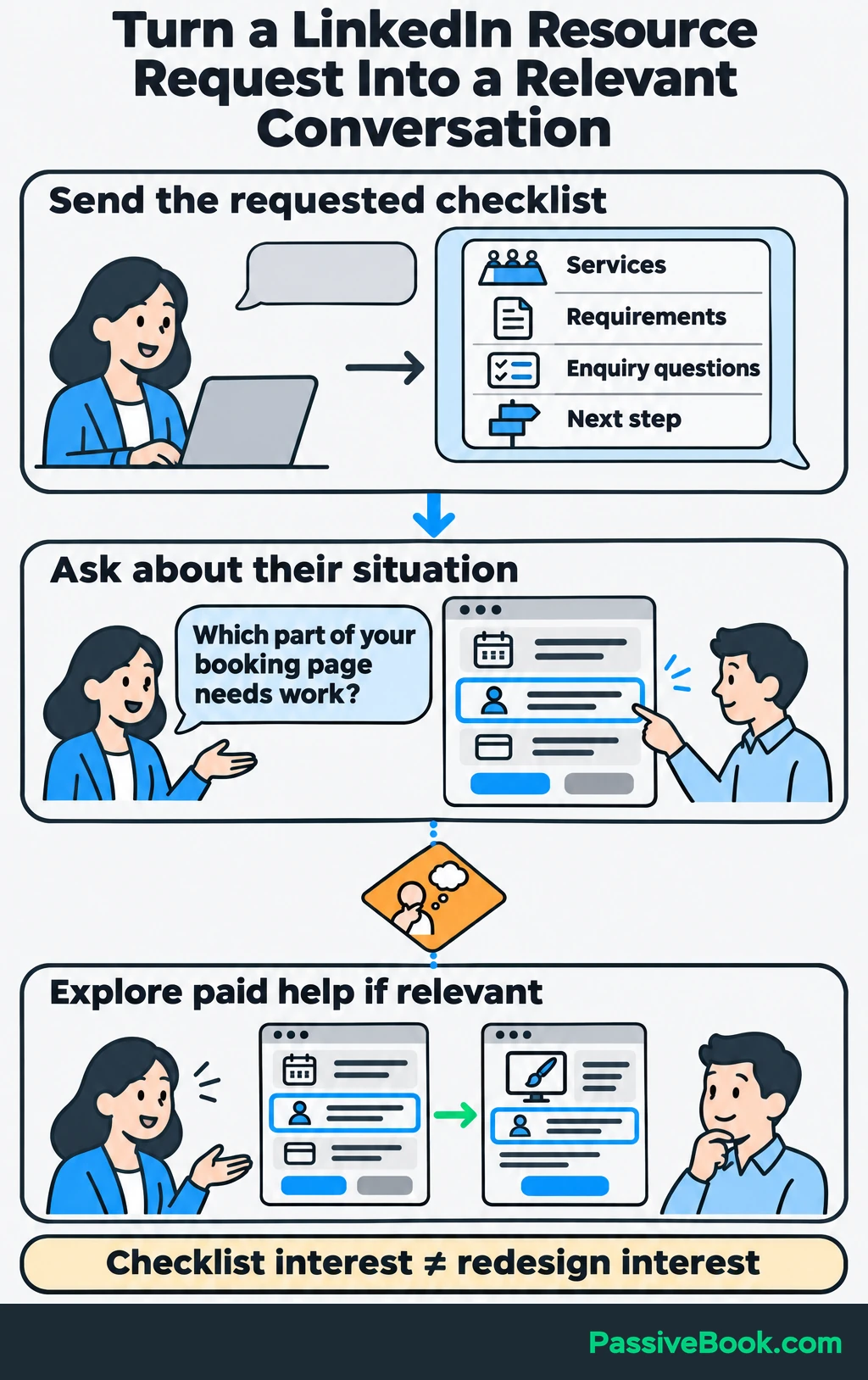
Share it through a relevant post, your Featured section or a conversation where someone requests help. A direct download is fine. If you already use WordPress, add a request form to a page with Fluent Forms, a plugin for building forms.
When someone requests the resource in a conversation, send it and ask one relevant question:
Which part of your booking page needs the most work?
Someone requesting a checklist has shown interest in the resource. Ask about their situation before treating them as a potential redesign customer.
7. Ask Existing Contacts for Relevant Introductions
Start with people who know your work and may know suitable buyers: former customers, colleagues or complementary providers.
Make the request specific enough that a person comes to mind:
Do you know a cat boarding business owner planning to improve their website? If so, would you feel comfortable checking whether they would welcome an introduction?
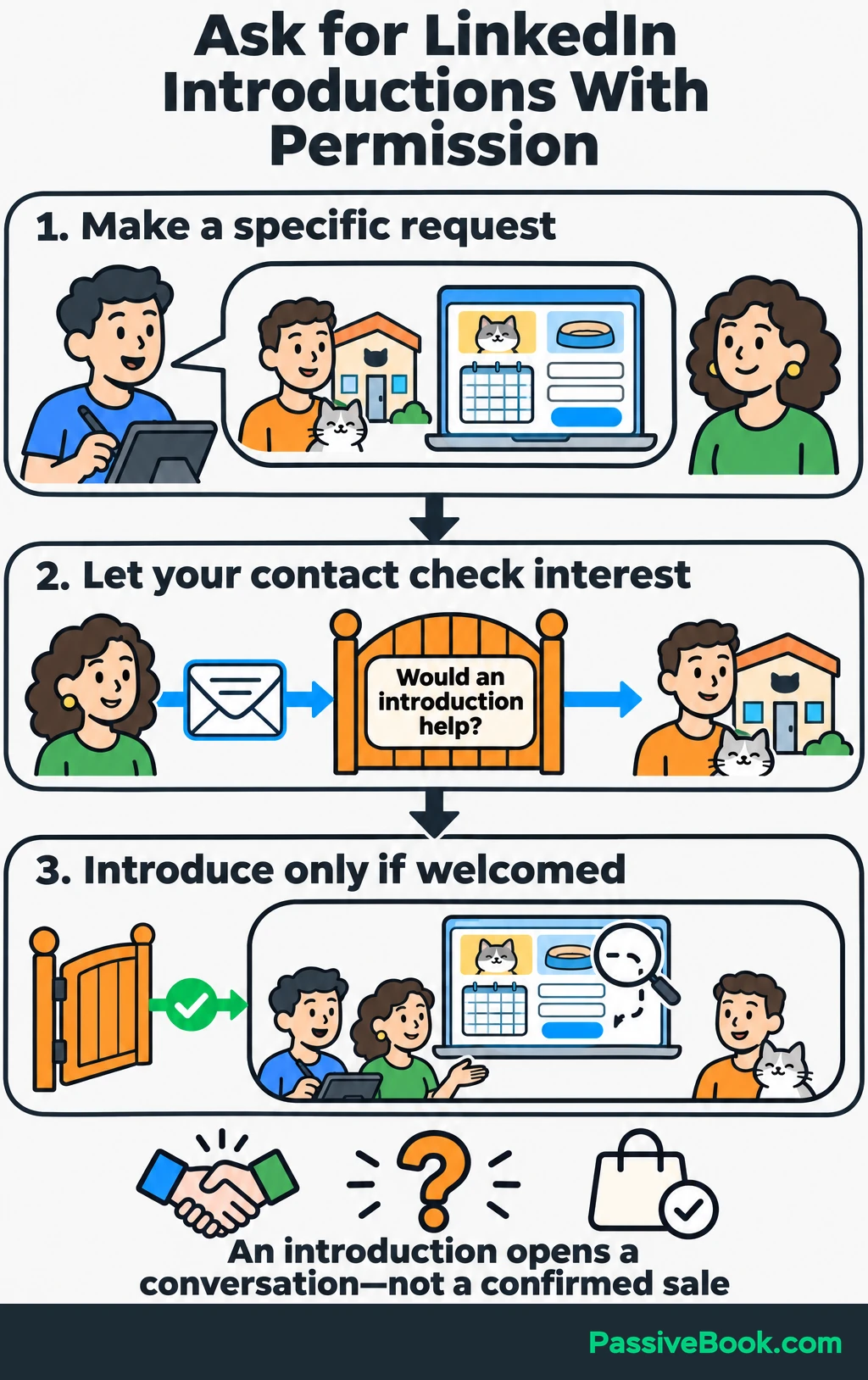
Give your contact a short note they can forward. Here is a complete version:
Hi [Name], I know a freelance web designer who redesigns booking pages for independent cat boarding businesses. They help organize service details, boarding requirements and enquiry steps. You mentioned reviewing your website, so I thought there might be a fit. Would you like an introduction?
Let your contact check interest first. That gives the recipient a choice and gives your introduction a clear purpose.
Once introduced, ask about the buyer’s situation directly. Your contact’s recommendation opens the conversation, but it does not confirm the need, budget or timing.
8. Connect After a Meaningful Interaction
Send connection requests when the person has a reason to recognize you.
That could follow a useful comment exchange, an introduction, an event or previous work together. Where your account allows an invitation note, refer to the shared context:
Enjoyed our discussion about making booking information clearer. I’d like to stay connected.
After acceptance, continue that conversation. Avoid sending a service brochure simply because a message window is now available.
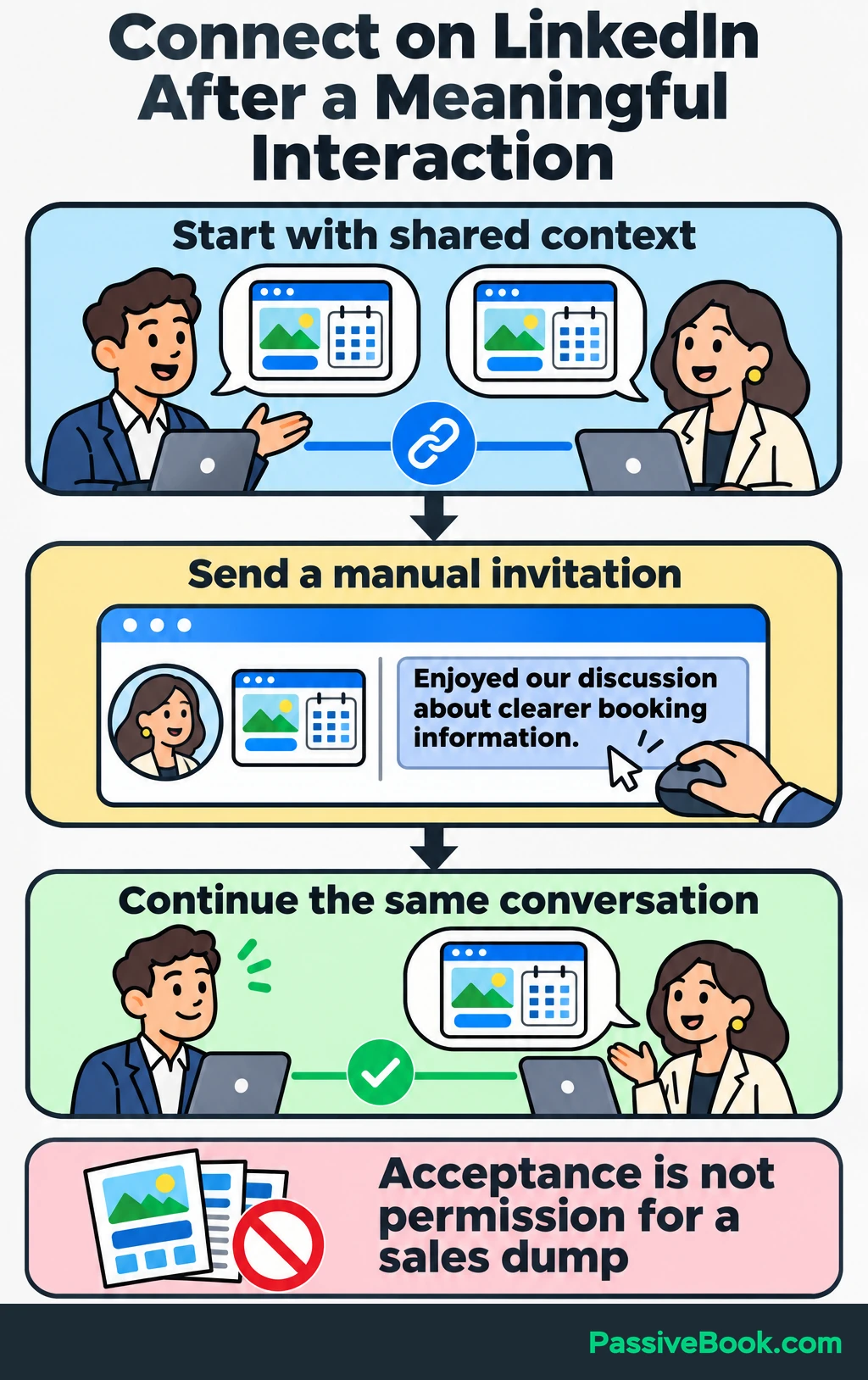
LinkedIn says it may restrict invitations when members send many quickly or when many requests are ignored, left pending or marked as spam. Follow its invitation guidance rather than chasing a daily connection target.
Keep invitations and messages manual. LinkedIn also prohibits third-party software or extensions that scrape or automate activity on its website.
I like automation for reminders and recordkeeping. Your spreadsheet or customer records can show when a follow-up is due, while you decide whether the conversation still warrants one.
9. Turn Relevant Messages Into Sales Conversations
Open With Context and One Useful Question
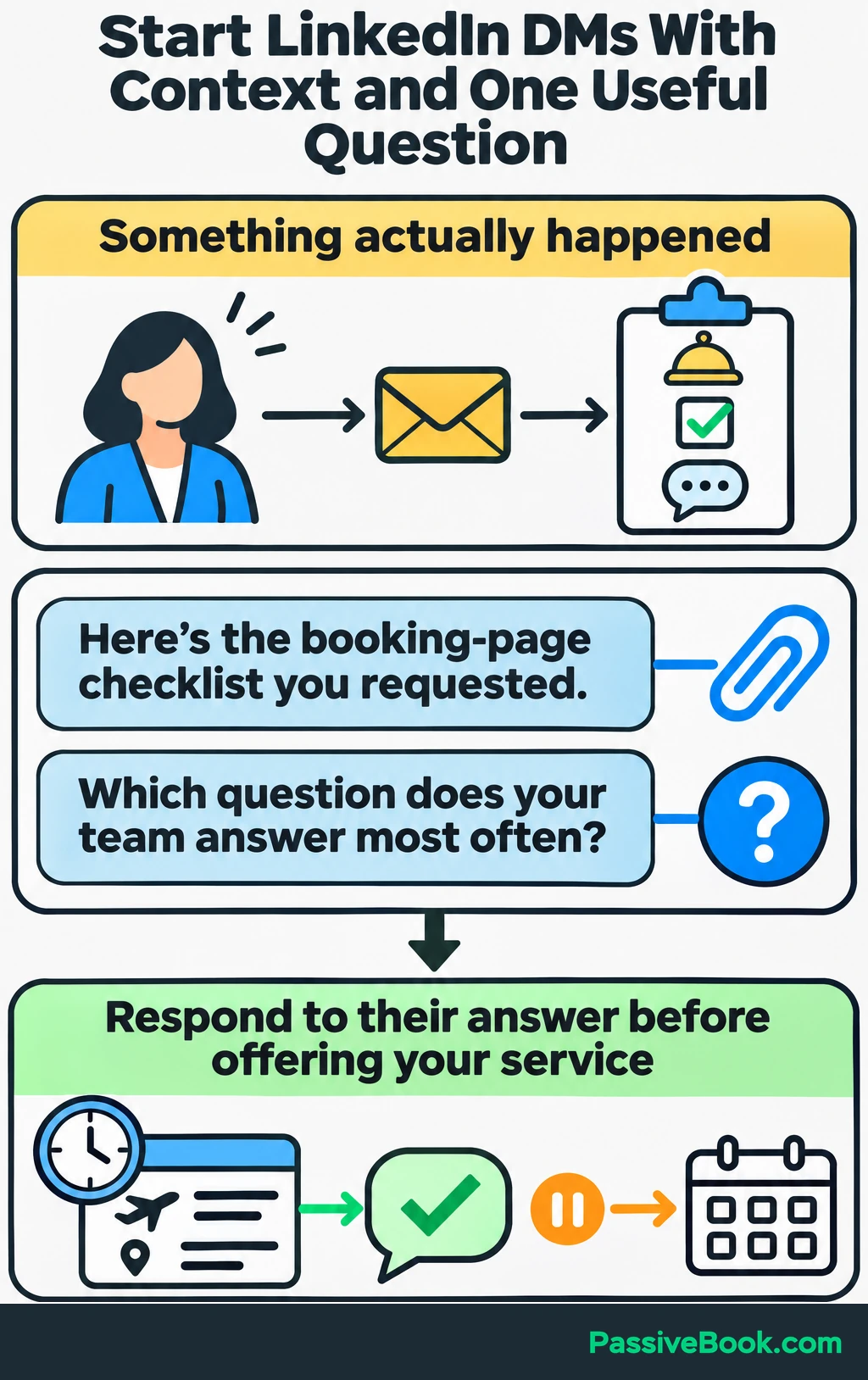
Refer to something that actually happened: a comment exchange, a requested resource or a business priority the person described.
If someone requested the checklist after mentioning missed booking information, you could send this message:
Hi [Name], here’s the booking-page checklist you requested: [link].
You mentioned that customers often miss information before enquiring. Which question does your team end up answering most often?
If there’s a section of the checklist you want me to clarify, send it over.
Respond to the answer before introducing your service.
If you know what the person said but not how to reply, AI Social Copy Studio can help you write the next message. Give it your offer and the conversation so the draft starts with their situation, not a generic pitch.

Free AI Social Copy Studio




If they say customers regularly overlook arrival instructions, you could explain that your redesign work brings key requirements and enquiry steps together. Connect the offer to the need they described.
Avoid offering a redesign just because you spotted something you would change.
Confirm Fit Before Proposing a Meeting
Before suggesting a call, establish:
- Need: What do they want the page to do better?
- Authority: Who approves changes and payment?
- Timing: When are they considering the work?
- Paid interest: Are they exploring professional help or looking for advice?
Ask these naturally across the conversation. Four questions delivered at once can feel like an application form.
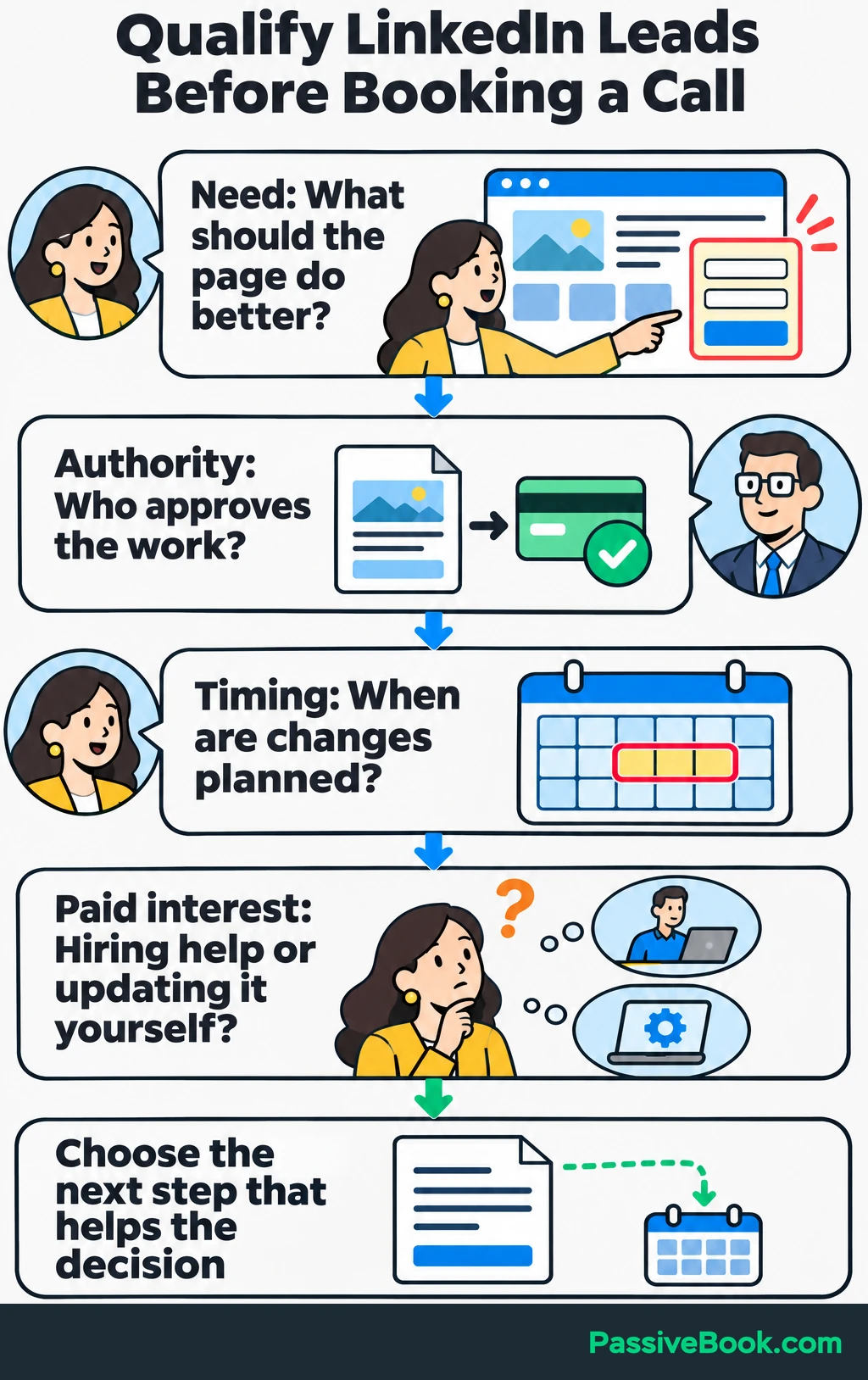
For paid interest, a direct question is useful:
Are you considering hiring someone for the page, or are you planning to update it yourself?
Once the fit is clear, summarize it and suggest a focused next step:
You want the booking requirements and enquiry steps organized before your website update, and you approve the project. Would a short call to review the page, scope and pricing help?
Agree on the purpose and scheduling method. If they only need your scope and pricing to decide, send those details first. A meeting should help a decision move forward.
Follow up With Something Relevant
Base follow-up timing on what the person told you. If they plan to review the website next month, record that instead of nudging them every few days.
Add something useful: an answer, a requested sample or a clearer next step.
Hi [Name], you asked what a booking-page redesign includes. Here’s a demonstration showing how I organize the requirements and enquiry steps: [link]. Is that the part of the page you want help with?
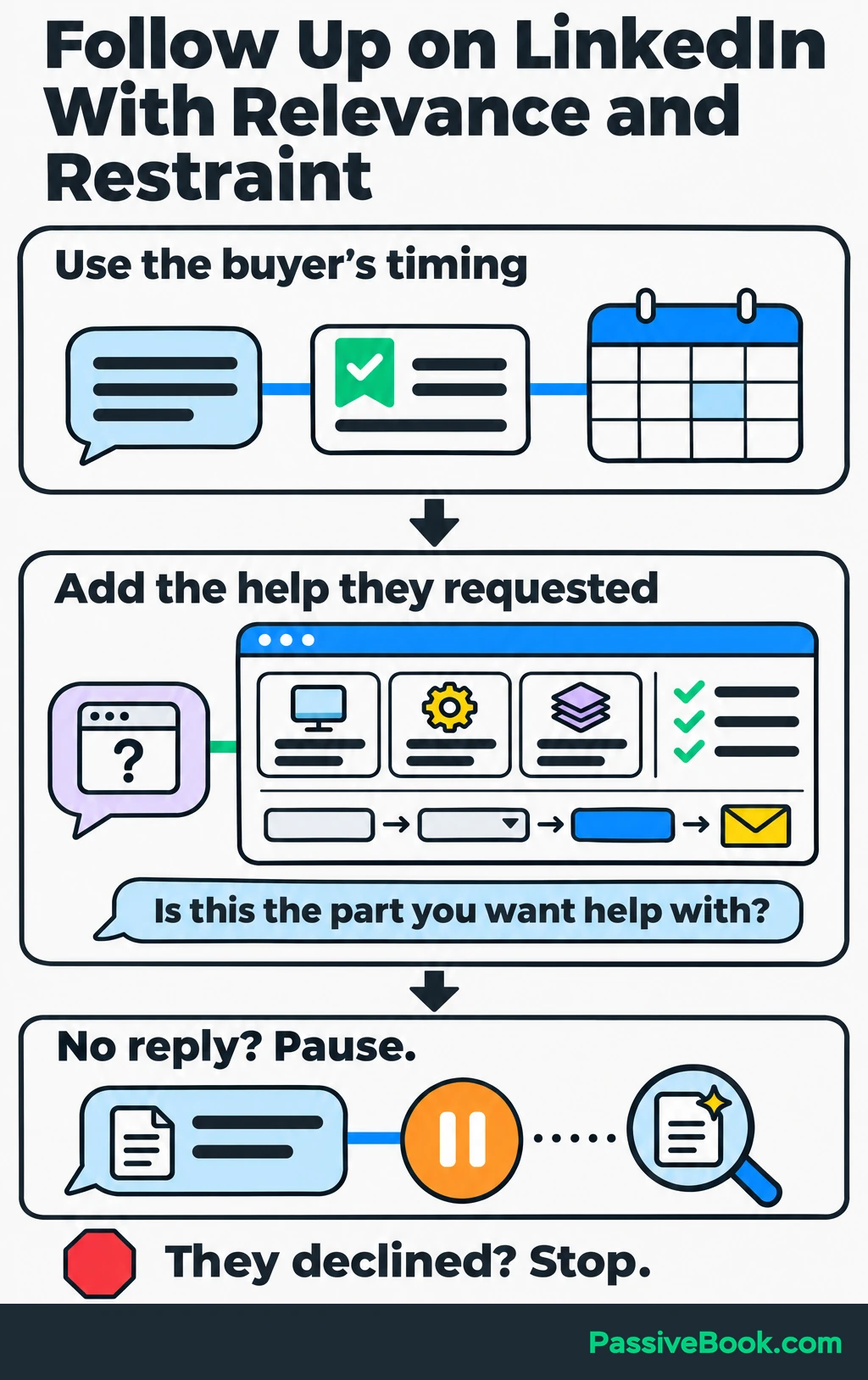
Stop when someone declines. After an unanswered useful follow-up, pause until there is a meaningful new reason to reconnect.
Silence does not need a seven-message interpretation.
Measure Which Activities Produce Customers
Use one spreadsheet row per prospect so you can follow the same person from first contact to outcome.
Record the originating activity, first contact date, reply, expressed interest, qualification, meeting booked, meeting held, customer outcome, revenue and next action. Note later touches when useful, but keep the original source consistent.
Choose a group of people you first messaged during the same period, and give each person the same amount of time to reply. Divide the number from that group who replied within the window by the total number in the group, then multiply by 100.
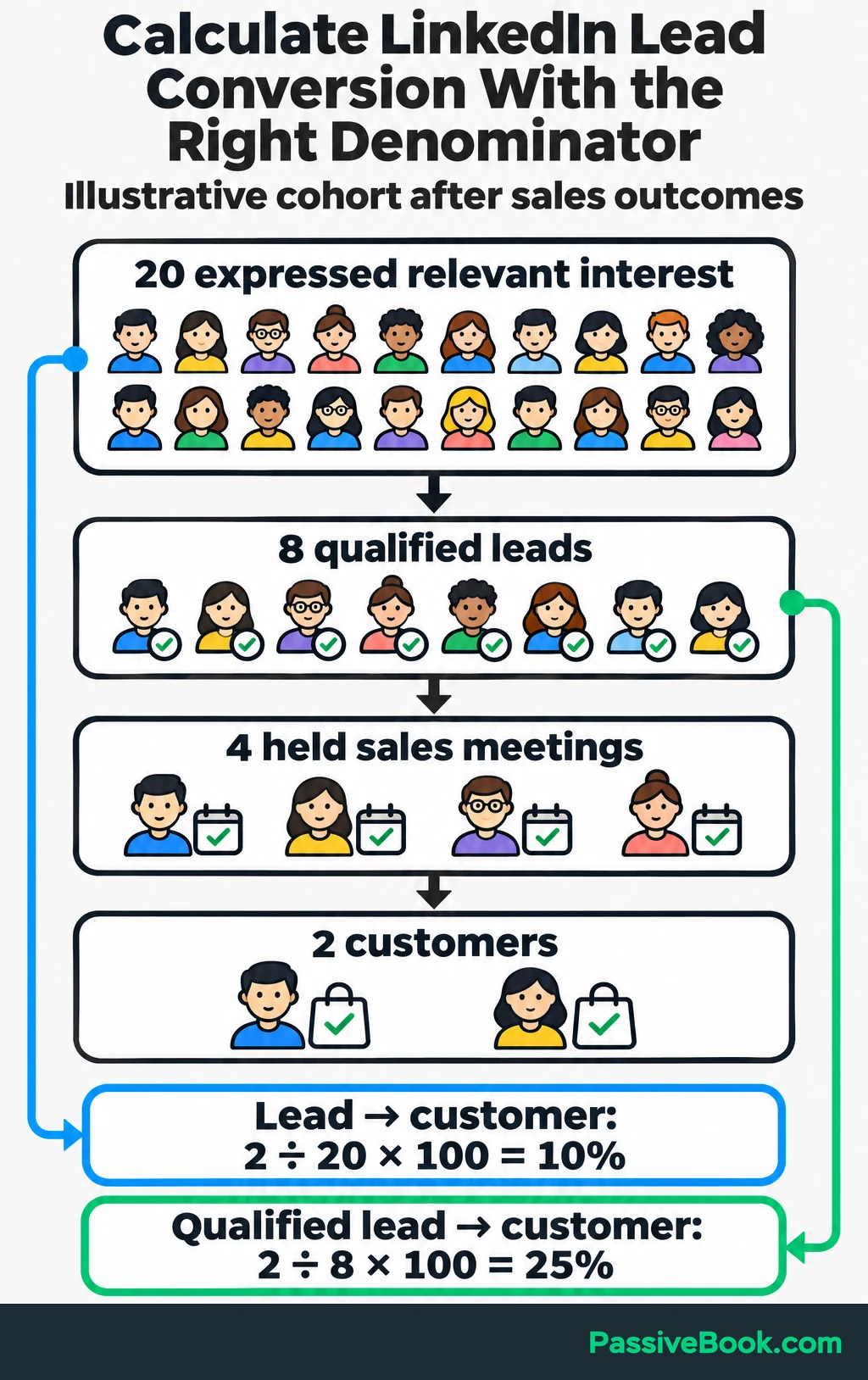
For sales conversion, count customers from the same group of leads you started with. Here is an illustration after their sales conversations have reached an outcome:
| Stage | People |
|---|---|
| Expressed relevant interest | 20 |
| Qualified for the service | 8 |
| Held a sales meeting | 4 |
| Became customers | 2 |
The lead-to-customer conversion is 2 ÷ 20 × 100 = 10%.
The qualified-lead-to-customer conversion is 2 ÷ 8 × 100 = 25%.
Keep those conversion measures separate, and track meetings booked and held separately so cancellations stay visible. When comparing conversion across periods, give each group of leads the same amount of time to decide.
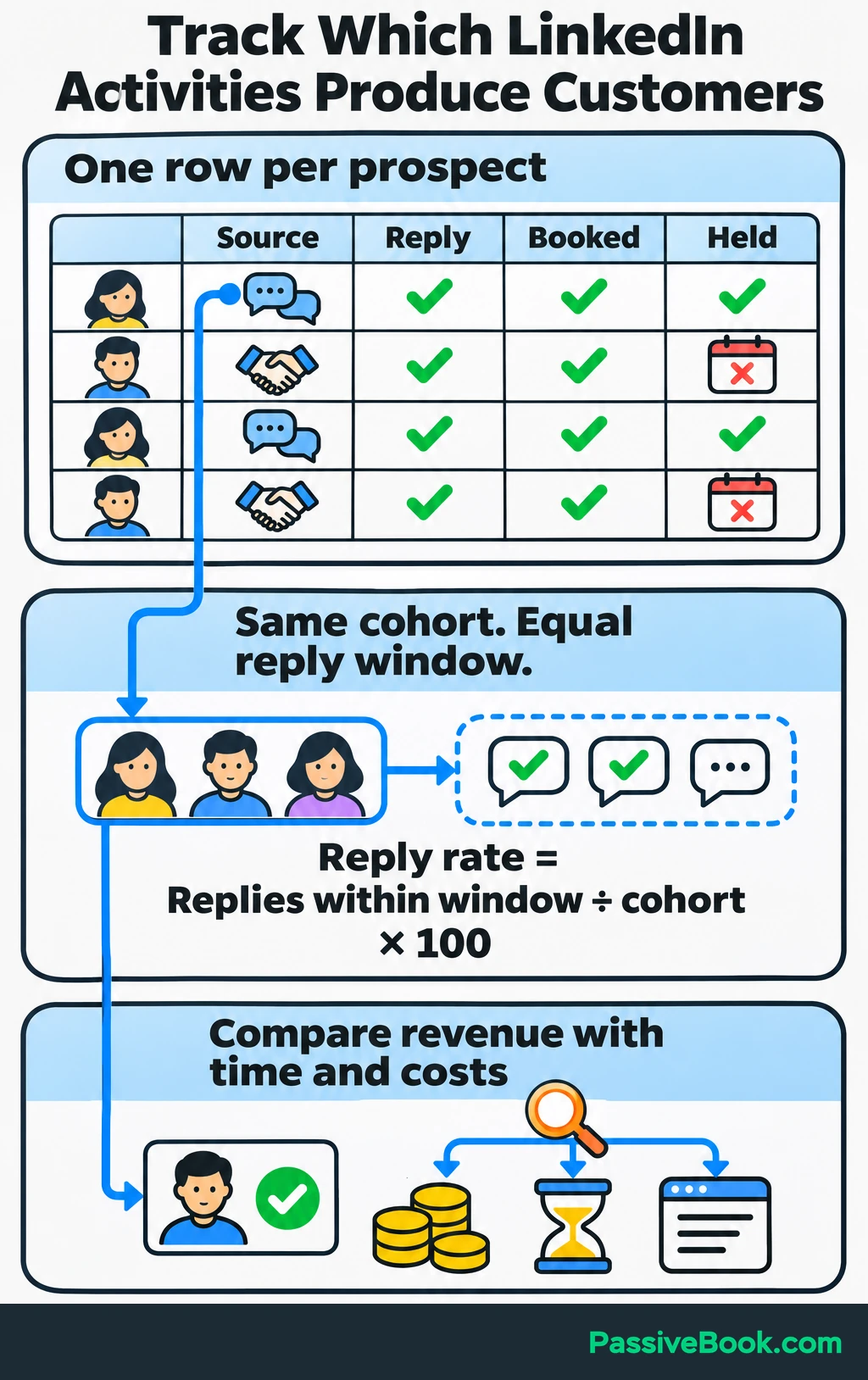
Use the results to choose what to improve:
- Little relevant interest: Review your targeting and the problem your message addresses.
- Qualified leads stall: Clarify the next step and ask what is preventing a decision.
- Suitable meetings rarely produce sales: Review the offer, scope, price and reasons people decline.
- Customers arrive at a high time cost: Compare revenue with hours spent and software costs before increasing activity.
I spent six months chasing Instagram and Twitter/X followers in another niche while my bank balance stayed around $47. I could see the audience growing, but I had no useful connection between that attention and an offer.
That is why I would judge LinkedIn by relevant conversations, customers and revenue. Follower growth can sit in a smaller column.
To keep the work manageable, try three short sessions a week: one for finding prospects, one for discussions and a useful post, and one for follow-ups and reviewing results. Adjust the routine around the activities that earn their time.
What Next?
Write your qualified-lead criteria and use them to shortlist five suitable prospects. Check their roles and websites, then choose one relevant conversation you can contribute to.
Use the social buttons to share this guide when your next discussion turns to finding clients without buying ads or filling the week with posts.
Which part of your LinkedIn process needs the most work: finding suitable people, starting conversations or turning interest into paid work? Leave your answer in the comments, along with any other questions.
Share this post with your friends & followers:

