You have an hour to spend on LinkedIn. You could write a post, join a discussion or update your profile. But which one will bring you closer to people who might buy what you sell?
Without a clear answer, it’s easy to spend that hour collecting likes and leave with no useful conversations. The approach below connects your posts and conversations in a weekly routine, so you can build a relevant following and judge whether it brings inquiries about what you sell without spending all day on LinkedIn.
Choose the Audience You Want to Attract
Decide whose attention would help your business before deciding what to post.
Write down three things: whom you help, the problem you address and what people will keep learning from you. “I share business tips” leaves too much work for the visitor. Name a problem they recognize.
Throughout this guide, imagine you sell editable client-message templates for independent dog groomers. The resources, posts and schedule are illustrations.
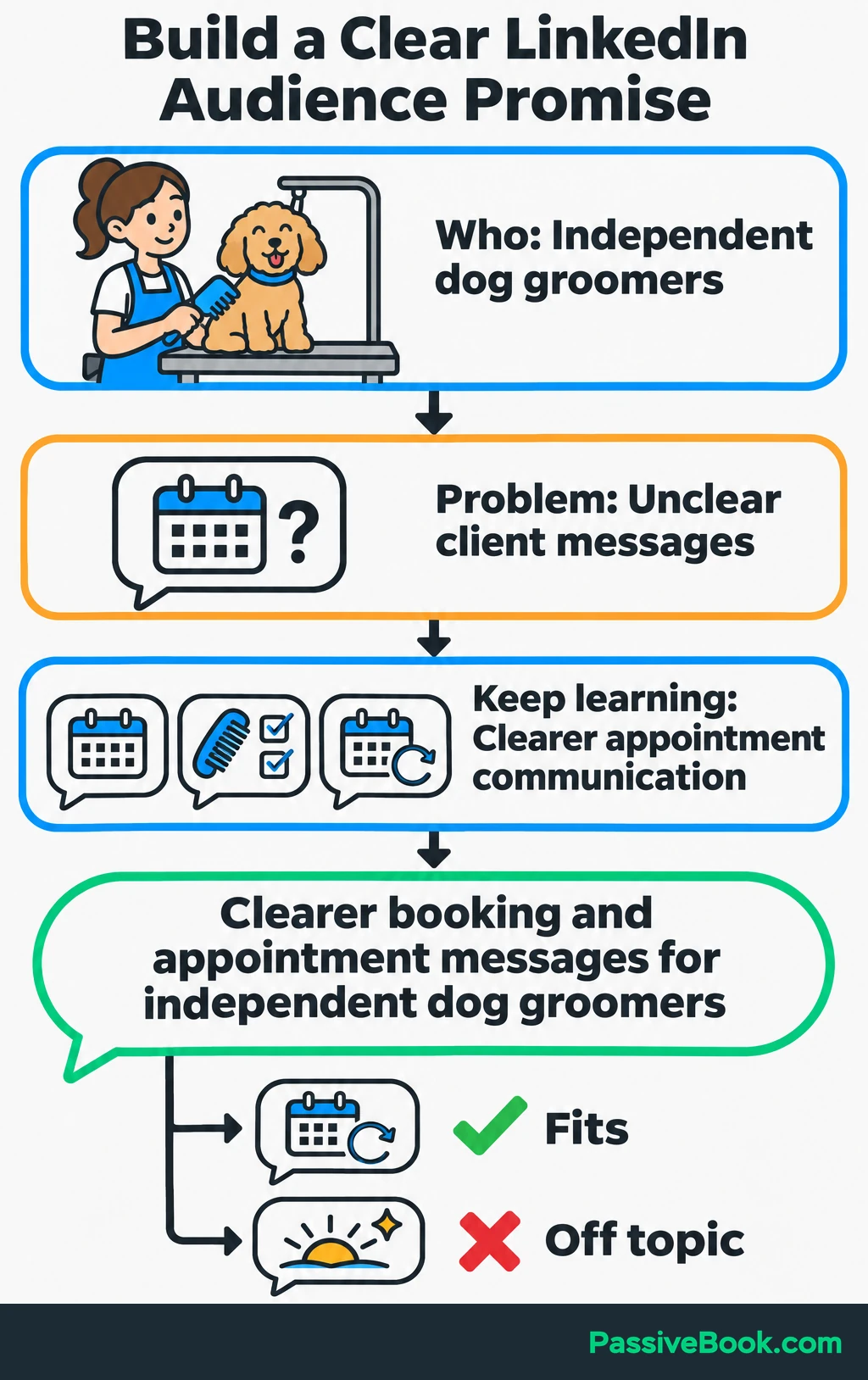
Your audience promise could be:
Clearer booking and appointment messages for independent dog groomers.
That gives you a useful boundary. A post about handling a rescheduling request fits. A general motivational quote contributes very little.
Choose one business outcome alongside follower growth. Here, I would start with inquiries about the template pack. Keep three groups in mind:
- Potential customers may buy the messages.
- Peers may exchange useful ideas or collaborate.
- Referral partners, such as grooming-business educators, may introduce your work to customers.
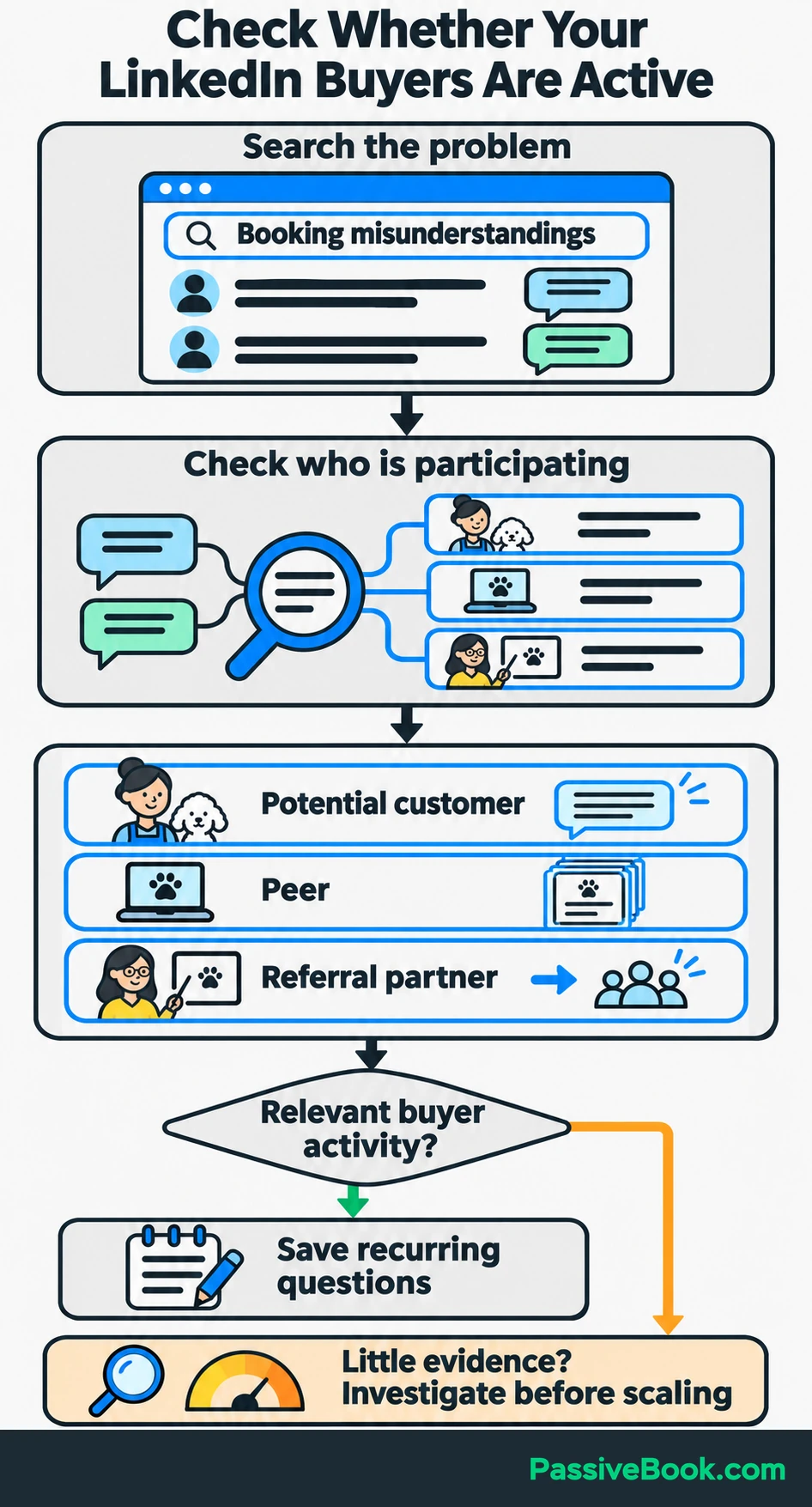
All three can matter, but a growing circle of peers doesn’t tell you whether buyers are interested.
Before filling a content calendar, search LinkedIn posts for the problems you want to cover. Read the comments and check participants’ profiles. Are independent groomers discussing these questions, or are marketers discussing how to sell to them?
Save recurring questions and the words people use. Add questions from customer emails and conversations. If you find little relevant activity, keep your LinkedIn time small while you investigate further. A detailed posting plan cannot create an audience that isn’t there.
Make Your Profile Worth Following
A useful comment or post may send someone to your profile. Help them understand what they’ll get by following you.
I would begin with a personal profile because you’re building relationships around your judgment and experience. A company Page can carry business information and updates, but I wouldn’t give it an equal publishing workload at the start.
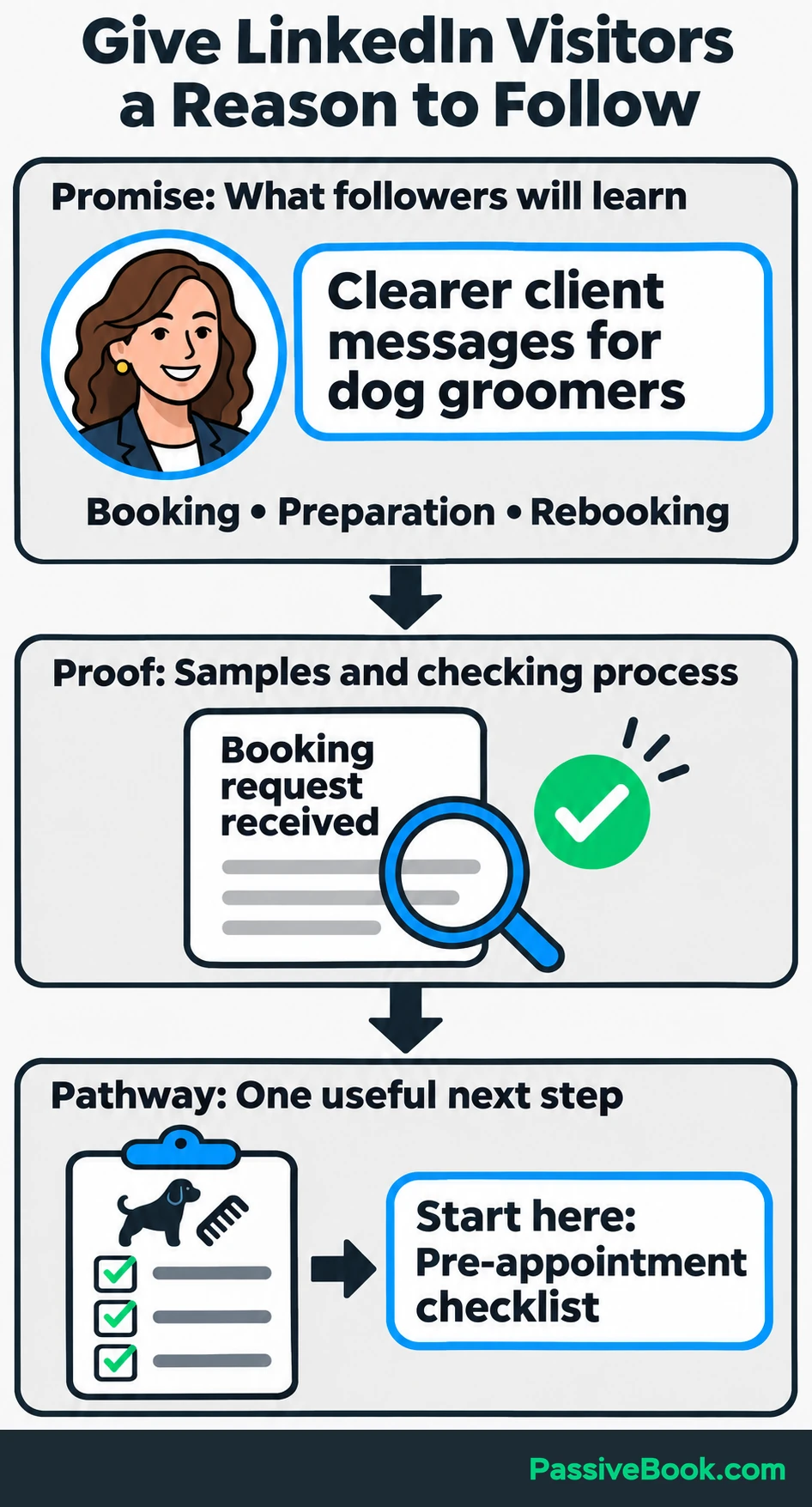
Make the main parts of your profile agree:
- Your photo should make you easy to recognize.
- Your banner should state the problem you help with.
- Your headline should explain your work in familiar words.
- Your About section should explain what you share, why your approach is credible and where interested visitors can go next.
For the template business, a headline could read:
Client-message templates for independent dog groomers | Booking, appointment preparation and rebooking
In the About section, explain the work behind the offer. Show relevant samples and describe your checking process. Include qualifications or recommendations when you have them. A clear work sample is more useful than calling yourself an expert and hoping nobody asks questions.
Let people outside your network follow you without sending a connection invitation. If audience building is your priority, make Follow the main button visitors see, too. In your follower settings, choose “Everyone on LinkedIn” and enable “Make follow primary”.
Feature one useful starting resource, such as a pre-appointment message checklist. Make your website or contact route easy to find, and give visitors one obvious place to begin.
Publish Content People Have a Reason to Follow
A helpful post answers a question. A useful collection of posts gives people a reason to expect more.
You don’t need to cover everything you know. Keep returning to the problems your intended audience is trying to solve.
Build Repeatable Themes From Audience Questions
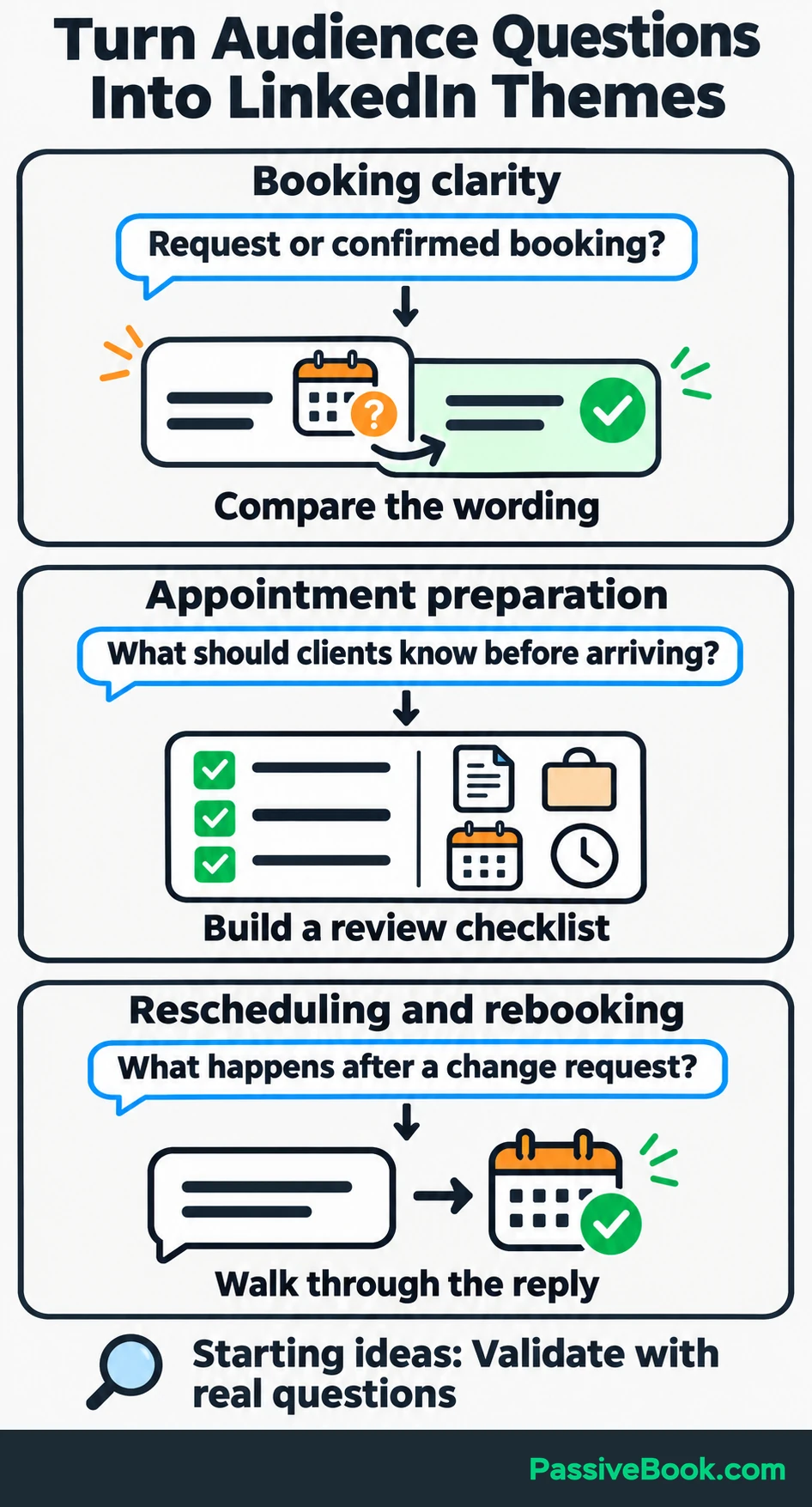
Group the questions you collect into a few themes connected to your offer. Then choose a useful way to answer each question: a walkthrough, a checklist, a common mistake or a lesson from your work.
For the template business, that might look like this:
| Theme | Question to investigate | Possible post |
|---|---|---|
| Booking clarity | Does this message confirm a booking or acknowledge a request? | Explain the difference with two short excerpts |
| Appointment preparation | What does the client need before arriving? | Show a message-review checklist |
| Rescheduling and rebooking | What should happen after someone requests a change? | Walk through a clear reply and next step |
These are starting ideas. Let the questions you actually find decide which ones deserve posts.
Keep a simple idea list with four fields: the audience question, your main answer, supporting material and the next step. A spreadsheet or Notion page is enough.
Include posts about your offer as well. Explain what buyers receive, how they use it and whom it suits. Useful teaching and clear selling can live on the same profile.
Personal stories should earn their space by helping with a recognizable problem. If the story doesn’t change what the reader understands or does, I would save it for another conversation.
Turn One Question Into One Useful Post
Choose one question and answer it fully enough that the reader can use the advice without leaving LinkedIn.
For a message-writing post, teach the method first:
- Decide what the message must accomplish.
- Include the details someone needs to act.
- End with one clear instruction.
Then illustrate the method with a short excerpt:
Your appointment is [date] at [time], at [location]. Please review [preparation information]. To request a change, contact [channel].

The date, time and location identify the appointment. The preparation link points to the relevant instructions, and the final sentence explains how to request a change.
Use invented messages for demonstrations so you can show the wording without exposing client correspondence.
Open the post with the decision you’re helping readers make. For example:
Does your appointment message tell clients what to do next?
Then explain what to check and why it matters. Short paragraphs help, but don’t break every clause onto a separate line. Readers came for an answer, not a staircase.
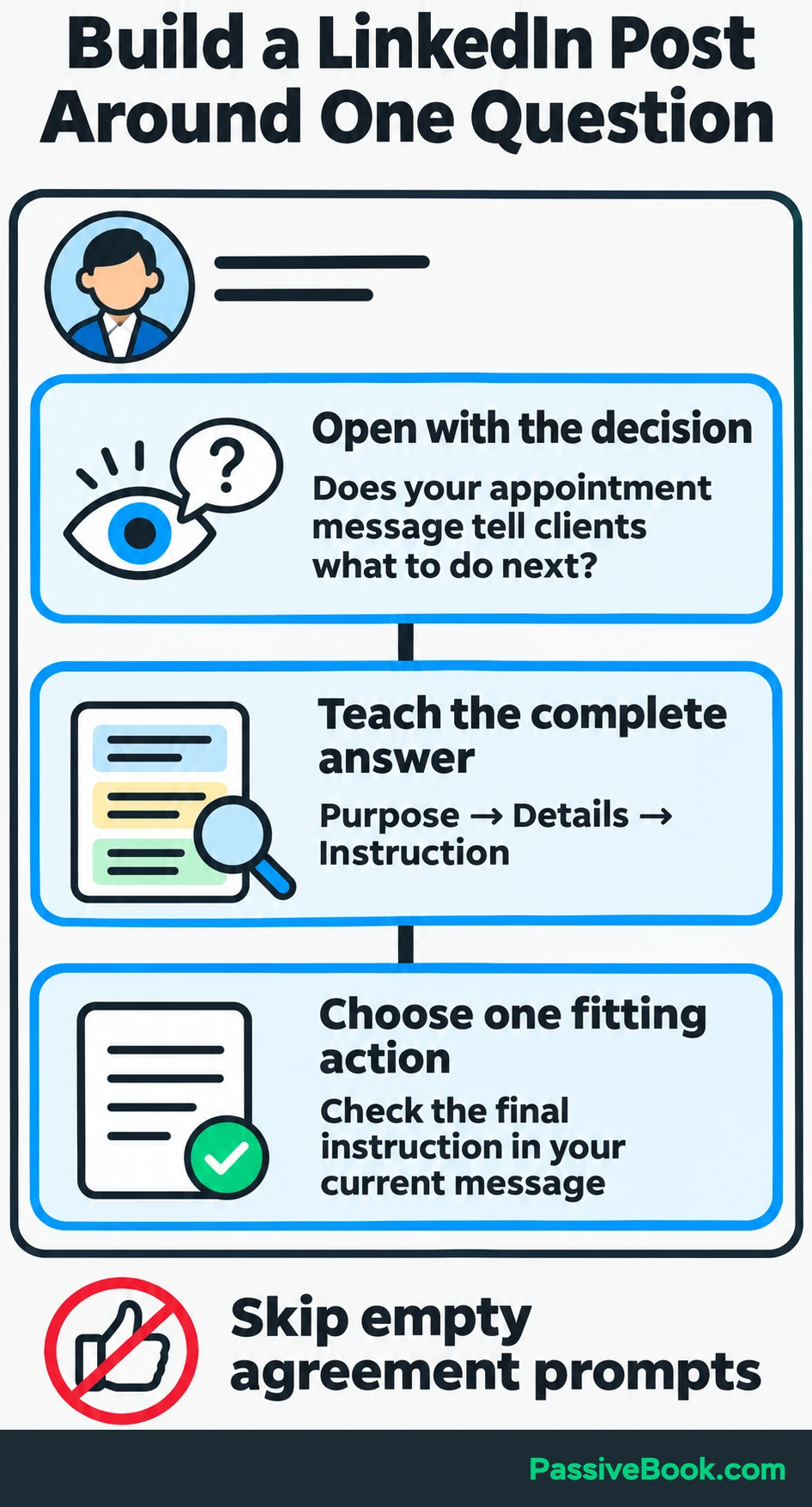
Finish with one fitting action. Ask readers to check their current message, share a related difficulty, follow for more guidance or view the template pack. Choose the action that follows naturally from the answer.
If the answer is clear in your head but slow to write, AI Social Copy Studio can turn your notes into three post drafts. Each gives readers something useful and a fitting way to continue.

Free AI Social Copy Studio




Before publishing a post meant to attract new people, select “Anyone” as its audience.
Skip empty prompts such as asking people to comment just to agree. LinkedIn says it is reducing repetitive, low-substance content and engagement bait. LinkedIn’s feed guidance
Choose the Format That Makes the Answer Clearest
Let the explanation determine the format.
| What you need to explain | Format I would try |
|---|---|
| One decision or writing principle | A text post |
| Why particular wording is unclear | An annotated image |
| Several checks readers can work through | A PDF document |
| How to edit and use a template | A short screen recording |
Start with formats you can produce comfortably. I would write a clear text post before spending an afternoon decorating a document.
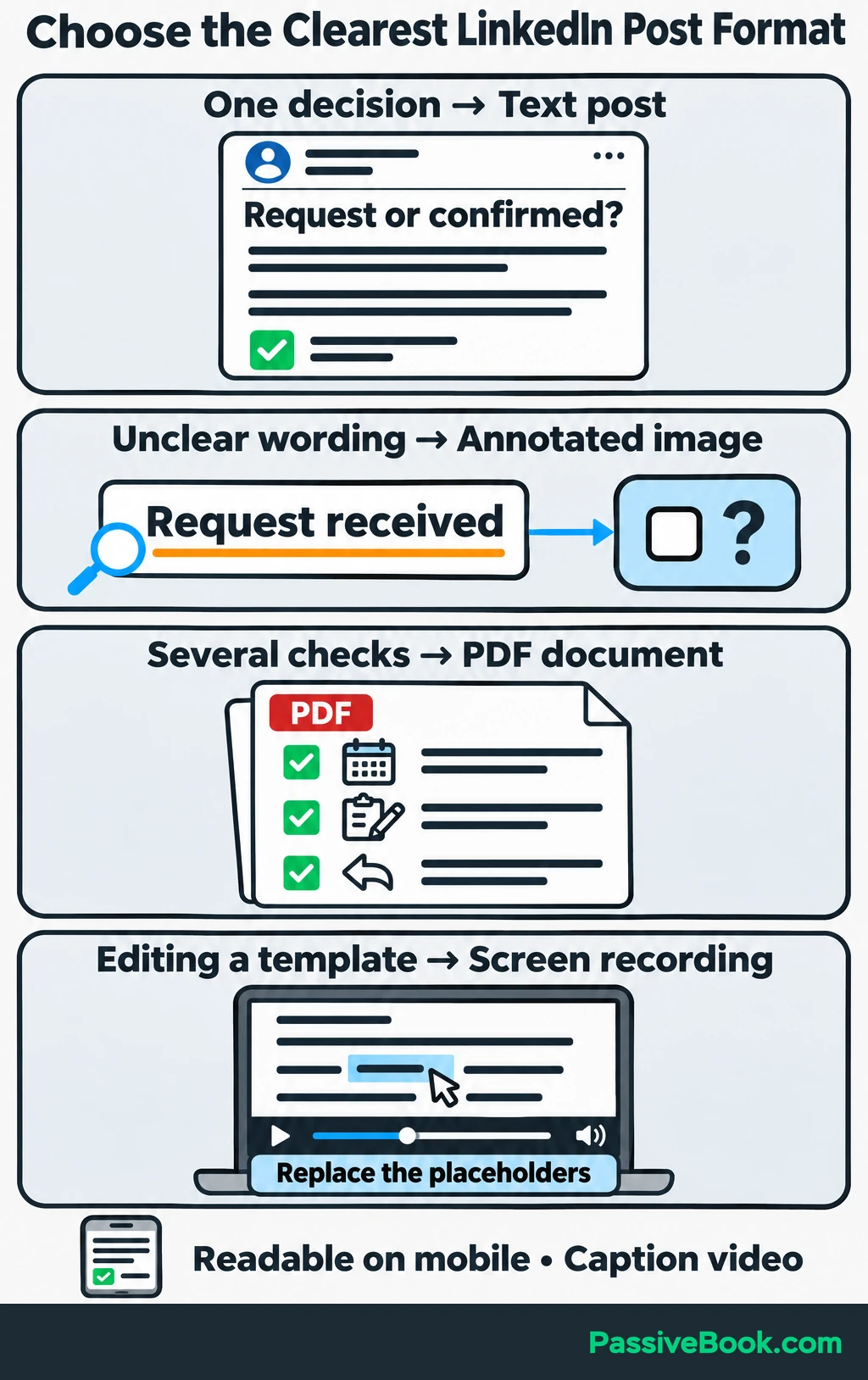
Keep images and document text readable on a phone, and caption videos so the explanation works without sound.
You can revisit a strong question through a different answer. Explain the writing method, later annotate a message, then answer a follow-up from the comments. Each post should add something useful.
Reach Relevant People Through Conversations
Publishing gives people something to discover. Conversations help you find out what deserves to be published.
Build a short list of potential customers, peers and complementary experts whose discussions overlap with your subject. Choose them for audience fit and useful conversations. A large follower count alone tells you little.
When commenting, add an explanation, an example or a question that helps the discussion move forward. Your contribution should make sense without requiring anyone to visit your profile.
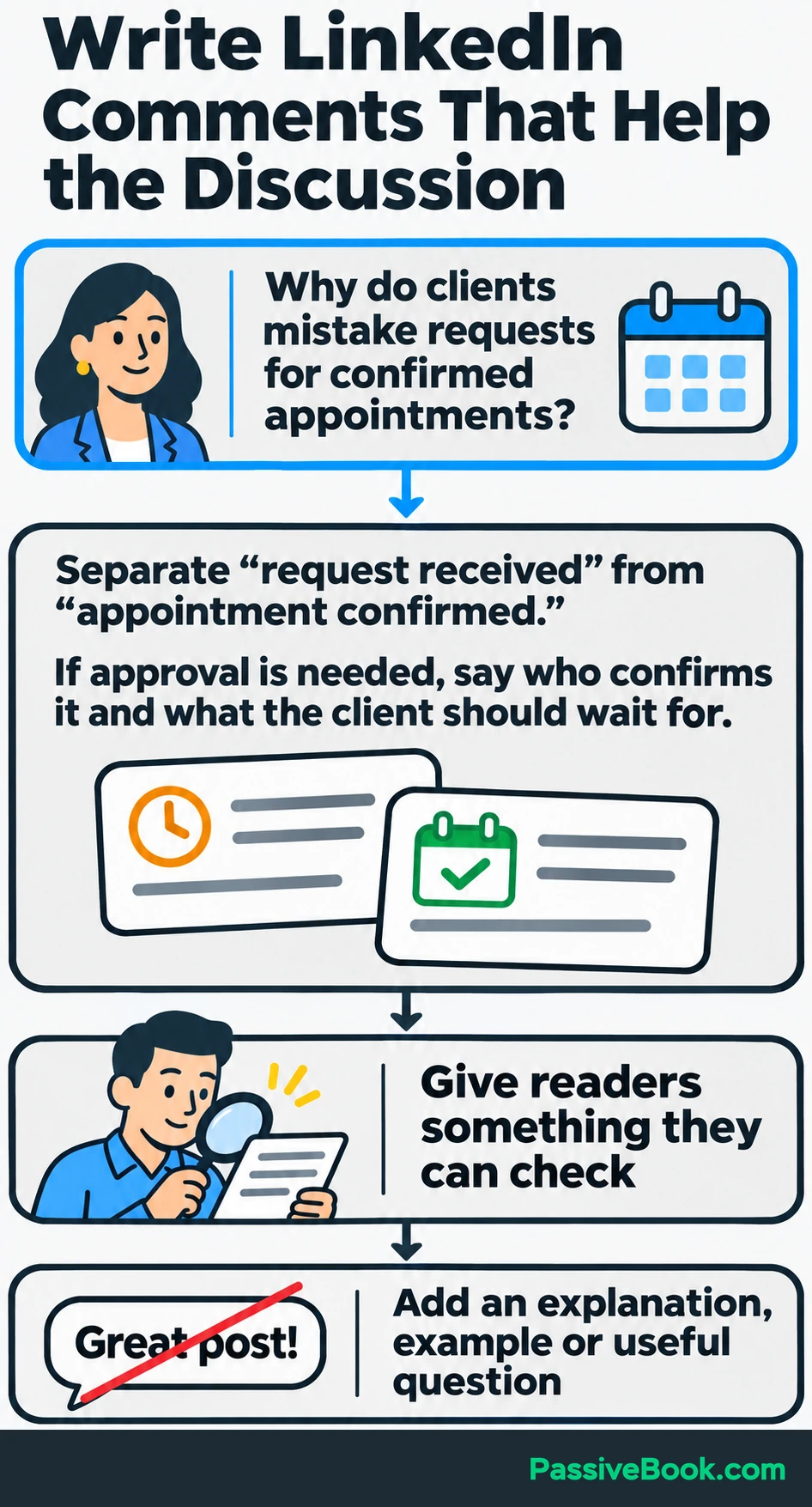
On a discussion about appointment management, the template business might contribute:
I would separate “we received your booking request” from “your appointment is confirmed.” If approval is still needed, the message should say who will confirm it and what the client should wait for.
That gives the reader something to check. It also shows how you think.
Reply to substantive comments on your posts and ask follow-up questions when they help. Save recurring questions in your idea list. A reader explaining where your advice becomes difficult is useful material for your next post.
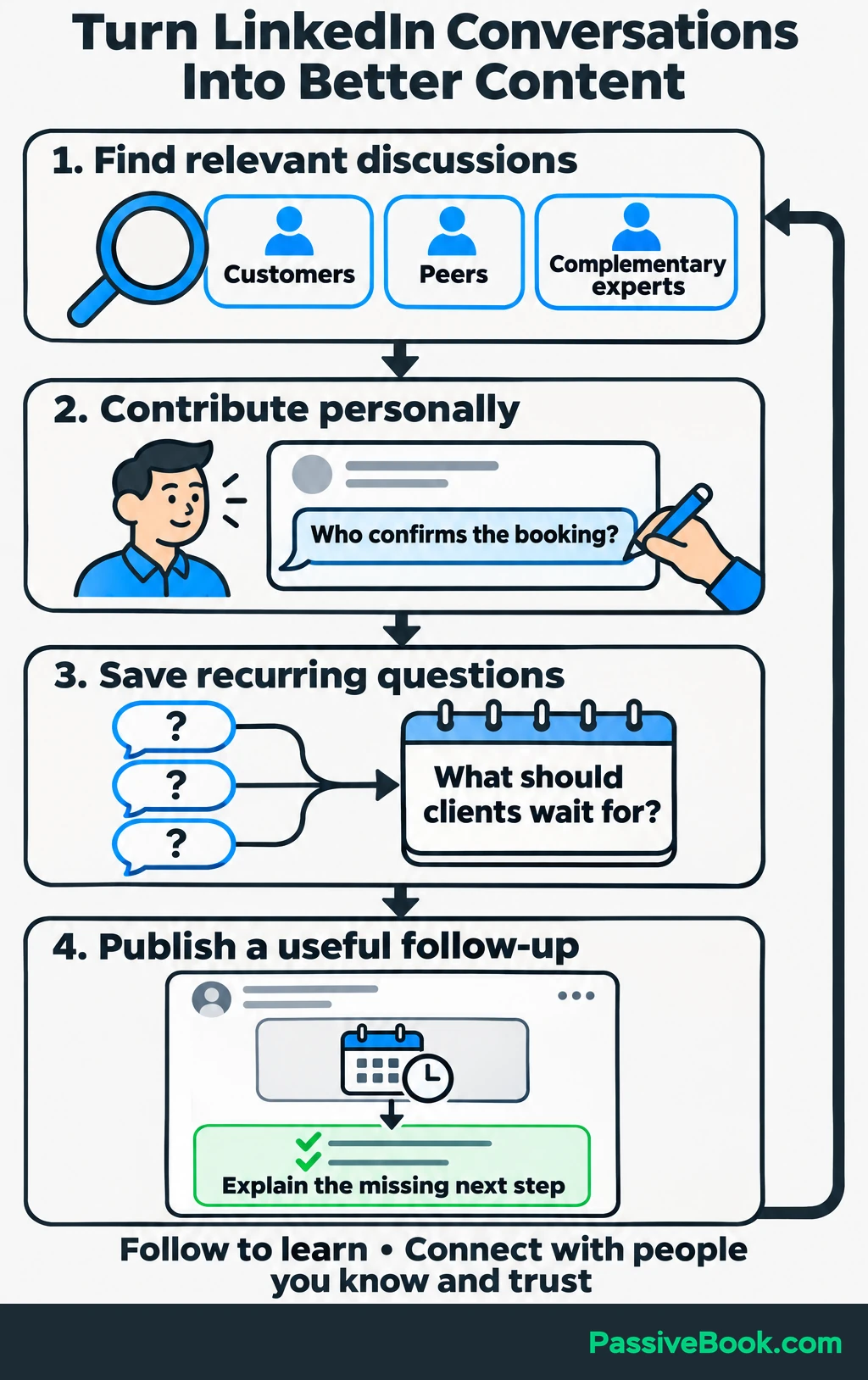
Follow unfamiliar people whose work you want to learn from. Connect when you know and trust someone, using a shared conversation or meeting as context. Following someone doesn’t oblige them to follow you back.
You can also bring existing relationships onto LinkedIn. Add a profile link to your email signature, website or newsletter and explain what people will find there. “Follow for short client-message walkthroughs” gives a clearer reason than “Find us on LinkedIn.”
For collaboration, start with a shared problem. A grooming-business educator could help explore common booking misunderstandings while you demonstrate how wording affects the next action.
Write your comments personally. LinkedIn prohibits engagement pods—groups coordinating reactions to inflate visibility—and automated commenting, and it may restrict distribution or account access. LinkedIn’s authentic engagement guidance
Give Interested Followers a Useful Next Step
Once someone finds your advice useful, make it easy to continue with the same task.
Match the destination to the post. A message-review post can lead to the free checklist. A walkthrough of the editable templates can lead directly to the pack overview.
Explain what each provides:
- The checklist helps someone review a message they already use.
- The paid pack supplies editable messages for related situations.
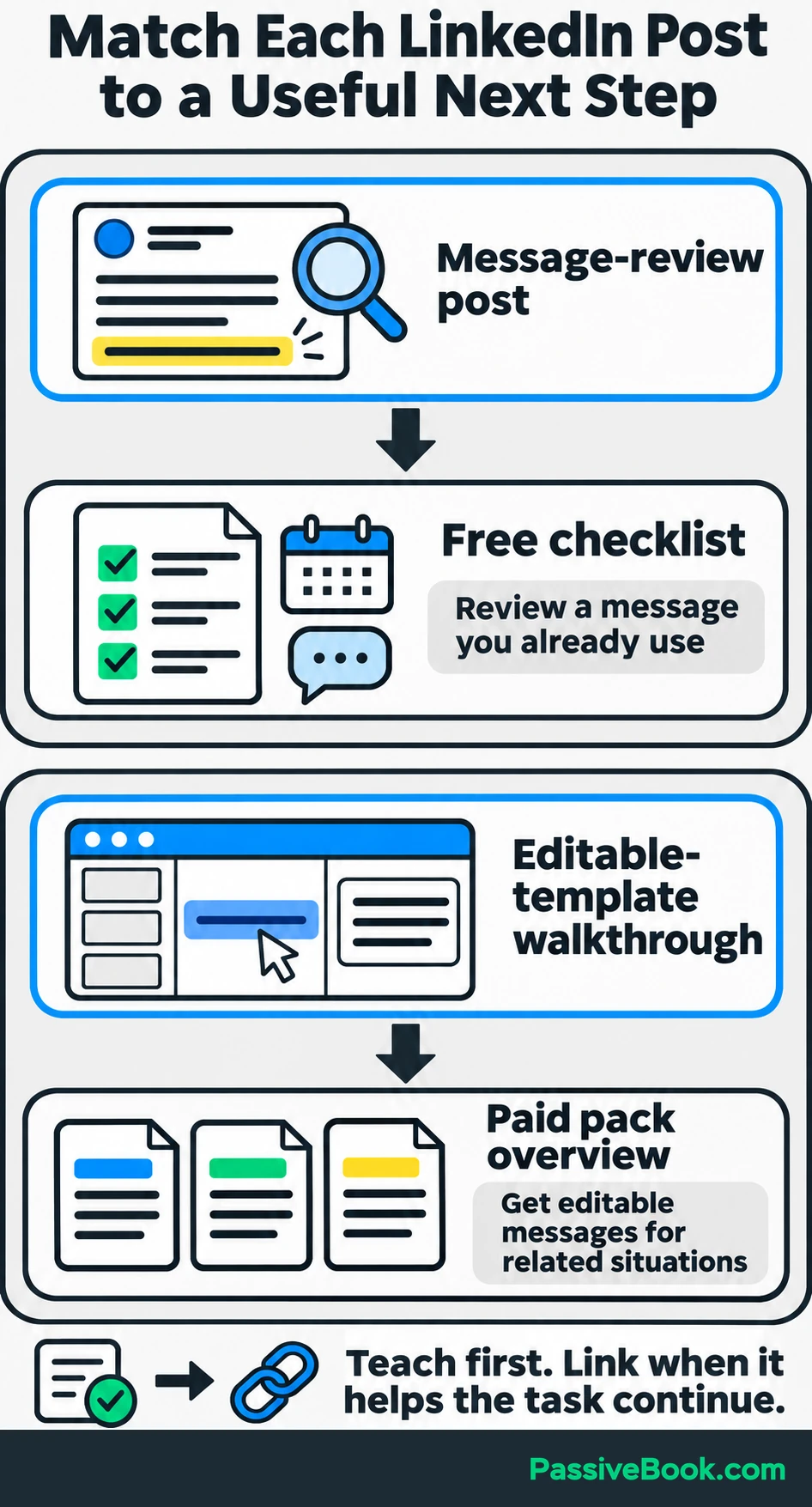
That connection should be visible before anyone downloads or buys. Deliver the useful answer in the post, then include a link when it helps the reader continue.
I’m firm about this because I spent six months chasing Instagram and Twitter/X followers in another niche while my bank balance stayed around $47. I kept doing the follower-building work, but I hadn’t connected it to a useful offer. That was my experience on those channels, and it shapes how I judge social media work now.
On LinkedIn, I would watch for specific questions that could become a business conversation. If someone asks whether the pack covers a particular situation, ask what they need before recommending it. Explain any gaps plainly.
A reaction alone gives you very little context for a sales message.
Promotional posts can show a sample, explain the contents or answer a buying question.
Build a Publishing Routine You Can Maintain
Choose a cadence that leaves room for research, useful posts and replies. I would start with two posts a week and a small amount of scheduled conversation time.
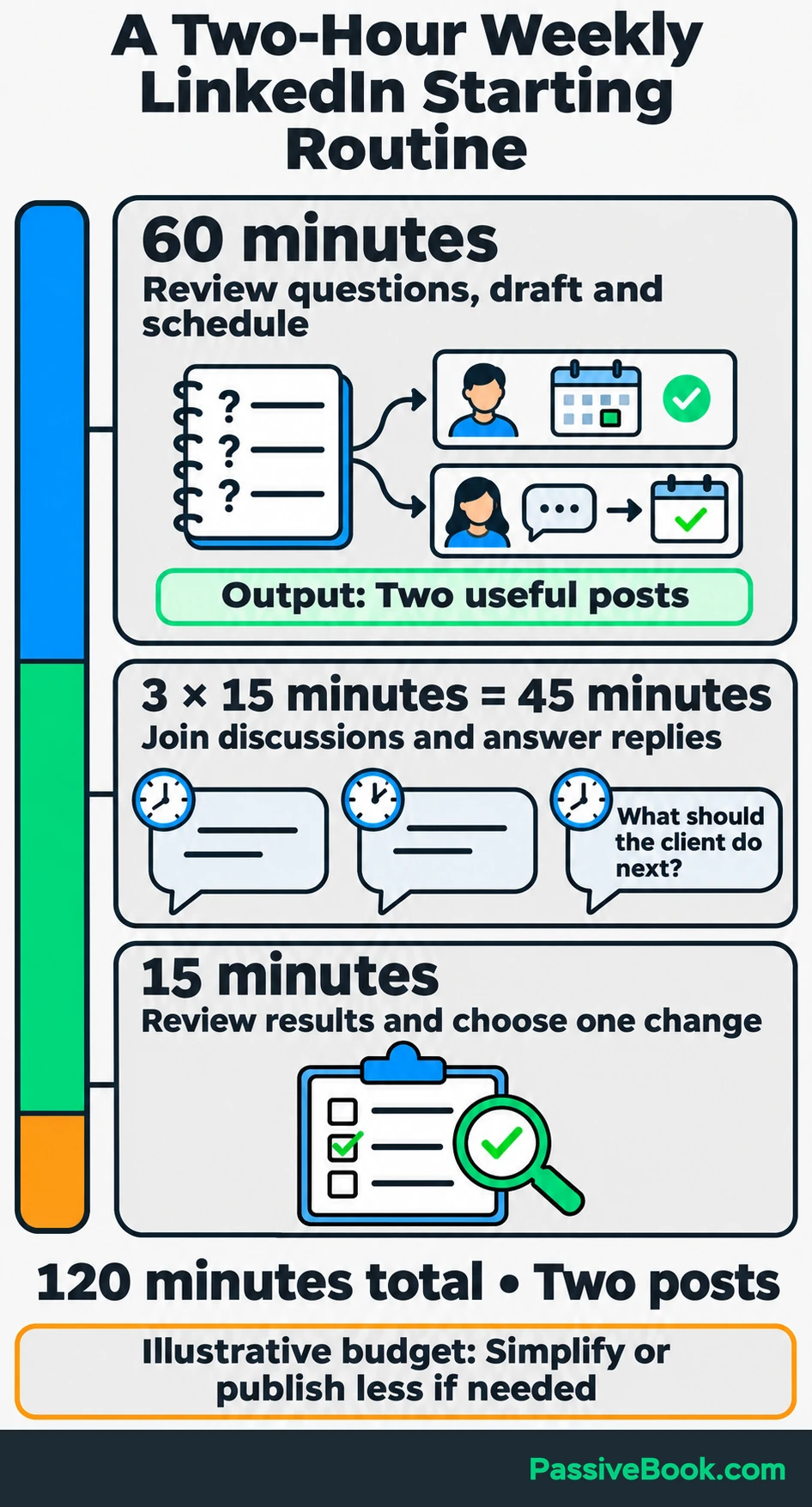
Here is an illustrative weekly budget for the template business:
| Work | Starting time budget | Intended output |
|---|---|---|
| Review questions, draft and schedule | 60 minutes | Two posts answering related questions |
| Join discussions and answer replies | Three 15-minute sessions | Useful contributions and follow-up |
| Review results | 15 minutes | One decision about what to repeat or change |
That gives you two hours to work with. If drafting takes longer, simplify the format or publish less while you improve the process.
Batch similar tasks. Collect questions together, outline related posts together and schedule finished drafts. Leave room to use a timely question instead of treating the calendar as a contract.
Publish when you can reasonably return to answer replies. You don’t need to watch the feed all day.
Daily posting is not a requirement for organic growth. Aylin Round reported growing from just under 2,000 to more than 28,000 followers over 2.5 years while posting three times weekly and joining industry conversations. She also said early drafting took almost an entire Sunday. Her account shows growth without daily publishing, but it doesn’t establish an expected growth rate or a low workload. Round’s original account
Use AI to reduce drafting work. Claude or ChatGPT can group your notes, suggest openings or simplify a draft. Supply the question, your actual answer and the example you want to explain.
LinkedIn allows AI writing assistance, while asking that posts and comments represent your voice and perspective. Review the output and remove claims or experiences you cannot support. LinkedIn’s AI-assisted content guidance
My own AI content pipeline cut article production from days to hours. That’s why I’d use AI for the drafting work here, but let audience questions decide what deserves a post.
Measure Results and Improve the Weak Point
Record your starting follower count and time budget before you begin. Review progress weekly and look for patterns across several posts before making larger changes.
Keep a weekly log with the review dates, topics published and the measures below:
| Measure | What to record |
|---|---|
| Net follower growth | Ending followers minus starting followers |
| Audience fit | Whether available follower profiles and post-viewer demographics include your intended audience—in this example, independent dog groomers |
| Meaningful conversations | Exchanges about a relevant problem, rather than reactions or generic praise |
| Qualified inquiries | Relevant people asking about an offer you can provide |
| Sales | Completed purchases, counted separately from inquiries |
| Time spent | Research, drafting, scheduling, conversations and review |
For conversations and inquiries, count distinct people within each review period so a long thread doesn’t become several leads.
Check individual post analytics for profile viewers and followers gained from each post. Compare available viewer demographics with your intended audience.
Keep impressions and reach distinct. Impressions count appearances on LinkedIn. Members reached estimates distinct members and Pages that saw the post, excluding repeat views. Neither tells you whether those viewers were likely customers. LinkedIn’s post metric definitions
If you already use Google Analytics on your website, add campaign tags—labels identifying the source and promotion—to your checklist link. For example:
https://example.com/checklist?utm_source=linkedin&utm_medium=social&utm_campaign=appointment_checklistReplace https://example.com/checklist with your checklist’s address. The tags let Google Analytics identify visits from that campaign. Ask buyers how they discovered you, too; a purchase may follow several interactions. Google Analytics campaign tagging guidance
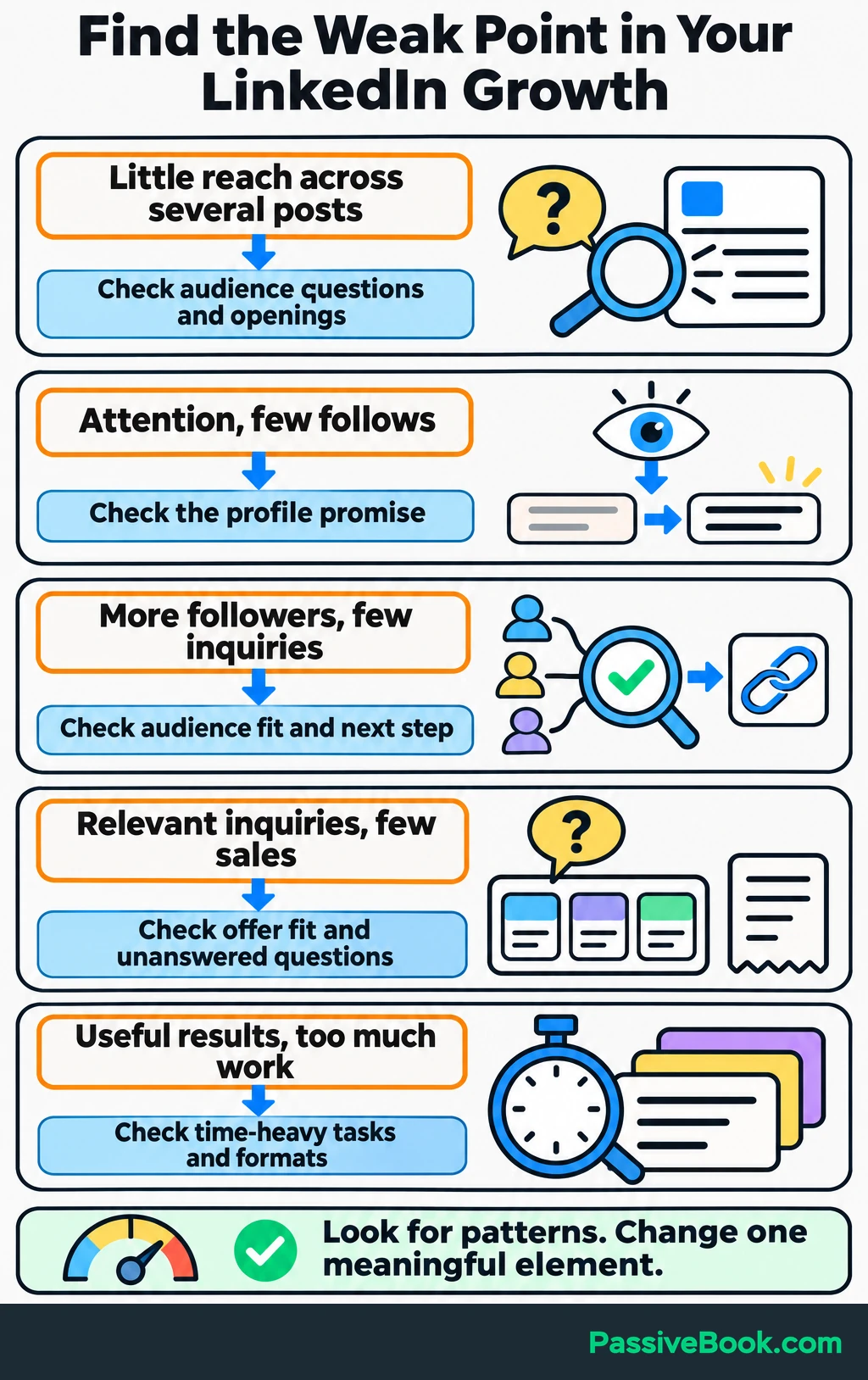
Use the review to find the weak point:
| What you observe | What I would check first |
|---|---|
| Little reach across several posts | Whether the topics match active audience questions and whether the openings make the problem clear |
| Attention but few follows | Whether the profile explains what readers will keep getting |
| More followers but few inquiries | Whether the followers fit the offer and whether the next step is easy to find |
| Relevant inquiries but few sales | Whether the offer answers the need, and what questions remain before purchase |
| Useful results but too much work | Which formats and tasks consume time without adding much value |
Change one meaningful element at a time. Otherwise, you may get a better result without knowing which change helped.
Repeat topics that attract relevant people and useful opportunities. Give less time to work that repeatedly produces attention without helping the business.
What Next?
Write one sentence naming whom you help and what they’ll keep learning from you, then check whether your LinkedIn headline makes that promise clear.
Use the social buttons to share this guide if your next LinkedIn planning session could use a common starting point.
Where does your current effort lose momentum: attracting relevant people, earning follows or turning interest into inquiries? Tell me in the comments, and bring any other questions you have.
Share this post with your friends & followers:

