You spend an evening making a useful Facebook post, and a few people react. Then the conversation stops. Next week, you’re back to finding something else to publish.
The frustrating part is deciding whether that effort is building an audience or just keeping a Page occupied. More posts can fill your calendar without bringing interested people any closer to your business. This guide tackles that uncertainty with a practical routine for growing a Facebook audience that returns for your posts, and a way to judge whether that attention is worth the time you put in.
Can You Grow on Facebook Without Paying?
Yes. Facebook can recommend content from Pages and accounts people don’t follow, so your existing follower count doesn’t set a hard ceiling on discovery. Meta explains how these recommendations work.
But discovery is only the beginning. A useful post earns attention, your Page explains why to follow, and related posts give people a reason to return. You need all three.
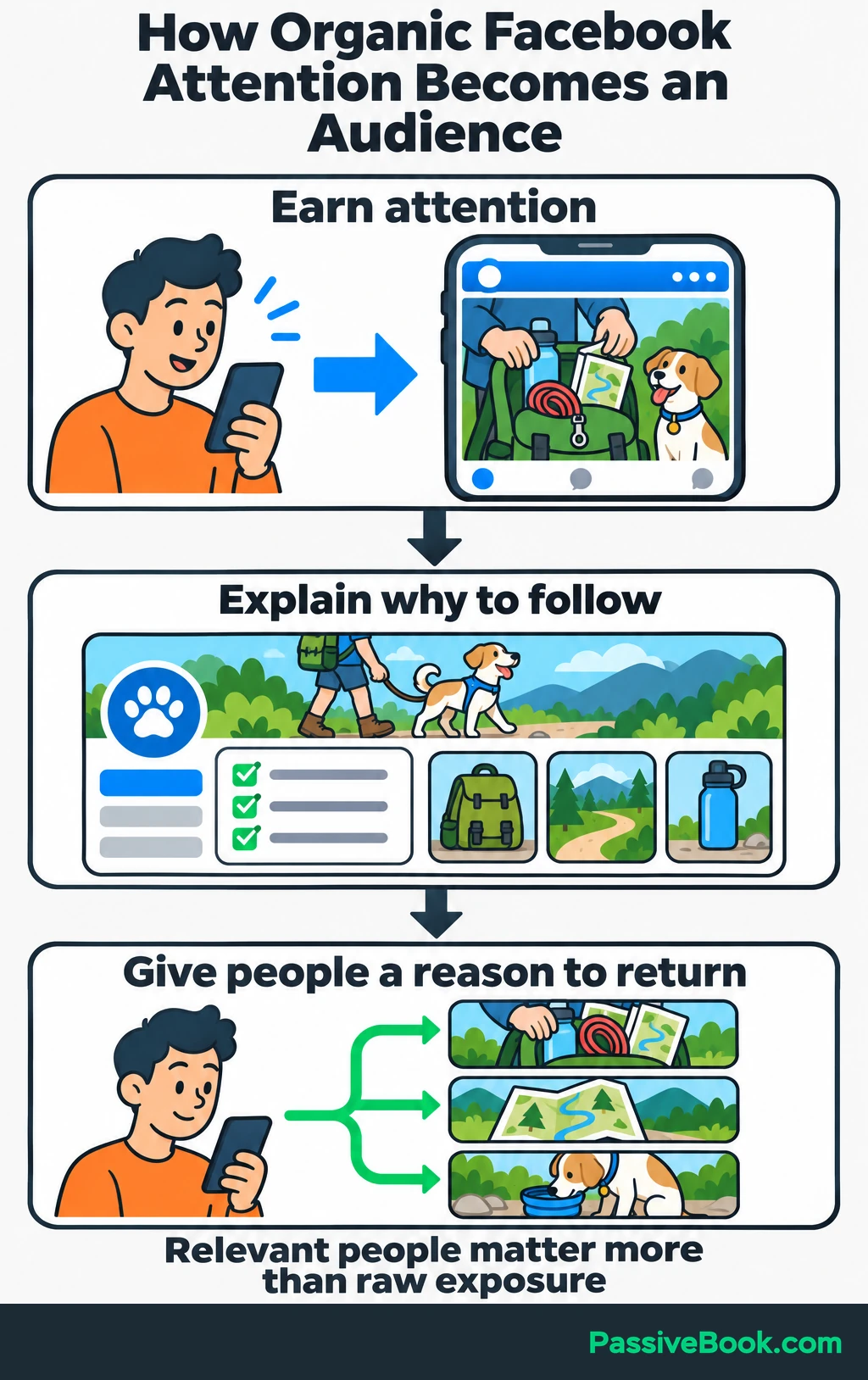
Throughout this guide, imagine you run a digital shop selling dog-friendly day-trip planners, supported by a free outing packing checklist. The copy, schedule, and numbers are illustrations.
For that shop, I would track interested followers, useful conversations, and confirmed checklist signups. A post reaching thousands of people who have no interest in planning an outing offers little to build on.
Organic growth costs time, and there’s no guaranteed timetable. Start with a manageable publishing routine and look for progress you can repeat.
Give Visitors a Clear Reason to Follow
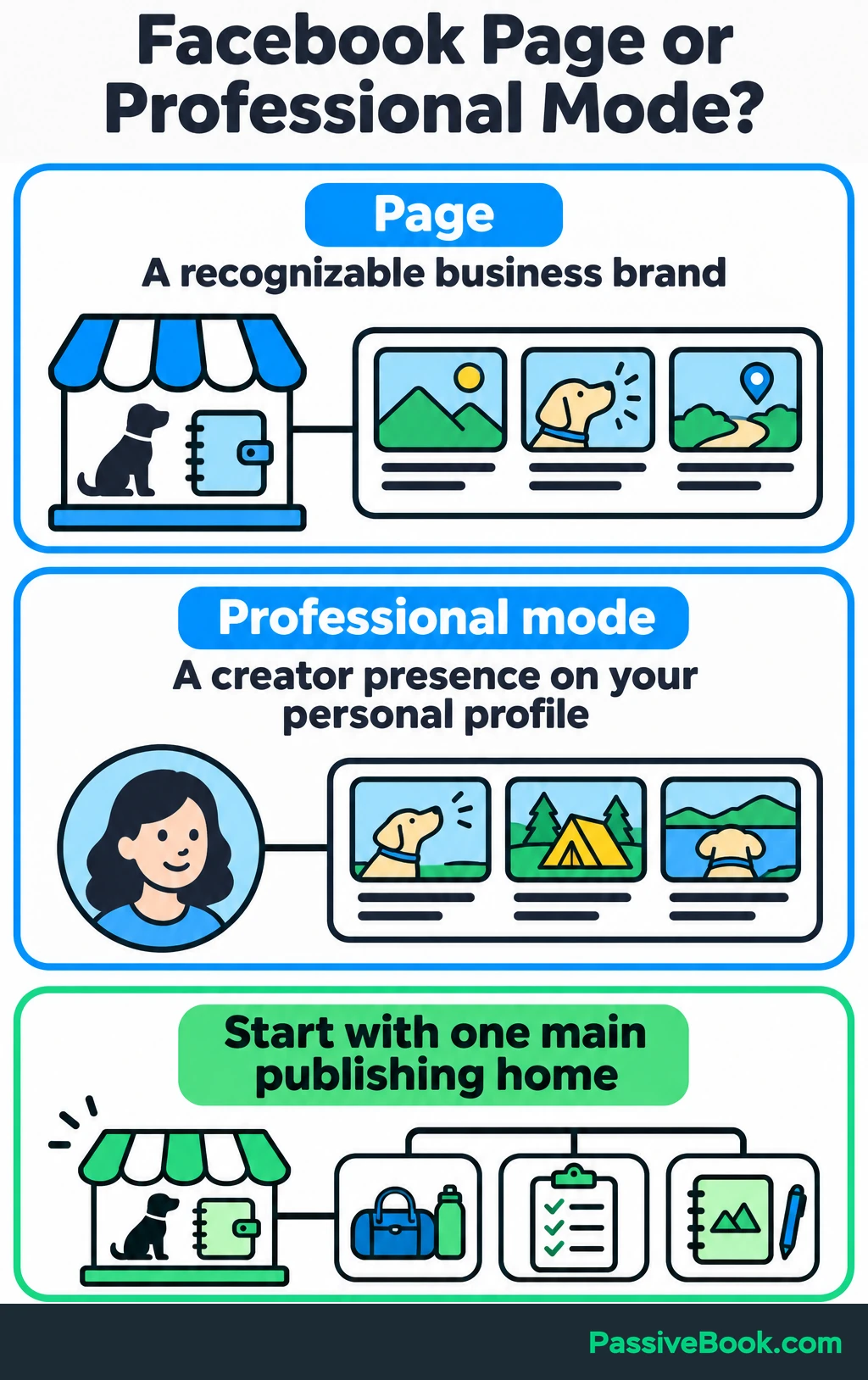
Choose one main place to publish:
- Page: My choice for a shop or business brand that people should recognize independently of its owner.
- Professional mode: A way to build a public creator presence through your existing personal profile. Meta describes professional mode here.
For the planner shop, I would choose a Page. Splitting a small amount of content between several presences creates more work before you know what people want.
Next, write a sentence explaining what followers will regularly get. “We love dogs” expresses enthusiasm, but it doesn’t help someone decide whether to follow.
A clearer promise would be:
“Practical checklists for organizing dog-friendly days out.”
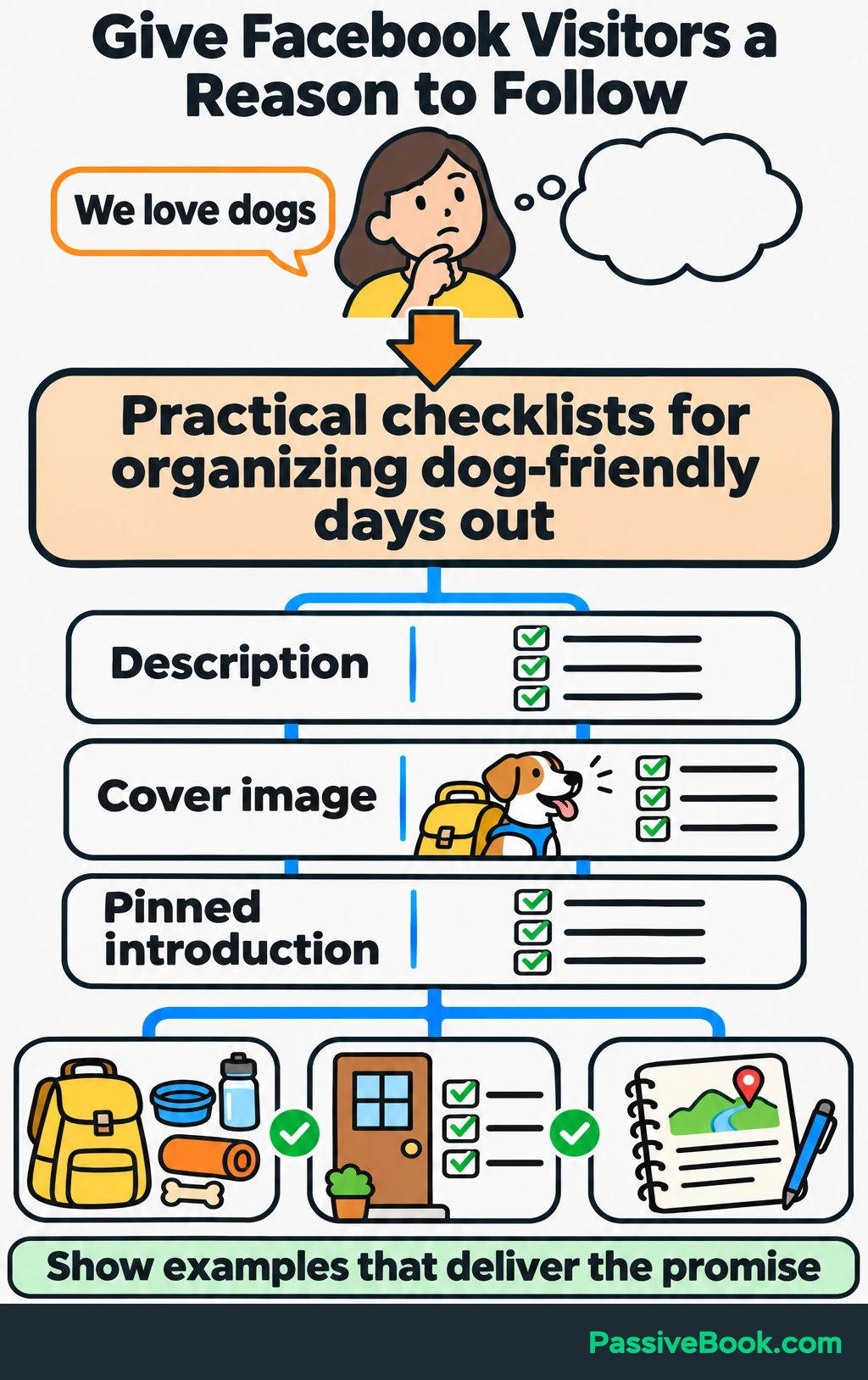
Carry that promise through your description, cover image, and pinned introduction. Use a recognizable image, add relevant contact details, and link to a destination that matches the promise.
Publish several useful posts before actively promoting the Page. A visitor should find examples of the help you offer, such as a shared packing method, a departure checklist, and a way to record useful trip notes. Give them something to assess beyond a product announcement.
Record your starting follower count and recent post results. You’ll need that starting point when deciding whether the changes helped.
Publish Original Content That Solves Specific Problems
Find Questions Worth Answering
Begin with questions people already ask. Check customer emails, comments on your posts, relevant public Groups, and discussions on related Pages.
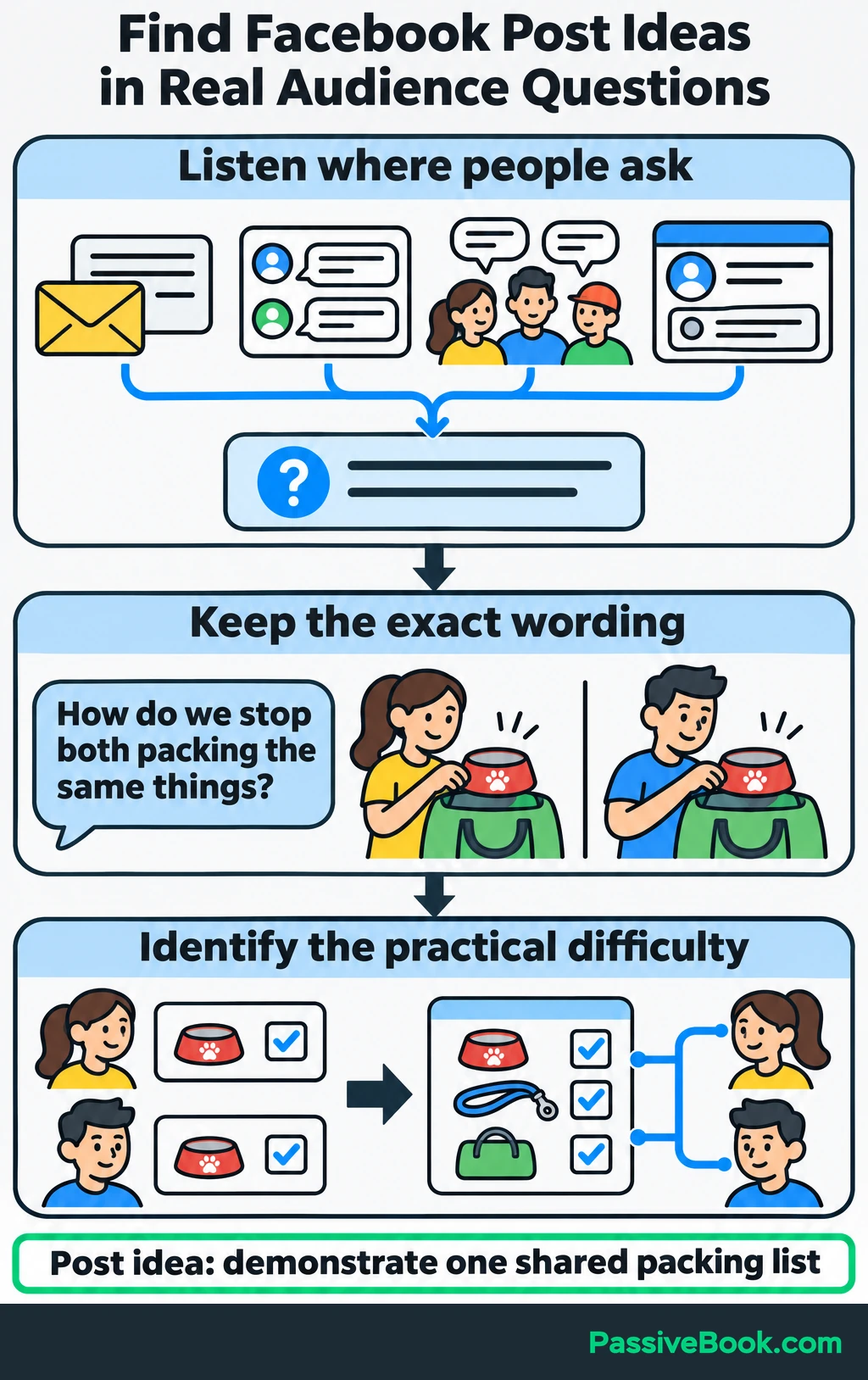
Record the wording and the difficulty behind it. “What do you pack?” could mean several things: choosing supplies, remembering them, or coordinating with another person.
A useful question list might look like this:
| Question | Practical difficulty | Post idea |
|---|---|---|
| “How do we stop both packing the same things?” | Two people can’t see what the other has done | Demonstrate one shared packing list |
| “What should we check before we leave?” | Important checks happen too late | Show a short departure checklist |
| “How do we remember what worked last time?” | Trip details disappear into scattered notes | Show a simple trip-record page |
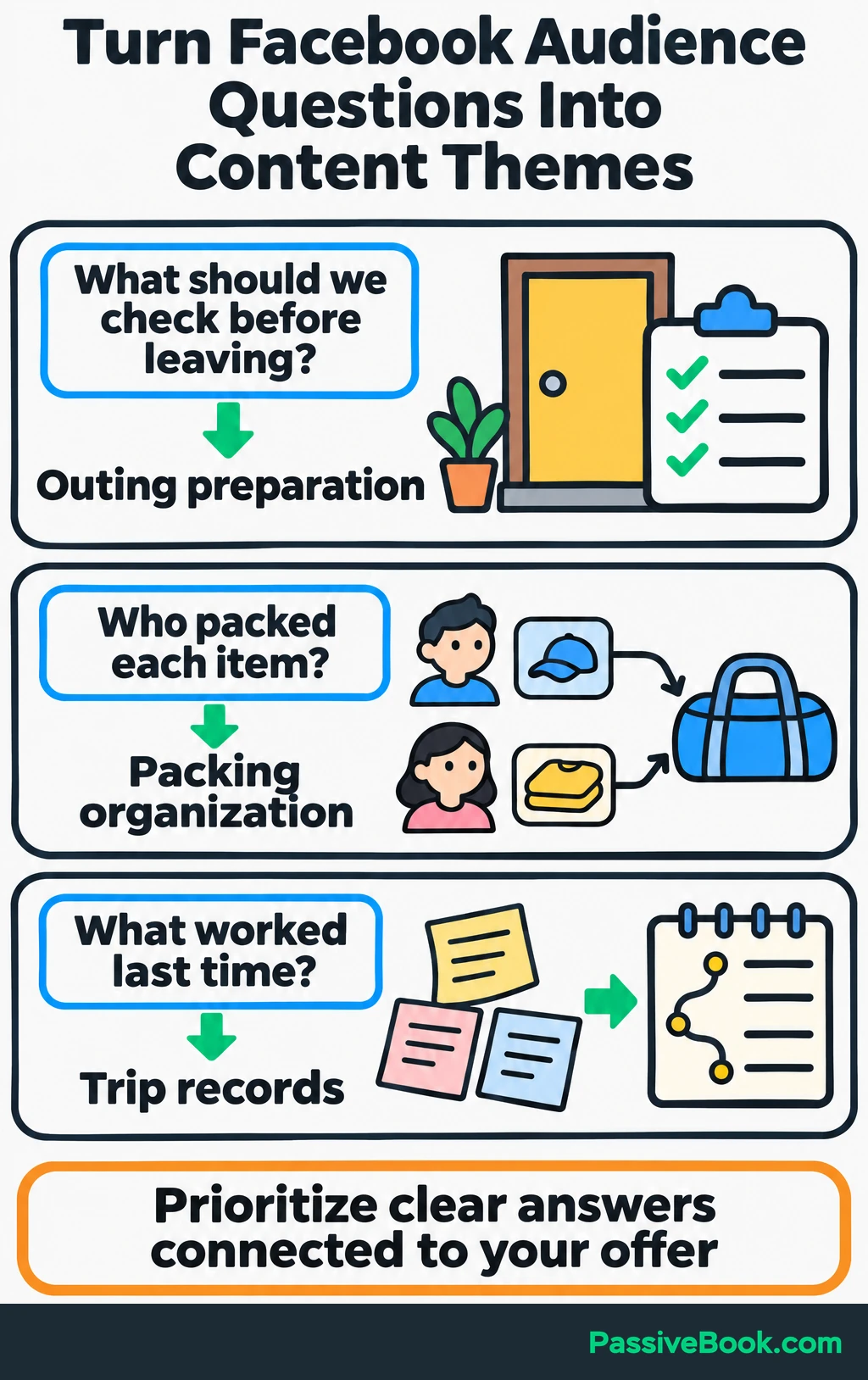
Group related questions into a few recurring themes. For this shop, I would start with outing preparation, packing organization, and trip records.
Prioritize questions you can answer clearly and that relate to your offer. You don’t need to cover every dog topic to build a useful audience.
Turn Each Question Into a Useful Post
Give each post one main job. It might explain a method, start a relevant discussion, or introduce a resource. Trying to do all three in every post makes the next action harder to see.
Start with a situation the reader recognizes, then provide a usable answer. For a dog outing, that could mean both people packing a bowl while each assumes the other has packed the water.
For the shared-packing question, teach the method first:
- Write one list of what that particular outing requires.
- Assign each item to one person.
- Mark it packed only after it goes into the bag.
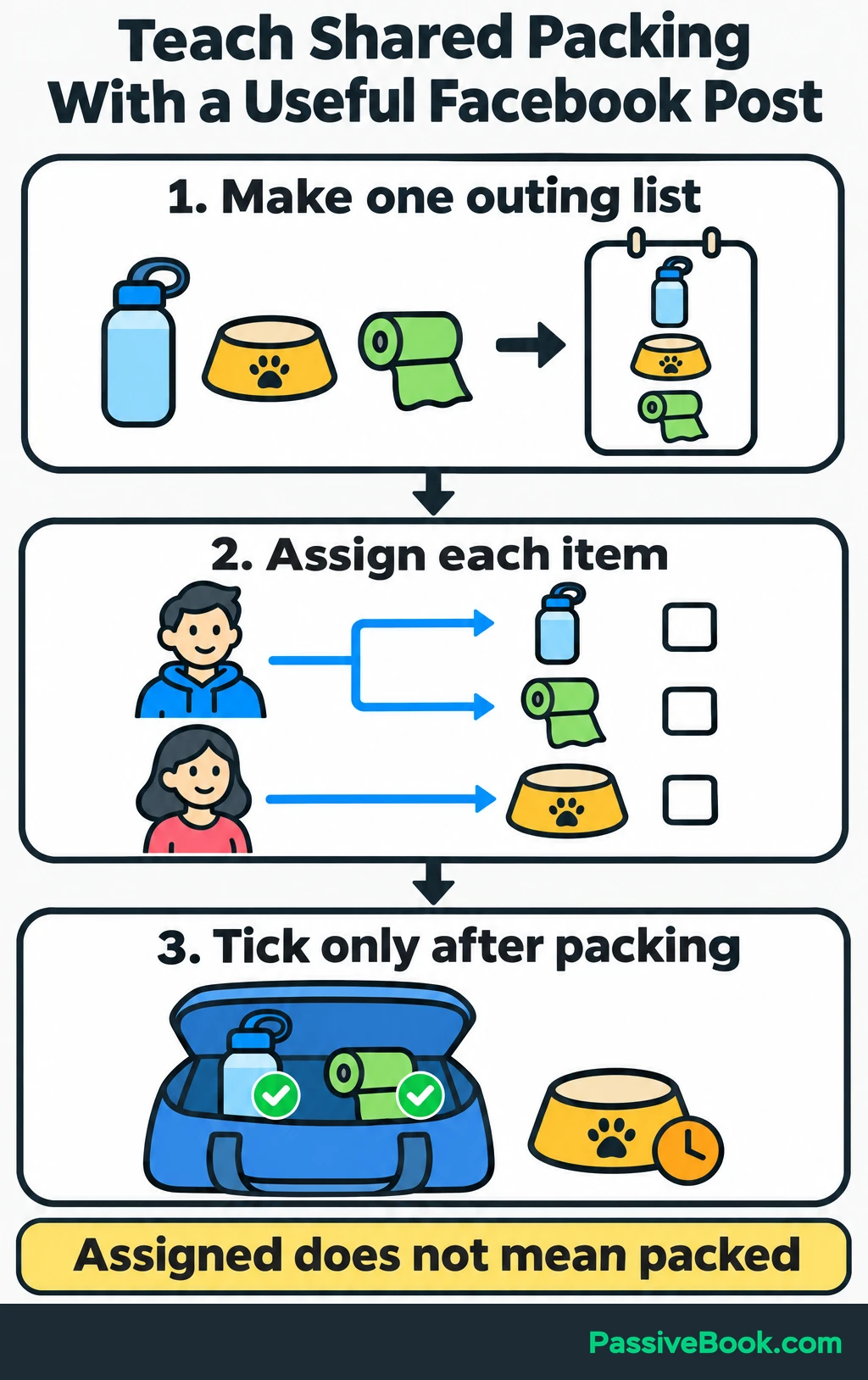
Then show a small example:
| Item | Person Responsible | Status |
|---|---|---|
| Water bottle | Me | Packed |
| Bowl | My partner | Still to pack |
| Waste bags | Me | Packed |
The useful distinction is between “someone is handling it” and “it is in the bag.” A neat checklist that confuses those two can still leave you searching the car park.
Your opening could be:
“Both packing for the same outing? Give each item an owner, then tick it only when it’s in the bag.”
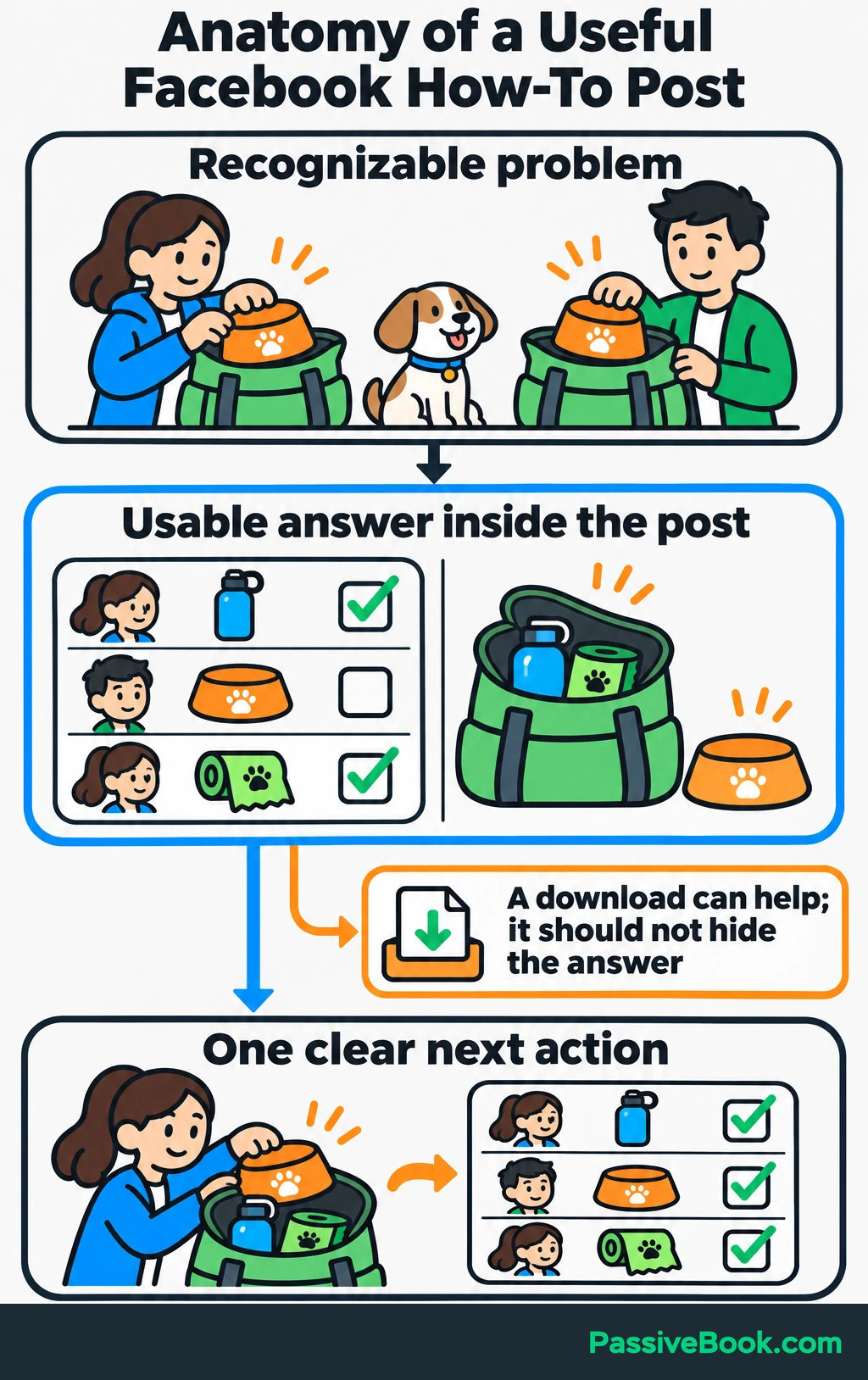
Keep the explanation useful inside Facebook. Readers should gain something even if they never click through. A downloadable checklist can make the method easier to use, but it shouldn’t hold the answer hostage.
If you have a useful answer but keep getting stuck on the wording, AI Social Copy Studio gives you three text-only drafts to review. Each takes a different angle, so you’re not just repeating the same post.

Free AI Social Copy Studio




Create your own demonstrations, images, and explanations. Meta says it prioritizes original content and deprioritizes copied material with minor changes, such as added borders or captions. Its original-content guidance explains the distinction.
Keep the caption connected to what you show, too. Meta identifies unrelated captions and long, distracting captions with excessive hashtags as tactics that can restrict discovery. A useful explanation doesn’t need a trailing cloud of loosely related keywords. Meta’s spam guidance covers these practices.
Use Formats That Work Without Appearing on Camera
Choose the format that makes the answer easiest to understand.
- Text: Use it for a focused explanation or a specific question.
- Annotated image: Show a checklist, comparison, or worked example with readable notes.
- Video: Demonstrate an action when movement makes the explanation clearer.
You can film your hands organizing an outing bag or record a walkthrough of your own printable. Neither requires a face-to-camera introduction.
Open with the problem or finished result. Show the shared checklist beside the packed bag, then demonstrate how its status changes. Cut the introductory speech about what you’re about to demonstrate.
Check everything on a phone before publishing. Text that looks comfortable on a laptop can become decorative dust on a small screen. Add accurate captions so a video’s explanation works without sound.
To attract new people with Reels, Facebook’s video format, choose a public audience. Friends-only visibility limits who can see them. Meta explains the public audience option.
Build a Publishing Routine You Can Sustain
I would begin with two or three useful posts a week and leave room for replies. That’s a starting choice, not a growth requirement.
If making three posts consumes every spare hour, publish fewer. A schedule that survives an ordinary working week is more useful than one that needs your entire Sunday.
Keep a simple queue in a spreadsheet or a planning tool such as Notion. Record the audience question, purpose, format, draft, publication date, and next action.
One question can support several posts when each adds something:
| Slot | Format | Useful Angle | Primary Action |
|---|---|---|---|
| Monday | Text | Explain how to assign packing responsibilities | Try the method |
| Wednesday | Annotated image | Show the difference between assigned and packed | Discuss where coordination breaks down |
| Friday | Original video | Demonstrate updating the list while packing | Download the blank checklist |
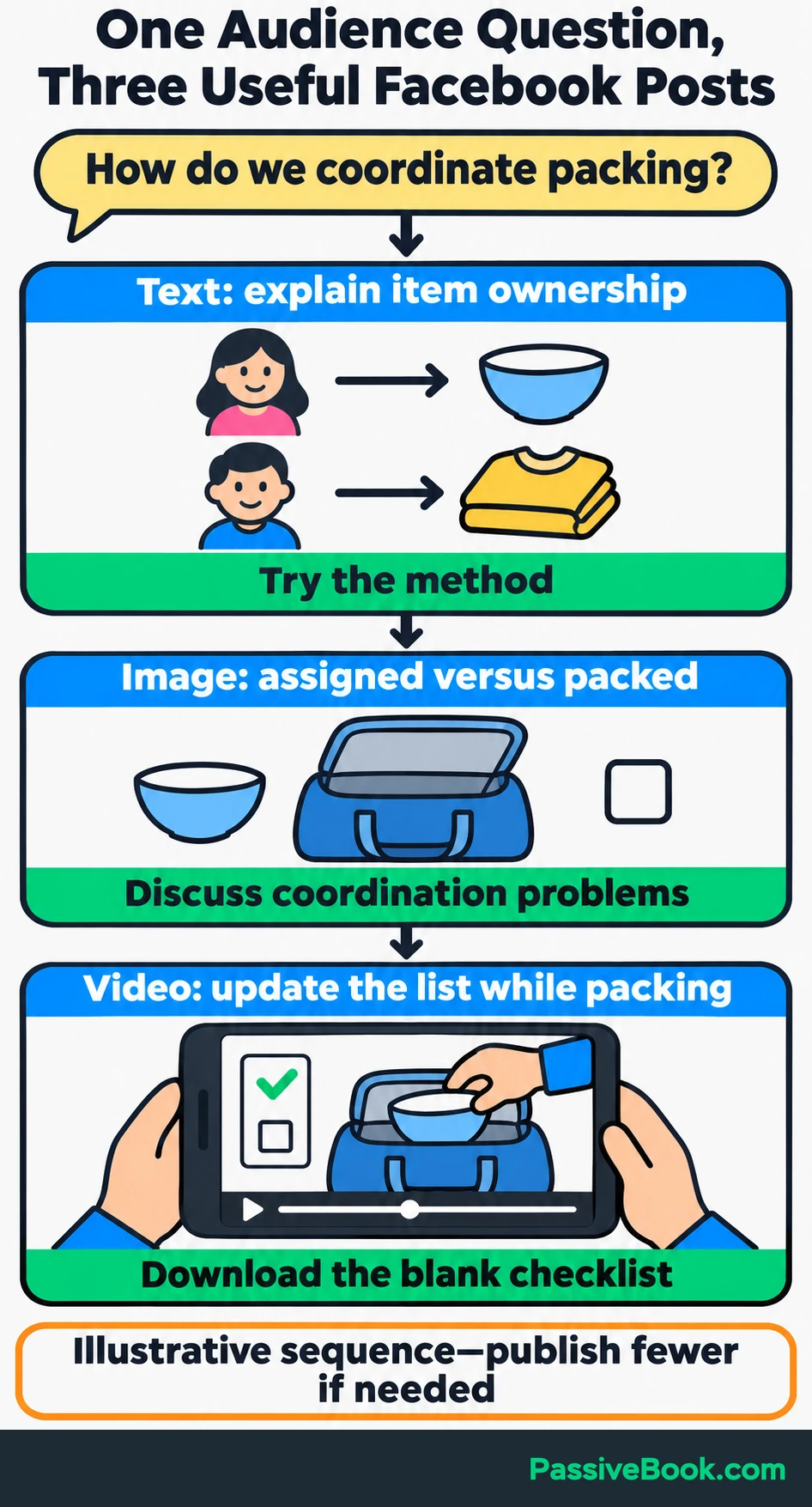
Batch related work: draft the explanations together, prepare the images together, then schedule prepared Page posts in Meta Business Suite. It provides built-in scheduling, so I would start there before paying for another tool.
Choose publishing times when your intended audience may be available and when you can return to the discussion. Compare alternatives using your own results.
AI can help group collected questions or suggest draft variations. When I built my AI content pipeline, faster drafting exposed another problem: a polished draft could still lack a clear reason to exist. I had to make that decision before generating more words.
For Facebook, give AI the actual question, the practical answer, and the post’s purpose. Then check the draft yourself. Automating a vague brief produces vague posts more efficiently.
Reach People Beyond Your Existing Followers
Once your Page contains useful material, introduce it through channels you already have.
A website, newsletter, or relevant customer email can explain what people will get from following. Link to a useful introductory post rather than asking people to support an empty Page.
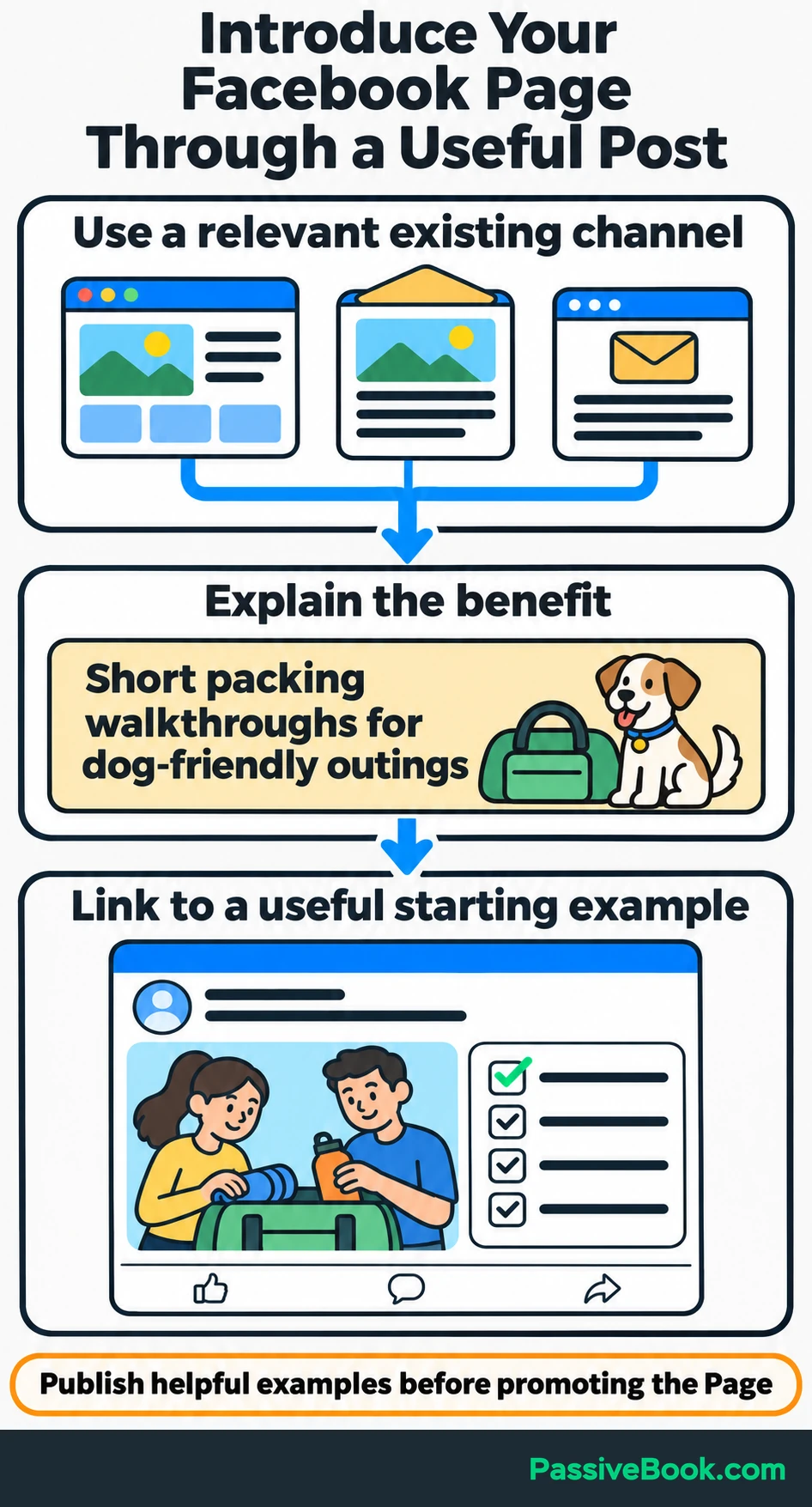
For the planner shop, that invitation might be:
“I’m sharing short packing walkthroughs on Facebook. Start with this example of organizing one bag between two people.”
If you’re starting without an existing audience, relevant communities and complementary partners give you places to contribute.
Contribute to Relevant Communities
Look for Groups where people ask questions you can answer. Read recent discussions before joining in.
I would choose a smaller Group with thoughtful questions over a huge one filled with promotional links. Membership size tells you little about whether anyone wants your help.
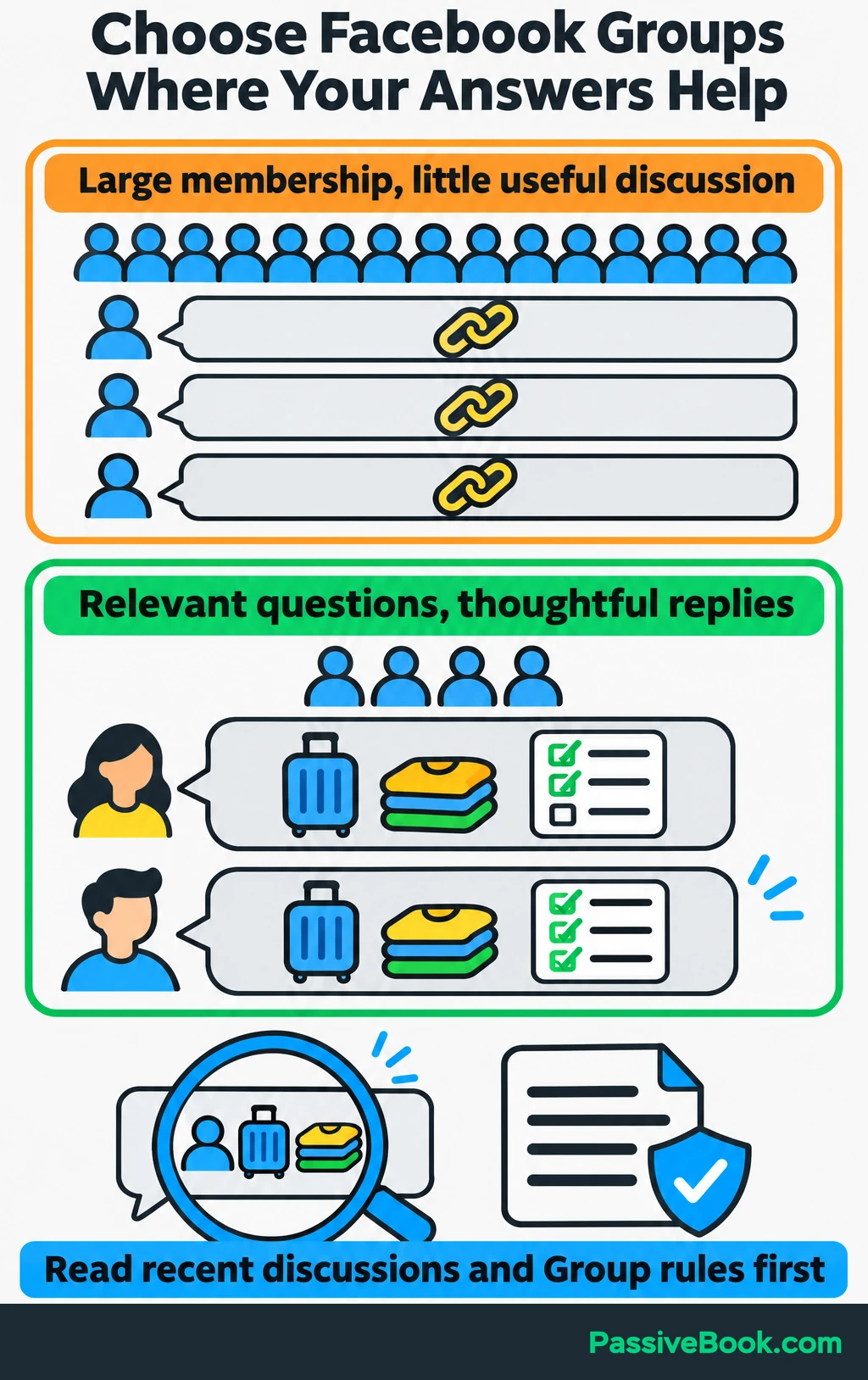
Answer the question fully in the discussion. If someone asks how to coordinate packing, explain the shared-list method there.
Mention your checklist only when it directly helps and the Group’s rules allow it. Be clear that it’s yours. If promotion isn’t allowed, leave the link out and contribute the answer.
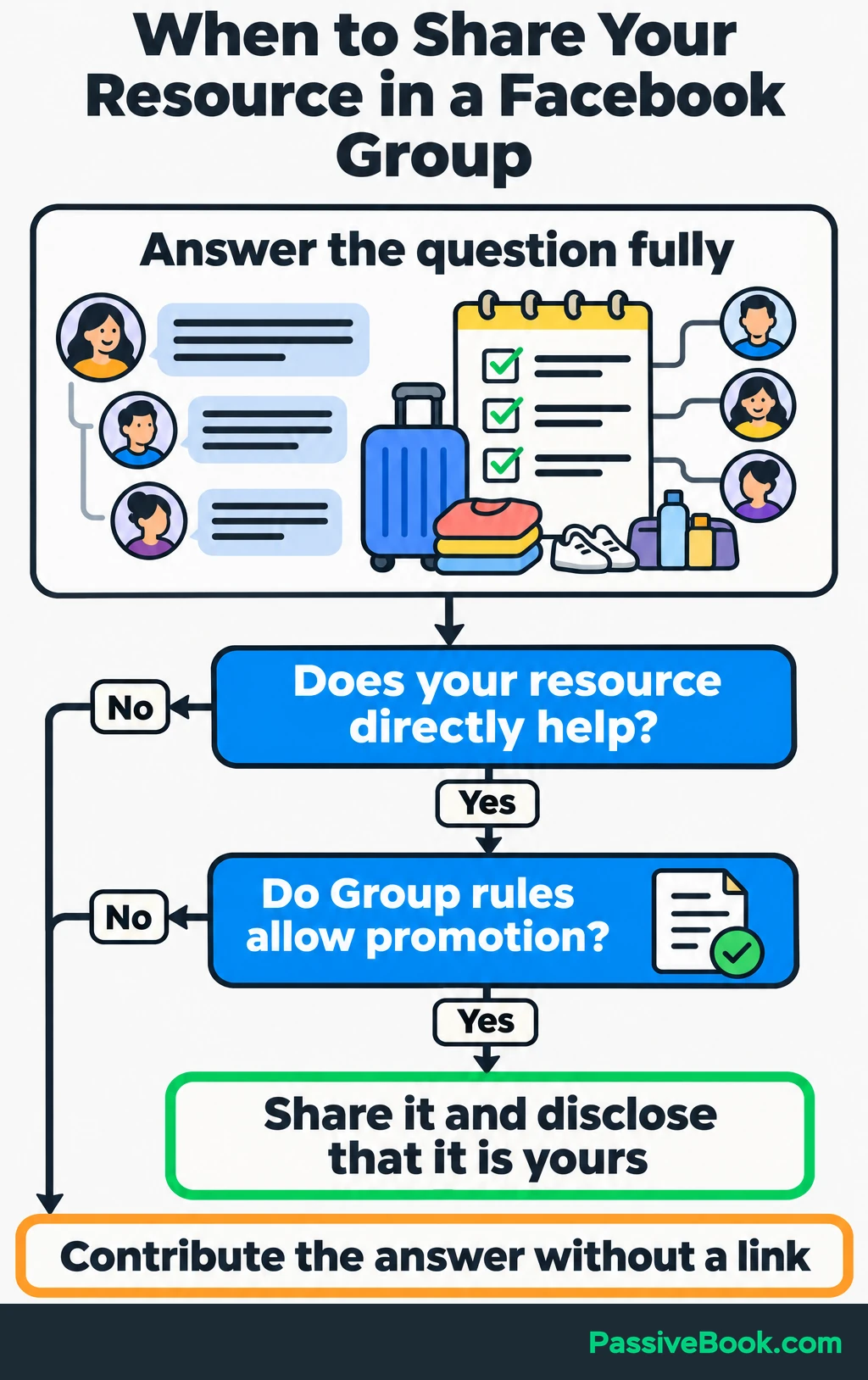
Avoid posting the same pitch across Groups or sending unsolicited sales messages to members. You’re trying to become useful enough that people choose to investigate further.
Keep note of recurring questions. They can improve your next post even when a discussion brings no immediate followers.
Collaborate With Complementary Creators and Businesses
Find partners who help a related audience with a different task.
The planner shop could work with someone who creates dog-friendly walking guides. The guide helps people choose an outing, and the planner helps them organize it.
Make one concrete proposal. For example, offer to create an outing-preparation checklist to accompany one of their route guides, while they contribute the route-specific checks.
Agree on the contribution and how each person will introduce it. Give readers something useful without requiring a follow or purchase, and tag the people who helped create it.
I would start with one small collaboration. A grand partnership plan can consume more time than the resource it was supposed to produce.
Turn Comments Into an Ongoing Community
Ask questions that help people compare real experiences.
“Thoughts?” gives readers very little to work with. A more useful question is:
“Which item do you most often discover is missing after you leave?”
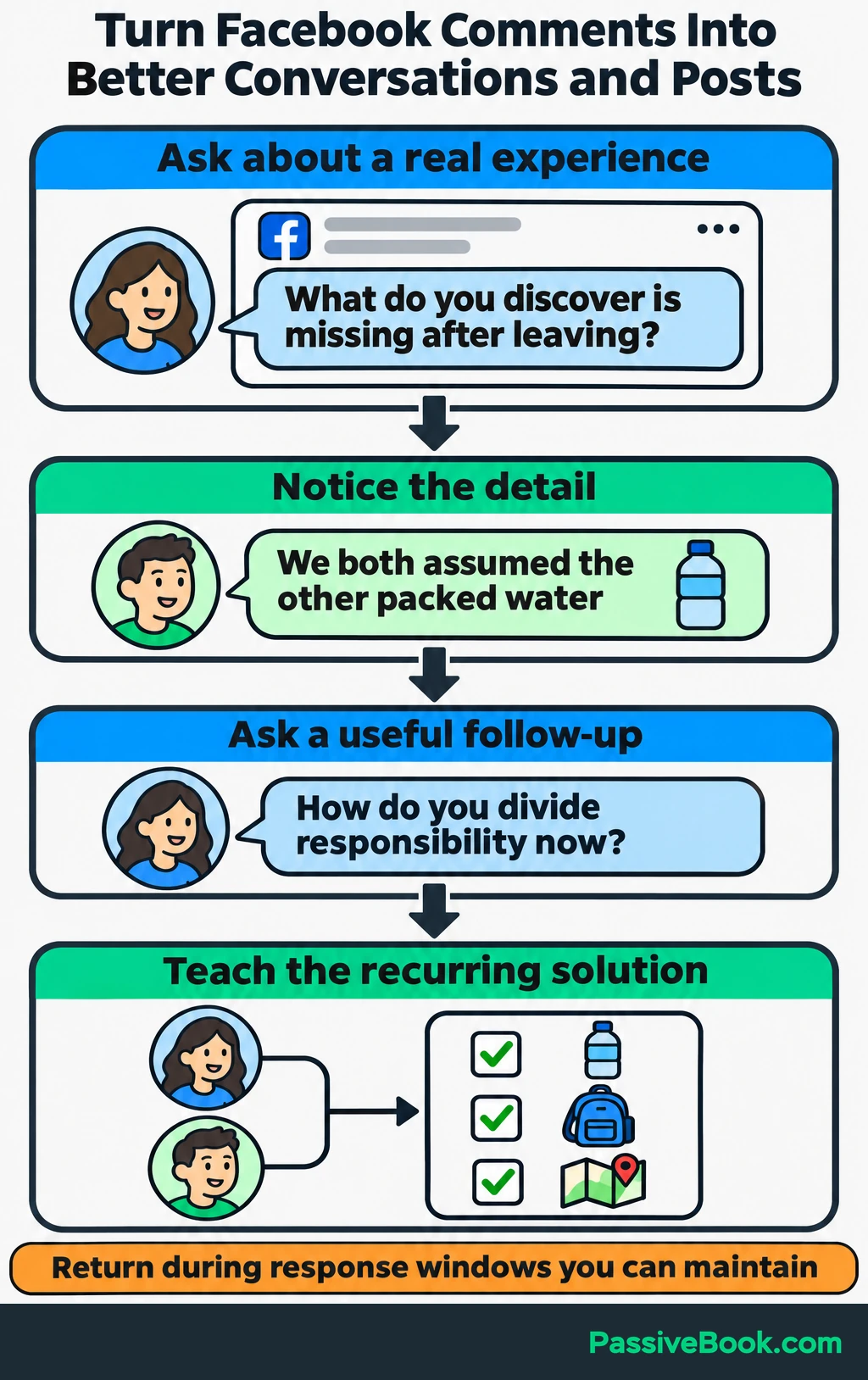
When someone answers, respond to the detail. If they mention that each person assumed the other had packed an item, ask how they currently divide responsibility. That exchange can reveal the next useful post.
You can also create a recurring conversation, such as a weekend outing check-in:
“What’s the one preparation task you still need to sort out before this weekend?”
Return to those discussions and let readers help one another. If a recurring issue becomes a post, acknowledge the conversation that prompted it.
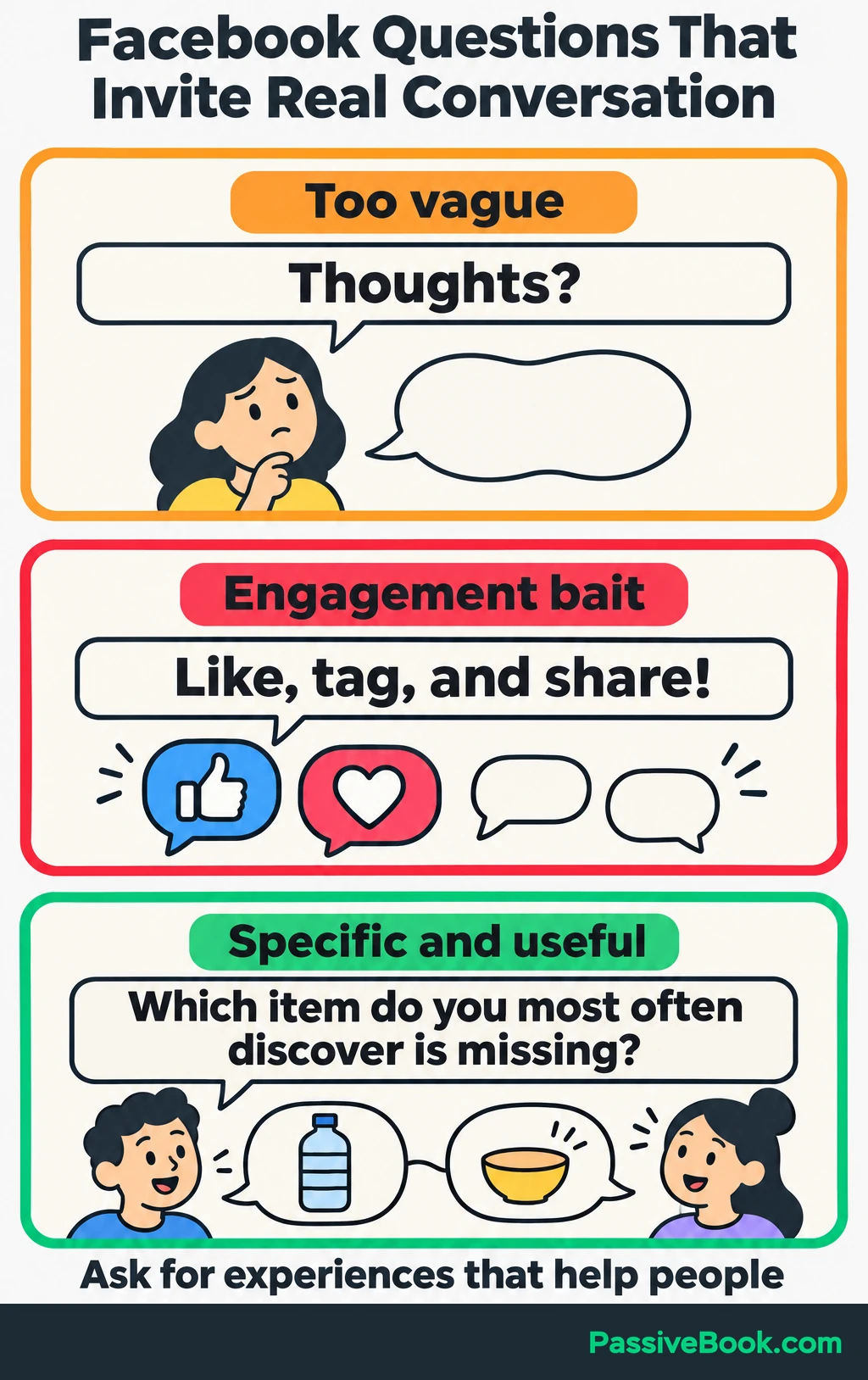
Skip prompts that demand likes, tags, or shares just to inflate activity. Meta distinguishes engagement bait from authentic requests for advice, help, or recommendations. Its guidance explains that difference.
Set response windows you can maintain, remove spam, and handle disruptive behavior consistently. You don’t need to hover over notifications all day.
I would delay opening your own Group until members have a recurring reason to help each other and you can support moderation. Another place to publish isn’t enough reason to create another place to manage.
Give Interested Followers a Useful Next Step
Match the invitation to what the post just helped someone do.
A focused explanation might invite readers to follow for related checklists. A resource demonstration can invite a download. A discussion post can simply ask for an experience.
Choose one primary action so the reader knows what comes next.
For the planner shop, the pathway could be:
- A Facebook post teaches the shared-packing method.
- The linked page offers the free outing checklist used in the demonstration.
- A follow-up email explains how to adapt it for another outing.
- A later, relevant email introduces the paid planner’s route notes, packing pages, and trip records.
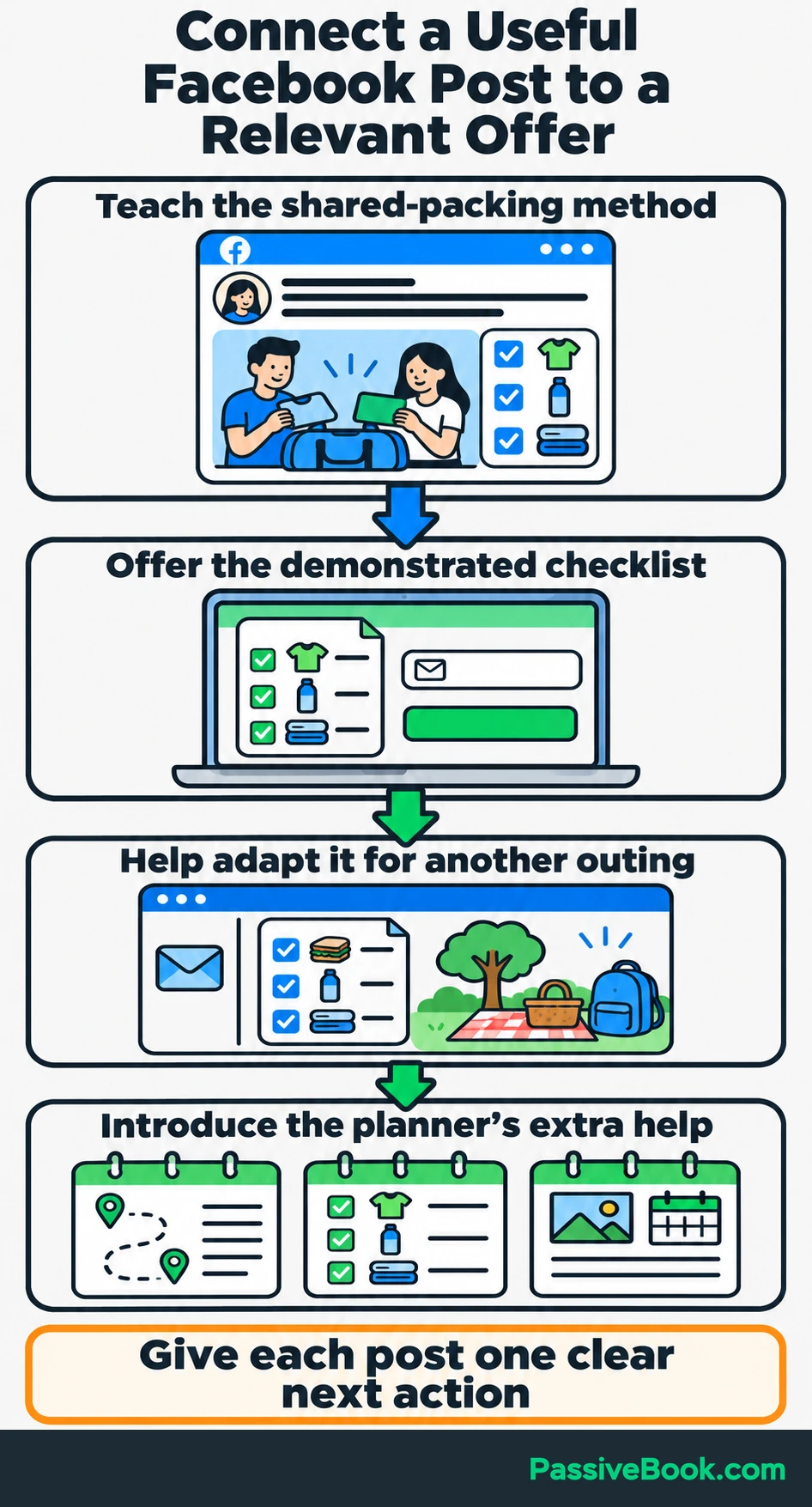
The paid offer needs a clear reason to exist beyond the free download. Explain what extra work it helps the buyer organize.
I spent six months chasing followers on Instagram and Twitter/X for a side niche, while my bank balance sat around $47. I had activity to report, but I hadn’t built a useful route from attention to an offer. That experience is why I want this connection in place before spending months growing another audience.
On the destination page, show what the checklist contains and how it will arrive. Test the form and delivery email on your phone. If you use WordPress, Fluent Forms and FluentCRM are the tools I would consider for capture and follow-up; you can use an existing email tool if it already handles those jobs.
Add consistent tracking tags to Facebook links. These are labels added to a URL so website analytics can identify the source, campaign, and individual post. Record confirmed signups in your email system and purchases in your sales system.
That gives you evidence for deciding whether Facebook activity supports the business.
Measure What Works and Improve the Next Cycle
Track Discovery, Audience Growth, and Business Results
Review Page performance in Meta Business Suite or profile performance in the professional dashboard.
Record the exact exposure metric you use. Meta defines views as the number of times content was played or displayed, so views aren’t a count of unique people. Its Insights overview explains the metrics. Where reach is available, track it separately: it counts people who saw your content.
Your post log should contain:
- Post details: Date, topic, format, purpose, and the age of the post when reviewed.
- Facebook results: Views, reach where available, substantive comments, and shares.
- Website results: Tracked landing-page visits and confirmed signups connected to those visits.
- Review-period totals: Starting and ending followers, attributable sales, and hours spent.
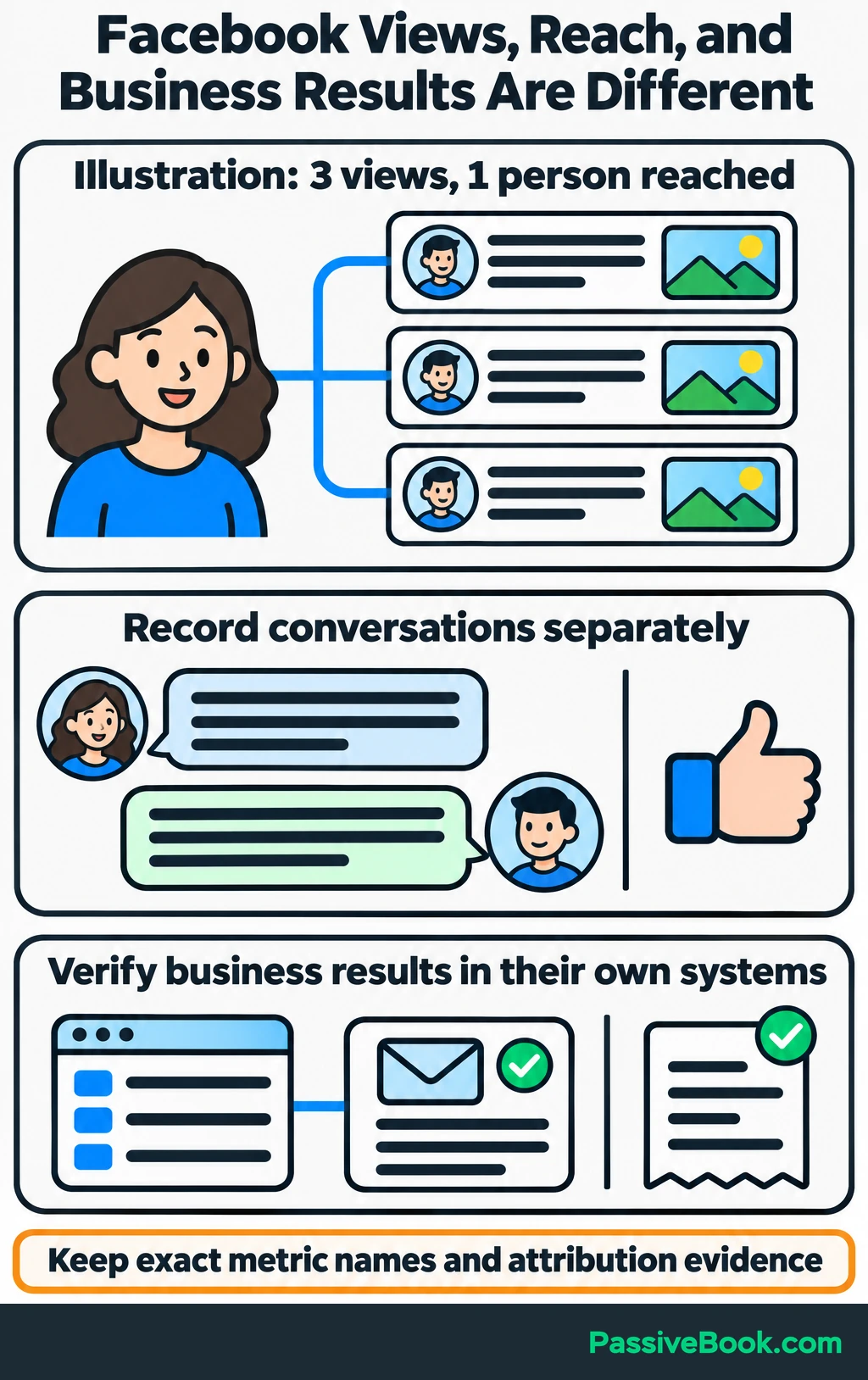
Count substantive comments as questions, experiences, or useful replies. You can record reactions too, but keep them separate so a row of emojis doesn’t obscure a conversation.
Count followers at the beginning and end of the same period. A rise from 120 to 145 is a net gain of 25 followers, including the effect of unfollows.
For signup rate, count confirmed signups generated by the tracked landing-page visits you’re measuring. Suppose that, during an illustrative four-week period, Facebook links brought 40 visits and eight of those visits resulted in confirmed signups:
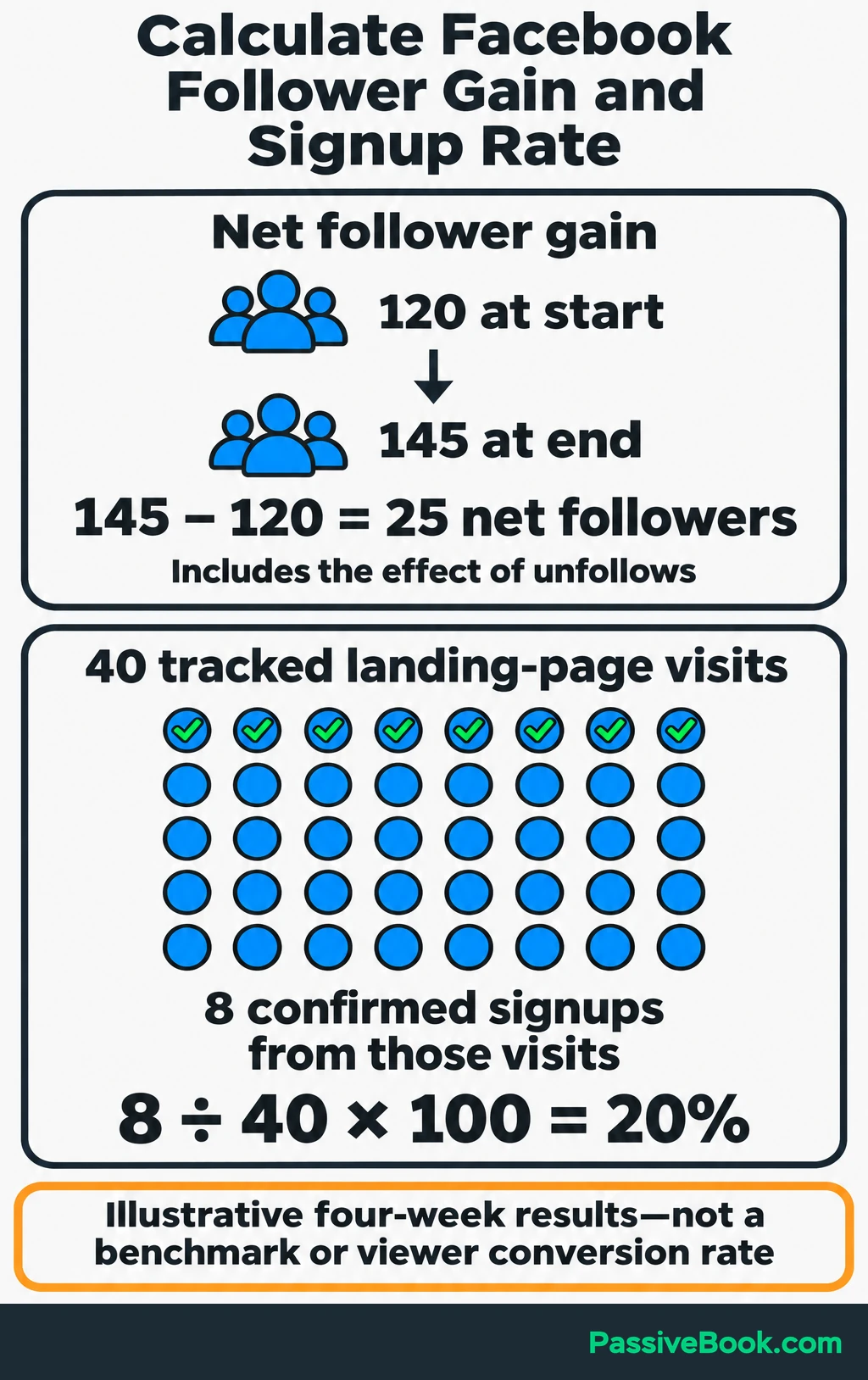
8 ÷ 40 × 100 = 20%
That describes those visits, not the share of Facebook viewers who subscribed. It also isn’t a benchmark.
Give individual posts credit for signups, followers, or sales only when your records support that connection. Sales happening during your review period don’t automatically belong to Facebook.
Fix the Point Where Progress Stalls
Compare posts with similar purposes after seven days, or another consistent interval. Keep a separate monthly view of audience and business progress.
Look for repeated patterns across several posts:
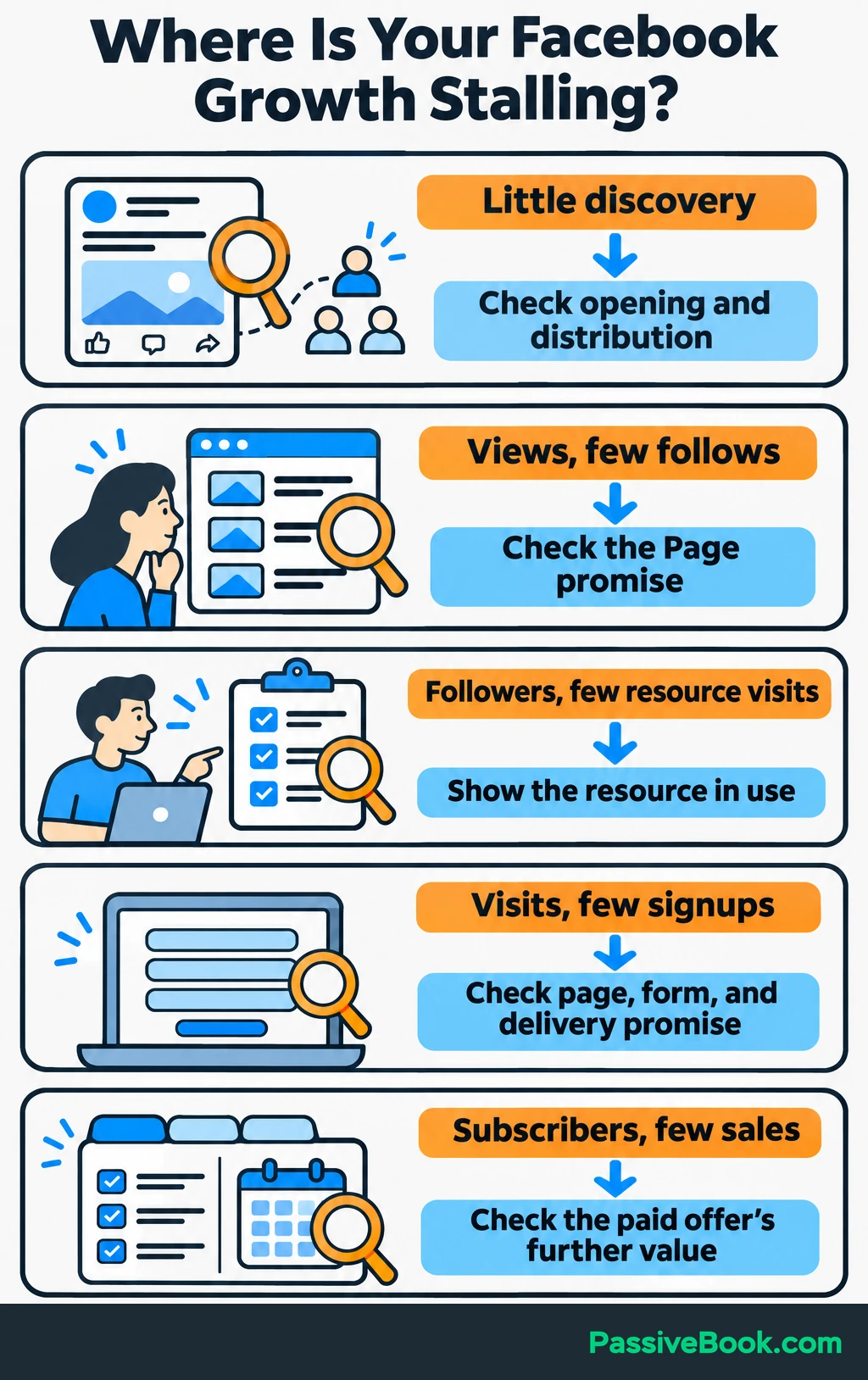
| What You Observe | What I Would Check Next |
|---|---|
| Useful posts get little discovery | Test a clearer problem, stronger opening, or more relevant distribution |
| People view posts but rarely follow | Check whether the Page promise and recent posts give them a reason to return |
| Followers grow but resource visits stay low | Show the resource being used and make the invitation clearer |
| Visits arrive but few people subscribe | Check the page, form, delivery promise, and match with the Facebook post |
| Subscribers arrive but sales don’t follow | Review whether the paid planner solves a further problem those subscribers have |
If exposure drops sharply, check account-status notices for restrictions before changing your strategy. Address any stated issue and use the available review process.
Then change one meaningful element. For example, keep the shared-packing topic and image format, but replace a vague opening with the specific coordination problem. Record what changed.
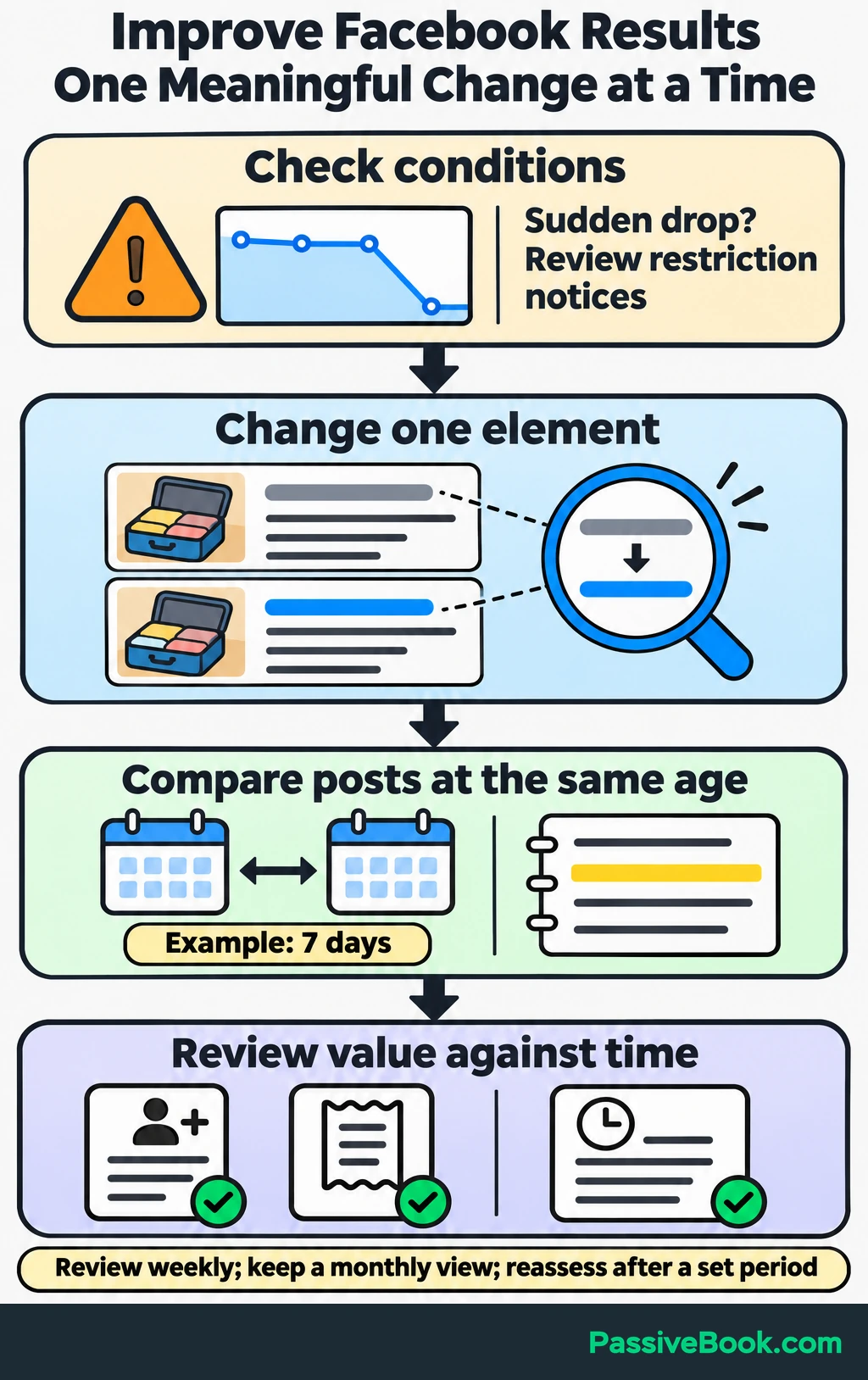
I would review results weekly and decide after a set period, such as eight weeks, whether Facebook deserves more time.
Compare Facebook’s signups from likely buyers, sales you can trace to the channel, and hours spent with your other channels. Keep investing when it repeatedly attracts relevant people at a manageable time cost. If several thoughtful improvements still produce less value than another channel, reduce the commitment.
Organic distribution saves an ad bill, but your evenings still count.
What Next?
Write one sentence explaining why someone should follow your Page, then create a useful post that delivers on that promise. Record your starting follower count and choose one business result to track alongside it.
Use the social buttons to share this guide if you’d like to help turn another busy posting schedule into a measurable audience-building routine.
Where does your current effort stall: getting discovered, earning follows, starting conversations, or bringing people to your offer? Share your experience in the comments, and add any other questions you have.
Share this post with your friends & followers:

