A Facebook post gets shared, strangers follow your Page, and the next post does well too. But when you check your sales, there’s nothing to show for the attention.
That gap can swallow your spare evenings. More posts mean more work, and a growing audience still needs a reason—and a way—to pay.
You can earn without boosting posts or buying Facebook advertising. The useful question is which income stream fits what you can deliver. This guide compares six options, then follows a printable-product business from its first offer through content, checkout and a weekly review.
Can You Make Money on Facebook Without Paying for Ads?
Yes. Useful organic content can lead to product sales, qualifying affiliate purchases, sponsorship fees, fan contributions or eligible creator payments.
“Without ads” here means you aren’t paying Facebook to distribute your posts. You can still accept a sponsorship or earn through an ad-funded creator program.
Likes, followers and views don’t automatically create income. You need a sale, sponsorship fee, fan payment or earnings from an eligible creator program.
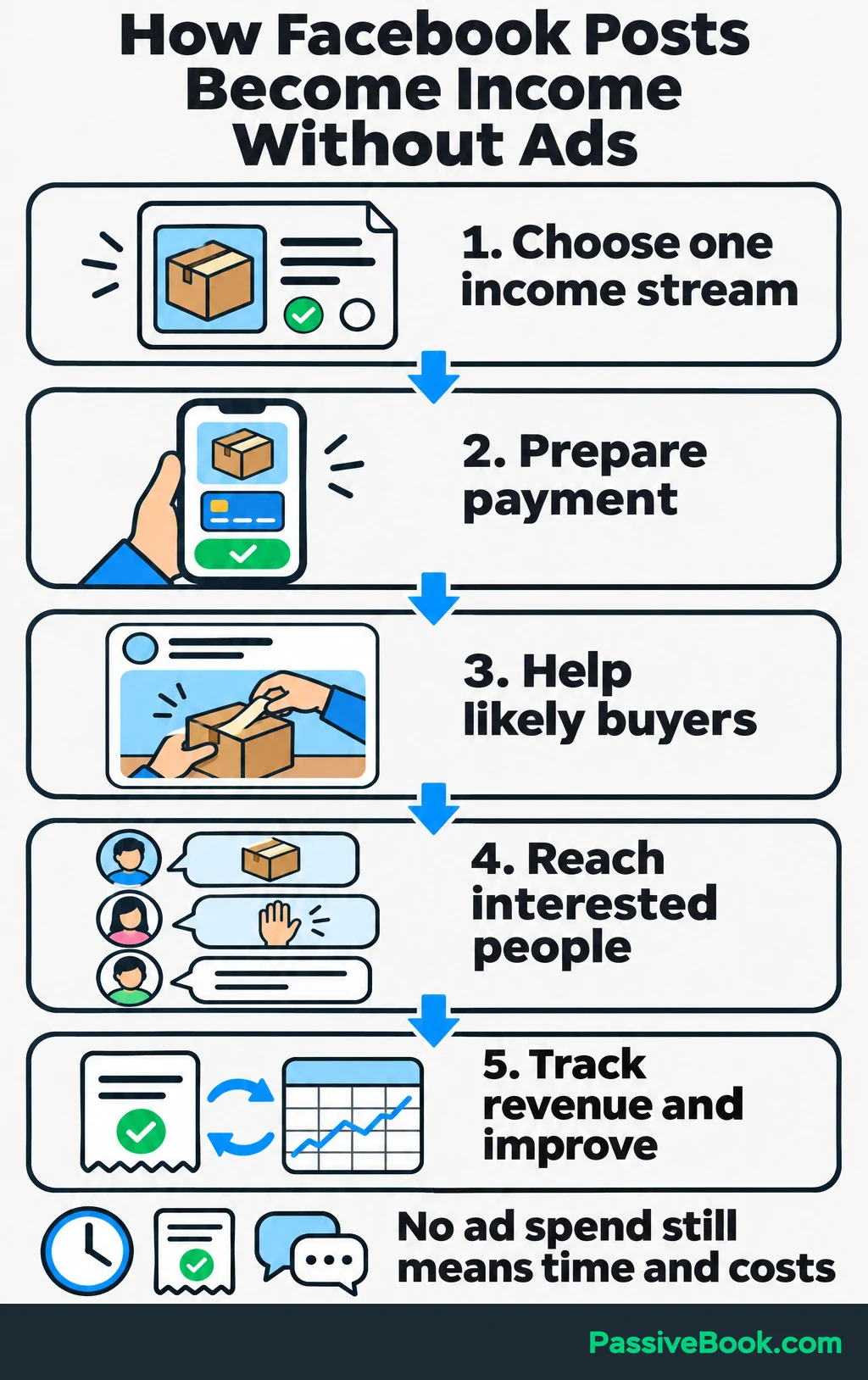
If you’re working out how to make money on Facebook without ads, follow this order:
- Choose one income stream.
- Prepare the offer and payment destination.
- Publish content that helps likely buyers.
- Reach interested people.
- Track what leads to revenue and improve it.
Organic distribution removes advertising spend, but your time, selling fees and customer support still count. Income can also vary, so don’t treat early sales as a dependable monthly salary.
Choose Your First Income Stream
Start with a problem you understand well enough to help solve. Then choose something you can deliver now.
Throughout this article, imagine you sell printable cat-sitter handover kits. They help owners collect their own routine instructions, supply locations and contact details before a sitter arrives. The business and its sales figures are illustrations.
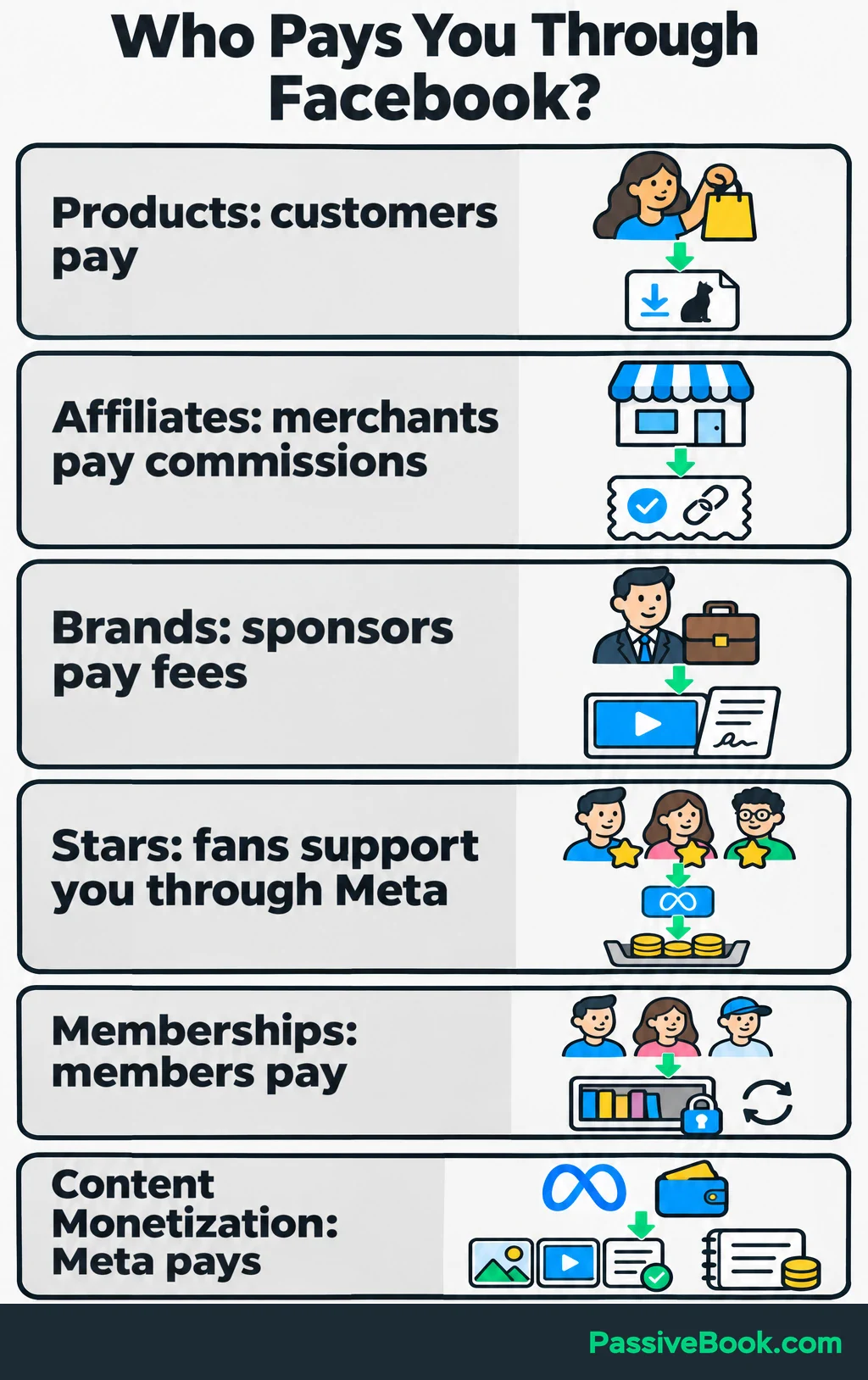
Here’s how the six methods compare. Startup costs exclude your time.
| Method | Who Pays | Entry Requirements | Startup Costs | Ongoing Work | Control Over Pricing |
|---|---|---|---|---|---|
| Own products or services | Customers | A useful offer, checkout and delivery process | Downloads can use existing tools; physical goods need stock or production | Content, sales, delivery and support | You set your price |
| Affiliate commissions | Merchant or affiliate network | Program approval and permitted link placements | Often no application fee; demonstrations may require purchases | Product evaluation, useful recommendations and link maintenance | Merchant sets commissions |
| Brand partnerships | Sponsor | Relevant audience, useful content and access to required labeling tools | Existing publishing tools may be enough | Pitching, agreements, production and reporting | You negotiate your fee |
| Facebook Stars | Fans, through Meta | Eligible account, supported country and payout enrollment | No inventory; content equipment is optional | Publishing, audience interaction and payout checks | Meta sets the value per Star |
| Subscriptions or paid community | Members | A recurring benefit; native access or external billing | Payment tools and any resource-hosting costs | Benefits, moderation, support and cancellations | External pricing is yours; native options follow Meta’s terms |
| Content Monetization | Meta | Invitation, eligible content and completed enrollment | Existing content tools may be enough | Original publishing and earnings review | Meta determines payments |
For the handover kit, I would start with a small digital product. You can show exactly what buyers receive, and you don’t need a creator-program invitation to make a sale.
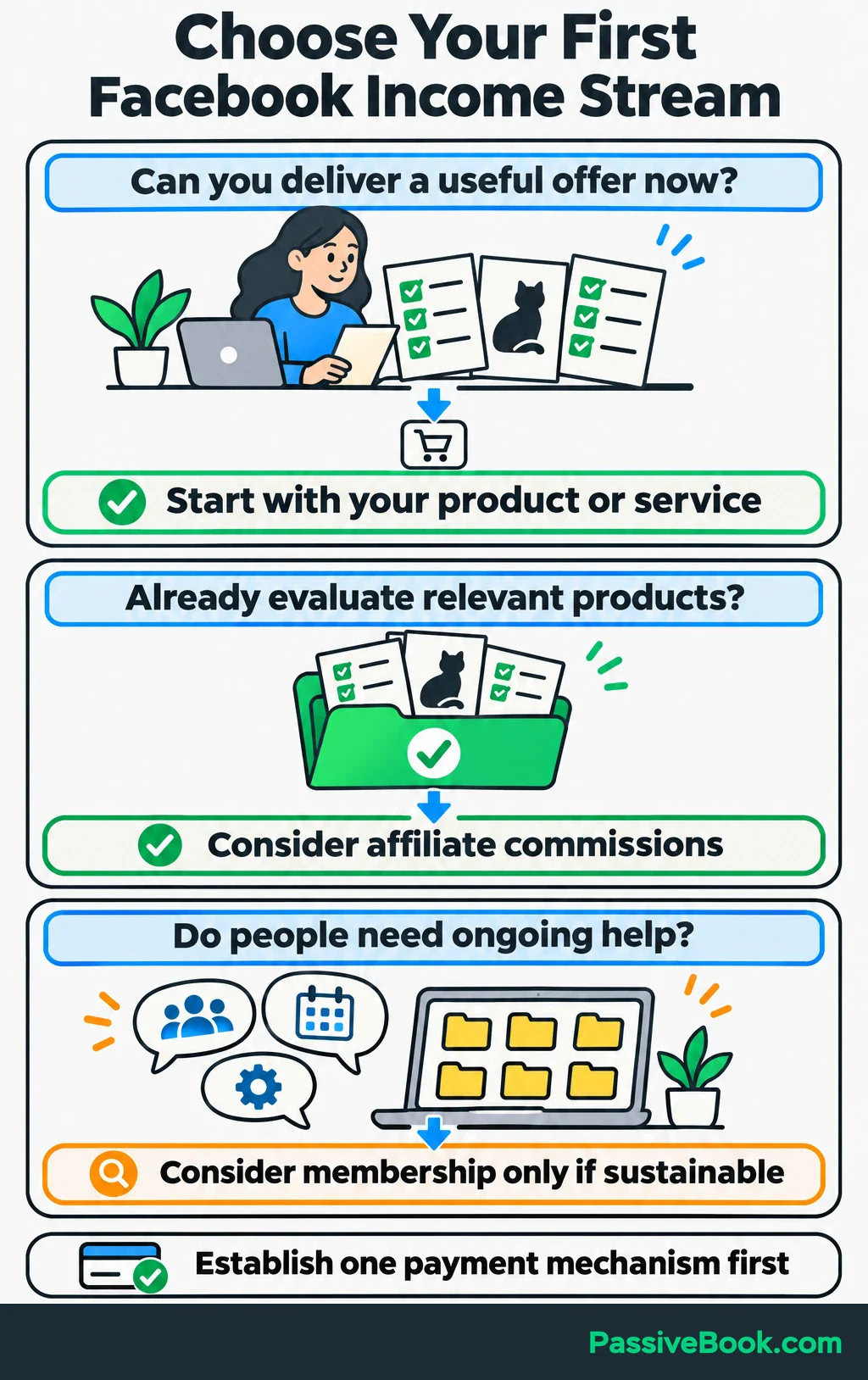
If you already evaluate useful products but don’t have an offer, affiliate marketing may fit better. I would leave subscriptions until people show they want help repeatedly.
These methods can work together, but establish one payment mechanism before adding another.
Sell Your Own Products or Services
Customers can pay for a download, physical product or clearly defined service. Your sales don’t require acceptance into Facebook’s creator-payment programs.
Begin with the smallest version that solves the problem. For the kit, that could mean:
- A routine sheet the owner fills in.
- A checklist for recording where supplies are kept.
- A contact page.
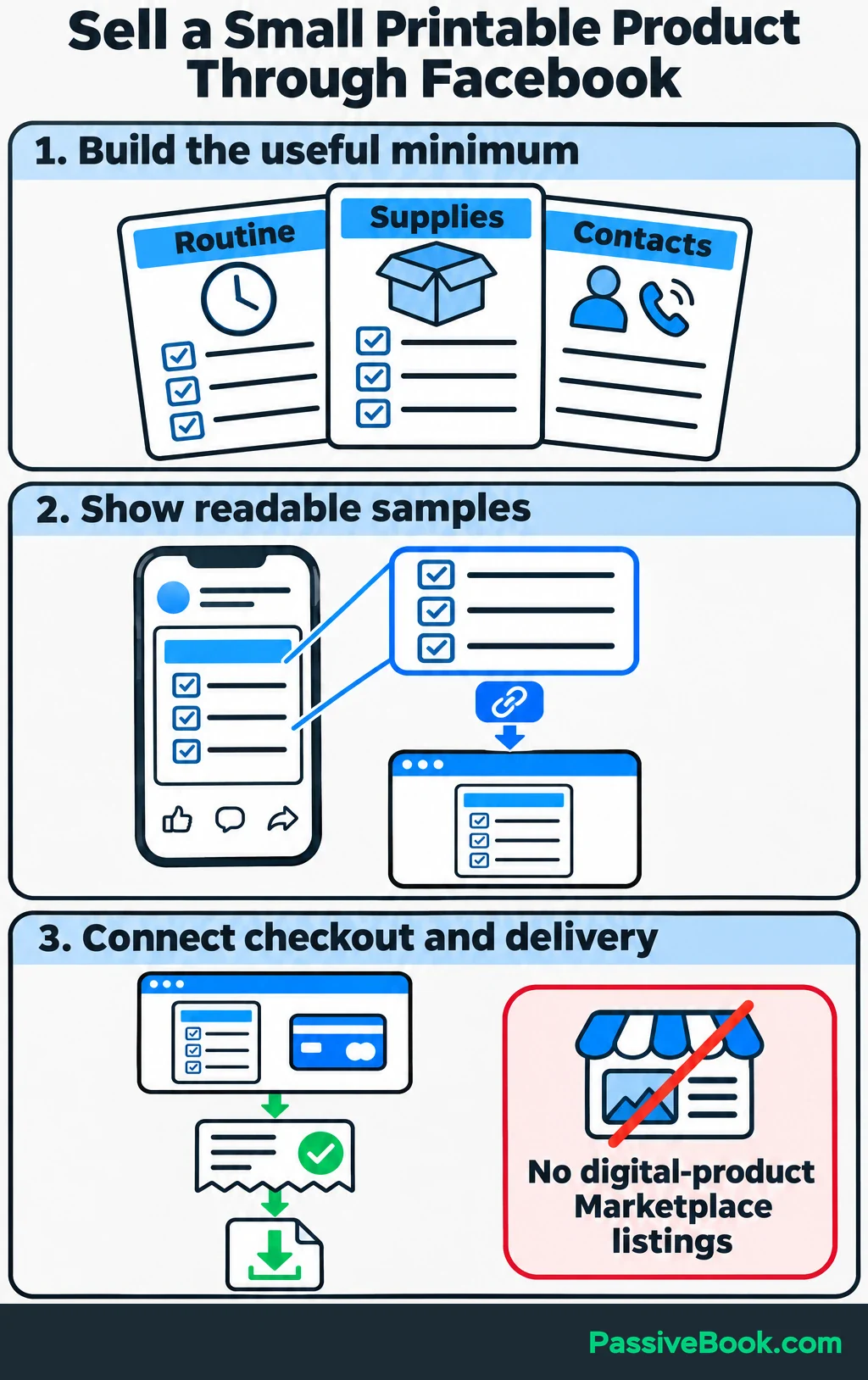
Show readable samples, explain the format and offer the finished version for purchase before building a large bundle.
I once rushed a course into sale without validating it properly. It attracted few sales and a bad review, and I withdrew it. That was a digital-product failure in my broader business work, and it changed what I’m willing to build before asking for a purchase.
Use an external checkout for downloads and a booking page for services. Marketplace is for permitted physical goods and excludes digital-product and service listings, as GoDaddy’s Marketplace guide explains. Promote the printable kit through ordinary posts that link to its sales page.
Earn Affiliate Commissions
Affiliate marketing pays when someone follows your recommendation and completes a qualifying purchase under the program’s terms.
Before applying, check:
- Whether the program accepts your Facebook presence.
- Where you may place its links.
- Which purchases qualify and how commissions are paid.
- What disclosures and account information it requires.
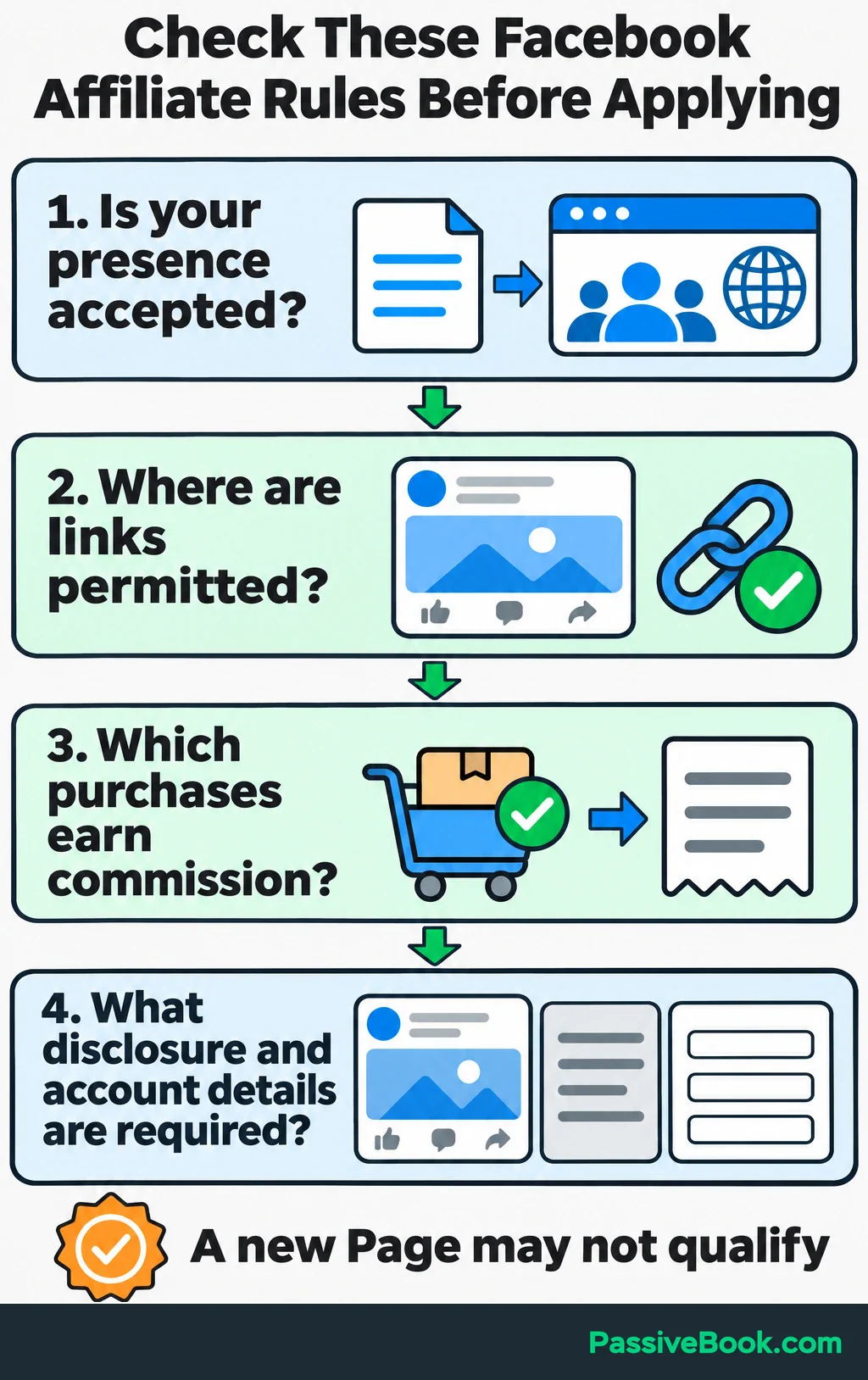
For example, Amazon’s US program accepts public Facebook fan pages and open groups, but excludes personal pages. It also reviews original content and audience size, so a brand-new Page may not qualify. See its application requirements.
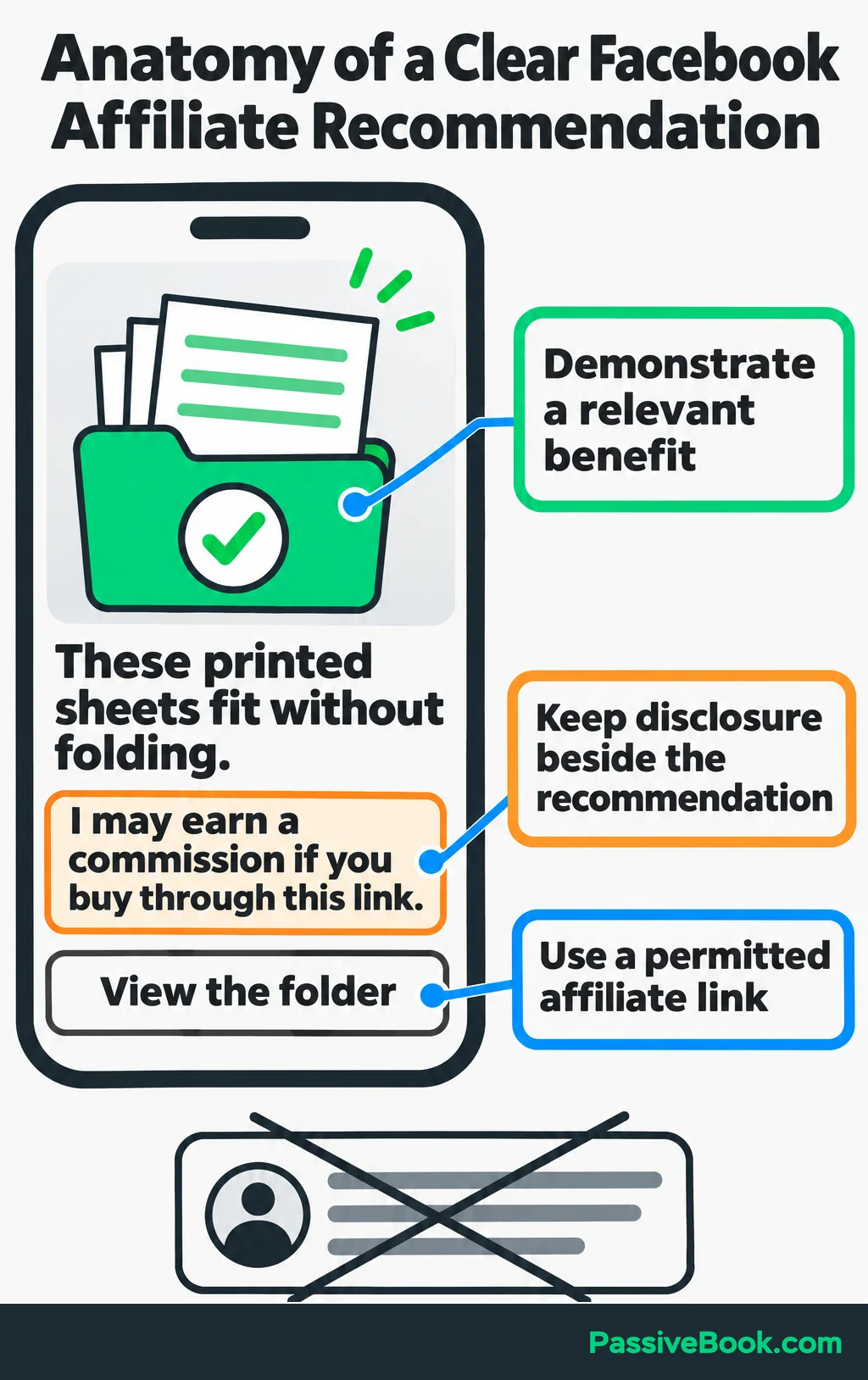
Recommend products because they help with the problem. The handover-kit business could demonstrate a document folder it has tested and explain whether the printed pages fit without folding.
My first three months of affiliate marketing brought in about $23. After switching to honest reviews of tools I used, I reached roughly $340 per month. Those results came from my wider affiliate work, and they don’t establish Facebook earnings.
Put a clear disclosure beside the recommendation, such as:
I may earn a commission if you buy through this link.
Don’t bury it in your profile or below a pile of hashtags. The FTC’s disclosure guidance applies when effects on US consumers are reasonably foreseeable, including posts made abroad. Other applicable laws may also require disclosure.
Work With Relevant Brands
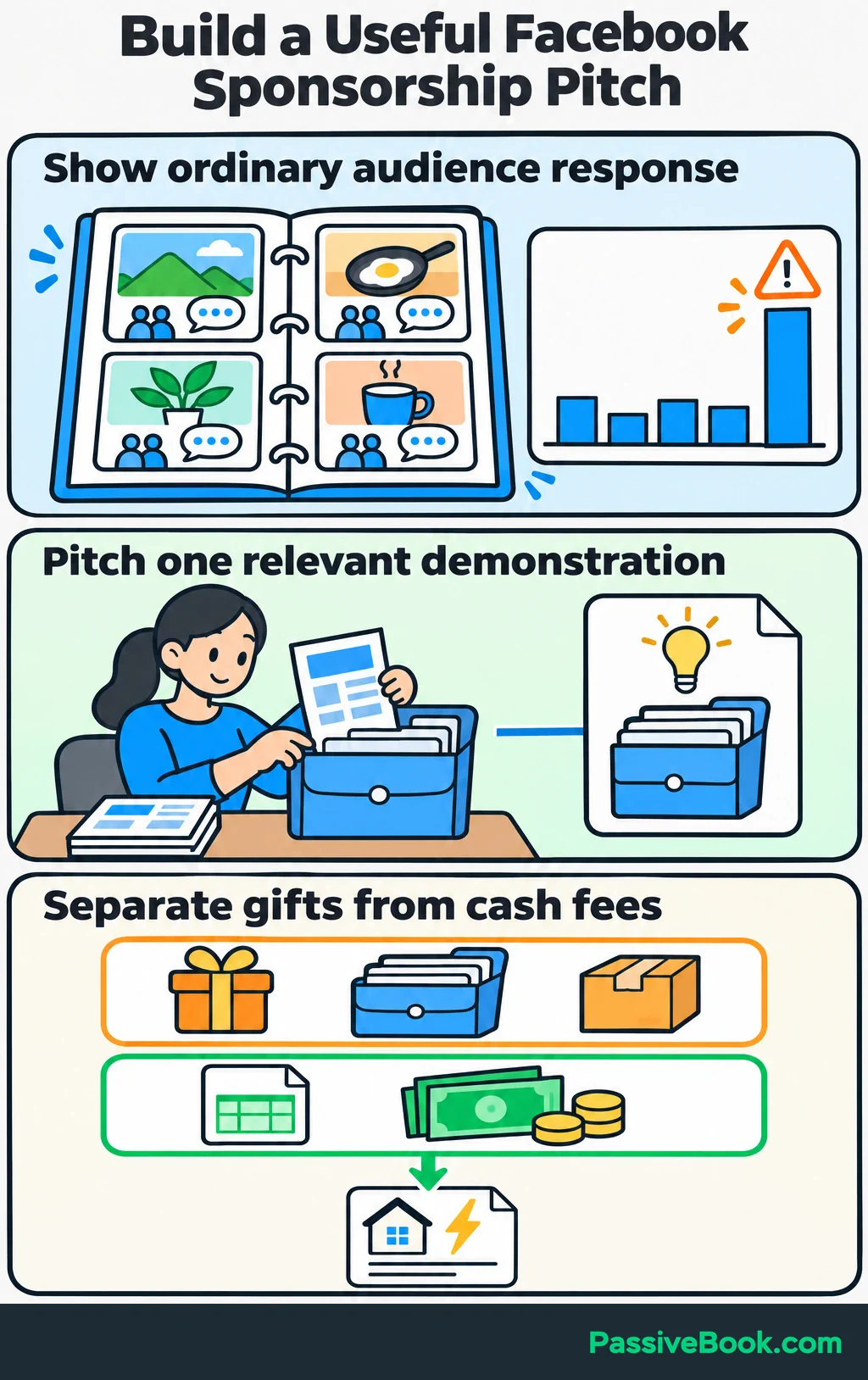
A sponsor pays an agreed fee for a specific piece of content. Start by building a small portfolio that shows what you make and how people respond.
Then pitch a relevant company with one useful idea. For the kit business, a document-organizer brand could sponsor a demonstration of assembling a printed handover folder.
Show representative audience responses and ordinary post results. A screenshot of your one unusually popular post tells a sponsor less than you might hope.
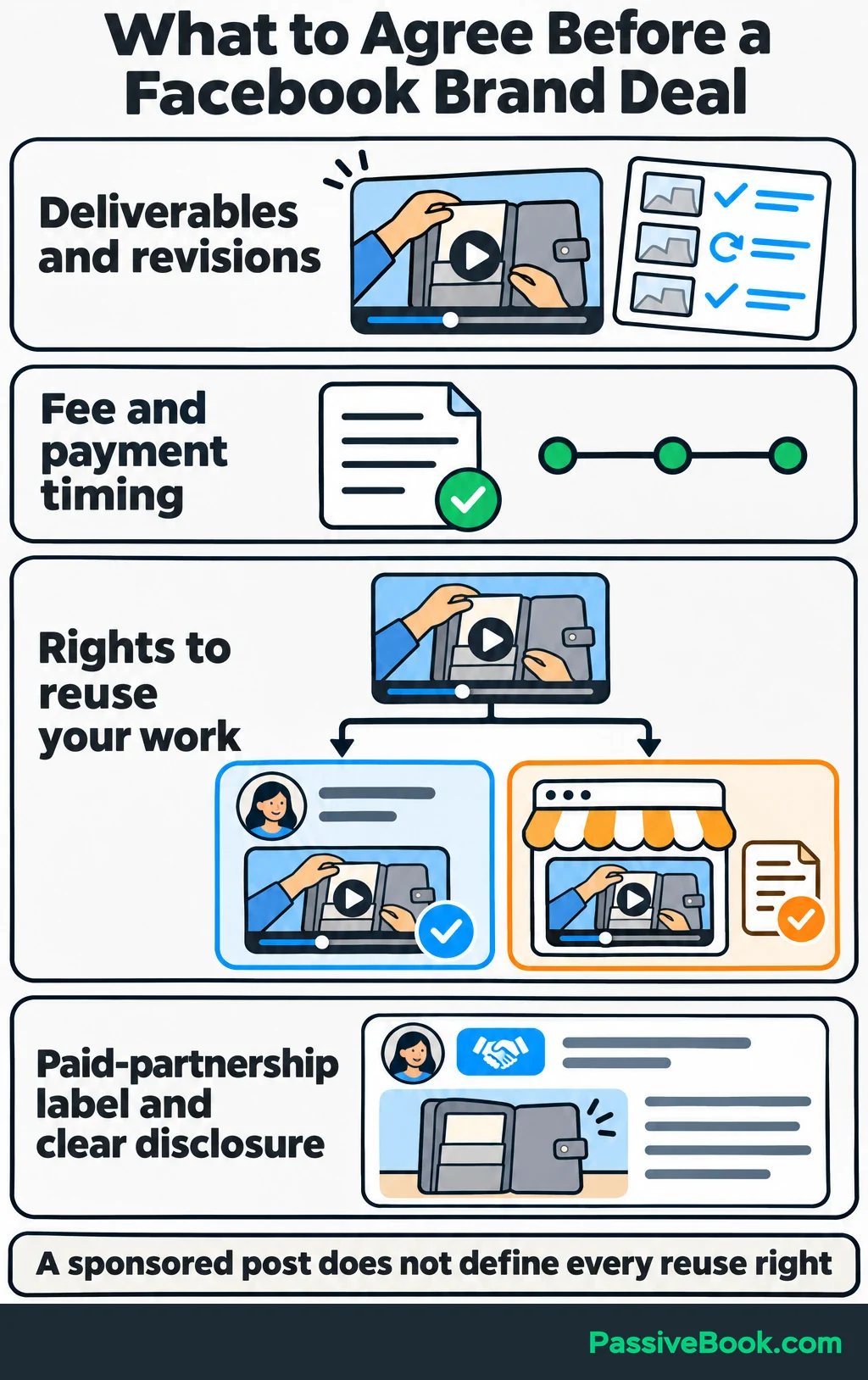
Agree in writing on the deliverables, revisions, payment timing and rights to reuse your work. A brand using your video in its own marketing is receiving something beyond a post on your Page.
Use Facebook’s paid-partnership label for branded content and clearly state payments or gifts beside the endorsement. Facebook’s labeling requirements cover exchanges of value, including gifted products.
A free folder may be useful, but it won’t pay your electricity bill. Separate product gifts from cash fees when judging an offer.
Receive Facebook Stars
Stars let fans financially support creators on enabled content.
Eligibility includes being at least 18, holding 500 followers for 30 consecutive days, living in a supported country, meeting monetization policies and accepting the terms. Check your account’s eligibility before building around this option.
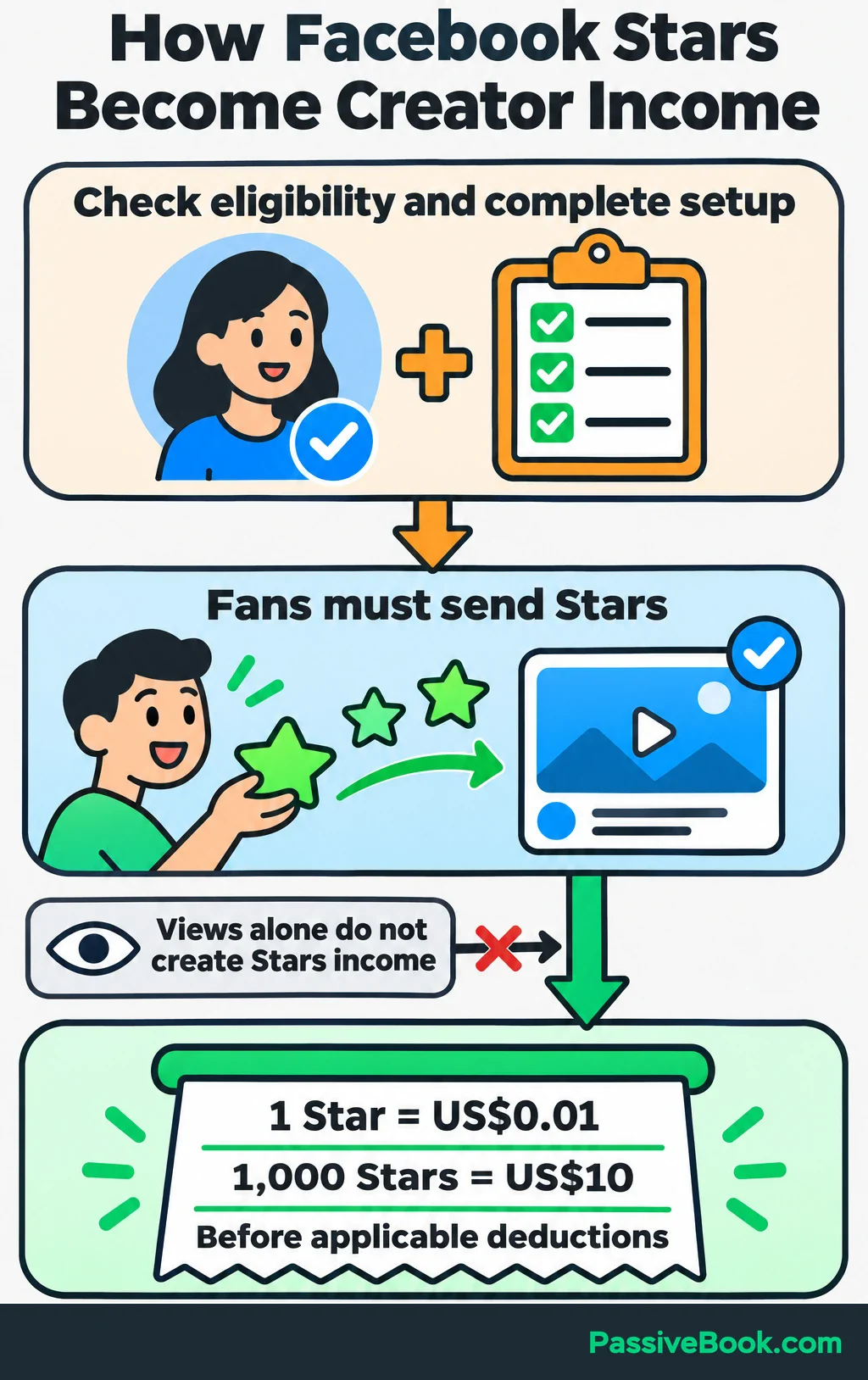
If eligible, enable Stars, complete payout setup and explain how viewers can support your work. Stars have a stated creator value of US$0.01 each, so 1,000 Stars represents $10 before applicable deductions. The Stars eligibility and payment overview explains these conditions.
Views alone don’t create Stars income. Fans must actually send them.
I would treat Stars as an extra income stream for content people already value. I wouldn’t replace a useful product offer with repeated requests for support.
Offer Subscriptions or Paid Community Access
Recurring payments need a recurring reason to stay.
That could be an organized resource library plus scheduled discussions, but include preparation, moderation and support when deciding whether the price is worthwhile.
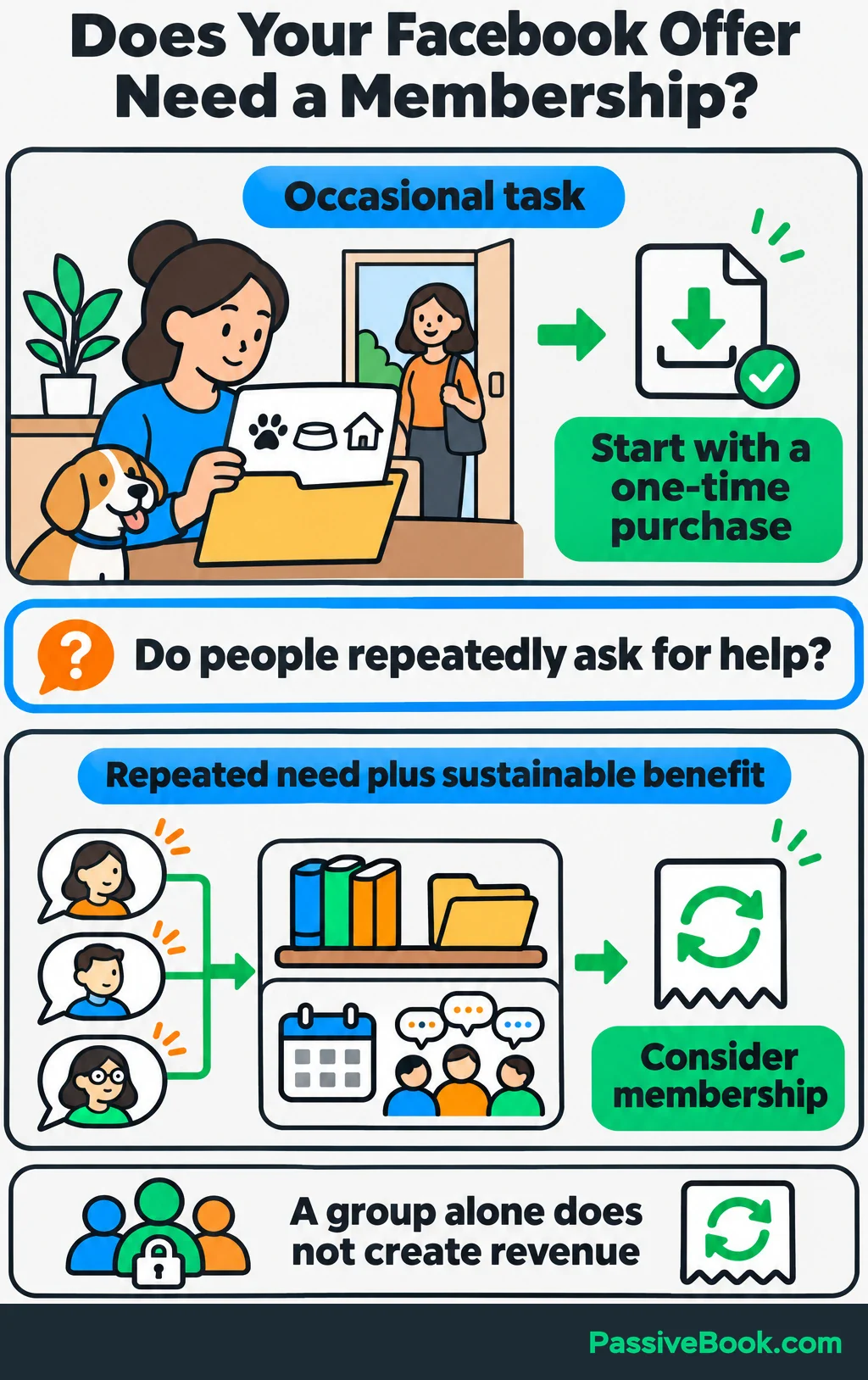
Facebook Subscriptions provides native recurring payments for eligible creators. Check your account’s access and enrollment terms before promising that option. You can also bill an external membership and use a private group for discussion.
Creating the group doesn’t create revenue. The membership payment does.
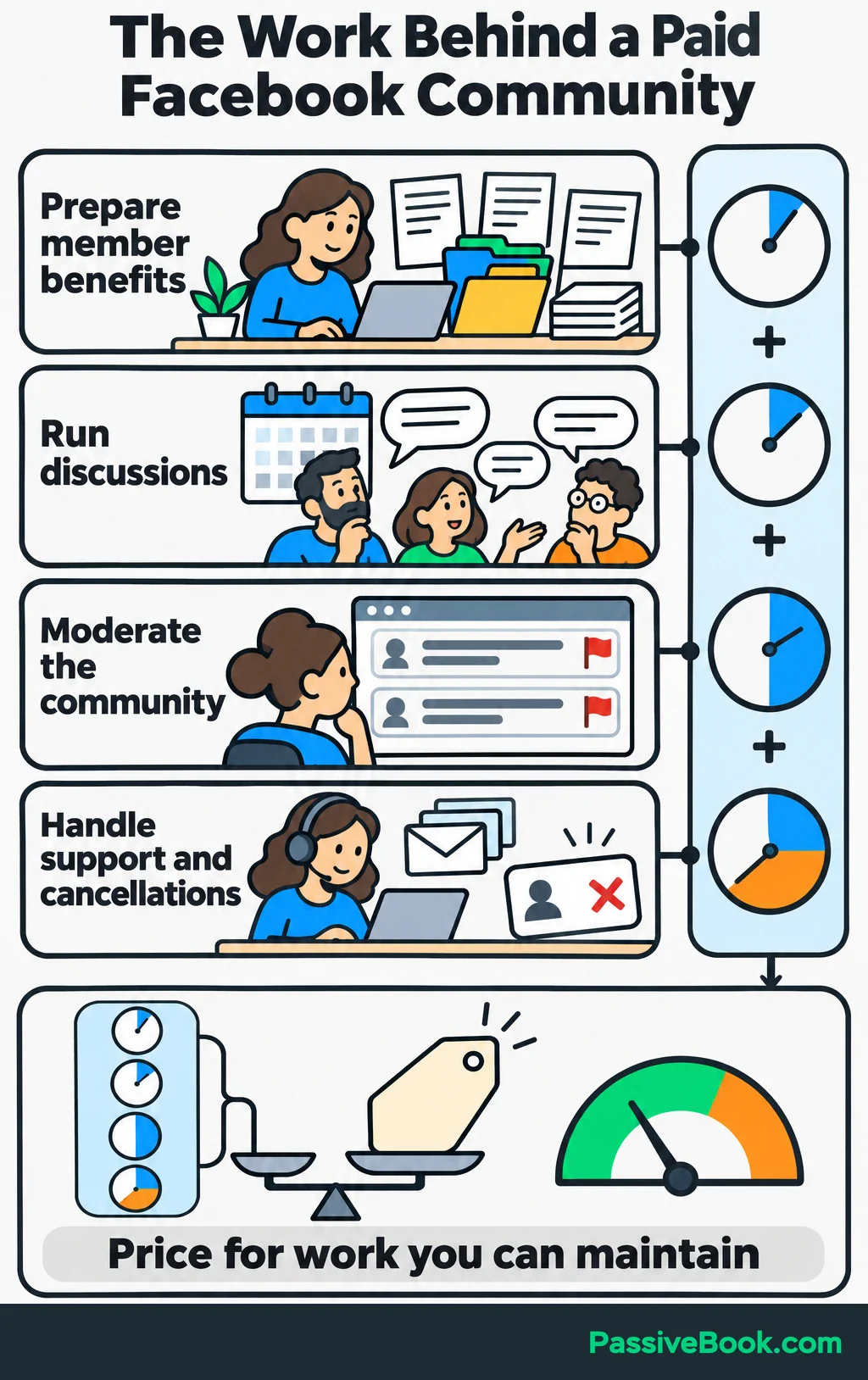
I abandoned a membership experiment because producing constant premium content became unsustainable alongside corporate work. I had built myself another deadline.
For the handover-kit business, I would keep the first offer as a one-time purchase. Preparing for an occasional sitter doesn’t, by itself, justify a monthly charge. Add membership only when repeated requests reveal a benefit you can maintain.
Earn Through Facebook Content Monetization
Facebook Content Monetization pays enrolled creators based on the performance of eligible short- and long-form videos, Stories, photos and text posts.
The program is invite-only. You can express interest through the Monetization area of your Professional Dashboard, but submitting interest doesn’t grant access. Check the requirements shown during your account’s onboarding.
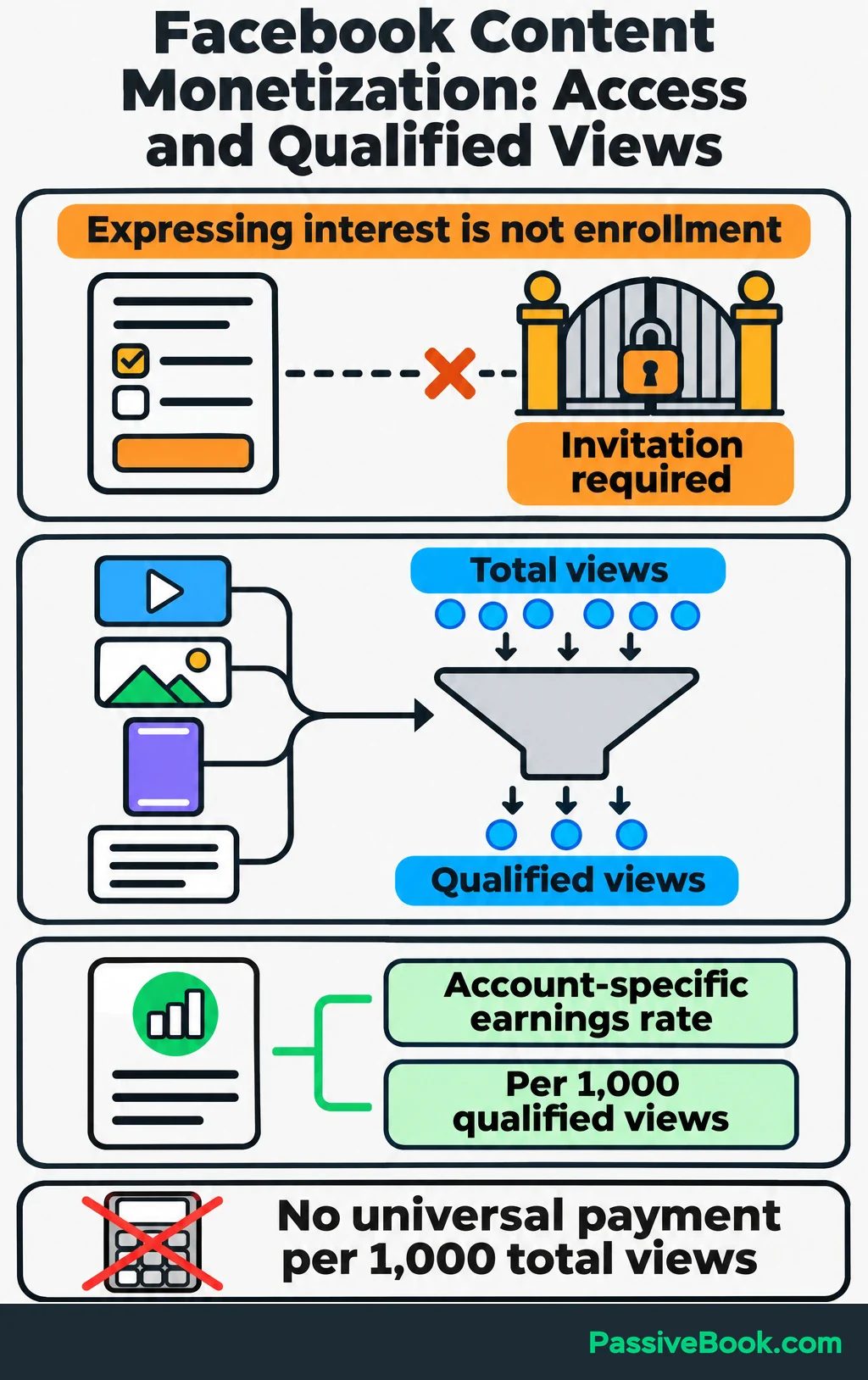
There is no universal payment for 1,000 Facebook views. Meta distinguishes qualified views from other views and reports an account-specific earnings rate per 1,000 qualified views. Use your earnings records rather than multiplying total views by a rate from a social post. Meta explains the program and these metrics here.
Keep another suitable income stream available while awaiting access. An invitation is outside your control; preparing a useful offer isn’t.
Set up One Facebook Presence That Supports Your Offer
Choose a Page if you want a business identity. Choose a profile with professional mode if the public presence is built around you.
Start with one primary place to publish. You can add a group later if discussion earns its upkeep.
Your description and featured introduction should explain who you help, what you help them do and where to go next. For the example:
Printable sheets for organizing your cat-sitter handover. Put your routines, supply locations and contact details together before you leave. Preview the kit below.
Prepare the destination your income stream needs. That might be a checkout, booking form, approved affiliate destination or enabled native payment feature.
For a first download, I would use a simple checkout such as Gumroad. If you already sell through WordPress, use your existing WooCommerce setup. There’s little value in buying another platform to sell three printable sheets.
Test the whole journey on a phone: open the post link, inspect the sample, complete a test order and check the confirmation and download.
On one digital-product project, I opened my sample page on my phone and found the text too small to judge without zooming. I replaced it with closer views of individual sections. That’s the kind of friction worth finding before sending visitors to an offer.
For native creator payments, complete the identity, tax and payment details requested during enrollment.
Publish Original Content Connected to What You Sell
Useful content should help people with the same problem your offer addresses. That gives the purchase a clear place in the conversation.
Answer Questions That Lead Naturally to Your Offer
Read relevant discussions and comments before making a content calendar. Look for repeated questions, existing workarounds and reasons people hesitate to buy.
For the handover kit, those questions might become three themes:
- Collecting routine instructions from scattered notes.
- Recording where supplies are stored.
- Keeping contact information easy to find.
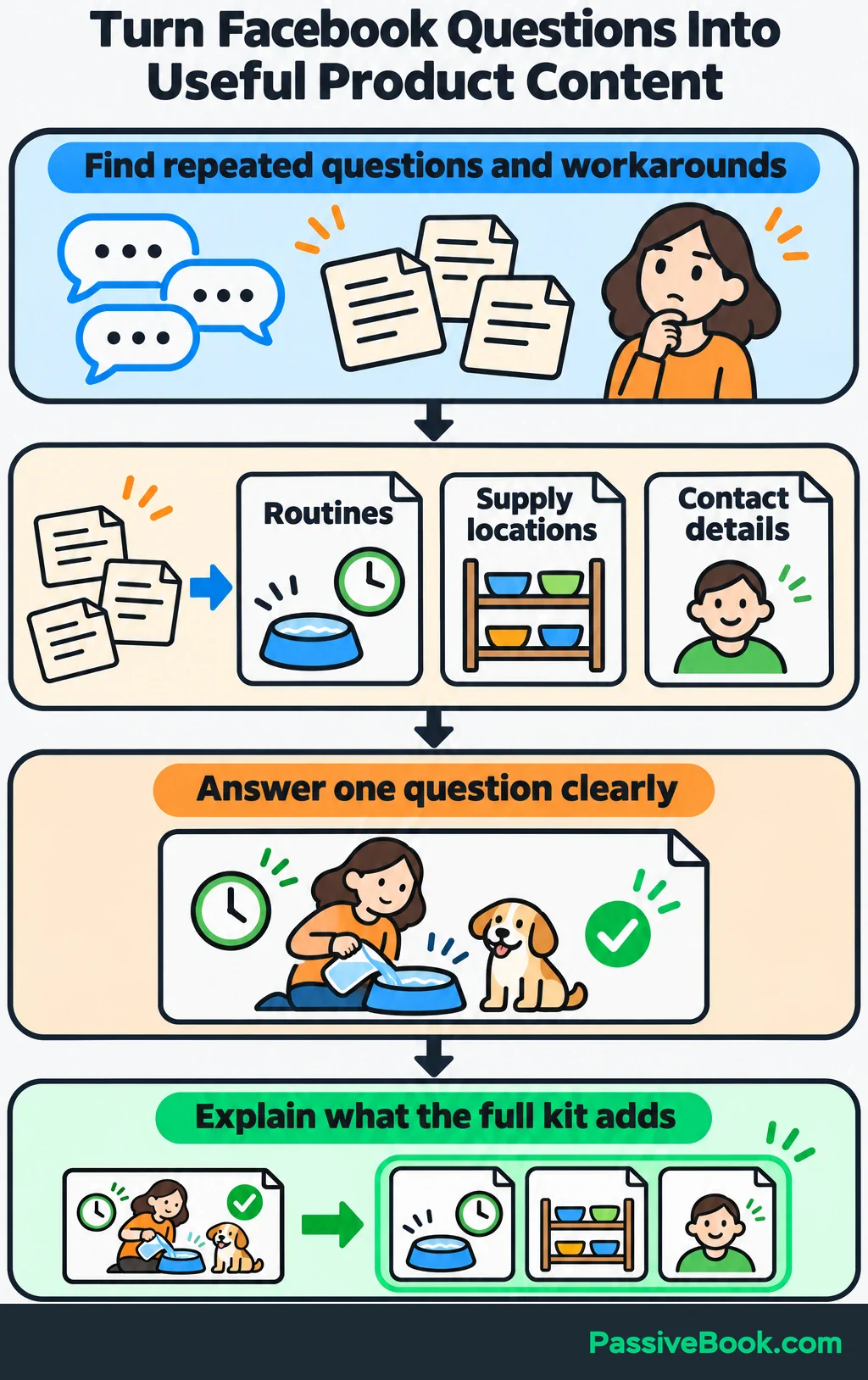
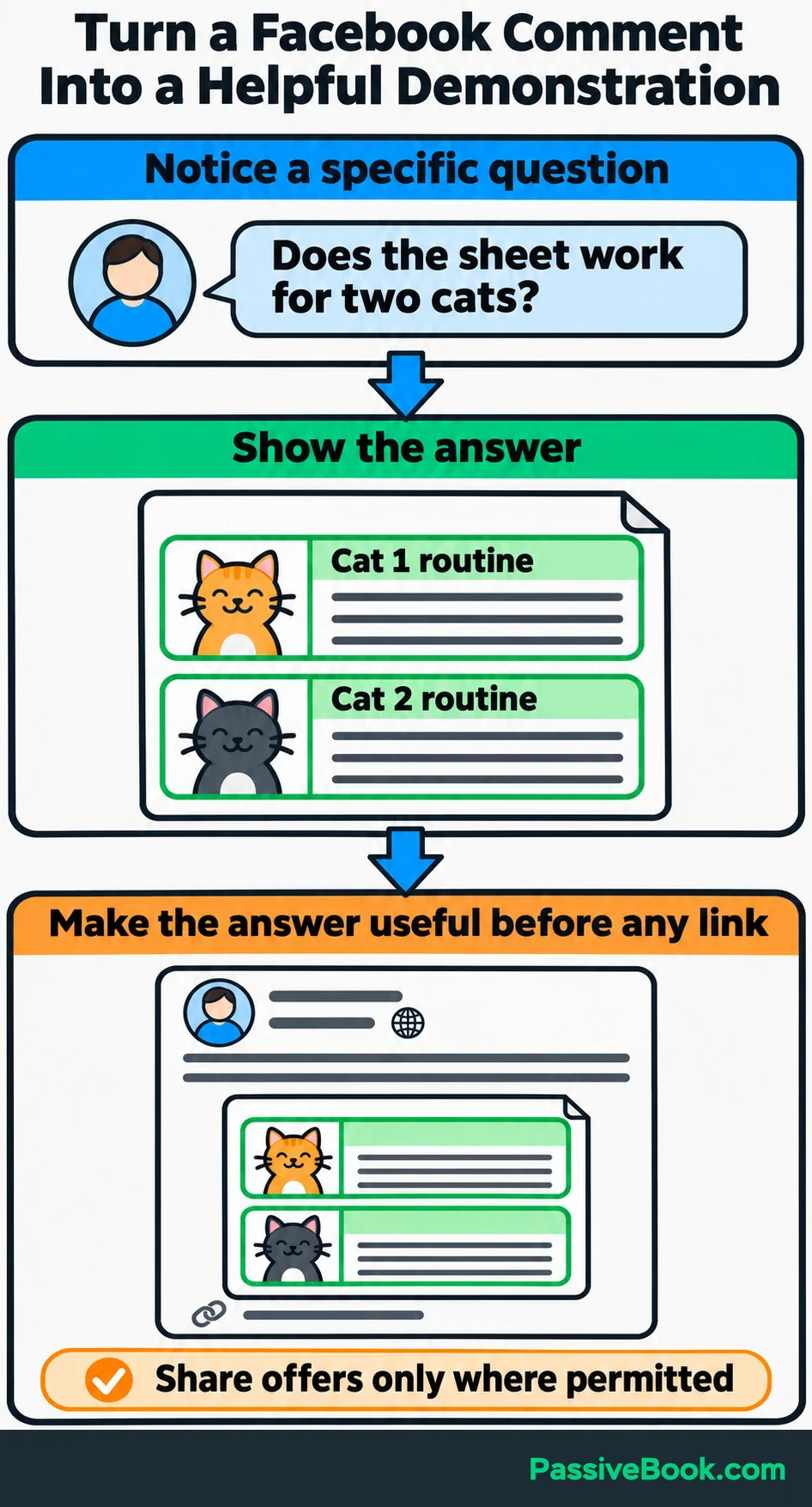
Answer the question before asking for a click. Show how to put one routine on a clear sheet, then explain what the full kit adds.
A short sample can make the benefit visible:
Routine: Replace the water at the owner’s usual time.
Supplies: Clean bowls are on the lower kitchen shelf.
Contact details: See the contact page.
Use invented details in public demonstrations. Buyers can fill in their own information privately.
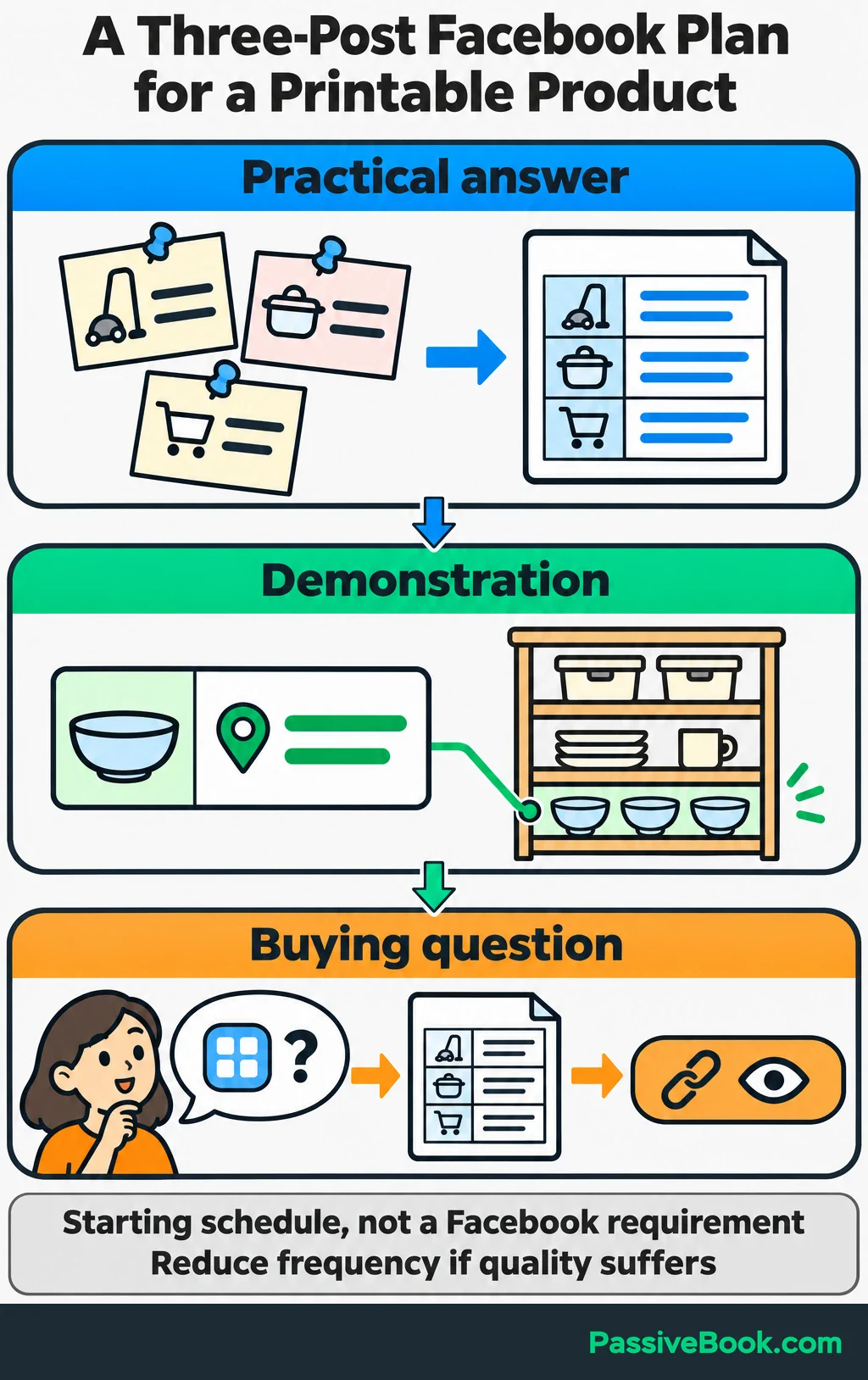
I would begin with three posts a week: one practical answer, one demonstration and one response to a buying question. That’s a starting schedule, not a platform requirement. Reduce it if you can’t maintain the quality alongside replies and delivery.
Create Useful Posts Without Appearing on Camera
Choose the format that makes the answer easiest to understand:
- An original photograph can show the printed pages together.
- An annotated image can explain what belongs in each field.
- A screen recording can demonstrate filling in the document.
- A text post can answer whether buyers need a special app.
One lesson can support several posts if each version helps in its own way. A short walkthrough should show the process; its caption shouldn’t merely repeat every word on screen.
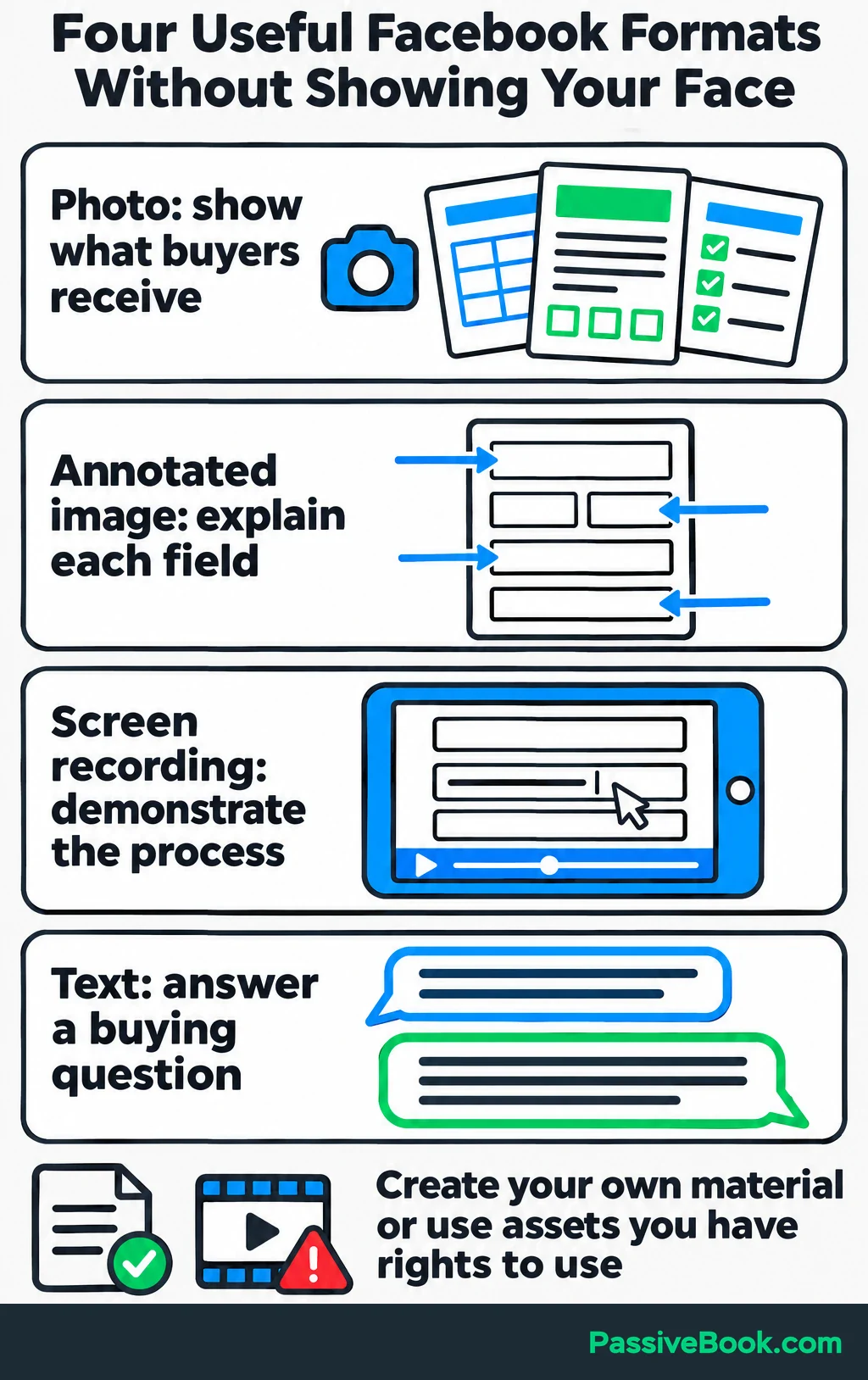
Create your own material and use assets you have rights to use. Adding borders, captions or speed changes to someone else’s clip doesn’t make it original under Meta’s originality guidance.
Here’s an illustrative post to pair with a readable, filled-in sample:
Before your sitter arrives, put routine instructions, supply locations and contact numbers in one place. Here’s a filled-in example. Preview the printable kit through the link.
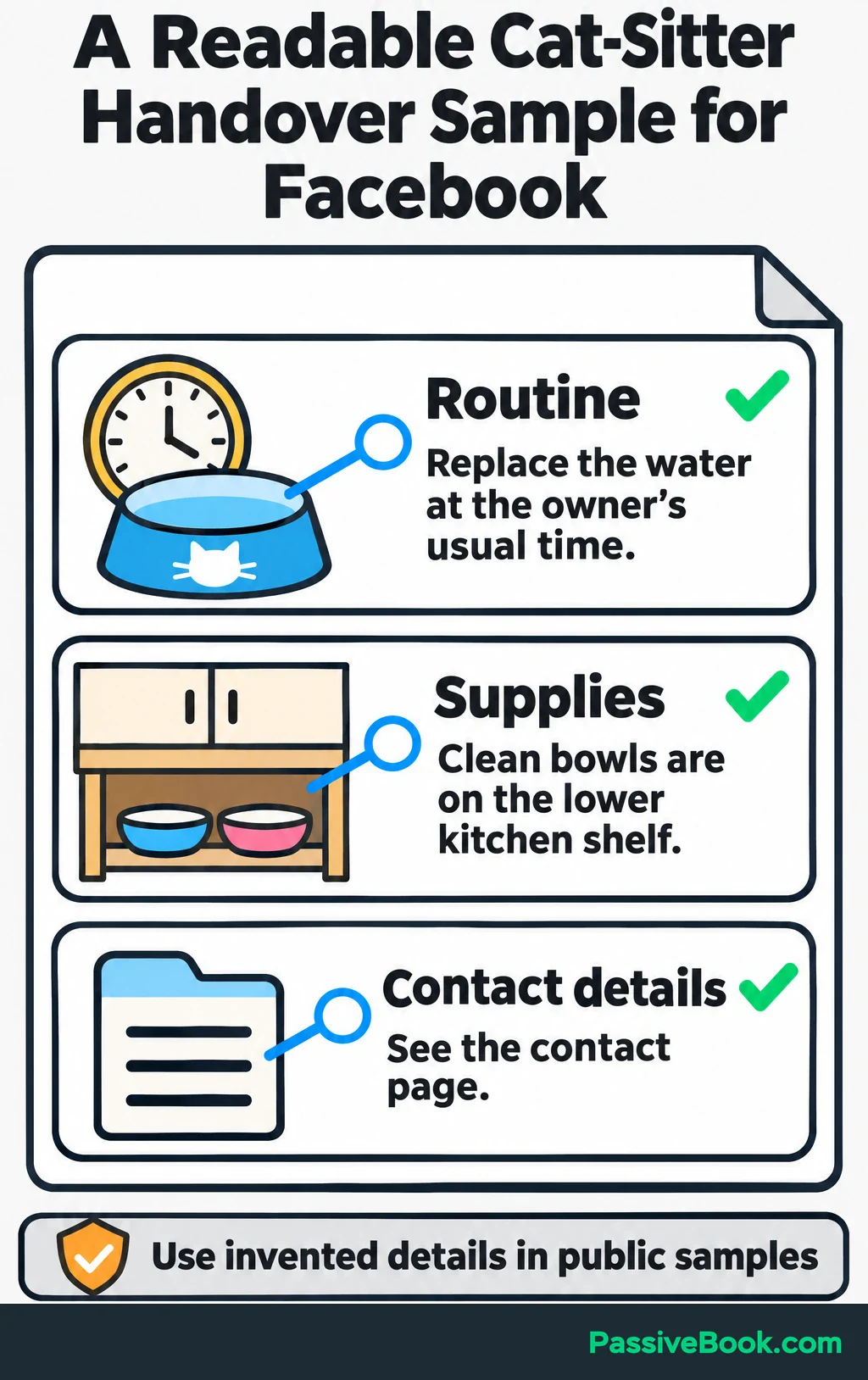
The image provides immediate help, and the invitation gives interested readers somewhere relevant to go.
If you’re stuck turning your own offer into posts, AI Social Copy Studio can draft your first three. Each gives readers something useful before inviting them to take the next step.

Free AI Social Copy Studio




Reach Interested People Organically
Write public posts so a new visitor can understand them without knowing your previous content. Name the problem and show the answer.
Give people a specific reason to follow, such as more practical ways to prepare their handover information.
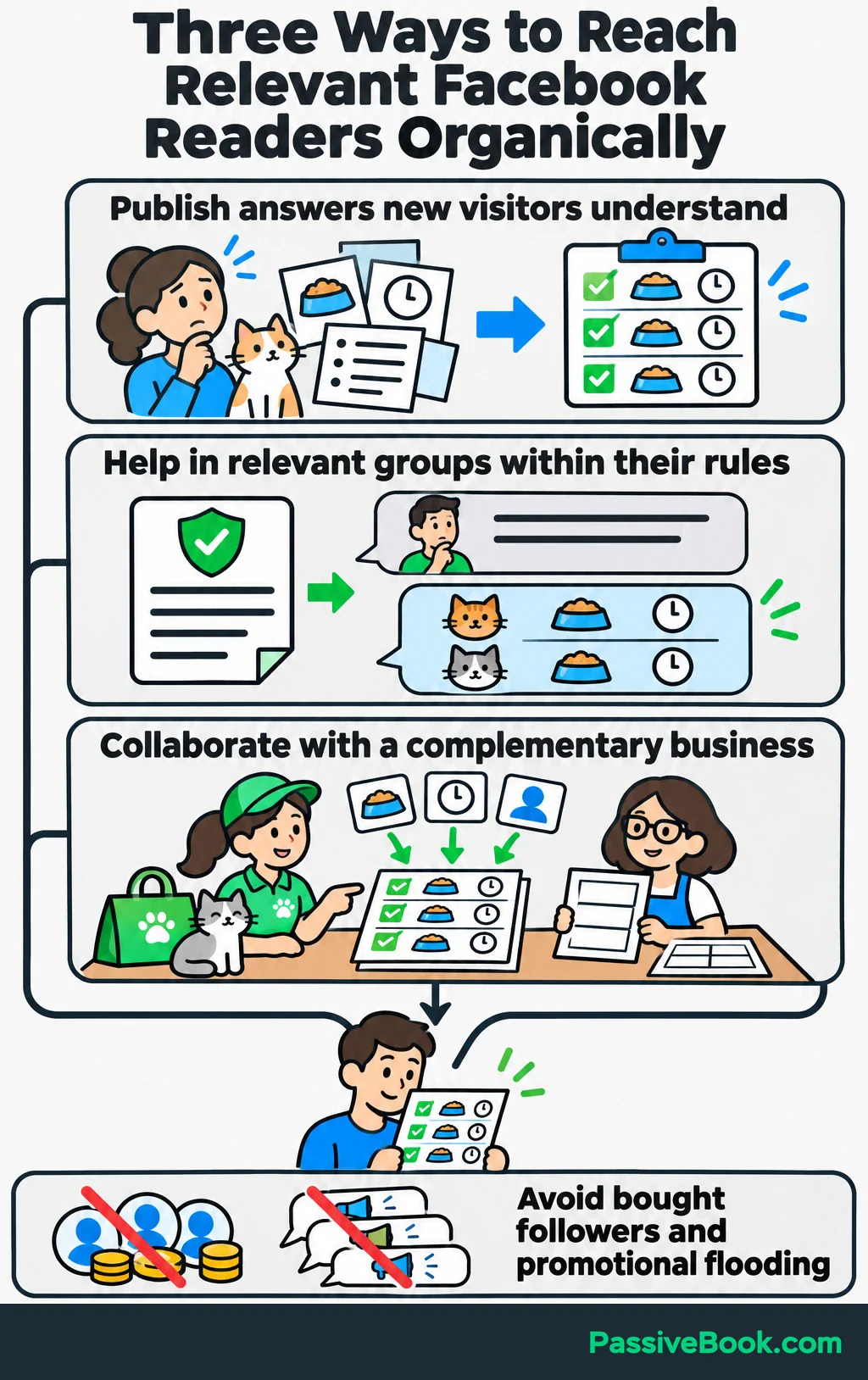
Relevant groups can help you learn and meet interested people. Answer existing questions, but read each group’s rules before sharing a preview or offer. Your answer should still help if nobody clicks.
Substantive comments also give you material for follow-up posts. If someone asks whether the sheet works for two cats, demonstrate separate routine entries rather than replying with only a sales link.
You can collaborate with a complementary business, too. A sitter could help demonstrate which owner-provided information belongs together, while you show how to organize it on the sheets.
I would skip creating your own group until ongoing member discussion improves the offer. A quiet group still needs attention, and a busy one needs moderation.
Avoid bought followers, fake engagement exchanges and repetitive promotional flooding. Meta describes reduced reach and monetization restrictions for spam and engagement manipulation. Spend that effort answering a real question.
Turn Interest Into Purchases
Give each post one next action that fits its purpose. A demonstration can invite people to inspect the sample. A purchase-question post can link directly to the offer.
For the kit, connect this journey:
Facebook post → relevant preview → checkout → download.
The preview should make the purchase easy to assess. Show the pages, file format, price and delivery process. Say whether buyers print blank sheets, type into a file or need a particular app.
Don’t make visitors message you to discover what they’re buying.
Use comments and requested Messenger conversations to answer buying questions, then direct interested people to checkout. Add repeated questions to the sales page so the next buyer doesn’t need the same conversation.
An optional email signup can help people who want a sample before deciding. Offer one handover sheet, explain what follow-up they’ll receive and show how the complete kit organizes the remaining information.
Use the email tool you already have. For WordPress, I prefer FluentCRM; Kit is an option if you want a simpler hosted setup. Don’t add an email sequence until the sample, checkout and delivery work.
Other income streams need their own collection checks:
- Sponsors pay according to your agreement and invoice schedule.
- Affiliate programs record qualifying orders and resulting commissions.
- Native programs require you to review earnings and payment status.
Interest becomes useful business evidence when you can connect it to an actual purchase or payment.
Once a topic produces useful visits or purchases consistently, batch related content and schedule Page posts with Meta Business Suite, Facebook’s publishing and scheduling tool. Automate payment confirmation, file delivery and routine tracking.
Keep factual review, replies and moderation in your hands. Automating an unclear offer just delivers the confusion faster.
Measure Profit and Repeat What Works
Review visits or inquiries, payments, refunds, direct costs and time weekly. Use distinct links or campaign tags—labels added to links—to help connect posts with visits and purchases. Here’s an illustrative week for the kit business:
| Post | Tracked Visits | Orders at $19 Each | Payment and Delivery Costs | Time Spent |
|---|---|---|---|---|
| Filled-in sheet image | 50 | 2 | $4.50 | 55 minutes |
| Screen walkthrough | 30 | 1 | $2.50 | 35 minutes |
| Text answer | 20 | 0 | $0 | 30 minutes |
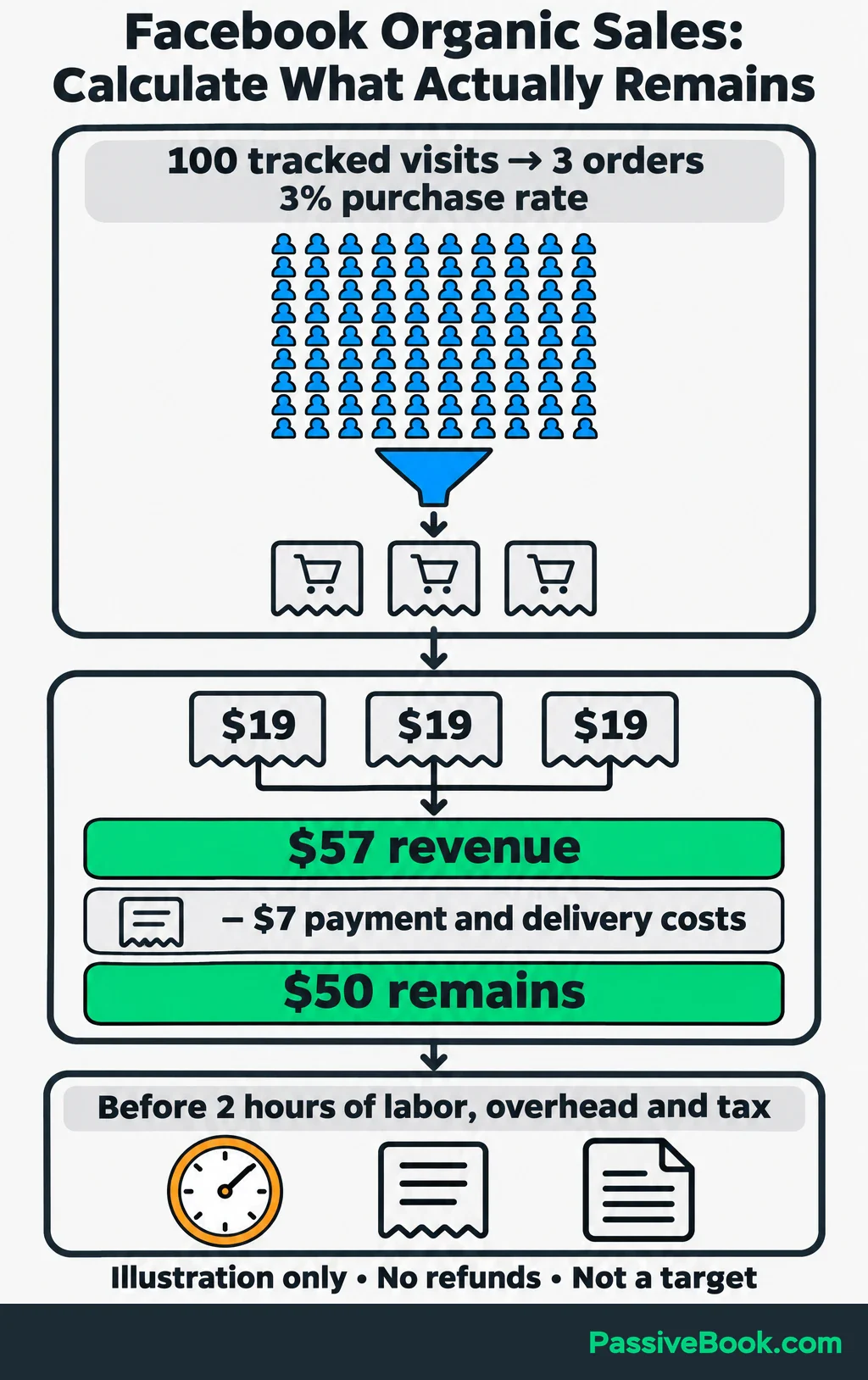
Count the 100 tracked visits to the preview or offer pages and the three purchases attributed to those visits during the same week. Three purchases from 100 visits gives a 3% purchase rate. That’s an illustration, not a target or expected result.
The three $19 orders produce $57 in revenue. With $7 in payment and delivery costs and no refunds, $50 remains before labor, overhead and tax. The work took two hours; subtract the value of that labor and your overhead before calling the remainder profit.
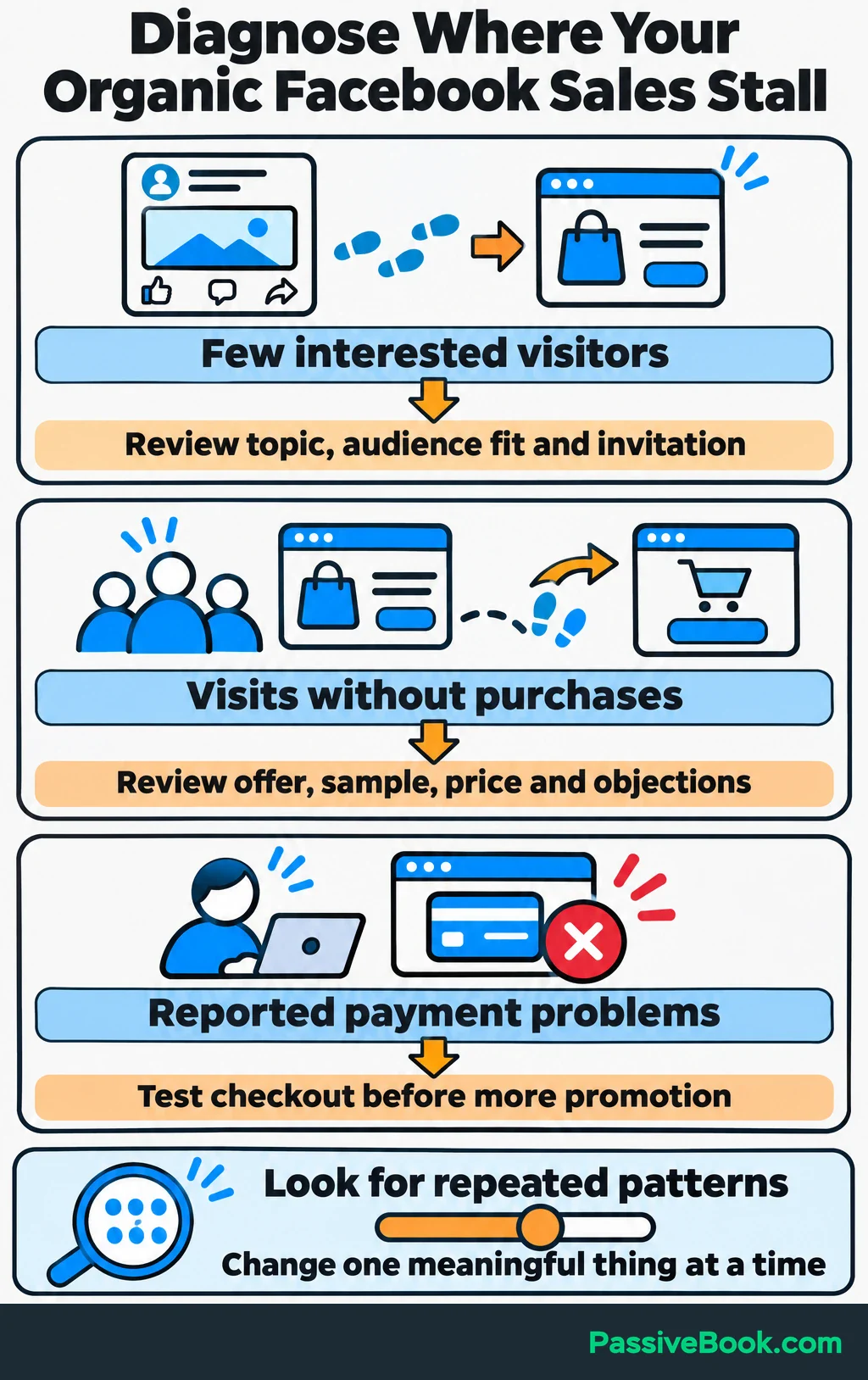
Use repeated patterns to choose your next change:
- Few interested visitors: improve the topic, audience fit or invitation.
- Visits without purchases: review the offer, sample, price and buying objections.
- Reported payment problems: test checkout before more promotion.
A few visits won’t settle these questions. Change one meaningful thing at a time so you can interpret the results.
What Next?
Choose one income stream and prepare its payment destination before writing your next Facebook post. Then publish one useful demonstration with a clear next action and record what happens.
Use the social buttons to share this guide if a practical path from Facebook posts to payments would improve the conversation in your feed.
Which part of your path to a first payment needs the most work? Leave your answer—and any other questions—in the comments.
Share this post with your friends & followers:

