You spend your Sunday afternoon making Facebook posts, but by Friday you can’t tell which ones brought anyone closer to visiting your site or buying. A few reactions are nice. They don’t explain where next Sunday’s effort should go.
That uncertainty makes it hard to justify another afternoon on Facebook, especially when you’re fitting it around work. Using a dog-friendly day-trip website, this guide shows how to choose useful posts, plan a manageable week and check whether those posts bring people to your site or email list.
Choose the Business Outcome Your Content Should Support
Start with one business outcome: email signups, qualified inquiries or sales. Reach and engagement help you understand progress, but they aren’t substitutes for that outcome.
I spent six months chasing Instagram and Twitter/X followers in another niche. I checked reactions more often than I checked whether those posts led anywhere useful. The audience numbers gave me something to watch, but the business barely moved. That experience is why I would connect Facebook content to an offer before filling a calendar.
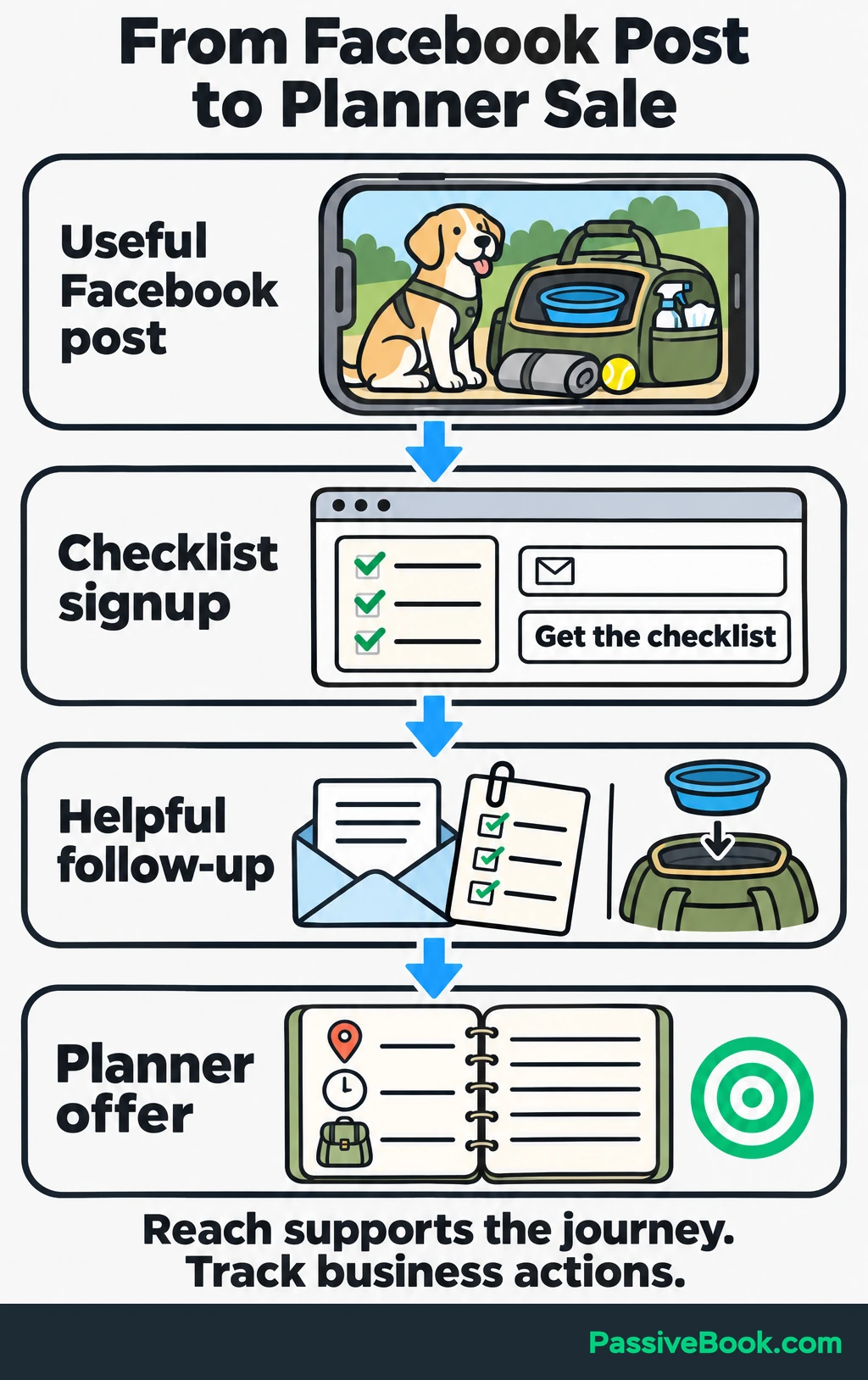
For illustration, imagine your website covers dog-friendly day trips. You offer a free packing checklist and sell a printable day-trip planner. The path could be:
Useful Facebook post → checklist signup → helpful follow-up → planner offer.
Choose a review date and a weekly effort limit alongside your goal. If you already get Facebook traffic, use recent results to set a realistic signup target. Starting from zero? I would spend the first four weeks establishing a baseline before choosing a growth target.
Organic reach counts people who see your content through unpaid distribution. Facebook can recommend posts beyond your followers, and Meta says its ranking systems combine several predictions about relevance and value. A small following therefore doesn’t rule out discovery, but discovery isn’t guaranteed. Meta’s explanation of ranking
Make your Page introduction and website link support the same path:
Practical help for planning dog-friendly day trips. Get the free packing checklist before your next outing.
Someone arriving from a shared post should understand why they might stay.
Find the Audience Questions Worth Answering
Describe your audience through the situation they’re in, what they want and what makes it difficult.
“Dog owners” is too broad to guide a post. “People planning a local outing who aren’t sure which destinations welcome dogs or what to pack” gives you problems you can answer.
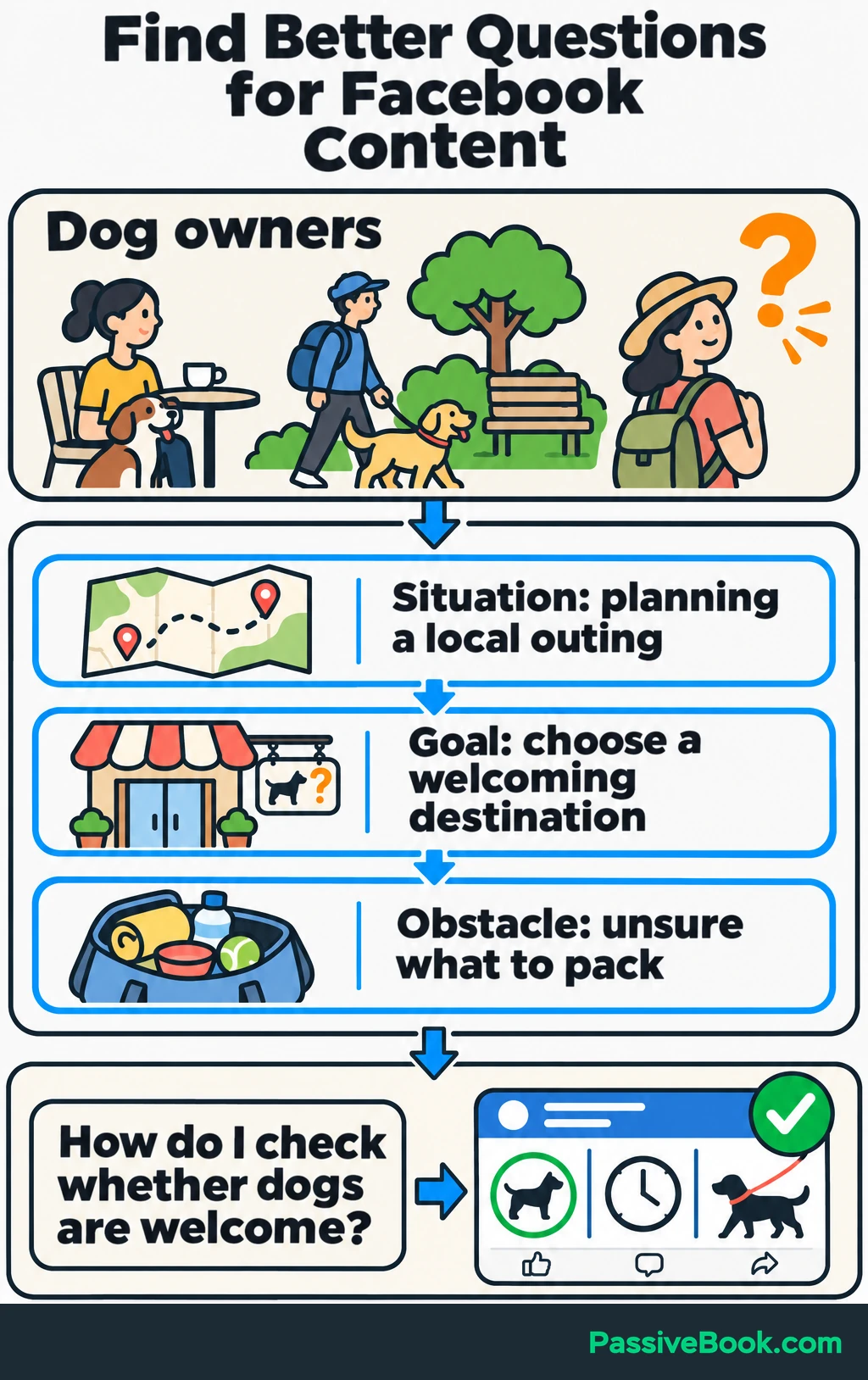
Collect questions from:
- Website inquiries and customer conversations.
- Comments on your posts.
- Relevant Facebook Groups and public Page discussions.
- Questions people ask beneath competing content.
Save the wording and its context. “What should I bring?” could mean packing for a short café visit or a full day away. Those need different answers.
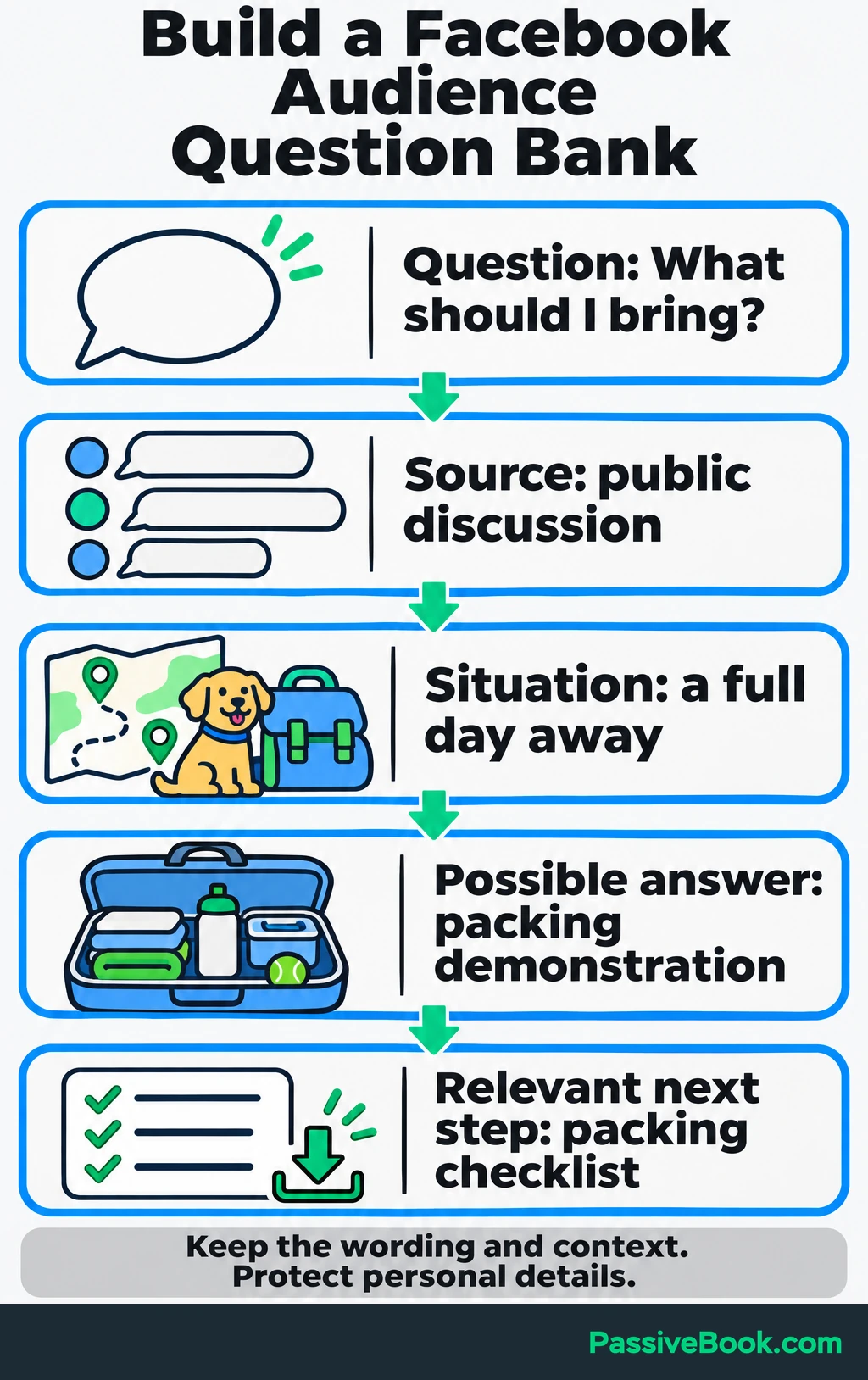
Keep a simple question bank with columns for the question, where it appeared, the situation, your possible answer and a relevant business next step. Record the source for your own reference rather than copying someone’s personal story into a post.
If you have no followers, begin with public discussions and your subject knowledge. Treat your first ideas as questions to test, then refine them using actual replies.
Look at competing Pages for missing explanations and unanswered questions. A polished packing photo might still leave people wondering where everything fits. That gap could become your demonstration. Public reactions don’t tell you how much unpaid reach a competitor received or whether anyone bought.
Turn Audience Questions Into Content Pillars
Content pillars are recurring subjects you can answer usefully. Group your question bank into a few of them so you can plan without starting from a blank page each week.
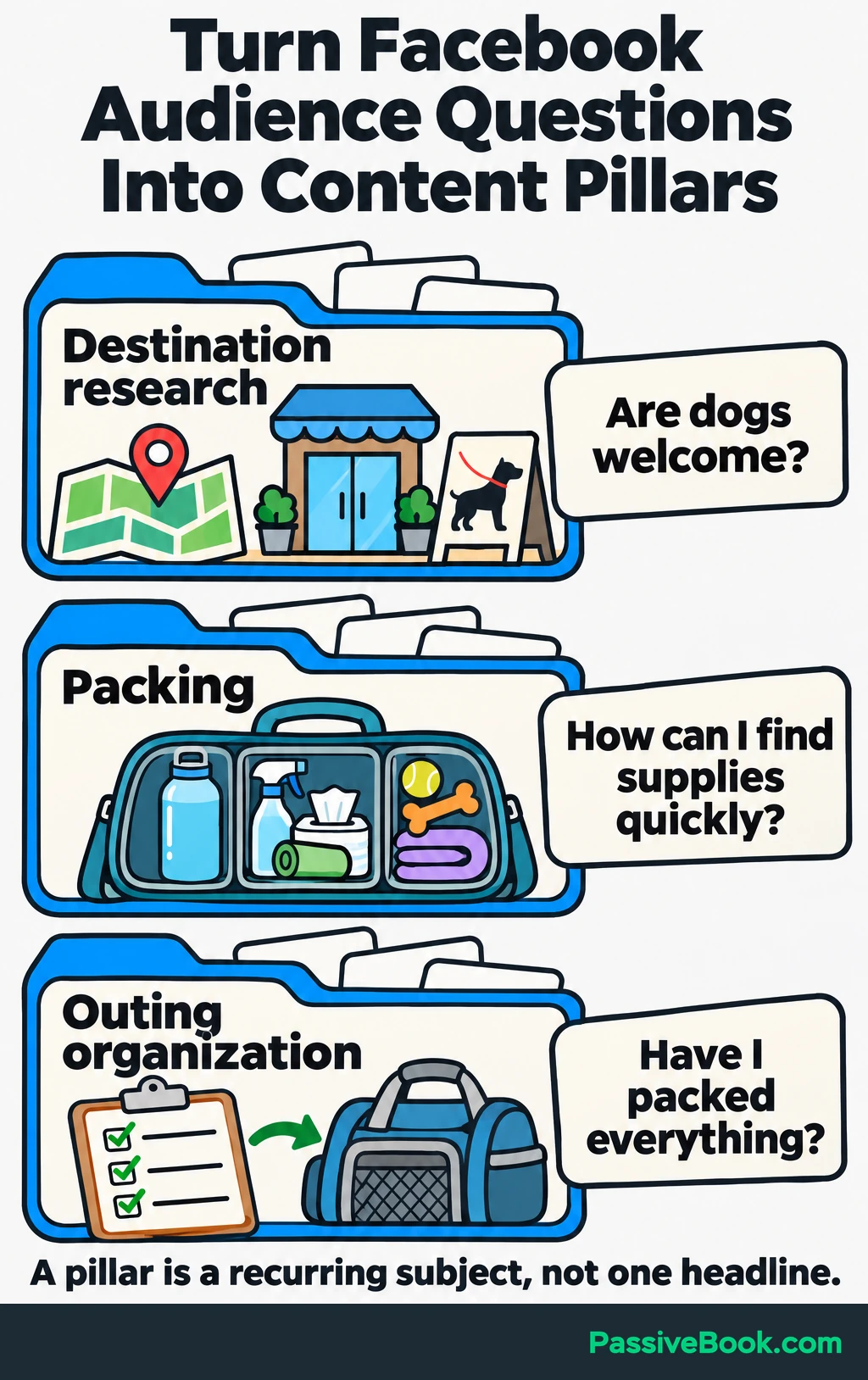
For the day-trip website, I would begin with destination research, packing and outing organization.
Then give each post one purpose. The pillar describes its subject; the purpose describes the response you want.
| Pillar | Audience Question | Post Idea | Purpose | Supporting Asset | Next Step |
|---|---|---|---|---|---|
| Destination research | How do I check whether dogs are welcome? | Questions to ask before choosing a stop | Reach relevant new readers | Graphic listing questions about dog access, opening hours and lead rules | Follow for more planning help |
| Packing | How do I find things without emptying the bag? | Show supplies grouped by use | Start a useful discussion | Your photo showing water, cleanup supplies and spares grouped separately | Share the item you struggle to find |
| Outing organization | How do I check that I’ve packed everything? | Show how to check the bag against a packing list | Invite checklist signups | Preview of the completed packing checklist | Get the packing checklist |
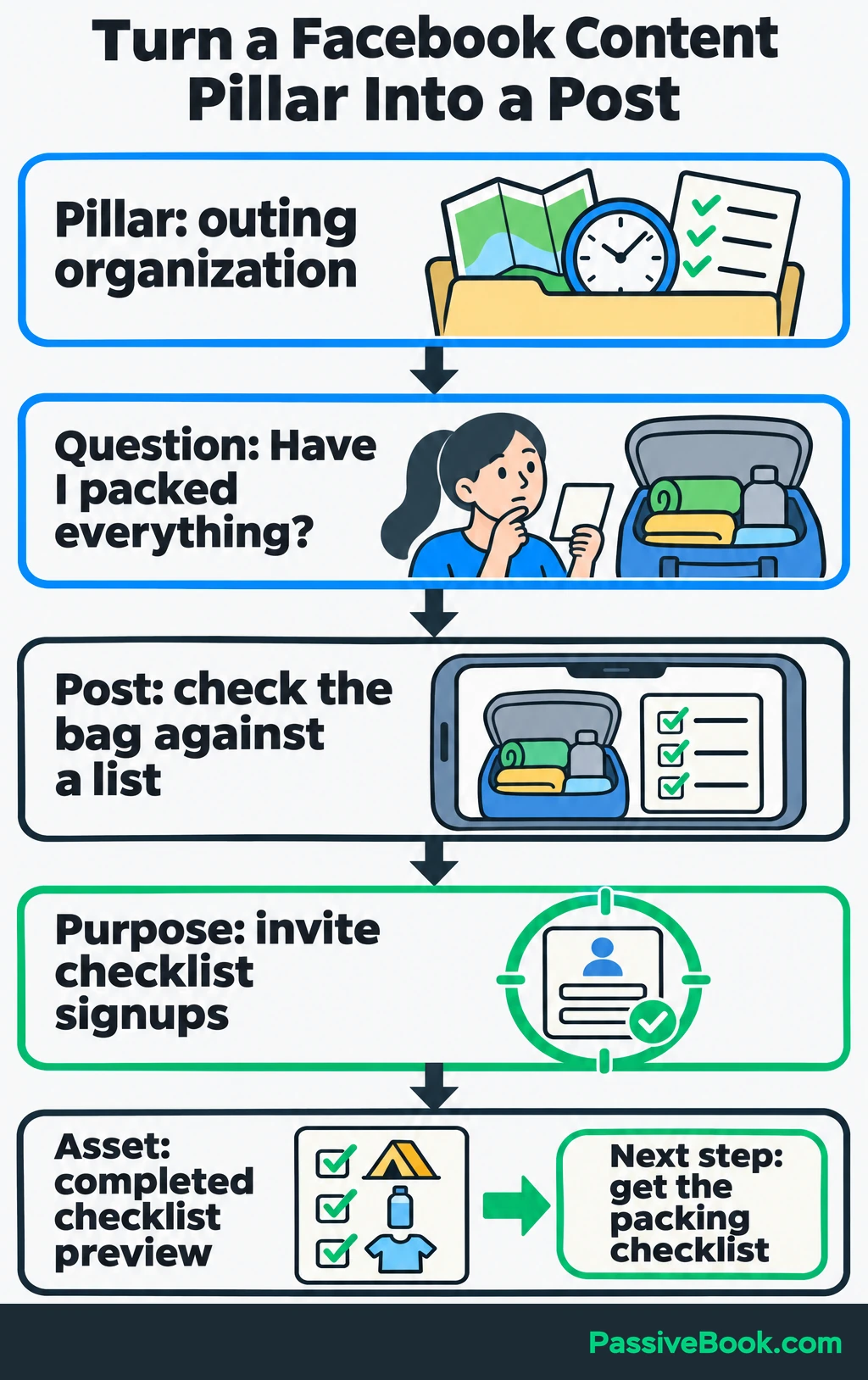
In my own article planning, I’ve caught different headlines leading to almost the same answer. Keeping the reader’s question beside each idea makes that easier to spot before I spend time drafting.
Prioritize ideas that answer a clear question, connect naturally to your business and fit the assets you can produce. An impressive video idea that never leaves your notes contributes very little.
Create Original Posts With a Clear Payoff
Choose the Format That Makes the Answer Clearest
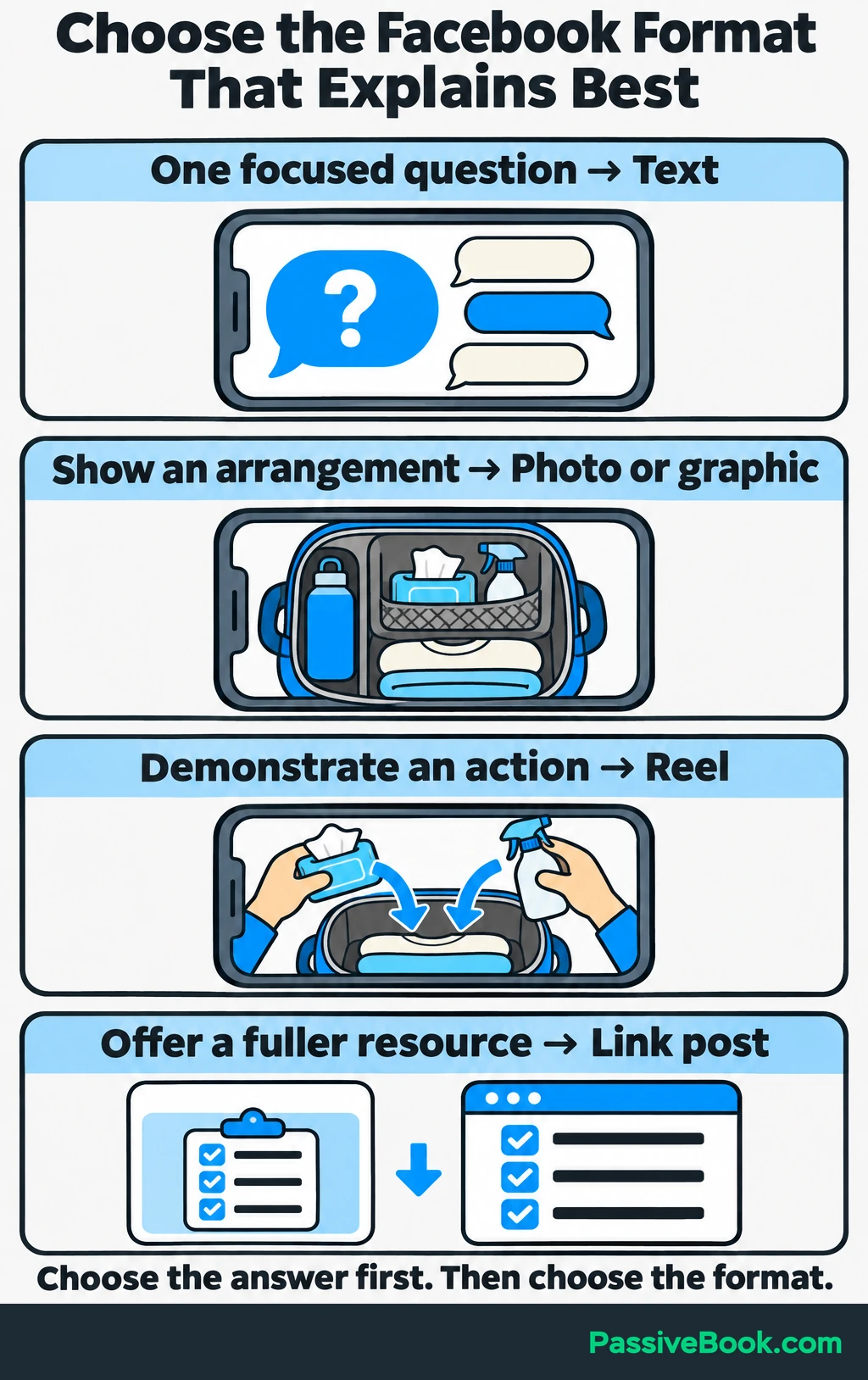
Choose the format after deciding what the post needs to explain. A question may need two sentences. A packing arrangement benefits from a photo because readers can see the layout immediately. Facebook publishes video posts as Reels.
| Format | Useful Job | Day-Trip Example | Success Measure |
|---|---|---|---|
| Text | Explore one focused question | Ask what makes choosing a destination difficult | Relevant replies and new questions |
| Original photo or graphic | Make an arrangement easy to understand | Show an outing bag with supplies grouped by use | Comments showing whether the arrangement helps |
| Reel | Demonstrate an action | Pack the bag using overhead footage | Viewing time and where viewers leave, where available |
| Link post | Offer a fuller resource | Explain what the packing checklist contains | Website sessions and completed signups |
You don’t need to appear on camera. Film your hands, use overhead footage or record your screen while completing the planner. Show the useful action early, add readable text or captions and allow enough time to explain it.
Check that a Reel intended to reach new people has a public audience. Meta identifies public publishing as an option for reaching a wider audience. Meta’s video audience guidance
I would start with photos and text if those are easiest to make well. Add video when movement explains something a still image cannot. You don’t owe every available format a weekly appearance.
Write Around One Useful Takeaway
Build each post around three things:
- A problem the reader recognizes.
- A useful answer or demonstration.
- One relevant next step.
Deliver the answer inside the post. “You’re packing wrong—click to find out why” withholds the very thing that might earn someone’s trust.
Here’s a complete discussion post to pair with your own packing photo:
Always unpacking the whole bag to find one item?
Group your dog’s outing supplies by when you use them. In this photo, the bowl and water are easy to reach, cleanup supplies have their own pocket, and spare items sit underneath.
Before closing the bag, try reaching for each group without moving everything else.
What do you always end up searching for?
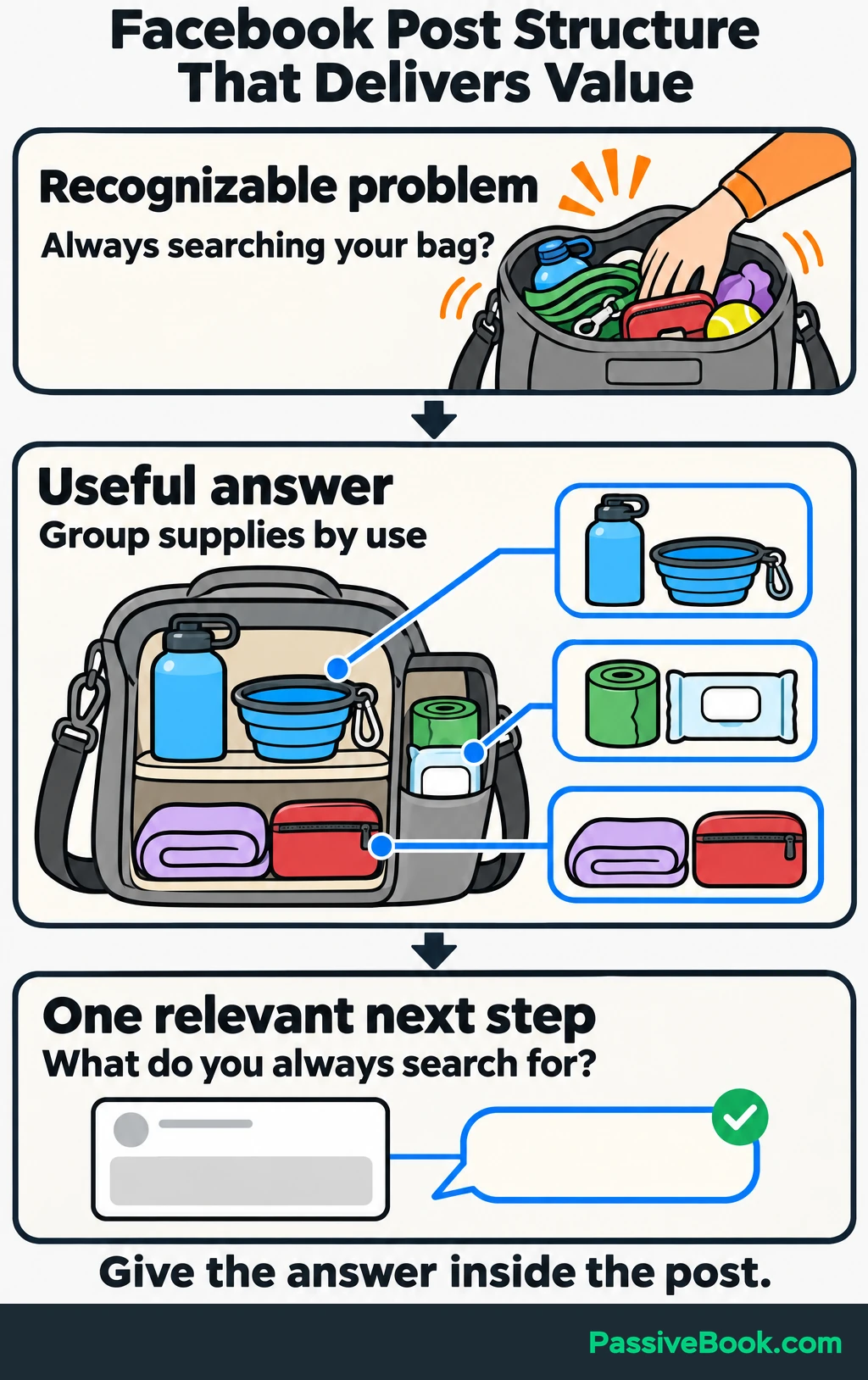
The photo needs to show that arrangement. A caption promising a demonstration beside an unrelated dog photo leaves the reader doing the work.
For a resource post, replace the discussion question with a clear checklist invitation. Keep one main request rather than asking people to comment, follow, share and download at once.
If you have a useful answer but keep getting stuck on the wording, AI Social Copy Studio can turn your notes into three posts. It works with the knowledge and resources you already have, including text-only posts.

Free AI Social Copy Studio




Use your own visuals and explanations. Meta says it prioritizes original content and reduces distribution for unoriginal posts, including copies with minor changes such as borders or added captions. Meta’s originality guidance
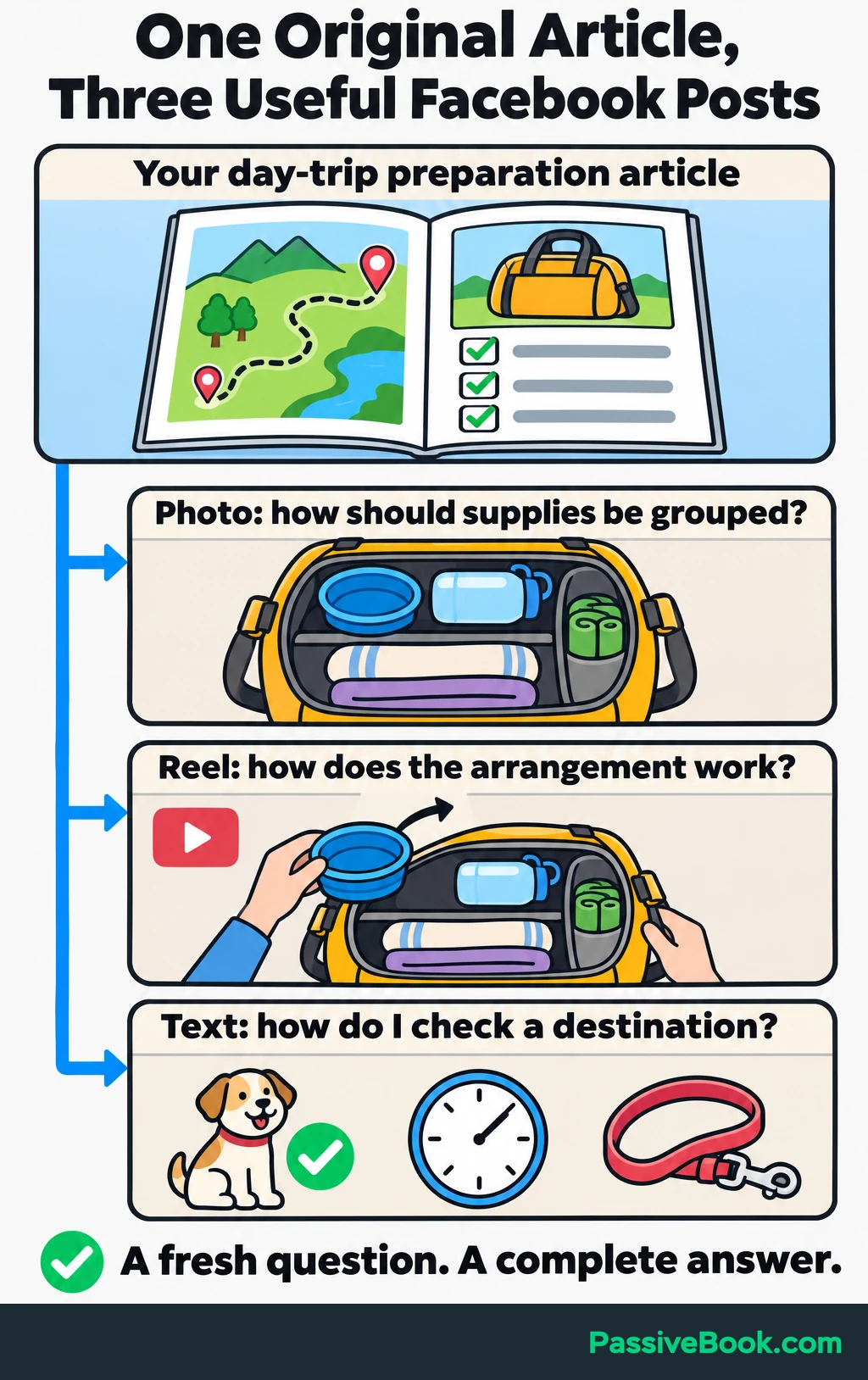
Repurpose your own material by answering different questions. One day-trip preparation article could supply a packing photo, a bag demonstration and a destination-checking post. Each should make sense on its own.
Keep captions and hashtags relevant. Meta describes distribution limits for spam tactics including unrelated captions, excessive hashtag use and coordinated fake engagement. Meta’s spam guidance
Give Interested Readers a Clear Next Step
Offer the resource that continues the problem your post just helped solve.
A packing post should lead to the packing checklist. Explain what readers receive: a printable list they can check before leaving, with space to add their own supplies. “Get my free resource” makes them guess.
Prepare the destination before scheduling the post. The post, signup page, form and delivery email should promise the same thing.
For a simple setup, use a page on your existing website and an email form. On WordPress, Fluent Forms can collect signups and FluentCRM can send the download link and follow-up emails. I would use them if they’re already part of the site. There’s little reason to add another platform just for one download.
Add tracking labels, called UTM parameters, to links you share on Facebook so Google Analytics can identify the campaign and individual post. A link to your checklist page could look like this:
https://example.com/checklist/?utm_source=facebook&utm_medium=organic_social&utm_campaign=day_trip_checklist&utm_content=packing_photo_01Replace the example address with your checklist page’s URL. Keep the source, medium and campaign values consistent for this campaign, and change utm_content for each post. Google’s campaign URL guidance
Then test the full journey on your phone: open the link, read the page, submit the form and check resource delivery.
A later email can show how the paid planner organizes destinations, timings and packing notes in one place. That makes it a continuation of the help readers requested.
Let discussion posts do their own job. Every answer doesn’t need to end at a signup form.
Build a Posting Calendar You Can Maintain
Budget for the whole workflow: research, creation, checking, scheduling, replies and measurement. A calendar that uses all your available time on production leaves nobody around to answer the comments.
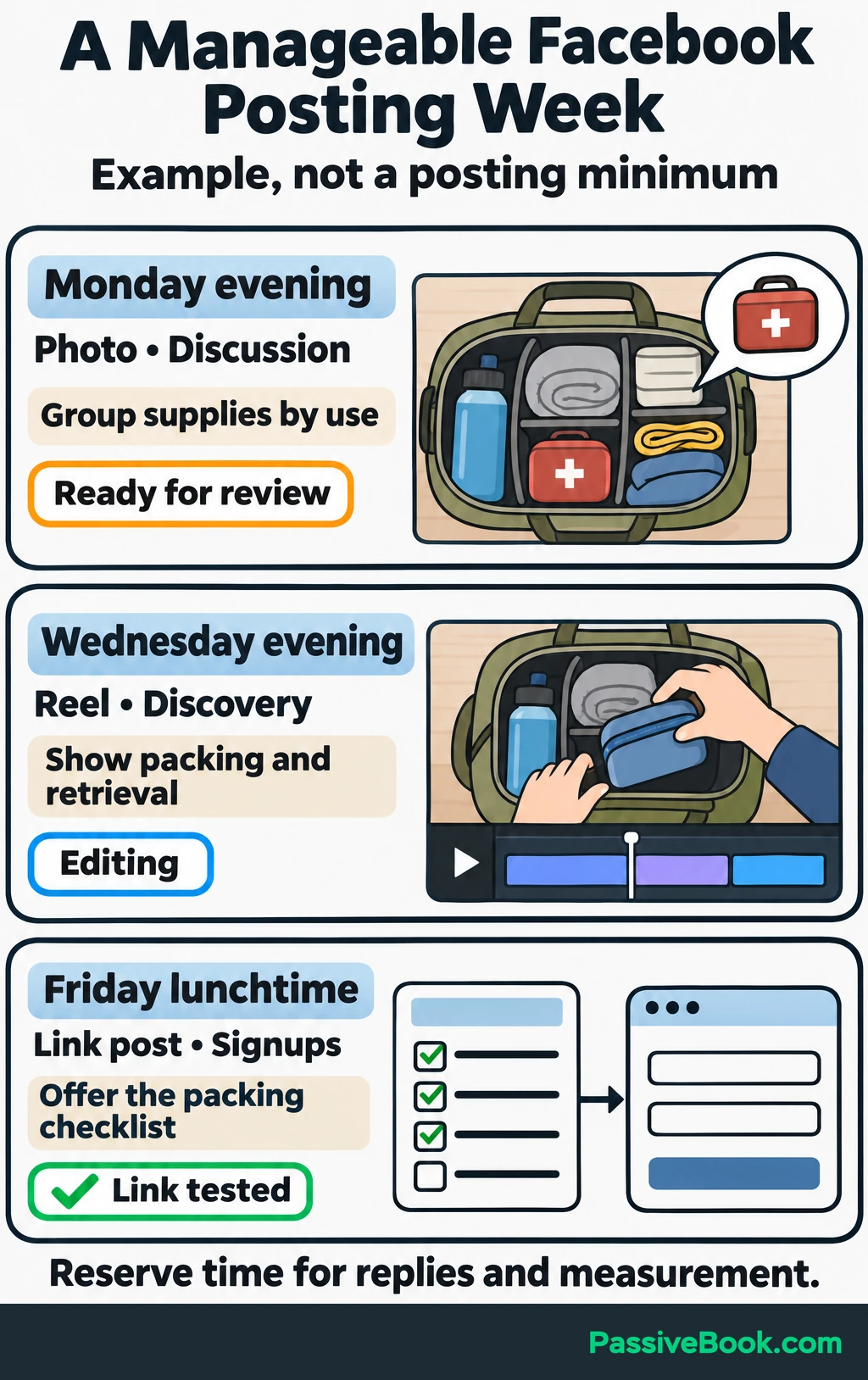
For a sample starting week, you might publish these three posts:
| Publication Slot | Pillar and Question | Purpose and Format | Main Takeaway | Next Step | Asset and Status |
|---|---|---|---|---|---|
| Monday evening | Packing: How do I find supplies quickly? | Discussion; original photo | Group supplies by use | Describe what gets lost in the bag | Packing photo; ready for review |
| Wednesday evening | Packing: How does that layout work? | Discovery; hands-only Reel | Demonstrate packing and retrieving items | Follow for practical outing preparation | Overhead clip; editing |
| Friday lunchtime | Outing organization: How do I remember what to bring? | Signups; link post | Use a reusable packing list | Download the checklist | Checklist preview; link tested |
These slots illustrate a manageable week, not a minimum posting requirement. Enter actual dates in your calendar and choose times around your audience’s likely routine and your availability to respond. Compare different windows once you have results.
Keep the calendar in a spreadsheet or Notion. Batch topic selection, then drafting, then visual production so you aren’t repeatedly switching tasks. Store original photos and clips together so useful material stays easy to find.
I would schedule Page posts in Meta Business Suite, Meta’s publishing and scheduling tool, before paying for another scheduler. Preview each finished post, choose its publication time and confirm it appears in the schedule.
Leave a slot flexible when a useful audience question comes in. You can also ask AI to draft variations from your approved article or notes, but check the facts, voice and promised resource before publishing. A faster draft still needs an owner.
Grow Your Audience Through Useful Participation
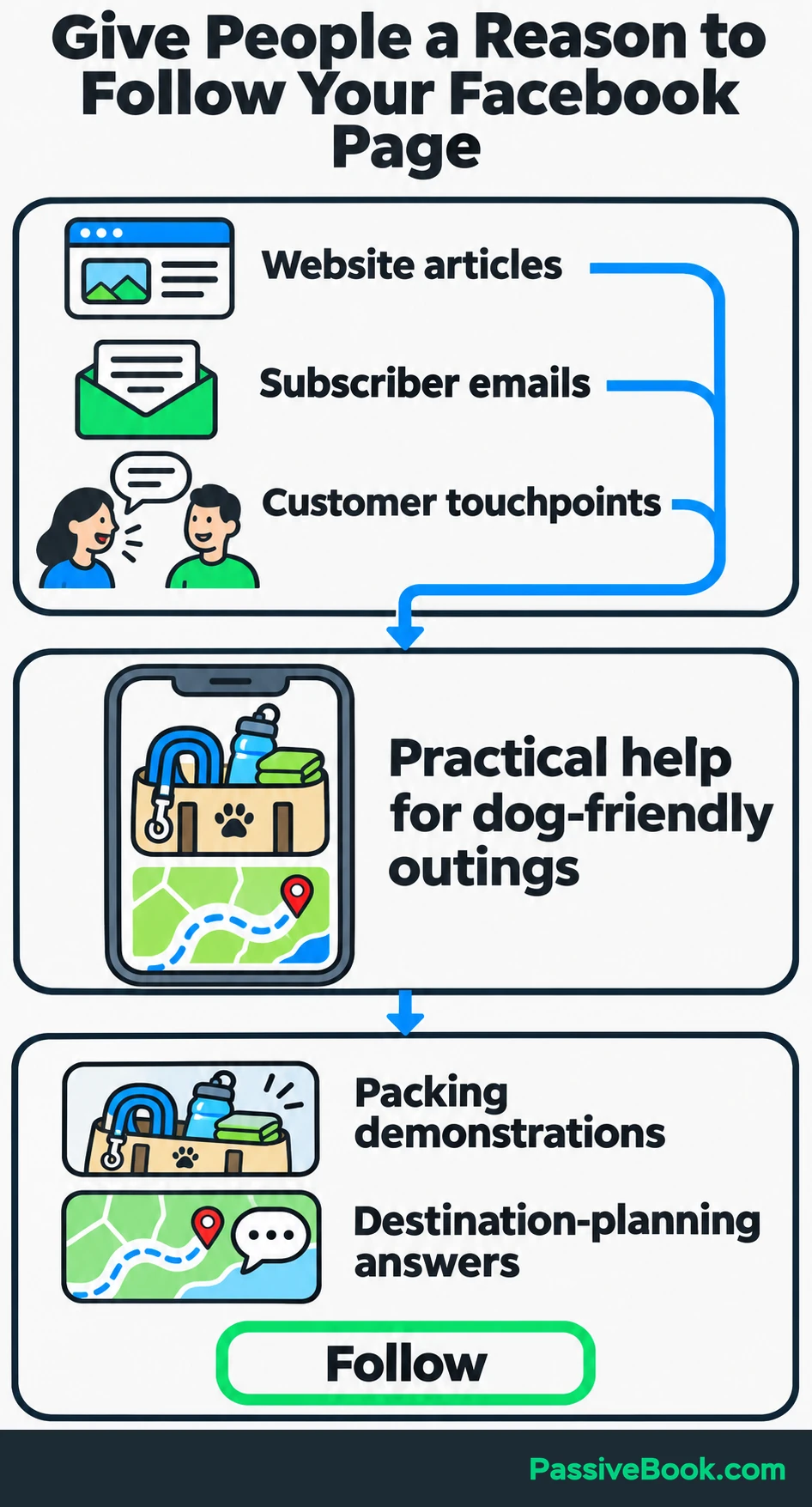
Give people a reason to follow beyond “support my Page.” For the example website, that reason is recurring help with choosing and organizing dog-friendly outings.
Introduce the Page through relevant website articles, subscriber emails and customer touchpoints. Explain what people will find there, such as packing demonstrations and answers to destination-planning questions.
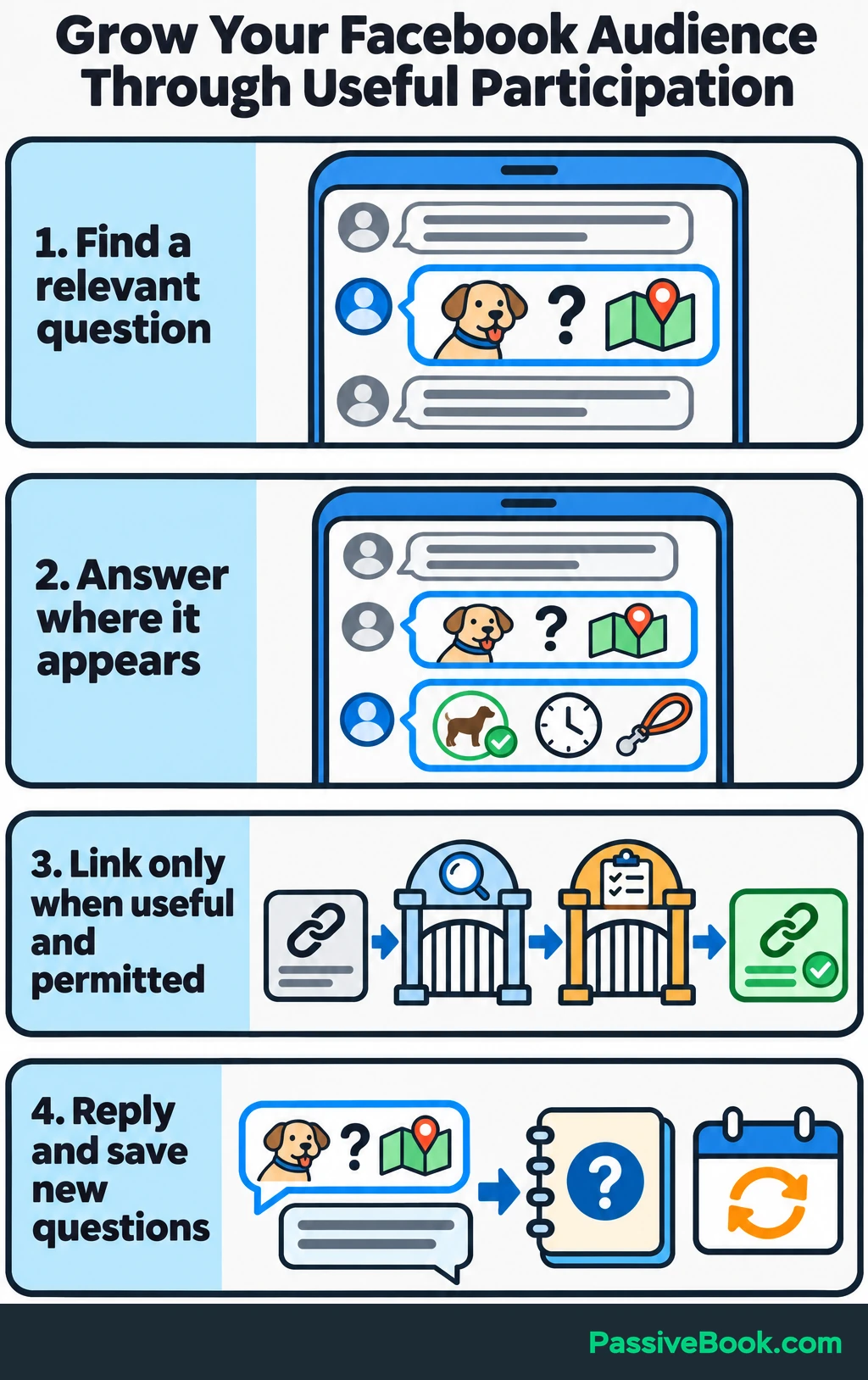
When starting from zero, combine publishing with participation in existing communities. Answer questions fully where they appear. Share a link when it adds useful detail and the community permits it.
Set recurring reply windows that fit your workload. Respond to substantive comments, ask a follow-up when it helps and save unanswered questions for future posts. You don’t need to hover over Facebook all evening.
A complementary business can also help you make something useful. A pet-supply shop might contribute an original bag-organization demonstration, with each business explaining its part.
If distribution stays weak, check for documented account restrictions or recommendation notices. Meta distinguishes between content allowed on Facebook and content eligible for recommendations, so a post remaining online doesn’t settle that question. Meta’s recommendation guidance
Once you’ve checked those notices, return to the audience question and the post itself. Low reach alone doesn’t explain what went wrong.
Measure Results and Improve the Next Content Cycle
Track Performance Against Each Post’s Purpose
Use Facebook insights alongside website analytics. Your scorecard should help you decide what deserves another hour, so keep it compact.
Record the post, pillar, format, purpose and reporting window, then add:
| Scorecard Field | What to Record |
|---|---|
| Distribution | The available reach or views metric, with its exact label |
| Relevant responses | Useful comments, questions or viewing behavior |
| Website sessions | Visits attributed to the post’s tagged link |
| Business actions | Completed signups, qualified inquiries or sales |
| Effort | Time spent creating and managing the post |
Read each metric’s definition. Views and unique audience counts describe different things, and adding individual posts’ reach doesn’t calculate unique people across the whole week. The same person may have seen several posts.
I would review each post after seven days. Compare useful replies across discussion posts, and visits and signups across resource posts. Check older posts separately if they keep attracting attention.
Set up tracking for a successful signup rather than counting clicks on the submit button. Google Analytics calls a tracked action you mark as important a “key event.” Google’s explanation of key events
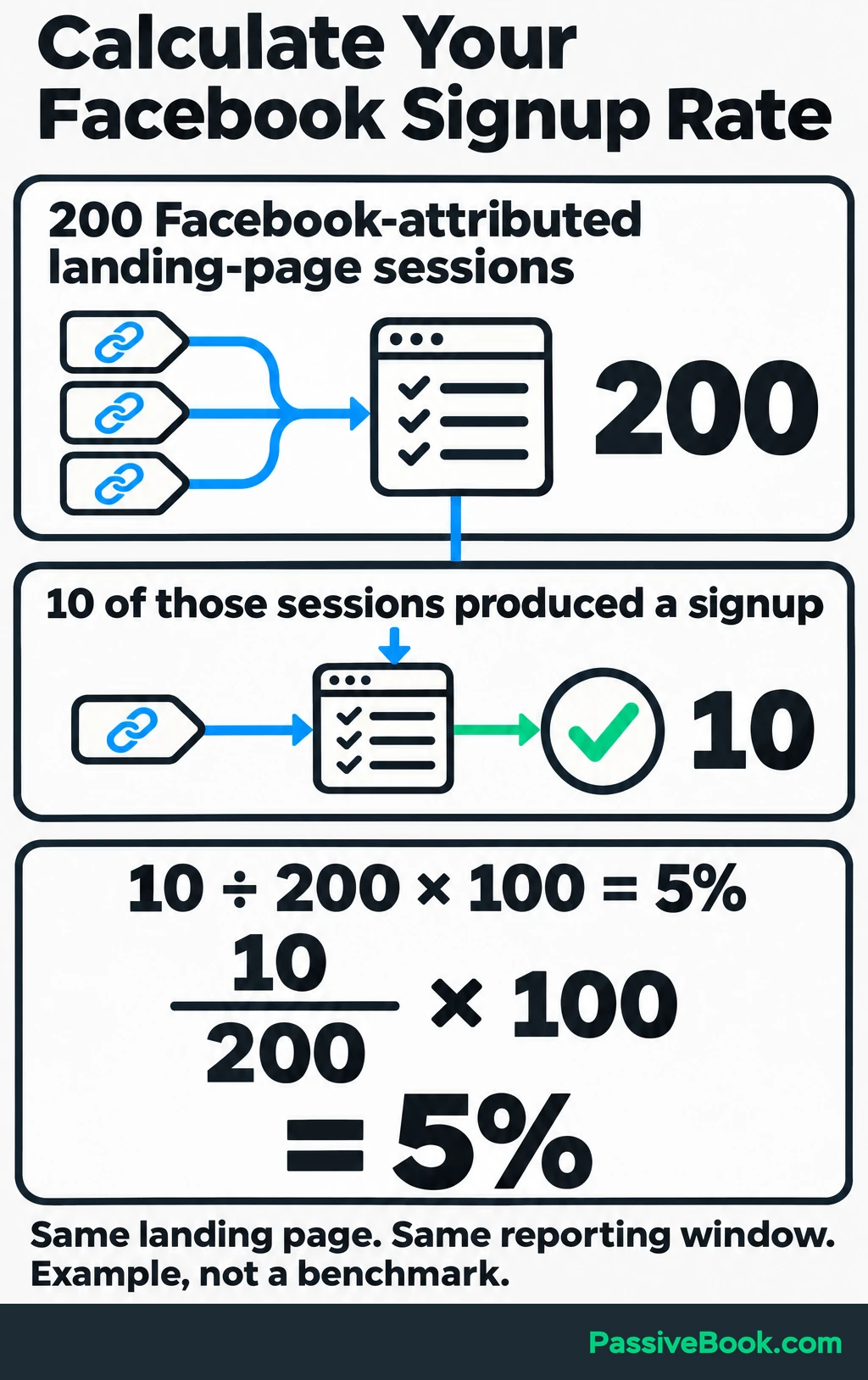
For a session-based signup rate, count Facebook-attributed landing-page sessions that produced a completed signup, then divide by all Facebook-attributed sessions landing on that page in the same reporting window.
For illustration, if 10 of 200 such sessions produced a signup:
10 ÷ 200 × 100 = 5%
That is an example calculation, not a benchmark. Compare your results with your own baseline. Keep later signups from other visits separate from this calculation.
Tracking can miss later purchases and visits from another device, so treat the report as a partial record of what led people to buy.
Change the Part That Limits Progress
Use the scorecard to locate the weak step before making more content.
| What You Observe | What I Would Check First |
|---|---|
| Little distribution | Whether the question is relevant, the opening is clear, the content is original and new people have ways to discover it |
| Attention but few website visits | Whether the offered resource clearly continues the post’s answer |
| Visits but few signups | The download’s value, message consistency, mobile page and form |
| Signups but little interest in the planner | Whether follow-up explains a problem the paid planner solves |
| Results that consume too much time | Whether a simpler format could deliver the same help |
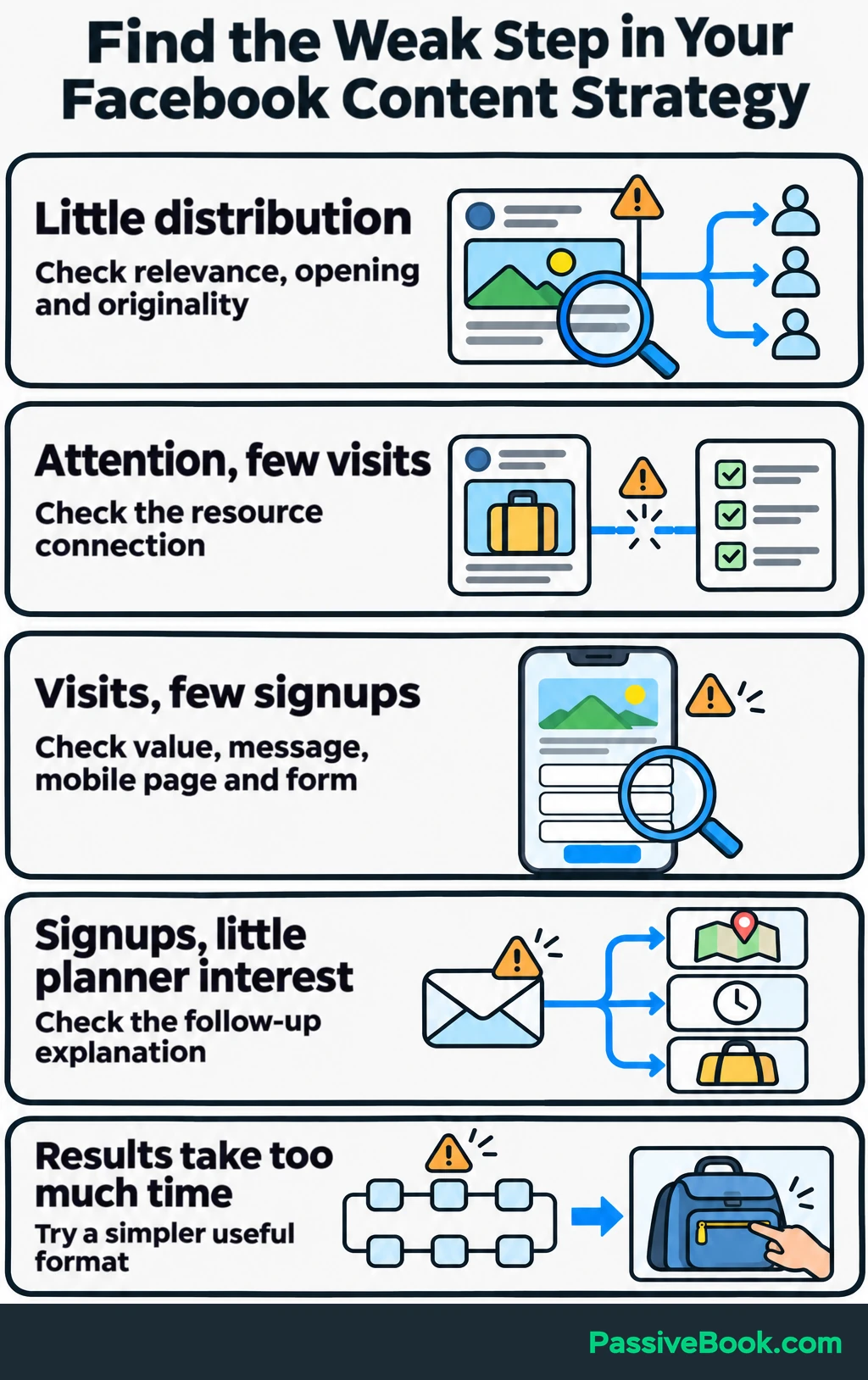
Try one change across several comparable posts so you can judge what helped.
Repeat useful subjects through fresh questions or demonstrations. A packing post that starts good conversations can lead to a closer look at one troublesome pocket or a reader-requested layout.
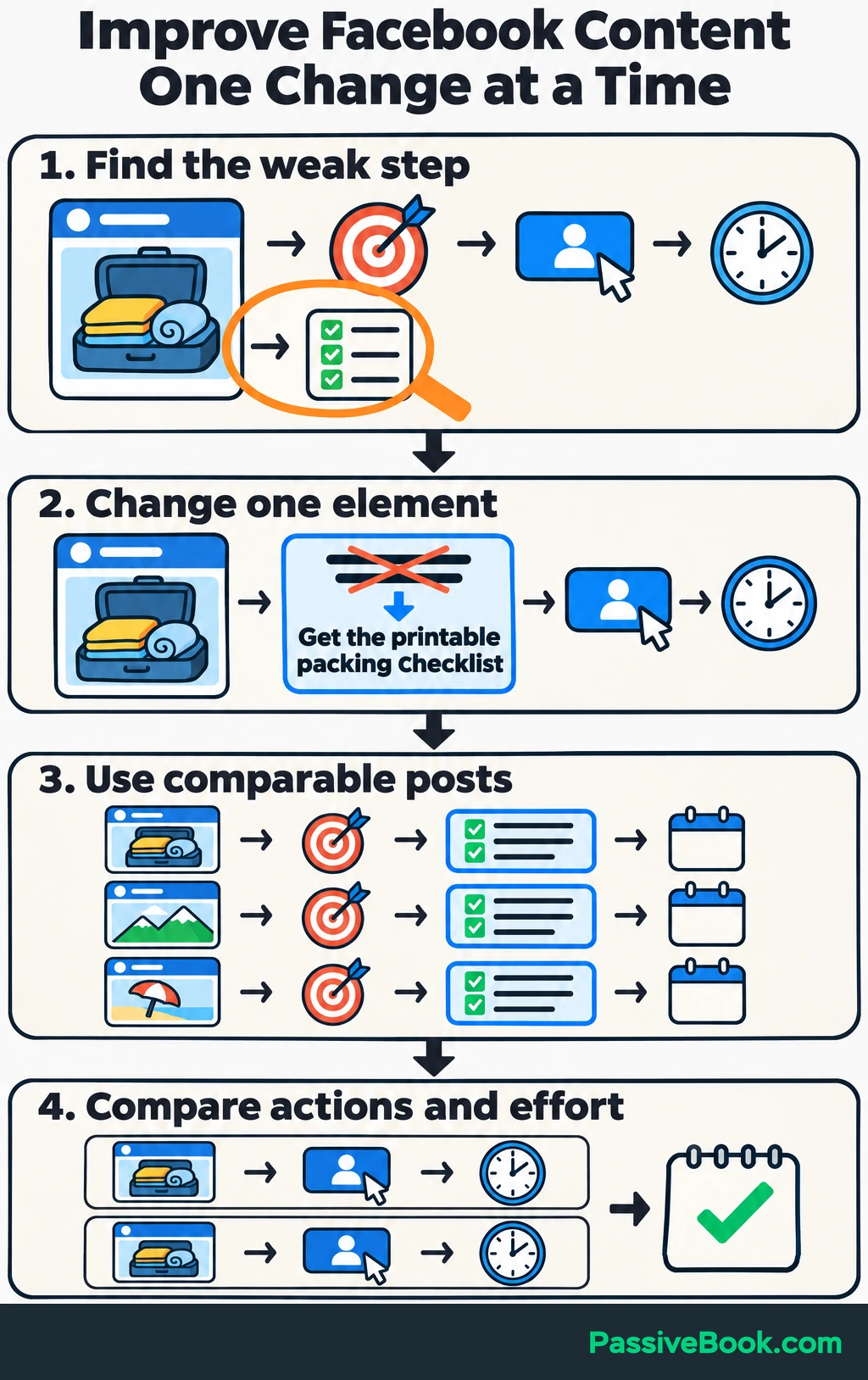
Review the plan weekly, but let enough comparable results accumulate before declaring a winner. At your chosen review date, compare business actions and effort with your baseline. Expand work that earns relevant results and reduce work that repeatedly misses its purpose.
I would rather maintain a small routine that earns inquiries than a packed calendar I’m too tired to evaluate.
What Next?
Choose one audience question and write a post that answers it today. Give it one purpose, record how you’ll judge it and check any link before publishing.
Use the social buttons to share this guide when you want to compare Facebook plans with others—the calendar and scorecard give that discussion something concrete to work from.
Which part of your current Facebook routine is hardest to connect to a business result? Share it in the comments, and bring any other questions too.
Share this post with your friends & followers:

