A customer asks a useful question, you write a careful answer, and next week another customer asks the same thing. You start wondering whether a Facebook group could bring those conversations together.
It could, but now you have another concern: who will answer questions, remove spam, and keep the place useful when you’re busy?
The risk is ending up with unanswered questions instead of conversations people return to. Here’s how to build a group that attracts relevant members, connects useful discussions to your offers, and justifies the time you spend on it.
Decide What the Group Should Do for Your Business
Start with a recurring problem people can help one another solve. A group makes sense when members benefit from comparing experiences, asking follow-up questions, and sharing progress.
Before creating one, ask a few prospective members whether they use Facebook and would join those conversations. If they only want occasional updates, an email newsletter or Facebook Page may cover the need.
Give your Page and group different jobs:
| Place | Main Job | Example |
|---|---|---|
| Facebook Page | Publish business information and announcements | Introduce a new product and explain where to buy it |
| Facebook group | Help members discuss a shared problem | Compare approaches, troubleshoot mistakes, and share finished work |
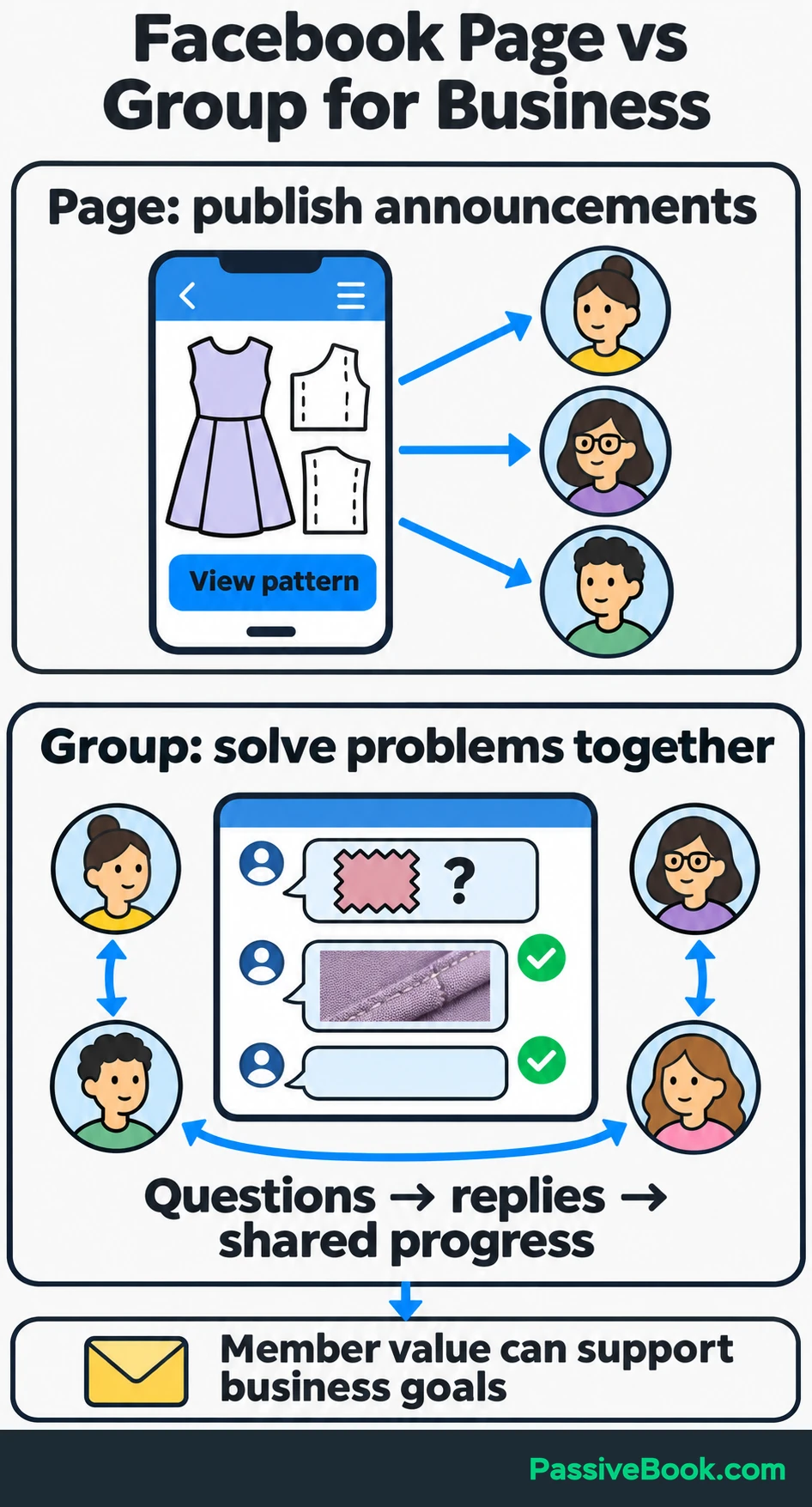
Throughout this guide, imagine you sell beginner sewing patterns. Your group helps people finish their first projects, and your main business goal is attracting email subscribers interested in beginner patterns. The business, sample copy, and figures are illustrations.
That distinction matters. Members join for project help; you run the group because helping suitable people can lead toward your products.
You can recruit without paid ads, and written answers, project photos, and checklists let you contribute without appearing on camera. But set aside time for replies, moderation, and follow-up. An organic channel still has a cost, even when Facebook isn’t sending you an invoice.
I would start with a small trial and a fixed weekly time budget. Skip the group if you cannot give member questions reliable attention.
Create a Group People Have a Reason to Join
Define the Promise and Name
Write one sentence explaining who the group helps, what they struggle with, and what participation helps them do.
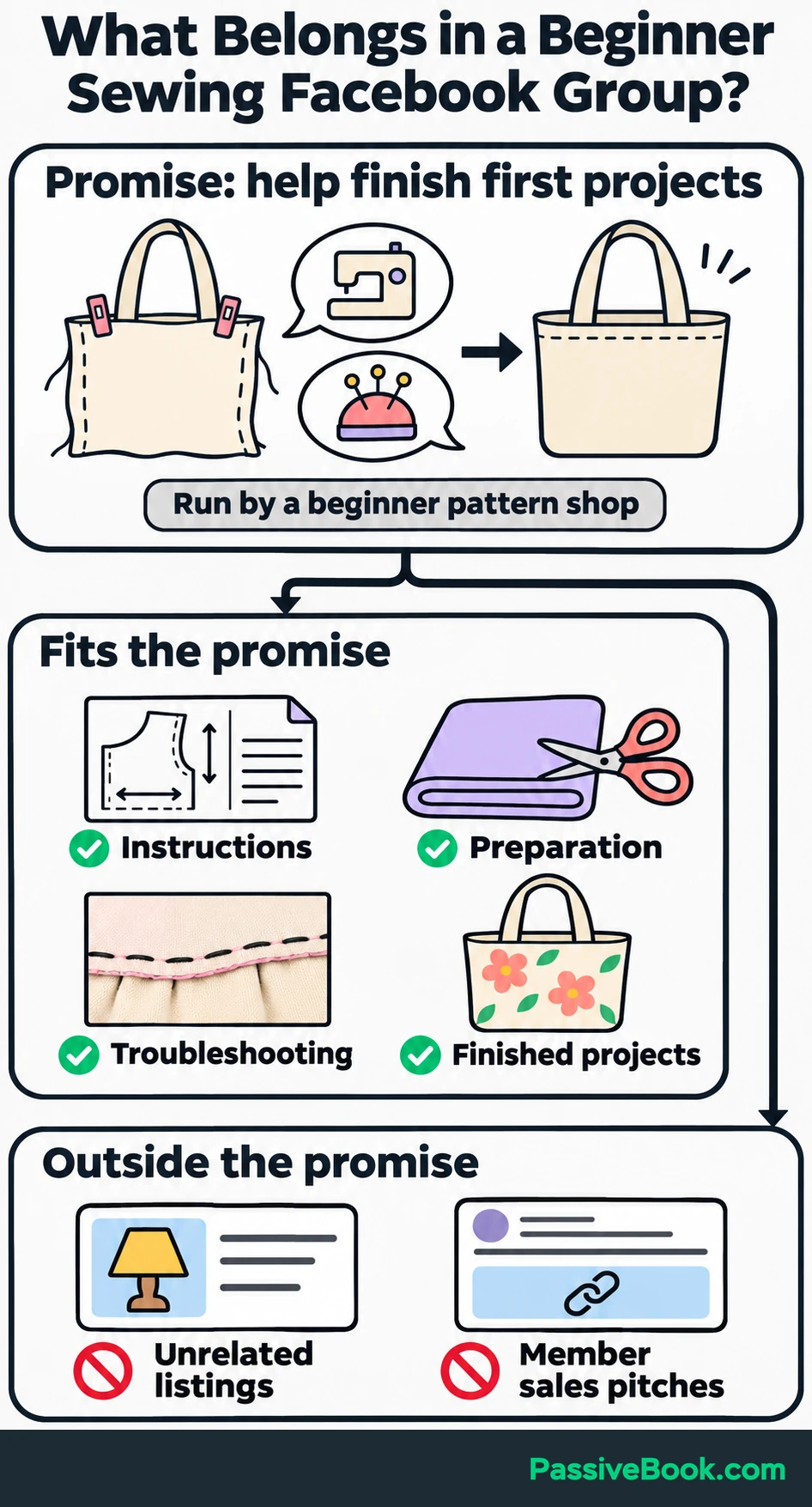
For the sewing business:
Get practical help choosing, troubleshooting, and finishing your first sewing projects.
Use that promise to choose a descriptive name, such as “First Sewing Projects.” Identify the pattern shop behind it in the description so the business connection is clear.
Then draw the topic boundaries. Pattern instructions, fabric preparation, troubleshooting photos, and completed projects all fit. Unrelated marketplace listings and promotional posts don’t.
A narrow promise also makes your work easier. You can decline an unrelated post without having to invent a reason each time.
Choose Privacy and Discoverability
Privacy controls who can read discussions. Discoverability controls whether prospective members can find the group.
- Public: Choose this when discussions should be openly readable.
- Private and Visible: Choose this when people should find the group through Facebook, but read member posts only after joining.
- Private and Hidden: Choose this for an invitation-based community that does not need public discovery.
Meta separates group privacy from discoverability, so treat them as two decisions.
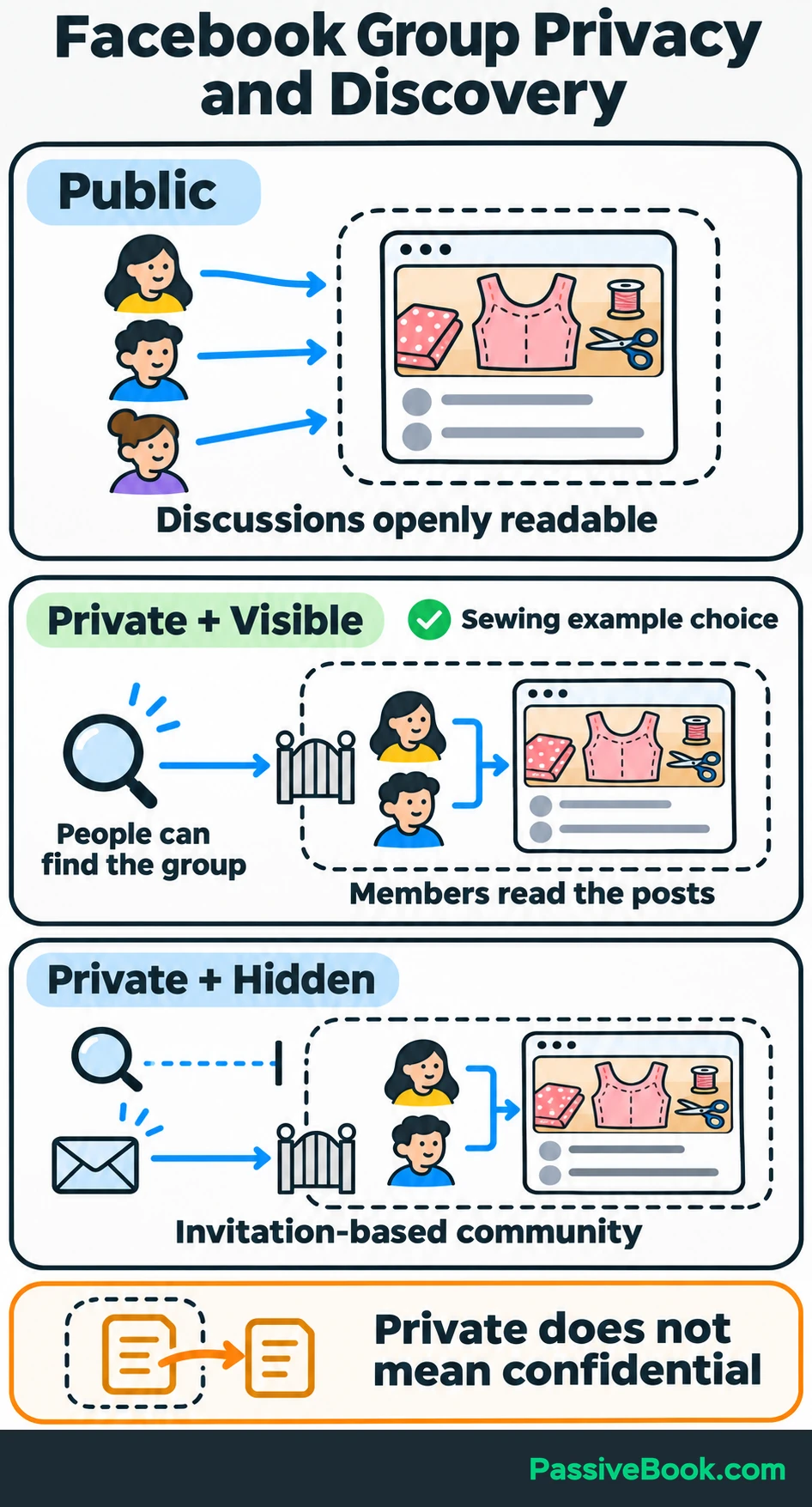
For the sewing example, I would choose private and visible. People can discover the group, and project questions stay within its membership. Hidden discovery would make recruitment harder without adding much value here.
Private does not mean confidential, though. Members can copy what they see, so discourage posting personal information.
Create the Group and Prepare Its Welcome
Once those choices are made, create the group:
- Sign in to Facebook and open Groups.
- Choose Create new group, enter the name, and select the privacy setting.
- For a private group, choose whether it should be visible or hidden.
- Complete creation, then add the description and cover image.
Keep the cover readable on a phone. The group name and a short benefit matter more than a collage of everything your business sells.
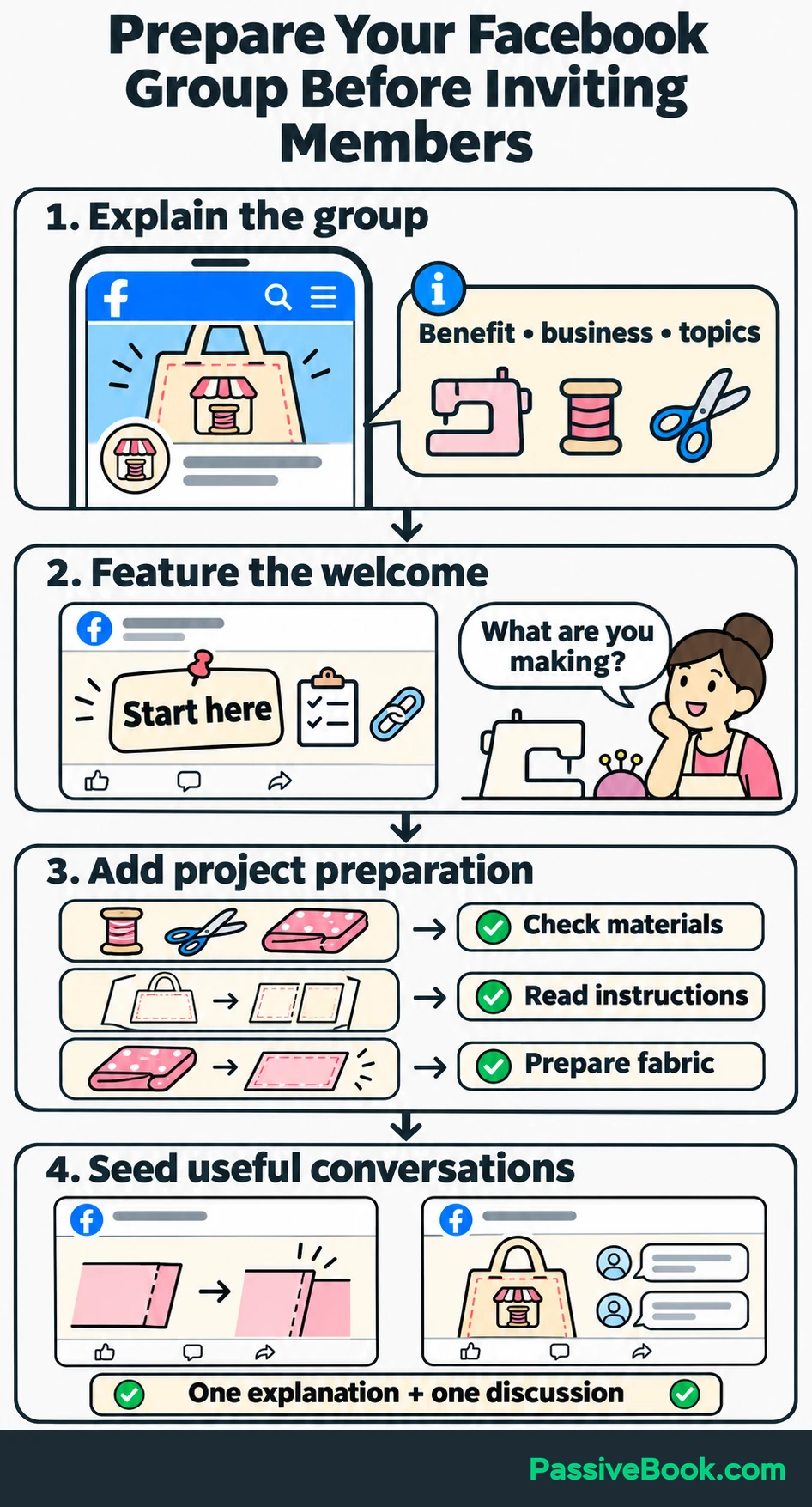
Your description should explain the benefit, business connection, suitable topics, and first action. For example:
First Sewing Projects is run by our beginner pattern shop. Share questions about choosing a project, understanding instructions, and getting unstuck. Start with the welcome post, then tell us what you’re making.
Publish and feature a “Start here” post containing the rules, links to useful reference posts, and a simple introduction prompt:
What are you making, and where are you stuck?
Add a project-preparation checklist to the welcome post: check the materials list, read the instructions, and prepare the fabric as directed.
Before inviting people, add one useful explanation and one focused discussion. Newcomers should be able to see what a worthwhile contribution looks like.
You don’t have to write those opening posts from a blank page. Our AI Skill uses your business details and practical advice to draft a welcome and three conversations you can publish.

Free AI Social Copy Studio




Put Moderation in Place Before Inviting Members
Set Admission and Posting Rules
Ask membership questions that reveal whether someone belongs in the conversation:
- What sewing project are you working on or planning?
- Which part feels hardest right now?
- Will you follow the group rules?
Someone who has never bought from you can still be an excellent member. Assess their interest rather than their willingness to purchase.
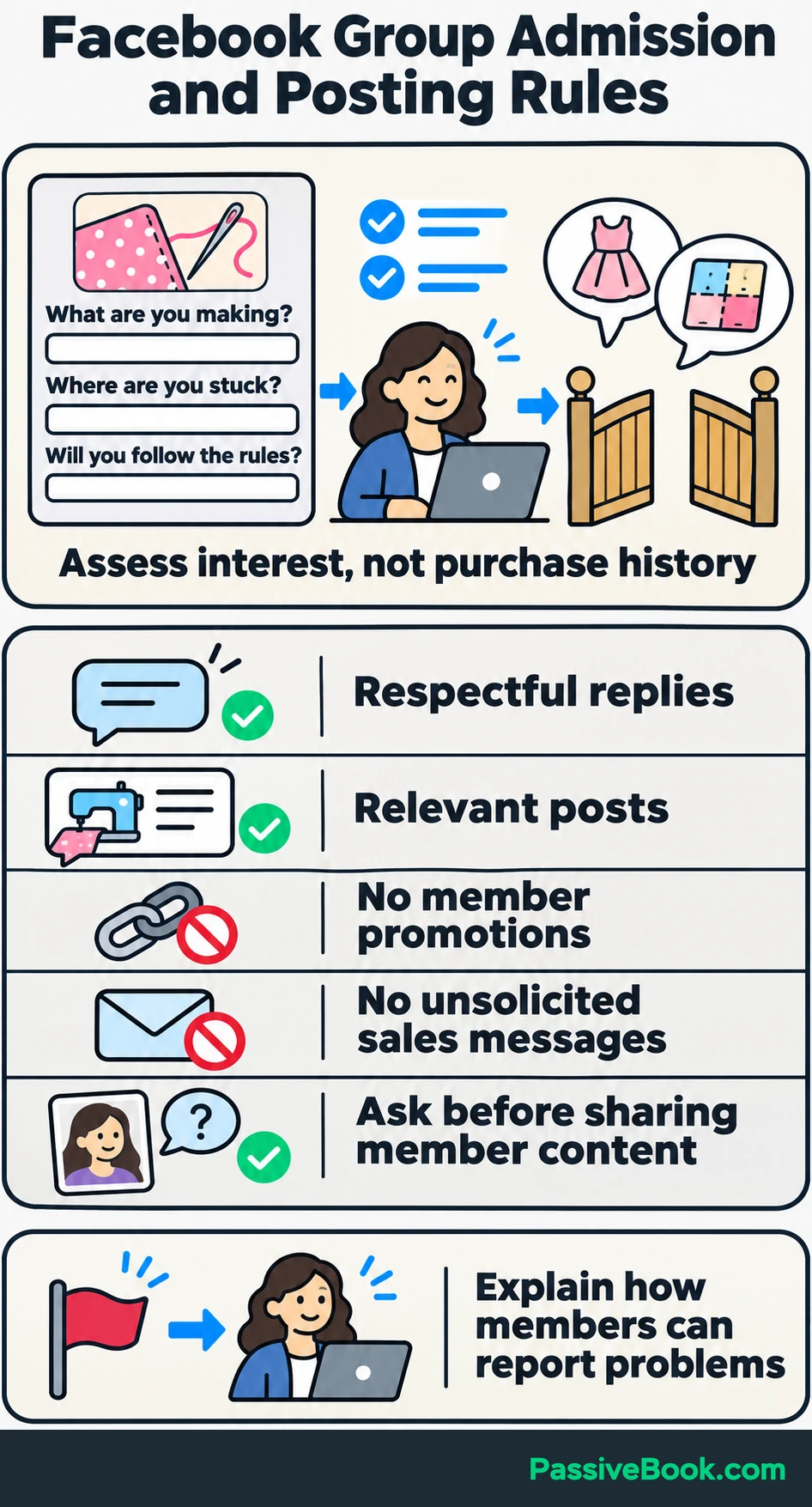
Write rules that describe actual behavior:
- Respectful Replies: Explain suggestions without insulting someone’s skill or choices.
- Relevant Posts: Keep discussions about beginner sewing projects and related questions.
- Promotion: No member sales pitches or promotional links. The shop may share clearly identified, relevant offers.
- Private Messages: No unsolicited sales messages to members.
- Member Privacy: Ask permission before sharing another member’s photos, posts, or personal details elsewhere.
Explain how members can report a post or contact a moderator about unwanted messages. Your own rules sit alongside Meta’s Community Standards, which apply to public and private groups.
I would begin with manual admission checks. Turn on post approval if the group starts attracting promotional posts, but only if you can review the queue reliably. A genuine question waiting for days is a poor welcome.
Establish a Repeatable Review Routine
Decide who handles settings, membership requests, reported content, and unanswered questions. If that person is you, put the checks on your calendar.
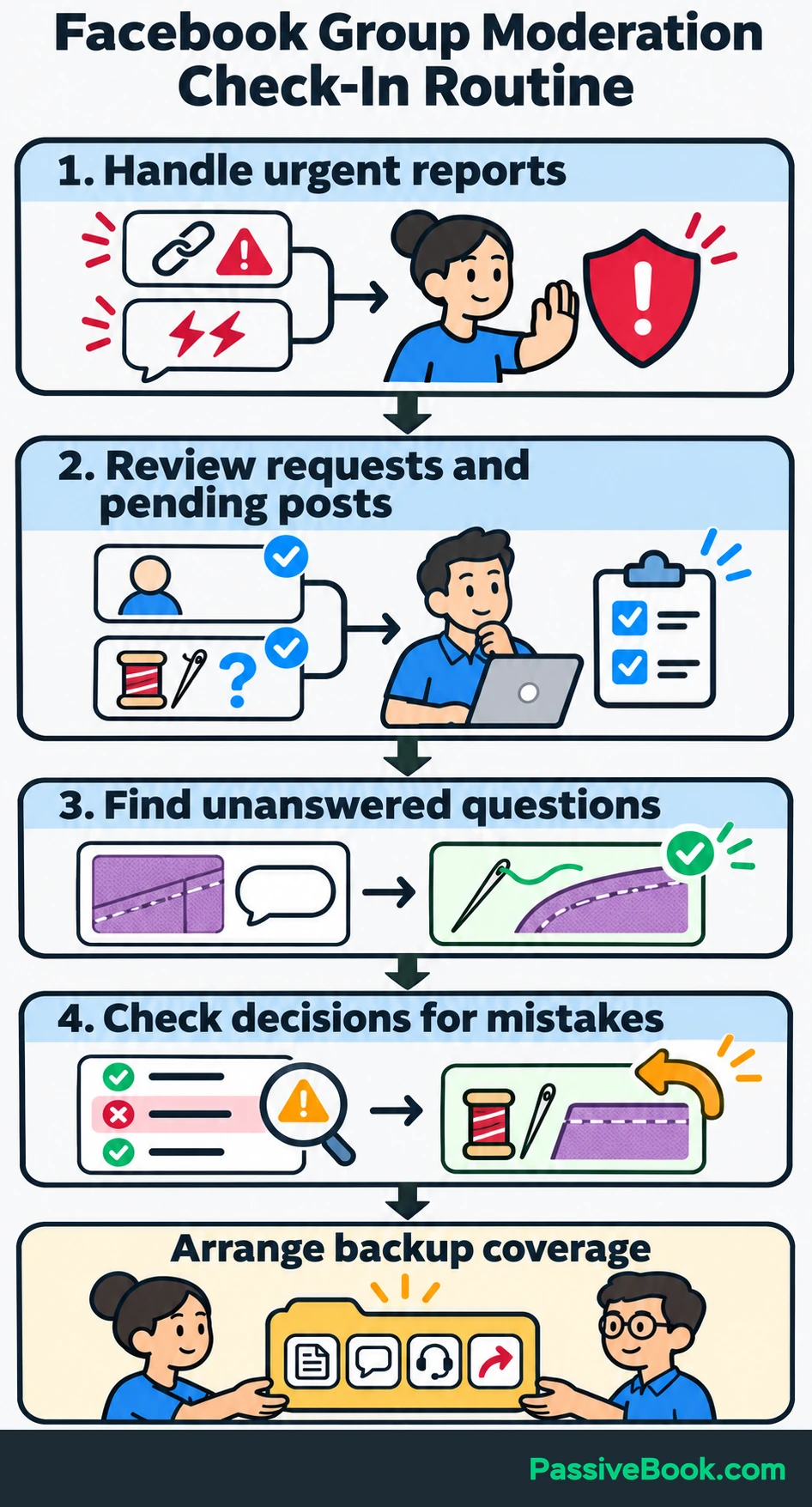
At each check-in:
- Handle urgent reports, scams, and harassment.
- Review membership requests and pending posts.
- Find questions that still need a useful answer.
- Check recent moderation decisions for mistakes.
Correct an honest misunderstanding with a brief explanation. Remove prohibited content and cite the rule. For repeated violations, temporarily suspend the member’s participation or remove them from the group.
Keep constructive complaints about your business visible. Answer the issue publicly where that helps others, then move order numbers, addresses, and payment details into your support channel. Deleting a reasonable complaint leaves the original problem unsolved and gives you another one to explain.
Arrange backup coverage before you need it. A short handover document should contain the rules, common replies, support contact, and situations that need the owner’s decision.
For repetitive spam, use Admin Assist, Facebook’s automated moderation tool. Start narrowly—for example, declining posts containing a known spam link. Meta lets admins review and undo Admin Assist actions, so inspect its decisions and adjust rules that catch useful posts.
I would automate the obvious rubbish and keep disputed decisions with a person.
Attract Relevant Members Without Paid Ads
Invite people to a conversation they want to have. “Join our community” gives them very little to work with.
Start with interested customers, subscribers, and existing contacts. Explain the benefit and point toward a specific discussion.
For readers of your beginner tote-bag tutorial, an invitation could say:
Working through the tote-bag tutorial? Join First Sewing Projects to share your progress or ask about a step that’s holding you up. The current discussion is about reading the pattern before cutting your fabric.
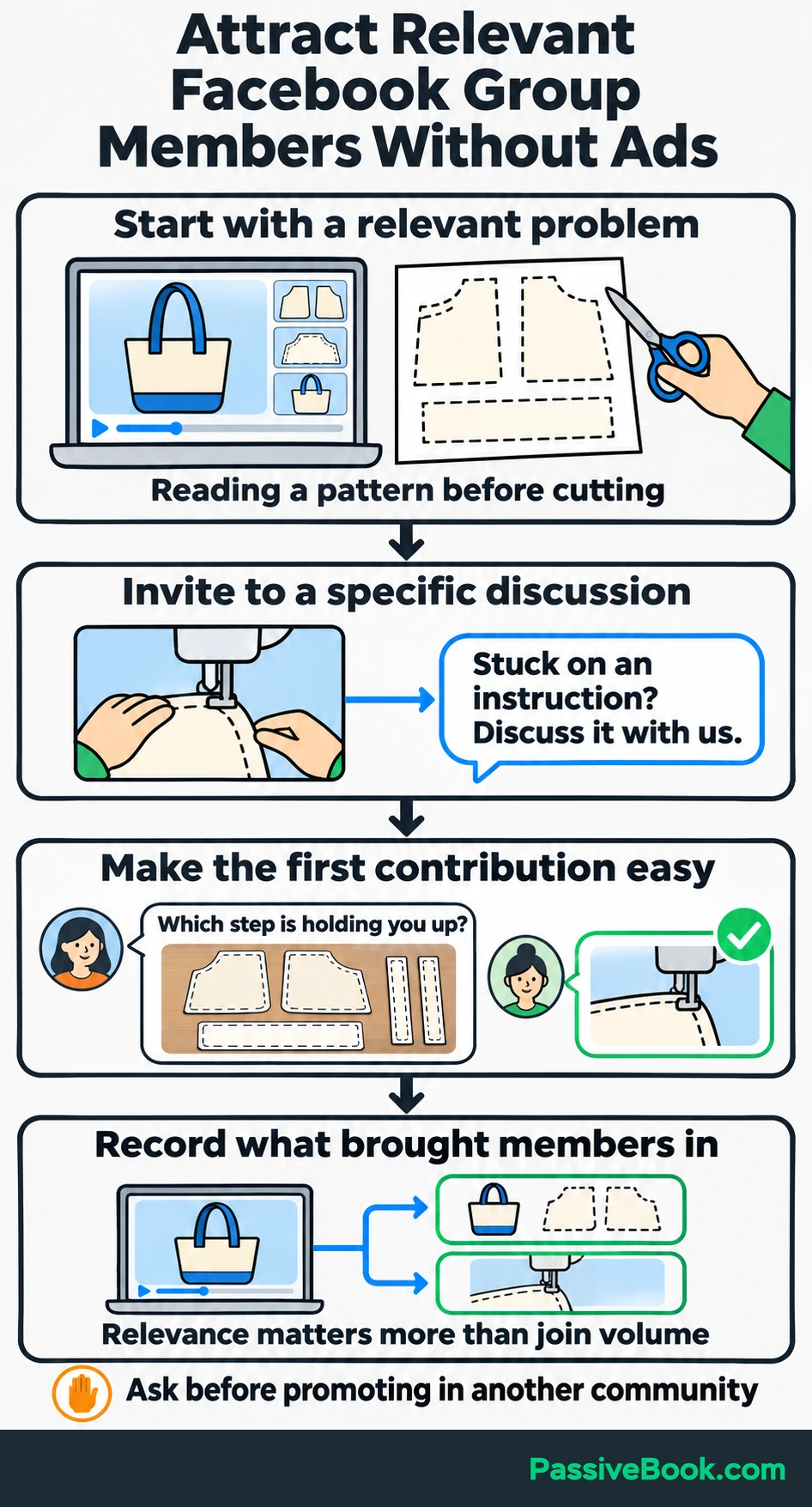
Place that invitation beside the relevant tutorial. You can also include suitable invitations in newsletters, customer follow-ups, and posts on your Facebook Page.
If you have little existing reach, look for complementary businesses. A fabric seller or sewing teacher may have customers who need the kind of project help your group offers. Suggest a useful resource or discussion they can share, and let them decide whether it suits their audience.
Participate in related communities by answering questions. Get permission before posting your invitation in someone else’s space. Their group is not your free advertising department.
You can also publish an original practical tip publicly, then invite people into a related discussion. Encourage members to share that invitation when a conversation would help a friend.
Ask newcomers what brought them in and record the answers. A tutorial that brings a few people with relevant questions may deserve more attention than a broad invitation that produces many silent joins.
You don’t need a large starting audience. You do need a small number of people who care about the same problem.
Build Conversations Members Want to Return to
Create a Manageable Content Rhythm
Build posts around questions members already ask. Give them something useful first, then ask a question they can answer from experience.
“Any questions?” leaves the reader to choose the subject. A focused prompt makes participation easier:
Which step of your first tote bag is holding you up? Share the instruction or a photo of the problem.
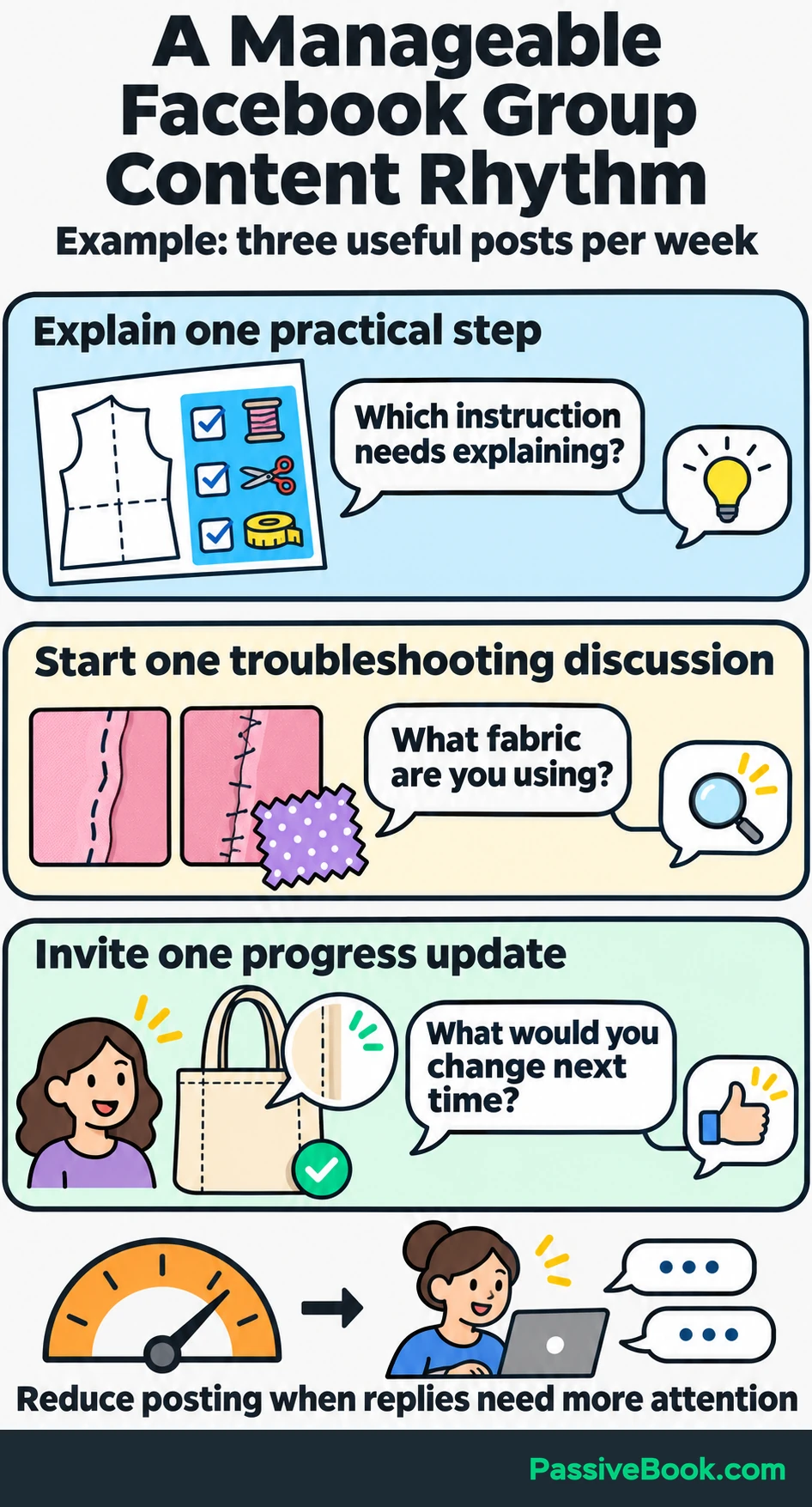
Start with a rhythm you can support. I would try one practical explanation, one troubleshooting discussion, and one progress thread each week. Reduce that if replies need more attention.
Use a simple planning table:
| Member Question | Post Purpose | Discussion Prompt | Follow-Up | Responsible Person |
|---|---|---|---|---|
| How do I read this pattern? | Explain how to find the materials list and preparation notes | “Which instruction needs a plain-language explanation?” | Clarify the step and improve the reference post | Shop owner |
| Why is my seam uneven? | Gather enough detail to troubleshoot | “What fabric are you using, and can you show both sides?” | Ask whether the suggested adjustment helped | Shop owner |
| What should I share after finishing? | Make progress easy to discuss | “Show your finished project and one thing you would change next time.” | Thank contributors and collect common lessons | Shop owner |
Batch the initial posts, then schedule them inside the group. As an admin or moderator, write the post, select the scheduling control, and choose when it should appear.
I would use that built-in option before paying for another tool.
My membership-site project around 2021 taught me where an ambitious content schedule can lead. I spent six months building it alongside corporate work, and the demand for constant new premium material became unsustainable. I abandoned it.
That experience shapes my recommendation here: leave room to answer people. A full publishing calendar is no comfort when every reply feels like another unfinished assignment.
Help Members Answer One Another
Early on, expect to start many of the conversations yourself. Reply to first contributions so newcomers know someone noticed.
When a question lacks detail, ask for what another member would need to help. In the sewing group, that might be the instruction, fabric type, and a close photo of the problem.
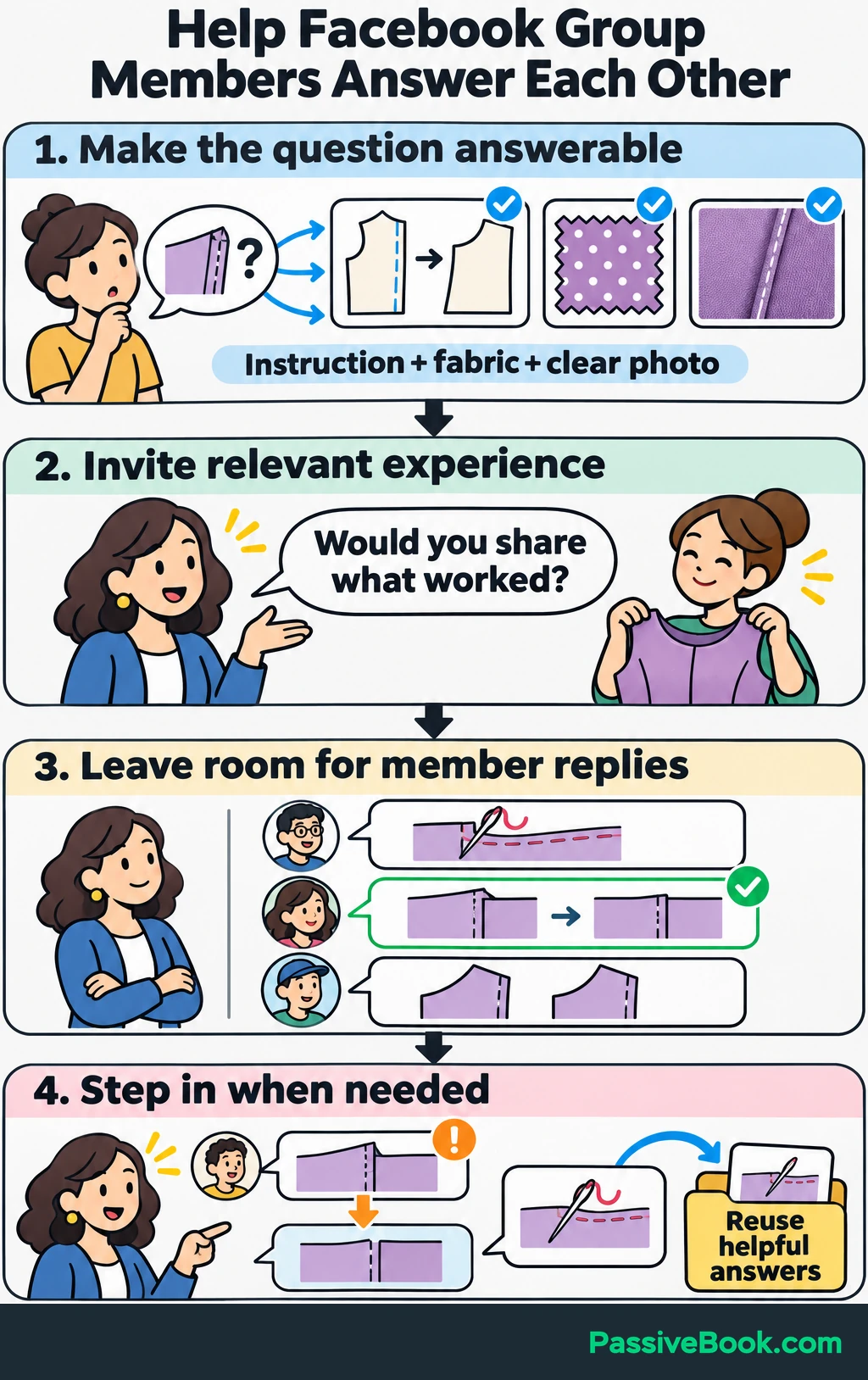
Point people toward relevant existing discussions, but explain why the link helps. “This thread covers the same preparation step—does its second example match your pattern?” is more useful than “Use search.”
Invite an experienced member to contribute when their experience fits. Ask rather than assign, and thank them for the specific help they gave.
As participation grows, give members room to answer before adding your own response. Step in when a question remains unanswered or advice needs correction.
Turn recurring questions into a small set of reference posts. New discussions can then focus on applying those answers to a particular project.
If activity slows, inspect unanswered posts before increasing publishing volume. Ask a few members what they are working on and narrow your next prompt around a real difficulty. Three extra posts will not rescue a question nobody wants to answer.
Turn Useful Conversations Into Leads and Customers
Connect the member’s immediate question to the next useful step. Answer first, then introduce a resource or product when it fits.
In the sewing group, the path might look like this:
- Help a member interpret the pattern’s preparation instructions.
- Offer a free project-preparation checklist they can use before cutting.
- Introduce the paid beginner pattern bundle when they want another guided project.
Each step should solve a problem the member actually has. Don’t make buying the price of getting a proper answer.
Send interested members to a landing page explaining what the resource contains and what happens after signup. If you already use WordPress, Fluent Forms can collect signups and FluentCRM can send the follow-up emails. A simpler standalone email tool such as Kit is another option. Use the system you can maintain.
Keep email signup separate and voluntary. Group membership alone does not give you marketing consent. In the UK, unsolicited marketing emails to individuals generally require consent or a qualifying exception, as explained in the ICO’s email-marketing guidance.
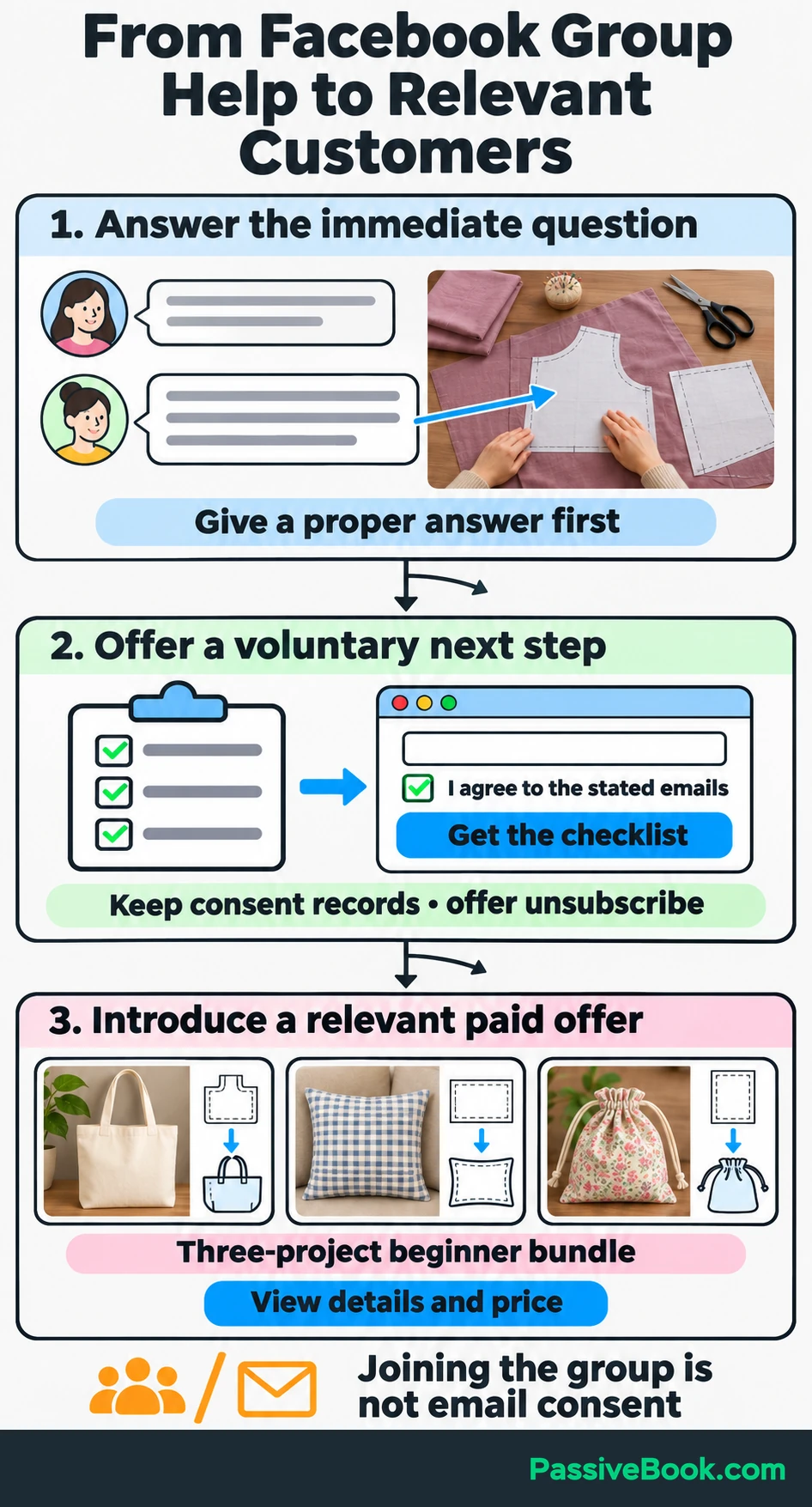
State which emails people are agreeing to receive, keep the signup wording and consent record, and include an unsubscribe option.
When you share a paid offer, explain:
- The problem it helps solve.
- Who it suits.
- What the buyer receives.
- The price and next action.
For the illustrative shop:
Ready for another beginner project? The pattern bundle includes three projects with illustrated instructions. See the project photos, materials lists, and price on the product page before buying.
Use relevant replies and clearly identified promotional posts. Ask before moving into a private sales conversation, and respect a refusal.
I would also keep a list of questions that appear before purchases. If people repeatedly ask whether a pattern needs specialist equipment, answer that on the product page. The group can improve your offer even when a particular conversation does not produce a sale.
Measure Whether the Group Earns Its Place in Your Business
Review three things together: member value, business results, and operating time.
For member value, count member-started discussions and questions receiving useful answers. A useful answer should address the question or give a workable next step; a row of heart reactions does not qualify.
For the business, track your chosen outcome alongside purchases. For the sewing shop, that means confirmed email subscribers interested in beginner patterns.
Keep a simple review sheet. Here is one illustrative entry:
| Period | Useful Discussions | Email Signups | Purchases | Revenue | Direct Costs | Total Group Hours |
|---|---|---|---|---|---|---|
| Two-week trial | 9 member-started threads with practical answers | 12 confirmed subscribers through the group link | 4 pattern bundles | $76 from four $19 bundles | $16 in transaction fees and other direct selling costs | 6 hours |
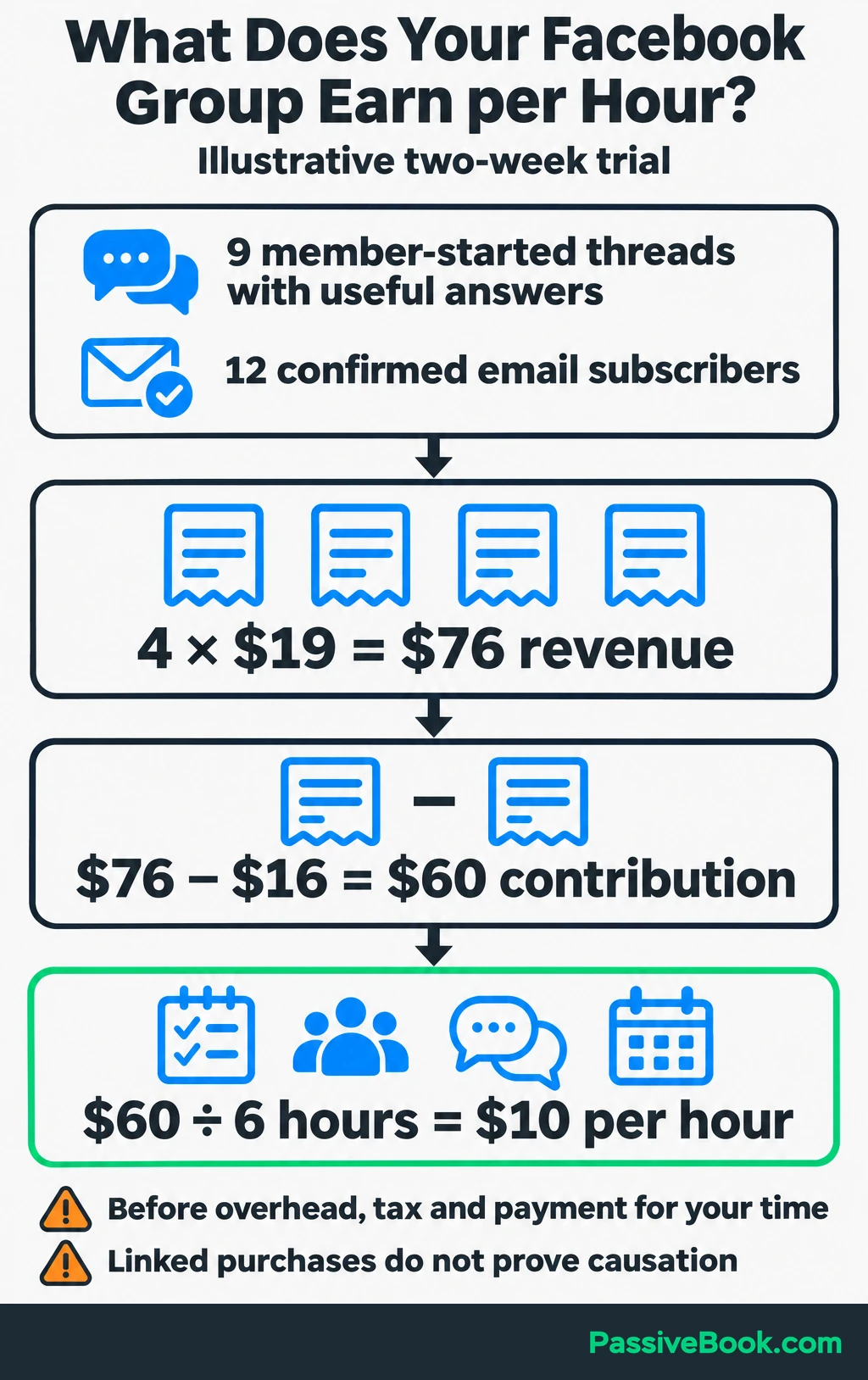
Use a tagged link for the group’s signup and product pages. A tag is a short addition to a link that helps your analytics identify where a visit came from. Also ask buyers how they found you because links will not capture every path.
Count purchases recorded through the group’s links, but don’t assume the group caused each purchase. Someone may have read your blog or emails before joining.
To assess the return on your time, first subtract direct costs from revenue. Then divide what remains by all the hours spent preparing posts, moderating, answering questions, and following up.
In the example:
- Revenue: 4 × $19 = $76.
- Contribution after direct costs: $76 − $16 = $60.
- Contribution per group hour: $60 ÷ 6 = $10.
That leaves $10 per group hour before overhead, tax, and payment for your own time.
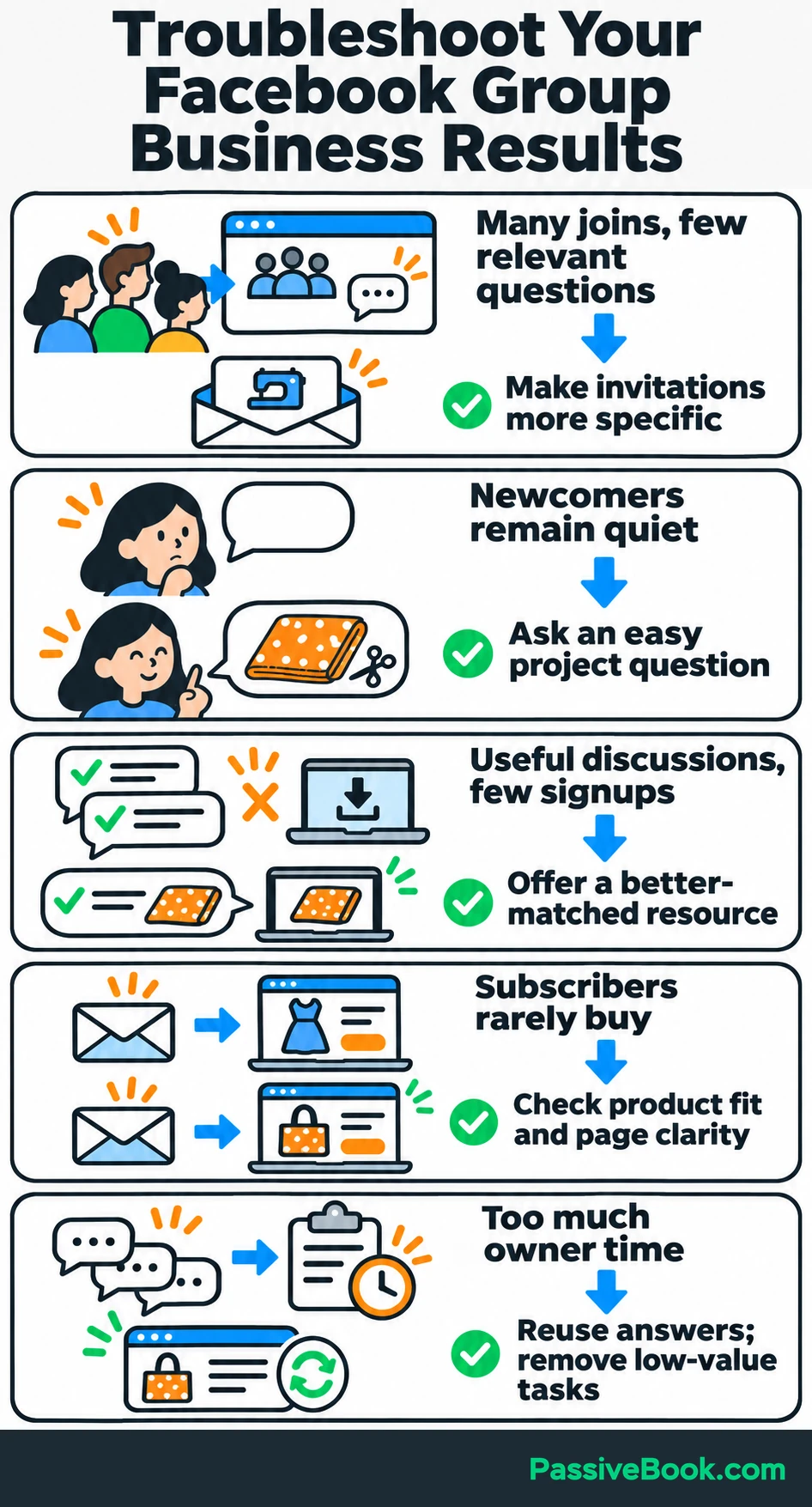
Match the change to the weak point:
| What You Notice | What I Would Change First |
|---|---|
| Many joins, few relevant questions | Make invitations more specific about who the group helps |
| Newcomers join but remain quiet | Replace broad introductions with an easy project question |
| Useful discussions produce few signups | Offer a resource that directly supports the discussion |
| Subscribers rarely buy | Check whether the product fits their next problem and whether the page explains it |
| Results require too much owner time | Reuse reference answers and remove low-value posting tasks |
Review regularly, but allow enough time for the buying decision you are measuring. One quiet week tells you little about repeat purchases.
Continue when the group helps members and supports the business at a workload you can afford. Reduce its scope when useful conversations need less content than you planned. If it cannot justify ongoing attention, close it with notice and tell members where future support will happen.
What Next?
Write the group’s one-sentence promise and reserve its first moderation slots before creating it. Those two decisions will tell you whether you have a useful community to build and enough time to care for it.
Use the social buttons to share this guide when the conversation turns to building a group that earns its keep.
What recurring question would give people a reason to join your group and return? Share it in the comments, along with any other questions about getting started.
Share this post with your friends & followers:

